
The verdict is straightforward: if your team lives in lists and wants more flexibility, ClickUp is the closest all round replacement for Asana. If your team wants the simplest possible task system, Todoist or Trello will feel lighter and faster. If your team runs client work or software projects, Monday, Teamwork, or Jira will fit better than Asana’s general model. Those three sentences cover most teams searching for Asana alternatives, because the real question is not which tool has the longest feature list. It is which workflow your team will actually use every day. This guide compares 9 tools on task management, views, automation, collaboration, reporting, and cost, with pricing notes from listings seen in October 2026. Always check checkout before you buy, because per user pricing and guest limits change often.
Asana is a capable tool. It handles tasks, projects, timelines, and portfolios well, and many teams run their whole operation on it. Teams leave for specific reasons: cost per user as the team grows, a workflow that feels too structured or too loose, missing docs or time tracking, weak client features, or a need for software specific tools such as sprints and issue tracking. The tools below are grouped by work style, not just by price, so you can find the model that matches how your team plans, tracks, and delivers work.
The shortlist in one view
| Tool | Team it suits | Free plan | Best view or feature | Main caution |
|---|---|---|---|---|
| ClickUp | Teams wanting everything in one place | Yes | Docs, goals, and many views | Setup can feel overwhelming |
| Monday | Visual teams and client work | No, trial only | Boards and dashboards | Cost rises with team size |
| Trello | Simple boards and small teams | Yes | Kanban simplicity | Weak for complex reporting |
| Notion | Docs plus tasks in one workspace | Yes | Flexible pages and databases | Needs structure to stay usable |
| Jira | Software and product teams | Yes, limited | Sprints, issues, and roadmaps | Too heavy for non software teams |
| Basecamp | Small teams wanting calm tools | No, trial only | Flat pricing and simple projects | Fewer advanced views |
| Wrike | Larger teams with approvals | Yes, limited | Workflows and proofing | Learning curve for new teams |
| Todoist | Personal and small team tasks | Yes | Fast capture and priorities | Not a full project platform |
| Teamwork | Agencies and client projects | Yes, limited | Client billing and time tracking | Interface takes time to learn |
When you want one workspace for everything
1. ClickUp
ClickUp aims to replace several tools at once: tasks, docs, whiteboards, goals, time tracking, and chat. A team can plan a project in a list, track it on a board or timeline, write specs in a doc, and link goals to tasks, all without leaving ClickUp. That breadth is why many Asana users switch. They want docs next to tasks, or time tracking without a separate app, or custom fields that fit their exact process. ClickUp also offers automation that moves tasks, assigns owners, and updates statuses based on triggers, which reduces manual admin work.
ClickUp’s view options are a strength. Lists, boards, calendars, timelines, Gantt charts, and workloads let different roles see the same work in the form they prefer. A manager can use workload view, a designer can use board view, and an executive can use goals, without duplicate data. Integrations with calendars, email, storage, and chat tools cover most stacks.
Watch out for: ClickUp can feel overwhelming at first, because so many features are visible. Start with one space, one project template, and a small set of statuses, then add docs and automation only when the team asks for them. Pricing in October 2026 includes a free tier, with paid tiers for more storage, automation, and features. Check checkout for per user pricing and for guest access rules, because guests can change the real cost for client work.
2. Notion
Notion is a different kind of Asana alternative. It is a workspace for docs, wikis, databases, and tasks in one place, rather than a pure project tracker. Teams use Notion to plan projects in databases, write specs on pages, track tasks with kanban and timeline views, and keep knowledge beside the work. That combination suits product teams, startups, and content teams that need context, not just task lists. Templates for roadmaps, content calendars, and OKRs speed up setup.
Notion’s flexibility is both its strength and its risk. You can build a system that fits your team exactly, from a simple task list to a full product workspace with linked databases. You can also build a messy workspace that no one trusts, if pages multiply without ownership. Success in Notion requires a clear structure, named owners, and a habit of archiving old pages.
Watch out for: reporting, workload management, and advanced automation are thinner than Monday or Wrike, and large teams may need add ons for time tracking and approvals. Pricing includes a free tier for personal use, with paid tiers for teams, collaboration, and AI features. Check checkout for per user pricing and for AI add on costs, which sit separately on some plans. For a direct head to head on docs versus tasks, see our guide to notion-vs-obsidian.
When visual boards and client work lead
3. Monday
Monday, styled as monday.com, is a visual work platform built around boards, dashboards, and automation. Teams use it for marketing campaigns, client projects, product launches, and operations, with columns for status, owner, date, budget, and files. Dashboards pull data from several boards into charts and progress views that managers and clients can read at a glance. Automations move items, notify owners, and update statuses when conditions change.
Monday’s strength is clarity. A board shows who owns what, what is blocked, and what is due, without opening many menus. Templates for common workflows help new teams start quickly, and integrations with email, CRM, and storage tools reduce manual copying. Client facing teams value guest access and shareable dashboards.
Watch out for: cost per user rises as teams grow, and some features such as advanced reporting and time tracking sit on higher tiers. Monday is also board centred, so teams that need deep docs may pair it with a docs tool. Pricing in October 2026 is paid after a trial, with tiers for boards, automation, and dashboards. Check checkout for the minimum seat count, because that affects small team pricing.

4. Teamwork
Teamwork is built for agencies and professional service teams that bill clients. It combines projects, tasks, milestones, time tracking, and invoicing in one system, so a team can plan work, log time, and bill from the same data. Client access controls let clients see their projects without seeing other clients, and templates for repeatable service packages save setup time. For agencies, that link between work and billing is the reason to choose Teamwork over a general task tool.
Teamwork also offers portfolios, workloads, and reporting that help managers balance work across a team. Integrations with accounting, storage, and communication tools cover agency stacks, and the mobile app supports time logging on the move.
Watch out for: the interface has many features, and new users need time to learn project structure, task lists, and billing settings. Small internal teams that do not bill clients may find Teamwork more complex than Trello or Basecamp. Pricing includes a limited free tier, with paid tiers for projects, users, and billing features. Check checkout for user limits and for time tracking and invoicing inclusions on each tier.
5. Trello
Trello is the simplest board tool in this list, and that simplicity is its power. You create a board, add lists such as To Do, Doing, and Done, and move cards across them. Cards hold checklists, due dates, attachments, members, and comments, which is enough for many small projects. Trello’s Power Ups add calendars, automation, and integrations, while Butler automation moves cards and updates fields based on rules.
Trello suits personal projects, small teams, content pipelines, and event planning, where a visual board is clearer than a complex project system. Setup takes minutes, and new team members understand it without training. That low friction keeps usage high, which is the most important feature of any task tool.
Watch out for: reporting, workload views, and multi project portfolios are basic compared with Monday, ClickUp, or Wrike. Large programs with dependencies and resource planning will outgrow Trello quickly. Pricing includes a free tier, with paid tiers for more boards, automation, and views. Check checkout for automation limits, because Butler runs can become a cost driver on active boards.
When software, scale, or calm matters most
6. Jira
Jira is the standard for software and product teams, and it earns that place through issue tracking, sprints, backlogs, and roadmaps built for development work. Teams plan sprints, track bugs and stories, link issues to releases, and report velocity and burndown without workarounds. Integrations with code repositories, CI tools, and documentation make Jira part of the development workflow, not just a task list beside it.
Jira also supports service management and business projects through related Atlassian tools, which helps larger organisations standardise. Custom workflows, fields, and permissions let teams model their exact process, from triage to release.
Watch out for: Jira is heavy for non software teams. Marketing, operations, and small business teams often find its terminology and setup confusing, and they may be happier in Monday or ClickUp. Pricing includes a limited free tier for small teams, with paid tiers for users and advanced features. Check checkout for user pricing at your team size, because costs rise with headcount.
7. Wrike
Wrike suits larger teams that need structured workflows, approvals, and proofing. It offers tasks, projects, portfolios, Gantt charts, workload views, and automation, plus proofing tools that let reviewers comment directly on images and documents. That proofing workflow matters for marketing, design, and legal teams that approve creative work in rounds. Wrike also supports request forms, which turn incoming work into tracked tasks with intake data.
Wrike’s reporting and resource management help managers plan capacity and spot overloads. Integrations with storage, email, and business intelligence tools support enterprise stacks, and security features suit regulated industries.
Watch out for: setup and learning time are higher than Trello or Basecamp, and the price reflects enterprise features. Small teams may not use approvals, portfolios, and proofing enough to justify the cost. Pricing includes a limited free tier, with paid tiers for users, automation, and proofing. Check checkout for the features included at each tier, especially proofing and reporting.
8. Basecamp
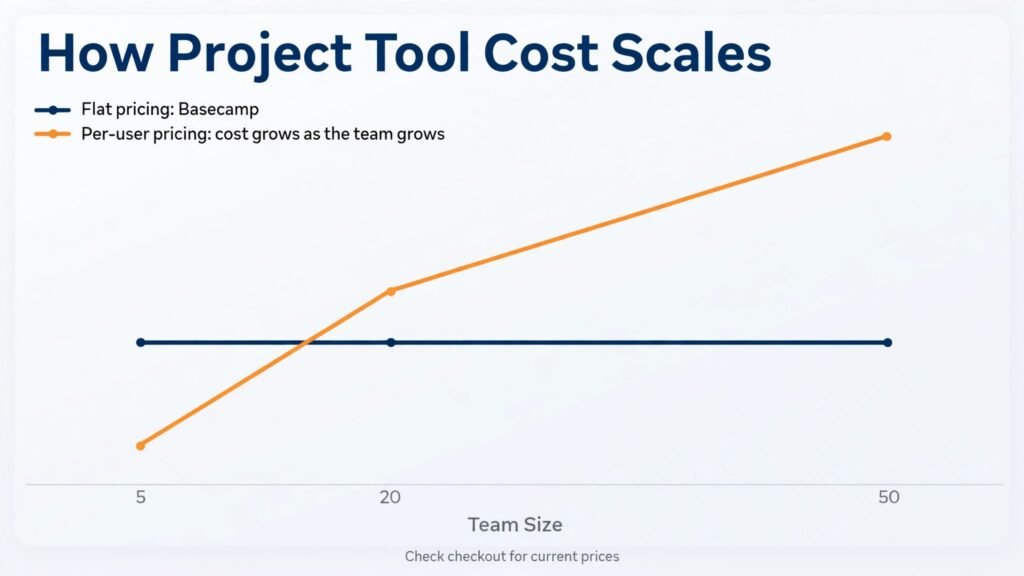
Basecamp takes the opposite approach to Wrike. It offers a calm, simple set of tools for projects: to do lists, message boards, schedules, docs, file storage, and group chat, all under one flat price per organisation rather than per user. That pricing model is a major reason small teams choose Basecamp, because adding a team member does not add a monthly fee. Projects are easy to understand, and the interface avoids the clutter of enterprise dashboards.
Basecamp suits small businesses, agencies with simple projects, and teams that want less tool noise. Clients can be added to specific projects, and the Hill Charts feature gives a simple sense of progress without complex reporting.
Watch out for: Basecamp lacks advanced views such as Gantt charts, workload management, and deep automation. Teams with complex dependencies or large portfolios will need a stronger tool. Pricing in October 2026 is a flat monthly or yearly rate for unlimited users on the main plan, plus a limited free tier for personal projects. Check checkout for the flat rate terms and for what counts as a separate organisation.
9. Todoist
Todoist is a personal task manager that also works for small teams, and it is the fastest tool in this list for capturing tasks. You type a task in natural language, set a date and priority, and move on. Projects, sections, labels, and filters organise work, while Karma tracking shows productivity trends. Todoist integrates with calendars, email, and many apps, and its mobile app is excellent for capture on the move.
Todoist suits individuals, freelancers, and small teams whose work is mainly task lists rather than complex projects. It pairs well with a docs tool or a calendar for planning, and its speed keeps task capture from becoming a chore.
Watch out for: Todoist is not a full project platform. It lacks portfolios, Gantt charts, workload views, and client billing, so larger teams will outgrow it. Use Todoist when speed and simplicity matter most, and choose ClickUp, Monday, or Teamwork when project structure matters more. Pricing includes a free tier, with paid tiers for more projects, reminders, and team features. Check checkout for team member pricing and for filter and label limits. For managers building a wider productivity system, our guide to best-ai-tools-for-project-managers covers complementary tools.
Asana alternatives by work style, not by feature count
| Work style | First pick | Second choice | Why this order |
|---|---|---|---|
| Everything in one workspace | ClickUp | Notion | Docs, goals, and views together |
| Visual campaign and client work | Monday | Teamwork | Boards and dashboards clients understand |
| Simple boards, fast adoption | Trello | Todoist | Lowest learning time, highest daily use |
| Docs led product team | Notion | ClickUp | Context beside tasks matters most |
| Software delivery | Jira | ClickUp | Sprints and issue tracking are native |
| Large team with approvals | Wrike | Monday | Proofing and workload planning |
| Calm small team, flat price | Basecamp | Trello | No per user surprise as you grow |
| Agency billing from projects | Teamwork | Monday | Time and invoicing linked to work |
| Personal task speed | Todoist | Trello | Capture in seconds, anywhere |
A practical way to run a trial
Do not trial a project tool with a fake project. Use a real project that is due in the next three weeks, with real owners, real dates, and real files. That test reveals friction that a demo project hides, such as permission problems, notification overload, and missing views. Assign one person to own the trial, but ask every team member to update their own tasks daily. A tool that only the owner updates is not a team tool.
During the trial, track four measures. First, time to create and assign a task. Second, time to find the status of a project without asking anyone. Third, number of tasks updated without a reminder. Fourth, number of questions the owner receives about how to use the tool. A good tool improves the first three and reduces the fourth. If the trial increases questions and reminders, the tool is adding process rather than removing it.
Also test the failure cases. What happens when a task is overdue, when an owner is on leave, when a client asks for a status update, and when a project changes scope? A tool that handles these cases with automation, workload views, and shareable dashboards will save time in real work. A tool that handles only the happy path will create manual work at the worst moment.
Finally, check migration and exit before you commit. Can you import Asana projects, tasks, comments, and files? Can you export them later? Import tools vary widely, and comments and attachments often need manual handling. Budget a day for migration testing, and keep Asana read only for a month after the switch, so no history is lost if the new tool disappoints.
Errors teams repeat when they switch
The first error is copying Asana structure exactly into the new tool. Each platform has a different model, and a direct copy often creates a confusing hybrid. Instead, keep the projects, owners, and deadlines, but rebuild views, statuses, and automations in the new tool’s natural way. A Monday board should look like a Monday board, not like an Asana list forced into columns.
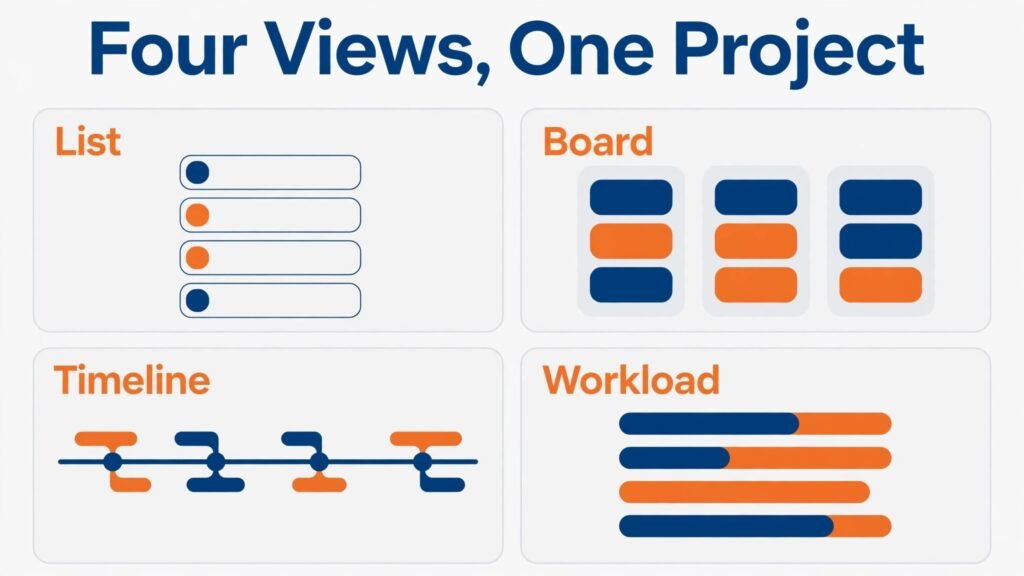
The second error is too many statuses and custom fields. A workflow with twelve statuses looks thorough and feels slow, because every task needs a decision about which status fits. Start with four or five statuses, such as Backlog, In Progress, In Review, and Done, and add more only when a real bottleneck appears. The same rule applies to custom fields. Every field should answer a question someone actually asks in a weekly meeting.
The third error is notification overload. A new tool that emails every team member about every change will be muted within a week, and then important updates are missed. Set notification defaults carefully, use mentions for urgent items, and create a weekly digest habit instead of constant alerts. Test notifications with the team in week one, and adjust before habits form.
The fourth error is ignoring guests and clients. If clients will use the tool, test their view early. Can they see only their projects? Can they comment without editing? Can they view a dashboard without a paid seat? Guest rules decide the real cost and the real risk, so check them in the trial, not after launch.
How reporting, workload, and automation differ
Reporting is where general task tools diverge most. Trello and Todoist give you a clear view of what is done, but they give a manager little help in answering who is overloaded, which project is at risk, and where work is stuck. Monday and ClickUp offer dashboards and workload views that show capacity across a team, while Wrike adds portfolio reporting for larger programs. If you manage more than ten people, test workload views with real assignments, not demo data, because demo data hides overload patterns that real data reveals immediately.
Workload views also expose a common planning error: assigning work by availability on paper while ignoring meeting load, support duties, and part time schedules. A tool can show that one person holds twenty tasks while another holds five, but it cannot judge task size unless you use estimates or effort fields. Add a simple size field, such as small, medium, or large, and review workload by size as well as by count. That habit turns a workload chart from a pretty picture into a planning tool that prevents burnout.
Automation is the second differentiator. ClickUp, Monday, Wrike, and Trello through Butler all offer automation, but the depth and limits differ. A useful automation moves a task to review when a subtask is complete, notifies the next owner, and updates a due date when a dependency shifts. A weak automation only sends a notification that the team soon ignores. During a trial, build three automations that reflect real handoffs in your team, and check that they run reliably for a full week. Automation that fails silently is worse than no automation, because the team assumes work moved when it did not.
Time tracking is the third differentiator, and it matters most for agencies and service teams. Teamwork and ClickUp include time tracking that links hours to tasks and clients, while other tools require an integration. If you bill by the hour, native time tracking saves reconciliation work and reduces disputes, because time is recorded against the exact task and project. If you do not bill by the hour, time tracking can still help with estimates, but it should stay optional, or teams will see it as surveillance rather than planning help. Be clear about why you track time, and share the resulting estimates with the team so the data benefits them too.
Security and permissions form the final check for larger teams. Wrike and Jira offer granular roles, audit trails, and enterprise controls that small tools lack, while Basecamp offers simple project level access that suits small teams. Check who can delete projects, export data, invite guests, and change billing. Those four permissions cause the most problems when they are too broad, and a short permissions review during setup prevents most access incidents later. Document who holds admin rights, and review that list when team members change roles.
Frequently asked questions
Is ClickUp really a full Asana replacement?
For most general teams, yes. ClickUp covers tasks, docs, goals, time tracking, and many views in one place. Teams that need software specific sprint tools may still prefer Jira, and teams that want simplicity may prefer Trello, but ClickUp is the broadest direct replacement.
Which Asana alternative is cheapest for a large team?
Basecamp is cheapest for large teams because of flat pricing, while Trello and Todoist are cheapest for small teams. Compare total cost at your real user count, including guests and clients, because per user pricing changes the ranking quickly as teams grow.
Can I import Asana projects into these tools?
Most tools offer Asana import, but the depth varies. Tasks, projects, and due dates usually transfer well, while comments, attachments, and custom fields may need manual work. Test import with one real project before migrating everything, and keep Asana read only during the transition.
Is Notion good for project management alone?
Notion works well for docs led teams that plan in databases and pages, but it is weaker for workload reporting and automation than Monday or Wrike. Use Notion when knowledge and tasks must live together, and pair it with a dedicated tracker if reporting becomes central.
Which tool is best for agencies?
Teamwork is best for agencies that bill from projects, because time tracking and invoicing link to work. Monday is a strong second choice for visual client dashboards, and Sendible style reporting can be added through integrations or reports depending on the agency’s needs.
Do I need Jira if my team is not building software?
Usually no. Jira’s strength is software delivery, with sprints, issues, and releases. Non software teams often find it heavy and confusing, and they work faster in ClickUp, Monday, or Basecamp, which use more general project language.
How long should a switch from Asana take?
A small team can switch in one to two weeks, including import, templates, and training. A larger team with many projects, automations, and client access should allow three to six weeks, with a parallel run period where Asana stays read only and the new tool handles live work.
Ending differently: the tool you use beats the tool you admire
Project tools fail quietly. A team does not announce that it stopped updating tasks. It just stops, and work moves back to chat, email, and memory. The best Asana alternative is therefore not the tool with the most features, or the tool a larger company uses. It is the tool your team updates without being reminded, the tool a new hire understands in a day, and the tool a manager can read in a minute without asking for a status meeting. Run a real trial, count the cost at your real team size, and choose the workflow that survives a busy week. Before you announce the switch, write a one page guide for the team covering where to create a task, how to set a due date, when to use a comment versus a message, and who to ask for help. That single page does more for adoption than a long training session, because it answers the questions people actually ask in their first week. Revisit the guide after a month, remove steps the team no longer needs, and keep only the habits that survived real work. That choice will outlast any feature comparison, including this one. When the tool fits the team, updates happen on their own, and managers spend less time chasing status and more time removing blockers. That is the simplest test of all, and it is the one worth trusting.