
n8n earned its fans by giving technical teams visual workflows plus code, self hosting, and fair pricing for serious automation. n8n alternatives now offer a wider trade off: simpler no code setup with a larger app catalog on one side, and deeper developer control on the other. Comparing them only on app count misses the real question, which is who will build and maintain the workflows after launch week.
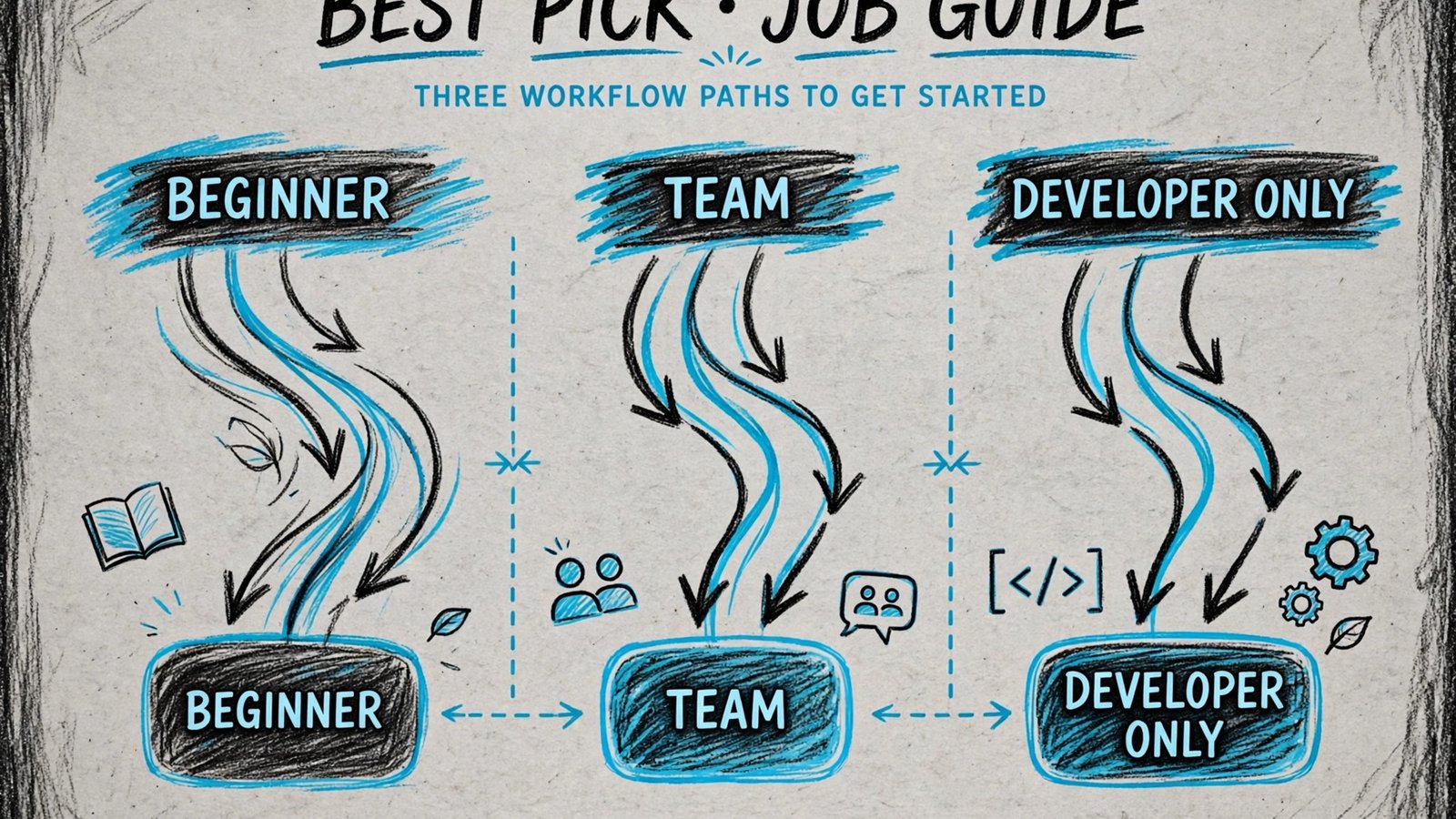
That ownership question should drive the choice. A small team that needs a flow live today will value ready recipes and a simple builder. An operations team with complex data rules will value branching, error handling, and data tools. A developer team will value code steps, version control, and self hosting. This guide groups tools by those owners, then judges builder depth, reliability, and cost at real volume.
Cost is the second trap in October 2026. Many platforms charge by task, operation, or run, and a flow that looks cheap at ten runs a day can grow fast at ten thousand. Treat price notes as a starting point and check checkout for task counting, included operations, and overage rules before you automate a core business process.
Start with your owner and your volume, then test one real workflow end to end, including an error case and a retry. The per tool watch out notes flag where a platform is simple but shallow, powerful but costly, or open but in need of technical care.
If this guide connects to other work you already do, these related guides help you compare nearby choices: HubSpot alternatives, Mailchimp alternatives, AI tools for project managers. Use them after you shortlist a tool here, not as a substitute for testing the tool itself.
Why n8n alternatives matter in 2026
Buyers rarely switch tools because of one feature. They switch because a daily friction adds up: slow sharing, weak audio, messy editing, lost context, or a bill that grows with the team. A good alternative removes that friction without adding a new one, such as a steep learning curve, a narrow integration list, or a privacy trade off you did not expect. Judge each option on the friction it removes, the friction it adds, and the cost of leaving later, including exported files, hosted links, and team habits.
Test with real work, not a demo file. Record a real update, clean a real call, build a real page, translate a real document, or automate a real flow, then share the result with the person who will actually use it. A tool that feels fast in a demo can feel slow when your files, apps, and team are involved, and that gap is where most bad purchases happen.
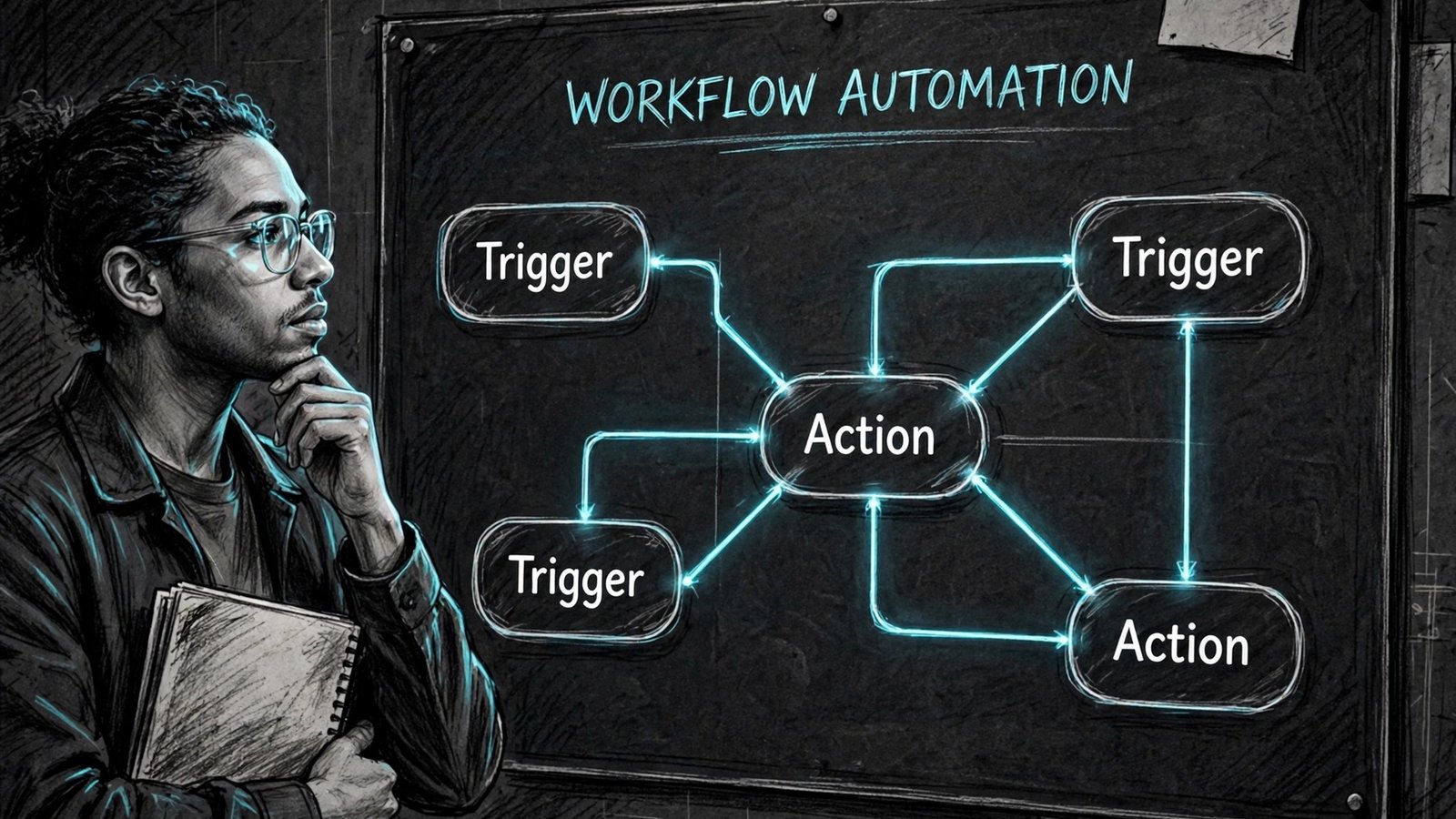
At a glance
| Tool | Best for | Starting point |
|---|---|---|
| Zapier | small teams automating common apps fast | Free or trial available; check checkout for current paid plans |
| Make | teams that want visual flows with logic | Free or trial available; check checkout for current paid plans |
| Pipedream | developers building code level integrations | Free or trial available; check checkout for current paid plans |
| Activepieces | teams wanting an open source automation option | Free or trial available; check checkout for current paid plans |
| Workato | enterprises automating across departments | Free or trial available; check checkout for current paid plans |
| Tray.ai | operations teams with complex data flows | Free or trial available; check checkout for current paid plans |
| IFTTT | individuals automating simple personal triggers | Free or trial available; check checkout for current paid plans |
| Albato | small businesses wanting affordable automation | Free or trial available; check checkout for current paid plans |
| Integrately | small teams wanting one click automation recipes | Free or trial available; check checkout for current paid plans |
| Windmill | developers wanting code first self hosted workflows | Free or trial available; check checkout for current paid plans |
The table above is a starting filter only. Prices, limits, and feature tiers change, so use it to build a shortlist of three tools, then test those three with the same real task and compare the outputs side by side.
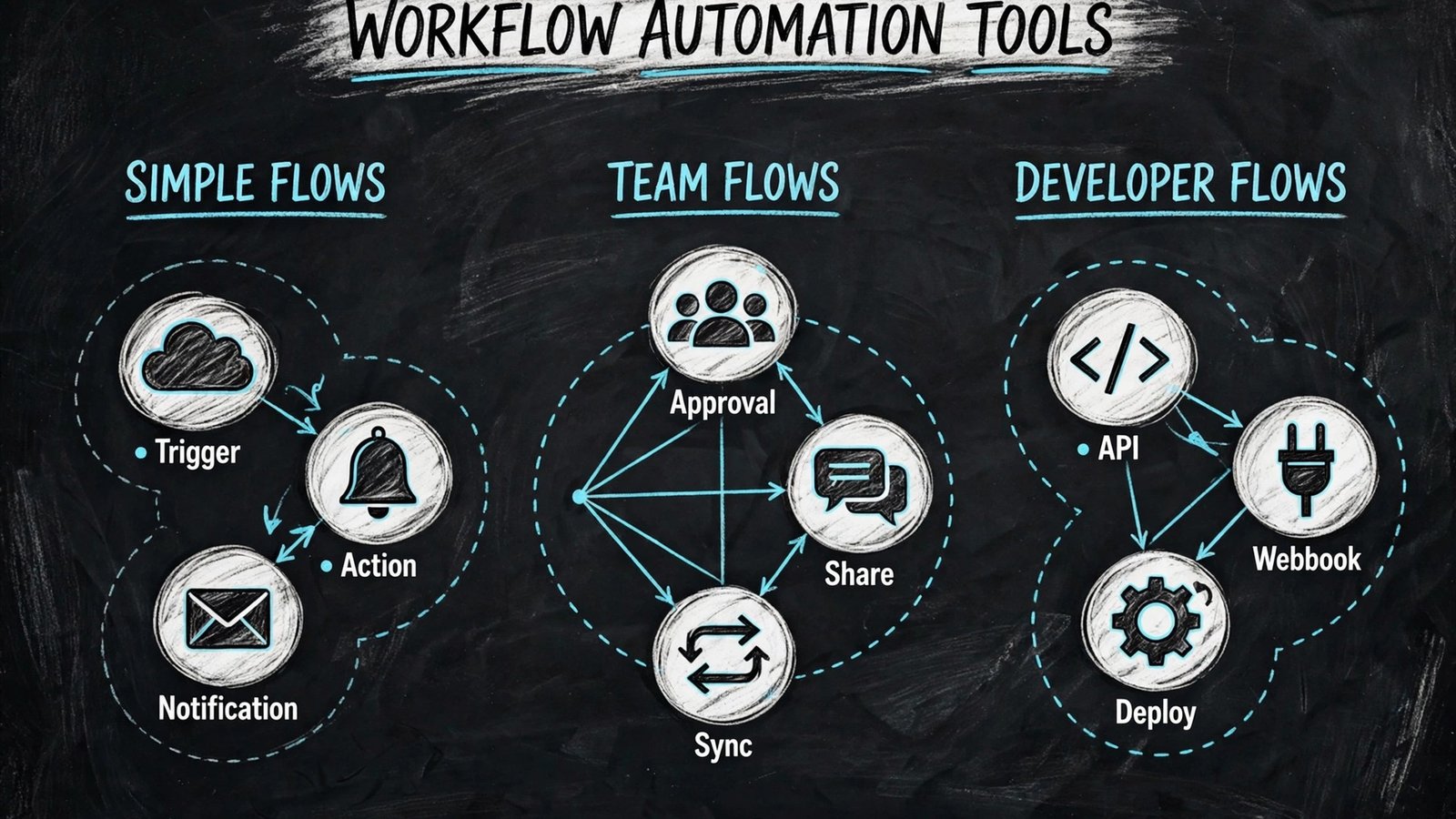
For no code business automation
This group suits buyers who put zapier first, but the tools inside it still differ on editing depth, sharing controls, and price. Read each note with your own workflow in mind, and note which limits would block your team in week one, not just on launch day.
For developer and self hosted control
This group suits buyers who put pipedream first, but the tools inside it still differ on editing depth, sharing controls, and price. Read each note with your own workflow in mind, and note which limits would block your team in week one, not just on launch day.
For enterprise operations
This group suits buyers who put workato first, but the tools inside it still differ on editing depth, sharing controls, and price. Read each note with your own workflow in mind, and note which limits would block your team in week one, not just on launch day.
The full shortlist, tool by tool
1. Zapier
Zapier is best for small teams automating common apps fast. Its main strength is largest app catalog, simple zaps, and AI helpers for setup. In daily use, that strength shows up as less manual work: fewer re recordings, fewer format conversions, and fewer follow up messages asking for a link, a file, or a clearer version. Teams that match the best for description usually get value fastest, because the tool was built around their workflow rather than adapted to it.
For a fair test, run the same task you do every week and compare time, output quality, and sharing steps against your current tool. Check official documentation at zapier.com for current features, and check checkout for the plan that actually includes the features you tested, because free plans often exclude the exact feature that made the demo feel good. Also check export, privacy, and permission controls before you move team content into a new workspace.
Watch out for: multi step and high volume flows can get costly. If that limit touches your core job, shortlist a different tool even if the rest of the feature list looks strong.
In practice, budget a full test week for this tool, including a revision, a share to an outside viewer, and a check of the plan limits at your real monthly volume, before you move a large project into it.
2. Make
Make is best for teams that want visual flows with logic. Its main strength is visual scenario builder with routers, filters, and data tools. In daily use, that strength shows up as less manual work: fewer re recordings, fewer format conversions, and fewer follow up messages asking for a link, a file, or a clearer version. Teams that match the best for description usually get value fastest, because the tool was built around their workflow rather than adapted to it.
For a fair test, run the same task you do every week and compare time, output quality, and sharing steps against your current tool. Check official documentation at make.com for current features, and check checkout for the plan that actually includes the features you tested, because free plans often exclude the exact feature that made the demo feel good. Also check export, privacy, and permission controls before you move team content into a new workspace.
Watch out for: learning curve is higher than a simple two app zap. If that limit touches your core job, shortlist a different tool even if the rest of the feature list looks strong.
In practice, budget a full test week for this tool, including a revision, a share to an outside viewer, and a check of the plan limits at your real monthly volume, before you move a large project into it.
3. Pipedream
Pipedream is best for developers building code level integrations. Its main strength is code steps, API access, and workflow control for technical teams. In daily use, that strength shows up as less manual work: fewer re recordings, fewer format conversions, and fewer follow up messages asking for a link, a file, or a clearer version. Teams that match the best for description usually get value fastest, because the tool was built around their workflow rather than adapted to it.
For a fair test, run the same task you do every week and compare time, output quality, and sharing steps against your current tool. Check official documentation at pipedream.com for current features, and check checkout for the plan that actually includes the features you tested, because free plans often exclude the exact feature that made the demo feel good. Also check export, privacy, and permission controls before you move team content into a new workspace.
Watch out for: non technical users may prefer a visual no code builder. If that limit touches your core job, shortlist a different tool even if the rest of the feature list looks strong.
In practice, budget a full test week for this tool, including a revision, a share to an outside viewer, and a check of the plan limits at your real monthly volume, before you move a large project into it.
4. Activepieces
Activepieces is best for teams wanting an open source automation option. Its main strength is open source, visual flows, and self hosting options. In daily use, that strength shows up as less manual work: fewer re recordings, fewer format conversions, and fewer follow up messages asking for a link, a file, or a clearer version. Teams that match the best for description usually get value fastest, because the tool was built around their workflow rather than adapted to it.
For a fair test, run the same task you do every week and compare time, output quality, and sharing steps against your current tool. Check official documentation at activepieces.com for current features, and check checkout for the plan that actually includes the features you tested, because free plans often exclude the exact feature that made the demo feel good. Also check export, privacy, and permission controls before you move team content into a new workspace.
Watch out for: app catalog is growing and smaller than the largest platforms. If that limit touches your core job, shortlist a different tool even if the rest of the feature list looks strong.
In practice, budget a full test week for this tool, including a revision, a share to an outside viewer, and a check of the plan limits at your real monthly volume, before you move a large project into it.
5. Workato
Workato is best for enterprises automating across departments. Its main strength is enterprise governance, recipes, and deep app connectors. In daily use, that strength shows up as less manual work: fewer re recordings, fewer format conversions, and fewer follow up messages asking for a link, a file, or a clearer version. Teams that match the best for description usually get value fastest, because the tool was built around their workflow rather than adapted to it.
For a fair test, run the same task you do every week and compare time, output quality, and sharing steps against your current tool. Check official documentation at workato.com for current features, and check checkout for the plan that actually includes the features you tested, because free plans often exclude the exact feature that made the demo feel good. Also check export, privacy, and permission controls before you move team content into a new workspace.
Watch out for: enterprise pricing and sales process suit larger teams. If that limit touches your core job, shortlist a different tool even if the rest of the feature list looks strong.
In practice, budget a full test week for this tool, including a revision, a share to an outside viewer, and a check of the plan limits at your real monthly volume, before you move a large project into it.
6. Tray.ai
Tray.ai is best for operations teams with complex data flows. Its main strength is powerful builders, AI agents, and data handling for operations. In daily use, that strength shows up as less manual work: fewer re recordings, fewer format conversions, and fewer follow up messages asking for a link, a file, or a clearer version. Teams that match the best for description usually get value fastest, because the tool was built around their workflow rather than adapted to it.
For a fair test, run the same task you do every week and compare time, output quality, and sharing steps against your current tool. Check official documentation at tray.io for current features, and check checkout for the plan that actually includes the features you tested, because free plans often exclude the exact feature that made the demo feel good. Also check export, privacy, and permission controls before you move team content into a new workspace.
Watch out for: setup and pricing fit mid market and enterprise use more than solo use. If that limit touches your core job, shortlist a different tool even if the rest of the feature list looks strong.
In practice, budget a full test week for this tool, including a revision, a share to an outside viewer, and a check of the plan limits at your real monthly volume, before you move a large project into it.
7. IFTTT
IFTTT is best for individuals automating simple personal triggers. Its main strength is simple applets for smart home, social, and personal apps. In daily use, that strength shows up as less manual work: fewer re recordings, fewer format conversions, and fewer follow up messages asking for a link, a file, or a clearer version. Teams that match the best for description usually get value fastest, because the tool was built around their workflow rather than adapted to it.
For a fair test, run the same task you do every week and compare time, output quality, and sharing steps against your current tool. Check official documentation at ifttt.com for current features, and check checkout for the plan that actually includes the features you tested, because free plans often exclude the exact feature that made the demo feel good. Also check export, privacy, and permission controls before you move team content into a new workspace.
Watch out for: logic depth is limited for business workflows. If that limit touches your core job, shortlist a different tool even if the rest of the feature list looks strong.
In practice, budget a full test week for this tool, including a revision, a share to an outside viewer, and a check of the plan limits at your real monthly volume, before you move a large project into it.
8. Albato
Albato is best for small businesses wanting affordable automation. Its main strength is visual builder with a growing app list and lower entry cost. In daily use, that strength shows up as less manual work: fewer re recordings, fewer format conversions, and fewer follow up messages asking for a link, a file, or a clearer version. Teams that match the best for description usually get value fastest, because the tool was built around their workflow rather than adapted to it.
For a fair test, run the same task you do every week and compare time, output quality, and sharing steps against your current tool. Check official documentation at albato.com for current features, and check checkout for the plan that actually includes the features you tested, because free plans often exclude the exact feature that made the demo feel good. Also check export, privacy, and permission controls before you move team content into a new workspace.
Watch out for: catalog depth trails Zapier and Make for niche apps. If that limit touches your core job, shortlist a different tool even if the rest of the feature list looks strong.
In practice, budget a full test week for this tool, including a revision, a share to an outside viewer, and a check of the plan limits at your real monthly volume, before you move a large project into it.
9. Integrately
Integrately is best for small teams wanting one click automation recipes. Its main strength is ready recipes that set up common flows in a few clicks. In daily use, that strength shows up as less manual work: fewer re recordings, fewer format conversions, and fewer follow up messages asking for a link, a file, or a clearer version. Teams that match the best for description usually get value fastest, because the tool was built around their workflow rather than adapted to it.
For a fair test, run the same task you do every week and compare time, output quality, and sharing steps against your current tool. Check official documentation at integrately.com for current features, and check checkout for the plan that actually includes the features you tested, because free plans often exclude the exact feature that made the demo feel good. Also check export, privacy, and permission controls before you move team content into a new workspace.
Watch out for: custom logic is lighter than visual builders. If that limit touches your core job, shortlist a different tool even if the rest of the feature list looks strong.
In practice, budget a full test week for this tool, including a revision, a share to an outside viewer, and a check of the plan limits at your real monthly volume, before you move a large project into it.
10. Windmill
Windmill is best for developers wanting code first self hosted workflows. Its main strength is open source, code in Python or TypeScript, and self hosting. In daily use, that strength shows up as less manual work: fewer re recordings, fewer format conversions, and fewer follow up messages asking for a link, a file, or a clearer version. Teams that match the best for description usually get value fastest, because the tool was built around their workflow rather than adapted to it.
For a fair test, run the same task you do every week and compare time, output quality, and sharing steps against your current tool. Check official documentation at windmill.dev for current features, and check checkout for the plan that actually includes the features you tested, because free plans often exclude the exact feature that made the demo feel good. Also check export, privacy, and permission controls before you move team content into a new workspace.
Watch out for: developer focus means business users need technical help. If that limit touches your core job, shortlist a different tool even if the rest of the feature list looks strong.
In practice, budget a full test week for this tool, including a revision, a share to an outside viewer, and a check of the plan limits at your real monthly volume, before you move a large project into it.

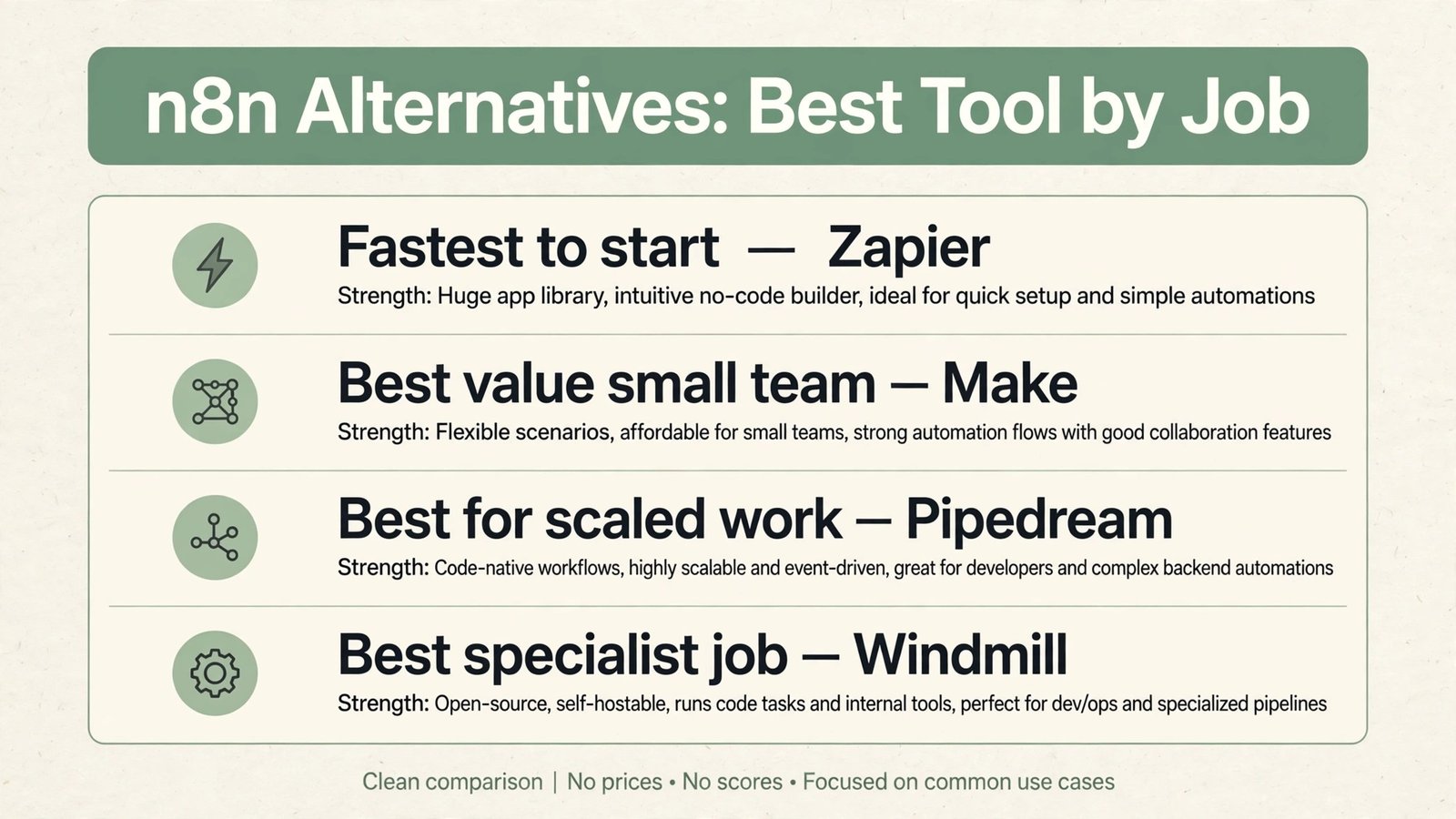
Best pick by job
| Job | Pick | Why it fits |
|---|---|---|
| Fastest to start | Zapier | Low setup time and a familiar sharing flow |
| Best value for a small team | Make | Strong core features without enterprise complexity |
| Best for serious or scaled work | Pipedream | Depth, controls, and room to grow with the team |
| Best for a specialist job | Windmill | Built around one workflow rather than every workflow |
Treat these picks as a starting point for testing, not a final answer. Your apps, team size, budget, and content type can move the winner, and a one week test with real work is worth more than any ranking table.
How to choose an automation platform that scales
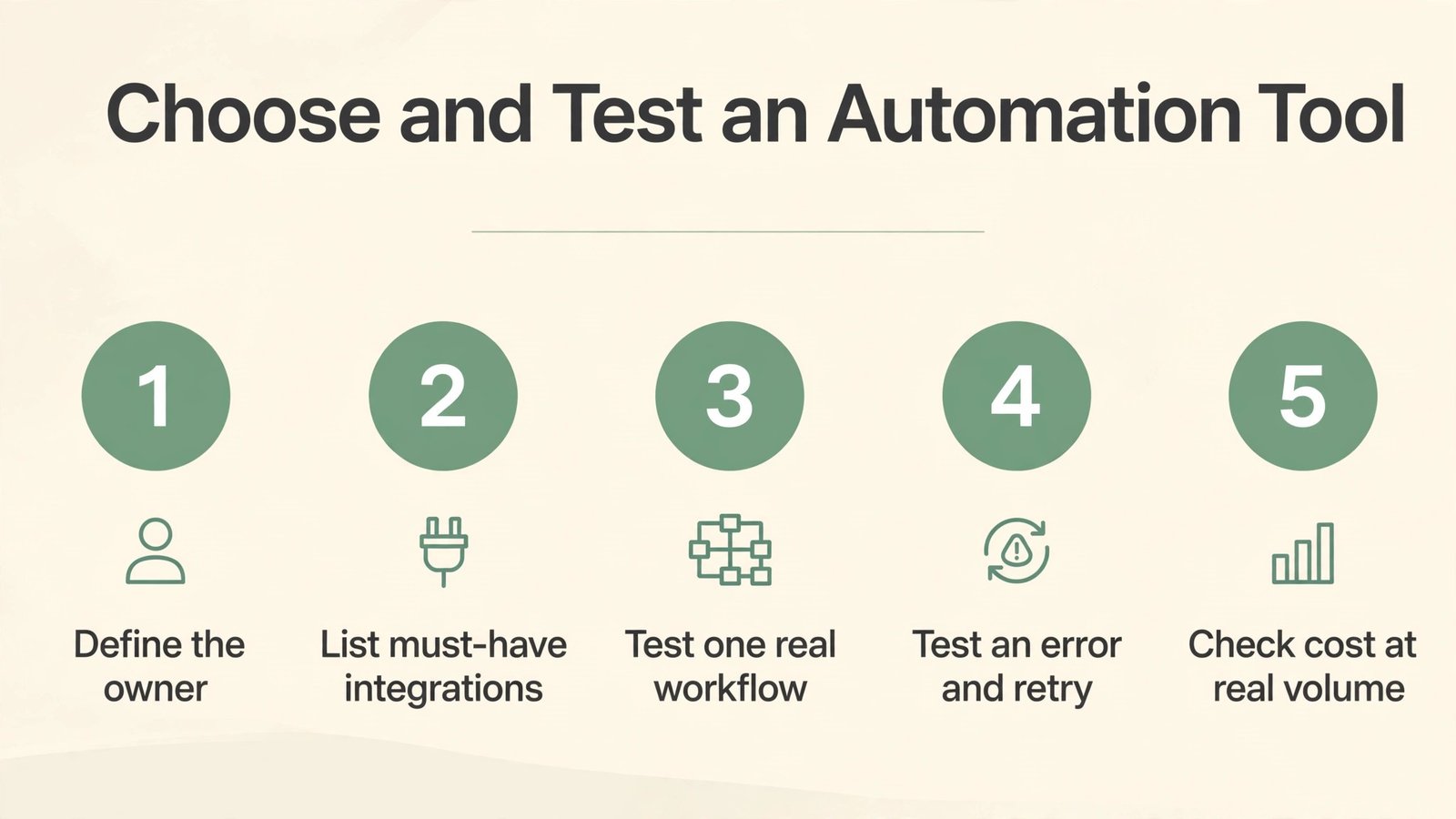
Start from the output, not the feature list. Define the finished result you need, such as a shared clip a client can watch without an account, a clean podcast episode, a working prototype, a translated help center, or a flow that runs without daily checks. Then list the must have inputs, outputs, and integrations for that result. Any tool missing a must have should leave the shortlist, even if it wins on price or design.
Next, check ownership and maintenance. Who will build, fix, and update this work in three months? A tool that needs a developer for every change is a poor fit for a solo creator, and a simple tool that cannot handle branching logic is a poor fit for an operations team. Ask for a trial that covers a full work cycle, including an error, a revision, and a share to an outside viewer.
Finally, check cost at your real volume, data control, and exit path. Count seats, tasks, minutes, words, or runs for a typical month, then compare the plan that covers that volume, not the headline starter price. Confirm who owns the content, how exports work, and what happens to shared links if you cancel. A clear exit path is a sign of a confident vendor, not a weakness.
Mistakes to avoid
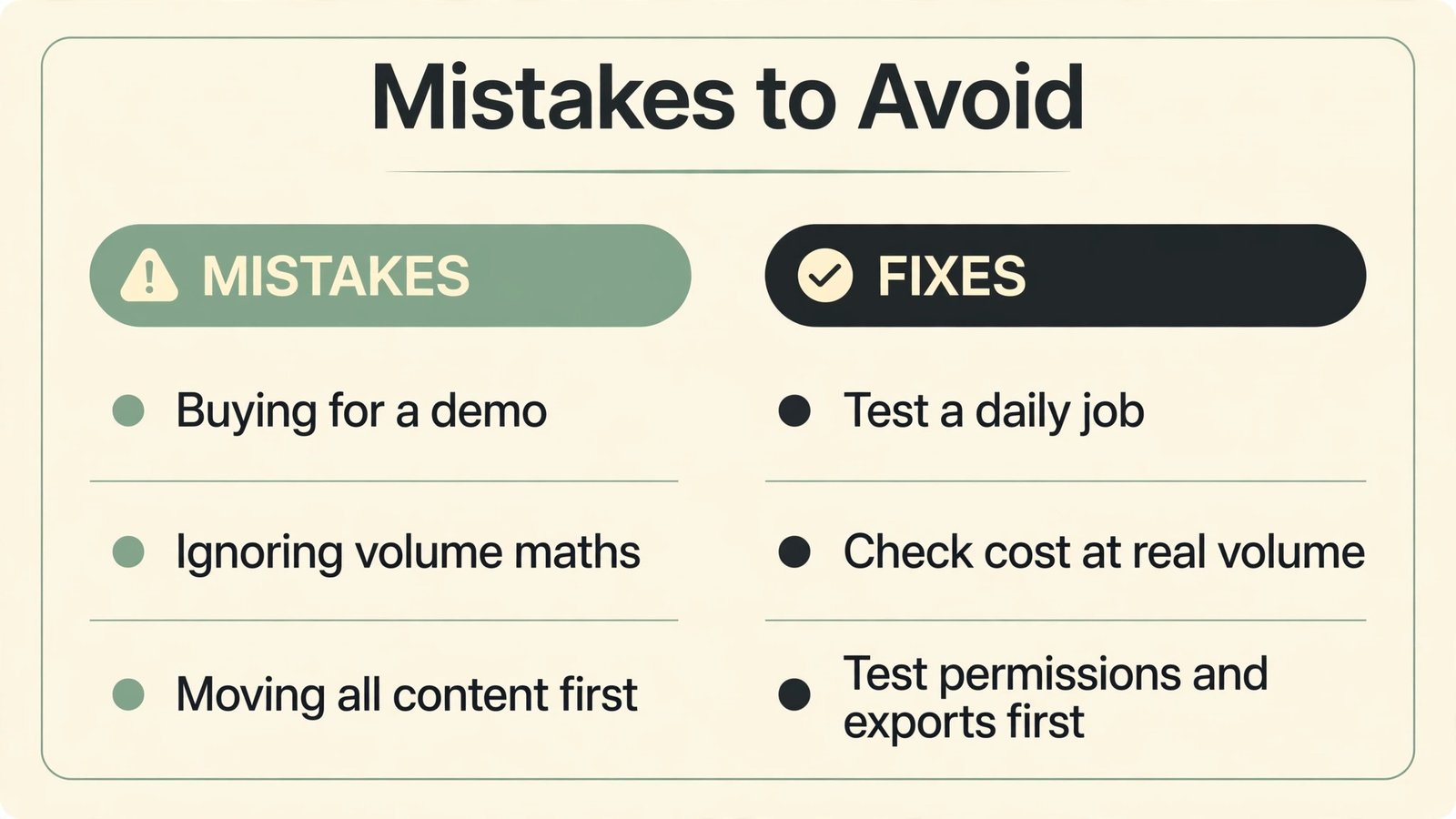
The most common mistake is buying for a demo instead of a daily job. A polished demo hides slow exports, weak search, missing permissions, and support gaps that only appear under real load. The second mistake is ignoring the viewer or listener experience: a tool that is easy for the creator but hard for the audience will quietly reduce adoption. The third mistake is skipping the volume math, then facing an upgrade bill in month two.
Another mistake is moving all content before testing permissions and privacy. Check sharing defaults, viewer access, data retention, and team roles on day one. Also avoid stacking two tools that do the same job, because duplicate libraries, links, and logins create confusion that no feature list can fix. Pick one home for each job, and keep the second tool only if it clearly covers a different job.
A realistic rollout checklist for your first automation
Start with one flow that runs daily and has a clear owner. Write the trigger, the steps, and the expected result in plain language, then build only that flow. If the description needs a diagram to understand, simplify the flow before you build it, because a complex first flow is hard to debug and hard to hand over.
Next, test failure cases on purpose. Send bad data, disconnect an app, and run the flow twice in a row. Check what the team sees, what gets logged, and whether the flow retries safely or creates duplicates. A flow that works on clean data but fails silently on real data will cause more work than it saves.
Finally, document the flow, its owner, and its cost. Note the apps involved, the data fields used, and the monthly run volume. Review that note every quarter, because apps change their APIs and a flow that was cheap last year can become costly or broken without warning.
Frequently asked questions
Do I need to pay to get value from n8n alternatives?
No, in most cases a free plan or trial is enough to test the core job, but paid plans usually remove limits on length, volume, storage, or team features. Test the exact limit that matters for your work before you pay.
How long should I test n8n alternatives before deciding?
One full work cycle is a good minimum: a real project from start to shared result, including a revision and an outside viewer. A single afternoon test often misses export, permission, and volume issues.
Can I switch later without losing my work?
In most cases yes for files you own, but shared links, hosted pages, and workspace history may not move cleanly. Export early, keep originals, and check the exit path before you build a large library.
Which option is best for a small team?
The best small team pick is usually the tool with the shortest setup, clear sharing, and a plan that covers your monthly volume without constant upgrades. Start simple, then move to a deeper tool only when a specific limit blocks you.
Should I pick the cheapest tool?
Only if it covers every must have for your real job. A cheap tool that needs extra editing, manual sharing, or a second app often costs more in time than a slightly higher priced tool that finishes the job in one place.
Do I need technical skills to use these tools?
Most tools in this guide are built for non technical users for the core job, but deeper features such as custom logic, code steps, or self hosting need technical help. Match the depth to the person who will actually maintain the work.
Conclusion: automate one flow well before you automate ten
Shortlist three tools from the group that matches your job, test them on the same real task, and pick the one with the clearest output, the fewest extra steps, and a price that still makes sense at your real volume. That test will tell you more than any feature comparison, because the right tool is the one that makes the finished work easier for both the creator and the audience.
When you have a winner, set up sharing defaults, permissions, and exports before you move a large library into it. Document the workflow in one place, so a new team member can repeat it without asking for help. That small setup step is what turns a good tool trial into a reliable daily habit.