
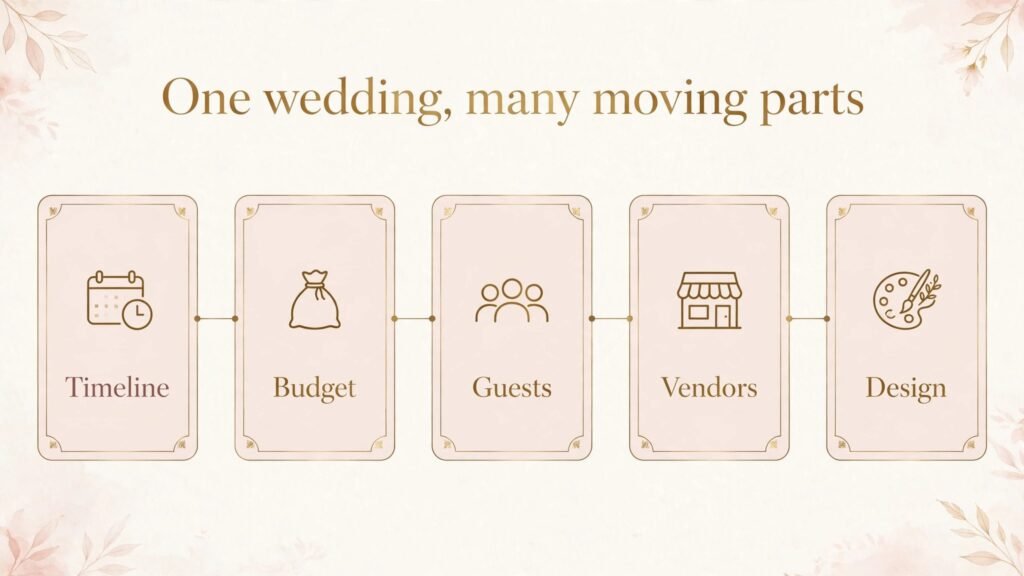
A wedding planner has a problem no other service business has in quite the same form. The deadline cannot move, the client is emotionally invested in every detail, the vendor list is long, and a single missed confirmation can spoil a day that took a year to plan. The best AI tools for wedding planners in 2026 solve that specific problem. They keep timelines, budgets, vendors, guests and designs in one visible system, they draft the messages and documents that eat your evenings, and they surface the one task that is actually late, instead of burying it in a spreadsheet with 400 rows.
This guide covers 15 tools, grouped by the job they do: planning and client management, design and floor planning, content and communication, and the business basics of scheduling and money. It includes planner specific platforms and general tools that planners have adapted well. The goal is not to collect software. It is to build a system where a client, a vendor and a planner all see the same plan, and where the planner spends the wedding week solving real problems, not hunting for information.
As with any tool guide, check pricing at checkout before you buy. Vendor plans change, AI features move between tiers, and a feature that is free during a trial may sit in a paid tier later. Test each tool with one real wedding workflow, not a demo wedding with perfect data, before you move live clients onto it.
The best AI tools for wedding planners at a glance
| Tool | Best for | Main job | Watch out for |
|---|---|---|---|
| Aisle Planner | Full wedding planning | Timelines, budgets, clients | Learning curve for new users |
| HoneyBook | Client flow and payments | Booking, contracts, invoices | Less deep on wedding timelines |
| Planning Pod | Planning plus floor plans | Timelines, seating, layouts | Interface feels busy at first |
| WedSites | Wedding websites | Client sites, RSVP, details | Not a full planning system |
| Social Tables | Seating and layouts | Floor plans, guest lists | Best paired with a planner tool |
| AllSeated | Venue layouts | Floor plans, seating | Needs accurate venue data |
| Timeline Genius | Day of timelines | Timelines, vendor schedules | Narrow focus by design |
| Dubsado | Forms and workflows | Contracts, forms, automation | Setup takes careful planning |
| Joy | Guest experience | Websites, RSVP, registries | Planner controls are lighter |
| Canva | Design and stationery | Invites, signage, social posts | Print specs need checking |
| ChatGPT | Drafting and ideas | Copy, timelines, vendor emails | Outputs need editing and checking |
| Notion | Planning library | Checklists, templates, notes | Easy to overbuild |
| Calendly | Client meetings | Scheduling | No wedding planning features |
| Zoom | Remote planning | Video meetings, walkthroughs | Good audio and video setup matters |
| Mailchimp | Email updates | Newsletters, vendor updates | List hygiene matters |
The table shows the core trade off. Planner platforms win on wedding structure. General tools win on flexibility and price. Most successful planners use one planner platform as the home base, plus one design tool, one drafting tool and one communication tool, and they resist adding a second tool for a job that is already covered.
Planning and client management
This is where a wedding either stays calm or becomes chaotic. The tools below handle the central plan.

1. Aisle Planner
Aisle Planner is built for wedding planners, and it covers the full job: client management, checklists, timelines, budgets, guest lists, seating and vendor tracking. A planner can build a wedding from a template, assign tasks to clients and vendors, track payments against a budget, and keep every document in the wedding record. Clients get a portal where they can see progress, complete tasks and upload inspiration, which reduces the “what is next” messages that fill a planner inbox.
The AI value here is practical. Use AI drafting to turn a rough timeline note into a clear vendor schedule, or a long client email into tasks. AI can draft the message, but the planner must check every date and amount before it goes out.
Best for: planners who want one wedding specific home base.
Watch out for: take time to learn the template system. Aisle Planner rewards planners who build a strong template for their typical wedding and reuse it. Planners who start each wedding from scratch will not get the full value, and clients will feel the inconsistency.
2. HoneyBook
HoneyBook handles the business side of a planning practice: enquiries, booking, contracts, invoices, payments and client communication. For a planner, the win is a clean client flow. A couple can enquire, receive a proposal, sign a contract and pay a retainer without a chain of separate emails and PDFs. That flow matters for conversion, because couples often contact several planners at once, and the planner who responds with a clear, professional booking process wins the enquiry.
HoneyBook is less deep on wedding timelines and seating than Aisle Planner or Planning Pod, so many planners pair it with a planning tool. That pairing works if roles are clear: HoneyBook owns booking and money, the planning tool owns the wedding plan.
Best for: planners who need polished booking and payment flow.
Watch out for: do not let payment reminders feel cold. A wedding is personal, and an automated payment email with no context can feel transactional at a sensitive moment. Add a short personal line to payment messages, and time them sensibly around other wedding communications.
3. Planning Pod
Planning Pod combines wedding planning with floor plans and seating, which is a useful combination for planners who handle layout work themselves. It covers timelines, budgets, guest lists, seating charts, floor plans and vendor management, and it lets a planner move from a guest list to a seating plan to a floor layout without exporting data between tools. That continuity saves time on the final weeks, when seating and layout changes arrive daily.
Test the floor plan tools with a real venue. Upload a layout, build a seating plan, and make three late changes: a plus one, a dietary move, and a vendor table addition. How fast those changes flow through tells you more than any feature list.
Best for: planners who handle seating and layouts in house.
Watch out for: the interface carries a lot of options, and new users can feel overloaded. Start with timelines, guests and budget for the first wedding, and add floor plans and advanced features on the second. A phased rollout beats a confused first wedding.
4. WedSites
WedSites builds wedding websites for couples, with RSVP, event details, travel information and photo sharing. For a planner, the value is guest communication. Instead of answering the same questions about dress code, parking and hotel blocks by email, the planner can point guests to one clear site. That site also collects RSVPs in a structured way, which feeds the guest list and seating plan without manual retyping.
WedSites is not a full planning system. Its job is the public facing wedding, while the planner platform owns the private plan.
Best for: guest communication and RSVP collection.
Watch out for: keep the site updated. A wedding website with old times, old venues or unanswered RSVP questions will generate more messages than it saves. Assign one update check per week in the final two months, and confirm the final details the week before the wedding.
Social Tables is a seating and event layout tool used across the events industry. Planners use it to build floor plans, assign seats, manage guest lists and share diagrams with venues and vendors. The visual nature of the tool helps in the final planning meeting, when a couple can see the room, move a table, and understand the impact of a change immediately, rather than trying to picture it from a list.
Social Tables is strongest when paired with a planner platform that owns the guest list and budget. Test the data flow with a real list, including plus ones and dietary notes, before the final seating push.
Best for: visual seating and layout collaboration.
Watch out for: confirm venue measurements. A beautiful floor plan based on guessed room dimensions will fail when the real tables arrive. Get the venue diagram and measurements in writing, and check them against the plan before you share it with vendors.
6. AllSeated
AllSeated focuses on venue layouts and seating, with tools to build floor plans, assign guests and collaborate with venues. It is useful for planners who work with venues that already use the platform, because the venue layout and the planner plan can stay in sync. That sync reduces the back and forth that often happens when a venue changes a room setup and the planner learns about it late.
AllSeated also tracks dietary needs, accessibility needs and groupings against the plan, so the final chart reflects real guest needs, not just names on tables.
Best for: planners working closely with venues on layouts.
Watch out for: the value depends on venue data quality. If the venue has not provided an accurate layout, spend the time to build and verify it early, rather than discovering a layout error during setup week.
7. Timeline Genius
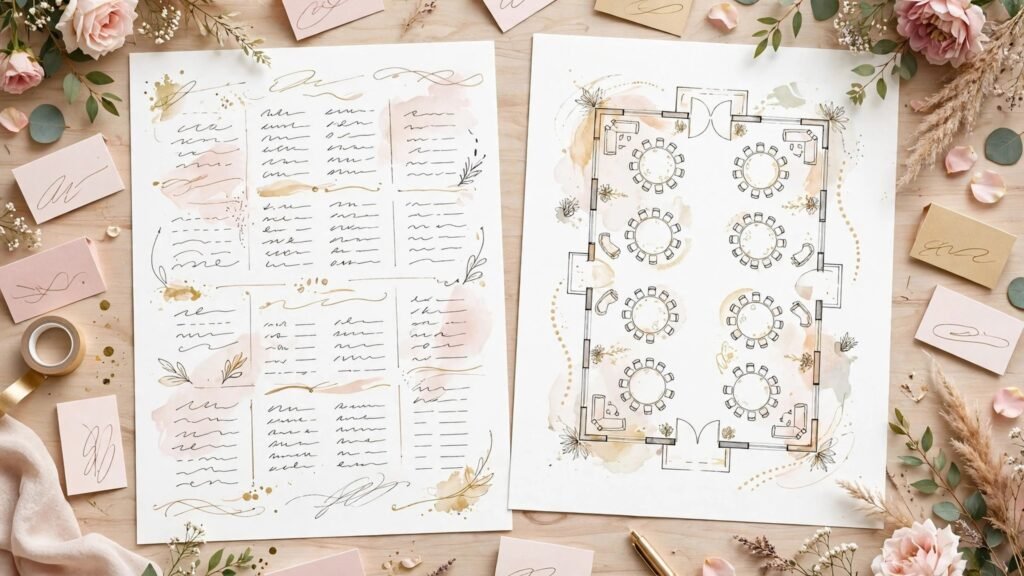
Timeline Genius builds day of timelines for weddings, with vendor schedules, contact details and minute by minute plans. The day of timeline is the document everyone relies on when the wedding is actually happening, from the photographer to the caterer to the DJ. A clear timeline prevents the most common day of problem: vendors working from different versions of the plan.
Timeline Genius suits planners who want a dedicated timeline tool that produces a clean, shareable document. It does one job well. Use it for the final timeline, and keep the long term plan in the planner platform.
Best for: clean, shareable day of timelines.
Watch out for: version control still matters. Share the timeline from one source, date it clearly, and tell vendors that the shared link is the only current version. A timeline sent as a PDF attachment in five separate emails will create five versions, and vendors will follow different ones.
8. Dubsado
Dubsado is a client workflow tool for service businesses, covering forms, contracts, scheduling, invoices and automations. For wedding planners, it is useful for the enquiry to booking workflow and for repeatable client forms, such as intake questionnaires, vendor preference forms and final detail forms. Automations can send the next form when the previous step is complete, which keeps the client moving without the planner chasing each step manually.
Dubsado rewards careful setup. Build the workflow for one typical wedding first, test it as a fake client, and fix every confusing question before live clients use it.
Best for: planners who want strong forms and client workflows.
Watch out for: do not automate the personal touch out of the process. A wedding enquiry deserves a personal reply, even if the form and contract steps are automated. Use automation for administration, and keep the first conversation human.
9. Joy
Joy is a wedding website and guest experience platform, with RSVP, registries, photo sharing and event details. For planners, Joy is useful when the couple wants a polished guest facing site and the planner wants RSVP data in a clean format. It is lighter on planner controls than a dedicated planning platform, so it works best as the guest layer, not as the planning home base.
Joy also helps guests share photos, find travel details and follow updates, which reduces individual questions during the busiest weeks.
Best for: guest facing websites and RSVP with a polished look.
Watch out for: confirm who owns updates. If both the couple and the planner can edit the site, agree on who updates what, and check the site weekly in the final month. Conflicting edits will confuse guests at the worst possible time.
Design, drafting and communication
Once the plan is in place, the next jobs are design, writing and staying in touch. These tools handle that layer, and they are where AI drafting saves the most evening time.
10. Canva
Canva covers wedding design work: invitations, signage, social posts, timelines for display, seating charts for print, and mood boards. For a planner, the win is a consistent visual language across a wedding. A set of templates for signage, table numbers and social announcements, adapted per wedding with the couple colours and fonts, will look professional and save hours compared with starting each piece from scratch.
Canva AI features can help with background removal, resizing and first draft layouts, but print work needs care. Check bleed, resolution and colour settings with your printer before you order in bulk, and order one proof before a full run. A digital design that looks perfect on screen can still print badly if the specs are wrong, and reprinting signage the week of a wedding is a cost nobody needs.
Best for: consistent wedding visuals and printable signage.
Watch out for: keep couple approval in the workflow. Share designs for approval with a clear deadline, and do not send a design to print on the assumption that silence means approval. Silence usually means the couple has not looked yet.
11. ChatGPT
ChatGPT is the drafting tool in this stack. Use it to turn a rough vendor brief into a clear email, draft a timeline note in plain language, brainstorm ceremony and reception ideas from a couple preference list, or rewrite a confusing budget update so a client can understand it. The output is a first draft, and the planner editing is what makes it sound like a professional who knows this wedding, not a generic template.
Privacy matters here too. Do not paste a couple full names, venue contracts or payment details into a general chat tool without checking your obligations. Use anonymised examples for drafting, keep contracts and payments in your secure planning system, and never let AI send a vendor commitment in your name without your review. A vendor email that confirms the wrong time or price will create a real problem, even if the wording was polished.
Best for: drafting, brainstorming and rewriting wedding communications.
Watch out for: check every date, price and name. AI drafting is fluent, and fluent errors are easy to miss. Read the final message as if you were the vendor receiving it, and confirm the facts against the plan before you send. Planners who also work on events more broadly may find the best AI tools for event planners guide useful for the wider events side, and couples planning their own wedding often start from the how to use AI for wedding planning guide, which is a consumer guide rather than a planner tool list, so do not confuse the two audiences when you link them.
12. Notion
Notion is a flexible workspace for checklists, templates, vendor libraries and inspiration boards. Planners use it to build a reusable library: vendor shortlists by region, timeline templates by wedding type, checklist templates, and resource lists for common questions. Once built, that library turns a new wedding into a copy of a proven system, rather than a fresh start every time.
Notion is also where planners overbuild. A workspace with 50 linked databases and no live wedding in it is not a system, it is a hobby. Start with four templates: a wedding checklist, a vendor shortlist, a timeline template and a client intake template. Add more only when a repeated task proves you need it.
Best for: reusable planning templates and vendor libraries.
Watch out for: keep the live wedding plan in the planner platform, and use Notion for templates and reference material. Splitting the live plan across two systems will cause version confusion, and version confusion is how a vendor gets the wrong timeline.
13. Calendly
Calendly handles client meetings without the back and forth of finding a time. A planner can offer discovery calls, planning sessions and final walkthrough meetings through booking links, with buffers between meetings and reminders to reduce no shows. For a planner juggling many couples, that simplicity protects the calendar. A discovery call that takes six emails to schedule is six emails that could have been spent on a live wedding.
Calendly does not manage weddings, and it should not be expected to. Pair it with the planner platform, and use it only for the meeting layer. The value is time saved on scheduling, not a planning feature.
Best for: clean client meeting scheduling.
Watch out for: set meeting types clearly. A discovery call, a planning session and a final detail meeting are different meetings with different lengths and preparation. Create a separate booking type for each, with a clear description of what the couple should prepare, so the meeting starts with useful material.
14. Zoom
Zoom covers remote planning meetings, vendor calls and virtual venue walkthroughs. For planners with destination weddings or busy couples, video meetings are essential. A couple can join from different locations, a vendor can walk through a venue on video, and the planner can share a timeline or floor plan on screen and agree changes live, rather than through a long email thread.
The quality of the meeting matters. Use a quiet room, a stable connection and a decent microphone, and share the agenda before the call. A remote meeting without an agenda will drift, and a drifted meeting will need a follow up meeting. Also record decisions in the planning system after the call, not just in chat. Chat history is not a plan.
Best for: remote planning meetings and vendor walkthroughs.
Watch out for: do not rely on video alone for final details. Confirm final times, counts and setup details in writing after the call, so every vendor works from the same written record.

15. Mailchimp
Mailchimp handles email for planners who build a list: newsletters, seasonal updates, vendor spotlights and workshop invitations. Email is useful for staying in touch with past clients, who are a strong source of referrals, and for keeping a waitlist warm during busy seasons. A short monthly email with one real wedding story, one useful tip and one availability note will do more than a long quarterly newsletter nobody reads.
Mailchimp costs rise with list size, so clean the list regularly. Remove inactive contacts, or move them to a re engagement sequence, rather than paying to email people who never open anything. Permission matters too. Only email people who asked to hear from you, and make unsubscribing easy. A planner reputation is built on trust, and spammy email damages it quickly.
Best for: newsletters, referrals and waitlist updates.
Watch out for: keep wedding client emails separate from marketing emails. A couple in the final month of planning should not receive a generic marketing email that confuses them about their own wedding. Segment the list by stage, and check the segment before every send.
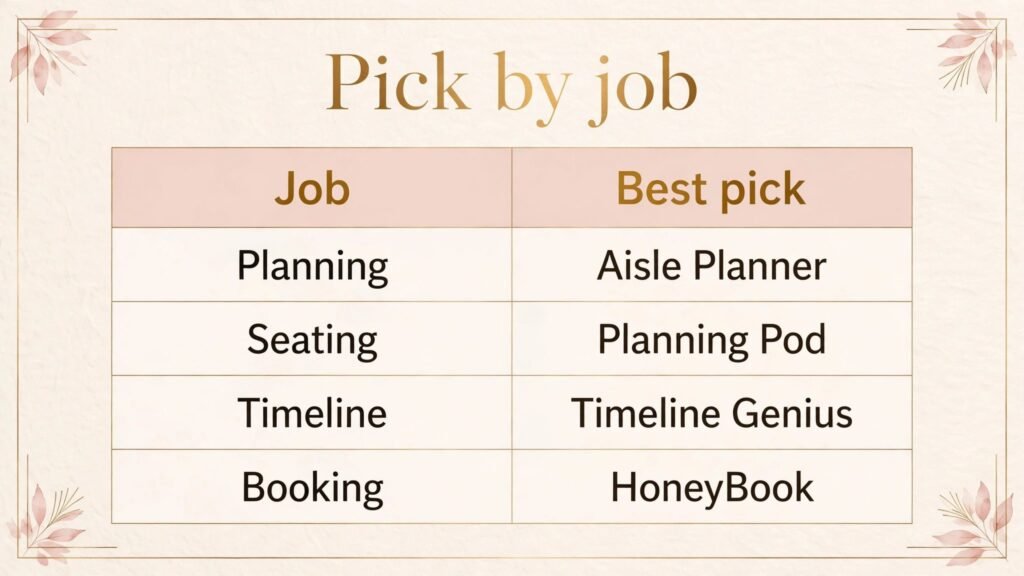
Best pick by job
| Job | Best pick | Runner up | Why this pick wins |
|---|---|---|---|
| Full wedding planning | Aisle Planner | Planning Pod | Deepest wedding specific structure |
| Booking and payments | HoneyBook | Dubsado | Cleanest client flow |
| Seating and layouts | Planning Pod | Social Tables | Plan plus layout in one place |
| Visual seating collaboration | Social Tables | AllSeated | Clearest visual sharing |
| Venue layout sync | AllSeated | Social Tables | Venue collaboration strength |
| Day of timeline | Timeline Genius | Aisle Planner | Cleanest shareable timeline |
| Forms and workflows | Dubsado | HoneyBook | Strongest form automation |
| Guest website and RSVP | WedSites | Joy | Planner friendly guest data |
| Guest experience and photos | Joy | WedSites | Polished guest facing site |
| Design and signage | Canva | Notion boards | Templates plus print ready output |
| Drafting and ideas | ChatGPT | Notion AI | Fastest first draft, needs editing |
| Planning library | Notion | Aisle Planner templates | Reusable templates you control |
| Meeting scheduling | Calendly | Zoom booking | Simplest booking flow |
| Remote meetings | Zoom | Calendly | Screen sharing plus walkthroughs |
| Email marketing | Mailchimp | HoneyBook emails | Sequences for referrals and waitlists |
If you are starting a planning practice, the simplest credible stack is Aisle Planner or Planning Pod as the home base, Canva for design, ChatGPT for drafting, Calendly for meetings and Zoom for remote sessions. Add HoneyBook or Dubsado when booking and payment flow becomes the bottleneck, and add Social Tables or AllSeated when seating and layout work becomes a regular part of your service.
How to choose the right tools for your planning practice
Start from the wedding type you actually plan. Full service weddings need a deep planning platform. Day of coordination needs a strong timeline tool and a clean client flow. Elopements and small weddings need simplicity and speed. Match the tool to the weddings you sell.
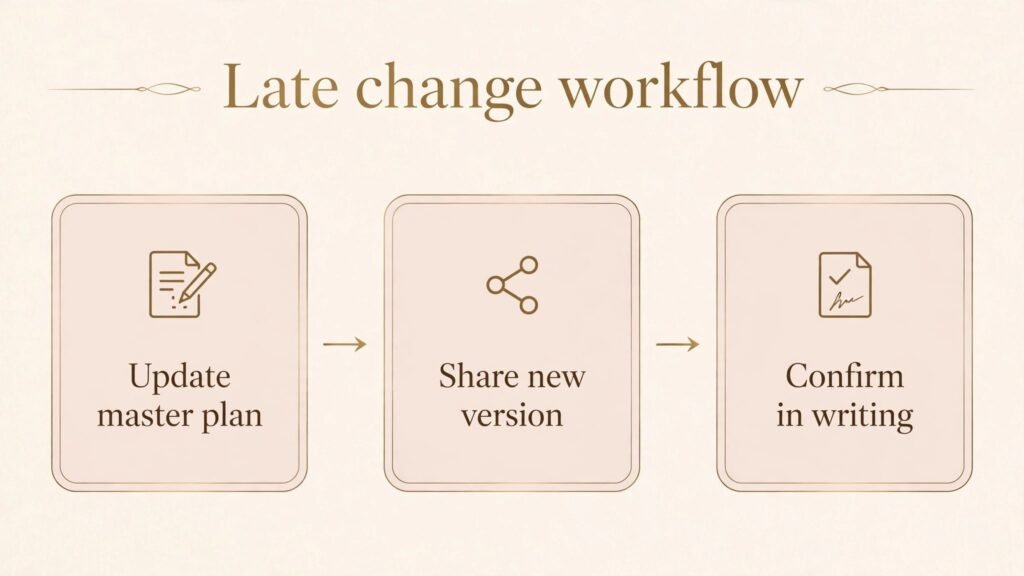
Second, test with a real wedding, including late changes. Build the timeline, guest list, budget and seating, then make three late changes. A tool that handles late changes calmly will save you more stress than any feature list.
Third, check the client and vendor experience. Ask a test client to complete intake and view the timeline, and ask a test vendor to view their schedule. Clients and vendors will not tell you a system is confusing, they will simply stop using it.
Fourth, count total cost and time, including subscription fees, per wedding fees and setup time. A cheap tool that needs hours of manual copying each week is more expensive than a pricier tool that keeps data in sync.
Fifth, protect the human moments. Use tools for administration, timelines and reminders, and keep the reassuring call and the calm presence on the day as human work.
Mistakes to avoid
Running the live plan in two places is the first mistake. If the timeline lives in one tool and the guest list in another, and neither is clearly the master copy, vendors will get conflicting information. Pick one master system for the plan, and use other tools for their specific layer only.
Sending unedited AI messages to vendors is the second mistake. A vendor email with the wrong time, price or setup detail will create a real problem, even if the wording is polished. Check every fact against the plan before you send, and confirm commitments in writing.
Letting the website go stale is the third mistake. Guests rely on the wedding site for details, and an outdated site generates more questions than it answers. Schedule a weekly update check in the final two months, and a final check the week before the wedding.
Overbuilding templates before the first wedding is the fourth mistake. A template library with no live wedding in it is not a system. Build the template for the next wedding, use it, improve it, and repeat.
Automating personal communication is the fifth mistake. Payment reminders, congratulations messages and check ins should feel personal, even when the system sends them. Add a personal line, time the message sensibly, and keep the first conversation with a new couple fully human.
Frequently asked questions
Do wedding planners need a wedding specific platform, or can general tools work?
General tools can work for a simple practice, especially for coordination rather than full planning. A wedding specific platform becomes valuable when you manage timelines, budgets, guests, seating and vendors for many weddings at once. Test both approaches with one real wedding before you commit.
Which tool should a new wedding planner start with?
Start with a client flow tool and a planning tool, not with design software. HoneyBook or Dubsado for booking and contracts, plus Aisle Planner or Planning Pod for the wedding plan, will let you deliver a professional service. Add design and drafting tools once you have steady weddings.
Can AI help with wedding timelines?
AI can draft a timeline from a list of events, suggest a sensible order for the day, and turn rough notes into a clear vendor schedule. It cannot know the venue constraints, vendor travel times or couple preferences unless you give it that information, and it cannot check them against reality. Use AI for a first draft, then adjust it with venue and vendor knowledge before you share it.
How do planners handle late seating changes without chaos?
Keep one master guest list and one master seating plan, make changes in that master copy only, and share updates from that copy with a clear version date. Tell vendors and the venue that the shared link is the only current version, and confirm the final seating plan in writing the day before the wedding.
Is it safe to use AI drafting for vendor emails?
It is safe if you check every fact before sending and keep contracts and payments in your secure system. Do not paste contract details or payment information into a general drafting tool, use anonymised examples where possible, and never let AI confirm a price, time or commitment without your review.
How much should a planner budget for tools?
Budget by wedding volume and service type. A planner with a few weddings a year can run on a small stack, while a planner with many full service weddings will need a deeper platform and layout tools. Check checkout pricing, watch for per wedding fees, and review the stack after each season. Cancel tools that did not save time on real weddings.
How can a planner use email without annoying past clients?
Segment the list, keep emails short and useful, and send only to people who asked to hear from you. Past clients respond well to a short story, one useful tip and one availability note. One good email a month beats four forgettable ones.
Conclusion
The best wedding planning stack keeps the plan visible, the timeline current and the client calm. Aisle Planner or Planning Pod as the home base, HoneyBook or Dubsado for booking, Social Tables or AllSeated for layouts, Timeline Genius for the day of plan, WedSites or Joy for guests, plus Canva, ChatGPT, Notion, Calendly, Zoom and Mailchimp, cover the full job if each tool owns only its layer.
Start with the wedding type you actually plan, test late changes on a real workflow, and keep the human moments human. That calm is what couples remember long after the day itself.