

The problem is not that landscapers lack work. The problem is that quoting, routing, and invoicing eat the hours that should be spent on jobs, and the best AI tools for landscapers exist to take those hours back. A crew leader who spends Sunday night building quotes by hand, Monday morning answering missed calls, and Friday chasing unpaid invoices is running an office job on top of a physical business. When a storm hits, when a mower breaks, or when three clients ask for a quote on the same day, that office work falls behind, and jobs slip to a competitor who replied first. The tools below fix the office side first, because a tidy office is what lets a good crew stay busy and get paid on time.
Yard and garden businesses vary widely. A solo operator mowing weekly routes has different needs from a design and build firm that quotes patios, planting, and irrigation. A maintenance crew needs route density and recurring billing. A project crew needs estimates, materials, and job costing. This guide covers both, grouped by job, so you can pick the tools that match your mix of work. Pricing changes often, so confirm current pricing at checkout before you commit to any paid plan.
The best AI tools for landscapers at a glance
| Tool | Best for | Main job |
|---|---|---|
| Jobber | Small to mid sized crews | Quotes, scheduling, invoicing |
| Housecall Pro | Service crews | Booking, dispatch, payments |
| LMN | Larger yard care firms | Estimating and job costing |
| Yardbook | Simple yard care scheduling | Routes and client management |
| ServiceTitan | Large service firms | Full operations platform |
| FieldEdge | Field service teams | Dispatch and invoicing |
| SingleOps | Tree and yard care firms | Estimates and crew management |
| Aspire | Commercial yard care firms | Estimating and business management |
| QuoteIQ | Fast estimates | Quote building from measurements |
| Arborgold | Tree and yard care firms | Scheduling and customer care |
| Podium | Reviews and messages | Review requests and one inbox |
| Canva | Marketing and proposals | Visual proposals and social posts |
| ChatGPT | Writing and replies | Quotes wording, emails, and job notes |
Best pick by job
| Job | Best pick | Runner up |
|---|---|---|
| All round operations | Jobber | Housecall Pro |
| Estimating and costing | LMN | Aspire |
| Simple routes | Yardbook | Jobber |
| Fast quoting | QuoteIQ | SingleOps |
| Large firm operations | ServiceTitan | FieldEdge |
| Reviews | Podium | Housecall Pro |
| Proposal visuals | Canva | ChatGPT |
Quotes, scheduling, and invoicing
1. Jobber
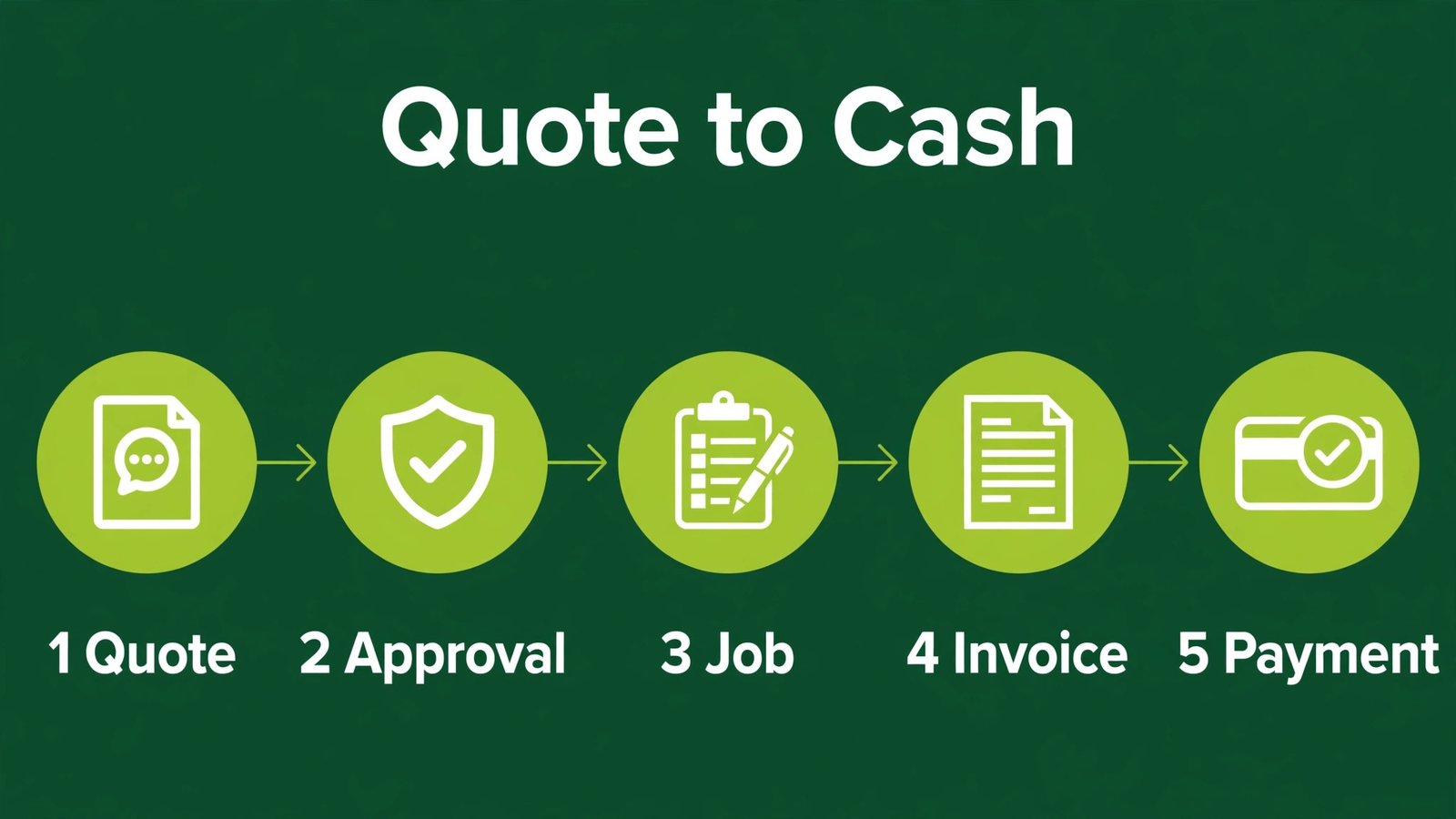
Jobber is the most balanced starting point for many yard care and garden service businesses. It handles quotes, scheduling, invoicing, and client communication in one place, with a mobile app crews can use on site. A quote can be sent from the field, approved by the client online, turned into a job, and invoiced without retyping details. That chain matters, because every retyped detail is a chance for a wrong price, a wrong address, or a missed service. Jobber also supports recurring jobs, which suits weekly mowing and seasonal cleanups.
Watch out for: larger firms with complex job costing may outgrow Jobber, so test multi crew scheduling and reporting before you standardise on it for a large team.

2. Housecall Pro
Housecall Pro suits service crews that need booking, dispatch, and payment in one flow. Clients can book online, receive reminders, and pay by card, while dispatchers see crew locations and job status. The mobile app helps crews record job notes, photos, and upsell opportunities on site, which reduces the end of day paperwork. For a business that mixes yard care with related services such as cleanups, fertilising, or light repairs, that flexibility is useful.
Watch out for: pricing rises with add on features, so list the features you actually need, such as online booking and review requests, and avoid paying for modules the crew never opens.
3. LMN
LMN is built for yard care and garden firms that need serious estimating and job costing. It helps you build estimates from labour, materials, equipment, and overhead, so a quote reflects real costs instead of a guess based on the last similar job. That discipline protects margins, especially on larger projects where a small error in hours or materials can erase profit. LMN also supports budgeting and crew planning, which helps a firm that is growing from owner operated to multi crew.
Watch out for: LMN takes time to set up properly, because your cost rates and service catalogues must be accurate. Invest a week in setup, or the estimates will look precise while still being wrong.
4. Yardbook
Yardbook is a simpler option for yard care scheduling, client management, and invoicing. It suits a small crew that wants routes, recurring jobs, and payments without a large platform. The learning curve is short, which means a crew leader can adopt it without losing a week to training. For a business that is moving from paper routes to digital routes, that simplicity is a real advantage, because the best system is the one the crew actually uses every day.
Watch out for: advanced estimating, job costing, and multi location controls are limited, so a firm planning large project work should pair Yardbook with a dedicated estimating tool or plan an upgrade path.
5. ServiceTitan
ServiceTitan is a large field service platform that handles booking, dispatch, estimates, invoicing, and marketing for sizable firms. It gives managers a clear view of jobs, crews, and revenue, and it supports detailed reporting that helps spot which services make money and which only look busy. For a firm with many crews, office staff, and a call centre, that central view prevents jobs from falling through gaps between systems.
Watch out for: it is built for scale, with pricing and setup to match. A small crew will pay for depth it does not need, so this pick suits firms that already have office staff and steady volume.
6. FieldEdge
FieldEdge helps field service teams manage dispatch, work orders, and invoicing from office and field. Dispatchers can assign jobs, crews can update status on site, and invoices can follow the completed job without delay. That speed matters for cash flow, because an invoice sent on the day a job finishes gets paid faster than an invoice sent at month end from memory. FieldEdge also supports customer records and service history, so repeat work starts from known facts, not guesswork.
Watch out for: check integration with your accounting software and payment processor before you commit, because a smooth invoice flow depends on those connections working cleanly.
Estimating, routes, and job costing

7. SingleOps
SingleOps is designed for tree care and yard care firms that need estimates, scheduling, and crew management in one system. It handles proposals with photos and line items, which helps clients understand what they are paying for, especially on larger jobs such as tree removal or planting projects. Crews can see job details on site, and managers can track job progress without calling every crew leader. That clarity reduces the mid job phone calls that slow everyone down.
Watch out for: SingleOps fits tree and yard care workflows best, so a general maintenance crew should test whether its proposal format matches the simple recurring jobs it sells most often.
8. Aspire
Aspire is a business management platform for commercial yard care and garden firms, with strong estimating, scheduling, and job costing. It helps firms that handle contracts, multiple properties, and recurring commercial work, where a small costing error across many sites can become a large loss. Aspire supports property and contract management, so a firm can track each site, each service, and each visit without spreadsheets. For a firm moving into commercial contracts, that structure is often the difference between growth and chaos.
Watch out for: Aspire is a serious system with a serious setup and price. It suits firms with commercial volume, not a solo operator with a handful of residential routes.
9. QuoteIQ
QuoteIQ focuses on fast, accurate estimates, using measurements and pricing data to build quotes quickly. For a business that quotes many jobs, speed matters, because the first credible quote often wins the job. A tool that turns a site measurement into a priced proposal in minutes lets you respond the same day, while a competitor is still scheduling a site visit for next week. Use it for the quoting step, then move approved quotes into your main scheduling and invoicing system.
Watch out for: measurements and pricing data must be checked for your area and your services. A fast quote that uses wrong local rates is worse than a slow quote that is right, so validate the first ten quotes by hand.
10. Arborgold
Arborgold serves tree care and yard care firms with scheduling, customer management, and communication tools. It supports recurring services, work orders, and client history, which helps firms that return to the same properties season after season. The system also helps with follow up, so a client who had a spring cleanup gets a timely autumn reminder without staff remembering each property by hand. That follow up is where repeat revenue lives.
Watch out for: as a niche platform, check support, payment options, and data export before you move a large client list into it, and keep a backup of client records outside any single system.
Reviews, marketing, and writing help
11. Podium
Podium helps yard care firms collect reviews and answer messages from one inbox. After a job, a texted review request at the right moment can capture a rating while the client is still pleased with a tidy yard. Reviews matter for this trade because new clients check ratings before inviting a crew onto their property. Podium also drafts reply suggestions, which the owner edits before sending, saving time without sounding generic. For a business that relies on local trust, a steady stream of recent reviews is more valuable than a single advertising campaign.
Watch out for: reviews only grow if you ask after every job. Automate the request, reply to negative reviews calmly, and never offer incentives for positive reviews in ways that break platform rules. For message habits, our guide to best AI tools for WhatsApp Business covers templates that also suit service crews.

12. Canva
Canva helps crews create proposal covers, service flyers, door hangers, and social posts without a designer. AI assisted layout speeds up the work, while templates give a clean starting point. The strongest use is proposals: a cover photo of real completed work, a clear scope list, and a price summary looks far more professional than a plain text email. Use your own photos of real jobs, because clients trust a crew whose work they can see. For editing those photos well, see our roundup of best AI tools for photographers.
Watch out for: templates can make every firm look alike. Use your own colours, logo, and job photos, and keep prices and scope accurate, because a proposal that promises a service you do not offer creates trouble on job day.
13. ChatGPT
ChatGPT can draft quote cover notes, service descriptions, email replies, and seasonal messages, turning rough notes into clean client communication. It can also help write job notes from crew reports, turning a few bullet points into a clear summary for the client. That clarity reduces questions and disputes, because the client sees what was done, what was not done, and what comes next. Always check prices, dates, and scope before sending, because an AI draft cannot know your schedule or your costs.
Watch out for: never paste private client addresses or payment details into a public AI tool. Use it for drafting general wording, and keep client specific details inside your business system. For related trade workflows, our guide to best AI tools for contractors covers scheduling and estimating for broader construction work.
How to choose for your mix of work
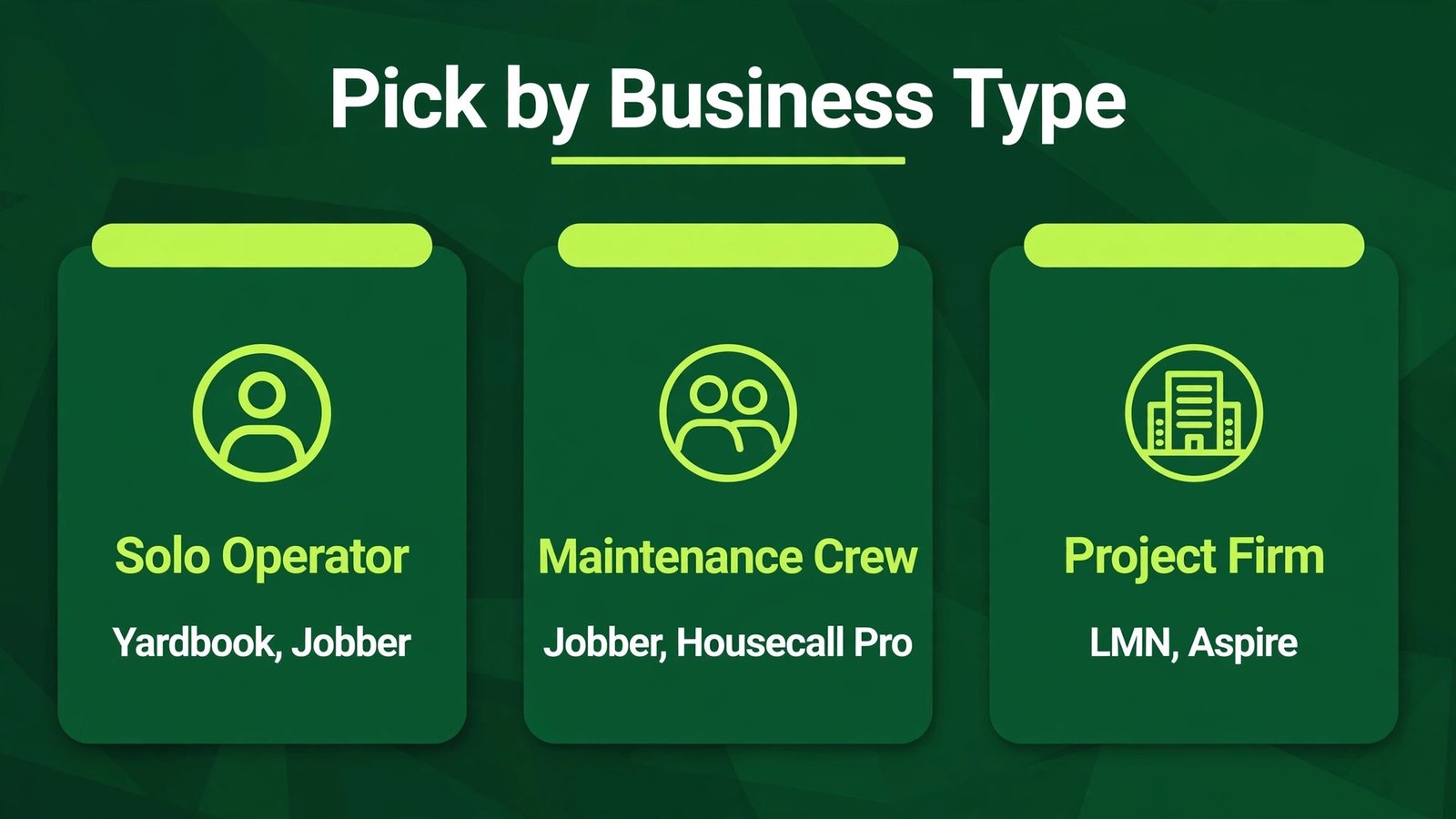
Start with your revenue mix. If most revenue comes from recurring maintenance, prioritise route density, recurring billing, and easy rescheduling. Jobber, Yardbook, or Housecall Pro will fit that pattern. If most revenue comes from projects, prioritise estimating, job costing, and proposal quality. LMN, Aspire, or SingleOps will fit that pattern better, even if setup takes longer. If you do both, pick one main system that handles recurring work well, and add a quoting tool such as QuoteIQ for project estimates, rather than running two full systems.
Test with a real week, not a demo. Enter ten real clients, build five real quotes, schedule two crews, and invoice a completed job. Check whether the crew app works with gloves, poor signal, and bright sunlight, because those are real field conditions. Check whether the office can see job status without calling the crew. Check whether an invoice goes out the same day. If any step requires a workaround, that workaround will become daily friction.
Measure the right numbers after 30 days. Quote response time, quote win rate, route completion rate, invoice time, and days to payment tell you whether the tool helps. A tool that cuts quote time from three days to same day is worth keeping, even if it costs more than a slower tool. A tool that no one opens on site is worth dropping, even if it was cheap. Review those numbers monthly for the first quarter, then quarterly, so costs do not grow while usage stays flat.
Mistakes to avoid
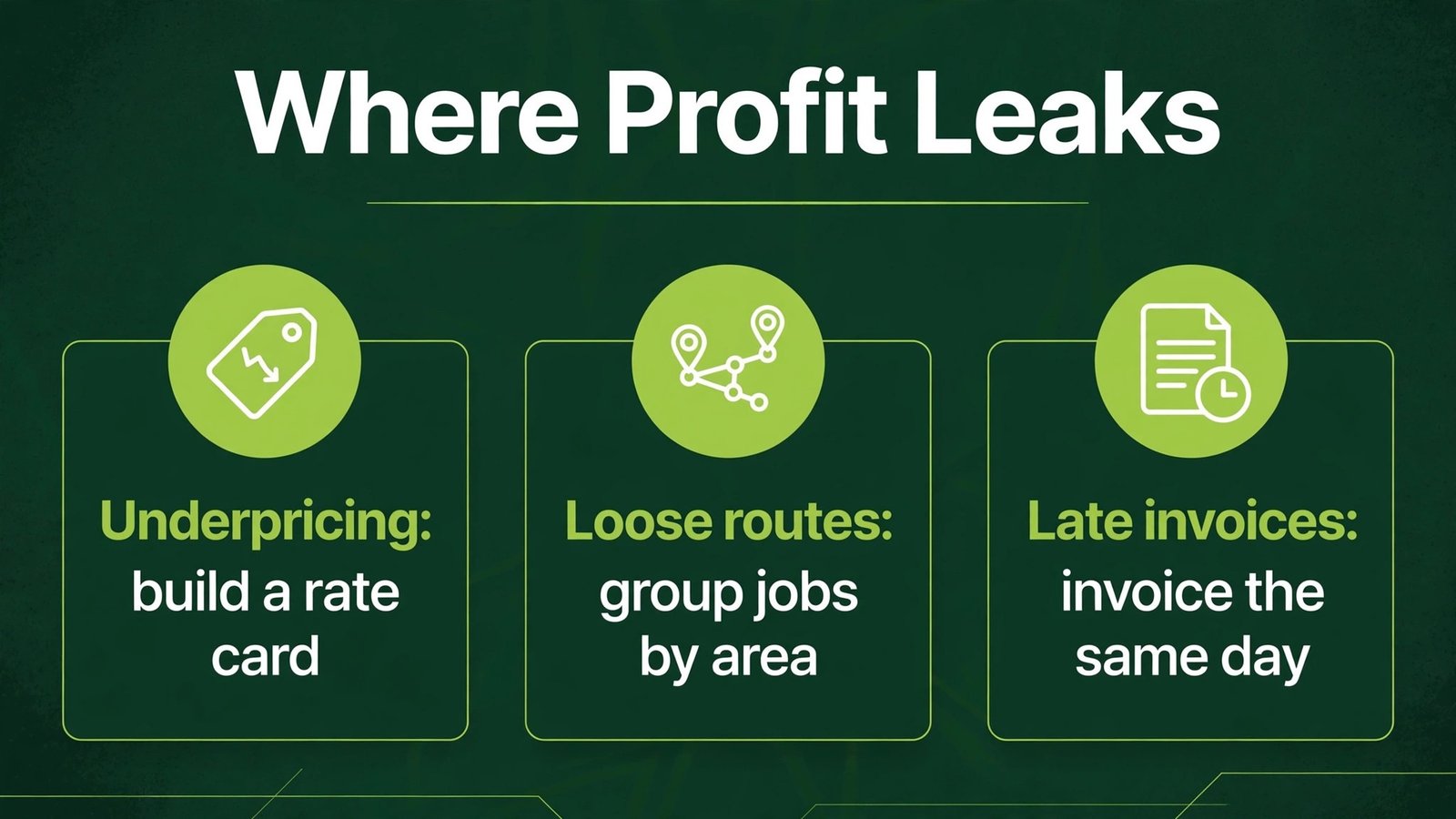
The most common mistake is pricing by gut feel. A quote that feels right can still lose money when labour, fuel, materials, and overhead are added honestly. Build a rate card once, update it when costs change, and let the estimating tool apply it consistently. A second mistake is routing by habit instead of by geography. A route that zigzags across town wastes fuel and crew hours. Group jobs by area, even if it means telling a client their preferred day must shift, because dense routes protect margins.
A third mistake is invoicing late. Work completed on Monday and invoiced at month end is work you have already paid labour for, with no cash coming back for weeks. Invoice on the day, offer card payment, and send one polite reminder before a job becomes a debt. A fourth mistake is ignoring reviews until a bad one appears. Ask after every job, reply quickly, and fix small complaints before they become public. A fifth mistake is buying software for the office while the crew still uses paper. If the crew app is awkward, office software cannot fix it. Choose a system the crew will actually use, and train them on site, not just in a meeting room.
A seasonal plan that keeps crews busy
Spring is the quoting season. Use fast quoting and proposal visuals to win work early, and fill the calendar before competitors do. Summer is the route season. Focus on route density, recurring billing, and on site upsells such as fertilising or cleanups that fit the same visit. Autumn is the follow up season. Contact spring clients about autumn cleanups, leaf work, and winter preparation, using your client history rather than memory. Winter is the planning season. Review job costing, update your rate card, clean up client records, and test any new tool before spring demand returns.

That seasonal rhythm turns software from a cost into a calendar tool. Each season has one job for the software, and each job has a number to check. Spring checks quote win rate. Summer checks route completion and upsell rate. Autumn checks repeat booking rate. Winter checks margin by service. When each season improves by a small amount, the year improves by a large amount, without any single dramatic change. It also helps with hiring, because a firm that knows its busy seasons in numbers can hire and train before demand peaks, rather than scrambling when phones are already ringing. Use last year’s seasonal data to plan this year’s crew size, equipment servicing, and marketing spend, so each season starts prepared instead of reactive. That preparation is the quiet advantage of good software: it turns last year’s hard work into this year’s plan, without relying on memory alone.
Getting crews to actually use the software
Software fails in the field more often than in the office, and the reason is usually practical, not technical. A crew leader who is used to paper routes will not switch to an app that needs ten taps to start a job, especially with gloves on and a client watching. The fix is to test the app on a real job before you buy, with the crew leader doing the test, not just the owner. If the crew leader cannot start a job, add a photo, and mark it complete in under a minute, the app will be abandoned, and the office will be back to phone calls by week two.
Training should happen on site, in short sessions, not in a long meeting. Show one task at a time: how to see today’s route, how to mark a job complete, how to add a photo, and how to record an upsell. Let the crew practice on a real route the same day, and fix problems immediately, because a problem left for a week becomes a reason to quit the system. Also choose a crew champion, usually the most organised crew leader, who learns the system first and helps others. Peer help works better than a manual, because crews trust a colleague who has done the job in the rain.
Incentives help adoption too. When a crew records photos and notes well, use those photos in proposals and social posts, and credit the crew. When a crew completes routes cleanly in the app, the office can stop calling to check progress, which crews appreciate. Make the benefit visible: less paperwork, fewer calls, faster payment, and a clearer day. If the software only benefits the office, crews will resist it, and rightly so. The best systems benefit both sides, by giving crews a clear day and giving the office a clear view without extra calls.
What AI actually does on a crew, in plain terms
AI in yard care work is mostly pattern recognition and drafting, not a robot mower making decisions alone. It can suggest route order based on job locations, draft a quote cover note from job details, summarise crew notes into a client update, and flag a client who has not booked a seasonal service on time. Those small jobs add up, because they remove the admin tasks that pile up at the end of a long physical day. A crew leader who finishes at six in the evening should not face another hour of typing, and AI drafting can cut that hour down sharply.
There are clear limits. AI cannot measure a property it has not seen accurately in every case, cannot judge soil, drainage, or tree health from a photo alone, and cannot replace a site visit for complex project work. Use AI measurements as a starting point, then verify on site, especially for large jobs where an error costs real money. Also keep client data inside trusted business systems, and never paste private addresses or payment details into a public AI tool. Used that way, AI becomes a reliable office helper for a physical business, not a replacement for the judgement that comes from years on site.
Pricing discipline: the rate card every firm needs
A rate card is a simple document that lists what each service costs to deliver, including labour, fuel, materials, equipment wear, travel, and overhead, plus the margin you need to stay in business. Many small firms skip this step and price from memory, which leads to busy weeks that still lose money. Building a rate card takes a day, but it pays for itself on the first large quote, because the estimating tool can then apply the same rates consistently, instead of each quote being a new guess.
Update the rate card when costs change, not once a year. Fuel, materials, and wages move, and a quote built on last year’s rates will quietly eat margin. Review the card each season, compare actual job costs with quoted costs, and adjust the rates that were consistently wrong. That review is where job costing tools earn their keep, because they show which services made money and which did not, in numbers rather than feelings. A firm that reviews margins seasonally can raise prices on losing services, drop work that never pays, and focus crews on the work that actually supports the business.
Frequently asked questions
Which tool is best for a small yard care business?
Jobber is the strongest all round starting point for a small to mid sized business, with Yardbook as a simpler option for route focused work. Housecall Pro is also strong if you need booking and dispatch together. Choose based on whether recurring routes or project quotes dominate your revenue.
How can AI help with quoting?
AI assisted quoting tools speed up measurement, pricing, and proposal creation, and they keep pricing consistent. The key is accurate local rates and a human check on every quote. A fast quote is only useful if the price, scope, and dates are correct for that property.
Should a yard care firm collect deposits?
For project work, a deposit protects materials and scheduling time, and it confirms the client is serious. For recurring maintenance, a card on file or a clear payment term often works better than a deposit per visit. State payment terms in writing before work starts, for both kinds of work.
How do reviews help a yard care business?
Reviews build local trust, because clients invite crews onto their property. Recent reviews with photos of real work help a new client choose with confidence. Ask after every job, reply to all reviews, and fix small issues quickly before they grow.
What is the biggest cost mistake in yard care work?
Underpricing is the biggest mistake, usually because overhead, fuel, equipment wear, and non billable time are left out of the quote. Build a full rate card, include overhead, and review margins by service each season. A busy crew that loses money on every job is not a successful business.
How should crews handle route changes?
Group jobs by area, communicate changes early, and use a scheduling tool that lets the office move jobs without calling every crew member. Tell clients promptly when a day shifts, and offer a clear alternative date. Dense routes save fuel, time, and crew energy.
Do I need separate tools for estimating and invoicing?
Not always. Many all round tools handle both, and that single system is simpler for a small business. Larger project firms often benefit from a dedicated estimating tool plus a main operations system, provided approved quotes flow into scheduling and invoicing without retyping.
Conclusion
For most yard care and garden businesses, the winning stack starts with one operations tool, one quoting discipline, and one review habit. Jobber suits many small to mid sized crews, Yardbook suits simple route businesses, LMN or Aspire suit firms where estimating accuracy decides profit, and ServiceTitan suits large firms with office staff. Add QuoteIQ when quoting speed wins jobs, Podium when reviews drive new clients, Canva for proposals that look professional, and ChatGPT for drafting, with a human check on prices and scope. Start with quote response time and days to payment as your two numbers, improve them for a season, and let the software earn its place by making crews busier, better paid, and less buried in office work.