
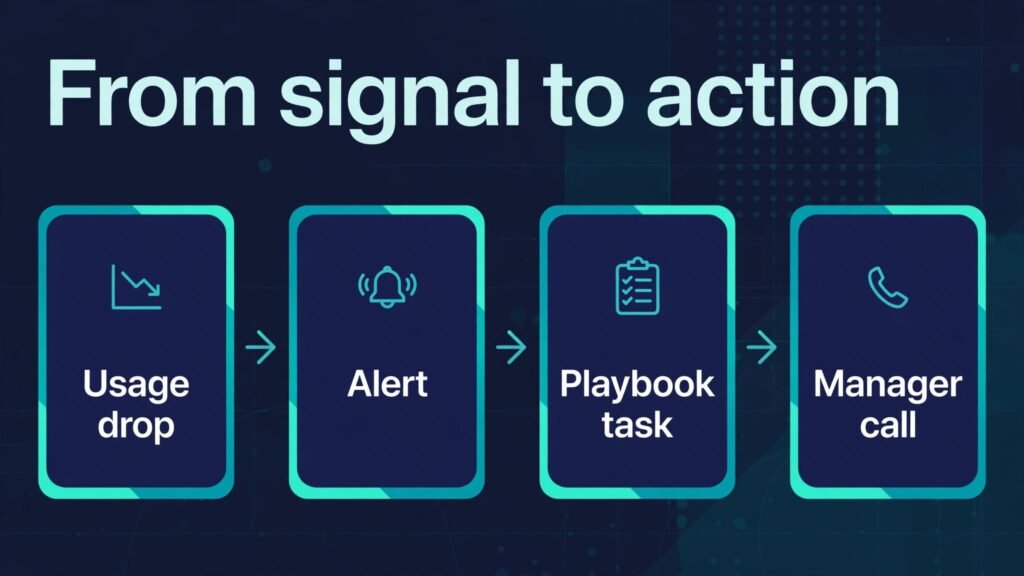
Verdict first: if your team is small and churn is your main problem, start with a dedicated customer success platform that gives you health scores, alerts and playbooks in one place, not with another dashboard that only reports what already happened. The best AI tools for customer success teams in 2026 are the ones that turn product usage, support tickets and billing signals into an action for a named human this week, before a renewal conversation becomes a cancellation conversation. A tool that only shows a red chart after the customer leaves has failed at the one job that matters.
That distinction shapes this guide. Customer success is not support, and it is not sales, although it touches both. Support fixes a problem a customer already reported. Sales closes a new deal. Customer success keeps a customer getting value after the sale, spots the quiet account that stopped logging in, and helps the team intervene while there is still time to change the outcome. The tools below are judged on that work: seeing risk early, running onboarding well, scaling check ins without losing the personal touch, and proving value at renewal.
Pricing and feature notes need the same caution as in any tool guide. Vendors change plans, add AI features and move features between tiers during the year. Check the vendor checkout page on the day you buy, and test health scoring and alerting with your own data during a trial. A demo with clean sample data will always look better than your real data with its gaps and duplicates, so insist on a trial that uses a slice of your actual accounts.
The best AI tools for customer success teams at a glance
| Tool | Best for | Main job | Watch out for |
|---|---|---|---|
| Gainsight | Enterprise CS at scale | Health scores, journeys, renewals | Implementation takes real effort |
| Totango | Mid market teams | Success planning, alerts, segments | Needs clean usage data to shine |
| ChurnZero | Churn fighting | Real time alerts, in app messaging | Setup of playbooks takes planning |
| Planhat | Data driven CS | Customer data platform, health | Smaller brand, check integrations |
| Vitally | Growing SaaS teams | Health scores, projects, notes | Pricing scales with usage |
| Custify | Small to mid teams | Lifecycle, health, automation | Fewer enterprise workflow options |
| HubSpot Service Hub | Teams already on HubSpot | Tickets, feedback, CS basics | Not a full dedicated CS platform |
| Intercom | Support plus proactive outreach | Messaging, help centre, AI support | Can become support only if unmanaged |
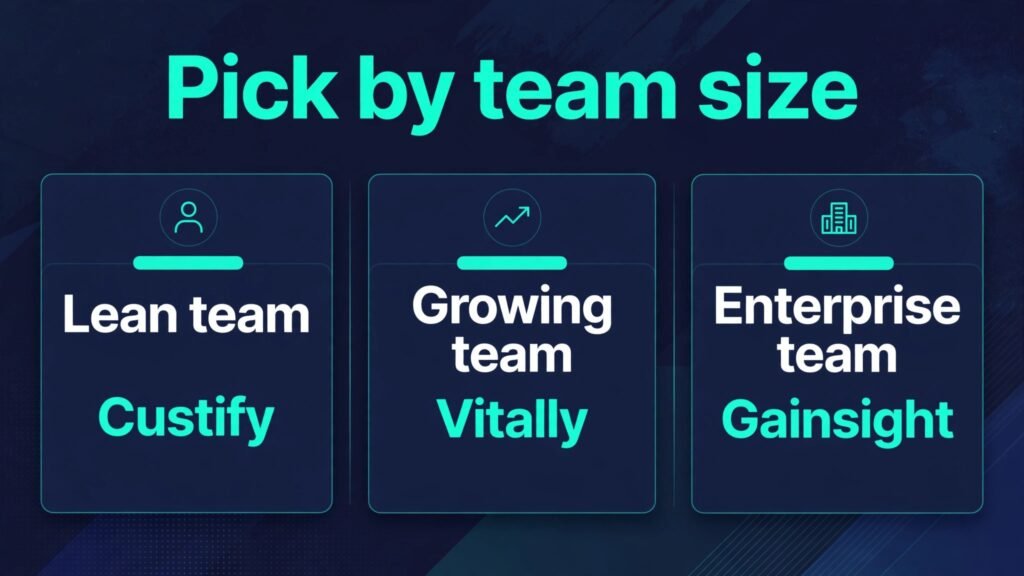
Read the table as a shortlist, not a ranking for every team. Gainsight suits a large team with complex renewals. Custify suits a lean team that needs value fast. HubSpot suits a team already living in HubSpot. The right pick depends on team size, data quality and how much of the work is proactive outreach versus ticket handling.
Dedicated customer success platforms
These five platforms are built for customer success as a discipline. They differ in scale, data model and emphasis, but they share the core idea: one view of each customer, a score that reflects real behaviour, and a workflow that turns that score into action.

1. Gainsight
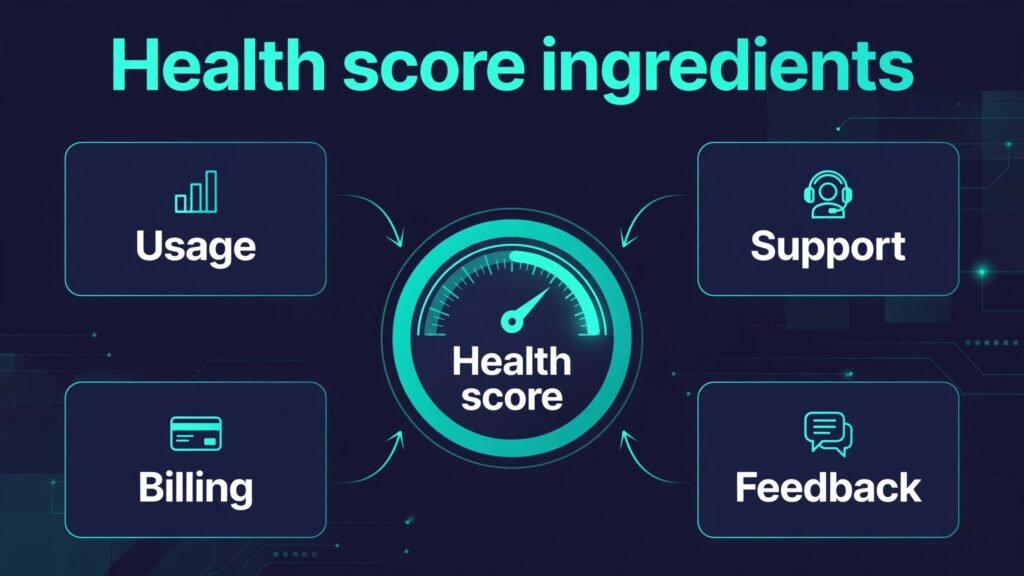
Gainsight is the enterprise standard in this category, and it is best judged as a system, not as a single feature. It pulls product usage, support history, billing data and survey feedback into customer health scores, then connects those scores to customer journeys, playbooks and renewal workflows. A customer success manager can see at a glance which accounts need attention, what the last interaction was, and what the next step should be, without opening five systems.
The AI value in Gainsight is in summarising and prioritising. Instead of a manager reading 40 account notes before a weekly review, the platform can surface the accounts with the largest change in risk, the most recent negative signals, and the upcoming renewals that need a value conversation. That prioritisation is where small teams gain the most, because it stops the loudest account from taking all the attention while a quiet account slips away.
Gainsight also handles the commercial side of success work. Renewal tracking, expansion signals and executive business review preparation sit close to the health data, so a renewal conversation can be grounded in usage and outcomes rather than in general claims about value. For a team that reports to leadership on net revenue retention, that link matters.
Best for: larger SaaS teams with complex accounts, multiple segments and formal renewal processes.
Watch out for: implementation is the price of depth. Gainsight rewards clean data, clear health score definitions and agreed playbooks. If your team has not agreed what a healthy account looks like, or your product usage data is patchy, spend time on those definitions first. A health score built on bad inputs will mislead with confidence, and managers will learn to ignore it. Run a pilot with one segment, tune the score against accounts you already know well, and only then roll it out to the whole book of business.
2. Totango
Totango is built for mid market teams that need success planning without enterprise complexity. It gives you customer segments, health scores, alerts and success plays, and it puts the customer journey in the centre: onboarding, adoption, renewal and expansion as stages with clear tasks and owners. That journey view helps a manager see where an account is stuck, not just whether its score went up or down.
The practical strength of Totango is that it makes the next action obvious. When usage drops, a play can trigger a check in task, an in app message or a resource send, and the manager can see whether that play worked. Over time the team learns which plays actually move accounts, and which ones just create activity that looks busy. That learning is the difference between a CS tool and a CS habit.
Totango also suits teams that share success work across roles. A segment can be owned by a manager, a task can sit with onboarding, and leadership can see progress by segment without asking each manager for a manual update. That shared view reduces the weekly status meeting to a review of exceptions, which is where a meeting earns its time.
Best for: mid market SaaS teams that want structured success plans and clear plays.
Watch out for: health scores still depend on data quality. If product usage is not flowing in cleanly, or if billing data lives in a system Totango cannot see, the score will be partial. Before you buy, list your five most important signals for each segment, check that each signal can reach Totango, and accept that a score based on three good signals beats a score based on ten unreliable ones.
3. ChurnZero
ChurnZero is the churn fighting specialist in this group. Its emphasis is real time behaviour: logins, feature use, support contacts and billing events, turned into alerts and in app messages while the customer is still active. For a team whose main loss is silent churn, where customers simply stop using the product and then cancel, that speed matters. A weekly report will find those accounts too late. A real time alert can find them while a conversation can still help.
ChurnZero also covers the in product side of success. You can send a message inside the product when a user hits a milestone, misses a step, or shows a pattern linked to churn, and you can track whether that message led to the desired action. That closes a loop that email alone cannot close, because many users read email rarely but see in app messages while they work.
The platform also supports segmentation by behaviour, not just by company size or plan. A team can build a play for users who adopted one feature but not the core workflow, a different play for accounts where only one user is active, and a third for accounts approaching renewal with low usage. That behavioural focus is what makes ChurnZero useful for product led teams.
Best for: teams fighting silent churn and product led growth motions.
Watch out for: playbook design takes thought. An alert without a good next step just creates noise, and a team that gets 50 alerts a day will start ignoring them. Start with five high value alerts, write a clear action for each one, measure the result for a month, and only then add more. Alert quality beats alert quantity.

4. Planhat
Planhat positions itself as a customer platform for data driven success teams. It brings customer data, health, conversations and revenue signals together, and it is strong on building a single customer view from multiple sources. For a team that already cares about data quality and wants flexibility in how health is calculated, Planhat offers room to build a model that matches the business, rather than forcing the business into a fixed template.
That flexibility helps teams with unusual business models, such as usage based pricing, multiple products, or long onboarding with many stakeholders. You can define health in a way that reflects how your customers actually succeed, and you can track the commercial signals that matter for your renewals. The platform also supports collaboration around an account, so sales, support and success can see the same history.
Planhat is less well known than Gainsight or Totango, which is not a weakness on its own, but it means you should check the integration list and the support model carefully. Ask for reference customers in your size range, and test the integrations you depend on during the trial, not after the contract is signed.
Best for: data driven teams that want a flexible customer data model.
Watch out for: flexibility needs ownership. Someone on the team must own the health model, the data connections and the playbook updates, or the platform will drift. Assign that owner before launch, and give them time each week to maintain the model, because a health score that is never updated will slowly stop matching reality.
5. Vitally
Vitally is built for growing SaaS teams that want health scores, customer projects and notes in a clean interface. It covers the core CS workflow: track accounts, score health, manage onboarding projects, log notes and trigger alerts. The interface is modern and approachable, which helps adoption, because a CS platform only works if managers actually open it every day.
Vitally is strong on the project side of success. Onboarding is a project with tasks, owners and deadlines, and a manager can see at a glance which onboardings are on track and which are stuck. That visibility prevents the common failure where onboarding drags on, the customer never reaches value, and the renewal conversation starts from a weak position. Vitally also supports notes and customer docs in context, so a new manager can pick up an account without digging through email threads.
For a growing team, Vitally hits a useful middle ground. It is more dedicated than a CRM add on, and less heavy than an enterprise platform. That middle ground is where many teams actually live, and it is often the right place to start.
Best for: growing SaaS teams that need health, projects and notes without enterprise weight.
Watch out for: watch pricing as you scale. Per user and per account models can rise quickly as the team and the customer base grow. Model the cost at your current size and at twice that size, and check which features sit in higher tiers before you build workflows around them.
6. Custify
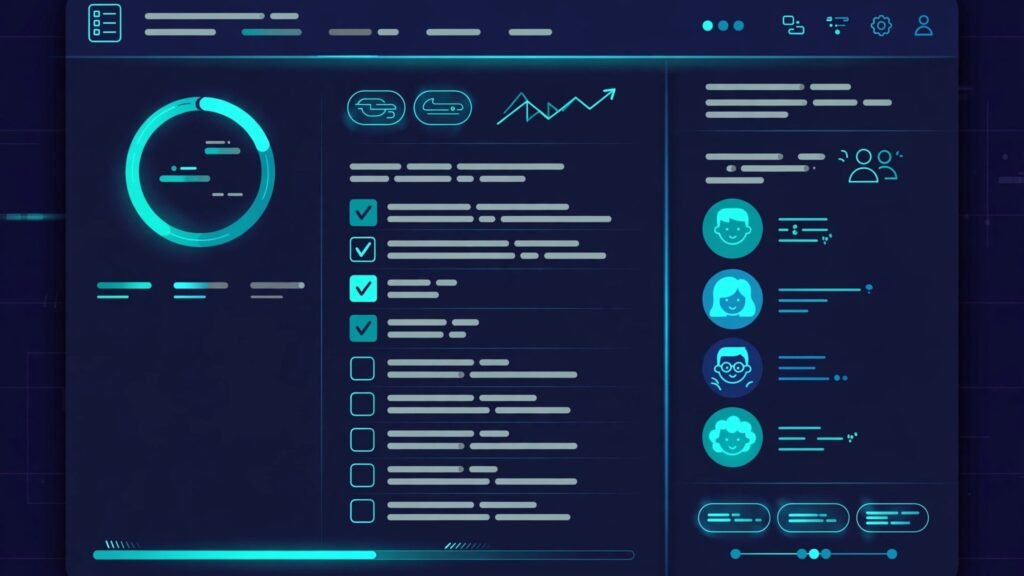
Custify is designed for small to mid sized teams that need lifecycle management, health scores and automation without a long implementation. It tracks the customer lifecycle from trial to renewal, flags accounts that need attention, and automates routine check ins and tasks. For a lean team, that automation is the point. A team of three managers cannot manually watch 300 accounts every day, but a system can watch the signals and bring the ten accounts that matter to the top.
Custify also works well for teams that sell to small businesses, where the customer base is large, the deal size is modest, and personal attention must be scaled carefully. Automated playbooks can handle routine onboarding steps, usage nudges and renewal reminders, while managers spend their personal time on the accounts where a conversation will actually change the outcome. That division of labour is the core skill of modern customer success.
The platform is less suited to highly complex enterprise workflows with many custom objects and approval chains. If your business needs that depth, an enterprise platform may fit better. If your business needs speed, clarity and a system the whole team will use, Custify is a strong candidate.
Best for: lean teams with many small to mid sized accounts.
Watch out for: do not automate the personal moments. A renewal conversation, a complaint recovery and a first executive meeting should stay human. Use automation for routine steps, and protect manager time for the conversations where trust is built or repaired.
Support and CRM adjacent tools
Not every team needs a dedicated CS platform on day one. Two tools below are strong when your main work is support plus proactive outreach, or when you already live in a CRM and want success basics without a second system.
7. HubSpot Service Hub
HubSpot Service Hub covers tickets, feedback, knowledge base and basic customer success reporting inside the HubSpot ecosystem. For a team already using HubSpot for marketing and sales, Service Hub has a clear advantage: the customer record, the ticket history and the deal history already live in one place, and the team does not need to learn or pay for a separate platform to get started with success work.
Service Hub handles the reactive side well. Tickets can be routed, tracked and reported, feedback can be collected through surveys, and a knowledge base can deflect common questions. It also supports simple health style reporting through custom properties and lists, although it does not match a dedicated CS platform on health scoring depth, journey automation or renewal playbooks.
The decision here is about stage. If your team is small, your ticket volume is manageable, and your main success work is onboarding plus support, Service Hub may be enough for now. If your team is growing, your churn is rising, and you need proactive alerts based on product usage, you will outgrow it, and that is fine. Starting in HubSpot and moving to a dedicated platform later is a normal path, as long as you export your data cleanly when you move.
Best for: teams already on HubSpot that need solid support plus success basics.
Watch out for: do not confuse ticket closure with customer health. A customer with zero tickets can still be at risk if usage dropped, and a customer with many tickets can still be healthy if each issue was resolved well. Pair ticket data with usage and billing signals before you call an account healthy. Teams comparing CRM ecosystems may also want the best AI tools for project managers guide for the project side of onboarding work, and the HubSpot versus Salesforce comparison in the hubspot alternatives guide for the wider CRM choice.
8. Intercom
Intercom is best known for messaging and support, but for customer success teams it is a proactive outreach tool. You can message users inside the product, run a help centre, automate answers to common questions with AI, and trigger messages based on behaviour. For a product led team, that in product reach is powerful, because it meets the user where they already work.
The AI support side helps with scale. Common questions can be answered instantly, tickets can be routed to the right team, and managers can see which help centre articles actually resolve issues. That frees human time for success conversations that need judgment, such as a renewal risk call or an expansion discussion. Intercom also supports outbound messages for onboarding steps, feature announcements and check ins, which makes it a useful companion to a dedicated CS platform, not just a replacement for one.
The risk is that Intercom becomes support only. If the team measures only ticket response time and deflection, success work will drift to the background. Set success metrics for Intercom too: onboarding completion, feature adoption after a message, and response to at risk account outreach. Review those metrics weekly, not just support metrics.
Best for: product led teams that need in app messaging plus AI support at scale.
Watch out for: message overload is real. Users who get a pop up on every login will start dismissing them all. Limit in app messages to moments where the message helps the user complete a task, and test frequency with a small segment before rolling a campaign to everyone.

Best pick by job
| Job | Best pick | Runner up | Why this pick wins |
|---|---|---|---|
| Enterprise CS at scale | Gainsight | Totango | Deepest journeys and renewal workflows |
| Mid market success planning | Totango | Vitally | Clear journeys and plays |
| Fighting silent churn | ChurnZero | Custify | Real time alerts and in app action |
| Flexible data model | Planhat | Gainsight | Customer data model you can shape |
| Growing SaaS team | Vitally | Custify | Health plus projects in a clean interface |
| Lean team, fast value | Custify | Vitally | Lifecycle automation without long setup |
| Team already on HubSpot | HubSpot Service Hub | Intercom | Customer record already in one place |
| In app outreach and support | Intercom | ChurnZero | Messages where users already work |
If you must pick one platform today and your team is under ten managers, start with Custify or Vitally, depending on whether lifecycle automation or project based onboarding matters more to you. If your team is larger and renewals are complex, pilot Gainsight or Totango with one segment first. Add Intercom when in product messaging becomes a bottleneck, not before.
How to choose the right platform
Start by defining health before you buy software. Gather five accounts you know well: two healthy, two at risk, one you lost. List the signals that distinguished them. Was it login frequency, feature adoption, support sentiment, payment behaviour, or champion change. That list becomes your health score definition, and any vendor who cannot model those signals is not the right vendor, no matter how polished the demo looks.
Second, audit your data sources. A CS platform needs product usage, billing, support and CRM data to be useful. List each source, who owns it, and how clean it is. If usage data is missing for half your accounts, fix that connection first, or accept a simpler health model until it is fixed. Buying software will not fix a data gap on its own.
Third, test with a real segment. Run the trial on one segment for two to four weeks, with real managers using it daily. Measure three things: did managers find at risk accounts earlier, did plays save time, and did managers trust the score. If managers do not trust the score, they will not act on it, and the platform will become an expensive report.
Fourth, plan ownership and maintenance. A CS platform needs an owner who updates health definitions, reviews play performance and cleans data. Without that owner, the system decays. Budget that time in the role description, not as an afterthought.
Fifth, check exit and integration costs. Ask how you export health history, notes and play data, and which integrations are native versus custom built. A platform that is hard to leave will shape your stack for years, so check the exit path before you sign, not when you want to leave.
Mistakes to avoid
The first mistake is buying a platform before defining health. A score without a definition is a number that looks scientific and means nothing. Define health from real accounts first, then buy the tool that models it.
The second mistake is alert overload. Fifty alerts a day will train a team to ignore alerts. Start with five alerts that matter, write a clear action for each, and expand only when the team acts on most of them.
The third mistake is measuring activity instead of outcomes. Tasks completed, emails sent and calls logged are activity. Onboarding completion, feature adoption, renewal rate and expansion are outcomes. Report outcomes to leadership, and use activity only to diagnose why an outcome moved.
The fourth mistake is keeping success and support separate. A customer who raises three tickets in a week is telling you something about health, even if each ticket was closed fast. Connect support sentiment to the health score, and make sure success managers see ticket trends without asking support for a manual report.
The fifth mistake is automating the human moments. Renewal negotiations, complaint recovery and executive reviews need a person. Automation should handle routine steps and surface risk, not replace the conversation where trust is at stake.
Frequently asked questions
What is the difference between a customer success platform and a CRM?
A CRM tracks deals, contacts and sales activity. A customer success platform tracks post sale health, usage, onboarding and renewal risk. They overlap on customer records, but they answer different questions. A CRM answers who bought and what was sold. A CS platform answers whether the customer is getting value and whether they will renew.
Do small teams need a dedicated customer success platform?
Not always. A small team with fewer than 50 accounts can often manage with a CRM, a spreadsheet and disciplined check ins. Once the account count passes the point where a manager cannot remember each account status, a platform becomes valuable. That point arrives sooner than most teams expect, often around 80 to 150 accounts per manager, depending on complexity.
How do health scores actually work?
A health score combines signals such as product usage, feature adoption, support history, billing behaviour and survey feedback into a single view, often with weights for each signal. The score is only as good as the signals and weights behind it. Test the score against accounts you already know, adjust the weights until it matches reality, and review it quarterly as your product and customers change.
Can AI replace customer success managers?
No. AI can summarise accounts, prioritise risk, draft messages and automate routine steps, but it cannot build trust, negotiate a renewal, or read the room in a difficult conversation. The best teams use AI to give managers more time for those human conversations, not to remove managers from them.
How long does it take to implement a CS platform?
It depends on data and scope. A lean platform with clean data can be live in weeks. An enterprise platform with multiple data sources, custom health models and complex playbooks can take months. Pilot one segment first, prove value, and then expand. A phased rollout beats a big launch that nobody trusts.
Should customer success own churn, or is that a sales problem?
Customer success should own the early warning and the intervention, because it sees usage and satisfaction first. Sales may own the commercial renewal conversation, but success should own the value story behind it. The best structure is shared accountability: success flags risk early, sales and success work the renewal together, and leadership reviews retention as a team metric, not as one department metric.
What metrics should a CS team report to leadership?
Report net revenue retention, gross revenue retention, onboarding completion, time to first value, feature adoption for core workflows, and health distribution by segment. Add qualitative notes on the top at risk accounts and the actions taken. That mix gives leadership both the numbers and the story behind them.
Conclusion
The best customer success stack in 2026 is the one that finds risk early and turns it into a clear action. For enterprise teams that is Gainsight, with Totango as the mid market alternative. For churn focused teams it is ChurnZero. For data driven teams it is Planhat. For growing teams it is Vitally or Custify, depending on whether projects or lifecycle automation matter more. HubSpot Service Hub covers teams already in HubSpot, and Intercom adds in product reach where users actually work.
Define health from real accounts, test with a real segment, start with a few high quality alerts, and protect the human conversations that build trust. Do that, and the platform becomes a partner in retention, not another dashboard your team learns to ignore.