
Compare two voice actors with the same talent and the same home studio. One spends the morning re-recording a noisy take, hunting for a lost audition file, and rewriting a client email from scratch. The other records clean audio, cleans it in minutes, sends the audition with a clear file name, and follows up with a client before lunch. The difference is rarely talent. It is workflow, and the best AI tools for voice actors in 2026 are the ones that protect that workflow: clean recording, fast cleanup, reliable remote sessions, organised auditions and marketing that does not eat the day.
Voice work in 2026 also carries a question that other professions do not face in the same way. AI voice tools can clone, generate and enhance voices, and that raises real ethical and contractual questions. This guide treats that question seriously. It covers AI tools that help you record, edit and market your own voice, and it also covers voice AI tools you need to understand as a professional, with clear warnings about consent, contracts and voice rights. Never let a tool use your voice in a way your contract does not allow, and never sign away voice rights casually for a quick job.
As with any tool guide, check pricing at checkout before you buy. Plans change, AI features move between tiers, and a free tier that covers a trial may not cover daily professional use. Test each tool with a real audition workflow, from script to final file, before you rely on it for a paid job.
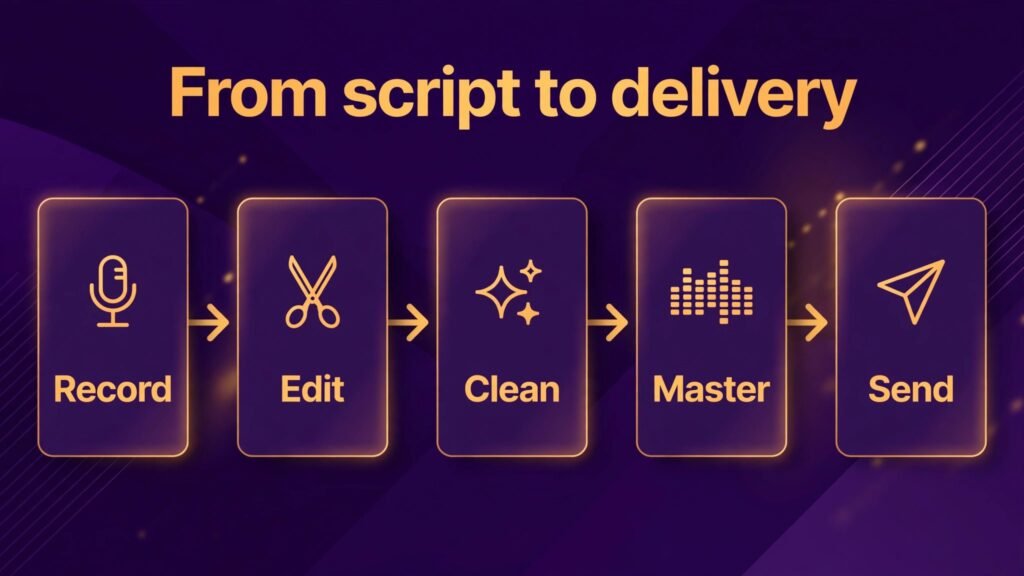
The best AI tools for voice actors at a glance
| Tool | Best for | Main job | Watch out for |
|---|---|---|---|
| Audacity | Free recording and editing | Recording, basic editing | Interface is plain, workflow is manual |
| Adobe Audition | Professional editing | Multitrack, cleanup, mastering | Subscription cost, learning curve |
| Reaper | Flexible DAW | Recording, editing, routing | Setup needs configuring |
| Descript | Text based editing | Edit audio by editing text | Check export quality for delivery |
| iZotope RX | Audio repair | Noise, mouth clicks, de reverb | Price, learn the modules you need |
| Source Connect | Remote studio sessions | Live directed sessions | Internet and setup matter |
| ElevenLabs | Voice AI understanding | Voice generation, dubbing study | Ethics and contracts first |
| Auphonic | Automatic mastering | Levels, loudness, cleanup | Check results on every file |
| PlayHT | Voice AI comparison | Text to speech, voice study | Not a replacement for your voice |
| Notion | Audition and client tracking | Auditions, clients, scripts | Easy to overbuild |
| Canva | Marketing visuals | Demos, social posts, website art | Audio still matters more than visuals |
The table makes the core point. Recording and cleanup tools are the foundation. Remote session tools are the client facing layer. Voice AI tools are the area to understand with care. Marketing and tracking tools keep the business running. A voice actor who buys voice AI tools before fixing recording quality has the priorities backwards, because no AI tool can rescue a badly recorded take as well as a clean recording can avoid the problem.
Recording and editing
Your audio is your product. These four tools cover the recording and editing layer, from free to professional, and the choice depends on how much editing you do yourself and how much you send to an engineer.

1. Audacity
Audacity is free, open source audio recording and editing software, and it remains a sensible starting point for voice actors. You can record, cut, normalise, apply basic noise reduction and export in common delivery formats. For auditions and simple jobs, Audacity is enough, and its price makes it a good way to learn editing without a subscription commitment.
The limitation is workflow. Audacity is a single track editor at heart, with a plain interface and manual steps for many tasks. A voice actor who edits long form narration daily will spend more time on repetitive steps than in a more flexible DAW. That time cost is the real price of a free tool, and it is worth calculating honestly. If Audacity costs you an hour a day in manual work, a paid tool that saves that hour may pay for itself quickly.
Best for: new voice actors and simple audition editing.
Watch out for: learn file hygiene early. Name files clearly with project, character or script name, date and take number, export a clean master plus a delivery copy, and keep originals separate from edited files. Good file naming will save you more time than any plugin, and it will save a client confusion when they receive your files.
2. Adobe Audition
Adobe Audition is a professional audio workstation for recording, multitrack editing, cleanup and mastering. Voice actors use it for long form work, complex sessions with multiple takes, and delivery ready mastering. The multitrack view helps when you need to compare takes, layer room tone, or manage a session with direction notes alongside the audio.
Audition also includes strong cleanup tools, including noise reduction, click removal and spectral editing for problem sounds. Those tools reward learning. A voice actor who learns two or three cleanup workflows well will deliver cleaner audio faster than a voice actor who tries every effect once and masters none. Focus on the workflows you actually use: noise floor, mouth clicks, breath control and loudness for delivery.
Best for: professional voice actors who edit daily and deliver finished audio.
Watch out for: subscription cost and learning curve. If you only edit auditions occasionally, Audition may be more than you need. If you edit daily, the time saved and the delivery quality justify the cost, but only if you actually learn the workflows. A subscription you do not use is just a bill.
3. Reaper
Reaper is a flexible digital audio workstation known for customisation, routing and value. Voice actors who like to build their own workflow use Reaper to set up templates for auditions, narration and character work, with custom actions for common steps such as normalising, exporting and file naming. That customisation is the strength and the cost. Reaper can be shaped to fit your exact job, but it will not shape itself.
Reaper suits voice actors who enjoy configuring software and who have a stable workflow they want to automate. It also suits actors who work with engineers, because Reaper sessions can be shared and adjusted cleanly. If you prefer a tool that works well out of the box with minimal setup, Audition or Descript may feel faster at first, even if Reaper is more flexible in the long run.
Best for: voice actors who want a custom, efficient DAW workflow.
Watch out for: budget setup time. Build one template for auditions and one for narration, test them on real jobs, and refine them over a month. Do not build ten templates before your first paid job in Reaper. A template you have tested is worth more than a template you have imagined.
4. Descript
Descript edits audio by editing text. Transcribe a recording, delete a word in the transcript, and the audio follows. For voice actors, that workflow is useful for long form editing, podcast work, demo assembly and quick cleanup of filler words and mistakes. It is also useful for building demos, because you can assemble the best takes by selecting text rather than scrubbing waveforms for an hour.
Descript also includes AI features for voice and studio sound, and those features need care. Studio sound can improve a noisy recording, but it can also change the character of a voice in a way a client did not ask for. Use it as a repair tool, not as a default, and always compare the processed audio with the original before delivery. A client hired your voice, not a processed version of it, and the delivery should reflect that.
Best for: text based editing, demos and long form cleanup.
Watch out for: check export quality and delivery specs for every job. Some clients require specific formats, loudness levels and file naming, and a tool that exports cleanly for one client may need adjustment for another. Build a delivery checklist per client type, and run it before you send any file. Voice actors who also edit video may find the descript alternatives guide useful for comparing editors, and the best AI tools for content agencies guide covers the agency side of audio and video delivery.
Cleanup, remote sessions and voice AI
Once recording is settled, the next layer is cleanup quality, live directed sessions, and the voice AI tools every professional should understand, even if they never use them for client work.
5. iZotope RX
iZotope RX is the audio repair specialist in this guide. It handles noise, hum, mouth clicks, breaths, de reverb and other problems that make a recording sound unprofessional. Voice actors use RX when a take is good in performance but flawed in sound, and when re recording is not possible because the client needs the take or the session has ended. RX can save a take, but it cannot save a performance that was wrong in the first place, and it should not be used to hide a recording problem that should have been fixed at source.
Learn the modules you actually need. Mouth de click, voice de noise and de reverb cover most voice work, and learning those three well will handle the majority of repair jobs. Watch for over processing. A recording with no room tone, no breath and no natural texture sounds artificial, and clients notice. Repair to a natural standard, not to silence.
Best for: serious audio repair and delivery quality.
Watch out for: price and learning time. Start with the modules you need, test repairs on real problem takes, and compare before and after on good speakers, not just laptop speakers. A repair that sounds good on a phone may still sound processed on studio monitors.
6. Source Connect
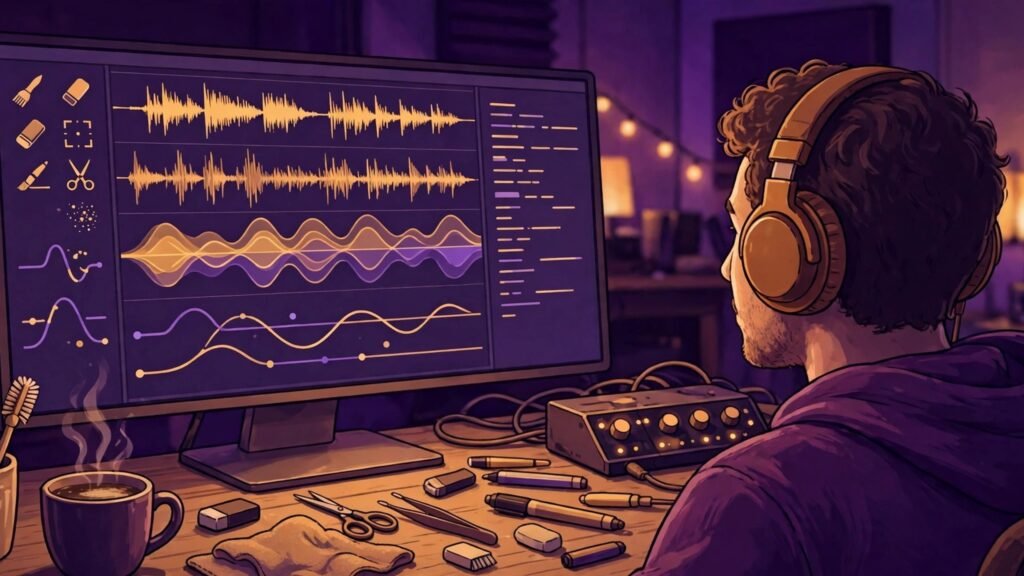
Source Connect is the industry standard for live remote directed sessions. It lets a voice actor connect to a studio in real time, with high quality audio, talkback and session control, so a director can direct a performance as if the actor were in the room. For voice actors who work with studios, agencies and clients in other cities, Source Connect is often a requirement, not an option. Clients who need live direction will ask for it by name.
Setup matters more than the software itself. A stable internet connection, a wired connection where possible, a quiet room and a tested session before the paid job are all essential. Run a test session with a colleague, check talkback, check recording on both ends, and confirm the session settings with the studio before the booked time. A failed connection at session start wastes studio time and damages your reputation with that client.
Best for: live directed sessions with studios and agencies.
Watch out for: do not rely on wifi for a paid session if a wired connection is available. Test the full chain, including backup recording on your own system, so a connection problem does not lose a performance. Record locally as a backup on every remote session, and tell the studio you are doing so.

7. ElevenLabs
ElevenLabs is a leading voice AI platform for text to speech, voice generation and dubbing. For a voice actor, the value is understanding, not just use. Clients, agencies and studios are using voice AI, and a professional who understands how it works, what it does well, and where it fails can have better conversations about rates, rights and appropriate use. ElevenLabs is also useful for studying how synthetic voices sound, for creating scratch tracks, and for exploring dubbing workflows where a human voice remains central.
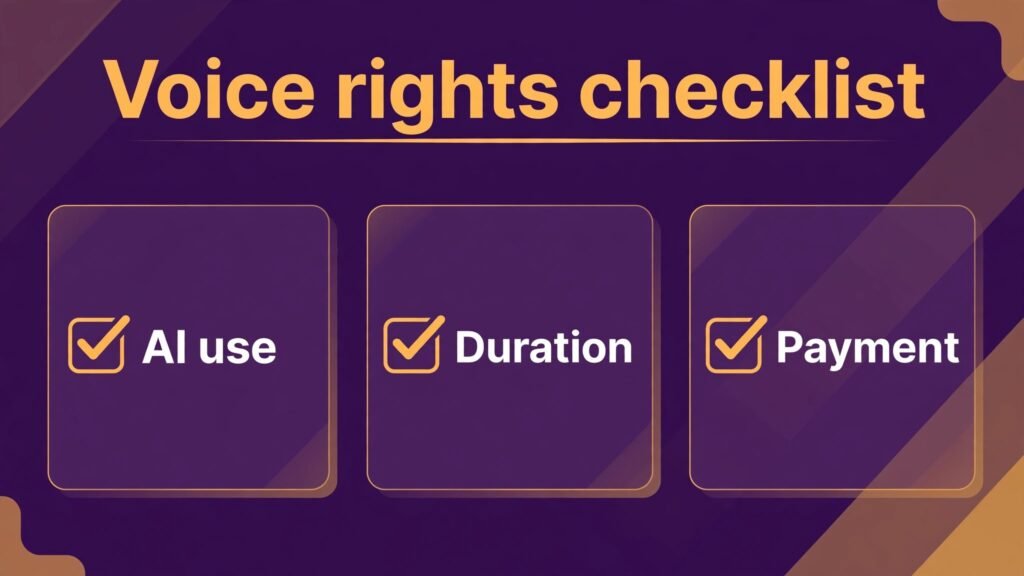
The ethical line is clear and non negotiable. Do not clone your own voice for a job without a written contract that defines use, duration, territory and payment. Do not clone another person voice without explicit consent. Do not sign a broad voice rights clause for a small fee, because voice rights can be used far beyond the original job. If a client asks for voice cloning or AI training use, get the terms in writing, seek professional advice if needed, and price the use, not just the recording time.
Best for: understanding voice AI, scratch tracks and dubbing study.
Watch out for: contracts first, tools second. Read every clause about AI, synthesis, training and reuse before you record. If a clause is unclear, ask for clarification in writing. A quick job is not worth a long term loss of control over your voice.
8. Auphonic
Auphonic is an automatic audio post production service that handles loudness, levels, noise reduction and encoding. For voice actors who deliver podcasts, audiobooks or long form content, Auphonic can standardise loudness and clean up minor issues across many files at once. That batch processing saves time on multi file jobs, where manual mastering of each file would take hours.
Auphonic is a finishing tool, not a replacement for good recording. It works best on already clean audio, and it can introduce artefacts on noisy or problematic files. Check the result on every file, especially the first file in a batch, before you deliver the whole job. A batch process that sounds good on file one may still need adjustment on file ten.
Best for: batch mastering for podcasts and long form delivery.
Watch out for: do not deliver Auphonic output without listening. Listen to the start, middle and end of each file, check loudness against the client spec, and keep your original files in case a re export is needed.
9. PlayHT
PlayHT is a text to speech platform with a wide voice library and voice cloning features. Like ElevenLabs, its value for a voice actor is partly professional awareness: understanding what synthetic voices can do, how clients use them, and where a human performance still wins. PlayHT is also useful for creating scratch audio for timing, for testing how a script sounds before recording, and for exploring voice options for a project where the final voice will still be human.
The same contract warnings apply. Do not provide voice samples for cloning without clear written terms, and do not accept a job that asks you to train a model that will replace you without payment for that use. Human voice work wins on performance, direction, emotion and nuance, and those qualities should be priced accordingly. A synthetic voice can read words, but it cannot take direction in a session, adjust to a client note in real time, or bring the lived understanding that a professional actor brings to a character.
Best for: scratch audio, timing tests and voice AI awareness.
Watch out for: keep scratch and final work separate. Label scratch files clearly, do not send scratch audio as a delivery, and do not let a client confuse a synthetic test with your professional performance.
Business tracking and marketing
A voice career is a business, and the final two tools cover the business layer: tracking auditions and clients, and presenting yourself well.
10. Notion
Notion is a flexible workspace for tracking auditions, clients, scripts and follow ups. Voice actors use it to build a simple audition tracker: job, client, script, date submitted, file sent, follow up date and outcome. That tracker prevents the most common business failure in voice work: auditions sent and forgotten, with no follow up and no learning from what won or lost.
Notion also holds a script library, a client notes page and a rate reference, so a repeat client job starts from known information rather than a fresh search through email. Keep the system simple. An audition tracker, a client list, a script library and a follow up list are enough to start. Add more only when a repeated task proves you need it, because a complex tracker you do not update is worse than a simple tracker you do update.
Best for: audition tracking and client organisation.
Watch out for: update the tracker the day you submit, not at the end of the week. A tracker updated weekly from memory will miss details and follow ups. Make updating part of the submission workflow: send the file, log the audition, set the follow up date, then move on.
11. Canva
Canva covers the visual side of a voice business: social posts, demo cover art, website graphics, rate sheets and one page marketing documents. For a voice actor, visuals will never replace audio, but they do affect first impressions. A clean demo cover, a clear social post announcing a new demo, and a professional one page sheet for agencies will help you look like a working professional, not a hobbyist.
Canva AI features can help with layouts and image generation, but keep the focus on clarity. A demo post should make it easy to press play, not hard to find the audio link. A rate sheet should be readable at a glance, not a design showcase. Design serves the audio, and the audio is what gets you hired.
Best for: demo art, social posts and agency one pagers.
Watch out for: do not spend a day on visuals that should have been spent recording. Set a weekly marketing block, batch your posts, and return to the booth. A beautiful feed with no new auditions is not a career.
Best pick by job
| Job | Best pick | Runner up | Why this pick wins |
|---|---|---|---|
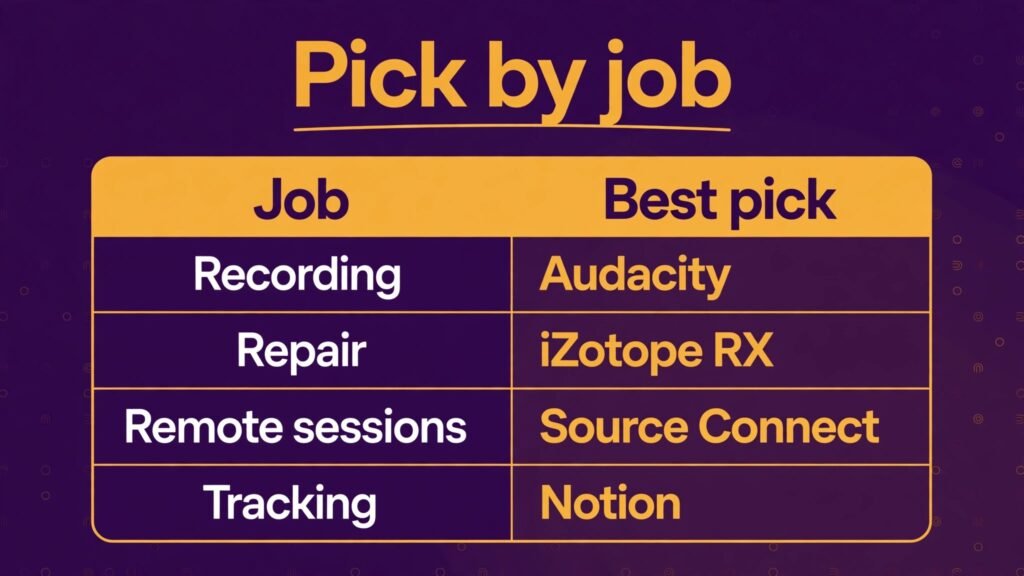
| Free starting DAW | Audacity | Reaper | No cost, enough for auditions |
| Professional editing | Adobe Audition | Reaper | Multitrack plus cleanup depth |
| Custom workflow | Reaper | Adobe Audition | Templates and routing you control |
| Text based editing | Descript | Adobe Audition | Edit by text, fast for long form |
| Audio repair | iZotope RX | Auphonic | Deepest repair modules |
| Remote directed sessions | Source Connect | Zoom | Industry standard for studios |
| Voice AI understanding | ElevenLabs | PlayHT | Leading voice AI reference |
| Batch mastering | Auphonic | iZotope RX | Loudness plus cleanup at scale |
| Scratch and timing | PlayHT | ElevenLabs | Fast text to speech tests |
| Audition tracking | Notion | Spreadsheet | Auditions plus clients in one place |
| Marketing visuals | Canva | Notion pages | Clean demo art in minutes |
If you are starting out, the simplest credible stack is Audacity or Reaper for recording, Descript for long form cleanup, Notion for audition tracking and Canva for marketing. Add iZotope RX when repair work becomes regular, and add Source Connect when studios start booking directed sessions. Study ElevenLabs and PlayHT for professional awareness, and treat any voice cloning request as a contract question first.
How to choose the right tools for your voice career
Start from your delivery specs. Different clients need different formats, loudness levels and file naming. List the specs for your top three client types, and choose tools that meet those specs without manual workarounds. A tool that sounds good but exports the wrong format will cost you time on every job.
Second, test with a real audition, not a test read. Record a real script, edit it, clean it, master it and export it exactly as you would for a client. Time each step, and note where you got stuck. That timed test tells you more than a week of reading reviews, because it measures your workflow, not someone else workflow.
Third, protect your voice rights from the start. Read every contract for AI, synthesis, training and reuse clauses, and keep a record of what you agreed for each job. If a client asks for something new, such as cloning or training use, treat it as a new negotiation, not as an extension of the original recording fee. Professional advice is worth the cost when the clause is unclear.
Fourth, count total cost, including learning time. A powerful DAW that takes a month to learn may cost more in lost auditions than a simpler tool that lets you work today. Learn one tool well before adding another, and add tools only when a real job requires them.
Fifth, keep the business system simple and current. An audition tracker that is updated daily will help you follow up, learn from wins and losses, and spot which client types actually hire you. A tracker that is updated rarely will not help, no matter how beautiful it looks.
Mistakes to avoid
Recording in a bad room and hoping cleanup will fix it is the first mistake. Cleanup can improve a recording, but it cannot replace a quiet, treated space and a good microphone position. Fix the room first, then use cleanup for minor issues.
Sending unedited or badly named files is the second mistake. Clients receive many auditions, and a file named final2_new.mp3 with no project name will get lost or confused. Name files clearly, check the audio before sending, and send only the takes you are proud of.
Signing away voice rights casually is the third mistake. Read AI and reuse clauses, get unclear terms clarified in writing, and price voice AI use separately from recording time. Your voice is your career asset, and it deserves contract care.
Forgetting follow ups is the fourth mistake. Many jobs go to the actor who followed up politely and professionally, not just to the first audition. Log every audition, set a follow up date, and follow up once, clearly and briefly, unless the client asked for no follow up.
Spending more time on marketing visuals than on recording is the fifth mistake. Visuals help, but auditions get jobs. Protect recording time, batch marketing work, and measure your week by auditions sent and sessions booked, not by posts published.
Frequently asked questions
Do voice actors need AI tools, or is a good microphone enough?
A good microphone and a quiet room are the foundation, and no AI tool replaces them. AI tools help with editing speed, cleanup, remote sessions and business tracking, which together protect recording time and delivery quality. Start with recording quality, then add tools that save time on real jobs.
Which DAW should a beginner voice actor choose?
Audacity is a good free start for auditions and simple editing. Reaper is a good next step when you want a flexible, custom workflow at a reasonable cost. Adobe Audition is the professional choice when you edit daily and need multitrack plus deep cleanup. Choose by how much editing you do, not by what other actors use.
Is it safe to use AI voice cloning tools as a voice actor?
It can be, with a clear written contract that defines use, duration, territory and payment. Do not clone your voice, or provide samples for cloning, without those terms in writing. If a client asks for training or reuse rights, treat it as a separate negotiation and seek professional advice if the clause is unclear.
Can AI clean up a noisy recording completely?
AI cleanup can improve a noisy recording, sometimes dramatically, but it cannot fully replace a clean recording. Over processing can make a voice sound artificial, and clients notice. Record as cleanly as possible, use cleanup for minor issues, and re record when the performance or the noise level makes repair the wrong choice.
Do I need Source Connect to get voice work?
Not for all work, but many studios and agencies require it for live directed sessions. If you plan to work with studios in other cities, Source Connect is a professional investment. If your work is mainly direct client auditions and self directed jobs, you can start without it and add it when studio work arrives.
How should voice actors track auditions?
Use a simple tracker with job, client, script, date submitted, file sent, follow up date and outcome. Update it on the day you submit, review it weekly, and follow up once per audition unless the client asked otherwise. Over time the tracker will show which client types and script types actually lead to work.
Batch marketing work into one weekly block, share short audio clips with a clear play link, keep visuals clean and simple, and focus on agency one pagers and demo updates that lead to auditions. Measure marketing by auditions and bookings, not by likes, and return to the booth after the marketing block ends.
Conclusion
The best voice acting stack starts with clean recording and ends with a business that follows up. Audacity or Reaper for starting work, Adobe Audition for professional editing, Descript for text based cleanup, iZotope RX for repair, Source Connect for directed sessions, Auphonic for batch mastering, Notion for audition tracking and Canva for marketing together cover the full job. ElevenLabs and PlayHT belong in your professional awareness, with contracts and consent first, because voice AI is now part of the industry conversation whether you use it for client work or not.
Record cleanly, edit efficiently, protect your voice rights in writing, and follow up on every audition. A career built on those habits, supported by the right tools, will outlast any single software trend, because clients hire a voice they trust, delivered on time, in the format they asked for, by an actor who is easy to work with.