

A pest control business lives or dies on repeat visits. A typical firm earns most of its income from customers who pay month after month for a service they rarely think about until something goes wrong. That repeat pattern is exactly why the best AI tools for pest control businesses matter more than a generic booking app. When a route is planned well, a technician arrives on time, the chemical use is recorded, the invoice goes out the same day, and the customer gets a reminder before the next visit. When any part of that chain breaks, the firm pays for it twice: once in wasted driving time and again in a cancelled contract.
This guide compares nine tools that handle the real work of a pest control operation. It covers route planning, recurring scheduling, customer messaging, quoting, payment, and review collection. It also separates tools built for pest control from general field service software that happens to work for pest firms. The distinction matters because pest work has rules that other trades do not: product labels, application records, re-entry times, and service history that must be visible at the next visit. A tool that cannot store that history cleanly will create extra office work, not less.
Prices change often, so every pricing note below ends with a check at checkout. Use the free trial period to run one real route week through the tool before you commit. A demo with perfect sample data tells you very little. A week of your own addresses, your own technicians, and your own reschedules tells you almost everything.
How the best AI tools for pest control businesses compare at a glance
| Tool | Best for | Standout strength | Watch first |
|---|---|---|---|
| Jobber | Solo operators and small crews | Fast quotes, scheduling and invoicing in one place | Per user pricing as the team grows |
| Housecall Pro | Firms that want online booking | Customer booking, dispatch and payments | Add on costs for some features |
| FieldRoutes | Dedicated pest firms | Pest specific records and recurring routes | Setup time for a large customer list |
| ServiceTitan | Larger firms with office staff | Deep reporting and dispatch control | Price and learning curve |
| GorillaDesk | Budget conscious small firms | Simple scheduling and invoicing | Fewer pest specific reports |
| Workiz | Firms that miss calls | AI phone answering and lead capture | Needs care with message tone |
| FieldPulse | Mobile first technicians | Clean mobile app and job tracking | Smaller integration list |
| ServiceM8 | Small firms that invoice on site | Card payments and job cards | Limited pest chemical records |
| PestPac by WorkWave | Established pest companies | Full pest workflow and compliance records | Best value at larger scale |
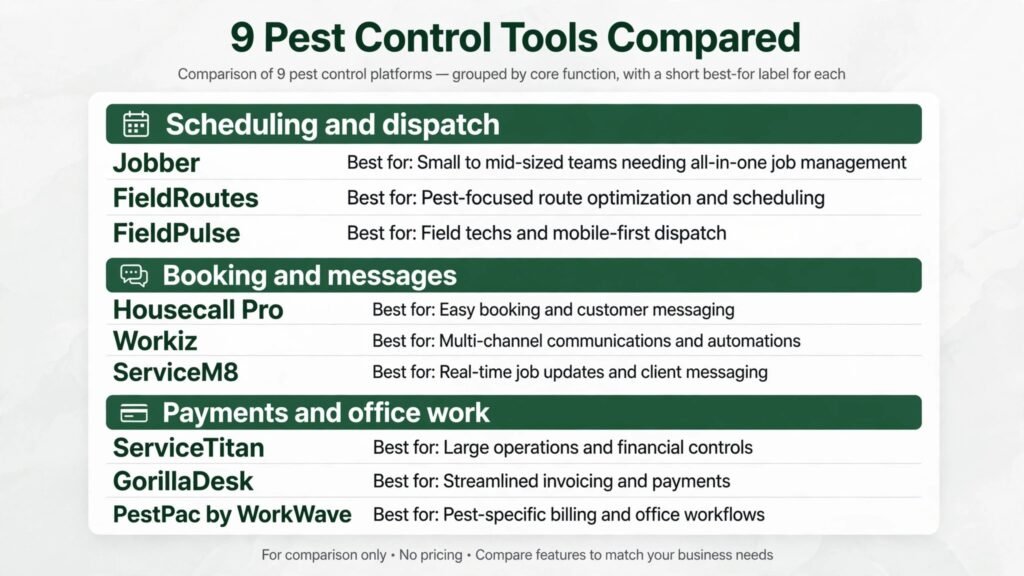
Tools grouped by the job they do best
Scheduling, dispatch and routes
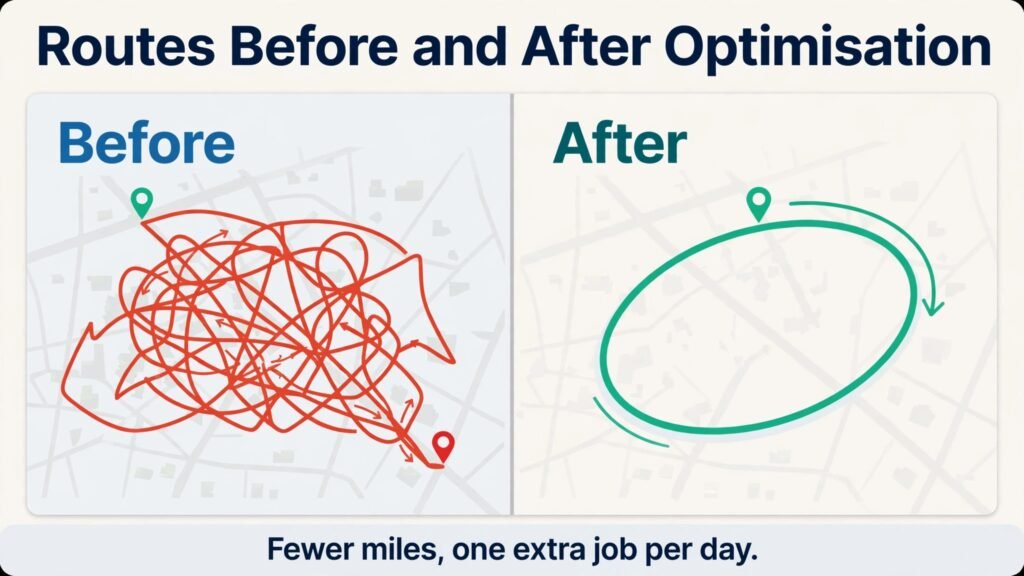
Routing is where pest firms lose the most hidden money. A technician who drives across town twice in one day, or who arrives after a customer has left for work, costs fuel, wages and goodwill. The tools in this group attack that problem first.
1. Jobber
Jobber is a general field service tool that many pest firms adopt because it is fast to learn. You can build a quote, turn it into a job, assign it to a technician, and send the invoice without leaving the same system. Its scheduling view shows the week by technician, which makes it easy to spot gaps and double bookings. Automated reminders cut no shows, and customers can approve a quote online instead of playing phone tag.
Pricing is subscription based with a free trial. Check the current per user price at checkout before you compare it with a flat rate tool, because the total changes as you add technicians. The mobile app is strong for field notes and photos, which helps when a technician needs to record what was found at a property.
Watch out for: Jobber is not built only for pest control, so chemical and product records need a consistent naming system that your office creates and enforces. If each technician writes product names differently, your service history becomes hard to search later.
2. Housecall Pro
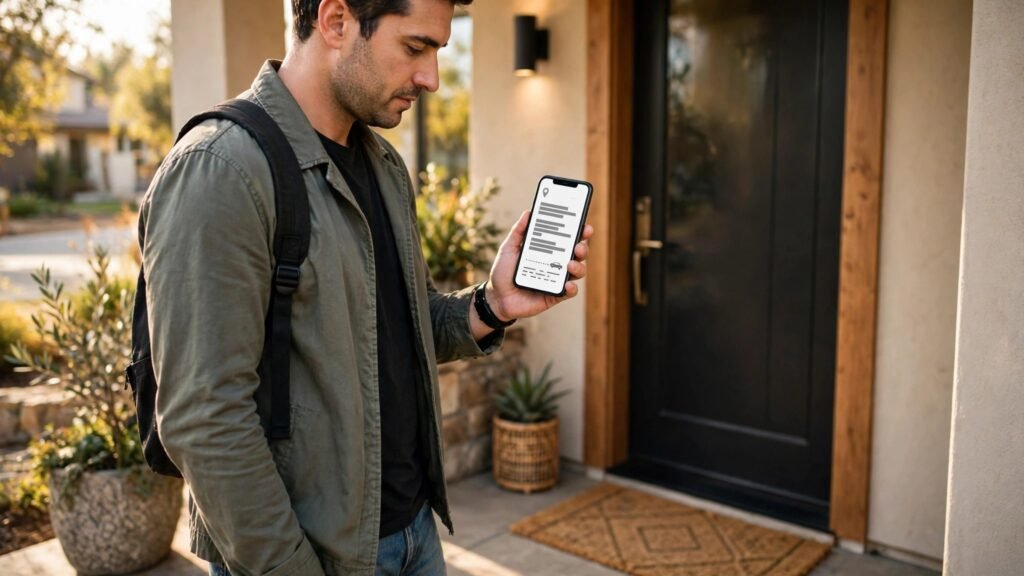
Housecall Pro suits firms that get a large share of work from online searches and repeat bookings. Customers can book online, see a technician profile, and pay by card. Dispatch shows jobs on a map, and the office can send a text when a technician is on the way. That single message prevents a surprising number of locked gate and no access problems.
The platform also includes review requests after a completed job. For a local service business, steady reviews are one of the cheapest ways to win new work. Pricing is subscription based with several tiers. Check at checkout which tier includes the booking and payment features you need, because some are add ons.
Watch out for: firms with complex recurring pest routes should test how the system handles a route change mid cycle. Moving one customer should not force you to rebuild the whole week.
3. FieldRoutes
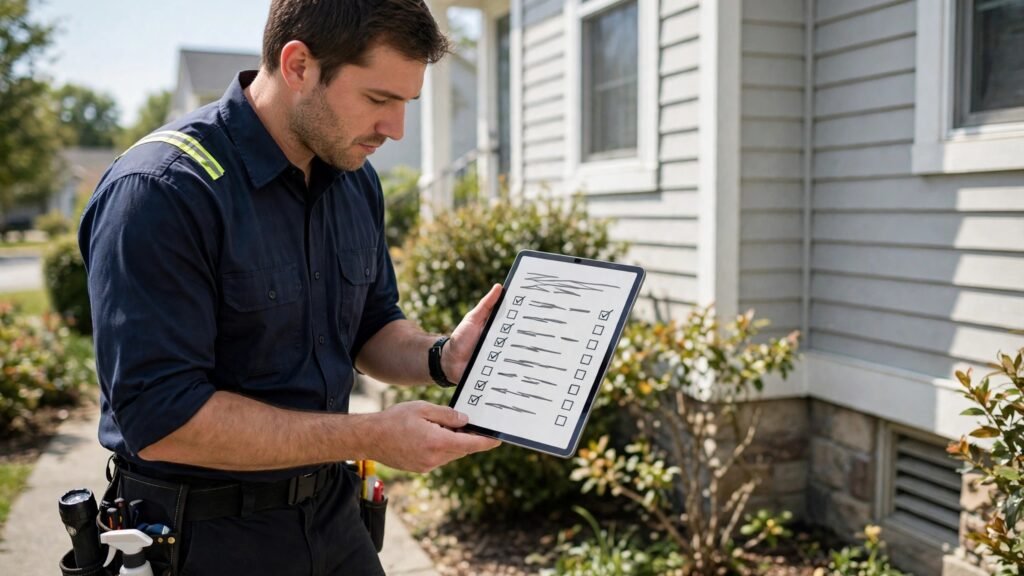
FieldRoutes is built for pest control, and that focus shows in the details. It handles recurring service plans, route optimisation, and customer history in a way that matches how pest firms actually work. A technician can see past treatments, products used, and notes from earlier visits before arriving at a property. The office can track route completion and spot accounts that are overdue for service.
For firms that offer termite, mosquito, and general pest plans, the ability to keep those plans separate while billing them together is valuable. Pricing is quoted based on firm size. Ask for a full written quote and check what is included at checkout, since pest specific platforms often price by users and features rather than a single public tier.
Watch out for: migration takes planning. Export your customer list, service history, and active plans before the switch, and run the old and new systems side by side for at least two weeks.
4. ServiceTitan
ServiceTitan is the heavyweight option in this list. It is designed for larger service firms with office staff, dispatchers, and managers who want detailed reporting. It covers scheduling, dispatch, estimates, invoicing, payroll related reporting, and marketing tracking. Its call booking tools and price book features help firms that sell add on services during a visit.
The strength of ServiceTitan is control. Managers can see job profitability, technician performance, and marketing source by job. The weakness is the same as the strength: there is a lot to learn, and small firms can feel buried in settings. Pricing is custom and quoted per business. Get the quote in writing and check the contract term at checkout.
Watch out for: do not buy ServiceTitan for features you will not use in the first year. A simpler tool used well beats a powerful tool that the office avoids.
Booking, calls and customer messages
Missed calls are lost jobs in pest control. A customer who finds ants in the kitchen wants a visit this week, not a callback next Monday. The tools in this group focus on capturing demand and keeping customers informed.
5. Workiz
Workiz combines scheduling, invoicing, and communication with an AI phone answering feature that can take messages and book jobs when the office is busy or closed. For a small firm, that after hours coverage can be the difference between winning and losing a new customer. The system also supports online booking and automated reminders.
Workiz is a practical fit for firms that rely on phone leads and want to reduce office admin without hiring a full time dispatcher. Pricing is subscription based. Check at checkout whether AI answering is included in your tier or billed separately, because that changes the monthly total.
Watch out for: review the wording of automated messages before they go live. A message that sounds generic can put off a customer who is worried about a wasp nest or a rodent problem. Keep the tone calm, specific, and human.
6. GorillaDesk
GorillaDesk is a lower cost field service option that covers scheduling, customer records, invoicing, and payments. It is popular with small pest firms because the setup is quick and the monthly cost stays manageable. Technicians get job details on a mobile device, and the office can see the day at a glance.
It does not try to do everything. That restraint is a benefit for a firm with one office manager and a handful of technicians. There are fewer settings to learn and fewer reports to ignore. Pricing is subscription based. Check the current plan limits at checkout, especially the number of users and active jobs.
Watch out for: pest specific reporting is thinner than in a dedicated pest platform. If your state or your commercial clients require detailed application records, test that workflow during the trial and keep a backup record system until you are sure.

Payments, records and office work
The back office decides whether a pest firm grows or stalls. If invoicing lags by two weeks, cash flow lags with it. If service records are messy, the next technician starts blind. These tools tighten that part of the business.
7. FieldPulse
FieldPulse is a mobile first field service tool with scheduling, estimates, invoicing, and customer management. Technicians can capture signatures, photos, and notes on site, and the office can track job status without calling the field. That matters for pest work, where a photo of an entry point or a damaged vent can prevent a repeat visit.
FieldPulse suits firms that want a clean app rather than a large platform. Pricing is subscription based with a trial. Check at checkout how many users and which features your plan covers.
Watch out for: integration options are narrower than the largest platforms. If you rely on a specific accounting or marketing tool, confirm the connection exists and test it before you migrate customer data.

8. ServiceM8
ServiceM8 is built around job cards that carry the full job from quote to payment. A technician can quote, complete, and invoice on site, and the customer can pay by card at the door. For residential pest work, that speed shortens the gap between service and payment from days to minutes.
The system also supports scheduling, reminders, and customer records. It works well for small firms and solo operators who want to leave paper behind. Pricing is subscription based with a free tier for very small use. Check the current limits at checkout, because the free tier suits only a light workload.
Watch out for: ServiceM8 is a general trade tool, so pest chemical records need a clear template. Build one template for each service type and train every technician to use it the same way.
9. PestPac by WorkWave
PestPac is a long standing pest management platform. It covers scheduling, routing, billing, customer management, and reporting with pest specific workflows. Larger firms use it to manage multiple branches, service plans, and commercial accounts from one system. Its reporting helps managers see route performance, overdue accounts, and revenue by service type.
PestPac suits firms that have outgrown a general tool and need pest specific depth. Pricing is quoted per business. Ask for a written quote and check contract terms at checkout.
Watch out for: the depth that makes PestPac strong also means a longer setup. Assign one person to own the migration, and do not go live during your busiest season if you can avoid it.
Best pick by job
| If you need | Start with |
|---|---|
| Solo operator, fast setup | Jobber |
| Online booking and payments | Housecall Pro |
| Pest specific routes and records | FieldRoutes |
| Large firm reporting and dispatch | ServiceTitan |
| Low cost small firm system | GorillaDesk |
| After hours call capture | Workiz |
| Clean mobile job tracking | FieldPulse |
| On site quoting and card payment | ServiceM8 |
| Established firm with branches | PestPac by WorkWave |
How to choose the right tool for your firm
Start with your route structure, not with a feature list. A firm with 200 recurring residential customers has a different problem from a firm with 40 commercial accounts and a few residential routes. The first firm needs route density and reminder automation. The second needs detailed records and account level reporting. Write down your three most painful weekly tasks before you look at any demo. If a tool does not fix at least two of them, it is not the right tool, no matter how good the sales call sounds.
Next, test the technician experience. Hand the mobile app to your least patient technician and ask that person to complete a real job in it. If the app needs five screens to record a standard treatment, technicians will skip steps or keep paper notes on the side. Both outcomes defeat the purpose of the software. Look for large buttons, offline access, and a service history view that loads fast at the property.
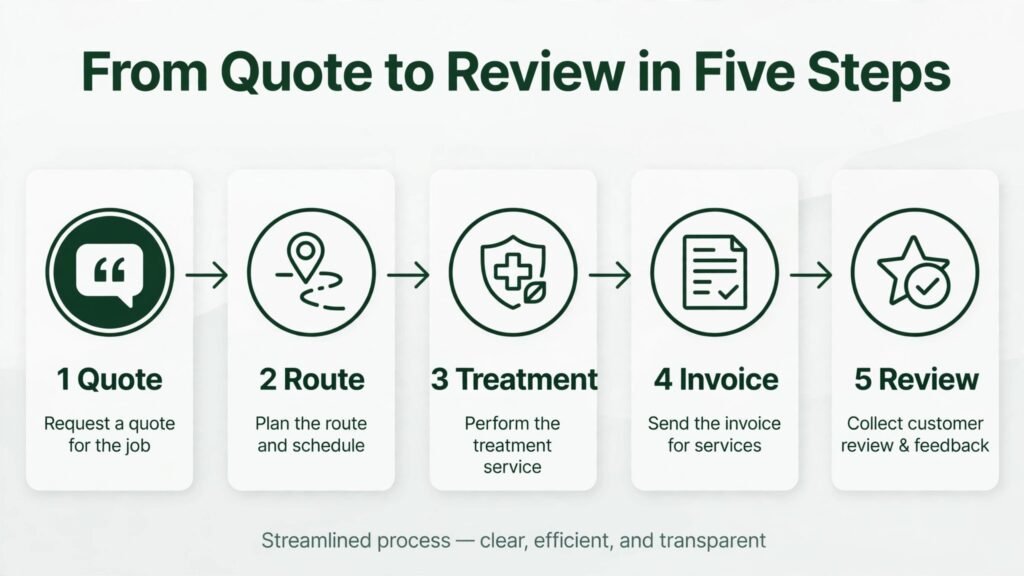
Then check the money flow. Map the path from quote to paid invoice and count the manual steps. The best tools cut that path to quote, approval, job completion, invoice, and payment with no retyping. Ask how the tool handles failed cards, partial payments, and plan changes mid cycle. Those edge cases are where office time disappears.
Also confirm compliance handling for your area. Pest firms must follow product labels and local rules, and commercial clients often ask for records. Ask the vendor to show you, in a live demo, how a technician records a product, a rate, and a target pest, and how the office retrieves that record a year later. If the vendor cannot show that flow clearly, keep looking.
Finally, compare total cost, not the headline price. Add user seats, payment processing fees, text message credits, AI answering charges, and any onboarding fee. A tool that looks cheap at 49 dollars a month can cost far more once every technician and every feature is counted. Get the full monthly figure in writing and check it at checkout.
A related operations choice faces many service firms. Firms that also take on building and repair work often compare best AI tools for contractors before they standardise on one field system. Hotels and lodging operators face a similar scheduling problem and often read best AI tools for hotels for ideas on guest messaging that also work for residential customers.
Mistakes to avoid
The first mistake is buying for the busiest month and ignoring the quiet months. A tool priced per technician hurts when winter slows work and you still pay for every seat. Ask whether seats can be paused or reduced, and plan for seasonal staffing.
The second mistake is migrating all at once with no parallel run. Keep the old system live until the new one has handled billing, routing, and records for a full cycle. A failed invoice run is far easier to fix when the old records are still available.
The third mistake is letting each technician invent a personal system for notes and product names. Standard templates protect you. When a customer calls a year later about a treatment, the office should find the answer in seconds, not by calling three technicians.
The fourth mistake is ignoring the customer view. A booking page that is hard to use, or a reminder text that arrives at the wrong time, loses jobs even when the back office is perfect. Test booking and reminders as a customer, not only as the owner.
The fifth mistake is skipping the review step. Reviews drive local search for pest firms. If your tool can request a review after each job, turn that feature on and track how many reviews you collect each month. A firm with 20 recent reviews will beat a firm with none, even when the service quality is equal.
Frequently asked questions
Do small pest firms really need AI features, or is basic scheduling enough?
Basic scheduling is enough to start, but AI features pay for themselves when call volume rises. Route suggestions save driving time, automated reminders cut no shows, and AI call answering captures jobs after hours. A solo operator can start simple and add those features as the route book grows.
What is the best tool for a one person pest business?
Jobber and ServiceM8 are strong starting points for a solo operator because setup is fast and invoicing works on site. Choose the one whose mobile app you prefer, since you will live in that app all day.
How long does it take to switch pest software?
A small firm can switch in two to four weeks with a clean customer list. A larger firm with multiple branches should plan six to eight weeks, including training and a parallel run. The customer data cleanup always takes longer than the software setup.
Can these tools handle chemical and treatment records?
Dedicated pest platforms handle this best, with fields for product, target pest, and application notes. General tools can handle it with strict templates, but you must build and enforce those templates yourself. Test this workflow in every trial.
Should a pest firm use separate tools for marketing and operations?
One system for operations and one for marketing can work, but every extra system adds a place where data goes stale. Most firms do better with one core operations tool plus a simple review and referral process, then add marketing tools only when a clear gap appears.
Is route optimisation worth paying for?
Yes, once you run more than a few routes a week. Even a small saving per route adds up across a month of driving. The larger gain is time: tighter routes let a technician fit one more job a day or finish earlier without rushing treatments.
Conclusion: a practical verdict for pest firms
There is no single winner for every pest business, because route size, staff count, and commercial mix change the answer. A solo operator should start with Jobber or ServiceM8 and keep the system simple. A growing residential firm should test FieldRoutes for its pest specific depth and Housecall Pro for its booking strength. A larger firm with office staff and branches should put ServiceTitan and PestPac through a serious trial and compare total cost, not headline price.
Whatever you choose, run one real route week in the trial, standardise your product and note templates from day one, and turn on automated reminders and review requests immediately. Those three steps deliver most of the value of the best AI tools for pest control businesses, and they cost nothing beyond the discipline to follow them.
Seasonal planning and what a strong trial week looks like
Pest work is seasonal, and a tool that feels fine in a quiet month can fail in the peak season. Spring and summer bring the bulk of new inquiries, wasp and ant calls, and mosquito plan signups. Autumn brings rodent work as temperatures fall. Winter is quieter for many firms, which makes it the right time to switch systems, clean data, and train staff. Plan any migration for winter or for a known quiet stretch, and avoid going live in the first hot week of spring.
A sample route week shows why this matters. Imagine a firm with three technicians, each running eight to ten stops a day. On Monday, one technician calls in sick. In a good system, the dispatcher sees the open route, splits the stops by area, and reassigns them to the other two technicians without rebuilding the whole week. Customers on the moved route get an automatic message with the new time. In a weak system, the dispatcher rebuilds routes by hand, calls each customer, and still misses two stops. That difference is not a feature comparison. It is a day of lost revenue and a week of complaints.
Use the trial to test exactly that scenario. Do not only test a perfect week. Test a sick day, a locked gate, a customer who reschedules twice, and a commercial account that needs a report the same day. Ask each technician to record a treatment, upload a photo, and send an invoice from the field. Ask the office to move a route, issue a credit, and produce a service history for a customer who calls with a question. If any of those tasks takes more than a few minutes or needs a workaround, note it. Workarounds that feel small in a trial become daily friction after launch.
Pricing discipline also belongs in the trial. Build your real service plans into the tool, including general pest, mosquito, termite monitoring, and rodent control, each with its own visit frequency and price rules. Then run a full billing cycle for a small group of customers and check every invoice against your old system. A billing error found in a trial costs an afternoon. The same error found after a full migration costs trust with every customer who receives a wrong invoice.
Finally, think about growth before you need it. A firm with five technicians today may have eight next year. Ask the vendor how pricing changes at each team size, whether route areas can be split as the firm adds a branch, and how commercial reporting scales. A tool that fits today but punishes growth will force a second migration in two years, which is far more expensive than choosing the slightly larger system now. The cheapest software decision is usually the one you only have to make once.
When a second tool still makes sense
One core system should handle scheduling, routing, billing, and records. That does not mean one tool must do everything. Many pest firms keep a second tool for marketing, reviews, or phone answering, and that choice is sound when the second tool does a job the core tool does poorly. The test is simple: does the second tool remove work, or does it create a second place where customer data lives? A review tool that pulls completed jobs from the core system and sends review requests removes work. A separate spreadsheet that the office updates by hand creates work and errors.
Phone answering is the most common second tool, and it earns its place when missed calls are a real problem. A firm that misses five calls a week during route hours is losing jobs that a single answering service or AI answering tool could capture. Before adding it, count missed calls for two weeks. If the count is low, the money is better spent elsewhere. If the count is high, the answering tool pays for itself quickly, provided the messages it takes are clear and the office follows up the same day. An answered message that sits unreturned for two days is barely better than a missed call.
Marketing tools follow the same rule. A pest firm does not need five marketing platforms. It needs a clear website, a current Google Business Profile, a review habit, and a referral offer for existing customers. If a marketing tool helps with one of those four, keep it. If it promises leads but cannot show which leads became booked jobs, drop it. Every tool in the stack should either save office time, win a booked job, or protect a customer relationship. Anything else is clutter that the team will eventually ignore.
A note on commercial accounts
Commercial pest accounts deserve separate handling in any system. A restaurant, a warehouse, or a care home needs scheduled visits, service reports, and a named contact who can act on findings. Build a commercial template with visit frequency, report format, and escalation steps for an active infestation, and store every report where the client can see it. Commercial clients renew when reporting is clear and visits are never missed. They leave when either part fails, even if the treatment itself was good. A tool that produces a clean commercial report after every visit is therefore not a luxury. It is the reason the contract renews.