
If you run a flower shop and want one straight answer, here it is: the best AI tools for florists are the ones that save time on the jobs that repeat every week, namely design ideas, quotes, social posts, customer messages, and delivery planning, while leaving the actual arranging to a human. No tool in this guide replaces taste, freshness judgment, or the care that goes into a wedding install. The best ones simply remove the admin that sits between a customer inquiry and a finished arrangement. That distinction matters, because florists do not need more software. They need fewer late nights answering the same questions, rebuilding the same price lists, and guessing how many stems to order for a busy weekend.
This guide tests that idea against 13 tools. Some are built for florists. Others are general AI tools that work unusually well in a flower shop once you set them up for stems, seasons, and delivery windows. Each entry explains what the tool does well, what it costs in practical terms, and what to watch out for before you commit. Prices change often, so treat every pricing note here as an October 2026 starting point and check at checkout before you buy.
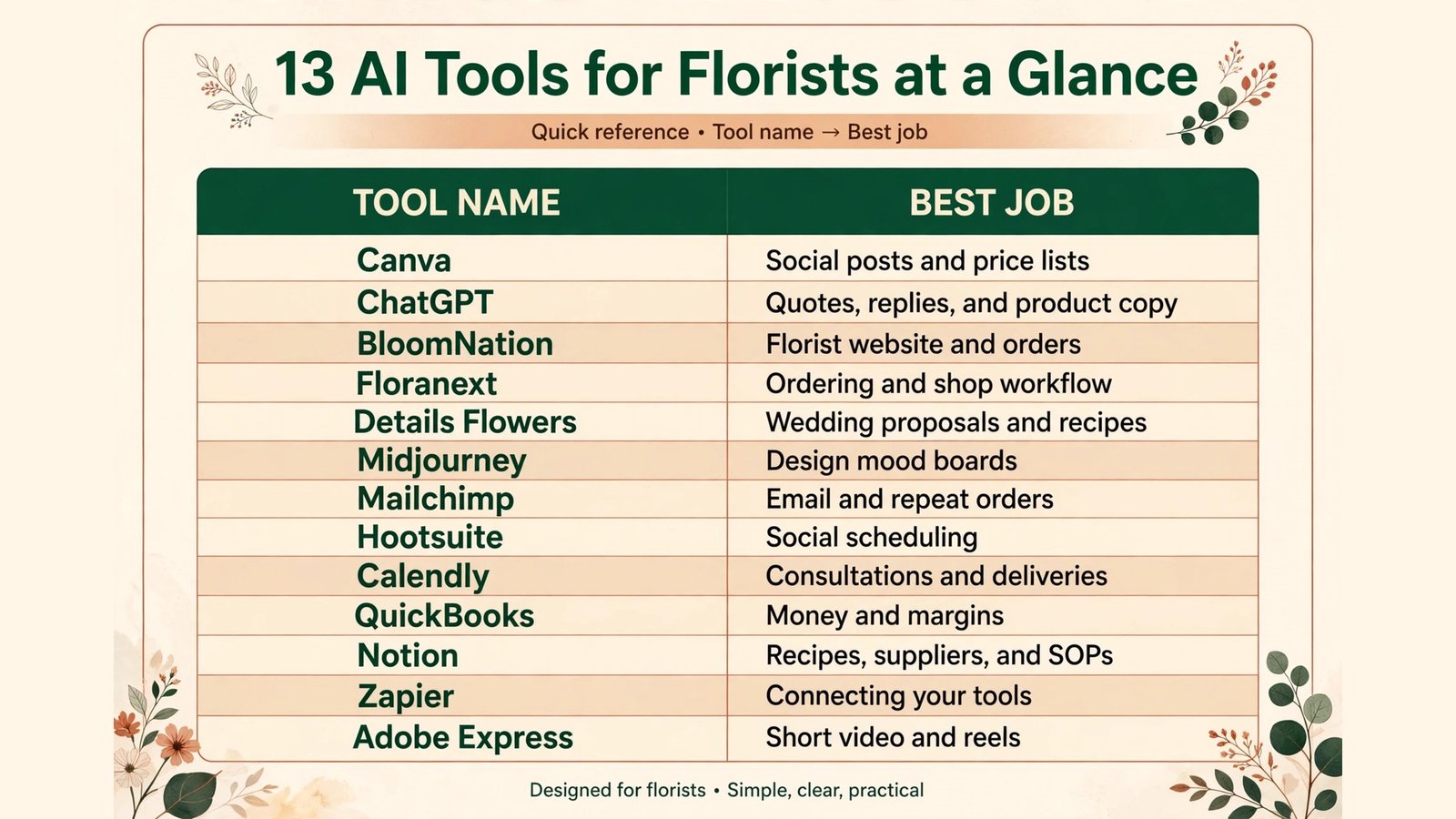
At a Glance: 13 Tools Compared
| Tool | Best for | Main strength | Watch out for |
|---|---|---|---|
| Canva | Social posts and price lists | Fast, polished templates | Generic looks if you never customise |
| ChatGPT | Quotes, replies, and product copy | Speed on everyday writing | Needs your prices and policies in the prompt |
| BloomNation | Florist website and orders | Built for flower shops | Less flexible than a general website builder |
| Floranext | Ordering and shop workflow | Wholesale ordering in one place | Learning curve for a small team |
| Details Flowers | Wedding proposals and recipes | Recipe costing and proposals | Best value for event heavy shops |
| Midjourney | Design mood boards | Striking visual ideas | Images are inspiration, not a recipe |
| Mailchimp | Email and repeat orders | Automated reminders | Costs rise as your list grows |
| Hootsuite | Social scheduling | One calendar for every channel | Analytics can feel shallow |
| Calendly | Consultations and deliveries | Clean booking without back and forth | Needs clear service windows |
| QuickBooks | Money and margins | Invoicing and expense tracking | Setup takes a focused afternoon |
| Notion | Recipes, suppliers, and SOPs | One searchable shop brain | Only useful if the team updates it |
| Zapier | Connecting your tools | Automates order notifications | Complex flows need testing |
| Adobe Express | Short video and reels | Quick video from photos | Smaller template library than Canva |
Tools That Help You Design and Price
1. Canva
Canva is the fastest way for a small flower shop to look consistent online. You can build Instagram posts, story templates, wedding show cards, care cards, and a printed price list from one set of brand colours and fonts. Its AI features help with background removal, text suggestions, and resizing one design for print, social, and a website banner. For a florist, the real win is reuse. Build one strong template for weekly bunches, one for weddings, and one for sympathy work, then change only the photo and the price each week.
Pricing is tiered, with a free plan for basic work and a paid plan for brand controls and larger storage. Check at checkout, because plan names and limits change. Watch out for sameness. If you use a stock template unchanged, your shop will look like every other shop using the same template. Upload your own arrangement photos, keep your font choices tight, and rewrite the text for your town and your seasons.
2. Midjourney
Midjourney is not a florist tool, and that is exactly why it helps at the design stage. Type a prompt for a mood, a colour palette, or a table setting, and you get visual directions you can show a bride or a corporate client before you buy a single stem. Use it for mood boards, colour tests, and early concept work when a client says “romantic, but not pink” and cannot explain what they mean.
It is a subscription product, so check current plans at checkout. Watch out for two limits. First, the image is not a flower recipe. It will invent stems, counts, and structures that do not exist. Second, do not promise a client the exact image. Present it as direction, then translate it into real varieties, real quantities, and a real price. Used that way, it shortens the consultation and reduces the back and forth that eats into wedding season.
3. Details Flowers
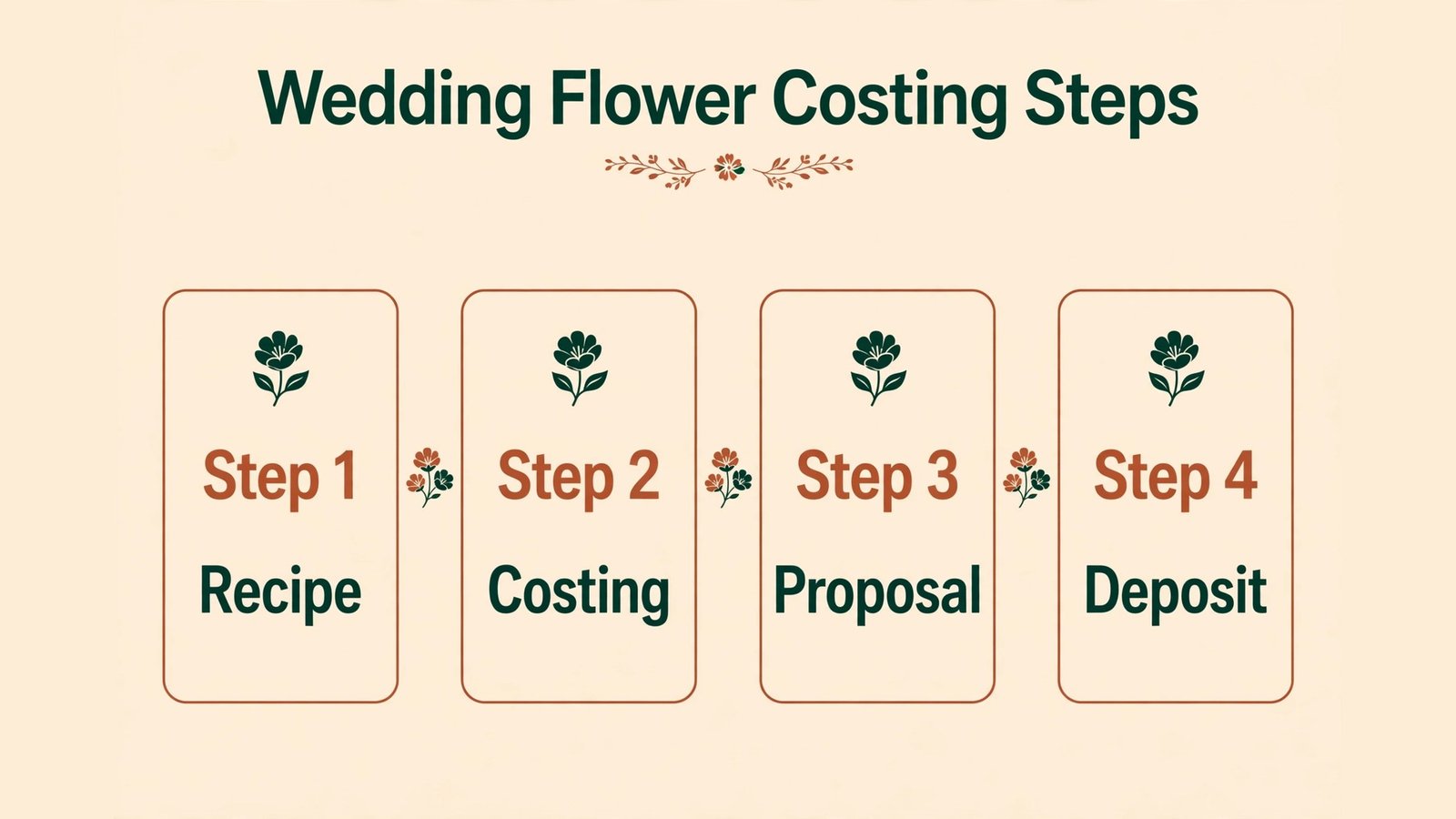
Details Flowers is built for event florists who need to turn a consultation into a priced proposal without rebuilding spreadsheets. You can build recipes by stem, cost them, and produce a client facing proposal that looks professional. For weddings, this is where many shops lose money: a beautiful design with a guessed stem count and no labour line. Details forces the costing question early, which protects margin on large jobs.
Pricing is subscription based and aimed at working florists rather than hobbyists, so check at checkout and compare it against one wedding job. If event work is less than a quarter of your revenue, the value is thinner. Watch out for data entry. The tool is only as good as your supplier prices. Update stem costs each season, or your proposals will quietly drift away from reality.
Tools That Run the Shop Day to Day
4. BloomNation
BloomNation gives florists a website, online ordering, and delivery tools in one system made for flower shops. Customers can order arrangements, choose delivery dates, and leave notes, while you keep control of your catalogue and local delivery zones. For shops still taking most orders by phone or direct message, this is a practical step toward fewer missed orders and clearer delivery instructions.
Pricing varies by plan, so check at checkout for transaction and monthly costs. Watch out for template limits. A florist specific platform will not bend as far as a fully custom website. If your brand depends on a very unusual site design, weigh that against the time saved on order handling. For most local shops, reliable ordering beats a perfect homepage.
5. Floranext
Floranext connects florists with wholesale ordering and shop management. Instead of juggling supplier emails, phone calls, and paper lists, you can place and track orders in one place and keep your product data tied to your shop workflow. During peak weeks, such as Mothers Day and Valentines Day, that single view matters more than any single feature. You can see what is ordered, what is coming, and what still needs a substitute plan.
Access and pricing depend on your supplier relationships, so confirm details directly before you count on it. Watch out for onboarding time. Your team needs to learn the ordering flow before peak season, not during it. Run a quiet week on the system first, and keep a backup contact list for suppliers until the new habit sticks.
6. Notion
Notion becomes the memory of a flower shop when it is set up simply. Keep one page for arrangement recipes, one for supplier contacts and minimum orders, one for delivery zones and cut off times, and one for seasonal notes about what sold well and what wilted too fast. Add AI help for drafting SOPs and summarising supplier notes, but keep the core pages short enough that a new hire can use them on day one.
There is a free plan for small teams and paid plans for larger use, so check at checkout. Watch out for neglect. A shop brain that nobody updates becomes a museum. Assign one person to update prices and notes each Monday, and delete pages that no longer match how you actually work.
7. QuickBooks
QuickBooks handles invoicing, expenses, and a clearer view of margin, which is where many creative shops struggle. You can invoice weddings with deposits, track delivery costs, and see whether sympathy work, subscriptions, or events actually make money after stems, labour, and waste. AI features help categorise transactions and flag unusual entries, but the judgment still belongs to you or your accountant.
Pricing is subscription based, so check at checkout for the tier that fits a small retail shop. Watch out for setup. Connect your bank, set up categories for stems, hard goods, labour, delivery, and waste, and reconcile weekly during your first month. A messy first month creates a messy year end, and no AI feature fixes bad categories on its own.
Tools That Bring in Orders and Keep Customers
8. ChatGPT
ChatGPT is the most flexible writing helper in this list, provided you feed it your real details. Give it your price range, delivery zones, cut off times, and tone, and it can draft replies to common inquiries, product descriptions for weekly bunches, wedding FAQ answers, and sympathy card wording options. It can also turn a long supplier email into a short action list. That is the difference between a generic AI reply and one that sounds like your shop.
Access is available through a free tier and paid plans, so check at checkout. Watch out for invented details. Never let it quote a price, a delivery date, or a flower availability claim without checking it against your actual stock and calendar. Keep a short fact sheet with your policies and paste it into important prompts. The tool is fast, but your accuracy check is the quality control.
9. Mailchimp
Mailchimp helps a florist turn one time buyers into repeat customers. Set up a welcome email for new online buyers, a reminder before Mothers Day, a subscription renewal nudge, and a simple thank you after a wedding. Its AI tools help with subject lines and send time suggestions, but the content still needs your photos and your voice. A short email with one beautiful arrangement and one clear offer will outperform a long newsletter every time.
Pricing scales with list size and features, so check at checkout as your list grows. Watch out for list hygiene. Remove bounced addresses, respect unsubscribes promptly, and do not buy lists. A small, engaged local list is worth far more than a large cold list, and it protects your sender reputation.
10. Hootsuite
Hootsuite lets you plan social posts across channels from one calendar. For a florist, that means batching a week of posts on a quiet Monday: a fresh delivery photo, a behind the scenes arranging clip, a care tip, and a reminder about delivery cut offs. Scheduling removes the daily pressure to post, and it keeps your shop visible during the weeks when you are too busy arranging to think about content.
Pricing is subscription based, so check at checkout. Watch out for over automation. Scheduled posts should still sound local and current. If a storm delays deliveries or a variety sells out, pause or update the queue. Customers notice when a post promises same day delivery on a day you cannot deliver.
11. Calendly
Calendly removes the message thread that usually surrounds a wedding consultation or a corporate order meeting. Share a link with clear service lengths and available windows, and clients pick a time that fits your shop hours. You can add intake questions about date, venue, budget range, and style, so you walk into the consultation prepared instead of starting cold.
There is a free tier and paid plans for team scheduling, so check at checkout. Watch out for vague windows. If you offer consultations during arranging hours, you will interrupt production. Block consultation times separately from delivery and prep times, and keep a buffer before large event installs.
Tools That Connect Everything and Show the Work
12. Zapier
Zapier connects tools that do not talk to each other. A new online order can trigger a notification in your team chat, add a row to a delivery sheet, or create a follow up task. A new consultation booking can add a client record and send a confirmation. None of this is glamorous, but it removes the copying and pasting that causes missed deliveries and double bookings.
Pricing is tiered by task volume, so check at checkout and estimate your monthly order count honestly. Watch out for untested flows. Test every automation with a fake order before peak season. A broken flow that silently drops orders is worse than no automation at all.
13. Adobe Express
Adobe Express is a strong second option for short video and social graphics, especially if you already use Adobe tools or want quick reels from shop photos. You can animate text, cut a short clip, and resize for each platform without learning full video editing. For florists, short video works well: a 15 second stem prep clip or a time lapse of an arrangement coming together often earns more attention than a static photo.
Pricing includes a free tier and paid plans, so check at checkout. Watch out for template overlap with Canva. Most small shops do not need both. Pick the one your team actually opens, learn its shortcuts, and keep your brand assets in that one place. Two half used design tools cost more attention than one well used tool.
Best Pick by Job
| Job | Best pick | Why it wins |
|---|---|---|
| Social posts and price lists | Canva | Fast, consistent, easy for any team member |
| Wedding proposals and costing | Details Flowers | Recipe costing protects event margin |
| Online orders and delivery | BloomNation | Built for florist ordering and zones |
| Wholesale ordering | Floranext | One view of supplier orders |
| Everyday writing and replies | ChatGPT | Fast drafts when given your real policies |
| Repeat orders and reminders | Mailchimp | Automation for seasonal peaks |
| Consultation booking | Calendly | No back and forth on times |
| Money and margin | QuickBooks | Clear view of what actually profits |
| Connecting tools | Zapier | Removes manual copying between systems |
| Short video | Adobe Express | Quick reels from real shop photos |
How to Choose the best AI tools for florists
Start with your biggest time leak, not the most exciting tool. If consultations eat your week, start with Calendly and ChatGPT drafts. If weddings lose margin, start with Details Flowers and QuickBooks. If orders get missed in direct messages, start with BloomNation. One tool solved well is worth more than five tools half adopted.
Next, test with real work for two weeks. Use your actual prices, your real delivery zones, and a real upcoming event. A demo with fake data always looks easy. A test with a Mothers Day rush shows whether the tool survives your shop. During the test, ask three questions. Does it save at least two hours a week? Does a second team member understand it without you? Does it reduce errors, or just move them to a new screen?
Then check the total cost, not just the monthly fee. Add transaction fees, the time to set it up, and the cost of keeping data current. A cheap tool that needs constant fixing is expensive. A pricier tool that your team uses daily is often the better buy. Finally, keep the human parts human. Use AI for drafts, ideas, and reminders. Keep final pricing, sympathy wording, and wedding promises in human hands, with a real check before anything goes to a customer.
Florists who also sell heavily on social channels can borrow ideas from our guide to the best AI tools for Instagram, and shops that handle large celebrations may find useful parallels in the best AI tools for event planners.
Three Workflows That Actually Save Time
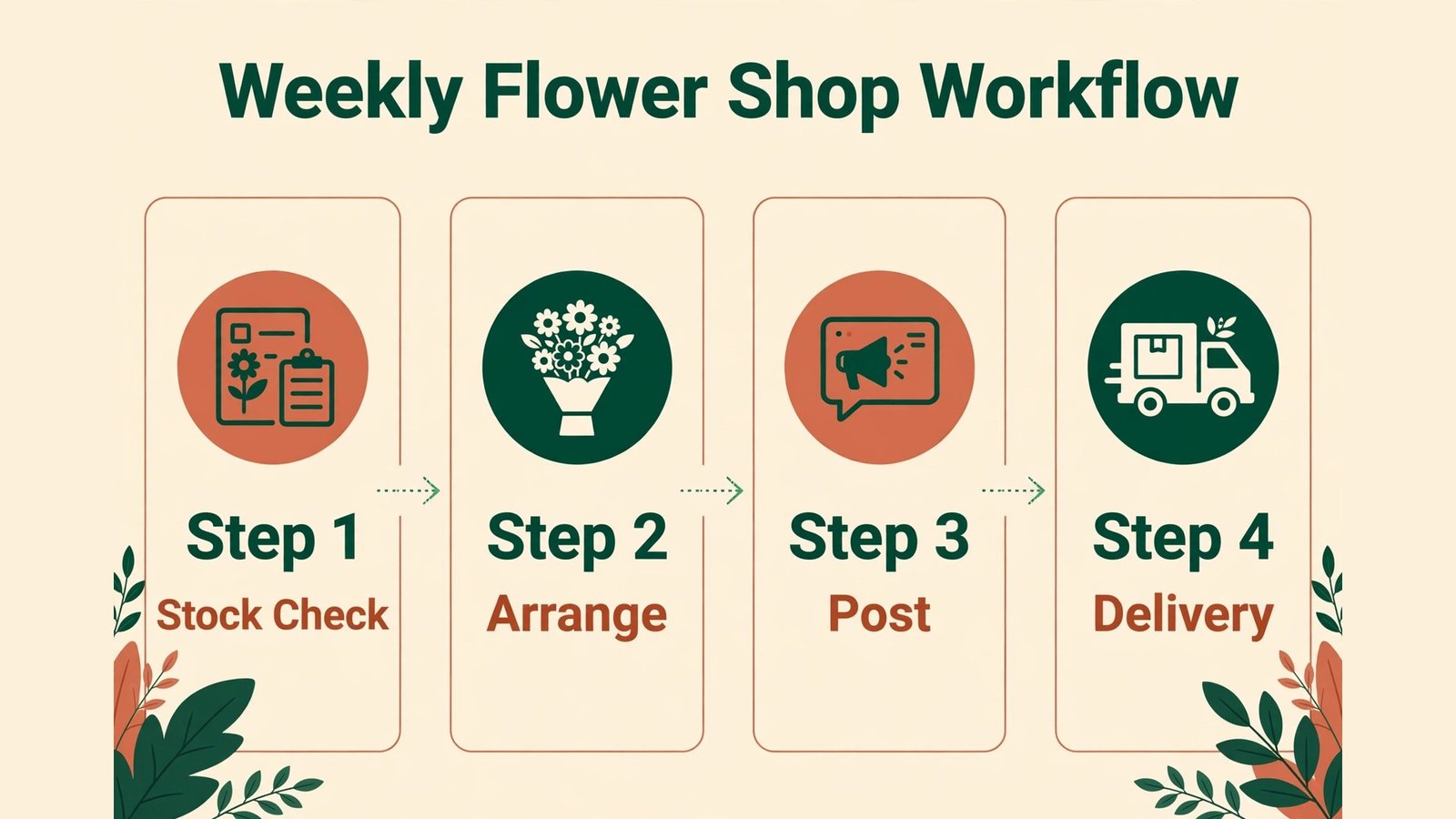
A tool list only helps if you can see it running on a normal week. These three workflows show how different shops combine the same tools in different ways, and where the time saving really comes from.
Workflow 1: The neighbourhood shop with weekly bunches
Monday starts with stock, not software. You check what arrived, what looks strong, and what needs to move first. From that check, you build the weekly bunch in Canva using last week’s template, changing only the photo, the stem mix, and the price. ChatGPT drafts the caption and the care note, but you rewrite the first line so it mentions your street, your market day, or a variety customers asked about last week. Hootsuite schedules that post plus two more: a care tip on Wednesday and a delivery cut off reminder on Friday. Orders that arrive through BloomNation flow into a delivery list, and Zapier sends a team notification so nobody has to watch an inbox all day. The saving here is not dramatic on any single day. It is the removal of five small decisions repeated every week, which together free up an afternoon for arranging, sourcing, or simply closing on time.
The key discipline in this workflow is photo honesty. Customers buy the bunch they see, so photograph the actual bunch you will sell, not a perfect version from last spring. If a variety changes, update the photo and the description before the post goes live. That one habit prevents more complaints than any AI caption ever will, and it builds trust that brings people back for the next weekly bunch.
Workflow 2: The wedding heavy studio
Wedding work rewards preparation and punishes guesswork. Start with Calendly, with consultation slots separated from production time and intake questions that capture date, venue, guest count, budget range, and style words the couple actually used. Before the meeting, use Midjourney to build two or three mood directions, clearly labelled as inspiration. In the consultation, listen first, then show the directions and note which colours and shapes the couple react to. After the meeting, build the proposal in Details Flowers with real stem counts, hard goods, labour, delivery, and setup time. Send it with a clear expiry date and a deposit step, and track it in QuickBooks so a booked wedding is also a booked invoice, not just a nice conversation.
The trap in wedding work is scope creep by message. A small change to a centrepiece, multiplied across 20 tables, changes stems, labour, and delivery time. When a change arrives, update the recipe and the price before you confirm it, even if the change feels small. Clients respect a clear revised total far more than a surprise on the final invoice, and your margin survives the season intact.

Workflow 3: The subscription and corporate shop
Subscriptions and corporate accounts reward consistency. Mailchimp handles renewal reminders and seasonal swaps, so a customer who started in spring gets a relevant autumn offer without you remembering each account. Notion holds the account notes: office access rules, vase sizes, allergy notes, and the person who approves changes. Adobe Express turns a quick phone video of an office install into a short reel that the account manager can share internally, which often leads to a second office or a referral. QuickBooks shows which accounts are profitable after delivery and waste, so you can renew the right accounts and renegotiate the ones that cost more than they earn.
Here the discipline is review. Once a quarter, look at every subscription and corporate account and ask whether the arrangement still fits the space, the season, and the price. A stale weekly arrangement is easy to ignore and hard to win back once a client cancels. A short seasonal refresh, proposed before the client asks, is one of the cheapest retention tools a florist owns.
Mistakes to Avoid
The first mistake is buying tools before fixing the offer. AI cannot fix unclear delivery zones, missing cut off times, or a price list that nobody updates. Write those down first, then choose tools that enforce them.
The second mistake is posting AI images as if they were real arrangements. Customers feel misled when the bouquet they receive does not match a perfect generated image. Label inspiration clearly, and always show your real work alongside it.
The third mistake is automating sympathy and condolence messages without review. Speed matters, but tone matters more. Every sensitive message deserves a human read, even if AI drafted the first version.
The fourth mistake is letting subscriptions stack up. Review your tools quarterly. Cancel anything unused for 30 days, and keep a simple list of renewal dates. Small monthly fees add up quietly, especially in a seasonal business.
The fifth mistake is ignoring waste data. Track what you throw away each week, even roughly. That record tells you more about ordering than any trend report, and it is the fastest way to protect margin in a fresh product business.
Frequently Asked Questions
What are the best AI tools for florists on a small budget?
Start with Canva, ChatGPT, and Calendly. Together they cover design, writing, and booking for a low monthly cost, and each has a free tier to test. Add BloomNation or Details Flowers only when online orders or wedding work justify the spend.
Can AI design a flower arrangement for me?
AI can suggest colour palettes, moods, and combinations, but it cannot judge stem quality, vase balance, or what will last in a warm venue. Use it for ideas and mood boards, then build the recipe from your experience and your supplier availability.
Will customers know if I use AI for replies?
They will notice only if the reply is generic or wrong. Give the tool your delivery zones, prices, and policies, then edit the draft in your voice before sending. A fast, accurate, personal reply is what customers remember, not how the first draft was written.
Do I need a florist specific platform, or can I use general tools?
General tools work well for design, writing, and marketing. A florist specific platform earns its place when it handles ordering, delivery zones, and wholesale workflow better than a general tool can. Many shops use a mix: general tools for content, specialist tools for orders and costing.
How do I price wedding work with AI help?
Build the recipe by stem, add hard goods and labour, then add a margin for waste and delivery. Use a tool like Details Flowers to keep that maths visible, and update stem prices each season. Never send a proposal based on a guessed stem count.
Is AI useful for a single person flower shop?
Yes, often more so, because one person carries every role. The best return comes from writing help, social scheduling, and booking links, which remove admin without adding staff. Start with one tool, master it, then add a second only if the first is saving real time.
Conclusion: A Smaller, Sharper Toolkit Wins
The verdict from this comparison is simple. A florist does not need 13 tools on day one. Start with the job that costs you the most time, choose the tool that solves that job cleanly, and prove it for two weeks with real orders. Then add the next tool only when the first one is part of your daily habit. The shops that benefit most from AI are not the ones with the longest software list. They are the ones with clear prices, clear delivery rules, and a small set of tools that make those rules easy to follow, week after week, season after season. Review your toolkit each season, keep what earns its place, and let the rest go. That habit, more than any single app, is what turns AI from a novelty into a reliable part of a flower business.