
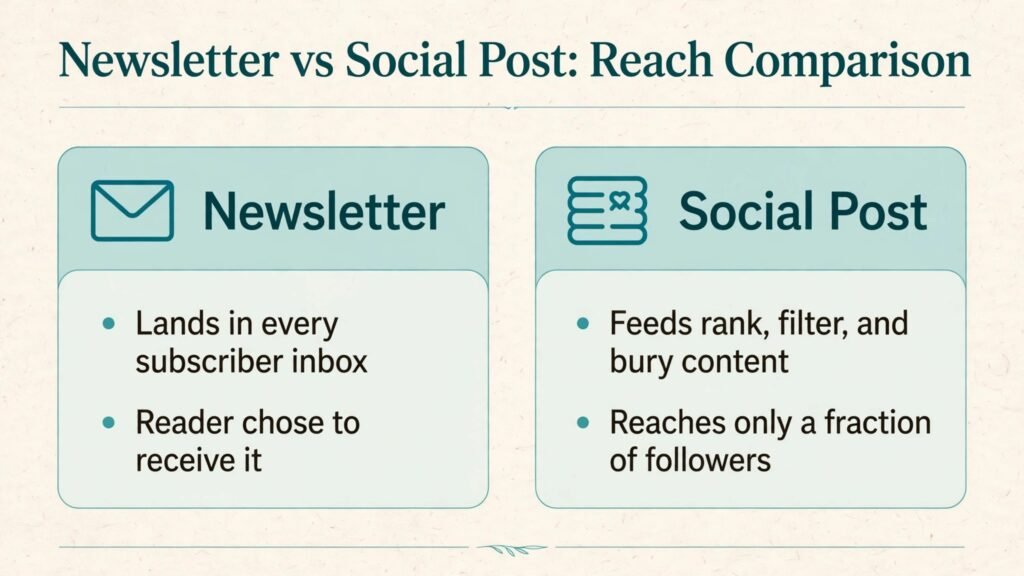
A social post often reaches only a fraction of the people who follow you, because feeds rank, filter, and bury content. A newsletter lands in every subscriber inbox, and the reader chose to receive it. That difference in reach is the core reason newsletters remain powerful in 2026, even as social platforms change their rules every year. Learning how to start a newsletter with AI makes that advantage practical for a solo creator, because AI can help you research, draft, edit, and organise issues without turning your newsletter into generic content that readers ignore.
The promise of a newsletter is simple: one useful email, on a predictable schedule, for a specific audience. Readers do not subscribe to a newsletter for everything. They subscribe because each issue helps them with one job, whether that is learning a skill, following an industry, saving money, or making better decisions. AI helps you keep that promise consistently, by speeding up research and drafting, so you can focus on judgement, examples, and voice. This guide walks through the full process, from niche to launch to growth and monetisation, with tools compared, mistakes to avoid, and answers to common questions.
Step 1: Pick a Niche, Audience and Promise You Can Keep
A newsletter niche should be narrow enough to be clear and broad enough to supply ideas for a year. Start with the reader, not the topic. Who are you helping, what decision do they face weekly, and what would make an issue worth opening? For example, helping freelance designers find clients each week is clearer than writing about design in general. Helping small shop owners use AI for marketing is clearer than writing about AI in general. Write your promise in one sentence: “Every Tuesday, I help [audience] do [job] with [format].” If you cannot fill those blanks, your niche is not ready.
Use AI to test the niche before you commit. Ask a chat tool to list 40 issue ideas in your niche, grouped into tutorials, news roundups, case studies, tools, and mistakes. Then check which groups feel easiest to write and which feel like a chore. A newsletter lives or dies on the groups you enjoy, because you will write them every week. Also search for existing newsletters in the niche. If many exist, look for an angle they miss: a specific audience, a shorter format, a more practical focus, or a local angle. If none exist, check whether anyone searches for the topic at all, because a unique niche with no demand will struggle to grow.
Choose a name that is easy to remember, easy to spell, and easy to explain in one sentence. Avoid names that depend on a trend or a tool that may change. Your name, tagline, and first issue should all state the same promise, so a new subscriber knows what to expect from issue two. That clarity reduces unsubscribes, because readers who know what they signed up for are less likely to leave after one issue that does not match their expectation.
Step 2: Choose a Platform and Set Up the Basics
Newsletter platforms differ in cost, design, and audience tools. Substack suits writers who want simple publishing and built in discovery. Beehiiv suits growth focused creators who want referral programmes, surveys, and detailed analytics. ConvertKit, now Kit, suits creators who also sell products and need automation and tagging. Mailchimp suits small businesses that already use it for email marketing and want templates and commerce features. Ghost suits publishers who want full control and membership options.
Set up the basics before you write issue one. Create a landing page with a clear headline, a short description of the promise, three bullet benefits, and one signup form. Add a welcome email that thanks the subscriber, restates the promise, and tells them when the next issue arrives. Add a simple archive page so new subscribers can read past issues and understand your style. Test signup on a phone and on desktop, because many subscribers will join from a phone after seeing a social post or a link in a bio.
Check deliverability basics early. Use a custom domain for sending if your platform supports it, set up authentication records as guided by the platform, and avoid spam trigger habits like misleading subject lines or purchased lists. Never buy an email list. A small list of people who chose to subscribe will outperform a large purchased list on opens, clicks, and replies, and purchased lists can damage your sender reputation for months. Grow slowly with real subscribers, and your deliverability will stay healthy as you scale.

Step 3: Design a Repeatable Issue Format Readers Recognise
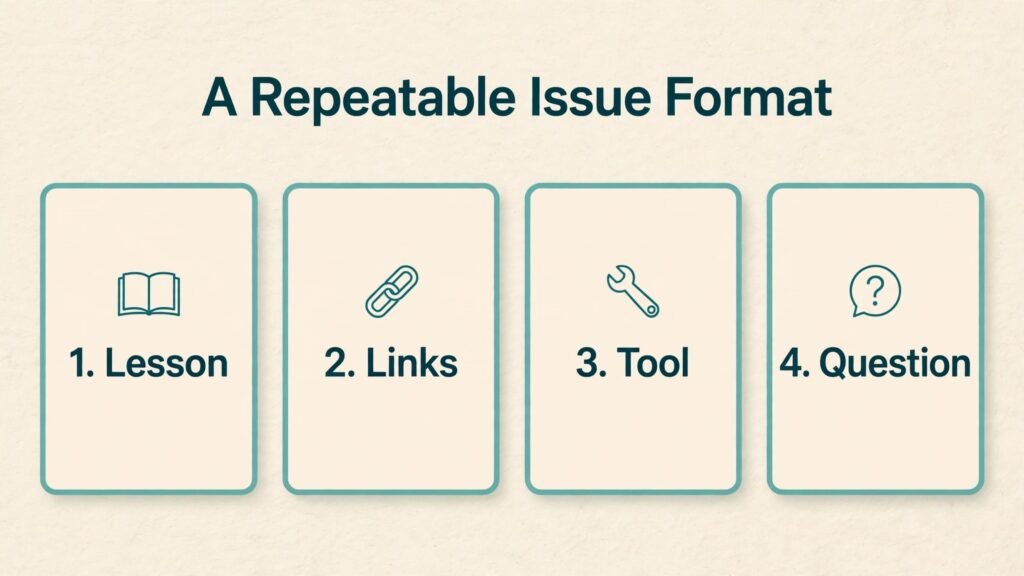
Readers stay when they recognise the format. A repeatable format reduces your writing time and helps readers scan quickly. A strong simple format could be: one main lesson, three useful links, one tool to try, and one question for readers. Another format could be: news in brief, deep dive, case study, and what to watch next week. A third format could be: mistake of the week, fix, template, and reader win. Choose one format and keep it for at least ten issues before you change it, so readers learn where to find value.
AI can help you build and fill that format. Use a chat tool to draft an outline from your notes, to summarise three articles into brief links with your own take, or to turn a long tutorial into a short checklist. Always add your own judgement: why does this link matter, what would you do differently, what should readers avoid? That judgement is what separates a curated newsletter from a feed of links. Readers can find links anywhere. They subscribe for your selection and your view.
Design for reading on a phone. Most newsletters are read on mobile, so use short paragraphs, clear headings, and one idea per section. Keep subject lines short and honest, and preview text that adds information rather than repeating the subject. Test each issue by sending it to yourself and reading it on a phone before you send it to subscribers. Fix broken links, unclear headings, and images that are too large. That five minute check prevents the small errors that make a newsletter feel unprofessional.
Step 4: Write Faster With AI While Keeping Your Voice
Writing with AI works best as a process, not as a single prompt. Start with notes, not a blank page. Write down the main point, two examples, one mistake to warn about, and one action for readers. Then ask AI to turn those notes into a draft outline or a first draft in your format. Edit that draft in your voice: shorten sentences you would not say, add a specific example from your work, and remove generic advice that could apply to any topic. Read the draft aloud. If a sentence sounds like it came from a template, rewrite it.
Use AI for specific jobs inside writing. It can summarise research, generate headline options, tighten a long paragraph, check grammar, and suggest a call to action. It can also help you repurpose content: turn a video script into a newsletter issue, turn a newsletter issue into social posts, or turn reader questions into a FAQ issue. Repurposing saves time, but each format needs editing. A video script read as text often feels too long, and a newsletter issue posted as social text often feels too formal. Adapt, do not just copy.
Keep a voice guide for your newsletter, even if you are the only writer. Note your tone, your sentence length, words you use often, and words you avoid. Share that guide with AI by pasting it into your prompt when you draft. Over time, that guide helps AI drafts sound closer to your style, which reduces editing time. It also helps if you later hire a writer or an editor, because they can follow the same guide. Voice is an asset. Protect it by editing every AI draft, not by publishing drafts untouched.

Step 5: Grow Subscribers Without Buying Lists or Spamming
Growth comes from three sources: existing audiences, referrals, and search. If you already have a social audience, a blog, or a YouTube channel, use them to invite people to subscribe with a clear benefit, not just a link. Offer a lead magnet that solves one problem, such as a checklist, a template, or a short guide, in exchange for an email address. The lead magnet should match the newsletter promise, so subscribers who join for the freebie stay for the issues.
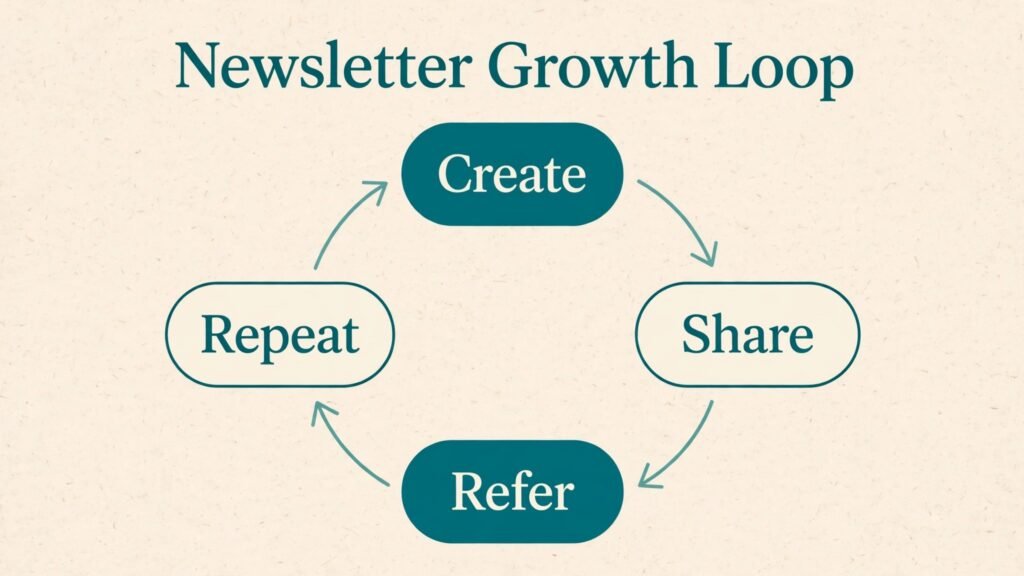
Referral programmes help when readers love the newsletter. Beehiiv and similar platforms let you reward readers who refer friends with bonus content or access. Keep referrals simple: one link, one reward, and a thank you note. Also use cross promotion with newsletters in nearby niches. A short recommendation swap with a newsletter that serves a similar audience but does not compete directly can bring high quality subscribers who already read newsletters.
Search and archive growth takes longer but lasts. Publish past issues on your website with clear titles, so search engines and new visitors can find them. Add a signup form at the end of each archived issue and on related blog posts. Creators who write related articles can link to the newsletter from those posts. For example, writers who cover email tools may link to a newsletter from a guide to email marketing, and writers who cover content may link from a guide to personal branding. Use only natural links that help the reader, and avoid forcing a signup pitch into unrelated content.
Step 6: Automate Welcome, Segmentation and Repurposing
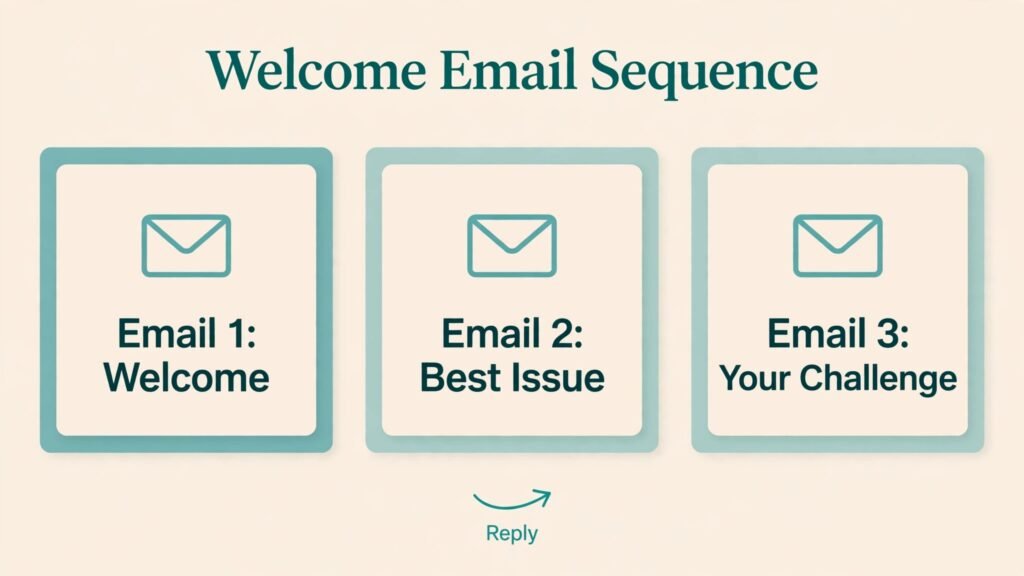
Automation saves time when it is simple and human. Start with a welcome sequence of three emails: welcome and promise, best past issue or lead magnet, and a question that invites a reply. Replies matter because they improve deliverability and tell you what readers care about. Ask readers to reply with their biggest challenge in your niche, and read those replies. They are research for future issues and proof that a real person writes the newsletter.
Segmentation means sending slightly different content to different groups, based on interest or behaviour. You do not need complex segments at first. Start with two groups: new subscribers in their first month, and long term subscribers. New subscribers may need beginner issues and an archive guide. Long term subscribers may want deeper dives and advanced tools. As your list grows, you can add segments by interest, such as tools, tutorials, or news, based on clicks and survey answers. Keep segments simple, because complex automation that no one maintains becomes a source of errors.
Repurposing automation helps you publish consistently. Turn each issue into three social posts, one short video script, or one blog outline, using AI to draft and you to edit. Schedule social posts for the days after the issue, not all at once, so the newsletter gets a longer life. Keep a content calendar with issue topics for the next month, so you are never starting from a blank page on send day. A calendar also helps you spot gaps, such as too many tool lists and too few case studies, before readers notice.
Step 7: Measure, Improve and Monetise With Care
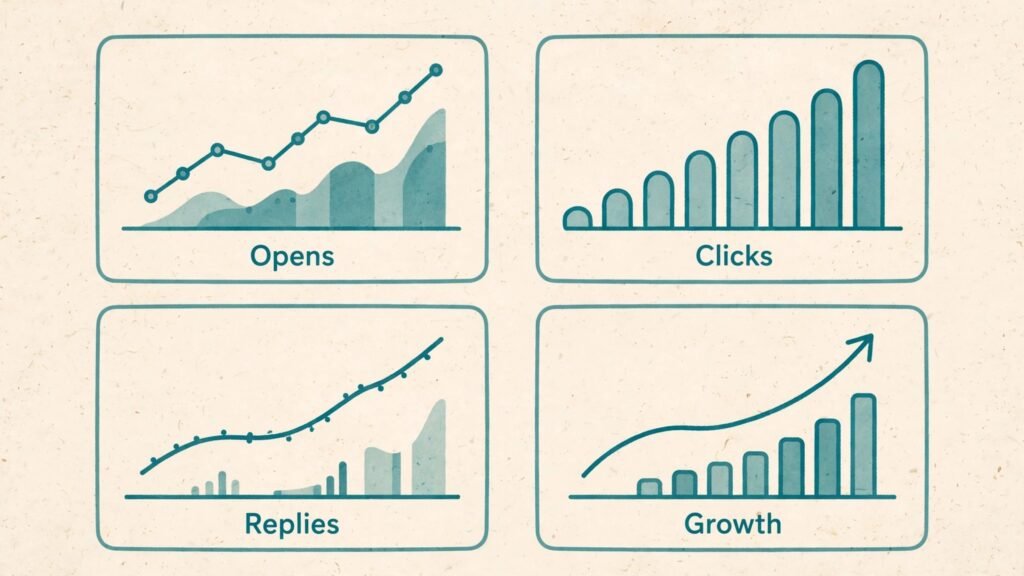
Measure what matters for a newsletter: open rate, click rate, replies, unsubscribes, and growth per issue. Open rates vary by niche and by platform measurement, so compare your own trend over time rather than chasing a single benchmark. A falling open rate over several issues may mean subject lines are weaker, sending time changed, or content drifted from the promise. A rising unsubscribe rate after a specific issue may mean that issue missed the mark or attracted the wrong subscribers through a promotion.
Improve by testing one variable at a time. Test subject line style for four issues, then test issue length, then test send day. Changing everything at once makes it impossible to know what worked. Survey readers twice a year with three questions: what is most useful, what is least useful, and what should I cover next? That survey often gives better ideas than analytics alone, because readers tell you in their own words what they value. AI can summarise survey answers into themes, but read a sample of raw answers yourself to catch nuance.
Monetisation options include sponsorships, affiliate links, paid subscriptions, and products. Sponsorships suit newsletters with a clear niche audience and consistent opens. Affiliate links suit newsletters that recommend tools readers actually buy. Paid subscriptions suit newsletters with deep, original research that readers cannot get free elsewhere. Products, such as templates, courses, or workshops, suit newsletters that teach a skill. Start monetisation only when readers trust the free issues, disclose paid relationships clearly, and keep sponsored content useful rather than purely promotional. A newsletter that becomes an ad sheet will lose the audience that made it valuable.
Content Ideas for Your First 12 Issues
A content plan for the first 12 issues removes the fear of running out of ideas. Start with four beginner guides that answer the most common questions in your niche. These guides become your archive foundation, and new subscribers will read them first. Add three mistake focused issues, because readers love learning what to avoid and those issues often get forwarded. Add two case studies or reader stories, with permission, that show real results and real trade offs, not just success. Add two tool or resource roundups that compare options honestly, and add one FAQ issue built from reader replies and comments. That mix gives 12 issues with variety, without requiring 12 completely new research projects.
Use AI to expand each idea into an outline, but keep one original element in every issue. That element could be a test you ran, a screenshot of your own workflow, a template you made, or a decision you made and why. Original elements are what readers remember and share. A newsletter that only summarises other articles can be replaced by a search engine. A newsletter that adds a test, a template, or a clear opinion cannot be replaced so easily. Keep a running list of original elements in a document, and review it monthly to make sure each issue contains at least one.
Seasonal and timely issues can add variety without breaking your format. A year in review, a tool update roundup, a reader survey results issue, and a behind the scenes issue about how you work can all fit inside your normal format if you keep the same sections. Readers enjoy occasional variety, but they still want the familiar structure that helps them scan. Do not change format for a special issue in a way that confuses regular readers. Keep headings, length, and closing question consistent, even when the topic is special.
Subject Lines, Preview Text and Deliverability Habits
Subject lines decide whether an issue is opened, but they should never mislead. A good subject line states the benefit or the question clearly in under 50 characters where possible, and it matches the issue content. AI can generate ten subject options from your main point, but you should pick the one that is most honest and specific. Vague subjects like “You will not believe this” may raise opens once and damage trust thereafter. Specific subjects like “Three tools that cut editing time” tell readers exactly what they will get.
Preview text is the short line readers see after the subject in many inboxes. Use it to add information, not to repeat the subject. For example, if the subject is about editing tools, preview text could name the tool you recommend most and why. That extra detail helps readers decide to open, especially on a phone where subject and preview appear together. Test preview text by sending a test issue to yourself and reading it in an inbox app before you send to subscribers.
Deliverability habits matter every week. Send from a consistent name and address, keep your list clean, and avoid sudden spikes in volume that look unusual to inbox providers. If you run a promotion that brings many new subscribers at once, welcome them with a clear first issue and a reminder of why they subscribed. Encourage replies by asking a question in each issue, because replies signal to inbox providers that readers want your mail. Avoid image only emails, because text helps filters understand content and helps readers who block images. Keep images relevant and compressed, and always include alt text for accessibility.
| Tool | Job | Strength | Limit | Best for |
|---|---|---|---|---|
| Beehiiv | Publishing and growth | Referrals, analytics, surveys | Learning curve for automation | Growth focused creators |
| Substack | Simple publishing | Easy setup, built in discovery | Limited custom automation | Writers and essayists |
| Kit (ConvertKit) | Automation and selling | Tagging, sequences, commerce | Design less flexible than some rivals | Creators who sell products |
| Mailchimp | Business email | Templates, commerce, reporting | Cost rises with list size | Small businesses |
| Ghost | Publishing and membership | Control, memberships, SEO | Needs more setup | Independent publishers |
| ChatGPT / Claude | Drafting and research | Fast outlines, summaries, editing | Needs fact checking and voice editing | All newsletter writers |
| Grammarly | Editing | Grammar, tone, clarity checks | Can flatten voice if overused | Editing and polish |
| Notion AI | Planning and notes | Issue planning, research notes | Not a sending platform | Planning and repurposing |
Check pricing and list limits at checkout, since newsletter pricing often depends on subscriber count. Start with one publishing platform and one drafting tool. Adding a second platform before you have 1,000 subscribers usually adds complexity without adding growth.
Choose a platform by your main goal. If growth and referrals matter most, Beehiiv is a strong starting point. If simplicity and writing matter most, Substack is hard to beat. If you sell products or run complex sequences, Kit fits better. If you want full control and memberships, Ghost is worth the setup time. Test signup, writing, and sending on each platform with a test issue before you invite real subscribers, because switching platforms later is possible but takes time and can disrupt deliverability.
Choose AI tools by writing bottleneck. If outlining is slow, use a chat tool for outlines from your notes. If editing is slow, use Grammarly or a chat tool for tightening, but keep final editing human. If research is slow, use AI summaries, then verify key facts from original sources before publishing. If planning is slow, use Notion AI or a simple spreadsheet calendar. A tool that does not fix a real bottleneck will sit unused, however good its reviews are.
For related content workflows, creators who also make video may find the guide to how to build a personal brand with AI useful, and writers who publish regularly may check best AI tools for freelance writers. Teams that send business email may also compare best AI tools for content agencies.
The first mistake is publishing AI drafts without editing. Readers can tell when an issue has no specific examples, no opinion, and no real experience behind it. The second mistake is inconsistent sending. A newsletter that arrives weekly for a month, then disappears for two months, loses trust faster than a newsletter that sends monthly but reliably. Choose a schedule you can keep, and tell readers that schedule in the welcome email.
The third mistake is writing for everyone. A newsletter for everyone helps no one specifically, and it is hard to grow because no reader feels it was made for them. The fourth mistake is overloading issues with links and tools. Ten links with no commentary is a feed, not a newsletter. Pick fewer links and add your take on each one. The fifth mistake is ignoring replies and surveys. Readers who reply are giving you free research. Reply, thank them, and use their questions as future issues.
The sixth mistake is monetising too early or too aggressively. Sponsored issues that dominate the content, affiliate links in every paragraph, and constant product pitches will drive unsubscribes. Build trust first, then monetise in a way that still serves readers. The seventh mistake is buying lists or scraping emails. That damages deliverability, violates platform rules in many cases, and brings subscribers who never asked to hear from you.
Frequently Asked Questions
Weekly is a good starting rhythm for most creators, because it is frequent enough to build habit and rare enough to sustain. Biweekly works for deep research newsletters, and monthly works for slow industries. Daily newsletters are hard to sustain alone and often lead to burnout. Choose a rhythm you can keep for a year, and tell subscribers that rhythm upfront.
How many subscribers do I need before monetisation?
You can monetise with a small list if the audience is specific and engaged. Sponsors often care more about niche fit and open rates than raw size, and affiliate income depends on clicks and purchases, not just list size. Focus first on 500 to 1,000 engaged subscribers who open and reply, then test one monetisation method and measure response before adding more.
AI can draft, outline, summarise, and edit, but it should not publish untouched. Your examples, opinions, and checks are what make the newsletter worth subscribing to. Use AI to speed up drafting, then edit heavily, add your own experience, and verify facts. Readers subscribe for your judgement, not for generated text alone.
What should my first issue contain?
Your first issue should restate the promise, explain who it helps, deliver one useful lesson or resource, and end with a clear next step and a question for readers. Keep it shorter than you think, because a short useful first issue builds confidence that future issues will respect reader time. Link to your archive and signup page so new readers can share it easily.
How do I get my first 100 subscribers?
Start with people who already know your work: social followers, blog readers, video viewers, and contacts who asked for updates. Offer a clear benefit and a lead magnet that matches the newsletter. Ask early readers to forward the first issue to one person who would benefit, and share the issue in one relevant community with context, not just a link. The first 100 subscribers usually come from personal outreach, not from ads.
Should I use Substack, Beehiiv, or Kit?
It depends on your goal. Substack suits simple writing and discovery. Beehiiv suits growth, referrals, and analytics. Kit suits automation and selling products. Test the writing and signup experience on each, check pricing at your expected list size, and choose the platform whose strengths match your main goal for the next year. Switching later is possible, but starting on the right platform saves migration work.
How do I avoid spam folders?
Use a reputable platform, authenticate your domain as guided, send only to people who subscribed, keep subject lines honest, avoid purchased lists, and encourage replies. Clean your list regularly by removing long term inactive subscribers if your platform supports it, and keep content relevant to the promise. Deliverability improves when readers open, click, and reply, so useful content is also a deliverability strategy.
Conclusion: Start Small, Send Consistently, Keep Your Voice
Learning how to start a newsletter with AI is about building a habit readers can trust. Pick a clear niche and promise, choose a platform that fits your goal, design a repeatable format, write with AI help but edit in your own voice, grow with real subscribers and referrals, automate the welcome and repurposing steps, and improve from replies and data. You do not need a large list to start, and you do not need perfect tools. You need one useful issue, sent on time, to people who chose to receive it, repeated week after week. Publish your landing page and first issue this week, invite your first readers personally, and let the newsletter grow from real value, not from volume alone.