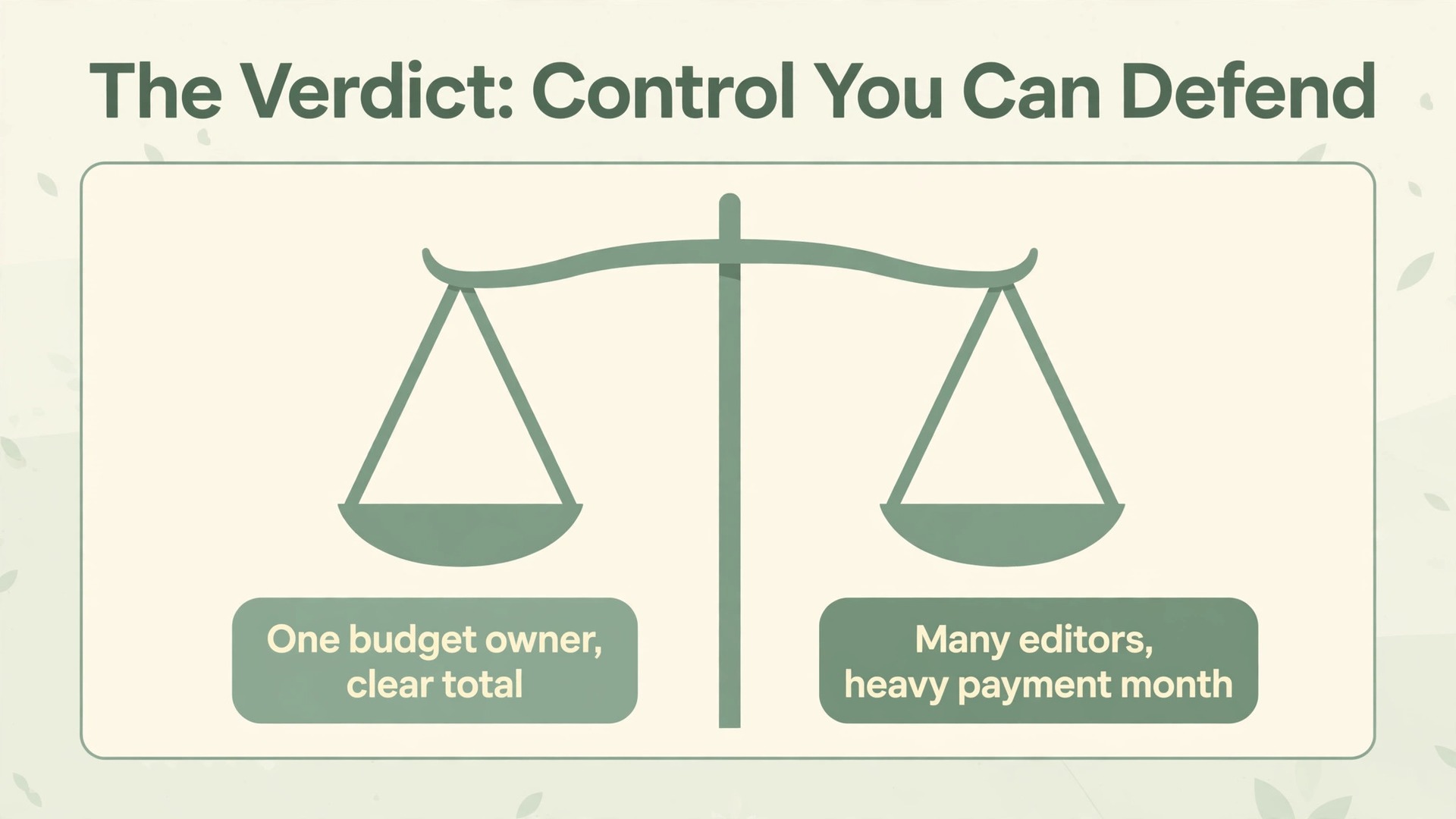
Verdict first. A wedding budget belongs in a spreadsheet, not inside a wedding app that hides the maths behind pretty screens. When you use Excel for wedding budget planner work, every category, quote and deposit sits in one file that you control, and every total can be traced back to a number you typed. That control matters because wedding spending does not arrive in one neat payment. It arrives as deposits, instalments, final balances, extras and last minute changes spread over months, and a tool that only shows a single total will let a quiet overrun grow until the final month, when there is no time left to fix it.
That verdict comes with a limit worth stating plainly. Excel works best when one or two people own the file and update it on a fixed rhythm, such as every Sunday evening or after every vendor meeting. It is the wrong choice if five people need to edit the same budget at the same time from different phones, or if you want automatic bank feeds and instant alerts without opening a file. This guide builds the spreadsheet for the first case, shows how to share it safely in the second case, and explains the point at which a dedicated app or a planner earns its fee.
Why a Spreadsheet Beats a Wedding App for Budget Control
Wedding apps are good at checklists, timelines and inspiration boards. They are weaker at money, and the weakness shows up in three specific places. First, many apps force you into their category list, so a cost that does not fit gets dumped into a miscellaneous bucket where it stops meaning anything. Second, apps often show what you have spent but not what you still owe, which is the number that actually decides whether the wedding is affordable. Third, an app total can be hard to audit. If the total looks wrong, you cannot always see which line changed or which quote it came from.
A spreadsheet fixes all three problems by making the structure visible. Categories are rows you can rename, split or delete. Amounts still owed are a formula, not a feeling. The quote, the agreed price, the deposit paid and the balance left sit side by side on one row, so when a vendor raises a price or adds an extra, you change one cell and the totals, the remaining balance and the contingency check all update at once. Nothing is hidden behind a screen you did not design.
How to Use Excel for Wedding Budget Planner Setup
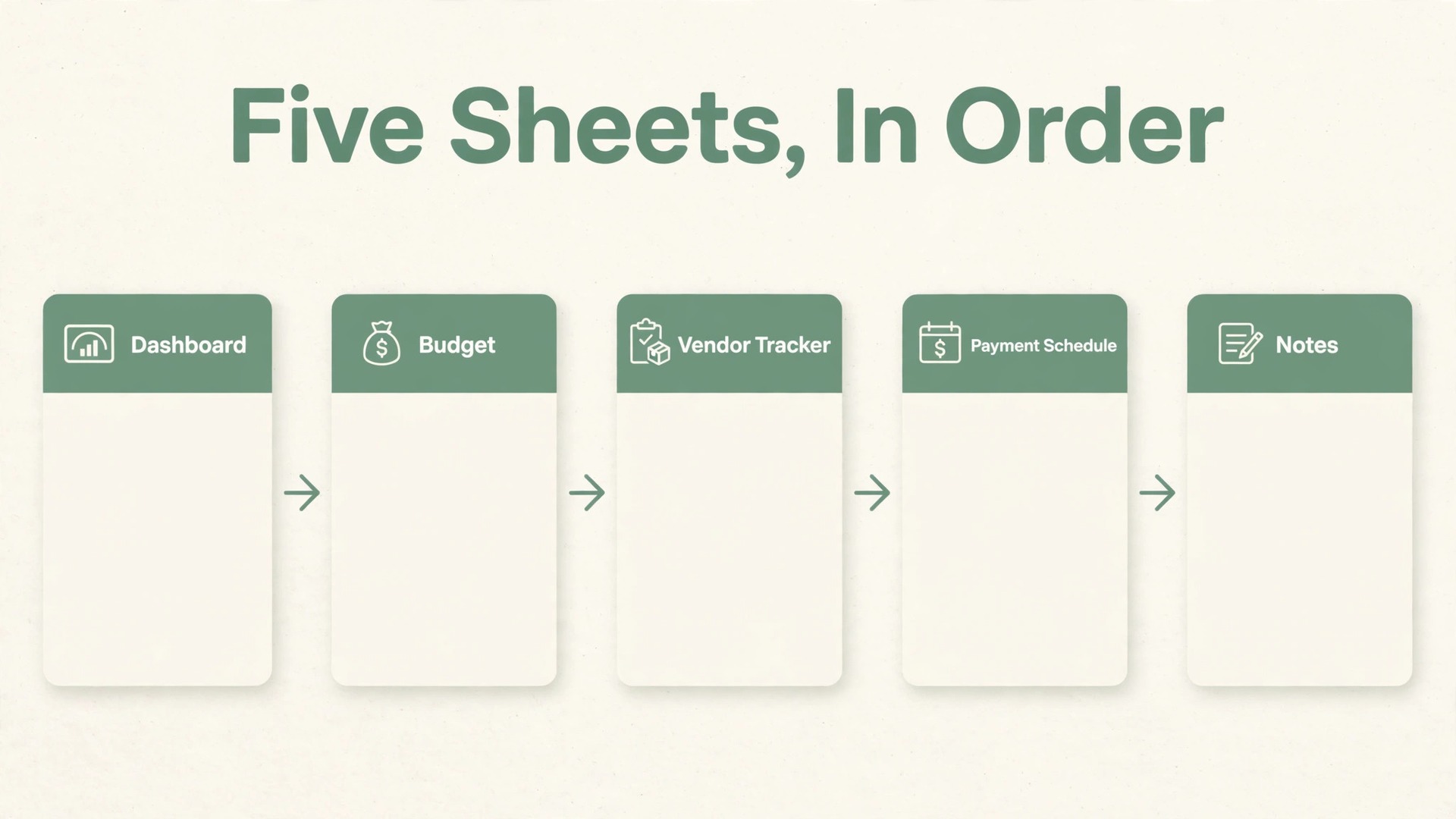
When you use Excel for wedding budget planner work, start with the shape of the workbook before you type a single price. A good wedding budget workbook has five sheets and no more. More sheets feel thorough and behave badly, because numbers get copied between sheets, versions drift apart and nobody remembers which sheet is the truth.
The first sheet is the Dashboard. It holds the headline numbers only, which are the total budget, the total committed, the total paid so far, the total still owed and the contingency left. It also holds a short list of the next three payments due, so anyone opening the file sees the urgent items first. The second sheet is the Budget itself, with one row per cost line and columns for category, item, vendor, estimated cost, quoted cost, agreed cost, paid so far and balance owed. The third sheet is the Vendor Tracker, which holds contact details, quote dates, contract status and payment terms for every supplier.
The fourth sheet is the Payment Schedule, which lists every payment in date order so you can see cash flow by month. The fifth sheet is the Notes sheet, for decisions and anything that explains a number, such as why catering moved up or why flowers were cut.
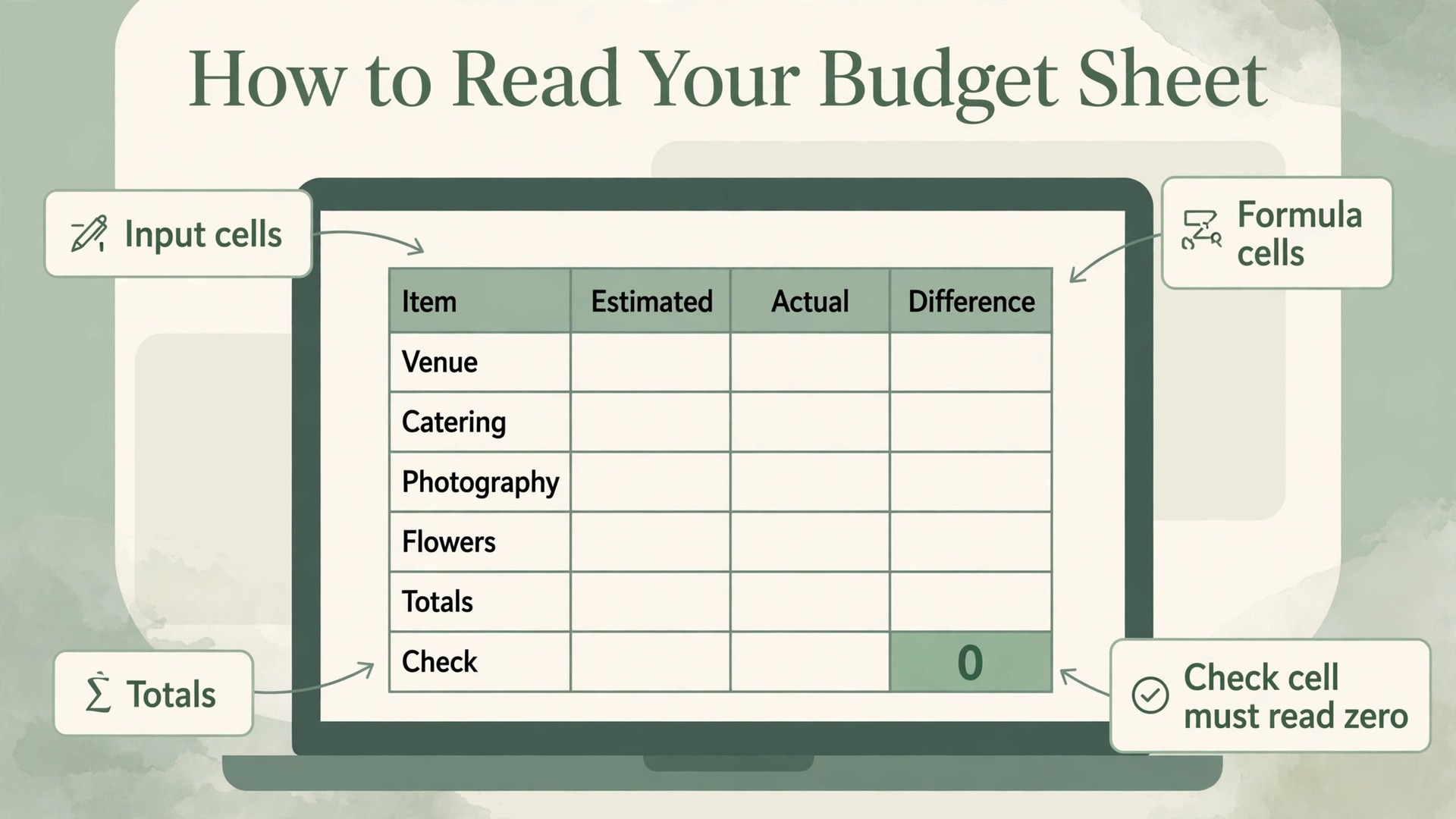
Build the Budget sheet in this order, and test it with made up numbers before you enter real quotes. First, type the category and item names down the left, leaving room for lines you will add later. Second, enter one estimated figure per line based on early research or a total you must not exceed. Third, add the formula columns for balance owed and for variance against the estimate, and check that they calculate correctly on two or three test rows. Fourth, add the totals at the bottom and a check cell that compares the Budget sheet total with the Payment Schedule total.
If that check cell does not read zero, something is missing or counted twice, and you find it before you trust any other number.
Budget Categories That Cover a Real Wedding
If you use Excel for wedding budget planner tracking, the category list is the most important decision you will make, because every later report is only as good as the categories it sums. Start from how money actually leaves a wedding budget, not from a generic list copied from the internet. Most weddings, large or small, spend across the same broad groups, even though the amounts inside each group vary enormously by place, season and style.
Venue and catering usually form the largest group, and they deserve separate lines rather than one combined line, because venue hire, food per head, drinks, service charges and cake often come from different suppliers with different payment terms. Photography and videography should also be split, because a photographer and a videographer are often booked separately and paid on different schedules. Attire covers outfits, shoes, accessories, hair and makeup, and alterations, and alterations deserve their own line, because they are the cost most often forgotten until the final fitting.
Music and entertainment, flowers and decor, stationery and signage, transport, rings and legal or ceremony fees, accommodation for the couple or for guests, and gifts and thank you costs complete the picture for most weddings. Add two lines that generic templates often miss. The first is a line for guest related extras, such as welcome bags, favours, a kids corner or extra seating, which grow directly with the guest list. The second is a line for day of costs, such as vendor meals, overtime charges, tips you plan to give, and an emergency kit, which are small individually and noticeable together.
Keep the list short on purpose. A budget with 80 lines looks thorough and gets abandoned, because nobody maintains it and small lines get misclassified until the report is too long to read. A budget with 25 to 35 lines gets used, and a line that grows large enough to matter can be split later with evidence behind the split. As a working example only, and not as a price claim, imagine a total budget of 20,000 in any currency. If venue and catering take about half of that example total, the shape of the example already tells you where a 10 percent overrun hurts most, so the big lines deserve the closest attention and the earliest quotes.

Guest Count Is the Cost Driver You Must Fix First
Guest count drives wedding cost more directly than almost any other choice, and the spreadsheet is the right place to prove that to everyone involved before invitations go out. Catering, drinks, chairs, tables, stationery, favours, transport seats and sometimes venue size all move with the number of people, so adding 20 guests is never just 20 extra meals. It can mean another table, another centrepiece set, more printed items, a larger cake and a longer photography schedule, and each of those lines has its own price.
Build a small guest count test on the Dashboard sheet before you finalise the list. Put the guest count in one clearly labelled input cell, and link every per head cost line to that cell with a simple multiplication formula. Then change the guest count and watch the total move. Try the count you hope for, the count you fear, and the count in between, and record all three totals on the Notes sheet with the date. That three number test turns a difficult conversation about the guest list into a calm discussion about numbers, because everyone can see what each version costs and what would have to give way to pay for it.
Children, plus ones and evening only guests need separate treatment, because they rarely cost the same as a full adult day guest. Give each group its own row and its own per head figure, and record the assumption behind each figure, such as a reduced meal price for children or drinks only for evening guests. If a vendor quotes a single blended price for all guests, ask for the breakdown in writing and enter the breakdown, not the blend, because a blended price hides the saving from cutting one group and hides the cost of adding another. The same care applies to vendors who charge per table rather than per head.
Record the seats per table, the number of tables at each guest count, and the price per table.
Freeze the guest count at a stated date, and record that date on the Dashboard. After that date, every addition needs a named trade off, which is a line that will be reduced by the same amount or a named person who will cover the extra cost. Without a freeze date, a guest list grows by ones and twos over months, each addition feels too small to matter, and the total grows by thousands before anyone notices.
Comparing Vendor Quotes Without Getting Fooled
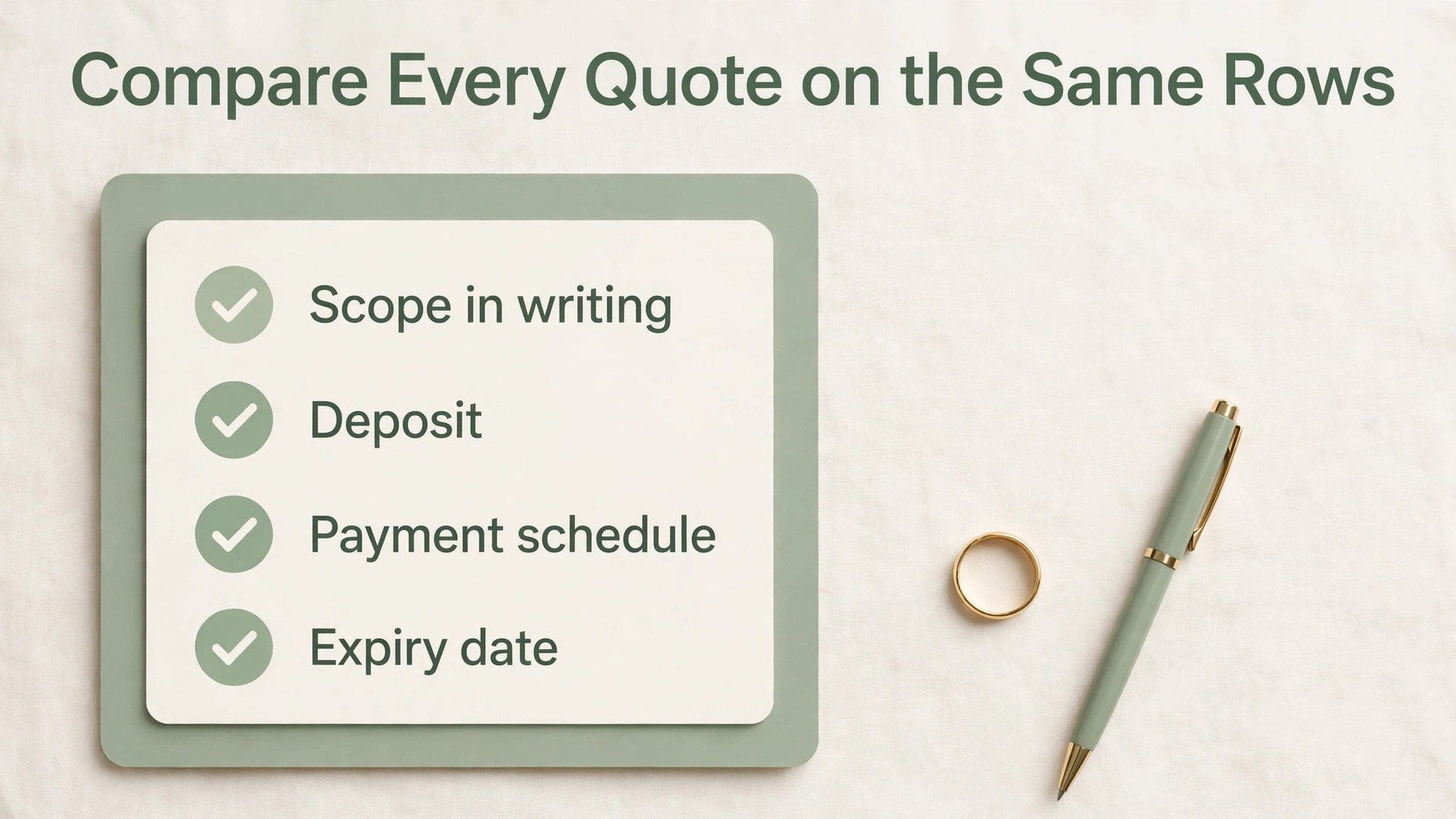
Vendor quotes are where wedding budgets most often go wrong, because quotes that look alike on the first page can differ sharply in what they include, when payment falls due, and what triggers an extra charge. A quote comparison block inside the same workbook solves that problem by forcing every vendor onto the same rows. If you use Excel for wedding budget planner comparisons, build one comparison block per category, with vendors as columns and identical rows for price, inclusions, exclusions, hours or quantity, deposit, payment schedule, cancellation terms and expiry date of the quote.
Start each comparison with the scope in writing, not with the price. Write down exactly what you asked each vendor to quote for, in the same words, and send that scope to every vendor in the category. For catering, that scope should state guest count, service style, drinks package, service hours and dietary requirements. For photography, it should state hours, locations, number of photographers and delivery items. When every vendor quotes the same scope, the price column finally means something, and a low price that excluded a major item stands out at once.
Then add the rows that reveal the true cost. Record the deposit as both a money amount and a percentage of the total, because a 50 percent deposit and a 20 percent deposit create very different cash flow even when the totals match. Record the final balance date, and check whether it falls before or after the wedding, because a balance due a month before the wedding needs cash ready earlier than a balance due after the event. Record extras separately, such as travel charges, overtime rates, additional hours, extra prints or albums, and corkage or cake cutting fees, and price at least one realistic extra per vendor so the comparison reflects how the wedding will actually run.
The Budget Template, Step by Step
The template below is the core of this guide, and it is designed to be built in under an hour once categories are agreed. Copy the structure exactly, then change the labels to match your wedding. Do not add columns in the first version, because extra columns are usually a way of postponing the decision about what actually matters.
Step 1. Create the five sheets named Dashboard, Budget, Vendor Tracker, Payment Schedule and Notes, in that order, so anyone opening the file finds the summary first and the detail behind it.
Step 2. On the Budget sheet, create columns for category, item, vendor, estimated cost, quoted cost, agreed cost, paid so far and balance owed. Keep the agreed cost as the single column that feeds the totals, so estimates and old quotes never leak into the headline total by accident.
Step 3. Enter every category and item from the earlier section, one row per item, and enter an estimated cost for each row. Leave quoted cost and agreed cost blank until a real quote arrives, so blank means not yet quoted and zero means genuinely free or included elsewhere.
Step 4. Add the balance owed formula to each row, which is agreed cost minus paid so far, and add a variance formula, which is agreed cost minus estimated cost. A positive variance on a cost line means the agreed price came in above the estimate, and that meaning should be written in the header note so nobody misreads the sign.
Step 5. Add totals for estimated cost, agreed cost, paid so far and balance owed at the bottom, plus a total budget row at the top of the Dashboard that links to those totals rather than retyping them. Retyped totals are the most common source of spreadsheet error, because one copy gets updated and the other does not.
Step 6. Add a contingency row at the bottom of the Budget sheet, calculated as a percentage of agreed cost, and a remaining budget figure, which is total budget minus agreed cost minus contingency. If remaining budget goes negative, the sheet is telling you the plan does not fit, and the fix is a decision about scope, not a quiet reduction in the contingency.
Step 7. Set the input colour, formula colour and total colour, protect the formula cells, and save a dated backup copy. Then enter three test rows with round numbers, check every total by hand, and only then enter real quotes.
| Sheet | What it holds | Who updates it |
|---|---|---|
| Dashboard | Total budget, committed, paid, owed, next payments | Budget owner, weekly |
| Budget | One row per cost line with estimate, quote, agreed price and balance | Budget owner, after each quote |
| Vendor Tracker | Contact, quote date, contract status, payment terms | Budget owner, after each vendor contact |
| Payment Schedule | Every payment in date order with vendor and amount | Budget owner, monthly |
| Notes | Decisions, trade offs, assumptions and trigger points | Anyone, with a date |
Payment Schedule and Deposit Tracking
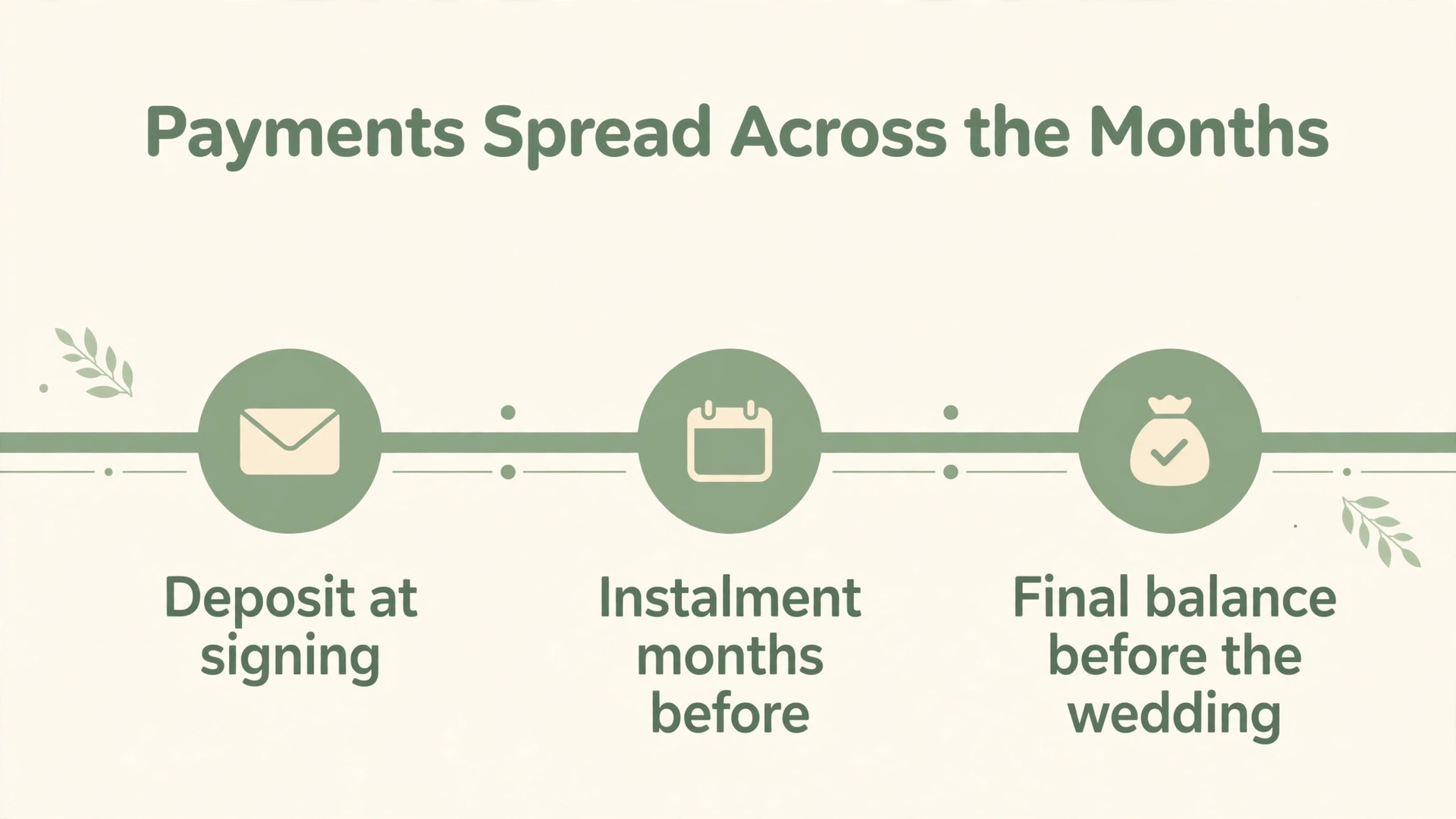
A wedding budget can be on target in total and still fail in cash flow, because deposits and balances cluster in the same months. The Payment Schedule sheet exists to prevent that failure. If you use Excel for wedding budget planner payment tracking, list every payment as its own row, in date order, with columns for due date, vendor, category, payment type, amount due, amount paid, date paid, payment method and receipt reference. A payment type column that separates deposit, instalment and final balance makes the pattern visible at a glance, and a receipt reference column turns a later dispute into a quick lookup instead of a search through messages.
Enter payments at the moment a contract is signed, not at the moment a payment falls due. When a vendor contract states a deposit now, an instalment six months before the wedding, and a final balance two weeks before the wedding, all three rows go into the schedule on the day of signing, with the future rows marked as not yet paid. The monthly totals then show, months in advance, which months will be heavy and which will be light, and that early warning is worth more than any budgeting app feature.
Add a monthly summary block beside or below the schedule, using a SUMIF formula that adds all payments due in each month. That block answers the question every couple asks too late, which is how much cash must be ready in each specific month. If one month shows three large balances falling due together, move a discretionary cost to a lighter month, negotiate a split balance before signing, or set a monthly savings target that builds the cash in advance.
Deposit tracking needs its own discipline, because deposits are easy to pay and easy to forget. For each vendor, the Vendor Tracker should show deposit due, deposit paid, deposit date and deposit receipt, and the Budget sheet balance owed should already reflect the deposit. Reconcile the sheets monthly against the bank statement, so a payment recorded twice, recorded under the wrong vendor, or not recorded at all is found early. Mark a payment as paid only when the money has left the account and a reference exists, and pay a final balance only when service terms are confirmed in writing.
Contingency, Changes and the Mid Plan Review
Contingency is not a spare pot for upgrades. It is insurance against the costs that appear after the plan is set, and treating it as upgrade money is how weddings quietly overspend. If you use Excel for wedding budget planner contingency planning, set the contingency as a percentage of the agreed cost, visible on its own row, and set a rule for spending it before the first quote arrives. A common working range is 5 percent for a simple wedding with few suppliers and a fixed venue package, rising to 10 or 15 percent for a larger wedding with outdoor elements, multiple suppliers or a guest count that may still move.
Pick the percentage that fits your risk, write the reason on the Notes sheet, and do not change the percentage mid plan without recording why.
Every spend from contingency needs a row of its own, with a date, a reason and the line it relates to, and the contingency remaining figure must update automatically when that row is added. That audit trail matters, because contingency spent without a record looks like overspending when the final total is reviewed, while contingency spent with a clear reason looks like a plan that handled reality well. Common contingency uses include a price rise on a renewed quote, an extra table when the guest count moves, overtime when the celebration runs long, weather cover for an outdoor ceremony, and a replacement supplier when an original supplier becomes unavailable. None of those are failures of planning.
They are the normal uncertainties of an event planned months in advance.
Formulas That Keep Totals Honest
You do not need advanced skills to run a wedding budget in Excel, and you should resist building a complex model before the simple version works for a few months. A small set of formulas carries almost the whole budget, and each one should be tested with round numbers before real quotes are entered. If you use Excel for wedding budget planner totals, build the formulas in the order below, and check each result by hand on the first use.
First, total each section with a SUM formula over the agreed cost column, and total the paid so far column the same way, so the headline totals are calculated, never typed. Second, calculate balance owed on each row as agreed cost minus paid so far, so a row with a zero balance is fully paid and a row with a positive balance still needs money. Third, calculate variance on each row as agreed cost minus estimated cost, so a positive variance means the agreed price came in above the estimate and the size of the surprise is visible in money, not just as a feeling.
Fourth, use a SUMIF formula to pull totals by category into the Dashboard, so the Dashboard shows venue, catering, photography and every other group without retyping. That category summary is what turns a long Budget sheet into a discussion tool, because a couple can see at once which group is over plan and by how much. Fifth, use a SUMIF formula on the Payment Schedule to total payments due in each month, so the cash flow picture updates automatically when a payment date moves.
Sixth, add conditional formatting that highlights any balance owed row where the due date is within 30 days and the amount is still unpaid, and any category where agreed cost has passed the estimate by more than 10 percent. Set the threshold high enough that small lines do not trigger constant warnings that everyone learns to ignore.
- Total agreed cost for a section, using a SUM over the agreed cost column
- Balance owed on one row, using agreed cost minus paid so far
- Variance on one row, using agreed cost minus estimated cost
- Category total on the Dashboard, using a SUMIF over the category column
- Monthly payments due, using a SUMIF over the due date month on the Payment Schedule
- Remaining budget, using total budget minus agreed cost minus contingency
What Excel Costs and When a Different Tool Fits Better
For most couples, the extra cost of budgeting a wedding in Excel is zero, because Excel is already part of a suite they pay for or available in a free web version with a Microsoft account. If you do not already have it, check the current price before you buy, because prices change and the checkout total is the only figure that matters. At the time of writing, multiple current price listings put Microsoft 365 Personal at 99.99 dollars per year and Microsoft 365 Family at 129.99 dollars per year for up to six people, with monthly billing costing more over a full year. Confirm the total, billing period and inclusions at checkout.
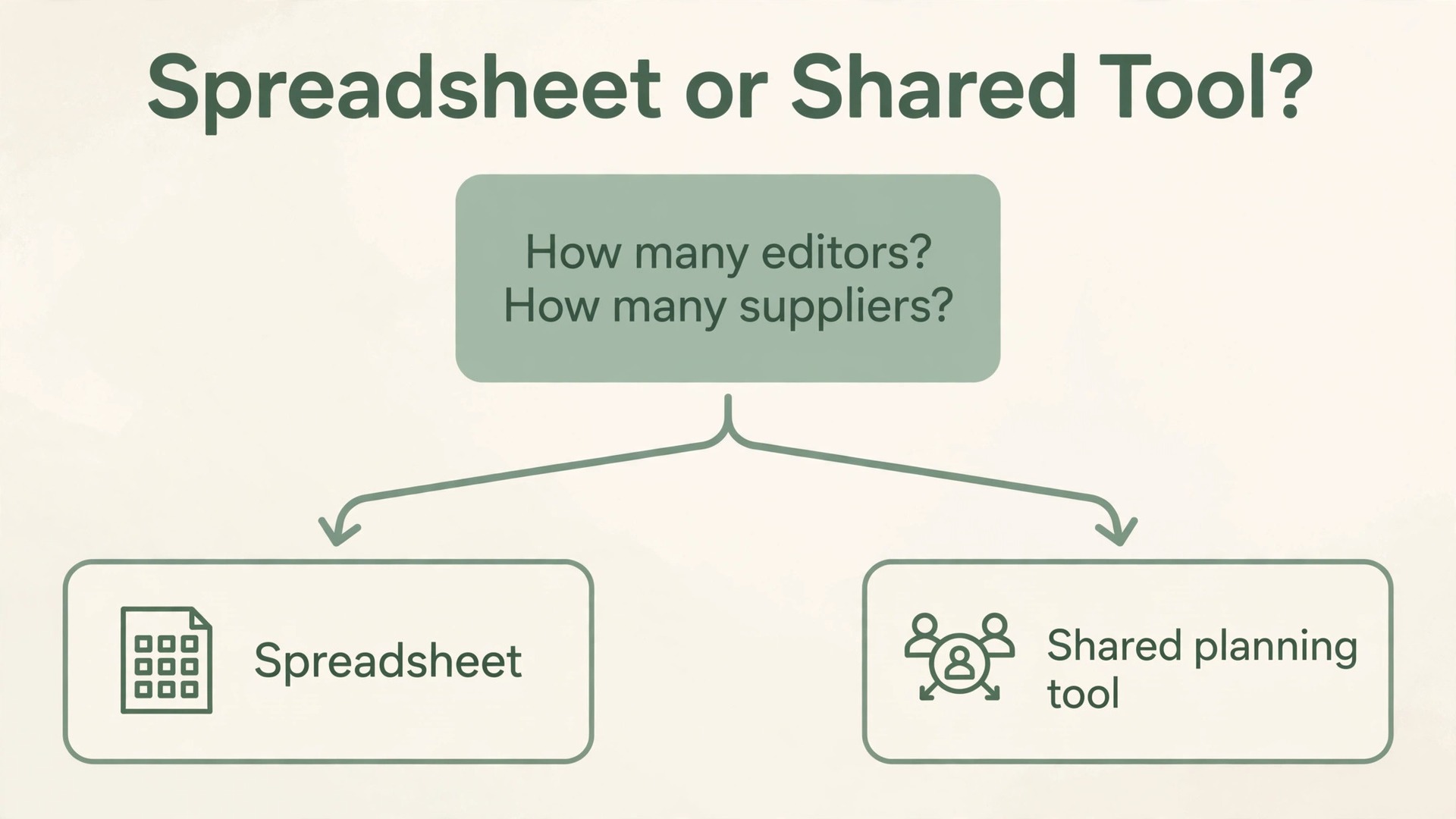
Choose by answering three questions in order. First, how many people need to edit the file, and how often. One or two editors on a fixed rhythm point to Excel, while four or more editors working at once point toward a shared online tool. Second, how many suppliers and payments are involved. Under about 20 suppliers, manual entry in Excel is fast and accurate, while over about 40, a tool with reminders may help. Third, who else needs to see the numbers. A printed Dashboard or PDF export is often clearer for contributing parents than an app login, and a professional planner who already runs a proven system should not be forced into your file.
For readers planning the wider wedding, related reading includes best AI tools for wedding planners for planner software that can sit alongside the spreadsheet, how to use AI for wedding planning for idea generation and draft wording that still needs a human check, wedding photography pricing packages explained for the photography line that often surprises couples, best spreadsheet software for small business for Excel alternatives if you do not already own it, and use Microsoft Excel for small business budget for the monthly close habit that transfers directly to wedding payments.
Frequently Asked Questions
Is Excel enough to plan a whole wedding budget?
Yes, for most weddings with one or two budget owners and a supplier list that fits on one Budget sheet, Excel is more than enough. It gives full control over categories, formulas and payment dates, and it costs nothing extra if you already pay for Microsoft 365. It stops being enough when many people must edit at once, or when reminders and guest messaging need to live in the same place.
How do I start a wedding budget in Excel if I have never built a spreadsheet?
Start from the five sheet structure in this guide, not from a blank file and not from a downloaded template you have not changed. Create the five sheets, enter your categories and estimated costs, and test the totals with round numbers before entering real quotes. That test run teaches the formulas faster than any tutorial, because you see a wrong total, find the wrong input, and fix it while the numbers are still simple.
How much contingency should I keep for a wedding?
A working range is 5 percent of agreed cost for a simple wedding with a fixed venue package and few suppliers, rising to 10 or 15 percent for a larger wedding with outdoor elements, many suppliers or a guest count that may still move. Treat contingency as insurance for price rises, extra tables, overtime and weather cover, not as a pot for upgrades, and give every spend from it a date and a reason.
How do I handle a guest list that keeps growing?
Freeze the guest count at a stated date, link every per head cost to that count cell, and test three counts on the Dashboard, which are the count you hope for, the count you fear and the count in between. After the freeze date, every addition needs a named trade off, which is a line that will fall by the same amount or a named person who will fund the extra cost.
What should I compare in vendor quotes besides the headline price?
Compare the scope first, then deposit percentage, payment schedule, final balance date, exclusions, overtime rates and realistic extras, all on identical rows for every vendor in the category. A low headline price that excludes travel, overtime or a major item can cost more in total than a dearer quote that includes those items, so end each comparison with a recommended vendor and one sentence explaining the choice in total cost terms.
When should I pay a vendor final balance?
Pay a final balance only when the service terms are confirmed in writing, including delivery dates for photography, final guest count deadlines for catering, and setup times for music and decor. Mark a payment as paid only when the money has left the account and a receipt reference exists, not when a message says it will be sent, and reconcile the sheets against the bank statement monthly.
A Wedding Budget You Can Actually Stick To
A wedding budget that holds is not the one with the prettiest formatting or the most categories. It is the one whose numbers you can defend when a supplier asks why payment is late, when a parent asks where the money went, or when you ask yourselves whether an upgrade is affordable. That defence comes from a small set of habits, repeated from the first quote to the final balance. One workbook, one owner, one update rhythm, real quotes on identical rows, payments entered at signing, a monthly reconciliation, and a one sentence explanation for every material variance.
If you use Excel for wedding budget planner work in that disciplined way, the spreadsheet stops being just a file you open when worried. It becomes the record of how the wedding is really being paid for. Start this week, not next month. Copy the five sheet structure, set your categories from early research, and build the guest count test before invitations go out. The first version will take longer than an hour, because you will find missing lines and unclear quotes, and finding them is the point.