

The best AI tools for Gmail don’t replace Gmail — they remove the parts of Gmail that waste your day. If you process 50+ emails daily, the maths is brutal: drafting, triaging, chasing follow-ups and extracting meeting details from threads can eat two hours before lunch. In 2026, an AI add-on exists for each of those four jobs, and most of them install in two minutes without leaving the Gmail interface you already know.
This is not another “AI writes your emails” list. It’s organised by function — drafting assistants, auto-labels and triage, meeting extraction, and follow-up tracking — with 25 tools, honest notes on what each actually does inside Gmail, and a free-vs-paid table at the end. One big 2026 change frames everything: Google began making Gemini’s basic Gmail features (thread summaries, suggested replies) free in January 2026, starting in English in the US — so before you pay for anything, check what your inbox already does.
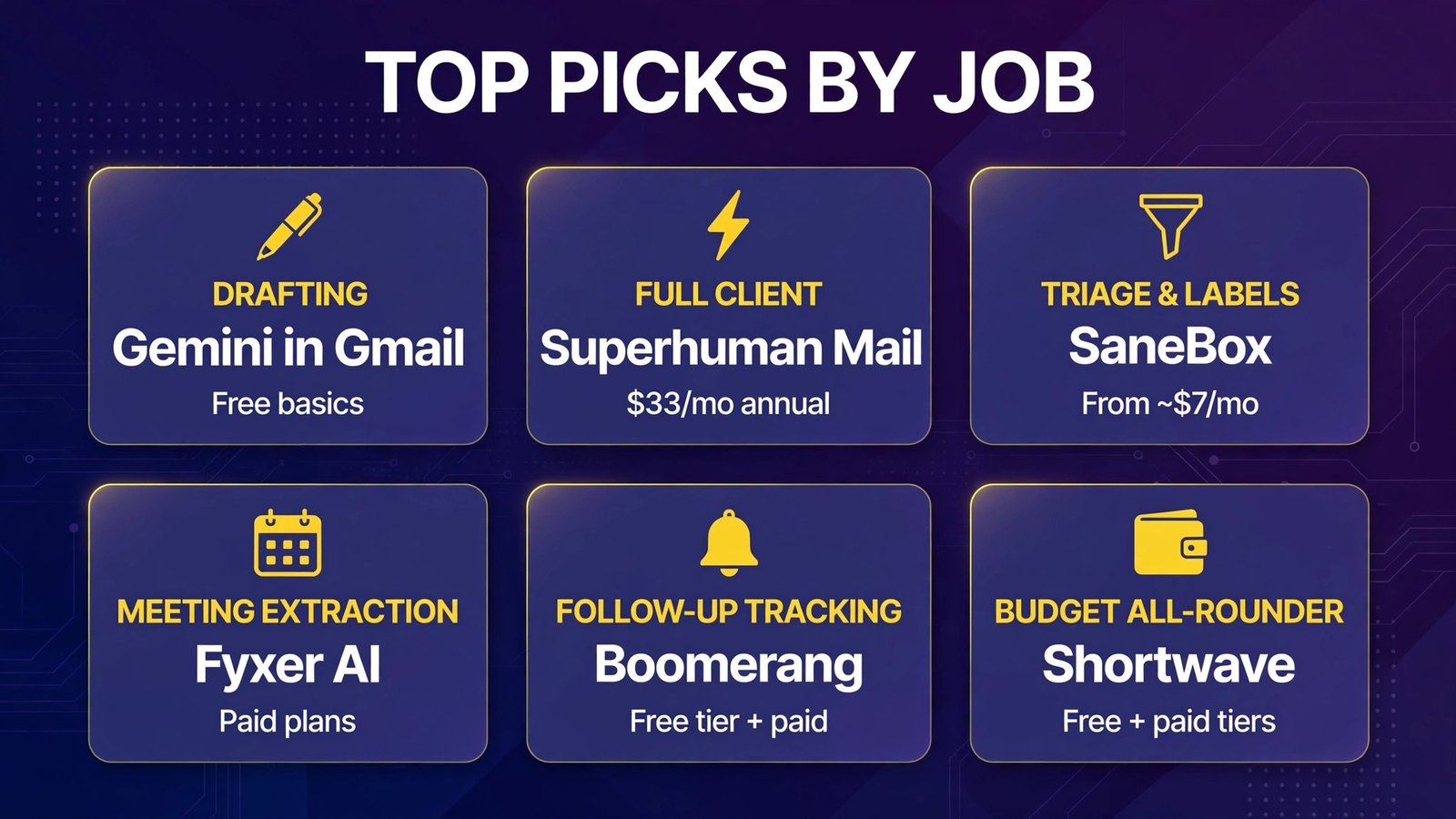
Quick Answer: Top Picks by Job

| Job | Best pick | Why | Price |
|---|---|---|---|
| Drafting | Gemini in Gmail (built-in) | Free summaries & reply suggestions since Jan 2026 | Free basics; AI plans for advanced |
| Drafting (full client) | Superhuman Mail | Fastest client + Auto Drafts | $33/mo annual (bundled suite) |
| Triage & labels | SaneBox | Learns priority, files the rest, works in any client | From ~$7/mo |
| Meeting extraction | Fyxer AI | Drafts replies + meeting notes in your inbox | Paid (pricing varies by plan) |
| Follow-up tracking | Boomerang | The original Gmail follow-up reminder tool | Free tier + paid |
| Budget all-rounder | Shortwave | AI-first Gmail client with a free plan | Free + paid tiers |
Part 1: AI Drafting Assistants
1. Gemini in Gmail — the built-in you already have
Google’s own AI, now inside Gmail: thread summaries, “Help me write” drafting, and suggested replies. The basics became free in January 2026 (English, US first), with advanced features on Google’s AI plans. Start here — a surprising number of paid drafting tools now sell what Gemini gives Gemini users free. Free basics / paid advanced.
2. Superhuman Mail — the speed-obsessed full client
Superhuman replaces the Gmail interface with a keyboard-first client famous for processing speed, Split Inbox and, on the Business plan, Auto Drafts that pre-write replies in your voice plus Ask AI search. After Grammarly’s 2025 acquisition, Superhuman Mail is bundled into the Superhuman suite (with Grammarly and Coda) at $33/month billed yearly ($40 monthly) — you can no longer buy the email client standalone. Worth it only if you truly live in email. Paid only.
3. Shortwave — the AI-first Gmail client with a free plan
Shortwave rebuilds Gmail around AI: natural-language search across years of email (“what was the revised Q3 budget Alex approved?” returns the paragraph, not 18 threads), AI summaries and strong tone-matched drafting. It only works with Gmail/Google Workspace — which, for this audience, is the point. Free plan + paid tiers (pricing varies by plan).
4. Fyxer AI — the assistant that drafts before you open the thread
Fyxer sorts incoming mail into Gmail labels and pre-drafts replies in your tone, so your job becomes approving and sending rather than writing. It also adds meeting notes (see Part 3). It works inside Gmail and Outlook without changing clients. Paid (pricing varies by plan and seat count).
5. Grammarly — the polish layer
Not Gmail-specific, but indispensable for power users: tone detection, clarity rewrites and consistency checks on every draft, everywhere you type. Now part of the same company as Superhuman. Free tier + paid plans (pricing varies).
6. Compose AI — autocomplete for your sentences
A Chrome extension that autocompletes sentences in Gmail as you type and can generate full replies from a short prompt. Lightweight, fast, and good for high-volume repetitive email. Free tier + paid (pricing varies).
Ellie reads the thread and drafts a contextual reply in a Gmail sidebar, learning from your previous emails to match your style. A focused, single-job tool for people who like Gmail exactly as it is and just want the writing done. Paid (pricing varies).
Part 2: Triage, Auto-Labels & Inbox Zero

8. SaneBox — the priority filter that never sleeps
SaneBox learns who matters and quietly files everything else into SaneLater and sibling folders, with a daily digest of what it moved. It works at the server level, so your Gmail interface doesn’t change at all. From ~$7/month (less on annual billing). It only reads headers, not message bodies — a genuine privacy advantage in regulated industries. Paid, trial available.
9. Clean Email — the backlog killer
Where SaneBox manages today’s flow, Clean Email attacks the 40,000 unread messages already sitting there: it groups mail by sender so you can delete, archive or unsubscribe in bulk and set Auto Clean rules. Free plan cleans up to 1,000 emails; full plans from $29.99/year for one account. Free tier + paid.
10. Inbox Zero — open-source AI automation
An AI email assistant with automation rules, reply tracking and bulk unsubscribe, notable for being open-source with a self-host option for the privacy-conscious. From ~$12/month hosted. Free/self-host + paid.
11. Sortd — your inbox as a Trello board
Sortd turns Gmail into a kanban workspace: drag emails into task columns, set due dates, and treat threads as work items. Best for people whose email is their task list. Free tier + paid (pricing varies).
Drag adds shared boards to Gmail so support, sales and ops teams can assign, comment on and track emails without leaving the inbox or buying a separate helpdesk. Paid (pricing varies).
13. Gmelius — team workflows without leaving Gmail
Shared inboxes, email sequences, automation rules and meeting scheduling layered onto Gmail, aimed at teams that want CRM-lite workflow inside the client they already use. Paid (pricing varies).
14. Mailbutler — the professional’s add-on pack
Tracking (opens/clicks), send-later, follow-up reminders, templates and contact insights as a tidy Gmail add-on. Less “AI platform,” more “every small feature Gmail forgot.” Paid (pricing varies).
Part 3: Meeting Extraction & Scheduling from Gmail
15. Fyxer AI — meeting notes that land in your inbox
The same Fyxer from Part 1 earns a second mention for a different job: it joins your Google Meet/Zoom/Teams calls, takes notes, and delivers summaries and action items tied to the email thread — so decisions stop living in a separate app. (Counted once in the table below.) Paid.
16. Fireflies.ai — transcripts from calendar invites
Fireflies auto-joins meetings from your Google Calendar invites and emails you the transcript, summary and action items. For Gmail power users, the value is search: months later, the answer is in your inbox archive. See our full comparison in best AI meeting notes tools. Free tier + paid.
17. Otter.ai — live notes, emailed after
Otter does the same calendar-invite trick with the best live/in-person capture of the three (useful when the “meeting” started as an email and moved to a room). Summaries land in Gmail minutes after the call. Free tier + paid.
18. Calendly for Gmail — scheduling without the email tennis
The Calendly Gmail extension inserts your booking links and availability directly into a compose window, killing the five-email “does Tuesday work?” thread. The AI angle is modest (smart availability), the time saved is not. Free tier + paid (pricing varies).
19. Reclaim.ai — the calendar that defends your time
Reclaim connects Gmail/Google Calendar and auto-schedules tasks, habits and focus time around your meetings, rescheduling intelligently when conflicts land. For inbox-driven workers, it’s the bridge between “emails demanding time” and a calendar that pushes back. Free tier + paid (pricing varies).
Part 4: Follow-Up Tracking & Sending Smarts
20. Boomerang — the follow-up original
Boomerang invented the Gmail follow-up reminder: send an email, and if nobody replies by Thursday, it resurfaces in your inbox. Add send-later, read receipts, response tracking and an AI writing assistant (Respondable), and it’s still the single highest-ROI extension in this list. Free tier + paid (pricing varies).
21. Right Inbox — reminders, sequences and notes
Right Inbox bundles follow-up reminders, recurring emails, sequences, private notes on threads and mail merge into one Gmail extension — the toolkit for anyone running outreach from a personal inbox. Free tier + paid (pricing varies).
22. FollowUpThen — the zero-install reminder
No extension at all: forward or CC an email to addresses like 3days@followupthen.com and it bounces back to your inbox at exactly that time. Beautifully simple, works from any device. Free tier + paid (pricing varies).
23. Mixmax — sales sending, supercharged
Sequences, one-click meeting scheduling, email tracking, polls and AI-assisted composing for Gmail — built for sales and recruiting outreach at volume. Paid (pricing varies).
24. Streak — a CRM that lives in Gmail
Streak turns Gmail into a pipeline CRM: deals, contacts and follow-ups tracked in boxes right in your inbox, with mail merge and thread tracking. The pick for solo operators who refuse to open a separate CRM. Free tier + paid (pricing varies).
25. Yesware — outreach tracking for teams
Open/click/link tracking, templates, campaigns and reporting for Gmail (and Outlook), aimed at sales teams that need visibility into what happens after “send.” Paid (pricing varies).
26. Spark +AI — the free cross-platform client
Spark earns a slot as the best free alternative client for Gmail power users who also check Outlook, iCloud or IMAP accounts: it has a free plan covering unlimited accounts, solid search, and Spark +AI for summarising and drafting inside the client. If Shortwave’s Gmail-only constraint bothers you, Spark is the flexible fallback. Free plan + paid tiers (pricing varies). Note: this list counts 25 tools — Fyxer appears in two function categories above but is counted once, with Spark filling the final slot.
Free vs Paid: The Full 25-Tool Table
| # | Tool | Job | Free option? | Paid from |
|---|---|---|---|---|
| 1 | Gemini in Gmail | Drafting/summaries | ✅ Basics free (2026) | AI plans |
| 2 | Superhuman Mail | Drafting/client | ❌ Trial only | $33/mo (annual, bundled) |
| 3 | Shortwave | Drafting/client | ✅ Free plan | Pricing varies |
| 4 | Fyxer AI | Drafting + meetings | ❌ | Pricing varies |
| 5 | Grammarly | Polish | ✅ Free tier | Pricing varies |
| 6 | Compose AI | Drafting | ✅ Free tier | Pricing varies |
| 7 | Ellie | Drafting | ❌ | Pricing varies |
| 8 | SaneBox | Triage | Trial | ~$7/mo |
| 9 | Clean Email | Cleanup/triage | ✅ 1,000 emails | $29.99/yr |
| 10 | Inbox Zero | Triage/automation | ✅ Self-host | ~$12/mo |
| 11 | Sortd | Triage/tasks | ✅ Free tier | Pricing varies |
| 12 | Drag | Shared inbox | ❌ | Pricing varies |
| 13 | Gmelius | Team workflow | ❌ | Pricing varies |
| 14 | Mailbutler | Tracking/templates | ❌ | Pricing varies |
| 15 | Fireflies.ai | Meeting notes | ✅ Free tier | Paid tiers |
| 16 | Otter.ai | Meeting notes | ✅ Free tier | Paid tiers |
| 17 | Calendly | Scheduling | ✅ Free tier | Pricing varies |
| 18 | Reclaim.ai | Calendar AI | ✅ Free tier | Pricing varies |
| 19 | Boomerang | Follow-ups | ✅ Free tier | Pricing varies |
| 20 | Right Inbox | Follow-ups | ✅ Free tier | Pricing varies |
| 21 | FollowUpThen | Reminders | ✅ Free tier | Pricing varies |
| 22 | Mixmax | Outreach | ❌ | Pricing varies |
| 23 | Streak | CRM in Gmail | ✅ Free tier | Pricing varies |
| 24 | Yesware | Outreach tracking | ❌ | Pricing varies |
| 25 | Spark +AI* | Client/drafting | ✅ Free plan | Paid tiers |
*Spark earns the 25th slot as the best free cross-platform client with AI assistance (Spark +AI) for users who also check non-Gmail accounts. Fyxer appears in two categories above but is counted once. Pricing checked October 2026; “pricing varies” marks tools whose current tiers could not be pinned to a single verified figure — confirm on the official site.
How to Choose: Build Your Gmail Stack (Don’t Buy All 25)

The amateur move is installing everything. The power-user move is one tool per job:
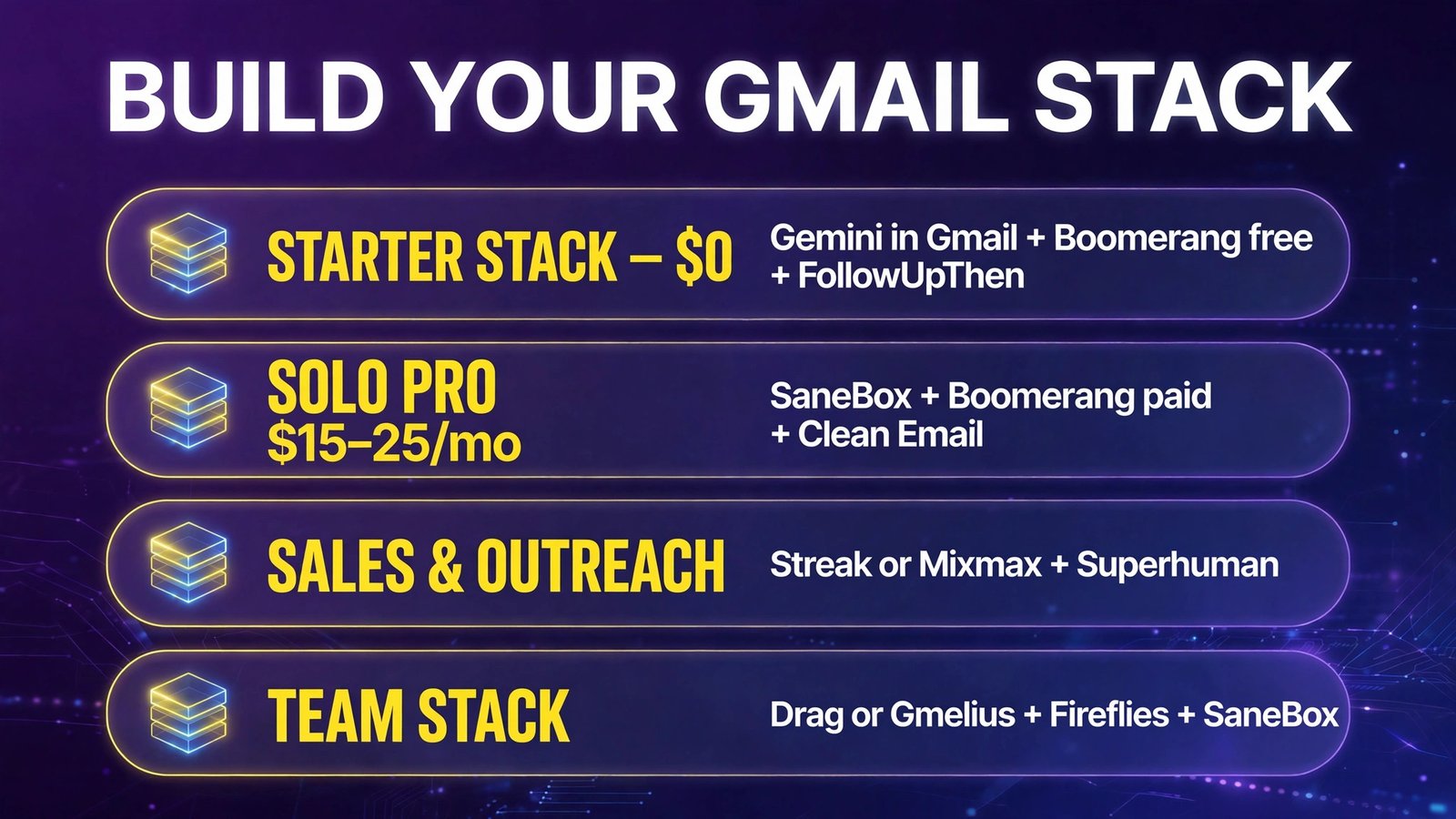
- Starter stack ($0): Gemini in Gmail (drafting) + Boomerang free (follow-ups) + FollowUpThen (reminders). Covers 80% of the value on this page for nothing.
- Solo professional stack (~$15–25/mo): SaneBox (triage) + Boomerang paid (follow-ups) + Clean Email ($29.99/yr, backlog). Add Grammarly if your writing is client-facing.
- Sales/outreach stack: Streak or Mixmax (pipeline + sequences) + Superhuman only if you process 100+ emails a day and the $33/mo clears your personal ROI math (4+ hours saved/week ≈ the breakeven most reviewers cite).
- Team stack: Drag or Gmelius (shared inbox) + Fireflies (meeting record) + SaneBox per seat.
Three rules before installing anything:
- Check what Gemini already does free (January 2026 onward) — don’t pay for summaries you own.
- Mind the permissions. Gmail add-ons request broad mailbox access. Prefer tools that read headers only (SaneBox), publish SOC 2 reports, or offer self-hosting (Inbox Zero) when your mail is sensitive.
- One trial at a time. Run each candidate on your real inbox for a week. Email tools overlap heavily; the second drafting assistant adds confusion, not speed.
Frequently Asked Questions
What is the best AI tool for Gmail in 2026?
It depends on the job. For drafting, Gemini in Gmail is now the default — its basic summaries and reply suggestions became free in January 2026. For triage, SaneBox (~$7/mo) is the best set-and-forget filter. For follow-ups, Boomerang remains the standard. For a full AI-first client, Shortwave (free plan available) beats Superhuman on value for most users.
Are there free AI tools for Gmail?
Yes, several strong ones: Gemini’s basic Gmail features (free since January 2026), Shortwave’s free plan, Boomerang’s and FollowUpThen’s free tiers, Clean Email’s free 1,000-email cleanup, Grammarly’s free tier, and Streak’s free tier. A genuinely capable $0 Gmail stack is possible in 2026.
Is Superhuman worth $33/month?
Only for heavy email users. Since the Grammarly acquisition, Superhuman Mail costs $33/month billed yearly ($40 monthly) bundled with Grammarly and Coda — you can’t buy it standalone. If you process 100+ emails daily and its Auto Drafts and speed save you 4+ hours a week, it pays for itself. Everyone else gets more value from Shortwave + SaneBox at a fraction of the price.
Do Gmail AI add-ons read my email?
Drafting and summarisation tools need message content to work; filtering tools like SaneBox read headers only. Check each tool’s permissions and privacy policy before installing — look for SOC 2 certification, header-only processing, or self-hosting (Inbox Zero) if your inbox contains sensitive or regulated information.
What’s the difference between this and AI email writing tools?
Writing tools generate text. This list is about the whole Gmail workflow: triage and auto-labelling (SaneBox, Clean Email), meeting extraction (Fyxer, Fireflies), scheduling (Calendly, Reclaim) and follow-up tracking (Boomerang, Streak) — the operational layer around the writing. For pure drafting comparisons, see Stratilyze’s existing guide to AI writing emails, linked below.
Can I use these tools with Google Workspace (work Gmail)?
Yes — nearly all 25 work with both personal Gmail and Google Workspace accounts, though Workspace admins can restrict third-party add-ons. Superhuman and Shortwave support Gmail/Workspace (Superhuman adds Outlook); SaneBox works with any IMAP/Exchange inbox. Check with your IT admin before installing on a managed account.
Final Verdict
Gmail power users don’t need 25 tools — they need four jobs covered: drafting (start with free Gemini), triage (SaneBox), meetings (Fyxer or Fireflies) and follow-ups (Boomerang). Build that stack, delete everything else, and your inbox becomes a place you visit twice a day instead of living in.
Start free, add one paid tool at a time, and measure the only metric that matters: minutes spent in email per day.
Go deeper: our AI meeting notes tools comparison covers the meeting layer in full, and our AI workflow automation tools guide shows how Gmail automation fits a small-business stack. For the writing side specifically, see our existing AI email writing guide on stratilyze.com.