
A membrane keyboard forgives a beginner. It is quiet, cheap, and familiar, because it is the same flat feel found on most office desks and laptop keyboards. A mechanical keyboard answers back. Each key has its own switch, each press has a clear actuation point, and long sessions feel less like pushing through rubber and more like typing on a tool built for the job. Choosing the best keyboard for programming beginners comes down to that trade. You want enough feedback to type accurately for hours, without noise that annoys everyone nearby and without a price that hurts before you know which switch feel you even like.
This guide compares 15 keyboards a beginner can actually buy, with layout, switch type, recent price range, and the kind of coder each one suits. Prices move with sales and region, so treat every figure as a range checked from vendor and retailer listings at draft time and confirm the final price at checkout. No single board wins for everyone. A student on a laptop needs something different from a new developer setting up a first desk, and a night owl in a shared flat needs something different again.
The Verdict in Brief
Buy the Keychron K8 Pro if you want one board that teaches you what good mechanical typing feels like and still leaves room to grow. Buy the Logitech MX Keys S if you want quiet, familiar, laptop style typing with zero learning curve. Buy the Royal Kludge RK84 if your budget is tight and you still want a proper mechanical board with wireless options. Those three cover most beginners, and the rest of this guide exists for the cases where they do not fit, such as a Mac only desk, a tiny desk, or a need for a full number pad. In short, the best keyboard for programming beginners is not a single model.

It is the model whose layout, switch feel, and price match the desk and room you actually type in, and the table above is the fastest way to spot that match before reading the detail.
| Keyboard | Layout | Switch type | Recent price range | Suits |
|---|---|---|---|---|
| Keychron K8 Pro | Tenkeyless | Gateron G Pro Brown or Red, hot swappable | 94 to 125 dollars | Most beginners |
| Keychron K2 | 75 percent | Gateron Red, Blue or Brown, hot swappable | 89 dollars | Mac and Windows switchers |
| Keychron V1 Max | 75 percent | Gateron Red, hot swappable | 92 dollars | Wireless first setups |
| Keychron K3 Max | 75 percent | Gateron Low Profile 2.0 Red, Brown or Blue | 114 dollars | Laptop style typists |
| Logitech MX Keys S | Full size | Scissor membrane style | 110 to 120 dollars | Quiet office typing |
| Logitech MX Mechanical Mini | Compact 75 percent style | Low profile Tactile Quiet, Linear or Clicky | 160 dollars | Shared spaces |
| Royal Kludge RK84 | 75 percent | RK Red, Blue or Brown, hot swappable | 60 to 90 dollars | Tight budgets |
| Epomaker TH80 V2 Pro | 75 percent | Hot swappable, Flamingo linear in the reviewed config | 78 dollars | Feature lovers |
| Akko 5075B Plus | 75 percent | Hot swappable, Akko switches vary by config | 55 to 70 dollars | First custom board |
| MonsGeek M1W | 75 percent | Akko V3 Piano Pro, hot swappable | 90 to 120 dollars | Solid desk setups |
| Aula F75 | 75 percent | Hot swappable linear, Leobog variants | 80 dollars | Sound and feel on a budget |
| Logitech G413 TKL SE | Tenkeyless | Tactile mechanical, limited customisation | 60 dollars | Simple wired desks |
| Redragon K552 Kumara | Tenkeyless | Mechanical, Red or Blue variants | Under 50 dollars | Lowest spend mechanical |
| Keychron Q1 Max | 75 percent | Gateron Jupiter Red, Brown or Banana | 209 dollars | Buy once builders |
| Logitech K120 | Full size | Membrane | Near 15 dollars | Absolute minimum spend |
How to Choose the best keyboard for programming beginners
Start with layout, because layout decides what your hands reach for every day. Full size boards include a number pad, which helps if you type a lot of numbers or use spreadsheet style shortcuts, but they push the mouse further right and eat desk space. Tenkeyless boards drop the number pad and keep the function row, arrows, and navigation keys, which is why they suit most coders. A 75 percent board goes one step further and packs the function row, arrows, and navigation keys into a tighter block, saving space without losing keys you use in an editor.
A 60 percent board drops arrows and the function row, and that is a step too far for most beginners, because you will need layers for keys you use constantly.
Next, decide how much noise you can make. Clicky switches announce every press. They feel crisp and they are satisfying alone, but they carry through thin walls and shared rooms. Tactile switches give a small bump at the actuation point without the loud click, so you feel the press without broadcasting it. Linear switches move straight down with no bump and no click, so they feel smooth and fast, but a beginner can find them easier to press by accident. If you share a room, start tactile or quiet linear. If you work alone and love feedback, clicky is a fair choice.
Connectivity matters more than it first appears. A wired board never needs charging and never drops a connection during a debug session, which is why many beginners should start wired or at least keep the cable plugged in while learning. Bluetooth lets you switch between a laptop and a tablet, and a 2.4 GHz dongle gives wireless with lower delay than Bluetooth. Battery claims vary with backlight use, so read the fine print. A board rated for weeks with the light off may last days with bright RGB on, and that gap surprises new buyers every time.
Programmability is the quiet superpower of a good coding board. QMK and VIA support lets you remap keys, build layers, and assign shortcuts for your editor, terminal, and debugger without extra software running in the background. A beginner does not need to use all of it on day one. You need a board that lets you fix one annoyance, such as swapping Caps Lock for Escape or Control, and then grow into deeper remapping later. Boards with no remapping at all can still work, but you will feel the limit sooner.
Finally, check the boring details before you pay. Confirm the layout matches your region, because US ANSI and ISO layouts place Enter, Shift, and a few symbol keys differently. Confirm the board ships with keycaps for your operating system, or at least includes both sets in the box. Check whether the switches are hot swappable, because that single feature lets you change switch feel later for the price of a switch set instead of a whole new board. And measure your desk. A board that looks compact in photos can still crowd a small laptop setup once a mouse and a notebook join it.
The Switch Guide Every Beginner Needs
Switches decide feel, sound, and accuracy more than any other part. The three families below cover almost every board in this guide, and the test at the end tells you which family to pick without buying three boards first.
- Linear switches press straight down with no bump and no click. Red switches are the common example, and they suit fast typists who like a light, smooth press. The risk is accidental presses while resting your fingers on the keys.
- Tactile switches add a small bump you feel as the key actuates. Brown switches are the common example, and they suit beginners because the bump confirms the press without extra noise. They are the safest first choice for most coders.
- Clicky switches add a bump plus an audible click. Blue switches are the common example, and they suit solo workspaces where sound is not a problem. They are the worst choice for shared flats, libraries, and late night sessions.
- Low profile switches shorten travel and height, so the board feels closer to a laptop keyboard. They suit typists moving from a laptop who find full height keys tiring at first.
- Membrane and scissor switches sit under one rubber or scissor layer rather than individual mechanical switches. They feel flat and quiet, they cost less, and they suit beginners who value silence and familiarity over customisation.
- Hot swappable means you can pull a switch out with a small tool and push a new one in, with no soldering. Soldered boards lock you into the switches you buy, so check this spec before ordering.
Try this test before you commit, because it is the most honest way to judge the best keyboard for programming beginners for your own hands. Type a paragraph of real code, not random words, including brackets, semicolons, and indentation. Pay attention to how your fingers land after a long line, whether your thumbs hit the space bar cleanly, and whether symbols on the top row feel cramped or natural. A board that feels fine for chat messages can still tire you during bracket heavy code, so test with the characters you type most, not the words you type most. Then hold your hands still on the home row for ten seconds and notice whether keys trigger by accident.
Then type the same paragraph faster than comfortable and count how many errors come from missed presses versus extra presses. Missed presses point toward a lighter or more tactile switch. Extra presses point toward a heavier switch or a tactile bump that confirms each press. If you cannot test in a shop, buy tactile first. It is the middle ground that disappoints the fewest beginners, and on a hot swappable board you can change your mind later for little money.

The 15 Keyboards in Detail
1. Keychron K8 Pro
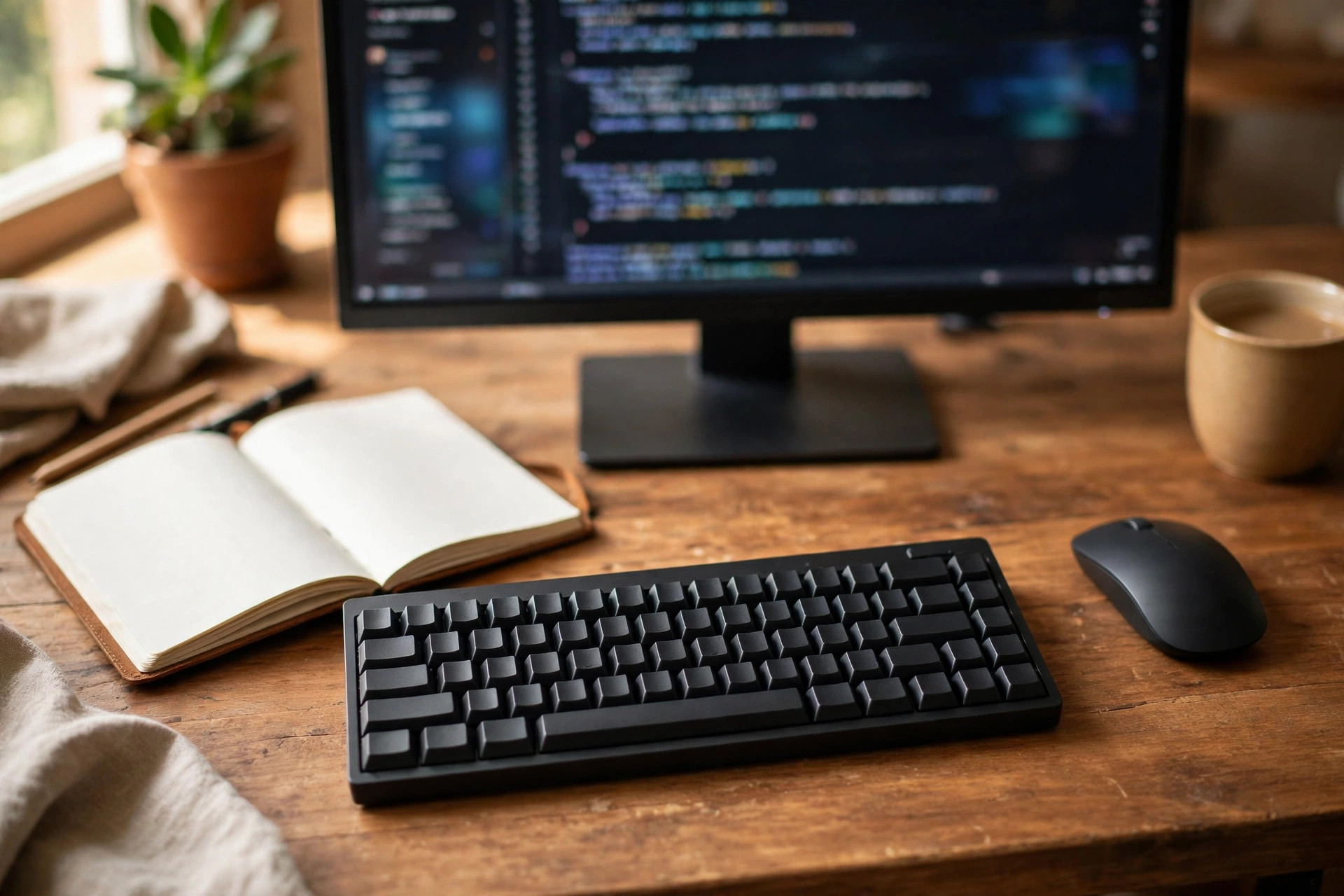
The K8 Pro is a tenkeyless board with QMK and VIA support, a hot swappable PCB on the hot swappable version, Bluetooth 5.1 for up to three devices, and a 4000 mAh battery. Choose Gateron G Pro Brown for tactile feedback or Red for a smooth linear feel. Recent listings put it near 94 to 125 dollars depending on switch and backlight config. It suits most beginners because it keeps the keys coders use daily, adds real programmability, and lets you swap switches later. Check the exact version before buying, because the fully assembled black version is not hot swappable.
2. Keychron K2
The K2 is a 75 percent board with 84 keys, Bluetooth 5.1 for three devices, USB-C wired use, and a 4000 mAh battery. Gateron Red, Blue, or Brown switches are offered, with hot swappable support on hot swappable versions, and recent listings put it near 89 dollars. It suits beginners who move between Mac and Windows, because it ships with keycaps for both systems and a physical system toggle. The trade is a taller profile and ABS keycaps that can shine with heavy use, so add a wrist rest if you type for long stretches.
3. Keychron V1 Max
The V1 Max is a 75 percent board with QMK and VIA support, a gasket mount design, sound absorbing foam, double shot PBT keycaps, and 2.4 GHz wireless plus Bluetooth. Retail listings put it near 92 dollars. It suits wireless first beginners who want a quieter, more refined typing sound than older budget boards without paying flagship prices. The compact layout keeps arrows and navigation keys close, which helps when you jump through code, and the PBT keycaps resist shine better than cheaper ABS sets.
4. Keychron K3 Max
The K3 Max is a 75 percent low profile board with Gateron Low Profile 2.0 switches in Red, Brown, or Blue, QMK and VIA support, and triple mode connectivity. Recent comparisons put the hot swap RGB model near 114 dollars. It suits laptop typists who find full height mechanical keys too tall or tiring, because the shorter travel feels familiar while still giving real mechanical feedback. The trade is a smaller battery than full height boards and fewer switch choices, so confirm the switch type in the listing before ordering.
5. Logitech MX Keys S
The MX Keys S is a full size scissor switch board with smart backlighting, Bluetooth and Logi Bolt wireless for up to three devices, and a rechargeable battery. Retail listings put it near 110 to 120 dollars. It suits beginners who want quiet, stable, laptop style typing and a full number pad, with no interest in swapping switches or remapping through firmware. Logi Options Plus software handles remapping and cross device flow, but the feel stays flat and familiar rather than mechanical, which is exactly the point for many office based coders.
6. Logitech MX Mechanical Mini
The MX Mechanical Mini is a compact board with low profile mechanical switches in Tactile Quiet, Linear, or Clicky versions, smart illumination, Bluetooth and Logi Bolt wireless, and USB-C charging. Listings put it near 160 dollars. It suits beginners in shared spaces who want mechanical feedback without full height noise, especially the Tactile Quiet version, which keeps the bump and drops much of the sound. The trade is price and limited customisation compared with QMK boards, because switches are not hot swappable in the usual hobbyist sense.
7. Royal Kludge RK84
The RK84 is a 75 percent board with 84 keys, Bluetooth, 2.4 GHz wireless, and USB-C wired use, plus hot swappable RK switches in Red, Blue, or Brown. Recent listings put it in a 60 to 90 dollar range depending on seller and config. It suits beginners on a tight budget who still want wireless choice and switch swapping, because few boards at this price offer all three connection modes. Software control exists through RK software, but it is less polished than QMK and VIA, so set expectations for setup accordingly.
8. Epomaker TH80 V2 Pro
The TH80 V2 Pro is a 75 percent board with 78 keys plus a knob, a small screen, gasket mounting, five damping layers, a 10000 mAh battery on the vendor page, and tri mode connectivity. The vendor lists it at 78 dollars. It suits beginners who want a modern feature set and a deep, muted typing sound at a mid budget price. The knob suits volume and zoom control, and the screen shows battery and connection mode at a glance. VIA support varies by revision, so confirm it in the listing if remapping matters to you.
9. Akko 5075B Plus
The Akko 5075B Plus is a 75 percent board with tri mode connectivity, hot swappable switches, RGB, and a knob on many configs. Recent listings put it in a 55 to 70 dollar range. It suits beginners who want a first taste of custom keyboards without a custom price, because the board is compact, wireless capable, and easy to change switches on. Keycap and switch configs vary by seller, so read the full listing and confirm layout, switch type, and whether a knob is included before you pay.
10. MonsGeek M1W
The MonsGeek M1W is a 75 percent aluminium case board with gasket mounting, tri mode connectivity, a 6000 mAh battery in the fully assembled spec, and hot swappable support. Recent listings put it in a 90 to 120 dollar range. It suits beginners who want a heavy, stable desk board that stays put during long sessions and sounds more premium than its price suggests. The weight is a real trade for portability, at over 2 kg in some specs, so treat it as a desk board, not a travel board.
11. Aula F75
The Aula F75 is a 75 percent board with 80 keys, gasket tuning, tri mode connectivity, and hot swappable linear switches in collaboration variants such as Leobog Ice Vein. Recent comparisons put it near 80 dollars. It suits beginners who care about typing sound and feel on a budget, because the gasket design and switch choice give it a softer, more tuned sound than many boards at this price. Battery life with RGB on is modest, so keep the cable nearby if you like bright backlighting.
12. Logitech G413 TKL SE
The Logitech G413 TKL SE is a tenkeyless wired board with tactile mechanical switches and limited customisation. Recent comparisons put it near 60 dollars. It suits beginners who want a simple wired desk board from a mainstream brand, with no wireless pairing, no battery, and no firmware learning curve. The trade is clear. You give up hot swapping and deep remapping, so buy it for what it is on day one, not for what you might want to change later.
13. Redragon K552 Kumara
The Redragon K552 Kumara is a tenkeyless wired board with mechanical switches in Red or Blue variants, a compact metal frame, and RGB on many configs. Recent listings put it in the budget tier under 50 dollars. It suits beginners who want to test mechanical typing for the lowest spend, or students who need a spare board for a dorm desk. The trade is a smaller feature set and less refined stabilisers on large keys, so test the space bar and Enter key feel before judging the whole board.
14. Keychron Q1 Max
The Q1 Max is a 75 percent board with a CNC aluminium case, a fully hot swappable PCB for 3 pin and 5 pin MX style switches, QMK and VIA support, and triple mode connectivity. Recent listings put the fully assembled version near 209 dollars. It suits beginners who are confident they will stick with coding and want to buy once, because the case, programmability, and switch freedom remove most reasons to upgrade later. The price is the barrier, so only choose it if the budget is comfortable and the desk is permanent.
15. Logitech K120
The Logitech K120 is a full size membrane board with a standard layout, a spill resistant design, and a wired USB connection. Recent listings put it near 15 dollars. It suits absolute beginners, spare desks, and anyone who needs a working keyboard today while deciding on a mechanical upgrade later. The feel is flat and quiet, the keys need a full press to register, and there is no switch swapping or remapping to grow into, so treat it as a starting point, not a long term coding tool.
Layout and Budget Decisions That Save Regret
A beginner mistake is buying the loudest or most expensive board first. A better order is layout, then switch family, then connectivity, then budget. If the layout fights your editor habits, no switch will fix it. If the switch family fights your roommates, no layout will fix that either. Use the checklist below before checkout, and answer honestly rather than aspirationally.

- Desk space measured, including mouse room on the right for full size boards
- Layout confirmed as US ANSI or ISO to match your region and keycap plans
- Switch family chosen for your room, not just your taste
- Hot swappable confirmed if you want to change switches later
- Connectivity confirmed, including whether a dongle is included for 2.4 GHz use
- Operating system keycaps confirmed in the box
- Return window checked, because switch feel is hard to judge from photos alone

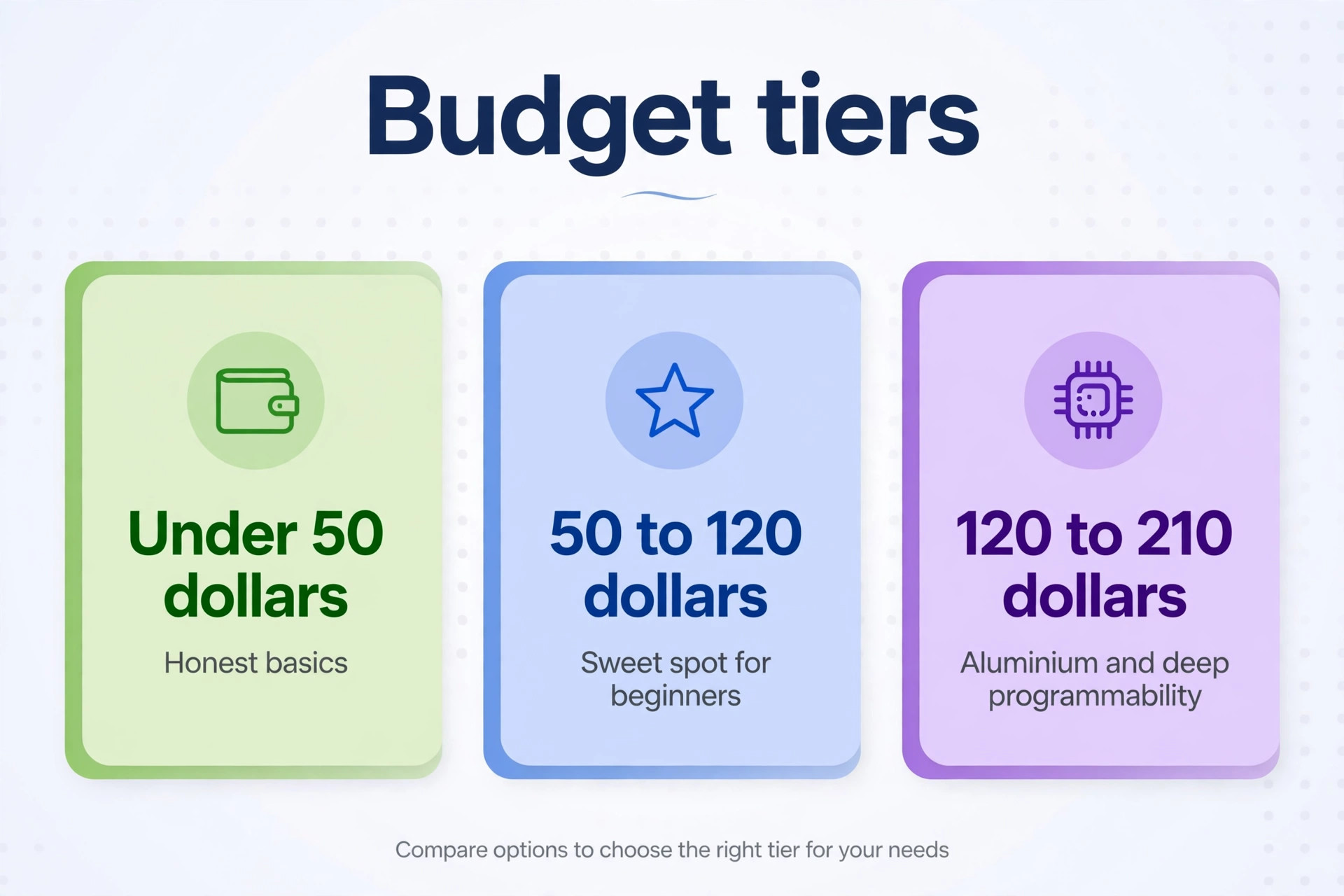
Budget tiers help too, and they explain why the best keyboard for programming beginners rarely sits at either extreme of the price range. Under 50 dollars, you get honest mechanical basics or a solid membrane board. Wrist position deserves a line of its own here, because a board that is too tall or too flat can ache after an hour even when the switches feel good. A low profile board often suits a flat desk with no wrist rest, while a taller board often suits a desk with a rest or a keyboard tray.
If your wrists already ache from laptop typing, favour a lower board and a neutral wrist angle over a taller board with fancier switches, and take a short break every hour while you adjust. From 50 to 120 dollars, you get the sweet spot for beginners, with hot swapping, wireless choice, and better keycaps. From 120 to 210 dollars, you pay for aluminium cases, quieter acoustics, and deeper programmability. Spending more does not make you type faster. It makes long sessions more comfortable and future changes cheaper, which is a different and more honest promise.
Best Pick by Job
| Job or situation | Best pick | Why it fits |
|---|---|---|
| Most beginners | Keychron K8 Pro | Tenkeyless layout, QMK and VIA, hot swapping |
| Tightest budget mechanical | Royal Kludge RK84 | Three connection modes and switch swapping at a low price |
| Quiet shared space | Logitech MX Mechanical Mini Tactile Quiet | Low profile mechanical feel with less noise |
| Laptop style typist | Keychron K3 Max | Short travel switches that feel familiar |
| Mac and Windows switcher | Keychron K2 | Keycaps and toggle for both systems |
| Full number pad needed | Logitech MX Keys S | Full size, quiet, stable wireless |
| Feature lover | Epomaker TH80 V2 Pro | Screen, knob, big battery, gasket sound |
| Buy once builder | Keychron Q1 Max | Aluminium case and full programmability |
| Absolute minimum spend | Logitech K120 | Working full size board for near 15 dollars |
If you are still torn between two boards, choose the hot swappable one, because the best keyboard for programming beginners is often the one that lets you correct a switch mistake cheaply. Switch taste changes as you type more code, and a board that lets you change switches protects you from an expensive mistake. If neither board is hot swappable, choose the quieter switch. Noise regret arrives faster than any other kind, because it affects everyone around you, not just you.
A final practical tip is to buy from a seller with a clear return window and to keep the box until you have typed on the board for several full days, since first impressions after ten minutes are a poor guide to comfort after ten hours.

Learning to code is easier when your editor, your tools, and your desk work together, so pair this keyboard choice with the right setup guides. Anyone still weighing the best keyboard for programming beginners against a laptop keyboard alone should read the setup guides first, because desk height, monitor position, and editor shortcuts shape comfort just as much as switch feel does. Readers who want coding help alongside hardware can start with best AI coding assistants and AI tools for learning to code, and readers setting up a first desk can use the dual monitor desk setup guide.
If keys stop responding or feel wrong after purchase, the laptop keyboard fix guide covers the basic checks before you assume the board is faulty.
Frequently Asked Questions
Do beginners really need a mechanical keyboard for programming?
No, and that is an important starting point. A membrane board types code perfectly well, and many professional developers still use one. Mechanical boards help with feel, accuracy feedback, and long session comfort, but they do not write better code by themselves. Buy mechanical because you type for hours and want better feedback, not because you think it is required to be a real programmer.
Which switch should a programming beginner choose first?
Choose a tactile switch such as Brown if you are unsure. The bump confirms each press without loud clicking, which suits shared rooms and long sessions. Linear Red suits fast typists who like smooth travel, while Clicky Blue suits solo rooms where sound is welcome. On a hot swappable board, this choice is reversible, so do not overthink the first set.
Is a 75 percent layout good for coding?
Yes, for most beginners. A 75 percent board keeps arrows, navigation keys, and the function row in a compact block, which covers editor shortcuts, debugging keys, and text navigation. The main loss is the number pad, which matters only if you enter numbers constantly. If you do, add a separate number pad later rather than buying a full size board you do not have room for.
How much should a beginner spend on a first programming keyboard?
Most beginners should spend 50 to 120 dollars, and that range is where the best keyboard for programming beginners usually sits. That range buys hot swapping, decent keycaps, and wireless choice on several boards in this guide. Spending under 50 dollars still buys usable mechanical boards, while spending over 150 dollars mainly buys case quality, acoustics, and programmability depth. Spend more only when you know which of those extras you actually value.
Are wireless keyboards reliable enough for coding?
Yes, for normal coding work. Bluetooth is fine for typing and editor use, and 2.4 GHz wireless is closer to wired delay for most people. Wired use still wins for zero charging worry and zero pairing issues, so keep the cable plugged in during long sessions if your board supports wired mode. Battery life drops sharply with bright RGB, so dim the backlight if wireless runtime matters.
What is hot swappable, and why does it matter for beginners?
Hot swappable means switches pull out with a tool and new switches push in, with no soldering. It matters because switch taste is personal and hard to predict before you type for weeks. A hot swappable board lets you try tactile, linear, or quiet switches later for the price of a switch set, instead of replacing the whole keyboard when your preference changes.
Your First Board, Chosen on Purpose
A good first keyboard does not need to impress anyone. It needs to keep up with long practice sessions, stay quiet enough for your room, and leave you a cheap path to change your mind about switches. The Keychron K8 Pro does that best for most beginners, the MX Keys S does it best for quiet laptop style typists, and the RK84 does it best on a tight budget. Pick the layout that fits your desk, pick the switch that fits your room, and check the return window before you commit. That careful order is what turns a good purchase into the best keyboard for programming beginners for your own setup, rather than someone else’s favourite board.
Your code will not care which board you chose, but your hands, your focus, and everyone within earshot will notice the difference within a week.