Most cycling videos fail before the editing stage, because the camera was in the wrong place, the settings did not match the speed, or the battery died halfway up the climb that mattered. The footage shakes, the road fills the frame, or the rider is a small figure in the distance, and no amount of editing repairs a shot that was never composed. When you use action camera for cycling videos with a clear mount plan and settings chosen for your speed and light, the result is different, because the viewer feels the pace of the ride instead of watching a distant dot wobble along a road.
That feeling is what separates a watchable ride video from a file that never leaves the memory card.
This guide builds a complete cycling camera setup from scratch. It compares mount positions for road, trail and commuting, gives a settings table for each kind of ride, walks through a ride day routine from charging to backup, and lists the mistakes that ruin otherwise good rides. It assumes a single action camera and a standard bike, and it focuses on footage you can actually edit, not on cinematic tricks that need a crew. Whether you ride for fitness, for a club, or for a channel, the same basics decide whether your video is worth watching.
Why Cycling Footage Is Harder Than It Looks
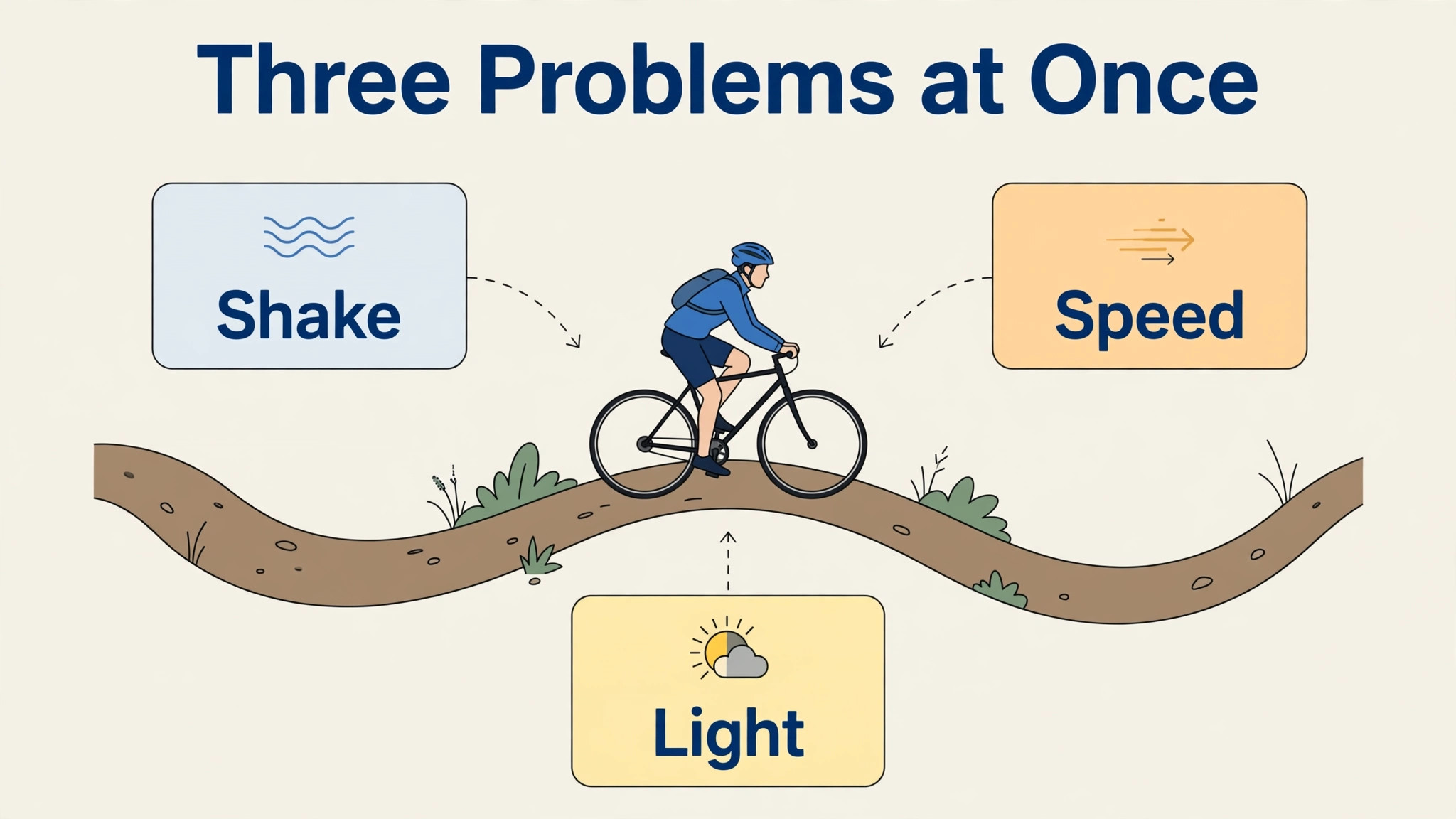
A camera on a bike faces three problems at once, and each one fights the others. First, the bike vibrates, especially on rough roads and trails, and vibration turns into visible shake in the footage. Second, the rider and the scenery move at different speeds, so the camera must decide what to follow, and a wrong choice leaves either a shaky rider or a blurred background. Third, light changes constantly, as the rider moves from open road into tree cover, through tunnels, or into low evening sun, and the camera must adjust without turning the whole scene dark or washed out.
A phone held in one hand cannot solve any of these problems, which is why a mounted action camera with stabilisation has become the standard tool for ride videos.
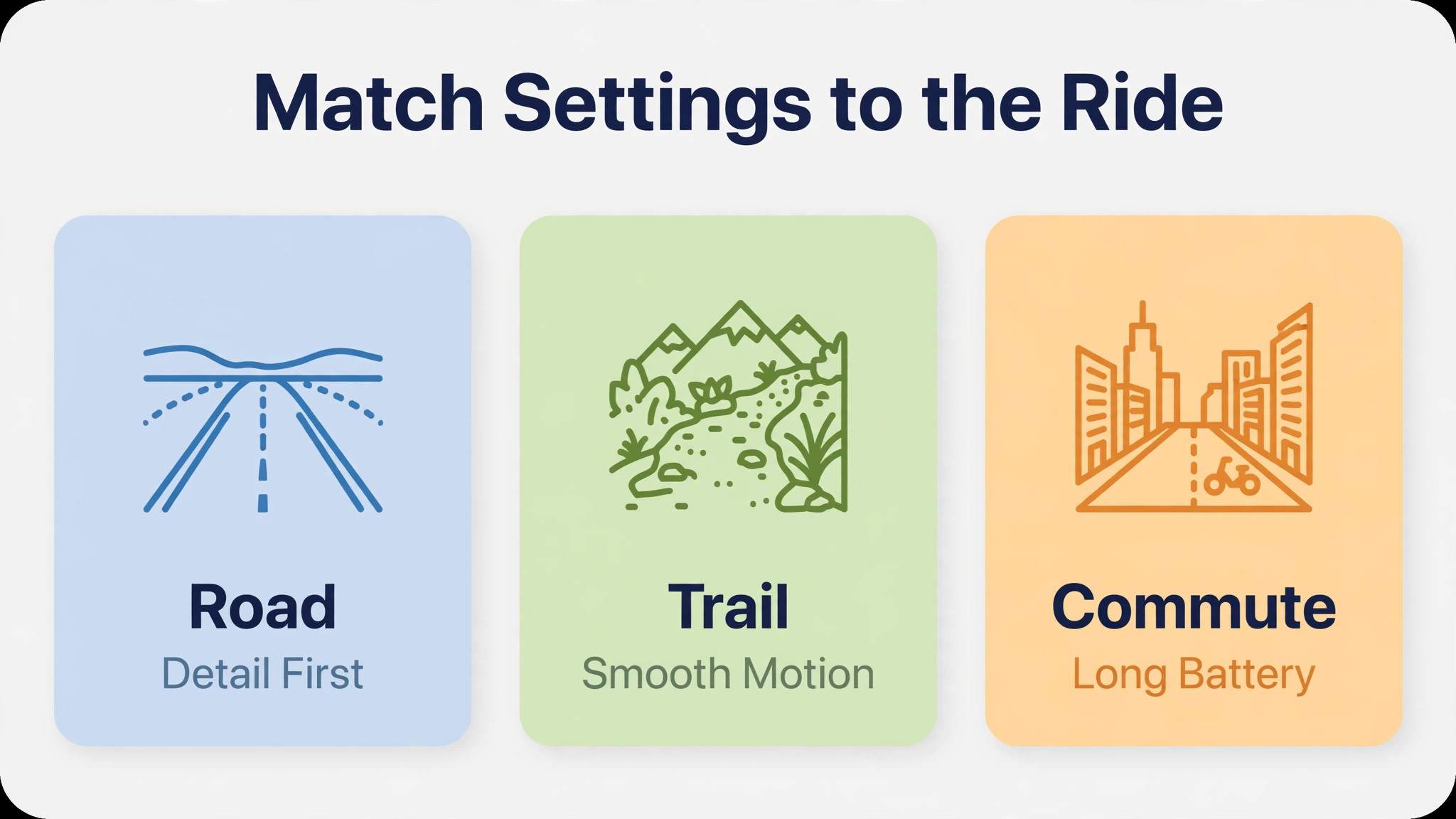
Speed also changes what good footage looks like. At commuting pace, the viewer wants a steady view of the road ahead and the rider’s position in traffic, because the story is the journey itself. At training pace on open roads, the viewer wants a sense of speed, which comes from a low mount, a wide view, and nearby reference points such as road markings passing quickly. On trails, the viewer wants to feel the terrain, which comes from a mount that shows the front wheel, the trail surface and the rider’s hands working.
One mount cannot do all three jobs well, so the first decision in any cycling video is what kind of ride you are filming, and the mount and settings follow from that answer.
There is also a safety point that matters more than any footage. A camera must never distract the rider, block a brake lever, or sit where a fall would drive it into the rider. Mounts should be tight, checked before every ride, and placed so the rider can still reach brakes and gears without thinking about the camera. If a mount feels loose, wobbles, or forces an awkward hand position, stop and fix it before riding on. No shot is worth a crash, and a camera that survives a fall is useless if the rider does not.
Check mounts again after the first rough section, because vibration loosens fittings that felt tight at home, and a quick roadside check takes seconds while a lost camera costs a ride. Carry a small multi tool for mount adjustments, because a roadside fix with the right tool beats a ride cut short.
How to use action camera for cycling videos on Any Ride
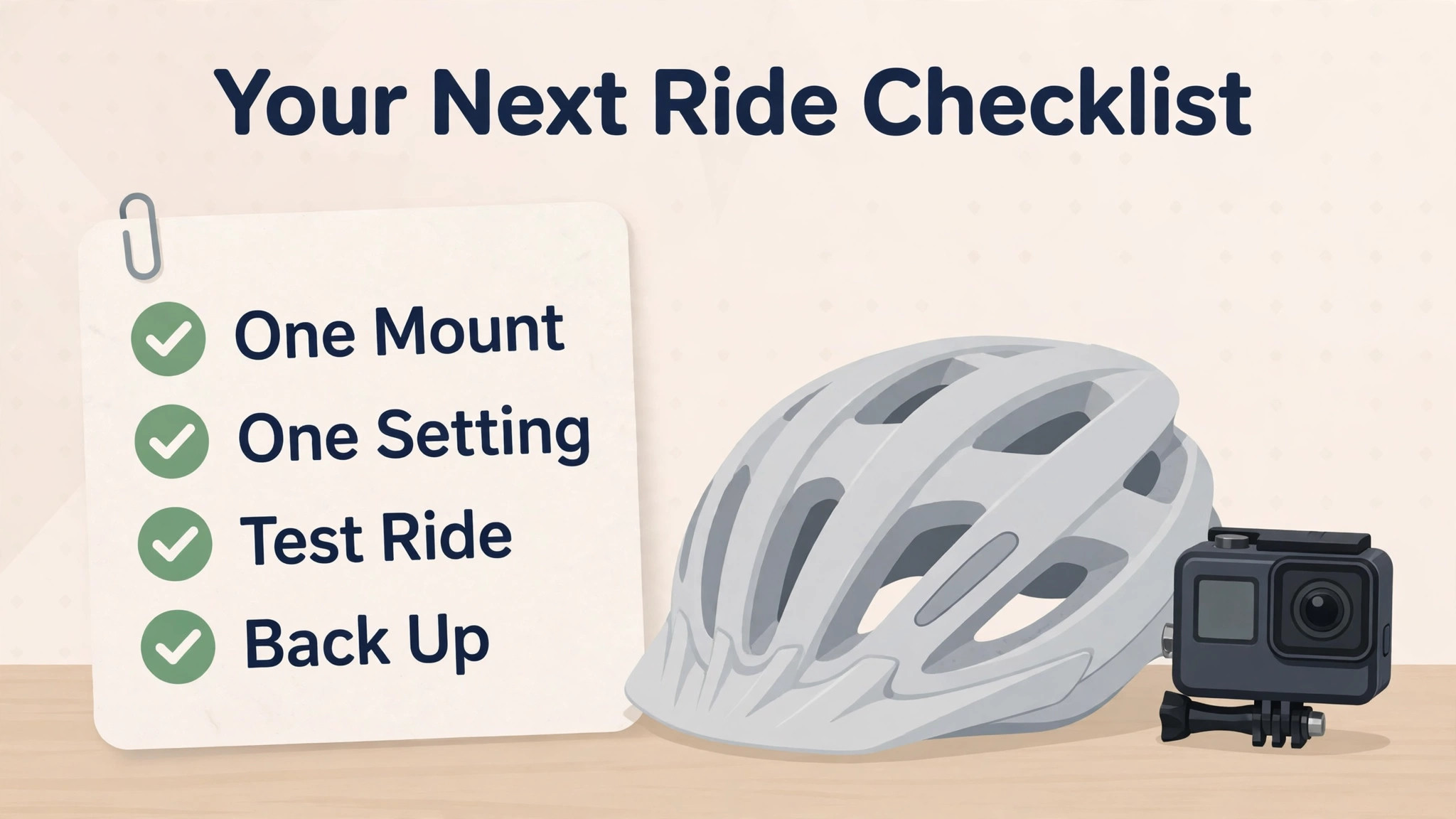
The simplest reliable method to use action camera for cycling videos starts with one mount, one setting, and one ride to test them. Pick the mount that suits your main kind of riding, set the camera to 4K at 30 frames per second for general use, or 1080p at 60 frames per second if you want smooth slow motion, turn stabilisation on, and ride a familiar 20 minute route. Review that test ride on a large screen, not on the camera’s small display, and note what actually needs changing.
Most riders find that the first test reveals one big problem, such as a tilted horizon, a mount that vibrates, or a view blocked by a cable, and fixing that one problem improves the next ride more than any settings change.
Once the test ride looks acceptable, add a second angle only if you have a clear reason for it. A second camera on the helmet while the main camera sits on the handlebars gives a useful pair of views, because one shows the road and the other shows where the rider looks. A second camera that duplicates the first angle adds editing time without adding information, and it doubles the charging, mounting and backup work. For most riders, one well placed camera and a few short clips beat two cameras running for an entire ride, because editing a two hour ride is a chore that stops many videos from ever being finished.
Sound deserves the same planning as picture, because wind noise ruins more cycling videos than shaky footage. Action cameras pick up a great deal of wind at speed, so use a wind cover on the microphone if your camera supports one, keep the camera behind a small windbreak such as the rider’s body where possible, and plan to replace most ride audio with music or a voiceover. Record a short voice note at the start of the ride stating the route and the goal for the video, because that note helps enormously in editing, even if none of the ride audio is used.
A video with clean music and a clear structure feels professional, while a video with roaring wind feels unfinished, no matter how good the picture is.
Mount Positions Compared
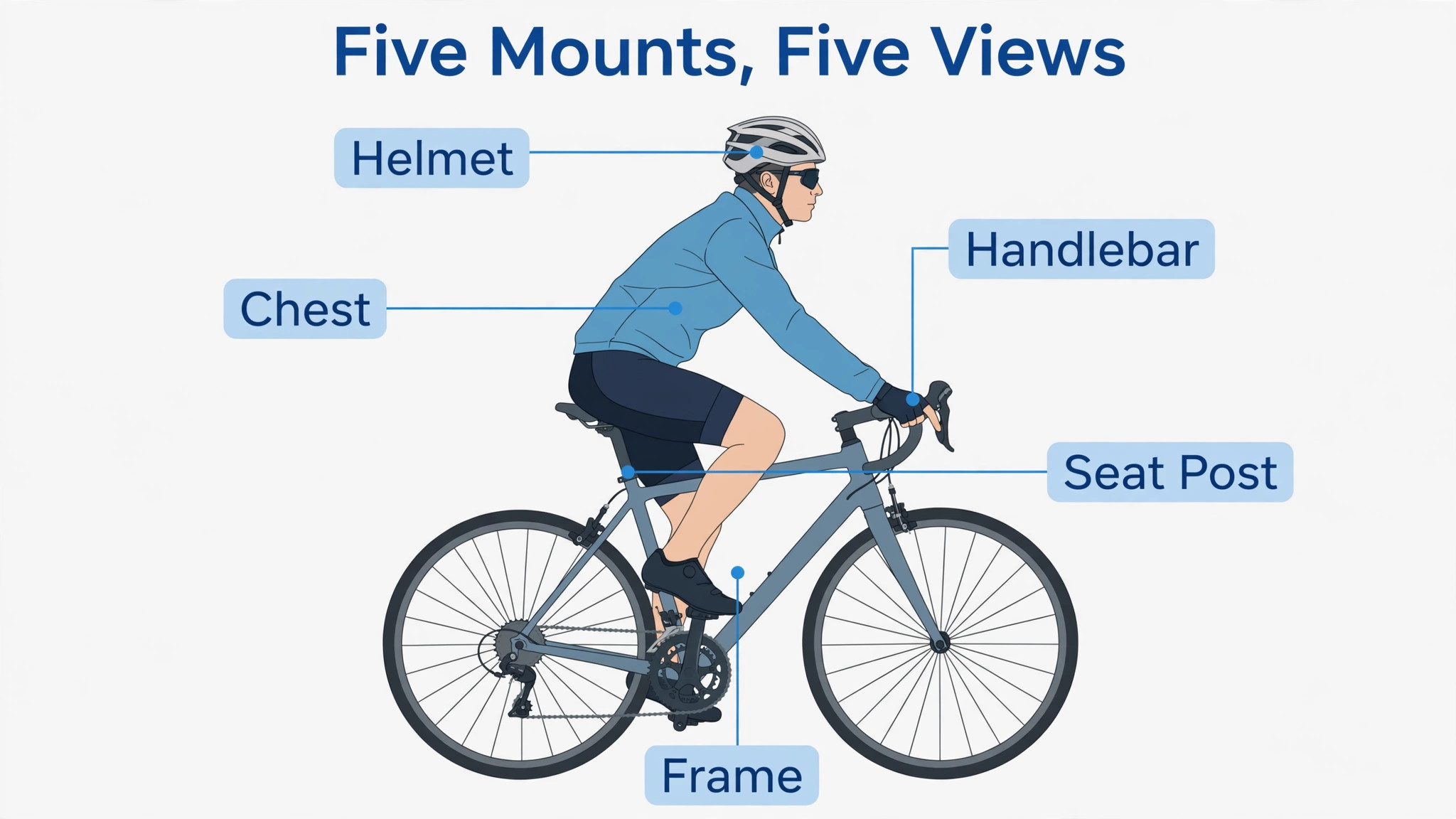
Mount choice decides what the viewer sees, how much shake reaches the footage, and how safe the setup is. The table below compares the five mounts most riders actually use, with the kind of riding each suits best. Test any new mount on a short ride before trusting it on a long one, and check that it cannot slip into a wheel, a brake or a gear cable.
| Mount position | What the viewer sees | Shake level | Best for |
|---|---|---|---|
| Handlebar mount | Road ahead, front wheel edge, rider hands | Medium, depends on road surface | Road riding and commuting |
| Helmet mount | Where the rider looks, natural head turns | Low, head absorbs vibration | Trails and technical riding |
| Chest mount | Handlebars, arms and trail ahead | Low to medium, body absorbs shock | Mountain biking and descents |
| Seat post rear mount | Rider from behind, road behind | Medium, more vibration at speed | Group rides and training footage |
| Frame low mount | Wheel, ground texture, speed feel | High on rough surfaces | Short speed clips and social edits |
Handlebar mounts are the easiest starting point, because they are simple to fit, easy to angle, and give a stable forward view on smooth roads. Their weakness is vibration, because every bump in the road travels straight through the bars into the camera, and on rough surfaces the footage can shudder even with stabilisation on. Helmet mounts solve vibration better, because the rider’s neck absorbs much of the shock, and they follow the rider’s gaze, which makes trail footage feel natural. Their weakness is weight on the head and a view that can swing quickly when the rider looks around, so helmet footage needs steadier head movement than most new riders expect.
Chest mounts suit mountain biking, because they show the bars, the rider’s arms and the trail together, giving a strong sense of control and effort. Seat post mounts suit group rides, because they show the rider from behind with the road and other riders in frame, which is a view no forward mount can give. Low frame mounts give the strongest sense of speed, because the ground rushes past close to the lens, but they suffer the most vibration and should be used for short clips rather than full rides. When you use action camera for cycling videos, choose the mount for the story of that ride, and change it between rides rather than forcing one mount to cover everything.
Settings for Road, Trail and Commuting
Settings should follow speed, light and the final use of the video, not the maximum numbers on the box. A 4K file at a high frame rate looks superb, but it fills memory cards fast, drains batteries faster, and demands a powerful computer for editing. A 1080p file at 60 frames per second is far easier to edit, still looks sharp on most screens, and gives smooth slow motion for key moments such as a descent or a technical section. The right setting is the one that matches your editing setup and your ride length, not the highest setting your camera offers. Choose settings before the ride when you use action camera for cycling videos, not mid ride.
| Situation | Resolution and frame rate | Field of view | Stabilisation | Notes |
|---|---|---|---|---|
| Road training ride | 4K at 30 frames per second | Wide | On | Best detail for open roads and climbs |
| Fast descent | 1080p at 120 frames per second | Wide | On | Smooth slow motion for speed sections |
| Trail and mountain biking | 4K at 60 frames per second | Wide or SuperView | On, boost if available | Handles rough terrain and quick turns |
| Commuting in traffic | 1080p at 30 frames per second | Wide | On | Long battery life, smaller files |
| Low light evening ride | 1080p at 30 frames per second | Wide | On | Lower frame rate gathers more light |
| Social short clip | 1080p at 60 frames per second | Wide | On | Easy to edit and share quickly |
Exposure and colour need attention on rides that move between sun and shade. Auto exposure usually works, but it can darken the rider badly when the camera faces bright sky on a climb. If your camera offers exposure lock or a slight negative exposure adjustment, use it on bright days to protect highlights, and accept a slightly darker image that you can lift in editing. For colour, a flat or neutral profile gives more room to adjust later, while a vivid profile looks good straight from the camera but can push greens and sky colours too far on sunny rides.
Pick one profile, use it for a whole ride, and do not mix profiles within one video, because matching them in editing wastes time.
Battery and memory planning follow directly from settings. A 4K ride at a high frame rate can fill a card and drain a battery in well under an hour, so carry a spare battery and a spare card on any ride longer than 60 minutes, and set the camera to loop or to chapter the recording if that option exists. Check remaining battery and card space at natural stops, such as a cafe or a viewpoint, rather than discovering a full card at the top of the best climb. A simple habit of checking at each stop saves more footage than any camera upgrade.
A Ride Day Routine That Works
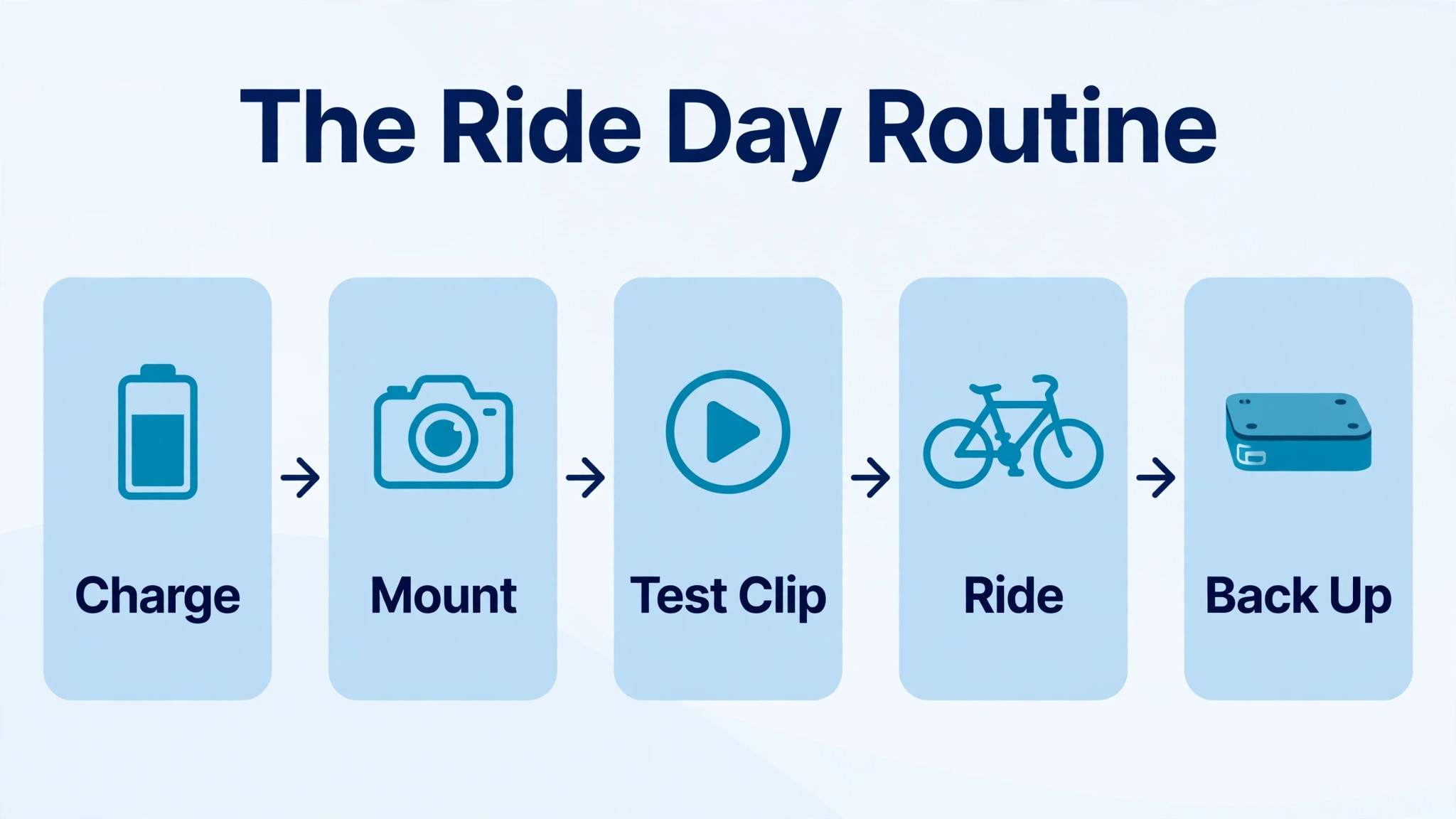
A routine removes decisions from ride day, so you can focus on riding instead of fiddling with a camera at the roadside. Follow these steps in order, and adjust only the mount and settings lines for the kind of ride you are doing. The whole routine takes about ten minutes at home and two minutes at the start of the ride, and it prevents the common failures that ruin ride videos.
- Charge all batteries the night before, format the memory card in the camera, and pack a spare battery and a spare card in a small case.
- Fit the chosen mount at home, tighten it fully, and check that it clears brakes, gears, cables and wheels through the full steering range.
- Set resolution, frame rate, field of view and stabilisation for the ride type, and set the date and time correctly for easy sorting later.
- Take a 30 second test clip at home, review it on a larger screen, and fix any tilt, vibration or blocked view before leaving.
- At the ride start, start recording with a clear clap or voice note stating the route, so the clip is easy to find in editing.
- Ride normally and do not touch the camera while moving, except to stop and start at planned breaks where it is safe to do so.
- At each stop, check battery and card space, wipe the lens, and tighten the mount if it has shifted on rough ground.
- At the ride end, stop recording, back up the card to a computer or drive the same day, and label the folder with the date and route.
- Review the footage within 48 hours, pick the strongest three to five minutes, and delete obvious failures before they pile up.
- Charge batteries again before storing the camera, so the next ride starts ready instead of waiting on a charger.
When you use action camera for cycling videos with this routine, the camera becomes part of the ride rather than a distraction from it. The test clip catches mount problems early, the stop checks catch battery and lens problems before they cost a key section, and the same day backup protects footage that cannot be refilmed. Over a season, that routine produces a library of usable rides instead of a pile of half finished files, and that library is what makes a channel or a personal archive worth keeping.
Mistakes That Ruin Cycling Videos
The most common mistake is recording everything. A three hour ride produces a file that takes hours to review and edit, and most riders never finish it, so the best moments stay buried. Record in sections instead, using the start and stop at natural breaks, and aim for 20 to 40 minutes of raw footage for a five minute finished video. That ratio keeps editing manageable and forces you to think about which sections deserve filming, such as a climb, a descent, or a scenic stretch, rather than filming empty road out of habit.
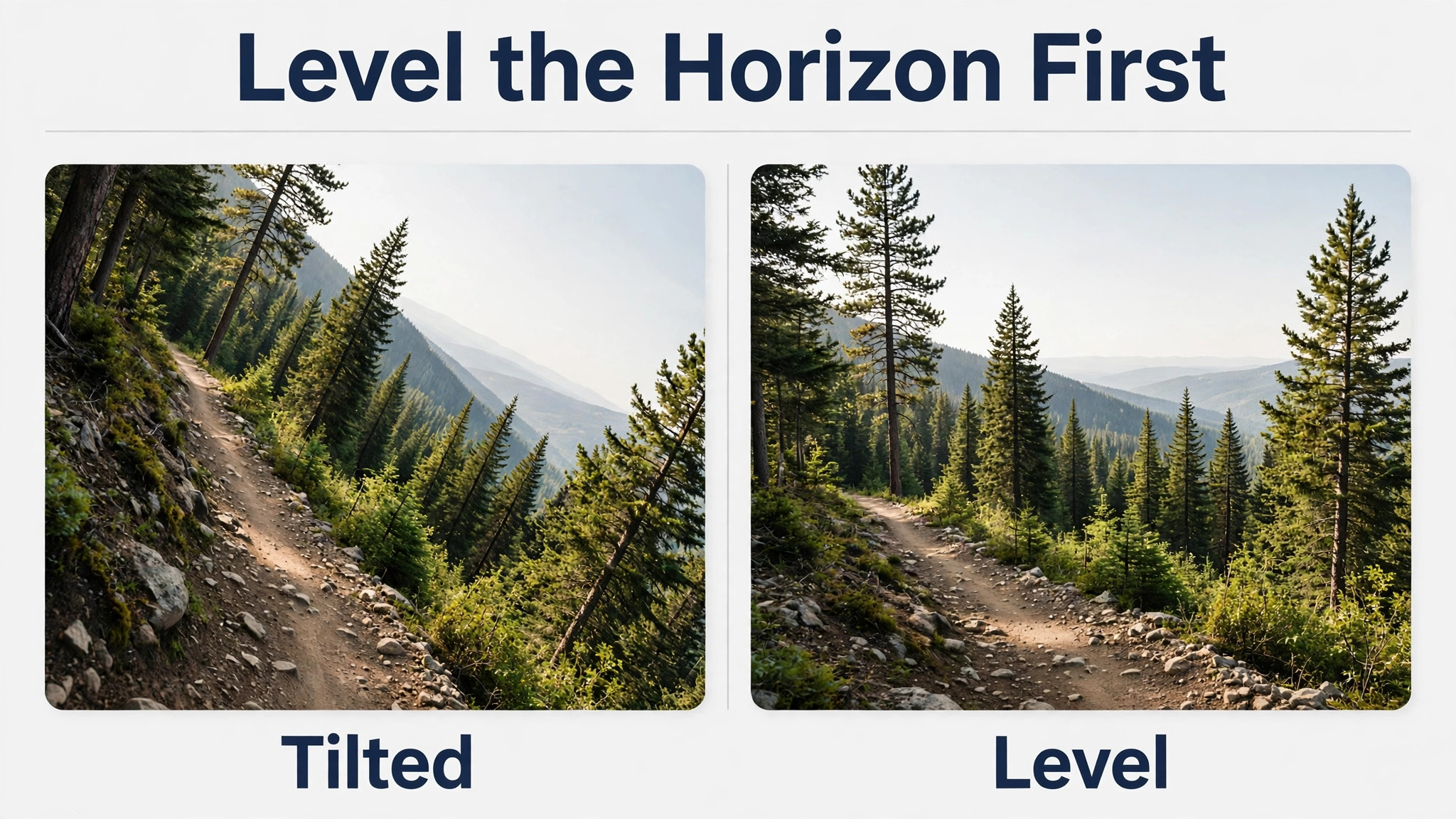
The second mistake is a tilted horizon. A camera that is a few degrees off level looks wrong in every frame, and viewers notice it even when they cannot name the problem. Level the camera with a visible horizon line in the test clip, and recheck it after rough sections, because mounts can shift. The third mistake is filming into low sun without a plan, which turns the rider into a silhouette and blows out the sky. Ride with the sun behind the camera for key sections where possible, or accept silhouette as a deliberate style for a short clip, not as an accident across a whole video.
The fourth mistake is ignoring lens care. Rain, dust, insects and road spray all land on a small action camera lens, and a dirty lens softens every frame after it. Wipe the lens at each stop, carry a small cloth in a pocket, and check the lens in the test clip before a long ride. The fifth mistake is poor audio planning, which leaves a video with either roaring wind or total silence. Decide before the ride whether you will use music, a voiceover, or natural sound, and record accordingly. A short voice note at the start, a clean music track, and a few seconds of natural sound at a viewpoint give an editor everything needed for a finished video.
Review your worst clip each week when you use action camera for cycling videos, and fix one fault at a time.
Editing, Storage and Sharing
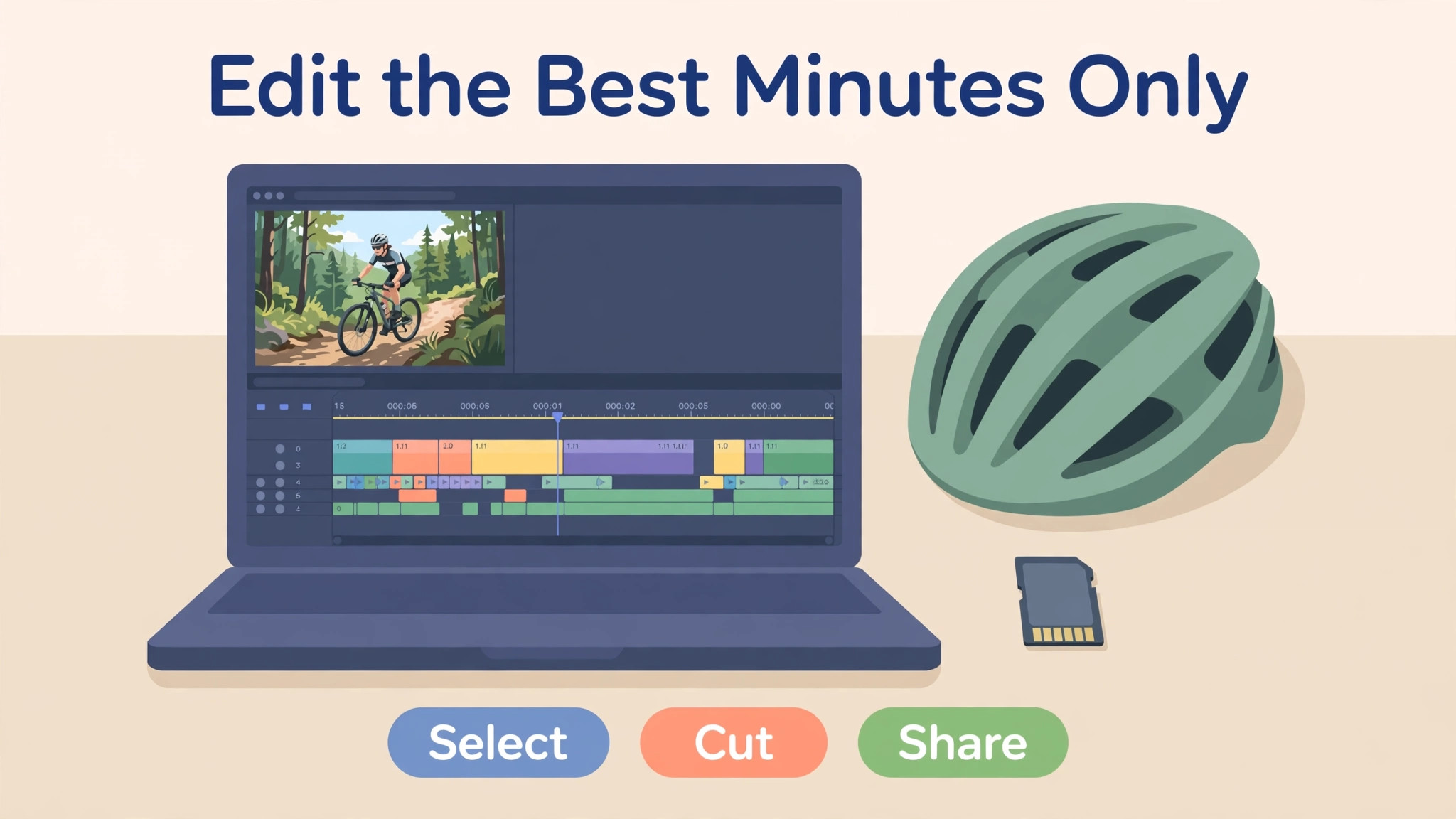
Editing should start with selection, not with effects. Watch the ride once at normal speed, mark the strongest sections, and build the video around three to five moments, such as a climb, a descent, a viewpoint and a finish. Cut ruthlessly, because a tight five minute video gets watched to the end, while a loose twenty minute video gets abandoned. Use stabilisation in editing only as a light touch, because heavy software stabilisation crops the frame and can make footage look wobbly in a different way. Colour correction should be gentle and consistent across clips, so the video feels like one ride rather than a collection of unrelated shots.
Storage needs a simple system, because ride files are large and pile up fast. Keep a folder per ride, named by date and route, with raw footage, the finished edit, and a short text note about the mount and settings used. That note is surprisingly valuable, because six months later you will not remember which mount gave the best trail footage, and the note lets you repeat what worked. Keep notes on every ride when you use action camera for cycling videos, so good setups can be repeated without guesswork.
Back up finished videos in two places, such as a computer and an external drive or cloud storage, and delete raw failures after the finished video is safe, so storage does not fill with unusable files.
Sharing works best when the video has a clear purpose. A training video benefits from a short description of the route, distance and effort, so viewers can judge it. A scenic ride benefits from location names and a note about the best sections, so viewers can find them. A social clip benefits from a strong opening three seconds, because viewers decide quickly whether to keep watching. Whatever the purpose, export at a resolution that suits the platform, check the finished video on a phone as well as a computer, and keep the title honest about what the video shows.
A video that promises a mountain descent and delivers flat road footage will disappoint, while a modest title on a well edited ride will earn repeat viewers.
More Reading on Stratilyze
If this guide helps your ride footage, the wider Stratilyze guides cover the cameras around it. The guide to action cameras for YouTube work explains framing and audio for talking clips, the guide to GoPro underwater photography covers waterproof handling that also helps in rain, and the guide to photo backup on a portable drive shows a backup routine for large video files. Read the YouTube guide next if you plan to publish regularly, because a repeatable filming routine matters more than any single ride.
Frequently Asked Questions
What is the best mount when you use action camera for cycling videos for the first time?
A handlebar mount is the best first mount for most riders, because it is simple to fit, easy to angle, and gives a steady forward view on smooth roads. Test it on a familiar 20 minute route, review the footage on a large screen, and fix any tilt or vibration before trying a helmet or chest mount. Once the handlebar view looks good, a helmet mount is the best second angle, because it follows your gaze and handles rough ground better.
Should I film cycling videos in 4K or 1080p?
Film in 4K at 30 frames per second for open road rides where detail matters and your editing computer can handle large files, and film in 1080p at 60 frames per second when you want smooth slow motion, longer battery life, or faster editing. For fast descents, 1080p at 120 frames per second gives the smoothest slow motion. The best setting is the one that matches your ride length and editing setup, not simply the highest number your camera offers.
How do I reduce wind noise in cycling videos?
Use a wind cover on the microphone if your camera supports one, keep the camera sheltered behind your body where possible, and plan to replace most ride audio with music or a voiceover. Record a short voice note at the start stating the route, because it helps in editing even if the ride audio is unusable. A video with clean music and a clear structure feels finished, while a video with roaring wind feels unfinished no matter how good the picture is.
How long does an action camera battery last on a bike ride?
Most action cameras give roughly 60 to 90 minutes of recording at moderate settings, and far less at 4K with a high frame rate, especially in cold weather. Carry a spare battery and a spare memory card when you use action camera for cycling videos on any ride longer than an hour, and check both at natural stops. Charging batteries the night before, and recording in sections rather than one continuous file, also stretches usable ride time considerably.
Why is my cycling footage shaky even with stabilisation on?
Stabilisation helps, but it cannot fully fix a loose mount, a very rough surface, or a camera mounted where vibration travels directly into it, such as a low frame mount on a trail. Tighten the mount, try a helmet or chest mount that lets your body absorb shock, and keep speeds and movements smoother on rough sections. If footage still shakes, use only a light touch of software stabilisation in editing, because heavy correction crops the frame and can introduce a different wobble.
Do I need two cameras for good cycling videos?
No, one well placed camera is enough for most riders, and it keeps charging, mounting, backup and editing manageable. A second camera helps when you want two genuinely different views, such as a handlebar forward view plus a helmet view that follows your gaze. A second camera that duplicates the first angle adds work without adding information, so add one only when you have a clear reason and a plan to edit both angles.
What to Do on Your Next Ride
Start with one mount, one setting, and one test ride on a familiar route, and fix the biggest problem that test reveals before buying anything else. Choose the mount for the ride you actually do, set the resolution for your editing setup rather than the maximum on the box, and follow a short ride day routine that covers charging, testing, stop checks and same day backup. Record in sections, wipe the lens at stops, and edit around three to five strong moments instead of publishing hours of raw road. Do that consistently, and your cycling videos will look steady, feel fast where they should, and actually get finished and watched, which is the real test of any filming setup.
Sharing and safety habits round out a cycling camera setup, because a camera changes how other road users see you and how you behave in traffic. A visible camera can encourage more careful passing from drivers, but it must never become a reason to ride aggressively or to argue at the roadside, and footage of incidents should be handled calmly through the proper channels rather than posted in anger. Respect the privacy of other riders and pedestrians in your footage, and ask before publishing clips where someone is clearly identifiable and the context is sensitive, such as a fall or a disagreement.
For club and group rides, agree before the ride whether filming is welcome, where the footage will be shared, and whether anyone prefers not to appear, because that short conversation prevents awkwardness later and keeps group rides friendly. On the technical side, keep firmware updated, because makers regularly improve stabilisation and battery handling, and check mount rubbers and straps for wear every few weeks, since a worn strap fails without warning. Store the camera dry, remove the battery for long storage periods, and keep a log of which settings worked on which routes, so each season starts from knowledge rather than from scratch.
A rider who treats the camera as part of responsible riding, not just as a recording device, ends up with better footage and better relationships on the road, and that combination is what keeps a cycling video habit going year after year.