
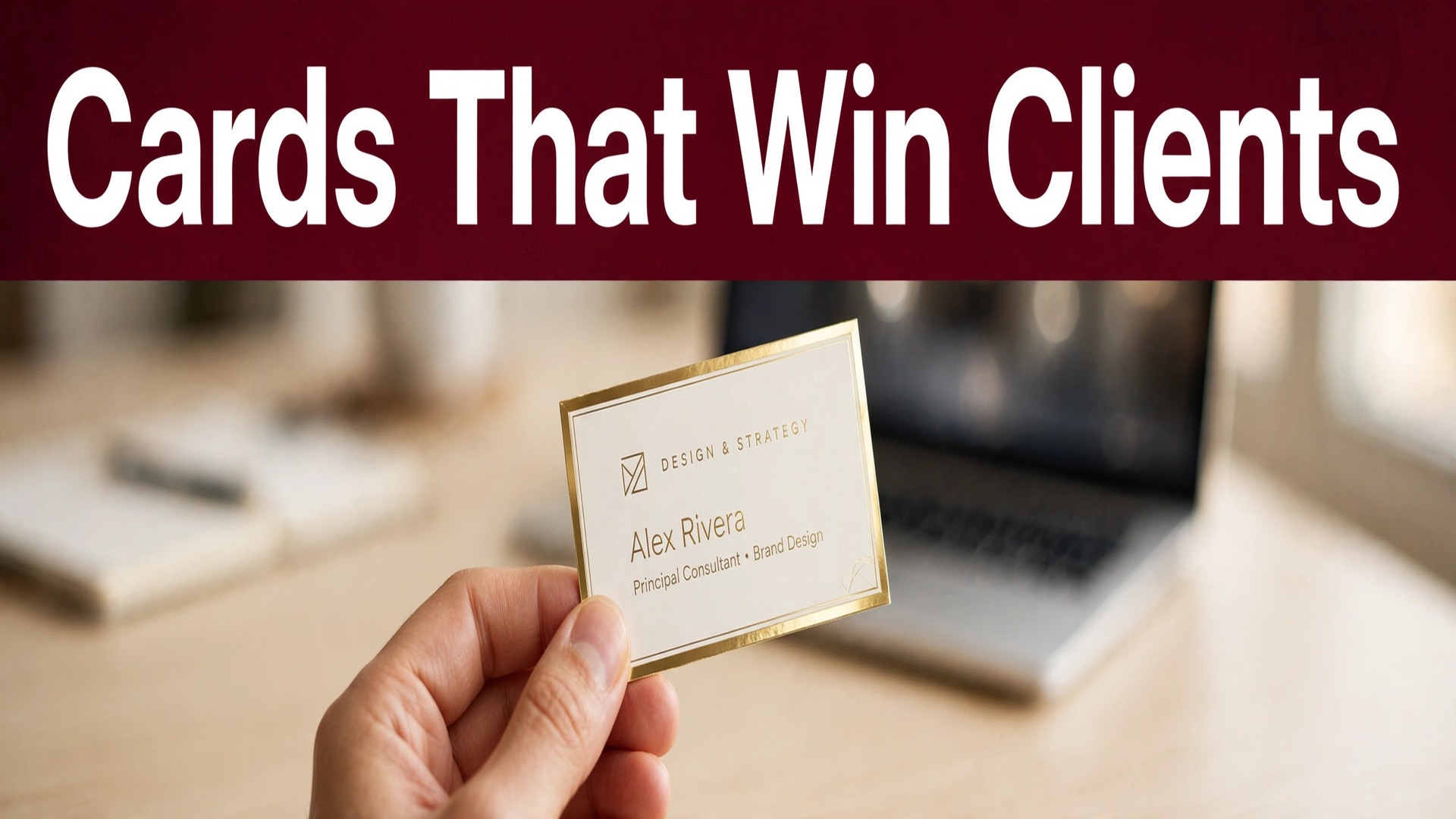
You meet a potential client, the conversation goes well, and then you hand over a card that looks like it was made in a hurry. The paper is thin, the text is cramped, the logo is blurry, and the whole exchange loses a little credibility in that moment. That is the problem the best AI business card makers solve, and it is a problem worth solving properly, because a business card is still the smallest and most frequent piece of branding most small businesses ever produce. A good card does not need to be flashy. It needs to be legible, consistent with the rest of your brand, and printed well enough that handing it over feels professional rather than apologetic.
This guide compares eight tools that can produce that card, covering both printed cards and digital cards, with prices, free tiers, and the limits that matter at ordering time. Some tools design and print in one place. Others design brilliantly but leave printing to you. Some focus on a physical card, others on a tap-to-share digital card. The right choice depends on how you actually meet clients, so the reviews below start with who each tool suits before they get into features.
The Best Pick by Job
| Job | Pick | Why it wins |
|---|---|---|
| Best all-round printed card | Canva | Templates, print service, and brand controls together |
| Design to print in one place | Vistaprint | Huge print options with a built-in designer |
| Brand matched cards | Design.com | Logo and brand assets carried into the card design |
| Logo plus matching card | Looka | Brand identity kit built around the logo |
| Digital card for networking | HiHello | Free digital cards with easy sharing and updates |
| Tap to share card | Popl | NFC cards and phone tap sharing for events |
Print Cards Versus Digital Cards, and Why Many People Need Both
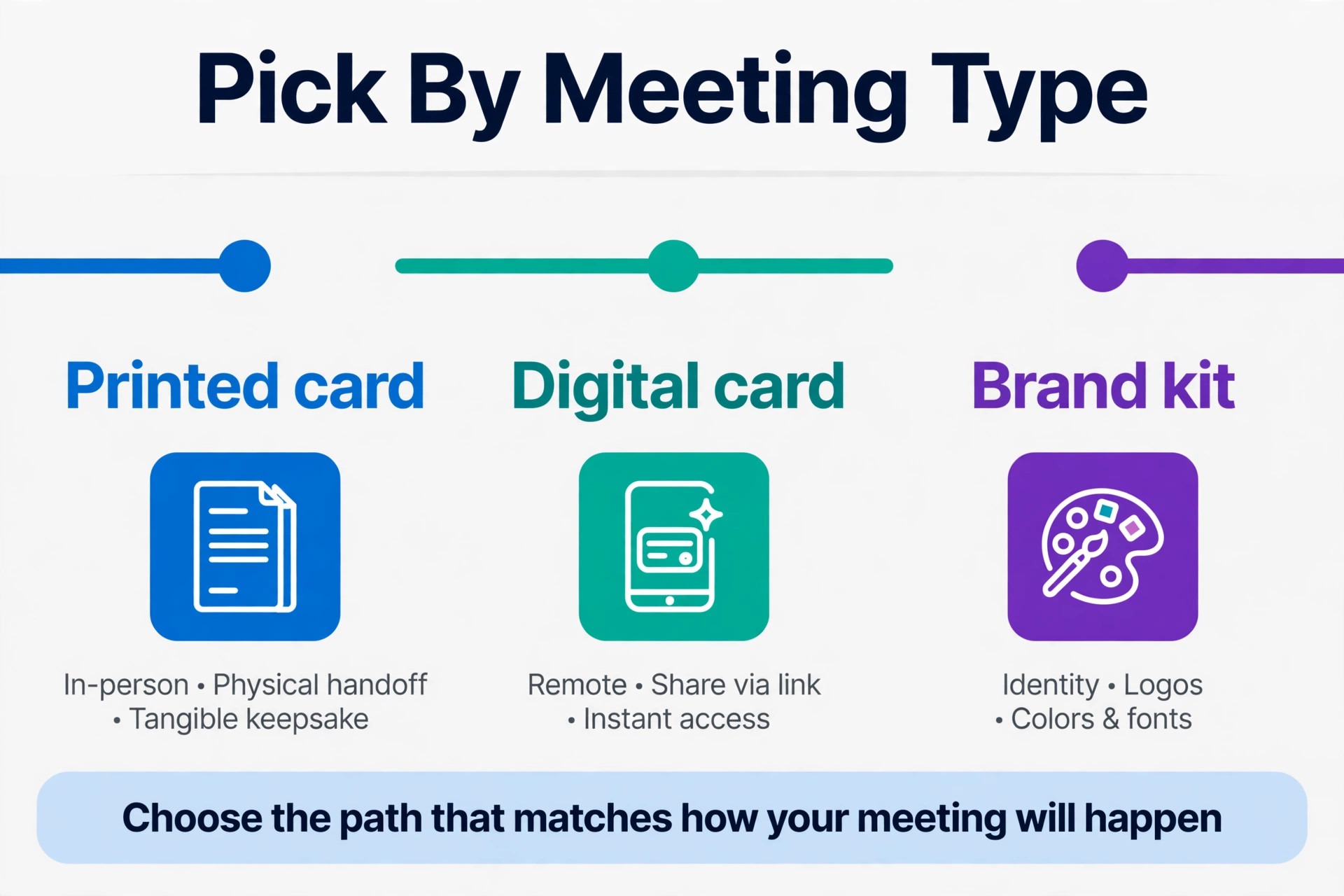
A printed card and a digital card solve different moments. A printed card works at a trade show, a shop counter, a conference, and any meeting where a physical exchange still signals seriousness. It needs good stock, clean type, and a finish that survives a wallet or a pocket. A digital card works when someone meets you online, when you speak at a virtual event, or when your contact details change often, because one edit updates every card you have ever shared. The mistake is treating them as rivals.
Most freelancers and small business owners now need both, a printed card for face-to-face meetings and a digital card for everything else, with the same name, logo, colours, and photo on each.
Cost shapes the decision too, and the best AI business card makers make both cost types clear before you order. Printed cards carry a per-order cost for stock, finish, and quantity, while digital cards usually carry a monthly subscription or a one-time device cost. A printed run of 250 cards can last a solo consultant a year, while a busy event networker may burn through that quantity in a month. Check minimum order quantities before you fall in love with a print service, since some services start at 250 cards and that quantity suits a business better than a person testing a new venture. For digital cards, check what happens if you cancel.
A card that stops working when the subscription ends is a liability, not an asset, so prefer tools that keep a basic shared card live or let you export your details.
The 8 Tools Reviewed
1. Canva
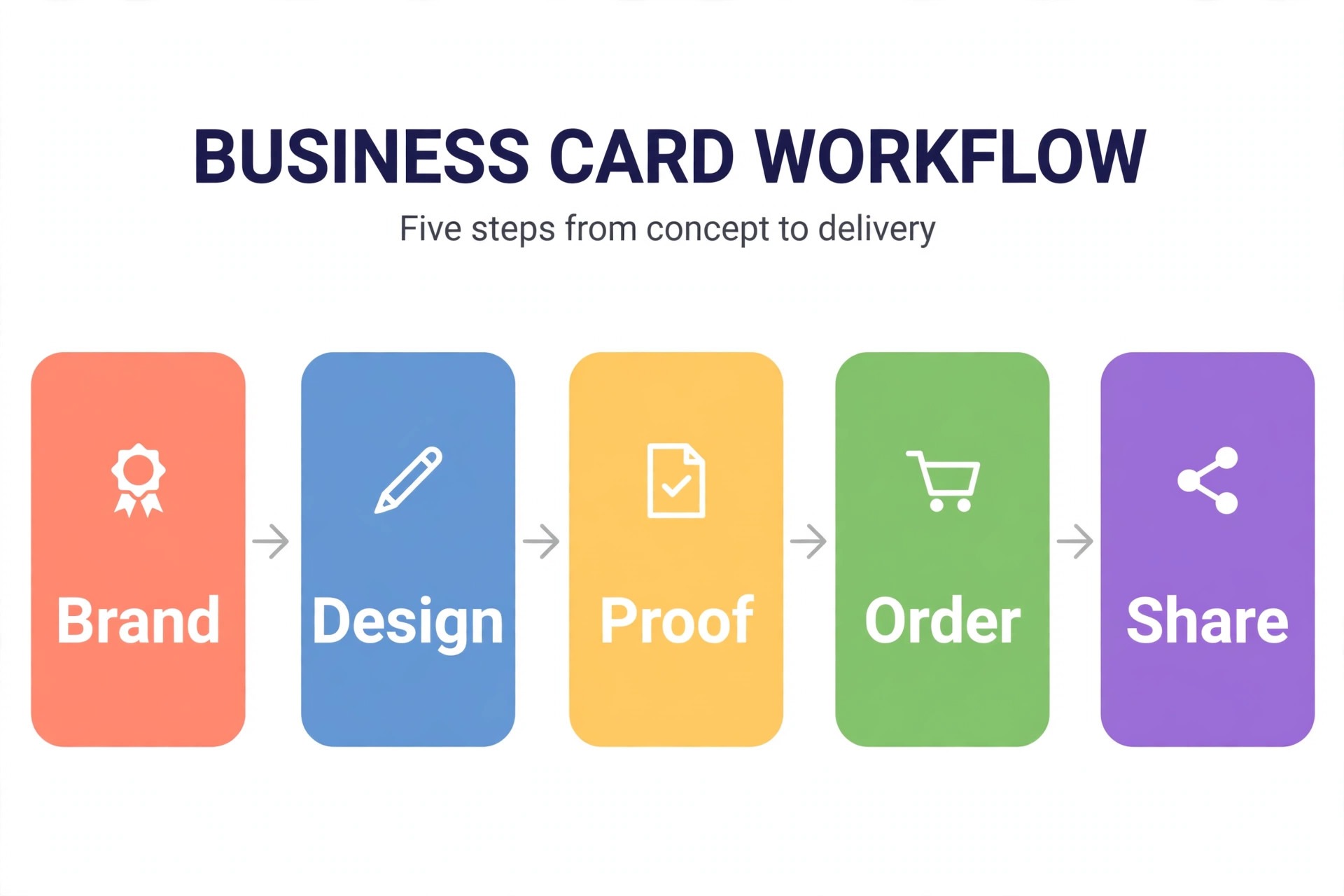
Canva is the most complete starting point for a printed business card, because it combines a large template library, AI design help, brand kit controls, and its own print service. The free plan covers many templates and lets you design and export a card, while Pro costs around 15 dollars a month on monthly billing and adds brand colours and fonts, background removal, and fuller print options including bleed. The practical advantage is the single workflow. You design the card, check the proof, and order prints without exporting files to a separate printer and hoping the colours survive the transfer.
Card stock and finish options through Canva Print are solid for everyday business use, though specialist printers still offer a wider range of premium stocks and finishes. The limits are familiarity, since popular templates are widely used, and the fact that some premium templates and stock assets sit behind Pro. For a first card, or a card that must match other marketing materials made in Canva, it is the safest choice in this list.
2. Adobe Express
Adobe Express suits card makers who care most about typography and finish. A free plan includes templates, stock assets, and daily Firefly generations, while Premium costs around 9.99 dollars a month and unlocks more templates, fonts, and features. Adobe Fonts gives cards a more refined feel than most template libraries, and exports include high quality PDF, JPG, and PNG files suitable for professional printing. The editor is calmer than Canva, with fewer distractions, which helps when the card design is simple and the details must be perfect.
Express does not run its own print service in the same way Canva and Vistaprint do, so you will export your file and order from a printer of your choice, which is a plus if you already have a trusted printer and a minus if you want one-click ordering. For a card judged on type quality and clean layout, Express is an excellent second option.
3. BrandCrowd
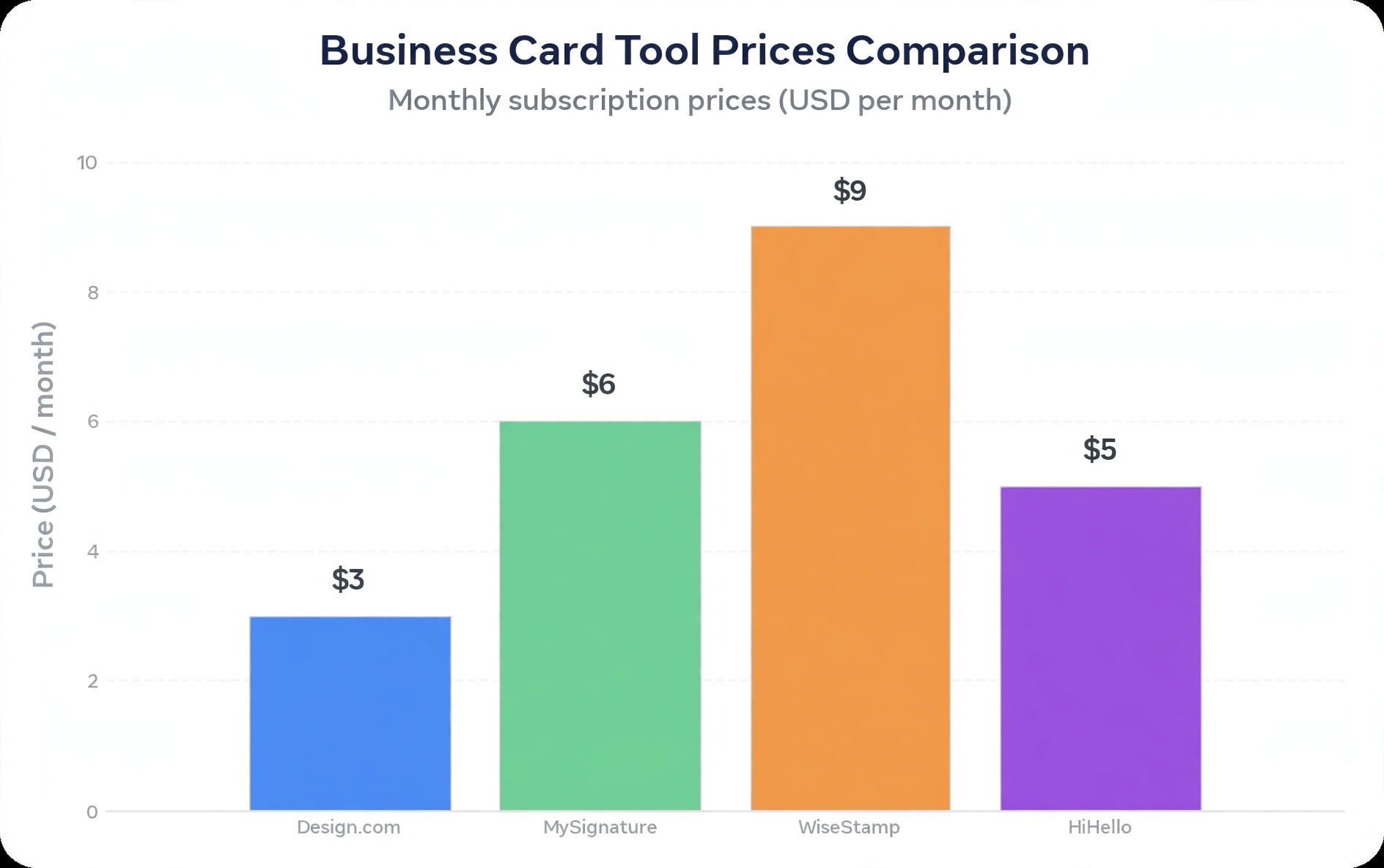
BrandCrowd combines a large designer-made template library with a flexible editor and a brand ecosystem covering logos, social graphics, and cards. A free tier lets you explore designs, while paid plans start at around 5 dollars a month on some billing options and unlock high resolution downloads and fuller brand tools. The template quality is the selling point. BrandCrowd cards tend to look polished and considered, with strong typography and spacing, and the library spans many industries, from trades to consulting to creative services. You can build a matching logo and card in the same account, which keeps the brand consistent without juggling two platforms. The limits are print handling and price clarity.
BrandCrowd is primarily a design platform, so printing is arranged separately or through partners depending on your region, and plan pricing varies by billing period, so check the current page before committing. For a design-led card with a matching brand kit, it is a strong contender.
4. Design.com
Design.com takes a branding-first approach to business cards, generating thousands of design variations from a business name and keywords, then letting you refine colours, fonts, and layout. A free tier lets you generate and customise unlimited designs, while paid plans start at around 3 dollars a month on annual billing for high resolution and vector downloads, with a higher tier adding a website builder. Exports include PNG, JPG, SVG, EPS, and PDF, which covers both local printing and professional print shops. Direct printing is also available, with orders from 250 to 5,000 cards, single or double-sided layouts, square or rounded corners, and matte or glossy finishes. The limits are worth stating plainly.
The AI-led flow can feel prescriptive if you want a fully custom layout, template originality varies by industry, and the minimum print order of 250 cards suits a business better than a solo tester. Ranked fourth, Design.com is a good value pick for a small business that wants a consistent brand and a straightforward route to printed cards.
5. Vistaprint
Vistaprint is the print specialist in this list, and for many buyers that is the deciding factor. Its design tool is free to use, with payment due when you order printing, and its range of stocks, finishes, shapes, and quantities is wider than any pure design platform here, including premium finishes and specialty options that make a card feel expensive in the hand. Templates are plentiful and businesslike, though less fashionable than Canva or BrandCrowd, and the editor is straightforward rather than inspiring. AI features are lighter than the design-led tools, so Vistaprint suits buyers who know roughly what they want and care most about the finished physical card. The trade-off is design originality.
If you want a highly distinctive card, design it elsewhere and upload the finished file, since Vistaprint accepts uploads happily. For design-to-print in one place with the widest print choice, it remains the benchmark.
6. Looka
Looka starts from the logo and builds outward, which makes it ideal for a new business that needs a logo and a matching card together rather than a card alone. You enter a business name and preferences, Looka generates logo options, and the brand kit then applies that identity to business cards, social graphics, and other assets. Pricing is package based rather than a simple monthly plan, with logo and brand kit packages starting at around 20 dollars for a basic one-time purchase, so check the current package details against what you need. The strength is coherence.
A Looka card looks like it belongs to the logo, because it was built from the same system, and that coherence impresses clients more than a clever card design alone. The limits are editing depth and ongoing cost. The editor is simpler than Canva, and a business that needs frequent card updates may prefer a subscription design tool. For a new brand launch, Looka is a smart one-stop choice.
7. HiHello
HiHello is a digital business card platform, and it solves a different problem from the print tools above. Instead of a stack of paper cards, you get a shareable digital card with your photo, contact details, links, and social profiles, which you can send by link, QR code, text, or email. A free plan covers a basic digital card, while paid plans start at around 4.99 dollars a month for fuller features and team management. The advantage is updating. Change a phone number or a job title once, and every person who saved your card sees the current version, which printed cards can never do. HiHello also suits teams, with central management and consistent branding across staff cards.
The limits are context. A digital card does not replace a printed card at a trade show counter where a physical exchange is expected, and some recipients still prefer paper. Use HiHello alongside a printed card, not instead of one, unless your networking is entirely online.
8. Popl
Popl turns the business card into a tap. Its NFC cards and devices let you share contact details by tapping a phone, with a free digital card plan and paid plans from around 15 dollars a month for fuller team and lead features. The physical Popl card or device carries no printed details to go out of date, because the tap opens your current digital profile, which you update online. For event networkers, sales teams, and conference speakers, that combination is powerful, since one tap replaces a stack of cards and feeds leads directly into a CRM or spreadsheet. The limits are cost and audience.
NFC sharing assumes the other person is comfortable tapping a phone, and the paid plans are priced for teams rather than occasional users. A Popl card also needs a digital profile worth opening, with a clear photo, role, and call to action. For high volume in-person networking, Popl is the most modern option here. For occasional meetings, a printed card plus a free digital card is cheaper.
What to Put on a Card, and What to Leave Off
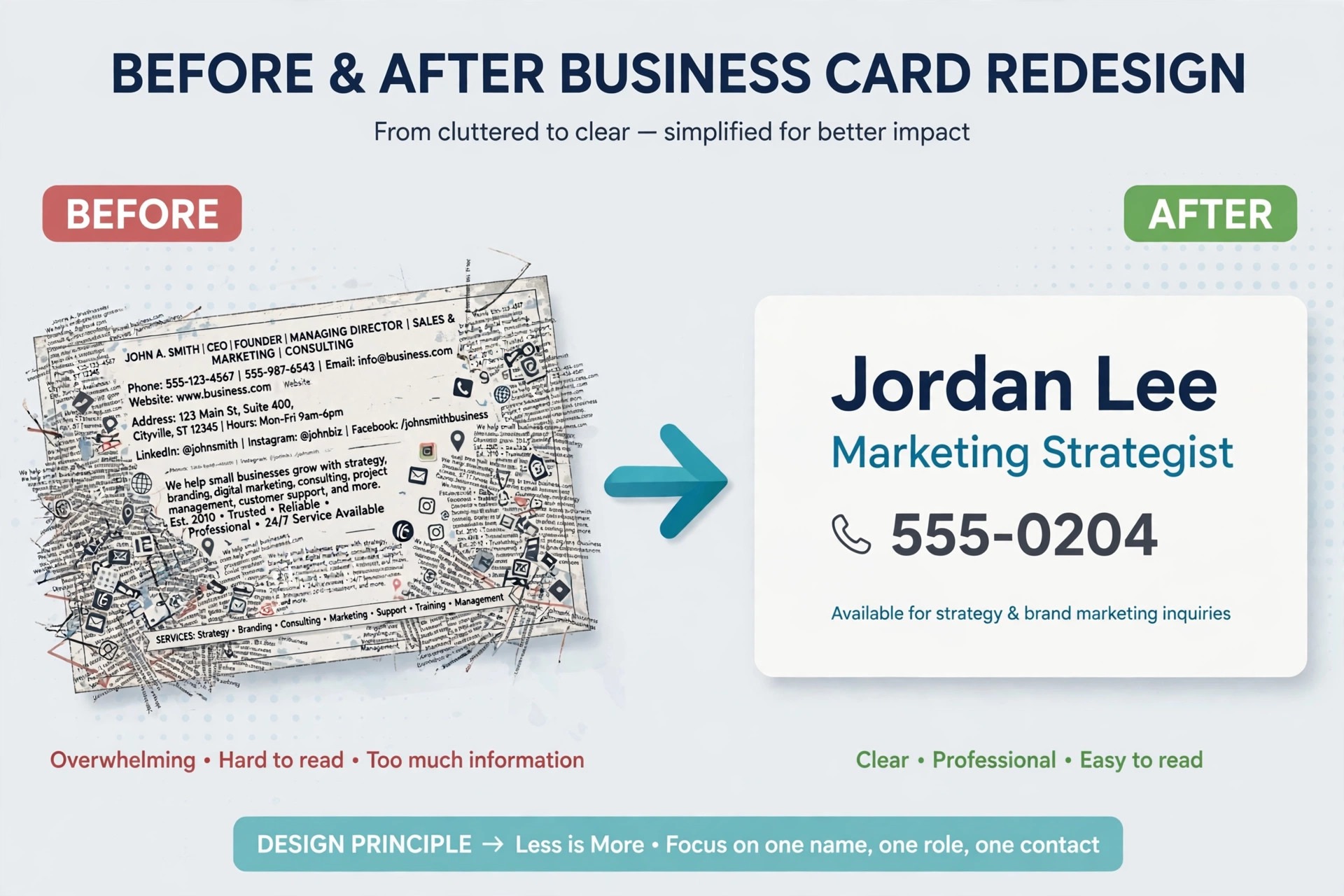
A business card has room for about six pieces of information before it starts to look crowded. Those are your name, your role or business, one phone number, one email address, one website or booking link, and one social handle if it genuinely brings clients. Everything beyond that list needs a strong reason to stay. A second phone number, a fax number, three social handles, and a long tagline all compete with the one action you want, which is usually a call, an email, or a website visit.
A QR code can carry the overflow, linking to a full contact page or booking system, but only if the code is large enough to scan easily and the landing page works on a phone. Test the code from a printed proof, not just on screen, because a code that scans on a laptop may fail on textured stock.
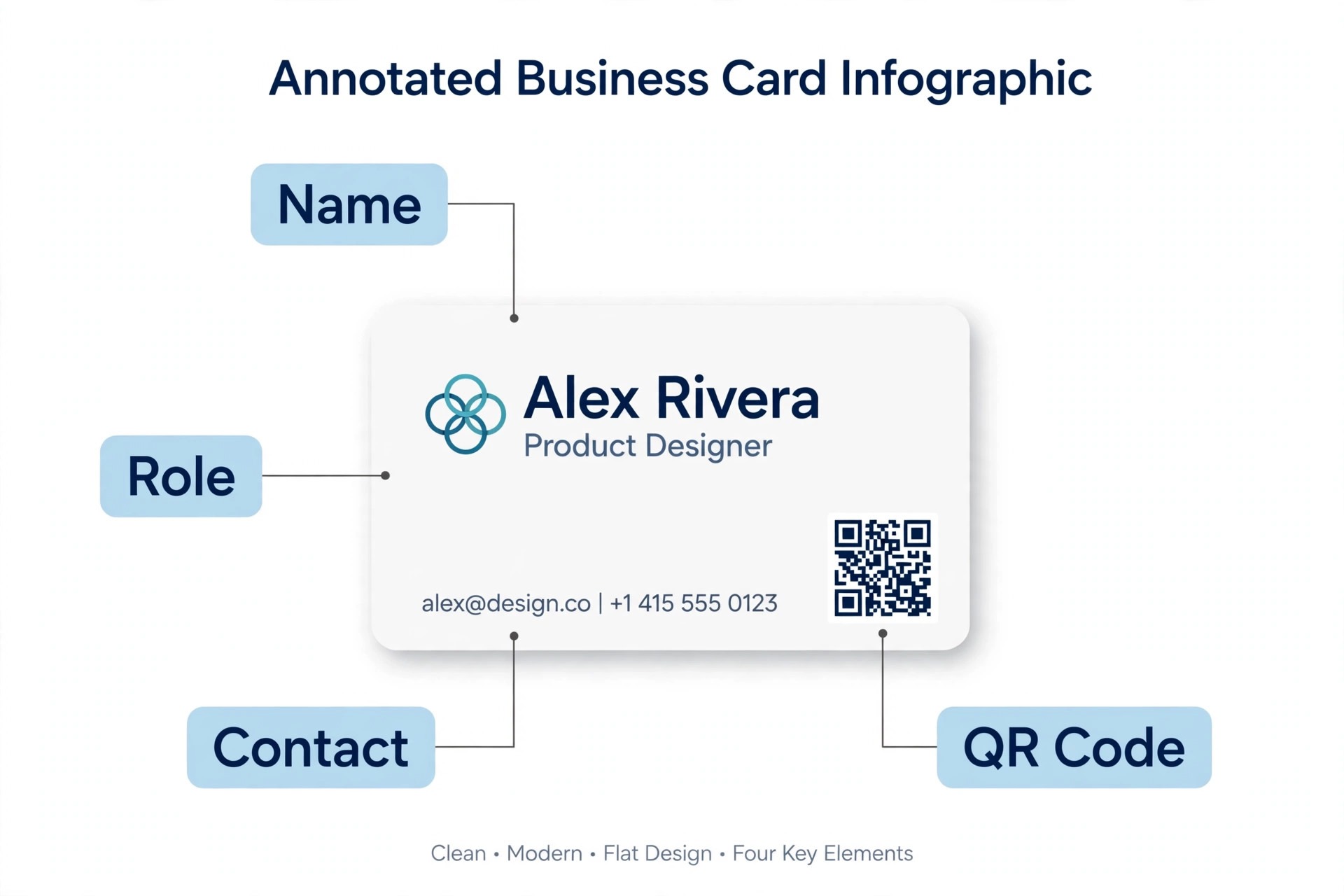
Design details matter at this small size. Use a font size that remains readable without glasses, keep contrast high, and leave a quiet margin around the edges so trimming does not cut into text. A dark card with light text looks premium but shows fingerprints and wear faster than a light card, while a glossy finish can glare under event lighting and make a QR code harder to scan. If you include a photo, use a recent, well lit headshot, not a cropped group photo, since a card photo exists to help someone recognise you at the next meeting.
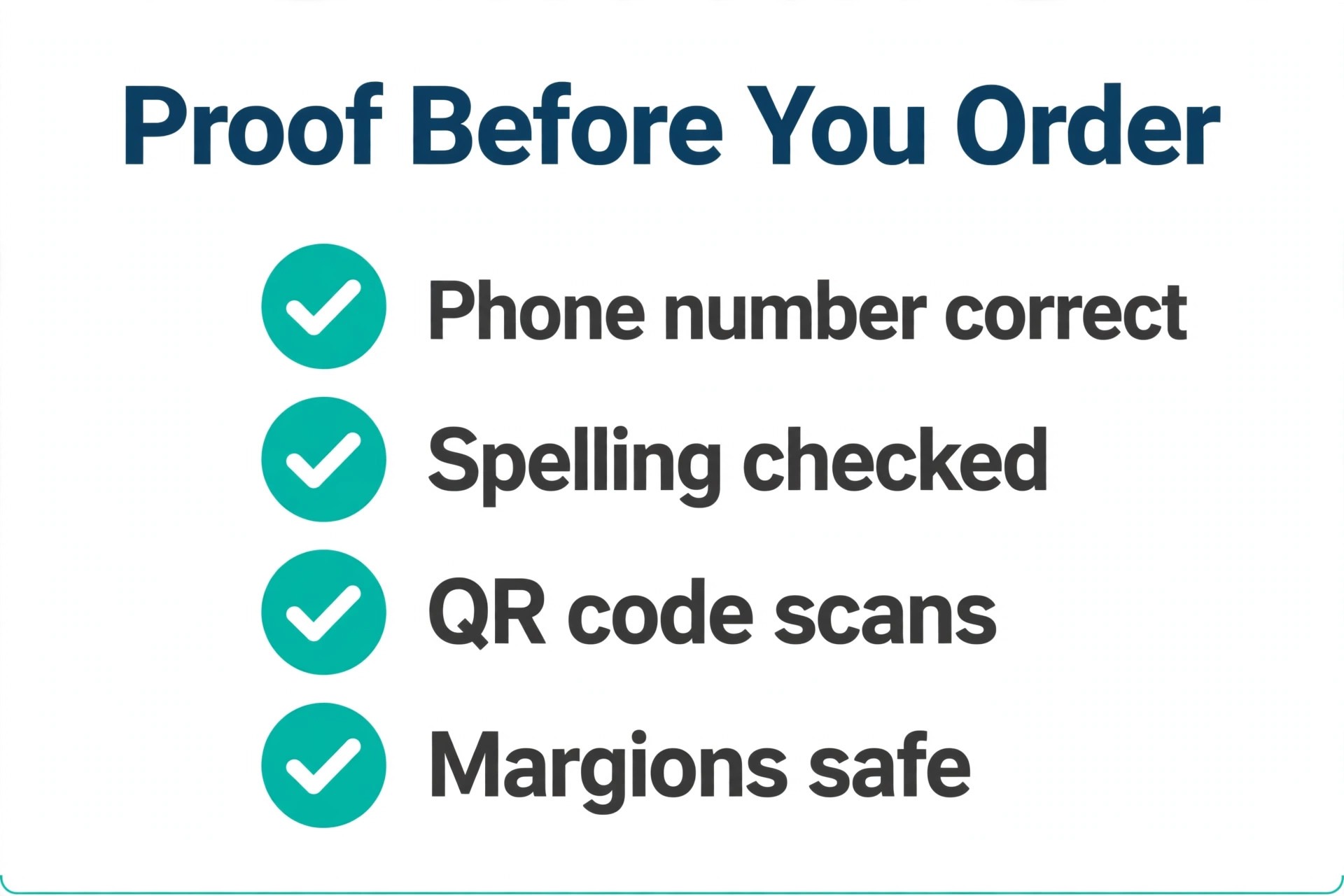
Proofread the card twice, and have someone else read it once, because a wrong digit in a phone number turns a good meeting into a lost client.
Card Design Details That Separate Good From Forgettable
Colour is the first detail a recipient notices, even before reading a word. A card that uses two colours well looks more professional than a card that uses five colours badly, so pick a dominant colour from your brand, a neutral for text and background, and one accent for a single highlight, such as a line, an icon, or a QR frame. Avoid placing light text on a light background or dark text on a dark photo, since a card is often read in poor lighting at an event.
If your brand colour is unusual, test it on real printed stock, because screen colours shift in print, and a colour that glows on a laptop can look dull on matte paper. The best AI business card makers let you save exact brand colours so every reprint matches, which matters more than it sounds, because a client who receives two different shades of your brand colour will notice, even if they cannot name why the card feels inconsistent.
Typography is the second detail, and it follows a simple rule. Use at most two fonts on a card, one for your name and one for details, and make sure both remain legible at small sizes. Script fonts look elegant at headline size and unreadable at contact size, so reserve decorative fonts for a name only and keep contact details in a clean, simple font. Spacing matters as much as font choice. Text that touches the edge of the card looks careless, while generous margins signal confidence and make trimming safe. Align elements to a grid, even a simple one, so the eye moves smoothly from name to role to contact details without hunting.
A card with aligned elements and quiet margins will outperform a card with clever graphics and chaotic spacing every time.
Material and finish form the third detail, and they communicate before a word is read. A thick matte card suggests a premium service, a recycled kraft card suggests an eco-conscious brand, and a glossy card suits a visual business such as photography or food. Specialty finishes, including foil, embossing, and spot gloss, can elevate a card, but they should highlight one element, such as a logo, rather than covering the whole card, where they become noise. Consider the back of the card as carefully as the front.
A blank back wastes an opportunity, while a back that carries a QR code, a short offer, or a striking brand pattern gives the recipient a reason to keep the card and a clear next step. Just keep the back simple enough that the QR code scans easily and the offer remains readable.
Finally, think about the moment after the exchange. A card that ends up in a drawer has failed, even if it looked beautiful. The follow-up matters more than the card itself, so write a note on the back after a meeting if the stock allows it, or send a digital card as a follow-up within a day, referencing the conversation. Keep a small stock of cards with you, not a box at home, and replace cards when details change rather than crossing out old information by hand, which looks unprofessional and confuses scanners.
A card system that is consistent, current, and easy to follow up on will generate more business than a single perfect card design that never leaves the box.
How to Choose Among the Best AI Business Card Makers
Start with the meeting, not the tool. If you meet clients face to face and need printed cards, shortlist Canva, Vistaprint, and Design.com, and judge them on print options, stock, and minimum order. If you network online and need a card that updates, shortlist HiHello and Popl, and judge them on sharing, team features, and what happens if you cancel. If you are launching a brand and need a logo plus a card, shortlist Looka and BrandCrowd, and judge them on brand coherence. The best AI business card makers for a trade show rep will disappoint a remote consultant, and the reverse is also true, so a generic ranking is less useful than a shortlist matched to your week.
Then test with real details before paying. Design a card with your actual name, number, and logo, export it, and print one copy at real size on ordinary paper. Check readability, spacing, and colour, and scan any QR code from the print. A tool that looks good in a demo but fails your real card has told you what you need to know. Finally, think about the next twelve months. A card system that matches your website, email signature, and social profiles saves repeated design work, and a tool that locks your card behind a subscription you may cancel deserves a second look.
For brand foundations, see our guides to AI logo makers and AI business name generators, which cover the identity decisions a card depends on.
Ordering Printed Cards Without Costly Mistakes
Ordering is where small errors become expensive, so treat it as a checklist, not a rush. Confirm the finished size, usually the standard 85 by 55 millimetres or 3.5 by 2 inches depending on region, and confirm bleed and safe margins with your printer before you finalise the design. Choose stock by handling, not by price alone. A 400 gram matte stock feels premium and resists bending, while a thinner stock suits high volume handouts where cost matters more. Finish changes both feel and function, since matte stock is easy to write on and glossy stock makes colours pop but shows fingerprints.
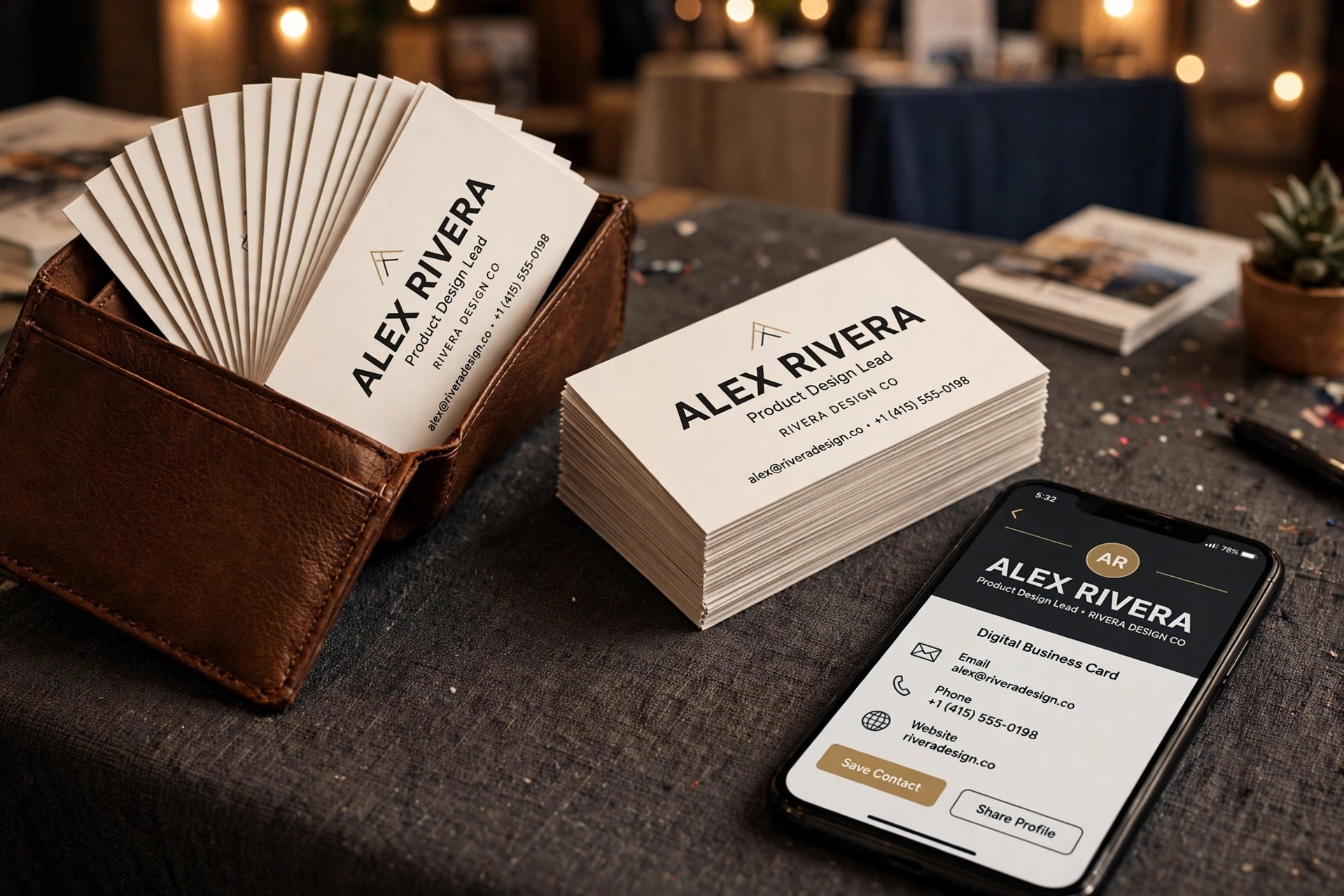
Order a small proof or a small first run if the service allows it, and check colour, trimming, and QR scanning on the real printed card before ordering a large quantity. A proof costs a few days and saves a box of unusable cards.
Quantity deserves its own decision. Ordering 250 cards because that is the minimum is sensible if your details are stable, but wasteful if you expect a rebrand, a new phone number, or a new role within months. In that case, a smaller run from a printer that allows it, or a digital card as the primary tool with a small printed run for events, is the smarter spend. Store cards flat, away from heat and moisture, and keep a digital copy of the final design file, because reordering from a flattened image instead of the original file degrades quality.
For small business systems around the card, our guide to software for small business covers the tools that usually sit behind a new brand launch.
A Sensible Card Setup for Most People
Most people do not need the most expensive card system, and the best AI business card makers prove that a modest setup can look fully professional. They need a printed card that looks professional, a digital card that stays current, and a brand that matches across both. That setup is usually Canva or Vistaprint for print, HiHello for digital, and a logo from the same brand system used on both. A new business may swap Canva for Looka or Design.com to get the brand kit in one purchase, while a heavy event networker may swap HiHello for Popl to get tap sharing. The principle stays the same.
Spend the design effort once, on a clear card with one call to action, and reuse that system everywhere instead of redesigning the card for every event. A card that is consistent, legible, and easy to act on will win more follow-ups than a card that is merely clever. Revisit the card once a year, checking that the photo still looks like you, the role still matches your work, and the links still lead somewhere useful, because a card that quietly goes out of date does its owner no favours at all.
More Reading on Stratilyze. To build the brand around your card, read our guides to AI business plan generators, AI email management tools, and AI tools for content creators, which cover planning, follow-up, and the content that turns a first meeting into a client.
Frequently Asked Questions
How much does a professional business card cost to make and print?
Design can cost nothing on a free plan, and the best AI business card makers let you test that free design before paying for print, while printing typically costs a modest amount per box depending on stock, finish, and quantity. A standard run of 250 cards on good stock is usually affordable for a small business, while premium finishes, specialty stocks, and foil raise the price. Get a proof before a large order, since reprinting a flawed run costs more than the proof did.
Should I choose a printed card or a digital card?
Choose both if you meet people both in person and online, with the same branding on each. A printed card suits trade shows and meetings where a physical exchange is expected, while a digital card suits online networking and contact details that change often. If you must choose one, pick the format that matches where most of your first meetings actually happen.
What size is a standard business card?
The standard size is 85 by 55 millimetres in most of the world and 3.5 by 2 inches in North America. Design with bleed and a safe margin, keep text away from the trimmed edge, and confirm the exact size with your printer before finalising the file. Non-standard shapes stand out but can be awkward in wallets and card holders.
Can AI design a card that looks truly professional?
Yes, when the AI output is treated as a starting point and finished by a human, which is how the best AI business card makers are designed to be used. Template and brand tools produce clean, professional layouts, but you should still check typography, spacing, colours, and proofread every detail at real size. A card that is proofed on paper and matches the rest of your brand will look professional regardless of which tool generated the first draft.
Is Design.com good for business cards?
Design.com is a good value option for business cards when brand consistency matters, since it generates many variations from your business details, offers vector exports, and provides direct printing from 250 cards upward. It is less flexible than Canva for fully custom layouts, and its minimum print order suits businesses better than occasional users, so weigh those limits against the low price.
Do digital cards work if the recipient has no app installed?
Yes, in most cases. Digital cards from tools like HiHello and Popl open in a web browser through a link or QR code, so the recipient does not need the same app. NFC tap sharing works with modern phones, though a QR code backup is wise for older devices or for recipients who prefer not to tap an unfamiliar device.