
The best AI 3D model generators in 2026 are not the ones with the prettiest demo videos. They are the ones whose output survives the moment it leaves the preview window. A model that spins beautifully on a vendor homepage can still arrive as a tangled mesh, a single merged lump with no separate parts, or a file your game engine or slicer refuses to open. That gap between demo and deliverable is the whole story of this category right now, and it is the test this guide applies to every tool below.
Here is the honest state of the field. Text to 3D works well for simple props, stylised characters, and quick concepts. It struggles with precise dimensions, mechanical parts, and anything that must fit an existing object. Image to 3D is stronger when you already have a reference photo or a piece of concept art, because the model has something real to anchor to. Game-ready output still needs a human pass for topology, rigging, and level of detail. Print-ready output needs wall thickness, manifold geometry, and supports, none of which a generator guarantees on its own. The tools below are ranked by how much usable work they hand you, not by how impressive their marketing clips look.
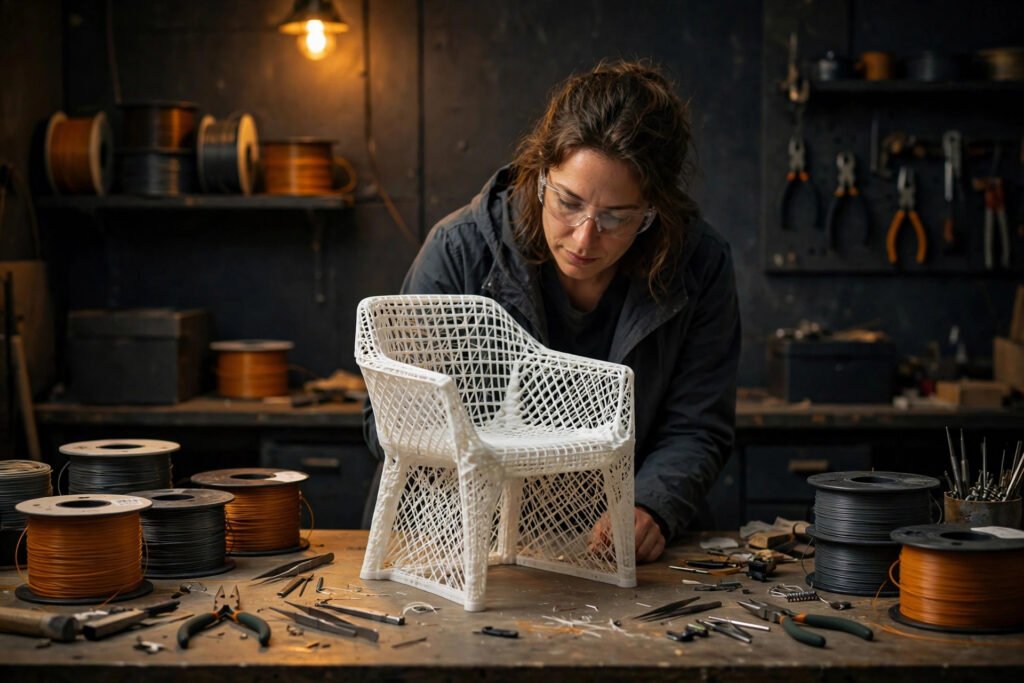
The method is simple and you can repeat it with any tool on this list. Generate the same simple prop, a wooden chair, in each tool. Export it. Open it in your target software, whether that is Blender, Unity, Unreal, or a slicer. Check four things: does it open without repair, are the parts sensibly separated, is the polygon count sane for your use, and does it look right from behind as well as from the front. A tool that passes all four is worth paying for. A tool that fails two is a concept sketching toy, useful but not a production tool.
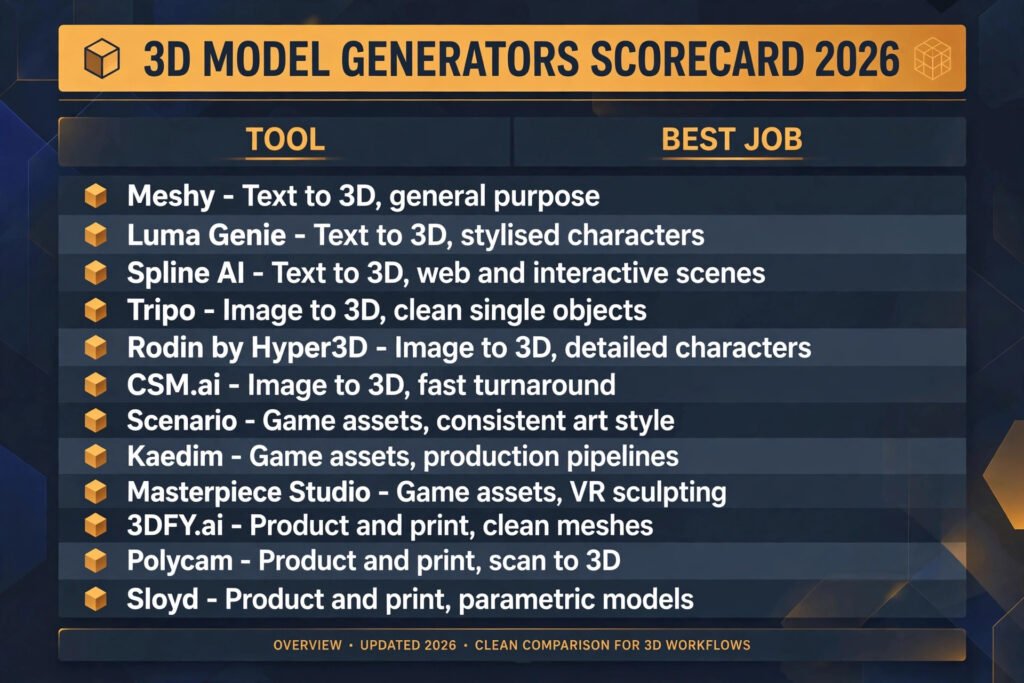
The 12 best AI 3D model generators at a glance
| Tool | Best job | Free option | Output formats |
|---|---|---|---|
| Meshy | Text to 3D, general purpose | Free tier, limited credits | GLB, FBX, OBJ, USDZ |
| Luma Genie | Text to 3D, stylised characters | Free tier, limited generations | GLB, USDZ |
| Spline AI | Text to 3D, web and interactive scenes | Free tier | GLB, USDZ |
| Tripo | Image to 3D, clean single objects | Free tier, limited credits | GLB, FBX, OBJ, STL |
| Rodin by Hyper3D | Image to 3D, detailed characters | Free tier, limited credits | GLB, FBX, OBJ |
| CSM.ai | Image to 3D, fast turnaround | Free tier, limited generations | GLB, OBJ |
| Scenario | Game assets, consistent art style | Trial, check checkout | GLB, FBX, PNG |
| Kaedim | Game assets, production pipelines | Trial, check checkout | FBX, OBJ, GLB |
| Masterpiece Studio | Game assets, VR sculpting | Free tier, check checkout | FBX, GLB, OBJ |
| 3DFY.ai | Product and print, clean meshes | Trial, check checkout | GLB, STL, OBJ |
| Polycam | Product and print, scan to 3D | Free tier, limited scans | GLB, OBJ, STL |
| Sloyd | Product and print, parametric models | Free tier, limited models | GLB, FBX, OBJ |
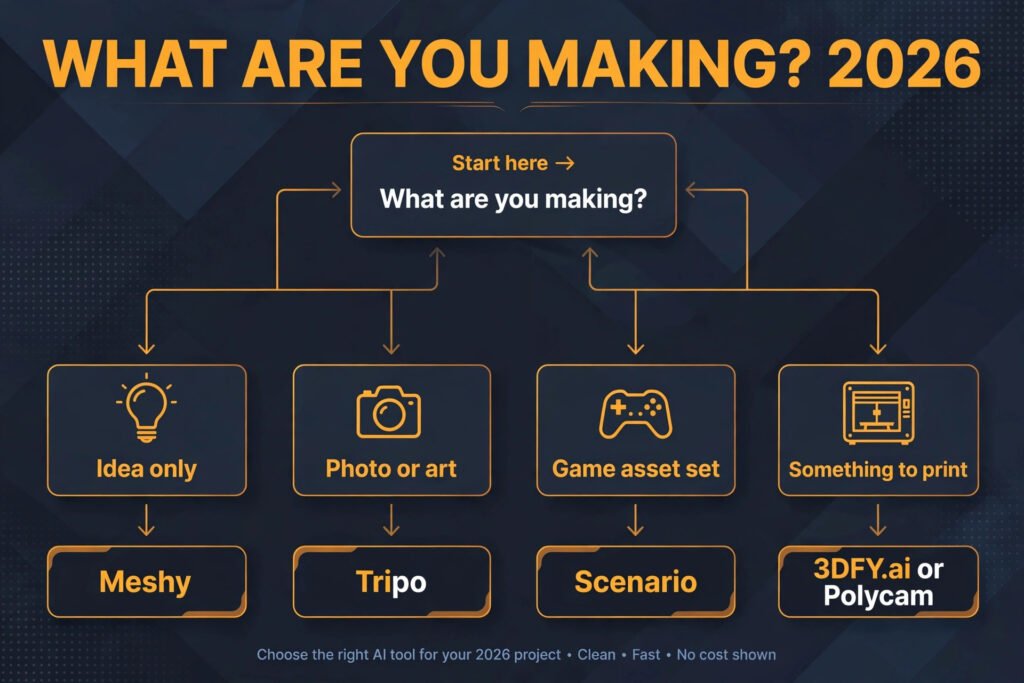
Start here: the right tool for your actual job
| Your situation | Start with | Why |
|---|---|---|
| You have an idea and no reference image | Meshy | Fastest path from a sentence to a usable mesh |
| You have a photo or concept art | Tripo | Image input gives the model something real to match |
| You are building a game with a fixed art style | Scenario | Style training keeps assets consistent across a whole set |
| You need something you can actually print | 3DFY.ai or Polycam | Clean, manifold geometry matters more than surface detail |
| You want a model inside a web page | Spline AI | Built for interactive web scenes, not just files |
| You need a character you can pose | Masterpiece Studio | Sculpting and rigging support beat raw generation |
Text to 3D: from a sentence to a mesh
1. Meshy
Meshy is the most useful general purpose text to 3D tool on this list, and the one to try first if you have never generated a model before. Type a description, get four variations in a couple of minutes, pick one, and refine it with a second prompt. Texture generation is built in, so models arrive coloured rather than grey, which matters when you are judging whether a prop works in a scene.
Pricing: Free tier with limited monthly credits; paid plans by credits, check checkout for current rates.
Best for: Indie developers, hobbyists, and anyone who needs quick props, furniture, and stylised characters.
Watch out for: Complex prompts with multiple objects in one scene tend to merge into a single lump. Generate one object at a time and compose the scene yourself.
Try it at: meshy.ai
2. Luma Genie
Luma Genie comes from the team behind the NeRF-based Luma AI capture tools, and it shows in the output. Models have a soft, slightly rounded quality that suits stylised characters, creatures, and toys better than hard surface machinery. Generation is quick, and the viewer makes it easy to inspect a model from every angle before you download anything.
Pricing: Free tier with limited generations; paid plans by credits, check checkout for current rates.
Best for: Stylised characters, mascots, toys, and concept art turned into a rotatable object.
Watch out for: Sharp edges, text on surfaces, and mechanical detail all soften in generation. Do not expect a readable logo or a precise gear.
Try it at: lumalabs.ai/genie
3. Spline AI
Spline AI is different from the rest of this group because it lives inside Spline, a real time 3D design tool for the web. You generate a model and it lands directly in an editable scene, where you can adjust materials, lighting, and animation without exporting and reimporting. That makes it the best choice when the destination is a website, a product configurator, or an interactive demo rather than a game build.
Pricing: Free tier; paid plans by seats and features, check checkout for current rates.
Best for: Web designers, product teams, and interactive 3D scenes embedded in a page.
Watch out for: Export options are narrower than a dedicated generator, and heavy scenes can slow down in the browser. Keep web scenes light.
Try it at: spline.design
Image to 3D: from a picture to a model
4. Tripo
Tripo is the strongest image to 3D tool for single objects, and the one whose output most often survives the export test. Upload a photo or a piece of concept art and it returns a textured model with sensible proportions and a clean back side, which is where weaker tools fall apart. It also handles text prompts well, so it doubles as a general purpose generator.
Pricing: Free tier with limited credits; paid plans by credits, check checkout for current rates.
Best for: Product shots, single props, and anyone who already has reference art.
Watch out for: Backgrounds in the reference image can confuse it. Crop tightly to the subject before uploading, and remove busy backgrounds where you can.
Try it at: tripo3d.ai
5. Rodin by Hyper3D
Rodin aims at higher detail than most image to 3D tools, and it is the best pick in this group for characters with faces, clothing folds, and surface detail. It generates from an image, a text prompt, or both, and the geometry holds up better at close range than the faster tools. The trade off is generation time and polygon count, both higher than Tripo.
Pricing: Free tier with limited credits; paid plans by credits, check checkout for current rates.
Best for: Detailed characters, collectibles, and close up product renders.
Watch out for: High polygon counts can choke a mobile game build. Budget a retopology pass, in Blender or a similar tool, before shipping.
Try it at: hyper3d.ai
6. CSM.ai
CSM.ai, formerly known as Common Sense Machines, is built for speed. Upload an image or a short video and get a model back quickly, which makes it good for testing many ideas in one session rather than polishing one hero asset. The output is clean enough for prototyping and for populating background scenes.
Pricing: Free tier with limited generations; paid plans by credits, check checkout for current rates.
Best for: Rapid prototyping, background props, and scanning many concepts fast.
Watch out for: Fine detail is weaker than Rodin or Tripo. Treat CSM output as a first draft and plan a refinement pass for anything the camera gets close to.
Try it at: csm.ai
Game assets: models that have to work in an engine
7. Scenario
Scenario is the only tool on this list built around style consistency, which is the real problem in game asset production. You train it on your game’s art, then generate new assets that match, so the tenth prop looks like it belongs with the first nine. It also generates 2D concept art, so one tool can carry an asset from sketch to model.
Pricing: Trial available; paid plans by usage, check checkout for current rates.
Best for: Game studios and solo developers building a whole asset set in one style.
Watch out for: Training takes real effort. A handful of images will not define a style, and weak training data produces inconsistent output no matter how good the generator is.
Try it at: scenario.com
8. Kaedim
Kaedim is aimed squarely at production pipelines rather than casual creators. It converts images into game ready models with an emphasis on clean topology and sensible polygon counts, and it offers a managed service where a human team reviews output for studios that need consistency. That pipeline focus is why it costs more than the hobbyist tools and why it is worth it at studio scale.
Pricing: Trial available; paid plans by volume, check checkout for current rates.
Best for: Studios shipping real games that need assets in a pipeline, not one off experiments.
Watch out for: The price and the onboarding assume a team, not a weekend project. Solo developers will get more value from Meshy or Tripo.
Try it at: kaedim3d.com
9. Masterpiece Studio
Masterpiece Studio takes a different route entirely: it lets you sculpt and edit in virtual reality, with AI generation as a starting point rather than the whole workflow. Generate a base model, then grab it, reshape it, and pose it with your hands. For characters that need to be posed, rigged, or adjusted by feel, that hands on pass beats typing another prompt.
Pricing: Free tier; paid plans by features, check checkout for current rates.
Best for: Character artists, VR creators, and anyone who wants to pose and adjust a generated character.
Watch out for: You need a VR headset to get the full value, and the learning curve is steeper than a prompt box. Desktop only users should pick another tool on this list.
Try it at: masterpiece-studio.com
Product and print: models that have to be real
10. 3DFY.ai
3DFY.ai focuses on clean, watertight meshes, which is the single most important quality for 3D printing and the one most generators ignore. A beautiful model with holes, inverted faces, or paper thin walls will fail in a slicer no matter how good it looks. 3DFY output is built to be printable and to drop into product renders without a repair pass, and it supports STL export natively.
Pricing: Trial available; paid plans by models, check checkout for current rates.
Best for: 3D printing, product prototypes, and e-commerce renders.
Watch out for: The catalogue style output suits products and simple objects better than organic characters. Do not expect sculptural detail at Rodin levels.
Try it at: 3dfy.ai
11. Polycam
Polycam is not a prompt based generator at all. It turns photos, taken by walking around a real object with your phone, into a 3D scan. That makes it the most accurate tool on this list for anything that already exists: a part you need to reproduce, a product you sell, a room you want to measure. Accuracy here comes from the real world, not from a model’s guess, which is exactly what you want when dimensions matter.
Pricing: Free tier with limited scans; paid plans by features, check checkout for current rates.
Best for: Reproducing real objects, product listings, and room scale captures.
Watch out for: Shiny, transparent, and very dark surfaces scan badly. Matte objects in even light give the best results, and you still need to clean up most scans before printing.
Try it at: polycam.ai

12. Sloyd
Sloyd generates parametric 3D models, which means the output is built from adjustable parameters rather than a fixed mesh. Change the width, the number of shelves, or the style of a chair and the model rebuilds cleanly instead of stretching. That is a genuine advantage for product visualisation, where a client always asks for one more variant, and it keeps file sizes small.
Pricing: Free tier with limited models; paid plans by features, check checkout for current rates.
Best for: Product configurators, furniture visualisation, and variant heavy catalogues. Creators turning those renders into social posts may also want dedicated Instagram tools for scheduling and captions.
Watch out for: The range of model types is narrower than a general generator. Sloyd covers its categories well and everything else not at all, so check the catalogue before committing.
Try it at: sloyd.ai
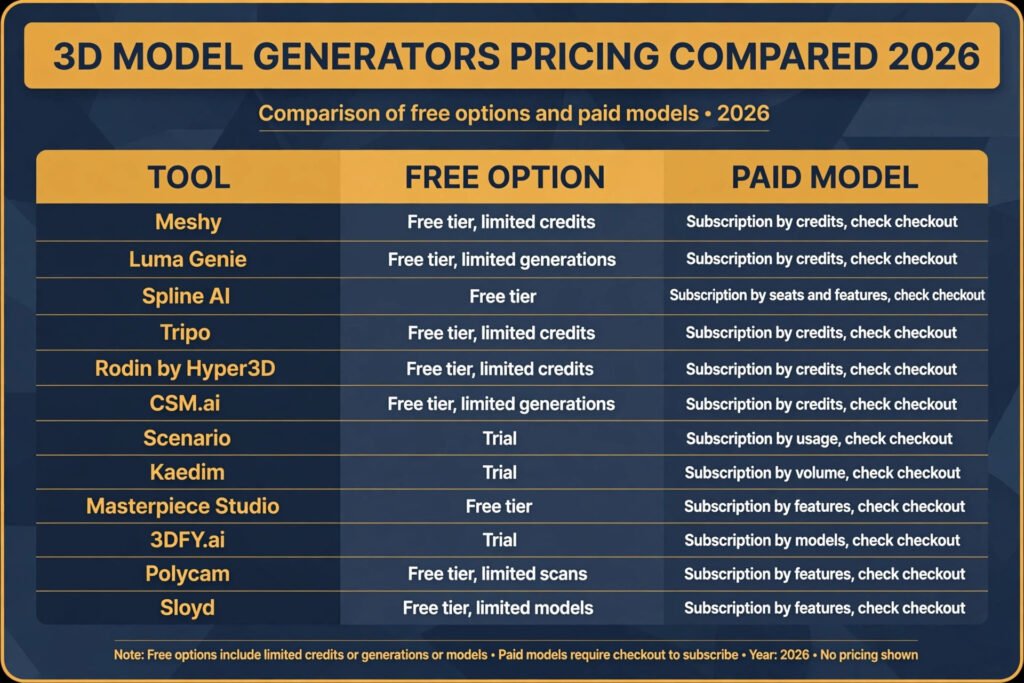
Pricing compared
| Tool | Free option | Paid model |
|---|---|---|
| Meshy | Free tier, limited credits | Subscription by credits, check checkout |
| Luma Genie | Free tier, limited generations | Subscription by credits, check checkout |
| Spline AI | Free tier | Subscription by seats and features, check checkout |
| Tripo | Free tier, limited credits | Subscription by credits, check checkout |
| Rodin by Hyper3D | Free tier, limited credits | Subscription by credits, check checkout |
| CSM.ai | Free tier, limited generations | Subscription by credits, check checkout |
| Scenario | Trial | Subscription by usage, check checkout |
| Kaedim | Trial | Subscription by volume, check checkout |
| Masterpiece Studio | Free tier | Subscription by features, check checkout |
| 3DFY.ai | Trial | Subscription by models, check checkout |
| Polycam | Free tier, limited scans | Subscription by features, check checkout |
| Sloyd | Free tier, limited models | Subscription by features, check checkout |
The pricing pattern is consistent across the category: a free tier that is genuinely useful for testing, then credit or subscription pricing that scales with how many models you generate. Budget by output, not by seats. A solo creator generating fifty models a month can easily spend more than a small team generating ten. Before paying, run the chair test in the free tier of two or three tools and pick the one whose export you actually keep.
How to Choose: the four checks that matter
Start from the destination, not the prompt box. A model for a mobile game, a model for a product page, and a model for a 3D printer are three different products, and no single generator is best at all three. Work through these four checks in order and the choice mostly makes itself.
First, what do you already have? If you have a photo or concept art, start with an image to 3D tool like Tripo or Rodin. If you have only an idea, start with Meshy. If you have the physical object, skip generation entirely and scan it with Polycam.
Second, where does the model have to work? Game engines want clean topology and sane polygon counts, which points to Kaedim, Scenario, or a retopology pass in Blender. Web pages want light GLB files, which points to Spline AI. Printers want watertight STL files, which points to 3DFY.ai.
Third, how close does the camera get? Background props can come from the fastest tool available. A hero character or a product shot that fills the frame needs Rodin level detail or a human refinement pass, and you should budget that time honestly.
Fourth, how many do you need? One model is a prompt. Fifty models in one style is a pipeline, and that is where Scenario’s style training or Sloyd’s parametric variants earn their price. Buying a single model generator for a fifty asset job is how projects end up with a folder of mismatched props.
Mistakes to avoid
Generating a whole scene in one prompt is the most common mistake, and it fails in every tool on this list. Scenes merge into lumps, proportions drift, and you cannot fix one object without regenerating everything. Generate one object at a time and compose the scene in your own software.
Judging a model from the front view only is the second mistake. Generators are trained on images, and images have fronts. Turn every model around before you commit to it. Back sides, undersides, and interiors are where the worst geometry hides.
Skipping the export test is the third mistake. A model that looks perfect in a vendor viewer can arrive in Blender with flipped normals, missing textures, or a scale factor off by a hundred. Export early, open it in your real software, and only then decide the tool works for you.
Ignoring polygon count is the fourth mistake. A two million polygon model looks wonderful and runs terribly on a phone. Check the count before you fall in love with the detail, and learn the retopology tools in Blender if you plan to ship to mobile.
Trusting a generated model for exact dimensions is the fifth mistake. AI generators do not know millimetres. If a part must fit another part, model it by hand or scan the real thing. Generated models are for looks, not for tolerances.
Forgetting licences is the sixth mistake. Check whether the vendor lets you use generated models commercially, and whether that changes on a free tier. Most tools on this list allow commercial use on paid plans, but the details differ, and a model in a shipped game is not the place to discover a restriction.
Frequently asked questions
Can AI generated 3D models be used in commercial games?
Usually yes on paid plans, but check the licence of the specific tool before shipping. Free tiers sometimes restrict commercial use, and some vendors claim different rights over models generated with style training data you supplied. Read the terms for the plan you actually pay for, not the marketing page.
What file format should I export?
GLB is the safest default. It carries textures, works in game engines, web viewers, and Blender, and keeps file sizes reasonable. Use FBX when your pipeline needs rigging and animation data, OBJ for simple static exchange, and STL only for 3D printing, since STL carries no colour or texture.
How long does it take to generate a model?
Most tools return a first result in one to five minutes. Detailed tools like Rodin take longer, and queue times vary by plan. The generation itself is rarely the bottleneck. Cleanup, retopology, and texturing take far longer than generation, and that is the time to budget for.
Do I still need Blender if I use an AI generator?
Yes, for anything beyond a quick concept. Blender is where you fix topology, reduce polygon counts, separate parts, fix normals, and prepare a model for an engine or a printer. Think of the generator as a junior modeller who is fast and needs supervision, not as a replacement for the workshop.
Can AI 3D generators make rigged, animated characters?
Some can, and Masterpiece Studio is the strongest option on this list for posing and rigging. Most prompt based generators return static meshes, and rigging them is a separate step in Blender or a dedicated auto rigging tool. If animation is the goal, pick a tool with rigging in the workflow rather than bolting it on afterwards.
Is image to 3D better than text to 3D?
For accuracy, yes, when you have a good reference. An image gives the model proportions, colours, and details to match, while a text prompt leaves all of that to interpretation. For original ideas with no reference, text to 3D is the only option, and you should expect to iterate through several generations to land on a usable result.
Conclusion
The best AI 3D model generators in 2026 are genuinely useful, and genuinely not magic. Meshy is the best starting point for most people, Tripo is the best choice when you have a reference image, Scenario is the best pick for a consistent game asset set, and 3DFY.ai and Polycam are the best options when the model has to exist in the physical world. Everything else on this list earns its place for a narrower job, and the right pick depends on where your model has to work, not on which demo video impressed you most.
Run the chair test before you pay for anything. Generate one simple object, export it, open it in your real software, and check the back side. The tool whose output you keep without repair is the tool worth your money, whatever its ranking on any list, including this one.