

Two years ago, an AI coding assistant meant autocomplete. In 2026 it means something else entirely: agents that read your whole codebase, plan multi-file changes, run your tests and open pull requests while you review. The best AI coding assistants have split into distinct species — in-editor completion tools, AI-native editors, and terminal-first agents — and picking the wrong one wastes more than the $10–20/month subscription. It adds friction exactly where you need speed.
We ran the same five coding tasks through eight assistants, scored each pass/fail, and verified every price against vendor pages in October 2026. Here is what actually separates them.
Quick Answer: Best AI Coding Assistants
| Tool | Best For | Entry Price | Free Option |
|---|---|---|---|
| Cursor | Best overall in-editor experience | $20/mo (Pro) | Yes (Hobby, limited) |
| Claude Code | Best agentic coding / large codebases | $20/mo via Claude Pro | No (paid plans only) |
| GitHub Copilot | Best for teams already on GitHub/VS Code | $10/mo (Pro) | Yes (2,000 completions/mo) |
| OpenAI Codex | Delegating tasks to cloud agents | $20/mo via ChatGPT Plus | Limited |
| Devin Desktop (Windsurf) | Best value agentic IDE | $20/mo (Pro) | Yes |
| Google Antigravity | Best free agent-first platform | Free for individuals | Yes |
| Cline | Best open-source / bring-your-own-model | Free (pay model provider) | Yes |
| Tabnine | Privacy & regulated industries | $39–59/user/mo | No |
Short version: Cursor is the best editor, Claude Code is the best engineer, and Copilot is the best default for teams. Many senior developers in 2026 pay for two of the three — the tools increasingly complement rather than replace each other.
How We Tested: Five Tasks, Pass/Fail
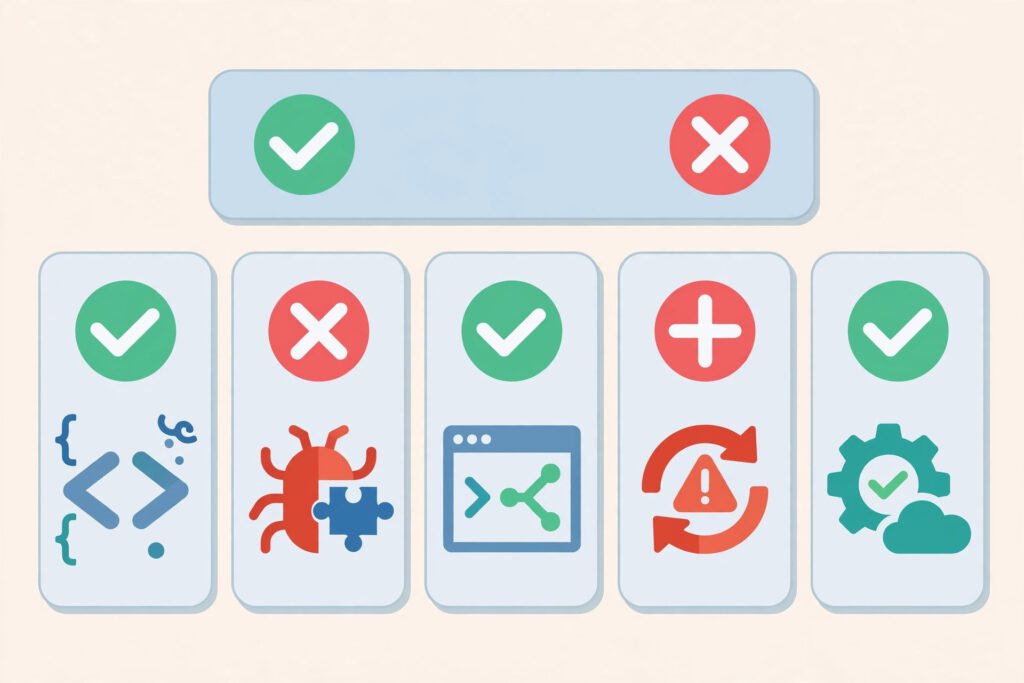
Feature lists do not tell you which assistant to buy. Task performance does. We ran five tasks through each tool, on the same mid-size TypeScript/Node codebase (~40k lines):
- Debug — find and fix a race condition causing intermittent test failures
- Refactor — extract a 300-line god-function into tested, typed modules without behavior change
- Feature build — implement a paginated API endpoint from a plain-English spec, including validation
- Test-writing — generate meaningful unit tests for an untested utility module (edge cases required, not just happy paths)
- Documentation — write accurate README/API docs for an undocumented module by reading the code
Pass = the output was mergeable with minor edits. Partial = correct direction, needed significant rework. Fail = wrong, incomplete, or broke existing behavior.
| Task | Cursor | Claude Code | Copilot | Codex | Devin Desktop | Antigravity | Cline | Tabnine |
|---|---|---|---|---|---|---|---|---|
| Debug | ✅ Pass | ✅ Pass | ⚠️ Partial | ✅ Pass | ✅ Pass | ⚠️ Partial | ✅ Pass | ❌ Fail |
| Refactor | ✅ Pass | ✅ Pass | ⚠️ Partial | ✅ Pass | ✅ Pass | ✅ Pass | ✅ Pass | ⚠️ Partial |
| Feature build | ✅ Pass | ✅ Pass | ✅ Pass | ✅ Pass | ✅ Pass | ✅ Pass | ⚠️ Partial | ⚠️ Partial |
| Test-writing | ✅ Pass | ✅ Pass | ✅ Pass | ⚠️ Partial | ⚠️ Partial | ⚠️ Partial | ⚠️ Partial | ⚠️ Partial |
| Documentation | ⚠️ Partial | ✅ Pass | ✅ Pass | ✅ Pass | ⚠️ Partial | ⚠️ Partial | ⚠️ Partial | ❌ Fail |
| Score | 4.5/5 | 5/5 | 3.5/5 | 4/5 | 4/5 | 3.5/5 | 3.5/5 | 2/5 |
The pattern matches the wider 2026 evidence: a study of 7,156 pull requests found task type mattered more than tool — Claude Code led on documentation and feature work, Cursor led on fix tasks. Benchmarks (Claude Code’s ~80.9% SWE-bench-class results) tell the same story: the terminal agent is the strongest pure engineer, the AI-native editor is the best daily driver.
1. Cursor — Best Overall AI Coding Assistant
What it is: An AI-native editor (a VS Code fork) built around deep codebase context. Its Tab completion predicts your next edit, Composer/Agent mode makes multi-file changes, and cloud agents can work tasks in the background.
2026 pricing (verified): Hobby free (limited Agent/Tab); Pro $20/mo; Pro+ $60/mo; Ultra $200/mo; Teams $40/user/mo.
Test notes: Cursor passed everything except documentation (partial — accurate but shallow). Its refactor was the cleanest of any in-editor tool because it sees the whole repo, not just the open file. The debug task took two agent iterations; acceptable.
Pros
- Best day-to-day coding experience — completion, chat and agent in one editor
- Multi-model: switch between Claude, GPT and other frontier models per task
- Deep codebase indexing makes suggestions contextually aware, not generic
- Familiar VS Code base — extensions and muscle memory carry over
Cons
- Requires switching editors (a real cost for JetBrains loyalists)
- Usage-based overages beyond plan allowances can surprise heavy agent users
- Teams at $40/seat is double Copilot Business — the math matters at scale
Best for: Individual developers and small teams who want one tool for daily coding. If you read one verdict: this is the default recommendation for most developers in 2026.
2. Claude Code — Best Agentic Coding Assistant

What it is: Anthropic’s terminal-first agent. You describe a task in the CLI; Claude Code explores the codebase, edits files across it, runs commands and tests, and iterates until the task is done. It also ships as IDE extensions and a desktop/web app, but the terminal is home.
2026 pricing (verified): Included in Claude plans — Pro $20/mo ($17/mo billed annually); Max $100–$200/mo; Team standard seats $25/seat/mo ($20 annual), premium seats $125/seat/mo ($100 annual). API pay-per-token is an alternative. No Claude Code on the free plan.
Test notes: The only perfect score. It was the sole tool to fully solve the race-condition debug (it reproduced the failure, then fixed it), and its documentation pass — reading code and writing docs a new hire could actually use — was the best in the test. Large-context reasoning (up to 1M tokens on higher tiers) is the differentiator on big codebases.
Pros
- Strongest multi-file reasoning and autonomous task completion in the category
- Works alongside any editor — it is a layer, not a replacement
- CLAUDE.md project instructions make its behavior configurable and reviewable in git
- Detailed enterprise controls and OS-level sandboxing for agent-executed commands
Cons
- No free tier — the trial is paying for a month of Claude Pro
- Subscription limits reset on a rolling five-hour window; heavy users hit them and need Max
- Terminal-first UX is a learning curve for developers who live in a GUI
Best for: Senior engineers and teams doing complex, multi-step work — migrations, large refactors, debugging across services. This is the “agentic coding wave” in its purest form.
3. GitHub Copilot — Best for Teams Already on GitHub
What it is: The incumbent. Inline completion, chat and an agent mode inside the IDEs developers already use, plus deep GitHub integration (issue-to-PR agent, code review). The lowest-friction adoption path in the industry.
2026 pricing (verified): Free (2,000 completions + 50 chat requests/mo); Pro $10/mo; Pro+ $39/mo; Max $100/mo; Business $19/user/mo; Enterprise $39/user/mo.
Test notes: Copilot passed feature-build, tests and docs, and partially passed debug and refactor — its single-file orientation shows on cross-cutting tasks. Inline completion quality remains excellent, and its test generation was fast and idiomatic.
Pros
- Cheapest credible entry ($10/mo) with a genuinely useful free tier
- Widest IDE support: VS Code, JetBrains, Visual Studio, Xcode, Neovim, Eclipse
- Native GitHub workflow — assign an issue, get a PR
- Enterprise maturity: SSO, audit, IP controls, the procurement-friendly option
Cons
- Agentic/multi-file work lags Cursor and Claude Code
- Token-based AI Credits billing on paid usage needs monitoring
- Model picker availability varies by plan and admin settings
Best for: Teams standardized on GitHub/VS Code who want AI assistance with minimal disruption — and enterprises where governance outranks raw capability. Full three-way breakdown in our GitHub Copilot vs Cursor vs Claude Code comparison.
4. OpenAI Codex — Best for Delegating to Cloud Agents
What it is: OpenAI’s coding agent, bundled inside ChatGPT plans rather than sold separately. Codex works in a cloud sandbox — you assign a task, it works unattended, and returns a PR — plus a CLI and VS Code extension for local work.
2026 pricing (verified): Included in ChatGPT plans: Plus $20/mo; Pro $100–$500/mo tiers; Business ~$20–25/user/mo. Limited trial on Free/Go.
Test notes: Strong across the board (4/5) — the cloud model shines on the feature build and documentation, where unattended time is free. Test-writing was partial: correct but conventional, missing two edge cases.
Pros
- True delegation: assign tasks, review PRs later — parallel work while you do something else
- No separate subscription if you already pay for ChatGPT
- Cloud sandbox isolates agent execution from your machine
Cons
- No standalone pricing — you are buying into the ChatGPT bundle whether you use the rest or not
- Less interactive than Cursor for pair-programming-style work
- Business/Enterprise usage moved to token-consumption billing (April 2026) — costs vary with use
Best for: ChatGPT-centric teams and developers who like the “assign and review” workflow over live collaboration with the AI.
5. Devin Desktop (formerly Windsurf) — Best Value Agentic IDE
What it is: The editor formerly known as Windsurf, built around the Cascade agent that plans and executes multi-step changes. Now under the Devin brand, it combines editor, CLI and cloud sessions on one quota.
2026 pricing (verified): Free tier with light daily/weekly quota; Pro $20/mo; Max $200/mo; Teams $80/mo base + $40 per full seat.
Test notes: A clean 4/5 — Cascade handled the refactor and debug confidently. Test-writing and docs were partial (serviceable, not excellent). For an editor at this price, the agent quality is the story.
Pros
- Agentic capability close to Cursor’s at a competitive price
- Generous free tier for evaluation
- Cascade’s plan-then-execute flow is easy for agent newcomers to trust
- 40+ IDE integrations beyond its own editor
Cons
- Brand/product churn (Windsurf → Devin Desktop) creates some uncertainty
- Smaller community and ecosystem than Cursor or Copilot
- Team pricing structure (base + per-seat) is less predictable than flat per-seat
Best for: Budget-conscious developers and small teams who want a real agentic IDE without paying Cursor Teams prices.
6. Google Antigravity — Best Free Agent-First Platform
What it is: Google’s agent-first development platform — a VS Code-based IDE plus CLI and SDK, designed around managing multiple agents rather than editing code line-by-line. Free for individuals, with higher quotas via Google AI plans.
2026 pricing (verified): Free for individuals (weekly agent quota); higher limits via Google AI Pro $19.99/mo / Ultra $99.99–$199.99/mo; enterprise via Gemini Enterprise/Google Cloud.
Test notes: 3.5/5 with no payment at all — the surprise of the test. Refactor and feature build passed outright. Debug and tests were partial, reflecting a younger product rather than a weak model (Gemini under the hood is strong).
Pros
- Genuinely free for individuals — the best $0 agentic option
- Multi-model choice inside Google’s ecosystem
- Agent-manager paradigm suits developers juggling several tasks
Cons
- Newest product here; expect rough edges and fast-changing features
- Quotas on the free tier will push heavy users to AI Pro
- Ecosystem and community still forming vs Cursor/Copilot
Best for: Developers who want to try agentic coding free, and Google-ecosystem teams. Students should also see our AI tools for students guide.
7. Cline — Best Open-Source, Bring-Your-Own-Model Option
What it is: An open-source VS Code extension (plus CLI/SDK) that acts as an approval-gated agent: it proposes each file edit and command, you approve. You pay your model provider directly — no markup, no subscription.
2026 pricing (verified): Extension free; you pay API rates to your chosen provider (Anthropic, OpenAI, Google, local models via Ollama, etc.).
Test notes: 3.5/5. Debug, refactor passed — the approval-gated loop is slower but controlled. Feature build was partial because the human-in-the-loop steps fragmented the flow. Cost per task is transparent: you see every token.
Pros
- Total model freedom — switch providers or run local models
- Transparent, pay-as-you-go cost with no subscription
- Approval gates make it the most controllable agent here
- Open source — auditable, extensible
Cons
- No hand-holding: you manage API keys, models and costs yourself
- Slower workflow than autonomous agents by design
- Support is community-based
Best for: Privacy-conscious developers, tinkerers, and anyone who refuses another subscription. Also the best way to use AI coding on sensitive codebases with local models.
8. Tabnine — Best for Privacy and Regulated Industries
What it is: The privacy-first assistant: zero data retention, code that never trains shared models, and deployment options including on-prem and air-gapped — features the frontier tools largely do not offer.
2026 pricing (verified): $39–$59/user/mo, annual billing only. No free plan.
Test notes: Honestly, the weakest task performance here (2/5) — completion-grade help rather than agent-grade work, failing the debug and documentation tasks. That is the trade: Tabnine sells control and compliance, not frontier capability.
Pros
- Zero-retention and air-gapped deployment — unique in this list
- Provenance/IP protections enterprises and regulated sectors require
- Works across VS Code, JetBrains, Eclipse, Visual Studio
Cons
- Capability gap vs the agent-class tools is real and growing
- Annual-only billing at $39–59/user is expensive for what tasks it passes
- No free tier to evaluate with
Best for: Banks, healthcare, defense and other regulated teams whose compliance requirements disqualify cloud agents outright. Everyone else should buy capability instead.
IDE Support and Pricing Table

| Tool | Form Factor | IDE Support | Entry Price | Team Price |
|---|---|---|---|---|
| Cursor | AI-native editor | Own editor (VS Code fork) | $20/mo | $40/user/mo |
| Claude Code | CLI agent + extensions | Terminal, VS Code, JetBrains | $20/mo | $25/seat/mo |
| Copilot | IDE extension | VS Code, JetBrains, VS, Xcode, Neovim | $10/mo | $19/user/mo |
| Codex | Cloud agent + CLI | Web, VS Code ext, CLI | $20/mo (ChatGPT) | ~$20–25/user/mo |
| Devin Desktop | AI editor | Own editor + 40+ IDE plugins | $20/mo | $80 base + $40/seat |
| Antigravity | Agent platform | Own IDE, CLI, SDK | Free | Via Google Cloud |
| Cline | Extension | VS Code | Free + API costs | Free + API costs |
| Tabnine | Extension | VS Code, JetBrains, Eclipse, VS | $39/user/mo | $39–59/user/mo |
Prices verified October 2026 from vendor pricing pages.
The Agentic Coding Wave: What Changed in 2026
The headline shift is not better autocomplete — it is delegation. The 2026 workflow for senior developers increasingly looks like: describe the task, let an agent (Claude Code, Codex, Cursor cloud agents) work it end-to-end, review the PR. Completion tools still matter for flow-state coding, but the productivity argument has moved to agents that finish tasks.
Three practical consequences:
- Context is king. Tools that index and reason over your whole codebase (Cursor, Claude Code) outperform file-at-a-time assistants on real work. Our test showed this on every cross-file task.
- Pricing is usage in disguise. Flat subscriptions now sit on top of token consumption — heavy agent use hits limits (Claude’s rolling windows) or overages (Cursor, Codex Business). Budget for your real usage, not the headline price.
- Two-tool stacks are normal. Cursor for daily editing + Claude Code for hard agent tasks is a common $40/mo combination that outperforms any single $20 tool.
How to Choose the Right AI Coding Assistant
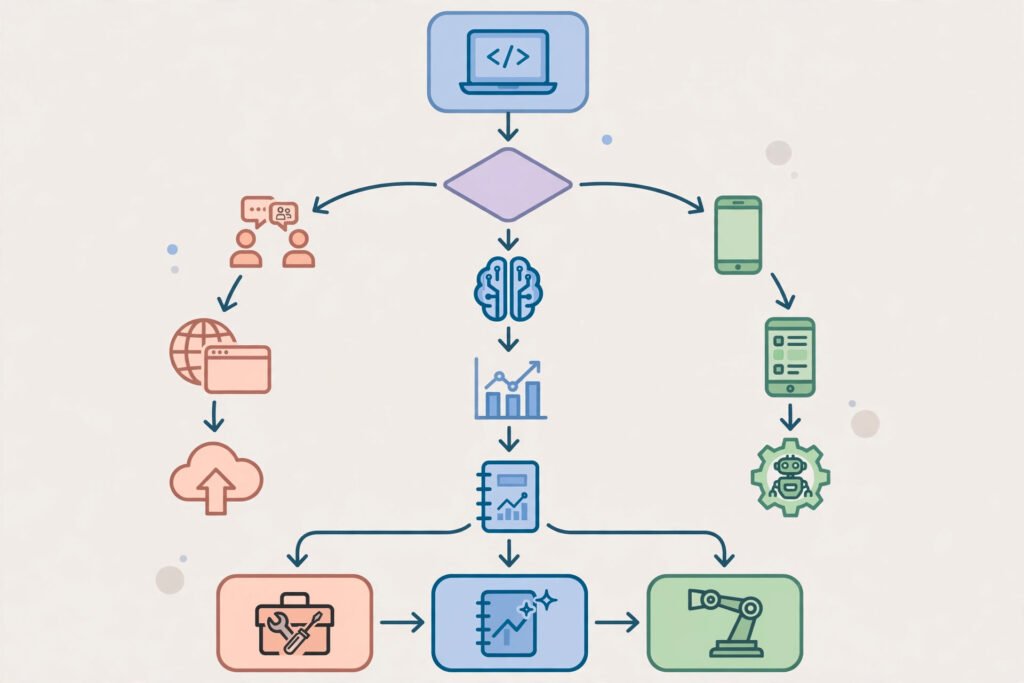
By workflow:
- You live in your editor and code by hand with AI help → Cursor (or Devin Desktop on a budget)
- You delegate whole tasks and review results → Claude Code or Codex
- Your team is standardized on GitHub and VS Code → Copilot
- Compliance forbids code leaving your network → Tabnine or Cline with local models
- You want to try agentic coding for $0 → Antigravity or Cline
By budget: Under $15/mo, Copilot Pro ($10) is the only frontier-grade paid option, with Antigravity/Cline free. At $20/mo, you have a real choice — Cursor for editing, Claude Pro for the agent, ChatGPT Plus for Codex. Above that, you are buying usage headroom, not new features.
Trial advice: Every tool here except Tabnine can be evaluated free or within one paid month. Run your hardest recurring task — not a tutorial exercise — through two finalists. The one that passes your codebase’s weirdness wins.
Frequently Asked Questions
What is the best AI coding assistant overall in 2026?
For most developers, Cursor — it combines the best in-editor experience with strong agent features. For hard, multi-step engineering work, Claude Code is the stronger tool. The honest answer is that “best” split in 2026: best editor (Cursor) vs best agent (Claude Code).
Is Claude Code worth $20/month if I already have Copilot?
Often, yes — they do different jobs. Copilot accelerates typing; Claude Code completes tasks. Many developers keep Copilot for completion (or use Cursor, which includes completion) and add Claude Code for refactors, debugging and migrations. Try one month on your hardest backlog item and measure.
What is the best free AI coding assistant?
Google Antigravity for agentic work, GitHub Copilot Free (2,000 completions/month) for completion, and Cline if you are comfortable paying small API bills for full control. All three are legitimately useful, not demo-ware.
Will AI coding assistants replace developers?
The 2026 evidence says they change the job more than they eliminate it: developers shift toward specification, review and architecture while agents handle implementation of well-scoped tasks. In our tests, every tool still needed human review — the agents that “passed” produced mergeable work, not unsupervised work.
How much do AI coding assistants cost for a team of 10?
Roughly: Copilot Business $190/mo, Claude Team standard seats $250/mo, Cursor Teams $400/mo, Devin Desktop about $480/mo ($80 base + 10 seats). Add headroom for usage overages on agent-heavy teams — and note many teams mix tiers (premium seats for seniors, standard for everyone else).
Do these tools train on my code?
It varies and it matters. Copilot Business/Enterprise and Cursor team plans offer no-training/privacy modes; consumer tiers differ — Copilot’s Free/Pro interactions may be used for training unless you opt out. Tabnine’s entire pitch is zero retention. Read your plan’s data terms before pointing any tool at proprietary code.
Conclusion: Pick the Tool That Matches How You Actually Code
The best AI coding assistants in 2026 are not interchangeable. Cursor wins the daily editing experience, Claude Code wins delegated engineering work, Copilot wins frictionless team adoption, and the free tier (Antigravity, Cline, Copilot Free) is better than the paid tools of two years ago.
Our recommendation for most individual developers: start with Cursor Pro ($20/mo) for a month. If you find yourself wishing the agent could just finish bigger tasks unattended, add Claude Pro for Claude Code — the $40/mo two-tool stack is what a large share of senior developers actually run in 2026.
Ready for the deep dive on the big three? Read our head-to-head GitHub Copilot vs Cursor vs Claude Code comparison next.