
What actually separates a micro-influencer who lands regular brand deals from another creator with similar followers who gets ignored? It is rarely follower count alone. Brands look for consistent posting, clear niche content, audience engagement that looks real, and a creator who can deliver a brief on time without endless chasing. That is why this guide to the best AI tools for micro-influencers focuses on systems, not tricks. The tools below help a solo creator plan content, make it look professional, post it reliably, understand what worked, and pitch brands with proof rather than hope.
Micro-influencers face a specific squeeze. They are expected to look like a media team, while working alone or with one helper, often alongside a job, study or family life. A tool that saves two hours a week is worth more than a tool with fifty features nobody opens, and a tool that helps a creator prove engagement to a brand can pay for itself with a single deal. At the same time, brands and audiences are quick to spot fake engagement, generic AI captions and copy paste content. The tools below are judged on whether they help a creator be more consistent and more credible, not on whether they help a creator fake either one.

The best AI tools for micro-influencers at a glance
| Tool | Best for | Watch out for |
|---|---|---|
| Canva | Branded posts, carousels and stories | Template sameness |
| CapCut | Short video editing and captions | Trend templates can date fast |
| Opus Clip | Long video to short clips | Hook formulas can feel generic |
| Predis.ai | AI post ideas and captions | Ideas need a personal rewrite |
| Later | Visual planning and scheduling | Analytics depth varies by plan |
| Buffer | Simple scheduling and queues | Fewer visual planning tools |
| Metricool | Analytics and competitor insight | Data needs interpretation, not copying |
| ChatGPT | Pitches, scripts and captions | Generic copy without editing |
| Notion AI | Content systems and brand kits | Needs tidying or systems sprawl |
| Flick | Hashtags and caption help | Hashtags do not replace good content |
Creating content that looks like a team made it
Content is the first test a brand applies. A micro-influencer does not need cinema quality production, but posts do need to be clear, consistent and recognisable. These four tools cover design, short video, clipping and idea generation.
1. Canva
Canva is the design base for most micro-influencers, because it covers posts, carousels, stories, reels covers, media kits and pitch decks in one tool. A creator can build a small brand system with colours, fonts and logo, save templates for recurring post types, and produce a week’s content in one sitting. Carousels deserve special attention. A well structured carousel, with a clear hook on slide one, a useful point on each following slide and a call to action at the end, often earns saves and shares that a single image does not, and Canva makes carousel design accessible without design training. Canva also helps with media kits, which are essential for brand pitches. A clean one page kit with audience size, engagement, niche, past work and rates looks far more professional than a screenshot of follower counts.
Template sameness is the main risk. When many creators use the same popular templates, their feeds start to blend, and brands notice. Customise templates with your own photos, colours and voice, and test posts at phone size, because a design that looks great on a laptop may be unreadable in a feed. Check image licences, credit photographers where required, and keep brand colours consistent across platforms so a brand can recognise your work at a glance. Canva works best as a system, with a few house templates reused well, rather than as a place to browse a new template for every post.
Watch out for: template sameness, unreadable text at phone size, and image licence mistakes.
2. CapCut
CapCut is the short video editor most micro-influencers start with, because it is fast, phone friendly and built for the formats that dominate short video platforms. A creator can trim clips, add captions, add trending audio, adjust pacing and export for TikTok, Reels and Shorts without learning a desktop editor. That speed matters when a creator posts several times a week and needs to turn a filmed idea into a finished video the same day. CapCut also helps with hooks and pacing, because templates and caption styles show creators how successful short videos are structured, from a strong opening line to a clear payoff at the end.
Trend templates can date fast, and a feed full of the same trending format can make a creator look like a follower of trends rather than a voice in a niche. Use CapCut for editing skill, not for identity. Keep your own hook style, your own opening line and your own visual habits, and use trending audio only when it fits the content. Check music licences and platform rules for commercial use, because audio that is fine for a personal post may not be fine for a sponsored post. Also check captions for names, product names and prices, which are common errors in fast editing. A short video with a wrong price or product name can cause a brand problem that takes longer to fix than the video took to make.
Watch out for: dated trend templates, music licence limits for sponsored posts, and caption errors on names and prices.
3. Opus Clip
Opus Clip turns longer videos, such as a YouTube video, a livestream or a tutorial, into short clips with hooks, captions and scores. For a micro-influencer who makes one long piece of content a week, Opus Clip can produce several short posts from that single effort, which is the most efficient growth system for a solo creator. A cooking creator can turn a ten minute recipe video into three short tips, a fitness creator can turn a workout video into form tips, and a travel creator can turn a vlog into destination highlights. That repurposing also keeps a creator visible on short platforms without filming new content every day, which helps avoid burnout.
Hook formulas can feel generic if left unedited. Opus Clip scores and titles are suggestions, not verdicts, and a clip that scores well for shock value may not represent the creator’s niche or values. Review every clip, rewrite titles in your own voice, and check that the clip is fair to the longer video. A clip that promises something the full video does not deliver will hurt trust and comments will say so. Opus Clip also needs a strong source video. A dull or poorly recorded long video will not become strong shorts through captions alone, so invest in one good long piece each week rather than several weak ones. Check pricing at checkout, because clip minutes differ by plan.
Watch out for: generic hook formulas, clips that overpromise, and weak source videos dressed up as shorts.
4. Predis.ai
Predis.ai generates post ideas, captions and creatives from a short brief, which helps micro-influencers who run out of ideas midweek. A creator can enter a niche, a product and a goal, and get a set of post concepts, caption drafts and image suggestions to choose from. That idea bank is useful for planning a content calendar, because a creator can generate twenty ideas, pick the ten that fit, and schedule them across a month, instead of staring at a blank screen each morning. Predis.ai also helps with consistency, because it can suggest varied formats, such as tips, comparisons, behind the scenes posts and questions, rather than the same post type repeated daily.
Generated ideas need a personal rewrite, always. A caption that could belong to any creator in a niche will not build a personal brand, and audiences can sense generic AI copy quickly. Use Predis.ai for the first idea, then add a personal story, a specific result, a local detail or an honest opinion that only you could write. Check facts, prices and product claims before posting, because generated copy can invent details with confidence. Predis.ai works best as a brainstorming partner for a creator who already knows their niche and voice, and worst as a replacement for that voice. If a post sounds like everyone else, rewrite it until it sounds like you.
Watch out for: generic captions, invented product details, and posting AI ideas without a personal rewrite.
Planning, posting and proving results
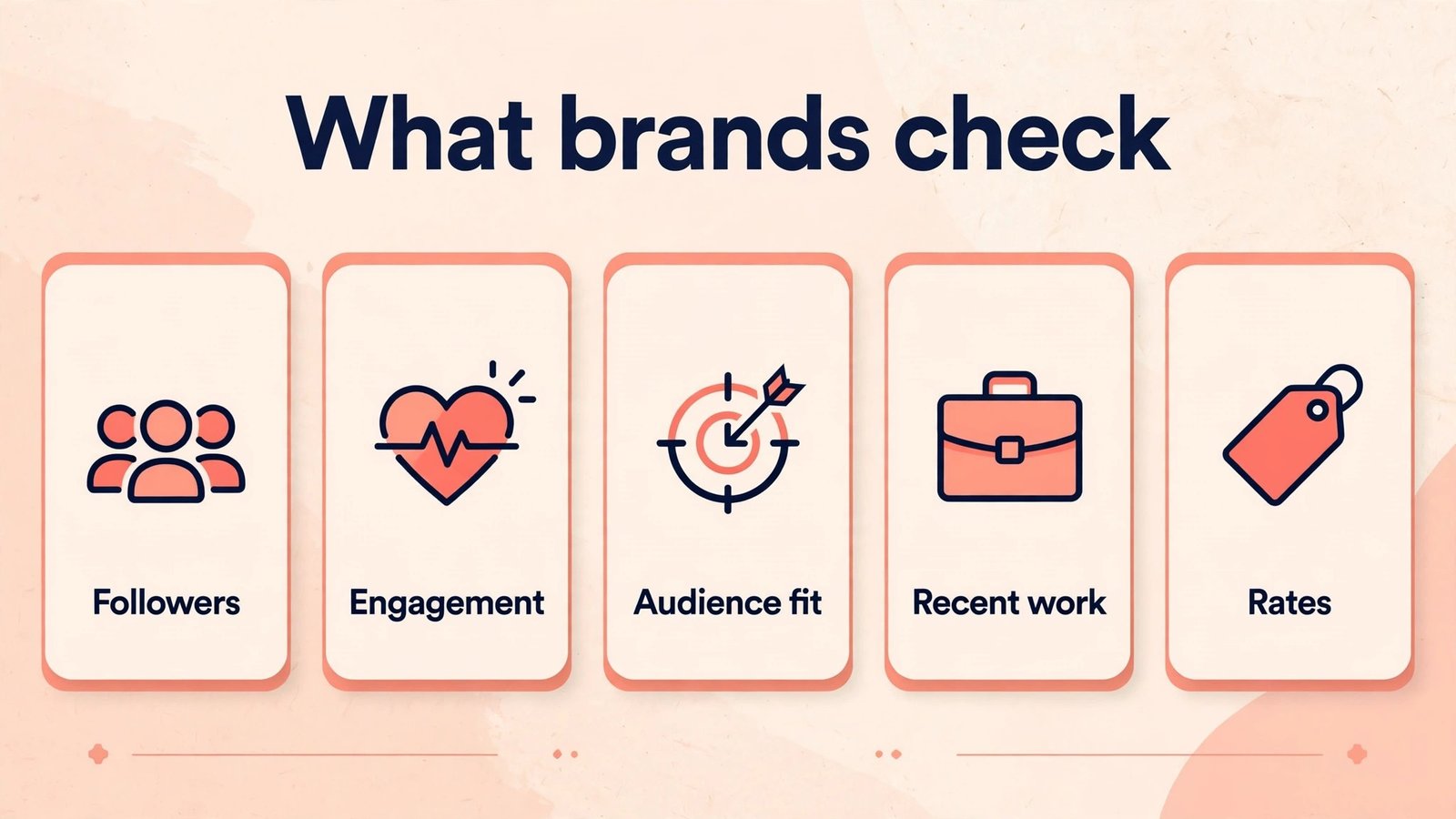
Consistency and proof are what turn content into income. Brands do not only ask how many followers a creator has. They ask for recent posts, engagement rates, audience fit and whether a creator delivered on time. These three tools help a solo creator plan reliably and show results clearly.
5. Later
Later is a visual planner and scheduler, which suits creators who think in grids and calendars. A creator can drag posts onto a calendar, preview how a feed will look, schedule for the best times suggested by the tool, and keep a library of media and captions ready to reuse. That visual planning helps micro-influencers who care about feed aesthetics, such as fashion, food, home and travel creators, where the overall look of a profile influences whether a visitor follows. Later also helps with link in bio tools and basic analytics, which give a creator a simple place to point brands and to check which posts earned saves, shares and comments rather than only likes.
Analytics depth varies by plan, and a micro-influencer should check what is included before relying on Later as the sole proof tool for brand deals. For a serious pitch, combine Later scheduling data with platform native analytics and, where needed, a dedicated analytics tool. Later also requires planning discipline. A calendar full of scheduled posts helps only if the creator actually films and designs the content on time, and a scheduled post that is out of date, such as a price or event that has changed, can cause embarrassment. Review scheduled posts the day before they go live, especially for sponsored content, seasonal offers and product launches.
Watch out for: shallow analytics on lower plans, scheduled posts going out of date, and planning without actual content creation.

6. Buffer
Buffer is the simpler scheduling option, built around queues and clean posting rather than visual grid planning. A creator can load a queue of posts, set posting times, and let Buffer publish reliably across platforms, which suits creators who post often and want a system they can set up in an afternoon. Buffer also helps with engagement basics, such as a unified inbox on some plans, and with team access if a creator hires a helper or a virtual assistant. For micro-influencers who find visual planners fiddly, Buffer’s simplicity is a feature. A tool that is actually used every week beats a powerful tool that is abandoned after a month.
Simplicity means fewer visual and analytics features than a dedicated planner or analytics tool. A creator who cares deeply about feed grid aesthetics, detailed audience breakdowns or competitor tracking will need another tool alongside Buffer, or a different choice altogether. Buffer also cannot fix a weak content plan. A queue full of generic posts will post reliably and perform poorly, which is a reminder that scheduling is a delivery system, not a content strategy. Use Buffer to protect consistency, and keep content quality, hooks and niche focus as separate work. Check pricing at checkout, because channel numbers and features differ by plan.
Watch out for: fewer visual planning and analytics features, and reliable posting of weak content.
7. Metricool
Metricool brings analytics, scheduling and competitor insight together, which helps micro-influencers answer the brand question that matters most, which is what actually worked. A creator can see which posts earned reach, saves, shares and profile visits, which times performed best, and how audience growth changed over a month. That evidence turns a pitch from a follower count into a story. A creator can show that a series of tutorial reels earned high saves, that a local audience matches a brand’s target city, or that engagement stayed steady while followers grew slowly, which brands often value more than a sudden spike. Metricool also helps creators spot patterns, such as a format that consistently underperforms, and stop repeating it.
Data needs interpretation, not copying. A competitor with higher reach may have a different audience, a different budget or a different format, and copying their posting times or hashtags will not reproduce their results. Use Metricool to learn about your own audience first, then use competitor insight sparingly, for format ideas and content gaps, not for imitation. Metricool reports also need care in pitches. Present honest, recent data, explain what it means, and do not cherry pick a single viral post to imply a level of performance that is not typical. Brands check, and a pitch that overstates results can end a relationship before it starts.
Watch out for: copying competitors instead of learning from your own data, and cherry picked stats in brand pitches.

Writing, systems and discovery
The final three tools cover the business side of being a micro-influencer. Pitches, scripts, content systems and hashtags may not be glamorous, but they decide whether a creator gets paid, delivers on time and gets found by new audiences.
8. ChatGPT
ChatGPT helps micro-influencers with writing tasks that take time and stall momentum, such as brand pitches, video scripts, caption drafts, email replies and media kit text. A creator can draft a pitch that names the brand, the audience fit, the content idea, the deliverables and the rate, then edit it into a personal message rather than sending a generic template. That structure helps new creators who have never pitched before, because it shows what a professional pitch actually contains. ChatGPT can also help with scripts, turning a rough idea into a hook, three main points and a call to action, and with captions, giving a creator several options to choose from instead of one blank page.
Generic copy is the risk, and brands receive generic pitches every day. A pitch that could have been sent to any brand, with only the brand name changed, will be ignored, and a caption that sounds like every other creator will not build a personal brand. Use ChatGPT for structure and first drafts, then rewrite with specifics. Name a real product you use, a real audience insight from your analytics, and a real content idea for that brand. Check rates, deliverables and deadlines before you send, because ChatGPT can suggest pricing or timelines that do not match your capacity. Keep personal and financial details out of chats, and treat ChatGPT as a writing assistant, not as a negotiator.
Watch out for: generic pitches, unrealistic rates or timelines in drafts, and captions copied without editing.
9. Notion AI
Notion AI helps micro-influencers build a content system, which is the difference between posting when inspiration strikes and posting on a reliable schedule. A creator can keep a content calendar, a brand contact list, a pitch tracker, a rate card, a hashtag bank and a content idea bank in one workspace, and use Notion AI to turn rough notes into plans, summaries and checklists. That system helps with brand work in particular. A creator can track which brands were pitched, what was promised, when content is due and when payment is expected, instead of searching through emails and direct messages. Notion AI can also summarise a brand brief into tasks, draft a shot list from notes, and rewrite a messy idea into a clear video outline.
Systems sprawl if nobody owns them. A workspace with dozens of half finished pages, duplicate trackers and outdated rate cards will confuse more than it helps, and AI summaries can make old information look current. Keep the system simple. One calendar, one pitch tracker, one brand kit and one idea bank are enough for most micro-influencers, and review them monthly. Notion AI also works best on notes you already have. It cannot invent a content strategy, a niche or a brand voice, and it will happily tidy a weak plan into a neat looking weak plan. Use it to organise thinking you have already done, then test the plan with real posts and real audience feedback.
Watch out for: sprawling workspaces, outdated rate cards that look current, and neat formatting hiding a weak plan.
10. Flick
Flick helps with hashtags and caption support, which still matter for discovery even as platforms rely more on search and recommendations. A creator can research hashtags for a niche, check which tags are relevant rather than only popular, and save hashtag sets for recurring post types. That relevance matters, because a post tagged with huge, generic hashtags will disappear in seconds, while a post tagged with smaller, niche hashtags can reach people who actually care about the topic. Flick also helps with caption ideas and scheduling on some plans, which can make it a useful companion tool for creators who already have a main scheduler.
Hashtags do not replace good content. A weak post with perfect hashtags will still perform weakly, and a strong post with a few relevant hashtags can travel far through shares, saves and recommendations. Use Flick to support discovery, not as a growth hack, and avoid banned, misleading or irrelevant hashtags that can hurt reach or trust. Review hashtag sets regularly, because platform behaviour and tag popularity change, and a set that worked six months ago may be stale now. Flick works best for creators who already have a clear niche and consistent content, and who want a small, measurable lift in discovery.
Watch out for: irrelevant or banned hashtags, stale hashtag sets, and treating hashtags as a substitute for content quality.
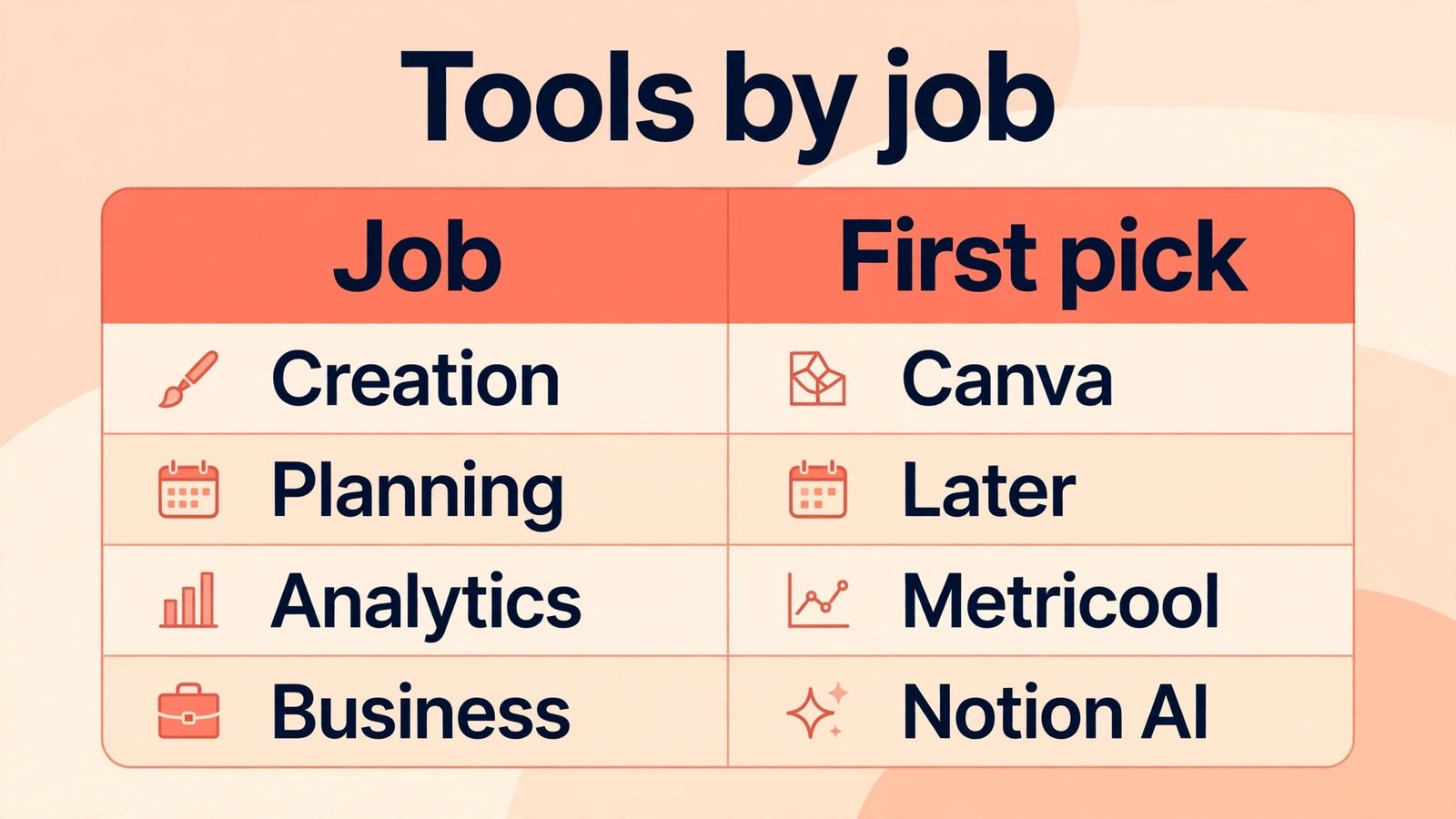
Best pick by job
| Job | First pick | Why it wins for most micro-influencers |
|---|---|---|
| Branded design and media kits | Canva | One tool for posts, carousels and kits |
| Short video editing | CapCut | Fast, phone friendly, caption ready |
| Repurposing long video | Opus Clip | Several shorts from one long piece |
| Post ideas and captions | Predis.ai | Idea bank for a content calendar |
| Visual planning | Later | Calendar and feed preview together |
| Simple reliable scheduling | Buffer | Queues that are easy to maintain |
| Analytics and proof for brands | Metricool | Clear results and audience patterns |
| Pitches and scripts | ChatGPT | Structure and first drafts fast |
| Content and brand systems | Notion AI | Calendar, pitches and rates in one place |
| Hashtag discovery | Flick | Relevant niche tags over generic tags |
Start with Canva for design, CapCut for short video and Buffer for scheduling. That trio covers looks, video and consistency, which are the three foundations a brand checks first. Add Metricool when you start pitching regularly, because proof turns a pitch into a business case.
How to choose the right tools for your niche
Start with your bottleneck, not with a popular tool list. If you film often but post rarely, scheduling and clipping are the bottleneck. If you post often but nobody saves or shares, hooks, carousels and video pacing are the bottleneck. If you get engagement but no brand replies, pitches, media kits and analytics proof are the bottleneck. Write down the one bottleneck that costs you the most growth or income right now, and choose a tool for that job first. A tool that solves a problem you do not have will sit unused, however good its reviews are.
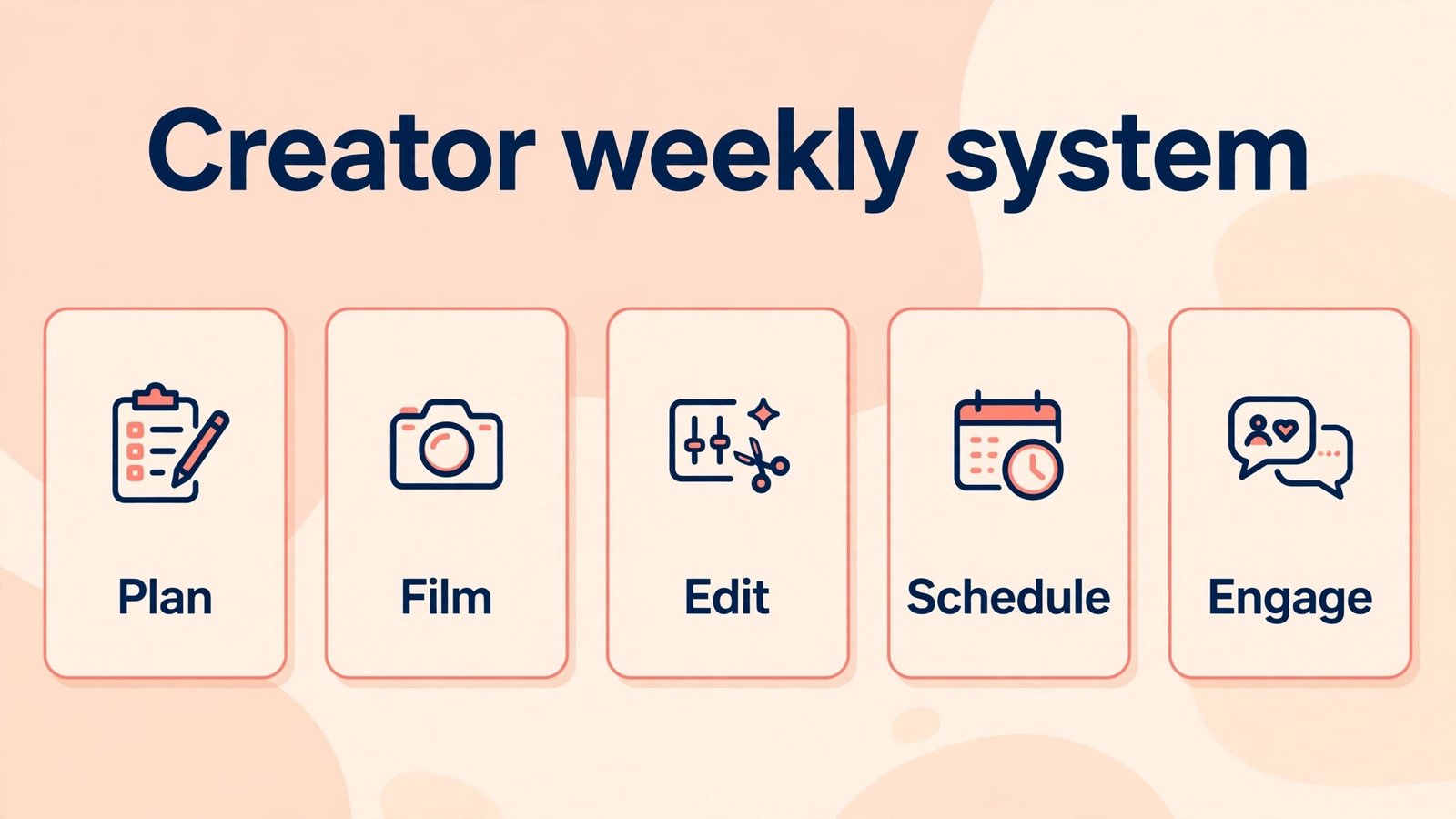
Next, test with a real month, not with a demo week. Use one tool for one content series, track saves, shares, comments, profile visits and any brand replies, and compare that month with the previous month. Check pricing at checkout, channel limits and whether a tool works with the platforms you actually use. Keep a simple weekly system. Plan on one day, film on another, edit and schedule on a third, and spend live time replying to comments and messages, because engagement after posting matters as much as the post itself. Review tools quarterly and drop any tool that has not earned its place in the last month.
Mistakes to avoid
The biggest mistake is faking engagement or copying generic AI content. Brands and audiences spot it quickly, and a reputation for inauthentic content is hard to repair. Build engagement honestly, with replies, questions, useful content and consistent posting. A second mistake is buying every tool at once. A creator who pays for ten tools will use three badly and ignore seven, so start with three, learn them, then add one at a time. A third mistake is pitching without proof. A follower count alone rarely wins a deal. Show recent work, engagement, audience fit and a clear content idea for that brand. A fourth mistake is underpricing or overpromising. Check rates for your niche and size, be clear about deliverables and deadlines, and do not promise results you cannot control, such as sales or viral reach. A fifth mistake is neglecting contracts and payment terms. Get deliverables, usage rights, revision limits and payment dates in writing before you create sponsored content, even for a small deal or a gifted product.
Frequently asked questions
How many followers do micro-influencers need for brand deals?
There is no single number, because brands care about niche fit, engagement and audience quality as much as size. Many micro-influencers work with brands at a few thousand engaged followers, especially in a clear niche with a local or specialist audience. Proof of engagement matters more than a round follower number.
Should micro-influencers use AI captions?
AI captions are useful as first drafts, but they should be rewritten in a creator’s own voice, with personal details, honest opinions and checked facts. Audiences follow people, not generic copy, and brands notice when captions sound like everyone else.
Which tool should a new micro-influencer start with?
Start with design, short video editing and scheduling, because those cover looks, video and consistency. Add analytics when you start pitching brands, and add clipping when you make long videos worth repurposing. That order matches how most creators actually grow.
How do micro-influencers set rates?
Research rates for your niche, size and platform, consider deliverables, usage rights, exclusivity and revision time, and keep a rate card you update quarterly. Start with clear, written terms, and do not trade all work for gifted product unless the product value and exposure genuinely justify it.
Can AI tools replace a manager or agency?
For early brand work, AI tools plus a simple system can cover pitches, scheduling and analytics. As deals grow in size and complexity, a manager or agent can help with negotiation, contracts and larger partnerships, but many micro-influencers run profitably without one for a long time.
How often should micro-influencers post?
Consistency matters more than a fixed number, and a rhythm a creator can sustain for months beats a burst that burns out in two weeks. For most solo creators, three to five quality posts a week across main platforms, with daily stories or replies, is a realistic starting point to test and adjust.
Conclusion
Micro-influence is a small business, even when it starts as a hobby, and the creators who treat it that way are the ones brands trust. Build a clear niche, post consistently, make content that looks professional without losing your voice, and prove results with honest analytics when you pitch. Start with design, short video and scheduling, add analytics for pitches and systems for brand work, and review your toolkit each quarter. Drop tools that do not save time or earn income, and keep the ones that help you show up reliably for an audience that actually cares. Done that way, AI does not replace the creator. It gives a solo creator the output, consistency and proof of a small team, while leaving the personality, judgment and community that brands and audiences actually pay for firmly in human hands.
For creators expanding into other formats, see our guide to best AI tools for content agencies and our guide to best AI tools for photographers. Creators who also sell products may find our guide to best AI tools for instagram useful for platform specific planning.