
Midjourney vs Flux is the comparison most image makers ask about in 2026, because the two tools solve the same job in opposite ways. Midjourney gives you a polished, opinionated look with very little effort. Flux gives you control, realistic detail and text that actually reads correctly, but it asks you to be more precise about what you want. Neither tool wins on every test. The right pick depends on whether you value a beautiful first result, or a result you can direct, repeat and put into production.
This guide tests both tools on the same four jobs: a portrait, a product shot, an image with text in it, and an artistic style prompt. It compares image quality, style control, text rendering, speed, pricing and licensing in plain terms, and it ends with a clear verdict for each type of user. Prices are October 2026 figures from the vendors’ published plans and API pages. Where a price depends on the provider you use, this guide says so and tells you to check checkout, because Flux in particular is sold through several platforms at different rates.
Quick verdict: Midjourney vs Flux at a glance
| Question | Winner | Why it wins |
|---|---|---|
| You want a beautiful image fast, with one short prompt | Midjourney | Its default style is stronger out of the box |
| You need realistic people, hands and skin texture | Flux | Fewer anatomy errors and more natural detail |
| You need words inside the image | Flux | Text rendering is clearly more reliable |
| You want the same character or product again and again | Flux | Reference and control options are more flexible |
| You want a distinctive artistic look | Midjourney | Its style engine is still the most opinionated |
| You want to build images into an app or workflow | Flux | API access and open weights fit production use |
| You are on a small budget and prompt casually | Midjourney | Simple subscription, no per image maths |
If you only remember one line from this guide, remember this: Midjourney is the better first draft machine, and Flux is the better finishing tool. Many professionals now use both, Midjourney to explore a look and Flux to lock the final version down.
Midjourney vs Flux head to head
| Category | Midjourney | Flux |
|---|---|---|
| Image quality, portraits | Excellent, slightly stylised skin | Excellent, more photographic skin and hands |
| Image quality, products | Strong, sometimes too glossy | Strong, more accurate materials and labels |
| Style control | Presets, style references, strong defaults | Prompt control, LoRA training, API parameters |
| Text rendering | Improved, still unreliable on long text | Reliable for short and medium text |
| Speed | Fast mode in under a minute for most jobs | Comparable on hosted platforms, slower on local hardware |
| Ease of use | Very easy, Discord or web editor | Easy on hosted apps, technical if self hosted |
| Pricing model | Monthly subscription | Subscription on some apps, per image on API platforms |
| Licensing for commercial use | Paid plans include commercial use | Depends on the model version and provider |
| Best for | Artists, marketers, social content | Product teams, developers, realistic imagery |

Image quality
Midjourney images look finished the moment they appear. Colours are rich, lighting is dramatic, and compositions feel considered even when the prompt is short. That is a genuine advantage for social posts, blog headers and mood boards, where the image needs to catch the eye in a feed. The trade off is that Midjourney leans toward beauty over accuracy. Skin can look too smooth, products can look slightly idealised, and small details can drift from the brief.
Flux images look closer to a photograph, especially for people and everyday objects. Skin texture, fabric weave and reflections hold up better at full size, and hands are wrong less often. That matters when the image will be printed large, used in an advert, or shown next to a real product photo. Flux can also look plain when the prompt is vague, because it does not add as much automatic polish. You get what you asked for, which is a strength only if you ask well.
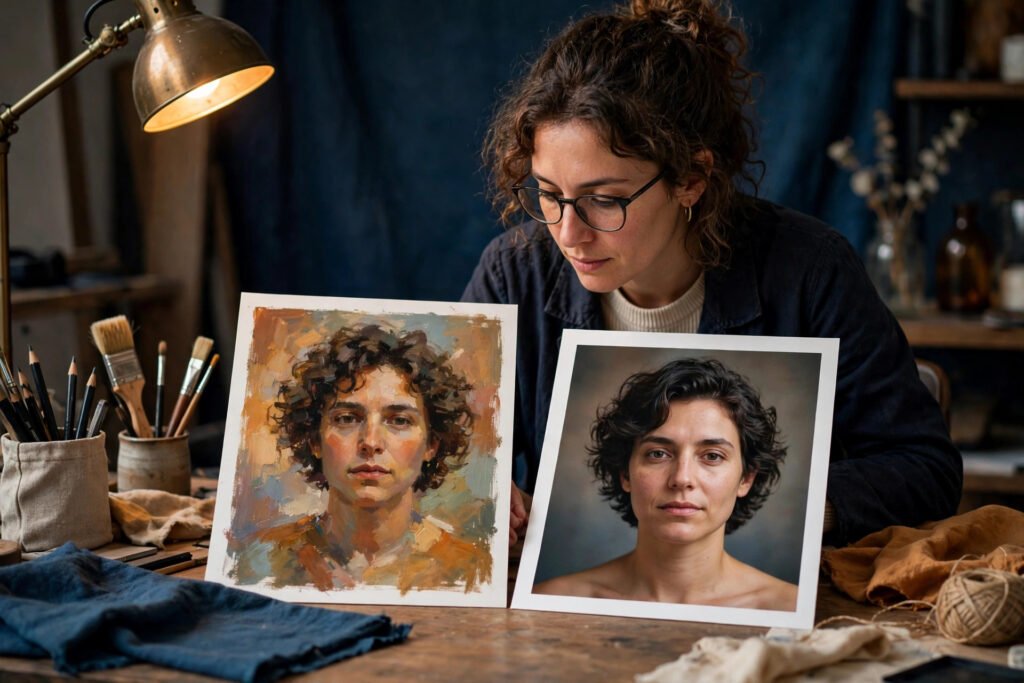
For a portrait test, both tools produced a usable result. Midjourney gave the more striking portrait, with better light and a stronger mood. Flux gave the more believable portrait, with natural skin and fewer small errors around the eyes and ears. For a product shot, Flux kept the label shape and material more faithful to the prompt, while Midjourney made the product look more premium but changed small details.
Style control
Midjourney style control works through short commands and references. You can point it at a style reference image, set a stylisation value, and pick from model versions that favour different looks. It is fast to learn and it rewards experimentation. The limit is precision. Asking Midjourney to keep a character identical across ten images takes work, and it will still vary details that Flux holds more steady.
Flux style control works through longer prompts, reference images, and, for advanced users, fine tuned models called LoRAs. A LoRA trained on a character, product or brand style lets you repeat that look across many images. Hosted Flux apps hide much of this complexity, but the control is there when you need it. If your job is one image for one post, Midjourney control is enough. If your job is a series, a brand look, or a product line, Flux control pays off quickly.
Text rendering
Text inside images used to be the weak point of every generator. Flux changed that expectation. Short words, shop signs, poster headlines and product labels usually come out spelled correctly, and medium length phrases are often clean too. Long paragraphs still fail, and small text at the edge of an image can blur, but for the text jobs most people actually need, Flux is dependable.
Midjourney text rendering has improved a lot, and short words now work far more often than they did two years ago. It still fails more often than Flux on multi word phrases, and it can swap letters in ways that look fine at a glance but fail on close inspection. If your image must carry a brand name, a price, or a headline, test the text at full size before you publish, whichever tool you use. With Midjourney, budget time for a second or third generation. With Flux, budget time for checking the prompt wording, because a clearer prompt gives cleaner text.
Speed
On hosted platforms, both tools return a standard image in well under a minute, and most jobs finish in 20 to 60 seconds. Midjourney fast mode is consistent, and its queue is predictable on paid plans. Flux speed depends on where you run it. Hosted apps and API providers are fast. Running Flux locally on a modest computer is slow and sometimes impractical, because the larger models need serious graphics hardware and memory.
For batch work, the picture changes. Flux API pricing lets you generate many images in parallel through code, which suits catalogues and automated workflows. Midjourney is built around one prompt at a time in its editor, which suits a human designer but not a pipeline that needs hundreds of images overnight.
Pricing
Midjourney sells monthly subscriptions. The published October 2026 plans start with a Basic plan at 10 dollars per month, then Standard at 30 dollars, Pro at 60 dollars and Mega at 120 dollars, with lower monthly rates on annual billing. Higher plans add more fast generation time and features such as stealth mode. There is no free tier. You pay the subscription and generate within your plan limits, which makes budgeting simple.
Flux pricing is harder to summarise, because Flux is a model family from Black Forest Labs, not a single app with one price list. You can use Flux through hosted apps with their own subscriptions, or through API providers such as fal.ai, Replicate and Together, where you pay per image or per second of compute. Per image costs vary by model version and resolution, so check checkout on the provider you plan to use before you commit. For casual use, a hosted Flux app with a monthly plan is usually cheaper to understand. For production use, API pricing is usually cheaper per image at volume, but you need to track usage.
Licensing
Midjourney paid plans include commercial use of images you create, subject to its terms of service. Free or trial use, where available, does not carry the same rights, so do not use trial images commercially.
Flux licensing depends on the model version. Some Flux versions are released under licences that allow commercial use, while others, including certain open weight releases, carry restrictions for very large scale commercial deployment. API providers add their own terms on top. If you plan to sell images, use them in a client product, or train another model on them, read the licence for the exact model version and provider you use. This is the one area where you should not guess, and where a short check of the terms page saves real trouble later.
Midjourney in depth
Midjourney is an independent research lab product that became the default image generator for creative professionals. You prompt it in Discord or in its web editor, and it returns four variations you can upscale, vary or remix. The interface rewards short, visual prompts. Words like cinematic, editorial, soft light and film grain do real work, and the style reference feature lets you point at an image and say, in effect, more like this.
What Midjourney does best
Midjourney excels at mood. Give it a vague idea, such as a quiet coastal town at dawn, and it returns something you would be happy to post. It is also strong at illustration, fantasy, fashion and concept art, where a distinctive look matters more than photographic accuracy. For social content, blog headers and presentation visuals, it is often the fastest route from idea to finished image.
Midjourney pricing
Pricing is a monthly subscription, starting at 10 dollars per month for Basic, then 30 dollars for Standard, 60 dollars for Pro and 120 dollars for Mega, with annual billing reducing the monthly rate. Check checkout for the current fast hour allowances, because those change between plans and matter more than the headline price if you generate daily. All paid plans include commercial use under the terms of service.
Best for
Midjourney suits designers, marketers, writers and small teams who need strong visuals quickly and who judge images by impact rather than by pixel level accuracy.
Watch out for
Watch for text errors on longer phrases, for idealised product details that drift from the real item, and for character drift across a series. Also note that Midjourney has no free tier, so every test costs a subscription month.
Try it at: https://www.midjourney.com
Flux in depth
Flux is a model family from Black Forest Labs, the team behind earlier Stable Diffusion work. It comes in versions tuned for speed, quality and professional use, and it is available through hosted apps and through APIs. The same prompt can therefore cost different amounts and return slightly different results depending on the provider.
What Flux does best
Flux excels at realism and control. Portraits look like photographs, product materials look true, and text in the image usually reads correctly. It also handles complex prompts with several objects and relationships better than most generators, so a brief like a red mug on a wooden table next to an open notebook is more likely to come back with all three items in the right places.
Flux pricing
There is no single Flux subscription price, because Flux is sold through apps and API providers. Hosted apps charge monthly plans, while API providers charge per image or per compute second, with rates that vary by model version and size. Check checkout on your chosen provider for the current rate, and run a small paid test before you commit to a large batch.
Best for
Flux suits product teams, developers, publishers and anyone who needs realistic images, readable text, repeatable characters or API driven generation.
Watch out for
Watch for plain results from vague prompts, for provider to provider variation, and for licence differences between model versions. Also note that self hosting needs powerful hardware, so most users should start with a hosted app or API.
Try it at: https://blackforestlabs.ai
Side by side tests
These four tests used the same plain prompt wording for both tools, with no tool specific tricks, so the comparison reflects what a normal user gets on a first attempt.
Test 1: Portrait
Prompt idea: a natural light portrait of a woman in her forties, smiling slightly, neutral background, editorial photography style.
Midjourney returned the more polished portrait, with flattering light and a clean background. The eyes were expressive and the composition felt ready to publish. On close inspection, the skin was smoother than real skin, and one earring differed slightly between variations.
Flux returned the more believable portrait. Skin texture, hair strands and the catchlight in the eyes looked natural, and the result would pass more easily next to a real photograph. The composition was less dramatic, and the background needed a prompt tweak to lose a distracting shadow.
Verdict for portraits: Midjourney for impact, Flux for believability. For a magazine cover, pick Midjourney. For a testimonial photo, a team page or an advert that must look real, pick Flux.
Test 2: Product shot
Prompt idea: a matte black water bottle on a white background, soft studio light, e-commerce photo.
Midjourney made the bottle look premium, with soft reflections and a clean shadow. The shape was attractive but slightly slimmer than the prompt implied, and the cap detail changed between variations.
Flux kept the bottle shape, cap and proportions more faithful, and the matte texture read correctly at full size. The lighting was flatter on the first attempt, but a second prompt with stronger light direction fixed it without changing the product.
Verdict for product shots: Flux, because accuracy beats polish when a customer compares the image with the real item. Midjourney is fine for lifestyle shots where the product is part of a scene rather than the subject.
Test 3: Text in image
Prompt idea: a coffee shop sign reading Fresh Coffee Daily, chalkboard style, warm light.
Flux rendered all three words correctly on the first attempt, with natural chalk texture and readable lettering. Midjourney rendered Fresh Coffee correctly but dropped or garbled Daily on two of four variations, and needed a retry to get a clean version.
Verdict for text: Flux, clearly. If your image must carry words, start with Flux and save Midjourney for images where text is absent or decorative.
Test 4: Artistic style
Prompt idea: a harbour town at dawn in watercolour style, soft washes, loose brushwork.
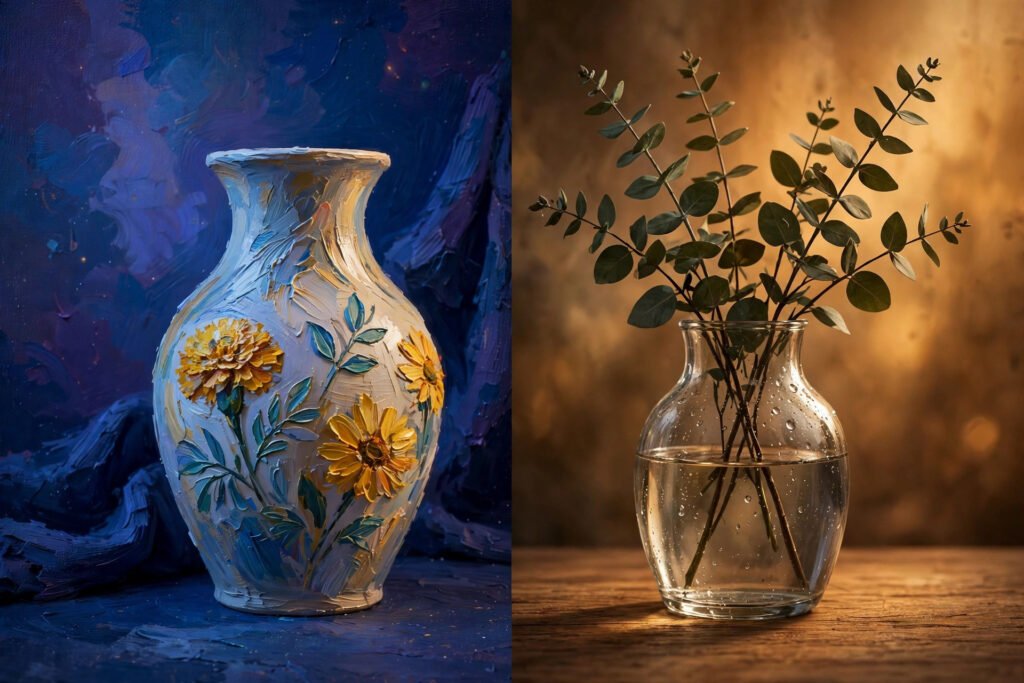
Midjourney produced the more convincing watercolour, with varied washes, visible paper texture and a coherent palette. Flux produced a pleasant image with good composition, but the watercolour effect was thinner and more digital, and it needed style words added to the prompt to match Midjourney’s first result.
Verdict for artistic style: Midjourney, clearly. Its style engine adds the texture and variation that make an artistic prompt feel hand made.

Pricing compared
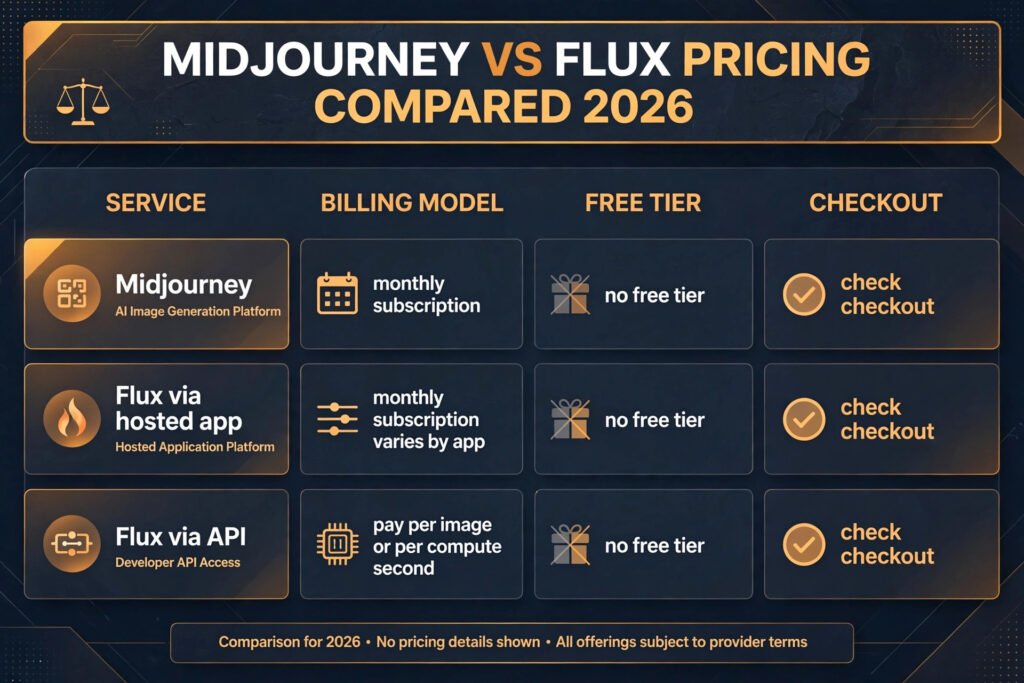
| Tool | Model | Free option | Paid model |
|---|---|---|---|
| Midjourney | Monthly subscription | None | Basic 10 dollars per month, Standard 30 dollars, Pro 60 dollars, Mega 120 dollars, check checkout for annual rates and fast hours |
| Flux via hosted app | Monthly subscription, varies by app | Varies by app, often limited | Subscription, check checkout |
| Flux via API | Pay per image or per compute second | Trial credit on some providers | Per image or per second, varies by model and resolution, check checkout |
The honest way to compare cost is by job, not by headline price. For ten images a week, Midjourney Basic is simple and predictable. For ten images a day, a hosted Flux plan may be cheaper, depending on the app. For a thousand images a month through code, Flux API pricing usually wins, because you pay only for what you generate and you can scale up or down without changing plan.
Do not forget retries: Midjourney retries for text errors and Flux retries for vague prompts both cost time and credits, so run a small test batch before a large run.
How to Choose: who should pick which
Pick Midjourney if you create social content, blog headers, presentations or concept art, and you judge images by first impression. Pick it if you prompt in short phrases, you like exploring variations, and you do not need the same character or product to repeat exactly. Pick it if you want one subscription, one editor and no decisions about providers or hardware.
Pick Flux if you create product images, realistic people, images with text, or a series that must stay consistent. Pick it if you build images into an app, a catalogue or an automated workflow, and you are comfortable choosing a provider and tracking usage. Pick it if photographic accuracy matters more than automatic polish, and you are willing to write longer prompts to get it.
Use both if your budget allows it, and use them in this order: Midjourney to explore looks and find a direction, Flux to produce the final version with accurate detail and clean text. That workflow plays to each tool’s strength and avoids paying for Midjourney retries on text or Flux retries on style. Many working designers already work this way, even if they only admit to using one tool in public.
A note on social content: if your images end up as posts, the same choice applies. A striking Midjourney header will stop the scroll, while a Flux product image will survive a closer look in the comments. For a fuller look at scheduling and design tools for social posts, see our guide to the best AI tools for Instagram.


Mistakes to avoid
The first mistake is judging either tool from a single generation. Both tools vary between runs, and a bad first result says little about the tool. Generate four variations, pick the best, and vary that one before you declare a winner.
The second mistake is using a vague prompt with Flux and a detailed prompt with Midjourney, or the reverse, and then blaming the tool. Flux needs detail to shine. Midjourney needs room to interpret.
The third mistake is trusting text at thumbnail size. Always check words in an image at full size before publishing. A headline that reads fine small can hide a swapped letter that a reader will catch instantly.
The fourth mistake is picking a plan before you know your volume. A monthly subscription looks cheap until you hit its fast hour limit, and API pricing looks cheap until a large batch runs overnight. Run a two week test at real volume, count retries as well as successes, and then choose.
The fifth mistake is ignoring licensing. Commercial use, client work and resale all depend on the plan and model version you use. Read the terms for the exact version you generate with, and keep a note of which tool produced each published image.
The sixth mistake is expecting either tool to replace photography for a hero product. Generated images are excellent for concepts, lifestyle shots and marketing variations, but a customer buying a specific product still deserves a real photo of that product. Use generated images to support photography, not to fake it.
Frequently asked questions
Is Midjourney or Flux better for beginners?
Midjourney is easier for a complete beginner, because short prompts return strong results and the editor guides you through variations. Flux is easy on a hosted app too, but it rewards longer prompts, so a beginner should expect a short learning curve before results match Midjourney’s first attempts.
Can I use Midjourney and Flux images commercially?
Yes, on paid plans and subject to terms. Midjourney paid plans include commercial use. Flux commercial rights depend on the model version and provider, so check the licence for the exact version you use before selling or publishing client work.
Which tool is better for text in images?
Flux, by a clear margin. Short and medium text usually renders correctly on the first attempt, while Midjourney still needs retries for multi word phrases. Neither tool is reliable for long paragraphs of small text.
Which tool is cheaper?
It depends on volume. Midjourney starts at 10 dollars per month with no free tier, which is predictable for casual use. Flux through an API can be cheaper per image at high volume, but hosted Flux apps vary, so compare your actual monthly image count and check checkout on your chosen provider.
Can Flux match Midjourney’s artistic style?
Flux can get close with detailed style prompts and reference images, but Midjourney still leads for painterly, illustrative and fantasy styles on a first attempt. If art style is your main job, Midjourney is the safer pick.
Should I switch from Midjourney to Flux?
Switch only if your main frustration is one of Flux’s strengths: realistic people, readable text, repeatable characters, or API workflows. If your main frustration is that images look plain or generic, stay with Midjourney or add Flux alongside it rather than replacing it outright.
Final verdict
Midjourney vs Flux does not have a single winner, because the tools optimise for different things. Midjourney wins on beauty, style and speed of first impression. Flux wins on realism, text, control and production use. For most individual creators, Midjourney is the better starting point and the more enjoyable tool day to day. For most teams shipping product images, adverts or automated content, Flux is the better working tool and the one that scales.
If you must pick one today, pick by your next ten images, not by your next year. If those ten images are social posts, headers and art, pick Midjourney. If those ten images are product shots, realistic people or images with words in them, pick Flux. And if you can afford both, use Midjourney to find the look and Flux to finish the job.