
Start with the work, not the shopping. The best brand kit makers are judged by how well they carry a business through seven steps, from a blank page to a finished set of files that a printer, a web designer and a social media manager can all use without asking questions. A logo on its own is step one. A brand kit is all seven, finished and filed in one place.
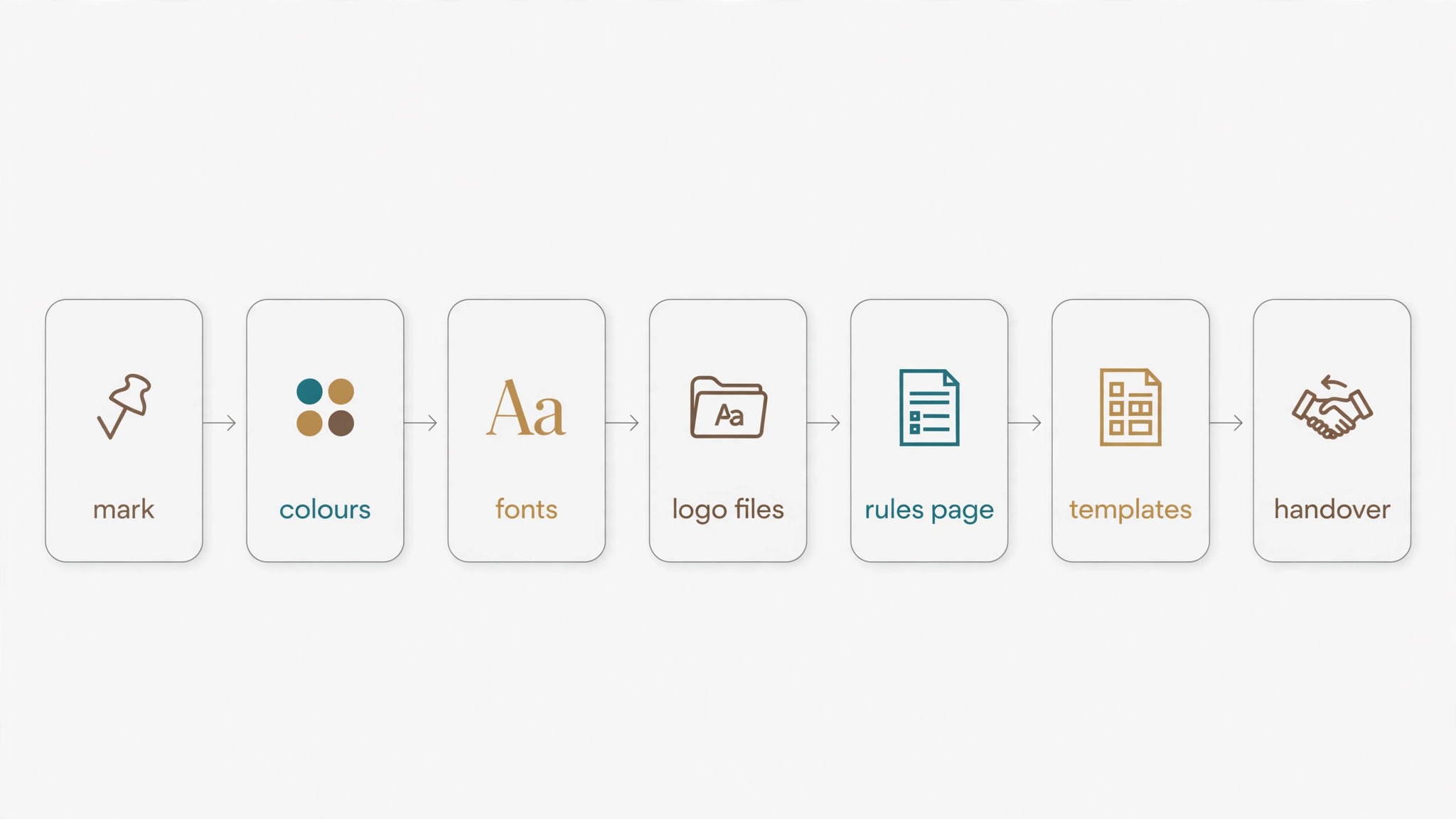
The workflow runs in this order. First, name the business and settle the mark. Second, pick the colours and write down the exact codes. Third, choose two fonts and refuse a third. Fourth, build the logo in every version it will ever need. Fifth, write the one-page rules that stop drift. Sixth, make the templates for the documents and posts that go out every week. Seventh, export everything, store it in one folder, and hand it to anyone who designs for the business. A tool earns its place here by how many of those steps it handles well.
Most buyers do the steps backwards. They fall for a logo, pay for it, and only later discover that the colours were never recorded, the fonts were never chosen, and the social templates do not exist. The repair costs more than the kit did, because a designer has to rebuild the identity from a single image file. This guide keeps the order straight, with the workflow first and the ranking following it.
How Do You Build a Brand Kit in Seven Steps?
Step one is the mark. Type the business name, pick a style, and generate a shortlist of marks. Judge them small, because a logo spends most of its life at favicon size and on a business card. Keep three finalists and pick the one that still reads at 32 pixels wide.
Step two is colour. Choose one main colour, one supporting colour and one neutral, then record the exact hex codes. A colour remembered as dark blue drifts within a month, while a colour recorded as a code stays put for years. Three colours are enough. Five colours are a warning sign.
Step three is type. Pick one font for headings and one for body text, and write both names into the kit. The heading font carries the personality, so it can be bolder or more unusual. The body font carries the reading, so it must stay plain and legible at small sizes. Two fonts are the whole system.
Step four is the logo set. Export the primary logo, a one-colour version, a reversed version for dark backgrounds, and an icon-only version for avatars and favicons. A printer asks for the vector file first, so the set is not complete without an SVG or EPS version, and a social manager asks for the transparent PNG first. Four versions cover nearly every job a logo ever does.
Step five is the rules page. Write one page that states the colours with their codes, the two fonts with their roles, the clear space around the logo, and the three things nobody may do. No stretching the logo, no recolouring it to match a mood, and no setting body text in the heading font. A kit without written rules is a suggestion, and suggestions get ignored on a busy Friday.
Step six is templates. Build the business card, the letterhead, the email signature, the social post and the presentation cover from the same kit, so every document starts from the same colours and fonts. Templates are where a kit pays for itself, because each one saves twenty minutes of guessing.
Step seven is the handover. Export every file, name each one plainly, and store the whole set in a single shared folder with the rules page on top. Send the folder to the printer, the web designer and anyone who posts for the business. A kit that lives only inside one account is a kit that disappears when that account closes.
What a Complete Kit Actually Contains
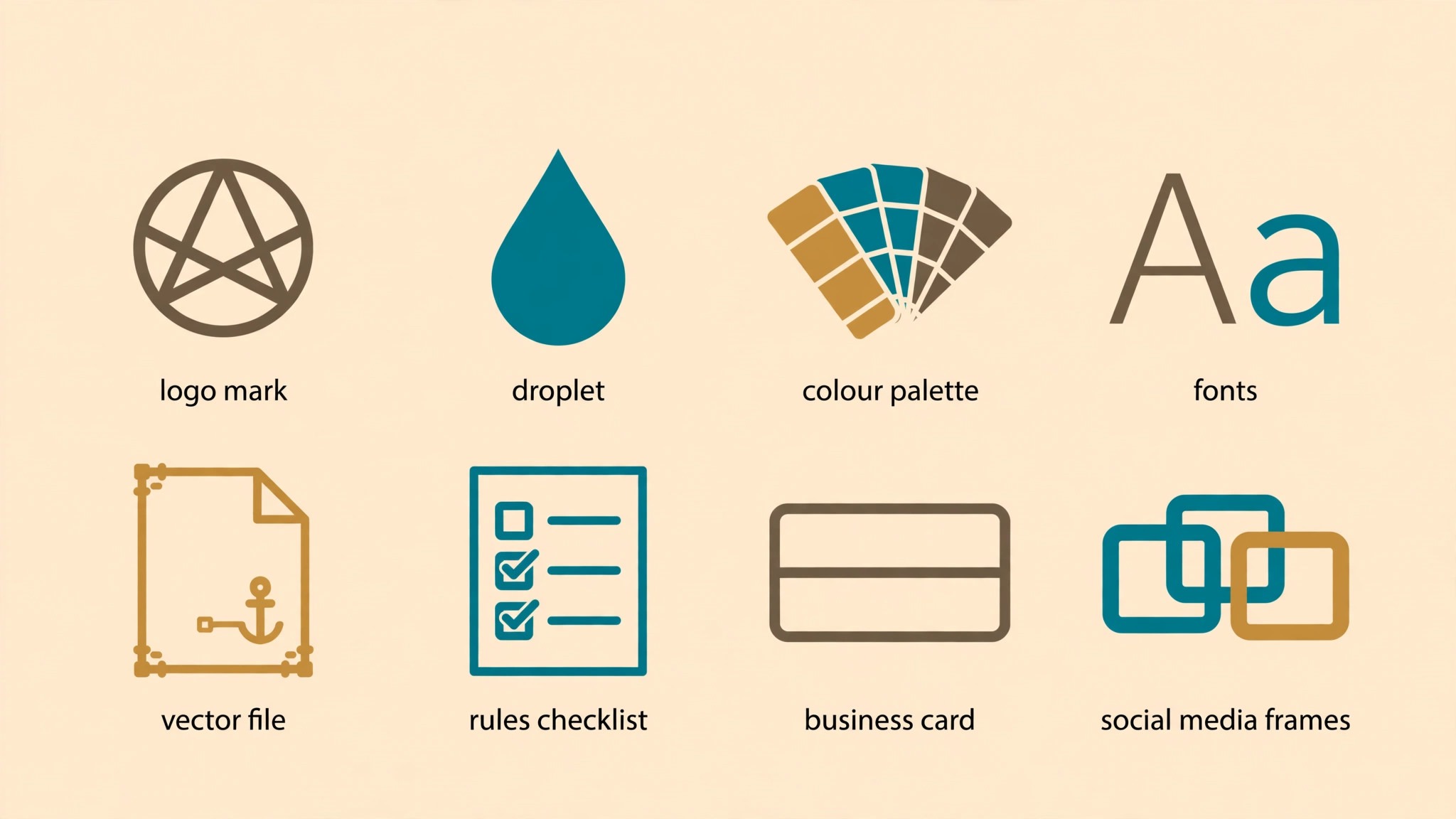
A complete kit holds eight pieces, and a tool that delivers fewer than six of them is selling a logo with extras rather than a kit. The table below is the checklist to hold every tool in this guide against, and the best brand kit makers ranked further down follow it closely.
| Kit piece | What good looks like | Where it gets used |
|---|---|---|
| Primary logo | Clean mark, reads at small sizes | Website header, cards, invoices |
| One-colour logo | Works in a single ink | Stamps, receipts, single-colour print |
| Colour palette | Three colours with exact hex codes | Every document, post and sign |
| Two fonts | One for headings, one for body | Website, documents, presentations |
| Logo file set | SVG, EPS, high-resolution PNG | Printers, designers, web builds |
| Rules page | Colours, fonts, spacing, three bans | Every person who designs for you |
| Templates | Card, letterhead, signature, social post | Daily and weekly output |
| Social sizes | Profile, post and cover in matching style | Instagram, Facebook, LinkedIn |
The file set deserves a second look, because it is where cheap tools quietly fail. A PNG alone cannot go to a printer, since a printer needs a vector file that scales without blurring. An SVG alone cannot go to a social scheduler, since many schedulers want a PNG with a transparent background.
The rules page deserves the same attention. Most brand drift starts the week after the kit is bought, when a well-meaning colleague stretches a logo to fit a banner or recolours it to match a seasonal post. One page with the codes, the fonts, the spacing and the three bans stops that drift before it starts, and it costs ten minutes to write.
How to Choose the Right Brand Kit Maker
Start with how often you will design. A business that posts every day needs a kit that lives inside a design tool, with templates and locked colours. A business that builds once and prints for years needs files it owns outright, with vector exports and a written licence.
Then count the people who will use the kit. One owner can work with a simple tool, while a team of three or more needs shared seats and approvals. Finally, weigh the price over a full year, not a single month, since a cheap monthly plan can cost more than a one-time purchase by December.
The 8 Tools in Detail
What follows is the detailed ranking of the best brand kit makers, ordered by how well each tool carries the seven-step workflow from a blank page to a finished, handed-over kit. Canva leads on daily use, Looka on ownership, Adobe Express on speed, and Design.com on breadth for the money.
1. Canva — Daily Brand Work
Canva takes first place because the kit lives where the work happens. Set the palette, the type and the mark once, and every new document starts from those choices without asking for them again. A business card, a social post and a presentation cover all leave from the same kit, and the colours match because the kit enforces them.
Canva Pro costs $144 a year for one person, and that fee unlocks five Brand Kits, the full template library, background removal, one-click resize and 100GB of storage. The free tier allows a single Brand Kit limited to three colours, which is enough to test the idea and not enough to run a business on. Business tier costs $250 a year per person and raises the kit count to 100 with approvals.
The template shelf is the deepest in this guide, and depth matters at step six of the workflow. A new social post, a flyer or a menu starts from a template that already carries the kit colours and fonts. The resize tool turns one design into every social size in a click.
The weakness is ownership. Canva Pro exports the formats a printer needs, but the kit itself lives inside Canva, and cancelling the subscription takes the working system with it. A business that wants files it owns outright should look at Looka or Brandmark instead.
2. Looka — Files You Own Outright
Looka takes second place as the kit maker for a business that wants to own its files. Answer a short set of questions about the business and Looka returns a logo, a palette, type choices and a full set of brand guidelines. The result reads as a finished identity rather than a pile of files.
The pricing needs care, because the tiers do very different jobs. Designing is free, and payment starts at download. Basic costs $35 one-time and buys a single low-resolution PNG, which is not enough for print. Premium costs $72 one-time and is the real entry point, with vector files in SVG, EPS and PDF, colour variations, full ownership and unlimited changes after purchase. The Brand Kit subscription costs $96 a year and adds more than 300 branded templates on top of the Premium files, while Brand Kit Web at $129 a year adds an AI-built website.
The file set is the strongest in this guide at the Premium tier, and it covers step four of the workflow completely. A printer, a sign maker and a web designer all get the formats they ask for, and the business owns the files outright. The guidelines document is a genuine rules page, which covers step five without extra work.
What Looka lacks is a workshop. It builds the kit once and hands it over, while Canva keeps building every week. A business that posts daily will feel that gap within a month. For a business that builds once and hands the files to professionals, Looka is the cleanest buy in this guide.
3. Adobe Express — Fast Kit Plus Adobe Fonts
Adobe Express ranks third on speed and on the quality of its type. Premium is $9.99 a month and includes a brand kit, a logo maker, one-click resize, premium templates, Adobe Stock assets and the Adobe font library. The free tier exists, but the Brand Kit sits on Premium.
The font library is the reason to pick Express over its rivals. Adobe fonts are the best-regarded type collection in this category, and the heading font carries more of a brand identity than most buyers expect. The photo tools are strong too, with background removal and clean cutouts that make a simple product photo look finished.
The kit features are narrower than Canva, and the template shelf is smaller, so a business that publishes daily will build more from scratch. The resize tool and the brand kit cover the core steps, but the templates for cards, letterheads and presentations are thinner.
Express is the pick for a business that values finish over volume. A few documents a week, made well, with type that looks like a designer chose it, is the job it does best.
4. Design.com — Kit Plus Website in One Account
Design.com takes fourth place, and the case for it is breadth for the money. One account carries the logo maker, the brand kit, the website builder, business cards, social templates, letterheads and email signatures, all sharing the same colours and fonts from day one. A new business that wants the whole identity live within a week gets more from this one subscription than from a logo-only tool costing twice as much.
The pricing is the lowest paid entry in this guide. Designing is free, and selected logos download free with vector files and a commercial use licence. Starter runs $3 a month billed annually, or $9 a month billed monthly, and adds unlimited logo edits, premium designs, business cards, social templates and letterheads. Value is $4 a month billed annually and adds the website builder, while Premium is $5 a month billed annually and adds link-in-bio pages and digital business cards.
The kit maker itself is solid rather than dazzling, which is why Design.com sits fourth among the best brand kit makers here rather than higher. From a business name and a few answers it shapes a clean logo, with templates that fit small businesses and exports in the formats a new business needs, including SVG, EPS and PDF on paid tiers. Canva works the daily kit better, and Looka delivers more complete files, so expect neither strength here. The shared kit across every piece is the point.
One warning belongs in the open. The standard licence bundled with every plan is non-exclusive, which means other customers can buy and use the same base template. Sole ownership needs an Exclusive License upgrade, reported at $15 a month, $60 a year, or $145 one-time. For a business that wants a clean, matching identity at the lowest cost in this guide, Design.com is the value pick.
5. Tailor Brands — New Business Setup
Tailor Brands takes fifth place as the setup tool for a brand-new business. One questionnaire returns a logo, a kit, a website idea, a domain suggestion and card designs. A new owner opening in six weeks gets the identity, the site and the cards from one sitting, which is worth more than any single feature.
The pricing is subscription only, with no one-time purchase, and the structure is the least transparent in this guide. Entry plans are commonly listed around $9.99 a month on monthly billing, or roughly $48 a year on the cheapest annual logo plan, rising with higher tiers that add vector EPS files and more branding tools. The checkout page is the number to trust.
The strength is the flow. The questionnaire asks about the business, not about design, and the kit that comes back is coherent, with colours, fonts and templates that match each other. A first-time owner who has never briefed a designer will finish with a usable identity in an afternoon. The weakness is the exit. The kit lives inside Tailor Brands, and moving it elsewhere takes work, so an owner who plans to hand files to a local printer should check the export list before paying.
Tailor Brands is the pick for a business being built from nothing, where the logo is one item on a long opening checklist.
6. Brandmark — Pay Once, Keep Forever
Brandmark holds the pay-once slot and ranks sixth on simplicity. Type a business name, pick a few styles, and the tool returns a logo, and a single payment secures the files outright, with full copyright and unlimited revisions. There is no subscription, no renewal, and no kit that disappears when a payment stops.
The pricing is one-time across three tiers. Basic costs $35 one-time, Designer costs $95, and Enterprise costs $195, with reported figures varying by source, so confirm at checkout. Basic covers the PNG and vector logo files, Designer adds source files, brand guidelines and business card designs, and Enterprise adds hand-crafted designer concepts plus font downloads. The Designer tier is the one to buy, because the guidelines document is the rules page from step five.
The tool has no template library and no system for daily use, so a business that designs every week will find it thin. Its strength is ownership, and its gap is the workshop. For a business that builds the kit once and hands it to a printer, Brandmark is the cheapest way to own everything, and the $95 Designer tier undercuts a single hour of designer time. Pair it with a free design tool for the daily posts, and the combination covers the whole workflow for less than one year of Canva Pro.
7. VistaCreate — Templates Plus Team Seats
VistaCreate comes in seventh on variety and on team value. There are more than 200,000 templates in a bright, modern style, and the kit applies your colours and fonts across the whole set in one click. The free Starter plan includes one Brand Kit, one seat and 10GB of storage.
Pro is $13 a month billed monthly, or $10 a month billed annually at $120 a year, and covers up to ten team members under one subscription, with unlimited Brand Kits, unlimited storage, version history, one-click resize and HD downloads. That seat count is the best team deal in this guide, since Canva Business charges per person while VistaCreate charges one flat fee for ten seats.
The brand lock is looser than Canva, so a hurried colleague can still drift off palette, and the answer is to save two or three locked templates and reuse them rather than starting from the shelf each time. VistaCreate is the pick for a small team that needs many templates and many seats.
8. Logaster — Kit Plus Stationery
Logaster closes the ranking as the kit-plus-stationery pick, and it sits eighth on breadth of extras. A business that wants the whole identity in a single purchase gets it ready made, with the logo, the brand kit, cards, letterheads, envelopes and social templates.
The reported price starts from about $9.99 a month, with higher tiers for more files and features, so confirm the figure at checkout. Paying month by month costs more across twelve months, so a business that only needs the logo gets better value from Looka or Brandmark.
The logo quality is serviceable rather than beautiful, and a business with a long name may find the layout tight. Where Logaster earns its place is the stationery, because a business that prints cards, letterheads and stickers from one kit saves a week of coordination with a printer. It is a specialist pick, and it knows it.
Best Pick by Job
Below, every common job is matched to a single pick from the best brand kit makers in this guide. Find the row that describes your business and start there.
| Job | Pick | Why it wins here |
|---|---|---|
| Daily brand work | Canva | Kit, templates and posts in one place |
| Files you own outright | Looka | Vectors and full ownership at Premium |
| Fast kit plus Adobe fonts | Adobe Express | Lowest paid seat among the leaders |
| Kit plus website | Design.com | One account, shared kit, low annual cost |
| New business setup | Tailor Brands | Logo, kit, site and cards in one flow |
| Pay once, keep forever | Brandmark | One payment, full copyright |
| Templates plus team seats | VistaCreate | Ten seats on one Pro plan |
| Kit plus stationery | Logaster | Cards, letterheads and social templates |
The Best Brand Kit Makers at a Glance
Eight of the best brand kit makers made this guide, and each one was judged on the seven-step workflow, the eight-piece checklist, the files it hands over, and what a year of real use adds up to. If you skipped the detailed reviews, the table below gives the short version.
| Tool | Best for | Starting price | Free plan | Watch out |
|---|---|---|---|---|
| Canva | Daily brand work | Pro $144 a year | Yes | Full kit needs Pro |
| Looka | Files you own outright | Premium $72 one-time | Yes | Brand Kit is a yearly add-on |
| Adobe Express | Fast kit plus Adobe fonts | Premium $9.99 a month | Yes | Narrower kit features |
| Design.com | Kit plus website in one account | Starter $3 a month billed annually | Yes | Standard licence is not exclusive |
| Tailor Brands | New business setup | About $9.99 a month | Yes | Subscription only, no one-time buy |
| Brandmark | Pay once, keep forever | Basic $35 one-time | No | No daily design tools |
| VistaCreate | Templates plus team seats | Pro $13 a month | Yes | Brand lock is looser |
| Logaster | Kit plus stationery | From about $9.99 a month | Yes | Monthly billing adds up |
Canva leads the table on daily use, Looka leads it on ownership, and Design.com leads it on breadth for the money, since one subscription carries the logo, the kit and the website together.
Canva vs Looka: Ownership or Daily Use?
Canva and Looka answer different questions. Canva asks how the kit will be used every day, and answers with templates, locked colours and one-click resize inside the tool. Looka asks who owns the finished files, and answers with vector exports, full copyright and a guidelines document at the Premium tier.
Pick Canva when the kit must support daily posts, social templates and a small team working from the same colours. Pick Looka when the kit is built once, handed to a printer or a web designer, and expected to last for years without another payment. The two can also share the job, with Looka supplying the files and Canva running the daily work.
How Do You Test a Kit Before You Pay?
A kit from the best brand kit makers should still be tested with real material before money changes hands, and the test takes an afternoon. Take your real business name, your real tagline and a real document, and rebuild that document in the tool. If the heading font holds, the colours match and a change takes two minutes, the tool passes. If the layout fights you, the tool will fight you every week.
Then check the export list, because a kit that cannot leave the tool is a kit you rent. The logo must export as a vector, the palette must export as codes a printer can use, and the templates must export as files a printer can open. Looka Premium and Brandmark both deliver vector files outright, and Canva Pro exports them on the paid tier. A free tier that only exports a low-resolution image is a trap for a business that needs print.
Finally, count who will use the kit. A single owner can live with a simple tool, but a business with three people posting needs locked templates and a shared account. Canva Pro and VistaCreate both handle a small team, while Looka suits a single owner who builds once and hands the files to a printer.
What Does Ownership Really Mean?
Ownership is the most misunderstood word in this category, and it decides whether a kit survives a cancelled subscription. Full ownership means the vector files are yours, the licence covers commercial use, and nobody else can buy the same mark. Looka Premium and Brandmark both grant that, in writing, at the tiers named in their sections. Design.com grants a lifetime standard licence on paid plans, but the licence is non-exclusive unless the Exclusive upgrade is bought.
A subscription kit works differently. Canva Pro, Adobe Express and VistaCreate rent the working system, and the files you export during the subscription stay yours, while the kit itself stays behind when the subscription ends. Read the licence page for the tier you are buying, not the marketing page.
Frequently Asked Questions
How much does a brand kit cost in 2026?
From $0 to about $144 a year, depending on the tool and the plan. Brandmark Basic is $35 one-time, Looka Premium is $72 one-time, Design.com Starter comes in at $3 a month billed annually, and Canva Pro is $144 a year. A free start is possible with Canva, Adobe Express or VistaCreate, though the full kit sits behind the paid tiers.
What belongs in a brand kit?
A brand kit holds the primary logo, a one-colour version, a palette with exact codes, two fonts, a vector file set, a one-page rules sheet, templates for the documents that go out every week, and social sizes in matching style. The first four pieces are the core, and a kit missing any of them is not a complete kit.
Can I build a brand kit without a designer?
Yes, and most small businesses do. Canva, Looka, Design.com and Tailor Brands all build a kit from a business name and a couple of choices, with no design skill needed. The kit will not match a designer-built identity for originality, but it will match it for consistency.
Do I own the logo and kit files I make?
The answer depends on the tool and the tier, and it sits in the licence. Buy Looka Premium or Brandmark and the vector files are yours outright, with full commercial rights. Canva Pro and Adobe Express let you keep the files you export while the kit itself stays inside the subscription. Design.com grants a lifetime standard licence that is non-exclusive unless the Exclusive upgrade is bought.
Which brand kit maker is best for a small team?
Canva Business and VistaCreate Pro are the two team picks among the best brand kit makers in this guide. Canva Business costs $250 a year per person and adds approvals, so a manager signs off posts before they go out. VistaCreate Pro costs $120 a year and covers ten seats on one flat fee. Pick Canva when approval matters, and VistaCreate when the seat count matters.
Can I change my brand kit after launching?
Yes, though changing it costs more than it seems. The website, the cards, the social profiles and the printed stock all carry the old brand, and each one needs updating. A rebrand is a real project, and it takes a week to settle. Change the kit once, early, rather than in small pieces over a year.
Your First Kit in One Afternoon
Here is the afternoon that turns this guide into a finished kit. Spend the first hour on steps one to three, and pick the mark, the three colours and the two fonts, writing every code and name down as you go. Spend the second hour on steps four and five, exporting the four logo versions and writing the one-page rules sheet with its three bans. Spend the third hour on step six, building the card, the letterhead, the signature and the social post from the same kit.
If the budget stretches to two tools, buy Looka Premium at $72 for the files you own, and run the daily work on Canva Pro at $144 a year. If the budget stretches to one tool only, Canva Pro alone carries the kit, the templates and the posts, and the files can be bought later.
If the budget is tight, Design.com Starter at $3 a month billed annually carries the logo, the kit and the website together. Run the eight-piece checklist before the kit counts as done, because the best brand kit makers all agree on one thing. A kit that passes the checklist will carry a business for years, and a kit that misses a piece will cost a reprint every season.