
A guest walks in hungry, opens the menu, and within ten seconds decides whether this place understands food or merely sells it. That decision rarely comes from the cooking. It comes from a menu that hides the best dish, prices the wrong item too high, or reads like a spreadsheet printed on card. The best menu makers exist to stop those quiet losses, because a menu is the one piece of marketing every paying customer reads, and most restaurants rewrite it far less often than they should.
Walk through any busy street at dinner time and the pattern repeats. One restaurant has a menu you can read from the door, with short names, honest prices, and a clear path from starter to main. The place next door has a laminated sheet crowded with forty dishes, prices in a type size that needs squinting, and a special that ran out three weeks ago. Both kitchens may be equally good. Only one of them sells its food before the food arrives.
The Seven Menu Mistakes That Cost Restaurants Customers
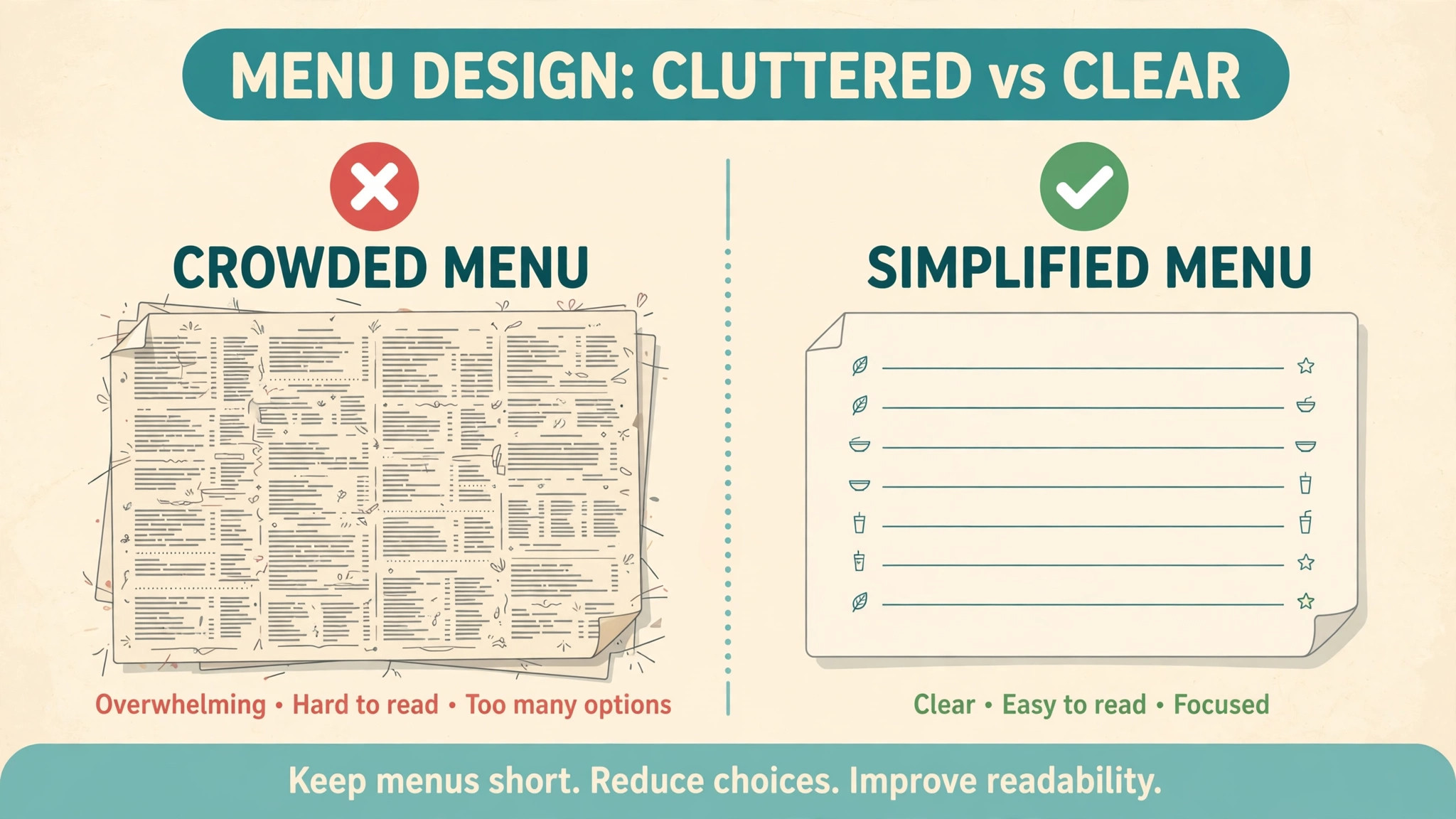
Mistake one is length. A menu with forty items does not look generous. It looks uncertain, and it slows every table down. Guests read longer, order later, and default to the safest dish instead of the one with the best margin. Twelve to eighteen items is the working range for most restaurants, with a short list of starters, a clear set of mains, and a small dessert line.
Mistake two is pricing from memory. A supplier raises the price of chicken by eight percent, the menu stays the same, and the best seller quietly becomes the least profitable dish on the page. This happens because changing a price feels like a chore, and in many restaurants it is one. When a price change takes an hour, it does not happen. When it takes ten minutes, it happens the same day.
Mistake three is type that is too small. Menus are read in warm light, at arm’s length, by guests who may be over fifty and may have left their reading glasses at home. A menu set in nine-point type with thin grey lettering on a cream background is a test of patience, not a piece of design.
Mistake four is hiding the dish you most want to sell. Every restaurant has one, the plate with the best margin, the most reliable kitchen time, and the strongest reviews. Too often it sits in the middle of a long list, under a plain name, with no signal that it matters. Put the signature dish first in its section and give it a short line of plain description.
Mistake five is a description that says nothing. A line that reads “chicken, served with sauce” tells a guest nothing about flavour, portion, or why this chicken costs more than the one at home. A useful description names the cooking method, one or two real ingredients, and the thing that makes the plate different, all in a single short sentence.
Mistake six is one menu in one format. The printed menu, the board by the door, the phone version, and the delivery listing are four different readings of the same food, and in too many restaurants they disagree. The printed menu says one price, the board says another, and the phone version still lists a dish that left the kitchen last season. A single source file that feeds every version is the only way the prices stay honest.
Mistake seven is a menu that never changes. Seasons move, suppliers change, and a dish that sold well in winter may sit untouched in summer, yet the menu stays frozen because nobody owns it. A menu should be reviewed every season at minimum, and every time a price or an item changes in between.
How Were the Best Menu Makers in This Guide Tested?
Every tool below was judged on the same four questions, in this order. First, how fast does a price change reach every version of the menu, because a slow update costs money every week. Second, how readable is the menu at arm’s length and on a phone, because a menu that cannot be read cannot sell. Third, how easy is the tool at the moment a change is needed, which is usually in a rush before service. Fourth, what does twelve months of real use add up to, including the paid tier that unlocks the features a restaurant actually needs.
Price figures in this guide are United States prices taken from vendor pages and recent independent checks in late 2026, and they are given as starting points rather than promises. Vendors change prices, and the figure at checkout settles any difference. The tools are ranked on the four questions above, not on brand size, and a cheaper tool that updates fast can outrank a famous tool that updates slowly.
How to Choose the Best Menu Makers for Your Restaurant?
Start with how often the menu changes. A cafe that reprices weekly needs the best menu makers for fast edits and a QR version that updates from the same file, while a restaurant that prints one menu a season can trade speed for prettier templates. Then check the phone test before the price, because a cheap tool that exports a blurry phone menu will cost more in lost orders than the dearest subscription on this list. Finally, count the real yearly bill, including the tier that unlocks your brand kit and print-ready exports, not the free tier you will outgrow in a month.
Canva vs MustHaveMenus, Which Menu Maker Should Lead Your Shortlist?
Among the best menu makers, these two sit at the top for different reasons, and the right lead depends on what the restaurant does every day. Canva wins when the menu is one job among many, because the same account handles the board, the social posts, and the print file, and the brand kit keeps them in step. MustHaveMenus wins when the menu is the job, because its food-only templates, QR menu, and till syncs are built for service, not borrowed from a general design tool. A restaurant that posts daily should shortlist Canva first. A restaurant that changes dishes weekly should shortlist MustHaveMenus first.
The 12 Tools at a Glance
The best menu makers in this guide cover every route a restaurant can take to a menu, from a free maker to a food-only platform. Read the table for the shape of the choice, then read the detailed sections for the reasoning behind each place.
| Tool | Best for | Starting price | Free plan | Watch out |
|---|---|---|---|---|
| Canva | Everyday menu use | Pro $144 a year | Yes | No food-only features |
| MustHaveMenus | Food-only menus | Design about $24 a month | Trial | Pro tier costs more |
| Adobe Express | Fast menu plus posts | Premium $9.99 a month | Yes | Smaller menu features |
| VistaCreate | Menu plus templates | Pro $13 a month | Yes | Looser brand lock |
| Design.com | Menu plus website | Subscription from about $3 a month | Yes | Less depth per tool |
| PosterMyWall | Budget menus | Premium about $13 a month | Yes | Watermarks on free plan |
| iMenuPro | Print and QR menus | $16 a month | Trial | Dated interface |
| Visme | Visual menus | Starter about $12.25 a month | Yes | Menu is one feature |
| Venngage | Infographic-style menus | Premium from about $10 a month | Yes | Paid export limits |
| Fotor | Photo menus | Pro from about $3.33 a month | Yes | Weaker text tools |
| Marq | Locked brand templates | Pro $10 a month per user | Yes | Built for teams |
| Snappa | Quick simple menus | Pro $10 a month billed yearly | Yes | Three downloads a month free |
Best Pick by Job
Below, every common job is matched to a single pick from the best menu makers in this guide. Find the row that describes your restaurant and start there.
| Job | Pick | Why it wins here |
|---|---|---|
| Everyday menu and posts | Canva | Brand kit, templates, fast edits |
| Food-only menu system | MustHaveMenus | Restaurant templates, QR menu, print |
| Fast menu plus social posts | Adobe Express | Quick posts, Adobe fonts |
| Menu plus templates | VistaCreate | Huge template range |
| Menu plus website in one place | Design.com | One account, shared brand kit |
| Budget menu | PosterMyWall | Low cost, Square sync |
| Print and QR in one tool | iMenuPro | Single price, all features |
| Visual menu with charts | Visme | Strong layout tools |
| Infographic-style menu | Venngage | Clear visual hierarchy |
| Photo-led menu | Fotor | Photo editing built in |
| Same menu across several sites | Marq | Locked templates, team controls |
| Quick one-off menu | Snappa | Fastest simple editor |
The 12 Tools in Detail
What follows is the full ranking, judged on the mistakes first and the design second. Canva leads on daily use and MustHaveMenus on food-only depth, Adobe Express and VistaCreate follow on speed and templates, and the rest earn their places on single jobs rather than overall power.
1. Canva — Everyday menu use
A restaurant that works on its menu every week will find no stronger maker than Canva, and the lead rests on a plain fact. The menu lives where the rest of the work happens, so the palette, the type, and the prices are set once and every new menu starts from those choices instead of asking for them again. The printed menu, the board, and the social post stay in step, because the brand kit locks the palette and type so nothing drifts between versions.
Canva Pro is $144 a year for one person on annual billing, or $18 a month when billed monthly, and the free tier includes thousands of menu templates. Pro adds the brand kit, background removal, and one-click resize, which is the feature that matters most for a restaurant, because the same menu has to fit a printed page, a board, and a phone.
2. MustHaveMenus — Food-only menus
MustHaveMenus earns second place by doing one job deeply, and it is the strongest choice for a restaurant that wants a menu system rather than a design tool. The platform holds more than 16,000 restaurant templates, with matching sets for dine-in, takeout, and table tents, and it syncs with Toast and Square, so menu data does not have to be retyped when the till changes.
MustHaveMenus Design is about $24 a month on yearly billing, and the Pro tier runs about $49 a month and adds digital signage, QR codes, and an AI helper. The price is per location, which matters for a restaurant with one site, because the bill is the bill and there is no multi-location discount to chase. A free trial is offered, though there is no free plan.
3. Adobe Express — Fast menu plus posts
Adobe Express takes third place on speed and price as the fast-menu choice. Premium is $9.99 a month, or $99.99 a year, and includes a menu maker, brand kits, 250 generative credits a month, and one-click resize. The menu features are narrower than Canva or MustHaveMenus, and the tool will not deliver a QR menu with the same completeness as a food-only platform.
The value sits in the workflow, since the menu, the food photos, and the social posts all live in one place. Background removal carries no credit limit, which matters when every dish photo needs a clean cutout before it goes on a menu. A restaurant already using Adobe fonts will find the type choices stronger here than on most of the list, and the resize tool saves time on every new board size. The free tier covers simple menus, and Premium is cheap enough that a small cafe can justify it on the photo editing alone.
4. VistaCreate — Menu plus templates
VistaCreate holds fourth place on variety and keeps the template slot. Templates are plentiful, the styles stay bright and modern, and the menu maker carries your colours and fonts into every layout with one click. The Pro tier runs $13 a month, or about $10 a month on annual billing, with a free tier for occasional use.
The menu maker is simpler than MustHaveMenus, and the brand lock is looser than Canva, so a hurried owner can still drift off palette. The highlight is the variety, and the weak point is control, because a restaurant that changes its menu in a rush will find the colours wandering. For a restaurant that wants a fresh look every season, the template range is the argument, and the VistaPrint connection adds direct print ordering.
5. Design.com — Menu plus website
In fifth place sits Design.com, because a restaurant menu is the seed of the brand, and the subscription builds the rest from it. A single payment covers one logo, one kit, one website, one business card, and a menu template set, with the same colours and fonts running through the lot, so the board, the website, and the card agree from the start. A restaurant that is launching and building its identity in a single week gets further on that one payment than from a menu-only tool for twice what it costs.
The menu maker itself is solid rather than striking. It puts together a clean menu from a template and a couple of choices, offers designs that suit food and hospitality, and exports in the formats a restaurant needs. Canva designs better and MustHaveMenus goes deeper on food, so neither strength comes with Design.com. The shared kit is where its value sits, and the price starts from about $3 a month charged annually for the Starter tier, with Value at about $4 a month adding a website builder and Premium at about $5 a month adding a link-in-bio page and digital business cards.
6. PosterMyWall — Budget menus
PosterMyWall takes sixth place on price and range as the budget choice. The platform holds more than a million templates, including a large set of restaurant menus and menu boards, and it syncs with Square, so menu items can be imported directly into designs. The Premium tier runs about $13 a month, with single high-resolution downloads from about $5.99, and the free tier works though watermarked.
The shortfall is the hosted menu, because PosterMyWall does not offer one. There is no dynamic QR menu that updates from the same file, so the restaurant still maintains the output file by hand. A restaurant that only needs a printed menu and a social post will find PosterMyWall hard to beat on price, and a restaurant that needs a live QR menu will need a second tool. The template count is the largest on this list, and for a small cafe on a tight budget, that count plus the Square sync is a genuine argument.
7. iMenuPro — Print and QR menus
iMenuPro finishes seventh on simplicity, taking the print-and-QR slot. The tool is built for menus only, with a saved food database for seasonal specials and daily changes, and a built-in spell checker that recognises culinary terms and brand names. The price is $16 a month, or $135 a year, which works out to about $11.25 a month, and every feature is included in that single tier.
The interface looks dated beside Canva, and there is no online ordering, no POS integration, and no website builder. The strong point is the single price and the single job, because a restaurant owner who opens iMenuPro knows exactly what it does. A restaurant that wants a tidy print and QR menu fast, without learning a design platform, will find iMenuPro the quickest route on this list. The QR menu updates from the same file as the print menu, which fixes mistake six at the source.
8. Visme — Visual menus
Visme places eighth on layout as the visual-menu pick. The tool is built for visual documents, with strong charts, tables, and data widgets, so a restaurant that wants a menu with a comparison table, a nutrition panel, or a catering price list will find Visme stronger than a pure design tool. Starter runs about $12.25 a month with yearly billing, and occasional use is covered by the free tier.
The menu is one feature among many, and the food templates are thinner than MustHaveMenus. The strong point is the layout, and the weak point is the focus, because a restaurant that only makes menus will pay for features it never uses. For a restaurant that also makes catering proposals and price sheets, the same account covers all three, and the data widgets make a catering menu read like a document a client can trust.
9. Venngage — Infographic-style menus
Venngage stands ninth on visual structure, the infographic-menu choice here. The tool is built for infographics, so a menu that needs icons, sections, and a clear visual hierarchy will look sharper here than in a general design tool. Premium starts from about $10 a month under yearly billing, and a free plan includes basic designs, though paid export limits apply.
The food templates are thinner than the leaders, and the tool is at its best when the menu is a visual document rather than a simple list. A restaurant that runs a large dining room and needs a menu that reads from a distance will find the infographic approach useful, and a restaurant that needs a quick daily change will find it slower than Canva. The icon library and the section logic are the reasons to choose it, and the slower daily edit is the reason it sits at nine.
10. Fotor — Photo menus
Fotor closes the top ten as the photo-menu pick, and it claims tenth place on photo editing. The tool pairs a design editor with a photo editor, so a restaurant that photographs its own dishes can edit the photo and drop it straight into the menu without a second app. Pro starts from about $3.33 a month charged yearly, which makes it one of the cheapest paid tools on this list.
The text tools are weaker than Canva, and the menu templates are thinner than MustHaveMenus. The strong point is the photo workflow, and the weak point is the typography, because a menu lives or dies on readable prices. For a restaurant whose food photos sell the food, Fotor is the right pick, and the low price is impossible to beat. The free tier covers the first experiments, and Pro unlocks the batch editing that makes a full menu shoot practical.
11. Marq — Locked brand templates
Marq, formerly Lucidpress, takes eleventh place as the locked-template choice, and it is the only tool here built for a group rather than a single site. A designer builds the menu template, locks the logo, colours, and fonts, and leaves the dish names and prices editable. Staff at each site then produce on-brand menus without design skills and without the ability to break anything.
Marq Pro starts at $10 a month per user billed yearly, or $12 billed monthly, with a free tier covering three projects. The brand controls are the whole product, and a single-site restaurant will find them unnecessary. A group with three or more sites, a franchise, or a hotel chain will find them essential, because the alternative is five sites printing five different versions of the same menu. The menu maker itself is capable rather than rich, and the template range is narrower than Canva.
12. Snappa — Quick simple menus
Snappa closes the ranking as the quick simple-menu pick. The tool is built for speed, with a light editor, one-click resizing, and a library of stock photos and graphics that needs no hunting mid-design. Pro is $10 a month on yearly billing, or $15 billed monthly, and the free plan allows three downloads a month.
The menu templates are fewer than Canva, and the brand controls are lighter than Marq. The strong point is the time from opening the tool to a finished menu, which is shorter here than anywhere else on this list. A restaurant that needs a one-off menu for a special night, a tasting menu, or a seasonal insert will finish it in Snappa before the same job is half done elsewhere. The free plan is genuinely usable for that one-off job, and Pro removes the download cap.
What Does a Menu Really Cost to Make and Keep Current?
The price of a menu is not the subscription. It is the subscription plus the design time plus the print cost plus the cost of every week the prices stay wrong. A free tool that takes three hours per change costs more over a year than a paid tool that takes ten minutes, because it trains the owner not to change the menu at all. The best menu makers are therefore judged on the cost of staying current, not on the cost of the first design.
| Cost | Free route | Mid-price route | Food-only route |
|---|---|---|---|
| Subscription for a year | $0 | About $120 to $144 | About $288 to $588 |
| Design time per change | About 2 hours | About 30 minutes | About 15 minutes |
| Print cost per run | Reprint each time | Reprint each time | Ordered in the tool |
| Price errors per year | Several | Few | Rare |
| QR menu included | Usually not | Usually not | Yes |
Print, Board, and Phone. One Menu, Three Tests
A menu that passes on paper can fail on a board and fail again on a phone, so every menu deserves three separate tests before it goes live. The print test is a full-size copy read from across the table in the actual dining room light, with the prices checked against the till. The board test is a reading from six feet, and the type must be at least an inch tall for prices. The phone test is a reading on two different phones, one old and one new, because that is how most guests will first meet the menu.
The tools in this guide handle these tests differently. Canva and Adobe Express both export print-ready files from a phone edit, while the free tiers of several tools export low-resolution files that look fine on a screen and soft on paper. MustHaveMenus and iMenuPro both offer a QR menu that updates from the same file as the print menu, which is the feature that matters most for the phone test.
Frequently Asked Questions
Why do guests ignore the dish you most want to sell?
Guests ignore a signature dish when it is buried in the middle of a long section, under a plain name, with no signal that it matters. Put it first in its section, give it a short line of plain description, and keep the rest of the section from competing with it.
How many items should a restaurant menu list?
Twelve to eighteen items is the working range for most restaurants, with a short list of starters, a clear set of mains, and a small dessert line. Short menus read faster, cook faster, and change faster, and they make the restaurant look confident rather than indecisive.
Should a restaurant menu have photos?
One photo or none at all is the right answer for most restaurants. A photo that loads slowly on a phone is worse than no photo, and a menu with a photo for every item is slow to read. The best use of a photo is the signature dish, shown once at the top of the menu, with the rest of the items listed as short names and prices.
How often should a restaurant update its menu?
Every time a price or an item changes, and at least once a season for a full review. A menu that is wrong by a dollar costs the restaurant money on every order, and a menu that lists an item that is out of stock costs the restaurant a guest. The tools that update all versions from one edit make this a ten-minute job, and the tools that do not make it a morning.
Do I need a QR code menu for my restaurant?
A QR code menu helps at busy services, because guests can read the menu on their phones while they wait for a table. MustHaveMenus and iMenuPro both offer a QR menu that updates from the same file as the print menu, which is the feature that matters.
What size should menu prices be on a printed menu?
Prices deserve the largest type on the page after the dish names, and the gap between a dish and its price should be short enough that the eye does not wander. On a board, prices should be at least an inch tall, and the board should be read from six feet before service.
A Menu That Sells Before the Food Arrives
The work now is not to buy a tool. It is to fix the menu in front of you, using the mistakes above as a checklist, and then to pick the tool that makes the fix stick. Start with the length, and cut the menu to the twelve to eighteen dishes that actually sell. Then check every price against the current supplier cost, and move the signature dish to the top of its section with a short line that says what it is. Print a test copy, read it from across the table, and read it again on a phone.
Once the menu itself is right, the tool choice follows the way the restaurant works. A restaurant that changes its menu weekly and needs a QR version to match should start with MustHaveMenus on a trial and measure the time it saves. A restaurant that designs daily and posts as often as it cooks should start with Canva free and move to Pro when the resize tool starts saving a morning a month. A new restaurant that needs a menu, a logo, and a website in the same week should start with Design.com, because one payment covers the whole identity.
A group with several sites should start with Marq, because locked templates are the only way five sites print the same menu. The best menu makers all point to the same decision, which is to match the tool to how often the menu changes rather than to how pretty the first version looks.