
For most small nonprofits, start with Givebutter or Zeffy and only pay for a donor database once the donor list outgrows a spreadsheet. That verdict shapes this guide to the best donation software for small nonprofits, because the most common mistake is buying a full CRM before the organisation has enough donors to justify it. A free fundraising platform that collects gifts well beats an expensive database that nobody updates.
Donation software covers three jobs that often sit in different tools. The first job is collecting the gift, through a donation form, a campaign page, text giving or an event ticket. The second job is keeping the donor, through receipts, thank you messages, recurring gift handling and retention reporting. The third job is accounting for the money, through gift records, fund tracking and exports to the bookkeeping system. A tool that does one job brilliantly and the other two badly can still be the right pick, if the other jobs already have a home.
Prices in this guide come from vendor pages and reputable comparison listings checked at writing time. Donation platforms change fee structures often, and some hide platform fees inside processing or donor tips, so treat every figure as a starting point and confirm the current price on the vendor page before launching a campaign. Where a price is reported rather than published, the text says so plainly.
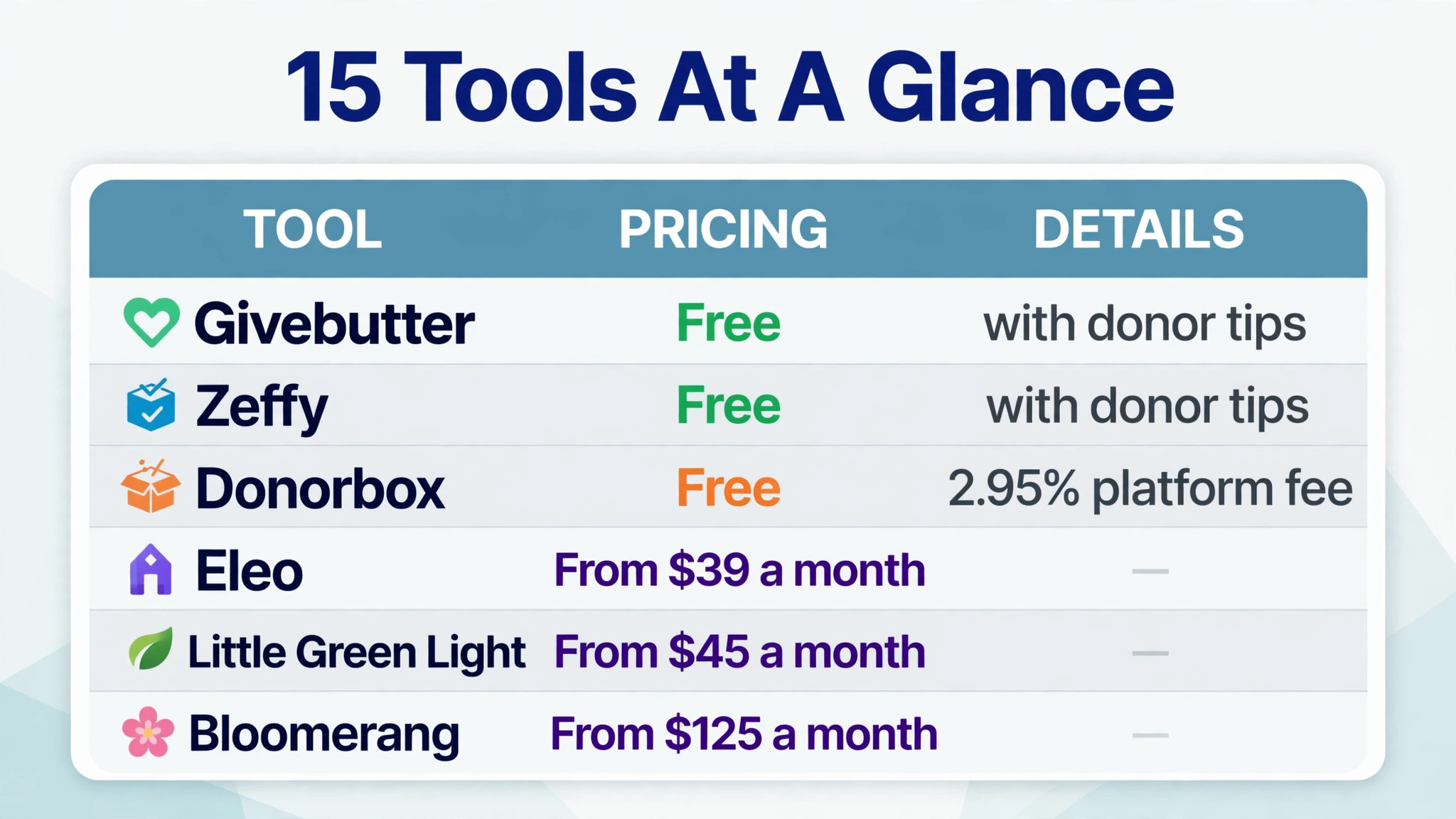
Fifteen Tools on One Page
| Tool | Starting price | Best for |
|---|---|---|
| Givebutter | Free with donor tips | Campaigns and events on a budget |
| Zeffy | Free with donor tips | Zero fee fundraising |
| Donorbox | Free with 2.95 percent platform fee | Fast donation forms |
| Bloomerang | From $125 a month | Donor retention |
| DonorPerfect | From $99 a month reported | Multi channel fundraising |
| Neon CRM | From $99 a month | Membership and events |
| Little Green Light | From $45 a month | Small donor databases |
| DonorSnap | From $50 a month | Affordable donor records |
| Keela | From about $125 a month reported | Marketing led fundraising |
| Eleo | From $39 a month | Cheapest full feature database |
| Funraise | Free tier or $99 a month | Flat rate fundraising |
| RallyUp | Free with tips or flex fees | Raffles and peer to peer |
| Snowball | Free tip funded starter | Text giving |
| Qgiv | From $40 a month | Modular fundraising parts |
| Classy | From about $300 a month reported | Large peer to peer campaigns |
Read the table as a shortlist, not a ranking. A free tool can be the most expensive choice at high volume if its fee percentage is high, while a paid database can be cheap per donor once the list grows. This best donation software for small nonprofits comparison works through that trade off for each tool. The sections below work through that trade off for each tool, so the choice follows the organisation size rather than the headline price.
Why the Best Donation Software for Small Nonprofits Starts With Fees
Fees decide the real cost of donation software more than the subscription does. A platform that charges no subscription but takes 3 percent of every gift costs $3,000 on $100,000 of donations, while a $125 a month database costs $1,500 a year before processing. Add card processing at roughly 2.2 to 2.9 percent plus 30 cents per gift, and the gap between a free platform and a paid one narrows or reverses depending on volume and average gift size.
Recurring gifts change the maths again. A monthly donor who gives $25 a month is worth $300 a year, and losing that donor to a failed card costs far more than the processing fee on one gift. Tools that retry failed payments, alert staff, and let donors update their own card keep more of that revenue than tools that simply record the failure. For a small nonprofit, retention features are therefore a cost issue, not a nice extra.
The third fee trap is the donor tip model. A platform funded by optional donor tips can be genuinely free, but the tip prompt changes the donor experience and some donors reduce their gift to cover it, so test the checkout flow as a donor before deciding.
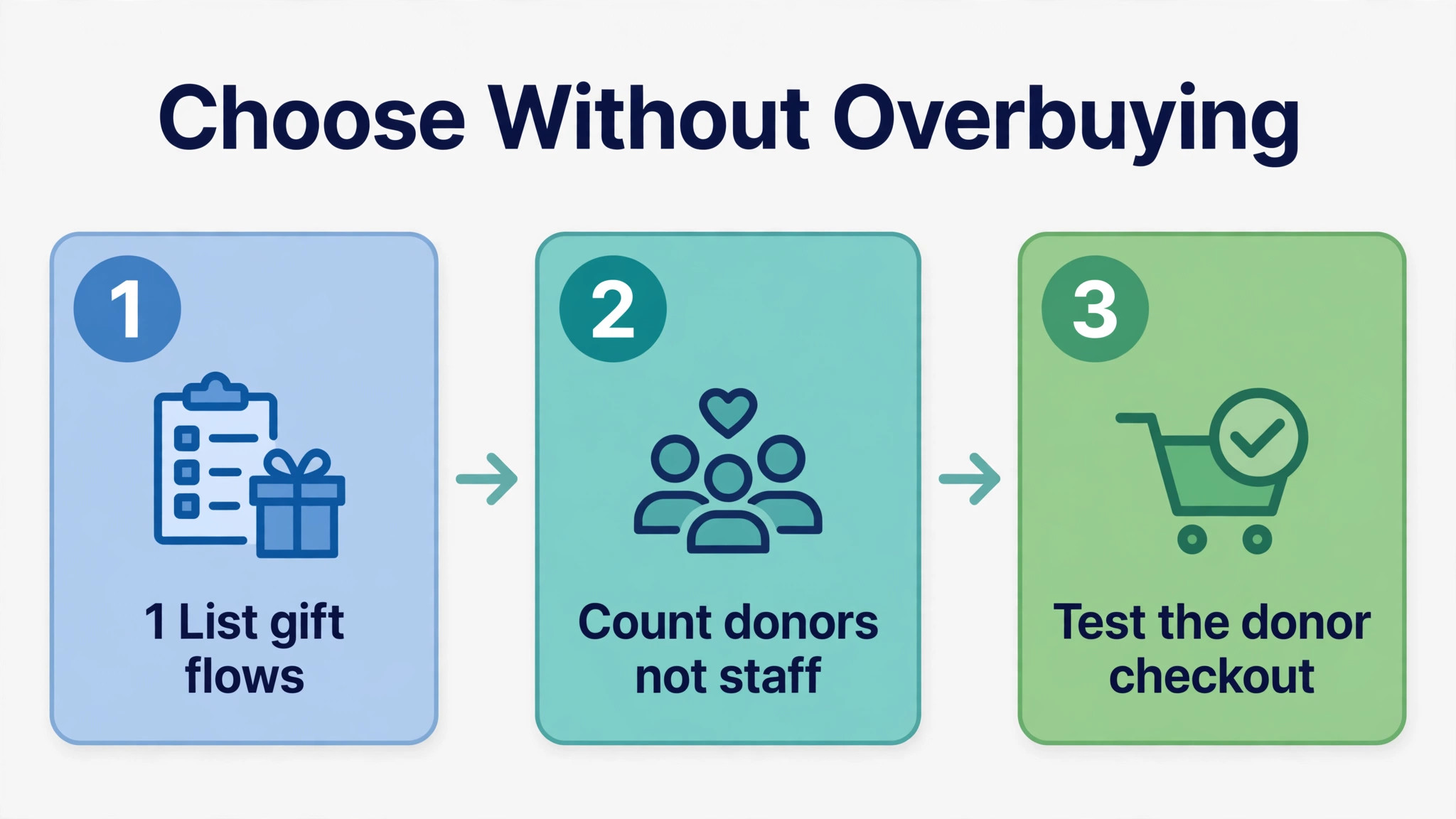
How to Choose Without Overbuying
Start with the gift flow, not the database. List every way the organisation collects money today, from a website donate button to a gala auction, and check that the shortlisted tool covers those flows without workarounds. A tool that cannot handle the annual gala or the text campaign will force a second system, which defeats the point of choosing one platform.
Then count donors, not staff. Most donor databases price by records or contacts, so a list of 2,500 donors costs more than a list of 800, even if only two people use the system. Check the record tier the organisation sits in today and the next tier up, because crossing a tier boundary mid year can raise the bill without any change in features. Free platforms avoid this problem entirely, which is one reason they suit very small lists.
Finally, test the donor experience end to end. Make a test gift on a phone, set up a monthly gift, update the card, and cancel it, and watch how each step feels and what emails arrive. A clunky donor flow loses gifts in a way no back office report will show, while a smooth flow with a clear receipt and thank you message builds the trust that brings a second gift.
Fifteen Tools in Detail
Givebutter
Givebutter is the pick for small nonprofits that want modern campaigns and events without a subscription. The platform is free when donor tips are turned on, and Plus starts from $29 a month. With tips off, the platform fee is reported at 3 percent plus card processing at 2.9 percent plus 30 cents per gift, so confirm the current fee on the vendor page. It includes a built in CRM, campaign pages, events, auctions and peer to peer fundraising.
The strength is breadth at zero subscription cost, with campaigns, events and donor tracking in one place. The limit is depth, since a growing organisation with complex reporting and major donor tracking will eventually need a dedicated database alongside it.
Choose Givebutter if campaigns and events drive most income and the budget is tight. Skip it if the organisation needs deep donor analytics and grant tracking in the same system, where a paid CRM will serve better.
Zeffy
Zeffy is the pick for nonprofits that want zero fees of any kind. The platform is free, funded by optional donor tips, with no platform fee and no processing fee charged to the nonprofit, and it issues automatic tax receipts. It covers donation forms, campaigns, events, raffles and memberships, which makes it a genuine all in one option for a very small organisation.
The strength is the fee promise, since every dollar a donor gives reaches the nonprofit. The limit is the tip prompt donors see at checkout and a basic CRM, so reporting and retention analytics are thinner than on a paid database.
Choose Zeffy if keeping every dollar matters most and the donor list is small. Skip it if the organisation needs advanced retention reporting or a deep CRM, where a paid tool will justify its price.
Donorbox
Donorbox is the pick for nonprofits that want a donation form live fast. The standard plan is free with a 2.95 percent platform fee, while Pro costs $150 a month with a 1.75 percent platform fee, and a premium tier is quoted. Card processing for United States nonprofits is reported at 2.2 percent plus 30 cents through Stripe, on top of the platform fee, so add both together when costing a campaign.
The strength is speed and focus, with a clean form live in an afternoon and a donor portal for recurring gifts. Integrations cover major CRMs, so Donorbox can feed an existing database rather than replacing it. The limit is scope, since it is a donation form tool first and a full CRM second.
Choose Donorbox if the website form is the main collection point and a separate CRM already exists. Skip it if the organisation wants campaigns, events and a donor database in one subscription.
Bloomerang
Bloomerang is the pick for nonprofits that want to keep donors rather than just record them. The CRM starts at $125 a month billed annually with unlimited users, and the fundraising platform starts from $40 a month, with processing fees on top. Its retention dashboard and engagement scoring show which donors are drifting, which is the insight a small team most needs once the first year of giving passes.
The strength is retention intelligence, with at risk donor flags, win back sequences and a clear view of first year retention. The limit is price and packaging, since fundraising tools sit as an addition to the CRM and the full bundle should be quoted before deciding.
Choose Bloomerang if donor retention is the main problem and the list is large enough to justify $125 a month. Skip it if the organisation is still building its first donor list, where a free platform will collect gifts just as well.
DonorPerfect
DonorPerfect is the pick for nonprofits with complex multi channel fundraising. Comparison listings report entry pricing from around $99 a month, with fuller pricing quoted by the vendor, and a card updater service is reported at 99 cents per update. It covers donor records, online forms, email, events and reporting in a long established system with a large user base.
The strength is depth, with direct mail, online giving, events and grants tracked in one database. The limit is an interface some reviewers describe as dated and quote based pricing, so start the sales conversation early if this tool is on the shortlist.
Choose DonorPerfect if fundraising runs across many channels and reporting depth matters. Skip it if the team is tiny and wants a modern self serve setup, where a lighter tool will be faster to adopt.
Neon CRM
Neon CRM is the pick for membership based organisations juggling many activities. It starts at $99 a month for the essentials tier, with higher tiers quoted by size and features. It combines donor management with memberships, events, volunteers and email, which suits organisations where a donor is also a member, a volunteer and an event attendee.
The strength is breadth in one database, tracking a person across donor, member and volunteer roles without syncing several tools. The limit is a steeper learning curve and an onboarding fee that is often added, so ask for the full first year cost in writing.
Choose Neon CRM if membership and events sit alongside donations. Skip it if the organisation only needs donation forms and simple donor records, where a cheaper database will do.
Little Green Light
Little Green Light is the pick for small nonprofits moving from spreadsheets to a real database. It costs $45 a month for up to 2,500 records, with unlimited users and email only support, and donation forms connect through Stripe or PayPal. That price point makes it one of the most accessible paid databases in this guide.
The strength is simplicity at a fair price, with spreadsheet import, gift tracking and basic reports without a consultant. The limit is recurring gift handling, since staff must resubmit unpaid instalments after a card update and some payment methods cannot be updated by the donor.
Choose Little Green Light if the donor list is under 2,500 and the team wants a simple database. Skip it if recurring giving is the main income source and automated card updating matters more than price.
DonorSnap
DonorSnap is the pick for small nonprofits that want a focused and affordable donor database. It costs $50 a month for up to 1,000 contacts, with unlimited users and built in donation forms, plus native event and auction tools available. That combination suits a small organisation that runs a yearly event alongside regular giving.
The strength is focus, with donor records done well without the sprawl of a large platform. The limit is scale, since the price rises with database size and larger organisations will find deeper reporting elsewhere.
Choose DonorSnap if the donor list is small and events matter. Skip it if the list is already past a few thousand records, where a tiered database with stronger reporting may cost less per donor.
Keela
Keela is the pick for nonprofits that want marketing led fundraising with some AI help. Comparison listings report pricing from around $125 to $160 a month, with a figure of $134 a month for 1,000 contacts also reported, so confirm the current contact tier on the vendor page. It focuses on donor communications, ask amounts and campaign reporting, with a marketing feel that suits appeal driven organisations.
The strength is ask intelligence, helping a small team target the right donors with the right ask. The limit is scope, since it has no native event or auction tools, so a gala organisation will need a second system for events.
Choose Keela if appeals and donor communications drive income. Skip it if events and auctions are a major income source, where an event capable platform will fit better.
Eleo
Eleo is the pick for small nonprofits that want every feature on the cheapest plan. It costs $39 a month for up to 2,500 records, with a free trial, which makes it the cheapest paid donor database in this guide. Unlike some rivals, it does not gate core features behind higher tiers, so a small team gets the full tool from day one.
The strength is value, with a complete database for less than a team lunch each month. The limit is scale, since larger organisations will outgrow it, so check the export format before committing, as with any database.
Choose Eleo if budget is the main constraint and the list is under 2,500 records. Skip it if the organisation needs enterprise reporting or a large support team behind the tool.
Funraise
Funraise is the pick for nonprofits that want flat rate pricing rather than contact tiers. It offers a free tier and a premium plan at $99 a month flat, which makes budgeting simple as the donor list grows. It covers donation forms, campaigns, peer to peer fundraising and donor management, with a modern checkout experience.
The strength is the flat rate, avoiding the tier jump that hits record based databases. The limit is depth at the free tier, so most serious users will land on the $99 plan.
Choose Funraise if the donor list is growing and predictable pricing matters. Skip it if the organisation needs a deep CRM with grants and major donor workflows, where a specialist database will carry more weight.
RallyUp
RallyUp is the pick for nonprofits that run raffles, auctions and peer to peer campaigns. It offers a free tip funded option and a flex option with component fees reported from zero to 6.9 percent, so confirm the fee for each campaign type on the vendor page. Its fundraising stack combines raffles, auctions and peer to peer pages in one campaign, which suits organisations built around events.
The strength is campaign variety, with raffles, auctions and peer to peer challenges without stitching three tools together. The limit is CRM depth, since RallyUp is a fundraising platform first.
Choose RallyUp if raffles and peer to peer campaigns drive income. Skip it if the main need is a donor database, where a CRM first tool will serve better.
Snowball
Snowball is the pick for small and faith based organisations that want text giving. It offers a free tip funded starter plan and paid annual plans reported from zero to around $46 a month, with text to give through unlimited keywords. That makes it easy for a congregation or community group to collect gifts during a service or event by text.
The strength is simplicity at the moment of giving, with a keyword text leading to a phone checkout. The limit is scope, since it is a giving tool rather than a full donor CRM.
Choose Snowball if text giving and event gifts matter most. Skip it if the organisation needs a complete donor database in the same subscription.
Qgiv
Qgiv is the pick for nonprofits that want to pay only for the fundraising parts they use. It starts from $40 a month, with modular add ons reported at around $259 a month each for fuller packages, so the total depends heavily on the modules chosen. Qgiv now sits within the Bloomerang fundraising family, which affects how it pairs with a Bloomerang CRM.
The strength is modularity, starting with forms and peer to peer and adding parts as income grows. The limit is module maths, since adding two or three modules can pass the price of an all in one rival.
Choose Qgiv if the organisation wants a modular start and will use only one or two parts. Skip it if the plan is to use every module, where an all in one bundle may be cheaper.
Classy
Classy is the pick for larger small nonprofits running serious peer to peer campaigns, now under the GoFundMe Pro brand. Comparison listings report pricing from around $300 a month plus a platform fee of about 1 percent, with fuller pricing gated behind a sales conversation. That price puts it at the top of this guide, and it suits organisations with the campaign volume to justify it.
The strength is peer to peer infrastructure at scale, with personal pages and team competition. The limit is cost, since a small nonprofit with modest peer to peer income will find the subscription hard to justify.
Choose Classy if peer to peer campaigns already raise serious money. Skip it if the organisation is small and still testing peer to peer, where a free or low cost platform will prove the channel first.
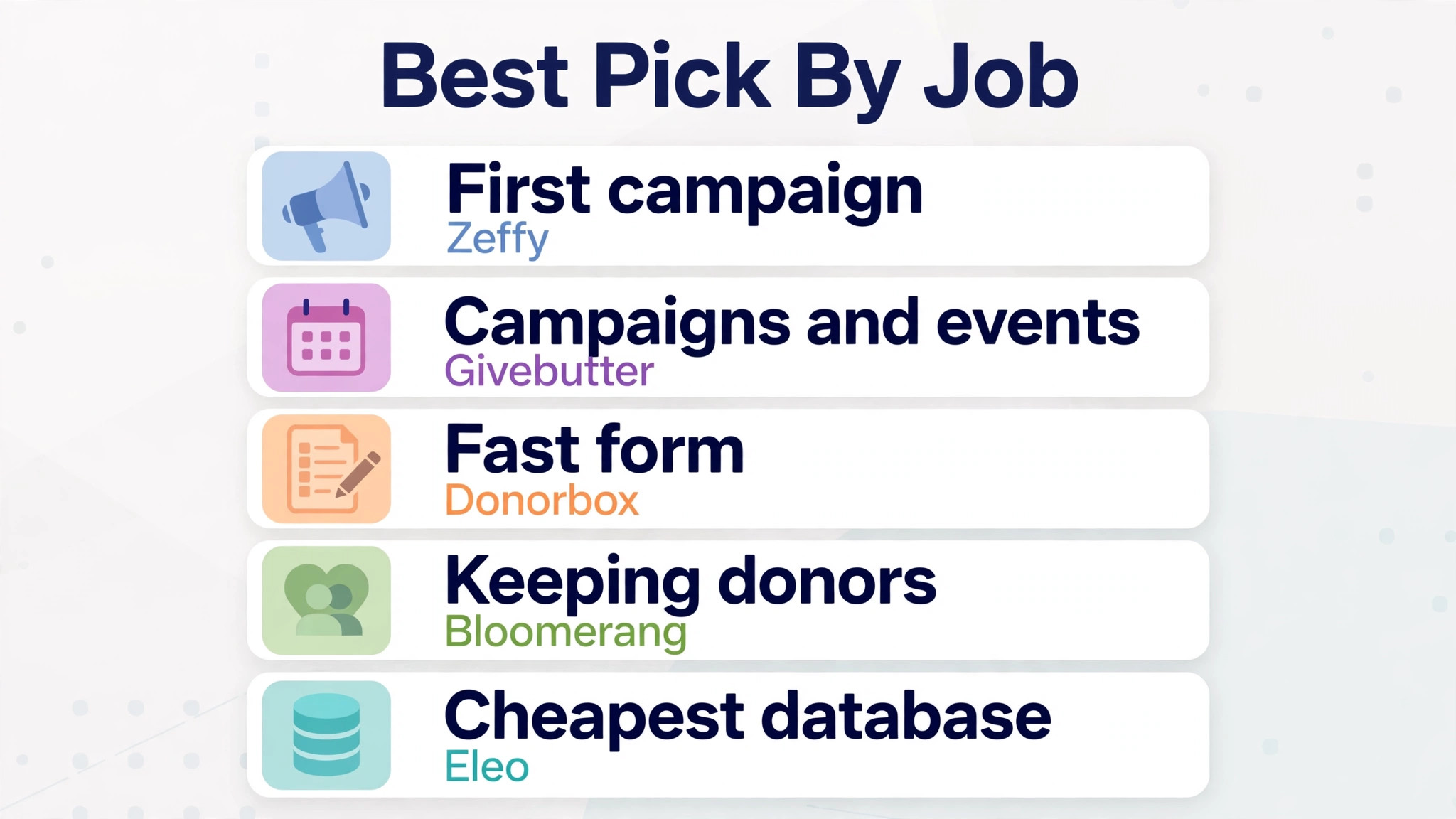
The Best Pick by Job for One Off Gifts and Recurring Donors
| Job | Best pick | Why it wins |
|---|---|---|
| First campaign on no budget | Zeffy | Zero fees for the nonprofit |
| Campaigns and events | Givebutter | Modern pages with no subscription |
| Fast website form | Donorbox | Live in an afternoon |
| Keeping existing donors | Bloomerang | Retention dashboard and scoring |
| Small donor database | Little Green Light | Simple records at $45 a month |
| Cheapest full database | Eleo | Full features at $39 a month |
| Membership organisations | Neon CRM | Members events and donors together |
| Growing donor list | Funraise | Flat rate avoids tier jumps |
| Raffles and peer to peer | RallyUp | Campaign variety in one stack |
| Text giving at events | Snowball | Keyword giving on a phone |
| Serious peer to peer volume | Classy | Scale for large campaigns |
Use the table to pick a starting point, then test the donor checkout before committing. A tool that wins on back office features but loses donors at checkout is not a winner in any best donation software for small nonprofits shortlist, however strong its reporting looks in a demo.
Platform Fee Maths on Real Gift Sizes
| Gift size | Zeffy cost to nonprofit | Givebutter tips off cost | Donorbox standard cost |
|---|---|---|---|
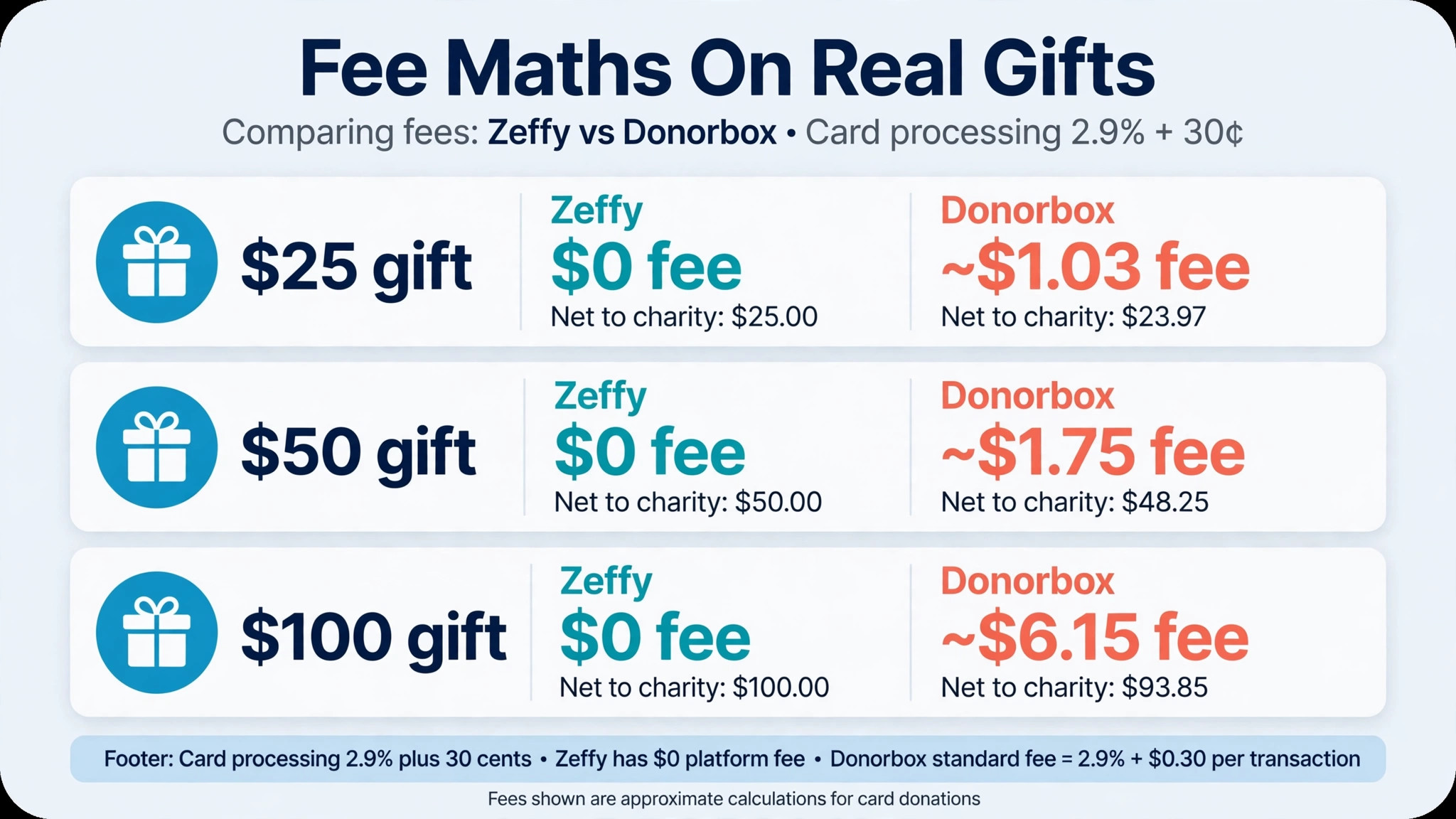
| $25 gift | $0 | About $1.03 plus platform share | About $1.03 plus platform share |
| $50 gift | $0 | About $1.75 plus platform share | About $1.75 plus platform share |
| $100 gift | $0 | About $3.20 plus platform share | About $3.20 plus platform share |
| $25 monthly for a year | $0 | About $12.36 plus platform share | About $12.36 plus platform share |
The table shows card processing only for the fee based examples, at 2.9 percent plus 30 cents per gift, and the platform fee sits on top of that figure. Givebutter with tips off adds a reported 3 percent platform fee, while Donorbox standard adds 2.95 percent, so the full cost per gift is higher than the table row alone. On a $100 gift, the combined cost on Donorbox standard is about $6.15 in total, which is why a paid database can win at volume.
Work the maths at the organisation own average gift size and monthly volume, not at a generic example, because the best donation software for small nonprofits for one gift size may not be best for another. A nonprofit averaging $25 gifts pays a higher percentage in fixed per gift fees than one averaging $200 gifts, because the 30 cent charge weighs heavier on a small gift. That difference can flip the choice between a free tip platform and a paid database, so run the numbers before the demo, not after.
Mistakes That Lose Donors After the First Gift
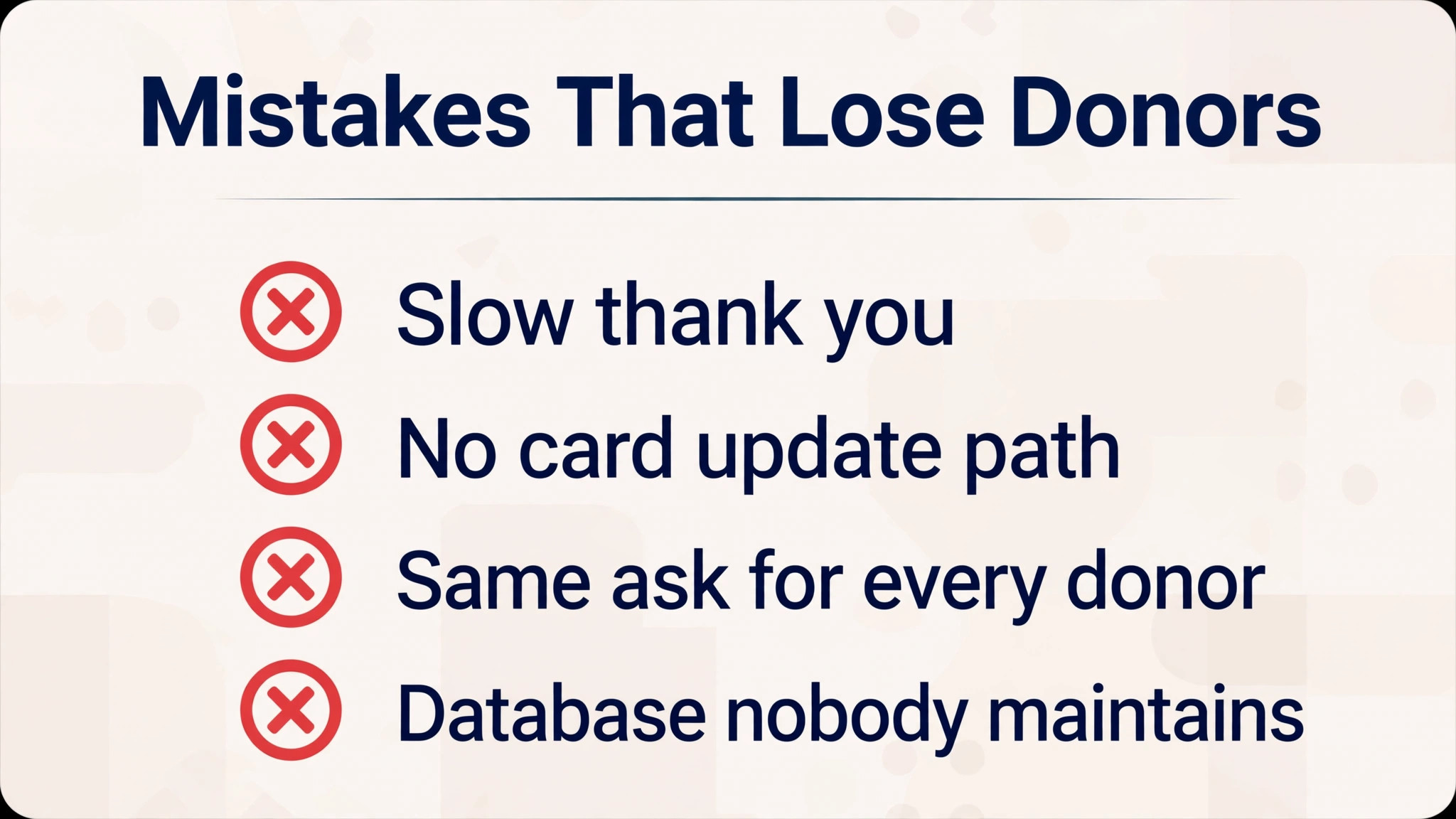
The most common mistake is a slow thank you. A donor who hears nothing for a week assumes the gift vanished, while a donor thanked within a day is far more likely to give again. Check that the chosen tool sends an automatic receipt and a thank you message without staff remembering to press send, and test the timing on a real gift.
The second mistake is a recurring gift with no card update path. Cards expire, and a monthly donor who cannot update a card in two minutes will simply stop giving. Tools that let donors manage their own gifts, retry failed payments, and receive a polite alert save revenue that no appeal can replace, because the donor already chose to give monthly.
The third mistake is asking every donor for the same next gift. A first time $25 donor and a five year $500 donor need different follow ups, and a tool that segments by gift history, recency and engagement helps a small team send the right message. If the tool cannot segment, the team will either spam everyone or personalise nothing, and both paths lose donors over time.
The fourth mistake is buying a database nobody maintains. A CRM with duplicate records, missing gift history and no owner becomes a burden within a year, and staff return to spreadsheets. Assign one person to own the data, set a weekly tidy routine, and choose a tool simple enough that the owner can actually keep it clean.
A Sensible Rollout Plan for a Small Team
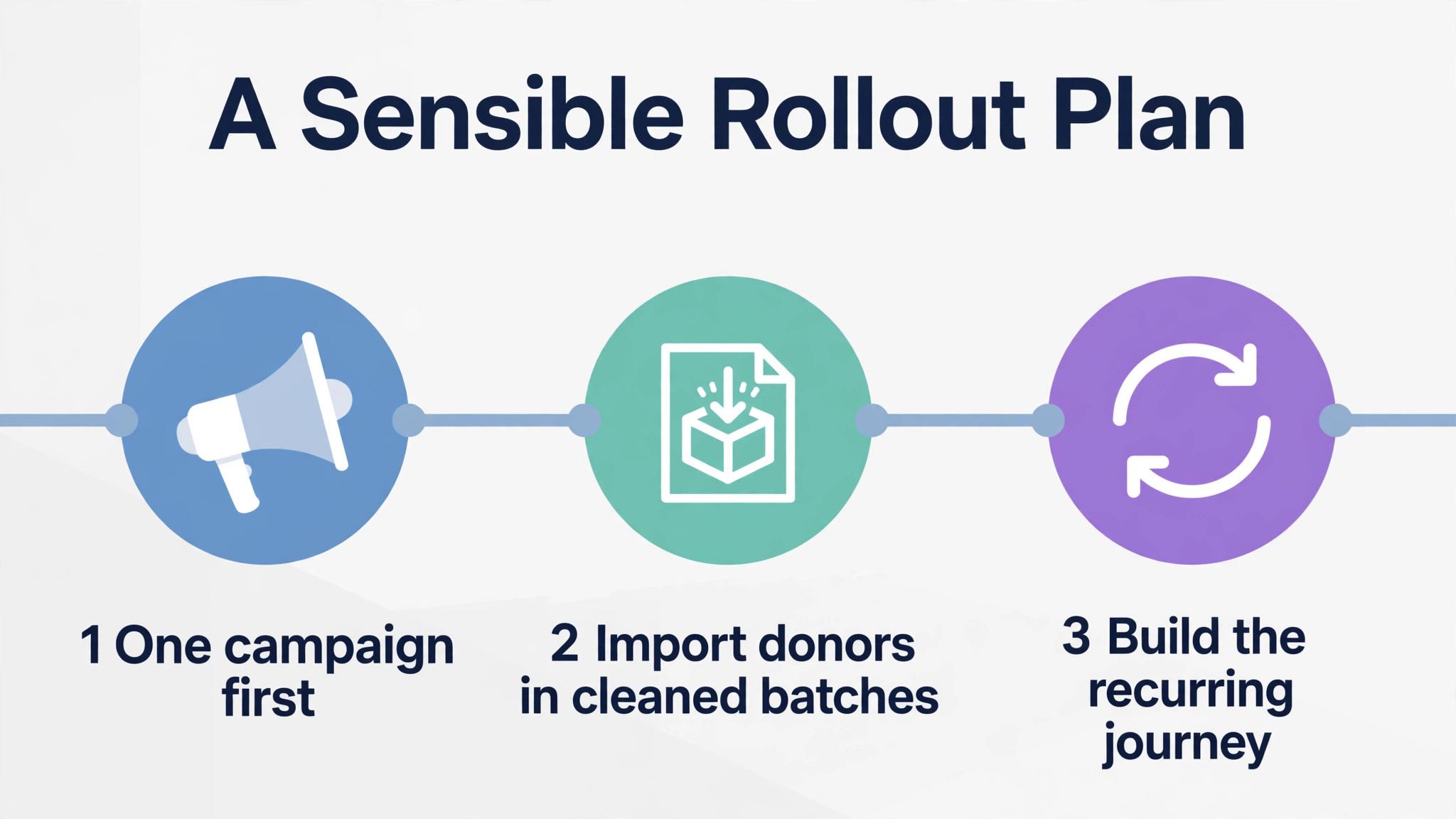
Start with a single campaign on the chosen platform, not a full migration. Run the next appeal or event through the new tool, collect gifts, send receipts, and check the export into the bookkeeping system. That first campaign is the safest test in a best donation software for small nonprofits rollout. That single campaign reveals checkout friction, receipt timing and reporting gaps before the whole donor list moves.
Next, import the donor list in cleaned batches, starting with active donors from the last two years. Remove duplicates, standardise names, and keep the old spreadsheet as a backup until the new system has survived a full month of real gifts.
Then build the recurring donor journey before the next appeal, covering the monthly gift page, card updates, failed payment alerts and the first year thank you sequence, and test each step as a donor before promoting monthly giving widely.
Our Closing Take on the Donation Shortlist
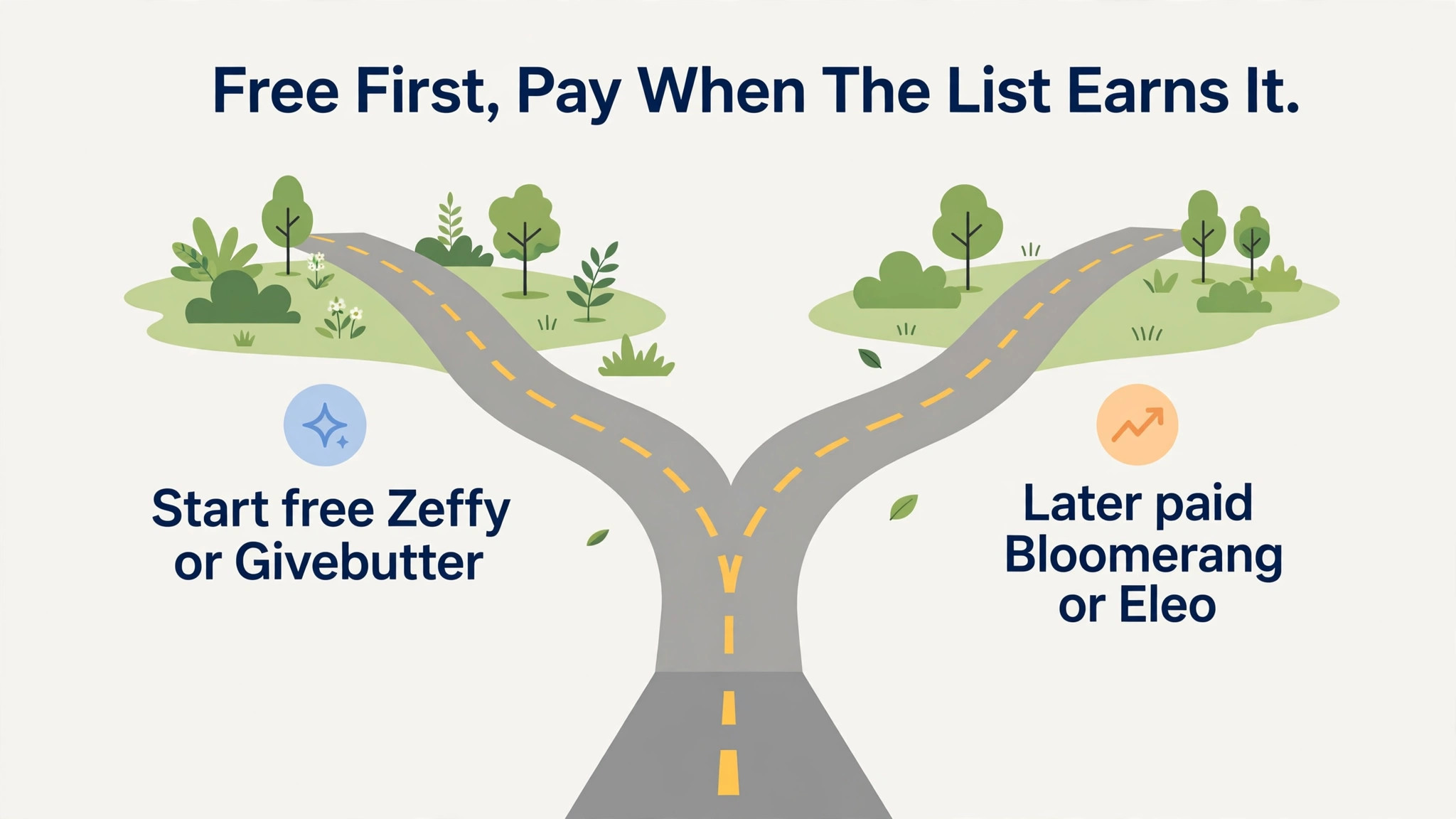
For most small nonprofits, the smart path is free first, paid when the list earns it. Zeffy or Givebutter will collect gifts well at zero subscription cost, and the money saved can fund the appeal itself. That is the central verdict of this best donation software for small nonprofits guide. Once the donor list passes a few hundred active donors and retention becomes the constraint, Bloomerang or a simple database like Little Green Light or Eleo becomes worth its price, because keeping donors is cheaper than finding new ones.
Organisations with a specific shape should follow the job table rather than the general verdict, since the right tool follows the income pattern, not the feature count.
Whatever the choice, judge it after two appeals on three numbers. The share of donors thanked within a day, the share of failed recurring gifts recovered, and the share of first year donors who give a second time. Those numbers show whether the best donation software for small nonprofits you chose is actually working. If those three numbers improve, the tool is working. If they do not, the problem is the journey, not the software, and no new tool will fix a journey nobody owns.
More Reading on Stratilyze
For a related nonprofit comparison, read volunteer management software for small nonprofits and event management software for catering businesses. For a different small organisation system, see case management software for small law firms.
Frequently Asked Questions
What is the cheapest donation software for a small nonprofit
Zeffy and Givebutter are the cheapest starting points, because both are free to the nonprofit when funded by optional donor tips. The trade off is the tip prompt donors see at checkout and a basic CRM, so a nonprofit that needs deep donor analytics will still need a paid database alongside or instead of a free platform.
How much do donation platform fees cost on a $100 gift
On Donorbox standard, a $100 gift carries a 2.95 percent platform fee plus card processing at around 2.2 to 2.9 percent plus 30 cents, so the combined cost is about $6.15 before any other charges. On Zeffy, the cost to the nonprofit is zero when the donor tip model applies, which is why fee maths must be run at the organisation own gift size and volume.
Is a free donation platform really free
A free platform is free to the nonprofit, but the cost is carried by donors through optional tips or by the platform through a fee on some campaign types. Check the checkout flow as a donor, confirm which fees apply with tips on and off, and confirm the processing rate, because the headline free label can hide a percentage that matters at volume.
What is the best donation software for recurring donors
Bloomerang suits recurring donor retention best in this guide, because its retention dashboard, engagement scoring and automated win back sequences target the donors most likely to lapse. Donorbox and Givebutter also handle recurring gifts well, with donor portals for card updates, so check the failed payment and card update flow before choosing on price alone.
When should a small nonprofit pay for a donor CRM
Pay for a donor CRM once the donor list is large enough that spreadsheets lose gifts, duplicates cause embarrassing messages, or retention reporting would change decisions. For most small teams that point arrives with a few hundred active donors, and a simple database at $39 to $50 a month is a better first paid step than a large all in one system.
Can one tool handle donations events and a donor database
Some tools come close, including Givebutter for campaigns and events with a basic CRM, and Neon CRM for donors, members and events together. No single tool in this guide does every job at full depth, so prioritise the job that drives most income and accept a companion tool for the secondary job rather than forcing one system to do everything badly.