
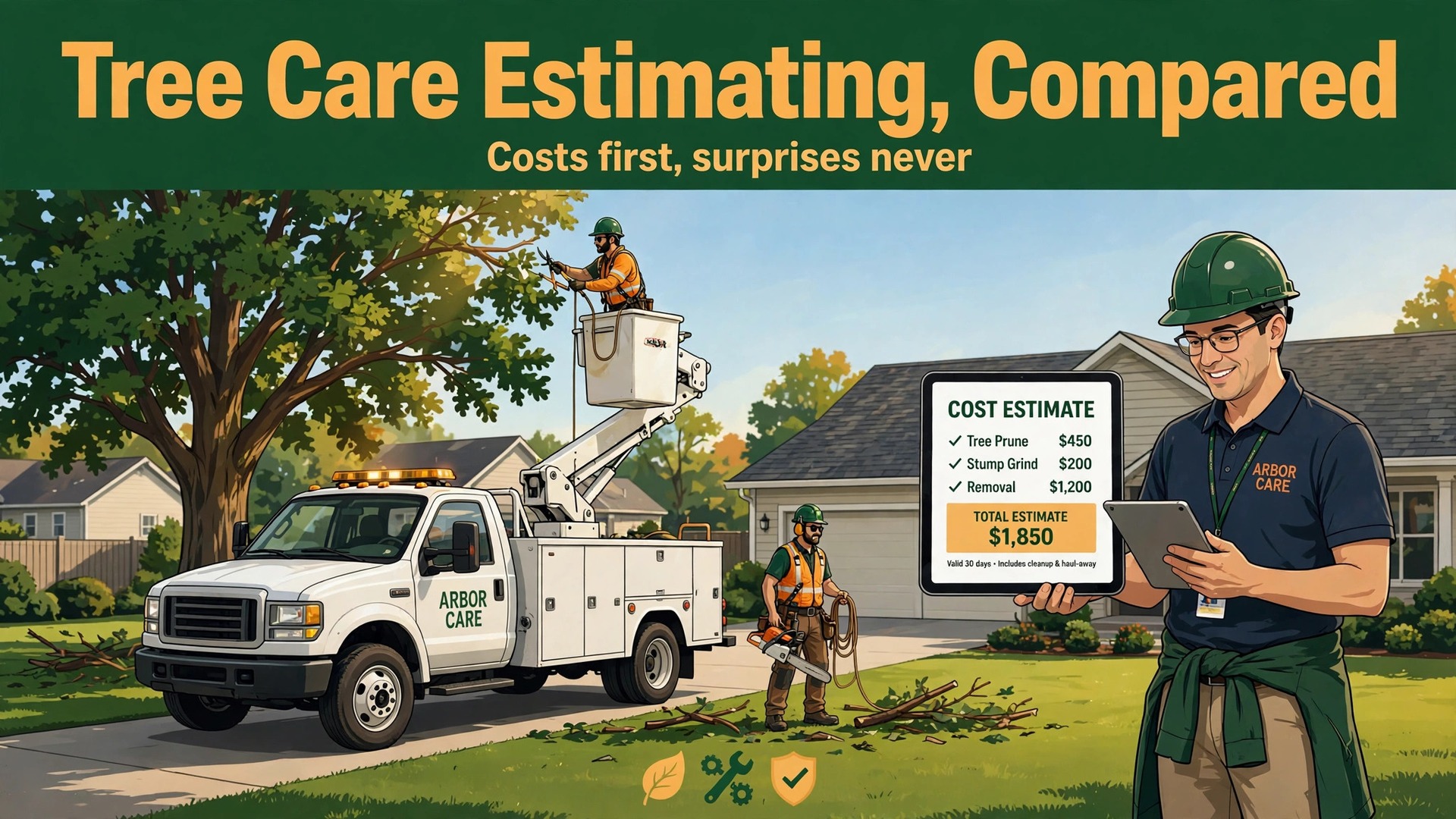
Roughly 175,000 tree service businesses operate in the United States, and most of them compete for the same residential jobs with very different costs. An estimate that misses crew hours, disposal fees, or equipment time by even a small margin can turn a busy week into a loss-making week. That margin is the whole case for best estimating software for tree care companies, and it is why this guide judges tools on cost visibility, not on how pretty a proposal looks.
Tree estimates are harder than most trade quotes. A job may involve climbing, rigging, crane work, stump grinding, haul-away, and plant health care, often on a property the estimator visited once. Prices must cover labour, equipment, fuel, disposal, and risk, while still winning the job against a rival who guessed lower. Software that forces every cost line into the open will beat software that merely prints a tidy total.
Why the Best Estimating Software for Tree Care Companies Must Show Costs First
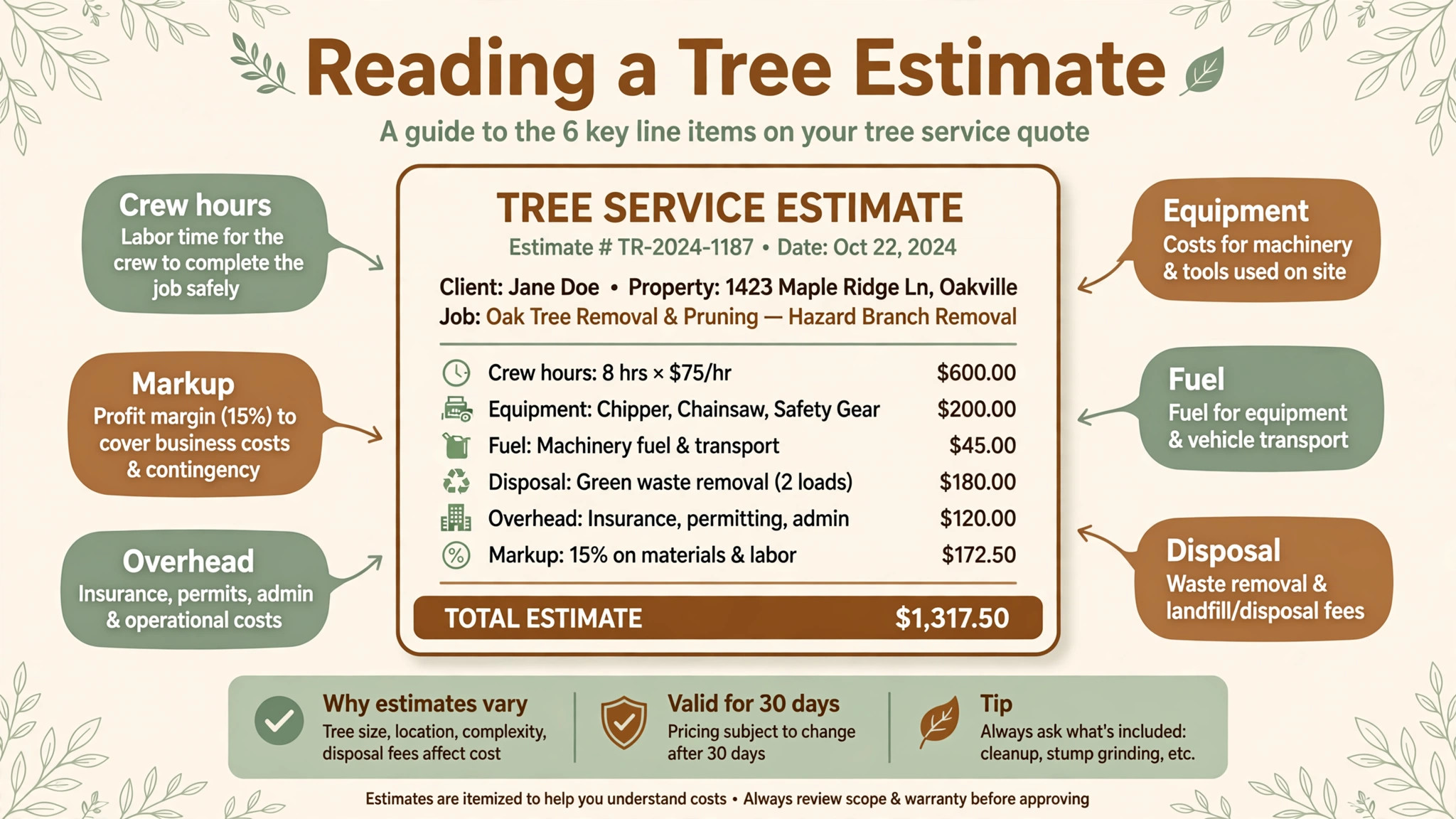
The first test is whether the estimator sees profit before the quote leaves the office. A good tool shows labour, equipment, disposal, overhead, and markup line by line, so a low price is a visible choice, not an accident discovered at month end. A weak tool shows only the customer total, which hides a job that pays for labour but not for the chipper, the truck, or the dump fees.
The second test is how the estimate becomes a job. Tree work changes on site, when a crew finds rot, a larger stump, or access that needs a crane. A good tool turns the accepted estimate into a crew work order with the same line items, so the crew knows exactly what was sold and the office can price changes cleanly. A tool that leaves estimates and jobs disconnected will create arguments about what the customer actually approved.
The third test is follow-up. Many tree quotes sit unanswered because homeowners compare several bids slowly, and the firm that follows up first often wins. A tool that tracks open estimates, sends polite reminders, and shows which quotes are ageing will recover jobs that a spreadsheet lets go cold. Follow-up is not sales pressure, it is simply finishing the estimating job properly.
Judging an Estimate Tool on a Real Job
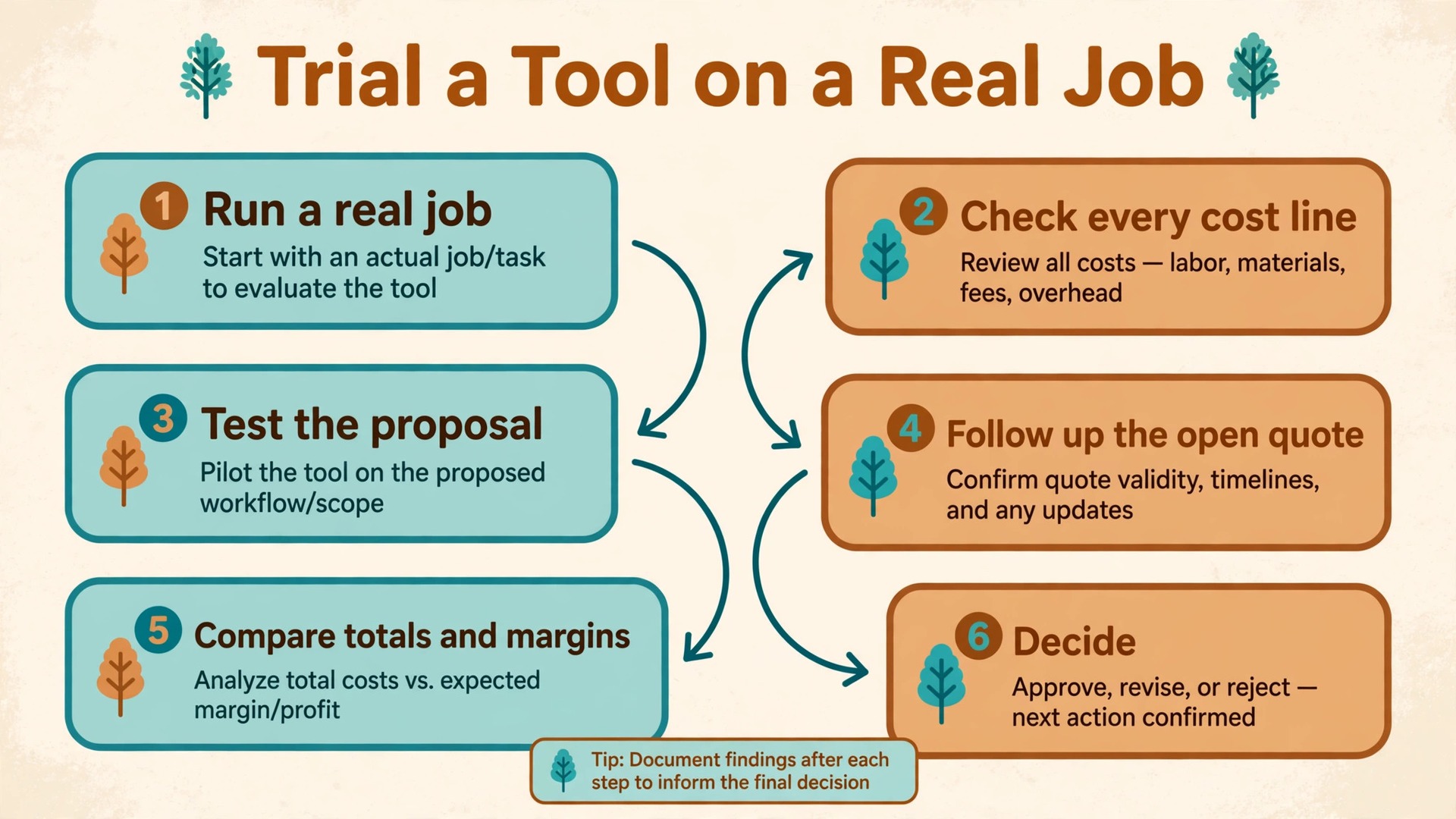
Price a real past job in the trial, not a tidy demo job. Pick a removal with stump grinding, a pruning job with haul-away, and a multi-day job with a crane, and rebuild each estimate in the trial tool. If any of those three cases needs a workaround, such as hiding crane cost in a generic labour line, that workaround will distort profit reporting on every similar job that follows.
Check the proposal the customer sees. It should list the work clearly, show options such as removal with and without stump grinding, and let the customer accept with a signature from a phone. A proposal that confuses the homeowner will delay acceptance, while a clear proposal with options often raises the accepted value, because the customer can choose a fuller service instead of haggling the base price down.
Finally, check job costing after completion. Enter actual crew hours, disposal receipts, and equipment time, and compare them against the estimate. A tool that makes that comparison easy will teach the firm its true costs within a season. A tool that makes it hard will leave the firm repeating the same pricing mistakes year after year, no matter how busy it looks.
Estimates, Prices and Proposal Strength Compared
| Tool | Starting price | Best for |
|---|---|---|
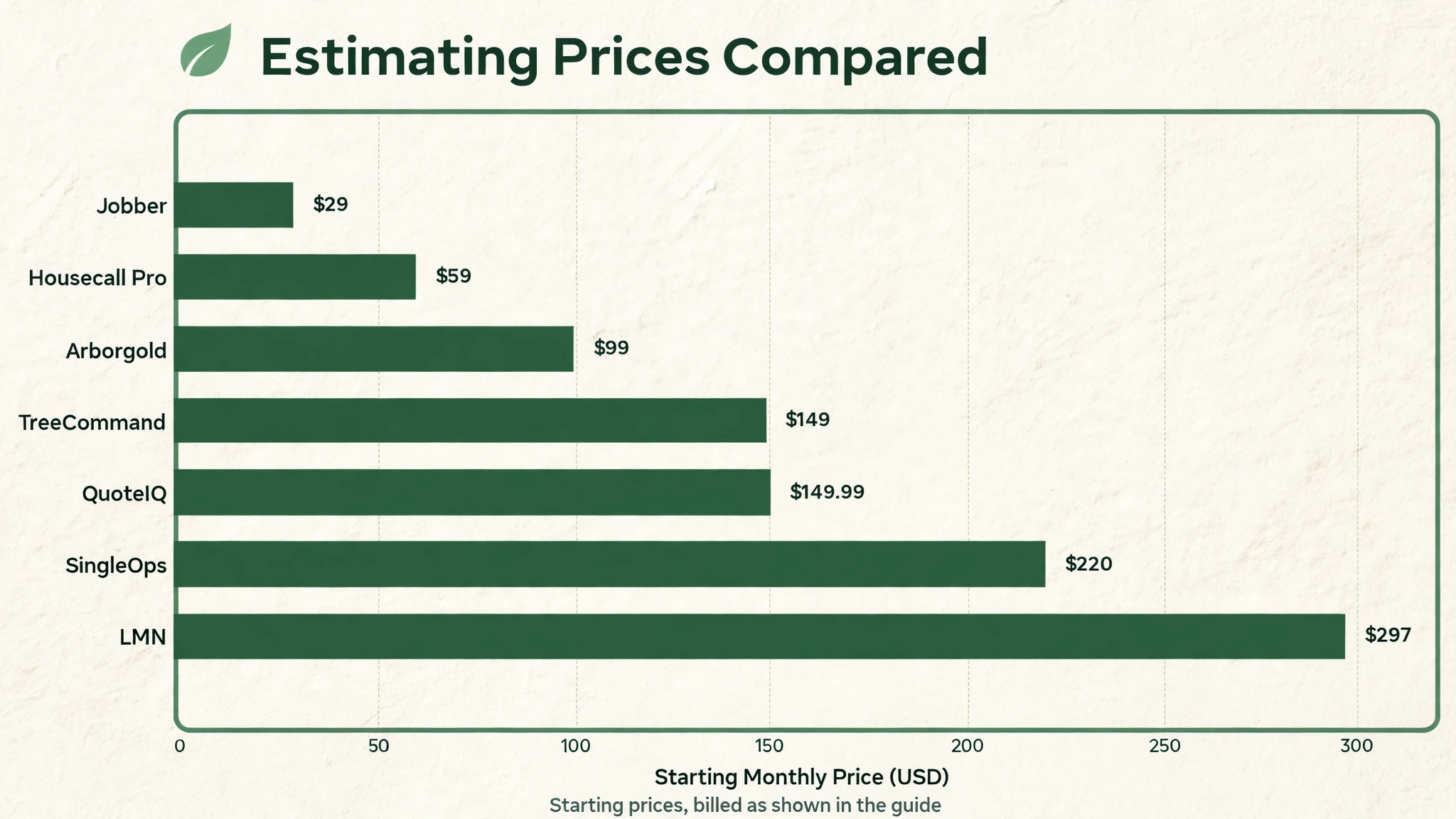
| SingleOps | about $220 a month to start | mid-size tree firms that want proven proposals |
| Arborgold | about $99 a month for Entrepreneur | firms with plant health care work |
| Jobber | about $29 a month billed annually for Core | solo firms that want simple quotes |
| Housecall Pro | about $59 a month billed annually for Basic | small firms that want a price book |
| TreeCommand | about $149 a month to start | firms that want dashboards plus CRM data |
| ArboStar | pricing by quote | firms that want GPS-based scheduling |
| QuoteIQ | about $149.99 a month for Pro | firms that want AI-assisted estimating |
| LMN | about $297 a month and up | larger firms that want deep job costing |
| ServiceTitan | pricing by quote | large firms with complex reporting needs |
Read the table as a shortlist, not as a ranking. The cheapest tool may suit a solo arborist perfectly, while a dearer tool may be the only one that handles multi-crew job costing cleanly. Use the table to pick three finalists, then read their full sections below before deciding.
Nine Estimating Platforms Reviewed
SingleOps
SingleOps is the pick for mid-size tree firms that want a proven estimating and job system. It covers tree inventory, quick estimating, options-based proposals, automated client follow-ups, time-based scheduling, routing, and digital crew work orders. A firm can build a proposal with options, send it for signature, and turn it into a crew order without retyping the job, which is exactly the flow tree work needs.
At about $220 a month to start for a single-crew business, with higher tiers and per-user additions on some plans, it is priced for a firm, not for a hobby operator. The trade-off is setup and mobile polish, because some users report a slower mobile app and occasional sync issues with accounting. A firm that values proven tree workflows over the newest interface will still find SingleOps the safest specialist choice.
Arborgold
Arborgold is the pick for firms with heavy plant health care and chemical work alongside tree jobs. It covers estimating, scheduling, routing, chemical tracking, and customer management, with one of the deepest tree-specific feature sets in this guide. A firm that sells recurring plant health care visits, treatments, and inspections will use tracking that general tools simply do not offer.
At about $99 a month for Entrepreneur and about $297 a month for Premium, with a higher tier by quote, it scales from a small firm to a larger operation. The trade-off is an interface that feels dated next to newer rivals, and a learning curve that needs real training time. A firm willing to invest a week in setup will get a system that matches tree and plant health workflows closely.
Jobber
Jobber is the pick for a solo arborist who wants simple, polished quotes without specialist cost. It covers scheduling, quotes, invoices, online booking, and payments, with a clean customer-facing quote experience and route optimisation. A solo operator can quote from the field, send the proposal, and invoice from the same app, which removes most evening paperwork.
At about $29 a month billed annually for Core, or about $49 a month with no commitment, with extra users at about $29 a month each, it is the cheapest credible start in this guide. The trade-off is cost visibility, because profitability controls are lighter than in dedicated estimating tools, and tree-specific features such as species tracking need manual handling. If quoting speed matters more than deep costing, Jobber is a strong start.
Housecall Pro
Housecall Pro is the pick for a small residential firm that wants a price book and simple estimates. It covers scheduling, estimates, invoices, online booking, and customer communication, with a price book that helps technicians quote standard jobs consistently. That consistency protects margins on common work such as pruning and small removals, where guessing is the main profit leak.
At about $59 a month billed annually for Basic, or about $79 a month with no commitment, it is affordable for a small firm, while five users on Essentials cost about $149 a month billed annually. The trade-off is tree depth, because multi-day jobs, crane work, and complex crew scheduling need manual steps. A firm whose work is mostly small residential jobs will find enough here without specialist cost.
TreeCommand
TreeCommand is the pick for a firm that wants business intelligence layered on top of its existing CRM. It connects to tools such as SingleOps and Arborgold, then adds dashboards, scheduling, invoicing, weather-aware scheduling, route optimisation, and an AI assistant trained for tree care. A firm that already has a CRM but cannot see profit, route, and revenue patterns clearly will value that layer.
At about $149 a month to start, with no setup fee and month-to-month billing, it is transparently priced for a small to mid-size firm. The trade-off is that estimating itself runs through the connected CRM, not natively inside TreeCommand, so a firm without a suitable CRM must buy one first. Judge it as an intelligence upgrade, not as a standalone estimating replacement.
ArboStar
ArboStar is the pick for a firm that wants GPS-based scheduling alongside tree job management. It covers customer management, scheduling, routing, and job tracking, with GPS features that help a dispatcher see crews and plan the day around real positions. A firm with several crews spread across a wide area will value live location more than a firm working one neighbourhood at a time.
Pricing is by quote, with published comparisons placing it from about $200 a month and up, so the firm should get a written total for its crew count before budgeting. The trade-off is estimating depth, because ArboStar is stronger on scheduling and GPS than on detailed cost breakdowns. Trial it alongside a costing-first tool, and judge it on whether dispatch improves enough to justify the pairing.
QuoteIQ
QuoteIQ is the pick for a firm that wants AI-assisted estimating with property measurement built in. Its Pro plan costs about $149.99 a month and covers route optimisation, photo documentation, AI estimating, property measurement, and AI call answering, while a higher Max tier adds unlimited users. A firm that loses jobs to slow quoting will value an estimate drafted from photos and measurements before an estimator even visits.
The trade-off is youth, because QuoteIQ is newer than SingleOps and Arborgold, so its user community and long-term track record are smaller. A firm should trial the AI estimate on its own past jobs and check accuracy against known costs, rather than trusting demo accuracy. If the AI drafts prove accurate on real jobs, QuoteIQ can cut quoting time sharply.
LMN
LMN is the pick for a larger firm that wants formal estimating, budgeting, and job costing. It covers deep estimating, production workflows, budgeting, and job costing for landscape and tree operations, with overhead recovery built into estimates. A firm with several crews, formal budgets, and a need to prove profit per job will use costing depth that simpler tools cannot match.
At about $297 a month and up, with demo-led buying, it is priced for a mature operation, not for a solo starter. The trade-off is implementation, because formal costing needs disciplined setup and training before it pays back. A firm that already tracks costs carefully will adopt LMN faster than a firm still guessing crew hours, so judge readiness honestly before committing.
ServiceTitan
ServiceTitan is the pick for a large firm that wants enterprise reporting across many technicians. It covers dispatch, scheduling, estimates, invoicing, marketing, and detailed reporting, with capacity planning that suits a multi-crew operation. A firm doing high revenue across several trades will use reporting and call tracking that smaller tree tools do not offer.
Pricing is by quote and per technician, which puts it out of reach for most small tree firms, and implementation takes real staff time. The trade-off is tree specificity, because ServiceTitan is built for general home services, not for arboriculture, so tree inventory and plant health tracking need workarounds. Only a large, multi-trade firm should shortlist it for tree estimating.
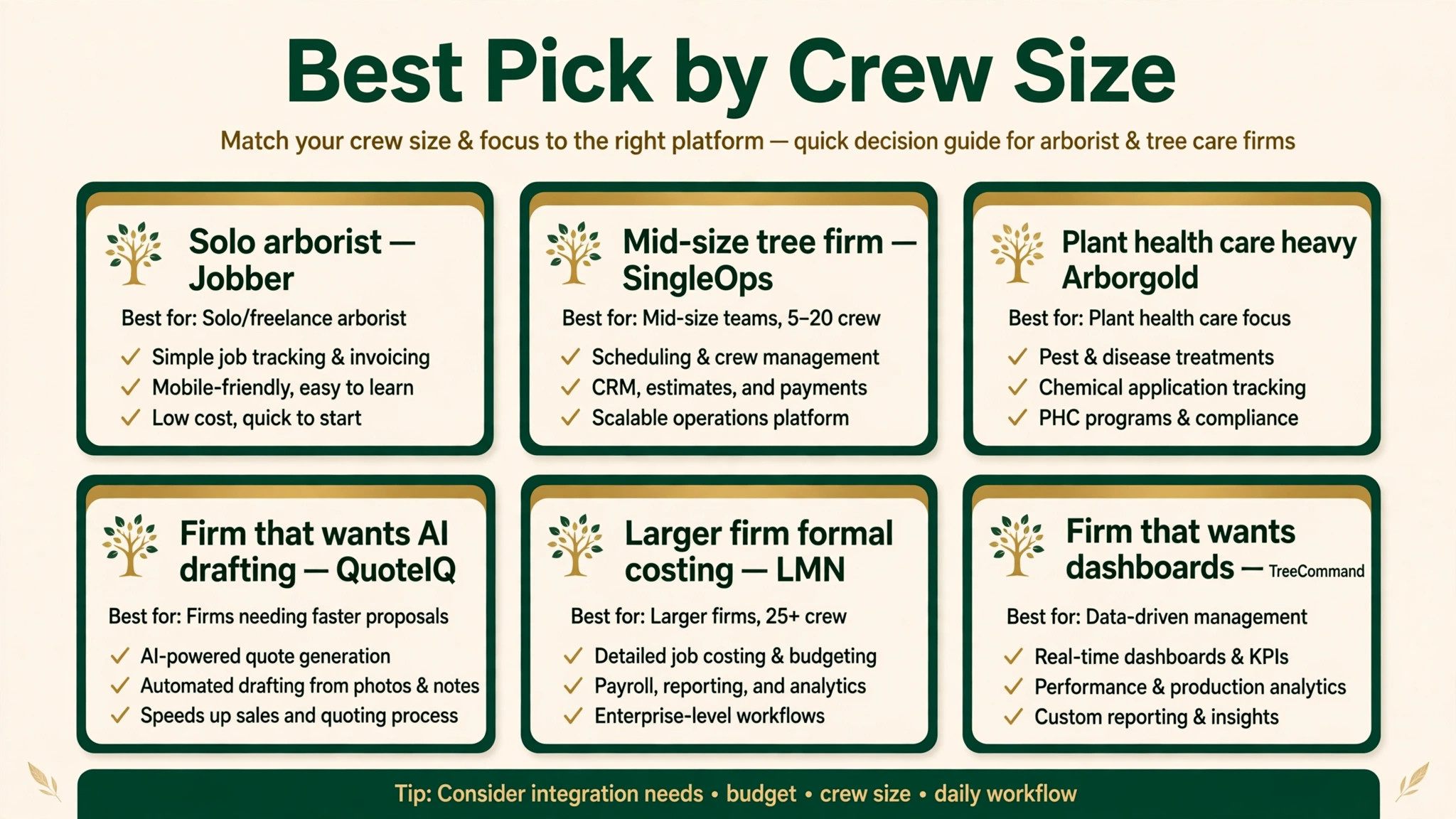
Best Pick by Crew Size
| Firm shape | Best pick | Why it wins for that shape |
|---|---|---|
| Mid-size tree firm | SingleOps | Proven tree proposals plus crew work orders |
| Plant health care heavy firm | Arborgold | Deepest chemical and recurring care tracking |
| Solo arborist | Jobber | Cheapest polished quotes with a strong app |
| Firm that wants AI drafting | QuoteIQ | AI estimates plus property measurement |
| Larger firm, formal costing | LMN | Deepest budgeting and job costing |
| Firm that wants dashboards | TreeCommand | Intelligence layer on top of an existing CRM |
Use this table as the decision shortcut. If your firm matches one row closely, start the trial there, and use the second-best row as your comparison. A tool that matches your shape will forgive small feature gaps, while a tool built for a different shape will fight you on daily tasks no matter how good its reviews look.
From Estimate to Finished Job, Step by Step
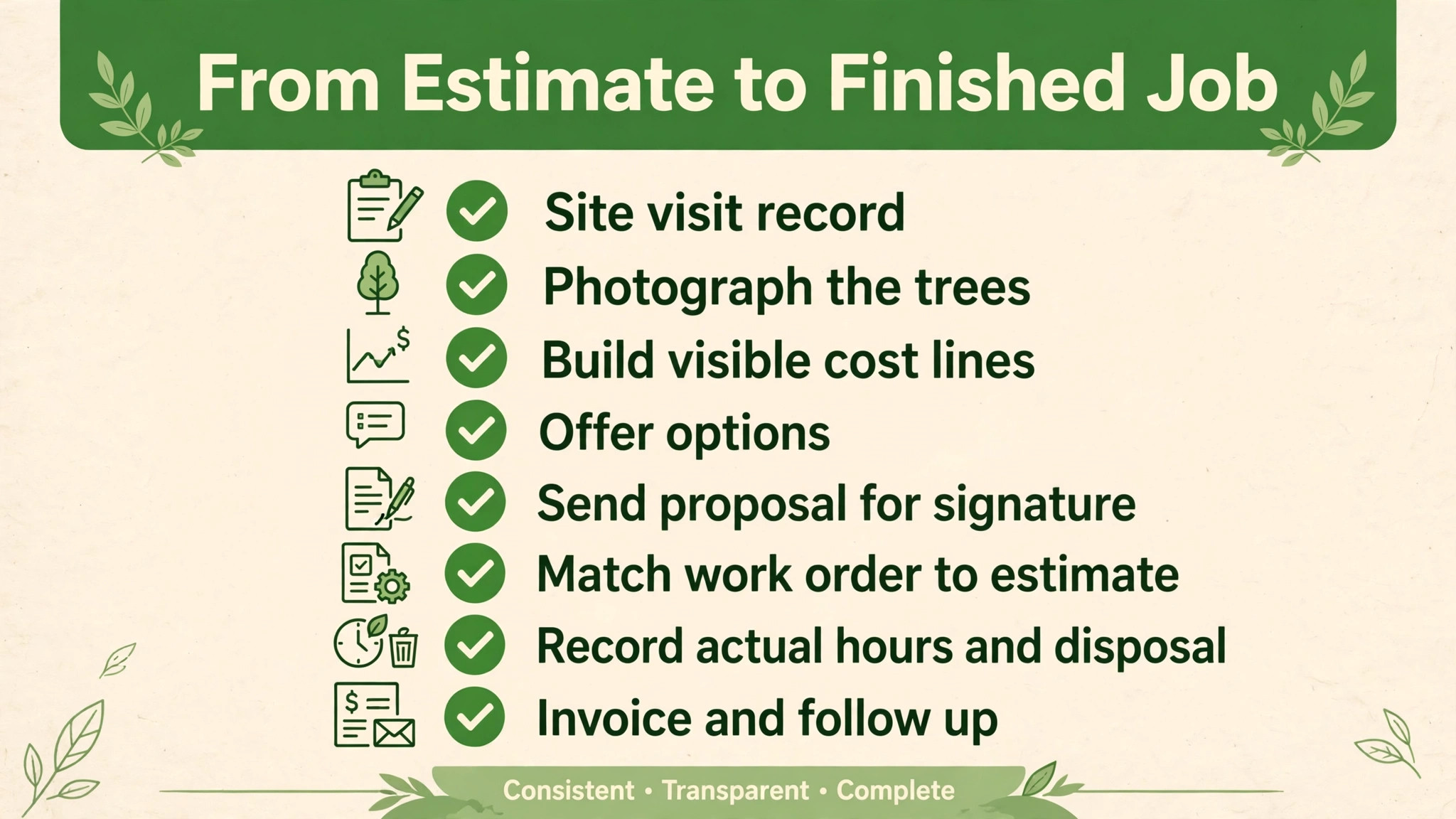
A good estimate is only half the job, because the checklist between estimate and payment is where tree firms leak money. Start with a site visit record that notes access, hazards, species, and disposal route, so the estimate rests on facts, not on memory from the driveway. Photograph the trees, the access, and any obstacle, and attach those photos to the estimate, because photos protect both the firm and the customer when the scope is questioned later.
Next, build the estimate with every cost line visible, including crew hours, equipment, fuel, disposal, and overhead, then add markup as a separate decision. Offer options where they help, such as removal with and without stump grinding, or pruning now with plant health care through the season. Send the proposal for electronic signature, follow up on a fixed schedule, and record the acceptance against the original line items, not against a new document.
When the crew arrives, the work order should match the estimate exactly, with the same line items, photos, and notes. Record actual hours, disposal receipts, and any change the customer approves on site, and price changes before the extra work starts, not after it finishes. For best estimating software for tree care companies, the test is whether that whole chain runs inside one system, because every handoff to a separate tool is a place where cost lines get lost.
Per-Job Cost Versus Subscription Cost
Estimating software is usually judged on its monthly subscription, but the real comparison is subscription cost against cost per job won and cost per job lost. A tool that costs more per month but raises the win rate on open estimates, or prevents one underpriced job per month, will pay for itself many times over. A cheap tool that lets underpriced jobs through will cost far more than its subscription suggests.
| Cost view | What to count |
|---|---|
| Subscription per month | Plan price, per-user additions, setup fees |
| Cost per estimate sent | Subscription divided by estimates sent per month |
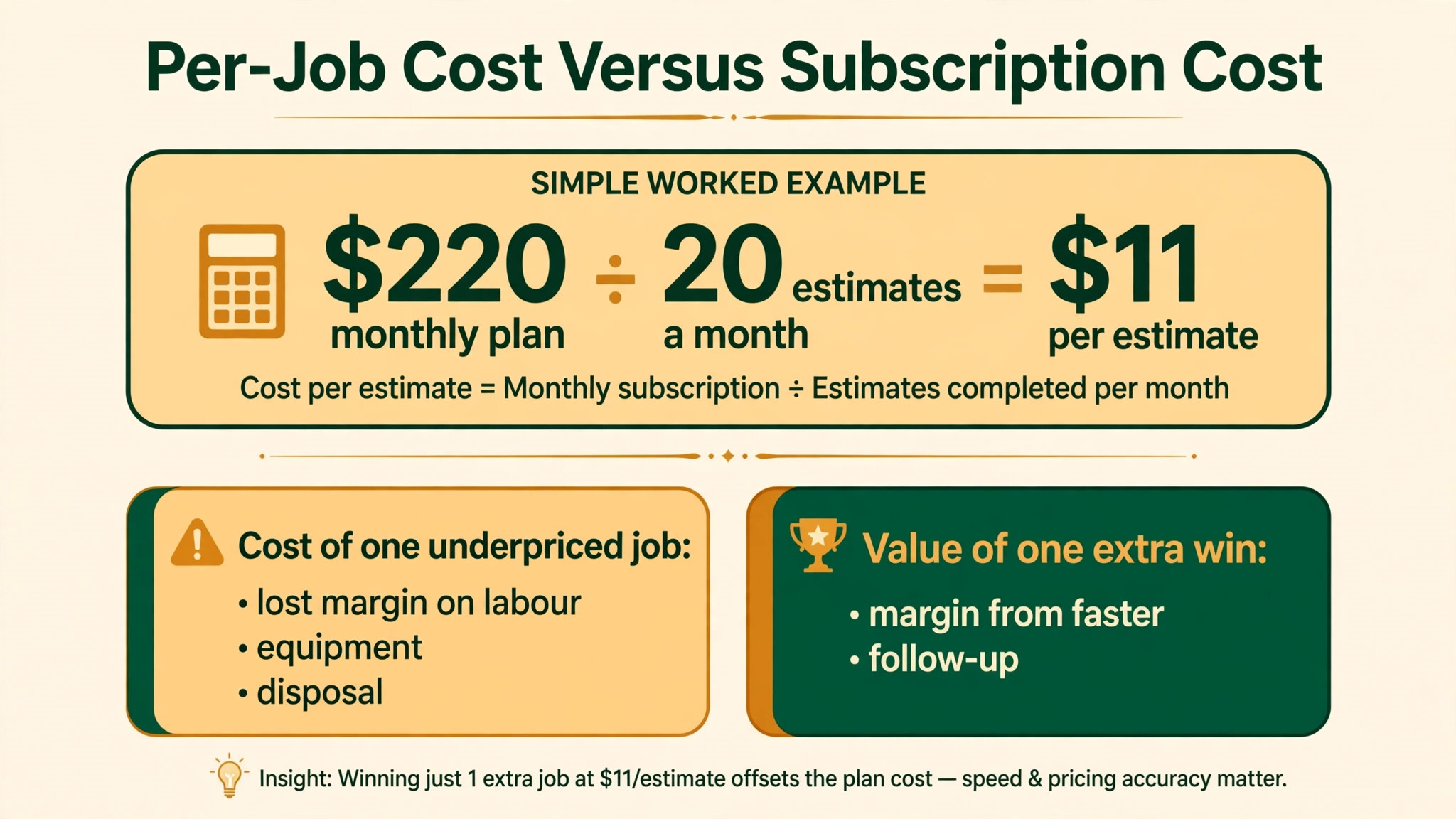
| Cost of one underpriced job | Lost margin on labour, equipment, and disposal |
| Value of one extra win | Margin on a job won through faster follow-up |
Run the numbers on your own volume. A firm sending twenty estimates a month on a $220 plan pays $11 per estimate in subscription terms, before any win or loss is counted. That simple division is the fairest way to judge best estimating software for tree care companies on price, because it ties the subscription to the work it actually supports, rather than to a headline monthly figure. If faster follow-up wins just one extra job per month at a healthy margin, the subscription is covered, and every other benefit is upside. That is why a firm should never pick an estimating tool on subscription price alone, without counting win rate and pricing accuracy alongside it.
Switching Without Losing Open Quotes
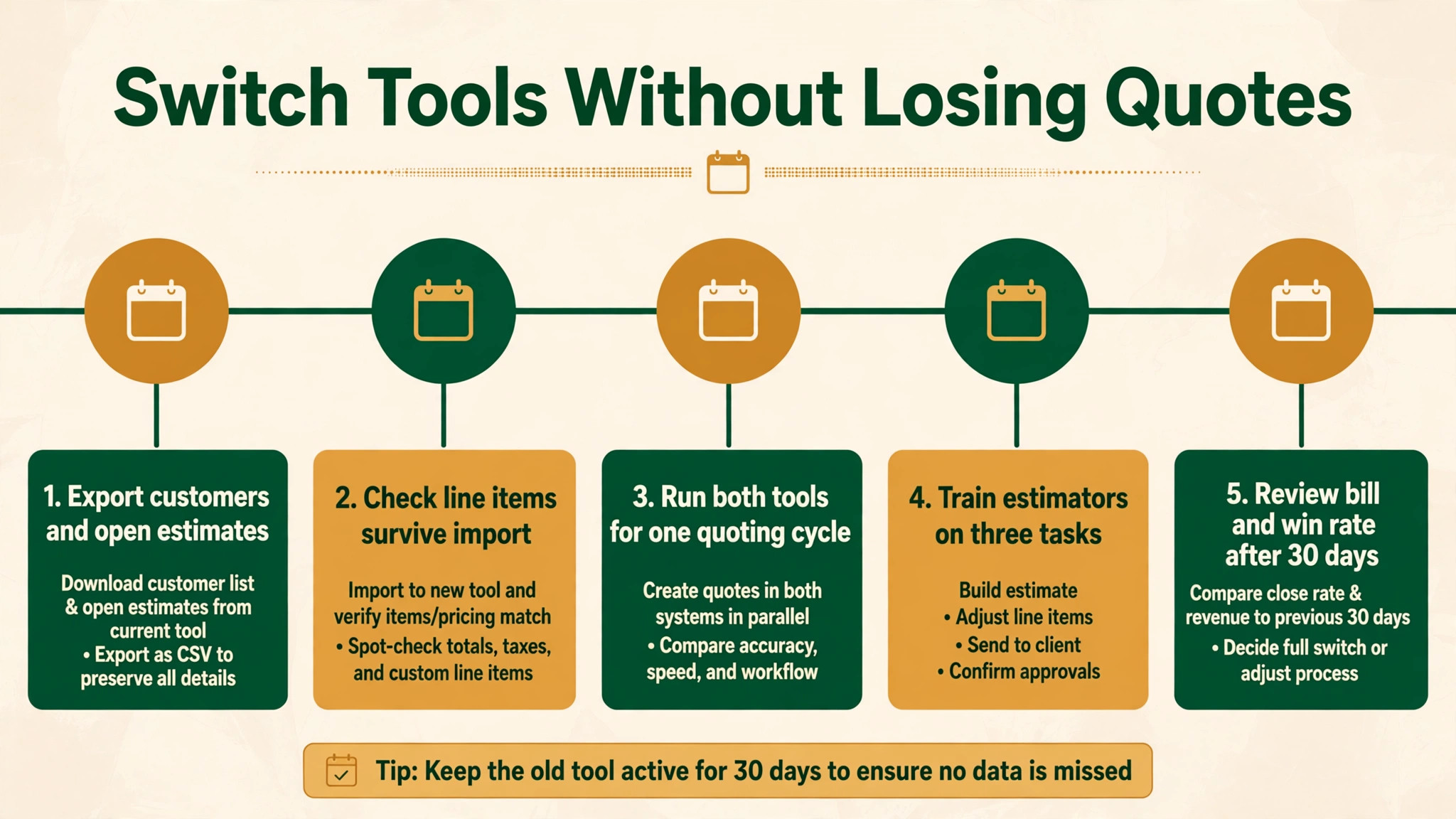
Switching estimating tools fails most often from rushing, not from choosing badly. Export customers, open estimates, accepted jobs, price lists, and crew records before you touch the new system, and check that line items, options, and signatures survive the import. An open estimate that loses its options in migration will need rebuilding, and rebuilding under time pressure creates pricing errors.
Run the new tool alongside the old one for one full quoting cycle if you can. Price new jobs in both systems, compare totals and margins, and fix cost lines before customers see a new proposal. Train estimators on three tasks only at first, namely building an estimate, sending a proposal, and following up an open quote, then expand training once those habits feel automatic. Review the bill, the win rate, and pricing accuracy after thirty days, and fix the setup before blaming the tool.
Pricing Storm Work Without Losing Margin
Storm work breaks normal estimating, because jobs arrive in a flood, access is difficult, and customers want immediate help. A tool that handles storm pricing well will let the estimator build a fast, clear quote from photos and a short site note, with emergency rates shown as a separate line rather than hidden inside labour. That transparency matters, because a storm customer who feels overcharged will dispute the bill later, while a customer who sees the emergency line accepts it as the cost of urgent work.
The second storm rule is triage. Not every storm job is urgent, and a tool that ranks jobs by hazard, such as a tree on a house versus a tree across a driveway, will keep crews on the most dangerous work first. A firm that works storm jobs in call order, rather than hazard order, will waste its best crews on low-risk jobs while high-risk jobs wait. When best estimating software for tree care companies supports hazard ranking and fast photo-based quotes together, storm weeks become profitable instead of chaotic.
The third storm rule is documentation. Photograph before, during, and after every storm job, record the hazard, and keep the signed estimate attached to those photos. Insurance work, in particular, depends on that record, and a firm without it will spend weeks arguing claims that good photos would have settled in days. Build the photo habit into the estimate flow itself, so it happens on every job, not only on the jobs someone remembers to document.
Estimate Traps That Shrink Margin
The most common mistake is buying for the firm you wish you had, instead of the firm you actually run. A solo arborist does not need enterprise reporting, and a small firm does not need formal budgeting built for ten crews. Buy for the next twelve months, not for a future that may never arrive, and upgrade when crew count demands it.
The second mistake is ignoring the exit. A tool that holds customer and job data hostage, charges heavily to export, or breaks every integration on cancellation will cost far more at exit than it saved at entry. Export data monthly, keep a copy outside the system, and know the cancellation terms before you sign. The third mistake is letting price lists go stale, because fuel, disposal, and labour costs move, and an estimate built on last year’s rates will quietly lose margin on every job. A firm reviewing best estimating software for tree care companies should therefore ask how price lists are updated, and who owns that update, before it signs anything.
Getting Estimators to Adopt the Tool
Start with one estimator and one crew before you roll a new tool out everywhere. A small pilot shows whether the estimate flow matches real jobs, whether crews understand work orders, and whether customers accept proposals from a phone. Ask the pilot crew what confused them on the work order, because a line item that reads clearly in the office often reads differently at the kerb, and fixing that wording early prevents change-order arguments later. Fix the pilot first, then copy the working setup to the rest of the firm, because a clean pilot beats a rushed firm-wide launch that nobody trusts.
Write down who owns the tool on day one. That person approves new users, checks the billing page each month, updates price lists when costs move, answers basic questions from the team, and talks to support when something breaks. That owner also reviews best estimating software for tree care companies results monthly, namely win rate, margin per job, and estimate turnaround time, so the firm knows whether quoting is actually improving. Without a named owner, price lists go stale, old staff keep access after they leave, and small problems sit unanswered until they become urgent. Ownership takes ten minutes to assign and saves hours later, especially in storm season when quoting volume spikes.
The Verdict for Tree Firms
Start with costing, then the proposal, then the trial. For most mid-size tree firms, SingleOps is the safest first trial, because it balances tree depth, proposal quality, and job flow better than the extremes. A firm with a very specific shape, a solo diary, or a plant health focus should start instead with the best pick by job table above, because that table points to the tool built for that exact situation.
The best estimating software for tree care companies decision does not need to be perfect, it needs to be tested. Run a real trial week with real past jobs, price the tool at next year’s crew count, and judge it on margin visibility and win rate. A tool that passes that test is worth keeping, even if a rival looks better on a pricing page, because daily work is the test that actually matters.
More Reading on Stratilyze
Readers comparing estimating tools usually check the neighbouring guides next. The guide to tree quote ideas covers the quoting workflow behind this choice, the guide to landscaping quote ideas explains a related estimating decision, and the guide to small business CRM software helps with the wider customer setup around it.
Frequently Asked Questions
Is tree-specific estimating software worth it over a general quote tool
Yes, when tree work involves varied job types, equipment, and disposal that a general tool lumps into generic lines. A general tool can print a tidy total, but it rarely shows crew, equipment, disposal, and overhead separately, which is where tree margins hide. If the firm cannot see profit per job today, a specialist will reveal it quickly.
How should a tree firm price disposal and equipment
As separate, visible lines, not buried inside labour. Disposal varies by volume, site access, and dump fees, while equipment varies by crane, chipper, and truck time, so hiding either line guarantees surprises. A tool that forces both lines into every estimate will teach the firm its true costs within a season, and customers accept clear lines more readily than a single unexplained total.
Should estimates offer options or a single price
Options usually win, when they are genuine choices rather than upsells. Removal with and without stump grinding, or pruning now with seasonal care added, lets the customer choose value instead of haggling the base price down. A tool that builds options cleanly and tracks which option was accepted will also keep crew work orders accurate, because the crew sees exactly what was sold.
How fast should a tree estimate be sent after a site visit
As fast as possible, ideally the same day, because homeowners compare several bids and the first clear proposal sets the standard. A tool that lets the estimator build and send the proposal from the field, with photos and signature capture, will beat a tool that waits for office hours. Speed matters, but not at the cost of missing cost lines, so the field flow must include every line.
What happens to open estimates if the firm switches tools later
That depends on export options, so check them before you buy. A good tool exports customers, open estimates, accepted jobs, and price lists in a usable format, while a weak one exports only names and totals. Ask for a sample export during the trial, and keep a monthly export outside the system as insurance against any future move.
Does the best estimating software for tree care companies need AI drafting
Not always, but it helps a firm that loses jobs to slow quoting more than any other feature. AI drafting from photos and measurements can cut quoting time sharply, provided accuracy is checked against known jobs first. A firm that already quotes same-day may gain little, while a firm with a quoting backlog should trial AI drafting on real past jobs before deciding.