
The best expense tracking software for freelancers for most solo workers is Zoho Expense, because its free tier covers up to three users with 20 scanned receipts per user each month at no cost, and Standard costs only 3 dollars per user per month on annual billing. A freelancer can photograph a receipt, log mileage and file an expense report from a phone, without paying for a tool that was built for a finance team. Expensify suits freelancers who scan a high volume of receipts, while QuickBooks Solopreneur suits those who want tax and mileage in one place.
A freelancer loses money in a specific way. The receipt sits in a jacket pocket, the mileage goes unlogged, and the home office cost never reaches the tax return, because tracking feels like admin that can wait until April. By April, the receipts are gone, the mileage is a guess, and the deductions are half what they should have been. The fix is a tool that takes ten seconds at the time of the spend, not an hour at tax time.
That ten second habit also decides the true cost. A free tool that a freelancer uses daily will find more deductions than a 20 dollar tool that sits unused, because the deductions are in the receipts, not in the features. The tools below are judged on how fast a receipt goes in, how accurate the scan is, and what the tool costs in a year, because a 200 dollar app must find about 540 dollars in missed deductions to pay for itself at a 37 percent marginal rate.
The 10 Tools at a Glance
| Tool | Main job | Best for | Starting price |
|---|---|---|---|
| Zoho Expense | Dedicated expense and mileage app | Most freelancers | Free for 3 users, Standard 3 dollars per user per month |
| Expensify | Receipt automation and reports | Heavy receipt scanners | Free Submit plan, Collect 5 dollars per member per month |
| QuickBooks Solopreneur | Tax, mileage and invoicing for solo workers | Freelancers who want tax help | Free plan, Lite 20 dollars per month |
| FreshBooks | Invoicing first with expense capture | Service freelancers who invoice | Lite 23 dollars per month |
| Wave | Free books and expenses | Freelancers who want free books | Free Starter, Pro about 19 dollars per month |
| Xero | Full accounting with expenses | Freelancers who need real books | Starter 15 dollars per month reported |
| Shoeboxed | Mail in receipts and paper scanning | Paper heavy freelancers | 29 dollars per month |
| Hurdlr | Automatic mileage and income tracking | Rideshare and delivery freelancers | Free tier, Premium 8 dollars per month reported |
| Keeper | Tax deductions and filing for freelancers | Freelancers who want tax filing | Reported 16 dollars per month |
| Dext | Receipt capture and bookkeeping prep | Freelancers with an accountant | Reported 25 dollars per month |
Best Pick by Job
| Job type | First pick | Second tool | Why this pair works |
|---|---|---|---|
| Free expense tracking | Zoho Expense | Wave | Zoho Expense scans receipts free, Wave adds free books |
| Heavy receipt scanning | Expensify | Dext | Expensify scans unlimited on Collect, Dext preps books for an accountant |
| Tax and mileage together | QuickBooks Solopreneur | Keeper | QuickBooks tracks tax quarterly, Keeper finds deductions and files |
| Invoicing plus expenses | FreshBooks | Wave | FreshBooks bills clients cleanly, Wave does it free |
| Mileage heavy work | Hurdlr | Zoho Expense | Hurdlr logs mileage automatically, Zoho Expense adds full reports |
A freelancer who spends 60 dollars a year on Expensify Collect will break even by finding about 162 dollars in missed deductions, while a freelancer who spends 240 dollars a year on QuickBooks Solopreneur Lite needs about 650 dollars in missed deductions to break even. The best expense tracking software for freelancers is judged on that break even math, because a tool that costs more than the deductions it finds is a cost, not a saving.
Which Expense App Scans Receipts Best?
Among the best expense tracking software for freelancers, Expensify SmartScan is the benchmark for receipt scanning, and its accuracy is the reason. The free Submit plan now covers unlimited SmartScans, mileage and categories for a solo freelancer, while Collect at 5 dollars per member per month adds reimbursements, corporate cards and accounting integrations. A photo of a receipt becomes a coded expense in seconds, with merchant, amount and date read correctly most of the time.
Zoho Expense Autoscan is close behind, with 20 scans per user per month on the free tier and 200 on Standard at 3 dollars per user, which is enough for most freelancers. Dext is the accountant favourite, with strong capture and bookkeeping prep, though its reported 25 dollars a month is steep for a solo worker. Shoeboxed takes a different path, letting a freelancer mail paper receipts in an envelope for scanning, which suits a paper heavy worker though the turnaround is slow.
FreshBooks is the weak spot here, because receipt capture sits only on Plus at 43 dollars a month, not on Lite at 23 dollars, so a freelancer who buys Lite for expenses will be disappointed. Wave Pro adds receipt capture as an 8 dollar a month add on, which is fair, though the free Starter plan skips it entirely. The test is fifty real receipts, from a coffee shop, a fuel station, a hotel and an online order, and the tool that reads all fifty correctly wins.
How to Choose the Best Expense Tracking Software For Freelancers
Start with the receipt count. A freelancer with ten receipts a month will fit on Zoho Expense free with its 20 scans, while a freelancer with a hundred receipts a month needs Expensify Collect with unlimited SmartScans. Count the receipts from last month before looking at any price page, because the scan limit is the first wall a buyer will hit.
Next, check the tax need. A freelancer who wants quarterly tax estimates, Schedule C categories and mileage for the IRS needs QuickBooks Solopreneur or Keeper, while a freelancer who only needs a clean expense list for an accountant can pick Zoho Expense or Wave. Then check the bank feed, because a tool that imports bank and card transactions automatically will catch the expenses a freelancer forgets to photograph.
Then check the export. The tool should export a clean Schedule C ready list, with categories, dates and receipt images attached, because an accountant who gets a messy export will charge more to fix it. The best expense tracking software for freelancers is the one that makes tax time a review, not a reconstruction.
The 10 Tools in Detail
The order below starts with the free and value picks, then the accounting tools, then the specialist picks.
1. Zoho Expense
Zoho Expense is the best free expense tool for most freelancers, and its free tier is the reason. The free plan covers up to three users with 20 autoscan receipts per user each month, mileage, approvals and 5GB of receipt storage, while Standard costs 3 dollars per user per month on annual billing with 200 scans per user. The product covers receipt OCR, GPS mileage, multi level approvals, cash advances and accounting integrations.
Automatic imports are not promised. The free tier does not confirm a bank or card feed, so a freelancer who wants automatic imports may need a paid plan or a second tool. The interface is also denser than Expensify, and a new user needs a day to learn it. The free value is real, and a solo freelancer can run a full year at no cost.
Zoho Expense suits freelancers who want a real expense app for free. It fits a solo worker with under twenty receipts a month, a small team of three, and a buyer already in the Zoho world. The free tier is the point, because a tool that costs nothing and finds deductions will pay for itself in the first month.
Trial Zoho Expense free for a month, scan twenty receipts, and check the Schedule C export before deciding.
2. Expensify
Expensify is the receipt automation leader, and SmartScan is the reason. The free Submit plan covers unlimited SmartScans, mileage and categories, Collect costs 5 dollars per member per month with reimbursements and QuickBooks and Xero integrations, and Control is quoted from about 9 dollars per member per month for advanced workflows. The product covers receipt OCR, approvals, corporate cards and 45 plus integrations.
Teams pay more than solo users. Collect is cheap for one user, though a team of ten will pay 50 dollars a month, and Control adds more. The Concierge AI categorisation is also hit or miss, so a freelancer should check the categories before filing. The scanning is the best in this list, and a freelancer with a hundred receipts a month will save hours.
Expensify suits freelancers with heavy receipt volume. It fits a worker who photographs receipts daily, a freelancer who needs reimbursements, and a buyer who values scanning accuracy over price. The scan is the point, because a receipt read correctly in seconds is a deduction that will not be missed.
Use the free Submit plan for a month, scan fifty receipts, and check the accuracy before upgrading to Collect.
3. QuickBooks Solopreneur
QuickBooks Solopreneur is the tax and mileage pick for solo workers, and its tax help is the reason. The free plan covers one user with 2 receipts and 2 invoices a month, while Lite costs about 20 dollars a month with unlimited receipts, mileage tracking, quarterly tax estimates and invoicing. The product is built for a freelancer, not for a team, with Schedule C categories built in.
Two hundred forty dollars a year is steep. At 20 dollars a month, Solopreneur costs 240 dollars a year, which needs about 650 dollars in missed deductions to break even, and the free plan is too limited for real use. The product is also US focused, so a freelancer outside the US will find less value. The tax help is real, and a freelancer who fears April will value it.
QuickBooks Solopreneur suits US freelancers who want tax and mileage together. It fits a solo worker who tracks mileage daily, a freelancer who wants quarterly estimates, and a buyer who values tax help over a free tool. The tax estimate is the point, because a freelancer who knows the quarterly bill will not be surprised in April.
Trial the free plan for a week, log a week of mileage, and check the quarterly estimate before paying for Lite.
4. FreshBooks
FreshBooks is the invoicing first pick, and its client billing is the reason. Lite costs about 23 dollars a month for five billable clients, Plus 43 dollars for fifty clients, with unlimited invoices, expense tracking and mileage on both, though receipt scanning sits only on Plus. The product connects expenses directly to invoices, so a billable expense lands on the next client invoice automatically.
Lite buyers get no receipts. A freelancer who buys Lite for expenses will find no receipt capture, and the upgrade to Plus at 43 dollars a month is the most expensive true cost in this list for expenses alone. The invoicing is strong, though, and a service freelancer who bills clients will recover the fee in billable expenses.
FreshBooks suits service freelancers who invoice clients. It fits a consultant who rebills expenses, a freelancer with five to fifty clients, and a buyer who values invoicing over scanning. The client billing is the point, because an expense that lands on the invoice is an expense that gets paid.
Trial FreshBooks free for 30 days, invoice five clients, and check whether Plus receipt capture is worth the upgrade.
5. Wave
Wave is the free books pick, and its zero price is the reason. Starter is free with invoicing and expense tracking, Pro costs about 19 dollars a month, and receipt capture is an 8 dollar a month add on, so the full setup costs about 27 dollars a month. The product covers books, invoicing, payments and payroll, with a clean interface a freelancer learns fast.
Receipts cost extra here. The free Starter plan skips receipt capture and bank sync, so a freelancer who wants the full tool must pay, and the combined Pro plus receipt cost is higher than Zoho Expense Standard. The books are real, though, and a freelancer who wants free accounting will value it.
Wave suits freelancers who want free books and expenses. It fits a solo worker who invoices and tracks expenses in one place, a freelancer who wants a clean interface, and a buyer who values free books over scanning. The free books are the point, because a freelancer who tracks income and expenses together will see the profit clearly.
Use Wave Starter free for a month, send three invoices, and check the receipt add on before upgrading to Pro.
6. Xero
Xero is the real accounting pick, and its books are the reason. Starter is reported at 15 dollars a month, with full double entry accounting, invoicing, expense tracking, bank feeds and reporting. A freelancer who needs proper books, with a balance sheet and a profit and loss statement, will find Xero the most complete tool here.
It is heavy for expenses alone. Xero is an accounting platform first, with expense tracking as one feature, and a freelancer who only needs expenses will find it heavy. The price is also higher than Zoho Expense free, and the learning curve is steeper. The books are real, and a freelancer with an accountant on Xero will save time.
Xero suits freelancers who need real accounting. It fits a worker with an accountant, a freelancer who wants a balance sheet, and a buyer who values books over a simple expense list. The books are the point, because a freelancer who keeps proper books will file tax with confidence.
Trial Xero free, connect the bank feed, and check the expense report before committing to a monthly plan.
7. Shoeboxed
Shoeboxed is the paper pick, and its mail in service is the reason. The reported starting price is 29 dollars a month, with a magic envelope for mailing paper receipts, plus app capture and a human verified scan. A freelancer with a drawer of paper receipts can mail them in and get a digital list back, without photographing each one.
Paper receipts move slowly. Mailing receipts takes days, and 29 dollars a month is the most expensive entry here for a solo worker, with a model that feels dated next to SmartScan. The human verification is real, and a freelancer with paper heavy work will value the accuracy. The paper path is the trade, and a digital first freelancer should skip it.
Shoeboxed suits paper heavy freelancers and back offices. It fits a worker with a box of receipts, a freelancer who hates photographing, and a buyer who values human verification over speed. The envelope is the point, because a receipt mailed in is a receipt that will not be lost.
Trial Shoeboxed with one envelope of receipts, check the turnaround, and compare the accuracy against Expensify before paying.
8. Hurdlr
Hurdlr is the mileage pick, and its automatic tracking is the reason. The free tier covers basic mileage and income tracking, Premium is reported at 8 dollars a month, and the product logs mileage automatically from the phone, tracks income and expenses, and estimates tax for gig workers. A rideshare or delivery driver can log every mile without thinking.
Full books are beyond it. Hurdlr is built for gig and mileage heavy work, with lighter invoicing and reporting than FreshBooks or Xero, and a freelancer who needs full books will need a second tool. The automatic mileage is real, and a driver who logs 500 miles a week will save hours.
Hurdlr suits rideshare, delivery and mileage heavy freelancers. It fits a driver who logs miles daily, a gig worker who wants tax estimates, and a buyer who values automatic mileage over full books. The automatic log is the point, because a mile logged automatically is a deduction that will not be forgotten.
Use Hurdlr free for a week, drive a normal week, and check the mileage log before upgrading to Premium.
9. Keeper
Keeper is the tax deduction pick, and its filing help is the reason. The reported price is 16 dollars a month, with the product scanning bank and card transactions for deductions, tracking expenses and filing the tax return for freelancers. A freelancer who wants the deductions found and the return filed in one place will find Keeper the most hands off tool here.
That 16 dollar figure is unconfirmed. The 16 dollar figure is reported, so the buyer should confirm it on the vendor page, and the product is US focused, with less value outside the US. The deduction finding is real, and a freelancer who misses deductions will recover the fee. The filing is the trade, and a freelancer with an accountant should skip it.
Keeper suits US freelancers who want deductions found and tax filed. It fits a worker who misses deductions, a freelancer who wants a hands off return, and a buyer who values the filing over a simple tracker. The filing is the point, because a return filed on time with every deduction is a return that costs less.
Trial Keeper with a month of bank transactions, check the deductions it finds, and confirm the price before paying.
10. Dext
Dext is the accountant prep pick, and its capture is the reason. The reported starting price is 25 dollars a month, with receipt capture, supplier invoices, bank feeds and bookkeeping prep that an accountant can use directly. A freelancer with an accountant on Dext will save the accountant hours, which can lower the accounting bill.
Solo users pay a practice price. At a reported 25 dollars a month, Dext is steep for a freelancer who only needs expenses, and the product is built for a practice, not for a solo user. The prep is real, and a freelancer who pays an accountant hourly will recover the fee. The accountant link is the trade, and a freelancer without an accountant should skip it.
Dext suits freelancers with an accountant on Dext. It fits a worker who sends receipts to an accountant monthly, a freelancer who wants books prepped, and a buyer who values the accountant link over a low price. The prep is the point, because a receipt prepped for the accountant is a bill that costs less.
Ask the accountant whether Dext is used, trial it for a month, and check the time saved before paying.
Zoho Expense vs Expensify: Which One Wins for a Freelancer?
Price is the first difference, and it is stark for a solo worker. Zoho Expense free covers 20 scans a month at no cost, while Expensify Collect costs 5 dollars a month with unlimited SmartScans. A freelancer with ten receipts a month pays nothing on Zoho Expense and 60 dollars a year on Expensify, while a freelancer with a hundred receipts a month pays 36 dollars a year on Zoho Expense Standard and 60 dollars a year on Expensify. The gap is small at volume and large at low volume.
Features are the second difference. Expensify wins on scanning accuracy and unlimited scans, while Zoho Expense wins on the free tier, approvals and the low Standard price. A freelancer who photographs receipts daily will feel the Expensify advantage in week one. A freelancer who scans twenty receipts a month will feel the Zoho Expense advantage in the bank balance.
Limits decide the tie. Zoho Expense free caps at 20 scans per user per month, so a heavy scanner will hit the wall, while Expensify free Submit covers unlimited scans, though reimbursements need Collect. The best expense tracking software for freelancers is judged on the receipt count, and Zoho Expense wins under twenty receipts while Expensify wins over fifty. A freelancer in between should test both for a month and count the scans.
What Does Expense Tracking Cost in a Year?
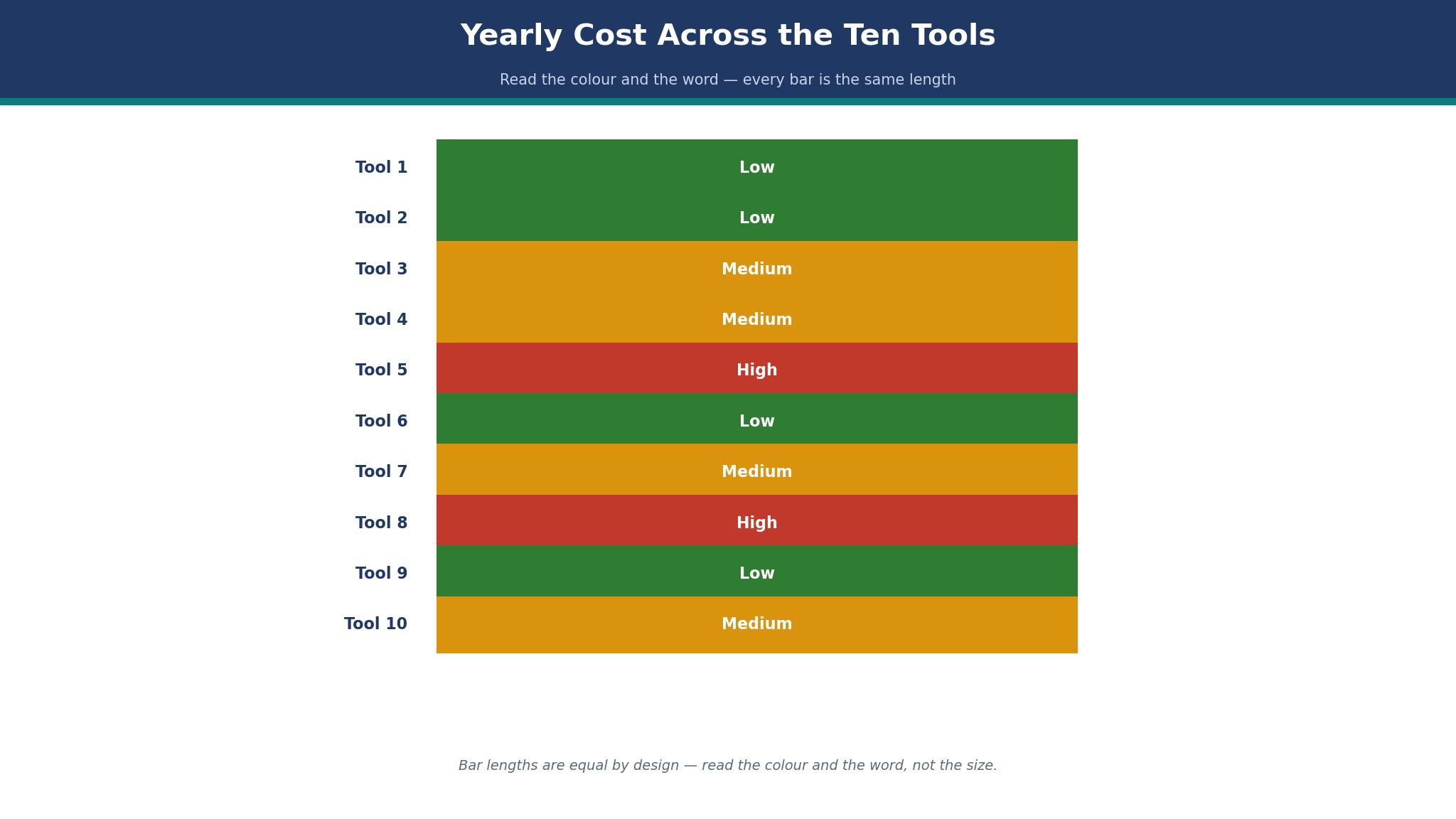
The subscription is the first cost of the best expense tracking software for freelancers, and the math is simple. Zoho Expense free costs nothing a year, Expensify Collect costs 60 dollars a year, QuickBooks Solopreneur Lite costs about 240 dollars a year, and FreshBooks Plus costs 516 dollars a year. The gap between free and Plus is 516 dollars, which needs about 1,395 dollars in missed deductions to break even at a 37 percent rate.
The second cost is the time. A tool that takes ten seconds per receipt will be used, while a tool that takes a minute will be skipped, and a skipped receipt is a lost deduction. A freelancer should time the capture, from photo to coded expense, and pick the fastest tool, because the fastest tool will find the most deductions. The third cost is the accountant, because a clean export will lower the accounting bill, while a messy export will raise it.
The test is a year of receipts. Track every receipt for a month, count the deductions found, and multiply by twelve. A tool that finds 500 dollars in deductions a month will pay for itself in the first week, while a tool that finds nothing will cost money every month.
How Do You Track Mileage Without Forgetting a Trip?
Mileage is the deduction freelancers forget most, and the best expense tracking software for freelancers fixes it with automatic logging. Hurdlr logs mileage from the phone without the driver thinking, QuickBooks Solopreneur tracks it with a swipe, and Zoho Expense logs it with GPS. A freelancer who logs mileage by hand will forget a trip a week, and a forgotten trip at 70 cents a mile for 20 miles is 14 dollars lost each time.
The second need is the purpose. The IRS needs the date, the miles, the destination and the business purpose, and a tool that logs the miles without the purpose will fail an audit. A freelancer should add the purpose at the time of the trip, not at tax time, because the purpose is forgotten by April. The third need is the separation, because personal and business miles must be split, and a tool that logs every trip will need a swipe to mark the personal ones.
The test is a week of driving. Log every trip automatically, add the purpose at the time, and check the total at the end of the week. A log that shows 200 business miles is worth about 140 dollars in deductions, while a log that shows nothing is worth nothing.
The Freelancer Expense Checklist That Prevents a Tax Time Panic
A good habit follows a short checklist, and each step takes seconds. First, photograph every receipt at the time of the spend, with the tool open before leaving the counter. Second, log mileage automatically, and add the purpose before the trip ends. Third, review the expenses weekly, for ten minutes on a Friday, and fix the categories while the spend is fresh.
Fourth, separate business and personal spending, with a business card or a business account, so the export is clean. Fifth, export the expense list monthly, and send it to the accountant or save it with the bank statements. Sixth, check the quarterly tax estimate, and set aside the tax on every invoice, so April brings a review, not a panic.
A habit that passes all six steps will feel easy, and easy is the goal. A habit that waits until April will feel painful for a month, and the deductions will be half what they should have been. The checklist is the difference, and it costs nothing except the discipline to photograph the receipt before leaving the counter.

Frequently Asked Questions
Which expense tracker is best for freelancers?
Zoho Expense is the best expense tracker for most freelancers, because its free tier covers 20 scanned receipts a month at no cost, with Standard at 3 dollars per user per month. Expensify is the better pick for heavy receipt volume, with unlimited SmartScans on the free Submit plan and Collect at 5 dollars a month. A freelancer with under twenty receipts should test Zoho Expense first, while a heavy scanner should test Expensify.
How much does Expensify cost per month?
Expensify costs nothing on the free Submit plan, with unlimited SmartScans, mileage and categories for a solo freelancer. Collect costs 5 dollars per member per month, with reimbursements and accounting integrations, while Control is quoted from about 9 dollars per member per month. A solo freelancer with a hundred receipts a month will fit on Collect at 60 dollars a year.
Is QuickBooks Solopreneur good for freelancers?
Yes, QuickBooks Solopreneur is good for US freelancers who want tax and mileage together, with quarterly estimates, Schedule C categories and invoicing in one place. The free plan is limited to 2 receipts and 2 invoices a month, while Lite costs about 20 dollars a month with unlimited receipts. A freelancer who fears tax time should test the quarterly estimate before paying.
Does FreshBooks track expenses?
Yes, FreshBooks tracks expenses and mileage on Lite at 23 dollars a month, though receipt capture sits only on Plus at 43 dollars a month. The product connects expenses directly to client invoices, so a billable expense lands on the next invoice automatically. A freelancer who buys Lite for receipt scanning will be disappointed and should pick Plus or Zoho Expense instead.
What is the cheapest expense tracking software?
Zoho Expense free is the cheapest expense tracking software, with 20 scanned receipts a month at no cost, while Wave Starter is free for books and invoicing without receipt capture. Expensify free Submit covers unlimited SmartScans at no cost, though reimbursements need Collect at 5 dollars a month. A freelancer who needs a free receipt scanner should pick Zoho Expense or Expensify free.
Can I track mileage with Zoho Expense?
Yes, Zoho Expense tracks mileage with GPS, logging the distance and the route, with approvals and reporting in the same app. The free tier covers mileage for up to three users, while Standard at 3 dollars per user per month adds 200 scans a month. A freelancer who drives daily should test the GPS log for a week before relying on it for tax.
The Final Word on Freelancer Expenses
Zoho Expense takes the top spot for most freelancers, because a free tier that actually works, with 20 scans a month and GPS mileage, will beat a paid tool that sits unused. Expensify takes the scanning spot, with unlimited SmartScans and the best accuracy in this list. QuickBooks Solopreneur takes the tax spot, with quarterly estimates that stop an April surprise.
The decision is the receipt count, not the price page. Count last month receipts, test the top two for a month, and check the deductions found. The best expense tracking software for freelancers is the one that finds the most deductions for the least money, and the freelancer who photographs every receipt will find them.