
The problem is plain. A general checkout tool can sell a book, but it cannot tell you which ISBN is on the shelf, which copy is signed, which preorder is already paid for, and which supplier still owes you a return. That gap turns stock counts into guesswork and event nights into queues at the till. The best POS system for independent bookstores is the one that treats the book as the unit of work, not just another retail item, while still handling coffee, gifts, and event tickets without a second till.
A bookstore POS must do three jobs at once. It must check out quickly, it must track stock by ISBN, author, and publisher, and it must handle special orders, preorders, and returns without a spreadsheet on the side. The eight tools below split into bookstore native systems and strong general retail systems that can be shaped for books. The right choice depends on how much of your revenue comes from books alone versus cafe sales and events.
At a glance comparison
Use this table to shortlist two systems, then test each one with a busy Saturday, not a quiet Tuesday. Prices change, so confirm the current figure on the vendor pricing page before you budget.
| Tool | Best for | Starting price | Note |
|---|---|---|---|
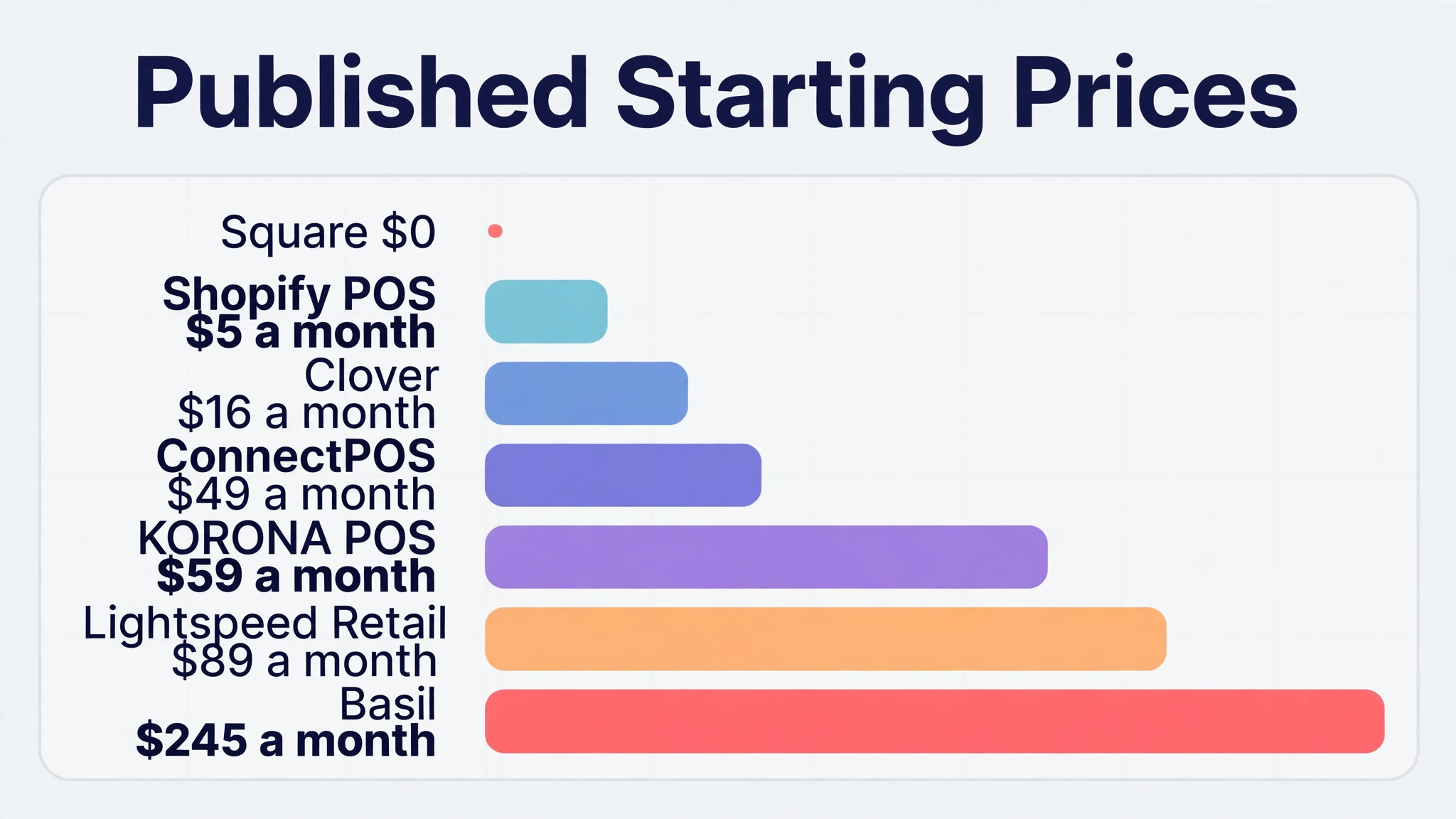
| Basil | Bookstore native POS overall | From 245 dollars a month | Built in ISBN tools |
| BookManager | Schools, libraries, and used book workflows | From 6000 dollars one time per published comparisons | Bookstore native, used stock support |
| Square | Pop ups and tight budgets | 0 dollars for the core plan | Free start, ISBN via app |
| Lightspeed Retail | Complex or multi store inventory | From 109 dollars a month, or 89 dollars billed yearly | Deep inventory and reporting |
| Shopify POS | Online led shops | From 5 dollars a month for the starter plan per published comparisons | Strong online and in store sync |
| KORONA POS | Shops with a cafe or mixed retail | From 59 dollars a month | Cafe and retail in one till |
| Clover | Shops that want hardware in one package | Hardware kit plans from 16 dollars a month for 36 months | Hardware led setup |
| ConnectPOS | Shops that want speed at checkout | From 49 dollars a month per register | Fast search and stock control |
The tools in detail
Each section states the best fit, the price position, and the bookstore specific trade. A system that is excellent for general retail can still fail a bookshop if ISBN lookup, special orders, or used stock handling needs manual workarounds. When you compare systems side by side, the best POS system for independent bookstores that fits is usually the one whose daily workflow your team already understands, not the one with the longest feature list.
Basil
Basil is a bookstore that wants a native system from day one option that covers built in ISBN lookup, title and author fields, purchase orders, and barcode receiving and a system designed around book workflows rather than adapted to them. In daily use that combination matters because the front desk, the clinical or service team, and the owner all work from the same record instead of passing notes between separate tools. Setup usually starts with the appointment book and the customer record, then adds payments and reminders once staff trust the basics.
On price, published from 245 dollars a month. Check the vendor current pricing page before you budget, because seat limits, texting allowances, and payment processing are often charged separately. The trade to weigh is a monthly price that is high for a very small shop with low volume. Ask for a demo using your own busiest week, not a prepared script, and confirm what data you can export if you leave.
In a demo, test the failure case before the happy path. Enter a duplicate booking, a wrong price, and a missing customer detail, then watch how the system recovers. A tool that handles errors gracefully will save staff time every week.
What to test in a demo is simple. Book, change, and cancel the same item, then follow the money from deposit to final invoice and check that the reminder went out. If any of those steps needs a workaround, treat that as a real cost, because staff will repeat it every day.
BookManager
BookManager suits a shop, school, or library with used book workflows buyer that wants bookstore native inventory, used book condition tracking, and supplier workflows without a long implementation project. The core workflow runs through deep book specific handling that general systems cannot match without add ons, so a booking, a sale, or a job moves from first contact to payment in one place. That single record also makes follow up easier, because staff can see what was booked, what was paid, and what is still outstanding at a glance.
Pricing is published comparisons list a 6000 dollar one time figure, so confirm the current pricing model on the vendor page, and you should confirm the current figure on the vendor pricing page before signing, since add on charges for messaging, extra users, and payment processing change the total. The main trade is a price and setup model that suits larger operations better than a tiny shop. Test the workflow that fails most often in your business first, and get the exit and data export terms in writing.
In a demo, time the most repeated task with a stopwatch. If the task your team repeats fifty times a day takes ten extra seconds, that is eight minutes a day per person, and it adds up to hours every month.
What to test in a demo is simple. Book, change, and cancel the same item, then follow the money from deposit to final invoice and check that the reminder went out. If any of those steps needs a workaround, treat that as a real cost, because staff will repeat it every day.
Square
Square is built for a pop up, market stall, or shop on a tight budget operation and puts fast checkout, mobile hardware, and a simple inventory start at the centre of the working day. Staff handle the lowest friction way to start selling, with no monthly fee for the core plan from the same screen they use for scheduling, which cuts the time spent retyping details into a second system. For a small team that trade matters more than an extra reporting feature that nobody opens.
On price, 0 dollars for the core plan, with card fees per transaction. Check the vendor current pricing page before you budget, because seat limits, texting allowances, and payment processing are often charged separately. The trade to weigh is ISBN tools that arrive via app rather than built in, and inventory depth that runs out as the catalogue grows. Ask for a demo using your own busiest week, not a prepared script, and confirm what data you can export if you leave.
In a demo, ask the vendor to run this single test with your own data. Enter a real customer, a real item, and a real price, then change the date, change the quantity, and cancel it. Watch what breaks, because that break will happen on your busiest day.
What to test in a demo is simple. Book, change, and cancel the same item, then follow the money from deposit to final invoice and check that the reminder went out. If any of those steps needs a workaround, treat that as a real cost, because staff will repeat it every day.
Lightspeed Retail
Lightspeed Retail is a shop with a large catalogue or several stores option that covers deep inventory control, purchase ordering, multi store sync, and detailed reporting and the strongest general retail inventory system in this guide. In daily use that combination matters because the front desk, the clinical or service team, and the owner all work from the same record instead of passing notes between separate tools. Setup usually starts with the appointment book and the customer record, then adds payments and reminders once staff trust the basics.
Pricing is published from 109 dollars a month, or 89 dollars billed yearly, and you should confirm the current figure on the vendor pricing page before signing, since add on charges for messaging, extra users, and payment processing change the total. The main trade is bookstore native ISBN and publishing workflows that need apps, setup, or manual fields. Test the workflow that fails most often in your business first, and get the exit and data export terms in writing.
In a demo, test the failure case before the happy path. Enter a duplicate booking, a wrong price, and a missing customer detail, then watch how the system recovers. A tool that handles errors gracefully will save staff time every week.
What to test in a demo is simple. Book, change, and cancel the same item, then follow the money from deposit to final invoice and check that the reminder went out. If any of those steps needs a workaround, treat that as a real cost, because staff will repeat it every day.
Shopify POS
Shopify POS suits a shop that sells online as much as in store buyer that wants online and in store inventory sync, product search, and a large app range without a long implementation project. The core workflow runs through one stock record for the website and the shop floor, so a booking, a sale, or a job moves from first contact to payment in one place. That single record also makes follow up easier, because staff can see what was booked, what was paid, and what is still outstanding at a glance.
On price, published comparisons list from 5 dollars a month for a starter plan, with POS Pro as a paid add on. Check the vendor current pricing page before you budget, because seat limits, texting allowances, and payment processing are often charged separately. The trade to weigh is ISBN handling via app and a total cost that rises with POS Pro and apps. Ask for a demo using your own busiest week, not a prepared script, and confirm what data you can export if you leave.
In a demo, time the most repeated task with a stopwatch. If the task your team repeats fifty times a day takes ten extra seconds, that is eight minutes a day per person, and it adds up to hours every month.
What to test in a demo is simple. Book, change, and cancel the same item, then follow the money from deposit to final invoice and check that the reminder went out. If any of those steps needs a workaround, treat that as a real cost, because staff will repeat it every day.
KORONA POS
KORONA POS is built for a shop with a cafe or mixed retail alongside books operation and puts retail and cafe checkout, inventory tracking, and barcode scanning at the centre of the working day. Staff handle one till for books, coffee, and gifts, which matters on a busy event night from the same screen they use for scheduling, which cuts the time spent retyping details into a second system. For a small team that trade matters more than an extra reporting feature that nobody opens.
Pricing is published from 59 dollars a month, and you should confirm the current figure on the vendor pricing page before signing, since add on charges for messaging, extra users, and payment processing change the total. The main trade is less bookstore native depth than Basil or BookManager for pure book workflows. Test the workflow that fails most often in your business first, and get the exit and data export terms in writing.
In a demo, ask the vendor to run this single test with your own data. Enter a real customer, a real item, and a real price, then change the date, change the quantity, and cancel it. Watch what breaks, because that break will happen on your busiest day.
What to test in a demo is simple. Book, change, and cancel the same item, then follow the money from deposit to final invoice and check that the reminder went out. If any of those steps needs a workaround, treat that as a real cost, because staff will repeat it every day.
Clover
Clover is a shop that wants hardware and payments in one package option that covers counter hardware, card payments, inventory basics, and app extensions and a tidy hardware setup with one supplier for till and payments. In daily use that combination matters because the front desk, the clinical or service team, and the owner all work from the same record instead of passing notes between separate tools. Setup usually starts with the appointment book and the customer record, then adds payments and reminders once staff trust the basics.
On price, hardware kit plans published from 16 dollars a month for 36 months for a basic kit. Check the vendor current pricing page before you budget, because seat limits, texting allowances, and payment processing are often charged separately. The trade to weigh is a hardware led cost model that can hide the true monthly total over three years. Ask for a demo using your own busiest week, not a prepared script, and confirm what data you can export if you leave.
In a demo, test the failure case before the happy path. Enter a duplicate booking, a wrong price, and a missing customer detail, then watch how the system recovers. A tool that handles errors gracefully will save staff time every week.
What to test in a demo is simple. Book, change, and cancel the same item, then follow the money from deposit to final invoice and check that the reminder went out. If any of those steps needs a workaround, treat that as a real cost, because staff will repeat it every day.
ConnectPOS
ConnectPOS suits a shop that wants speed at checkout and clean stock control buyer that wants fast product search, real time stock across locations, and clean reporting without a long implementation project. The core workflow runs through checkout speed that keeps an event queue moving, so a booking, a sale, or a job moves from first contact to payment in one place. That single record also makes follow up easier, because staff can see what was booked, what was paid, and what is still outstanding at a glance.
Pricing is published from 49 dollars a month per register, or 39 dollars on annual plans, and you should confirm the current figure on the vendor pricing page before signing, since add on charges for messaging, extra users, and payment processing change the total. The main trade is bookstore specific fields that need setup rather than arriving built in. Test the workflow that fails most often in your business first, and get the exit and data export terms in writing.
In a demo, time the most repeated task with a stopwatch. If the task your team repeats fifty times a day takes ten extra seconds, that is eight minutes a day per person, and it adds up to hours every month.
What to test in a demo is simple. Book, change, and cancel the same item, then follow the money from deposit to final invoice and check that the reminder went out. If any of those steps needs a workaround, treat that as a real cost, because staff will repeat it every day.
Best pick by job
The best POS system for independent bookstores changes with the shop around the books. A single shop needs ISBN depth. A shop with a cafe needs one till for two kinds of sale. A shop with events needs speed, tickets, and signed stock handling in the same system.
| Job | Best pick | Why it fits |
|---|---|---|
| Single shop | Basil | Bookstore native ISBN, ordering, and returns without workarounds |
| Shop with a cafe | KORONA POS | One till for books and cafe sales, with inventory for both |
| Shop with events | Square | Fast mobile checkout for event nights, with a free core start |
Signed stock and preorder checklist
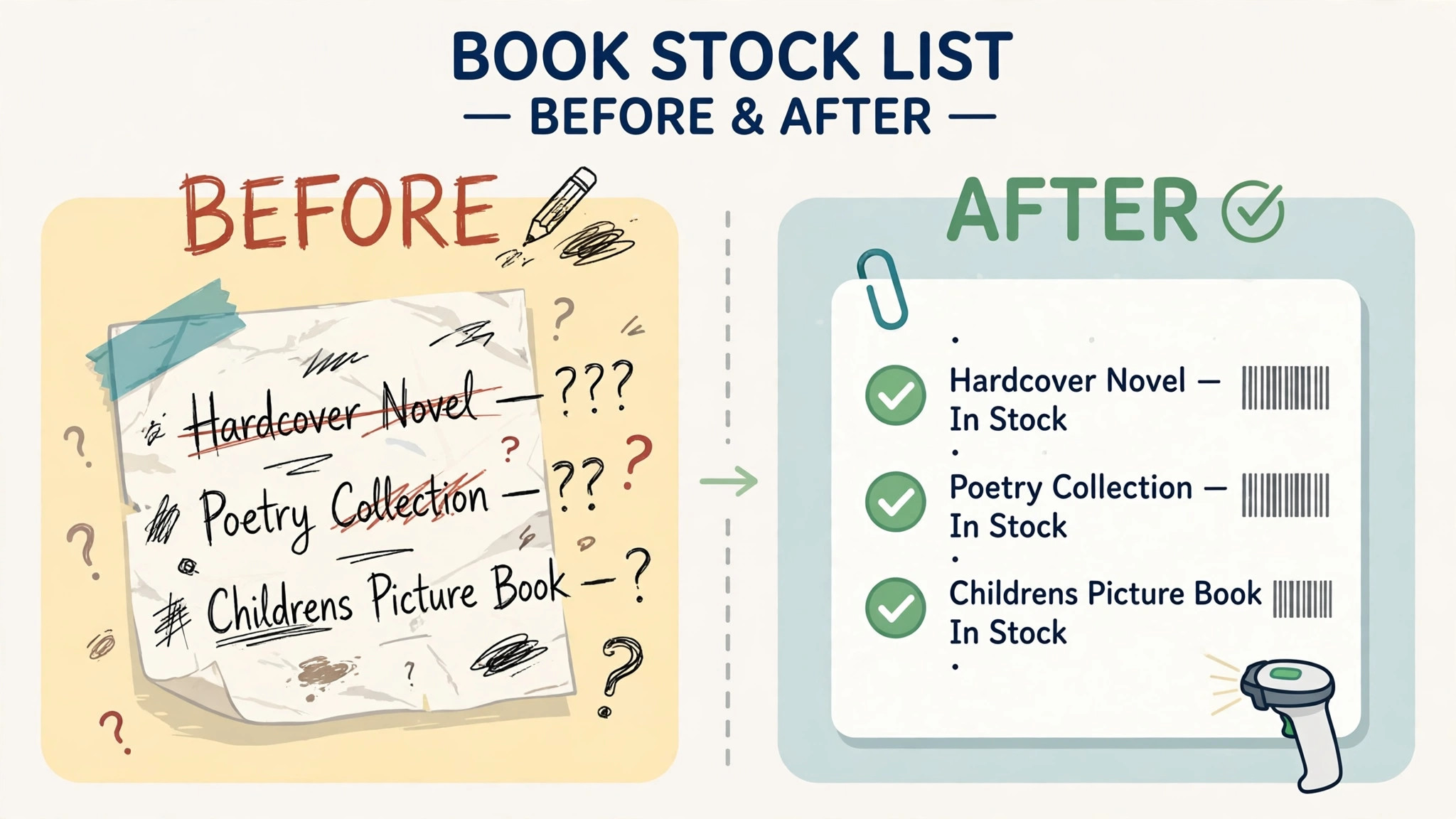
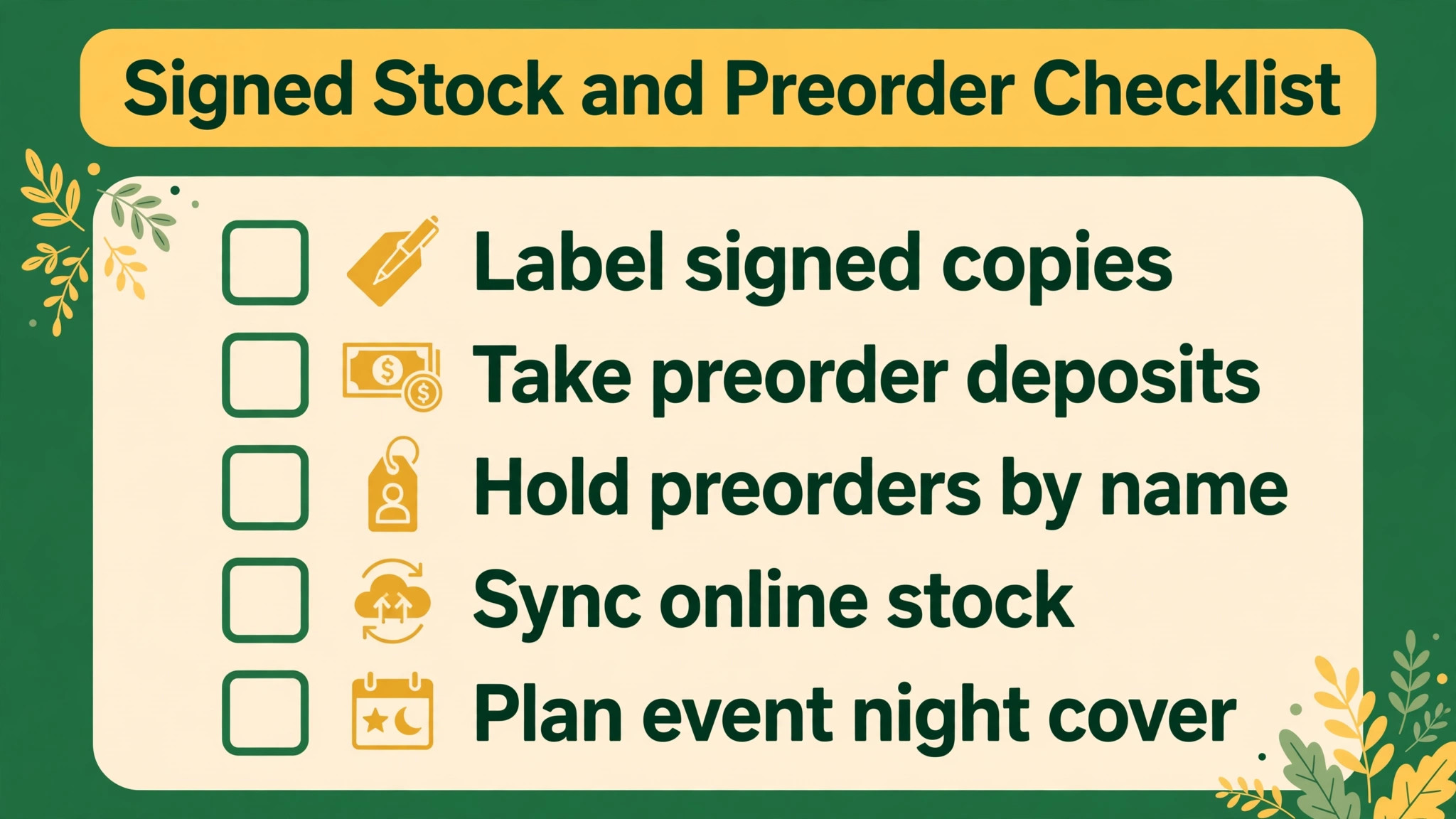
Signed stock and preorders are where bookshops lose money quietly. A signed copy sold twice, or a preorder with no deposit record, creates a customer problem that no discount fixes. Run this checklist for every signing and every major release.
– Create a separate stock record for signed copies, never mix them with unsigned stock. – Take a deposit for every preorder and link the payment to the customer record. – Record the supplier, expected date, and quantity for each preorder in one place. – Hold signed stock behind the till on event night and count it before doors open. – Send a collection message the day signed stock arrives, not a week later. – Reconcile preorders weekly and contact customers whose release date has moved.
How to choose best POS system for independent bookstores
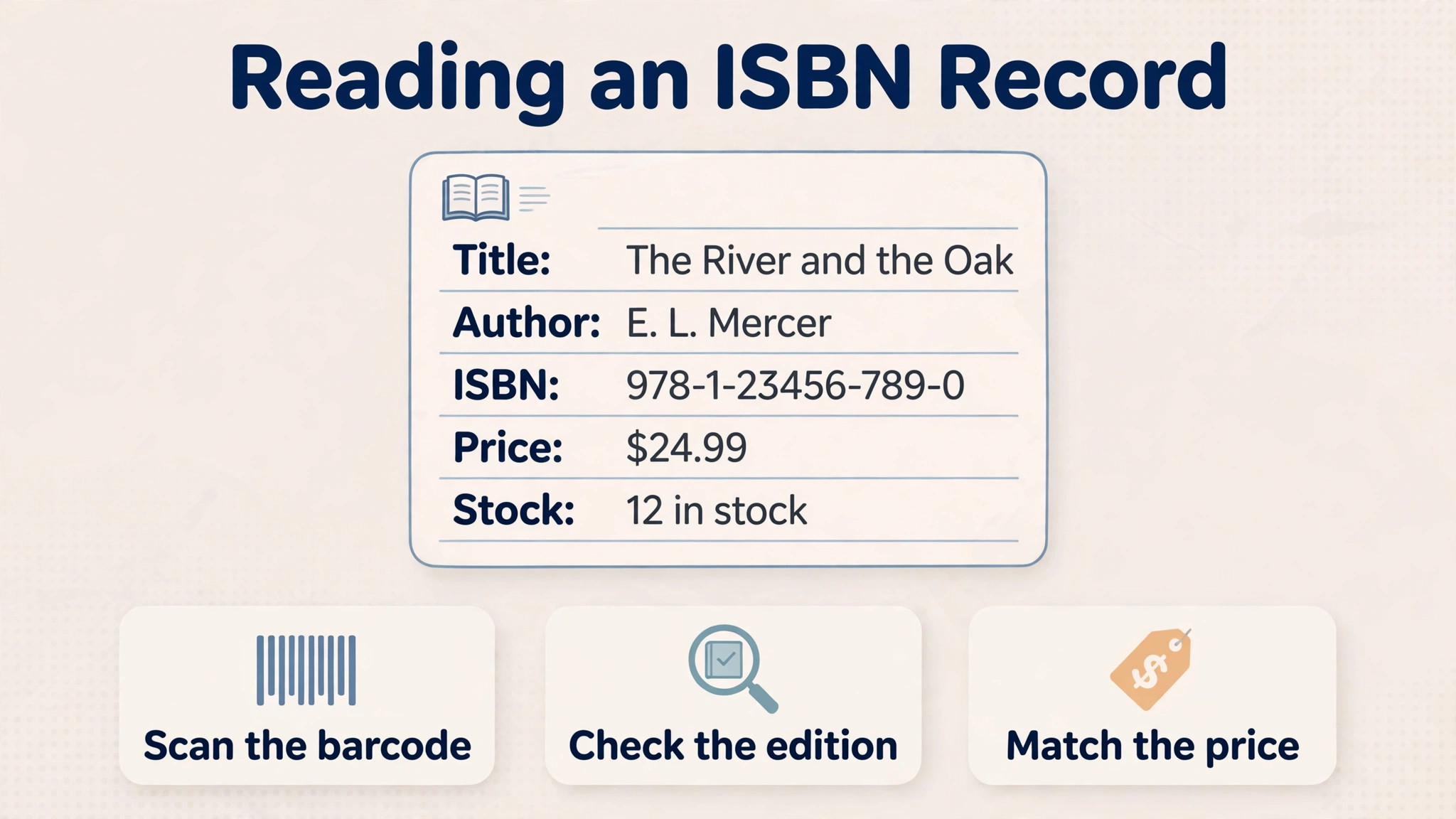
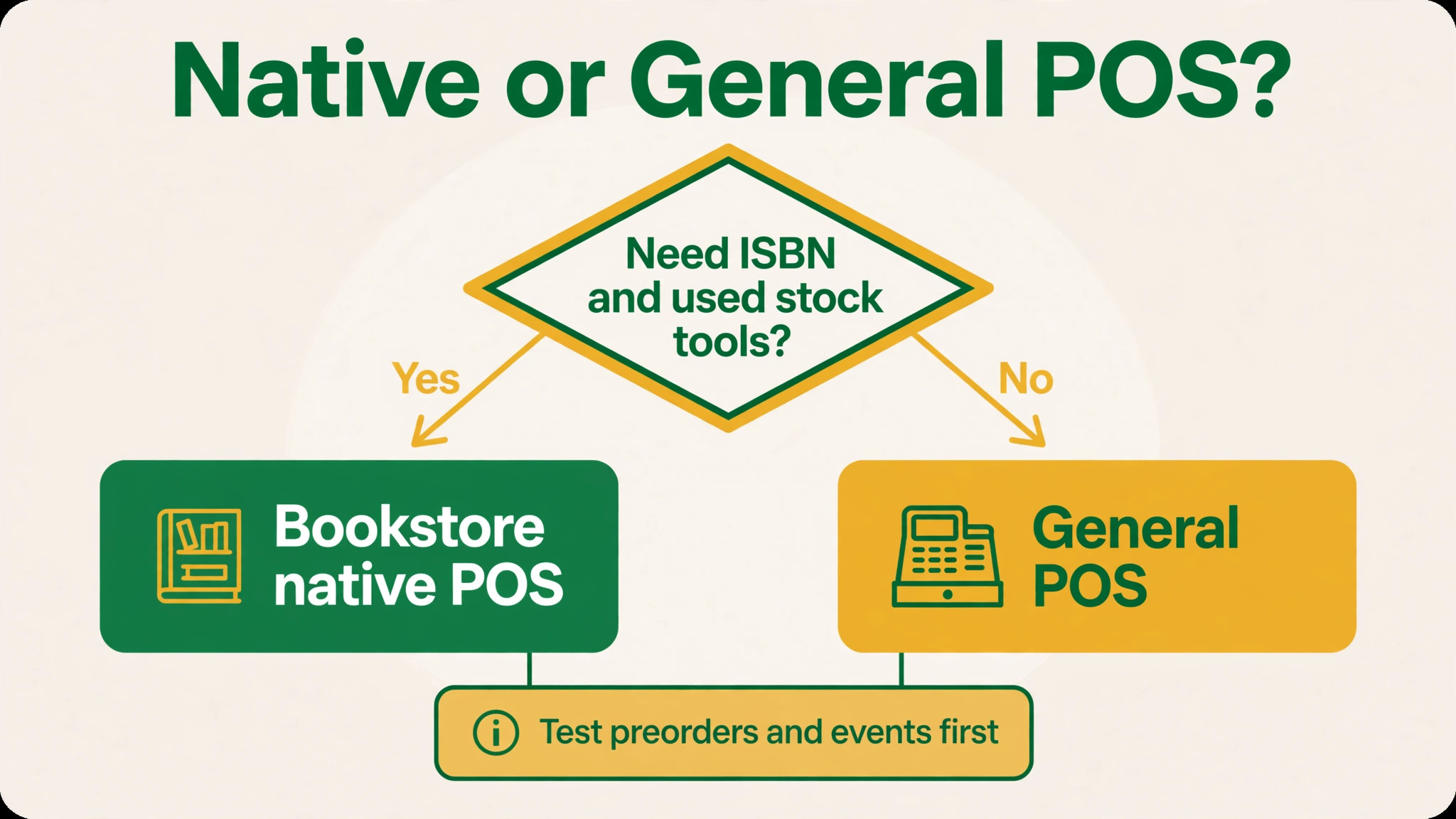
Start with ISBN lookup. Scan ten real books, including a used copy, a signed copy, and a title with several editions. If the system cannot separate those cases cleanly, your staff will invent workarounds on day one, and stock accuracy will drift from there.
Next, test a special order end to end. Order a book for a named customer, record the deposit, receive it by barcode, and notify the customer. A POS that handles the sale but not the order is only half a bookstore system.
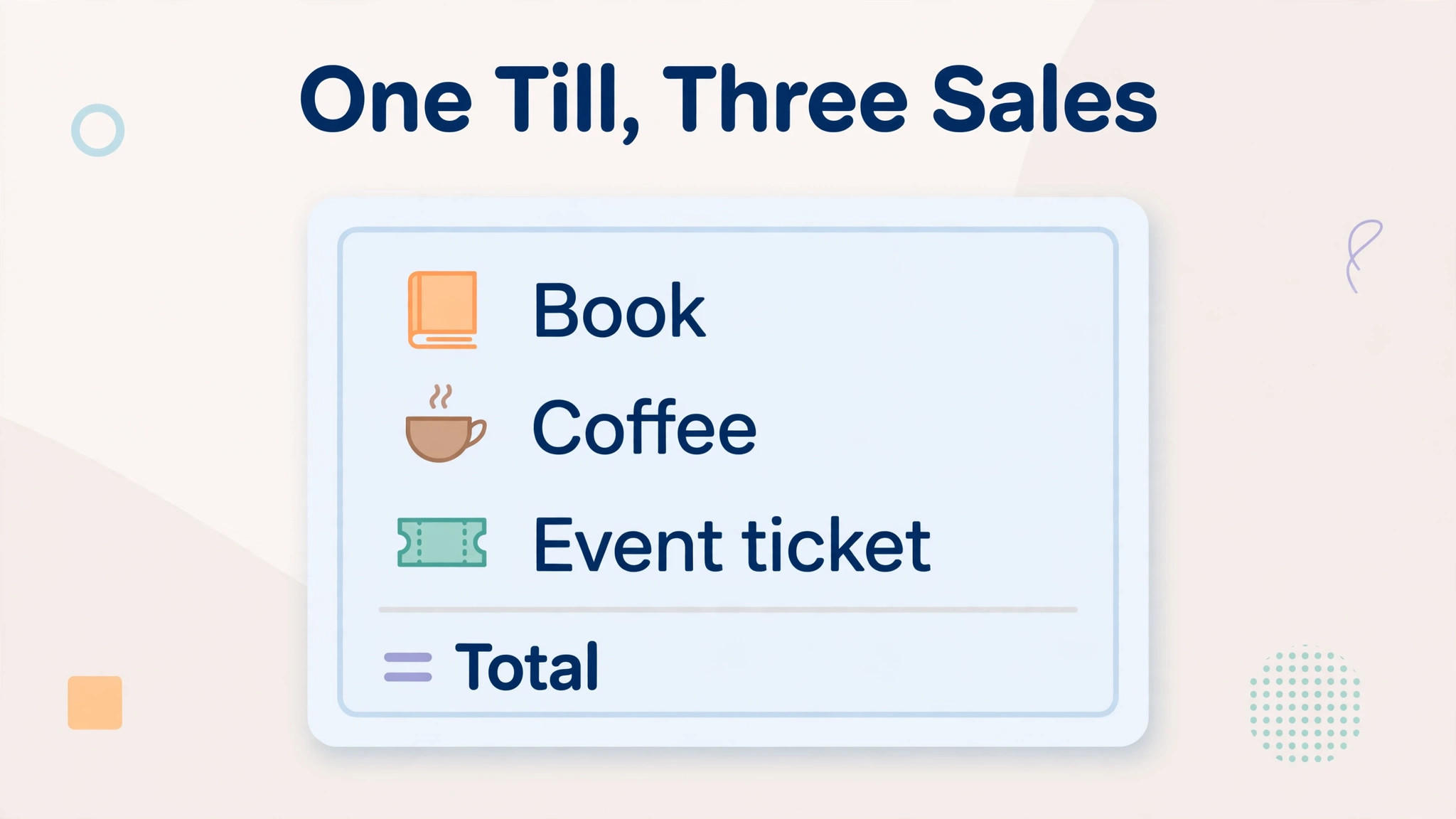
Then test the cafe and event case if it applies to you. Sell a book, a coffee, and an event ticket in one transaction, then check the reports by category. If the till forces separate transactions, queues will grow on the nights that matter most.
Finally, price the full till. Add registers, card fees, apps for ISBN handling, hardware, and any per location fee. The best POS system for independent bookstores at checkout can become an expensive system once every register and app is counted.
One more test matters for a bookshop. Run the end of day routine in the demo, including counting the till, reconciling card payments, and checking low stock titles for reorder. A system that makes checkout easy but evenings slow will cost the owner an hour a day, and that hour is the difference between a shop that trusts its stock record and a shop that keeps a paper backup.
Mistakes to avoid
The best POS system for independent bookstores is often chosen for checkout speed alone, and that is where the costly mistakes begin.
Buying a general till for a book specific job
A general retail POS can look cheaper until staff spend hours fixing ISBN fields, special orders, and returns by hand. Price staff time for those workarounds before you call the general system cheaper.
Ignoring used and signed stock
Used and signed copies need separate stock records and condition notes. A system that treats every copy of a title as identical will oversell signed stock and lose track of used margins.
No preorder deposit rule
Preorders without deposits become unpaid stock when release day arrives. Set a deposit rule in the system, not as a verbal policy, and link every preorder to a customer and a payment.
Forgetting the website stock sync
A book sold online and in store at the same time creates an oversell unless stock syncs in real time. Test the sync with a low stock title before launch, not after the first complaint.
Underestimating event night load
A till that works for ten customers an hour can fail at a hundred. Test mobile checkout, offline behaviour, and queue speed with the actual event setup, including the cafe queue beside the book queue.
Pricing and total cost
Total cost for a bookshop is the till, not just the software. Registers, card readers, barcode scanners, card fees, ISBN apps, and any per location fee sit on top of the monthly subscription, and a hardware kit on a 36 month plan can hide the true monthly total. The best POS system for independent bookstores at checkout is therefore only a starting point for comparison, not a final ranking.
Build a first year sheet for the whole till. List software per register, hardware purchase or rental, card fees on your real monthly card volume, apps for ISBN handling, and any online store fee. Compare that sheet across finalists. A free core plan with high card fees can cost more than a paid plan with a lower card rate once volume grows.
Ask about contract and hardware terms together. Some hardware kits run for three years even if the software is monthly, and some app costs rise with catalogue size. Get the hardware term, the app pricing rule, and the stock export format in writing before you move the catalogue.
Frequently Asked Questions
What does a bookstore POS need that a general POS does not?
A bookstore POS needs ISBN lookup, title and author fields, publisher data, purchase orders with barcode receiving, special orders, preorders, vendor returns, and used book condition tracking. General systems can add some of this through apps, but bookstore native systems include it as the core workflow. That test also applies to the best POS system for independent bookstores shortlist, because a tool that only works in a demo will not survive a busy week.
How much does a bookstore POS cost?
Published starting points in this guide range from 0 dollars for Square core to 49 dollars a month per register for ConnectPOS, 59 dollars for KORONA POS, from 109 dollars for Lightspeed Retail, and from 245 dollars for Basil. Hardware, card fees, and apps sit on top of those figures, so price the full till.
Is Square good enough for a bookstore?
Square is good enough for a pop up, a small shop, or a shop whose inventory workflows are simple. It becomes a weaker fit as the catalogue grows, because ISBN handling arrives via app and inventory depth is shallower than a bookstore native system.
What is Basil POS?
Basil is a bookstore native POS built around ISBN tools, purchase ordering, and barcode receiving. It suits a shop that wants book workflows built in rather than adapted, at a monthly price that reflects that specialisation.
Can one POS handle books and a cafe?
Yes. KORONA POS and Square for Restaurants style setups handle cafe and retail sales, but check that reports split books, coffee, and gifts cleanly. A single till helps on event nights only if the reporting still tells you which side of the shop made the money.
How do preorders work in a bookstore POS?
A preorder should create a customer linked order with a deposit, a supplier record, and an expected date, then trigger a collection message on arrival. If any of those steps lives in a separate spreadsheet, the preorder workflow will break under volume.
Do I need separate systems for online and in store sales?
No, and you should avoid it. Shopify POS and Lightspeed both sync online and in store stock, which prevents overselling. The test is a low stock title sold in both channels on the same day, with stock updating in real time.
What should I test before buying a bookstore POS?
Scan real books including used and signed copies, run a special order end to end, test a cafe plus book transaction, and check offline behaviour. Confirm card fees, register costs, and app costs in writing, and ask how stock data exports if you leave.
More Reading on Stratilyze
These related guides cover inventory tracking, payment choice, and other small shop systems that sit around a bookstore till.
– Use AI for bookstore inventory tracking – Best AI tools for bookstores – Best POS system for gift shops – Use Airtable for small business inventory tracking – How to choose a payment processor
Verdict
Budget first. If money is tight, start with Square and prove the shop model before paying for depth. If books are the core business, Basil is the cleaner long term buy despite the higher monthly price. If the shop also runs a cafe, KORONA POS removes the second till problem. If online sales lead, Shopify POS keeps one stock record. The best POS system for independent bookstores decision should be made on that tested week, not on a sales call.
That budget order matters because a bookshop rarely fails on checkout speed. It fails on stock accuracy, preorder promises, and signed copies sold twice. Buy the system that protects those three things first, and let checkout speed follow, not lead.