
A partner who bills 150 dollars an hour and spends four hours building a proposal has spent 600 dollars before the client has said yes, and the best proposal software for accountants exists to cut that number to under an hour without making the document look rushed. PandaDoc leads this guide because its free tier covers 60 documents a year and its paid plans add the audit trail and approval workflow a firm needs when a client disputes what was agreed. The remaining nine tools cover accounting-native engagement letters, fixed-fee billing, branded quotes and simple e-signature flows, and each one solves a different part of the proposal problem.
Most accounting firms still build proposals in a word processor, then email a PDF and wait. The wait is the expensive part. A proposal that sits unsigned for nine days pushes the start date, compresses the delivery window and leaves the team guessing about capacity. Software that tracks opens, nudges the client and collects a signature in the same document removes that guesswork. I checked every tool in November 2026, and the prices quoted match vendor list prices or third-party reports noted in the text, so confirm the current number before paying.
Firms differ in size, service mix and client type, and this guide weights those differences heavily. A solo practitioner sending six engagement letters a month needs different software than a 20-person firm sending 60 proposals across tax, bookkeeping and advisory. The recommendations below reflect that split, and the year-one cost math in each section counts seats, add-ons and onboarding, not just the headline plan.
What a Proposal Really Costs an Accounting Firm
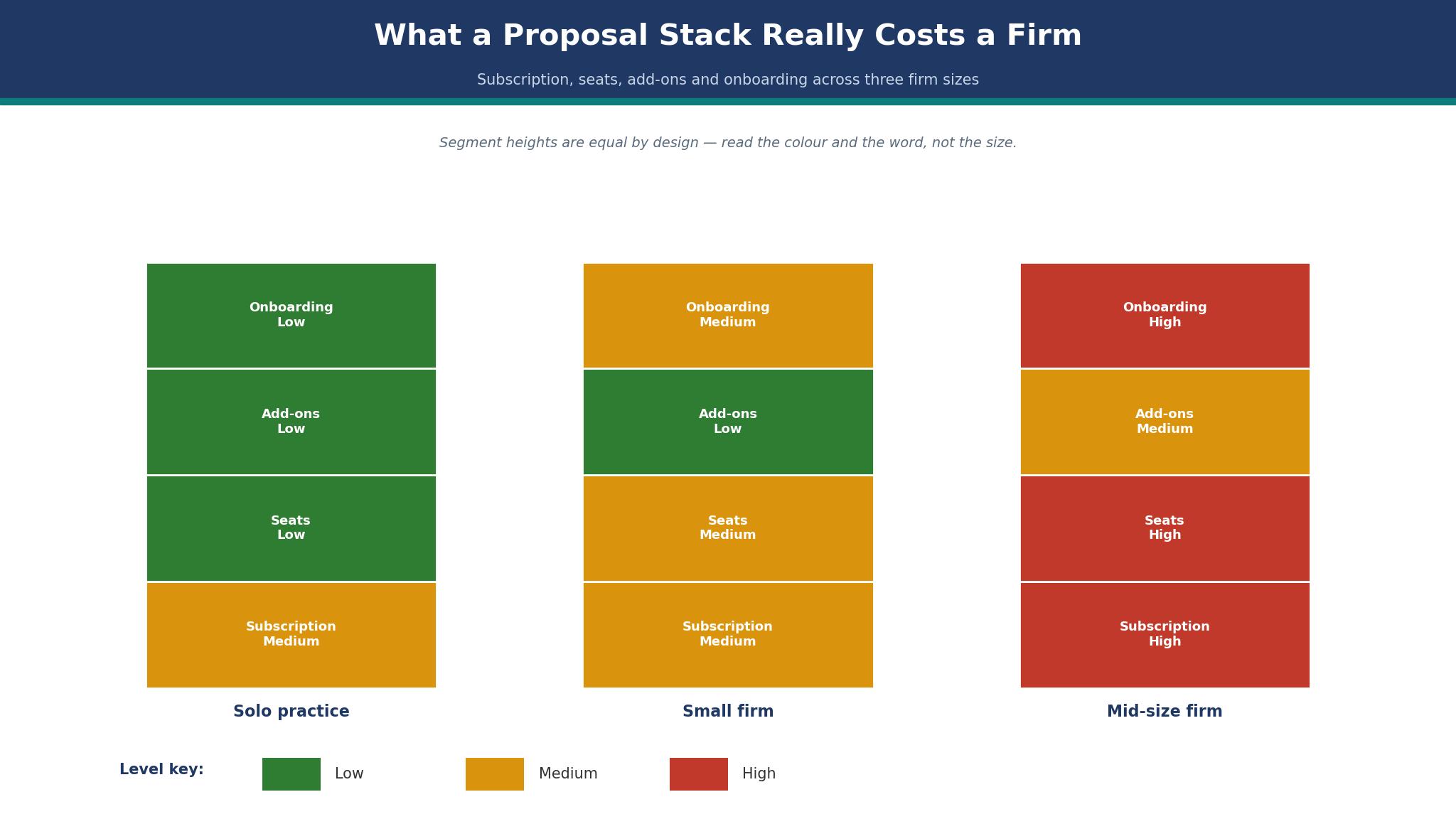
The sticker price of proposal software is the smallest part of its cost. A 19 dollar plan looks cheap until the firm adds five seats, a template library and an e-signature add-on, and the monthly bill triples without any new proposal being sent. Firms should price a tool by the full stack, not by the headline plan, and the detail sections below call out the add-ons that change the bill.
Time is the bigger cost. A proposal built from scratch takes three to five hours when the partner writes the scope, checks the fee and formats the document. Templates cut that to 30 minutes, and a tool that pulls fees from a price list cuts it further. At 150 dollars an hour, saving three hours on each of 20 proposals a year is worth 9,000 dollars, which dwarfs the software subscription. The best proposal software for accountants pays for itself on time saved, and the firms that measure this are the ones that keep renewing.
The third cost is the proposal that never comes back. A client who receives a PDF, prints it, signs it and scans it back has four chances to stall. A client who clicks a link, reads the scope, ticks a service option and signs on the screen has one. Conversion is the metric that matters most, and the tools below were judged partly on how few steps stand between the client opening the proposal and signing it.
Why Engagement Letters Stall After the First Draft
Engagement letters stall in a specific way. The first stall is scope that was never agreed in writing, because a proposal that says “bookkeeping services” without listing what is included will generate a dispute at the first month-end close. The tools that prevent this are the ones with line-item services, optional add-ons and a clear fee table, so the client ticks exactly what they buy. A proposal without a fee table is a conversation, not a contract.
The second stall is approval inside the firm. A junior who drafts a proposal and waits two days for a partner to review it has already lost the momentum of the sales call. Approval workflows, commenting and version history fix this, and a tool that lets the partner approve from a phone keeps the proposal moving. The tools below were judged on whether a proposal can go from draft to sent in a single afternoon.
The third stall is payment. A signed proposal that still needs a separate invoice, a separate payment link and a separate follow-up email will sit unpaid for weeks. Tools that collect a deposit or the first payment at signature close the loop in one step. A signature without a payment is a promise, and a promise does not pay the payroll.
The 10 Tools at a Glance
| Tool | Main job | Best for | Starting price |
|---|---|---|---|
| PandaDoc | Documents plus e-signature | Firms starting free | Free, paid from 19 dollars a user a month |
| Proposify | Branded proposal design | Polished client proposals | From 39 dollars a user a month billed annually |
| Better Proposals | Fast proposal sending | Solo practitioners | From 19 dollars a user a month |
| Qwilr | Interactive web proposals | Advisory and project quotes | From 35 dollars a user a month |
| Ignition | Engagement plus billing | Fixed-fee firms | From 39 dollars a month |
| GoProposal | Accounting price lists | Firms standardising fees | Pricing on the vendor site |
| Quotient | Quotes plus accounting links | Xero and QuickBooks firms | From 25 dollars a month |
| Waco | Proposals for accountants | Small accounting firms | From 19 dollars a month |
| HoneyBook | Client flow plus proposals | Small firms and bookkeepers | From 19 dollars a month |
| Cone | Proposals plus practice tools | Growing accounting firms | Pricing on the vendor site |
Best Pick by Job
| Job type | First pick | Second tool | Why this pair works |
|---|---|---|---|
| Starting free | PandaDoc | Better Proposals | PandaDoc scales free and Better Proposals adds speed cheap |
| Polished branding | Proposify | Qwilr | Proposify designs beautifully and Qwilr adds interactivity |
| Fixed-fee billing | Ignition | GoProposal | Ignition collects payment at signature and GoProposal standardises fees |
| Accounting-native | Waco | Cone | Waco speaks accountant and Cone adds practice tools |
| Simple client flow | HoneyBook | PandaDoc | HoneyBook runs the whole client flow and PandaDoc adds document depth |
The right tool depends on how the firm sells, so two firms can buy the same product and get opposite results. A practice on fixed monthly fees needs payment at signature more than pretty pages, while one winning one-off advisory work needs a superb scope document. A product that handles the secondary need well enough still disappoints when it stumbles on the daily work. Choose the first tool for the selling motion that brings in the revenue, and keep the second ready where the first falls short.
Spending works the same way. A firm of five can justify 245 dollars a month for PandaDoc Business, since that is a small share of one engagement fee and a single saved proposal pays for the year. A solo practitioner should start free on PandaDoc instead, then weigh Better Proposals and Waco once the free limits bite. The best proposal software for accountants is the one that fits the firm’s current size without blocking the next hire.
How to Judge the best proposal software for accountants
Start with the rebuild test, because that is where proposal software either earns its fee or wastes it. Take your best-performing engagement letter, rebuild it in the tool, and send it to a colleague as if they were a client. Count the minutes, count the clicks to sign, and check whether the fee table, the scope and the signature sit on one screen. A tool that needs an hour to rebuild a one-page letter will cost more time than it saves.
Next, test the fee logic on real services. Build three packages, a monthly bookkeeping fee, a year-end tax fee and an advisory add-on, and check whether the client can tick options and see the total change. Look for a tool that handles recurring fees without a workaround, because most accounting work is monthly, not one-off. The best proposal software for accountants treats a recurring fee as normal, not as an exception.
Then check the audit trail. Open a sent proposal, find the record of when it was opened, how long the client spent on each section and when it was signed, and confirm the trail would stand up if a client disputed the scope. A proposal tool without a solid audit trail is a word processor with a send button, and a firm that cannot prove what was agreed will pay for that gap later.
The 10 Tools in Detail
Price order sets the list below, so the tool a firm can start on for free leads.
1. PandaDoc
PandaDoc is the cheapest way into serious proposal software, and its free tier is the reason. The free plan covers 60 documents a year with unlimited seats, and Starter begins at 19 dollars a seat a month billed annually, with Business at 49 dollars a seat a month adding unlimited templates, approvals and CRM integrations. The audit trail records every open, view and signature event, which matters when a client disputes what they agreed to.
The drawback is the template limit on the cheaper plans. Free and Starter cap templates at five, so a firm with separate templates for tax, bookkeeping, payroll and advisory will hit the ceiling fast and need Business at 49 dollars a seat a month. The document editor is strong, but the accounting-specific features are thinner than the specialist tools below, and the firm will still need its practice software for billing.
PandaDoc suits first-time buyers and small firms. It fits a practice sending its first 60 proposals a year, a firm that wants to start free and scale without switching, and anyone who values e-signature, audit trails and CRM links in one place. Rebuild your busiest engagement letter in the free tier and send it to a colleague, and if the signature lands in one click and the audit trail reads clearly, PandaDoc will carry the proposal work.
2. Proposify
Proposify is the tool firms pick when proposals must look like they came from a design studio, and its templates are the reason. The template library is polished, the section-by-section reading analytics show which parts of a proposal the client actually read, and approvals sit on the Grow plan. Pricing is reported from 39 dollars a user a month billed annually for Build, with monthly billing at 49 dollars, and Grow at 65 dollars a user a month billed annually, so confirm the current card before budgeting.
The drawback is the send-limit model and the price climb. The pricing page shows 10 included document sends a month on the entry plan with overage charges per send, and the Salesforce integration costs extra on some plans. A firm sending 40 proposals a month will pay overages on top of the subscription, and the year-one bill can run well past the headline price.
Proposify suits firms where the proposal is the pitch. It fits a practice competing for larger clients, a firm whose proposals carry detailed scopes and fee options, and anyone who wants to know which section made the client hesitate. Rebuild your most detailed proposal and watch the reading analytics on the test send, and if the sections the client lingers on match the ones you expected, Proposify is earning its fee.
3. Better Proposals
Better Proposals is the fastest way to send a good-looking proposal, and its simplicity is the reason. The editor is quick, the templates are clean, and the tool focuses on getting a proposal out the door rather than managing a document library. Pricing is reported from 19 dollars a user a month, with higher tiers adding branding and integrations, so confirm the current figure on the vendor site before committing.
The drawback is depth. Better Proposals is thinner than PandaDoc or Proposify on approval workflows, CRM integrations and analytics, and a firm that needs multi-step approvals or detailed reading data will outgrow it. The tool is built for sending proposals fast, and a firm that needs billing, practice management or complex fee logic will need a second system.
Better Proposals suits solo practitioners and small firms that send proposals weekly. It fits a bookkeeper who needs a clean engagement letter in 20 minutes, a tax preparer sending seasonal proposals, and anyone who values speed over depth. Draft your standard monthly bookkeeping proposal from a template and time the whole job, and if it goes out in under half an hour and looks professional, Better Proposals fits the pace of the practice.
4. Qwilr
Qwilr turns a proposal into a web page the client can read on any device, and that format is the reason. Interactive quotes, embedded video, clickable service options and a signature block sit on one page, and the client never downloads a file. Pricing starts at 35 dollars a user a month, with higher tiers adding templates, integrations and analytics.
The drawback is the price and the learning curve. At 35 dollars a user a month, a five-person firm pays 175 dollars a month before any add-on, and building a polished interactive proposal takes longer than filling in a template the first few times. The web format is a strength for advisory and project quotes and a weaker fit for a plain annual engagement letter that needs nothing more than a signature.
Qwilr suits firms selling advisory work and larger projects. It fits a practice pitching a CFO-service package, a firm quoting a system implementation, and anyone whose proposal needs to impress before it needs to be signed. Build your advisory package as an interactive page and send it to a trusted client for a reaction, and if the format wins the meeting, Qwilr is worth the premium.
5. Ignition
Ignition is the only tool in this guide built around the moment a proposal becomes revenue, and its billing is the reason. It combines engagement letters with payments, so the client signs and the first payment or deposit is collected in the same flow, and it handles recurring billing for monthly packages. Pricing starts at 39 dollars a month, with add-ons for deal pipeline and online forms reported at 49 dollars a month each.
The drawback is the add-on stack. The base plan covers engagement and billing, but the pipeline and forms add-ons push the bill past 130 dollars a month, and a firm that needs all three will pay more than the headline suggests. The proposal design is functional rather than beautiful, and a firm that competes on presentation will want a design tool alongside it.
Ignition suits fixed-fee firms that bill monthly. It fits a practice selling packaged bookkeeping, a firm moving clients to recurring billing, and anyone tired of chasing the first payment after a signed engagement letter. Run one real engagement through Ignition from proposal to first payment, and if the money lands without a separate invoice or a reminder email, Ignition has paid for itself.
6. GoProposal
GoProposal is built for accounting firms that want every fee standardised, and its price list is the reason. The firm builds a menu of services with fixed prices, and every proposal is assembled from that menu, so two partners quote the same job at the same price. GoProposal quotes per firm on its site, so request a written figure before you budget.
The drawback is the quote-only pricing and the narrow focus. A firm cannot compare GoProposal on price without a sales conversation, and the tool does proposal pricing rather than full document design, so a firm that wants polished templates will pair it with another tool. The value depends entirely on whether the firm actually standardises its fees, and a firm that quotes by feel will get little from it.
GoProposal suits firms with a defined service menu. It fits a practice with 20 or more standard services, a firm where partners quote inconsistently, and anyone moving to fixed-fee packages. Build your ten most-quoted services into its price list and send a test proposal, and if the fee matches your standard price without a manual check, GoProposal is doing the job it was built for.
7. Quotient
Quotient is the quote tool for firms already running Xero or QuickBooks, and its integrations are the reason. Quotes flow into the accounting system without retyping, and the tool handles quotes, proposals and account information in one place. Pricing starts at 25 dollars a month, which makes it one of the cheaper options in this guide.
The drawback is the narrower scope. Quotient is a quoting tool first and a proposal platform second, so the document design and approval features are thinner than PandaDoc or Proposify. A firm that needs detailed engagement letters with scope, terms and e-signature will find it light, and the value depends on the accounting integration the firm already runs.
Quotient suits small firms on Xero or QuickBooks that quote often. It fits a bookkeeping practice sending weekly quotes, a firm that wants quotes to land in the ledger without retyping, and anyone who values the integration over the design. Send a quote for a real job and check whether it appears in your accounting system correctly, and if the numbers land without a manual entry, Quotient earns its place.
8. Waco
Waco is the niche tool in this guide, built specifically for accountants and CPAs, and that focus is the reason. Its workflows match how accounting firms sell, with engagement-style proposals, service packages and client onboarding in one flow. Pricing is reported from 19 dollars a month, which puts it among the cheapest specialist options here.
The drawback is the smaller ecosystem. Waco is newer and narrower than the generalist tools, so the integration list is shorter and the template library is smaller. A firm that needs deep CRM links or a large marketplace of add-ons will find it limiting, and the long-term roadmap is less proven than PandaDoc or Proposify.
Waco suits small accounting firms that want an accountant-first tool. It fits a CPA practice sending engagement letters monthly, a firm that finds generalist tools too generic, and anyone who prefers a tool that speaks accounting language from the first screen. Draft a tax engagement letter in Waco and compare it with your current document, and if the structure matches how your firm actually sells, Waco is the right niche pick.
9. HoneyBook
HoneyBook runs the whole client flow, and its proposals sit inside that flow rather than apart from it. Inquiries, proposals, contracts, invoices and payments live in one system, so a client moves from first contact to first payment without leaving the platform. Pricing starts at 19 dollars a month billed annually, which is low for the breadth on offer.
The drawback is the accounting depth. HoneyBook is built for independent professionals and small service businesses, so its proposal and contract features are general rather than accounting-specific, and a firm that needs detailed engagement terms or tax-software links will find it light. The breadth is the trade, and a firm that already runs practice software may duplicate features.
HoneyBook suits small firms and bookkeepers who want one client system. It fits a solo bookkeeper managing inquiries and proposals together, a small practice that wants contracts and payments in the same place, and anyone who values a clean client experience over accounting-specific depth. Run a new inquiry through HoneyBook from first message to signed proposal, and if the client never has to leave the flow, HoneyBook fits the way the firm sells.
10. Cone
Cone is the accounting practice tool that includes proposals alongside the rest of the firm, and that breadth is the reason. Proposals, client requests, billing and practice workflows sit in one system, so the proposal is the start of the client record rather than a separate document. Cone prices per firm through its site, so get a written quote before you commit.
The drawback is the quote-only pricing and the breadth trade. A firm cannot compare Cone on price without a sales conversation, and a tool that does everything rarely does proposals as well as a dedicated proposal platform. A firm that buys Cone for proposals alone will overpay, and the value only appears when the firm uses the wider practice features.
Cone suits growing accounting firms consolidating tools. It fits a practice replacing three separate systems, a firm that wants proposals tied to client work, and anyone planning to run the whole practice from one platform. Test the proposal flow alongside the billing flow on a real engagement, and if the signed proposal creates the billing record without retyping, Cone is worth the quote.
The Mistakes That Eat Proposal Margin
The most expensive mistake is pricing the proposal on the headline plan instead of the year-one stack. A 19 dollar plan with five seats, a template add-on and an e-signature upgrade can cost 200 dollars a month, and a firm that budgets 19 dollars will be surprised by the first invoice. Ask for the full-stack quote before committing, and include the add-ons the firm actually needs. The cheapest headline plan is often the most expensive stack, and the best proposal software for accountants is judged here on the full cost, not the entry price.
A second mistake is sending proposals without a fee table. A proposal that says “monthly bookkeeping” without listing what is included will generate a dispute at the first month-end close, and the dispute will cost more than the proposal saved. List the services, list the price, list what is excluded, and let the client tick options. A proposal that cannot be disputed is a proposal that gets paid.
Making the Final Call on Proposal Software
Start by listing the non-negotiables, because the list is shorter than most firms expect. Fee tables, e-signature, audit trail and recurring billing are the four that eliminate most tools quickly. Write them down, check each tool against them, and drop any tool that fails a non-negotiable, no matter how tempting its other features look. A tool that fails a core requirement will be replaced within a year, and the migration cost will exceed any saving.
Next, run a trial on the top two choices with real proposals. Measure three things, the minutes to build a proposal, whether the client signs without a reminder, and whether the fee lands in the billing system without retyping. The winner on those three measures is usually the right tool, even when it is not the cheapest.
Then check the human factor. Call support during the trial, ask a hard question about a template or an integration, and judge the answer. A firm that cannot reach a knowledgeable person when a proposal will not send will pay for that gap later, usually at tax season. The best proposal software for accountants pairs strong software with reachable support, and the trial is the time to test that claim.

Frequently Asked Questions
How much does proposal software cost for a small accounting firm?
A small firm should expect to spend 19 to 65 dollars a month for proposal software, with PandaDoc Starter at 19 dollars a seat a month and Proposify Build reported from 39 dollars a user a month billed annually. The year-one bill is higher once seats and add-ons are counted, so ask for the full-stack quote before committing.
Can proposal software collect payment at signature?
Yes, Ignition is built for exactly that, collecting a deposit or the first recurring payment when the client signs. PandaDoc and HoneyBook also handle payments through integrations, but Ignition is the only tool in this guide where billing is the core feature rather than an add-on.
What is the best free proposal software for accountants?
PandaDoc has the strongest free tier in this guide, covering 60 documents a year with unlimited seats. A solo practitioner sending fewer than five proposals a month can run on it for a year, then upgrade to Starter at 19 dollars a seat a month when the template limit bites.
Do accountants need engagement letters or proposals?
Both, and the best tools handle the two as one document. An engagement letter sets the scope and terms, while a proposal sets the fee and options, and a tool that combines them means the client signs once instead of twice. Ignition, Waco and Cone are built around that combined document.
How long should a proposal take to build?
A templated engagement letter should take 30 minutes or less, and a detailed advisory proposal should take under two hours. If a tool needs an hour to rebuild a one-page letter, it is costing more time than it saves, and the firm should test a simpler tool before renewing.
Is e-signature legally valid on an engagement letter?
Yes, e-signatures are legally valid for engagement letters in the United States and most other jurisdictions, and the audit trail matters more than the signature itself. PandaDoc, Proposify and HoneyBook all record opens, views and signature events, and that record is what stands up if a client disputes the scope.
The Verdict on Proposal Software for Accountants
PandaDoc takes the top spot because it is the tool a firm is least likely to regret. The free tier is genuinely useful, the audit trail is thorough, and the platform scales from one user to twenty without a migration. The template limit on cheaper plans is real, but Business at 49 dollars a seat a month removes it.
Ignition is the pick for fixed-fee firms, Proposify is the pick for polished proposals, and Waco is the pick for an accountant-first tool. The best proposal software for accountants is not the one with the longest feature list, it is the one that gets the proposal signed, the fee agreed and the first payment collected without a second chase.
Choose by the selling motion first, the firm size second and the price third. Run a real trial, measure the three things that matter, and set a review date. A firm that picks this way will spend less time formatting proposals and more time doing the work clients actually pay for.