
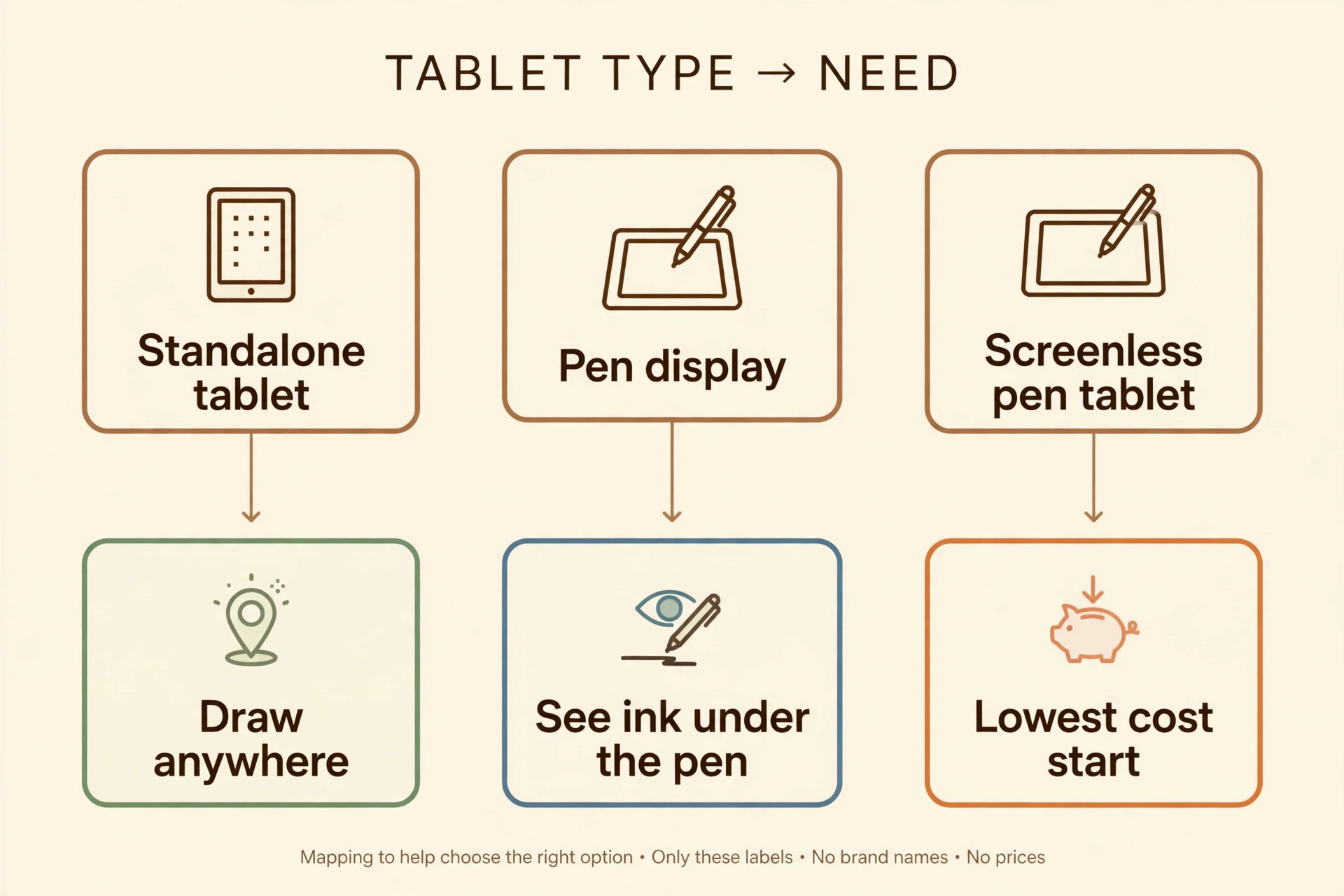
A beginner faces three different machines that all get called a drawing tablet, and picking the wrong type causes more frustration than picking the wrong brand. A pen display shows your drawing under the pen but needs a computer beside it. A screenless pen tablet costs far less but asks you to draw on a blank pad while watching a monitor. A standalone tablet works anywhere on its own but charges extra for the pen and locks you into one app store. The best tablet for digital art beginners is the one that matches how you actually draw, not the one with the longest spec sheet.
This guide compares 11 tablets across those three types, with real prices checked against vendor and retailer listings at draft time. For each tablet you get the pen, the screen, the app ecosystem, the price, and the person it suits. Prices move with sales, so confirm the final figure at checkout.
The Short Verdict
If you want one answer, buy the Samsung Galaxy Tab S10 FE when it is on sale, and the older Galaxy Tab S9 FE when it is not. The pen comes in the box, the screen is bright and large enough for real drawing, and the total cost is the price on the box. For most beginners, the best tablet for digital art beginners is the one that gives a complete drawing setup for the least money, and right now that is a Samsung FE tablet on sale.
If you already live inside Apple products and you want the strongest drawing app library, buy the iPad 11 inch with the A16 chip and add the Apple Pencil USB-C. If you already own a decent computer and you want to learn desktop software properly, buy the Wacom One 12. It gives you a real pen display and a battery free pen for a price a standalone tablet cannot match.
| Tablet | Type | Pen | Screen | Price checked | Suits |
|---|---|---|---|---|---|
| Apple iPad 11 inch A16 | Standalone tablet | Apple Pencil USB-C, sold separately | 11 inch Liquid Retina, 2360 by 1640 | 449 dollars, pen 79 dollars | Apple users who want Procreate |
| Apple iPad Air 11 inch M3 | Standalone tablet | Apple Pencil Pro, sold separately | 11 inch Liquid Retina, 2360 by 1640 | 599 dollars, pen 129 dollars | Serious beginners who want hover and barrel roll |
| Samsung Galaxy Tab S10 FE | Standalone tablet | S Pen included | 10.9 inch LCD, 2304 by 1440, up to 90 Hz | 549.99 dollars list, 384.99 dollars on sale | Most beginners on value |
| Samsung Galaxy Tab S9 FE | Standalone tablet | S Pen included | 10.9 inch LCD, 2304 by 1440, up to 90 Hz | 449.99 dollars list, 314.99 dollars on sale | Tight budgets that still want a good pen |
| Lenovo Tab M11 | Standalone tablet | Lenovo Tab Pen in the bundle | 11 inch IPS, 1920 by 1200, up to 90 Hz | 219.99 dollars bundle list, 161.99 dollars on sale | Cheapest standalone start |
| Wacom One 12 | Pen display | Wacom One Standard Pen included | 11.6 inch IPS, 1920 by 1080 | Near 250 dollars in recent retailer listings | Computer owners learning desktop apps |
| XP-Pen Artist 12 2nd Gen | Pen display | X3 Elite stylus included | 11.9 inch work area, full lamination | 249.99 dollars list, near 175 dollars on sale | Colour hungry beginners on a budget |
| Huion Kamvas 13 Gen 3 | Pen display | PW600L pen included | 13.3 inch laminated IPS, 1920 by 1080 | 249 dollars at launch, near 229 dollars in recent listings | Bigger canvas with dial controls |
| Wacom Intuos Medium Bluetooth | Screenless pen tablet | Wacom Pen 4K included | No screen, 8.5 by 5.3 inch active area | 129.95 dollars in a recent retailer listing | Desk artists who already have a monitor |
| XP-Pen Deco 01 V2 | Screenless pen tablet | P05D pen included | No screen, 10 by 6.25 inch active area | 59.99 dollars | Absolute cheapest way to start |
| Microsoft Surface Pro 12 inch | Standalone tablet | Surface Slim Pen, sold separately | 12 inch PixelSense LCD, 2196 by 1464 | 799.99 dollars base, pen 129.99 dollars | Windows users who want full desktop apps |
The pen and app verdict is just as clear as the hardware verdict. Apple wins on apps, because Procreate is a one time purchase built for drawing on a tablet, and the wider iPad app library is deeper than anything on Android. Samsung wins on pen value, because the S Pen needs no charging, supports 4,096 pressure levels, and costs nothing extra. Wacom wins on pen feel for computer artists, because its battery free pens work with every major desktop art program.

Pen Display vs Pen Tablet vs Standalone Tablet
The type decision matters more than the brand decision, so settle it first.
A standalone tablet is a complete computer with a screen, a battery, and an app store. You can draw on the sofa, on a train, or in a park. The trade off is price, because the tablet, the pen, and sometimes a case are three separate purchases, and the apps are tablet apps rather than full desktop programs. Standalone tablets suit beginners who want to draw anywhere and who do not already own a good computer.
A pen display is a second monitor you draw on directly. It has no computer inside, so it must plug into a laptop or desktop. The advantage is direct hand to eye coordination, because you look where your hand moves. The trade off is desk space and cables, and you still need a computer powerful enough to run your art software. Pen displays suit beginners who already own a computer and want to learn programs like Photoshop, Clip Studio Paint, or Krita on a big screen.
A screenless pen tablet is a flat pad with no display. You draw on the pad while watching your monitor, and your brain learns the mapping within a few days. The trade off is the learning curve, because the first week feels strange and precise detail work takes longer until the hand eye mapping clicks. Settle the type first, because that choice narrows the search for the best tablet for digital art beginners to a short list that fits your desk, your computer, and your budget.
Use this checklist before you spend anything.
- Pick a standalone tablet if you draw away from a desk, travel often, or have no computer you like.
- Pick a pen display if you own a decent computer, draw at a desk, and want to see ink under the pen.
- Pick a screenless pen tablet if your budget is under 150 dollars, your desk is small, or you want to test whether digital art sticks before spending more.
- Check the total price, not the headline price. Add the pen, a case or sleeve, and any app subscription before comparing.
- Check the app you want to learn first, then check which tablets run it well.
What the best tablet for digital art beginners Gets Right
Five tests separate a tablet you will use every day from one that gathers dust. First, the pen must track without a visible gap between the tip and the line. Look for at least 4,096 pressure levels, tilt support, and palm rejection that lets you rest your hand on the screen. What matters is a low initial activation force, so light strokes register, and a pen that never needs charging at the wrong moment.
Second, the screen must show colour you can trust. A fully laminated display, where the glass sits directly on the panel, reduces parallax, which is the offset between pen tip and ink. Colour coverage near 99 percent of sRGB is plenty for learning and for social media work. Brightness matters too. A screen near 200 nits is fine indoors, while 400 nits or more helps near a window.
Third, the app ecosystem must include at least one app you will enjoy opening. Check that your chosen app runs on the tablet, that it exports files in formats clients and printers accept, and that it does not lock your work behind a subscription you cannot afford. Fourth, the size must fit your hands and your bag. Screens near 11 inches hit the useful middle ground for beginners, while screens above 13 inches add weight and cost. For a pen display or a screenless tablet, match the active area to your monitor size, because a small pad mapped to a huge monitor makes fine detail work feel twitchy.
Fifth, price the whole kit before you buy, because beginners quit more often over surprise costs than over hardware limits.
Standalone Tablets You Can Draw On Anywhere
The best tablet for digital art beginners among standalone models is the one whose app store holds the app you will actually open every day, so weigh the app decision as heavily as the screen.
1. Apple iPad 11 inch A16
The iPad 11 inch with the A16 chip is the default recommendation for beginners who want the best app library and a tablet that lasts for years. The 11 inch Liquid Retina display measures 2360 by 1640 pixels, reaches 500 nits, and stays sharp for line work and colour blocking. Battery life reaches up to 10 hours of web use in Apple ratings, and the tablet weighs 477 grams.
The pen situation is the weak point. Apple Pencil USB-C costs 79 dollars, charges through a cable rather than magnetically, and has no pressure sensitivity. For sketching, inking, and flat colour work, that matters less than it sounds, because line weight can come from brush settings and speed. For painting with soft shading and calligraphy, it matters more, and those artists should look at the iPad Air instead. The tablet also lacks hover preview, so you cannot see where a stroke will land before touching the screen.
Procreate runs only on iPad, with MediBang Paint, ibisPaint, and Clip Studio Paint covering free and comics options.
2. Apple iPad Air 11 inch M3
The iPad Air 11 inch with the M3 chip is the step up for beginners who already know they will stick with digital art and want a pen that behaves like a real brush. The tablet supports Apple Pencil Pro at 129 dollars. Pencil Pro adds pressure sensitivity, tilt, hover preview, and a barrel roll gesture that rotates shaped brushes as you twist the pen. That barrel roll matters for calligraphy and flat brush painting in a way no spec sheet conveys until you try it.
The tablet starts at 599 dollars, so the honest starting cost with Pencil Pro is 728 dollars before a case. That is a lot for a beginner, and it only makes sense if you already know you will draw several times a week. You have tried digital art on a borrowed tablet or a phone, you know you enjoy it, and you want pressure sensitive painting and hover preview from day one.
3. Samsung Galaxy Tab S10 FE
The Galaxy Tab S10 FE is the best value standalone tablet in this guide, and the reason is simple. The S Pen comes in the box, needs no charging, and supports 4,096 pressure levels with tilt. Samsung lists the tablet at 549.99 dollars for 8 GB of RAM and 128 GB of storage, and recent sale listings have dropped it to 384.99 dollars. At the sale price, no rival gives a beginner a pen, a 10.9 inch screen, and a full tablet for less.
The screen is a 10.9 inch LCD at 2304 by 1440 pixels, running at up to 90 Hz with brightness up to 800 nits in Samsung ratings. The 8,000 mAh battery supports 45 W charging, the tablet carries an IP68 dust and water rating, and storage expands through a microSD card, which Apple tablets cannot offer. Weight is about 500 grams, so it travels well in a bag.
Samsung Notes is free, and MediBang Paint and ibisPaint run well on Android, though Procreate does not run on Android.
4. Samsung Galaxy Tab S9 FE
The Galaxy Tab S9 FE is the older Samsung pick, and it exists for one reason. When the S10 FE is at full price, the S9 FE on sale is the cheaper way to get almost the same drawing experience. Samsung lists it at 449.99 dollars, and recent sale listings have dropped it to 314.99 dollars. The S Pen is included, the screen is the same 10.9 inch size at 2304 by 1440 pixels and up to 90 Hz, and the tablet carries the same IP68 rating.
Differences from the newer model are modest for drawing. The processor is the older Exynos 1380, the battery is the same 8,000 mAh size, and charging support is slower in practice, so expect a longer wait for a full charge. Buy the S9 FE when the price gap to the S10 FE is 50 dollars or more.
5. Lenovo Tab M11
The Lenovo Tab M11 is the cheapest standalone tablet worth recommending, and it proves that a beginner does not need a flagship to learn. The pen and case bundle lists at 219.99 dollars, and sale listings have dropped it to 161.99 dollars. The 11 inch IPS screen measures 1920 by 1200 pixels and runs at up to 90 Hz. The 7,040 mAh battery lasts a full day of light drawing and browsing, and the tablet weighs about 465 grams.
The Lenovo Tab Pen comes in the bundle version, so check the listing carefully before buying, because a bare tablet listing without the pen changes the value completely. The MediaTek Helio G88 processor handles sketching apps well but slows down with very large canvases and heavy multitasking, so keep brush counts moderate and close background apps when painting. It suits students, parents buying a first art tablet, and anyone testing whether digital art sticks before spending 400 dollars or more.
Pen Displays That Plug Into a Computer
A pen display is the fastest route to desktop software, because it pairs a screen you draw on with programs that have no tablet equal. The best tablet for digital art beginners in this group is the one whose drivers behave on your exact computer, so check port compatibility and install the driver before your first serious session.

6. Wacom One 12
The Wacom One 12 is the pen display most beginners should buy if they already own a computer. The 11.6 inch IPS screen measures 1920 by 1080 pixels, covers 99 percent of sRGB, and uses an anti glare surface that feels closer to paper than a glossy screen. The included Wacom One Standard Pen is battery free, supports 4,096 pressure levels and 60 degrees of tilt, and carries two side buttons you can map to undo, zoom, or brush size. Recent retailer listings put it near 250 dollars.
Setup is the part beginners should plan for. The display connects over USB-C to computers that support video over USB-C, and a separate 3 in 1 cable is needed for older machines with HDMI only. It works with Photoshop, Clip Studio Paint, Krita, and Affinity, because Wacom drivers are the industry default.
7. XP-Pen Artist 12 2nd Gen
The XP-Pen Artist 12 2nd Gen is the colour value pick among pen displays. The official store lists it at 249.99 dollars, with sale listings near 175 dollars. The 11.9 inch work area uses a fully laminated screen, which cuts parallax so the ink appears under the pen tip rather than floating beneath the glass. Colour coverage reaches 127 percent of sRGB in XP-Pen ratings. The X3 Elite stylus is battery free, supports 8,192 pressure levels and 60 degrees of tilt, and the frame carries 8 shortcut buttons.
Those shortcut buttons are a real advantage for beginners. Mapping undo, redo, brush size, and zoom to physical buttons keeps your eyes on the drawing instead of hunting for keyboard shortcuts. The trade off is driver setup, which takes more care than Wacom. The Artist 12 2nd Gen suits a beginner who wants the widest colour and the most buttons for the money and who does not mind spending 20 minutes on setup.
8. Huion Kamvas 13 Gen 3
The Huion Kamvas 13 Gen 3 gives beginners the largest canvas in this price band. It launched at 249 dollars, with recent listings near 229 dollars. The 13.3 inch laminated IPS screen measures 1920 by 1080 pixels, covers 99 percent of sRGB, and uses anti sparkle etched glass that reduces glare without dulling the image. The PW600L pen uses PenTech 4.0, supports 16,384 pressure levels, and needs only 2 grams of initial activation force, so the lightest sketch lines register. Five shortcut buttons and two dials sit on the frame, and the dials handle zoom and brush size without touching the keyboard.
It connects over a single USB-C cable on compatible computers or a 3 in 1 cable otherwise.
Screenless Pen Tablets for a Tight Budget
Screenless tablets ask for patience in the first week and repay it with the lowest prices in this guide.
9. Wacom Intuos Medium Bluetooth
The Wacom Intuos Medium Bluetooth is the screenless tablet for beginners who want Wacom reliability without paying for a screen. A recent retailer listing puts it at 129.95 dollars, and the bundle includes software trials plus training material. The active area measures 8.5 by 5.3 inches, the included Wacom Pen 4K is battery free with 4,096 pressure levels, and the tablet connects over Bluetooth or USB-C. Four ExpressKeys on the frame handle shortcuts.
Buy the Intuos Medium if you already have a monitor you like, you draw at a desk, and you want the safest driver experience in this guide. The learning curve is real, but it sticks for life once the mapping clicks, and the tablet itself will last through several years of daily use.
10. XP-Pen Deco 01 V2
The XP-Pen Deco 01 V2 is the cheapest credible way to start digital art, at 59.99 dollars. The active area measures 10 by 6.25 inches, which is larger than the Wacom Intuos Medium despite costing less than half as much. The battery free P05D pen supports 8,192 pressure levels and 60 degrees of tilt, and the frame carries 8 shortcut buttons. It works with Windows, Mac, Android, ChromeOS, and Linux, so almost any computer a beginner owns can run it.
The compromises are driver polish and pen feel. XP-Pen drivers work well once installed, but they need more attention during setup than Wacom drivers, and the pen feels lighter and less planted than a Wacom pen. The question is whether it lets a beginner learn pressure control, layers, and brush settings, and it does all three well. Buy it if your budget is tight or you are unsure whether digital art will stick.
The Windows Option
11. Microsoft Surface Pro 12 inch
The Surface Pro 12 inch is the only tablet in this guide that runs full Windows 11, and that single fact defines who should buy it. The 2025 base model lists at 799.99 dollars with 16 GB of RAM and 256 GB of storage, and the 12 inch PixelSense LCD measures 2196 by 1464 pixels. The Surface Slim Pen costs 129.99 dollars on its own, and the keyboard costs 149.99 dollars, so the honest drawing setup price passes 1,000 dollars once the pen and keyboard join the tablet.
That total rules it out as a pure beginner art purchase, but it makes sense for a specific buyer. A Windows user who wants one device for study, office work, and art gets full desktop apps and a tablet that docks to a monitor at a desk. Battery life reaches up to 16 hours in Microsoft ratings for the base model. Do not buy the Surface Pro as a first art tablet if you only want to draw. Buy it if you were already buying a Windows laptop and you want that laptop to double as a drawing tablet.
Apps That Make Each Tablet Worth It
Hardware without the right app is an expensive sketchbook with no paper, so match the app to the tablet before you buy. Procreate runs only on iPad, costs a single one time purchase, and remains the most beginner friendly serious drawing app, with a brush engine that lets a beginner produce finished work within a week. Clip Studio Paint runs on iPad, Android, Windows, and Mac, and it is the strongest choice for comics and manga.
Krita is free and open source, runs on Windows, Mac, Linux, and Android, and gives pen display and screenless tablet owners a full painting program for nothing. MediBang Paint and ibisPaint are free on iPad and Android and suit beginners who want to start today without paying. Photoshop remains the industry standard on Windows and Mac, but its subscription cost makes it a poor first app for a beginner who has not yet decided on a style. App costs change the value ranking. A Samsung tablet with free Krita or MediBang costs nothing beyond the tablet, while a Windows machine with Photoshop costs a monthly subscription for as long as you draw.
Start with a free app or a one time purchase, learn layers, brushes, and pressure control, and only move to a subscription app when a specific feature earns it.
Your First Week With a New Tablet
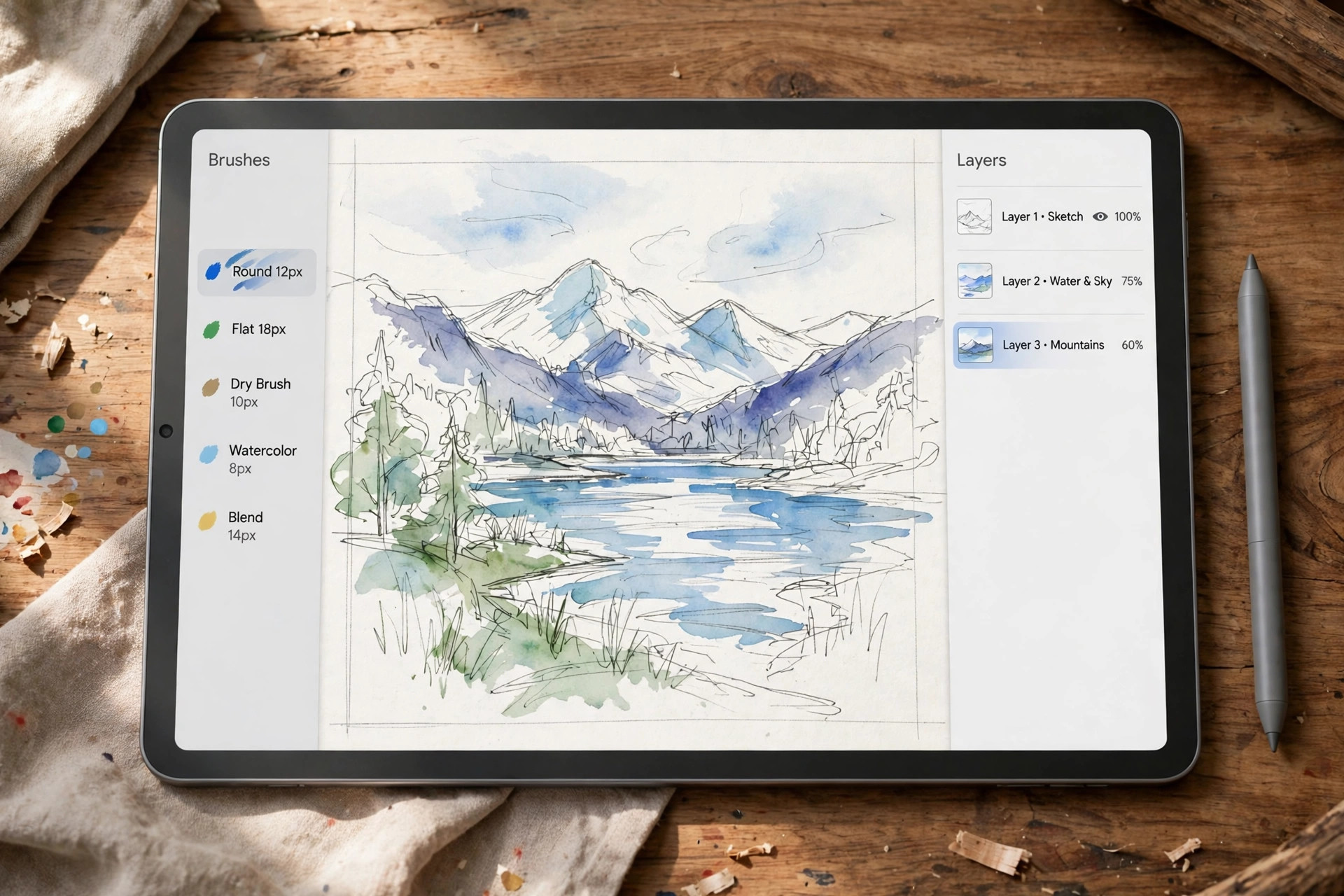
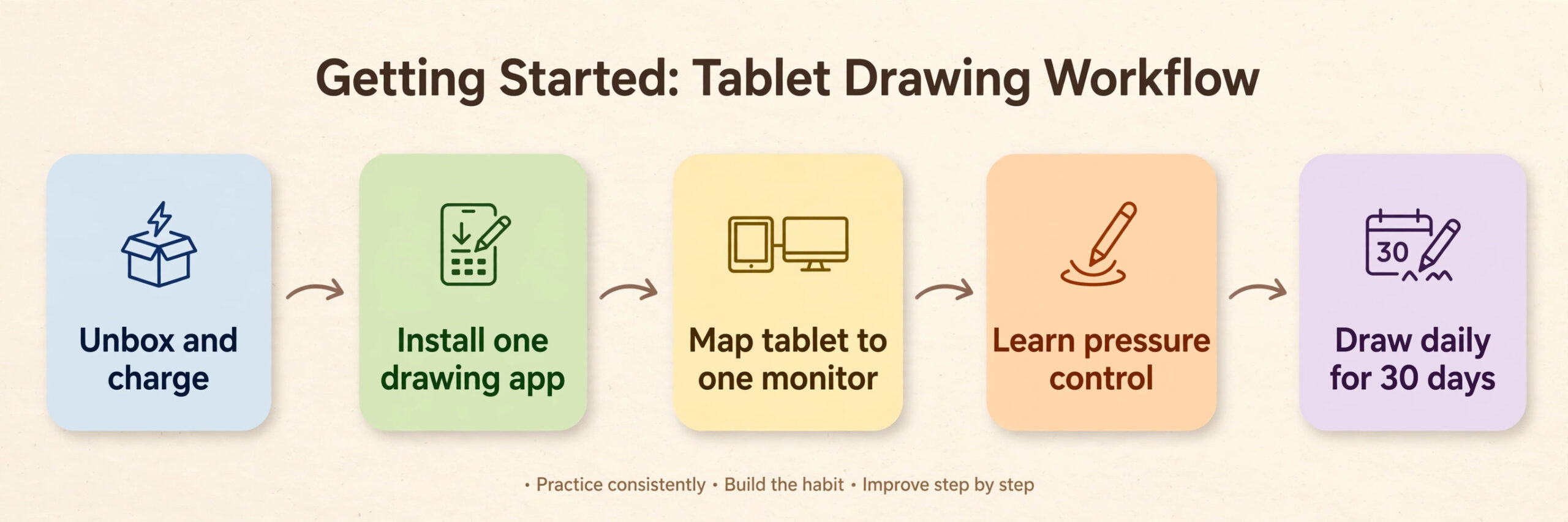
A new tablet fails most often in the first week, not because the hardware is bad but because the setup is rushed. Follow this sequence and the tablet will feel natural far sooner.
For pen display and screenless tablet owners, map the tablet to one monitor only before drawing.
Best Pick by Job
Every buyer in this guide has a different job for the tablet, and the best tablet for digital art beginners changes with that job. Use this table as the final check after reading the reviews.
| Job | Pick | Why it wins |
|---|---|---|
| Most beginners overall | Samsung Galaxy Tab S10 FE | Pen included, bright screen, lowest complete cost on sale |
| Apple users who want Procreate | Apple iPad 11 inch A16 | Best app library, long support, fair total price |
| Pressure painting and calligraphy | Apple iPad Air 11 inch M3 | Pencil Pro adds pressure, tilt, hover, and barrel roll |
| Tightest standalone budget | Lenovo Tab M11 | Pen bundle under 220 dollars list, often far less on sale |
| Learning desktop software | Wacom One 12 | Trusted drivers, good colour, battery free pen |
| Widest colour per dollar | XP-Pen Artist 12 2nd Gen | 127 percent sRGB, full lamination, 8 shortcut buttons |
| Biggest desk canvas per dollar | Huion Kamvas 13 Gen 3 | 13.3 inch screen, dual dials, light activation force |
| Safest screenless start | Wacom Intuos Medium Bluetooth | Best drivers, Bluetooth, software bundle |
| Cheapest possible start | XP-Pen Deco 01 V2 | Large active area, 8,192 pressure levels, under 60 dollars |
| One device for work and art | Microsoft Surface Pro 12 inch | Full Windows apps, pen and keyboard dock |
Related reading can help before you spend. Readers who also take notes should check the guide to the best note-taking apps and AI tools for students, and anyone torn between a note tablet and an art tablet should compare with the best budget tablet for note-taking students.

Frequently Asked Questions
Do I need a tablet with a screen, or is a screenless tablet enough for a beginner?
A screenless tablet is enough, and it is the cheapest way to learn. Your hand learns the mapping between pad and monitor within about a week of daily practice. Start screenless if budget matters and upgrade once you draw regularly.
How much should a beginner spend on a first drawing tablet?
Between 60 dollars and 550 dollars covers every sensible first purchase. At 60 dollars, a screenless tablet plus free Krita teaches every fundamental skill. Spending above 700 dollars only makes sense if you already draw regularly or need a tablet for work and study as well.
Is 4,096 pressure levels enough, or do I need 8,192 or 16,384?
For a beginner, 4,096 levels is enough, because the difference between 4,096 and 16,384 levels is smaller than the difference between a good driver and a poor one. Light stroke registration, tilt support, and low parallax matter more in daily drawing. Higher level counts help fine shading at a professional level, but they will not fix shaky lines or weak fundamentals.
Can I learn digital art on an Android tablet without Procreate?
Yes. Krita, MediBang Paint, and ibisPaint all run on Android and cover sketching, painting, and comics. Clip Studio Paint also runs on Android tablets with a trial offer on Samsung devices. You miss Procreate and its brush library, but the core skills of layers, pressure control, and colour choice transfer directly if you switch to iPad later.
Do pen displays work with any computer?
Most pen displays work with Windows and Mac computers, and many work with Android devices and Chromebooks, but you must check ports first. A display that connects over USB-C video needs a computer port that supports video output, while older computers need a 3 in 1 cable with HDMI. Check port compatibility before ordering.
Should a beginner buy a tablet with a pen included or buy the pen separately?
Buy a tablet with the pen included whenever the option exists, because the included pen is matched to the screen and costs nothing extra. Budget for the pen as part of the tablet price from the start.
Your First Sketch, on the Right Tablet
The right tablet is not the one with the biggest numbers. It is the one that is charged, nearby, and pleasant enough that you reach for it after dinner instead of scrolling. For most beginners that means the Samsung Galaxy Tab S10 FE on sale, because the pen is already in the box and the price leaves room for a case and a course. For desk artists with a computer it means the Wacom One 12, because desktop software and trusted drivers remove excuses.
Whichever type you choose, commit to 30 days of short daily drawing before judging it. A week of tracing drills, one app, and one brush set will teach you more about your tablet than a month of reading reviews. Buy the complete kit and set it up properly on day one.