
The problem is not the headline price. It is that a freelancer buys Bonsai to replace four separate tools, then discovers that the tier that fits today stops fitting when clients, team members, and payment volume all grow at once. That is why the cost of Bonsai for small business monthly planning has to start with a warning about names. The vendor pricing page checked on 31 October 2026 no longer lists Starter, Professional, or Business by those names.
It lists Basic, Essentials, Premium, and Elite instead, and the table below maps each older name to the current tier that sits in the same position in the range, so the prices quoted are current vendor prices rather than old tier prices carried forward.
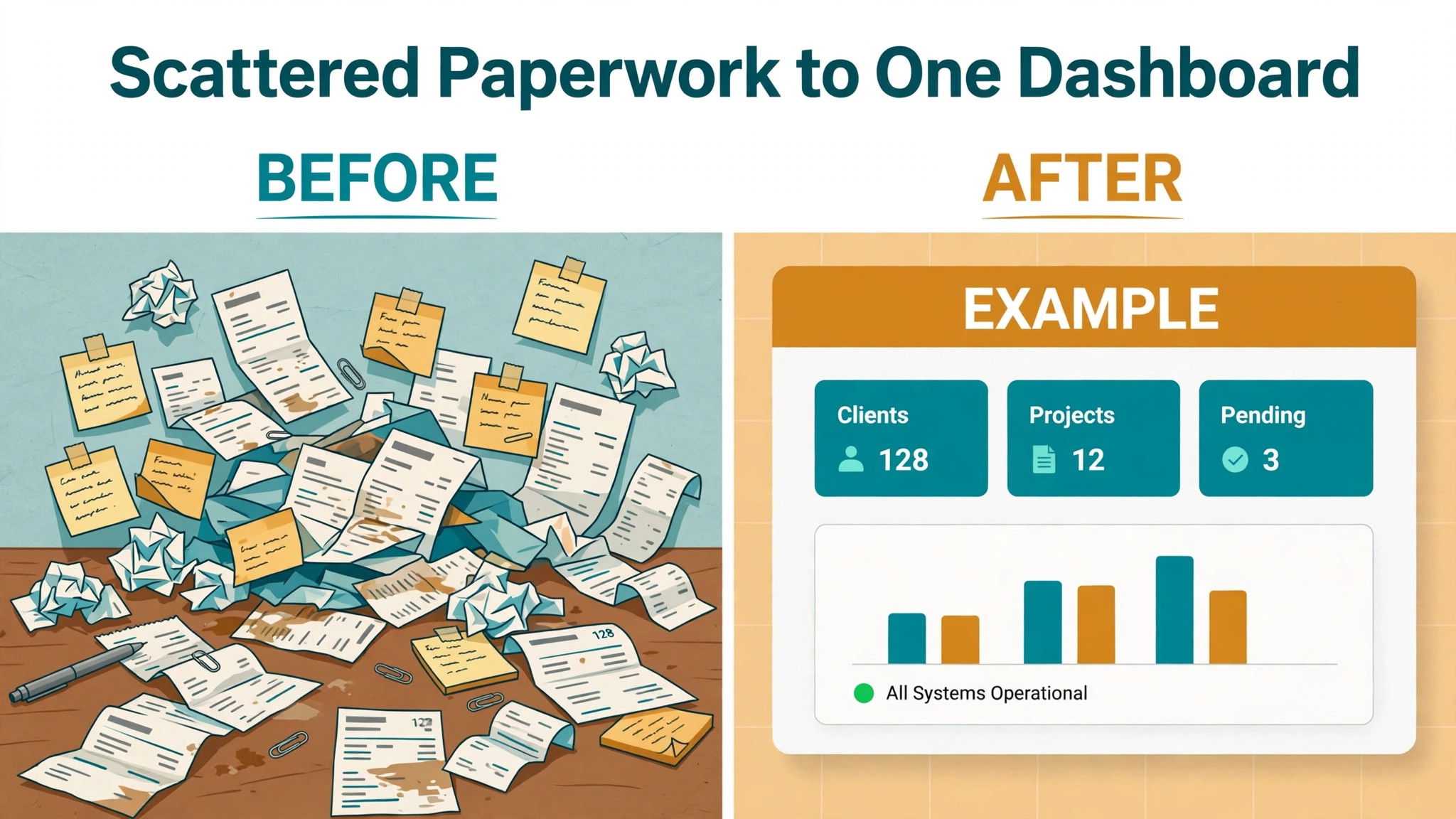
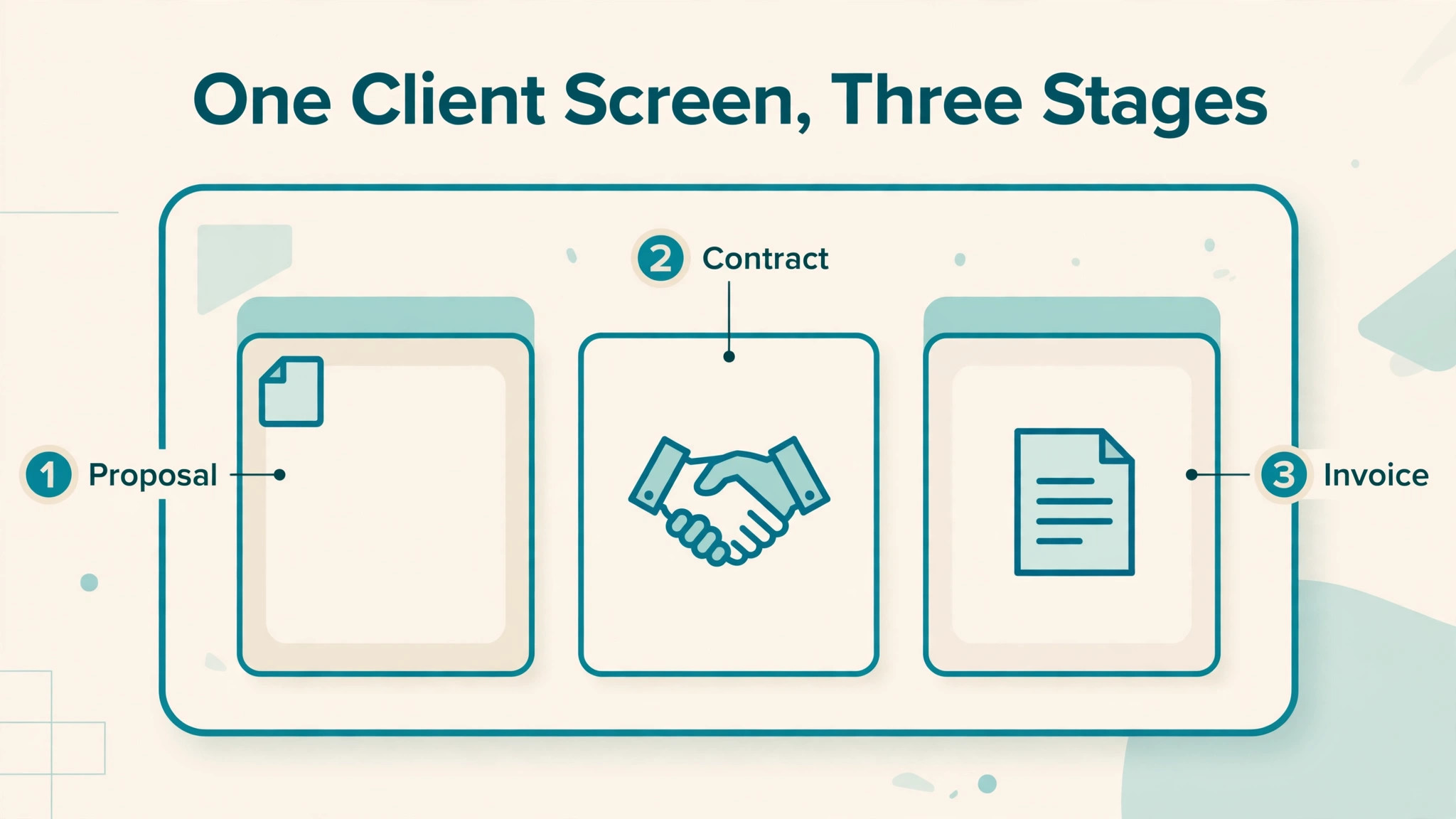
A freelancer or a tiny studio usually comes to Bonsai for the same bundle. Proposals, contracts, invoices, payments, time tracking, and client management in one place, instead of a contract template in one app, an invoice in another, and a spreadsheet for time. That bundle is genuinely useful, because chasing a signed contract and an unpaid invoice in two different systems is where small businesses lose hours. The question is not whether the bundle helps. It is which tier contains the parts of the bundle that a particular business actually uses, and what the bill becomes when a second person joins or when payment volume rises.
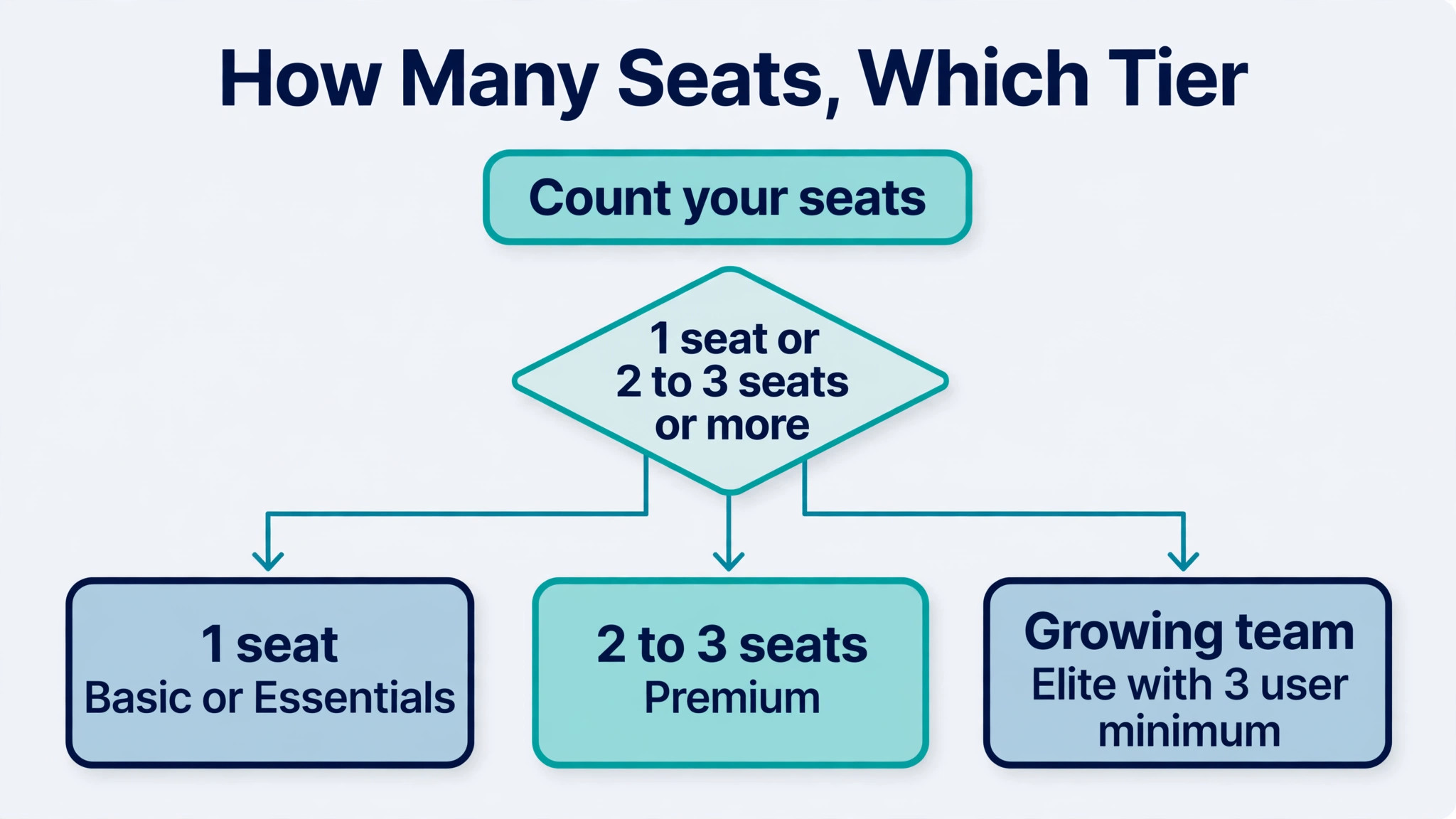
Bonsai is priced per user, which changes the arithmetic completely compared with a flat-rate tool. A solo freelancer pays for one seat. A three person studio pays for three seats on most tiers, and the top tier carries a three user minimum, so a two person studio that wants the top tier pays for a seat it does not yet have. That per-user structure is the single most important fact in this guide, because it means the monthly total grows with headcount even when the work itself does not change.
How to Budget Cost of Bonsai for Small Business Monthly
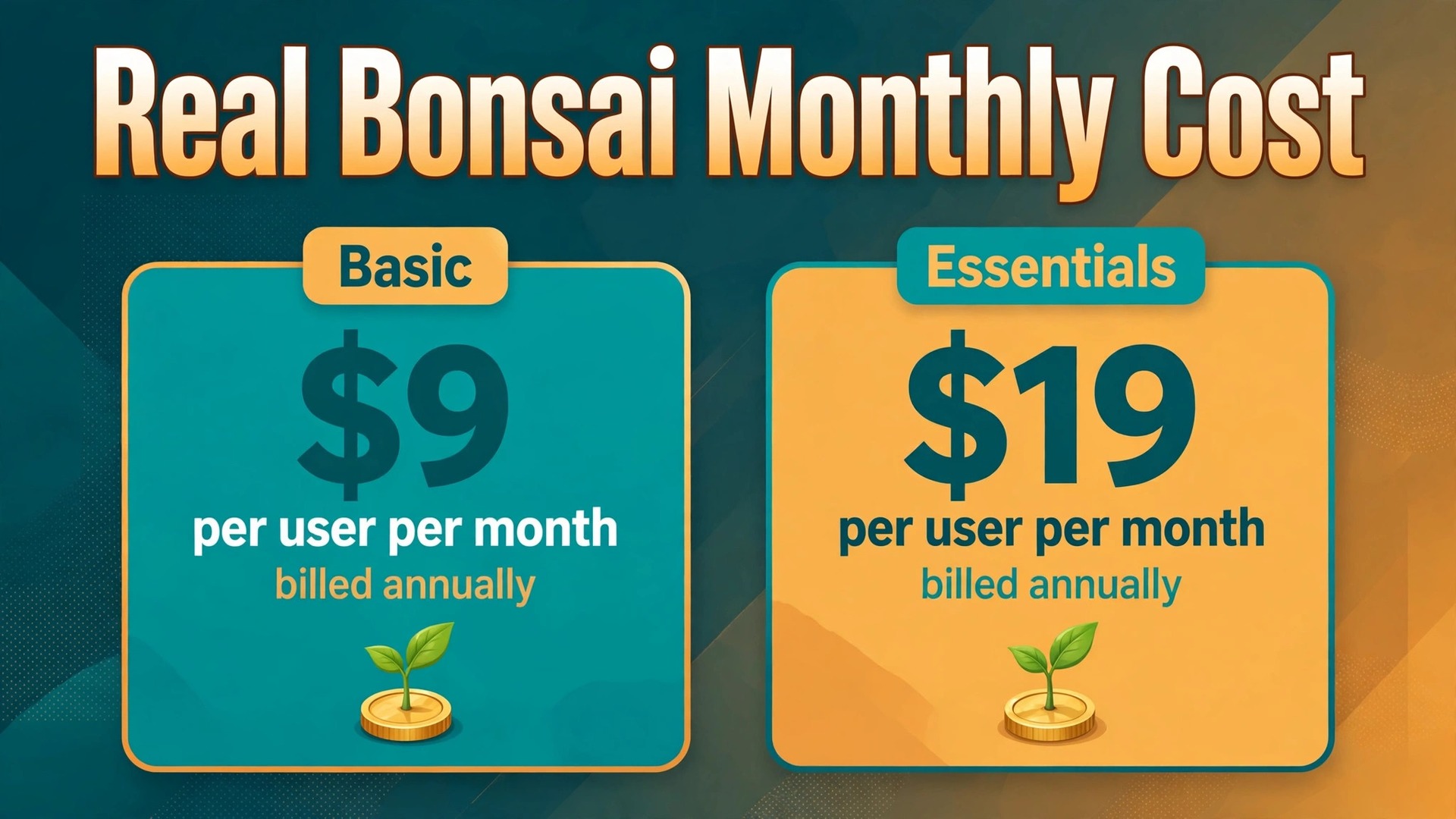
The vendor page checked on 31 October 2026 gives four current tiers, all billed per user. Basic costs 15 dollars per month on monthly billing, or 9 dollars per month billed annually. Essentials costs 25 dollars per month, or 19 dollars billed annually. Premium costs 39 dollars per month, or 29 dollars billed annually. Elite costs 59 dollars per month, or 49 dollars billed annually, with a three user minimum. Those annual figures are the effective monthly price when a year is paid up front, not a separate monthly charge, and the saving from annual billing is substantial on every tier.
| Tier | Monthly price | What it includes | Best for |
|---|---|---|---|
| Starter, now Basic | 15 dollars per user per month billed monthly, or 9 dollars billed annually | Time tracking, task management, unlimited projects, client records, mobile apps, unlimited clients | A solo freelancer starting out |
| Professional, now Premium | 39 dollars per user per month billed monthly, or 29 dollars billed annually | Everything in Essentials plus project insights, workload management, Gantt view, deals pipeline, integrations including QuickBooks and Xero, removal of Bonsai branding | A freelancer who needs reporting and integrations |
| Business, now Elite | 59 dollars per user per month billed monthly, or 49 dollars billed annually | Everything in Premium plus custom permissions, timesheet locking, markup on expenses, custom data import, 3 users minimum | A small agency with a team |
The mapping above needs care, because the vendor has not published a statement that Basic is the new Starter or that Premium is the new Professional. The mapping follows the position of each tier in the range, from entry to top, and the feature sets line up in the same order. A new intermediate tier, Essentials, now sits between Basic and Premium, which means a buyer who used to choose between three tiers now chooses between four. If a feature that used to sit in Professional now sits in Essentials or Premium, the only safe check is the feature comparison on the live pricing page before buying.
Annual totals make the choice concrete. One seat on Basic costs 108 dollars for a year on annual billing, against 180 dollars paid monthly. One seat on Premium costs 348 dollars for a year on annual billing, against 468 dollars paid monthly. Three seats on Elite, the minimum for that tier, cost 1,764 dollars for a year on annual billing, against 2,124 dollars paid monthly. Those annual totals are the figures to put in a budget, because the monthly equivalent on annual billing is only available when the full year is paid in advance.
Client seats are the first hidden cost, because Bonsai bills per user and a growing team cannot share a single login without losing the audit trail that makes the tool useful. A solo freelancer who hires a part-time assistant, and then a second contractor, moves from one paid seat to three paid seats, and the monthly total triples even if client numbers stay flat. The top tier adds a further twist, since Elite requires at least three users, so a two person studio that wants Elite features pays for three seats from the start.
Before choosing a tier, count every person who will log in regularly, including part-time help, and price that headcount rather than pricing a single seat and hoping the rest can share. That judgement belongs at the centre of any honest account of cost of Bonsai for small business monthly, because a price that looks small on a plan card can grow quickly once seats, usage, and add-ons are counted.
Tax filing is the second cost to check, because the boundary between included tax tools and separate tax help is easy to misread. Bonsai includes expense tracking and income tracking, and its vendor page notes that its expense tracking can categorise a subscription as a deductible software expense. That is not the same as a complete tax filing service, and a freelancer who assumes that filing is included may still need an accountant or a separate tax product at year end. The safe approach is to list exactly which tax tasks Bonsai will handle for your business, and which tasks still need an accountant, and to budget for the accountant separately rather than discovering the gap in January.
Banking is the third cost to check, and it works through two channels. Bank sync for expenses is listed in the vendor feature comparison, with availability varying by tier, so a buyer who wants automatic expense import should confirm which tier includes it. Payment processing is the larger banking cost, because Bonsai charges processing fees for online payments, and the vendor FAQ states that those fees vary by payment method, including card and bank transfer, without giving a single rate on the pricing page. A business that invoices 5,000 dollars per month will therefore pay a processing charge on top of the subscription on every card payment, and that charge grows with revenue even when the subscription stays flat.
A fourth cost is the price of add-on help at the point of growth. Bonsai offers onboarding help for larger teams, and its vendor page notes that teams of ten or more users can receive tailored onboarding. A small business below that size should not assume that migration help, template setup, and training are included in the subscription, and should budget a few hours of its own time to move clients, templates, and open invoices into Bonsai cleanly. A messy migration, with duplicate clients and half-moved templates, costs more in lost time than a careful migration costs in planned hours.
What the Price Buys at Each Level
Basic buys the core freelancer job, which is time tracking, task management, unlimited projects and clients, a client record system, and mobile apps. For a solo freelancer whose main need is to track hours, send a proposal, and get paid, Basic covers the daily work without paying for reporting or integrations that may never be used. The limit to watch is not project count, since projects are unlimited, but feature depth, since forms, a client portal, workflow automations, and accounting integrations sit in higher tiers. A freelancer who needs a client portal for a professional impression, or a QuickBooks integration to avoid double entry, will outgrow Basic quickly.
That judgement belongs at the centre of any honest account of cost of Bonsai for small business monthly, because a price that looks small on a plan card can grow quickly once seats, usage, and add-ons are counted.
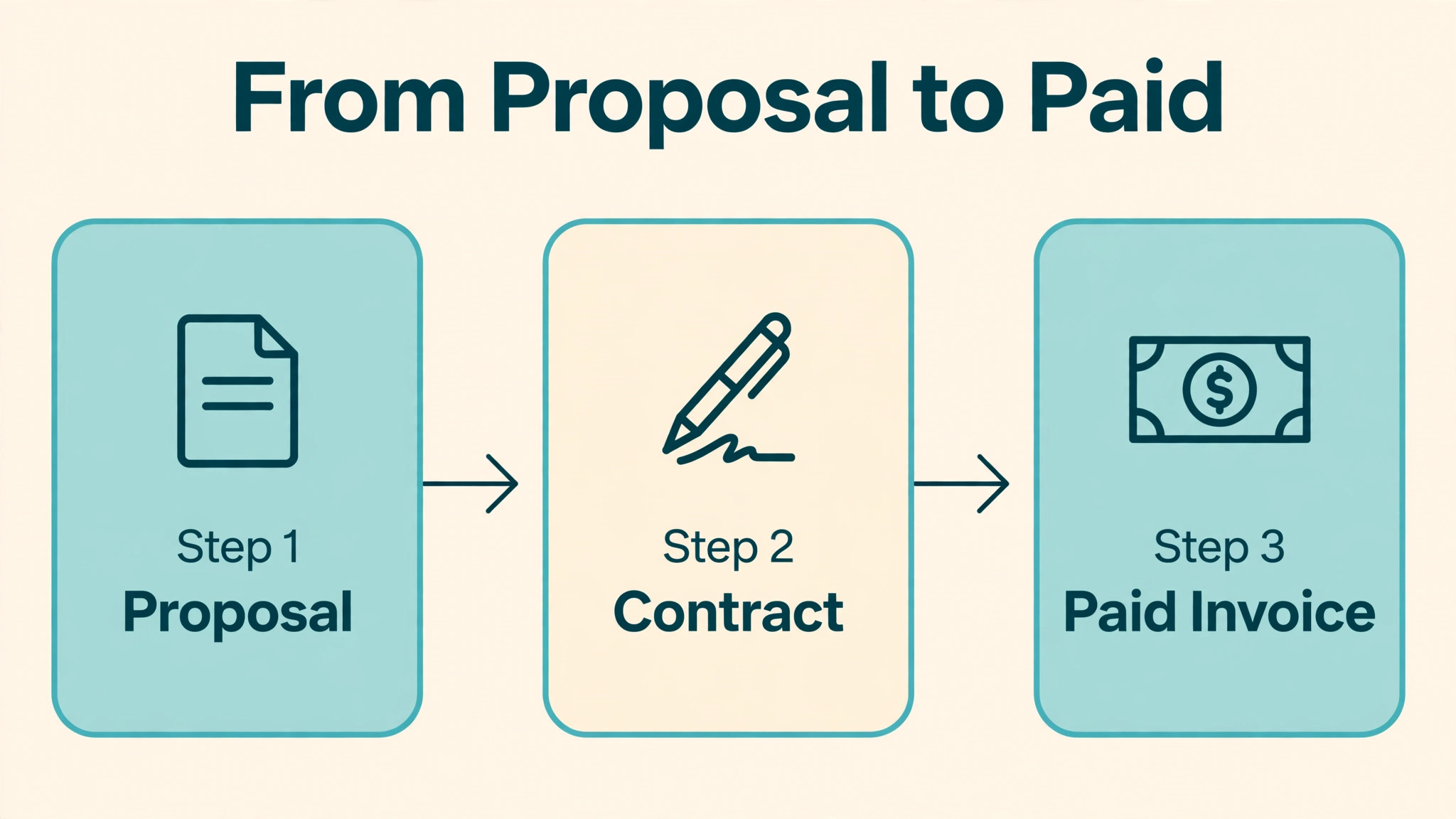
Essentials, the new intermediate tier, adds invoices and payments, proposals and contracts, templates, forms and questionnaires, scheduling, a client portal, and expense and income tracking. That tier is the natural home for a freelancer who has moved beyond tracking time and now needs the full client journey, from proposal to payment, inside one tool. The price jump from Basic to Essentials is 10 dollars per user per month on monthly billing, or 10 dollars on annual billing as well, since Basic is 9 dollars and Essentials is 19 dollars annually. That jump is modest for the breadth it adds, and many solo freelancers will find Essentials the best value tier in the range.
Premium adds the management layer, with project insights, workload management, a Gantt view, a deals pipeline, custom fields, client tasks and messaging, profit and productivity reports, removal of Bonsai branding, and integrations with QuickBooks, Xero, Zapier, Calendly, and Google. That layer matters when a freelancer starts to manage several projects at once and needs to see which project is profitable, which client is waiting, and where time is actually going. A solo operator who runs five projects in parallel will feel the value of Premium, while a solo operator with one project at a time may not, so the tier choice should follow project count rather than ambition.
Elite adds control features for a team, including custom permissions, timesheet locking, markup on expenses, and custom data import, on top of everything in Premium. Those features matter when several people log time on the same projects and when a manager needs to lock timesheets before invoicing, or to control who can see financial data. For a three person agency, Elite is a governance tier as much as a feature tier, and its three user minimum makes sense in that light, since its controls only matter once more than one person is involved in billing.
A Freelancer and a Small Studio Worked Out
A solo designer on Basic pays 9 dollars per month billed annually, or 15 dollars billed monthly, for one seat. Over a year, that is 108 dollars on annual billing. If the same designer moves to Essentials for invoices, proposals, and a client portal, the price becomes 19 dollars per month billed annually, or 25 dollars billed monthly, which is 228 dollars for a year. The difference of 120 dollars per year buys the full proposal to payment journey, and for a designer who sends several proposals per month, that difference is recovered if even one proposal is won faster or one invoice is paid sooner because the client portal made payment easier.
That judgement belongs at the centre of any honest account of cost of Bonsai for small business monthly, because a price that looks small on a plan card can grow quickly once seats, usage, and add-ons are counted.
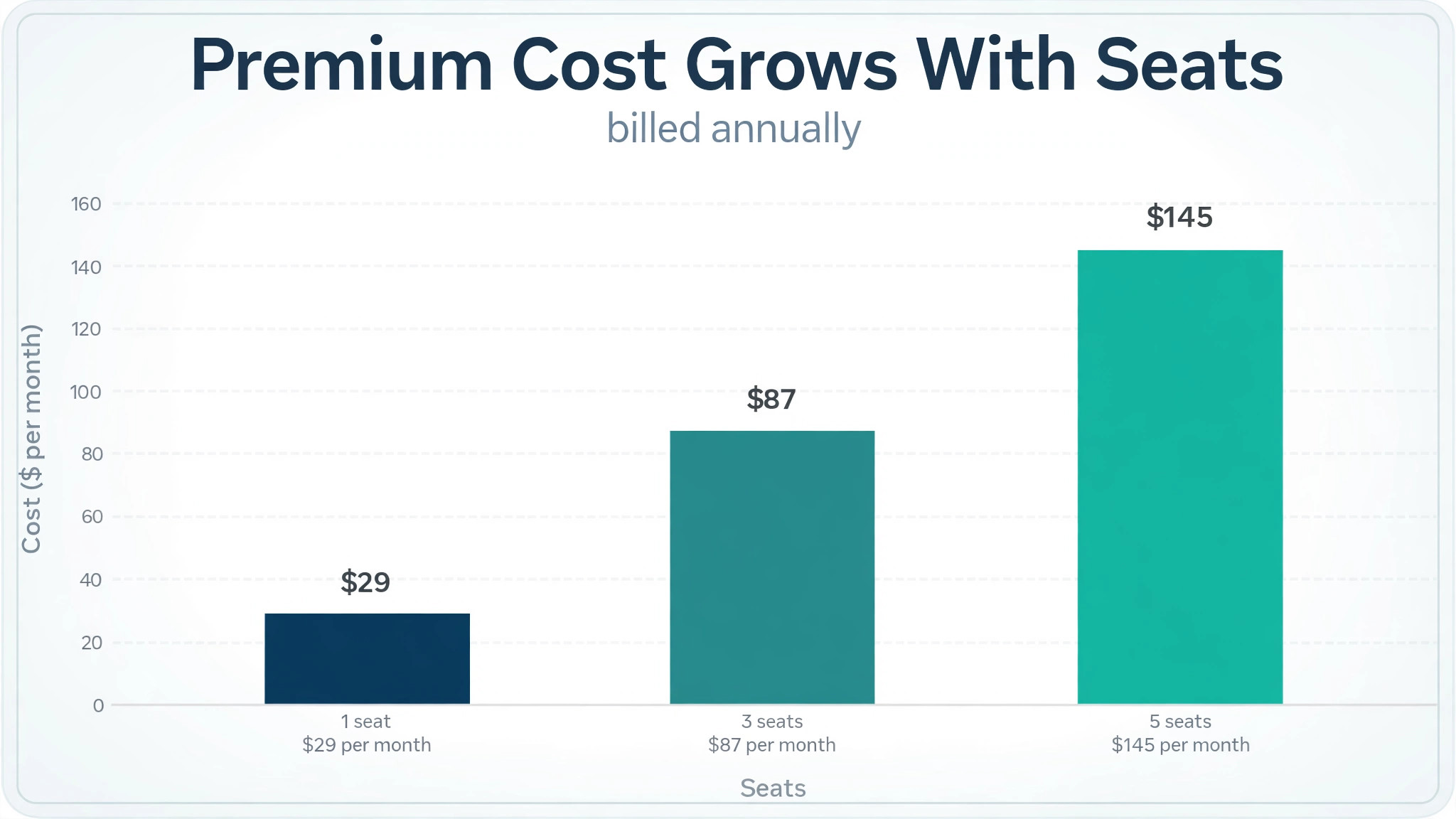
A three person studio on Premium pays 29 dollars per user per month billed annually, which is 87 dollars per month for three seats, or 1,044 dollars for a year. The same studio on Elite pays 49 dollars per user per month billed annually, which is 147 dollars per month for three seats, or 1,764 dollars for a year. The Elite premium is therefore 60 dollars per month, or 720 dollars per year, for custom permissions, timesheet locking, expense markup, and custom import. That premium is worth paying only if the studio actually locks timesheets, controls permissions, or marks up expenses, because those are the features that distinguish Elite from Premium in daily use.
A studio that grows from one seat to five seats shows why per-user pricing needs a headcount plan. Five seats on Premium cost 145 dollars per month billed annually, or 1,740 dollars for a year, against 29 dollars per month for a single seat. Five seats on Elite cost 245 dollars per month billed annually, or 2,940 dollars for a year. Those totals do not include payment processing fees, which rise with invoiced revenue, or accountant fees at year end, so the subscription total should be treated as a floor rather than a complete cost. A studio that budgets only the single-seat price and then hires will be surprised twice, once by seats and once by processing fees.
When It Is Worth It and When It Is Not
Bonsai is worth the price when it replaces at least two tools that are already being paid for, and when the time saved on proposals, contracts, and invoicing is visible in the working week. A freelancer who currently pays for a separate invoicing tool and a separate contract template service, and who spends an hour per client on paperwork, will usually find that Bonsai pays for itself on the first client each month. The value is strongest for service businesses where every client needs a proposal, a contract, and an invoice, because that repeating pattern is exactly what Bonsai automates.
That judgement belongs at the centre of any honest account of cost of Bonsai for small business monthly, because a price that looks small on a plan card can grow quickly once seats, usage, and add-ons are counted.
Bonsai is not worth the price when the business has very few clients, when invoices are rare, or when a single tool already covers the whole job. A freelancer with three long-term clients on retainer, who invoices the same amount each month, gains little from proposals, a deals pipeline, or a client portal, and may be better served by a simple invoicing tool. The same logic applies to a business whose clients insist on their own procurement systems, since Bonsai cannot force a client to use its portal, and a tool that clients refuse to use is a cost without a benefit.
A practical test is to count the paperwork hours for the last month. Add up the time spent writing proposals, chasing signatures, creating invoices, and reconciling payments, and multiply by a realistic hourly value for that time. If the total exceeds the monthly subscription by a clear margin, and if Bonsai covers most of those tasks, the price is justified. If the total is close to the subscription, or if most of the time sits in tasks that Bonsai does not cover, such as creative work or client meetings, then the subscription is a convenience rather than a saving, and a cheaper invoicing tool may be the better choice.
How to Cut the Bill Without Losing the Bundle
Start on the lowest tier that covers the client journey, not the tier that looks most impressive, because the most common waste in Bonsai is paying for Premium reporting while still working on two projects at a time. Basic or Essentials will cover most solo freelancers, and an upgrade to Premium can wait until project count, reporting needs, or integration needs make it necessary. Upgrading is easy, and the money saved in the early months can fund the upgrade later without any loss of data, since the same account carries the work forward.
That judgement belongs at the centre of any honest account of cost of Bonsai for small business monthly, because a price that looks small on a plan card can grow quickly once seats, usage, and add-ons are counted.
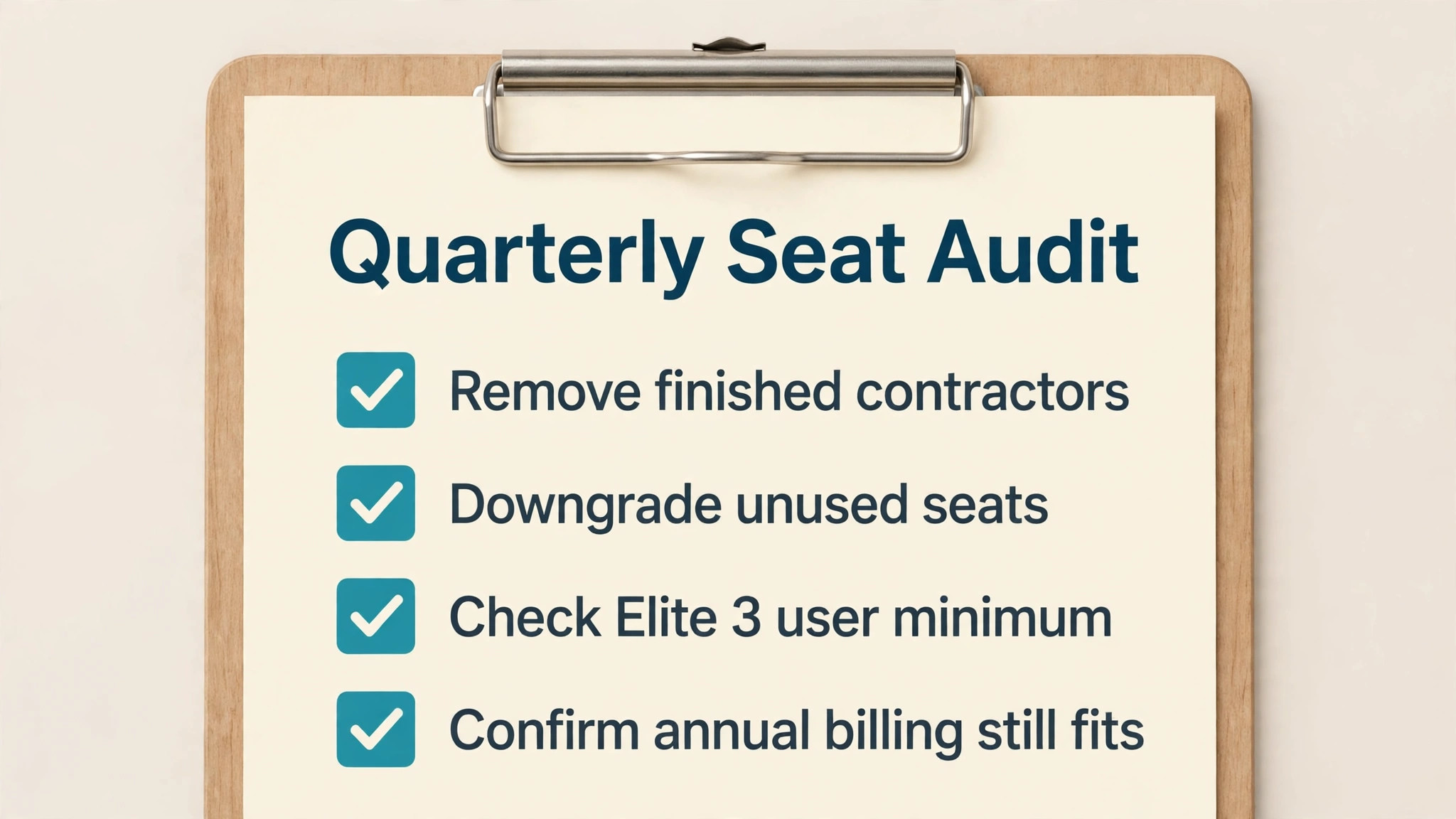
Audit seats every quarter, because per-user pricing punishes seat creep more than any other pricing model. Remove seats for contractors who have finished, downgrade team members who no longer need full access, and check whether collaborators can be handled without a paid seat under the current rules on the vendor page. A studio that removes two unused Premium seats on annual billing saves 58 dollars per month, or 696 dollars per year, which is a larger saving than any discount negotiation is likely to produce.
Choose annual billing only after the tier has been tested for two or three months on monthly billing, because the annual saving is large but the commitment is real. Basic saves 6 dollars per user per month on annual billing, Essentials saves 6 dollars, Premium saves 10 dollars, and Elite saves 10 dollars, so the annual saving for a three person studio on Premium is 30 dollars per month, or 360 dollars per year. That saving is worth taking once the tier is proven, and it is a costly mistake if the tier turns out to be wrong, because the year is already paid.
Finally, reduce payment processing costs by steering clients toward the cheapest payment method that Bonsai supports for your business, where the vendor FAQ confirms that fees vary by method. A client who pays by bank transfer may cost less in processing fees than a client who pays by card, and that difference compounds across a year of invoices. The saving should never come at the cost of making payment harder for the client, since a delayed payment costs more than a processing fee, but where two methods are equally easy for the client, the cheaper method is the right default.
A renewal check belongs in every Bonsai budget, because a subscription that was right at signup can become wrong as client numbers change. Set a calendar reminder for a month before renewal, and review seat count, tier features, and payment processing totals at that point. If seats have fallen, downgrade before renewal rather than after, since an annual plan paid in advance is hard to unwind. If seats have risen, compare the next tier with the current tier on the new headcount, rather than assuming that the old tier still fits.
Migration deserves a plan of its own, because moving clients, templates, and open invoices into a new system is where errors hide. Export client lists and open balances before starting, move one client through the full journey from proposal to payment as a test, and only then move the remaining clients in batches. That test client will reveal template mistakes, payment method gaps, and portal wording problems while they are still cheap to fix, instead of revealing them across dozens of live clients at once.
Reporting is the feature that most often decides whether a freelancer stays on a tier or upgrades, and it deserves a test with real numbers. Run a month of real projects through the reporting views on the tier being considered, and check whether profit by project, time by client, and workload by week are all visible without exporting data to a spreadsheet. If reporting requires a spreadsheet to answer basic questions, the tier is not doing its job, and either a higher tier or a different tool is the honest answer.
A client portal test is equally practical, because clients judge a freelancer partly by how easy it is to pay. Send a test proposal and invoice to a trusted colleague, ask them to complete the client journey without help, and note every point where they hesitate or ask a question. A portal that confuses a friendly tester will confuse a real client, and a confused client pays late. Fixing portal wording and payment options before launch is cheaper than chasing late payments for a year.
Finally, keep a simple record of what Bonsai replaces, because that record is the evidence for renewal. Note the tools cancelled, the hours saved on proposals and invoicing, and the payment delays avoided, and review that record at renewal time. If the record shows clear savings, renewal is easy to justify. If it shows only convenience, the business can downgrade with confidence, knowing that the decision rests on evidence rather than on habit or on a sales email.
Tax time is the last check that a freelancer should build into the Bonsai budget, because a tool that tracks income and expenses still leaves filing decisions to a person. Keep expense categories clean through the year, reconcile payments monthly rather than in January, and confirm with an accountant which figures Bonsai can produce directly. That habit turns year-end filing from a reconstruction exercise into a review exercise, and it protects the business from a filing error that would cost far more than the subscription.
Frequently Asked Questions
How much does Bonsai cost per month for a small business?
A solo user on Basic pays 15 dollars per user per month billed monthly, or 9 dollars billed annually. Essentials costs 25 dollars billed monthly, or 19 dollars billed annually, Premium costs 39 dollars billed monthly, or 29 dollars billed annually, and Elite costs 59 dollars billed monthly, or 49 dollars billed annually, with a three user minimum. All prices are per user, so a team multiplies the per-user price by its seat count. That judgement belongs at the centre of any honest account of cost of Bonsai for small business monthly, because a price that looks small on a plan card can grow quickly once seats, usage, and add-ons are counted.
What happened to the Starter, Professional, and Business tiers?
The vendor pricing page checked on 31 October 2026 lists Basic, Essentials, Premium, and Elite instead of Starter, Professional, and Business. This guide maps Starter to Basic, Professional to Premium, and Business to Elite by their position in the range, and notes Essentials as a new intermediate tier. If a feature you relied on has moved tier, check the live feature comparison before buying.
Does Bonsai charge for each client?
No, clients are unlimited on the tiers listed on the vendor page, and the charge is per user rather than per client. The cost that grows with clients is payment processing, which rises with invoiced revenue, and the time cost of managing more projects, not a per-client seat charge. Check the vendor page for any collaborator limits that apply to your tier.
Are payment processing fees included in the subscription?
No. The vendor FAQ states that Bonsai charges processing fees for online payments, and that those fees vary by payment method, including card and bank transfer. No single processing rate is given on the pricing page, so a business should check the vendor help article for the current breakdown by method before forecasting the total cost of getting paid.
Is tax filing included in Bonsai?
Bonsai includes expense tracking and income tracking, and its vendor page notes that expense tracking can categorise a subscription as a deductible software expense. That is not a complete tax filing service, and many freelancers will still need an accountant or a separate tax product at year end. Budget for that help separately, and confirm exactly which tax tasks your tier covers.
Can a small business use Bonsai with a team?
Yes, but the price grows with seats, and Elite requires at least three users. A three person studio on Premium pays 87 dollars per month billed annually, while the same studio on Elite pays 147 dollars per month billed annually. Audit seats quarterly, because an unused seat on Premium costs 29 dollars per month on annual billing for no return.
Is there a free trial for Bonsai?
Yes. The vendor page states that a new signup receives full access for seven days, after which a plan must be chosen and card details entered to continue. Seven days is enough to test proposals, contracts, and invoicing with a real client, but it is short for testing reporting and integrations, so use the trial on real work rather than on demo data.
Move to Premium when project count, reporting, or integrations become daily needs, rather than occasional wishes. Project insights, workload management, profit reports, and integrations with QuickBooks, Xero, Zapier, and Calendly are the features that distinguish Premium. If none of those features is used weekly, Essentials remains the better value, and the 10 dollar per user per month annual saving stays in the business.
Verdict
Essentials is the sensible starting tier for most solo freelancers, because it covers the full proposal to payment journey at 19 dollars per user per month billed annually, while Basic suits a freelancer who only needs time tracking and task management. Premium earns its price when several projects run in parallel and reporting or integrations become daily tools, and Elite is a team tier whose custom permissions and timesheet locking justify its three user minimum for a small agency. Count seats honestly, check the current tier names on the live pricing page, and budget payment processing separately, and the monthly total will match the figures in this guide rather than surprising the business later.
That judgement belongs at the centre of any honest account of cost of Bonsai for small business monthly, because a price that looks small on a plan card can grow quickly once seats, usage, and add-ons are counted.
More Reading on Stratilyze
– Best Proposal Software for Marketing Agencies – Cost of Dubsado for Small Business Monthly – Recurring Revenue Strategy for Small Service Business – Best Website Builder for Accountants – Best Time Tracking Software for Creative Agencies