
A customer searches for your shop on Facebook and finds a competitor instead, while another customer clicks your link from Google and sees nothing at all. Compare that with a customer who walks past your storefront and finds the door locked during opening hours. The effect is the same. People assume you closed, moved, or never existed, and they move on without calling to check. That is why learning how to fix Facebook page not visible small business problems matters more than most owners expect, because the page is often the first proof that the business is real and open.
The good news is that most invisible pages are not deleted. They are unpublished, restricted, incomplete, or held back by an admin problem that can be corrected in minutes once you find it. A smaller group of pages face a policy action that needs a proper appeal, and those need a different approach entirely. This guide works through the checks in the order that finds the answer fastest, so you stop guessing and start fixing the one setting that is actually hiding your page.
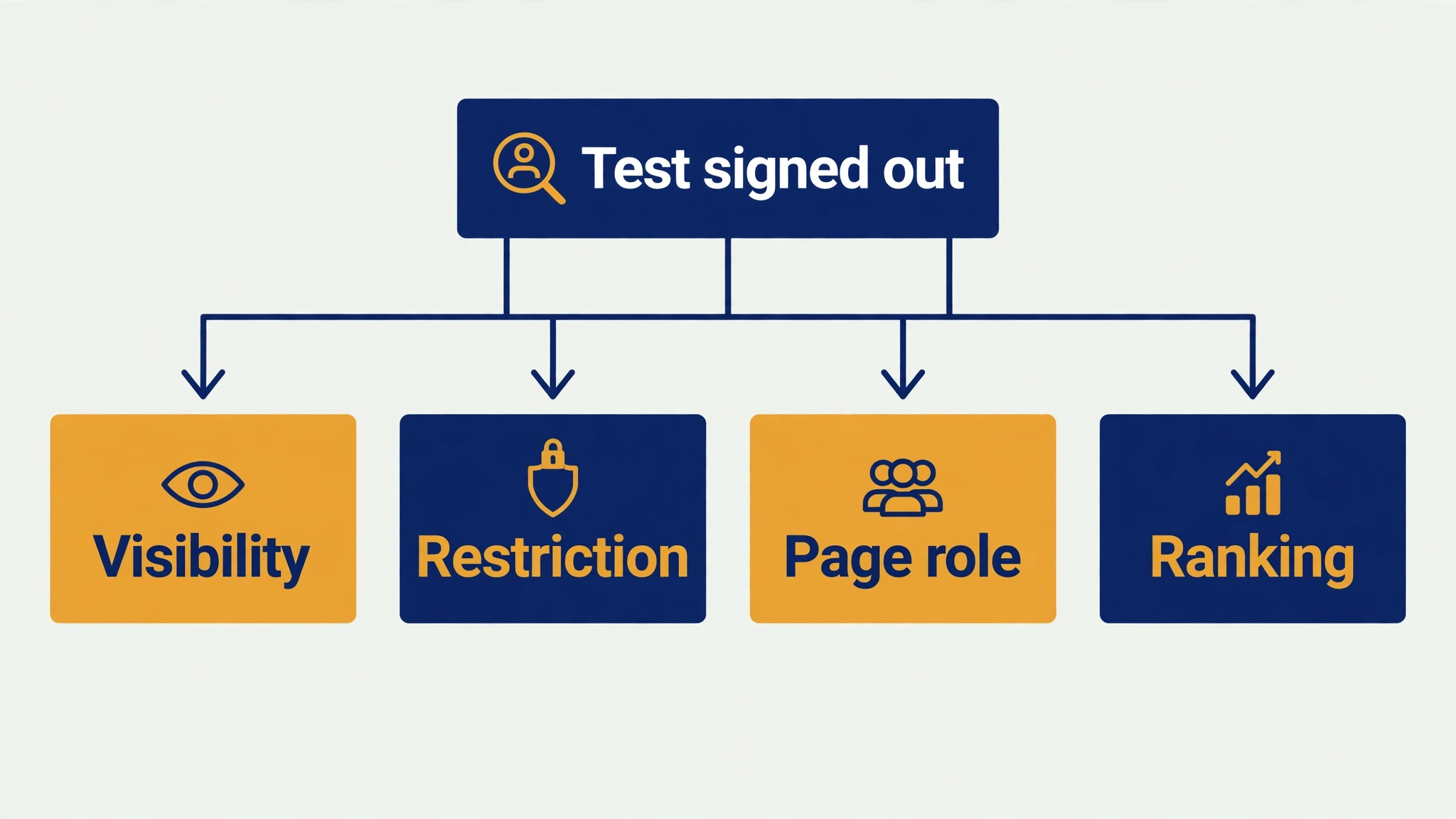
Before you change anything, run one clean test. Open a private browser window, sign out of Facebook, and search for your exact page name. Then try the direct page address from a link you already published, such as the one on your website or your business card. Note exactly what happens in each case. A page that shows when you are signed in but not when you are signed out points to a restriction.
A page that nobody can see, including you as an admin, points to an unpublished or deactivated status. A page that appears only after several scrolls points to a ranking and completeness problem, not a hidden setting. Write the result down, because every later check is easier when you know which symptom you are chasing.
Why a Page Vanishes While the Business Keeps Trading
A Facebook Page can disappear from search for reasons that have nothing to do with deleting it. Facebook treats pages as public by design, which means visibility depends on a chain of settings that must all agree. If one link in that chain breaks, the page drops out of search and direct links stop working for visitors. The business keeps trading, the phone keeps ringing, and yet the online front door stays shut.
The most common break is publication status. A page set to unpublished, or deactivated under the newer Pages experience, is visible only to people who manage it. Staff who are logged in as admins often miss this completely, because the page looks normal to them. They post, they see likes, and they assume customers see the same thing. Customers see nothing. This mismatch explains many panicked messages that begin with the words my page is gone, when the page is simply hidden from everyone except its own managers.
Restrictions create a second kind of invisibility. Country restrictions hide the page from anyone outside the listed countries. Age restrictions hide it from anyone below the set age, and from anyone who is not signed in. A restriction left over from an old campaign, a test, or a mistaken tap can therefore hide a page from exactly the customers the owner is trying to reach. Because the admin still sees the page normally, the restriction can sit unnoticed for months.
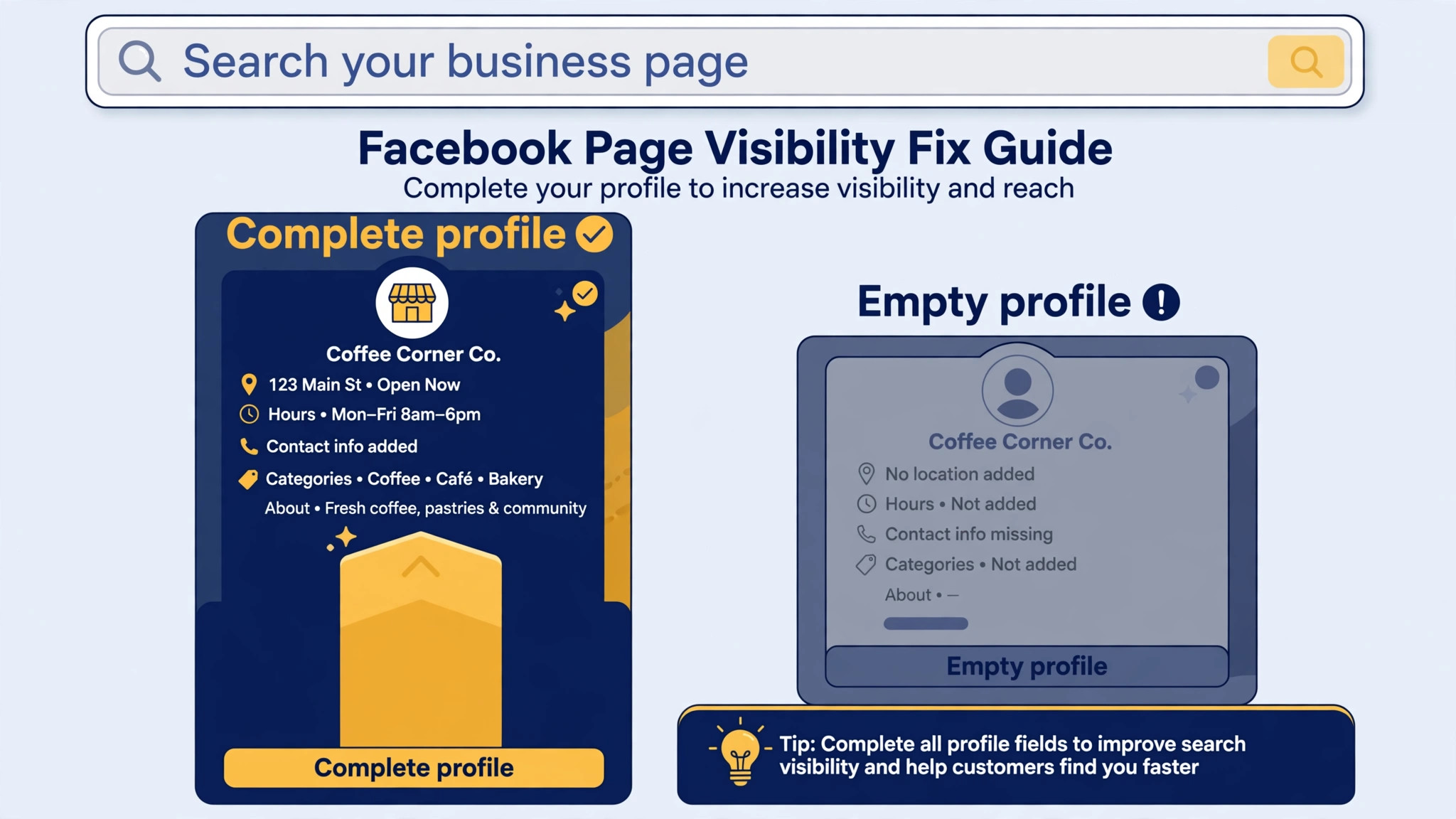
A third cause is simpler and slower. New pages, thin pages, and pages with almost no activity rank poorly in Facebook search, even when every setting is correct. Facebook search weighs the page name, the category, the completeness of the profile, and recent activity before deciding where to show a result. A page with no profile photo, no cover, no address, no hours, and no recent posts may exist and still be hard to find, because search has little to match and little reason to surface it. That is a ranking problem, and it needs a different fix from a settings problem.
Policy action is the fourth cause, and it behaves differently from the other three. A page removed or restricted for a policy reason usually comes with a notice in Account Quality or in the page inbox, and the fix runs through review rather than through a settings toggle. If you change settings frantically while a policy case is open, you can waste the one clean appeal you have. That is why this guide separates settings checks from appeal steps, and why you should finish the settings checks before you touch any appeal form.
| Symptom you see | Most likely cause | First check to run |
|---|---|---|
| Admins see it, nobody else does | Unpublished or deactivated status | Visibility setting check |
| Some visitors see it, others do not | Country or age restriction | Restriction check |
| Page exists but never appears in search | Thin profile or weak activity | Profile and search test |
| Notice arrived, page gone or limited | Policy action | Account Quality and appeal checklist |
Keep that table beside you as you work, because a plan to fix Facebook page not visible small business trouble stays focused when each symptom points to one check. It stops you from rebuilding a whole profile when a single toggle is the problem, and it stops you from filing an appeal when the page was simply never published.
How to Fix Facebook Page Not Visible Small Business in the Right Order
Work through the checks below in order, and stop as soon as a check explains your symptom. Each check tells you what to look for, how to test it, and what the result means, so you can tell a fixed problem from a coincidence. Do not skip ahead to the appeal section until the first four checks are clear, because an appeal cannot fix a page that is unpublished by its own admin.
Take screenshots before you change a setting. A before shot of the visibility row, the restriction rows, and the roles list gives you a way back if a change makes things worse, and it gives support a clear record if you later need help. Small businesses often lose time because nobody remembers what the setting said before someone tapped it. A thirty second screenshot habit prevents that entirely.
Work from a desktop browser for the settings checks where you can. The Facebook app moves these menus between versions, and the names change. The desktop layout is steadier, and it shows more of the page settings on one screen. If a menu name differs on your account, look for the destination rather than the exact label, because Meta renames these screens often and the job of the control stays the same.
Check 1. The Visibility Setting Check on Facebook
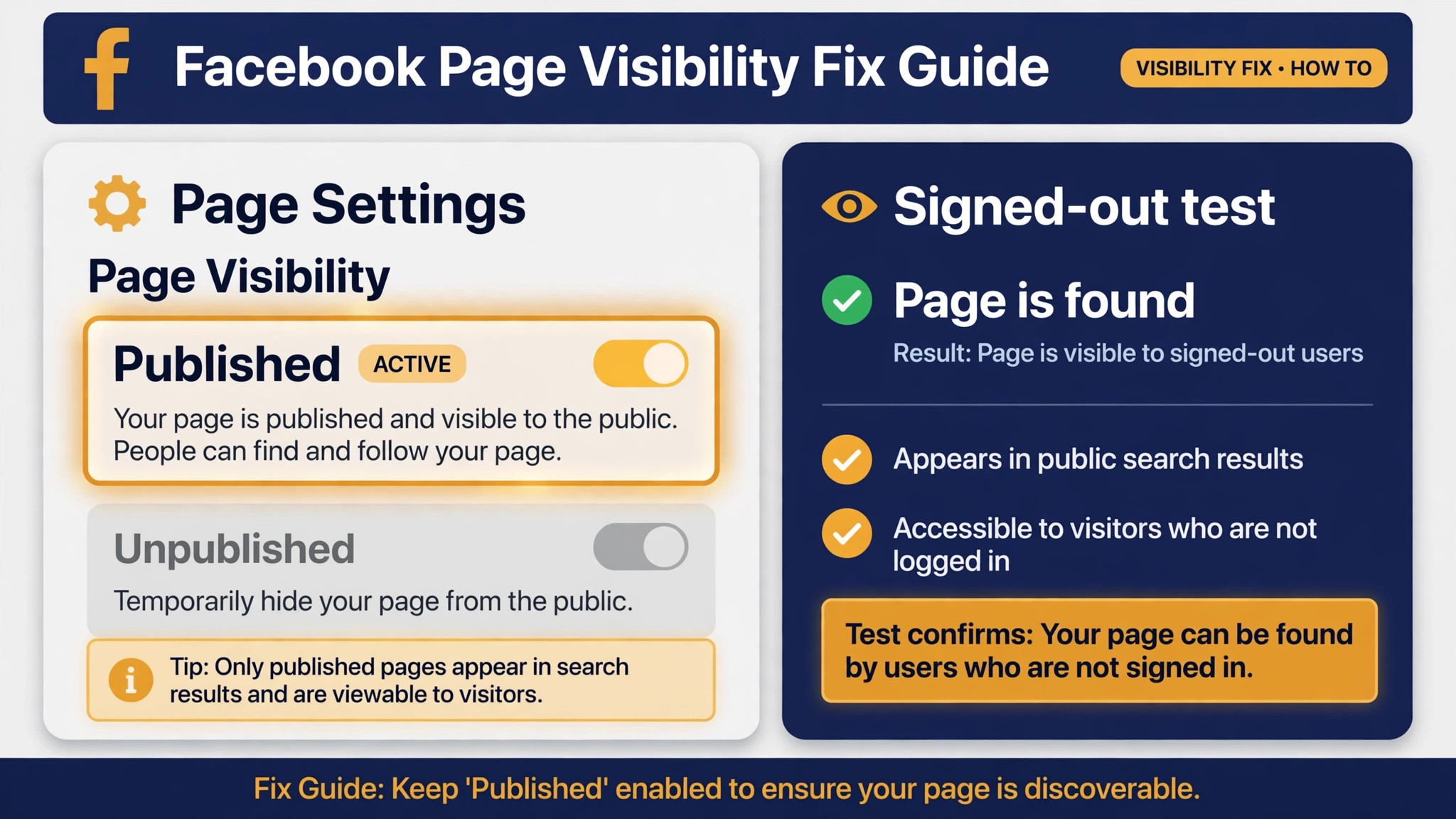
Open your page on a desktop browser and go to Settings. Look for the page visibility control, which older pages show as Page Visibility under the general settings, and newer pages show under Privacy as Facebook Page visibility. What you want to see is a published or active state. Anything else means the page is hidden from the public by design, no matter how good your posts are.
The first move to fix Facebook page not visible small business cases is to test the result in a way that cannot fool you. After you confirm the setting says published, open a private browser window and load the page address while signed out. If the page loads, the visibility setting is correct. If it still does not load, do not assume the toggle failed. Move to the restriction check next, because a restriction can hide a published page just as completely as an unpublished status. The signed out test is the honest one, because admins always see their own page.
On pages that moved to the new Pages experience, the old Unpublish toggle no longer exists. The same job is now done by Deactivate Page, found under Settings, then Privacy, then Facebook Page visibility. Deactivation hides the page from everyone except admins, keeps all posts and followers intact, and can be reversed. If your page shows a deactivate option rather than a publish toggle, use the reactivate path in that same area to bring the page back. Do not confuse deactivation with deletion. Deletion removes the page permanently after a grace period, while deactivation is a reversible hide.
If the setting already says published and the signed out test still fails, record that fact and move on. You have ruled out the single most common cause, and that ruling out is progress, even though it feels like a dead end. Many owners waste a week toggling a setting that was already right, while the real problem sits in the next section.
Check 2. The Restriction Check for Country and Age Limits
From Settings, open the audience and visibility controls and look for country restrictions and age restrictions. A country list that names only one or two countries will hide the page from everyone else. An age restriction will hide the page from younger visitors, and it will also hide the page from anyone who is not signed in, because Facebook cannot confirm their age. Both settings are easy to set by accident during campaign setup, and both are invisible to the admin who set them.
Test restrictions the way a customer would. Ask a friend in another town, or in another country if you sell across borders, to search for the page and open the direct link. If they cannot see it while a local friend can, a country restriction is the likely cause. If nobody signed out can see it, but every signed in adult can, an age restriction is the likely cause. One message from a real visitor outside your area tells you more than an hour of staring at settings screens.
When you fix Facebook page not visible small business restrictions, remove any restriction that is not a deliberate business decision. Set age to public and clear the country list, save, and then repeat the signed out test. Give the change a few minutes to spread through search, and then test again. If the page appears after restrictions are cleared, you have found the cause, and the fix is to leave those controls clear unless you have a legal reason to restrict the audience. A restaurant, a salon, a repair shop, or a retail store with a local customer base rarely needs either restriction, and the cost of keeping one by mistake is far higher than any benefit it could bring.
Watch for one trap after you clear restrictions. Some owners clear the country list but leave an age restriction in place, then wonder why signed out visitors still see nothing. Facebook protects restricted pages by showing nothing at all to signed out visitors, so a single leftover restriction can keep the page invisible to exactly the people who arrive from Google or from a shared link. Clear both rows, save, and test again before you declare the check finished.

Check 3. The Unpublished Status Check and the Deactivated Page
This check looks similar to the first one, and it exists because Meta now uses two different words for the same hide. Older pages say unpublished. Newer pages say deactivated. Owners who search their settings for the word unpublished on a newer page will conclude the setting does not exist, when the page is in fact deactivated under the newer name. Check for both, and treat either one as the same problem.
Look for a notice at the top of the page when you view it as an admin. An unpublished or deactivated page usually carries a banner or a status note that only managers see. If you see that note, follow the reactivate or publish control from the notice itself, because it leads to the same visibility control without a hunt through menus. After you reactivate, repeat the signed out test, and also search for the exact page name inside Facebook. Search indexing can take a little time to catch up, so a page that loads by direct link but does not yet rank in search is still on the road to recovery.
Consider how the page got unpublished in the first place, because the cause decides whether it will happen again. A page hidden deliberately during setup and then forgotten is a simple story. A page unpublished after a security scare, a former staff departure, or an accidental tap needs a second look at who holds admin access. If a former employee or an old agency still holds a full admin role, that access should be reviewed now, not after the next surprise. The next section covers roles in detail, and it is worth doing even when the visibility fix already worked.
If the page will not stay published, or if it flips back to unpublished on its own, stop toggling and check Account Quality before you touch anything else. A page that reverts on its own is often under a policy action rather than a settings slip, and repeated toggling will not hold. Note the time of each change, take screenshots, and move to the appeal checklist at the end of this guide.

Check 4. The Admin Role Check on Meta
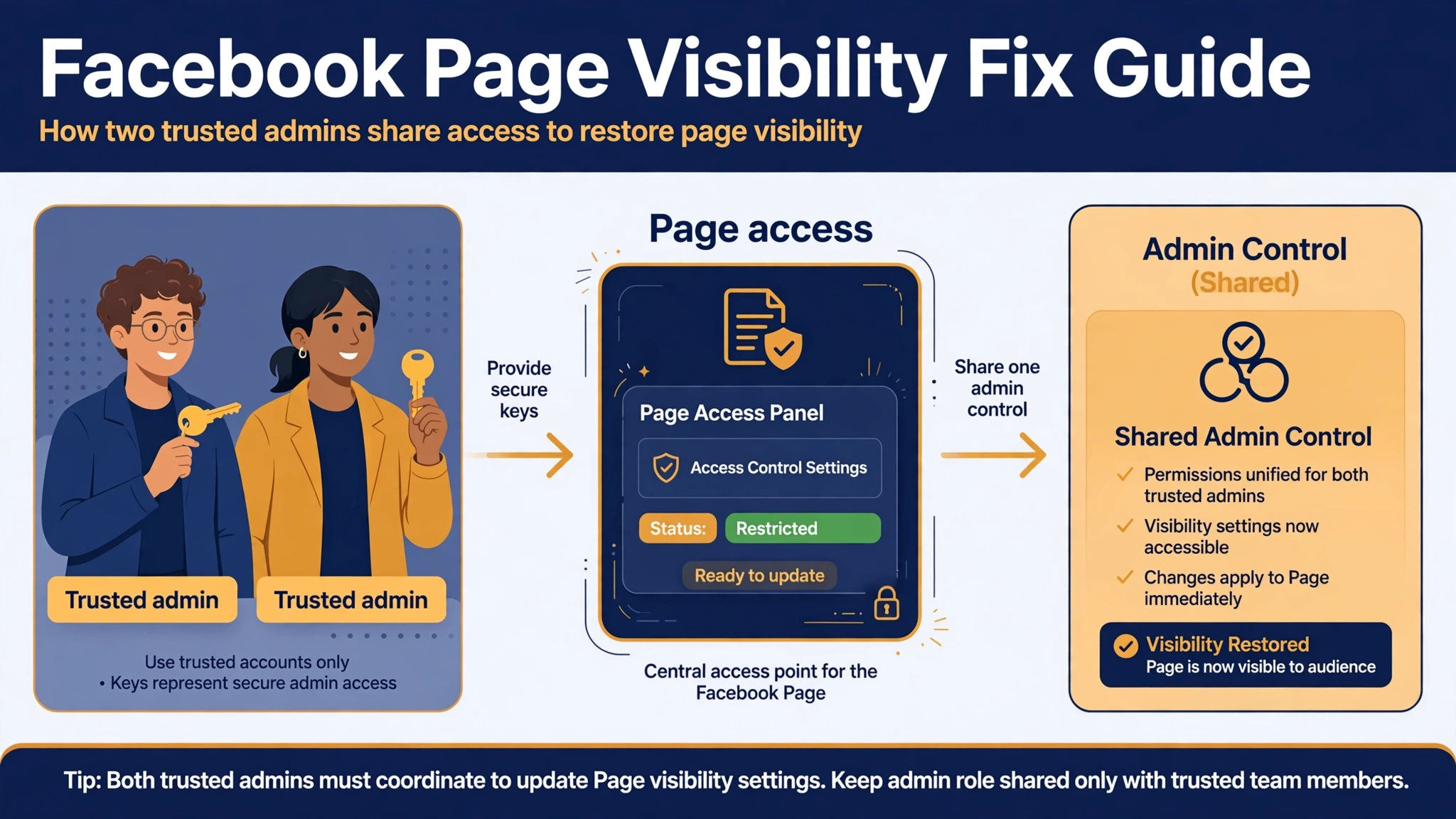
Admin access decides who can change visibility, and a lost or contested admin role is a common reason a page stays hidden. Open Settings, then Page roles or Page access, and confirm that at least one active, trusted person holds full control of the page. Look for roles held by former staff, old agencies, or personal accounts that nobody can now sign in to. A page whose only full admin is a locked account is a page nobody can properly fix.
Test roles by asking what each person can actually do, not by what their title says. A person listed as an admin should be able to open Settings and see the visibility control. A person who cannot see it does not hold the access you think they hold. If the owner account lost access after a password change, a hacked account, or a staff handover, recovery runs through the account recovery path for that personal profile, not through a page setting. That distinction matters, because no page toggle can restore a lost personal account.
Part of any effort to fix Facebook page not visible small business access problems is to clean up roles before you need them in an emergency. Remove full control from anyone who no longer works with the business, and keep at least two trusted people with full control where the business can support it. One admin is a single point of failure. If that person loses a phone, forgets a password, or leaves suddenly, the page can sit hidden while the business waits for account recovery. Two trusted admins cost nothing and prevent that exact delay.
Be careful with role changes during a policy case. Removing an admin who posted the content that drew the policy action does not erase the action, and adding a new admin does not reset it. Role cleanup is good hygiene, and it protects the page going forward, but it is not a shortcut around review. If Account Quality shows a violation, finish the appeal steps honestly rather than reshuffling roles and hoping the case disappears.
Check 5. The Profile Completeness and Search Test
Once settings and roles are clean, test whether the problem is ranking rather than hiding. Search Facebook for your exact page name, then for your business name plus your town, and note where the page appears. A page that loads by direct link but never appears in search is usually thin, new, or inactive, and the fix is to give search something solid to match.
Once settings are clean, the next step to fix Facebook page not visible small business search trouble is to complete the profile in full. Add a clear profile photo, a cover photo, a category that matches the business, an address, hours, a phone number, a website link, and a short description that uses the words customers actually search for. Add a call to action button that fits the business, such as Call Now, Book Now, or Visit Website. None of these steps alone will lift a page to the top of search, but together they move a page from the thin pile that search ignores into the complete pile that search can rank.
Activity matters as much as completeness. Publish a few solid posts that show real work, real premises, and real offers, and answer comments and messages promptly for a week. A page that posts nothing for months looks dormant to search and to visitors alike, and a dormant page will not outrank an active competitor with a similar name. You do not need daily posting to fix this. A short run of genuine posts, plus prompt replies, is enough to show the page is alive and maintained.
Check name confusion last. If another business shares your name, or a similarly named page ranks above yours, customers may be finding the wrong page and reporting yours as missing. Make your page name, category, and town as clear as the platform allows, and make sure your website and your other profiles link to the correct page address. A single wrong link, copied from an old profile, can send a steady stream of customers to a dead end while the real page sits healthy one click away.
The Appeal Checklist When a Policy Action Hides the Page
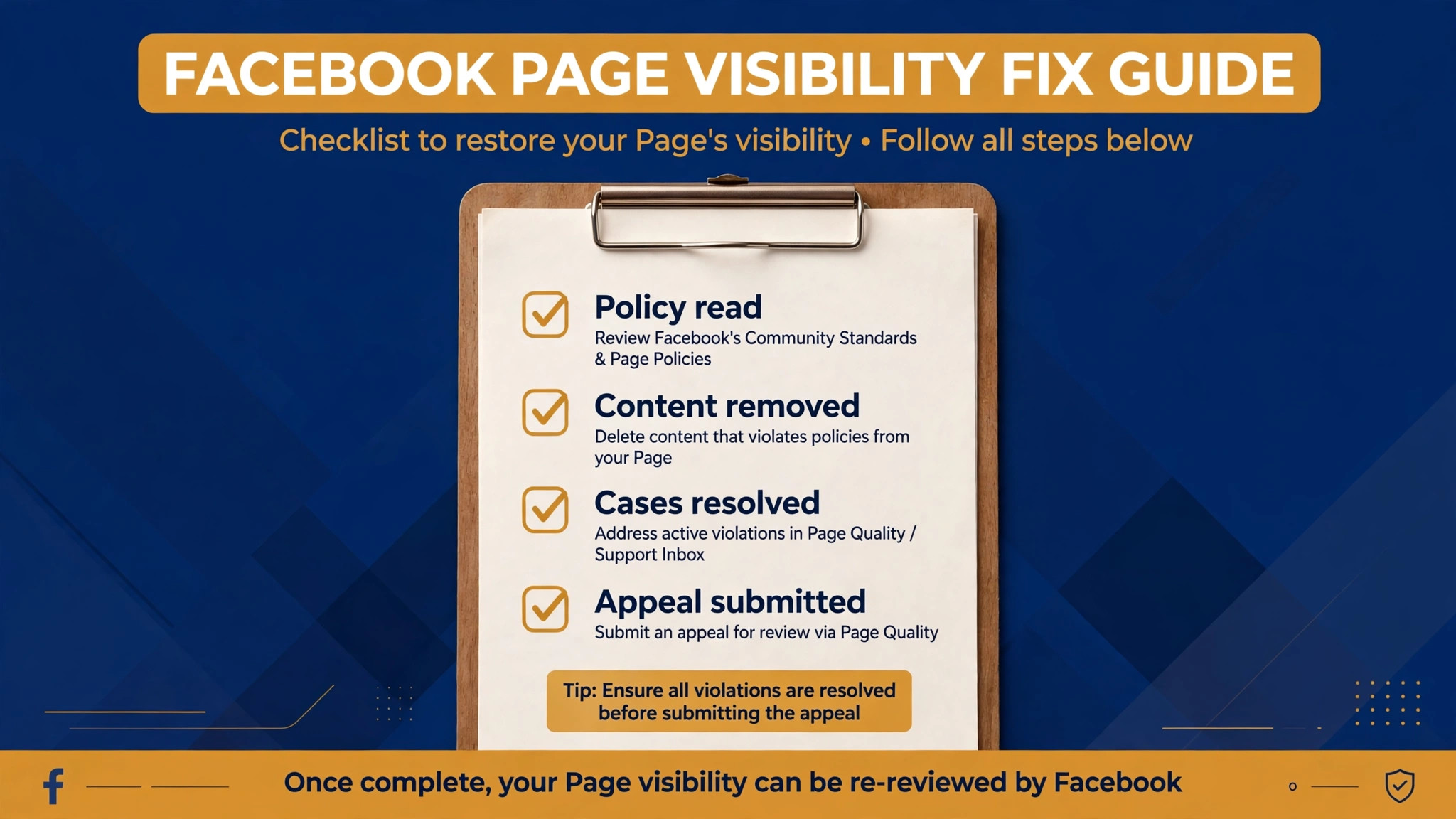
If Account Quality, the page inbox, or an email from Meta names a policy violation, switch from settings mode to appeal mode. Open Account Quality from the page or from the profile that manages it, read the exact violation, and note the date and the content named. A vague appeal that says please restore my page will fail, because reviewers need to see that you understood the specific rule and fixed the specific content.
Work through this checklist before you submit anything, because an attempt to fix Facebook page not visible small business policy trouble with a vague appeal will fail. First, read the full policy named in the notice, not just the headline. Second, remove or correct every post, photo, or ad that breaks that rule, including older posts that repeat the same problem.
Third, resolve any open cases, unpaid balances, or identity requests that sit alongside the violation, because a page with several open problems rarely comes back on a single appeal. Fourth, write a short, factual appeal that names the violation, explains what you removed or changed, and states what you will do differently. Keep it calm, keep it specific, and keep it short. Reviewers match evidence to the rule, and a long story about the business does not help them do that.
Submit through the official appeal path shown in Account Quality or in the notice itself, and submit once. Repeated appeals can slow review, and a second appeal that contradicts the first will hurt more than silence. After submission, watch the inbox and the email tied to the managing profile for the decision, and do not change the page in ways that muddy the record while review is open. If the appeal is refused, read the refusal carefully before deciding whether a further path exists, because some decisions are final and the honest next step is a fresh start with a compliant page rather than repeated filings.
Never promise yourself or a customer a date for an appeal decision that Meta has not given you. Timelines vary by case type and by queue, and a guide that guarantees a return in a set number of days is guessing. What you can control is the quality of the submission, the completeness of the cleanup, and the speed of your response to any follow up request. Those three things are what move a genuine case forward.
When to Escalate and What Not to Do
Escalate when the settings are clean, the roles are clean, the profile is complete, and the page still does not appear after a reasonable wait, or when Account Quality shows a violation you cannot resolve through the normal appeal path. Escalation in this context means using the official support path inside the platform, through the help centre and the support inbox tied to the page, with screenshots of each check and the dates you ran them. A support request that lists the checks you already ran gets a faster and more useful answer than one that simply says the page is gone.
Do not open a duplicate page to replace a hidden one while the original case is unresolved. A duplicate splits reviews, confuses customers, and can itself draw a policy action for impersonation or duplication. Do not buy followers, likes, or engagement to push a thin page up search results, because sudden artificial activity can trigger exactly the kind of review you are trying to avoid. Do not pay a third party who promises to restore the page for a fee, because the only legitimate path runs through the platform itself, and paid recovery offers are a common scam aimed at worried owners.
Do not delete the page in frustration. Deletion is permanent after the grace period, and it destroys the followers, reviews, and history that make the page worth recovering. A hidden page can usually be restored. A deleted page cannot. If you feel stuck, pause, keep the screenshots, and work the support path with the record you have built. That record is also useful if you later hand the problem to an agency or a colleague, because it shows what has already been ruled out.
Protect the business while the page is down. Pin the correct contact details and opening hours on your website, answer messages on your other channels, and tell regular customers where to find you. A short post on your other profile, or a note on your website, that says the page is temporarily unavailable and gives a phone number will save more customers than silence. The page problem is temporary in most cases. The customer you lose to silence may not come back.
Verdict. Fix the Setting First, Then Prove the Page Is Alive
Most attempts to fix Facebook page not visible small business trouble come back with a settings fix, not a fight. Check publication status, clear stray restrictions, confirm the page is not deactivated under its newer name, and make sure a trusted admin can actually reach the controls. Those four checks solve the majority of cases, and they cost an afternoon rather than a month. If the page still hides after those checks, the problem is either ranking or policy, and each of those has its own honest path forward.
The deeper lesson is worth keeping. A page is a business asset, and it needs the same care as a shopfront. Keep two trusted admins, keep restrictions clear, keep the profile complete, and keep a short record of settings changes. Do that, and the next time a customer says they could not find you, you will have a test result in minutes instead of a mystery that lasts weeks. For a small business, that speed is the difference between a lost customer and a recovered one.
Frequently Asked Questions About Fixing a Facebook Page
Why can I see my Facebook Page but my customers cannot?
Because admins see unpublished, deactivated, and restricted pages that the public cannot see. Sign out and load the page in a private browser window to see what customers see. If the page loads for you but not for them, check publication status first, then country and age restrictions, then admin roles.
How long does it take for a published page to appear in search?
A page that was unpublished usually loads by direct link within minutes of being republished. Search results can take longer to catch up, because search needs to reindex the page. Give it a few days of normal activity before judging search position, and use the direct link with customers in the meantime.
What is the difference between unpublished and deactivated on Facebook?
They are the same hide under two names. Older pages use the word unpublished, while pages on the newer Pages experience use deactivation, found under Settings, then Privacy, then Facebook Page visibility. Both hide the page from everyone except managers, both keep posts and followers intact, and both can be reversed.
Can country or age restrictions hide my whole page?
Yes. A country restriction hides the page from anyone outside the listed countries. An age restriction hides it from younger visitors and from anyone who is not signed in, because the platform cannot confirm their age. Clear any restriction that is not a deliberate legal decision, save, and test again while signed out.
What should I do if Facebook removed my page for a policy reason?
Read the exact violation in Account Quality, remove or correct every post that breaks that rule, resolve open cases and balances, and submit one short factual appeal through the official path. Name the rule, explain the fix, and state what will change. Do not file repeated appeals, and do not open a duplicate page while the case is open.
No, not while the original case is unresolved. A duplicate splits reviews and confuses customers, and it can draw its own policy action. Fix the original page through settings, ranking work, or appeal first. A new page is a last resort after a final refusal, built cleanly and with compliant content from the start.
More Reading on Stratilyze
– Fix a Facebook Ads Delivery Problem for a Small Business, plain text title, link not verified at writing time – Fix an Instagram Account Restriction for a Small Business, plain text title, link not verified at writing time – How to Grow a Small Business Facebook Page Without Paid Ads, plain text title, link not verified at writing time – Small Business Social Media Checklist for a Busy Owner, plain text title, link not verified at writing time