
The verdict is simple. If your unsubscribe rate stays above one percent across several sends, stop rewriting subject lines and fix the list, the frequency, and the promise you made at signup. Subject lines can move a single campaign by a small amount, but they cannot rescue a list that is being emailed too often, about the wrong topics, or to people who never clearly agreed to hear from you. That is the core finding behind any serious attempt to fix Mailchimp unsubscribe rate high small business trouble, and it shapes every step that follows.
A healthy unsubscribe rate for an opted in list is usually well under half a percent per campaign, with published Mailchimp benchmarks putting the all industry average near two tenths of a percent. Those numbers are a guide, not a pass mark for every business, because industries differ and a small list can swing wildly on a single campaign. The pattern matters more than any single send. A rate that climbs over a month, or that spikes after a change in frequency or content, is telling you something specific, and this guide helps you read that signal in order.
How to Fix Mailchimp Unsubscribe Rate High Small Business
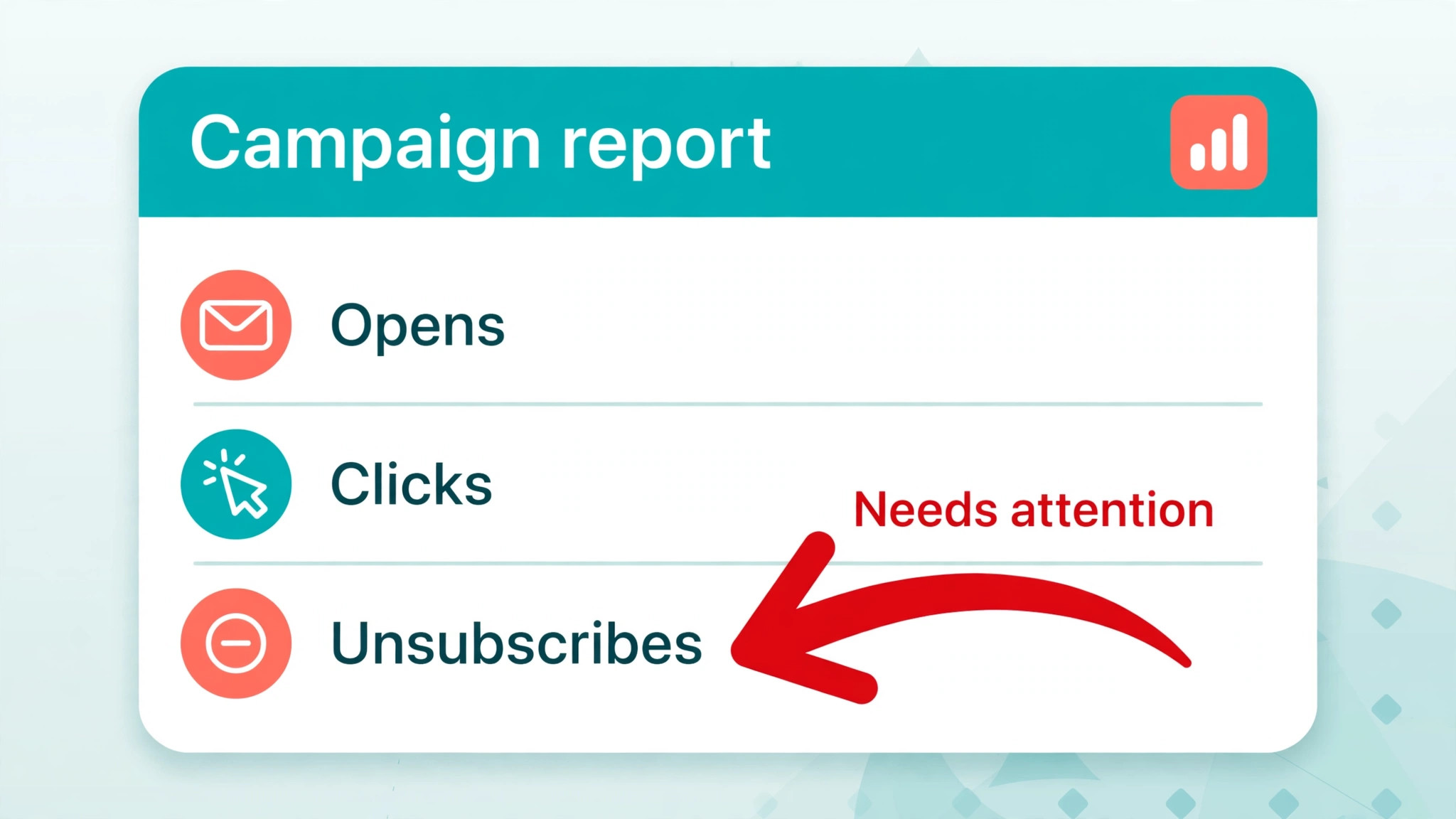
Start with the numbers before you change anything. Open the campaign reports in Mailchimp and compare unsubscribe rates across the last ten campaigns, noting the send date, the audience segment, the subject, and the frequency that week. A single high campaign after a long quiet period is different from a steady climb, and a spike in one segment is different from a spike across the whole list. Write those four details down for each campaign, because the diagnosis that follows depends on the pattern, not on the worst single number.
Also separate unsubscribes from other list losses. Bounces, spam complaints, and unsubscribes all shrink a list, but they have different causes and different fixes. A bounce problem points to list quality and old addresses. A spam complaint problem points to recognition, consent, and sender reputation. An unsubscribe problem, on its own, usually points to relevance, frequency, or a broken expectation. Check all three numbers together so you do not fix the wrong problem while the real one continues.
Step Diagnosis in Order for a Rising Unsubscribe Rate
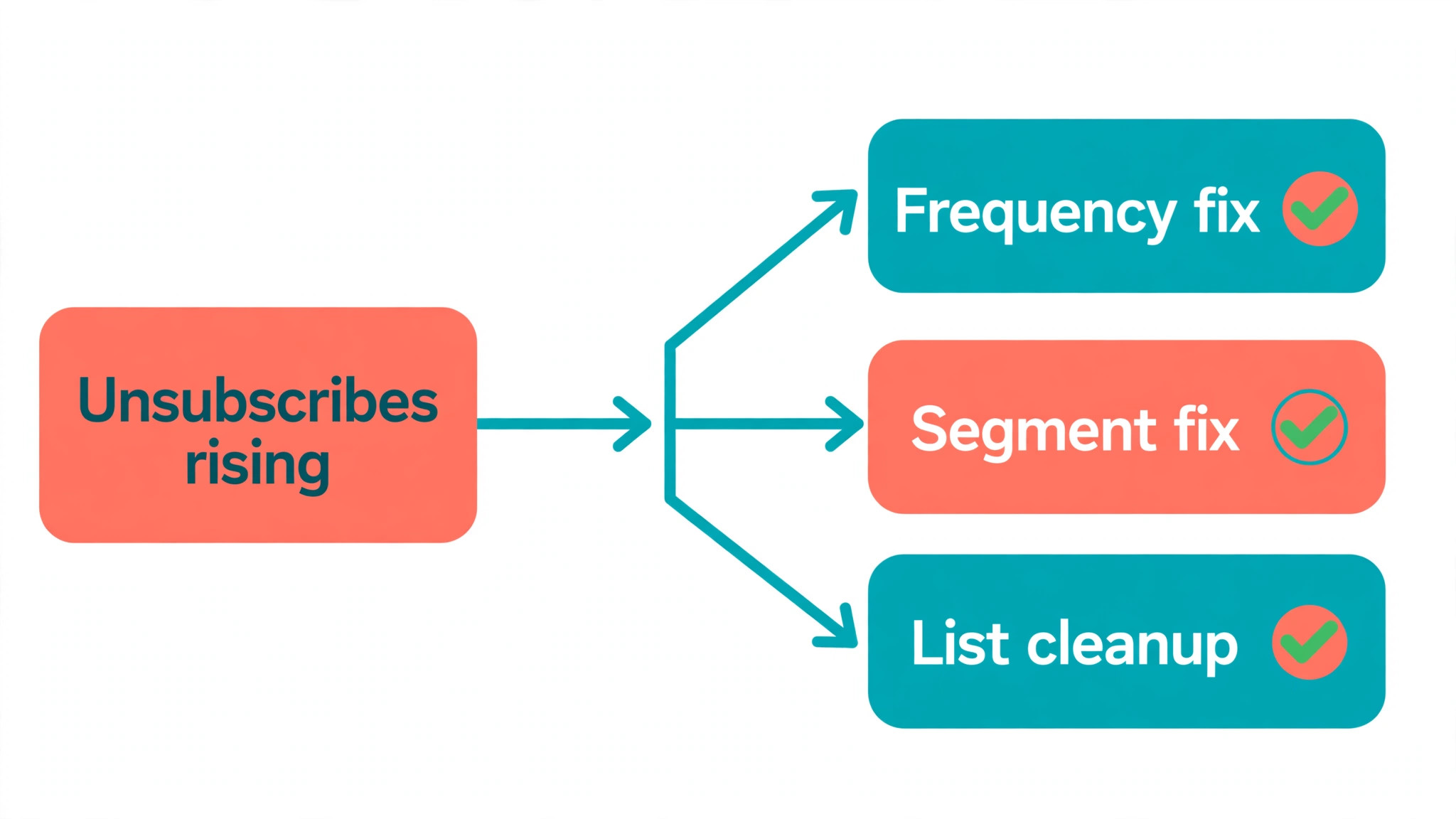
Work through these steps in order to fix Mailchimp unsubscribe rate high small business trouble, because the most common causes are also the easiest to check. A sudden change in what you send, how often you send, or who receives it usually explains a sudden spike. A slow climb usually points to list ageing, content drift, or a signup promise that no longer matches the emails. Stop at the first step that matches your pattern, fix it, and then measure the next two campaigns before moving on.
Step 1. Check Whether the Spike Follows a Change You Made
Compare the date of the spike with changes to send frequency, content type, sender name, and audience. A business that moves from one email a month to one a week will often see unsubscribes rise, because subscribers agreed to the old rhythm, not the new one. A business that switches from useful guides to frequent promotions will see the same effect, because the value of each email has changed even though the list has not. A change of sender name can also trigger unsubscribes, because subscribers who do not recognise the sender assume the email is unwanted.
If you find a change that lines up with the spike, reverse it or soften it before you try anything more complex. Return to the previous frequency for a month, or separate promotions from useful content into different sends so subscribers can choose. Tell subscribers plainly in the next email what has changed and why, because an unexplained return to normal can look like another change. Measure the next two campaigns at the old rhythm before judging whether the fix worked.
Step 2. Check List Quality and How Subscribers Joined
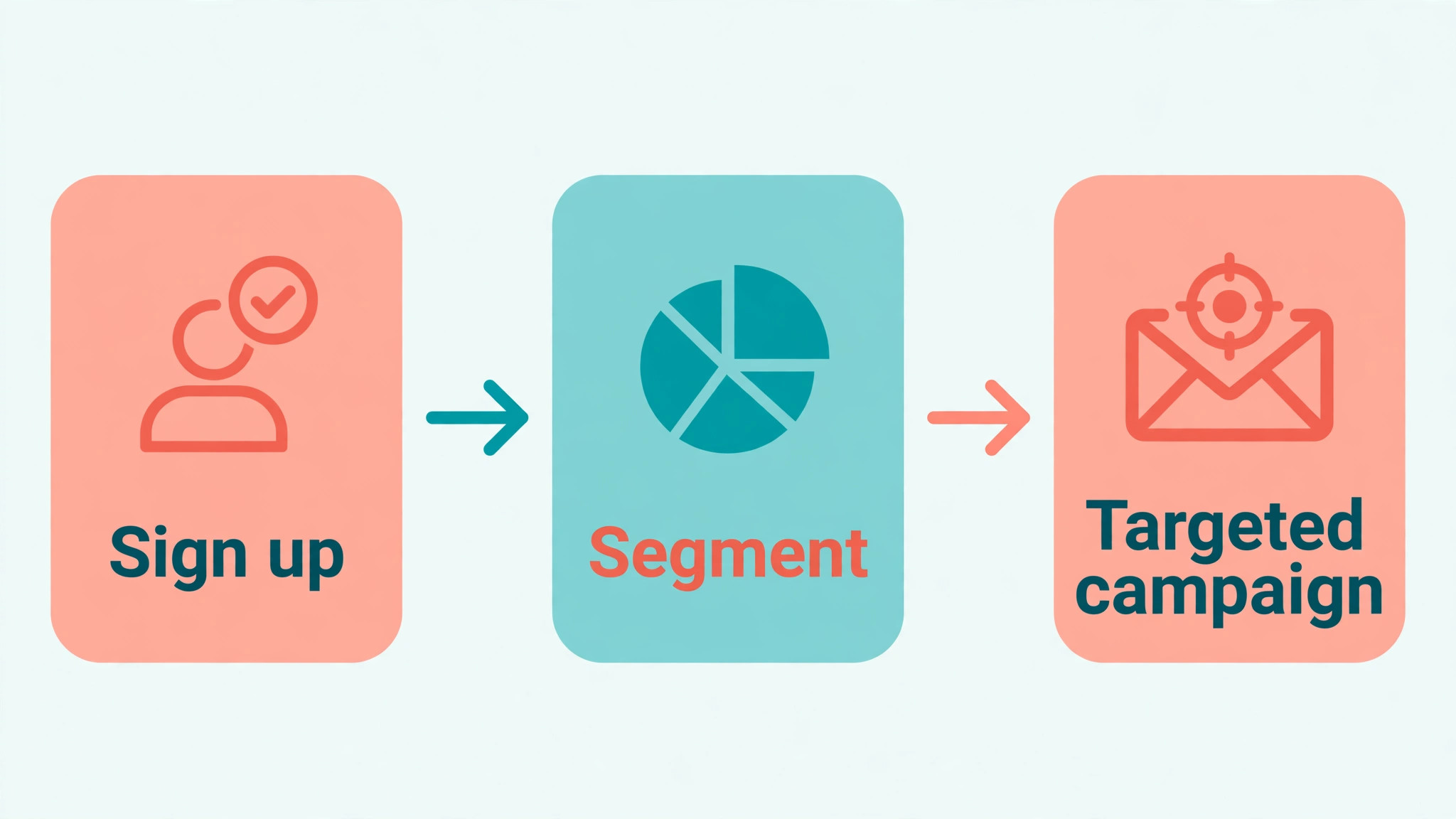
Open the audience in Mailchimp and look at how contacts joined. Subscribers who opted in through a clear signup form, a purchase, or a booking usually unsubscribe at a far lower rate than contacts added from a purchased list, a business card bowl, an event sheet, or an old spreadsheet. Purchased and borrowed lists are the worst case, because those people never asked for your emails at all, and no content fix will make them welcome. Remove any contacts who did not clearly opt in, and never add them back.
Check for old and inactive contacts as well. A subscriber who joined three years ago for a one time discount and has not opened anything since is not a prospect. That subscriber is a future unsubscribe waiting for a reason, and every email you send to that person risks a spam complaint instead of a quiet exit. Segment the list by last engagement, and run a re-engagement campaign for the oldest segment before you keep mailing them at full frequency. Those who do not respond can be archived, which protects both your rate and your sender reputation.
Step 3. Check Frequency Against What You Promised at Signup
Read your own signup form as a new subscriber would. Does it promise a weekly newsletter, a monthly update, or occasional offers. Does it name the topics you will cover. Now compare that promise with what you actually sent in the last month. A gap between promise and delivery is one of the most reliable causes of unsubscribes, because subscribers judge each email against the expectation they formed at signup, not against your current marketing plan.
Fix the gap from both sides. Change the signup form so it states the real frequency and the real topics, and change the sending plan so it honours the promise already made to existing subscribers. If you want to send more often, offer the higher frequency as an opt in choice rather than imposing it on the whole list. A subscriber who chooses weekly emails will tolerate them far better than a subscriber who signed up for monthly emails and suddenly receives four a week.
Step 4. Check Relevance by Segment, Not by Whole List
A list wide unsubscribe rate hides the fact that different segments behave very differently. Break the last few campaigns down by segment, by signup source, and by purchase history, and look for the segment that drives the spike. A new product announcement sent to the whole list will often cause unsubscribes among subscribers who bought a different product or who joined for a different topic, while the target segment barely reacts. The fix is not better writing for everyone. It is narrower sending to the people the message actually serves.
Build segments around signup intent, purchase history, and engagement, and send each campaign only to the segments it genuinely helps. A restaurant sending a lunch offer to dinner only subscribers, or a shop sending a winter range to customers in a warm climate, will lose subscribers who feel the emails are not for them. Smaller, better targeted sends usually produce fewer unsubscribes, higher opens, and more sales per email, even though they reach fewer people at once. That trade is worth making for a small business with a list it cannot afford to burn.
Step 5. Check the Unsubscribe Experience Itself
Open an actual campaign email and click the unsubscribe link as a subscriber would. Confirm that the link works, that it leads to a clear confirmation, and that the subscriber is removed promptly. A broken or confusing unsubscribe flow does not reduce unsubscribes. It converts them into spam complaints, which damage sender reputation far more than a clean unsubscribe ever will. Mailchimp provides an unsubscribe link in the footer of campaigns, and that link must remain visible and working in every template you use.
Consider adding a preference centre or an opt down option on the unsubscribe page, so a subscriber who wants fewer emails can choose that instead of leaving entirely. Offer a monthly digest, a promotions only option, or a pause for a set period, depending on what your business can actually deliver. Industry experience suggests that a clear opt down option saves a meaningful share of subscribers who would otherwise leave, because many people do not dislike your business. They dislike the current volume. Make that choice easy to find, and honour it immediately.
Step 6. Check Content Value in the First Screen of Each Email
Open your last five campaigns and read only the first screen of each, as a busy subscriber would. Does the opening make clear what the subscriber gains by reading on, or does it start with a general announcement about the business. Subscribers unsubscribe when the first screen repeatedly fails to repay their attention, not when a single email disappoints them. A pattern of weak openings, repeated promotions, or content that could have come from any business in your industry will steadily drain the list.
Fix the opening by leading with a specific benefit, a useful answer, or a clear choice for the reader. Cut the general introduction, put the most useful point first, and make sure each email contains at least one thing the subscriber could not easily find elsewhere. Test one change at a time across two campaigns, such as a shorter opening or a single clear offer instead of five, and compare unsubscribe rates alongside opens and clicks. A change that lowers unsubscribes while also lowering clicks may simply be boring, so judge the whole report, not one number alone.
Step 7. Check Deliverability, Authentication, and Sender Recognition
A subscriber who does not recognise the sender, or who finds the email in spam, is more likely to unsubscribe or to report it as spam. Check that your sender name matches the business name subscribers know, that the sender address uses your own domain rather than a free mailbox, and that domain authentication is set up for Mailchimp sending. Authentication records for the sending domain, including the sender policy and domain keys records, help mailbox providers trust the email, and Mailchimp provides settings and checks for them in the domain authentication area.
Also check the reply address and the footer. A footer that clearly names the business, explains why the subscriber is receiving the email, and gives a working unsubscribe link builds trust, while a vague footer builds suspicion. If subscribers joined through a partner, an event, or a booking system, remind them of that connection in the first emails after signup, so the sender is recognised rather than surprising. Recognition is a quiet factor in unsubscribe rates, and it is often fixed with a single line of honest context.
Step 8. Check for a One Time Event Behind the Spike
Some spikes have nothing to do with your regular sending. A campaign sent to a reactivated old list, a joint promotion with a partner, a seasonal sale to the whole list, or a mistaken send to the wrong segment can all produce a one time jump. Check the campaign report for the spiking send and compare its audience, its subject, and its timing with the sends around it. If only that campaign spiked and the next campaigns returned to normal, treat it as an event, not a trend, and fix the event rather than rebuilding the whole strategy.
A mistaken send deserves a plain apology in the next email, without excuses and without a new promotion attached. A partner promotion deserves a clearer introduction next time, so subscribers understand why they are hearing from a new name. A seasonal sale deserves a separate segment for bargain hunters, so the regular list is not flooded with offers it did not ask for. Naming the event honestly in your own notes also helps, because a spike that is not explained will be misread as a trend the next time someone looks at the report.
List Health Checklist for Mailchimp
Use this checklist monthly to fix Mailchimp unsubscribe rate high small business trouble, and use it in full after any campaign that spikes above one percent. It is designed to be copied into a staff document, and each item should be checked on the live audience rather than assumed from memory.
Confirm no purchased, borrowed, or scraped contacts remain on the list, and that every contact has a clear signup source recorded.
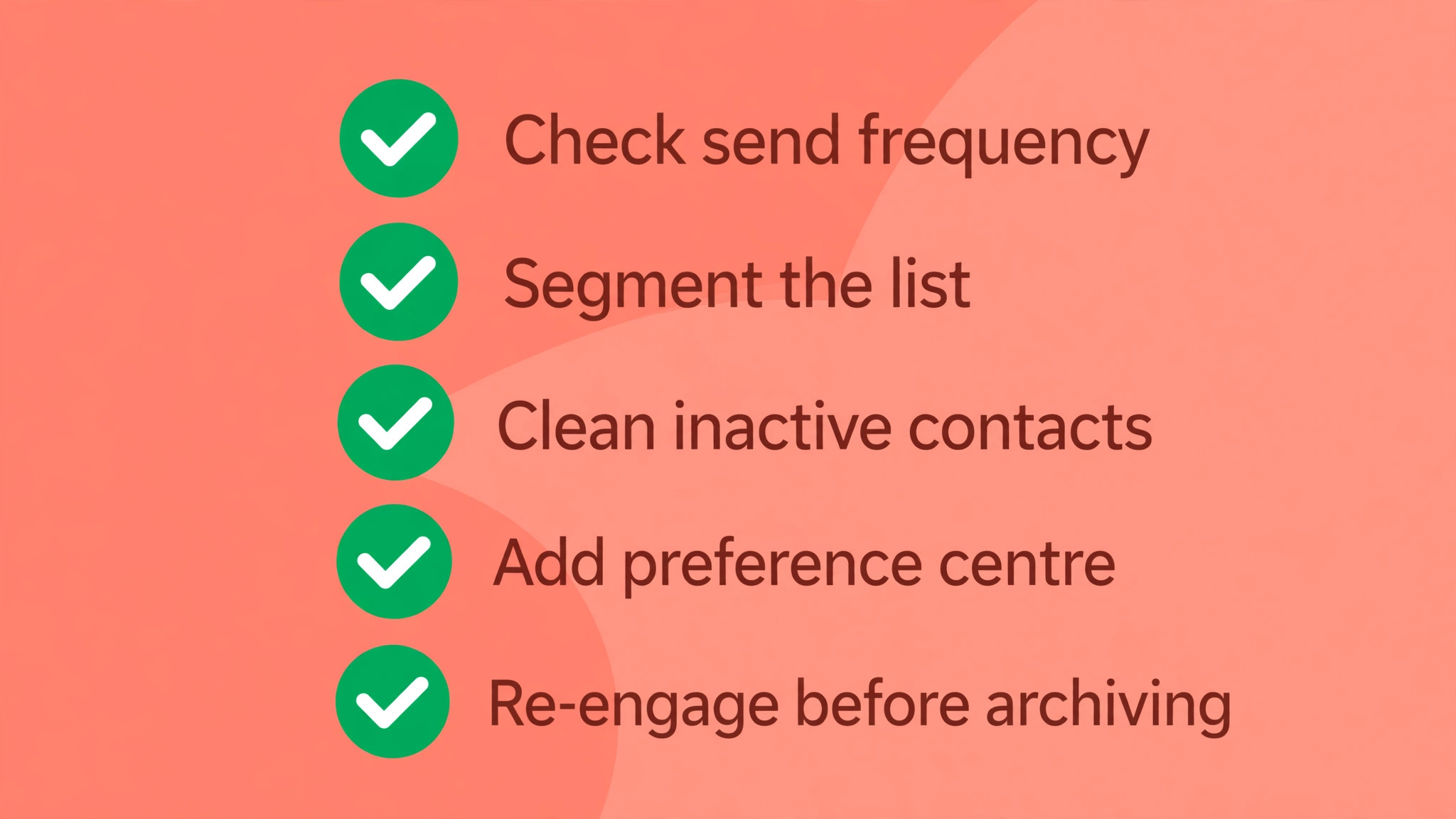
Confirm the signup form states the real frequency and the real topics, and that recent sends match that promise.
Confirm send frequency for each segment, and that no segment received more emails last month than it was promised.
Confirm the unsubscribe link works in the live template on desktop and on mobile, and that removals are processed promptly.
Confirm a preference centre or opt down choice is offered on the unsubscribe page, with frequency and topic options the business can honour.
Confirm the list is segmented by signup intent, purchase history, and engagement, and that campaigns go only to relevant segments.
Confirm inactive contacts are identified by last engagement, re-engaged once, and then archived if they do not respond.
Confirm bounce and spam complaint rates are checked alongside unsubscribes, so a list quality problem is not mistaken for a content problem.
Confirm sender name, sender domain, and domain authentication are set up and recognised by subscribers.
Confirm the footer names the business, explains why the subscriber receives the email, and carries a working unsubscribe link.
Confirm campaign reports are compared across at least ten sends, so a single spike is not mistaken for a trend.
Confirm any spike is matched against changes in frequency, content, audience, and sender name before a strategy change is made.
Build a Preference Centre That Actually Saves Subscribers
A preference centre is only useful when you fix Mailchimp unsubscribe rate high small business problems if it offers choices a subscriber wants and the business can keep. Start with three choices that cover most exits. Offer frequency, such as weekly or monthly, offer topics, such as offers, guides, or news, and offer a pause, such as no emails for thirty days. Each choice must work the day it is offered, because a subscriber who chooses monthly and still receives weekly emails will leave with more frustration than before.
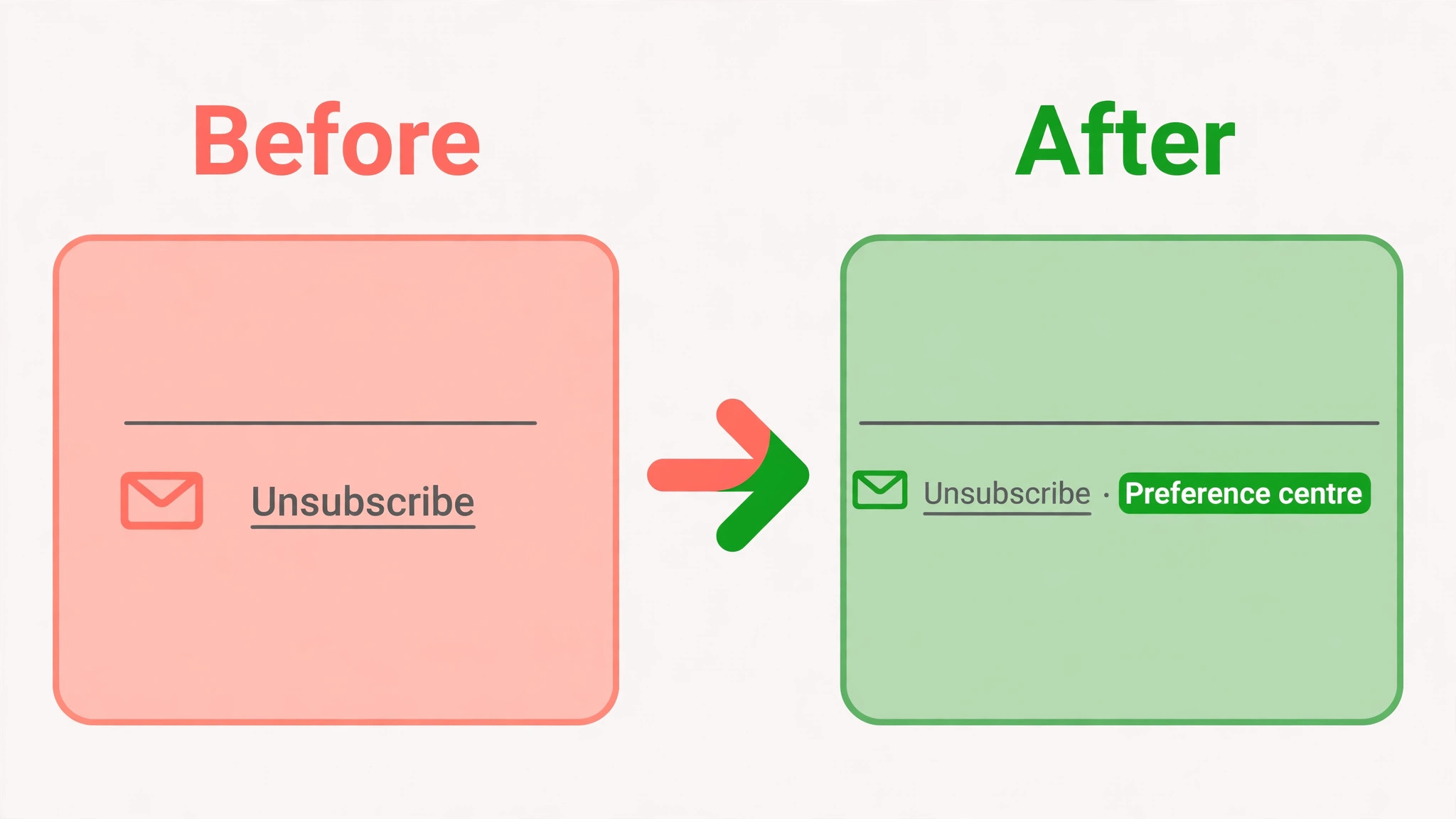
Place the preference link where subscribers look for it. Put it in the email footer beside the unsubscribe link, mention it on the unsubscribe page itself, and link to it from the welcome email so new subscribers know it exists before they ever consider leaving. Test the page on a phone, because most subscribers will open it there, and confirm that each selection saves and that the next campaign respects it. A preference centre that is hard to find, or that does not work, is worse than none at all, because it promises control and then removes it.
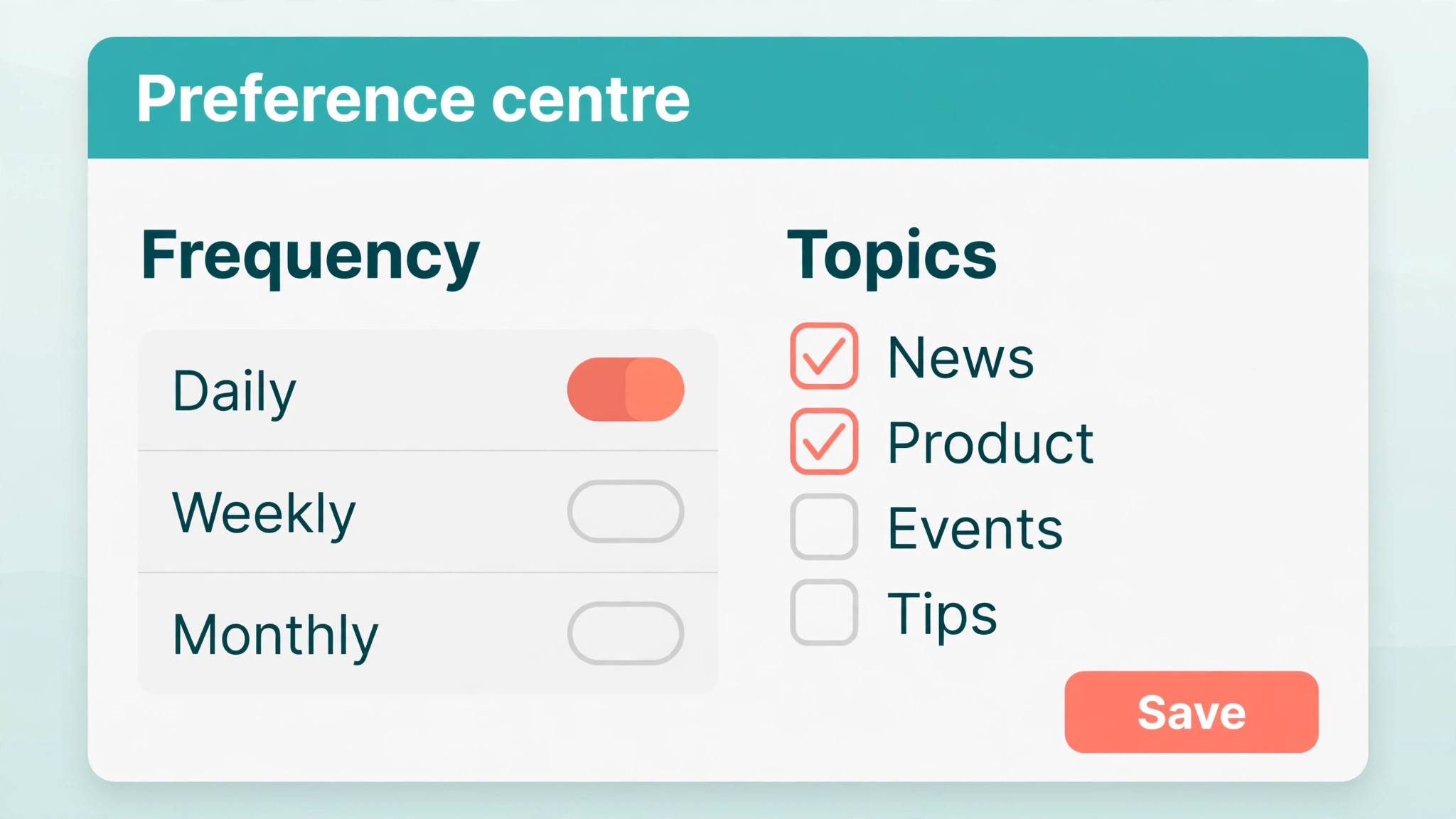
Measure the preference centre by how many subscribers choose an opt down instead of a full unsubscribe, and by whether those subscribers stay engaged over the next three months. An opt down that saves a subscriber who then never opens again has not really saved anything, while an opt down that keeps a monthly reader engaged has protected real value. Review the choices quarterly and remove options nobody uses, because a long list of stale topics is as confusing as no choice at all. Keep the centre simple, honest, and maintained, and it will do more for the unsubscribe rate than any subject line test.
Re-engage Before You Archive, and Archive Without Guilt
Re-engagement is the bridge between keeping a list healthy and deleting contacts that no longer belong on it. Send the inactive segment a short series of emails that asks plainly whether they still want to hear from you, and that offers a clear choice to stay, to receive fewer emails, or to leave. Make the stay action a single click, and make the leave action just as easy, because a re-engagement campaign that traps subscribers will produce complaints rather than renewals.
Set a clear rule in advance for who gets archived. A common rule for a small business is to archive contacts who have not opened or clicked in six months and who do not respond to a re-engagement series, while keeping recent buyers and recent enquirers on a longer timeline. The exact period matters less than having a rule and applying it consistently, because a list that is never cleaned will always drift toward higher unsubscribe and bounce rates. Archiving is not losing customers. It is removing addresses that were never going to buy, so the remaining list can be measured and mailed honestly.
After archiving, compare the next campaigns with the period before cleaning. Opens and clicks will usually rise as a percentage, because the denominator is now real subscribers rather than a mix of real and dormant addresses. Unsubscribes as a percentage may also fall, because the most likely leavers have already gone. Do not be tempted to win back archived contacts with a sudden large send, because that send will recreate the exact problem the cleanup solved. If a former subscriber returns through a new signup, welcome them as a new subscriber with the current promise and frequency.
What a Small Business Should Mail Instead of More Promotions
Many unsubscribe problems that force a business to fix Mailchimp unsubscribe rate high small business trouble come from a list that only ever receives promotions. A subscriber who joined for advice, for a local guide, or for product help will tire of a stream of discount codes, even if the discounts are genuine. Mix the sending plan so that promotions are a minority of emails, and the majority give the subscriber something useful without asking for a purchase. A short guide, a seasonal tip, a customer question answered well, or a behind the scenes note about the business can all hold a list together between sales.
Plan the mix in advance rather than deciding it week by week. A simple monthly plan might include one useful guide, one customer story or question, one new product note, and one promotion, in that order, so subscribers learn that most emails repay their attention. That rhythm also makes promotions more effective, because they arrive in a list that is still listening rather than in a list that has learned to ignore every email. For a wider view of email tools and list practice, see our guides to the best email marketing software for restaurants and to Mailchimp alternatives, and for cost planning, see the cost of Mailchimp for a small business.
Segment the useful content as well as the promotions. A guide that helps one segment may bore another, so send each guide to the segment that asked for that topic, either by signup choice or by purchase history. That extra step takes time, but it is the difference between a list that feels personal and a list that feels broadcast. A small business cannot outsend a large competitor on volume, but it can outsend them on relevance, and relevance is what keeps subscribers from leaving.
Measure the Next Ten Campaigns Before You Judge the Fix
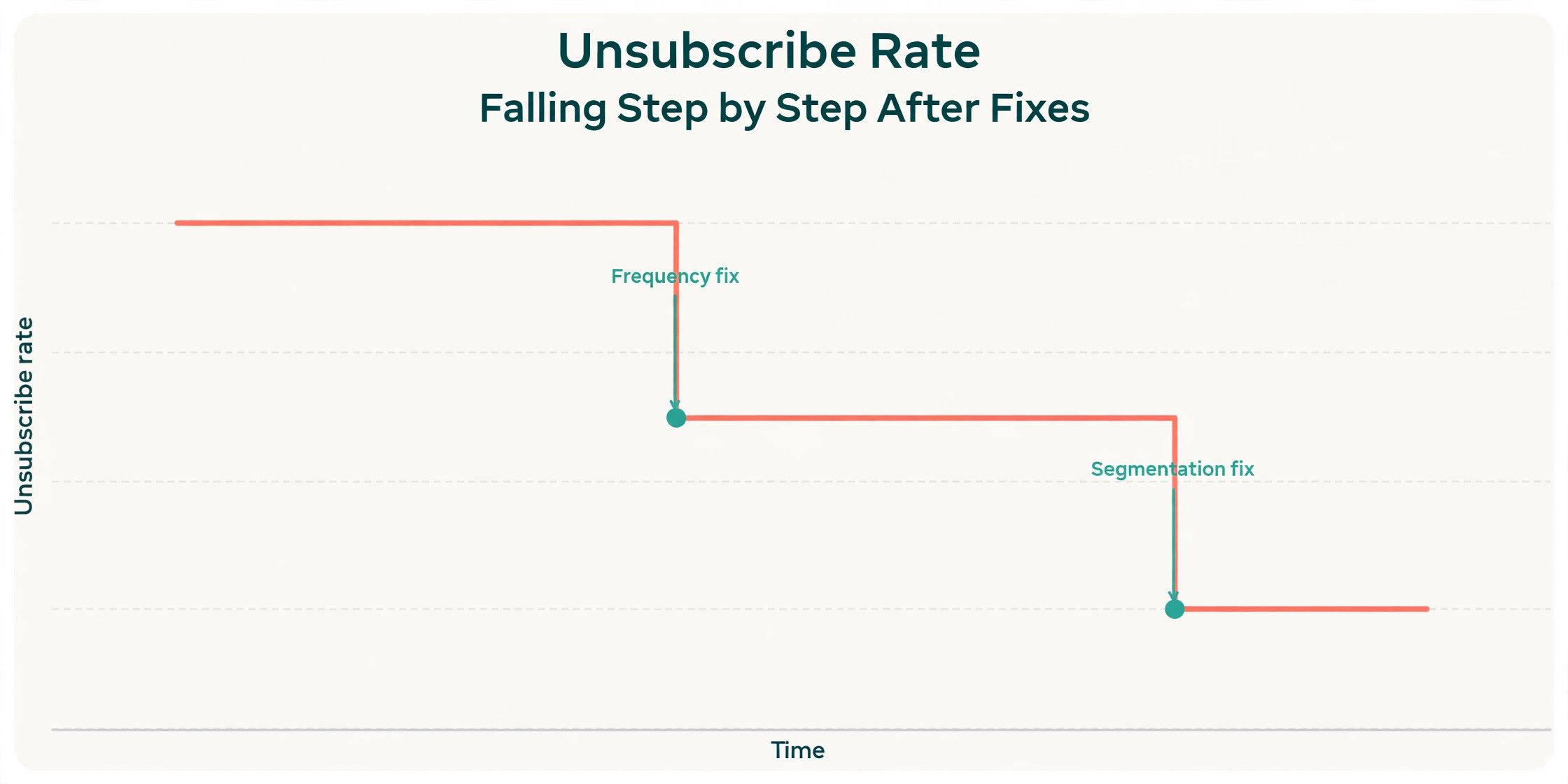
A single good campaign after a fix proves very little, because one campaign can improve by chance, by season, or by a smaller audience. Judge the fix across the next ten campaigns, using the same measures you used for diagnosis. Record the unsubscribe rate, the bounce rate, the spam complaint rate, the open rate, and the click rate for each send, along with the segment and the frequency that week. A real improvement will show as a lower unsubscribe rate across most of those ten sends, not as one excellent result followed by a return to the old pattern.
Compare the new ten campaigns with the previous ten, segment by segment, rather than comparing one list wide average with another. A fix that helps the main segment but hurts a smaller segment may still be worth keeping, but you should know that trade before you lock the change in. If a segment still unsubscribes at a high rate after the fix, that segment needs its own diagnosis, because it may have a different signup promise, a different topic expectation, or a different frequency tolerance from the rest of the list.
If the rate does not improve after ten campaigns, return to the diagnosis in order and check the step you may have skipped. The most commonly skipped step when you fix Mailchimp unsubscribe rate high small business problems is the signup promise itself, because it requires changing a form and a sending plan rather than changing an email. Check that form again, read it as a new subscriber, and ask whether the emails of the last month would have matched the expectation it sets. If they would not, that gap is still the cause, no matter how good the latest campaign looked.
Frequently Asked Questions About Mailchimp Unsubscribes
What is a good unsubscribe rate in Mailchimp
Published Mailchimp benchmarks put the all industry average near two tenths of a percent per campaign, and a rate under half a percent is generally considered healthy for an opted in list. Treat those figures as a guide rather than a strict pass mark, because industries differ and small lists swing more on a single campaign. Judge the pattern across ten campaigns, and act when the rate climbs steadily or stays above one percent across several sends.
Why did my unsubscribe rate spike on one campaign only
A single campaign spike usually follows a specific change in that send, such as a new audience, a higher frequency that week, a partner promotion, a seasonal sale to the whole list, or a mistaken send to the wrong segment. Compare the spiking campaign with the sends around it on audience, frequency, subject, and sender name, and fix the event that stands out. If the next campaigns return to normal, treat the spike as an event rather than rebuilding the whole strategy around it.
Should I remove unsubscribers or try to win them back
Respect an unsubscribe immediately and do not email that address again from the same list, because mailing an unsubscribed contact risks complaints and account trouble. Offer an opt down or preference choice at the moment of unsubscribing, so a subscriber who wants fewer emails can choose that instead, but once the unsubscribe is confirmed, let the contact go. Winning back is done through a new, clear signup in future, not through further emails to an address that has opted out.
Does cleaning my list lower my unsubscribe rate
Cleaning removes dormant and invalid contacts who are most likely to unsubscribe or bounce, so the rate for the remaining real subscribers often improves, and open and click percentages usually rise as well. Cleaning alone will not fix a frequency or relevance problem for active subscribers, so pair it with a sending plan that matches the signup promise. Clean monthly, re-engage before archiving, and measure the next few campaigns against the period before cleaning to judge the effect honestly.
How often should a small business email its list
The right frequency is the one promised at signup and kept consistently, rather than a universal number. Many small businesses do well with one useful email a week or one to two a month, depending on the industry and the value of each send. Test a change in frequency for a month, measure unsubscribes alongside opens and sales, and let subscribers choose a lower frequency through a preference centre rather than imposing a higher one on the whole list. Consistency matters more than intensity.
Is a high unsubscribe rate bad for deliverability
A high unsubscribe rate on its own is less damaging than a high spam complaint rate or a high bounce rate, but all three together signal to mailbox providers that the list is unhappy or poorly maintained. A list that steadily loses subscribers will also shrink the audience for future campaigns, which hurts revenue even when deliverability holds. Treat a rising unsubscribe rate as an early warning, fix list quality and relevance first, and watch complaints and bounces alongside it.
A Closing Verdict for a List That Keeps Shrinking
A list that keeps shrinking is not asking for cleverer subject lines. It is asking for fewer, better emails sent to the right people for reasons they recognised when they signed up. That is the verdict this guide returns to, because it is the pattern behind almost every sustained unsubscribe problem a small business faces.
Fix the signup promise, fix the frequency, clean the list, segment the sends, and give subscribers a real choice to receive less instead of leaving entirely. That sequence is the practical way to fix Mailchimp unsubscribe rate high small business trouble, and it works because it addresses the cause rather than the symptom. For comparison work when you consider a change of platform, see our guides to Mailchimp versus Klaviyo and to moving from Mailchimp to Klaviyo, and for a related audience problem, see the Mailchimp audience sync fix. Do those things in order, measure the next ten campaigns, and the unsubscribe rate will tell you, honestly, whether the list is healthy again.