
The verdict first. Most small business channels that lose monetization do not lose it because one video was bad. They lose it because a pattern across the channel reads as reused or mass produced, and the appeal fails because it argues about single videos instead of showing the human work behind the whole channel. If you want to fix YouTube monetization disabled small business trouble, start with that pattern, not with the video you like most. The appeal that wins is the one that proves, on camera, how the content is made and what original value it adds.
That verdict shapes everything below. First you will name your exact status, because paused, disabled, rejected, and permanently disabled follow different clocks. Then you will read the policy violation as written, audit the channel for reused and inauthentic content, and build a short video appeal that shows your creation process with real examples. Then you will clean the channel in the right order, protect revenue while you wait, and prepare a reapplication that does not repeat the pattern. Appeals are decided by YouTube, and no guide can promise a return. What you can control is whether reviewers see a channel that understood the rule and changed.
Before you touch a video, capture the record. Screenshot the monetization notice in Studio, including the date, the policy named, and the appeal deadline shown beside the start appeal control. Note whether the notice says the suspension is scheduled or already in effect, because that changes your window. Save the channel URL, the subscriber count, and a list of your most recent uploads. That record keeps you honest about deadlines, and deadlines are the one part of this process that does not forgive a slow start.
Name Your Exact Status Before You Fix YouTube Monetization Disabled Small Business Cases
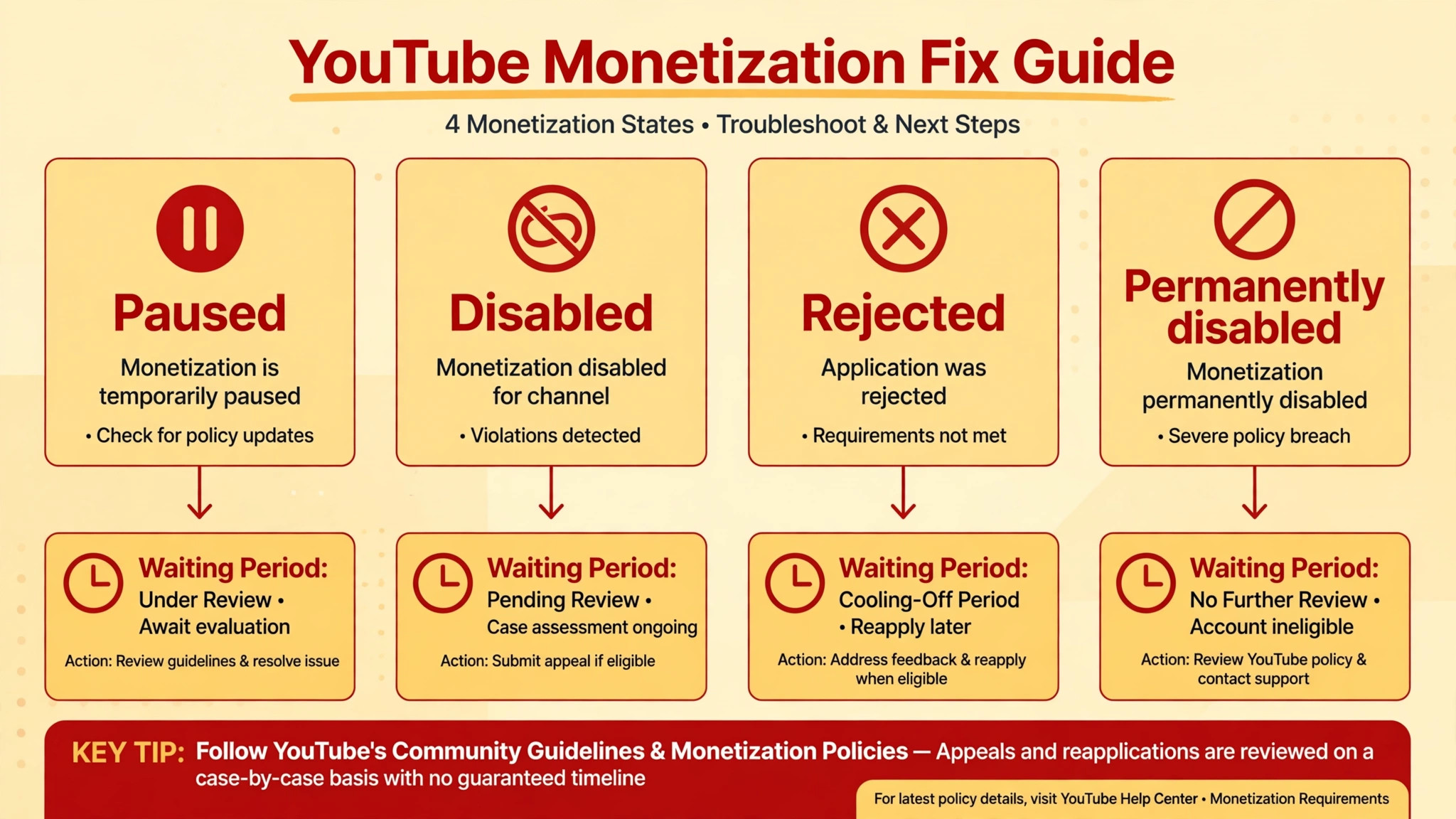
Monetization trouble comes in four forms, and confusing them wastes the appeal window. Paused monetization usually means an AdSense for YouTube account needs linking or approval, and it is not a policy removal. Disabled or suspended from the Partner Programme means YouTube removed the channel for a policy reason. Rejected means an application to join failed review. Permanently disabled means a severe violation closed the path, with no appeal offered. Each form has its own next step, and the table below keeps them straight.
| Status you see | What it means | Clock that applies |
|---|---|---|
| Paused | AdSense link or approval missing | Fix the link, no appeal window |
| Disabled or suspended | Removed from the Partner Programme for policy reasons | Appeal within 21 days of suspension |
| Scheduled suspension | Suspension announced but not yet in effect | Appeal within 7 days to pause it during review |
| Application rejected, first time | Reviewers found policy problems | Appeal within 21 days, reapply after 30 days |
| Rejected again or suspended, then refused | Significant part of channel breaks policy | Reapply 90 days after suspension or rejection |
| Permanently disabled | Severe violations | No appeal offered |
Open the Earn section in Studio and read the status in YouTube own words, because any effort to fix YouTube monetization disabled small business trouble that starts from a forum summary instead of your own screen risks missing the deadline. Do not rely on a summary from a forum or a video about someone else case, because the words on your screen decide your window.
If a start appeal control is shown, note the date beside it and treat that date as firm. YouTube states that teams respond to appeals within 14 days, and that a successful appeal leads to approval or reapproval within 30 days. Those are YouTube stated aims, not a promise for your case, but they give you a realistic frame for planning revenue while you wait.
YouTube Studio Earn Tab
The Earn tab is where status, deadlines, and the appeal control live, so make it the first screen you check and the screen you screenshot. If the tab shows a policy name, copy that name exactly into your case notes. If it shows an AdSense problem instead of a policy problem, your fix is a link or approval step, not a content appeal, and filing a content appeal will waste time. Status first, content second, appeal third. That order prevents the most common error in demonetization cases.
Read the Policy Violation as Written
YouTube monetization policies judge the channel as a whole, so a few borderline videos can put the entire channel at risk even when most videos are fine. Read the violation in full, then read the policy area it names, and write down in plain words what the rule forbids. Reused content means repurposing material from YouTube or elsewhere without adding significant original commentary, substantive modification, or educational or entertainment value. Inauthentic content, renamed from repetitious content in July 2025, means mass produced or repetitive material, including content made with generic templates that adds little that is new.
Test your understanding against real examples from your channel. A compilation of clips stitched together with little narrative fits the reused description. A reaction video where you are visible, explain what you added, and give genuine commentary fits the allowed side, because the commentary is the value. A reading of material you did not write, with no added explanation, fits the reused side. A tutorial where you film your own process, explain each step, and show the result fits the allowed side, because the filming and the explanation are original work. If you cannot place your own videos confidently on one side or the other, that uncertainty is itself a finding, and the audit below will resolve it.
Note the difference between a copyright problem and a monetization policy problem, because they follow different paths. A copyright strike is about ownership of specific material. A reused content finding is about whether you added enough original value, even when the material was legal to use. A channel can therefore hold full rights to clips and still fail the reused policy, because legality is not the same as originality. That distinction surprises many small business owners, and it explains why deleting a flagged clip alone rarely fixes the case.

Audit Reused Content Across the Whole Channel
Work through uploads from newest to oldest, and sort each video into three piles. Original means filmed or created by you, with your commentary, your process, or your explanation carrying the video. Transformed means outside material is present but clearly changed by your editing, narration, or teaching. Reused means outside material carries the video while your addition is thin, such as a short intro, a watermark, or a caption. Be strict with the middle pile, because reviewers are strict with it, and a video you call transformed that a reviewer calls reused weakens the whole appeal.
| Video type on your channel | Likely reading | Action before appealing |
|---|---|---|
| Your own filmed tutorial or shop process | Original, supports the channel | Keep, use as an appeal example |
| Reaction or review with visible commentary | Transformed, if commentary is substantial | Keep, note the commentary added |
| Compilation with little narration | Reused, high risk | Edit substantially or remove from the reapplication set |
| Slideshow of stock clips with music | Reused or inauthentic, high risk | Remove or rebuild with original footage |
| Reading of outside articles with no added teaching | Reused, high risk | Remove or rewrite as your own explanation |
| Mass produced template videos on one topic | Inauthentic, high risk | Stop the series, rebuild with varied original work |
Count the piles when you finish, since a plan to fix YouTube monetization disabled small business trouble must face the size of the reused pile honestly before the appeal is written. If reused and inauthentic videos form a significant part of the channel, say so in your own notes, because the appeal must address the channel as a whole rather than praising a few good videos.
YouTube reviews appeals against the channel in its current state, so do not delete videos before submitting the appeal in a way that hides the record. The guidance from YouTube is clear on this point. Reviewers assess the channel as it stands when they review, which means deletion before appeal can remove the very evidence that shows what changed. Edit, unlist, or rebuild thoughtfully, and keep a log of every change with dates, so the appeal can describe the cleanup honestly.
Look beyond videos too. Check thumbnails, titles, and descriptions for copied claims, and check playlists that present other creators work as if it were your catalogue. A channel page that looks like a collection of other people work will read that way to a reviewer, even if each video alone seems defensible. The channel page is the first thing a reviewer sees, and it should show your face, your process, your premises, or your products within seconds of opening it.

Audit Inauthentic and Repetitive Content Honestly
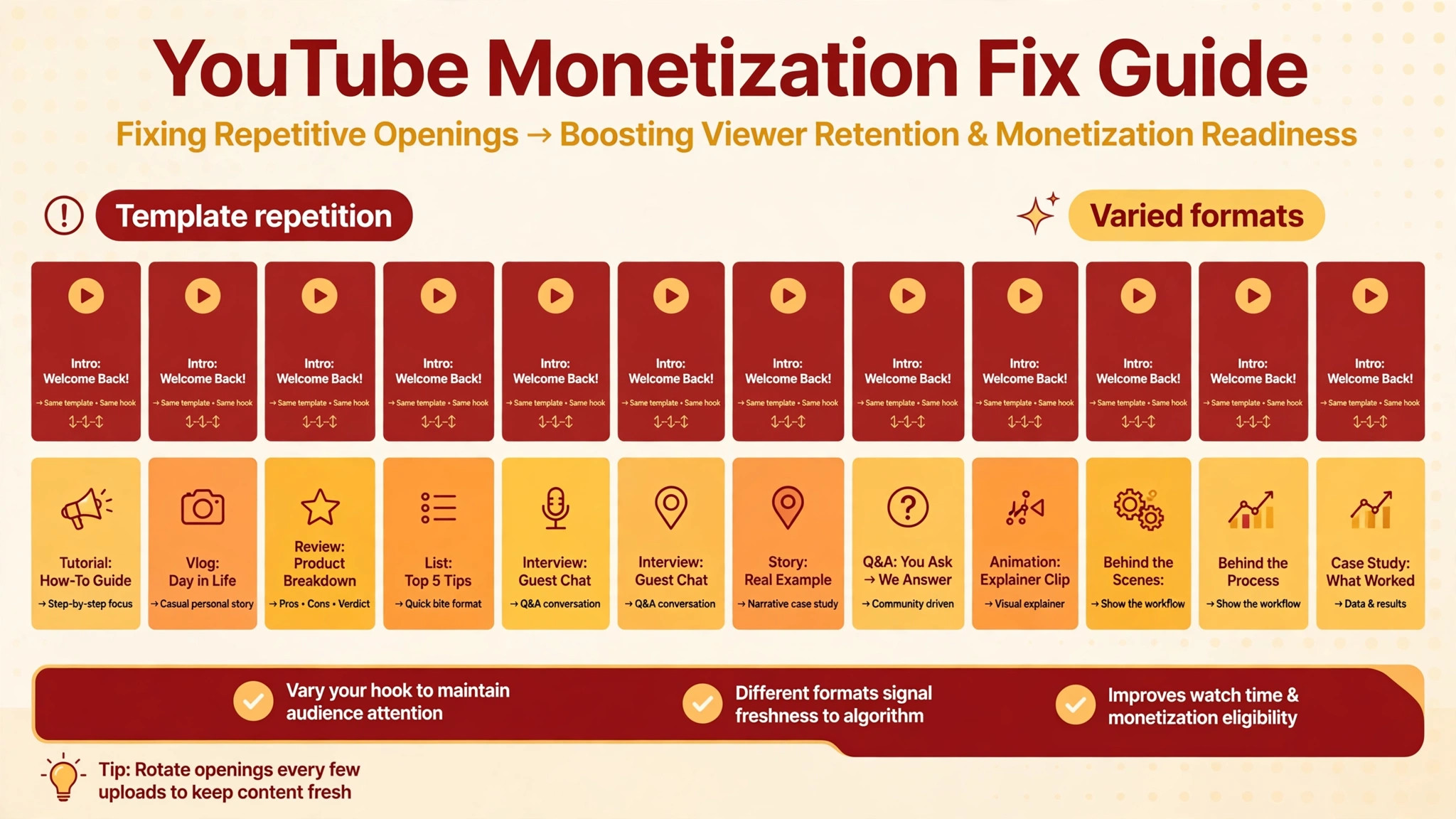
Inauthentic content is the harder audit, because it is about pattern rather than source. A series of videos that share the same template, the same script shape, the same stock footage, and only a changed title will read as mass produced, even when each video is technically new. Small businesses fall into this trap with good intentions, because templates save time. A weekly video built from one template, with one voiceover pattern and one set of stock clips, can grow an audience for months and then fail review in a single decision, because growth is not the test. Originality across the channel is the test.
Test for repetition with a simple exercise. Lay out your last twenty titles, thumbnails, and opening lines side by side. If a stranger could not tell the videos apart from those three elements, the series is too templated. Vary the format deliberately. Mix filmed tutorials, answered customer questions, live shop footage, and short explainers that show your hands, your tools, or your team doing real work. Vary length, vary structure, and vary the opening, so each video earns its place rather than filling a slot in a template.
Pay attention to AI assisted production here. YouTube own help material states that disclosing AI use will not by itself limit audience or money eligibility. What draws enforcement is content that is mass produced or repetitive, including AI generated material built from generic or unoriginal templates. If you use AI tools in production, show the human work around them in the appeal video, meaning the filming, the scripting choices, the editing decisions, and the expertise that shaped the result. The question reviewers ask is not whether a tool was used. It is whether a person added real value that a template alone could not produce.
Build the Video Appeal That Shows Your Work
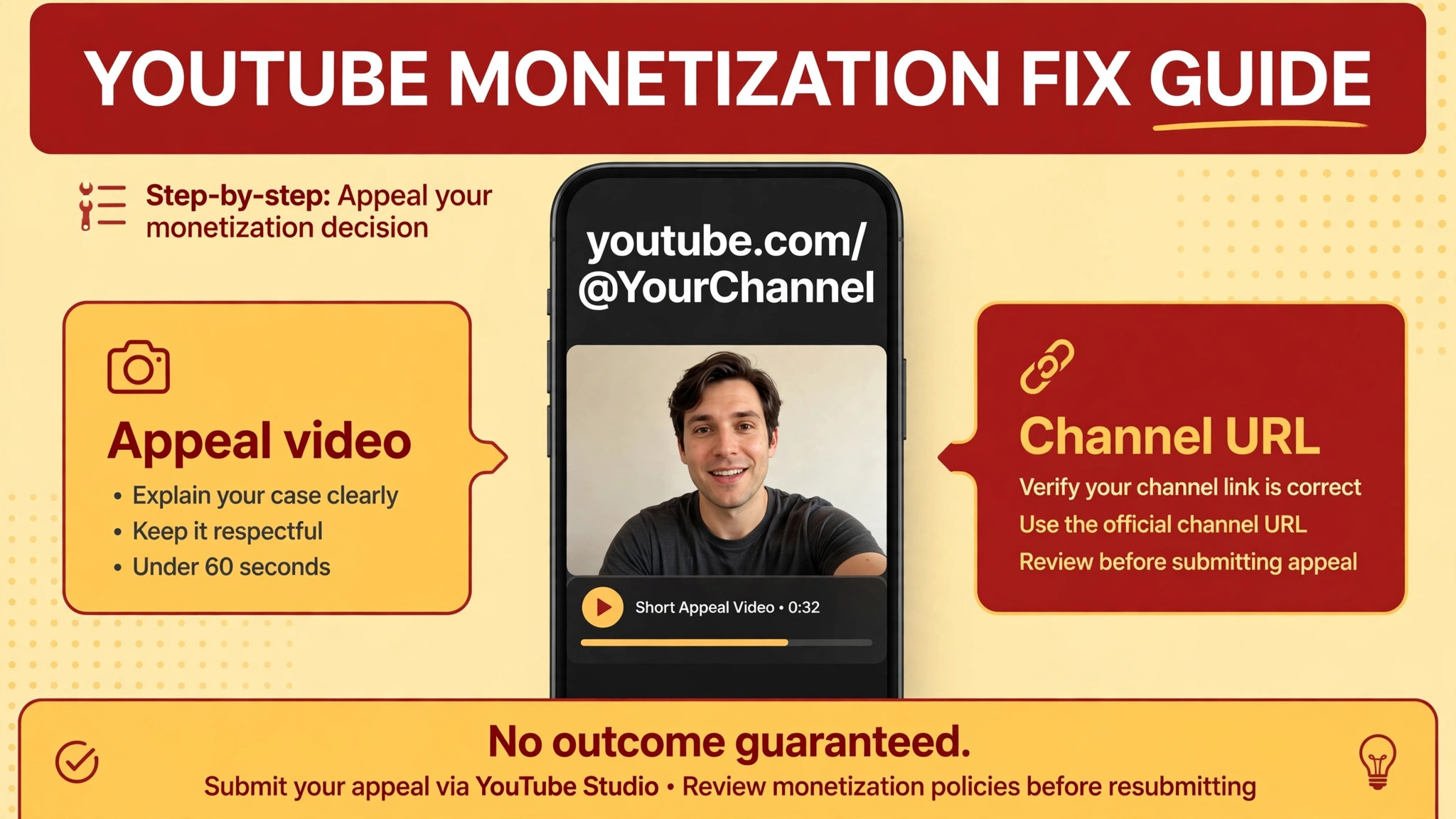
YouTube Partner Programme appeals can be made by creating and submitting a video appeal, or by contacting Creator Support from within Studio where that path is offered. The video appeal is the path most small business channels will use, and its format is specific. Record an unlisted video, under five minutes, on the same channel, showing your channel URL in the first thirty seconds, and explaining how your content follows the policies with specific examples and your actual creation process. That format is not a suggestion. It is the shape reviewers expect, and an appeal that ignores it starts at a disadvantage.
Plan the video in four beats, because the strongest way to fix YouTube monetization disabled small business cases is a short appeal that shows work instead of describing intentions. First, show the channel URL on screen in the first thirty seconds and state the policy area you are addressing, in your own words.
Second, walk through two or three specific videos and show the original work in each, meaning your footage, your commentary, or your teaching, with the timeline or the set visible where possible. Third, show the creation process itself, meaning filming, editing, scripting, or demonstrating the skill the channel teaches. Fourth, name the changes you made since the notice, and the standard new uploads will meet. Keep the tone calm and factual throughout, because reviewers decide on evidence, not on emotion.
Script the appeal tightly, and rehearse it before recording. Five minutes is short, and a rambling appeal wastes the strongest minutes on background about the business. Cut the company history to one sentence. Cut any complaint about competitors or about the fairness of the system entirely, because it adds nothing a reviewer can act on. Every sentence should either name a policy point, show an example, or describe a change. If a sentence does none of those three things, delete it from the script.
Record with the same care you would give a customer facing video. Speak clearly, show your face or your workspace, and make sure on screen text is readable. Upload the video as unlisted on the same channel, then submit it through the Earn tab appeal control, and save the submission confirmation with the case file. Submit once. If the appeal is rejected, the reapplication clock, not a second appeal, is usually the next step, and that clock runs 90 days from the suspension date for a refused suspension appeal.
Channel Cleanup List After the Appeal Is Filed
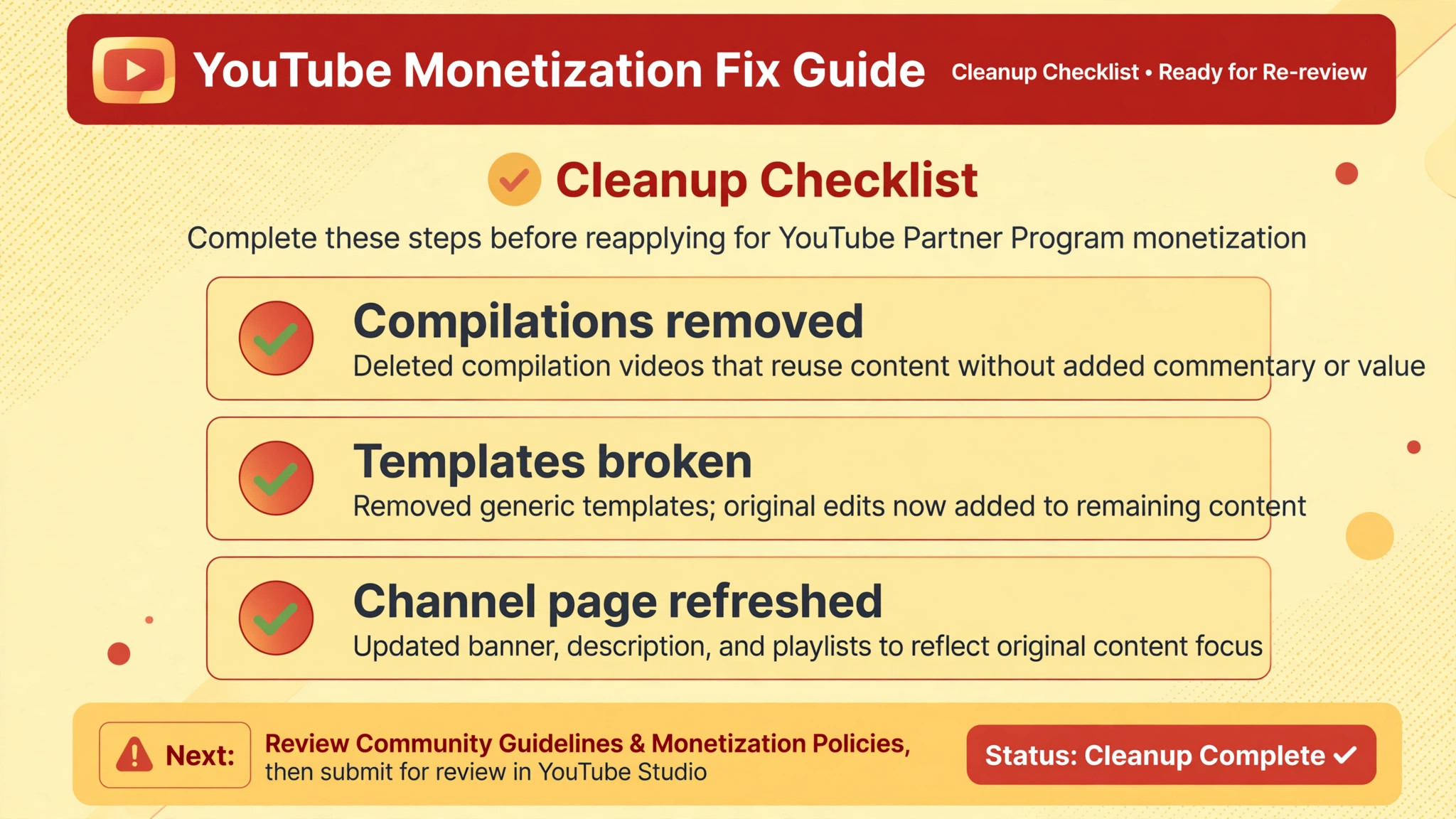
Cleanup after filing is different from cleanup before filing, because the appeal already describes the channel state reviewers will assess. Further changes should still be logged, and they should move the channel toward the standard the appeal promised. Remove or rebuild the highest risk videos first, meaning compilations with little narration, slideshows of stock material, and template series that repeat without new value. Replace them over time with original filmed work, rather than leaving gaps that make the channel look abandoned.
| Cleanup task | Why it matters | Done when |
|---|---|---|
| Remove or rebuild reused compilations | They anchor the reused finding | No compilation remains without substantial commentary |
| Break template repetition | Repetition anchors the inauthentic finding | New uploads vary format, structure, and opening |
| Refresh channel page and playlists | Reviewers judge the whole channel at a glance | Page shows your work within seconds |
| Fix titles and descriptions | Copied claims extend the pattern | Every title matches the video actual content |
| Add original filmed series | New evidence supports reapplication | At least a run of original uploads is live |
| Check strikes and claims | Unresolved strikes block monetization separately | Violations card shows no blocking issue |
AdSense for YouTube Link
Check the AdSense link separately from the content cleanup, because a channel can pass content review and still sit paused on a payment link problem. Confirm the AdSense for YouTube account is active, approved, and linked to the right channel, and that payment details match the business. If the Earn tab shows a paused state rather than a policy state, fix the link first and do not file a content appeal for a payment problem. Two different problems need two different fixes, and mixing them delays both.
Publish steadily while you wait, but publish to the new standard only, so the work to fix YouTube monetization disabled small business trouble keeps building evidence during the review period. A run of original, useful uploads during the waiting period does more for a reapplication than a burst of old style videos that repeat the pattern. If the appeal succeeds, those uploads strengthen the channel. If it fails and reapplication follows, those uploads form the evidence that the channel changed. Either way, the waiting period is not dead time. It is the period where the new standard becomes visible.
Reapplication Checklist and Revenue Bridge
If the appeal is refused, or if the first application was rejected, the reapplication clock decides the next move. A first rejection commonly carries a 30 day wait before reapplying, while a refused suspension appeal commonly carries a 90 day wait from the suspension date. Confirm the exact date on your notice rather than trusting a general rule, because the notice for your channel is the authority. Mark the earliest reapplication date on a calendar, and work backward from it with a publishing plan that produces original uploads throughout the wait.
Use this checklist before reapplying, because a second attempt to fix YouTube monetization disabled small business trouble with an unchanged channel only extends the wait. First, confirm no active strike or claim blocks the channel. Second, confirm the reused and inauthentic piles from the audit are cleared or rebuilt. Third, confirm a run of new uploads meets the standard the appeal promised, with original footage and genuine commentary. Fourth, confirm the channel page, playlists, titles, and descriptions reflect that standard. Fifth, confirm the AdSense link is active and correct. Reapply only when every box is honestly ticked, because a second rejection extends the wait and a third review will be stricter about pattern, not kinder about effort.
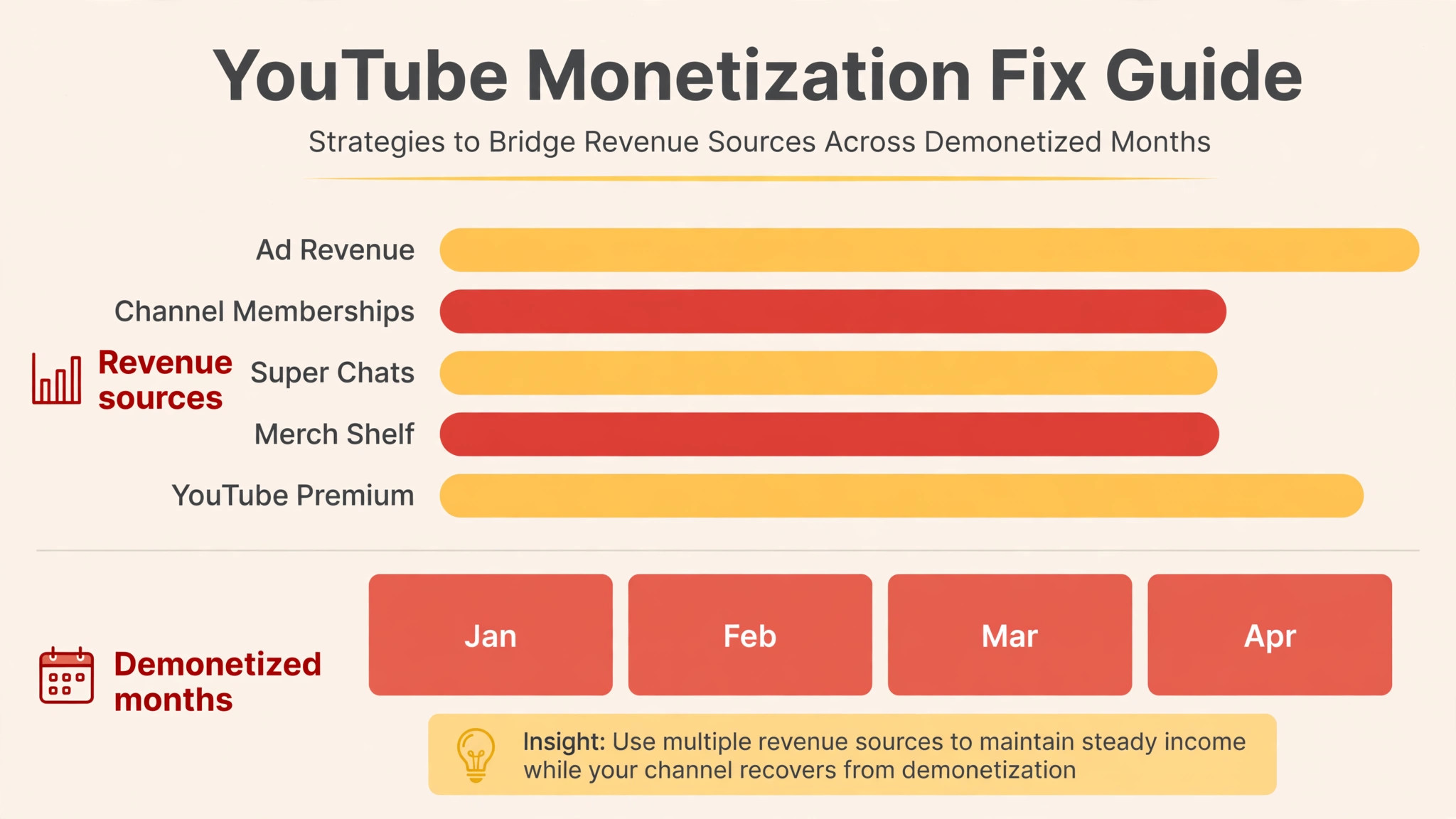
Bridge revenue while monetization is off, because a small business channel cannot wait three months on hope alone. Point viewers to services, bookings, or products sold through your own website, and say so plainly in videos and descriptions. Offer a direct way to buy, book, or contact you that does not depend on ad revenue. Keep affiliate or sponsorship mentions honest and clearly disclosed, and do not let a revenue bridge push you back into misleading claims, because a new claim problem during the wait can extend the trouble beyond the original clock. The bridge should be boring, lawful, and steady, which is exactly what a channel under review needs.
A Simple Record System for the Next Review
A demonetization case creates paperwork, and that paperwork is worth keeping in one folder long after the decision. File the original notice with its date and policy name, the audit piles with counts, the appeal script, the unlisted video link, the submission confirmation, and every reply from YouTube. Add a short note after each reply that says what it asked for and what you sent back. That folder becomes the channel memory, and it stops the business from repeating a mistake simply because the person who handled the first case moved on.
The record also helps with ordinary channel management. When a new editor joins, the folder shows them which formats failed review and which formats passed, without a long lecture. When a sponsor asks about the channel history, the folder gives honest dates and honest outcomes instead of guesses. When a second review arrives, the folder shows reviewers a business that learned from the first one, with dated changes to prove it. None of that guarantees a future decision, because each review stands on its own evidence, but a business with a clean record always argues better than a business working from memory.
Review the folder once a quarter, even when monetization is healthy. Check that new uploads still meet the standard, that no template series has crept back in, and that the AdSense link is still active. A quarterly check takes an afternoon and catches drift early, while drift is still a few videos rather than a pattern. Channels rarely fail in a single upload. They fail when small shortcuts accumulate until a reviewer sees a pattern, and a regular record review is the simplest way to catch that accumulation in time.
When to Escalate and What Not to Do
Escalate through Creator Support from within Studio when the appeal control shows an error, when the stated reply window has passed with no decision, or when the status on screen contradicts the notice you received. Quote the case details, the dates, and the policy named, and attach the same screenshots you saved at the start. A support message that states facts and asks one clear question gets further than a long complaint, because support staff need a case they can route, not a story they must untangle.
Do not delete videos before submitting the appeal in an attempt to hide the pattern, because YouTube assesses the channel in its current state and the deletion itself removes context reviewers use. Do not buy watch time, subscribers, or engagement to hit thresholds during review, because artificial growth creates a new policy problem on top of the old one. Do not open a second channel to copy the same content while the first is suspended, because that repeats the pattern on a fresh channel and can draw its own enforcement. Do not pay a service that promises reinstatement, because the only legitimate path runs through YouTube own appeal and reapplication controls.
Protect the business while the channel is demonetized. Tell customers where to find you, keep publishing to the new standard, and keep the case file complete. The file should hold the notice, the audit piles, the appeal script and link, the submission confirmation, and every reply. If you later hand the channel to an agency or a colleague, that file shows what was tried and what remains. A clean record also protects you against the most human error in this process, which is forgetting what you already submitted and contradicting it in a follow up.
The Final Word. Prove the Work, Then Let the Channel Prove It Again
A demonetized channel is not a verdict on the business. It is a verdict on a pattern of content, and patterns can change. The channels that return are the ones whose owners read the policy, audited honestly, showed their work on camera, and then published to a higher standard while they waited. That sequence is unglamorous, and it takes weeks rather than hours, but it is the sequence reviewers can actually approve.
Start today with the status screen and the audit, not with a new video, because that order is what lets a business fix YouTube monetization disabled small business trouble with a case reviewers can approve. The appeal video you record will only be as strong as the channel it shows, and the channel will only be as strong as the honest decisions you make about which videos stay, which get rebuilt, and which go. Make those decisions, file once, and let the new uploads do the talking. That is how a small business channel earns its way back, one original video at a time.
Frequently Asked Questions About Fixing YouTube Monetization
How long do I have to appeal a disabled monetization decision?
YouTube states you can appeal within 21 days of suspension, or within seven days before a scheduled suspension date, with the appeal pausing the scheduled suspension during review. The date shown beside the start appeal control in the Earn tab is the one to trust for your channel. Do not wait until the last day, because the video appeal itself needs planning and recording time.
What should a YouTube monetization appeal video show?
It should be unlisted, under five minutes, on the same channel, with your channel URL shown in the first thirty seconds. It should explain how your content follows the policies with specific examples, show your actual creation process, and name the changes you made. Focus on the channel as a whole, not only on one good video.
Can I reapply if my monetization appeal is rejected?
YouTube states you can reapply 90 days after the suspension date if an appeal is rejected, while a first application rejection commonly carries a 30 day wait. Confirm the exact date on your notice, and use the wait to publish original uploads that meet the standard, rather than reapplying with the same channel unchanged.
Does deleting flagged videos before appealing help?
No, and it can hurt. YouTube states that appeals are reviewed against the channel in its current state, so reviewers need to see what the channel actually contains. Keep a log of changes, rebuild or remove high risk content thoughtfully, and describe the cleanup honestly in the appeal rather than trying to hide the pattern.
Is AI assisted content banned from monetization?
No. YouTube own help material states that disclosing AI use will not by itself limit audience or money eligibility. What draws enforcement is mass produced or repetitive content, including material built from generic templates that adds little new value. Show the human filming, scripting, editing, and expertise behind the video, and vary formats so the channel does not read as templated.
Why does a copyright free video still fail reused content review?
Because copyright and monetization policy ask different questions. A clip can be legal to use and still fail the reused policy if you added no significant original commentary, modification, or educational or entertainment value. Reviewers ask what you added, not only whether you had permission to use the source. That is why reaction videos with genuine commentary can pass while compilations with little narration fail.
More Reading on Stratilyze
– How to Grow a Small Business YouTube Channel Without Ads, plain text title, link not verified at writing time – Small Business Video Content Plan for a Busy Owner, plain text title, link not verified at writing time – Fix a YouTube Channel Strike Before It Blocks Monetization, plain text title, link not verified at writing time – Best Video Editing Tools for Small Business Creators, plain text title, link not verified at writing time