

Compare two art schools that open the same term. The first school schedules every class as a generic slot, fills seats in order, and hands every student the same materials list on day one. The second school places each student by medium and level, books cohorts that stay together, sends a materials list matched to that medium, and tracks a portfolio that shows real progress. Both schools teach art. Only the second one feels like it was built for the student who walked in. When you use AI for art school class scheduling, the goal is to become the second school, without adding hours of admin for every new cohort.
Art scheduling is harder than it looks, because a class is not just a time and a teacher. It is a medium, a level, a room with specific equipment, a set of materials, and a group of students whose work will be judged together at the end of term.
Prices in this guide are ranges drawn from vendor pages and published guides at writing time, so confirm on the vendor page before you buy. Class platforms price by seat, by booking volume, or by plan, and the price that matters is the one quoted for your student numbers and class types.
Why Art Classes Fall Apart on a Generic Timetable
A generic timetable treats a painting class and a pottery class as interchangeable, and that is where trouble starts. Kiln time is the clearest example. A ceramics cohort that finishes work on a Friday needs firing slots, cooling time, and glazing time before the next project starts. If the timetable books another ceramics group into the same kiln window, work queues up, students wait weeks for finished pieces, and parents ask why progress has stalled. The timetable did not fail on teaching. It failed on equipment.
Mixed levels cause a second failure. A beginner who has never mixed colour sits beside an advanced student preparing a portfolio piece, and the teacher must split attention between two different lessons in one room. Beginners feel lost, advanced students feel held back, and both groups quietly decide not to renew. Placement is not elitism. It is the basic respect of giving each student a class that matches what they can already do and what they need to learn next.
Materials cause a third failure, and it is the most visible to families. A student arrives for an oil painting class with watercolour paper, because the materials list was generic, or arrives with nothing, because the list arrived too late. The first session is then spent shopping or borrowing, instead of learning. A school that sends a medium specific list at booking time, with a buy or borrow option for expensive items, starts term one with students ready to work.
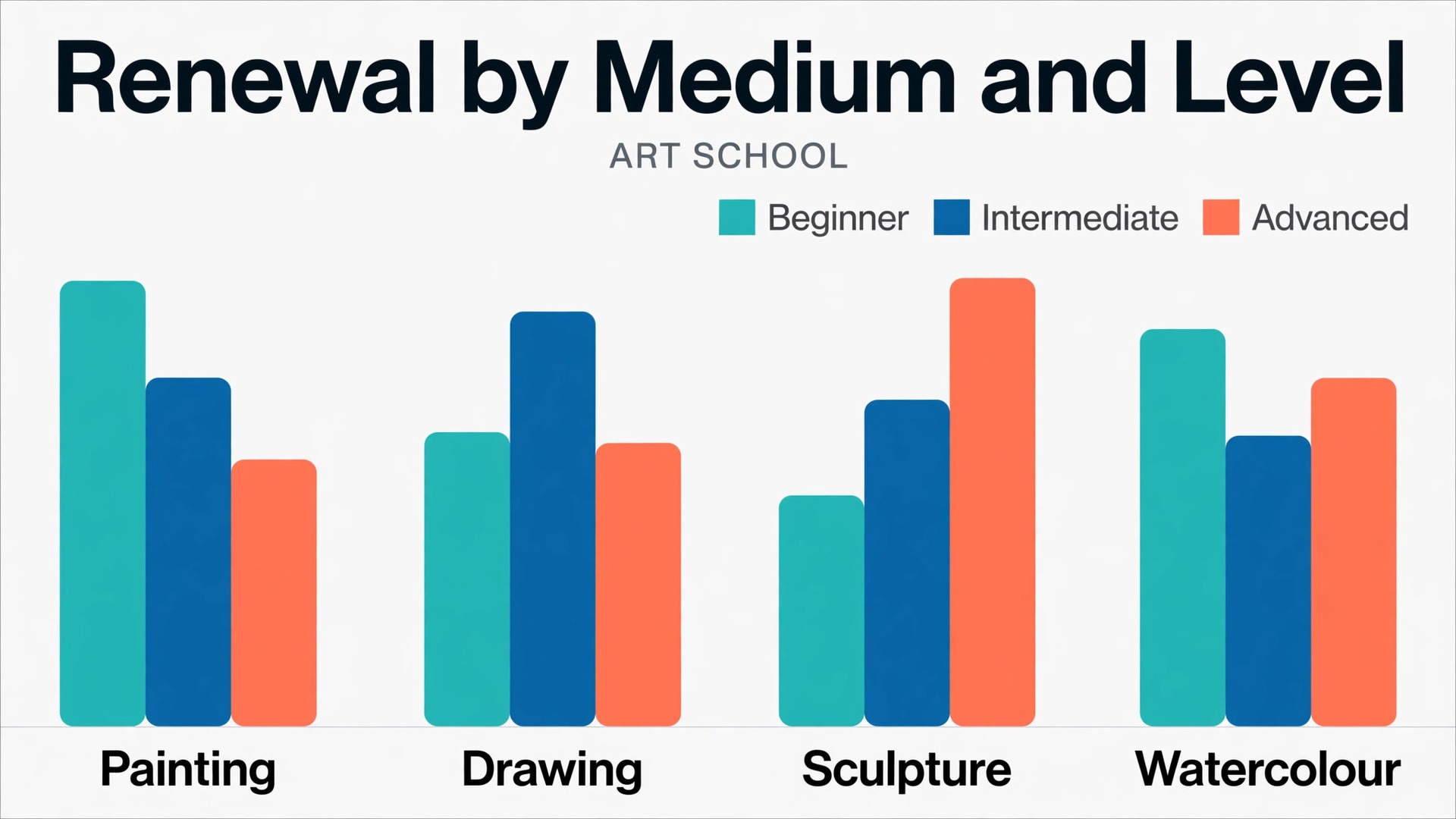
Data helps a school see which of these failures matters most. When you use AI for art school class scheduling, those renewal patterns should drive timetable changes, not hunches about which medium is popular.

How to Use AI for Art School Class Scheduling
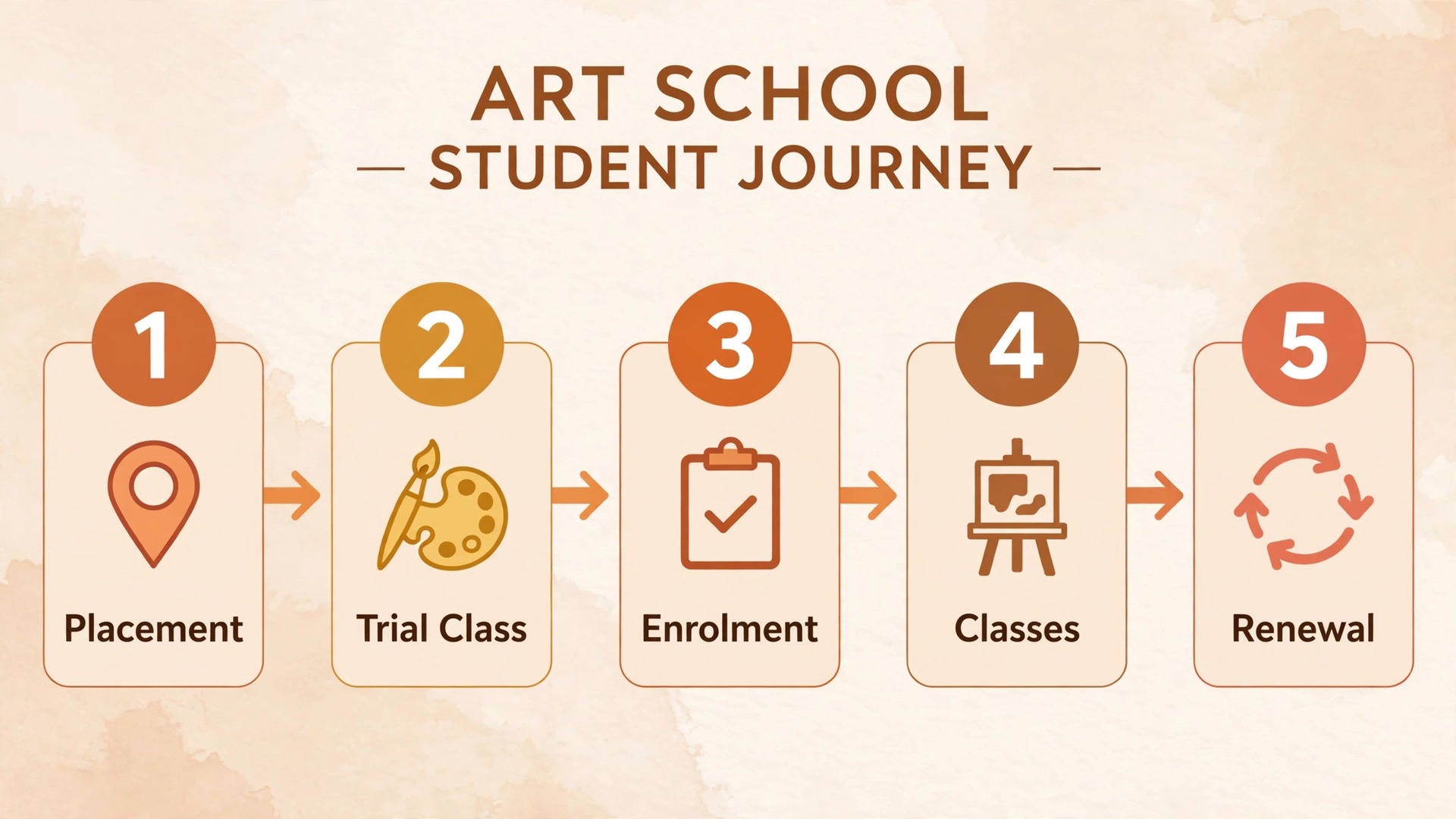
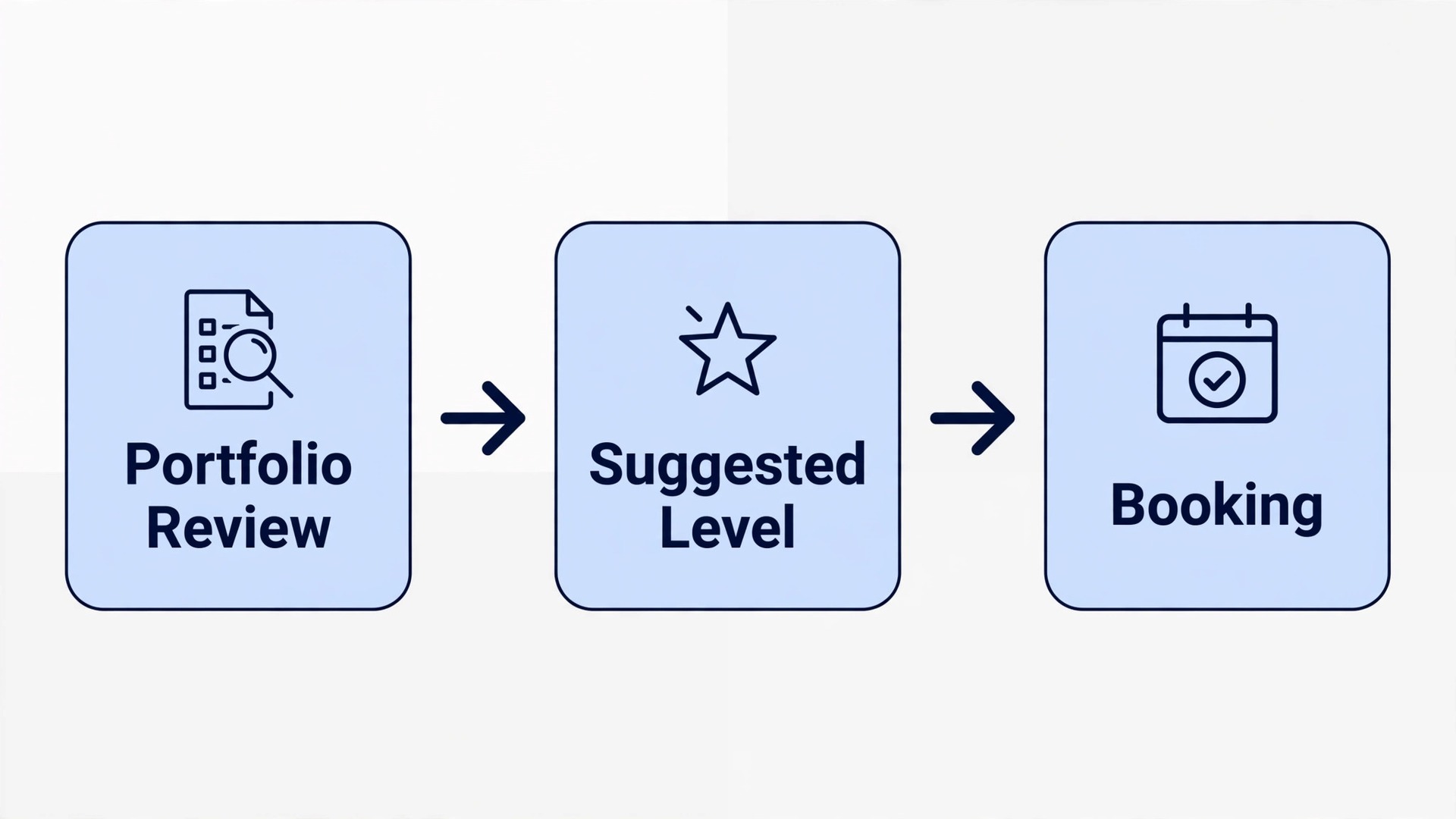
Start with the student journey, not with a software demo. A student discovers a class, answers a placement question, joins a cohort, receives a materials list, attends weekly sessions, builds a portfolio, and renews for the next term. A parent follows a parallel journey for younger students, with payments, progress updates, and exhibition invitations. Map both journeys on paper first, then judge every tool against them.
The core workflow has five moving parts, and they must work together. Medium level placement puts each student in the right medium at the right level, based on experience and a short sample or questionnaire. Cohort booking keeps a group together across a term, so teachers know the group and students build trust. Materials lists are matched to medium and level, and sent early enough to act on. Progress portfolios collect work across the term in one place. Renewal reminders arrive while the student is still excited, not after the term has ended and the habit has broken.
Set one rule before you switch anything on. No student should need to phone the school to learn their level, their materials list, their room, or their renewal date. If those four answers still need a phone call, the system is not doing its job, and it will still eat staff time at term start, which is when staff are busiest with new enrolments and room setup.
| Workflow part | What good looks like | Failure it prevents |
|---|---|---|
| Medium level placement | Right medium, right level, first time | Mixed level classes that frustrate everyone |
| Cohort booking | Same group across the term | Students reintroduced every week |
| Materials lists | Medium specific, sent at booking | First sessions lost to missing supplies |
| Progress portfolios | Work collected term by term | Parents and students guessing at progress |
| Renewal reminders | Timely, personal, tied to portfolio | Students drifting away between terms |
Medium Level Placement That Puts Students in the Right Room
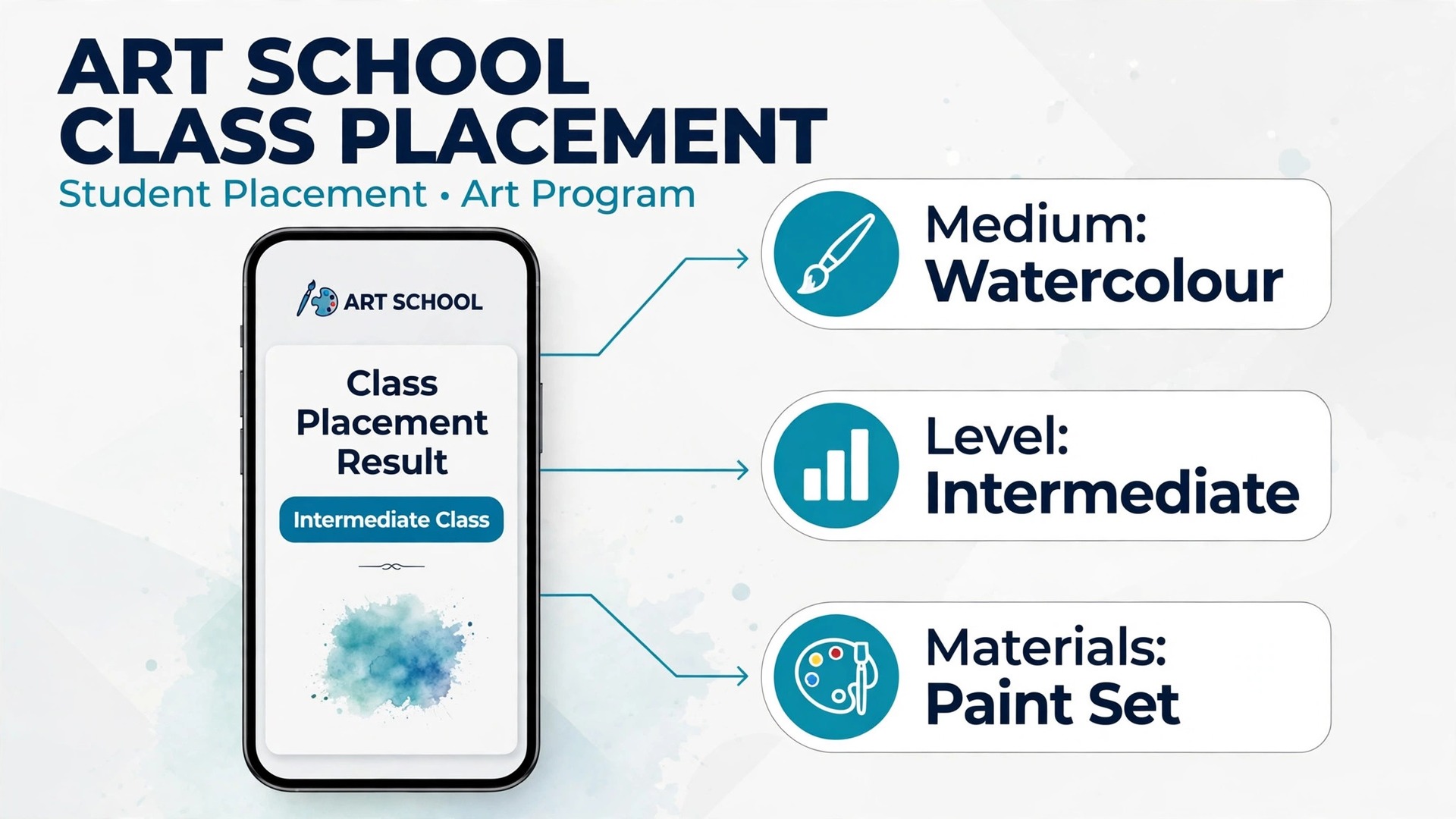
Placement starts before booking, with a short, honest questionnaire. Ask what mediums the student has tried, how long they have practised, whether they have taken a class before, and what they want to make by the end of term. For returning students, use the last portfolio review instead of asking again, because a student who already completed a beginner watercolour term should not be placed by a generic form. For new students, offer an optional sample upload, such as a photo of recent work, so a teacher can confirm a borderline placement quickly.
Levels need plain names that students understand. Beginner, intermediate, and advanced work when each level has a short description of what a student can already do and what the class will teach. Avoid internal codes that mean nothing to families, because a parent who cannot tell whether level two follows level one will phone to ask, and that phone call defeats the purpose of online booking. Publish the level descriptions on the booking page, next to the class, not buried in a handbook.
AI can draft placement suggestions from questionnaire answers and sample uploads, and flag borderline cases for a teacher to review. That flagging is the valuable part, because most placements are straightforward and only a few need human judgment. A teacher who reviews ten borderline placements a week does far better work than a teacher who manually places two hundred students. Keep the final placement decision with a teacher for advanced and portfolio classes, where a wrong placement costs the student a whole term.
Review placement accuracy at mid term. Ask teachers which students are clearly misplaced, in either direction, and move those students early, with a clear explanation and a materials adjustment if needed.
Cohort Booking That Keeps a Group Together
A cohort is more than a class list. It is a group that learns together, critiques together, and exhibits together, and that shared history is part of what students pay for. Cohort booking means the same students, the same teacher, and the same room pattern across a term, with a clear start date, end date, and exhibition or review date at the end. Students should be able to see the full term at booking, not just the first session.
Booking a cohort online needs care around capacity and equipment. A ceramics cohort is limited by wheels and kiln slots, not just by room seats. A life drawing cohort is limited by easels and model scheduling. A printmaking cohort is limited by presses. The booking system should enforce the real limit, which is the scarcest resource, and show a waitlist when that limit is reached, rather than overbooking a room that cannot hold the work.
Cohort changes need a single process. When you use AI for art school class scheduling for cohort moves, only same medium and level cohorts with free capacity should appear, so a move never becomes a misplacement. If a student must move cohort because of a timetable clash, the system should show only cohorts at the same medium and level with free capacity, and carry the portfolio and materials record across automatically. Staff should not need to retype a student history because a student moved from a Tuesday group to a Thursday group. That continuity is what makes a cohort feel like a school, rather than a series of unrelated workshops.
AI can suggest cohort sizes and start dates from past demand, such as opening a second beginner ceramics group when the first fills three weeks before term, or delaying a niche medium until enough students register to make a viable group. Managers still approve those calls, because a cohort that is too small can feel empty, while a cohort that is too large can overwhelm a teacher and a kiln schedule. Use demand data to time the opening, not to force a group that is not ready.
Materials Lists That Arrive Before Term Starts
A materials list should be a shopping decision, not a surprise. Send it at booking, not in the week before term, and match it to the exact medium and level the student booked. A beginner watercolour list looks different from an advanced watercolour list, and both look different from an oil painting list. Generic lists cause waste, because families buy items they never use, and cause frustration, because students arrive without the one item the first project actually needs.
Structure the list in three parts. Required items are the minimum to start, such as paper, brushes, and paints in the medium. Provided items are what the school supplies, such as easels, kiln firing, or shared tools, so families do not buy duplicates. Optional items are upgrades that help but are not needed in week one, such as a larger sketchbook or a better brush set.
Offer a buy or borrow path for expensive items. That path is a practical detail when you use AI for art school class scheduling, because the system can offer the kit or rental option at booking, when the decision is actually made. A student trying sculpture for the first time should not need to buy a full tool set before knowing whether they enjoy it. A school kit, a rental set, or a shared studio set lowers the barrier to trying a new medium, and it also reduces waste when a student tries one term and moves on.
AI can draft the list from the course plan, flag items that past cohorts rarely used, and remind students who have not confirmed their materials a week before term. Staff still approve the final list, because a system cannot know that a particular teacher prefers a specific paper weight for a specific project.
Track materials feedback after term one. Ask teachers which items were unused, which items ran out, and which items students struggled to find locally. Update the list once, for the next cohort, and note the change, so returning families see that the school learns from each term. A materials list that improves every term becomes a reason families trust the school, because it shows attention to the practical side of learning art.
Progress Portfolios That Show Real Growth
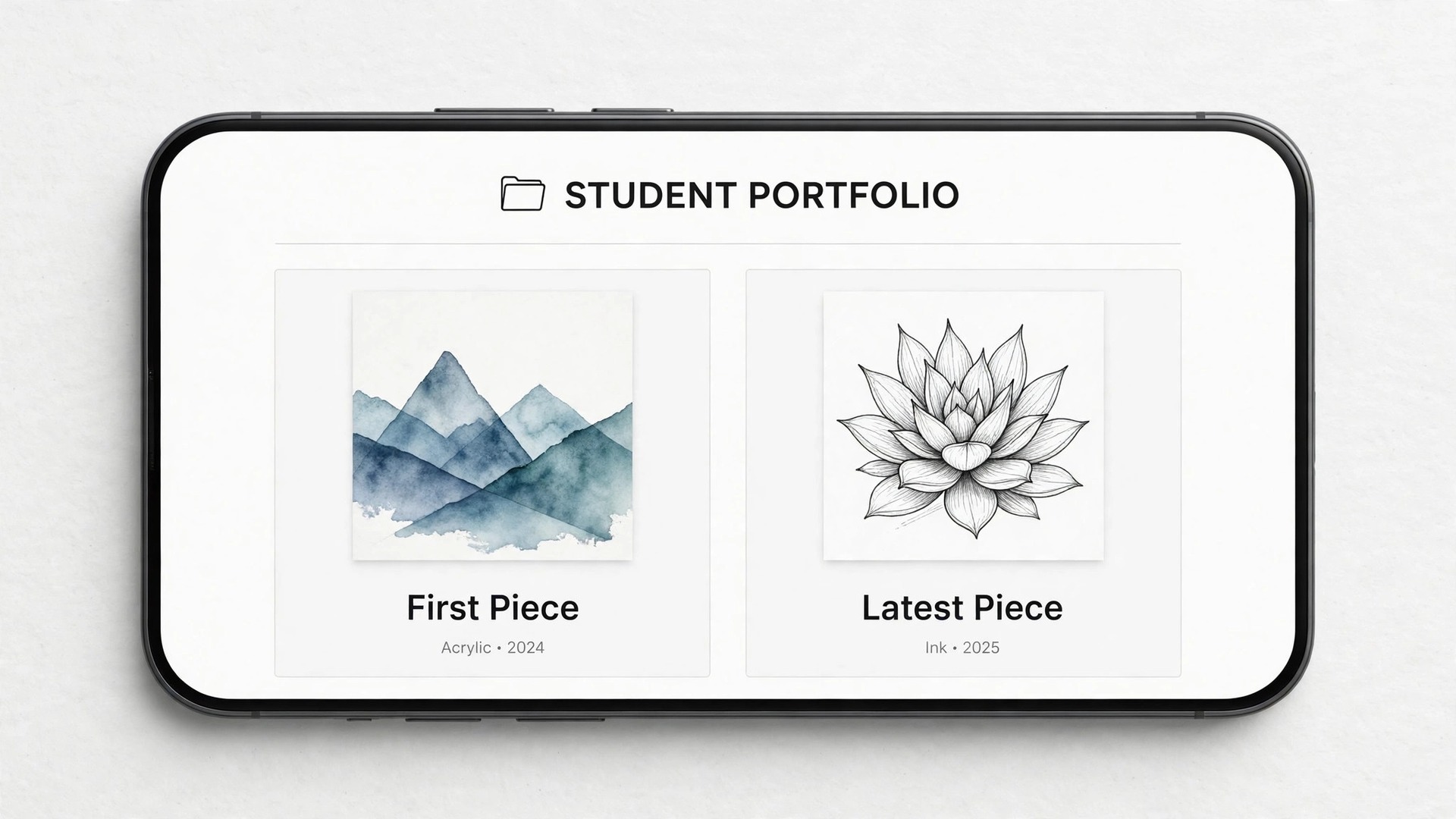
A portfolio is the art school equivalent of a report card, except it shows work instead of grades, and that makes it far more persuasive at renewal time. Collect work across the term in one place, with a photo or scan of each major piece, a short teacher note, and the date. Students should be able to see their first piece beside their latest piece, because that comparison is what convinces a student, and a parent, that the term was worth it.
Portfolio reviews need a rhythm. A short review at mid term, a fuller review at term end, and an exhibition or sharing event for families turn a collection of photos into a learning story. Teachers should write notes in plain language about what improved, such as colour mixing, composition, or control of a tool, rather than vague praise. Specific notes help the next teacher place the student well for the following term.
AI can help organise portfolios without judging art. It can sort uploads by date, draft a summary of the pieces completed, remind students to upload work after each major project, and flag a portfolio that has gaps, such as a student who missed two projects and may need catch up help. Human teachers still write the judgment, because an automated comment on a student’s creative work would feel hollow and could easily miss what makes that work distinctive. The system handles collection and reminders, and teachers handle meaning.
Privacy matters for portfolios, especially for younger students. When you use AI for art school class scheduling for portfolios, keep visibility limited to student, family, and teachers by default, with a clear permission step before any public sharing. Keep portfolios visible only to the student, their family, and their teachers by default, and ask permission before sharing work in exhibitions, on a website, or on social channels.
Renewal Reminders Tied to Work, Not Just Dates
Renewal reminders fail when they arrive as a generic payment nudge after the term has ended. By then, the student has moved on, the routine has broken, and the reminder feels like a bill rather than an invitation. Better reminders arrive while the student is still in the habit, are tied to visible progress, and offer a clear next step, such as the next level cohort, the same cohort continuing, or a new medium to try.
Time the sequence around portfolio moments. A mid term reminder can preview the next term and invite early booking for returning students. A term end reminder can include the portfolio summary and the teacher’s suggested next level, so the renewal decision is informed, not guessed. A final reminder a week after term end can offer a short catch up or a workshop for students who missed the first window. Each message should name the student’s medium, level, and suggested next class, because a personal message converts far better than a generic one.
Staff should contact at risk students personally, because a template cannot learn whether a student is struggling, busy, or simply on holiday. The system finds the risk, and a person has the conversation.
Audit renewals by medium and level each term. Look for cohorts with high renewal and cohorts with low renewal, and ask teachers what differed, because the answer is rarely price alone. Perhaps a cohort had a clearer exhibition, a better materials list, or a teacher who gave specific portfolio notes. Copy what worked into the next term’s plan, rather than discounting a cohort that churned for a fixable reason. Renewal is a teaching quality signal, not just a sales number.
Tools Worth Testing First
Activity Messenger
Activity Messenger suits art studios and centres that need registration, custom intake forms, digital waivers, payments, memberships, and communication in one platform. Published pricing is typically quoted per plan rather than as a single public starting price, so confirm on the vendor page for your student numbers and features. Test its intake form carefully, because the placement questions you ask at registration will decide how well the rest of the system works.
Amilia
Amilia suits larger art centres running youth and adult programs alongside room rentals and memberships. Published pricing is usually quoted after a demo for organisations of this size, so confirm on the vendor page for your program count and student numbers.
SuperSaaS
SuperSaaS suits small studios and solo instructors that need flexible scheduling, custom booking forms, and class capacity limits without a heavy platform. Published pricing starts from about 9 dollars per month, so confirm on the vendor page for your booking volume and plan. Test its materials fee options in the trial, because the ability to add a materials charge at booking saves a separate payment chase later.
Koalendar
Koalendar suits solo instructors and small studios that mainly need clean scheduling and intake forms. It offers a free plan, with a pro tier from about 9.99 dollars per seat per month when billed annually, so confirm on the vendor page for your seat count and billing terms.
EasyWeek
EasyWeek suits art schools that want online registration, an event calendar, online course payments, and student accounts for progress and materials in one system. Published pricing is typically quoted by plan, so confirm on the vendor page for your student numbers and locations.
Run a two week trial the way students will use the tool, not the way a sales demo shows it. Answer a placement questionnaire, book a cohort, receive a materials list, upload a portfolio piece, and renew for the next level, and time each task. When you use AI for art school class scheduling in a trial, involve one teacher and one parent in the test, because staff tolerance for clunky screens is always higher than family tolerance. The cheapest tool that families actually enjoy using will beat a powerful tool they avoid.
| Tool type | Best for | Watch out for |
|---|---|---|
| All in one registration platform | Studios needing forms, waivers, payments | Price varies by plan and size |
| Large centre platform | Many programs plus rentals | Demo based pricing, heavier setup |
| Flexible scheduling tool | Small studios, solo instructors | Less depth on portfolios |
| Simple booking tool | Solo instructor, few classes | Limited class management depth |
| School scheduling system | Student accounts, calendars, payments | Fit depends on class types |
A Worked Example. A Ceramics Cohort From Placement to Exhibition
A new student books a beginner ceramics class online. The placement questionnaire asks about prior clay work, and the student answers honestly that they have never used a wheel. The system places them in a beginner cohort, not in a mixed group, and sends a materials list at booking that names what the school provides, including clay and firing, and what the student should bring, which is an apron and a towel. The student arrives ready, and the first session is spent learning, not shopping.
Across the term, the cohort meets weekly in the same room, with the same teacher, and the same kiln schedule. After each major project, the student uploads a photo to a portfolio, and the teacher adds a short note about control, form, or glazing. At mid term, the teacher reviews the portfolio and notes that the student’s forms are improving but glazing needs practice. That note shapes the second half of term, because the teacher plans a glazing focused session for the whole cohort, not just for one student.
Renewal arrives tied to the portfolio, not as a generic bill. The term end message includes the student’s first piece beside their latest piece, the teacher’s suggested next level, and a link to the intermediate cohort that starts four weeks later. The student books early, because the progress is visible and the next step is clear. At the exhibition, families see the cohort’s work together, and three new students inquire about the next beginner cohort after seeing it. Placement, materials, portfolio, and renewal worked as one chain, not as four separate admin jobs.
A 30 Day Rollout Plan
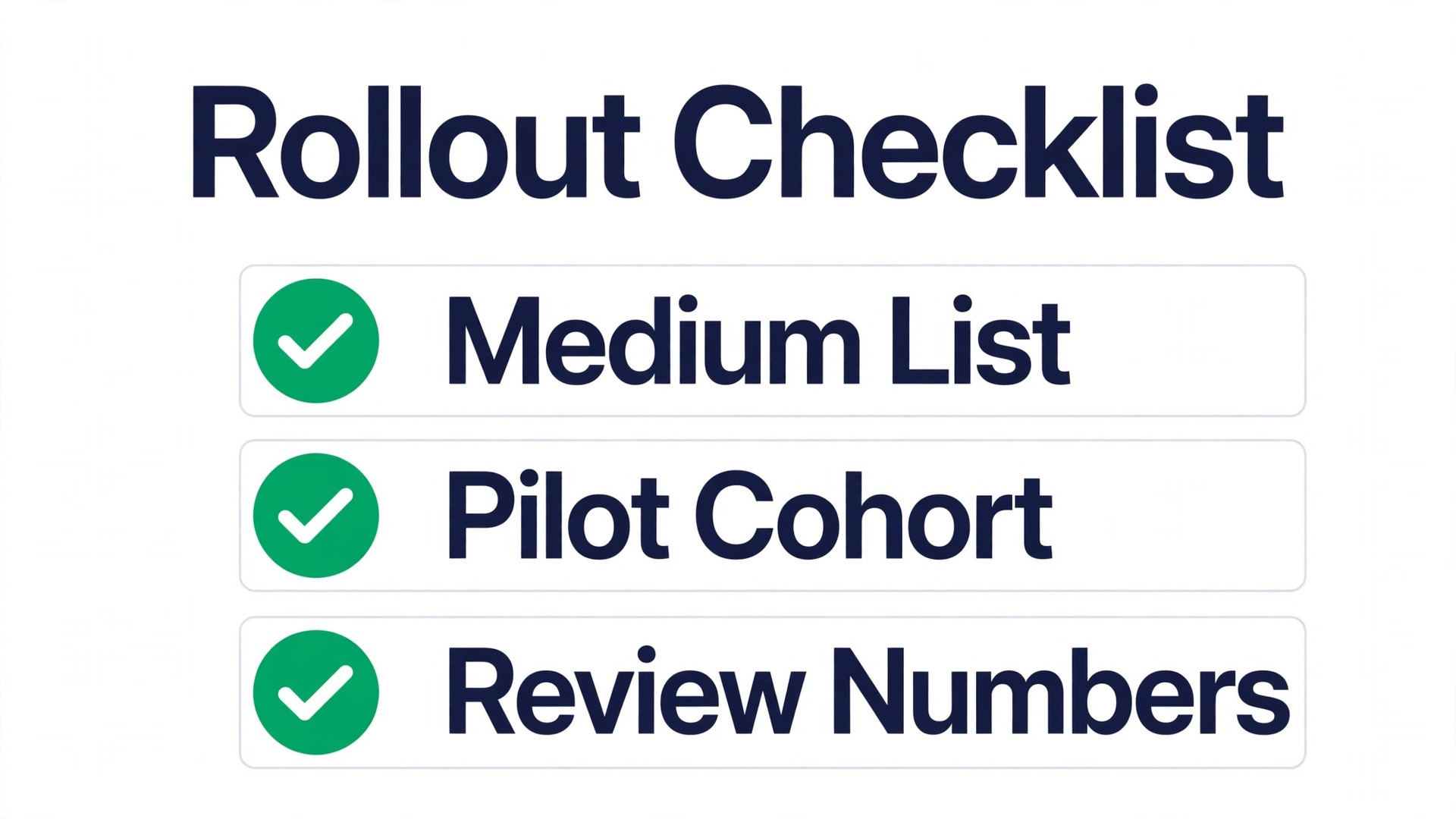
Week one is mapping and cleanup. List every medium, every level, every room, and every equipment limit, including kiln slots, wheels, easels, and presses, and put them in one system the whole team trusts. Audit current cohorts, confirm which students are at which level, and correct portfolio records before automation starts. Import student data cleanly, meaning one record per student, because bad data will poison every automated message that follows. Do not turn on AI messages until the underlying timetable is trustworthy.
Week two is a quiet pilot. Turn on placement questionnaires and cohort booking for one medium only, such as beginner watercolour, and watch placement accuracy, materials questions, and student messages daily.
Week three expands the pilot to all mediums, with materials lists sent at booking, portfolios collecting work, and renewal reminders switched on for the next term. That expansion is the point where you use AI for art school class scheduling across the whole school, rather than in one pilot medium. Publish level descriptions, materials timing, and renewal dates on the booking page, so families know what to expect. Review placement and renewal numbers at the end of the week, and adjust one or two weak levels rather than rewriting the whole timetable at once. Small, evidence based changes stick better than a dramatic relaunch.
Week four is review and lock in. Compare placement accuracy, materials readiness, portfolio completion, and renewal rate against the term before the change, and keep only the automations that moved a number. Turn off messages that families ignored, shorten questionnaires that caused drop off, and document the final settings in a one page runbook. That runbook is what keeps the system working when a teacher is away and a new cohort needs placing at short notice.
Mistakes That Lose Art Students
The first mistake is treating automation as a one time setup. Placement questions, materials lists, and renewal timing need a review each term, because student behaviour changes with seasons, exhibitions, and teacher changes. A materials list that worked in spring may fail in autumn, when a supplier changes a product or a teacher changes a project. Review beats set and forget every time.
The second mistake is hiding the rules. Students who do not know the level descriptions, the materials timing, or the renewal dates will break all three by accident, and then blame the school. Publish the rules where students book, repeat them at enrolment, and show them again when they matter, meaning at booking and at renewal. Transparency costs nothing and prevents most front desk arguments.
The third mistake is over automating the human moments. A portfolio review, a placement change, and a complaint about a class deserve a human message, not a template. AI should handle volume, meaning routine bookings, reminders, and portfolio collection, while teachers handle exceptions, meaning struggling students, sensitive feedback, and complaints. When you use AI for art school class scheduling for everything, the school can sound efficient and feel cold, and students notice the difference.
The fourth mistake is judging the system by bookings alone. A school can look full on bookings and still lose money on churn, unused materials, and empty intermediate classes. Track renewal, not just enrolment, and track portfolio completion, not just attendance. Those two numbers tell you whether the scheduling system is building progressing students or just filling first term classes that empty again next term.
A Closing Note for Art School Owners
Start with the leak that costs you most, not with the tool that looks newest. If mixed levels frustrate students, fix placement first. If first sessions are lost to missing supplies, fix materials lists before anything else. If students vanish between terms, fix renewal timing this term. One fixed leak beats five half finished automations.
Then run the student test. Answer placement questions, book a cohort, receive a materials list, upload a portfolio piece, and renew from a phone, and time each task. Anything over a few minutes needs simplification, and anything that needs a phone call needs automation. That test takes an afternoon and tells you more than a month of vendor demos, because it shows the school exactly as students and families experience it.
Keep the work at the centre. AI places students, sends lists, and collects portfolios, but students return for teachers they trust, cohorts they enjoy, and visible progress in their own work. Get those basics right, let the system handle the routine work around them, and the school will grow term by term, with less stress for everyone who runs it.
Frequently Asked Questions About Art School Class Scheduling
How do you place a new art student at the right level?
Start with a short questionnaire about mediums tried, practice time, and prior classes, plus an optional photo of recent work for borderline cases. Publish plain level descriptions on the booking page, so families can see what each level expects and teaches. Let teachers review borderline placements, and move a misplaced student early in term, because a week three move earns trust while a full term of struggle loses a renewal.
What should a materials list include for an art class?
A good list has three parts, meaning required items to start, items the school provides, and optional upgrades that help but are not needed in week one. Match the list to the exact medium and level booked, and send it at booking, not in the week before term. Offer a buy or borrow path for expensive tools, so a student trying a new medium does not need a full kit before knowing whether they enjoy it.
How does cohort booking differ from drop in class booking?
Cohort booking keeps the same students, teacher, and room pattern across a full term, with a start date, end date, and exhibition or review date. Drop in booking suits single workshops, where each session stands alone. Cohorts build trust and progression, which is why they need capacity limits based on equipment, such as wheels or kiln slots, not just on room seats.
What belongs in a student progress portfolio?
A portfolio should hold a photo or scan of each major piece, a short teacher note in plain language about what improved, and the date, collected across the term in one place. A mid term review and a term end review turn that collection into a learning story, and the first piece beside the latest piece is the most persuasive renewal evidence a school can show a family.
When should renewal reminders go out for art classes?
Start while the student is still attending, with a mid term preview of the next term and early booking for returning students. Follow with a term end message that includes the portfolio summary and the teacher’s suggested next level, then a final reminder a week after term end for students who missed the first window. A reminder tied to visible progress converts far better than a generic payment nudge after the habit has broken.
Can a small art studio benefit from scheduling software?
Yes, and often more than a large school, because one or two staff members carry placement, materials, portfolios, and renewals alongside teaching. Start with placement questions, cohort booking, and materials lists, and add portfolios and renewal automation once those three run smoothly. The goal is not a bigger system, but a timetable that fills with the right students, in the right rooms, with the right supplies.
More Reading on Stratilyze
– Use AI for Dance Studio Class Booking – Use AI for Tutoring Business Scheduling – Use AI for Spin Studio Class Scheduling – Best Booking Software for Fitness Studios – Art Exhibition Planning That Brings Families Back Each Term, plain text title, link not verified at writing time – How to Price Art Class Materials Without Surprising Families, plain text title, link not verified at writing time