
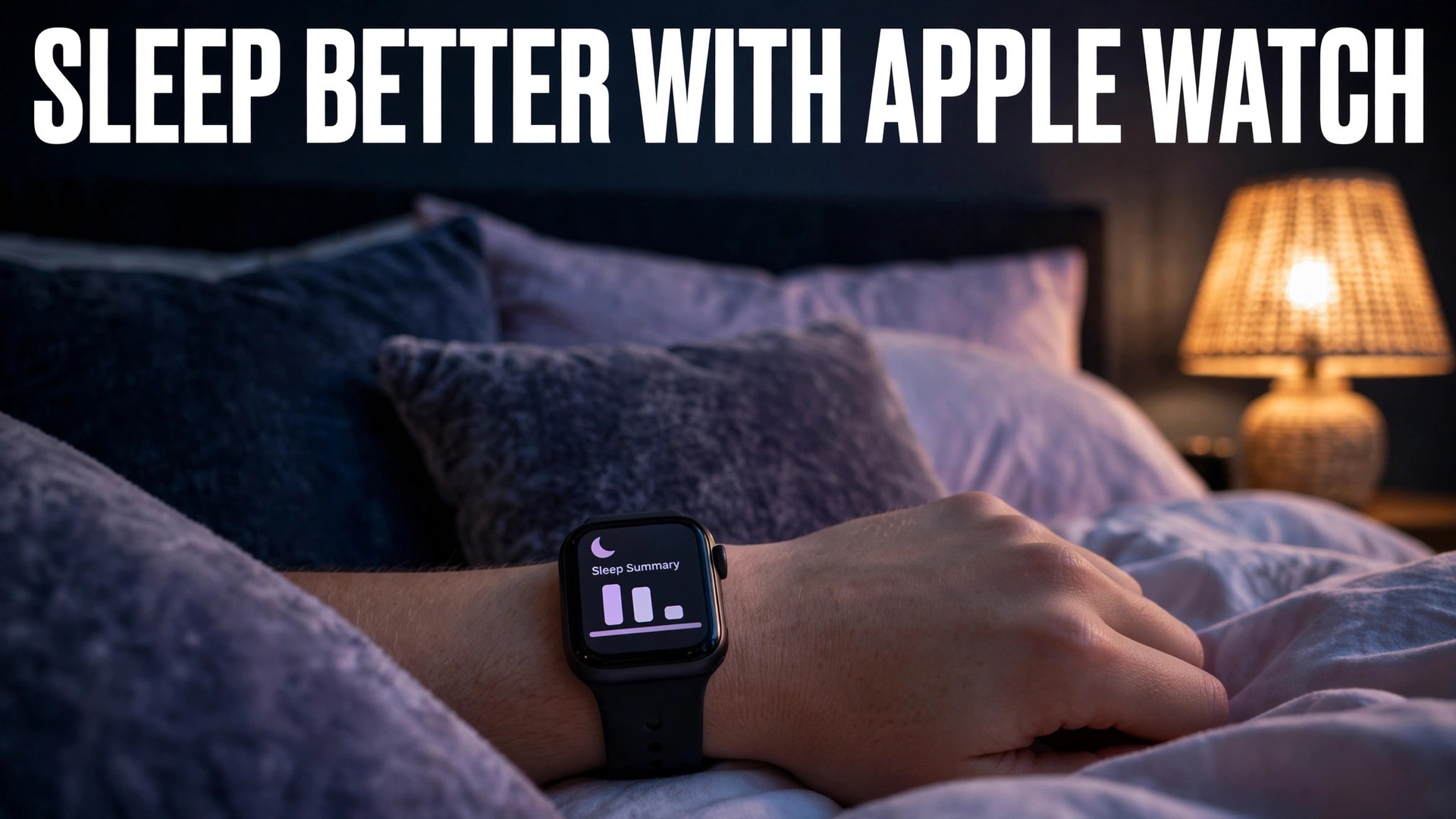
The verdict comes first. Charge the watch before bed, wear it snugly, set a realistic sleep schedule in the Health app, turn on Track Sleep with Apple Watch, and then leave the data alone for two weeks. If you want to set up Apple Watch for sleep tracking beginners successfully, that patient sequence matters more than any third party app, because the watch needs a baseline before its stage estimates and trends mean anything, and a baseline only appears when the watch is actually on your wrist through the night, night after night. Most sleep tracking failures are not sensor failures, they are charging failures, schedule failures and impatience failures.
This guide follows that verdict with the detail behind it. You will learn what the watch can and cannot measure, how to create a schedule that matches your real life rather than an idealised bedtime, how to read Core, Deep and REM stages without overreacting to a single night, and how to build a charging habit that never leaves the watch flat at midnight. It assumes an iPhone paired with the watch, a recent watchOS version, and no prior experience with sleep tracking, and it keeps medical claims out, because a consumer watch is a pattern finder, not a diagnosis tool.
What an Apple Watch Actually Measures at Night
An Apple Watch estimates sleep using motion from its accelerometer, heart rate patterns, and, on supported models, heart rate variability and respiratory rate, and understanding these signals helps when you set up Apple Watch for sleep tracking beginners. When you lie still with a lower, steadier heart rate, the watch infers sleep. When movement and heart rate patterns shift in characteristic ways, it estimates a stage. Sleep stages on Apple Watch, available on Series 4 or later with watchOS 9 or later, are labelled Core, Deep and REM, plus time awake. Older models and older software track total sleep time without that stage breakdown, which is still useful for consistency and duration, even if it cannot show stage detail.
Understanding the limits prevents disappointment. The watch does not measure brain waves, so its stage labels are estimates based on indirect signals, not laboratory polysomnography. A night with unusual movement, a loose band, a very warm room or alcohol late in the evening can shift the estimates, and a single night’s stage chart should never be treated as a precise medical result. What the watch does well is consistency over weeks, showing whether you sleep longer on work nights or weekends, whether a late bedtime repeatedly shortens Deep sleep, and whether a new habit coincides with a change in wake ups. Treat the watch as a diary that writes itself, not as a doctor in a box.
Battery and comfort are part of measurement quality, not side issues. A watch that dies at 3am records a partial night, and a band so loose that the sensor loses skin contact records gaps and noisy heart rate data. Wear the watch snugly but comfortably on the top of the wrist, with the sensor flat against the skin, and move it slightly higher on the wrist if readings look erratic. Clean the sensor occasionally, check that the band is not stretched out, and try a different band size if the watch slides around during the night. Small fit changes often improve data quality more than any software setting.
The Sleep Schedule Setup Checklist
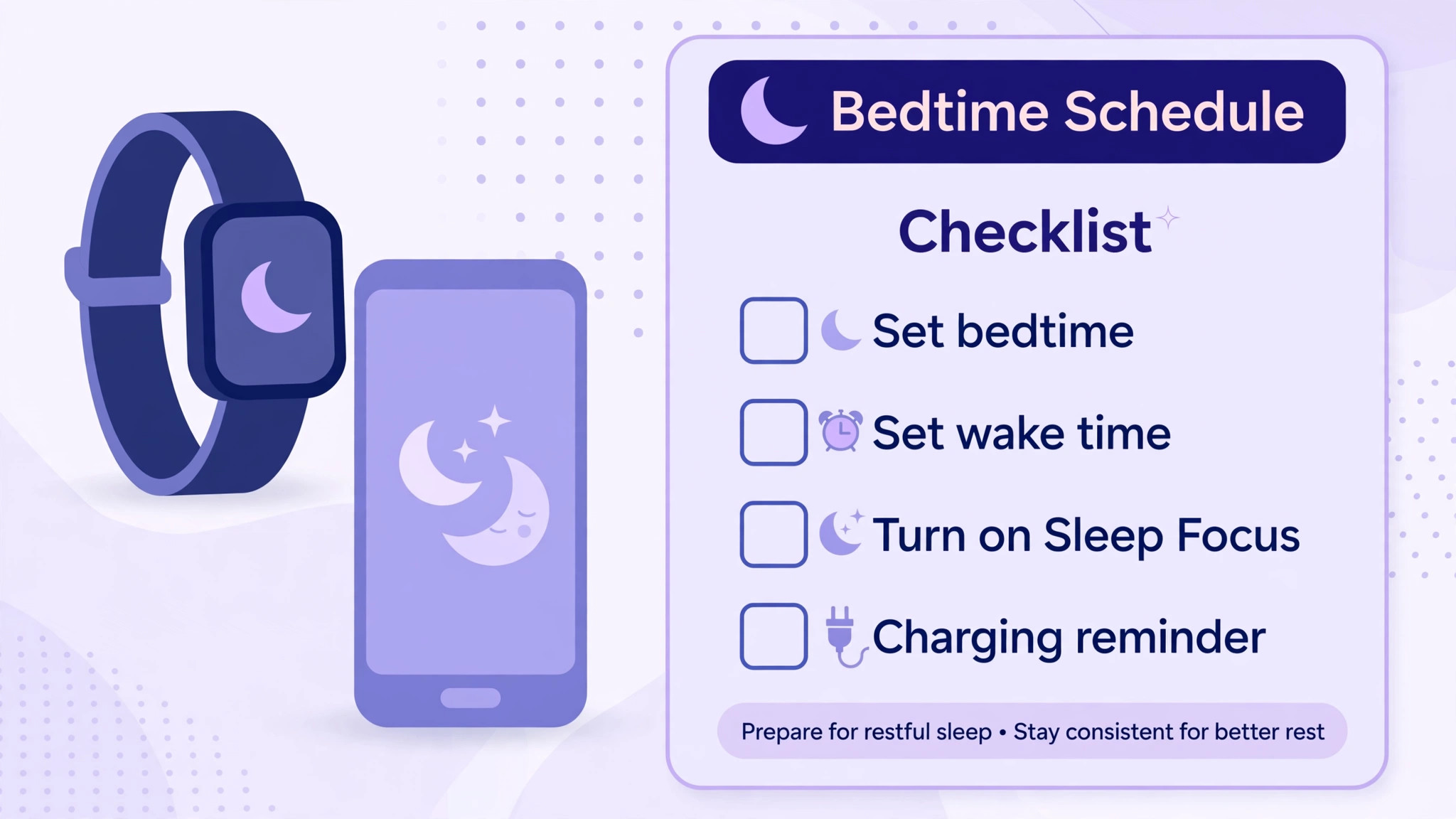
A sleep schedule is the backbone of the whole system, because it tells the watch when to expect sleep, when to turn on Sleep Focus, when to remind you to wind down, and when to sound an alarm. Set it in the Health app on your iPhone, under Browse, then Sleep, then Set Up Sleep or Full Schedule, or directly in the Sleep app on the watch. Choose a sleep goal in hours that matches your real life, a bedtime you can keep on most nights, and a wake time that does not require a heroic effort. A schedule you keep five nights a week beats a perfect schedule you keep once.
Work through the checklist below in order, and test each item the same night if possible, because a schedule created but never tested often contains a wrong alarm time or a Wind Down setting that nobody notices until it interrupts an evening.
| Sleep schedule step | Where to set it | Check the same night |
|---|---|---|
| Set a sleep goal | Health app, Browse, Sleep, Full Schedule | Goal reflects real sleep, not an ideal number |
| Choose bedtime and wake time | Health app, Sleep, Full Schedule | Times are keepable on most weekdays |
| Add a weekend schedule if needed | Health app, Sleep, Add Schedule for Other Days | Weekend times differ only where life truly differs |
| Turn on Track Sleep with Apple Watch | Watch app, Sleep, Track Sleep with Apple Watch | Watch records a full night without gaps |
| Turn on Sleep Focus | Health app, Sleep, or Focus settings | Screen dims and notifications quieten at bedtime |
| Set Wind Down time | Health app, Sleep, Wind Down | Reminder arrives early enough to be useful |
| Turn on Charging Reminders | Watch app, Sleep, Charging Reminders | Low battery reminder arrives before bed |
| Choose an alarm sound and vibration | Sleep app on watch, alarm settings | Alarm wakes you without startling others |
| Wear the watch snugly to bed | Physical fit, top of wrist | Sensor stays in contact all night |
| Check the morning summary | Sleep app on watch, Health app on iPhone | Duration and stages appear for the night |
If your work pattern includes shifts, create separate schedules for work days and days off rather than forcing one schedule to fit both. The Health app allows different schedules for different days, and a shift worker who uses one schedule for all days will see constant schedule violations that tell them nothing useful. Similarly, if you share a bed with a partner who keeps very different hours, set your alarm to vibrate on the wrist rather than sound aloud where possible, so your schedule does not become your partner’s alarm clock.
Sleep Focus, Wind Down and the Bedroom Environment
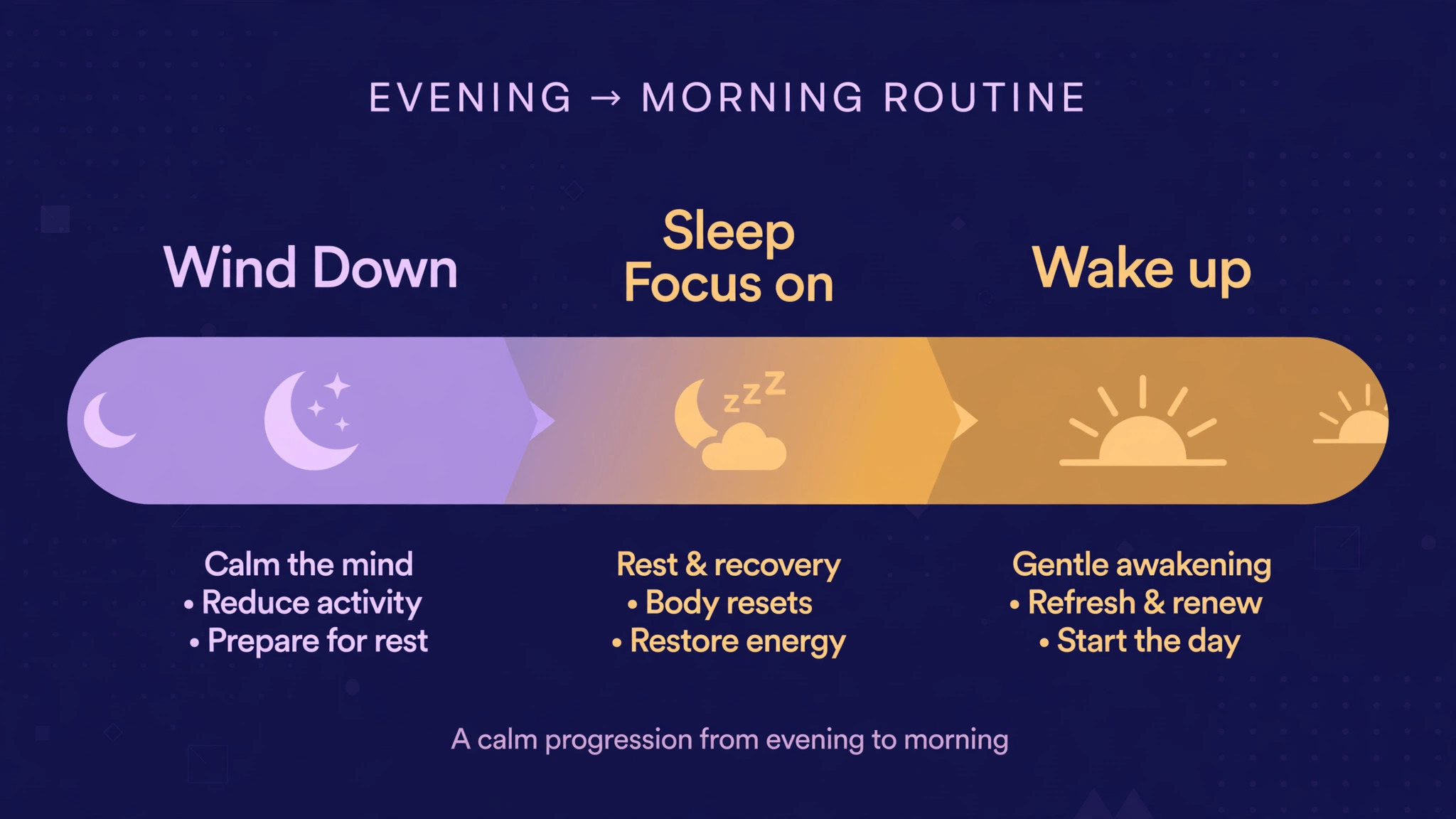
Sleep Focus is the watch and phone mode that activates with your schedule when you set up Apple Watch for sleep tracking beginners. When it is on, the watch screen dims, notifications are silenced or reduced, and the display locks to prevent accidental taps during the night. You can turn Sleep Focus on manually from Control Centre on the watch or phone if you go to bed early, and it will turn off automatically at your wake time. If notifications still disturb you, check Focus settings on the iPhone, because allowed contacts and apps in Sleep Focus can override the quieting effect, and a single allowed app with frequent alerts can undo the whole benefit.
Wind Down is the period before bedtime when the phone and watch begin to quieten, and it is more useful when it is short and realistic. A Wind Down of fifteen to thirty minutes suits most people, because an hour long Wind Down that starts while you are still cooking or working will simply be ignored. During Wind Down, reduce bright screens, finish messages, and place the phone on charge outside easy reach if you tend to scroll in bed. The watch itself does not need a Wind Down ritual, it simply needs to be charged and on your wrist, so keep the evening routine focused on sleep, not on device management.
Bedroom environment still matters more than any app. A cool, dark, quiet room, a consistent wake time, and a reduction in caffeine and alcohol late in the day affect sleep far more than a new watch face or a new sleep app. Use the watch data to test one change at a time, such as moving bedtime thirty minutes earlier for two weeks, rather than changing bedtime, caffeine, exercise and screen time all at once and not knowing which change helped. The watch is a measurement tool for experiments you run on your own routine, and experiments work best one variable at a time.
Reading Core, Deep and REM Without Overreacting
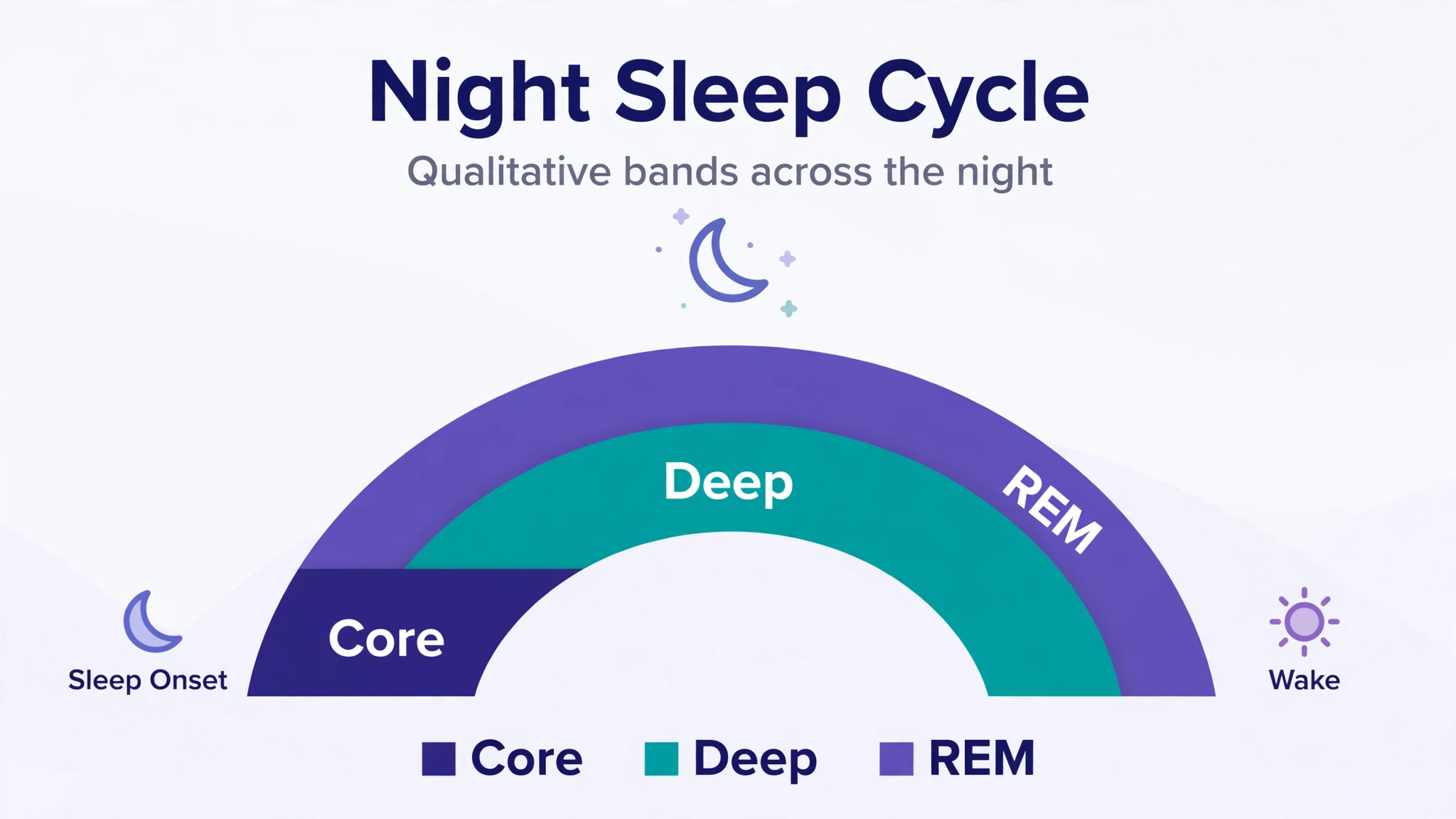
Open the Health app on your iPhone, go to Browse, then Sleep, to see the stage breakdown for a night, and reading that breakdown calmly is a key skill when you set up Apple Watch for sleep tracking beginners. Core sleep is the lightest stage category in Apple’s labelling and usually forms the largest share of the night. Deep sleep tends to cluster earlier in the night and is associated with physical restoration. REM sleep tends to cluster later in the night, often before waking, and is associated with dreaming and memory processing. A typical adult night contains all three stages in cycles, and the exact proportions vary by age, health, stress and the previous night’s sleep debt.
The table below gives a plain language reading guide, with the important warning that these are qualitative patterns for orientation, not medical thresholds, and that a single night outside a typical pattern is normal, especially after travel, illness, stress or a late night.
| Sleep stage reading | What it usually looks like | What to do with the information |
|---|---|---|
| Core sleep dominant | Largest share of the night, many cycles | Normal, focus on total duration and consistency first |
| Deep sleep low for one night | Shorter Deep segment after a late or stressful day | Note the context, check the next few nights before worrying |
| Deep sleep low for many nights | Repeatedly short Deep segments over weeks | Review bedtime consistency, alcohol, late meals and room temperature |
| REM sleep short after early waking | Alarm cuts the later REM rich part of the night | Consider a slightly later wake time or earlier bedtime |
| Frequent wake segments | Many brief awake periods through the night | Check room noise, light, discomfort, band fit and late caffeine |
| Long time to fall asleep | Long gap between bedtime and first sleep segment | Review Wind Down, screen use and evening stimulation |
| Irregular bedtimes | Bedtime varies by hours across the week | Prioritise a consistent bedtime before chasing stage detail |
| Respiratory rate unusually high | Higher breathing rate during sleep over several nights | Note the pattern and discuss with a clinician if it persists |
Trends matter more than single nights. Look at weekly averages for duration, bedtime consistency and wake ups, rather than celebrating or mourning one night’s Deep sleep total. If a pattern persists for several weeks, especially very short sleep, frequent waking, loud snoring with pauses in breathing, or daytime sleepiness that affects driving or work, take that pattern to a clinician, because a watch can flag a pattern worth investigating, but it cannot diagnose sleep apnoea, insomnia or any other condition on its own. Bring the Health app weekly view to that appointment, because a clinician can interpret a trend in context far better than a single night’s chart.
Charging Habits That Never Leave You Flat at Midnight
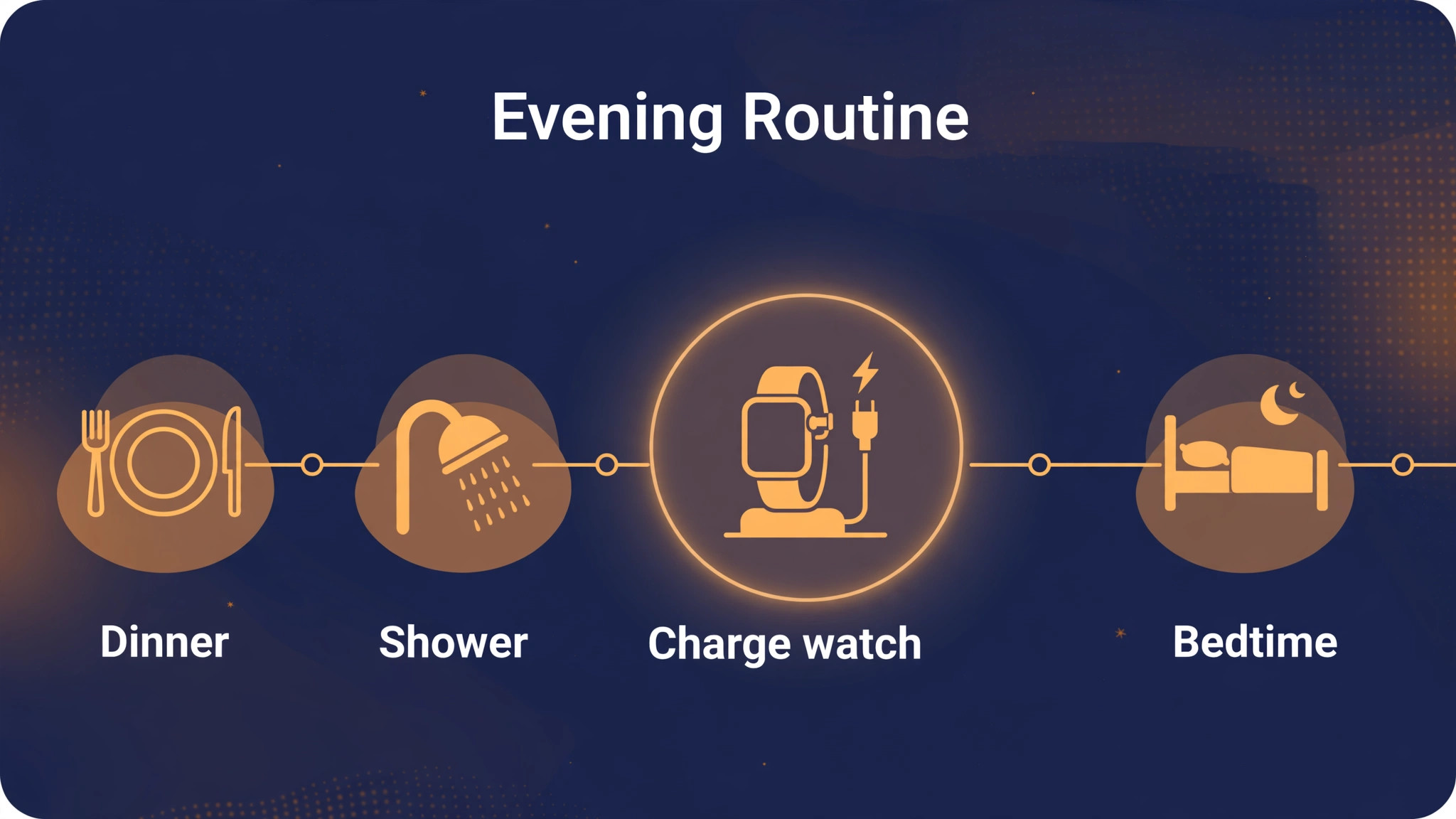
Charging is the most common practical failure in sleep tracking when you set up Apple Watch for sleep tracking beginners, and it has a simple solution, which is to charge at a fixed time that is not bedtime. Charge the watch for thirty to forty five minutes during dinner, a shower or an evening television programme, and aim for at least thirty percent battery before bed, which Apple guidance cites as a practical threshold for a full night of tracking.
If the battery is low near bedtime, Charging Reminders in the Watch app Sleep section will prompt you, but a reminder at bedtime is already late, so build the earlier charging habit and treat the reminder as a backup, not as the plan.
Keep the charger in one place, such as beside the bed or in the kitchen, and keep a second charger where you charge in the evening if you travel frequently. Fast charging on newer models makes an evening top up genuinely quick, but it still requires the habit of placing the watch on the charger at that fixed time. If you forget one night, charge during breakfast the next morning and wear the watch for the following night, rather than skipping tracking for a week because one night was missed. A gap in the data is not a failure, it is simply a night without a measurement, and the trend resumes the next night.
Battery health over months depends on normal use, not on special rituals. Avoid leaving the watch on a hot windowsill or in a car on a warm day, and update watchOS and iOS when updates are available, because updates can improve sleep algorithms and battery management. If battery life drops sharply, check which apps and watch faces use the most power, reduce always on display use if your model offers it, and consider whether an ageing battery needs service, rather than assuming sleep tracking itself is draining the watch. Sleep tracking uses sensors through the night, but a healthy battery should still cover a night after an evening top up.
How to Set Up Apple Watch for Sleep Tracking Beginners With Built In Tools
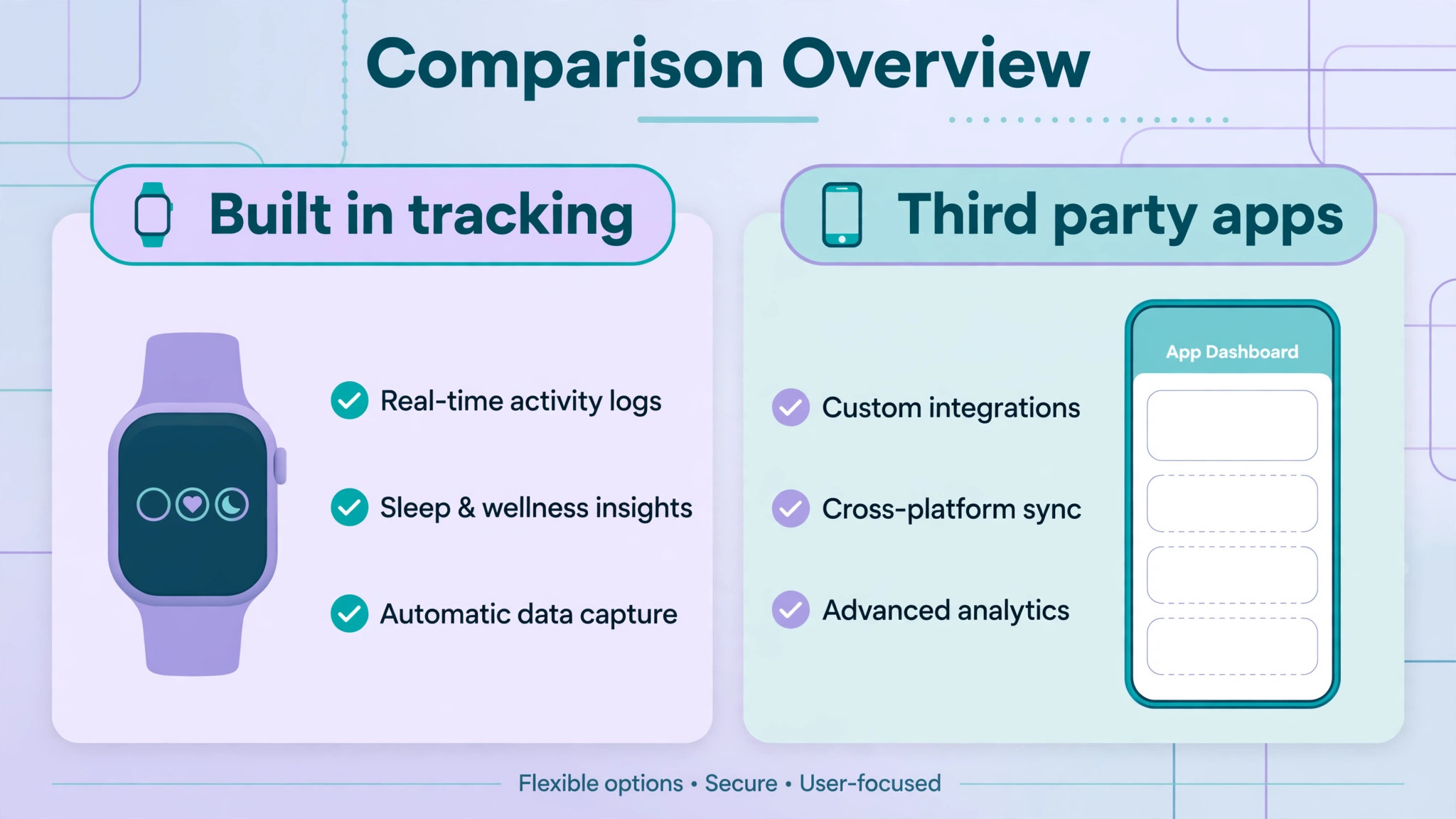
Built in sleep tracking has a clear advantage for beginners, which is that it works automatically once the schedule and Track Sleep setting are on, without a subscription, without nightly manual start and stop, and without exporting data to another service. Third party sleep apps can add features such as smart alarms, detailed sound recording or snore detection, but they also add complexity, battery use, subscription costs and privacy questions about where sleep audio and health data are stored.
For a first month, use the built in system alone, learn what its charts mean, and only add a third party app if it solves a specific problem the built in system does not, such as a particular alarm style you prefer.
If you do try a third party app, check three things before subscribing. First, whether it requires you to wear the watch differently or to start tracking manually each night, because a manual step is a step you will forget. Second, whether it stores health data on its own servers and what its privacy policy says about that storage, because sleep data is sensitive health information. Third, whether its stage estimates agree broadly with Apple’s estimates over a week, because an app that reports wildly different stages every night is adding noise, not insight. Keep the built in Health app as the reference record, and treat third party charts as supplementary views rather than as a replacement record.
Alarms deserve a brief note in this comparison too. The built in sleep alarm can vibrate on the wrist, which wakes the wearer without waking a partner, and it can be set per schedule, so weekdays and weekends differ automatically. A third party smart alarm that tries to wake you in a light sleep phase sounds appealing, but its accuracy depends on the same motion and heart rate estimates as stage tracking, and a smart alarm that wakes you too early or too late can disrupt a schedule that was working well. Try the built in alarm first, note how you feel on waking for two weeks, and only experiment with alternatives after that baseline exists.
Naps, Travel, Shift Work and Irregular Nights
Naps are tracked differently from night sleep when you set up Apple Watch for sleep tracking beginners, and beginners often worry when a nap does not appear in the same chart. Short naps may appear as sleep periods in the Health app, but they do not replace night sleep in the schedule system, and a long late nap can reduce sleep pressure at night, making the main sleep period shorter. If you nap regularly, keep naps short and early in the afternoon where possible, note them in the context of that night’s chart, and do not judge a night’s data without remembering the nap that preceded it.
A nap is not a failure of night tracking, it is part of the day’s total sleep picture.
Travel across time zones disrupts schedules by definition, and the watch will reflect that disruption faithfully. After travel, reset your sleep schedule to the new local bedtime and wake time promptly, rather than leaving the old schedule in place and collecting a week of schedule violations. Use light exposure in the morning and a consistent wake time to anchor the new schedule, and expect stage patterns to look irregular for a few nights while your body adjusts. The watch is useful here precisely because it shows the adjustment happening, with bedtimes gradually stabilising over several days, rather than pretending that jet lag does not exist.
Shift work requires a different mindset from a standard schedule. Create schedules for each shift pattern, accept that daytime sleep after a night shift will differ from night sleep, and judge consistency within each shift pattern rather than across all patterns at once. A night shift worker who compares a day sleep chart directly with a night sleep chart will always see differences, but a worker who compares day sleeps with previous day sleeps can spot real changes, such as a new noise source or a change in room darkness. If shift work causes persistent daytime sleepiness or difficulty staying awake at work, discuss the pattern with a clinician, because schedule data alone does not make shift work safe.

Privacy, Sharing and Who Sees Your Sleep Data
Sleep data lives in the Health app on your iPhone, and it is shared only with apps and people you authorise. Review Health app sharing under the Health app profile, then Apps and Services, and remove access for apps you no longer use. If you share sleep data with a partner, coach or clinician, share a weekly summary or a specific trend, rather than giving continuous access to all health data, because continuous access can include far more than sleep, including heart rate, activity and other measurements you may not intend to share. A screenshot of a weekly sleep view is often enough for a conversation, and it keeps control with you.
Family sharing and device sharing create a related risk. If a child or another family member uses your iPhone or watch, they may see Health data unless the device is locked with a passcode and Face ID or Touch ID. Keep the iPhone passcode private, lock the watch with a passcode if you remove it frequently, and do not share Apple ID credentials to share sleep data, because an Apple ID gives access to far more than Health. If you want a clinician to see your sleep data, use the Health app sharing or export options for that specific purpose, and revoke access when the conversation ends.
Fixing Gaps, Missing Nights and Strange Charts
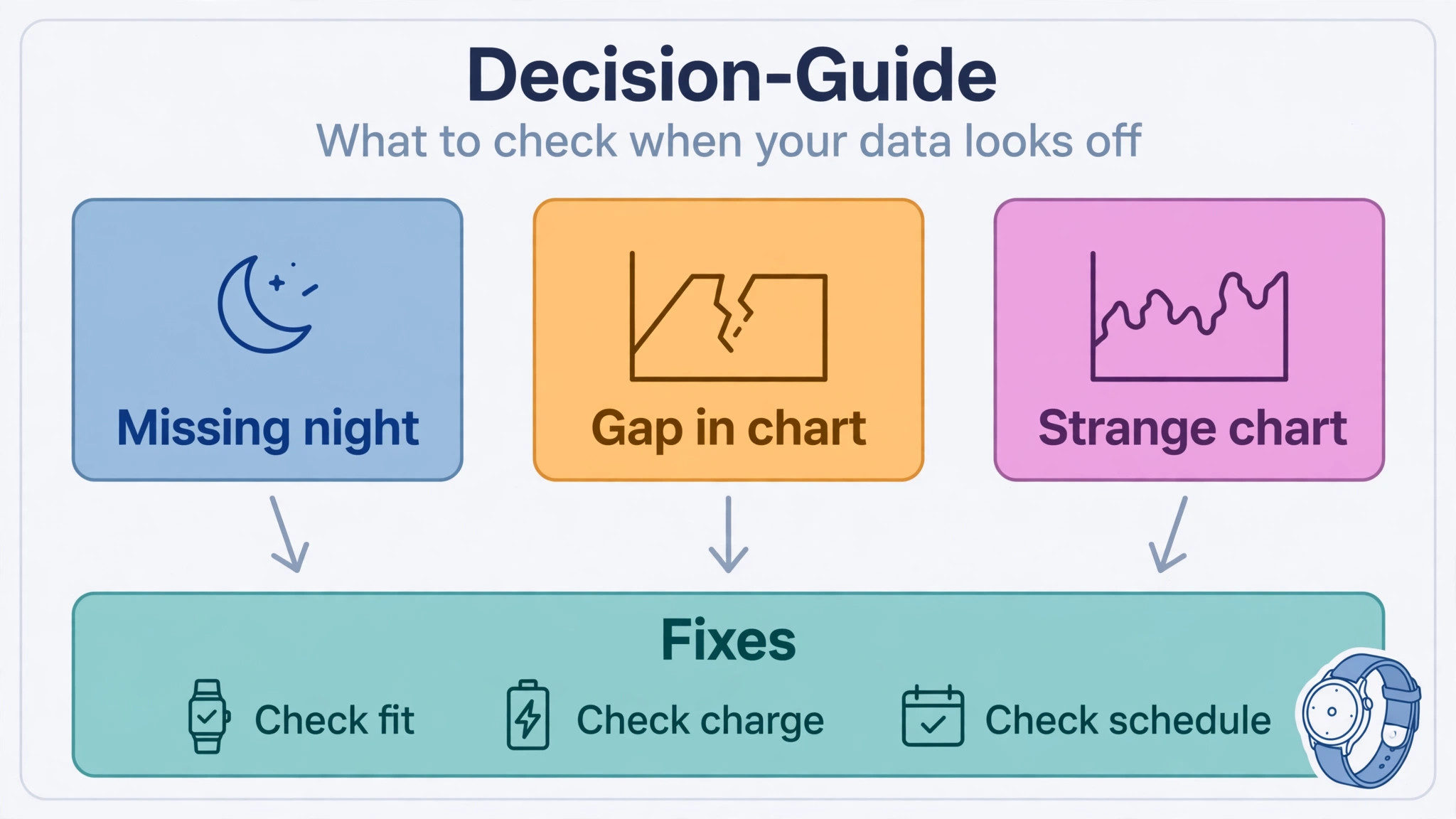
A missing night usually has a simple cause when you set up Apple Watch for sleep tracking beginners. Check whether the watch was worn, whether it had enough charge, whether Track Sleep with Apple Watch is still on in the Watch app, and whether Sleep Focus was active. If the watch was worn but the night is missing, check whether the schedule times match the actual sleep window, because a sleep period far outside the scheduled window may be recorded differently. Restart the watch and phone if a single night is missing and later nights record normally, because a transient software fault is more likely than a sensor failure when only one night is affected.
A strange chart, such as a night split into two sleep periods or a stage pattern that looks nothing like previous nights, usually reflects a real night, not a broken sensor. A split night may mean you woke for a long period and fell asleep again, a night with very little Deep sleep may follow alcohol or a late heavy meal, and a night with many wake segments may reflect noise, discomfort or illness. Check the context first, including travel, stress, medication changes and room conditions, before assuming the watch is wrong.
If strange charts persist for weeks without an obvious context, check band fit, sensor cleanliness and software updates, and then discuss the pattern with a clinician if it is accompanied by daytime symptoms.
More Reading on Stratilyze
Readers interested in personal device setup may also enjoy the iPad setup guide for seniors and beginners, the Google Nest Hub smart home beginner guide for bedroom routines and alarms, and the noise cancelling headphones travel guide for quieter sleep on journeys away from home.
Frequently Asked Questions
Do I need to wear the watch every night to set up Apple Watch for sleep tracking beginners?
You need to wear it most nights to build a useful baseline, but missing a night occasionally does not ruin the trend. Aim for at least five nights a week in the first month, charge in the evening, and wear the watch snugly. A single missed night is simply a gap, and the trend resumes the next night you wear it.
How much battery do I need before bed?
Aim for at least thirty percent before bed, which Apple guidance cites as a practical threshold for a full night of tracking. Charge for thirty to forty five minutes in the evening, during dinner or a shower, rather than waiting until bedtime. Turn on Charging Reminders in the Watch app Sleep section as a backup prompt if the battery is low near bedtime.
What is the difference between Core, Deep and REM sleep on Apple Watch?
Core is the lightest stage category in Apple’s labelling and usually forms the largest share of the night. Deep tends to occur earlier in the night and is linked with physical restoration. REM tends to occur later, often before waking, and is linked with dreaming and memory processing. All three occur in cycles each night, and proportions vary by age, health and the previous night’s sleep.
Can Apple Watch diagnose sleep apnoea or insomnia?
No, a consumer watch cannot diagnose a sleep condition. It can show patterns, such as frequent waking, very short sleep or irregular schedules over weeks, that are worth discussing with a clinician. If you have loud snoring with pauses in breathing, persistent daytime sleepiness, or difficulty falling or staying asleep for weeks, take the weekly Health app view to a clinician for proper assessment.
Should I use a third party sleep app instead of the built in tracking?
Start with the built in tracking for at least a month, because it works automatically, needs no subscription and keeps data in the Health app. Add a third party app only if it solves a specific problem, such as a preferred alarm style, and check its privacy policy and battery use first. Keep the Health app as the reference record even if you try another app.
Why is my sleep data different from how I feel in the morning?
Sleep data estimates stages from motion and heart rate, while morning feeling reflects many factors, including sleep debt, stress, illness, room conditions and wake time relative to a sleep cycle. A night with a good duration but a very early alarm can feel worse than a slightly shorter night that ends naturally. Use the watch to spot patterns over weeks, and trust how you feel during the day as an important signal alongside the charts.
A Two Week Verdict Before You Change Anything
The best sleep tracking setup is the one you still use after a month, and that setup is almost always the simplest one. Set a keepable schedule, charge in the evening, wear the watch snugly, let Sleep Focus quieten the night, and look at weekly trends rather than nightly scores. If you set up Apple Watch for sleep tracking beginners in that patient way, the watch will show you what your nights actually look like, and that honest picture is the foundation for any later change, whether it is an earlier bedtime, a cooler room or a conversation with a clinician.
Do not chase a perfect stage chart, chase a consistent routine, and let the data follow the routine rather than the other way round.