
Most beginner drone flights go wrong before takeoff, not in the air. The pilot skips the compass calibration, flies with a half charged battery, ignores a wind warning, or takes off in a place where flying is restricted, and then blames the drone for a shaky clip or a forced landing. The fix is not a better drone. It is a slower first setup, a clear understanding of the rules that apply to recreational flying in the United States, and a short routine you repeat every time you fly, which is how you set up drone for beginners safely.
If you want to set up drone for beginners properly, start on the ground with paperwork, batteries, and a safe practice field, and only then worry about camera settings and clever shots. This guide follows that order. It covers unboxing and app setup, the FAA recreational rules that matter most, a pre-flight checklist you can actually use, beginner flight modes in plain terms, first flight drills, camera basics, weather judgement, and the maintenance habits that keep a small drone flying safely for a long time.
Before You Fly, Know the Rules That Apply to You
In the United States, recreational pilots must pass The Recreational UAS Safety Test, known as TRUST, and carry proof of completion when flying. TRUST is free and online, and it covers basic safety and airspace rules for recreational flying. That requirement applies even if you only fly for fun in a park, and it is separate from any registration step. If your drone weighs 250 grams or more, you must also register it with the FAA. Registration for recreational pilots costs 5 dollars and is valid for three years, and the registration number must be marked on the outside of the aircraft.
Many popular beginner drones sit close to the 250 gram line, so weigh your exact model with its battery and any accessory attached, because a propeller guard or a heavier battery can push a light drone over the threshold. Check the rules for your country if you fly outside the United States, because weight limits, registration, and test requirements differ, and a rule that is correct in one country can be wrong in another.
DJI Mini Models and the FAA 250 Gram Line
The DJI Mini series is popular with beginners partly because many models are designed to stay under 250 grams, which changes the registration picture in the United States. That advantage disappears if you add accessories, swap in a larger battery, or fly a variant that weighs more, so treat the marketing weight as a starting point and verify your own aircraft. Even a drone that does not need registration still needs TRUST for recreational flying in the United States, and it still must stay within visual line of sight, stay at or below 400 feet above ground level in uncontrolled airspace, and stay clear of people, emergency operations, and controlled airspace unless you have authorisation.
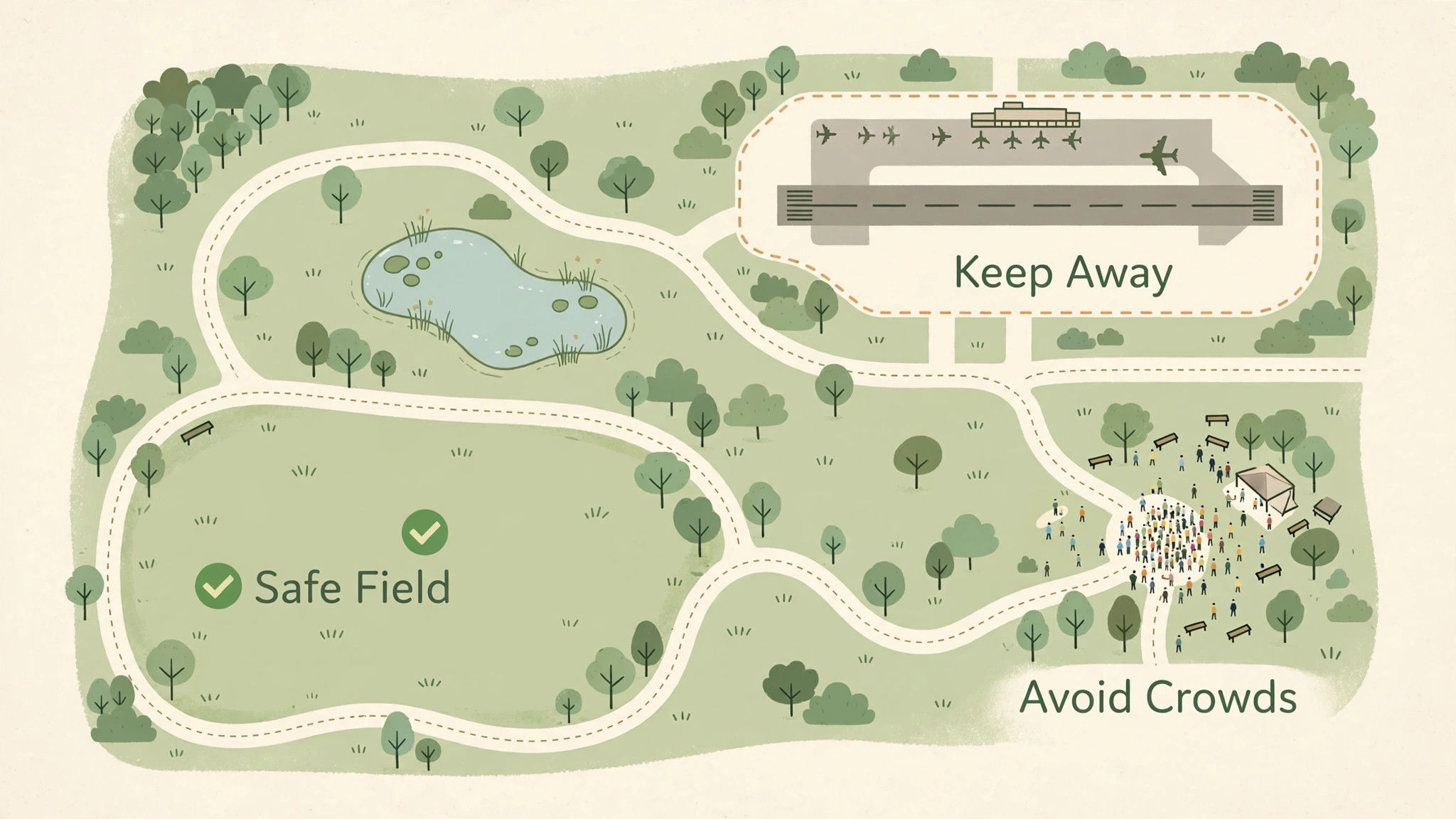
Use an airspace checking app before you fly in a new place, and do not assume a park, a beach, or an open field is automatically legal, because local rules, national park rules, and temporary restrictions can all apply to the same patch of ground. When in doubt, choose a different field rather than arguing about the rule at the field.
DJI Fly App and Account Setup
Most DJI beginner drones use the DJI Fly app, which handles activation, firmware updates, flight logs, and camera settings in one place. Install the app before your first field session, create an account, and activate the aircraft at home over a stable connection, because activation and a firmware update can take longer than you expect and should not eat into a short window of good weather. Update the app, the aircraft firmware, and the controller firmware together, and then restart all three parts before you test fly, because mismatched versions can cause connection warnings.
Set your return to home altitude while you are still at home, thinking about the tallest trees and buildings near your practice field rather than accepting a default that may be too low. Turn on the beginner friendly limits in the app for your first flights, including a distance and altitude cap, and raise those limits only after you have completed several calm flights without warnings. Save your flight logs, because they help you spot a pattern, such as a battery that always drops faster than the others or a location that always triggers a compass warning. A log is a useful part of how you set up drone for beginners for steady progress.
Unboxing, Charging, and First Assembly
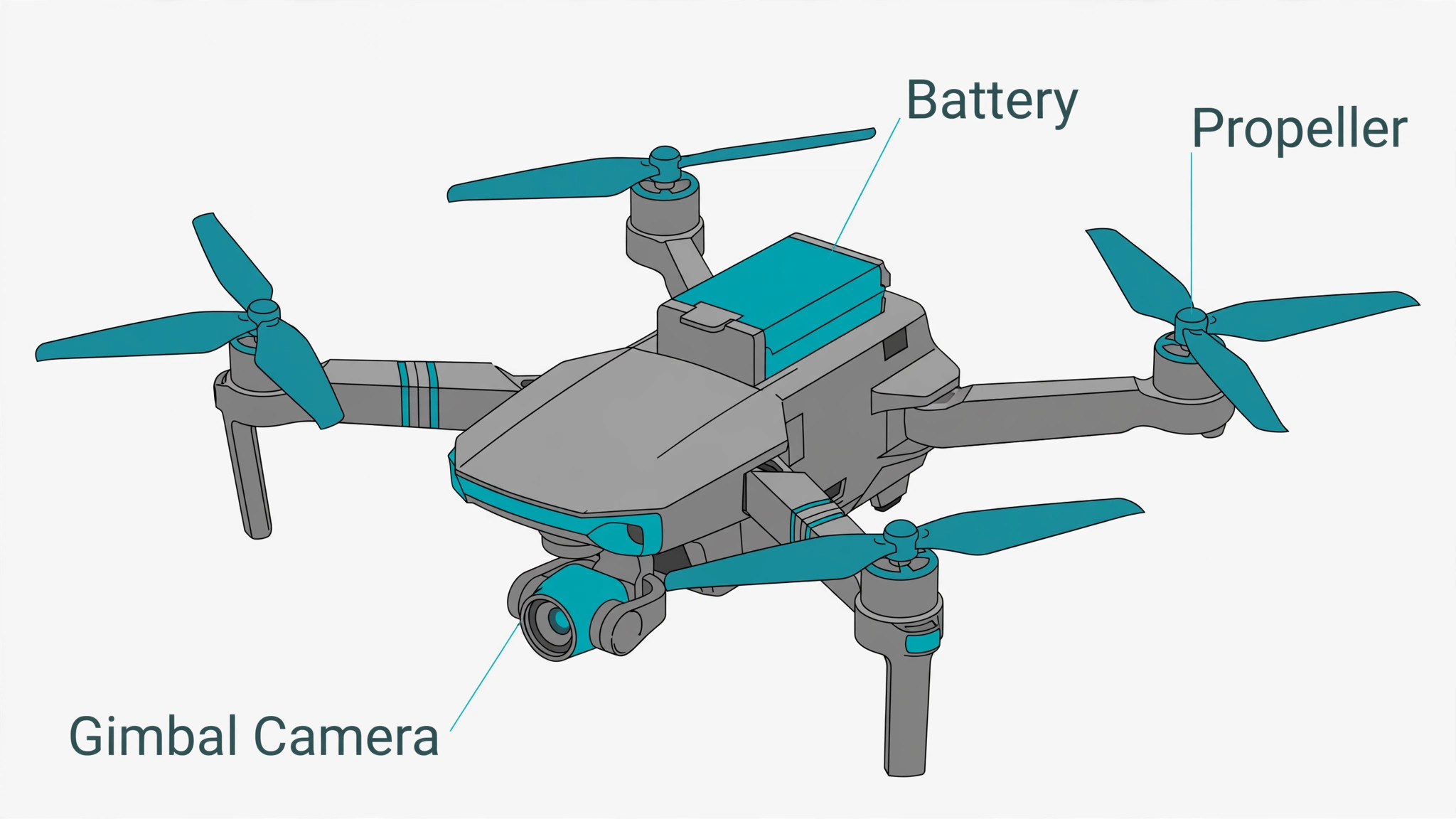
Open the box on a table and lay out the aircraft, controller, batteries, propellers, cables, and spare parts in groups, so you can see at a glance if anything is missing. Charge all batteries fully with the charger supplied for your model, and charge the controller as well, because a controller that dies mid flight leaves you without a reliable link even if the aircraft still has power. Inspect each propeller for cracks, chips, and bends, and replace any damaged propeller before flying, because a small nick can grow into a failure under load and can also cause vibration that ruins video.
Attach propellers exactly as the manual shows, noting that many drones use different propellers for different arms, and a propeller fitted on the wrong arm will not produce correct lift. Unfold the arms slowly until each one clicks, check that the gimbal cover is removed before power on, and remove any foam or tape that protected the camera in transit. Power on the controller first, then the aircraft, and wait for a strong GPS lock and a home point confirmation before you take off, because taking off without a recorded home point weakens the return to home safety net.
DJI Propellers and Gimbal Care
Propellers and the gimbal are the two parts beginners damage most often, and both reward gentle handling. Store propellers flat or in their case rather than bent under other gear, and replace them in pairs or sets as your manual advises when one shows damage. After a hard landing, inspect the propeller hubs and the motor shafts for wobble, and do not fly again until the wobble is explained, because a motor that feels loose on the ground will feel worse in the air. Protect the gimbal by keeping its cover on during transport, by never forcing the camera head by hand, and by landing on a flat pad rather than on long grass that can snag the camera.
If the gimbal calibration fails, place the aircraft on a level surface, restart it, and run calibration again away from metal objects and magnets. Clean the camera lens with a soft cloth and keep fingers off the glass, because a fingerprint that looks small on the ground becomes a soft smear across a whole video.
Pre-Flight Checklist for Every Single Flight
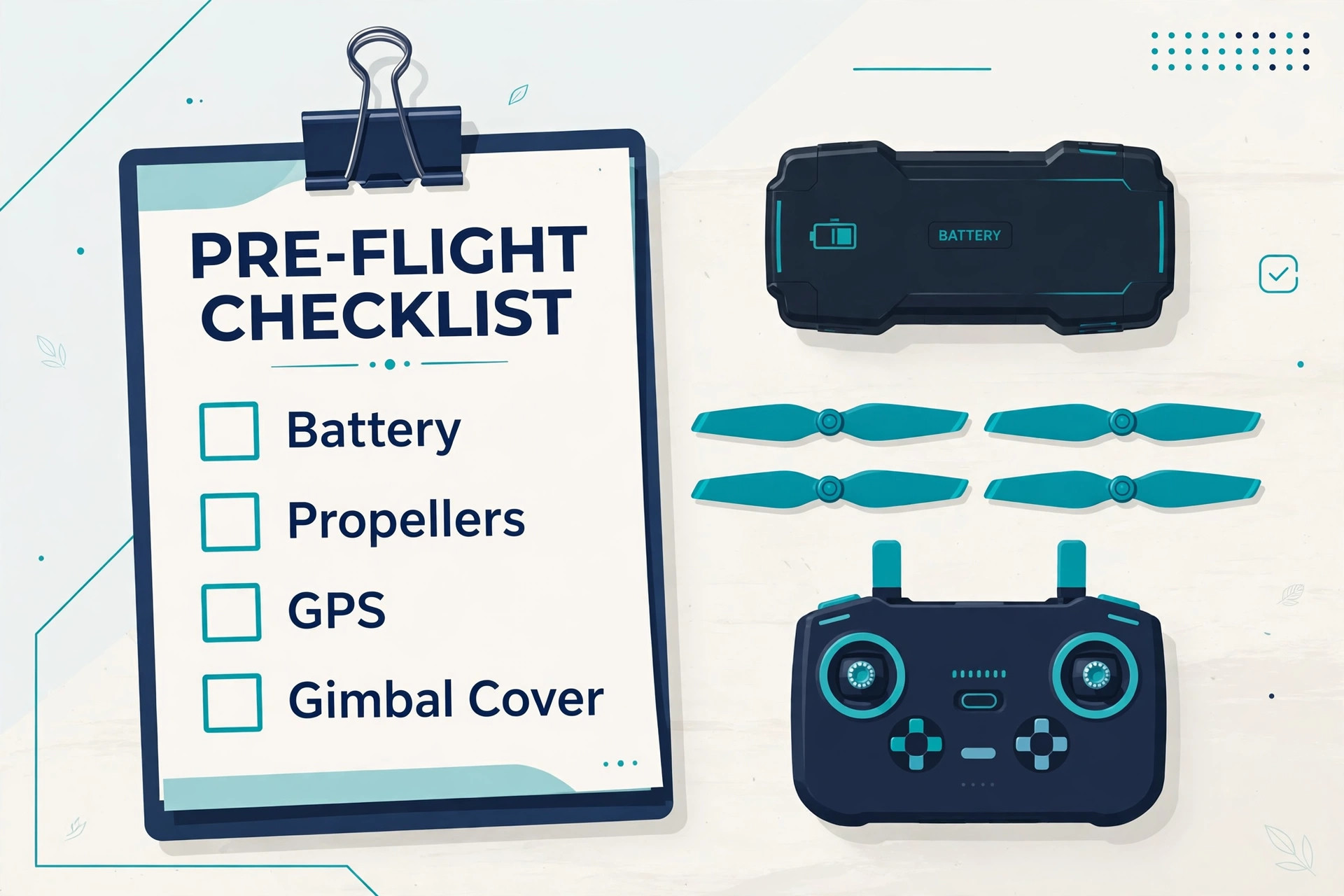
Use this checklist before every flight, even a short test in your garden, because most accidents start with a step that felt too small to matter. Work through it in the same order each time so you do not skip a step when you are excited or in a hurry. A fixed order is central to how you set up drone for beginners safely on every outing.
- Confirm TRUST proof and registration marking are in place where they apply, and check that no temporary flight restriction covers your location.
- Check the weather, including wind speed and gusts, visibility, and rain, and cancel if gusts exceed the comfort level for your model or your skill.
- Charge the aircraft battery, controller, and phone fully, and confirm each battery shows a healthy level with no swelling or damage.
- Inspect propellers, arms, motors, and landing gear for cracks, bends, and loose parts, and replace anything damaged before takeoff.
- Remove the gimbal cover, check the lens is clean, and confirm the microSD card is seated and has enough free space.
- Power on the controller first, then the aircraft, and wait for GPS lock, home point confirmation, and a compass status that reads normal.
- Set return to home altitude above the tallest nearby obstacle, confirm beginner distance and altitude limits are on, and test the return to home prompt.
- Walk the takeoff area for people, pets, overhead wires, and branches, choose a flat takeoff pad, and keep bystanders behind you and clear of the takeoff point.
- Hover at about head height for thirty seconds, check stability, controls, and video feed, and land at once if anything feels wrong.
- Confirm battery level gives a comfortable margin for the planned flight plus a reserve for return and landing, and never plan to use the last ten percent.
Beginner Flight Mode Settings in Plain Terms
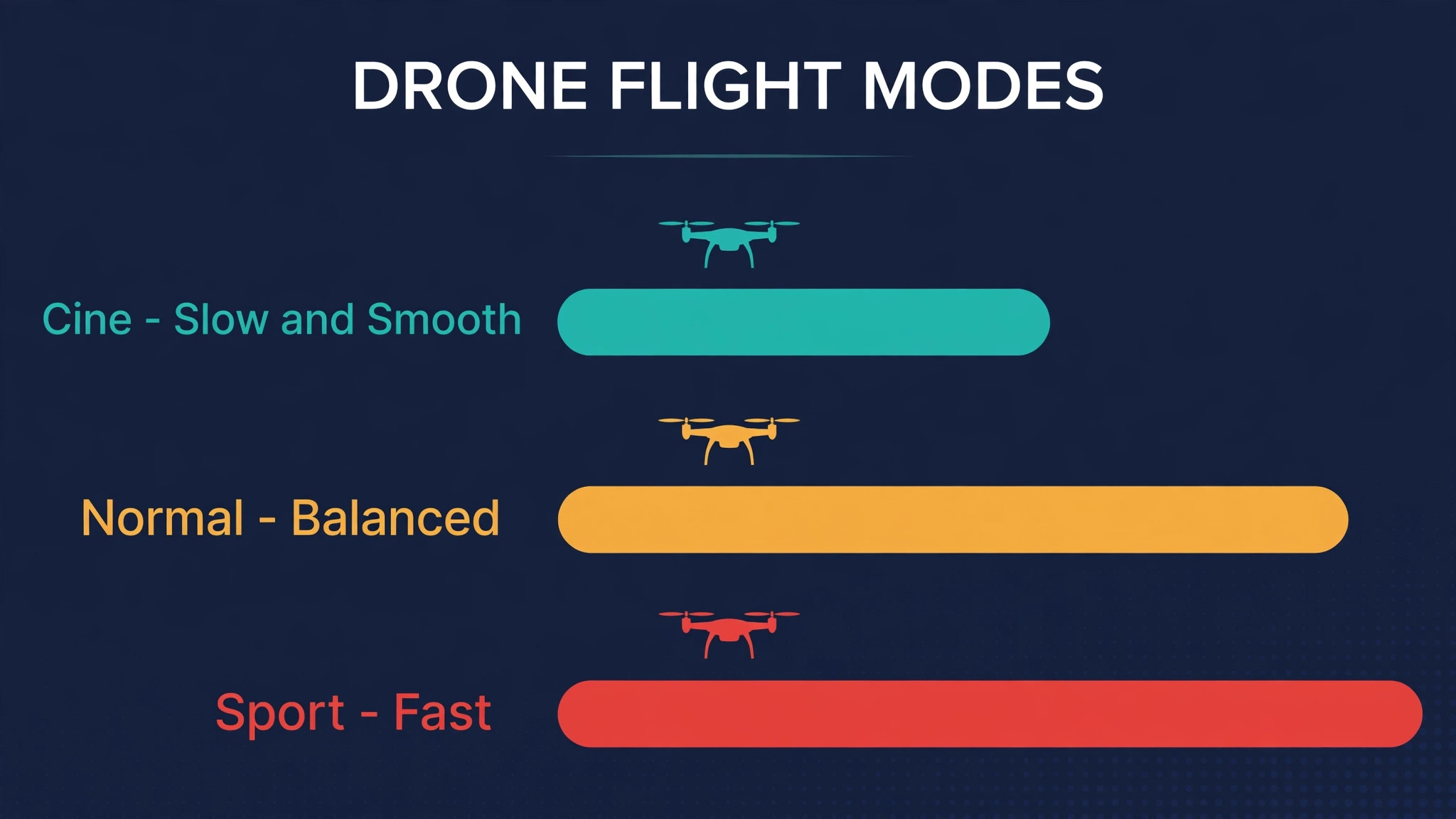
Flight modes change how the drone responds to your sticks, and beginners should start with the gentlest mode and move up only when the gentle mode feels boring rather than scary. Cine mode, called Cine or Cinematic on many DJI models, slows acceleration, braking, and turning, which gives smooth video and forgiving handling. Normal mode gives a balanced response for everyday flying and is the right step up once Cine mode feels easy. Sport mode removes many speed limits and sharpens the response, which suits experienced pilots in open space but punishes small stick mistakes in a beginner’s hands.
Keep obstacle avoidance on for your first flights, even though it can stop the drone unexpectedly near branches, because a sudden stop is easier to explain than a collision. Turn on beginner limits in the app until you can take off, hover, fly a square, and land smoothly without a warning, and only then widen the limits in small steps.
| Flight mode | What it feels like | Best beginner use |
|---|---|---|
| Cine mode | Slow, smooth, gentle turns | First flights, smooth video, tight spaces with care |
| Normal mode | Balanced speed and response | Everyday practice once Cine feels easy |
| Sport mode | Fast, sharp, less forgiving | Open fields only, after many calm flights |
| Tripod mode on supported models | Very slow and precise | Close inspection and careful framing |
| Beginner limits on | Capped distance and altitude | First ten flights and any new location |
| Return to home test | Aircraft returns to recorded home point | Test once per location before a long flight |
If you want to set up drone for beginners with the least stress, keep Cine mode on for your first week and judge progress by control rather than speed. Can you hover in one spot while the wind pushes? Can you fly a slow square and return to the takeoff point? Can you land on a pad without bouncing? When those answers are yes, Normal mode will feel like a natural step rather than a jump. Do not switch to Sport mode to chase a shot, because a shot that needs Sport mode on your tenth flight probably needs a better plan, a calmer day, or a more open location instead.
Record your mode and limits in a short flight note, so you can see when you moved up and whether problems started at the same time. Notes like these help anyone who wants to set up drone for beginners with clear evidence of progress.
DJI Return to Home and Failsafe Settings
Return to home is a safety system, not a filming tool, and understanding it before you need it prevents panic when it triggers. Set the return altitude high enough to clear trees, poles, and buildings on the way back, and remember that return to home flies in a straight line, so a tall obstacle between the drone and home still matters. Learn what triggers return to home on your model, such as low battery, lost signal, or a manual command, and learn how to cancel it safely if you regain control and conditions allow.
Test return to home once at a safe field by flying a short distance away, triggering it, and watching the aircraft return and land or hover, because a test you have seen once is far less frightening than a surprise in a real low battery event. Keep the home point updated if you move your takeoff position, and never take off from a moving vehicle or a boat without understanding how your model handles a moving home point. Check the failsafe setting for signal loss, and choose the behaviour your manual recommends for your area, because the wrong choice can send a drone toward an obstacle instead of holding or returning.
Your First Five Flights, Planned as Drills
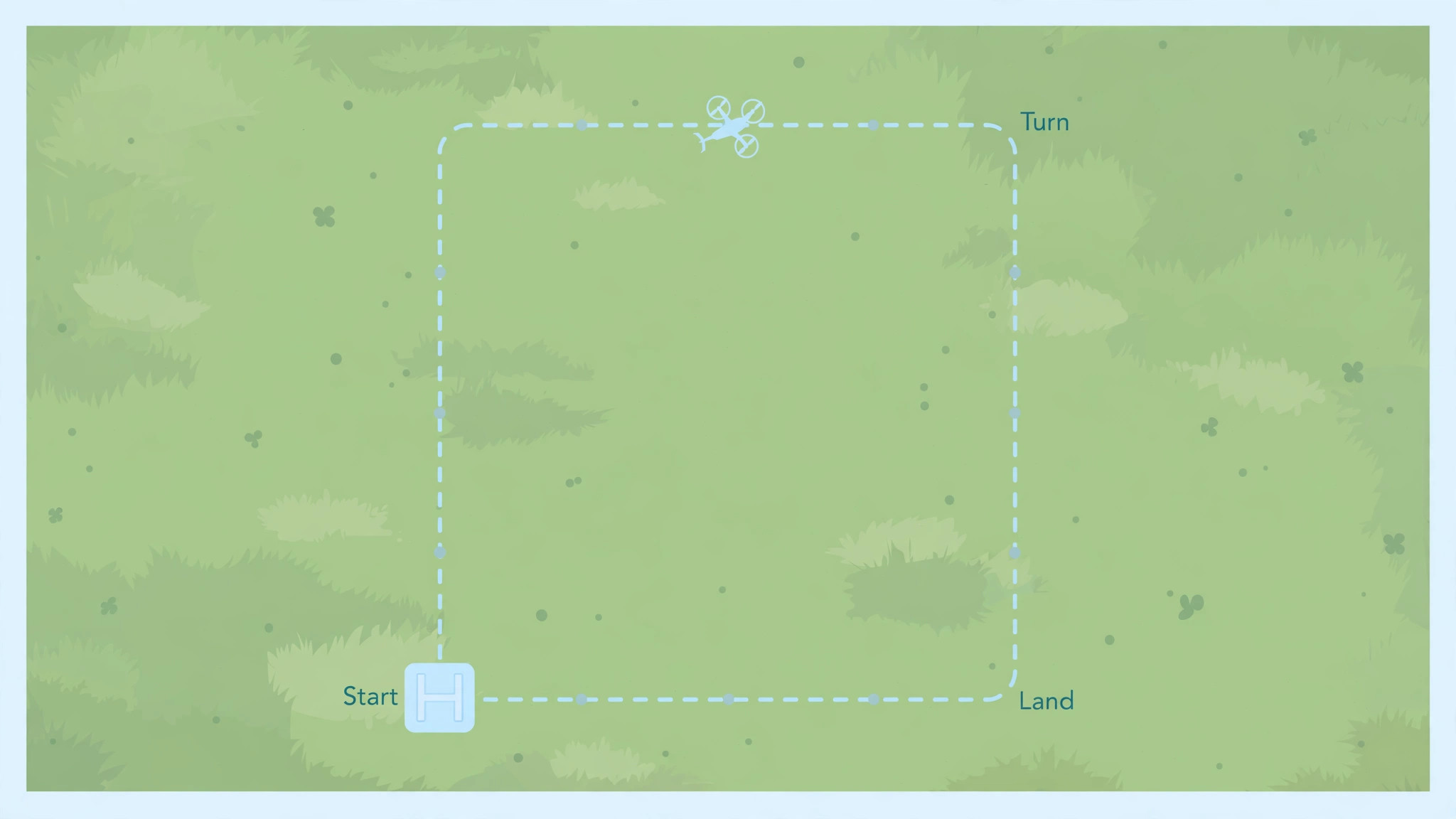
Do not make your first flight a filming mission. Make it a drill with a clear goal, a short duration, and a safe place to land. Flight one is hover and land. Take off to head height, hold position for a minute, practise small corrections, and land gently on the pad. Flight two is a slow square. Fly forward, right, back, and left at walking pace, keeping the drone in sight and the camera pointed forward, and land. Flight three is altitude and return. Climb to a modest height, fly a short distance out, trigger return to home, and watch the landing. Flight four is gentle camera movement.
Fly the same square while slowly panning the camera down and up, and review the clip for smoothness rather than drama. Flight five is a short planned route. Choose three waypoints in your head, fly them in order at Cine speed, and land with battery to spare. After each flight, note wind, battery use, warnings, and what felt hard, because those notes turn five random flights into a training plan. That review habit is a key part of how you set up drone for beginners as a learner rather than a one time flyer.
If any drill feels rushed, repeat it before moving on, because a skill that feels shaky on a calm day will feel worse on a windy day.
DJI Camera Settings for Steady First Videos
Beginner video looks better when the camera settings stay simple. Start with 4K at 30 frames per second or 1080p at 60 frames per second, depending on your editing device and card space, and leave colour on the standard profile until you learn to edit. Keep the gimbal in follow mode for most flying, because it smooths yaw movement and keeps the horizon level without extra input. Use slow, steady stick movements for pans and tilts, and start each camera move a second before the action you want to capture, because drone video often looks rushed when the move starts exactly on the action.
Avoid flying backwards at speed for your first videos, because the camera faces forward and you cannot see what lies behind the drone. Fly forward into a scene, then turn slowly and fly back, rather than reversing blindly. Review each clip on a larger screen before the next flight, and look for horizon tilt, jerky yaw, and overexposed sky, because those three faults cover most beginner video problems and each has a simple fix in stick speed or exposure.
Weather, Wind, and Places to Avoid
Weather judgement is a pilot skill, not a weather app skill, and it improves only when you compare forecasts with what you actually felt in the air. Wind matters more than temperature for small drones, because a gust can push a light aircraft sideways faster than a beginner can correct. As a planning guide, practise in light wind first, avoid gusty days until your control feels automatic, and land early if the drone struggles to hold position or the battery drains faster than usual. Rain, fog, and snow reduce visibility and can damage motors and electronics, so do not fly in them with a beginner model.
Heat and cold both affect batteries, with cold reducing usable flight time and heat increasing stress on motors and electronics, so keep batteries at a moderate temperature before flight and shorten flights at temperature extremes. Avoid flying over people, roads with moving traffic, emergency scenes, airports, and national parks where rules forbid it, and avoid flying at night unless your model, local rules, and skill level all support it. A good field is open, flat, away from wires and crowds, and boring enough that you can focus on flying rather than dodging obstacles.
DJI Battery Care and Storage
Batteries deserve the same respect as propellers, because a damaged battery can fail suddenly and a poorly stored battery loses capacity. Charge batteries with the supplied charger, never leave a charging battery unattended for long periods, and store batteries at a partial charge if you will not fly for weeks, following your manual for the exact storage level. Inspect batteries for swelling, dents, and cracked cases before each flight, and retire any battery that swells, even if it still charges, because swelling signals internal damage. Let a hot battery cool before charging, and let a cold battery warm to a moderate temperature before flying, because temperature extremes during charging or flight shorten battery life.
Label batteries and rotate them evenly, so one battery does not age far faster than the others and surprise you with a short flight. Keep batteries in a fire resistant bag for transport and storage when your manual or local rules recommend it, and never puncture, crush, or throw a damaged battery in ordinary waste. If a battery behaves oddly, such as dropping quickly from a high percentage or heating up during a normal flight, stop using it and seek advice from the maker.
Troubleshooting Without Panicking
Most drone problems announce themselves early if you listen for them. If the app shows a compass warning, move away from cars, metal structures, and reinforced concrete, place the aircraft on level ground, and calibrate again. If GPS lock is slow, move to open sky, wait a little longer, and check whether tall buildings or trees are blocking the sky view. If the video feed breaks up, fly closer, raise altitude slightly, and point the controller antennas toward the aircraft as your manual shows, rather than flying further away to test the link. If the drone drifts in hover, land, check propellers and wind, and recalibrate the compass and inertial sensors on level ground.
If the battery drains faster than expected, shorten the flight, check wind and temperature, and compare that battery with your others on the next calm flight. If return to home triggers unexpectedly, stay calm, watch the aircraft, and cancel only when you have clear control and a safe landing plan. Write down the warning, the conditions, and the fix, because the same warning in the same place often points to a local cause, such as a metal roof or a power line, rather than a faulty drone.
Choosing a Beginner Drone and Kit
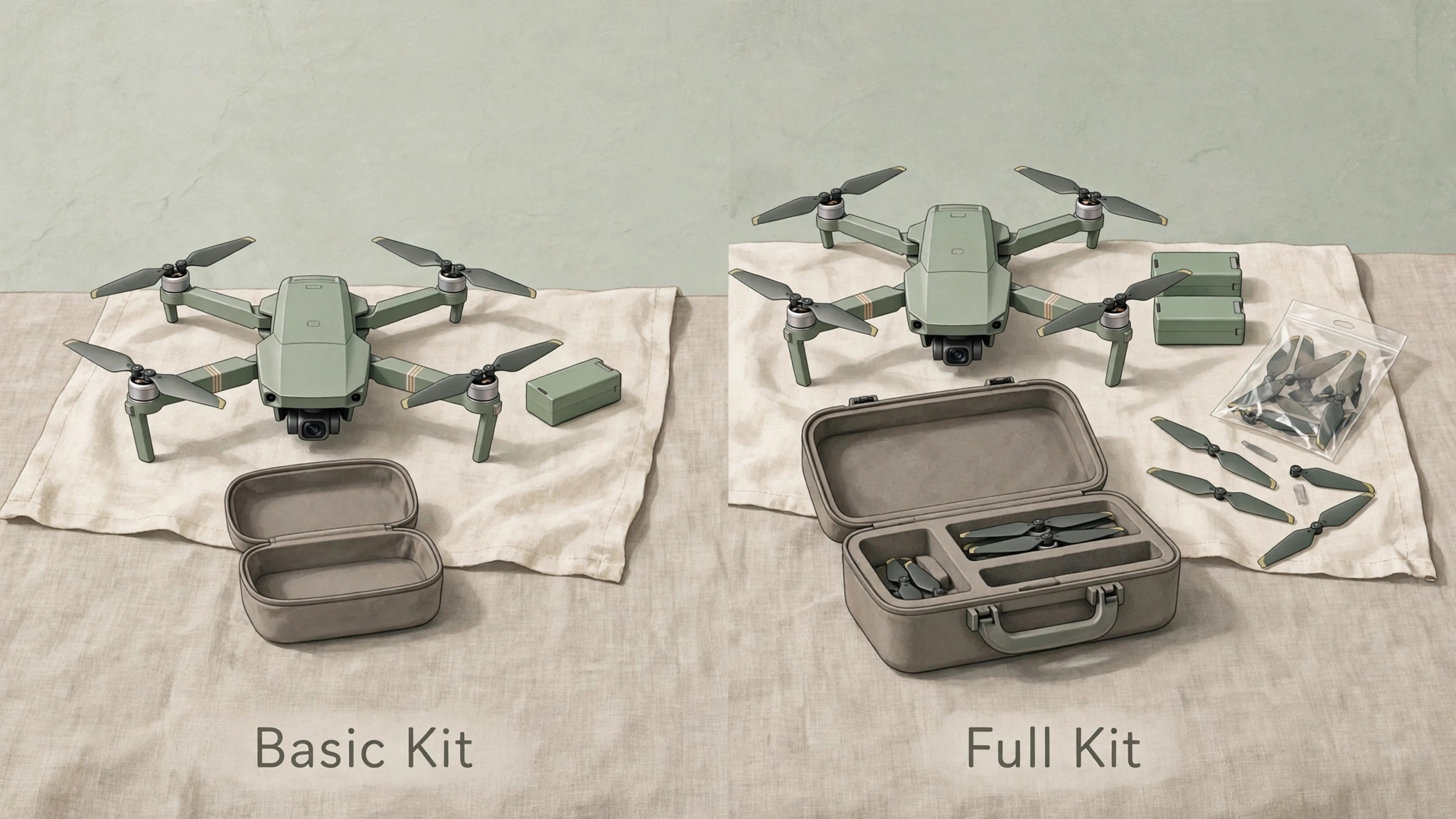
Choose a beginner drone by weight, camera, flight time, obstacle sensing, and the quality of its app, not by top speed or maximum range numbers that a beginner should not use. A light drone under 250 grams suits travel and casual flying, while a slightly heavier model often gives a better camera, stronger wind resistance, and longer flight time. Compare real flight time in normal use rather than the maximum time quoted for hovering in still air, because wind, camera use, and manoeuvring all reduce the usable time. Check whether the kit includes spare propellers, a spare battery, a charging hub, and a carrying case, because those items bought separately can add a large amount to the total cost.
Buy from a retailer with a clear return policy, test the drone hard in the first two weeks, and keep the box and receipts until you are confident in the aircraft. Consider insurance or a care plan if you fly often or near water, because repair costs for a gimbal or camera can exceed the price of a care plan quickly. Most importantly, buy a drone you will actually fly in local fields, not a drone built for a trip you may take once a year.
How to Set Up Drone for Beginners as a Weekly Habit
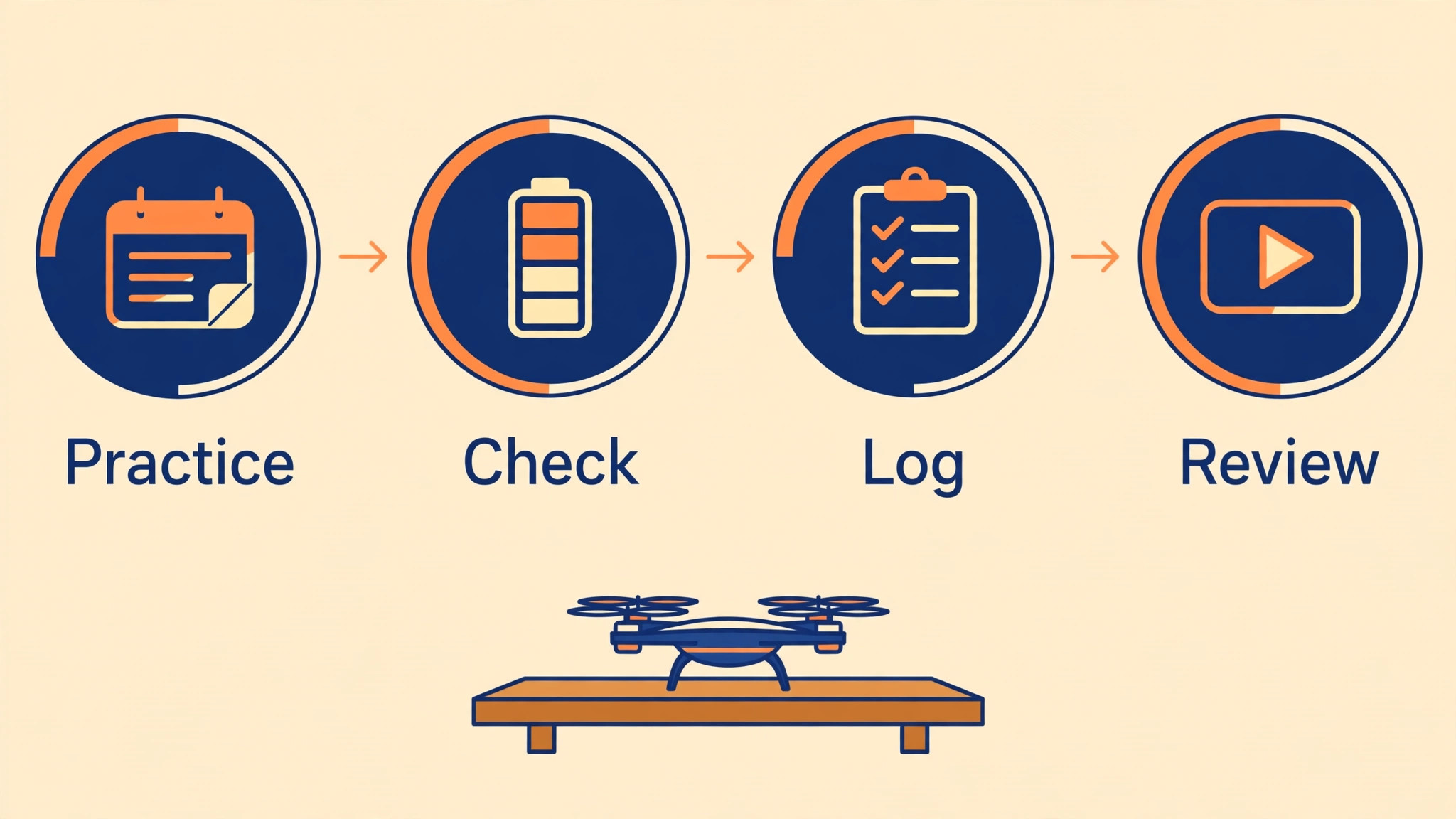
A weekly habit beats a single heroic setup day. Set aside one short session each week for a drill, a battery check, and a log review, even when the weather keeps you on the ground. On a flying week, practise one skill, such as smooth turns or a slow orbit, and review the video before the next session. On a grounded week, update firmware, clean the lens and body, inspect propellers and batteries, and plan the next field. Keep a simple log with date, place, wind, flight time, battery used, and any warning, because a log turns vague feelings about progress into evidence you can act on.
After a month of weekly practice, most beginners can hover confidently, fly a planned route, land on a pad, and judge wind well enough to cancel a bad day without regret. That judgement is the real mark of a competent beginner pilot, and it matters more than any single clever shot. People who set up drone for beginners as a habit, rather than a one day project, tend to keep flying long after the novelty fades, and their footage improves steadily because each flight builds on the last.
Frequently Asked Questions
Do I need to register a drone under 250 grams in the United States?
A recreational drone under 250 grams generally does not need FAA registration in the United States, but you must still pass TRUST and carry proof, fly within visual line of sight, stay at or below 400 feet in uncontrolled airspace, and follow other recreational rules. Weigh your aircraft with battery and accessories, because added parts can push it over 250 grams and change the answer. If you later fly for any business purpose, different rules apply, so check the commercial requirements before you accept payment or use footage for a business.
What is TRUST and how long does it take?
TRUST is The Recreational UAS Safety Test, a free online test for recreational drone pilots in the United States that covers safety and airspace basics. Most people complete it in a short session, and you receive a completion certificate to carry when you fly. It is not a licence for commercial flying, and it does not replace registration where registration applies. Keep a digital copy on your phone and a printed copy in your drone case, so you can show proof if asked.
How far and high can a beginner legally fly?
Recreational pilots in the United States must keep the drone within visual line of sight, at or below 400 feet above ground level in uncontrolled airspace, and clear of controlled airspace unless authorised. Your app limits are not a legal guarantee, so check airspace before each flight and keep flights well inside the legal limits while you learn. A beginner should fly much closer and lower than the legal maximum, because control, video link, and wind judgement all get harder with distance.
What should I do if my drone loses signal?
Stay calm, keep the controller antennas pointed toward the last known direction, and let the failsafe behaviour work if you have set it correctly. Many beginner drones will return to the recorded home point or hover when signal is lost, depending on the setting. Do not run after the drone or make wild stick inputs, because that can make the situation worse when signal returns. After landing, check the flight log, the location, and any obstacle that may have blocked the link, and fly closer on the next flight.
Can I fly a drone in a park or near my home?
It depends on the park rules, local rules, airspace, and whether the area is a national park or otherwise restricted. Some parks allow recreational flying in open areas, while others ban it outright, and a residential area may sit under controlled airspace or near an airport. Check airspace, read park and local rules, and choose an open field away from people, roads, and wires. When the rules are unclear, pick a different location rather than risking a fine or a conflict.
Why does my drone video look jerky even in Cine mode?
Jerky video usually comes from fast stick inputs, flying in gusty wind, a loose gimbal, or a damaged propeller, rather than from the flight mode itself. Slow your stick movements, practise gentle turns on a calm day, check propellers and gimbal, and review the clip on a larger screen to see whether the jerk comes from yaw, pitch, or vibration. If vibration is the cause, inspect propellers and motors before the next flight, because a physical fault will not be fixed by a settings change.
A Final Word Before Your First Takeoff
The best beginner pilots are boring in the best sense. They check the same list, fly the same drills, cancel on windy days, and land with battery to spare. Their footage improves because they are still flying a month later, with a drone that has not been crashed, a battery set that still holds charge, and a log that shows real progress. Start with TRUST and registration where they apply, practise in Cine mode on an open field, and let speed and distance grow with skill. That patient path is slower than a single dramatic first flight, and it is also the path that leads to confident flying, steady video, and a hobby that lasts.
It is, in short, how you set up drone for beginners for the long term.
More Reading on Stratilyze
Readers who enjoyed this drone guide often continue with the GoPro setup guide for beginners, the security camera guide for apartment renters, and the electric scooter guide for commuting beginners, because those guides share the same field tested approach of a checklist first, simple settings second, and safety habits that protect both the device and the person using it.