Compare two homes on the same street, with the same heating system, and one of them will often pay noticeably less for heating and cooling. The difference is rarely a better boiler or a newer air conditioner. It is usually a thermostat that heats and cools only when people are home, eases off overnight, and learns when the house actually needs energy. This guide explains how to set up smart thermostat for energy savings in that way, starting with wiring safety, then installation, then the schedule and setback settings that do the real saving.
A smart thermostat replaces the wall control for your heating and cooling system with a connected device you can control from a phone, set on a schedule, and link to voice assistants and home routines. The savings come from behaviour, not magic. A house heated to full comfort while empty all day wastes energy every hour, and a thermostat that notices the pattern and adjusts is simply stopping that waste. Expect modest, real savings rather than dramatic claims, and judge the device after a full month of normal use, not after a single week.
Safety First and the Wiring Check That Decides Everything
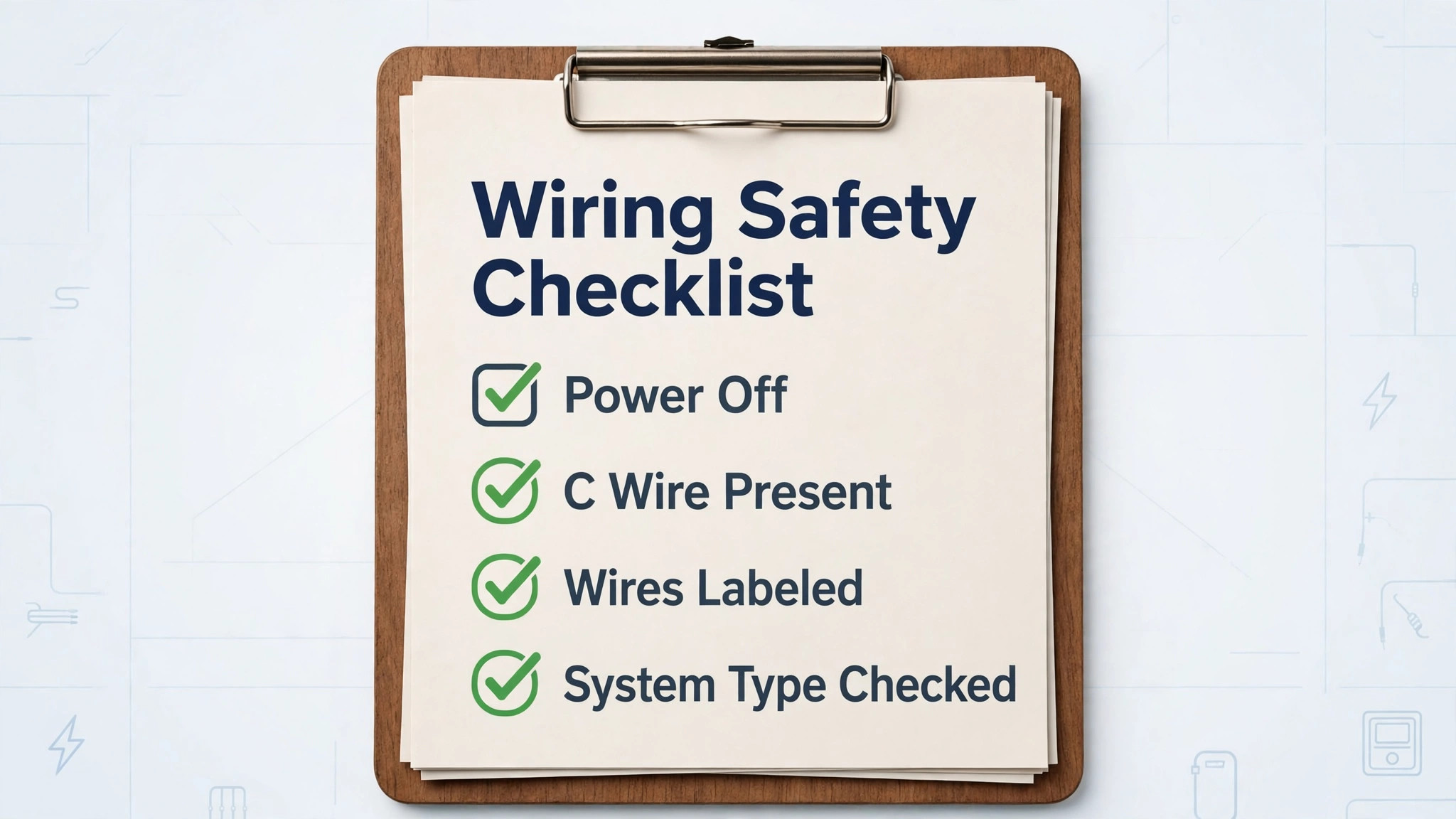
Turn off power before touching any thermostat wiring. Find the breaker for your furnace or air handler, switch it off, and confirm the old thermostat screen is dark before removing its faceplate. This step is not optional, and it is not a formality. Low voltage thermostat wiring is far less dangerous than mains wiring, but a shorted wire can still damage the furnace control board, and a damaged board turns a simple thermostat swap into an expensive repair visit.
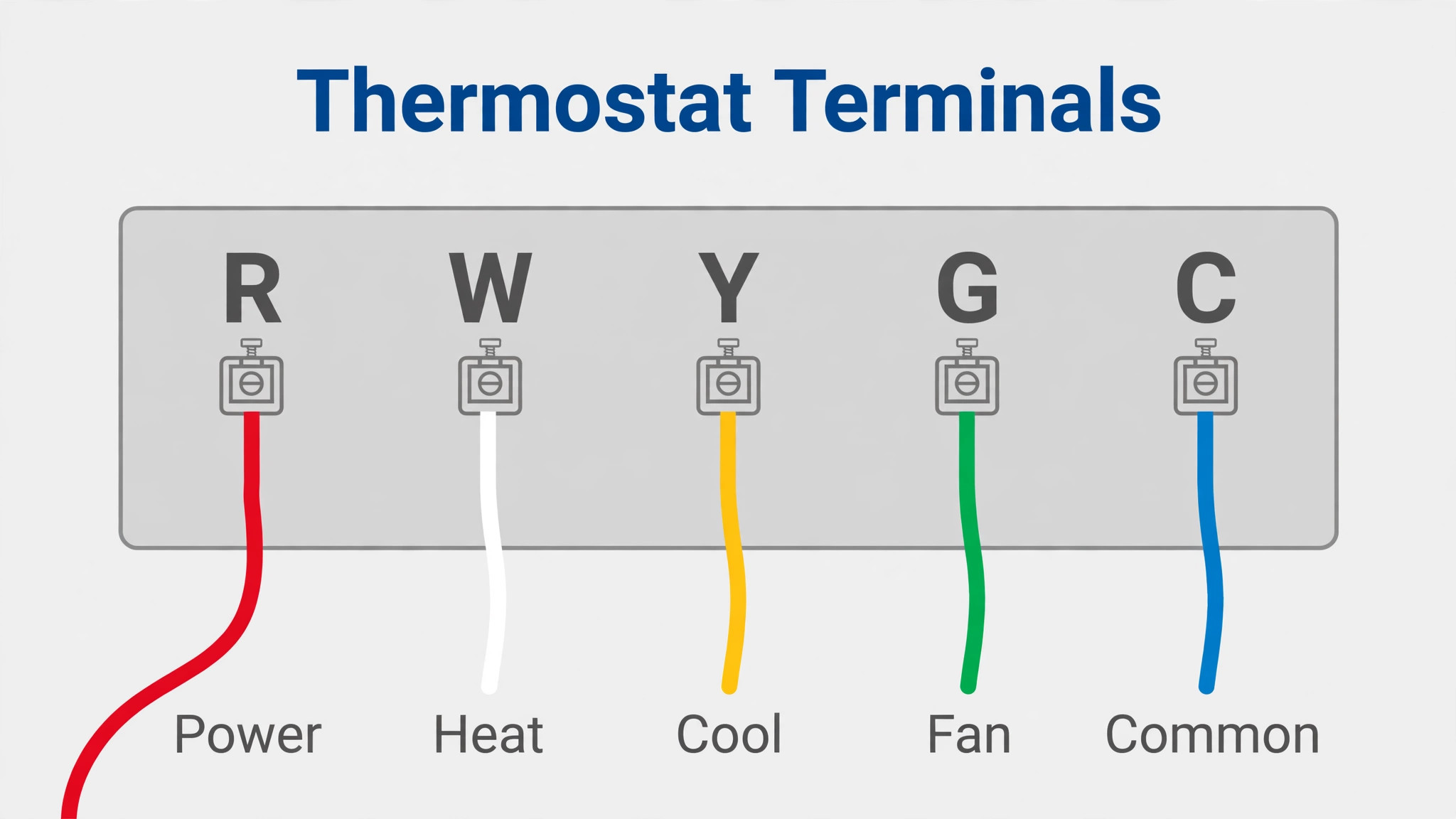
With power off, remove the old thermostat faceplate and photograph the wiring from several angles before disconnecting anything. Note which coloured wire connects to each lettered terminal, since wire colour alone is not reliable, and the terminal letter is what matters. Common terminals include R for power, W for heat, Y for cooling, G for fan, and C for common. The C wire, usually blue or black, supplies continuous power to a smart thermostat, and its presence or absence decides how simple your installation will be.
The table below is your wiring compatibility checklist in miniature, and it is the overview proof element for this guide in combination with the schedule table later. Work through it before buying if you can, or before installing if the device is already in hand, and stop at any row that says call a professional, since that advice protects both you and your heating system.
| Check | What to look for | What it means |
|---|---|---|
| Power off | Breaker off, old screen dark | Safe to touch wiring |
| C wire present | A wire on the terminal marked C | Most smart thermostats install directly |
| No C wire, spare wire in wall | An unused wire tucked behind the plate | A spare wire can often become the C wire with matching work at the furnace |
| No C wire, no spare | Only four wires, none spare | Use the maker power adapter kit, or call a professional |
| High voltage system | Thick wires, 120 or 240 volt labels, baseboard heaters | Standard smart thermostats do not fit, you need a high voltage model or a professional |
| Heat pump or multi stage | Terminals marked O, B, AUX, W2, or Y2 | Choose a thermostat that supports your system type, and check the maker compatibility tool |
| System type unknown | Labels unclear, wiring unusual | Photograph everything and use the maker compatibility checker before buying |
If your system is a standard low voltage forced air system with a C wire, installation is a straightforward DIY job for most homeowners. If you have a heat pump, multi stage system, or no C wire, slow down and use the thermostat maker compatibility tool, entering your exact wire letters, since the tool checks combinations that a generic guide cannot. When the tool says professional installation is recommended, believe it, especially for heat pumps, where a wrong wire can disable auxiliary heat and leave you cold on the coldest night of the year.
Label each wire with masking tape marked with its terminal letter before disconnecting, and keep the old thermostat and its mounting plate until the new one has run for a week. The old device is your fallback if the new install hits a problem, and reinstalling it takes minutes when the wires are still labelled. This habit costs almost nothing and removes the pressure that causes rushed wiring mistakes.
How to set up smart thermostat for energy savings
Installation follows a steady sequence, and the wiring check above is step zero, not an optional preface. Work slowly, keep the breaker off until the new thermostat is fully wired, and test heating and cooling separately before building any schedule. To set up smart thermostat for energy savings properly, the physical install and the schedule are equally important, since a perfectly wired thermostat with a wasteful schedule saves nothing.
- Turn off power at the breaker and confirm the old thermostat is dark. Tape a small note to the breaker so nobody switches it back on while you work, especially in a shared household where someone else may not know you are working on the system.
- Photograph and label the old wiring. Take close photos of each terminal and wire, label each wire with its terminal letter, and note any jumper wires between terminals, since jumpers are easy to forget and hard to reconstruct from memory.
- Remove the old mounting plate and check the wall. Fill old screw holes if needed, and hold the new mounting plate against the wall to check it covers any marks or old paint lines. A trim plate, often included, hides a larger old footprint neatly.
- Mount the new plate and connect wires by terminal letter, not by colour. Push each wire firmly into its matching terminal and tug gently to confirm it is held. If your system needed a power adapter kit at the furnace, install that kit first, following the maker instructions exactly, since the kit changes how wires map at both ends.
- Attach the thermostat display to the plate and restore power at the breaker. The display should light up and begin guided setup. If it stays dark, switch power off again and check the R and C connections first, since those supply power, before assuming the device is faulty.
- Follow the on screen guided setup for system type. The thermostat asks about heating type, cooling type, heat pump presence, and fuel type, and these answers configure how it calls for heat and cooling. Answer from your system knowledge or the furnace manual, not by guessing, since a wrong system type causes poor comfort and wasted energy.
- Connect to Wi-Fi and sign in to the maker app. Use the 2.4 GHz network if the thermostat only supports that band, which many do, and keep the phone nearby for account sign in and verification. A thermostat that cannot reach Wi-Fi still controls heating locally, but it loses remote control, learning features, and energy reports, so Wi-Fi is worth fixing properly rather than skipping.
- Test heating, then cooling, then fan separately. Set heating a few degrees above room temperature and listen for the furnace starting, then set cooling a few degrees below room temperature and listen for the air conditioner, then run the fan alone. Each test should produce the expected sound and airflow within a few minutes. If any test fails, switch power off and recheck wiring before calling support, since most first test failures are a single wire in the wrong terminal.
Once all three tests pass, the thermostat is installed, but the energy saving work has barely begun. A new thermostat left on a constant temperature saves little, and the next sections build the schedule, setbacks, and habits that turn a connected device into a lower bill. To set up smart thermostat for energy savings in full, installation is the entry ticket, and scheduling is the main event.
Schedule and Setback Settings That Actually Save
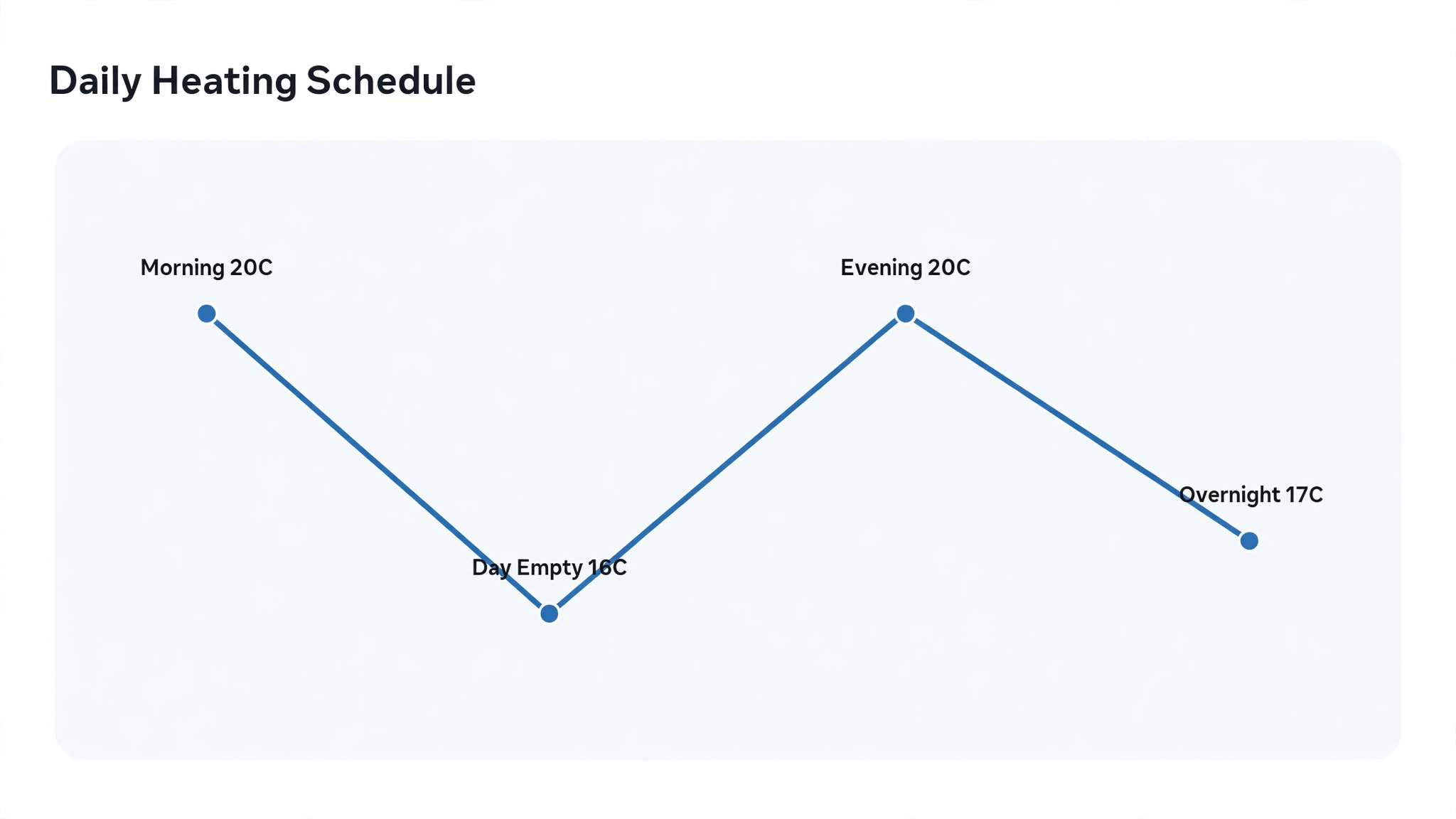
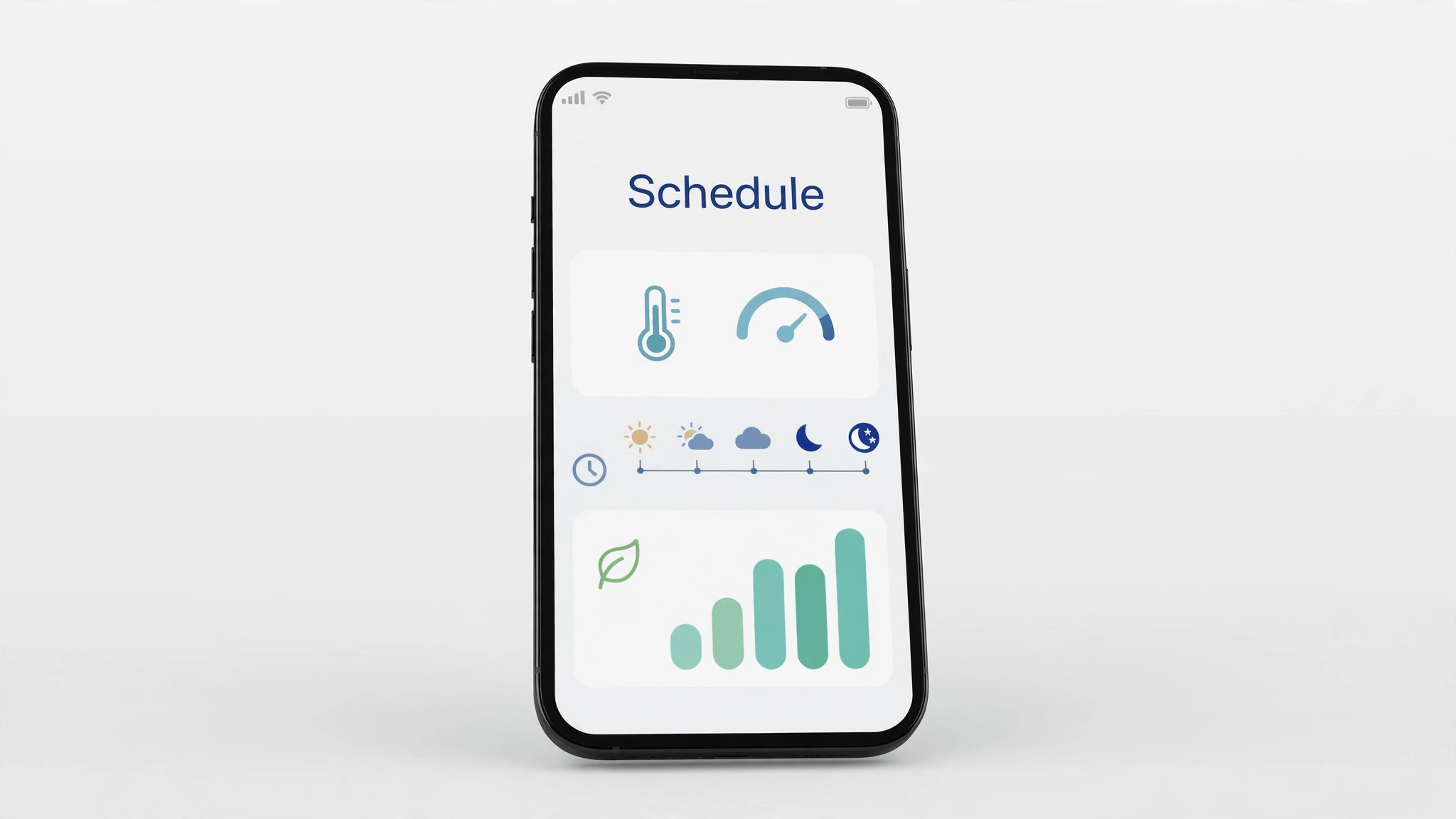
A schedule tells the thermostat what temperature to hold at different times of day, and a setback is a deliberate move to a less comfortable temperature when comfort does not matter, such as overnight or while the house is empty. Setbacks save because heating and cooling systems use less energy holding a milder temperature, and the energy needed to recover afterwards is less than the energy saved during the setback, for typical homes and typical setback lengths. The table below gives starting points that balance saving against comfort, and you should adjust them to your household rather than copying them blindly.
| Period | Heating starting point | Cooling starting point | Notes |
|---|---|---|---|
| Morning, home and awake | 20 degrees Celsius | 24 degrees Celsius | Comfort setting for active hours |
| Daytime, house empty | 16 degrees Celsius | 28 degrees Celsius | The largest saving, only if the house is truly empty |
| Evening, home and awake | 20 degrees Celsius | 24 degrees Celsius | Return to comfort before arrival, not after |
| Overnight, sleeping | 17 degrees Celsius | 26 degrees Celsius | Blankets cover a heating setback better than a cooling one |
| Away for days | 13 degrees Celsius heating, cooling off unless humid | 29 degrees Celsius or off | Protect pipes from freezing, and control humidity in summer |
| Working from home | 19 degrees Celsius | 25 degrees Celsius | One degree milder than full comfort, barely noticed |
Build the schedule around real life, not an ideal day. If someone works from home three days a week, the daytime empty setting should apply only on office days, and many thermostats support different schedules per day for exactly this reason. If arrival times vary, use geofencing or occupancy sensing to bring the house back to comfort when someone approaches, rather than guessing a fixed return time that leaves the house cold on late days and warm and empty on early days.
Start with modest setbacks and deepen them gradually. A heating setback of three to four degrees overnight is a good first step, and a daytime setback of four degrees while empty is reasonable for most homes. Larger setbacks save more, but recovery takes longer, and a house that still feels cold at bedtime will tempt you to override the schedule entirely, which saves nothing. A schedule you keep beats a perfect schedule you abandon, so comfort comes first and savings follow.
Use the learning and auto schedule features cautiously in the first month. Some thermostats learn from manual adjustments and build a schedule automatically, which is helpful once your pattern is stable, but confusing while your pattern is still changing. In month one, set a manual schedule, watch the energy reports, and only then allow learning features to refine it, so you can tell which changes came from you and which came from the device.
Sensors, Rooms and the Cold Room Problem
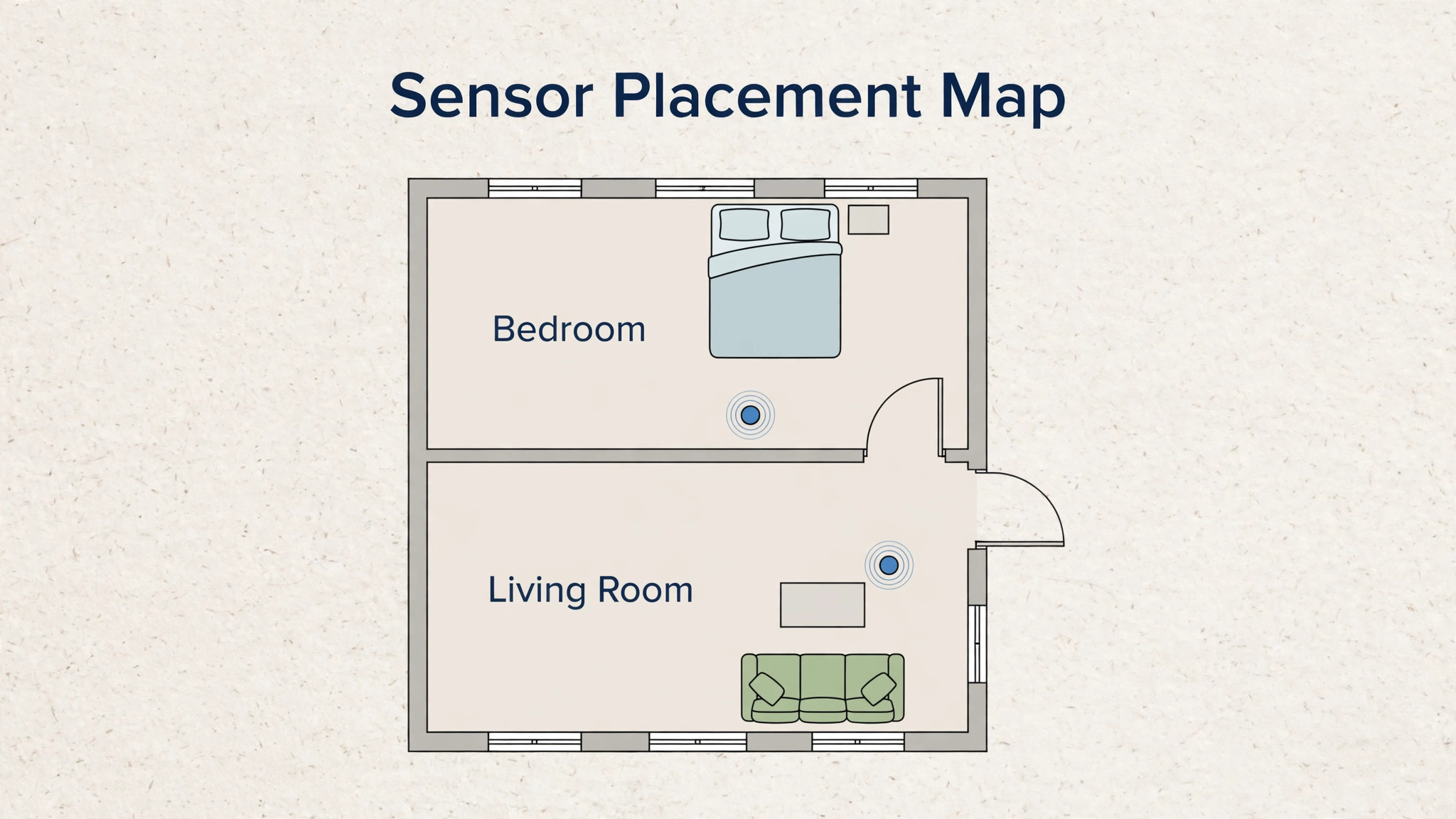
Most homes have one thermostat in one hallway, and that hallway temperature decides comfort for every room, which is unfair to rooms that run hot or cold. A bedroom above a garage, a sunny south facing room, and a shaded north room can differ by several degrees at the same thermostat setting, and a single sensor cannot fix that. Remote sensors, sold separately by most makers, let the thermostat average temperatures across rooms or prioritise a bedroom overnight and a living room during the day, which is often the cheapest comfort upgrade after the thermostat itself.
Place sensors where people actually spend time, not near windows, exterior doors, or heat sources, since a sensor in direct sun reports a hot room that feels normal to the person sitting in shade. A bedroom sensor should sit on a bedside table rather than on top of a radiator cover, and a living room sensor should sit at seating height rather than on a high shelf, since warm air rises and a high sensor reports a warmer room than the sofa feels. Small placement choices like these decide whether a sensor helps or misleads.
Zoning is the larger version of the sensor problem. Homes with separate heating zones already have more than one thermostat, and each zone needs its own schedule, since a rarely used guest room does not need the same comfort as the main bedroom. If your home has manual radiator valves or vent dampers, use them alongside the smart schedule, closing or lowering heat in unused rooms rather than heating the whole house evenly. A smart thermostat controls the system, but room level controls decide where that heat actually goes.
Humidity deserves attention in cooling season, because a humid room feels warmer than a dry room at the same temperature. Many smart thermostats show humidity and some can run the air conditioner briefly to reduce humidity even when temperature is acceptable. If summer bills are high, check humidity before lowering the temperature setting, since a one degree temperature drop costs more than a humidity fix that delivers the same comfort. A separate dehumidifier in a damp basement is sometimes cheaper than cooling the whole house to chase comfort in one room.
Costs, Rebates and the Honest Payback Picture
A smart thermostat typically costs between 100 and 250 dollars for the device alone, with professional installation adding a further amount where needed, and sensors adding a smaller amount each. That price range covers most major models, though premium models with larger screens and learning features sit at the higher end, and utility rebates can reduce the cost substantially in many regions. Check your energy supplier and local government rebate pages before buying, since rebates often require a specific model list and a proof of purchase, and buying first and checking later can mean missing a rebate entirely.
Payback depends on your current waste, not on the device alone. A household that already sets back temperatures manually, or lives in a mild climate with small heating and cooling bills, will save less than a household that heats an empty house all day in a cold climate. Typical published estimates suggest savings around 8 to 12 percent of heating and cooling costs for households that use schedules well, but your result will vary with climate, house insulation, and how faithfully you keep the schedule. Treat any claim larger than that with scepticism unless it explains the household behind the number.
Energy reports in the maker app are the best way to judge payback honestly. Compare a full month with the new schedule against the same month last year, adjusting for weather if the app offers that comparison, since a mild winter flatters any thermostat and a harsh winter punishes it. Look at runtime hours, not just the app score, since runtime is the physical measure of how long your system actually ran. If runtime falls while comfort stays acceptable, the thermostat is earning its keep, and if runtime falls but comfort suffers, the schedule needs softening rather than the device being blamed.

Mistakes That Erase the Savings
The most common mistake is setting a schedule and then overriding it daily with manual boosts, until the manual habit becomes the real schedule and the programmed schedule becomes decoration. A manual override has its place for a sick day or a guest, but a daily override means the schedule is wrong, and the fix is to change the schedule, not to fight it. Review overrides in the app history monthly, and adjust the schedule to match the pattern your overrides reveal. That monthly review is part of how you set up smart thermostat for energy savings for the long term, not just for installation week.
A second mistake is placing the thermostat in a bad spot or leaving it there after a renovation. A thermostat above a radiator, in direct sun, or in a draughty hallway reads a temperature nobody experiences, and the whole house suffers for it. If the thermostat location is poor, a remote sensor in the main living space can correct the reading without moving wires, which is far cheaper than relocating the device. Check the reading against a simple room thermometer at seating height if comfort feels off despite sensible settings.
A third mistake is ignoring filter and system maintenance while expecting the thermostat to compensate. A clogged filter forces the system to work harder for the same heat, and no schedule fixes that. Replace filters on the maker schedule, keep vents unblocked by furniture, and book a system service if heating or cooling feels weak across all settings. A smart thermostat reports runtime and can sometimes flag unusual patterns, but it cannot clean a filter or repair a failing part.
A fourth mistake is connecting every smart home routine at once, with lights, locks, and speakers all triggering temperature changes. One well chosen routine, such as an away routine that sets back the temperature when the house is empty, helps. Ten overlapping routines that fight each other produce a thermostat that changes temperature for reasons nobody remembers, and the household loses trust in the system. Add routines one at a time, test each for a week, and remove any routine you cannot explain to another household member.
Voice Control, Routines and Household Rules
Voice control is the feature most owners try first and the one most likely to cause a small household argument, usually because someone changes the temperature by voice without realising the schedule will fight back later. The fix is to agree on how voice commands work in your home before anyone uses them. A voice command that sets a temporary hold is useful for a chilly evening, but the household should know whether that hold lasts until the next schedule change or until someone cancels it, since a hold that lasts all night can erase a whole evening of setback savings.
When you set up smart thermostat for energy savings with voice control included, teach every regular user the hold rule on day one, and the feature stays helpful instead of becoming a source of mystery temperature changes.
Routines deserve the same one at a time discipline. Start with a single away routine that sets back the temperature when the last person leaves, using phone location or a door sensor as the trigger, and test it for two weeks before adding anything else. Watch for false triggers, such as a phone location error marking the house empty while someone is home, and adjust the trigger radius or add a delay before the setback applies. A routine that triggers wrongly twice will be switched off by the household, and a switched off routine saves nothing, so reliability matters more than cleverness.
Once the away routine is trusted, a good second routine is a bedtime routine that applies the overnight setback a little earlier on nights when the house is already cool, though even that should be tested before it becomes permanent.
Household rules round out the voice and routine setup, and they are best written down, even briefly, on the fridge or in a shared note. The note should state who may change the schedule, what the overnight and daytime setbacks are, and what to do when comfort feels wrong, which is to check the sensor reading and the schedule first, not to boost the temperature by five degrees and forget it. Guests need a simpler version, meaning the temperature they may set and the fact that the house returns to schedule automatically, so a guest boost does not run all week.
Children old enough to use voice control should know the same rule, since a child who discovers voice temperature control will use it often, and a household that expects that behaviour can set sensible limits in advance rather than arguing about it afterwards.
Seasonal changes are the final piece of routine discipline. When heating season ends, review the cooling schedule rather than copying heating setbacks directly, since cooling setbacks behave differently and humidity matters more in summer. When autumn returns, check that the heating schedule still matches school, work, and holiday patterns, since a schedule built for summer routines rarely fits winter life. A fifteen minute seasonal review, twice a year, keeps the thermostat aligned with real life, and it is the cheapest energy habit in this whole guide.
When you set up smart thermostat for energy savings with seasonal reviews built in, the device keeps working for you year after year, instead of slowly drifting away from the household it was meant to serve, and that drift is the quiet reason many smart thermostats stop saving after their first year.
More Reading on Stratilyze
More Reading on Stratilyze. Smart home setup continues beyond heating, so the guides on Amazon Echo for smart home routines and smart doorbells for home security cover the next devices many households add, and the guide on best smart home devices for 2026 compares the wider field. Read the routines guide first if you plan to link the thermostat to voice control, since routine design decides whether automation helps or annoys.
Frequently Asked Questions
Do I need a C wire to install a smart thermostat?
Not always, but a C wire makes installation simplest, since it supplies continuous power for Wi-Fi and the display. Without a C wire, options include using a spare wire in the wall, installing the maker power adapter kit at the furnace, or choosing a model designed to work without a C wire. Use the maker compatibility tool with your exact wire letters before buying, and call a professional if the tool recommends it, especially for heat pumps.
How much can a smart thermostat really save?
For households that use schedules well, published estimates often sit around 8 to 12 percent of heating and cooling costs, though results vary with climate, insulation, and current habits. A household that already sets back temperatures manually will save less, while a household heating an empty house all day will save more. Compare full months against the same month last year, and look at system runtime hours for the honest measure.
Will a smart thermostat work if Wi-Fi goes down?
Yes, basic heating and cooling control continues locally, since the thermostat itself holds the schedule and can be adjusted on the device. You lose remote control from your phone, energy reports, and learning updates until Wi-Fi returns, but the house does not go cold because the internet failed. If Wi-Fi outages are frequent, choose a thermostat with a clear on device menu, since you will use it more often.
Can a smart thermostat control a heat pump?
Many models can, but heat pump wiring is more complex, with terminals for reversing valves and auxiliary heat that must be mapped correctly. Use the maker compatibility tool, answer the system type questions carefully during setup, and consider professional installation if the tool suggests it. A wrong heat pump setting can disable auxiliary heat, which matters most on the coldest nights when the heat pump alone cannot keep up.
Should I put a sensor in every room?
No, sensors help most in the rooms where comfort problems actually occur, typically a main bedroom and a main living room. One or two well placed sensors usually beat five poorly placed ones, since every sensor adds averaging complexity. Start with the room that feels coldest or hottest, place the sensor at seating height away from windows and heat sources, and add more only if a second room still feels wrong.
What temperature should I set when I go on holiday?
For heating season, a setting around 13 degrees Celsius protects pipes from freezing while saving energy, and for cooling season, a setting around 29 degrees Celsius, or off in a dry climate, avoids waste while limiting humidity problems. If your home is humid in summer, keep cooling on at a mild setting rather than switching it off entirely, since humidity damage costs more than the energy saved. Check the maker app while away only if Wi-Fi is reliable, and ask a neighbour to check the house on longer trips.
A Schedule You Keep Beats a Perfect Schedule
The lasting lesson of a smart thermostat is unglamorous. It is not the screen, the app, or the voice control that saves energy. It is a schedule that matches real life, kept for months, with setbacks deep enough to matter and gentle enough to live with. Build that schedule, review it when life changes, and let the energy reports tell you whether it works, adjusting one setting at a time when the numbers or the comfort say so.
Start tonight by checking your wiring photos, confirming your schedule for tomorrow, and setting one setback you can live with. Small, kept changes compound across a heating season in a way that grand, abandoned changes never do. To set up smart thermostat for energy savings and keep saving, the rule is simple. Wire it safely, schedule it honestly, and review it monthly, and the lower bill will follow the better comfort rather than competing with it.