
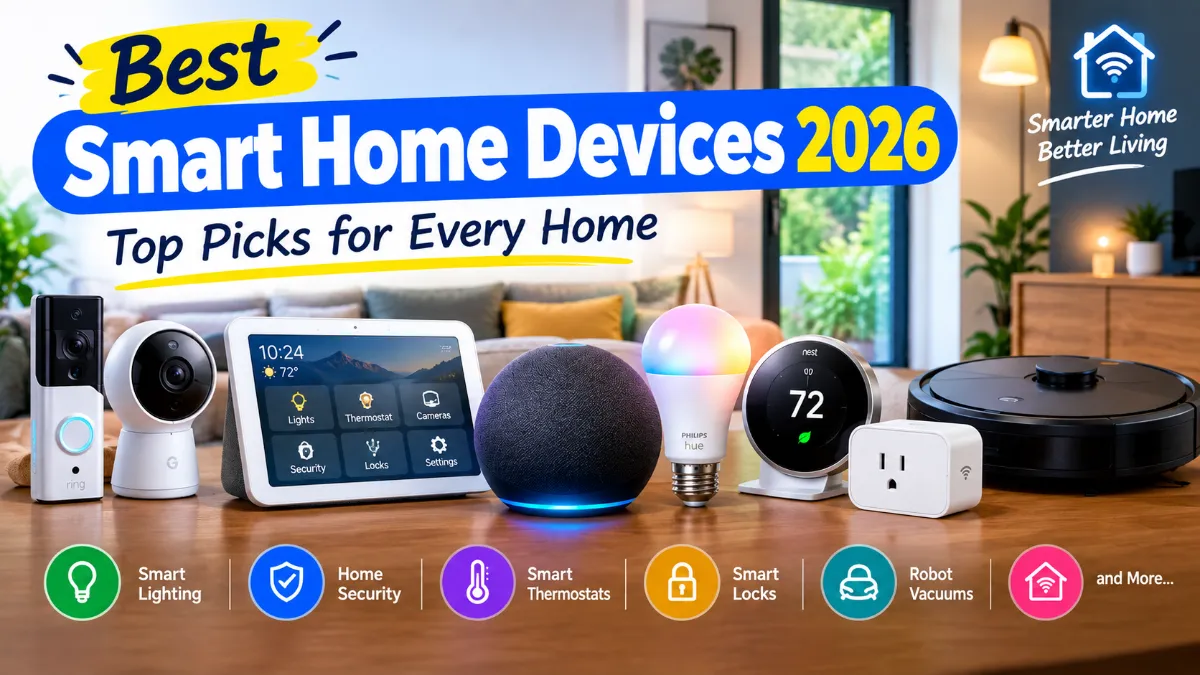
Looking for the best smart home devices 2026 has to offer? You do not need to turn your house into a futuristic showroom to enjoy the benefits of smart technology. A few well-chosen devices can make everyday life easier, improve home security, automate repetitive tasks, and give you better control over your home.
The hard part is knowing which products are actually worth buying.
There are now smart lights, smart plugs, security cameras, video doorbells, smart locks, thermostats, robot vacuums, smart displays, speakers, sensors, and dozens of other connected products. Some work best with Amazon Alexa, while others are designed around Google Home or Apple Home. Matter is also making it easier for compatible products from different brands to work across major smart home platforms.
In this guide, we look at the best smart home devices, what each type does well, who should buy it, and what you should check before spending your money.
Whether you are building your first smart home or upgrading an existing setup, these are the smart home products worth considering in 2026.
Best Smart Home Devices 2026 at a Glance
| Device type | Best for | Recommended option |
|---|---|---|
| Smart speaker or display | Voice control and home management | Amazon Echo Show 8 |
| Smart lighting | Everyday automation | Philips Hue |
| Smart plugs | Beginners and simple automation | Matter-compatible smart plugs |
| Smart thermostat | Heating and cooling control | Nest Learning Thermostat 4th gen |
| Video doorbell | Front-door security | Ring Video Doorbell lineup |
| Security camera | Home monitoring | Google Nest or Ring cameras |
| Smart lock | Keyless entry | Yale, Schlage, or compatible smart locks |
| Robot vacuum | Automated cleaning | Roomba and other premium robot vacuums |
| Smart sensors | Home automation | Motion, contact, temperature and leak sensors |
| Smart home hub | Larger smart home systems | Matter-compatible hub |
The right choice depends on your home, budget, existing devices, and preferred smart home ecosystem. You do not need every product on this list.
1. Amazon Echo Show 8
Best for: Alexa users who want a smart home control center
A smart speaker can be the starting point for a connected home, but a smart display can be even more useful because it gives you a screen for controlling devices and checking information.
The Amazon Echo Show 8 is a strong option for households that already use Alexa. It can act as a central point for compatible smart home devices while also handling everyday tasks such as timers, music, video calls, reminders, and information.
The screen becomes particularly useful when you have security cameras, doorbells, lights, or other devices that benefit from visual controls.
Instead of pulling out your phone, you can use the display to interact with compatible devices around your home.
Why an Echo Show makes sense
- Voice control through Alexa
- Visual control for compatible smart home devices
- Useful for cameras and doorbells
- Can work with Matter-compatible products
- Useful outside the smart home for music, timers, video and information
- Good option for households already invested in Alexa
One of the biggest advantages of choosing Alexa is the size of its smart home ecosystem. Amazon currently supports Matter devices across categories including lighting, smart plugs, sensors, locks, thermostats, fans, air purifiers and robotic vacuums.
If you already own several Alexa-compatible devices, staying within the same ecosystem can make setup and daily control much easier.
2. Philips Hue Smart Lighting
Best for: People who want a complete smart lighting system
Smart lighting is one of the easiest ways to make a home feel smarter without changing how you use it every day.
Philips Hue remains one of the strongest options if you want more than a basic smart bulb. The Hue system includes bulbs, lamps, light strips, switches, sensors and other accessories that can work together.
You can create schedules, automate lights, adjust brightness, change colors, and control lighting from your phone or compatible voice assistant.
The system also works with major platforms including Alexa, Google Home and Apple Home.
For larger setups, the Philips Hue Bridge adds features such as remote access, advanced automation, accessory support and Matter integration.
Why Philips Hue stands out
The biggest advantage is the depth of the ecosystem.
You can start with two bulbs in your living room and later expand into bedrooms, hallways, outdoor areas and entertainment lighting.
That makes Philips Hue one of the best smart home gadgets for people who want to build their system gradually.
Is Philips Hue worth the extra cost?
For a single bedroom lamp, a cheaper smart bulb may be enough.
But if you want reliable whole-home lighting, advanced automation, multiple accessories and broad platform support, the extra investment can make sense.
If you are building a larger Hue setup, a Hue Bridge is worth considering because it gives you access to more advanced features and makes the system easier to expand.
3. Matter-Compatible Smart Plugs
Best for: Smart home beginners
If you have never used smart home technology before, start with something simple.
A smart plug turns an ordinary electrical device into a controllable smart device.
Plug in a lamp and you can turn it on or off from your phone. Add a schedule and the lamp can automatically turn on at a specific time. Connect it to a compatible voice assistant and you can control it with a voice command.
This is one of the easiest ways to understand how home automation works.
What can you use a smart plug for?
Common examples include:
- Table lamps
- Floor lamps
- Holiday lights
- Fans that safely support the required switching setup
- Small appliances where the plug is properly rated
- Chargers and other simple devices
Do not connect high-power appliances to a smart plug unless the plug is specifically rated for the appliance’s electrical load.
Why Matter matters
If you are buying new smart plugs in 2026, checking for Matter support can be a smart move.
Matter is designed to improve compatibility between supported smart home devices and platforms. That can make it easier to use devices from different manufacturers without being locked into one brand.
For beginners, this is especially useful because you may not know which smart home ecosystem you will prefer several years from now.
4. Nest Learning Thermostat 4th Gen
Best for: Smart temperature control
Your thermostat is one of the most practical places to add smart technology.
The Nest Learning Thermostat 4th gen is designed to make temperature control easier while adding smart-home connectivity.
Google lists the thermostat as Matter-certified, meaning it can be controlled through Google Home and compatible Matter-enabled smart home apps and voice assistants.
It also works with the Google Home app and supports a range of HVAC systems, although compatibility should always be checked before installation.
Why a smart thermostat is different
A smart thermostat can do more than let you change the temperature remotely.
Depending on the system, you can create schedules, adjust settings while away from home, use temperature sensors, and automate heating and cooling around your routine.
This can be more useful than adding another smart speaker to your home because the thermostat controls something you already use every day.
Check your HVAC system first
This is one purchase where you should not skip the compatibility check.
Before buying a smart thermostat:
- Check your existing thermostat wiring.
- Check the manufacturer’s compatibility tool.
- Identify your HVAC system.
- Check whether additional wiring or professional installation is needed.
- Make sure the thermostat supports the features you want.
A smart thermostat is a great upgrade, but only when it works correctly with your heating and cooling system.
5. Ring Video Doorbell
Best for: Front-door security
A video doorbell is one of the most useful smart home security devices for many homeowners.
Instead of simply hearing a doorbell, you can see who is outside and, depending on the model, communicate with visitors through your phone.
Ring’s current U.S. lineup includes battery-powered and wired models, with newer options offering 2K and 4K video depending on the model.
The important thing is not simply buying the doorbell with the highest resolution.
You should also consider:
- Wired vs battery installation
- Night vision
- Motion detection
- Two-way communication
- Video storage
- Subscription requirements
- Smart home compatibility
- Wi-Fi performance
Battery vs wired doorbells
Battery-powered models are usually easier to install because you do not need existing doorbell wiring.
The downside is that the battery needs to be recharged.
A wired model can be more convenient if you already have compatible doorbell wiring and want continuous power.
Before buying, check the installation requirements for your particular home.
6. Smart Security Cameras
Best for: Monitoring your property
Security cameras are among the most popular smart home products because they solve a very simple problem: knowing what is happening around your home when you are not there.
You might install a camera near the front door, driveway, garage, backyard, or inside the home.
Modern smart cameras can offer features such as:
- Motion alerts
- Person detection
- Night vision
- Two-way audio
- Activity zones
- Cloud recording
- Local storage
- Mobile notifications
But there is an important difference between buying a camera and building a useful security system.
The camera needs to be reliable.
A camera that misses movement, loses its connection, or sends too many useless notifications can become frustrating very quickly.
Cloud storage vs local storage
This is something buyers often overlook.
Some cameras rely heavily on cloud subscriptions for recording and advanced features. Others offer local storage or provide a choice between local and cloud options.
If you want to avoid another monthly bill, check the storage policy before buying.
Also review the manufacturer’s privacy policy, especially for indoor cameras.
7. Smart Locks
Best for: Keyless entry
Smart locks replace or upgrade the traditional lock on your door.
Depending on the model, you may be able to unlock the door using a smartphone, keypad, fingerprint, voice assistant, or another supported method.
The real advantage is convenience.
Imagine being able to give a family member a temporary access code without making another physical key.
You can also create different codes for different people and remove them when they are no longer needed.
What to look for in a smart lock
Before buying, check:
- Door compatibility
- Deadbolt compatibility
- Battery life
- Keypad availability
- Smartphone support
- Backup entry method
- Auto-lock options
- Wi-Fi, Bluetooth, Thread or other connection requirements
- Alexa, Google Home or Apple Home compatibility
Do not buy a smart lock without checking your existing door hardware.
Even if two locks look similar, their installation requirements can be very different.
8. Robot Vacuum
Best for: Saving time on everyday cleaning
A robot vacuum can be one of the most useful smart home devices for busy households.
The idea is simple: instead of manually vacuuming the floor every few days, the robot handles routine cleaning automatically.
Today’s better models can map your home, identify rooms, avoid certain obstacles, return to their dock, and in some cases empty their own dustbin or handle mopping.
The robot vacuum market is also moving quickly in 2026, with new models adding more advanced navigation, cleaning and automation features.
iRobot’s current Roomba range, for example, includes models ranging from basic vacuum robots to premium vacuum-and-mop systems with automated docks.
What matters more than suction numbers?
Don’t choose a robot vacuum based only on a huge suction number printed on the box.
Look at:
- Navigation accuracy
- Obstacle avoidance
- Carpet performance
- Hard-floor performance
- Mop performance
- Mapping
- App quality
- Auto-emptying
- Dock maintenance
- Replacement parts
- Battery life
A robot with excellent navigation and reliable software can be more useful than one with impressive specifications but poor everyday performance.
9. Smart Sensors
Best for: Home automation
Smart sensors do not get as much attention as cameras and smart speakers, but they can make a smart home much more automated.
There are several types of sensors worth considering.
Motion sensors
These can trigger lights, routines, security alerts, or other actions when movement is detected.
Door and window sensors
These can tell you whether a door or window is open or closed.
They are useful for both automation and security.
Temperature sensors
A temperature sensor can help you monitor different rooms instead of relying only on the temperature near your thermostat.
Water leak sensors
These are especially useful in places such as:
- Laundry rooms
- Basements
- Under sinks
- Near water heaters
- Around washing machines
A relatively inexpensive leak sensor could alert you before a small leak becomes a major problem.
This is a good example of why smart home gadgets do not always need to be flashy to be useful.
10. Smart Smoke and Carbon Monoxide Detectors
Best for: Safety-focused homes
Smart smoke and carbon monoxide detectors can send alerts to your phone and integrate with other compatible devices.
This can be useful if you are away from home.
For example, an alert on your phone can tell you that a detector has triggered even when you are at work or traveling.
However, safety devices deserve extra attention when choosing a product.
Look for:
- Proper safety certifications
- Long-term reliability
- Battery or power requirements
- App support
- Replacement requirements
- Interconnectivity where supported
Never disable or remove a working smoke or carbon monoxide detector simply to install a smart alternative.
Best Smart Home Devices for Beginners
If you are completely new to connected devices, do not start with a complicated whole-home setup.
Start with three things.
First: Smart speaker or hub
Choose Alexa, Google Home, or Apple Home based on the devices you already use.
Second: Smart plugs
Smart plugs are inexpensive and easy to understand.
Third: Smart lights
Add a few bulbs to rooms you use frequently.
Once you understand routines and automations, you can move into security cameras, locks, thermostats, sensors, and robot vacuums.
This gradual approach is usually better than buying ten different smart home gadgets at once.
Alexa vs Google Home vs Apple Home
Choosing a smart home ecosystem can feel more complicated than choosing an individual device.
The good news is that you do not need to make the perfect decision on day one.
Amazon Alexa
Alexa is a strong choice if you want:
- A broad range of compatible products
- Lots of affordable accessories
- Echo speakers and displays
- Voice-controlled routines
- Matter support
- Easy integration with many smart home brands
Amazon’s current Matter support covers a wide range of device categories, including lights, plugs, sensors, locks, thermostats and robot vacuums.
Google Home
Google Home makes sense if you already use Android, Google services, Nest products, or Google smart displays.
Google Home supports Matter-enabled devices and lets users control compatible products through the Google Home app, automations and voice commands.
Apple Home
Apple Home is a natural fit for households that already use iPhones, iPads, Apple TVs, or HomePods.
Apple’s Home platform supports Matter devices, giving Apple users access to a broader range of compatible smart home products.
Which one is best?
There is no single answer.
If your household is mostly Apple, Apple Home is usually the easiest fit.
If you use Android and Google services, Google Home is a logical choice.
If you already own Echo devices or buy heavily through Amazon, Alexa may be the most convenient option.
The best smart home ecosystem is usually the one that fits the devices you already own.
What Is Matter and Why Should You Care?
Matter is one of the biggest developments in smart home technology.
In simple terms, Matter is designed to help compatible smart home devices communicate across different platforms.
That matters because smart home shopping used to involve a lot of questions:
“Does this work with Alexa?”
“Does it work with Google?”
“Will this work with Apple Home?”
“Do I need another hub?”
Matter does not eliminate every compatibility issue, but it can make the process easier.
For example, a Matter-certified device may be able to work with more than one major smart home ecosystem.
But don’t assume Matter means everything works everywhere
This is important.
Matter support does not automatically mean every feature works identically across Alexa, Google Home and Apple Home.
Before buying a device, check:
- Which Matter device type it supports
- Which platforms support it
- Whether a hub or controller is required
- Whether Thread is involved
- Which advanced features remain inside the manufacturer’s app
If you are buying several smart home devices, this small amount of research can save you a lot of frustration later.
Smart Home Devices Worth Buying vs Devices You Can Skip
Not every smart product is worth adding to your home.
Usually worth buying
Smart lights
Useful every day and easy to automate.
Smart plugs
Cheap, simple, and useful for many basic automations.
Video doorbells
Useful for monitoring visitors and deliveries.
Smart locks
Convenient for households that need keyless access.
Smart thermostats
Potentially valuable for homes with compatible HVAC systems.
Robot vacuums
Useful if you want to reduce routine floor-cleaning work.
Smart sensors
Small devices that can enable useful automations and alerts.
Think twice before buying
Some products sound useful but may not solve an actual problem.
For example, you probably do not need a smart version of every appliance in your home.
Ask yourself:
What problem does this device solve?
If the answer is unclear, save your money.
How to Build a Smart Home on a Budget
You do not need a huge budget to get started.
Under $100
Start with:
- One smart speaker
- Two smart bulbs
- One or two smart plugs
This is enough to experiment with voice commands, schedules and basic routines.
Around $200
You can add:
- More lighting
- More smart plugs
- Sensors
- A better smart speaker or display
- A basic security device
Larger budget
Once you move beyond basic automation, consider:
- Smart thermostat
- Video doorbell
- Security cameras
- Smart lock
- Robot vacuum
- Multiple sensors
- A dedicated hub or bridge
The key is to buy according to your needs rather than trying to make every room smart at once.
Smart Home Privacy and Security
Convenience should not come at the cost of ignoring privacy.
Smart speakers, cameras, doorbells and other connected products can collect information about your home and how you use your devices.
Before buying, check:
- What data the device collects
- Whether recordings are stored locally or in the cloud
- How long data is retained
- Whether a subscription is required
- What security features are available
- How software updates are handled
For cameras, be especially careful about where you install them.
Indoor cameras should not be treated like ordinary gadgets.
Use strong passwords, enable two-factor authentication when available, keep firmware updated, and avoid sharing account access unnecessarily.
What to Check Before Buying Smart Home Products
Before you order a device, run through this checklist.
1. Does it work with your ecosystem?
Check Alexa, Google Home, Apple Home, SmartThings, Matter, or whichever platform you use.
2. Does it need a hub?
Some products work directly over Wi-Fi or Bluetooth. Others work better with a dedicated bridge or hub.
3. Does it require a subscription?
This matters especially for security cameras and doorbells.
4. Is your Wi-Fi strong enough?
A smart home with dozens of Wi-Fi devices can put more pressure on your home network.
5. Does it fit your home?
Check measurements, wiring, mounting requirements and installation restrictions.
6. Are replacement parts easy to find?
This matters for robot vacuums, smart locks, cameras, filters and other products with consumable parts.
7. Will you actually use it?
This is the most important question.
A simple device you use every day is better than an expensive gadget you forget about after two weeks.
Our Smart Home Setup Recommendations
Different households need different setups.
Best setup for beginners
- Alexa, Google Home, or Apple Home speaker
- Two smart bulbs
- Two smart plugs
- One motion sensor
This keeps things simple and gives you a good introduction to automation.
Best setup for home security
- Video doorbell
- Outdoor camera
- Smart lock
- Door and window sensors
- Smart lights
This setup focuses on visibility, access and alerts.
Best setup for energy control
- Smart thermostat
- Smart lights
- Smart plugs
- Temperature sensors
This can give you better control over heating, cooling and lighting.
Best setup for busy families
- Smart display
- Smart lights
- Smart lock
- Robot vacuum
- Doorbell
- Smart sensors
Automations can reduce the number of small tasks you need to remember throughout the day.
Common Smart Home Buying Mistakes
Even experienced buyers can make mistakes when building a connected home.
Buying devices from too many ecosystems
Mixing brands is not automatically bad, but too many separate apps can become annoying.
Ignoring subscription costs
A cheap camera is not necessarily cheap if useful features require a monthly plan.
Buying without checking compatibility
This is one of the most common mistakes.
Always check your existing hardware and smart home platform.
Choosing specifications over usability
A device with more features is not always better.
Reliable performance and a good app often matter more.
Automating everything
Automation is useful when it saves time.
It can become frustrating when you create complicated routines that constantly need fixing.
Start with simple automations and add more only when they make sense.
Are Smart Home Devices Worth Buying in 2026?
For most households, yes, but not every smart device is worth your money.
The best smart home products are the ones that solve everyday problems.
A smart light can automatically turn on when you arrive home.
A smart lock can eliminate the need to carry a traditional key.
A video doorbell can show you who is at the door when you are away.
A smart thermostat can give you more control over heating and cooling.
A robot vacuum can handle routine floor cleaning while you do something else.
That is where smart home technology becomes genuinely useful.
The technology itself is not the goal. Convenience is.
Matter is also making the smart home ecosystem more flexible by improving interoperability between compatible devices and platforms. That is especially useful if you plan to build your setup over several years rather than buying everything at once.
Final Verdict
The best smart home devices 2026 are not necessarily the most expensive or the most complicated products.
For beginners, smart plugs and smart lights are excellent starting points. If you want a central control system, choose an ecosystem such as Alexa, Google Home, or Apple Home based on the devices you already use.
For security, a video doorbell, camera, smart lock and a few sensors can make a much bigger difference than buying a collection of novelty gadgets.
If you want to save time, a robot vacuum can be one of the most useful upgrades you make.
And if you are building a larger system, pay close attention to Matter compatibility, platform support, hub requirements, subscription fees and privacy policies.
The biggest mistake is trying to make your entire house smart overnight.
Start with one real problem.
Solve it with one good device.
Then expand from there.
A smart home should make your life easier, not give you another complicated system to manage.
Verified external resources for the article
Read More : ChatGPT vs Gemini in 2026 | Which AI Tool Is Better?