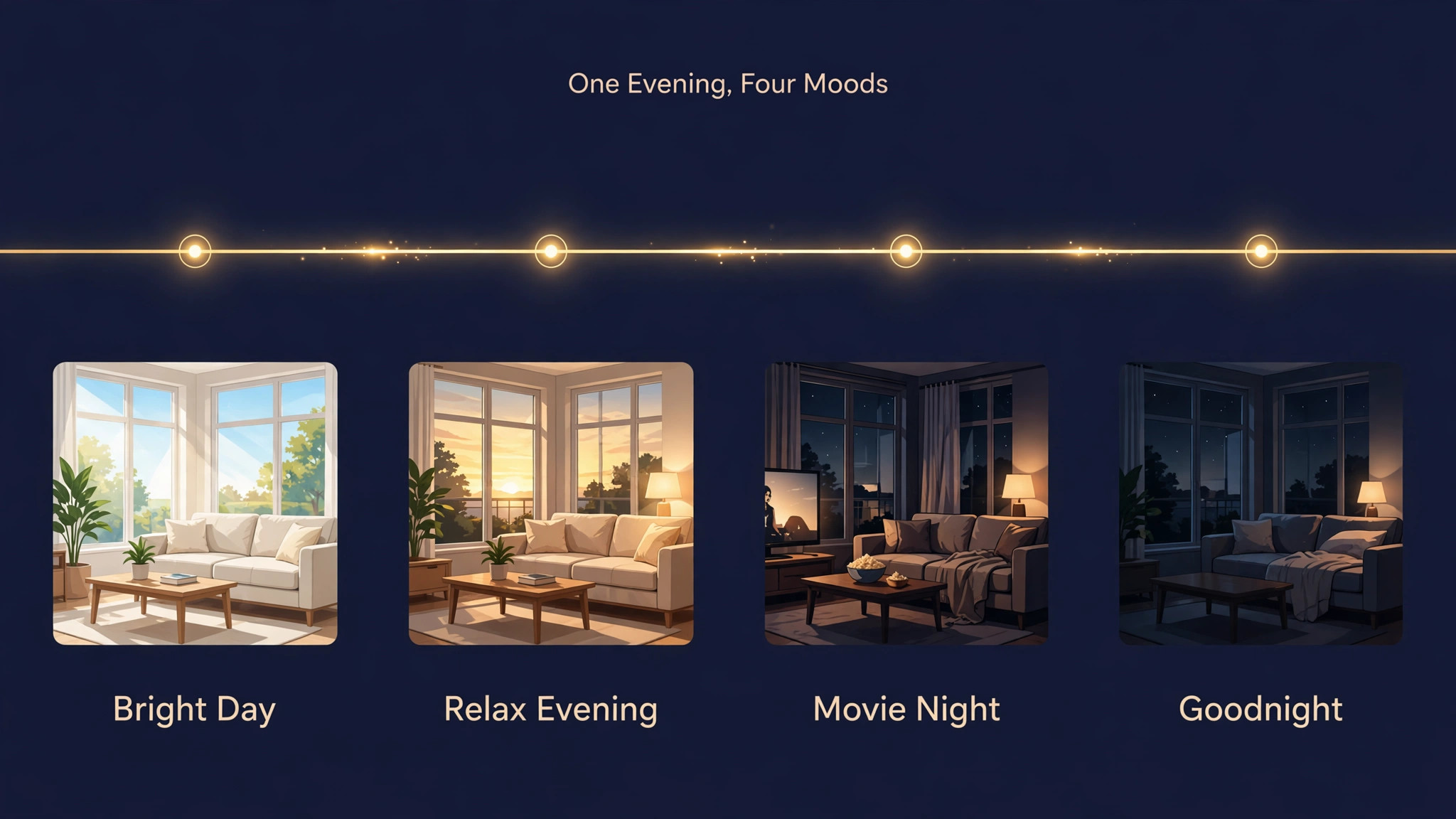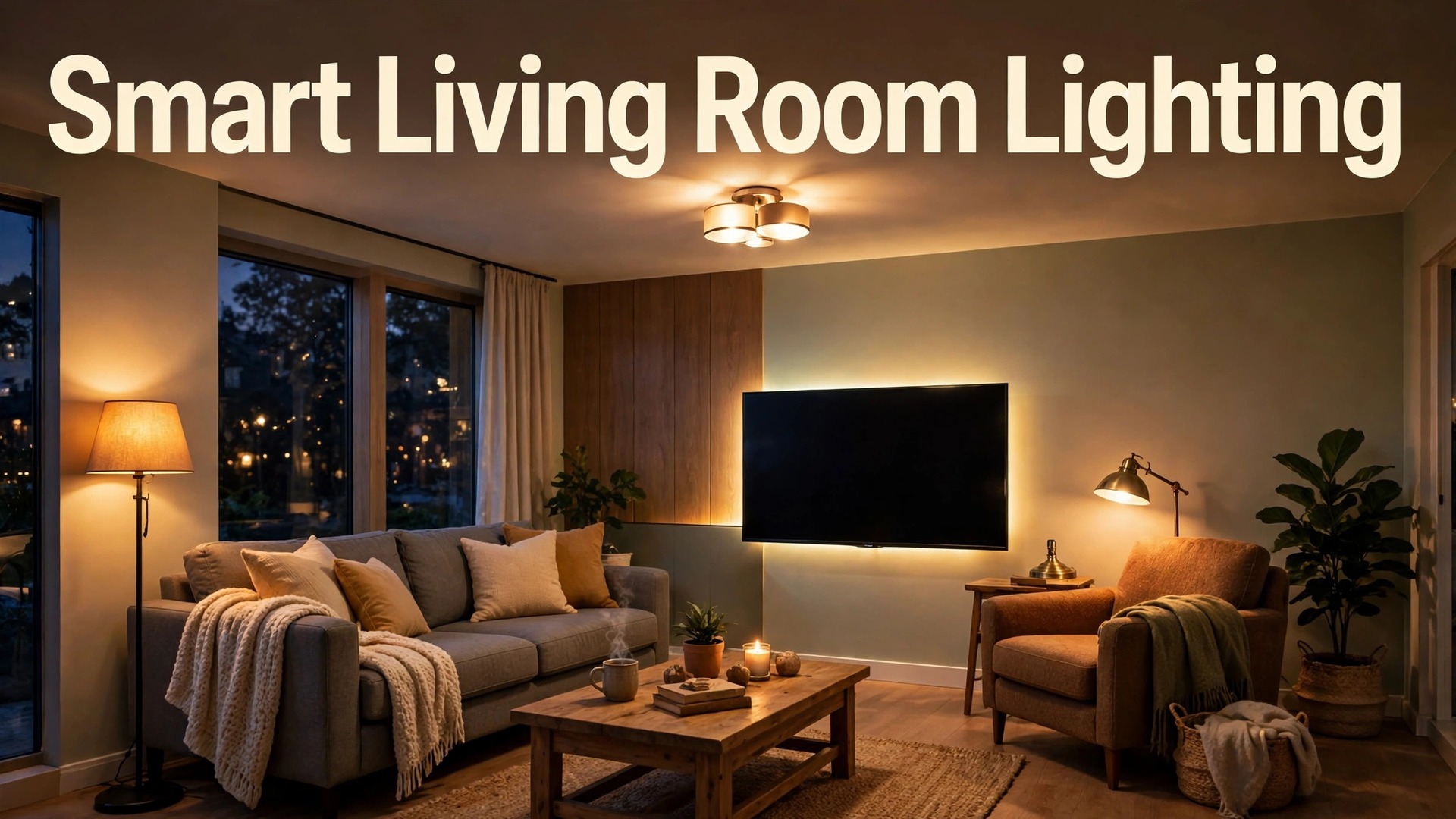
The problem with most living rooms is not a lack of light. It is a single harsh ceiling light that makes every evening feel the same, whether you are reading, watching a film, or talking with friends. One switch, one brightness, one colour, for every activity, is a poor match for a room that hosts so many different kinds of evening. This guide explains how to set up smart lights for living room life properly, layering light by zone, building scenes for real activities, and adding routines that adjust themselves without daily fiddling.
Smart lights are bulbs, strips, and lamps you control from a phone app, a voice assistant, or a switch, with brightness, colour, and timing you can change per light or per room. The benefit is not novelty colour for its own sake, though colour can be fun. The benefit is a room that matches its purpose at each hour, bright and cool for morning activity, warm and low for evening rest, focused for reading, and dimmed for films, all without rewiring the house or replacing fixtures.
Plan the Room in Layers Before Buying Anything
Start with a sketch of the living room, marking the sofa, reading chair, television, dining corner if any, shelves, and windows. Lighting designers think in layers, and a living room needs at least three. Ambient light fills the room generally, usually from ceiling lights or large floor lamps. Task light serves a specific job, such as a reading lamp beside a chair or a light over a side table. Accent light highlights a feature, such as a strip behind the television, a lamp on a shelf, or a spot aimed at artwork. A room with only ambient light feels flat, a room with only accent light feels dark, and a room with all three feels comfortable at every brightness.
Walk the room at night with its current lights on and note what fails. A reading chair with no nearby lamp forces you to read under the ceiling light, which is too bright for the rest of the room. A television wall with no bias light leaves your eyes adjusting between a bright screen and a dark wall, which causes fatigue. A dining corner in the same room as the sofa may need its own warmer light for meals, separate from the cooler light used for conversation. These observations become your shopping list, since each failed spot is a light to add, not a gadget to admire.
Count existing fixtures and their bulb types before buying. Note which fittings take standard screw or bayonet bulbs, which are fixed LED panels that cannot take a smart bulb, and which lamps have dimmer switches on the wall, since old style dimmers can conflict with smart bulbs and cause flicker. A fixture on an old dimmer should either have its dimmer replaced, have the dimmer left at full and dimming done in the app, or use a smart switch instead of a smart bulb, depending on the wiring. Checking this now avoids the most common smart lighting fault, which is a smart bulb flickering on a dimmer it was never designed for.
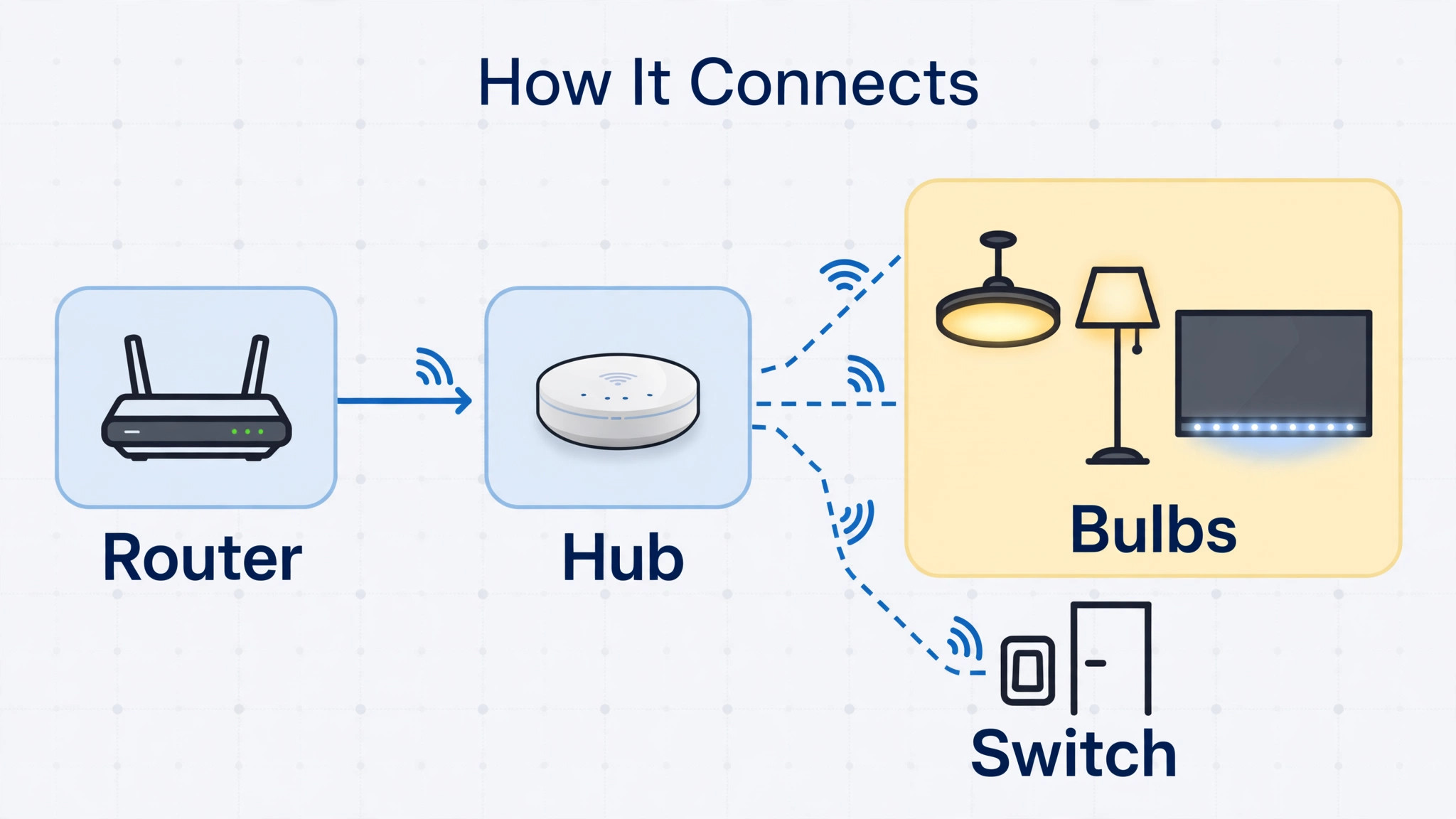
Choose an ecosystem before buying bulbs in bulk, since mixing brands without a plan creates several apps and several voice commands for one room. The main choices are a hub based system like Philips Hue, which uses a bridge for reliability and wide accessory support, a Wi-Fi bulb system with no hub, which is cheaper per bulb but loads your home Wi-Fi with many devices, and a platform tied to a voice assistant or smart home system you already use. Pick the system that matches your home size, your router quality, and your patience for apps, and buy one starter set first to test in the living room before committing the whole house.
How to set up smart lights for living room layers
The steps below build the room in layers, testing each layer before adding the next, so a fault is easy to trace. Keep the app open, keep a phone charger nearby, and work in daylight for the physical install, since screwing bulbs into ceiling fixtures in the dark is an avoidable annoyance. To set up smart lights for living room layers well, patience at the grouping stage pays off later, because groups and rooms are what scenes and routines control.
- Install the hub first if your system uses one. Plug the bridge into your router with the supplied network cable and into power, wait for its lights to show ready, and add it in the maker app. A hub near the router and reasonably central in the home gives the best coverage, though the living room itself is a fine location if the router lives nearby.
- Install bulbs one fixture at a time. Turn off the fixture, replace the bulb, turn the fixture back on, and add the bulb in the app before moving to the next fixture. Adding bulbs one at a time avoids the confusion of several new unnamed bulbs appearing at once, and it lets you name each bulb by its real location as you go, such as sofa floor lamp or television strip.
- Group bulbs into a living room in the app. Create a room called Living Room, add every living room bulb to it, and test turning the whole room on, off, and dimmed from the app. Room control is the daily control, and a room that does not respond as one unit means a bulb was added to the wrong room or not added at all.
- Create zones inside the room for layers. Zones are subgroups, such as reading corner, television wall, and seating area, and they let you control one layer without affecting the others. A zone for the television wall lets you dim the bias light for films while the reading lamp stays bright for someone reading nearby, which is exactly the flexibility that makes smart lighting worth the effort.
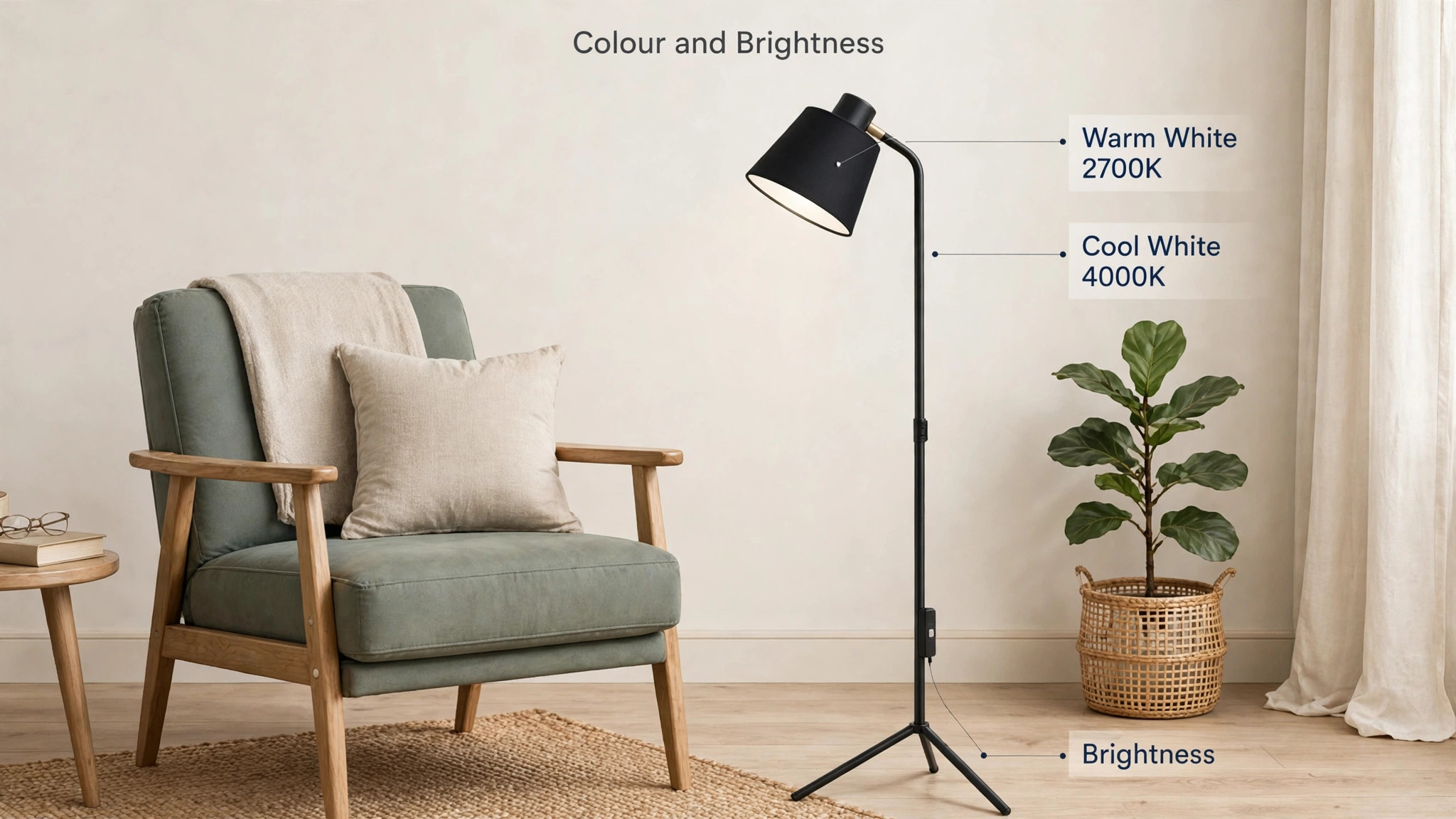
- Set a default brightness and colour for each bulb. Start with warm white around 2700 Kelvin for evening use, and cooler white around 4000 Kelvin for daytime activity, adjusting per bulb rather than per room where the app allows. A reading lamp can be brighter and slightly cooler than the ambient ceiling light, and that contrast is what makes reading comfortable without lighting the whole room brightly.
- Add a physical control for guests and family. A wireless dimmer switch, a smart button, or a voice assistant covers the household members who will not open an app to turn on a light. Mount the switch where the old wall switch was, or keep it on a side table, and programme its buttons for the most used scenes, so the room works for everyone, not just for the person who set it up.
- Test the room at night before building scenes. Walk the room after dark, turn layers on and off, and note any bulb that flickers, any zone that responds slowly, and any dark corner that still needs a light. Fix those issues now, while the install is fresh, rather than building scenes on top of a faulty layer that will need rebuilding later.
Once layers work reliably, scenes become easy, because a scene is simply a saved combination of layer settings. The next section builds the scenes that cover most living room evenings, and the routines section makes those scenes appear automatically at the right times. To set up smart lights for living room comfort in full, layers come first, scenes second, and automation third, and reversing that order is why many smart lighting setups feel clever for a week and then fall out of use.
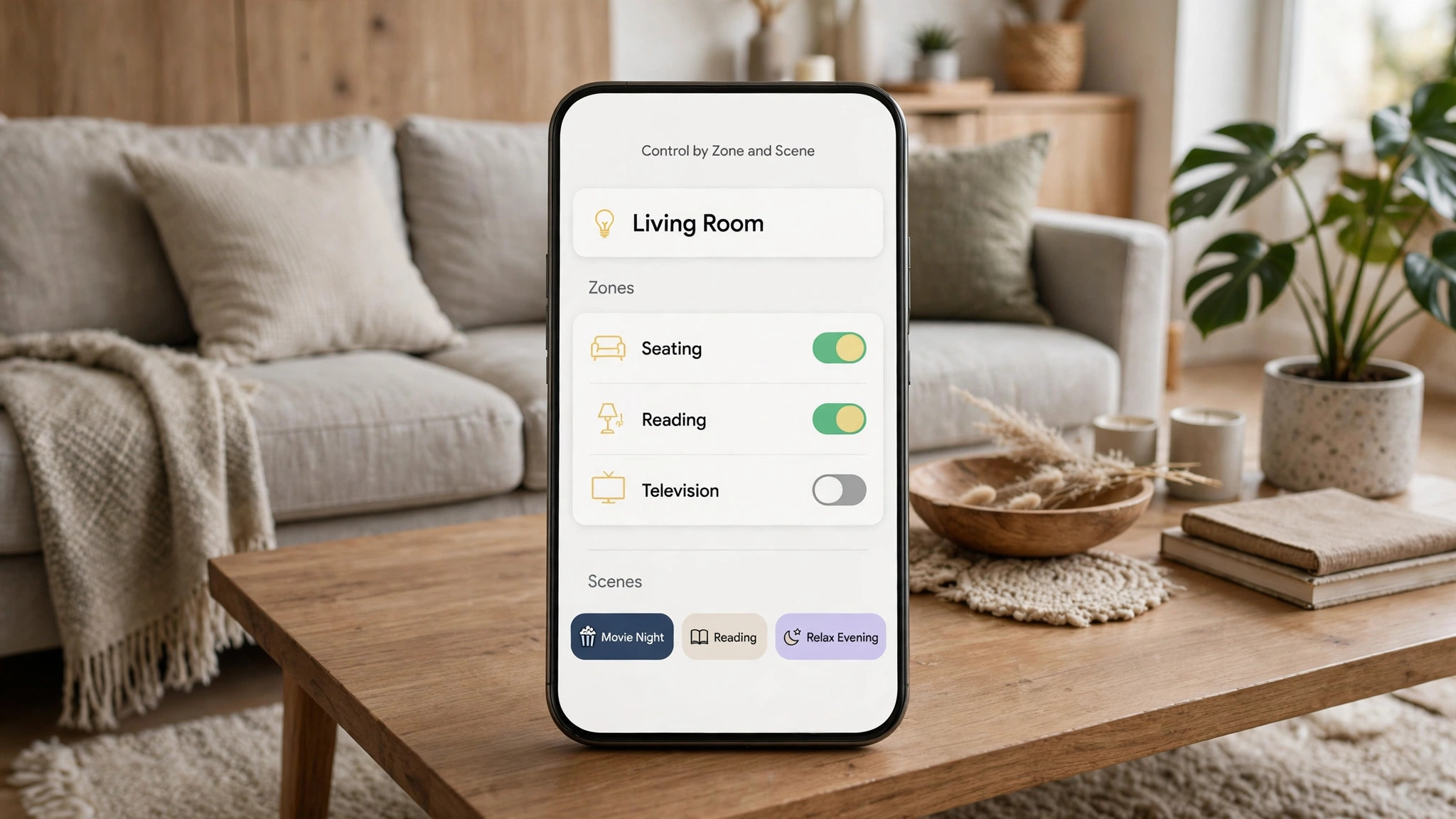
Room Placement Map and Zone Layout
Placement is the overview proof element for this guide in map form, paired with the scene table in the next section, and the layout below describes a typical living room in zones you can adapt to your own floor plan. Think of the room as five zones, each with a job, rather than as a collection of bulbs, since zones are what you actually control day to day.
The seating zone covers the sofa and coffee table, served by a ceiling light or large floor lamp for ambient light, plus a table lamp for warm evening glow. The reading zone covers the reading chair, served by a focused floor or table lamp with adjustable brightness, positioned to shine over the shoulder rather than into the eyes. The television zone covers the screen wall, served by a light strip behind the television for bias light, plus any shelf or accent lights on that wall kept low during viewing. The entry zone covers the doorway and hallway approach, served by a ceiling or wall light that makes entering the room feel welcoming rather than stepping into darkness.
The feature zone covers shelves, artwork, or plants, served by small accent lights that draw the eye without competing with the main seating light.
Bias lighting behind the television deserves a special note, because it is the cheapest comfort upgrade in the whole guide. A strip set to a soft warm white behind the screen reduces the contrast between the bright screen and the dark wall, which reduces eye strain during long viewing and makes the picture look richer. Keep bias light subtle, at low brightness, and avoid saturated colours for regular viewing, since a bright coloured glow behind the screen distracts more than it helps, however striking it looks in a photograph.
Height and direction shape how each zone feels. Light aimed upward at a ceiling spreads softly and fills the room, light aimed downward from a pendant focuses on a table, and light aimed at a wall washes it with a gentle glow that makes the room feel larger. A floor lamp with an upward shade and a downward reading light combines two layers in one fixture, which is useful in small rooms where every fixture must earn its place. Avoid placing a bright bulb directly in the line of sight from the sofa, since glare causes squinting and headaches, and a bulb that glares is a bulb that will be switched off and left off.

Scene and Routine Settings Table
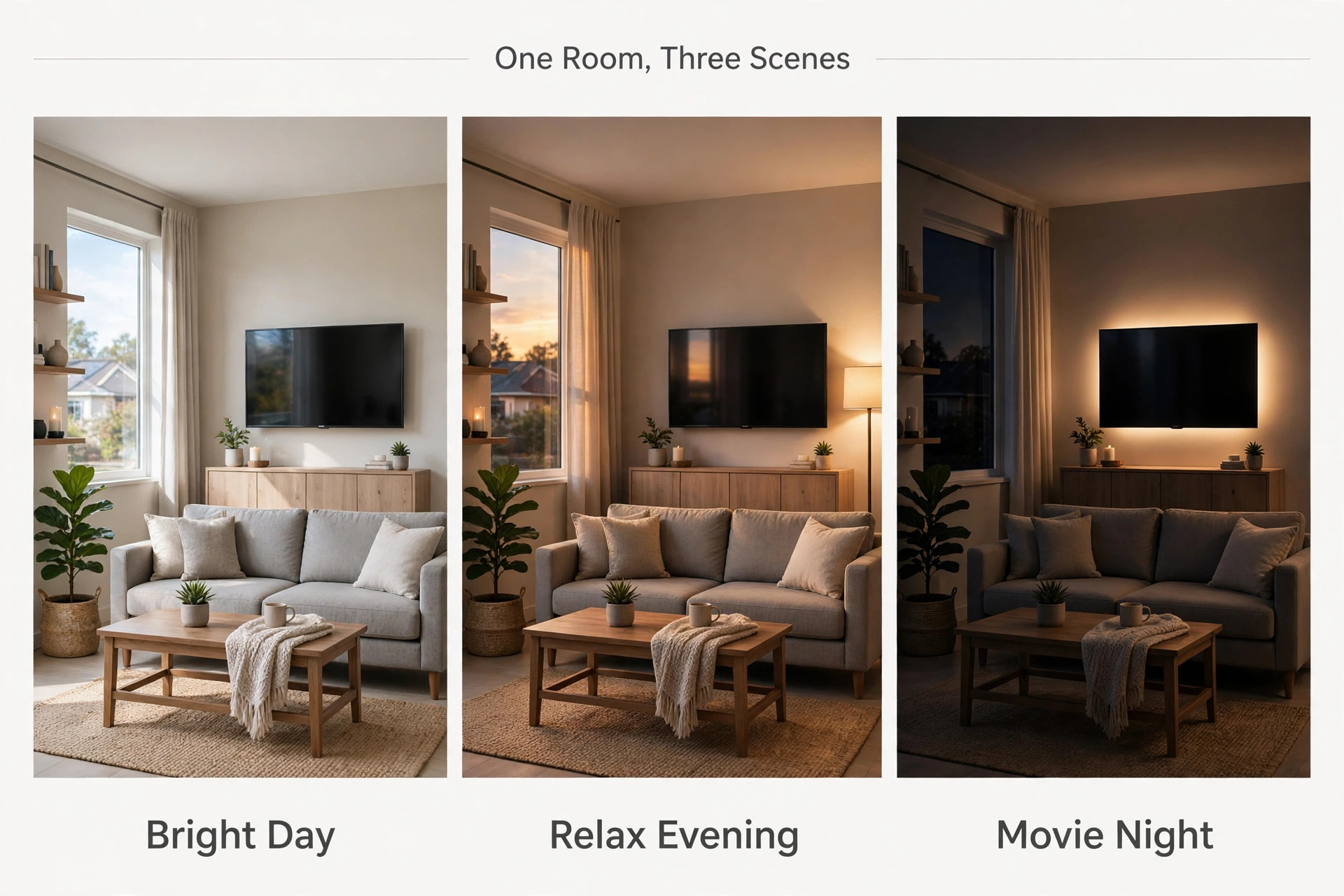
Scenes save a combination of brightness, colour, and on or off state for a whole room or zone, and routines trigger scenes automatically by time, sunset, or voice command. The table below gives starting scenes for a typical living room, with settings you can copy and then adjust to taste, since personal preference for warmth and brightness varies widely and no table can replace an evening of trying settings in your own room.
| Scene | Seating zone | Reading zone | Television zone | When to use |
|---|---|---|---|---|
| Bright Day | 100 percent, cool white | 100 percent, cool white | Off or low | Cleaning, daytime activity, video calls |
| Relax Evening | 40 percent, warm white | 60 percent, warm white | Low warm glow | Conversation, winding down after dinner |
| Reading | 20 percent, warm white | 90 percent, slightly cool white | Off | One person reading while others relax |
| Movie Night | Off or 10 percent | Off | Bias strip low warm white | Films and television, eyes on the screen |
| Guests | 70 percent, warm white | 70 percent, warm white | Medium warm glow | Hosting, everyone needs to see and move safely |
| Goodnight | Off | Off | Off | Bedtime, with a hallway light left on if needed |
Build each scene by setting the lights as you like them, then saving the current state as a scene with a clear name, rather than building scenes from sliders in abstract. Setting lights by eye and saving the result produces scenes that actually suit the room, while building from numbers produces scenes that look right on paper and feel wrong in practice. Name scenes by activity, not by colour or number, since a voice command for Movie Night is easier to remember than a command for Scene Four.
Routines turn scenes into habits. A sunset routine that turns on Relax Evening as daylight fades means the room is never dark when you enter it, and a bedtime routine that dims the room over thirty minutes before switching off helps the household wind down. A morning routine that brings lights to Bright Day gradually is gentler than a sudden full brightness switch, though many people prefer a simple on at a fixed time for mornings. Start with two routines, sunset and bedtime, test them for two weeks, and add more only when those two feel invisible, since invisible automation is successful automation and noticeable automation is usually annoying automation.
Voice control fits scenes naturally, since saying a scene name is easier than adjusting five sliders. Teach the household the scene names, keep the list short, and avoid names that sound alike, since a voice assistant that confuses Reading with Relax will frustrate everyone. A short list of five or six scenes, used daily, beats a long list of twenty scenes, most of which nobody remembers, and a list that is pruned monthly stays useful while a list that grows unchecked becomes a chore to search.
Colour, Brightness and Eye Comfort
Colour temperature, measured in Kelvin, describes whether white light looks warm yellow or cool blue white, and it affects mood and alertness more than most beginners expect. Warm white around 2700 Kelvin feels cosy and suits evenings, neutral white around 3500 to 4000 Kelvin feels clean and suits daytime tasks, and cool daylight above 5000 Kelvin feels energising but harsh in a living room at night. Use warm light in the evening as a default, and reserve cooler light for daytime or focused tasks, since a living room lit cool all evening feels like an office and makes winding down harder.
Brightness matters as much as colour, and the right brightness is usually lower than beginners first choose. A room lit to 100 percent in the evening feels like a shop, while the same room at 40 to 60 percent with warm light feels inviting, and reading light focused on the book matters more than total room brightness. Dim in steps and live with each step for an evening before deciding, since eyes adapt to brightness over minutes, and a level that feels dim at first often feels right after ten minutes. If a scene feels dark after a week, raise it by ten percent and test again, rather than jumping back to full brightness.
Tuning brightness in small steps is part of how you set up smart lights for living room comfort that lasts, since a scene adjusted gradually is a scene the household keeps.
Saturated colours, meaning strong reds, blues, and greens, have a place in smart lighting, but that place is accent and occasion, not daily living. A subtle blue glow on a shelf during a party, or a team colour during a match, adds fun without harming comfort, while a whole room saturated in colour for an ordinary evening quickly feels tiring and makes skin tones look strange. Keep daily scenes in whites and warm tones, and save saturated colour for short, deliberate occasions, so colour stays a treat rather than a daily distraction.
Flicker and eye strain deserve a check in the first week. A bulb that flickers visibly, buzzes, or causes headaches should be checked against its dimmer compatibility first, since an old wall dimmer is the usual cause, and then against the bulb itself, since a faulty bulb flickers on any fixture. If flicker appears only at low brightness, raise the minimum brightness for that bulb in the app, or replace the wall dimmer with a smart switch, since a bulb forced to dim below its stable range flickers by design. Eye comfort is the point of the whole setup, so a flickering bulb is not a minor fault to live with.
Problems, Compatibility and Guest Proofing
Bulbs that do not respond usually have a simple cause, in order of likelihood. First, the wall switch for that fixture is off, which cuts power to the smart bulb entirely, since a smart bulb needs constant power to listen for commands. Second, the bulb lost Wi-Fi or hub connection, which a power cycle of the fixture and a hub restart usually fixes. Third, the bulb was added to the wrong room or renamed confusingly, which a check in the app reveals. Work through those three before resetting the bulb, since a factory reset erases its settings and forces a fresh setup for a problem that was often just a switched off wall switch.
Guests and family members who do not use the app need a physical path to light, or the room becomes unusable for them. A wireless switch mounted by the door, a voice assistant in the room, or a smart switch that replaces the wall switch all solve this, and the best choice depends on who uses the room. Older visitors usually prefer a switch that looks and feels like a normal switch, while younger visitors adapt to voice commands quickly. Whichever path you choose, test it with a guest before declaring the room finished, since a setup that only its installer can operate is a setup that will be bypassed by leaving one lamp on a traditional switch.
Wi-Fi load matters in larger systems, since each Wi-Fi bulb is a device on your home network, and a home with dozens of Wi-Fi bulbs plus phones, televisions, and computers can strain a basic router. A hub based system avoids this by using its own low power wireless network for bulbs, with only the hub on Wi-Fi, which is one reason hub systems suit larger homes. If you chose Wi-Fi bulbs and the living room responds slowly, check router placement, consider a mesh network for coverage, and avoid adding more Wi-Fi bulbs until the network is stable, since more devices on a struggling network make every device slower.
When you set up smart lights for living room use with guests in mind, the test is simple. Can a visitor turn the main lights on, dim them for a film, and turn them off at bedtime, without instruction and without an app? If yes, the room is guest proof. If no, add the switch or voice path that makes it yes, because a room that fails the guest test will slowly revert to one lamp and one switch, and the rest of the system will sit unused.
Costs, Energy and What to Buy First
Smart bulbs cost more than ordinary bulbs, typically several times the price per bulb, plus a hub cost on hub systems, and the total for a living room with six to eight bulbs adds up quickly. Buy in stages rather than all at once, starting with the starter set and the two zones you use most, such as seating and reading, and adding television and feature zones in later months. Staged buying also lets you learn the app and the scenes before the system grows complex, and it spreads the cost across paydays rather than landing as one large purchase.
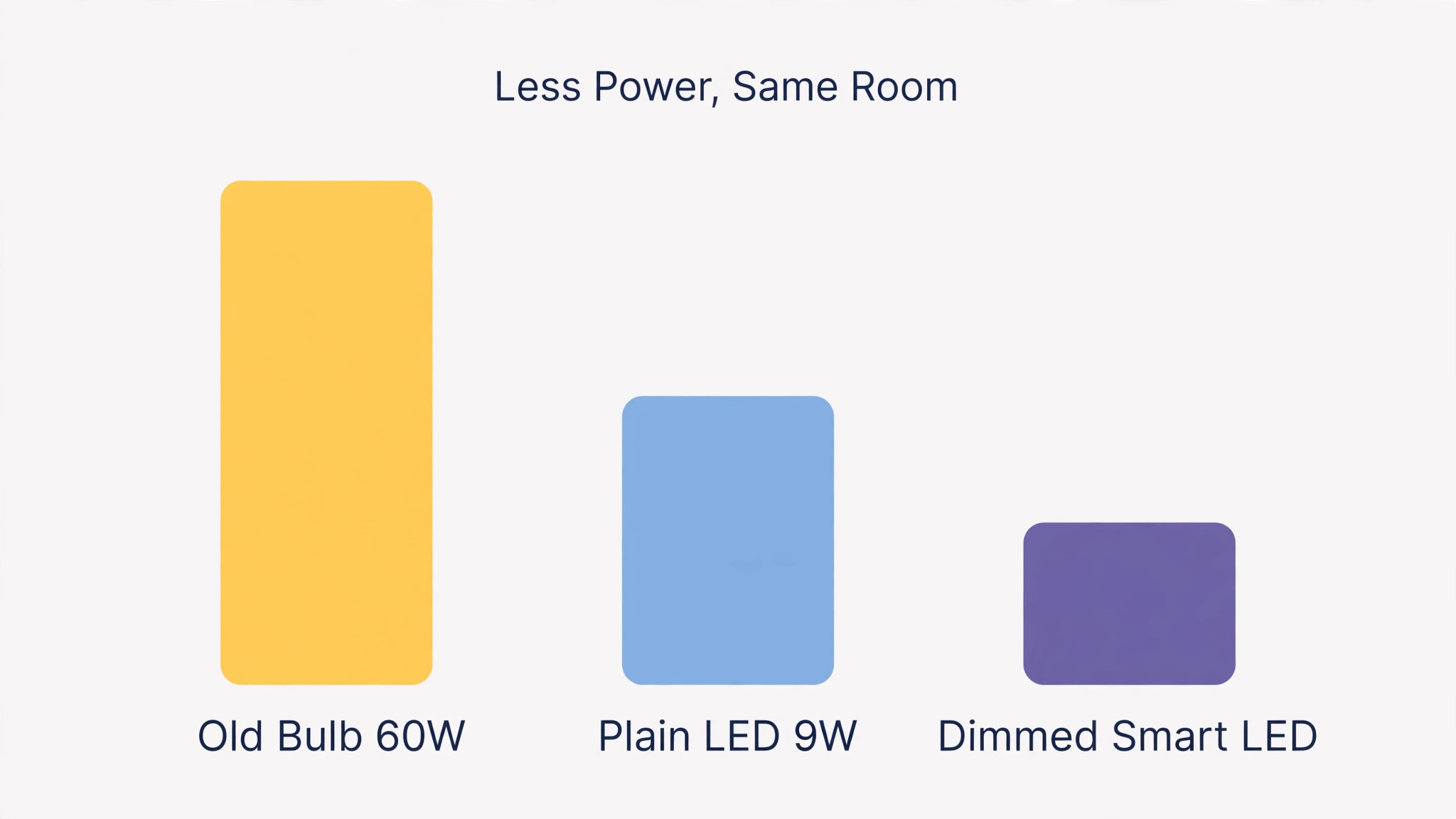
Energy use surprises many buyers in a good way. LED smart bulbs use far less power than old incandescent bulbs, so replacing a 60 watt old bulb with a 9 watt LED saves energy even before scheduling, and dimming saves further, since a dimmed LED draws less power than a full brightness LED. The hub and standby power of smart bulbs add a small constant draw, but that draw is tiny compared with the saving from LED efficiency and from lights turning off automatically instead of burning all night. Judge energy by the monthly bill over a season, not by the standby draw of a single bulb, since the full picture favours smart LEDs in most homes.
What to buy first, in order, is a starter set with hub if needed, one good reading lamp bulb, one television bias strip, and one wireless switch for guests. That set covers the daily activities of the room, proves the system works in your home, and gives you scenes worth using from week one. Buying in that order is a sensible way to set up smart lights for living room use without overspending before you know which zones matter most to your household. Later purchases can add accent lights, outdoor lights, and sensors, but none of those matter until the daily core works, and a core that works beats a whole house system that confuses everyone.
More Reading on Stratilyze
More Reading on Stratilyze. Smart home setup continues beyond lighting, so the guides on Amazon Echo for smart home routines and best smart home devices for 2026 cover the wider field, and the guide on home Wi-Fi mesh networks for a small house helps when bulbs respond slowly far from the router. Read the routines guide first if you plan to link lights to voice control, since routine design decides whether automation helps or annoys.
Frequently Asked Questions
Do smart bulbs work if the Wi-Fi goes down?
It depends on the system. Hub based bulbs usually keep working from the app on the local network and from physical switches, even without internet, while pure Wi-Fi bulbs may lose app control until Wi-Fi returns. In both cases, the wall switch still turns a smart bulb on and off like an ordinary bulb, though scenes and schedules may pause until connectivity returns. A physical switch is therefore the best insurance against a Wi-Fi outage.
Can I use smart bulbs with a wall dimmer switch?
Usually not safely with an old style dimmer, since the dimmer chops power in a way that makes smart bulbs flicker or buzz. Leave the wall dimmer at full brightness and dim in the app, replace the dimmer with a standard switch, or use a smart switch designed for the system instead of smart bulbs on that fixture. Check the bulb maker guidance for your exact dimmer type before combining them, since a flickering bulb is the most common sign of a mismatch.
How many smart bulbs do I need for a living room?
Most living rooms need six to eight bulbs across layers, meaning a ceiling light, a floor lamp, a reading lamp, a television strip, and one or two accent lights, though the exact number depends on room size and fixture count. Start with the seating and reading zones, add television bias light next, and add accent lights last, since daily comfort comes from the first layers and accent lights are decoration. A room with too many bulbs in one zone and none in another feels uneven, so balance zones before adding extras.
Do smart lights save energy or use more?
They usually save energy overall, because LED smart bulbs use far less power than old incandescent bulbs, and dimming plus automatic switch off saves further. The hub and standby draw add a small constant load, but that load is small compared with LED efficiency gains and with lights no longer burning all night by accident. Track the bill over a season for the honest answer, since a single week tells you little about real use.
Can guests use smart lights without an app?
Yes, if you provide a physical control, such as a wireless dimmer switch by the door, a smart button on a table, or a voice assistant in the room. Without such a control, guests must use the wall switch, which works for on and off but loses scenes and dimming. The guest test is simple. Can a visitor turn lights on, dim them for a film, and turn them off, without instruction? If not, add the control that makes it possible.
What happens to my scenes if I change a bulb?
Replacing a bulb with the same type usually keeps the room and scenes intact once the new bulb is added and assigned to the old bulb place in the app, though the exact steps vary by maker. Replacing with a different type, such as a white only bulb replacing a colour bulb, may limit scenes that use colour, since the new bulb cannot show those colours. Keep a note of bulb types per fixture, so replacements match, and check scenes after any replacement rather than assuming they survived.
A Room That Matches Its Evening
A well set up living room does not announce itself. It simply feels right at each hour, bright enough for conversation, dim enough for films, focused enough for reading, and never harsh when you walk in after dark. That feeling comes from layers, scenes, and routines built around real evenings, not from a catalogue of colours or a long list of gadgets.
Start with one zone this week, build one scene that you use daily, and add a sunset routine when that scene feels natural. Small, used features beat large, unused systems, and a room that grows slowly stays understandable to everyone who lives in it. To set up smart lights for living room life that lasts, the rule is simple. Layer first, scene second, automate third, and keep every step guest proof, so the room works for the whole household, not just for the person who installed it.