
The problem is familiar to any support lead who has watched a queue grow while agents click between tabs. Tickets pile up in one system, chat conversations live in another place, and the answers customers need most sit in help articles that the chat tool cannot reach. A switch Zendesk to Intercom support team move is usually an attempt to fix that split, by putting chat, tickets, help content and an AI agent in one inbox where an agent can see the whole conversation.
That promise is real, but it is not automatic. Zendesk tickets, macros, triggers and service level rules do not carry over with one click. Intercom has its own import for tickets, users and organizations, and its own import for public help articles, yet the working rules of a support team, meaning who answers what, how fast, and with which reply, must be rebuilt by hand. This guide separates the parts that import cleanly from the parts that need rebuilding, and puts them in an order that keeps customers answered throughout.
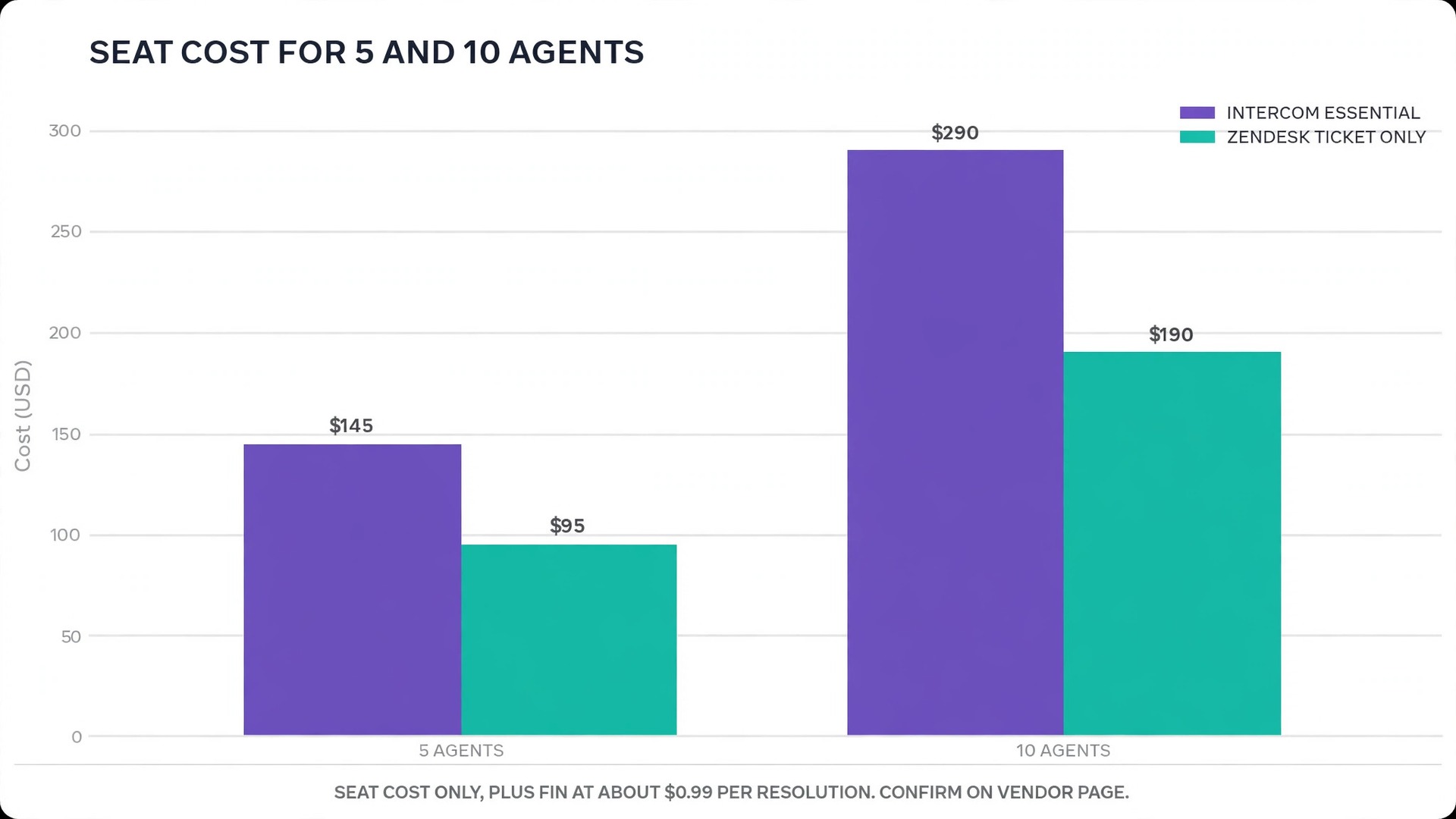
Prices here are ranges drawn from published pricing guides at writing time, so confirm on the vendor page before you buy. Guides put Intercom Essential at about 29 dollars per seat a month on annual billing, Advanced around 85 dollars, and Expert around 132 dollars, plus Fin AI resolutions at about 99 cents each. Zendesk guides list a ticket only plan near 19 dollars per agent a month and full suite plans from about 55 dollars upward, so compare the seat price together with AI resolution costs, not the seat price alone.
What a Switch Zendesk to Intercom Support Team Move Changes Day to Day
The biggest daily change is the shape of the work itself. Zendesk organises work as tickets, each with a status, a group and a set of fields, which suits a team handling structured queues across email, chat and phone. Intercom organises work as conversations in team inboxes, with tickets as a structured layer inside that flow, which suits a team whose customers mostly arrive by chat and expect a reply in the same window. Agents who love a tidy ticket queue sometimes miss Zendesk structure at first, while agents who live in chat usually settle faster.
The second change is how help content works. In Zendesk, the help centre is a separate destination customers visit. In Intercom, help articles feed the Fin AI agent and appear inside the messenger, so a customer can get an answer without starting a conversation at all. That only helps if the articles are current, clear and complete, because Fin answers from the content it is given. A team with a neglected help centre should clean its articles before the move, not after, since dirty content produces confident sounding wrong answers.
The third change is the bill structure. Zendesk charges mainly per agent, which makes the monthly total easy to forecast. Intercom charges per seat plus per Fin resolution, which means a month with heavy AI use costs more than a quiet month. A team that expects Fin to resolve a large share of conversations should model that cost at its real conversation volume, meaning last quarter conversations multiplied by the expected resolution share and the per resolution rate, before promising a saving to finance.
Tickets, Articles and Customers. What Imports and What Does Not
Intercom documents a Zendesk import that runs from its data settings, where a Zendesk admin connects the account and chooses which objects to bring over. Users, organizations and tickets can move together, with field mapping during the import, and email notifications are paused during the transfer so customers do not receive confusing messages about old tickets. Public help articles can also move, through a separate content import that crawls the help centre and rebuilds articles in Intercom collections.
| Zendesk item | Intercom result | What to check after import |
|---|---|---|
| Users and organizations | Imported as contacts and companies | Deleted or suspended users map to a default user |
| Tickets and comments | Conversations and tickets, with history | Ticket states map automatically, custom states do not |
| Attachments and images | Up to ten of each per ticket in guides | Large tickets need a sample check |
| Public help articles | Articles in the knowledge base | Articles arrive ungrouped, so rebuild collections |
| Macros | Not imported, rebuild as macros and snippets | Test every rebuilt reply on a real conversation |
| Triggers and automations | Not imported, rebuild as workflows | One workflow at a time, tested before the next |
| Service level rules | Not imported, rebuild on the Expert tier | Confirm tier before promising response targets |
| Views and reports | Not imported, rebuild as inbox views and reports | Compare old and new queue counts for a week |
Run a sample import before the full run, using twenty to one hundred tickets that cover the awkward cases, meaning a long thread, a ticket with many attachments, a ticket from a deleted user, and a ticket in a custom state. Check each sample ticket in Intercom against its Zendesk original, and fix mapping choices while the sample is small. A full import run on untested mapping creates thousands of small errors that no one has time to fix later.
The Step Workflow for a Switch Zendesk to Intercom Support Team Migration
Keep Zendesk live until Intercom has handled real conversations well for at least two weeks. The parallel period feels like double work, and it is, but it is the only period in which a mistake costs an internal correction instead of a customer apology.
- Audit Zendesk and decide what is worth moving. List every macro, trigger, automation, view and service level rule, mark each as keep, rebuild or drop, and archive closed tickets older than the retention window rather than importing years of history nobody will read.
- Clean the help centre first. Remove outdated articles, merge duplicates, expand terse answers, and add the missing articles for the ten questions that fill the queue every week. Fin will only be as good as this content, so this step deserves a full week for a team with a large centre.
- Set up the Intercom workspace, team inboxes and agent roles. Zendesk agent and light agent roles do not map one to one onto Intercom seat types, so write the role mapping down, invite agents, and confirm who can see which inbox before any customer traffic arrives.
- Import help articles and rebuild collections. Use the content import for public articles, then sort them into collections using the imported tags, and check that search inside Intercom finds the top twenty articles by their natural question wording.
- Import users, organizations and tickets in a sample, then in full. Connect Zendesk from the import settings with an admin account, map fields, set the default user for deleted accounts, and run the sample check described above before the full transfer.
- Rebuild macros, snippets and workflows one at a time. Start with the five most used macros and the workflows that route urgent conversations, test each on a real conversation, and keep a log of which rule is live and which is still in draft.
- Swap channels one at a time, starting with the lowest volume channel. Move chat first if chat is the smaller queue, or email first if email is smaller, and keep the other channel on Zendesk until the first channel runs cleanly for a week.
- Cut over, then monitor for a month. Move the remaining channels, point the help centre links to Intercom, set Zendesk to read only for history, and review queue counts, response times and Fin resolution rates weekly until the numbers are stable.

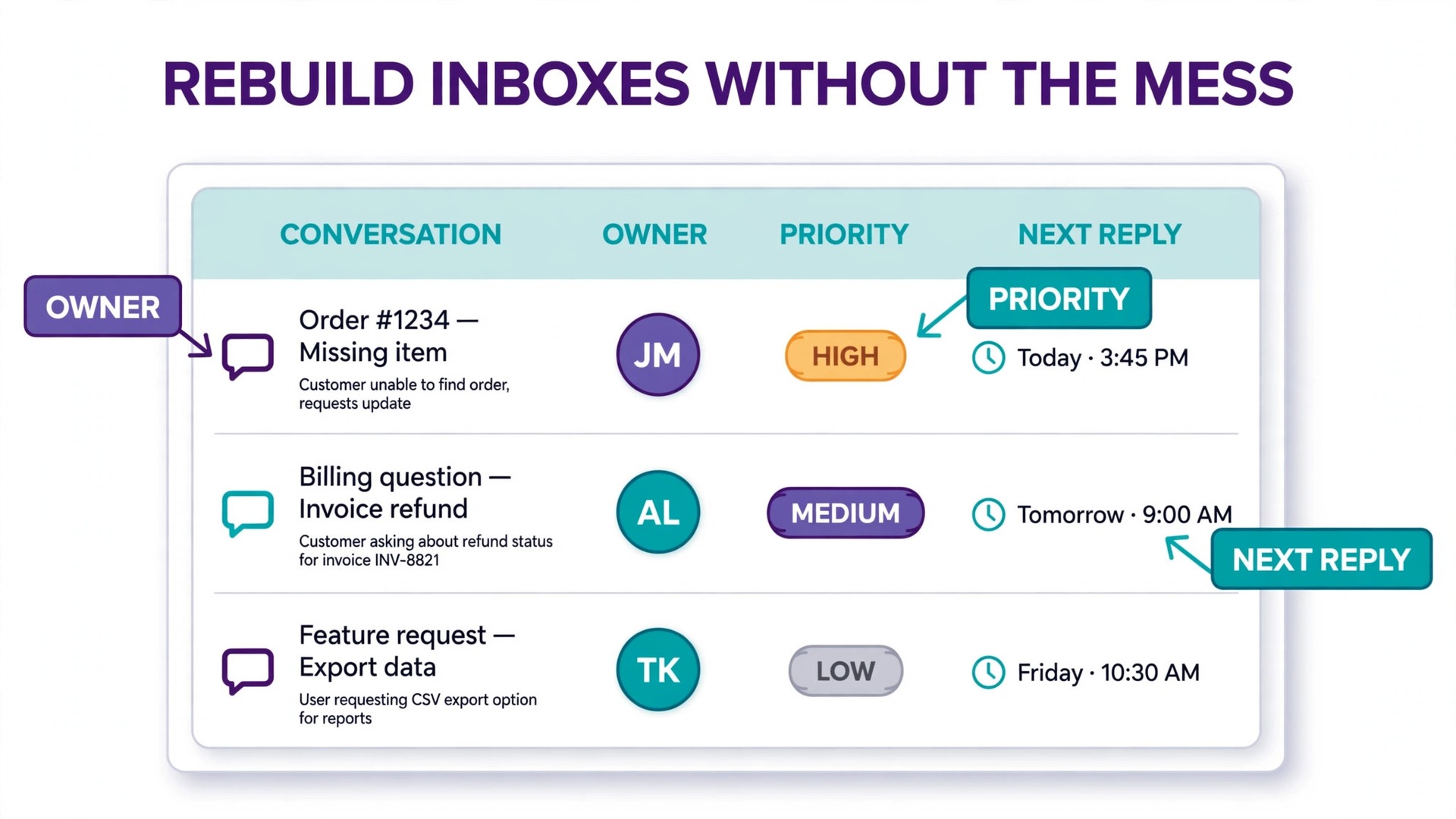
Rebuilding Macros, Inboxes and Routing Without Copying the Mess
Macros are where a support team personality lives, and rebuilding them is a chance to fix years of drift. Read the fifty most used macros and retire any that apologise for a problem already fixed, promise a response time the team no longer meets, or link to a retired page. The survivors should be rewritten in the same voice, checked for current links, and tested by the agents who will use them, because a macro an agent does not trust will not be used.
Inbox design needs the same care. Intercom inboxes can split by team, topic or channel, and a team that copies Zendesk groups exactly often recreates the same confusion in a new shape. Design inboxes around who acts, meaning billing, technical, onboarding and general, rather than around where the message arrived, and give each inbox a clear owner and a backup owner. A conversation that sits in an inbox nobody owns is worse than a conversation in a shared queue everyone watches.
Routing and assignment rules follow inbox design. Round robin assignment suits an even queue, while skills based assignment suits a team with specialists, and the choice should match how work actually flows rather than how the old system was set up. Test routing with a week of real traffic during parallel running, and check that urgent conversations reach a human quickly even when Fin is handling the routine share. A switch Zendesk to Intercom support team plan that routes everything through automation first will frustrate the customers who most need a person.
Fin, the AI Agent, and Setting Honest Expectations
Fin answers from help content, past conversations and connected sources, and its value depends entirely on that material. Before launch, test Fin against the fifty most common customer questions and grade each answer as correct, partly correct or wrong. Fix the help articles behind every partly correct or wrong answer, then retest, because improving the source is more reliable than tweaking the agent settings alone.
Set a clear boundary for what Fin handles alone. Routine questions with a documented answer, such as pricing, hours, password resets and delivery times, are good candidates for full automation. Account specific problems, billing disputes, complaints and anything involving a vulnerable customer should reach a human quickly, even if Fin starts the conversation. Publish that boundary inside the team, so agents know when to take over without waiting for a rule to tell them.
Measure Fin honestly from the first week. Track the share of conversations Fin resolves without human help, the share it hands over, and the customer satisfaction on both groups, and compare those numbers with the Zendesk baseline for the same question types. A resolution rate that looks high but pairs with falling satisfaction is a warning, not a win, and it usually points to answers that sound complete but miss the customer need. A switch Zendesk to Intercom support team move earns its keep when both resolution and satisfaction hold or improve together.
Channel Swap Order and the Parallel Running Fortnight
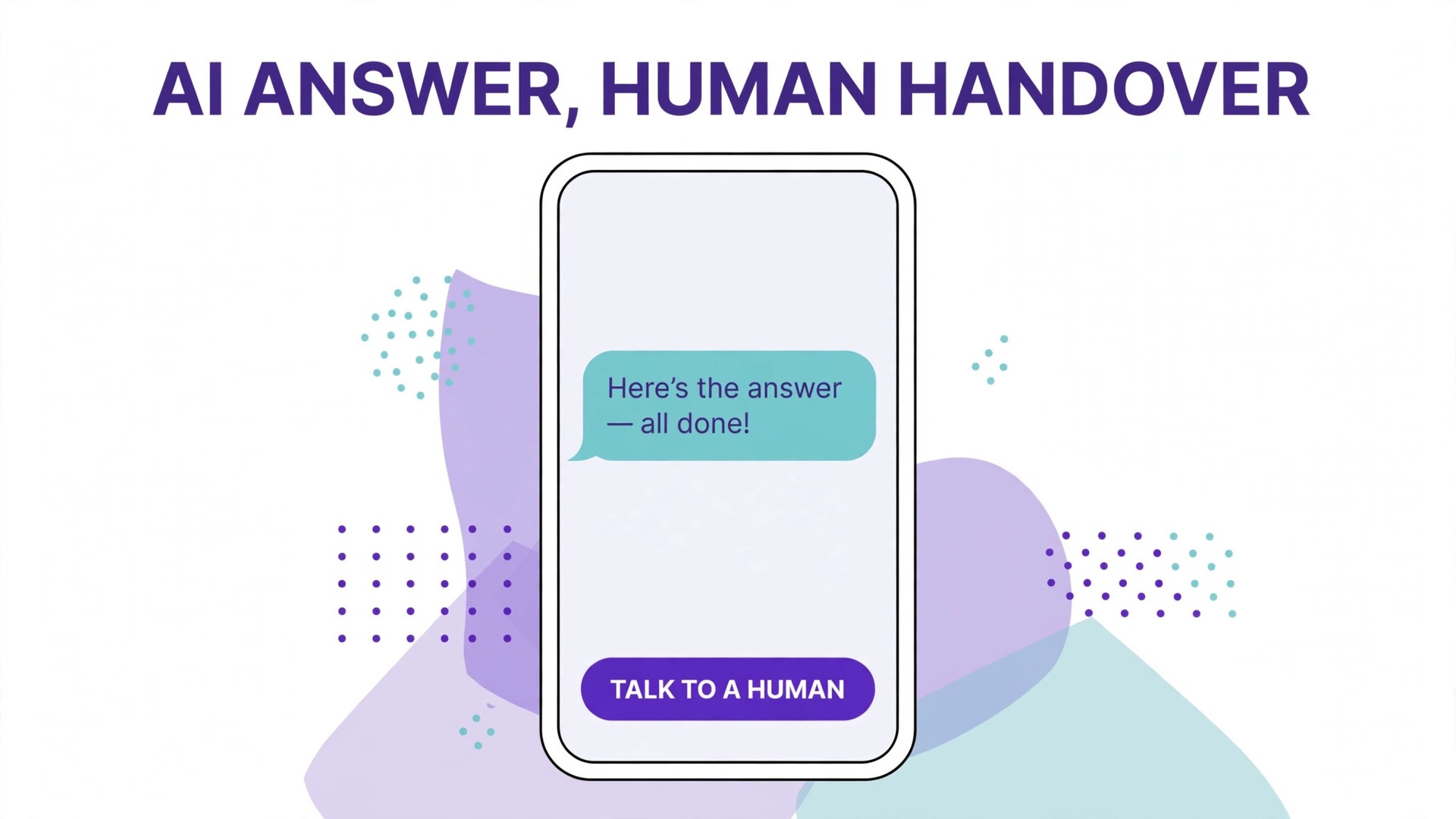
Channel order decides how bumpy the move feels. Start with the channel that carries the least volume and the least risk, prove it for a week, then move the next channel. For many teams that means chat first, since chat conversations are short and visible, while email carries longer threads and attachments. For a team whose chat volume dwarfs email, the order reverses, and email goes first precisely because it is smaller.
During parallel running, define one rule that prevents chaos, which is that each conversation lives in one system only. A customer who writes on a moved channel gets answered in Intercom, while a customer on an unmoved channel stays in Zendesk, and agents must not copy conversations between systems to keep both queues tidy. The queue counts will look split for two weeks, and that is expected, so report the combined totals to management rather than letting each system look half empty.
Staffing during parallel running needs planning too. Split the team so one group covers the moved channel in Intercom and another covers the remaining Zendesk queue, rotating daily so everyone learns the new system without leaving either queue uncovered. Keep a shared log of issues found in Intercom, reviewed each morning, so fixes land before the next channel moves. A team that moves all channels at once cannot tell whether a fault is a system problem or a training problem, and that confusion is what turns a migration into a crisis.
What the Move Costs for a Five and Ten Agent Team
Seat maths first, then AI maths, because the second line surprises teams that only budgeted the first. On the published guide rates, five Essential seats cost about 145 dollars a month on annual billing, and ten seats about 290 dollars, before Fin resolutions. Advanced at about 85 dollars a seat lifts those totals to about 425 dollars for five and 850 dollars for ten, while Expert at about 132 dollars reaches about 660 dollars for five and 1,320 dollars for ten. Those figures are ranges, so confirm on the vendor page before you buy, and check whether seat minimums or conversation volume tiers apply to the account size.
Fin resolutions then add a variable line. At about 99 cents per resolution, one thousand Fin resolved conversations a month add about 990 dollars, which can exceed the seat bill on Essential for a small team. That does not make Fin expensive, since each resolution replaces agent time, but it does mean the business case must count resolutions honestly. Model three cases, meaning low, expected and high resolution volumes, and check that even the high case stays below the agent time saved. A team that cannot model that case should run Fin on a limited set of questions first and measure real resolutions before opening it fully.
Zendesk comparison needs the same two lines. A ticket only plan near 19 dollars per agent looks cheap until the team adds the suite features, chat, AI and reporting that Intercom includes at higher tiers, and Zendesk AI resolutions carry their own per resolution charge in published guides. Compare the full Zendesk invoice, including add ons, with the full Intercom total, including Fin at the modelled volume, at the same agent count. A switch Zendesk to Intercom support team budget built on seat prices alone will be wrong in the first month Fin runs at scale.
Mistakes That Leave Customers Waiting During a Switch
The first mistake is importing everything, including years of closed tickets and retired macros, and calling it completeness. Old tickets slow the import, clutter search, and confuse agents who find five outdated answers for one question. Import open tickets, recent closed tickets within the retention window, and the customers behind them, and archive the rest outside the live system.
The second mistake is launching Fin on the full help centre without grading its answers. An AI agent that answers confidently from outdated articles creates more work than it saves, because each wrong answer becomes a follow up conversation with an annoyed customer. Grade the top fifty questions, fix the sources, and open Fin gradually by question type, starting with the safest answers.
The third mistake is forgetting the customer facing links. Help centre addresses, chat widget code, email signatures and social profiles all point somewhere, and every one of them must point to Intercom before the old system closes. Check each link from the public side, not from an admin preview, because a link that works for staff can still fail for a signed out customer.
The fourth mistake is closing Zendesk on cutover day. Keep it read only for a month, with history available to agents handling old threads, and keep the import connection details saved in case a late data check is needed. The extra month of subscription is small against the cost of losing the history of a disputed case.
When Staying on Zendesk Is the Better Call
Staying is right for teams whose work is ticket shaped at scale. High volume email queues, complex service level agreements, deep reporting needs and phone heavy operations all play to Zendesk strengths, and Intercom Expert can cover service levels but at a higher seat price in published guides. A team that already runs Zendesk well, with clean macros, good routing and strong reporting, may gain little from moving except a new learning curve.
Staying is also right when the real problem is content or staffing rather than software. A queue that grows because articles are outdated, because two agent posts are vacant, or because a product bug creates repeat contacts will grow on any platform. Fix the articles, fill the posts, and escalate the product issue first, then judge whether a platform move still adds value. A switch Zendesk to Intercom support team project launched to escape a staffing gap will disappoint, because the new inbox will fill just as fast.
A trial can settle a close call. Run Intercom on one channel, such as website chat, for a month while Zendesk keeps the rest, and compare response times, satisfaction and agent effort on that channel against its Zendesk baseline. If chat improves clearly, extend the move, and if it does not, the team has learned cheaply. That trial needs real traffic and real agents, not a demo account, to mean anything.
The Go Live Checklist for Support Cutover
Cutover for a support team is a list of proofs, checked in order, with any failure delaying the next channel move rather than being noted for later.
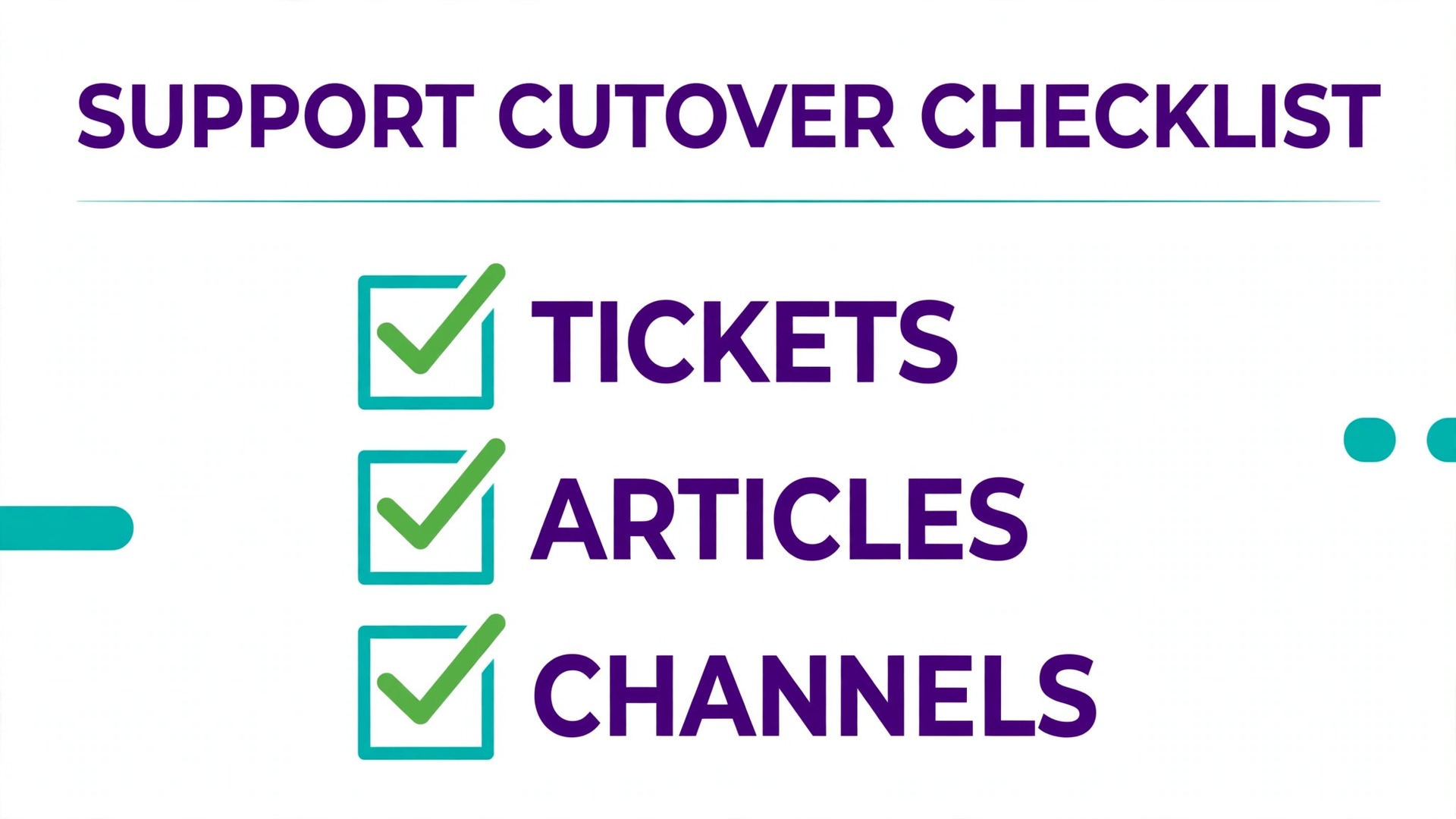
– Every open ticket appears in Intercom with the right customer, status, assignee and history, checked against a Zendesk report from the same morning. – Every rebuilt macro and snippet has been tested on a real conversation by the agent who will use it most. – Help centre collections are rebuilt, and the top twenty customer questions return a correct article in Intercom search. – Fin has been graded on the fifty most common questions, with failing sources fixed and retested. – Each moved channel has been tested from the public side, meaning a real chat, a real email and a real help centre visit. – Inbox ownership and backup ownership are named for every inbox, and routing rules have run for a week on real traffic. – Zendesk is set to read only, with history access kept for agents, and the old chat widget removed from the site. – The first weekly review is booked, covering queue counts, response times, Fin resolutions and satisfaction, compared with the Zendesk baseline.
After cutover, review those numbers weekly for a month, then monthly. The numbers that matter are first response time, full resolution time, satisfaction, Fin resolution share, and reopened conversations. If first response and satisfaction hold while Fin resolution grows, the move is working. If satisfaction falls while automation rises, slow Fin down and fix the content, because a fast wrong answer is still a wrong answer.
Training Agents and Handling the First Difficult Week
Agents need practice in Intercom before they face a real queue in it, and practice means real conversations, not a slide deck. During parallel running, give each agent a set of practice conversations covering the common cases, meaning a password reset, a billing question, a complaint, and a question Fin answers wrong. Let agents practise taking over from Fin, editing a macro, and moving a conversation to the right inbox, because those three actions cover most of a shift.
The handover habit deserves explicit training. An agent taking over from Fin should read the conversation first, acknowledge what the customer already tried, and avoid asking for information the customer already gave. Customers hate repeating themselves more than they hate waiting, and a handover that repeats questions undoes the benefit of automation. Add a short handover template to the macro list, covering acknowledgement, summary of the issue as understood, and the next step, and let agents adapt its wording rather than pasting it blindly.
The first difficult week will still arrive, usually as a mix of small problems rather than one large failure. A macro will contain an old link, a routing rule will send billing questions to the technical inbox, and Fin will answer one new question badly because no article covers it. Treat each of those as a same day fix with a named owner, and review the fix log each morning until the list shrinks. A switch Zendesk to Intercom support team move that fixes small problems fast earns agent trust, while a move that logs problems for later review loses it, because agents stop reporting faults they believe no one will fix.
Measure agent confidence as well as customer numbers in that first month. Ask agents weekly what slows them down, which macro they avoid, and which inbox feels overloaded, and act on the answers visibly. A support tool change succeeds when agents choose the new inbox without being forced, and that choice follows from a system that helps them answer faster with less clicking. If agents keep private workarounds, such as answering from personal notes instead of macros, find out why, because the workaround usually points to a macro or routing rule that needs repair rather than to resistance to change.
Finally, keep a short retro at the end of the first month with the whole team. List what improved, what got worse, and what still needs work, and agree the next three fixes with owners and dates. A switch Zendesk to Intercom support team project that ends with that retro, rather than with cutover day, turns a migration into a lasting improvement, and gives the next tool decision a record of evidence instead of a memory of stress.
Frequently Asked Questions About Switching From Zendesk to Intercom
Can Zendesk tickets move to Intercom?
Yes, Intercom provides a Zendesk import for users, organizations and tickets, with field mapping and paused email notifications during transfer. Run a sample of twenty to one hundred tickets first, covering long threads, attachments and custom states, and check each sample against its Zendesk original before the full run.
Do macros, triggers and service level rules move automatically?
No, they must be rebuilt in Intercom as macros, snippets and workflows, and service level rules need the tier that includes them. Audit every rule before the move, mark each as keep, rebuild or drop, and rebuild only the rules that still earn their keep, testing each on a real conversation.
How long does a switch Zendesk to Intercom support team move take?
A small team with a tidy help centre usually needs three to five weeks, including cleaning articles, a sample import, parallel running and channel by channel cutover. A large help centre, many custom states or a high ticket volume can stretch the project to two months, with article cleanup taking the largest share.
Will customers notice the switch?
They should notice better chat and faster answers, not disruption, if channels move one at a time and email notifications stay paused during import. Customers will notice if help links break, if old threads lose history, or if Fin answers from outdated articles, so test links, history and Fin answers from the public side before cutover.
What does Fin cost on top of Intercom seats?
Published guides put Fin at about 99 cents per resolution, on top of per seat plan prices, so the total depends on how many conversations Fin resolves each month. Model low, expected and high resolution volumes before launch, and confirm on the vendor page before you buy, since pricing and volume tiers change.
Should Zendesk be closed on cutover day?
No, keep it read only for at least a month so agents can check history on old threads and disputed cases. Export any remaining reports before closing, confirm no live link still points to Zendesk, and only then close the account. The extra month is cheap insurance against a lost audit trail.
More Reading on Stratilyze
– Cost of Zendesk for a Small Business Monthly – Cost of Intercom for a Small Business Monthly – Switch Intercom to Zendesk for a Support Team – Helpdesk Choices for Small Support Teams Compared, plain text title, link not verified at writing time