
An HR team used to hire by printing an offer letter, posting it to the candidate, waiting for the signed copy to come back and filing it in a cabinet that nobody opened again. A new hire could wait a week between accepting the job and signing the paperwork, and the team lost good people in that gap. The top 10 e-signature software for hr teams exists because that way of working costs a company its best candidates, and the candidate who signs in five minutes on a phone is the one who shows up on Monday.
Moving from paper to electronic signatures changes the hiring week in a visible way. An offer goes out in the morning, the candidate signs it on a lunch break and the HR team has a filed copy before the end of the day. The switch is not about saving paper. It is about closing the gap between the offer and the signature, because every day in that gap is a day the candidate can take another job.
The difference shows up fastest in a busy hiring season. A team that hires ten people a month cannot chase ten paper envelopes, ten reminders and ten filing cabinets without something slipping. This guide weighs envelope limits, audit trails and template handling as heavily as price, because a signing tool that runs out of envelopes in the middle of a hiring push is not doing its job.
What Changed in the top 10 e-signature software for hr teams Market
The biggest change is that the envelope has become the price. Five years ago an HR team paid per seat and sent as many documents as it liked. Now most tools cap the number of envelopes per user per year, and the cap matters more than the seat price. DocuSign Standard allows about 100 envelopes per user per year, while Dropbox Sign, signNow and SignWell allow unlimited sending on paid plans. This guide gives the envelope limit for every tool, because a team that hits the cap in October will be paying for a second tool by November.
The second change is the rise of the document platform that signs. PandaDoc and similar tools build the offer letter, the contract and the NDA in the same place they get signed, so the HR team stops copying text between a word processor and a signing tool.
The third change is the legal bar. Electronic signatures are legally binding in most jurisdictions, but the audit trail is what proves it. A tool that records who signed, when, from where and in what order gives the HR team a defensible record. A tool that only captures a picture of a signature gives the team a document that will not survive a dispute. The detail sections name the audit strength for every tool.
Where HR Signing Actually Breaks
HR signing breaks in a specific place, and it is rarely the signature itself. The signature works, the candidate signs and the document comes back, and then nobody can find it three months later when the manager asks for the signed policy. The top 10 e-signature software for hr teams earns its place by filing the signed copy where the team can find it, not by capturing the signature faster. The tools below are ranked with that filing reality in mind.
The second break is the template that goes stale. An HR team sends the same offer letter fifty times, then the salary band changes, the notice period changes and the old template keeps going out because nobody updated it. A tool that versions its templates, locks the fields and shows who changed what turns that risk into a controlled process.

The 10 Tools at a Glance
| Tool | Main job | Best for | Starting price |
|---|---|---|---|
| DocuSign | Market standard signing | Companies whose clients expect the standard | 10 dollars a month |
| Adobe Acrobat Sign | Signing inside Acrobat | Teams that already live in PDF workflows | 14.99 dollars a month |
| PandaDoc | Documents plus signing | HR teams that create offer letters | 19 dollars a user a month |
| Dropbox Sign | Simple unlimited signing | Teams that want no envelope math | 15 dollars a month |
| signNow | Low cost signing | Budget teams with many users | 8 dollars a user a month |
| Zoho Sign | Signing inside Zoho | Teams already using Zoho | 10 dollars a user a month |
| Signeasy | Simple mobile signing | Teams that sign on the move | 10 dollars a user a month, reported |
| SignWell | Simple unlimited signing | Small teams that want a low price | 10 dollars a month, reported |
| BoldSign | Low cost unlimited signing | Teams that want a modern low-cost tool | 15 dollars a user a month, reported |
| eSignatures.io | Pay per contract signing | Teams with irregular signing volume | 0.49 dollars per contract, reported |
Best Pick by Job
| Job type | First pick | Second tool | Why this pair works |
|---|---|---|---|
| Market standard | DocuSign | Adobe Acrobat Sign | DocuSign is the name clients know and Adobe Acrobat Sign adds PDF depth |
| Offer letter creation | PandaDoc | DocuSign | PandaDoc builds the document and DocuSign adds the widest recognition |
| Unlimited sending | Dropbox Sign | signNow | Dropbox Sign removes the envelope cap and signNow adds a lower price |
| Tight budget | signNow | Zoho Sign | signNow costs least per seat and Zoho Sign adds a free tier |
| Irregular volume | eSignatures.io | SignWell | eSignatures.io charges per contract and SignWell adds a flat monthly price |
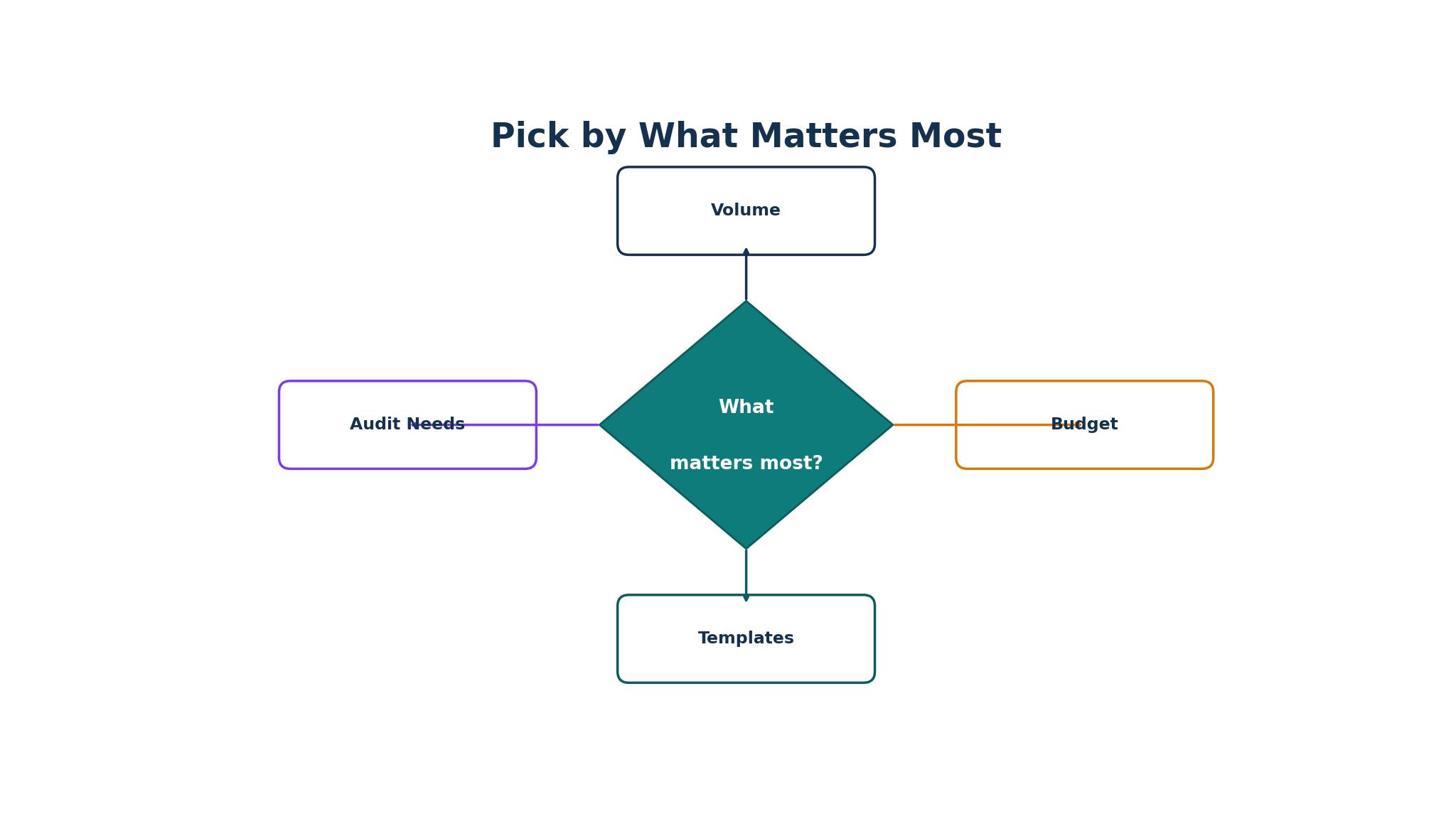
Hiring ten people a month and signing one policy a quarter are barely the same job. The hiring team lives on templates, reminders and envelope volume, while the occasional signer needs a tool that costs nothing when it sits idle, so buying for the wrong half means paying for seats the team never fills while going without the envelope capacity it needs every week.
Size decides the second cut. A two-person HR team needs a tool that works on day one without a setup project, while a hundred-person company needs roles, permissions and an audit trail that survives a legal review. The top 10 e-signature software for hr teams is the set that matches the team’s volume and size today, with a clear path to the next level when hiring grows.
How to Judge the top 10 e-signature software for hr teams
Start with a real offer letter, because that is the test that separates a signing tool from a signature pad. Send an offer to a real candidate, or a test candidate with a real email, and watch how long the signature takes and what comes back. A tool that gets the signed copy filed with a clean audit trail in under an hour will survive a busy hiring season, while one that needs manual filing will fail at the worst moment.
Next, test the envelope math on a real hiring month. Count the documents the team sends in its busiest month, divide by the users and check whether the plan’s cap covers it. Look for a plan that allows unlimited sending or a cap the team will not hit, because a team that runs out of envelopes in the middle of a hiring push will be paying for a second tool by the end of the month. The top 10 e-signature software for hr teams proves the envelope math on the team’s own volume before the trial ends.
Then check the audit trail on a signed document. Open the completed file, look for the signer’s identity, the time, the location and the order of signing, and ask whether it would survive a dispute. A tool that records all four gives the HR team a defensible record. A tool that records only the signature gives the team a document that will not survive a hard question.
The 10 Tools in Detail
The order below follows the hiring desk, so the market standard opens the list and the pay-per-contract tool closes it.
1. DocuSign
DocuSign is the market standard for electronic signatures, and its recognition is the reason. It is the name most candidates and clients already know, so nobody asks whether the signature is valid, and its integration library covers more than 900 partner apps. Personal costs about 10 dollars a month on annual billing for five envelopes a month, Standard costs about 25 dollars a user a month and Business Pro costs about 40 dollars a user a month, with the paid team tiers including about 100 envelopes per user per year.
The drawback is the envelope cap and the price. Personal allows only five envelopes a month, and Standard caps each user at about 100 envelopes a year, so a busy HR team will hit the limit and pay more. The entry plan is also a single-user plan, so a team needs Standard at 25 dollars a user a month to work together.
DocuSign suits companies whose candidates and clients expect the market-standard tool. It fits a large company with a busy hiring season, a team that needs the widest integration ecosystem and an HR department that values recognition over price. The recognition is the feature that matters, because a candidate who already trusts the name signs faster.
Send a real offer letter through DocuSign and count the envelopes it uses. If the cap covers your busiest month and the audit trail reads cleanly, DocuSign will carry the hiring season.
2. Adobe Acrobat Sign
Adobe Acrobat Sign is the signing tool for teams that already live in Acrobat, and its PDF depth is the reason. The platform is bundled with Acrobat, so a team that already edits PDFs can send them for signature without leaving the app, and the team plans cover about 150 transactions per user per year. Individual pricing starts at about 14.99 dollars a month bundled with Acrobat Standard, with team plans reported from 16.99 to 29.99 dollars per user a month.
The drawback is the price and the bundle. Acrobat Sign is sold with Acrobat, so a team that does not already use Acrobat pays for a PDF editor it may not need, and the team plans carry a two-licence minimum. The signing features are also thinner than DocuSign on integrations, and a team that needs the widest ecosystem will find the gaps.
Adobe Acrobat Sign suits teams that already work in Acrobat and PDF workflows. It fits an HR team that edits contracts in Acrobat, a company that already pays for the Adobe suite and a team that values signing inside the PDF editor. The Acrobat tie-in is the feature that matters, because a team that never leaves Acrobat saves the export step on every document.
Send a real offer letter through Adobe Acrobat Sign from inside Acrobat. If the signature lands cleanly and the audit trail reads well, Adobe Acrobat Sign will carry the PDF workflow.
3. PandaDoc
PandaDoc is the document platform for HR teams that create offer letters, and its document creation is the reason. The platform builds proposals, quotes and contracts with a built-in editor, then collects the signature on top, so the HR team stops copying text between a word processor and a signing tool. The Free eSign plan allows five documents a month, Starter costs 19 dollars a user a month with unlimited eSignatures and Business costs about 49 dollars a user a month.
PandaDoc is a document platform first and a signing tool second, so a team that only needs signatures ends up paying for features it never opens. Most teams will land on Starter at 19 dollars a user a month, and the free plan allows only five documents, a cap a hiring push will hit inside its first week.
PandaDoc suits HR teams that create offer letters and contracts every week. It fits a team that writes fifty offer letters a month, a company that wants templates and signing in one place and an HR department that values a polished document over a plain one. The document creation is the feature that matters, because a team that builds the offer in the same tool that signs it saves an hour on every hire.
Send a real offer letter through PandaDoc, building it from a template. If the document looks polished and the signature comes back fast, PandaDoc will carry the hiring season.
4. Dropbox Sign
Dropbox Sign, formerly HelloSign, is the signing tool for teams that want no envelope math, and its unlimited sending is the reason. Every paid plan allows unlimited signature requests, so the HR team never counts envelopes and never hits a cap in the middle of a hiring push. The Free plan allows three signature requests a month, Essentials costs 15 dollars a month for a single sender and Standard costs 25 dollars a user a month with a two-user minimum.
The drawback is the price for a team. Essentials is a single-user plan, so a team needs Standard at 25 dollars a user a month, which costs more than signNow for the same unlimited sending. The platform is also thinner than PandaDoc on document creation, and a team that needs templates and content blocks will find it lighter.
Dropbox Sign suits teams that already use Dropbox and want unlimited sending at a fair price. It fits an HR team that sends a high volume of documents, a company that values a clean interface over deep features and a team that never wants to count envelopes again. The unlimited sending is the feature that matters, because a team that sends freely hires faster.
Send a real offer letter through Dropbox Sign and check the audit trail. If the signature comes back fast and the filing is clean, Dropbox Sign will carry the hiring season.
5. signNow
signNow is the low-cost signing tool for budget teams with many users, and its price is the reason. Business costs 8 dollars a user a month on annual billing, with Business Premium at 15 dollars and Enterprise at 30 dollars, and every plan includes unlimited sending. A team that needs many seats without a big bill will find signNow the cheapest full signing workflow in this guide.
The drawback is the depth. signNow is thinner than DocuSign or PandaDoc on integrations, document creation and advanced workflows, and a team that needs deep automation will find the limits quickly. The platform is built for core signing, and the interface is plainer than the market leaders.
signNow suits budget teams that need many users without per-seat pain. It fits a growing company with a large HR team, a business that sends a high volume of documents and an owner who values a low monthly bill over deep features. The price is the feature that matters, because 8 dollars a user a month buys a real signing workflow.
Send a real offer letter through signNow and check the audit trail. If the signature comes back fast and the price holds, signNow will carry the budget team.
6. Zoho Sign
Zoho Sign is the signing tool for teams already using Zoho, and its ecosystem fit is the reason. The platform covers signing, templates and audit trails inside the Zoho suite, so a team that already runs Zoho CRM or Zoho Books can send documents without a second vendor. The Free plan allows five envelopes a month, Standard costs 10 dollars a user a month, Professional costs 16 dollars and Enterprise costs 22 dollars.
The drawback is the envelope math on the lower tier. Standard allows 25 envelopes per user a month, so a busy hiring team will need Professional for unlimited sending, and the platform is thinner than DocuSign on integrations outside the Zoho world.
Zoho Sign suits teams already in the Zoho ecosystem. It fits a small business that runs Zoho CRM, a team that wants signing inside the suite it already pays for and an owner who values a low paid entry price. The ecosystem fit is the feature that matters, because a tool that lives where the team already works gets used.
Send a real offer letter through Zoho Sign and check the envelope count. If the cap covers your busiest month, Zoho Sign will carry the Zoho team.
7. Signeasy
Signeasy is the simple signing tool for teams that sign on the move, and its mobile experience is the reason. The platform is built around a clean mobile app, so a hiring manager can send and sign from a phone without opening a laptop, and the workflow is simple enough for a new user to learn in minutes. The price is reported at 10 dollars a user a month, with higher tiers for teams that need more features.
The drawback is the depth and the price reporting. Signeasy is thinner than DocuSign or PandaDoc on templates, automation and integrations, and a team that needs deep workflows will find the limits quickly. The platform is built for simple signing rather than complex HR processes.
Signeasy suits teams that sign on the move and want a simple tool. It fits a hiring manager who works from a phone, a small team that sends a modest volume and an owner who values a clean mobile app over deep features. The mobile experience is the feature that matters, because a signature that happens on the phone happens faster.
Send a real offer letter through Signeasy from a phone. If the signature comes back fast and the audit trail reads cleanly, Signeasy will carry the mobile team.
8. SignWell
SignWell is the simple signing tool for small teams that want a low price, and its flat pricing is the reason. The Light plan is reported at 10 dollars a month with unlimited sending, and the platform covers templates, reminders and audit trails in a clean interface. A small team that sends a steady volume of documents can run on SignWell without counting envelopes or seats.
The drawback is the depth and the price reporting. SignWell is thinner than DocuSign on integrations and automation, and a team that needs deep workflows will find the limits quickly. The platform is built for small teams rather than large enterprises.
SignWell suits small teams that want unlimited sending at a low price. It fits a startup HR team, a business that sends a steady volume and an owner who values a simple flat price over a per-seat bill. The flat price is the feature that matters, because a team that knows its monthly cost can plan around it.
Send a real offer letter through SignWell and check the audit trail. If the signature comes back fast and the price holds, SignWell will carry the small team.
9. BoldSign
BoldSign is the modern low-cost signing tool for teams that want unlimited sending, and its price is the reason. The Business plan is reported at 15 dollars a user a month with unlimited sending, and the platform covers templates, reminders, audit trails and a clean interface. A team that wants a modern tool without the DocuSign price will find BoldSign the most current option in this guide.
The drawback is the youth of the platform. BoldSign is a newer entrant than DocuSign or Adobe, so its integration library is smaller and its track record is shorter. A team that needs the widest ecosystem will find the gaps.
BoldSign suits teams that want a modern low-cost tool with unlimited sending. It fits a growing company that values a clean interface, a team that sends a high volume and an owner who wants a current platform without an enterprise bill. The modern design is the feature that matters, because a tool the team enjoys using gets used.
Send a real offer letter through BoldSign and check the audit trail. If the signature comes back fast and the price holds, BoldSign will carry the growing team.
10. eSignatures.io
eSignatures.io is the signing tool for teams with irregular volume, and its pay-per-contract pricing is the reason. The platform charges a reported 0.49 dollars per contract with no subscription, so a team that signs one document a month pays almost nothing and a team that signs a hundred pays only for what it uses. There is no seat to pay for when the tool sits idle, which no other tool in this guide matches.
The drawback is the thin feature set. eSignatures.io is built for simple signing, so templates, automation and integrations are thinner than the subscription tools, and a team that sends a high volume will pay more per contract than a flat monthly plan. The price is reported rather than published on some pages, so confirm the current number before committing, and the platform is built for occasional use rather than a busy hiring season.
eSignatures.io suits teams with irregular signing volume that want no subscription. It fits a small business that signs a few documents a month, a team that hires seasonally and an owner who values paying only for what is used. The pay-per-contract pricing is the feature that matters, because a tool that costs nothing when idle fits an irregular workload.
Send a real offer letter through eSignatures.io and check the audit trail. If the signature comes back fast and the per-contract cost holds, eSignatures.io will carry the irregular team.
Switching Signing Tools Without Losing the File
A signing migration fails in a specific way. The HR team moves to the new tool, sends the first offer and discovers that the old templates never migrated, so the team rebuilds every document by hand in the first week. The new tool gets blamed for the old one’s mess, and the team goes back to paper. The fix is to rebuild the templates before the move, not after it, and to run both systems in parallel until the new templates are proven.
The second failure is the signed copy that cannot be found. The team switches tools, the old signed documents stay in the old system and nobody can find the signed policy when the manager asks for it. A migration needs an export of every signed document, a clear filing rule and a single place where the team looks. A switch without an export plan is a switch that loses the file.
Mistakes That Cost HR Teams Candidates
The most expensive mistake is buying for the company the owner wishes he ran instead of the one he runs. A two-person startup does not need DocuSign Business Pro, and a hundred-person company does not need a free tool that cannot handle a hiring push. Size the tool to the next twelve months of hiring, not to a five-year dream, and plan the upgrade path in advance so the switch is a decision rather than a crisis.
A second mistake is ignoring the envelope cap. A 10 dollar plan looks cheap until the team sends its hundredth envelope in October and the tool stops working in the middle of a hiring push. Ask for the envelope limit before committing, and count the team’s busiest month. The cheapest seat price is often the most expensive stack, and the top 10 e-signature software for hr teams are judged here on the full cost, not the entry price.
Frequently Asked Questions
Which e-signature software is best for HR teams?
DocuSign is the best starting point for a company whose candidates expect the market standard, because its recognition is unmatched and its integration library is the widest. Dropbox Sign is the better pick when the team sends a high volume, since it allows unlimited sending. A large company should test DocuSign first, while a high-volume team should test Dropbox Sign first.
How much does e-signature software cost per month?
E-signature software costs between 0 and 40 dollars a user a month for most HR teams. signNow starts at 8 dollars a user a month, DocuSign Personal costs about 10 dollars a month, Dropbox Sign Essentials costs 15 dollars a month and DocuSign Standard costs about 25 dollars a user a month. eSignatures.io charges a reported 0.49 dollars per contract with no subscription. The practical cost depends on the envelope cap.
Are electronic signatures legally binding for HR documents?
Yes, electronic signatures are legally binding for most HR documents in the United States and many other jurisdictions, provided the tool records an audit trail showing who signed, when and in what order. The audit trail is what proves the signature, so a team should choose a tool that records the signer’s identity, the time and the location. A tool that only captures a picture of a signature will not survive a dispute.
Can an HR team switch e-signature tools without losing signed documents?
Yes, if every signed document is exported before the move and the templates are rebuilt in the new tool first. Export the signed files, check that each one has a complete audit trail and migrate the templates one by one. Run the old and new tools together for a month, compare the filing, and retire the old tool only when every document is accounted for.
What is the cheapest good e-signature software?
signNow is the cheapest good e-signature software, at 8 dollars a user a month on annual billing with unlimited sending. eSignatures.io is cheaper for irregular volume, at a reported 0.49 dollars per contract with no subscription. A team with steady volume should start with signNow, while a team with irregular volume should start with eSignatures.io.
Do candidates need an account to sign?
No, most platforms let a candidate sign through a link in an email without creating an account. DocuSign, Dropbox Sign and signNow all send a link that opens on any phone or computer, and the candidate signs without installing anything. A team should still test the signing link on a real phone before the first offer goes out, because a link that fails on one phone model will fail on many.
The Verdict on E-Signature Software for HR Teams
DocuSign takes the top spot for HR teams, because it is the name candidates already trust and its integration library is the widest in this guide. The envelope cap is real, but the recognition and the audit trail justify it for a company that hires at volume.
Dropbox Sign is the pick for unlimited sending, PandaDoc is the pick for offer letter creation, and signNow is the pick for a tight budget. The top 10 e-signature software for hr teams is not the set with the longest feature list, it is the set that gets the offer signed fast, files the copy where the team can find it and costs less than the candidates it helps hire.
Choose by the volume first, the team size second and the price third. Send a real offer letter on the top two choices, measure the signing time and the envelope math, and set a review date. A team that picks this way will spend less time chasing paper and more time welcoming the people who signed.