
7 am marks the start of the production day, when the raw materials arrive at the back door and the manager checks the delivery against the batch plan. The top 10 food manufacturing software tools on this list are the ones that make that morning check fast, because a wrong delivery in the morning becomes a wrong batch by mid-morning. Katana leads for a small maker, because its free plan includes the traceability that food safety demands. MRPeasy leads for a maker who wants a published price.
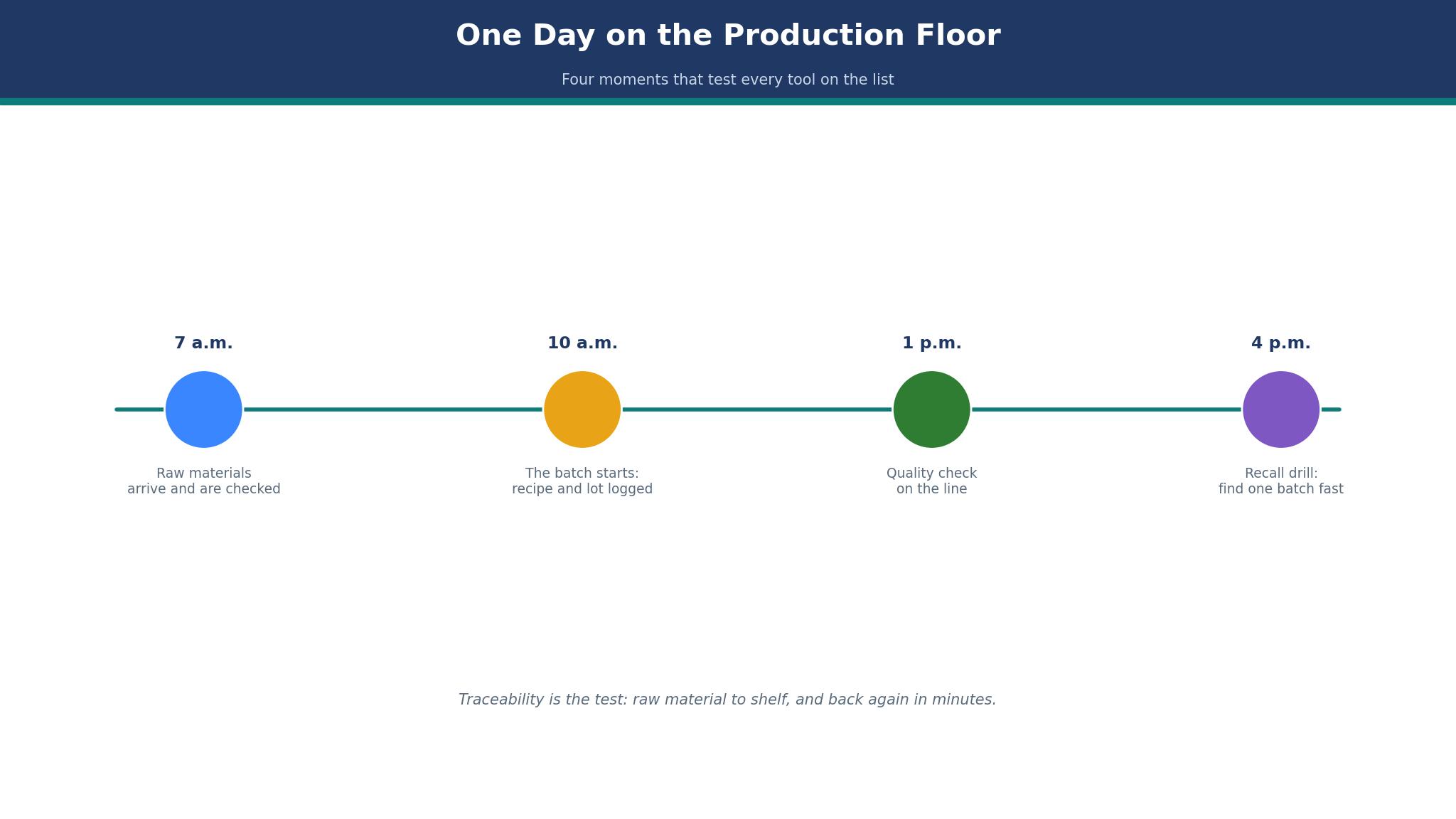
One Day on the Production Floor
The top 10 food manufacturing software tools in this guide are judged on one working day, from the 7 a.m. delivery to the 4 p.m. recall drill. Each tool appears when the job needs it, and the guide follows the manager rather than the feature list.
| Time | Job | What the software must do |
|---|---|---|
| 7 a.m. | Raw materials arrive | Check the delivery against the batch plan |
| 10 a.m. | The batch starts | Pull ingredients from stock and start the run |
| 1 p.m. | The quality check | Record the test and hold a failed batch |
| 4 p.m. | The recall drill | Trace one batch from shelf to supplier |
That day is the test. A tool that cannot check a delivery at 7 a.m. will not help at 4 p.m., when the recall drill asks where a batch came from. The manager who runs that drill every month knows which tools answer fast, and which ones make the team dig through spreadsheets.
How the Tools Compare on Price and Traceability
Traceability is the feature that separates food software from generic manufacturing tools, and the top 10 food manufacturing software options differ sharply on what it costs. Katana includes lots and expiry dates free up to 30 SKUs, while MRPeasy gates expiry dates to Professional at $69 per user. That comparison sets the monthly price against the strongest feature and the traceability gap that matters most.
| Tool | Price | Standout strength | Watch out |
|---|---|---|---|
| Katana | Free up to 30 SKUs, then quote-based | Free traceability up to 30 SKUs and a visual scheduler | Paid plan is quote-based, with no published price |
| MRPeasy | Starter $49 per user a month | Full MRP with published per-user pricing | Expiry dates and barcoding sit on higher tiers |
| Fishbowl | Quote-based | Deep QuickBooks integration and warehouse tools | Quote-based and aimed at larger teams |
| Cin7 | From about $349 a month reported | Multi-channel inventory and order management | Higher entry price than Katana or MRPeasy |
| NetSuite | Quote-based | Full ERP with finance, inventory and production | Quote-based, with a long implementation |
| SAP Business One | Quote-based | ERP depth with food-specific add-ons | Quote-based and needs a partner to implement |
| Aptean Food and Beverage ERP | Quote-based | Built for food, with recipe and compliance tools | Quote-based and food-specific |
| BatchMaster | Quote-based | Formula and batch management for process industries | Quote-based and complex to set up |
| Vicinity | Quote-based | Batch and formula tools that plug into accounting | Quote-based and partner-led |
| SYSPRO | Quote-based | Manufacturing ERP with strong inventory control | Quote-based and aimed at larger teams |
Two figures in that table need a note. Katana lists a free plan up to 30 SKUs, and its older Core plan from $299 a month no longer appears on the pricing page, so the free figure is the current one and the older figure is reported as history. MRPeasy lists Starter at $49 per user a month, and that figure is published on the vendor page.
The 10 Tools at a Glance
A production manager can use the table to compare prices and best jobs at a glance, narrow the field to two in a minute, and study their detail before running a trial.
| # | Tool | Starting price | Best for |
|---|---|---|---|
| 1 | Katana | Free up to 30 SKUs, then quote-based | Small food brands that sell online |
| 2 | MRPeasy | Starter $49 per user a month | Small makers who want a published price |
| 3 | Fishbowl | Quote-based | Makers who run QuickBooks |
| 4 | Cin7 | From about $349 a month reported | Makers who sell on many channels |
| 5 | NetSuite | Quote-based | Food companies that have outgrown small MRP |
| 6 | SAP Business One | Quote-based | Food companies that already run SAP |
| 7 | Aptean Food and Beverage ERP | Quote-based | Mid-size food manufacturers |
| 8 | BatchMaster | Quote-based | Process manufacturers with complex recipes |
| 9 | Vicinity | Quote-based | Food makers who run on QuickBooks or Dynamics |
| 10 | SYSPRO | Quote-based | Manufacturers that need a full ERP |
Best Pick by Job
A two-person kitchen needs a different tool from a factory with 50 staff, and the top 10 food manufacturing software choices split along that line. A two-person kitchen needs a different tool from a factory with 50 staff, and the rows below match the tool to the kitchen rather than to the brand.
| Job | Pick | Why |
|---|---|---|
| Small kitchen, online sales | Katana | Free traceability up to 30 SKUs |
| Small maker, published price | MRPeasy | Clear per-user pricing |
| Maker on QuickBooks | Fishbowl | Deep QuickBooks sync |
| Multi-channel seller | Cin7 | One stock figure across channels |
| Mid-size food manufacturer | Aptean Food and Beverage ERP | Built for food and compliance |
| Complex recipes | BatchMaster | Formula and batch management |
How to Choose the Top 10 Food Manufacturing Software?
Start with the catalogue size. A maker with fewer than 30 SKUs can use Katana free, while a maker with 100 SKUs needs a quoted plan or a per-user tool like MRPeasy. Count the SKUs first, and the shortlist shrinks fast, because the free plan has a hard limit.
Then check what traceability costs on your tier. Lots are cheap, expiry dates are not, and barcode scanning is dearer still, so a maker should price the tier that holds the feature they actually need. Worked example. A three-person kitchen that needs expiry dates pays $207 a month on MRPeasy Professional, or $2,484 a year, against $147 a month on Starter without them. That $720 a year gap is the price of the feature, and it is worth paying when a food safety check asks for it.
Run the recall drill before you buy. Pick a batch, trace it from the shelf back to the supplier, and time how long the tool takes to answer. A tool that answers in a minute is a food safety tool, while a tool that takes an hour is a spreadsheet with a price tag. The drill is the test that matters most, and it should be run on a trial, not on a demo.
What I would do with a small food business is start on Katana while the catalogue stays under 30 SKUs, and move to MRPeasy Professional when expiry dates and a published price matter more than free. I would run the recall drill every month, and I would keep the batch labels printed and checked, because the software is only as good as the label on the shelf.
The 10 Tools in Detail
The rest of the guide follows the working day, from the morning delivery to the afternoon recall drill, and the top 10 food manufacturing software tools are the ones that pass the drill. The money figures below were read in November 2026, and the ones that rest on a third-party page rather than the vendor are marked as reported. Read the first two tools closely, and use the other eight to confirm that neither of them misses a feature you need.
1. Katana
Katana is inventory and production planning for product businesses, and it suits a food maker who sells through Shopify, Amazon or WooCommerce. A batch of sauce can be planned, made and shipped from one screen, with ingredients pulled from stock as the order arrives. The free plan covers up to 30 SKUs with unlimited users and traceability included, while larger catalogues move to the Advantage plan, which is priced by quote.
The free plan is the reason Katana leads this list for a small maker. Lots, expiry dates and batch numbers are included, not sold as an add-on, which matters when a food safety check asks where a batch came from. A maker with 40 SKUs faces a quote instead, and should ask for it early, because the jump from free to quoted is the biggest price step on this list.
Worked example. A two-person kitchen with 25 SKUs pays nothing for Katana, while the same kitchen on MRPeasy Starter at $49 per user a month pays $98 a month, or $1,176 a year. That saving buys a lot of packaging, yet it only lasts while the catalogue stays under 30 SKUs. A maker who adds a new flavour every month will cross the line in a year, and should know the quote before that happens.
I would start here if the catalogue is small and the sales are online. Katana is free, visual and honest about traceability, and it lets a small maker spend money on ingredients rather than on software. Move to a quoted plan only when the catalogue forces it, and get the quote in writing before the 31st SKU goes live.
2. MRPeasy
MRPeasy is a full cloud MRP that covers bills of materials, production planning, stock, purchasing and a simple CRM. A food maker can plan a batch, buy the ingredients, schedule the run and ship the order without leaving the system. Starter costs $49 per user a month, Professional costs $69, Enterprise costs $99 and Unlimited costs $149, with a 15-day trial that can be extended.
The tier gates matter for food. Lot traceability starts on Starter, yet expiry dates start on Professional at $69 per user, and barcode printing and scanning sit on Enterprise at $99. A maker who needs expiry dates on three users pays $207 a month on Professional, against $147 on Starter, so the real price is the tier that holds the feature, not the entry tier.
Worked example. A three-person kitchen on Professional pays $207 a month, or $2,484 a year, and gets expiry dates, serial numbers and quality control. The same kitchen on Katana pays nothing while it stays under 30 SKUs, yet pays a quote once it grows past them. MRPeasy wins on predictability, because the price is published and the maker can plan around it.
Pick MRPeasy when the maker wants a known monthly bill and a system that grows by users rather than by quote. It is the most honest price on this list, and it suits a maker who would rather pay a clear figure than negotiate one. The per-user model also means a small team pays little, while a large floor pays more, which is fair.
3. Fishbowl
Fishbowl is inventory and manufacturing software built around QuickBooks, and it suits a food maker whose accounts already live there. Stock, production, purchasing and shipping sync with QuickBooks, so the warehouse and the accounts agree without retyping. Pricing is quoted, and the platform is aimed at teams larger than a two-person kitchen.
The QuickBooks link is the reason to pick it, and the reason to skip it. A maker on QuickBooks gets a system that feels like part of the accounts, while a maker on another system gets little extra for the price. Ask for the quote early, and check which QuickBooks version it needs, because the integration is the product.
Worked example. A maker with 10 users on a quoted platform can pay several hundred dollars a month, against $490 a month for the same team on MRPeasy Starter. The gap is only worth it if the QuickBooks sync saves a day of admin a month, which it can for a maker whose accounts are already complex.
4. Cin7
Cin7, now part of Cin7 Core and Cin7 Omni, manages inventory, orders and production across sales channels. A food maker who sells on a website, a marketplace and to retailers can keep one stock figure for all of them, which stops the overselling that happens when each channel keeps its own count. Entry pricing is reported from about $349 a month.
The price is the trade-off. At $349 a month, Cin7 costs more than three times MRPeasy Starter for one user, so a small maker should only pay it when the channels justify it. A maker who sells on one channel will not use the multi-channel tools, and will pay for a system that is mostly empty.
The strength is the single stock figure. A batch of jam that sells on the website and in a shop should come from one count, and Cin7 keeps that count honest. A maker who has oversold a batch once will understand the value, because an oversold batch costs refunds, reviews and a retailer relationship.
5. NetSuite
NetSuite is a full ERP that covers finance, inventory, production, orders and reporting in one system. A food company that has outgrown small MRP tools can run the whole business on it, from the first ingredient order to the final invoice. Pricing is quoted, and implementation is measured in months rather than weeks.
The scale is also the cost. NetSuite suits a company with a finance team and a real IT budget, and it overwhelms a small kitchen that only needs to plan batches. A buyer should get the full first-year figure in writing, with implementation and training itemised, because the monthly subscription is only one line of the bill.
Worked example. A food company with 20 users can pay tens of thousands a year for NetSuite, against about $11,760 a year for the same team on MRPeasy Starter. The gap is only worth it when the finance, the reporting and the multi-site tools are all needed at once. A company that needs only production planning should stay on MRPeasy or Katana.
6. SAP Business One
SAP Business One is an ERP for small and mid-size companies, with food-specific add-ons for batch tracking, quality and compliance. A food company that already runs SAP, or that plans to grow into a larger SAP system, can start here and keep its data in one family. Pricing is quoted, and implementation usually needs a partner.
The partner is the hidden cost. SAP Business One is rarely bought and run alone, so a buyer should budget the partner’s time alongside the licence. It suits a company with a clear growth plan and a team to run it, and it frustrates a small maker who wants a tool that works on day one without a consultant.
7. Aptean Food and Beverage ERP
Aptean Food and Beverage ERP serves food manufacturers, with recipe management, batch tracking, quality checks and compliance tools that generic MRP tools lack. A maker who must prove where every ingredient came from, and what happened to it, will find those tools already in place rather than added on.
The food focus is also the limit. Aptean suits a mid-size food manufacturer, and it is too much for a small kitchen that only needs to plan batches. Pricing is quoted, so a buyer should ask for the figure that matches their volume, and check which compliance features sit in the base system.
The recipe tools deserve a closer look. A recipe that changes with the season, or with a supplier, should update the batch plan automatically, and Aptean does that better than a generic tool. A maker who reformulates often will feel the difference in the first month, while a maker with a fixed menu will not.
8. BatchMaster
BatchMaster manages formulas, batches and quality for process manufacturers, including food, chemicals and pharmaceuticals. A food maker with complex recipes, variable yields and strict quality checks can plan each batch against its formula, and trace the result back to the ingredients. Pricing is quoted.
The complexity is the trade-off. BatchMaster does formula management better than any tool on this list, and it asks more of the team that sets it up. A maker with simple recipes will find it heavy, while a maker with a hundred recipes and a quality lab will find it the most natural fit here.
Worked example. A maker who runs 50 batches a month and loses one batch a quarter to a formula error can save the cost of that batch, often $1,000 or more, by catching the error in the plan rather than in the pot. That saving is the reason to buy a formula tool, and it only appears when the recipes are complex enough to get wrong.
9. Vicinity
Q. Does Vicinity replace the accounting system? A. No, it plugs into QuickBooks or Dynamics, and adds batch, formula and quality tools on top of the accounts the maker already uses. Q. Who should pick it? A. A food maker whose accounts are settled and who needs production tools that respect them. Q. What is the catch? A. Pricing is quoted and implementation is partner-led, so a buyer should budget the partner’s time as well as the licence.
Vicinity suits a maker who wants production tools without moving the accounts. It does batch and formula work well, and it leaves the finance to the system that already does it. A maker who wants one system for everything should look at NetSuite or Aptean instead.
10. SYSPRO
SYSPRO is a manufacturing ERP that covers inventory, production, purchasing, finance and reporting. A food manufacturer that needs a full system, with lot traceability and quality checks built in, can run the whole plant on it. Pricing is quoted, and the platform is aimed at mid-size to large manufacturers.
The scale is the limit for a small maker. SYSPRO suits a factory with a team, a warehouse and a finance function, and it overwhelms a kitchen with three people. A buyer should ask for the full implementation figure, because the subscription is only the start, and the training and the data migration follow it.
The inventory control is the strongest part. A manufacturer that holds raw materials, work in progress and finished goods across sites needs one stock figure, and SYSPRO keeps it honest. A maker who holds stock in one room will not use that depth, and should pay for a smaller tool instead.
Katana vs MRPeasy: Which One Fits a Small Kitchen?
Katana and MRPeasy answer different questions, and the head-to-head turns on whether the maker values free or predictable. Katana wins on price for a small catalogue, because its free plan includes traceability up to 30 SKUs, and a two-person kitchen pays nothing. MRPeasy wins on predictability, because its price is published at $49 per user a month on Starter, and the maker can plan around it.
The tier maths decides the rest. MRPeasy gates expiry dates to Professional at $69 per user, so a three-person kitchen that needs them pays $207 a month, while Katana includes them free under 30 SKUs. The top 10 food manufacturing software list is full of tools that charge for traceability, and Katana is the one that does not, until the catalogue grows past its limit.
The honest trade-off is free against quoted. Katana is free until 30 SKUs and quoted after them, while MRPeasy is $49 per user from the first user and never needs a quote. A maker with 25 SKUs should take Katana, and a maker with 60 SKUs should take MRPeasy, because the free plan has already ended for them. A maker in between should get the Katana quote before deciding, and compare it with the MRPeasy figure in writing.
Worked example. A two-person kitchen on Katana pays $0 a year while it stays under 30 SKUs, against $1,176 a year on MRPeasy Starter. A three-person kitchen on MRPeasy Professional pays $2,484 a year, against a Katana quote that the vendor does not publish. The saving is real, yet it ends at the 31st SKU, and a maker who adds a flavour a month will reach it in a year.
The Recall Drill
The recall drill is the test that food software exists for, and the top 10 food manufacturing software tools on this list are judged on it above all else. A batch that has to come back must be found fast, from the shelf to the supplier, with every ingredient, every date and every customer named. A tool that answers in a minute is a food safety tool, while a tool that takes an hour is a liability with a login.
The drill works like this. Pick a batch number, trace it forward to every customer who received it, and trace it back to every ingredient that went into it. Then check the expiry dates, the lot numbers and the quality records, and write down how long each step took. A maker who runs that drill every month will find the gaps before a real recall does, and will know which tool answers fast.
Worked example. A maker who sells 500 jars a month and recalls one batch of 50 jars must contact 50 customers, and the cost of finding them in a spreadsheet is a day of staff time, worth about $200, plus the refunds. A tool that finds them in a minute saves the day, and the day is worth more than a month of the subscription. The recall drill is not a feature, it is the reason the software exists.

What Does a Recall Cost a Small Food Maker?
A recall costs more than the product. A batch of 50 jars at $10 each is $500 of product, yet the refunds, the shipping, the customer emails and the lost retailer trust can reach $2,000 or more. A maker who cannot trace the batch fast will recall too much, and a maker who recalls too much will pay for jars that were never at fault.
The software does not prevent a recall, it limits one. A tool that traces a batch in a minute lets the maker recall 50 jars, while a tool that takes a day forces the maker to recall 500, because the uncertainty is larger than the batch. That difference, 450 jars at $10 each, is $4,500, which pays for a year of MRPeasy Professional and leaves money over.
Frequently Asked Questions
Can I trace a food batch from raw material to shelf?
Yes, Katana includes lot and batch traceability free up to 30 SKUs, and MRPeasy includes lot traceability from Starter at $49 per user a month. Pick a batch, trace it forward to customers and back to ingredients, and time how long the tool takes. A tool that answers in a minute is a food safety tool, while a tool that takes an hour is not.
How much does food manufacturing software cost per month?
A two-person kitchen pays nothing on Katana up to 30 SKUs, $98 a month on MRPeasy Starter, and $207 a month on MRPeasy Professional for three users with expiry dates. Larger tools are quoted, and Cin7 is reported from about $349 a month. Price the tier that holds the feature you need, not the entry tier.
Do I need expiry dates in my software?
Yes, if you make food with a shelf life, because a food safety check will ask for them. Katana includes expiry dates free up to 30 SKUs, while MRPeasy gates them to Professional at $69 per user. Check the tier before you buy, because the feature you need may sit on the plan above the one you priced.
Can I use food manufacturing software with Shopify?
Yes, Katana suits brands that sell through Shopify, Amazon or WooCommerce, and it pulls ingredients from stock as orders arrive. MRPeasy and Cin7 also integrate with online sales channels. Check the integration list for your exact sales channel before buying.
How long does it take to set up?
Katana and MRPeasy can run in days for a small kitchen, while NetSuite, SAP Business One and SYSPRO need months for implementation and training. Start with a pilot batch, run the recall drill on it, and roll out to the whole catalogue only when the drill passes.
What is the difference between MRP and ERP for food?
MRP plans production, stock and purchasing, while ERP adds finance, orders and reporting in one system. A small kitchen needs MRP, and a food company with a finance team needs ERP. Katana and MRPeasy are MRP tools, while NetSuite and SYSPRO are ERP tools.
The Batch You Can Trace
Katana is the pick for a small food maker with fewer than 30 SKUs, and MRPeasy is the pick for a maker who wants a published price and a system that grows by users. Aptean wins for a mid-size food manufacturer, and BatchMaster wins for complex recipes. The top 10 food manufacturing software tools all plan batches, yet only the ones that trace a batch in a minute will help when the recall drill becomes real.
What I would do is start on Katana, run the recall drill every month, and move to MRPeasy Professional when expiry dates and a published price matter more than free. The software is only as good as the label on the shelf, and the drill is the habit that keeps both honest.