
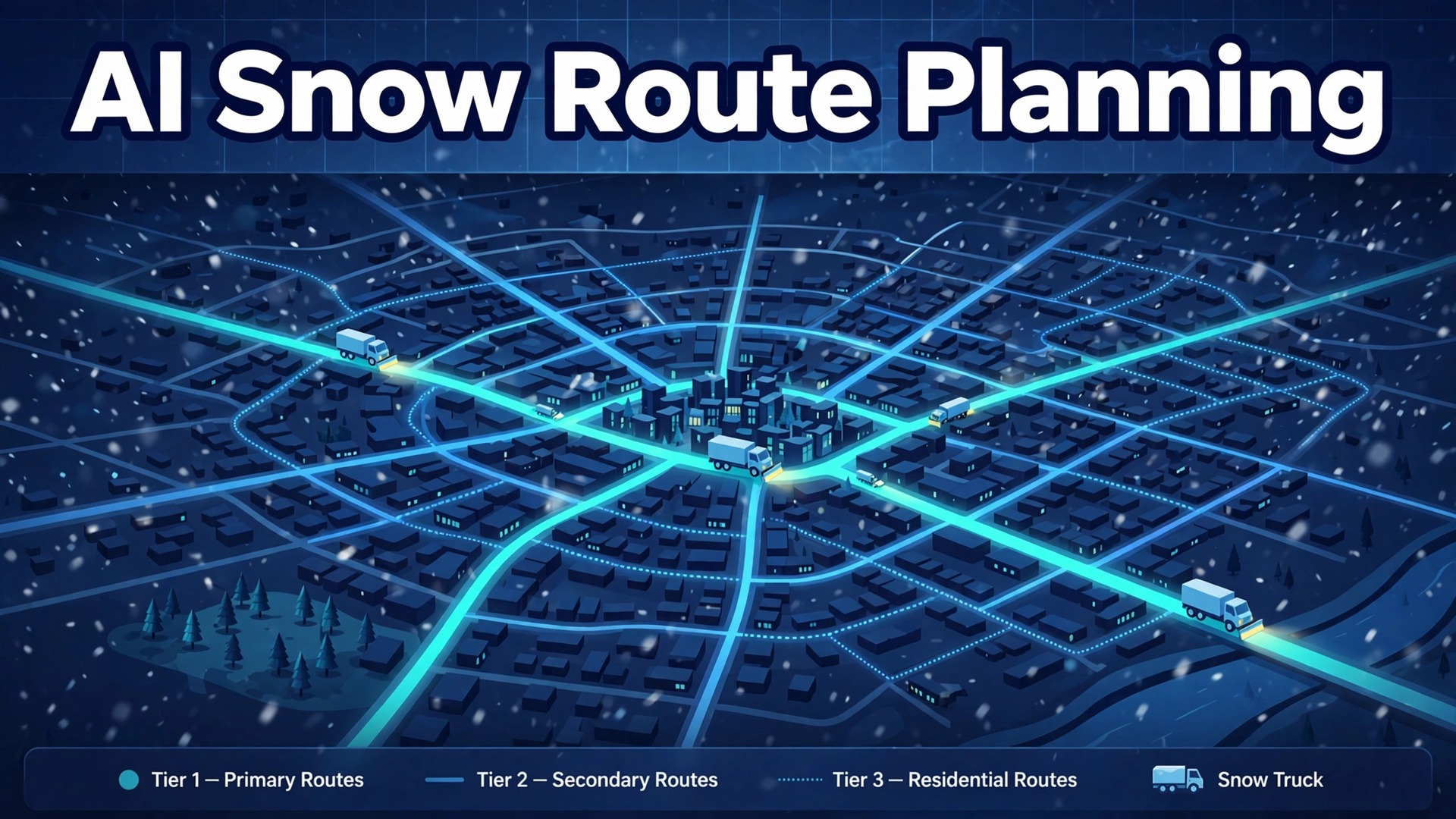
The verdict is simple. If you use AI for snow removal route planning, build the routes before winter, tie them to forecast triggers and priority tiers, and keep a human dispatcher on the storm board all night. Software that only draws a pretty route on a calm day will fail at 3 am when the forecast jumps, a truck breaks down and three property managers call at once. Software that starts from contracts, triggers and crew readiness will still need people, but it will give those people a plan they can actually run when the snow starts falling fast.
A snow night is different from a normal service day in one brutal way. Every property on the list becomes urgent at the same time. Routine scheduling assumes jobs can wait, spread out or move to tomorrow. A storm removes all three options. Hospitals need access before dawn, shops need lots clear before opening, and residential driveways still matter to the families waiting inside them. The business that plans for that simultaneity in October survives January. The business that plans routes on the night itself spends the storm apologising.
This guide builds the workflow in storm order. It starts with forecast triggers, because the trigger decides when the night begins. It moves to priority tiers, because tiers decide who gets served first when trucks cannot serve everyone at once. It covers route density, crew call out and completion proof, because those three decide whether the night runs profitably and defensibly. It finishes with tool choices, contract billing, common mistakes and the numbers that show whether the winter actually improved.
How to Use AI for Snow Removal Route Planning Before the First Storm
A working snow plan answers six questions before any truck leaves the yard. Which properties trigger at which snowfall depth. Which tier each property sits in. Which crew and which machine serve each route. What order the stops run in. How the crew proves each visit. And how each visit is billed under the contract that covers it. When those answers live in software rather than in one dispatcher’s head, a storm night becomes a sequence of decisions the whole team can follow, not a scramble that depends on who picks up the phone.
Most snow businesses start from one of three positions. Some run routes from memory, a whiteboard and a group text thread. Some use a general field service tool with routes drawn by hand. Some already use snow specific software such as Smart Service, Prophet Scheduling, Crewscape or Bella FSM, and want forecast triggers and live resequencing layered on top. The workflow in this guide fits all three, because the steps stay the same even when the tool changes. What changes is how much rebuilding a human has to do at midnight when conditions change.
Think of the AI help as four separate helpers rather than one smart system. The first helper watches the forecast and flags properties whose trigger depth has been reached. The second helper orders and reorders routes as trucks finish stops or hit delays. The third helper messages crews and customers with queue position, arrival estimates and completion notes. The fourth helper records, which covers time stamped photos, salt use and visit logs that support billing and defend slip and fall claims. When you demo a tool, ask which helper it actually delivers well, because a demo that shows all four may only do one of them reliably in a real storm.
Forecast Triggers That Start the Night Right
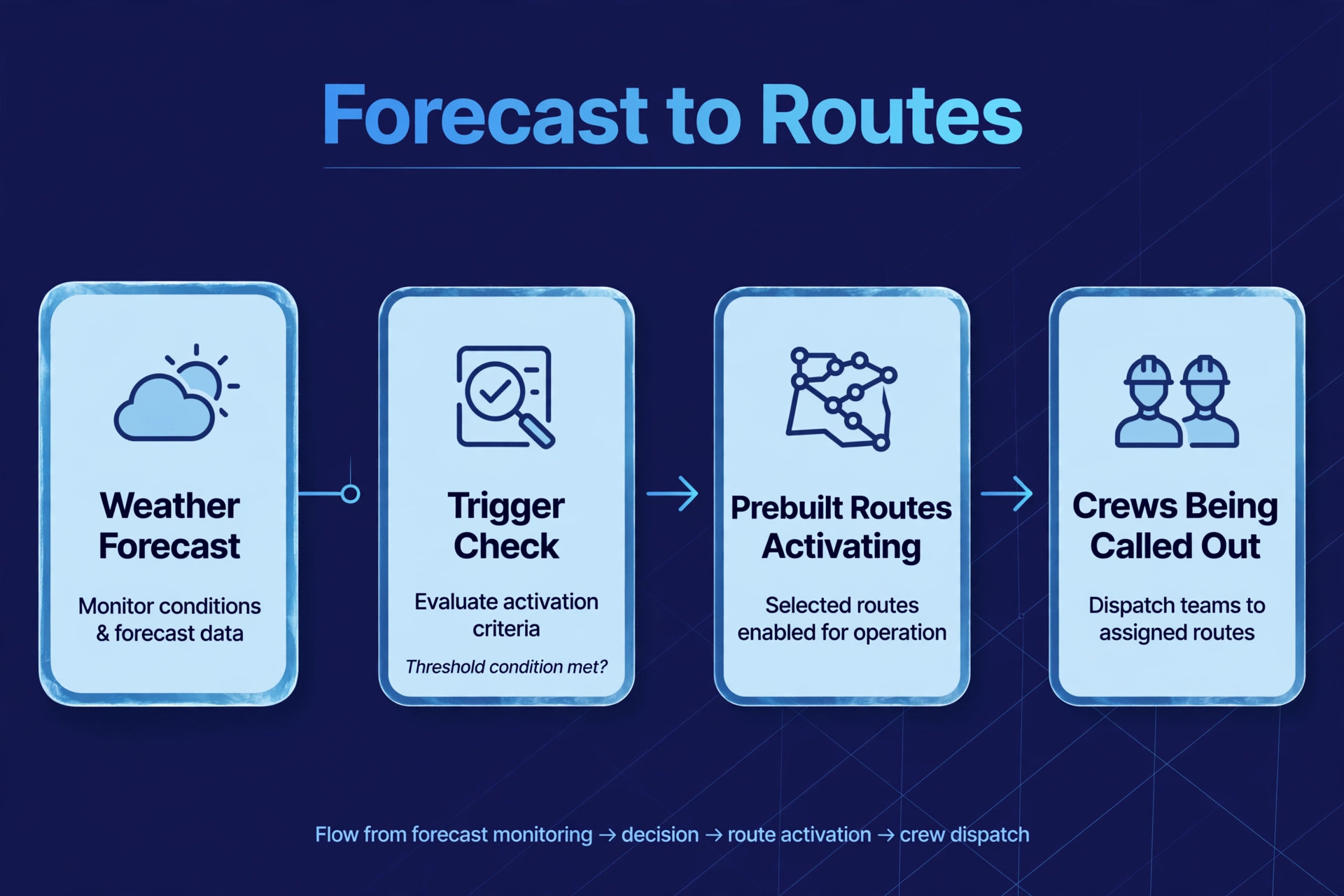
A trigger is a written rule that turns a forecast into action, and a snow business without written triggers will always start too late or too early. Typical trigger depths in vendor workflow descriptions sit at two to four inches for many properties, but the right depth depends on the contract, the property type and the local climate. A hospital or a zero tolerance site may trigger on a dusting or on ice alone. A residential driveway on a seasonal contract may trigger only at a deeper accumulation. The software should hold a different trigger per site, not one company wide number.
Forecast data should come from more than one glance at a phone app. Vendor workflows describe connections to national weather data and private weather feeds, with accumulation tracked by service zone. That zone detail matters, because snowfall can vary sharply across a service area, and a single city wide forecast will send trucks to dry zones while wet zones wait. Set up zones that match your routes, check the forecast at fixed times through the day, and write down who has authority to activate routes when the forecast crosses a trigger.
Activation should be a single deliberate step, not a chain of phone calls. In the best setup, the dispatcher reviews the flagged properties, confirms the storm type, and activates prebuilt routes with one action that notifies crews and queues customer messages. Vendor descriptions of storm trigger automation stress exactly this point, that one button should spin up routes, crew notifications and client updates together. If activation still needs a separate text to each crew leader and a separate message to each property manager, the business has bought software but kept the phone tree.
A useful preseason test is to run a fake storm on paper. Pick a forecast from last winter, feed it through your triggers, and see which routes activate, in which order, and with which crews. A fake storm test shows quickly whether you use AI for snow removal route planning well or only on paper. The gaps you find in October are cheap to fix. The same gaps found in January cost accounts, because a property manager who watches a lot stay buried while a competitor clears the lot next door will not wait for an explanation.
Priority Tiers That Put Hospitals and Early Openers First
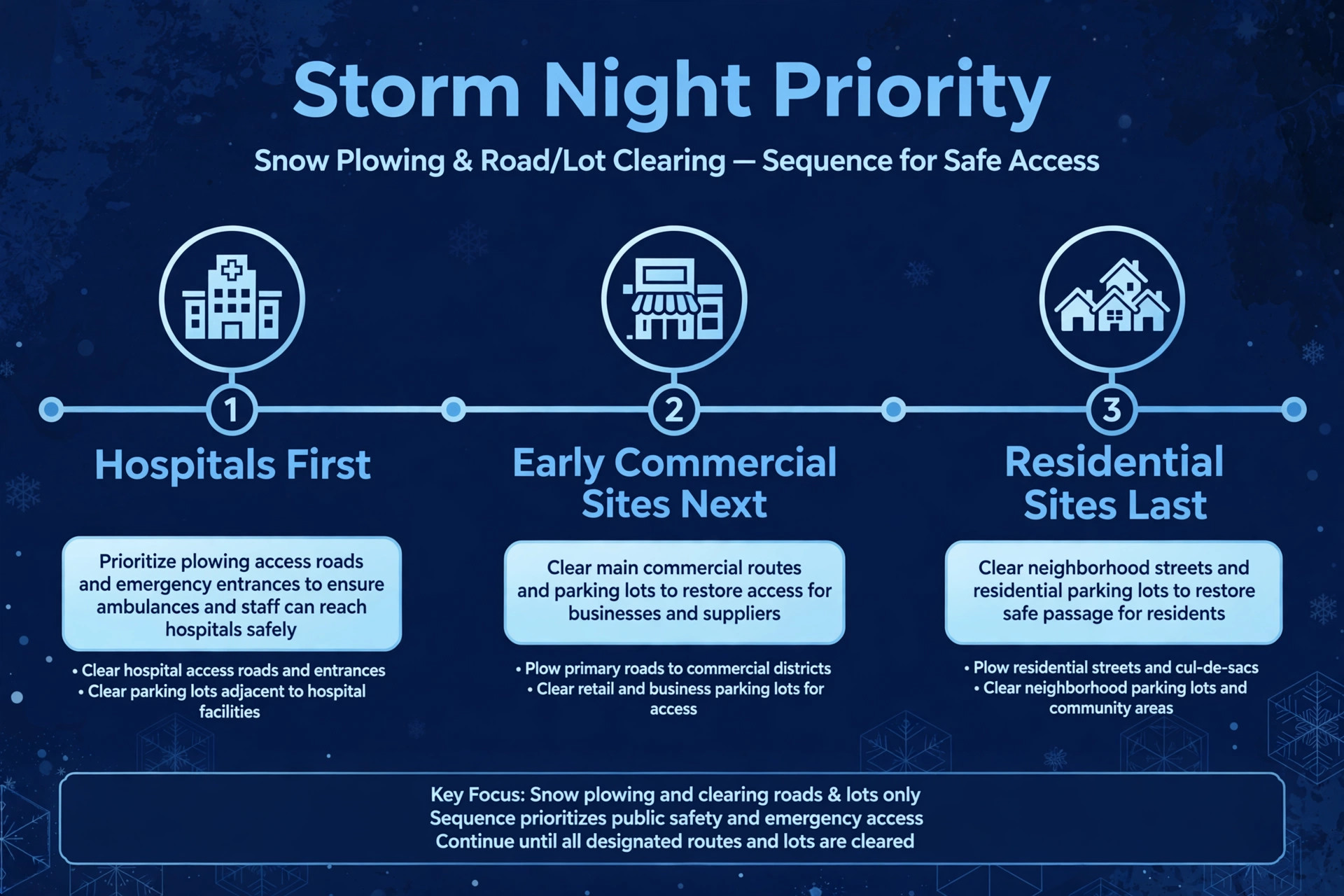
Priority tiers are the honest answer to a hard fact. On a heavy storm night, trucks cannot serve every property first, so someone has to wait. Tiers decide who waits, and they should be decided in the contract season, not argued about at midnight. A common tier order puts hospitals and zero tolerance sites first, then high priority commercial sites with early opening times, then other commercial sites, then residential driveways. Your order may differ, but it must be written, shared with customers and loaded into the routing tool.
Tier discipline protects the business commercially as well as operationally. That discipline is what separates a business that can use AI for snow removal route planning from one that only owns the software. A property manager who bought a zero tolerance contract expects service before a per push residential customer, and the routing tool must reflect that promise even when a residential customer calls loudly. If the tool reorders routes purely by geography and ignores tiers, the loudest customer wins and the best paying contract loses. Check any vendor demo for this exact behaviour, by asking what happens when a low tier site sits next to a high tier site on the same street.
Tiers also need a rule for sites that move tiers during a storm. A shop that opens at 9 am may jump in priority as opening approaches, while a site already cleared may drop to a salt only revisit. A routing engine that resequences routes as conditions change, weighing job priority alongside geography, handles this shift far better than a fixed route printed at the start of the night. Vendor descriptions of storm routing stress this live resequencing, because a static route from 10 pm is fiction by 2 am when trucks fall behind or a new trigger fires.
Route Density That Keeps Trucks Moving
Route density in snow work means grouping nearby properties into one truck run, so the truck spends its night clearing rather than driving between far apart stops. A dense route might clear twelve lots in one neighbourhood before moving on, while a scattered route clears the same twelve lots across a county and burns the night on empty roads. Density is profit in this trade, because fuel, driver hours and machine wear all rise with empty miles, while revenue per visit stays fixed by contract.
Building density starts in the contract season, not on storm night. Route density work done in autumn is the foundation when you use AI for snow removal route planning in January. When a new property sits far outside every existing route, the honest question is whether it can be served profitably at all, or whether it needs a higher price, a different tier or a partner crew nearby. Some tools even describe trading away outlier accounts to nearby operators, which sounds drastic until you price a night of driving twelve miles between two driveways. A route map that shows clusters and gaps will make that decision visible, while a list of addresses will hide it.
Stop order inside a dense route should follow more than shortest distance. Opening times, tier, one way streets, plow stacking space and the risk of a truck getting boxed in by its own windrows all matter. A route that clears the far end first and works back toward the yard may look longer on a map and run faster in practice, because the truck never has to cross its own cleared path twice. Walk the tricky routes in daylight before winter, note the stacking locations and the narrow gates, and load those notes into the route so a relief driver can run it cold.
Live resequencing is where density survives contact with a real storm. As trucks finish properties or hit delays, the remaining route should adjust in real time instead of requiring a dispatcher to redraw it by hand mid storm. That adjustment should protect tier order, so a delay does not silently push a hospital behind a residential driveway. Ask any vendor to demo a truck breakdown mid route, not just a clean start, because the breakdown night is the night you are buying the tool for.
Crew Call Out That Reaches the Right People Fast
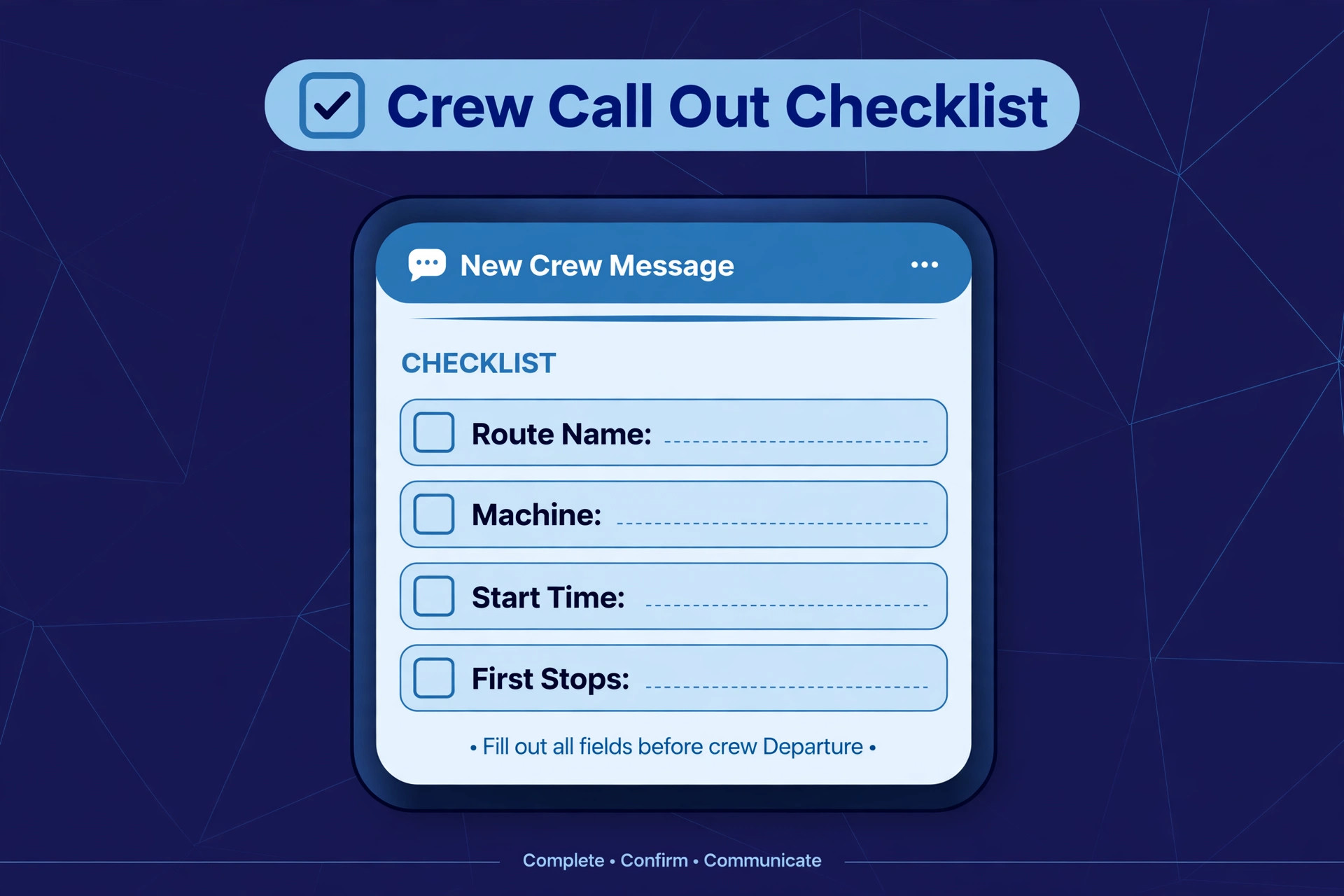
Crew call out is the step that turns a forecast into trucks on the road, and it fails most often through slow, unclear messages. A group text that says the storm is on does not tell a driver which route to run, which machine to take, which yard to start from or what time to arrive. A proper call out names the route, the machine, the start time, the yard and the first three stops, and it asks for a confirmation reply within a set window, with automatic escalation to backup crew if no reply arrives.
Vendor workflow descriptions put that confirmation window at around five minutes in some systems, with escalation to backup teams when a crew does not confirm. Whether your window is five minutes or fifteen, the principle matters more than the number. A dispatcher who waits an hour to learn that a crew is unavailable has lost an hour of the storm. A system that escalates automatically after a short window keeps the night moving, and it creates a record of who was called, when, and who confirmed.
Availability data must be kept current through winter, not collected once in October. A stale roster undermines every gain when you use AI for snow removal route planning, because call out starts from bad data. Drivers fall ill, machines break, and part time crew take other work. A call out system that relies on a stale roster will call people who cannot come and miss people who can. Ask crew leaders to confirm availability at the start of each storm watch period, and keep a backup list per route rather than one company wide backup pool. A backup driver who knows a route is worth more than a fresh driver who has never seen it.
Completion Proof That Defends Every Visit
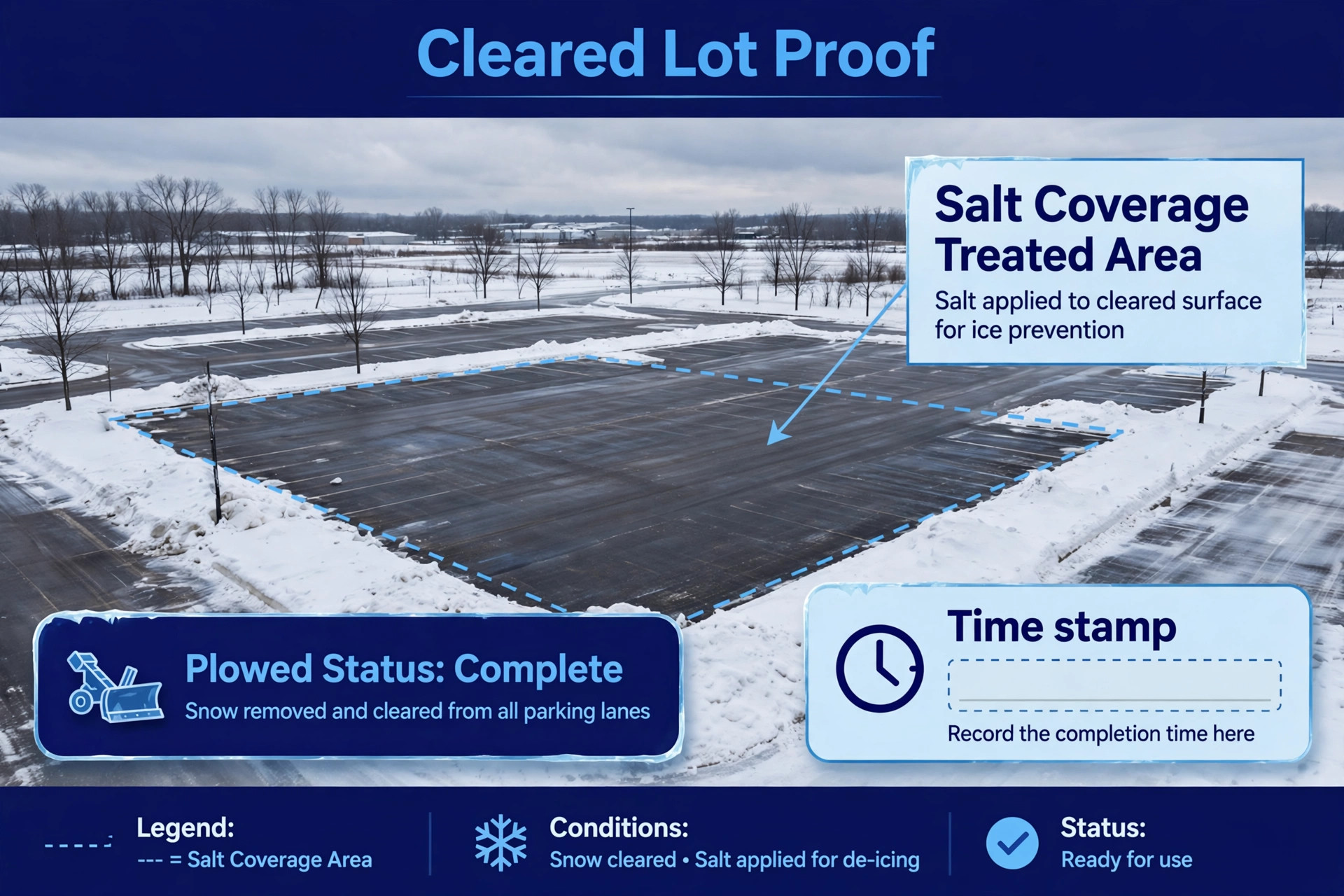
Completion proof is the record that turns a night of plowing into a defensible, billable service history. For commercial customers, that record is often the difference between a paid invoice and a dispute, and between a defended slip and fall claim and an expensive argument about whether a lot was ever cleared. A time stamped photo of the cleared lot, a note of salt applied and a GPS record of the visit together tell a story that memory cannot.
A useful proof set is consistent across crews, so customers and managers can read it without training. Ask for a before photo where safe, a photo during clearing, a photo of salt application where relevant, and a final cleared state photo, each time stamped and tied to the property. Vendor workflow descriptions stress exactly this sequence, with geofencing to confirm photos were captured on site. Four photos in the same order every time beat a random camera roll that nobody can match to a visit.
Proof should flow to the customer without a dispatcher having to send it manually. A completion message when the crew leaves the site, with the time and a photo link, answers the property manager call before it happens. A portal where managers can see the whole storm record, site by site, answers the Monday morning billing question without a phone queue. Build that flow before winter, and test it on a dry run, because a proof system that only works when the office remembers to send it will fail on the busiest night of the year.
Material tracking belongs inside the same record. Honest material logs are part of the proof when you use AI for snow removal route planning, not an extra chore. Salt and deicing use per visit should be logged by the crew, not estimated in the office days later. That log supports per push billing where salt is billed separately, protects seasonal accounts where salt is included up to a cap, and shows when stock is running low before the next storm. A crew that logs material honestly gives the owner a stock warning in time to reorder. A crew that guesses gives the owner a shortage discovered at midnight.
Best Pick by Job for Snow Route Tools
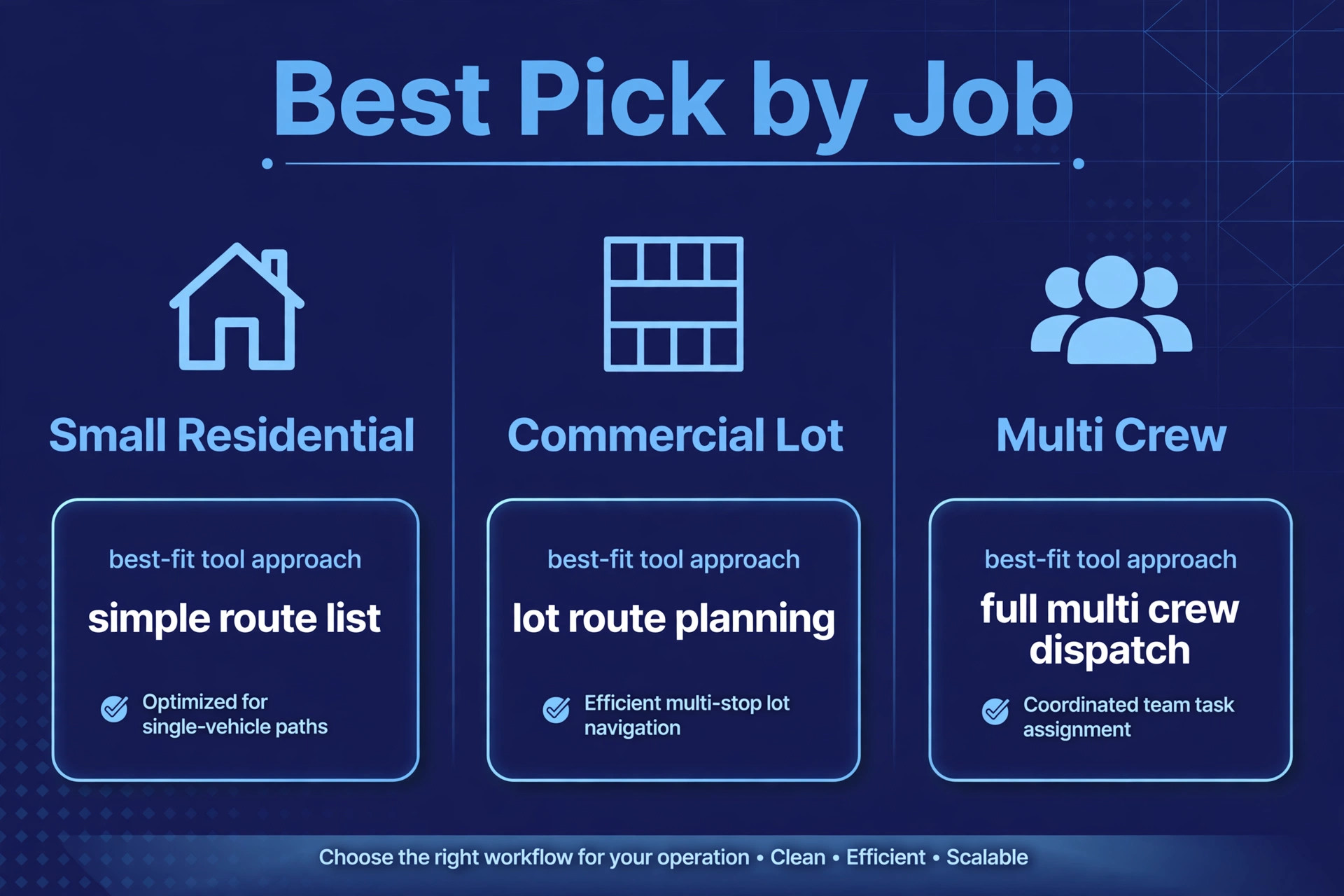
No single tool fits every snow business, because a residential driveway operator and a commercial lot contractor buy different things even when the feature list looks similar. The table below sorts the main options by the job they do best, based on how vendors position them and how reviewers describe their fit. Treat it as a starting point for demos, not as a verdict, and judge each option on a messy storm scenario.
| Company shape | Best fit approach | Why it fits |
|---|---|---|
| Small residential operator | Crewscape or a general field tool | Simple routes, quotes and invoices with snow dispatch built in |
| Commercial lot contractor | Smart Service | Storm routes by priority tier, per push and seasonal billing, and QuickBooks close out |
| Growing multi crew operation | Prophet Scheduling | Live resequencing by priority as trucks finish or hit delays |
| Landscaping firm adding winter work | Bella FSM or FieldRoutes style tools | One system covering lawn routes in summer and snow routes in winter |
Pricing separates these tools in ways a feature list hides. One vendor publishes a per worker monthly price, another publishes a flat monthly plan, and others quote only after a demo. Treat any third party price you read as a starting point and get a written quote for your exact truck and crew count, because the price for three trucks and the price for thirty are different products in practice. Check what the price includes for live routing, customer portals and material tracking, since those add ons often sit outside the headline plan.
Contract Types and Billing Rules to Set in Autumn
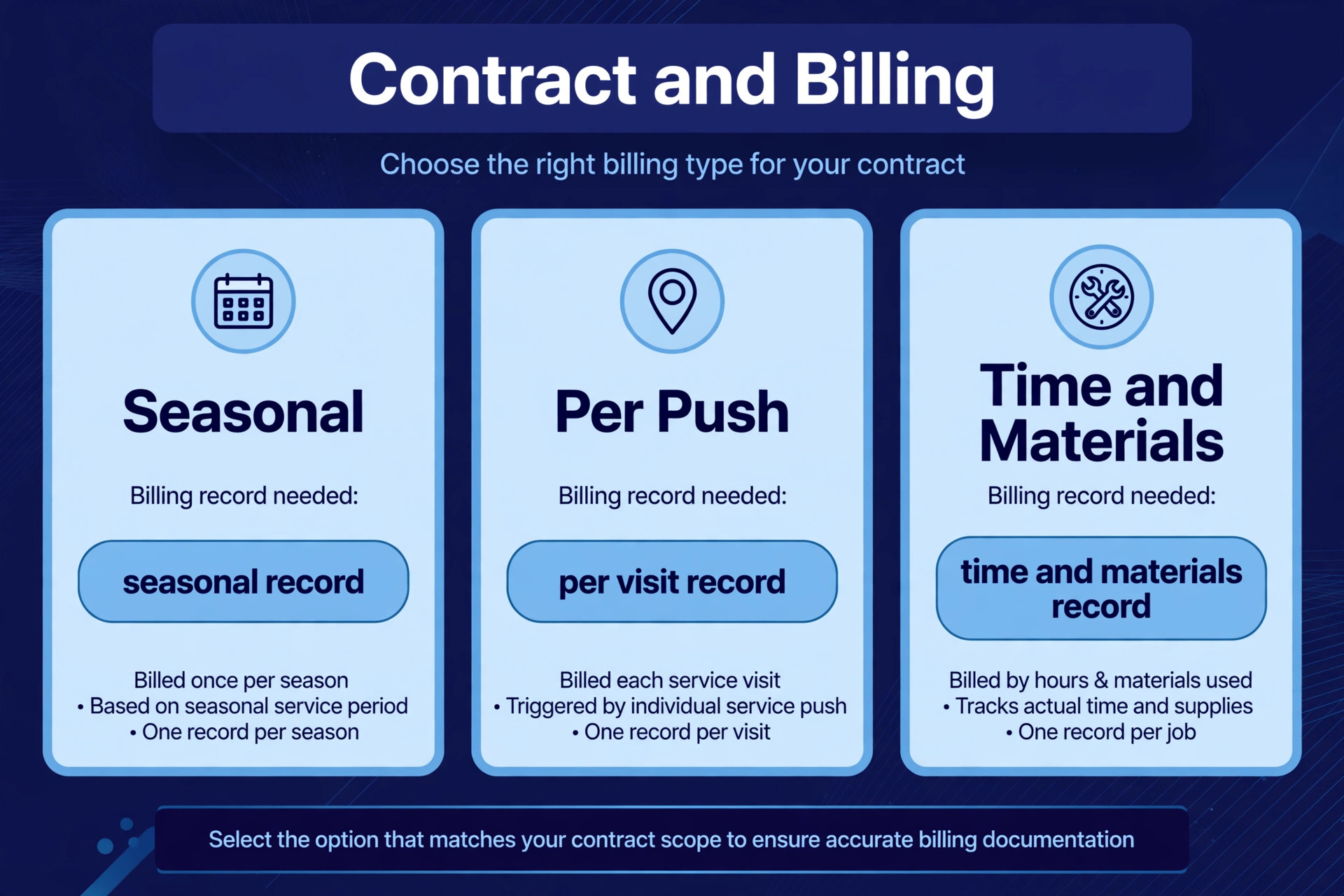
Contract type decides how a storm night gets paid, and the billing rules must be loaded into the software before winter, not argued about after the first invoice. Seasonal contracts charge a fixed fee for the season, often with included pushes and an overage rule when pushes exceed the cap. Per push contracts charge per visit, with a trigger depth and a salt rate that may be billed separately. Time and materials contracts charge for machines, labour and materials used. Each type needs different route and proof data, and the tool must carry that difference per property.
Seasonal caps deserve special attention. A season with more storms than expected will push some accounts over their included pushes, and the overage invoice will only be accepted if the visit record is complete. Time stamped photos, visit logs and trigger records together make that invoice easy to defend. Without them, the owner faces a choice between absorbing the extra work and arguing with a customer who has no record of the visits. Load the cap, the included pushes and the overage rate into the contract template in autumn, and let the system warn the office as accounts approach the cap.
Per push billing needs trigger discipline even more sharply. If the trigger depth is vague, every dusting becomes a billing argument. If the trigger is written per site, with a snowfall record attached to the visit, the invoice follows the contract. Some tools support per site trigger depths, seasonal caps and included pushes inside contract templates, with auto invoicing after a storm batch. Use those templates, and test a full storm batch from route activation to invoice before the first real storm, because a billing flow discovered broken in January cannot be fixed retroactively for December visits.
Renewals also belong in the autumn workflow. Seasonal contracts that renew automatically, with updated prices and tier promises, save the office a frantic preseason chase. Contracts that need a fresh signature should be sent early, with a clear deadline, so routes can be built around confirmed accounts rather than hoped for renewals. A route built on unconfirmed accounts will either miss a new customer or carry a lost customer all winter, and both errors cost money.
Storm Night Mistakes That Cost Accounts
The most common mistake is activating routes from memory instead of from prebuilt plans. A dispatcher who rebuilds routes at midnight will miss sites, double book crews and ignore access notes that were written down in autumn for exactly this reason. Prebuilt routes, activated by trigger, remove that midnight rebuilding entirely. If your current process still involves drawing routes on storm night, fix that before buying any new software, because software applied to a midnight scramble only scrambles faster.
The second mistake is promising every customer first service. A business that sells immediate service to all tiers will disappoint most of them on a heavy night, because trucks cannot be everywhere first. Tier promises, communicated honestly before winter, protect the business far better than optimistic promises made under pressure. When a customer complains mid storm, the dispatcher needs a tier record to point to, not a vague reassurance that only creates a second complaint later.
The third mistake is letting customer messages go silent during delays. A property manager who hears nothing for three hours assumes the worst and calls repeatedly, tying up the dispatcher who should be managing trucks. A queue message, a revised estimate and a completion message together keep that manager informed without a phone call. For the first storm on a new system, review outgoing messages in batches and check estimate logic against actual arrival times before removing the human check.
The fourth mistake is running trucks without a material plan. Salt stock that looks ample in October can vanish across two heavy storms, and a crew that arrives at a site with no salt cannot complete a deicing contract. Track salt use per visit, set a reorder point, and hold a reserve for the next storm. A salt shortage discovered at midnight is a route failure, not a purchasing detail, because it stops work that customers have already paid for.
Results to Measure Across One Winter
Measurement should start before the first storm, so the improvement is visible rather than claimed. Record four numbers from last winter as a baseline where records allow. First, the share of sites served inside their tier window. Second, the average sites completed per truck per storm. Third, the share of visits with a complete photo and material record. Fourth, the number of billing disputes per storm. Those four numbers together show service, efficiency, proof and payment health, and no single number can hide a failure in another area.
After each storm, track the same numbers plus two more. Track crew confirmation time, meaning how long it takes from call out to a confirmed crew per route, because slow confirmation is an early warning of a roster problem. Track dispatcher overrides, meaning how often a human changed the suggested route order, because a falling override rate shows growing trust in sound rules, while a rising rate shows rules that need fixing. Review the storm board the morning after each event, while the detail is still fresh, and fix the top recurring cause before the next storm.
Set targets that fit the starting point. A business with frequent missed sites should aim to cut misses first, because every missed commercial site risks an account. A business with good coverage but thin proof records should focus on photo and material logging, because that record defends revenue. A business with strong proof but slow crew confirmation should focus on roster freshness and backup lists. One priority at a time beats five targets chased at once, because the team can see which change caused which result.
A Preseason Rollout Checklist
Use this checklist to prepare the winter without breaking the autumn.
1. Write trigger depths per site and per storm type, and test them against a forecast from last winter. 2. Load priority tiers into contracts and into the routing tool, and share tier summaries with customers. 3. Walk problem sites in daylight, photograph obstacles and stacking space, and load access notes into routes. 4. Build separate route templates for salt only, plow and salt, and heavy accumulation storms. 5. Confirm crew availability and backup lists per route, and test call out with a timed confirmation window. 6. Set the four photo proof standard and test completion messages on a dry run. 7. Load contract caps, trigger depths and billing rules, and test a full storm batch to invoice. 8. Review tier window performance, proof completeness and billing disputes after every storm, and fix the top cause.
That checklist is deliberately short. A longer preseason plan looks impressive and gets ignored. Eight steps, done properly, change a winter more than a fifty page manual that nobody reads.
The Verdict for Owners Who Hate 3 am Phone Trees
The best version of this workflow treats software as a storm board that the whole team can read, not as a replacement for the dispatcher. Let it watch triggers, order and reorder routes, call out crews, message customers and record proof. Keep people on tier disputes, safety pauses, breakdown decisions and every call where a customer is distressed or a site is unsafe. That split gives a small crew the coordination of a larger operation without losing the judgment that storm nights demand. Owners who use AI for snow removal route planning well keep that split deliberate, not accidental.
Start in autumn, with triggers, tiers and prebuilt routes, then add live resequencing and automated proof once the preseason data is clean. Choose the tool that fits the fleet you have, with room to grow, and judge it on a storm that changes halfway through rather than on a calm demo. Measure tier window performance, sites per truck, proof completeness and billing disputes, and fix the worst number first. Done that way, the workflow pays for itself in fewer missed sites, fewer midnight phone calls and calmer storm nights for everyone, from the yard to the last lot cleared.
Frequently Asked Questions
Do I need snow specific software to start?
No. Start by writing triggers, tiers and prebuilt routes in the system you already use, and add one helper, such as automated crew messages or photo proof, before replacing the whole platform. Snow specific tools earn their place when live resequencing, tier aware routing and storm batch billing become daily needs. Replace the system only when a clear gap remains after the first helper proves itself.
What trigger depth should I set for a new customer?
Set the trigger from the contract type, the property type and local snowfall patterns, not from one company wide number. Zero tolerance and hospital sites may trigger on ice or a light dusting, while a residential seasonal account may trigger at a deeper accumulation. Check the vendor page and your own last winter records for a starting point, and review the trigger after the first two storms to see whether it fired too early or too late.
How do I handle a truck breakdown mid storm?
Pause the affected route, reassign its remaining high tier sites to nearby trucks, and message affected customers with a revised estimate and a reason. Keep the broken truck crew on safety and communication duty rather than sending them to another machine they do not know. Record the breakdown in the storm log, because the pattern across a winter shows which machines need preseason work.
Will customers accept tier based waiting?
Most will, if tiers were explained before winter and queue messages show where they stand during the storm. A customer who knows they sit in a later tier and sees a queue update will plan around the wait. A customer who was promised immediate service and hears silence will complain. Put the tier in the contract summary and repeat it in storm messages.
Can a small residential operator benefit from route software?
Yes, because even a few trucks waste hours on scattered driveways and missed access when routes are planned from memory. Dense grouping, trigger based activation and completion photos pay off at any size, and the cost is usually one tool subscription rather than new staff. Start with prebuilt routes and proof, which show results in the first storm, and add live resequencing next.
How do I bill a season with more storms than expected?
Rely on the contract cap and overage rules loaded before winter, supported by time stamped visit records for every push over the cap. Send the overage invoice with the visit log attached, so the customer can see each visit rather than a single unexplained total. Review caps before the next season, and price the following year from the actual push count, not from hope.
More Reading on Stratilyze
– Use AI for Plumbing Company Dispatch – Use AI for Pest Control Route Scheduling – Use AI for Roofing Company Estimates – Best Quote Software for Trades Businesses – Automate Small Business with AI