
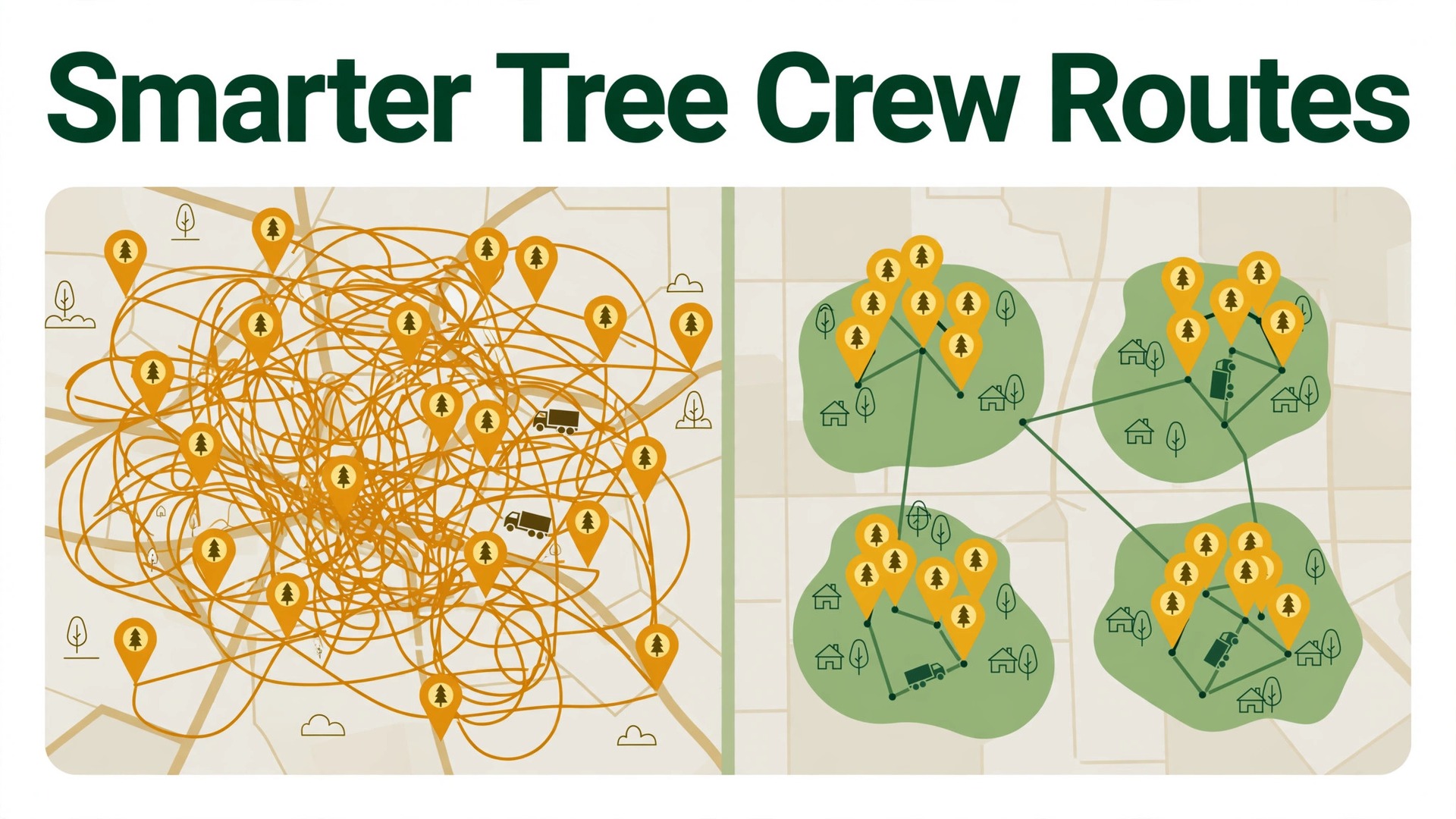
Four jobs driven in the order they were booked can waste 45 minutes to an hour of driving in a single day. That figure comes from one tree service software vendor, and your own number will differ by service area, traffic, and job spread. Still, the direction is hard to argue with. A crew that crosses town twice pays for that driving in fuel, wages, and lost job time, and the customer at the end of the day waits longer for a crew that left the yard on time. When you use AI for tree care crew route optimization, the goal is simple. Put nearby jobs together, sequence them sensibly, and leave room for the realities of tree work.
Tree work is not parcel delivery. A removal can run long when a trunk is hollow. A pruning job can shrink when access is better than the photos suggested. A chipper can jam, a neighbour can ask questions, and a driveway can be blocked by a delivery van. Any routing plan that ignores those realities will look perfect on a screen and fall apart by midday. The value of an AI route plan is not that it removes judgment. It is that it gives the crew leader a strong starting order, with drive times and job notes attached, so judgment is spent on exceptions rather than on rebuilding the whole day from scratch.
This guide walks through a practical workflow for a small or mid sized tree care firm. It covers job clustering, drive time estimates, equipment notes, and weather rescheduling, plus a checklist you can run every morning. It names tools that tree firms actually use, and it flags where vendor claims should be treated as estimates rather than promises. No routing tool can see a locked gate or a wasp nest. The firms that get the most from routing software are the ones that pair the plan with a crew leader who can reorder stops when the day changes.
Why Route Order Decides the Day
A tree crew day has a hard limit. Daylight, crew energy, and customer time windows all run out at roughly the same time. Every extra mile driven is a mile that does not produce revenue, and every late arrival risks a cancelled job or a bad review. Routing matters more for tree care than for many trades because jobs are spread out, equipment is heavy, and a single job can fill most of a day. Put a large removal first and a small pruning job across town second, and the pruning customer may wait until late afternoon for a twenty minute job.
Bad routing also hides its cost. Fuel bills arrive monthly, so a daily waste of forty minutes rarely shows up as one line item. Crew overtime creeps up. The office fields more calls asking where the crew is. Over a season, those small losses add up to real money and real fatigue. A firm that tracks drive time per job, even roughly, usually finds that two or three zones account for most of the waste. Those zones are where clustering pays first.
Good routing also protects safety and quality. A crew that arrives rushed is more likely to skip a site walk, misjudge a drop zone, or leave debris behind. A crew that arrives with time in hand can set up properly, talk to the customer, and finish cleanly. Customers notice the difference, and they mention it in reviews. Route planning is often sold as a fuel saving tool, but for tree firms it is just as much a quality and reputation tool.
| Routing habit | What it costs a crew | What to do instead |
|---|---|---|
| Booking order driving | Cross town trips and late arrivals | Cluster by zone, then sequence by time window |
| No drive time buffer | Overtime and rushed setups | Add a buffer between every stop |
| One truck for every job type | Wrong equipment on site | Match equipment notes to each stop |
| Ignoring weather | Wasted trips in high wind or rain | Build a reschedule rule before the day starts |
How to Use AI for Tree Care Crew Route Optimization Without Losing the Human Check
The AI part of routing is narrower than marketing suggests. In most tools, the system takes job addresses, sorts them into a driving order that reduces total travel, and shows total drive time and distance for the day. Some tools add live traffic, and some let a dispatcher drag a stop to a new position and recalculate the rest. That is genuinely useful, and it is also the limit of what most products do today. The system does not know that one customer has a narrow lane, that another tree overhangs a pool, or that a third job needs a crane that is booked elsewhere.
The human check belongs in three places. First, the dispatcher reviews the proposed order against time windows, job size, and crew skill before the crew leaves. Second, the crew leader confirms access and equipment on arrival at each stop and reports changes back to the office. Third, the office updates job records at day end, so tomorrow’s estimates learn from today’s reality. A firm that skips the review step will eventually send a crew to a removal without the right truck, and no algorithm can fix that from the office.
Data quality decides whether the plan is trustworthy. Addresses must be site addresses, not billing addresses. Job durations must reflect real on site time, not the sales estimate alone. Equipment needs must be recorded at booking, not remembered by the crew leader on the morning of the job. Firms that clean up those three fields before they buy routing software get far more value than firms that buy the software first and hope it fixes messy records.
The Seven Step Route Workflow
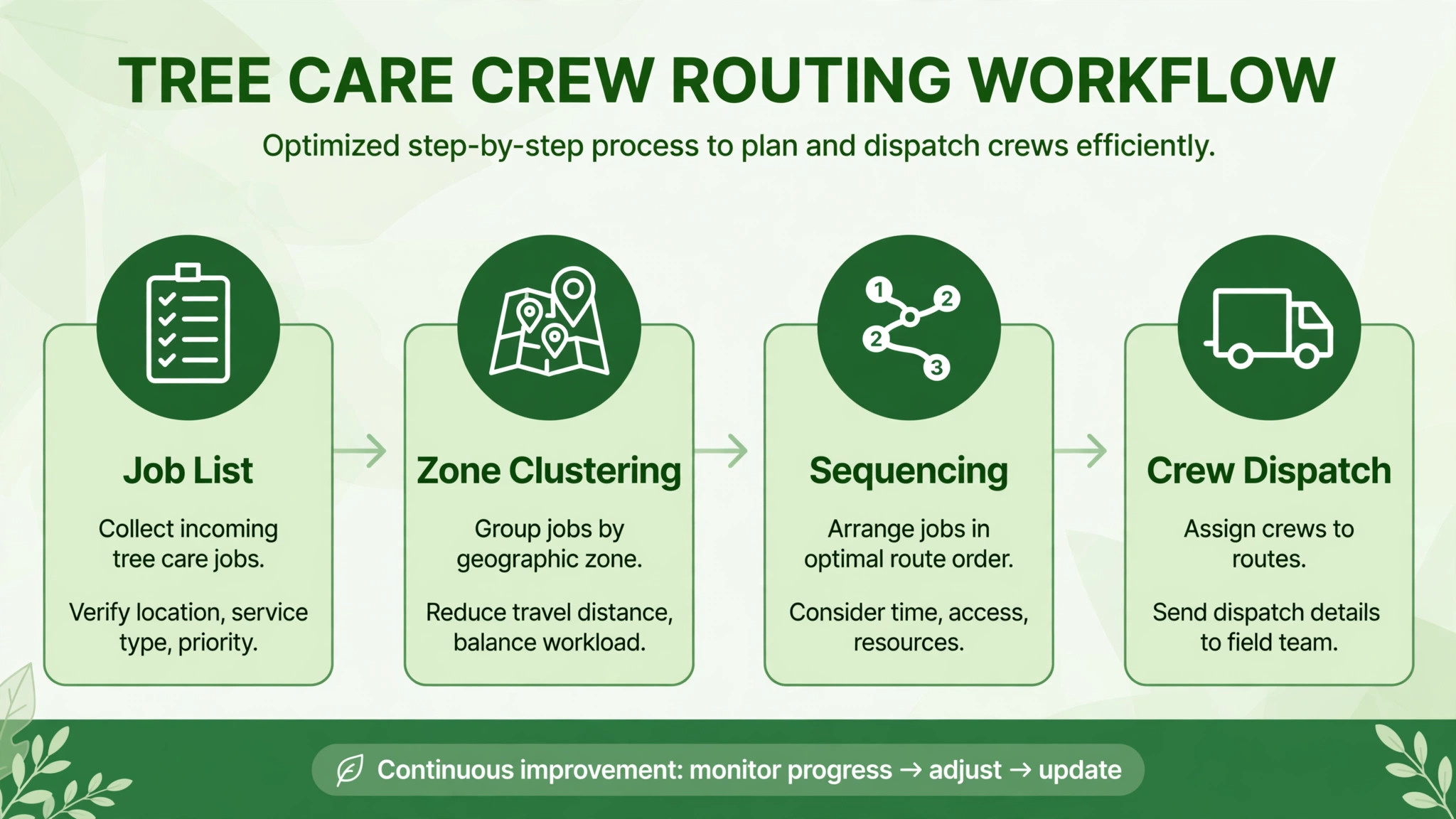
Step 1. Gather every job with a site address
Start with the full list for the day, including estimates that may convert and follow up visits that may take only minutes. A route built on half the jobs will be rebuilt by noon. Each job needs a site address, a time window if the customer gave one, an expected duration, and a contact number. Jobs without a site address cannot be sequenced, so chase those first. This step sounds basic, and it is where most routing days fail.
Step 2. Cluster jobs into zones
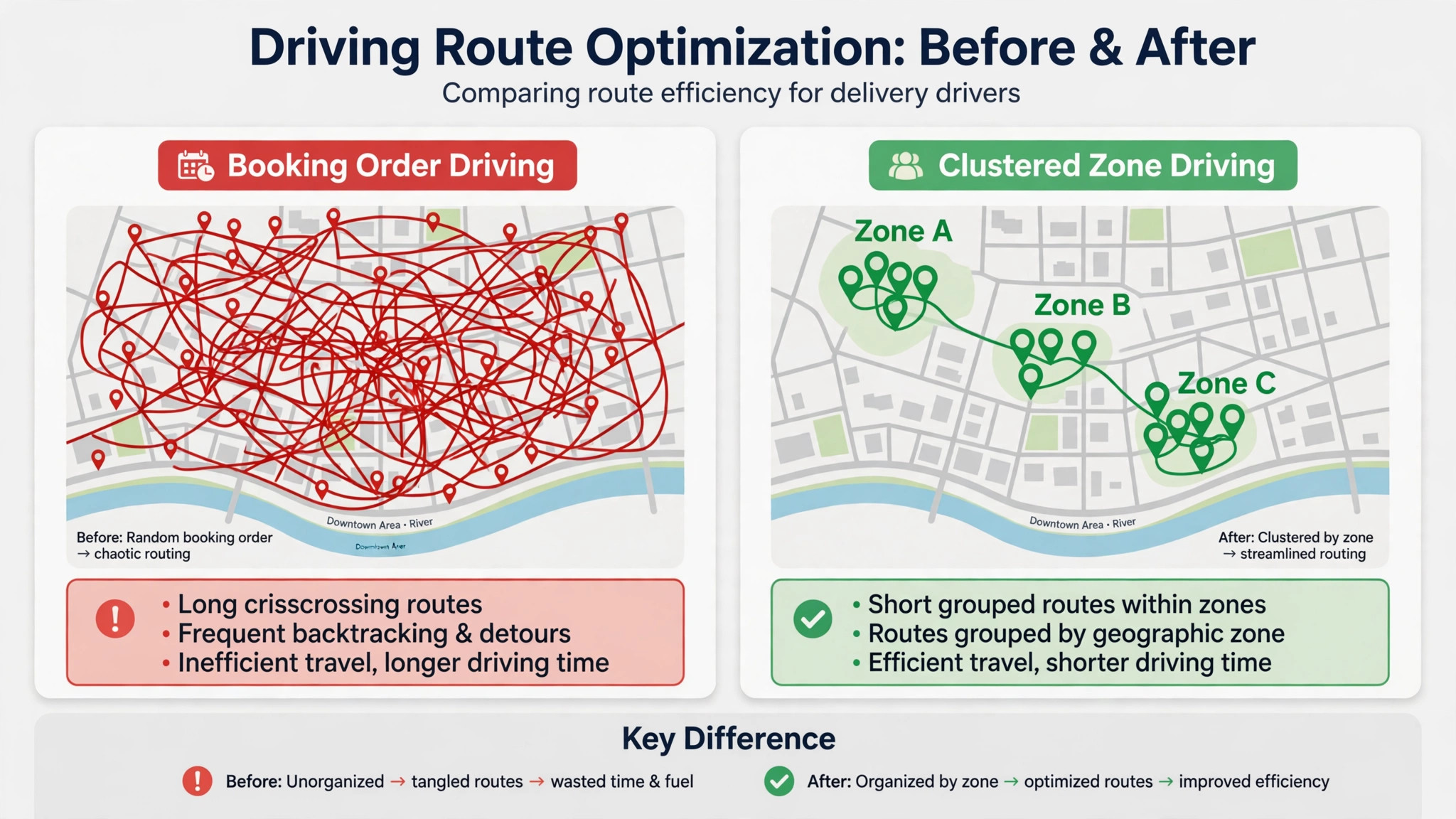
Group jobs that sit near each other before you worry about exact order. A zone might be a neighbourhood, a side of town, or a corridor along one main road. Clustering first keeps the crew in one area for a block of time, which cuts cross town driving and makes a midday change easier to handle. If one zone holds only a single small job, consider moving it to a day when the crew is already nearby, unless the customer has a firm deadline or a safety issue.
Step 3. Sequence inside each zone
Within a zone, order stops by time window first, then by job size and access needs. A job with a morning only window goes before a flexible job, even if it adds a few minutes of driving. A large removal that needs the crane truck should sit where the crane is free, not where the map looks tidiest. The routing tool proposes an order, and the dispatcher adjusts it for these real constraints. Record the reason for any manual move, so the next dispatcher does not undo it.
Step 4. Attach drive time estimates
For each leg between stops, note the estimated drive time and add a buffer. A ten minute estimate with no buffer becomes a late arrival the first time traffic slows or a gate code fails. Many firms use a buffer of ten to fifteen minutes between jobs, plus a longer lunch and refuelling gap. The buffer is not wasted time. It absorbs the small delays that tree work produces every day, and it keeps the afternoon honest.
Step 5. Attach equipment notes to every stop
Each stop needs a short equipment note. List the truck, the chipper size, the stump grinder if needed, climbing gear, and any special item such as a crane booking or a traffic cone set for roadside work. The note should also flag access limits, such as a narrow gate, a steep slope, or a lawn that cannot take a heavy truck after rain. When the crew leader checks the route in the morning, the equipment note is the part that prevents a second trip.
Step 6. Send the route to the crew with one contact point
Send the full route to the crew leader in one place, with addresses, order, time windows, and customer numbers. Avoid splitting the day across texts, emails, and paper notes. The crew leader should be able to open the next stop, get directions, and call the customer from the same view. If the tool supports it, turn on live location sharing for the office, so the dispatcher can answer customer calls with real information instead of guesses.
Step 7. Review the day and update the records
At day end, record actual arrival times, actual job durations, and any reason a stop moved or slipped. This review takes ten minutes and it is the step that makes next week’s routes better. Durations that were wrong get corrected. Zones that consistently run long get split. Customers who need longer access windows get flagged. Without this review, the routing tool repeats the same optimistic plan every week.
Drive Time Estimates That Crews Can Trust
Drive time estimates fail for predictable reasons. The tool may use free flow traffic rather than morning traffic. It may measure to the street address rather than the property entrance. It may ignore school zones, road works, and the time needed to park a truck and trailer. A crew that trusts a bad estimate will plan a day that cannot be completed, and the last customer pays for the optimism.
Build estimates from three sources, not one. Start with the routing tool figure, then add the buffer described above, then check it against recent actuals for the same zone. If a leg has run twenty minutes three days in a row while the tool says twelve, trust the actuals. Some firms keep a simple zone table with typical drive times between common areas, and they update it monthly. That table is unglamorous, and it is one of the most useful documents in the office.
Time windows deserve the same honesty. A window of 8 am to 10 am is a promise, and a crew that misses it repeatedly will lose trust. It is better to offer fewer, wider windows that the crew can actually meet than to offer tight windows that look good at booking and fail in practice. When a route slips, call the affected customer early with a revised window. Customers accept delays far more easily than silence.
| Leg type | Tool estimate | Planning figure to use |
|---|---|---|
| Same neighbourhood | 5 to 10 minutes | Add 10 minutes for parking and setup |
| Cross town | 20 to 35 minutes | Add 15 minutes and check traffic before departure |
| Rural or spread out | 30 to 60 minutes | Confirm access and fuel before leaving the yard |
| First stop of the day | Yard to site | Add loading and safety check time |
Equipment Notes That Prevent a Second Trip
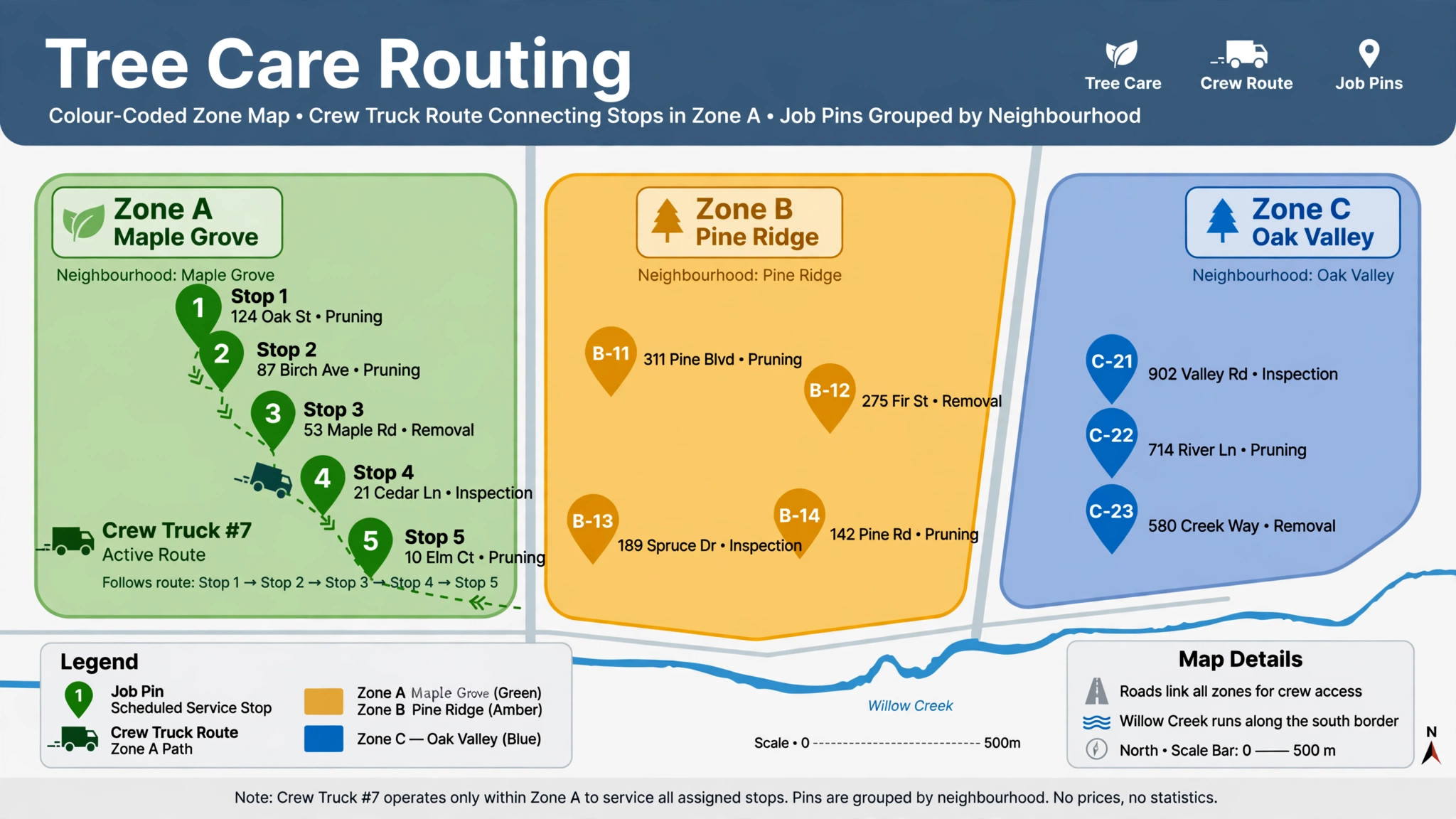
A second trip is the most expensive routing failure. The crew drives to a site, finds it needs a stump grinder that is on another truck, and either leaves the job half done or drives back for the tool. Either outcome wastes the drive time that routing was meant to save, and it leaves a customer with an unfinished job. Equipment notes exist to stop this, but only if they are written at booking and checked in the morning.
Write equipment notes as a checklist, not as free text paragraphs. A checklist is faster to read on a phone and harder to misread. Include the vehicle, the main tool for the job, the disposal plan for debris, and any safety item such as cones, signage, or a second climber. If a job needs a subcontractor or a crane, name the booking and the arrival time. A note that says crane booked is less useful than a note that says crane booked for 10 am with the operator number attached.
Shared equipment needs a rule. When two crews need the same stump grinder, the route plan must say which crew has it first and when it moves. A shared calendar for heavy equipment, even a simple one, prevents morning arguments at the yard. At day end, the crew leader confirms where shared equipment was left, so the next morning starts with facts rather than a search.
Weather Rescheduling Without Chaos
Weather is the one routing factor no software controls. High wind stops climbing work. Heavy rain turns lawns into mud and makes heavy trucks a liability. Lightning stops all outdoor work. A firm without a weather rule will either send crews out in unsafe conditions or cancel the whole day in a panic. Neither is acceptable, and both damage trust.
Set the rule before the season starts. Decide which conditions stop which job types, who makes the call, and by what time. A common pattern is a morning check by the dispatcher, a message to affected customers before they expect the crew, and a pre agreed priority order for rebooking. Safety critical jobs, such as a storm damaged limb over a roof, stay near the top. Cosmetic pruning moves first. Write the rule down and share it with customers at booking, so a reschedule feels like a professional process rather than a surprise.
AI tools can help here by flagging forecast risk on the route, but the decision stays human. A forecast is a probability, not a fact, and local conditions vary street by street. The crew leader on site makes the final safety call, and the office supports that call without argument. Rescheduled jobs go back into the clustering step for the next available day in the same zone, rather than being squeezed into an already full day elsewhere.
– Check the forecast the evening before and again at yard time. – Message affected customers before their window opens, with a new date offer. – Rebook by zone, so a moved job joins a nearby day instead of creating a lone trip. – Keep safety jobs and storm damage at the top of the rebooking list. – Log the weather reason, so the customer record shows a professional decision.

Tools for Tree Care Routing

EstimatorPRO
EstimatorPRO is built for tree service firms, with scheduling, crew assignment, and a route optimisation feature that loads job addresses as stops and calculates a driving order with total drive time and mileage. Its vendor material describes a workflow where the dispatcher adds the day stops, taps optimise, and can drag a stop to a new position when a priority job must move. For a tree firm, the appeal is that routing sits beside estimating and invoicing rather than in a separate system. Confirm current pricing on the vendor page before comparing, since tree software pricing often depends on crew count.
FieldPie
FieldPie presents itself as tree care software with AI planning that assigns jobs by location, workload, job type, and urgency, and that balances work across regions and teams. The idea that matters for routing is workload balance. A route plan that fills one crew to bursting while another crew finishes early is not efficient, even if total driving looks low. FieldPie also connects quotes, approvals, job documentation, invoices, and payments, which helps the office keep job notes and equipment records in one place. Treat its productivity claims as vendor estimates until you test them on your own routes.
Joblogic
Joblogic is a field service platform used by arborist firms, with drag and drop scheduling, job filtering, GPS tracking, and route optimisation. Its strength for tree care is the scheduler view, where a dispatcher can move jobs between crews and highlight mandatory jobs. GPS tracking helps the office answer customer calls with real crew positions, and it helps the dispatcher insert an urgent job into the nearest crew route. For firms with several crews, that live view matters more than a slightly shorter theoretical route.
Generic Routing and Mapping Tools
A small firm with one crew may not need tree specific software at all. A mapping tool that sequences stops and gives turn by turn directions can handle a simple day, provided job notes and equipment checks live somewhere the crew actually reads. The risk with a generic tool is that it knows nothing about job duration, equipment, or crew skill, so the dispatcher must carry all of that in their head. As soon as the firm runs two crews or regular storm work, a dedicated scheduler usually pays for itself in fewer missed notes.
The Weekly Route Checklist
– Confirm every job has a site address, a time window, and a duration estimate. – Cluster jobs by zone before sequencing any single day. – Check time windows first, then job size, then equipment availability. – Add a drive time buffer between every stop and a longer gap for lunch and fuel. – Attach an equipment checklist to every stop, including shared tool bookings. – Send the full route to the crew leader in one view with customer numbers. – Check the forecast the evening before and again at yard time. – Record actual times and durations at day end and update the zone table. – Rebook moved jobs by zone, with safety jobs first. – Review the week every Friday and split any zone that consistently runs long.
Mistakes That Undo a Good Route
The most common mistake is optimising for distance alone. A route with the fewest miles can still be a bad route if it puts a tight time window last, sends the wrong truck first, or ignores a school run that blocks a road at 3 pm. Distance is one input, not the decision. Time windows, job size, equipment, and crew skill all outrank a few saved miles when they conflict.
A second mistake is letting the plan go stale. Jobs get added by phone, customers change windows, and a crew finishes early, and if none of that reaches the route, the crew works from an old plan. The fix is a single route owner for the day, usually the dispatcher, who updates the route and tells the crew leader directly. A route that lives in three places is a route nobody trusts.
A third mistake is measuring the wrong result. Total miles driven is easy to measure, but jobs completed on time, second trips avoided, and customers who rebook are better measures of routing success. A firm that cuts miles but misses windows has not improved. Track on time arrivals and second trips alongside driving, and judge the routing tool on all three.

Measuring Whether the Route Plan Works
A routing workflow earns its keep in numbers you can check every Friday. When you use AI for tree care crew route optimization, track on time arrivals, second trips, total drive time, and jobs completed per crew day. Those four figures tell you more than total miles alone, because a shorter route that misses windows or forgets equipment is not an improvement. Compare each figure with the two weeks before you changed the workflow, and look for a trend rather than a single good day.
Firms that use AI for tree care crew route optimization often see the first gain in second trips, not in miles. Equipment notes and morning checks remove the forgotten grinder problem before it costs a return journey, and that gain shows up within the first week. Drive time gains take longer, because zone tables and duration estimates need a few weeks of actuals to become accurate. Do not judge the workflow on week one alone, and do not let a vendor judge it for you on a demo route.
If you use AI for tree care crew route optimization and the numbers do not move after a month, check data quality before blaming the tool. Missing site addresses, guessed durations, and unwritten equipment needs will defeat any routing plan. Fix one field at a time, starting with site addresses, and remeasure. A firm that chooses to use AI for tree care crew route optimization with clean records will almost always beat a firm with a better tool and messy records, because the plan can only be as good as the job data behind it.
Review the figures with the crew, not just in the office. Crew leaders know which zones run long, which customers need wider windows, and which equipment notes are routinely wrong. When you use AI for tree care crew route optimization as a shared routine rather than an office order, the crew will report problems early and suggest fixes the software cannot see. That shared ownership is what turns a routing tool into a lasting habit.
Frequently Asked Questions
How does AI routing differ from a normal map route?
A normal map route sequences stops you enter and gives directions. An AI routing tool for tree work adds job data, such as duration, time windows, crew skill, and equipment, and proposes an order that balances those factors with driving time. The difference matters most on multi crew days, where the tool must also decide which crew gets which jobs. For a single crew day with few stops, a map route may be enough.
Can routing software handle emergency storm work?
It can help, but only if the dispatcher can insert an urgent job and recalculate the rest of the day quickly. Storm work breaks a planned route by design, because a dangerous limb outranks a routine pruning job. The practical approach is to keep one crew flexible during storm season, insert urgent jobs into the nearest route, and rebook displaced jobs by zone. Software that cannot recalculate midday will be abandoned during the first storm week.
What job details must be recorded for routing to work?
At minimum, record the site address, the time window, the expected duration, the equipment needed, and any access limit. Without those five fields, the routing tool can only sort by distance, and the dispatcher must fill every other gap from memory. Firms that add crew skill requirements and safety notes get better assignments, especially for removals and work near power lines or structures.
How much driving time can a small tree firm realistically save?
That depends on job spread, zone density, and how bad the current routing is. One vendor estimates 45 minutes to an hour of waste on a scattered four job day, but that is a vendor illustration, not a guarantee for your service area. A firm with tight zones may save less, while a firm that currently drives in booking order may save more. Measure your own drive time per job for two weeks before routing changes, then measure again after, and judge the tool on your numbers.
Should the crew leader be allowed to reorder stops?
Yes, within limits. The crew leader sees access problems, customer availability, and site conditions that the office cannot see. A good rule is that the crew leader can swap stops inside a zone and must call the dispatcher before moving a stop to another zone or dropping a time window job. That balance keeps the route flexible without losing office control or customer communication.
What happens when a job runs long?
A long job compresses everything after it. The crew leader should call the dispatcher as soon as the overrun is clear, not at the end of the job. The dispatcher then calls affected customers with revised windows, moves a flexible job to another day if needed, and updates the route. Firms that wait until the crew finishes the long job leave every later customer guessing, and guessing customers cancel.
Is tree specific software worth it for a one crew firm?
Often not at first. A one crew firm with a tight service area can run well on a mapping tool plus a shared job sheet, provided equipment notes and durations are recorded reliably. Tree specific software earns its place when the firm adds a second crew, takes regular storm work, or finds that job notes keep getting lost. Buy for the crew count you will have at peak season, not just today.
How do I start routing better without buying software this week?
Start with clustering and a morning checklist. Group tomorrow jobs by zone tonight, sequence by time window, add a buffer between stops, and attach an equipment note to each stop. Record actual times for a week. That manual routine captures much of the benefit, and it also cleans up the job records that any future routing tool will need. When you do buy software, you will already know what a good route looks like for your firm.
A Route Plan the Crew Will Actually Follow
The best route plan is the one the crew trusts enough to follow and flexible enough to change. A plan that ignores time windows, equipment, and weather will be ignored by the crew, and a plan that cannot change midday will break at the first storm call. Build the workflow in this guide around clustering, honest drive times, equipment notes, and a day end review, and the AI tool becomes a helper rather than a boss.
Start small. Pick your busiest zone, run the checklist for two weeks, and track on time arrivals and second trips. If those numbers improve, expand the workflow to every zone and then choose software that fits the routine you already run. That order, routine first and software second, is what keeps routing gains from fading after the first month.