

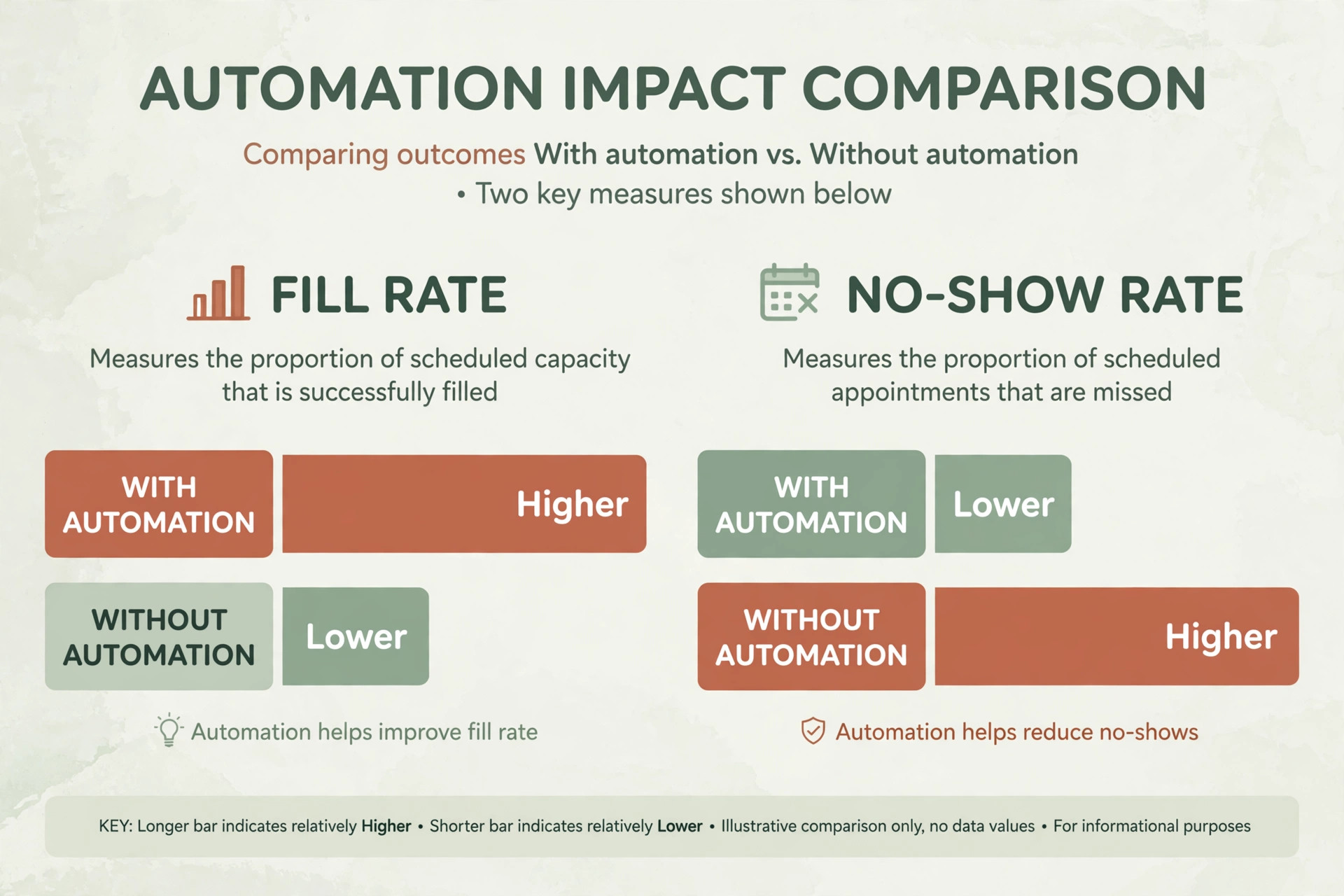
The verdict is simple. An empty mat is revenue you have already paid for, and owners who learn to use AI for yoga studio waitlist management fill those gaps instead of watching them go to waste. One widely cited studio guide puts the no-show rate at 25 to 30 percent when nothing is done to manage it, and email reminders a day before plus text reminders two hours before can bring that rate down to 8 to 10 percent. The teacher is already booked and the room is already paid for, so every filled cancellation is almost pure recovered revenue.
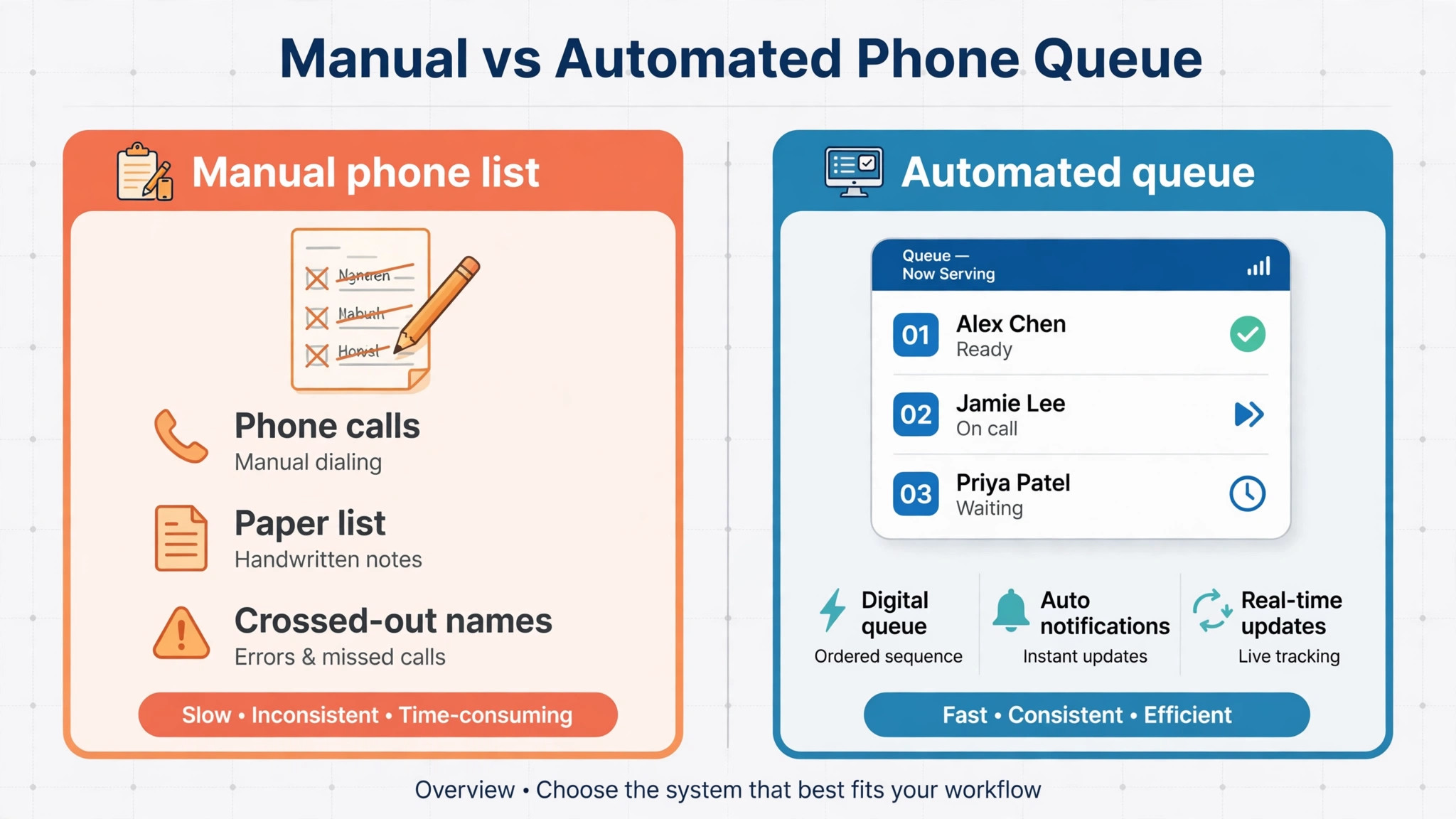
A waitlist used to be a paper sheet at the front desk or a note in a group chat. A student cancelled, someone called the next name, and by the time anyone answered the spot often went to a walk-in or stayed empty. AI changes the speed and the order of that process. It ranks the queue by rules the studio sets, sends the offer to the right student at once, gives that student a short window to accept, and moves on automatically when the window closes. The front desk stops playing phone tag and the class fills itself while the team teaches.
Why a Full Class Still Loses Money
A class that shows as full on the schedule can still run half empty on the night. Cancellations arrive late, waitlisted students never hear about the opening, and members who booked early simply do not show up. The studio loses twice, because the empty mat earns nothing and the waitlisted student who would have paid for a drop-in or used a class credit stays home feeling ignored. Over a month of classes, that quiet loss adds up to real money, especially for small studios where ten classes a week is the whole business.
The second cost is harder to see but just as real. Students who join a waitlist and never hear back learn that the studio does not follow through. They stop joining waitlists, then they stop trying for popular classes at all, and eventually they drift to a studio with a simpler booking experience. A waitlist is a promise, and a broken promise costs more than one empty mat. It costs trust, and trust is what keeps members renewing after the introductory offer ends.
The third cost is staff time. A front desk team that handles waitlists by hand spends its evening calling names, checking replies, updating the roster and apologising to students who missed out. That time could go to greeting new students, selling class packs or fixing the schedule. When you use AI for yoga studio waitlist management, the system does the repetitive chasing and the humans do the work that actually needs a human.
How to Use AI for Yoga Studio Waitlist Management
Start with the queue rules, because the AI is only as fair as the rules you give it. Decide who gets offered a spot first. Most studios rank by join time, which is simple and feels fair. Others give priority to members over drop-in buyers, or to students who have not had a recent spot, or to students whose membership includes that class type. Write the rule down, publish it where students can see it, and let the system apply it the same way every time. Consistency is what makes a waitlist feel fair, and fairness is what keeps students joining it.
Next, set the offer window. A student who gets a spot offer at 2 pm for a 6 pm class needs enough time to rearrange an evening, but not so much time that the next person in line waits all day. Many studios use a window of 30 to 60 minutes for same-day offers and a longer window for next-day offers. The AI sends the message, watches for a yes or a no, and moves to the next name when the window closes or the student declines. That single setting is the difference between a queue that clears in an hour and a queue that stalls.
Then connect the waitlist to the rest of the studio system. The AI needs live class capacity, live membership status and live payment status to make good offers. A student whose pack expired should not be offered a spot they cannot pay for, and a student already booked into another class at the same time should not be offered a clash. The best setups run inside the booking platform the studio already uses, so the waitlist, the roster, the membership and the payment all read the same data. A standalone waitlist tool that needs manual syncing will drift out of date and create the very double bookings it was bought to prevent.

The Waitlist Workflow in Six Steps
The workflow below is the core of the whole system. Each step can run by hand at first, but the point of AI is that steps two through five run without anyone watching them, day and night, including the hours when the studio is closed and cancellations still arrive.
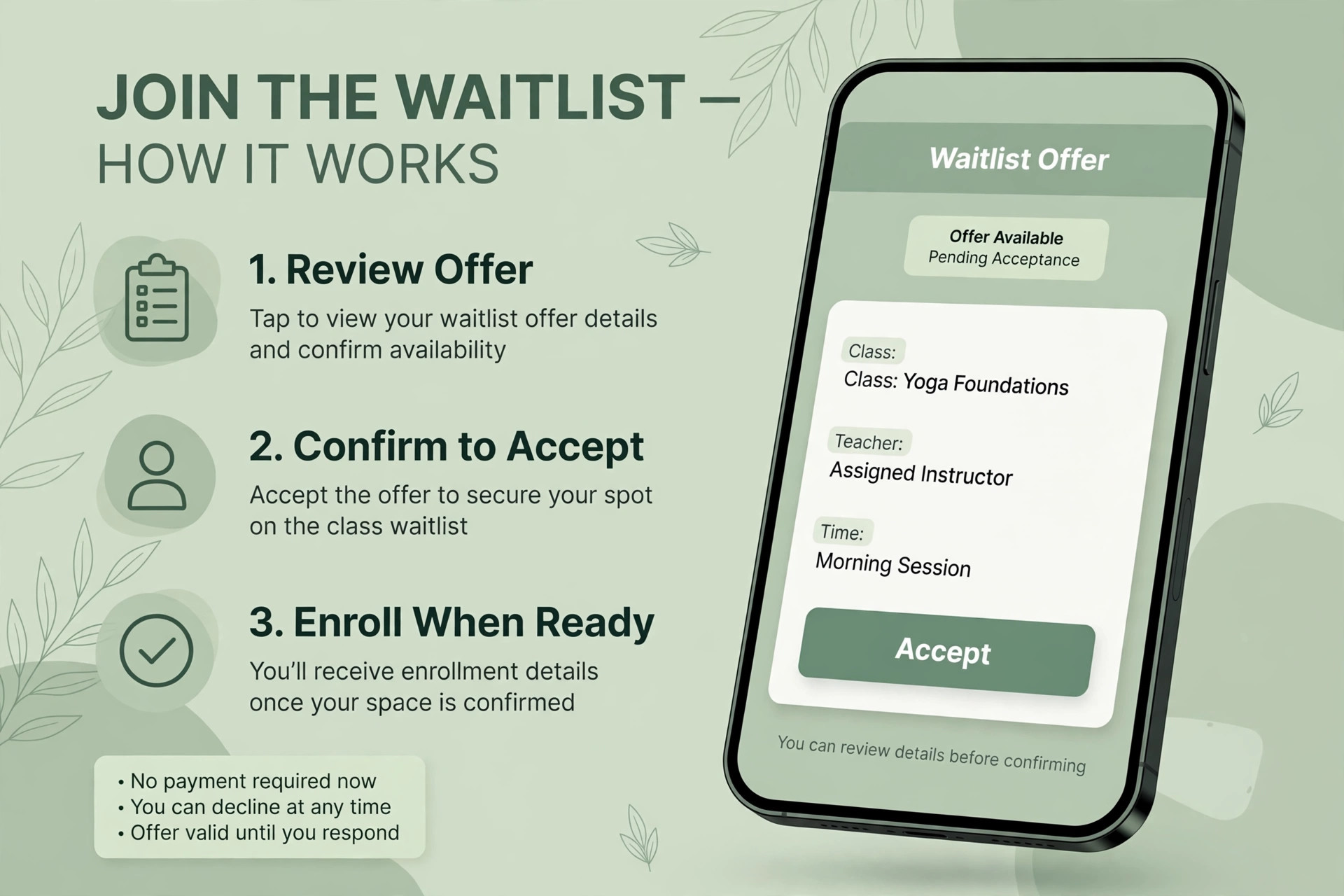
1. A student joins the waitlist from the class page, the app or the front desk, and sees their place in line at once. Transparency matters here. A student who can see they are third in line will wait patiently, while a student who joins a black box will message the studio to ask where they stand. Show the position, show the class time, and confirm the join with a message that explains what happens next. 2. The system ranks the queue by the studio rules, not by who shouts loudest. Join time is the base order, and the studio can add priority for members, for students who missed out last week, or for students whose pass covers that class. The ranking updates itself as students join, leave or accept offers, so the front desk never re-sorts a list by hand. 3. When a spot opens, the AI offers it to the first eligible student by text and app notification at the same time. The message names the class, the teacher, the time and the deadline to accept, so the student can decide in seconds. One clear message beats three vague ones, and a deadline creates the urgency that gets a reply. 4. The student accepts or declines, or the window closes with no reply, and the system moves to the next name without waiting for staff. This is where automation earns its money. A manual process stalls every time the first student is slow to answer, while an automated queue can clear four names in an hour and still fill the class before the teacher arrives. 5. The accepted student is booked, charged or debited under their existing pass, and added to the roster with a confirmation message. No retyping, no double entry, no front desk call to confirm payment. If the pass has expired or the card fails, the system says so at once and offers the spot onward instead of holding a class place for a payment that will never clear. 6. The studio reviews fill rate, no-show rate and waitlist conversion every week and adjusts the rules. If same-day offers keep expiring unanswered, shorten the window or start offers earlier. If one class always fills from the waitlist, add a second session or raise its capacity. The weekly review turns a booking tool into a scheduling strategy.

Tools That Run the Waitlist for You
The tools below all handle waitlists, but they differ in price, depth and the kind of studio they suit. Prices quoted come from recent third-party comparisons, so check the vendor current pricing page before you buy, because studio software prices move often and add-ons change the total.
| Tool | Reported starting price | Waitlist strength |
|---|---|---|
| MomoYoga | From 65 dollars a month | Built for yoga studios, with class types, memberships and attendance in one place |
| Mindbody | From 99 dollars a month | The most complete option, with waitlists across many locations and class types |
| Vagaro | From 40 dollars a month | A good balance of booking, membership and waitlist features at a lower price |
| Frontmat | 99 dollars a month flat | Waitlists with automatic promotion and waitlist texts, all locations included |
| FlexBooker | Check the vendor current pricing page | Automated waitlist management with optional no-show fees |
| StudyONsende | Check the vendor current pricing page | Members see their place in line and are moved in automatically when a spot opens |
MomoYoga
MomoYoga is built specifically for yoga studios, and that focus shows in its waitlist handling. Class types, teacher schedules, memberships and attendance live in the same system, so the waitlist can check pass validity and class history before it offers a spot. At a reported starting price of 65 dollars a month, it suits a single studio that wants yoga-specific logic without paying for features built for gyms or salons. The watch-out is scale, because a studio planning several locations should test multi-site reporting before committing, since a tool that feels simple at one site can feel thin at three.
Mindbody
Mindbody is the most complete option in this list and the best known name in studio software. Its waitlist runs across locations, class types and membership tiers, and its reporting shows spots filled per class, average attendance and peak time patterns. At a reported starting price of 99 dollars a month, it costs more than the yoga-only tools, and add-ons can lift the bill further, so a small studio should price the full setup, not just the entry tier.
Choose Mindbody if the studio runs many classes, several teachers or more than one room, because that is where its depth pays off. Skip it if the studio is a single room with a simple timetable, because a lighter tool will do the same waitlist job for less.
Vagaro
Vagaro is the value pick for studios that want solid waitlist and booking features without the top tier price. At a reported starting price of 40 dollars a month, it covers bookings, memberships, packages and attendance, and it is used by a very large number of small businesses, which means help articles and community answers are easy to find. The trade-off is yoga depth, because Vagaro serves many business types and its class logic is less yoga-specific than MomoYoga. Choose Vagaro if price matters most and the studio timetable is straightforward. Skip it if the studio needs deep yoga-specific rules, such as workshop series or teacher-specific waitlist priority, because a specialist tool will fit better.
Frontmat
Frontmat is built for small Pilates, yoga and barre studios that are tired of per-location pricing and add-on fees. At 99 dollars a month flat, it includes waitlists with automatic promotion, waitlist texts, a branded member app, class packs, memberships and reporting, with every location included and no contract. That flat price makes budgeting simple, and the automatic promotion feature is exactly the waitlist workflow this guide describes. The limit is scope, because Frontmat does not do payroll or retail point of sale, so a studio that needs those should look at Mindbody or Momence instead. Check the vendor current pricing page before deciding, because flat-rate offers change as products grow.
Momence
Momence is worth a trial for studios that want modern booking plus marketing in one platform. It handles class scheduling, waitlists, memberships and client communication, and its interface is built for owners who run the studio from a phone as often as from a desk. Pricing is quote-based in many listings, so ask for a written quote at the studio real size, including any per-location or messaging charges, before comparing it against the flat and tiered prices above. Choose Momence if the studio wants booking and marketing automation together. Skip it if the studio only needs a simple waitlist, because a simpler tool will cost less and train faster.
What Students See When the System Works
A student experience worth copying looks like this. The student opens the class page, sees the class is full, and joins the waitlist in one tap without creating a new account or calling the studio. A message confirms the join and states the place in line. Later, a text arrives offering the spot with the class name, teacher, time and a clear accept link. The student taps accept, gets a booking confirmation, and sees the class in their own schedule. The whole exchange takes under a minute and needs no staff time at all.
The experience breaks in predictable places, so test each one before launch. Test what happens when a student is already booked into a clashing class, when a pass has expired, when a student declines, and when nobody answers. Test the messages on a small phone screen, not just on a desktop, because most students will read the offer on a phone while doing something else. A message that is clear on a laptop and confusing on a phone will lose acceptances, and lost acceptances are lost revenue.
Also test the tone. Waitlist messages should sound like the studio, not like a machine. A short, warm message with the teacher name and class time feels personal, while a long formal message feels like a system alert. Write the templates in the studio voice, keep them short, and let the AI send them at the right moment. Automation should remove waiting, not remove warmth. That is the standard to hold when you use AI for yoga studio waitlist management in a studio that trades on community, because students notice the tone of every message even when they never see the system behind it.
Class-Fill Checklist Before You Publish the Schedule
Run this checklist before the waitlist goes live, and again each time the timetable changes. A studio that checks these items once will catch most of the problems that leave classes half full.
– Publish the queue rule where students can see it, so priority feels fair and nobody argues about who got the spot. – Set a same-day offer window of 30 to 60 minutes and a next-day window long enough for students to plan, then test both with real students. – Turn on text and app notifications together, because a single channel misses students who silence one of them. – Confirm that expired passes and clashing bookings block an offer automatically, instead of holding a spot for a student who cannot attend. – Write the offer message with class, teacher, time and deadline in the first two lines, so the decision takes seconds. – Set late cancellation and no-show rules per class type, with credit refunds handled by the system rather than by the front desk. – Add a second session for any class that fills from the waitlist three weeks in a row, because repeated waitlist demand is a timetable signal. – Review fill rate, no-show rate and waitlist conversion every Monday, and change one rule at a time so the effect is visible. – Train the front desk on the manual override, so staff can move a student by hand when a genuine exception needs a human. – Export the waitlist and roster data monthly, so the studio keeps its own record even if it changes platforms later.

The Numbers Worth Watching Each Week
Three numbers tell the studio whether the waitlist is working. Fill rate is the share of available mats actually occupied when the class starts, and it is the headline number for revenue. No-show rate is the share of booked students who never arrive, and it shows whether reminders and booking rules are doing their job. Waitlist conversion is the share of waitlisted students who end up in a class, and it shows whether the queue is a real path into class or a dead end that frustrates students.
Track them by class and by teacher, not just as studio averages, because averages hide the useful detail. A guide to studio scheduling notes that a Tuesday 6 pm class can run at 90 percent capacity while a Wednesday 9 am class runs at 40 percent, and that gap is a scheduling decision waiting to happen. The 90 percent class may need a second session or a bigger room, while the 40 percent class may need a different time, a different teacher or a different format. When you use AI for yoga studio waitlist management well, these numbers stop being guesses and become the weekly agenda for the timetable meeting.
| Metric | What good looks like | Action when it slips |
|---|---|---|
| Fill rate | Above 85 percent for regular classes | Add sessions for waitlisted classes, retime weak classes |
| No-show rate | Below 10 percent with reminders running | Tighten reminders, add a booking fee or stricter cancellation rule |
| Waitlist conversion | Above half of waitlisted students placed | Shorten offer windows, start offers earlier, add capacity |
| Repeat waitlist joins | Students keep joining after a missed offer | Publish queue position and keep messages warm and fast |
Mistakes That Keep Classes Half Full
The most common mistake is running a waitlist with no offer deadline. A student who gets an offer on Monday for a Wednesday class and never replies blocks the queue for two days, while three other students who would have come sit waiting. Set the window, enforce it automatically, and let the queue move. A waitlist that moves feels alive, and a waitlist that stalls feels broken, even when the software is working exactly as configured. Studios that use AI for yoga studio waitlist management well treat the offer window as a product setting, not an afterthought, and they test it with real students before launch.
The second mistake is offering spots in the wrong order. A studio that offers spots to whoever replies fastest on social media, or to regulars by memory, will be seen as unfair, and perceived unfairness kills waitlist sign-ups. Let the system apply one published rule to everyone, including the owner friends and the teacher favourites. Fairness is a feature, and it is one of the few features students talk about to other students.
The third mistake is ignoring the data the waitlist produces. A class with a permanent waitlist of twelve is not a success story, it is a second class waiting to be scheduled. A teacher whose classes always fill from the waitlist deserves more slots, and a time slot that never fills deserves a change. Studios that review the numbers weekly grow their timetable around real demand, while studios that ignore them keep teaching the same half-full schedule and wondering why revenue flatlines.
The First Four Weeks With an AI Waitlist
In week one, load the real timetable, set the queue rules and offer windows, and write the message templates in the studio voice. Run the waitlist on two or three popular classes only, so the team can watch every offer and catch problems while the volume is small. Tell students what is changing and why, because a waitlist that appears without explanation feels like a new barrier rather than a better system.
In week two, turn on reminders and no-show rules, and check the first numbers. Are offers being accepted, are windows expiring unanswered, are students joining the waitlist at all. Fix the message wording first, because most early problems are communication problems, not software problems. A message that arrives too late, or without the class time, or without a clear accept link, will fail no matter how good the ranking logic is.
In weeks three and four, expand the waitlist to the full timetable and start the weekly review habit. Look at fill rate by class, no-show rate by teacher, and waitlist conversion by day of week. Add a session where demand is proven, retime a class that never fills, and share one small win with the team each week, such as a class that filled from the waitlist for the first time. By day thirty, the waitlist should be background work, not a daily project, and the front desk should have its evenings back.

Pick by Studio Size
The right setup changes with studio size, so match the tool to the stage the studio is actually in, not the stage it hopes to reach next year.
| Studio size | Best starting setup | Why it wins |
|---|---|---|
| Solo teacher, one room | MomoYoga or Vagaro | Low cost, yoga-aware booking, waitlist included without enterprise depth |
| Growing studio, several teachers | Frontmat or Momence | Automatic promotion plus modern booking and communication in one place |
| Multi-room or multi-site studio | Mindbody | Cross-location waitlists and reporting that smaller tools cannot match |
A solo teacher should not pay for multi-site reporting, and a multi-site studio should not run its waitlist on a tool that cannot see across locations. Revisit the choice once a year, because a studio that grows from one room to three will outgrow its first tool. Whatever the size, the test is the same, and that test is whether you can use AI for yoga studio waitlist management without adding a new chore to the front desk day.
Frequently Asked Questions
How does an AI waitlist decide who gets a spot first?
The studio sets the rule and the system applies it the same way every time. Join time is the usual base order, and many studios add priority for members, for students whose pass covers the class, or for students who missed out recently. Publish the rule where students can see it, because a transparent rule feels fair and an invisible rule feels arbitrary, even when the outcome is identical.
How long should a student get to accept a spot offer?
For same-day classes, 30 to 60 minutes works well, because it gives the student time to decide without stalling the queue. For next-day classes, a longer window of a few hours is fairer, since students may be at work or asleep when the offer arrives. Start with those ranges, watch how many offers expire unanswered, and adjust one setting at a time until the queue clears quickly without rushing students.
Do students need a special app to join a waitlist?
Usually not. Most studio platforms let students join from the class page on the website or from the member app they already use for bookings. The important part is that joining takes one or two taps and shows the place in line at once. A waitlist that needs a new account, a phone call or a form will lose sign-ups, and a waitlist nobody joins cannot fill anything.
What happens when a waitlisted student does not answer?
The offer window closes and the system moves to the next eligible student automatically, with no staff action needed. The student who missed the offer stays on the waitlist for the next opening unless the studio rule removes them, and a short message can tell them another spot may open soon. That automatic move-on is the main advantage over a manual list, where one slow reply stalls everyone behind them.
Can a waitlist work for workshops and events as well as weekly classes?
Yes, and workshops are often where waitlists earn the most, because a workshop has a fixed seat count and a higher price than a regular class. The same workflow applies, with a longer offer window to match the higher commitment, and a waitlist for a sold-out workshop is also a ready-made audience for the next date. Offer the next date to the waitlist first, and the second workshop can fill before it is advertised publicly.
Should members get priority over drop-in buyers on the waitlist?
Most studios say yes, because members pay every month whether they attend or not, and priority is a visible membership benefit that helps renewals. The fair way to do it is to publish the rule, so drop-in buyers know the terms before they join the queue. A hidden priority rule feels like favouritism when it is discovered, while a published rule feels like a membership perk that drop-in buyers can choose to buy into.
How do no-show fees fit with an AI waitlist?
A small refundable booking fee or a no-show fee makes students think twice before booking a class they may skip, and it gives the studio a lever when reminders alone do not work. The fee should be stated at booking, applied by the system under a published rule, and waived by staff when a genuine emergency explains the absence. Used that way, it protects the waitlist students who would have taken the mat, rather than punishing members for one bad week.
Will an AI waitlist replace the front desk team?
No, it replaces the chasing, not the people. Staff still greet students, handle exceptions, sell memberships and fix the problems that need judgement, such as a student with an injury or a billing dispute. What disappears is the evening spent calling names from a list and updating a roster by hand. Studios that frame the change that way get faster adoption, because the team sees the waitlist as help, not as a replacement.
The Verdict
For most yoga studios, the sensible first step is to turn on the waitlist inside the booking platform already in use, set one published queue rule, and run it on the busiest classes for a month. MomoYoga is the natural first trial for a yoga-only studio, Vagaro is the value trial when price matters most, and Mindbody is the trial for multi-room or multi-site studios that need depth. Frontmat deserves a look from any small studio that wants flat pricing and automatic promotion without add-on surprises.
Whichever tool the studio picks, the discipline matters more than the brand. Publish the rule, set a real deadline on every offer, send reminders that actually arrive, and review fill rate and no-show rate every week. A waitlist run that way turns cancellations from lost revenue into filled mats, and turns frustrated students into members who trust that the studio will find them a spot. That trust, kept week after week, is what fills classes long after the software novelty fades, and it is the real reason to use AI for yoga studio waitlist management.