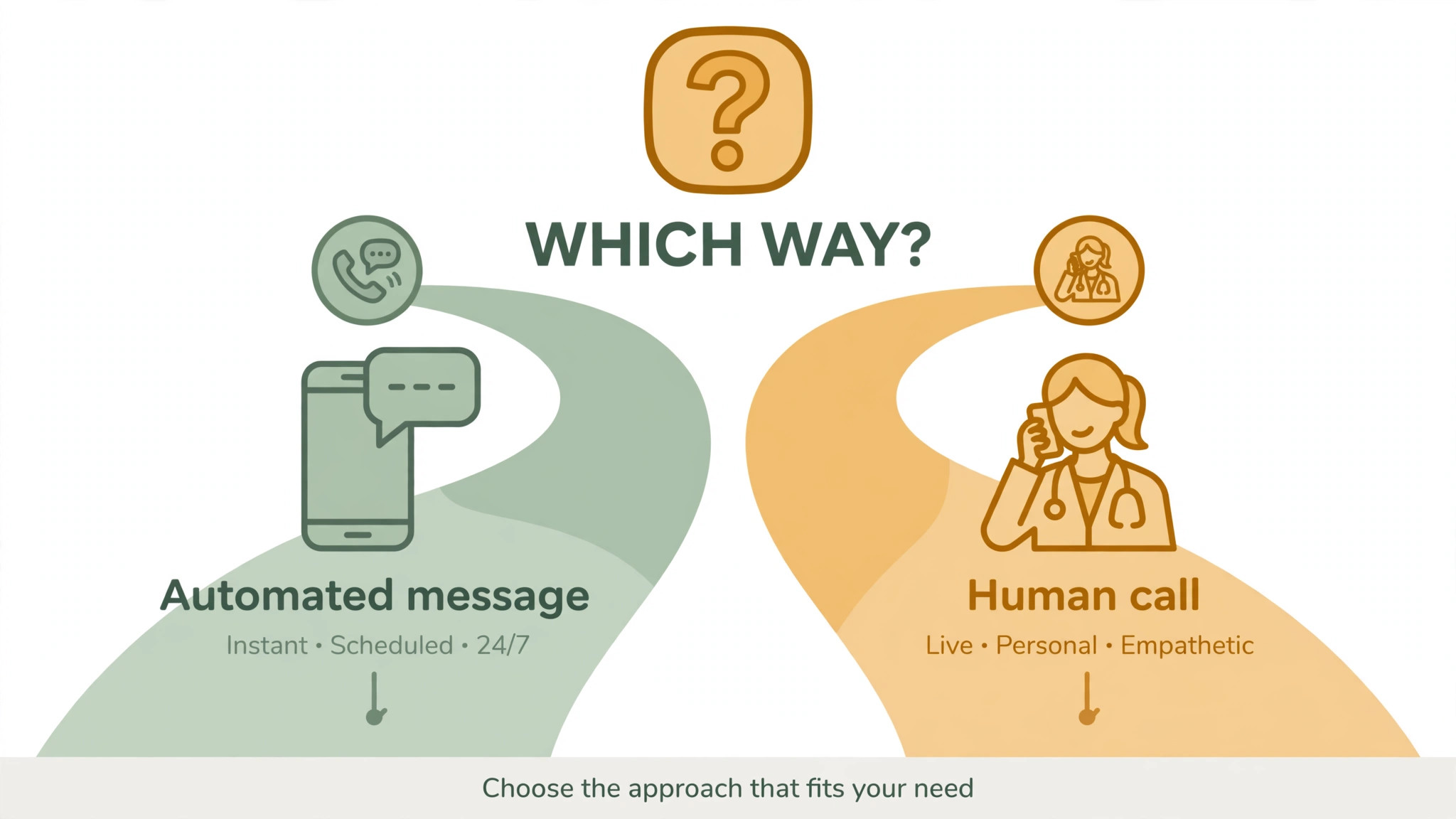
The best aftercare system is boring, prompt and personal, in that order. A veterinary clinic that sends a clear discharge note on the day of treatment, checks in the next day, asks the right question on day three, and reminds the owner before medication runs out will catch more problems early than a clinic with a fancier system that messages late or not at all. That is the verdict on how to use AI for veterinary clinic aftercare follow up. Use AI to make the boring parts reliable, so staff time goes to the patients and owners who need a human voice, not to remembering who was due a message yesterday.
Aftercare fails in predictable ways. Discharge instructions are spoken quickly in a busy lobby, while the owner is focused on getting their pet home. The owner forgets whether the medication is twice a day or three times, whether the cone stays on at night, or whether a little swelling is normal. The clinic means to check in tomorrow, but tomorrow brings emergencies, and the check-in slips. By day five, a wound problem that could have been caught with a photo is now a return visit, or worse, a second procedure. None of this is caused by lack of caring. It is caused by a follow-up system that depends on memory.
AI fits here as a reliable assistant, not as a clinician. It can turn discharge notes into plain-language messages, schedule check-ins by procedure type, sort owner replies into urgent and routine buckets, draft refill prompts, and keep a list of patients who have not replied. It cannot diagnose a wound from a photo, decide whether a medication dose should change, or reassure a frightened owner as well as a nurse can. This guide keeps that line clear. It gives you a step workflow for discharge notes, check-in timing and refill prompts, plus an aftercare message template, with safety rules for when AI must step aside and a human must step in.
Why Aftercare Is a Clinical Job, Not Just a Courtesy Message
Owners are the clinic’s eyes at home. Vets see a patient for minutes or hours, while owners see that patient all day and night. If owners do not know what to watch for, they will either miss a warning sign or call in a panic about a normal part of healing. Good aftercare instructions close that gap. They tell owners what normal recovery looks like, what is not normal, what to do in each case, and when to call, in words a tired owner can understand at midnight. That clarity reduces unnecessary calls as well as missed problems, because owners who know the plan worry less and act faster when it matters.
Compliance is the other half of the story. Veterinary guidance on post-surgical care stresses that owner compliance, particularly with activity restriction and cone use, is the most controllable variable in recovery, and that non-compliance is a common cause of wound complications. That point is worth repeating to owners, without blame, at every contact. A message that says “keep the cone on, even if she hates it, because licking is the fastest way to reopen the wound” is more useful than a generic “follow the instructions”. AI can help vary that wording so it does not sound like a nag, but the clinical point must stay intact, and staff should approve any wording that touches activity, medication or wound care.
Aftercare also affects trust and retention. An owner who receives a thoughtful check-in after surgery feels looked after, and is more likely to return for rechecks, vaccinations and future care. An owner who hears nothing after a stressful procedure feels abandoned, even if the procedure went perfectly. Follow-up is therefore not a marketing extra. It is part of the treatment, and it should be planned with the same care as the procedure itself. A clinic that treats aftercare as an afterthought will spend more time later managing complications and unhappy owners than it would have spent on a good follow-up system.
Discharge Notes That Owners Can Actually Use at Home
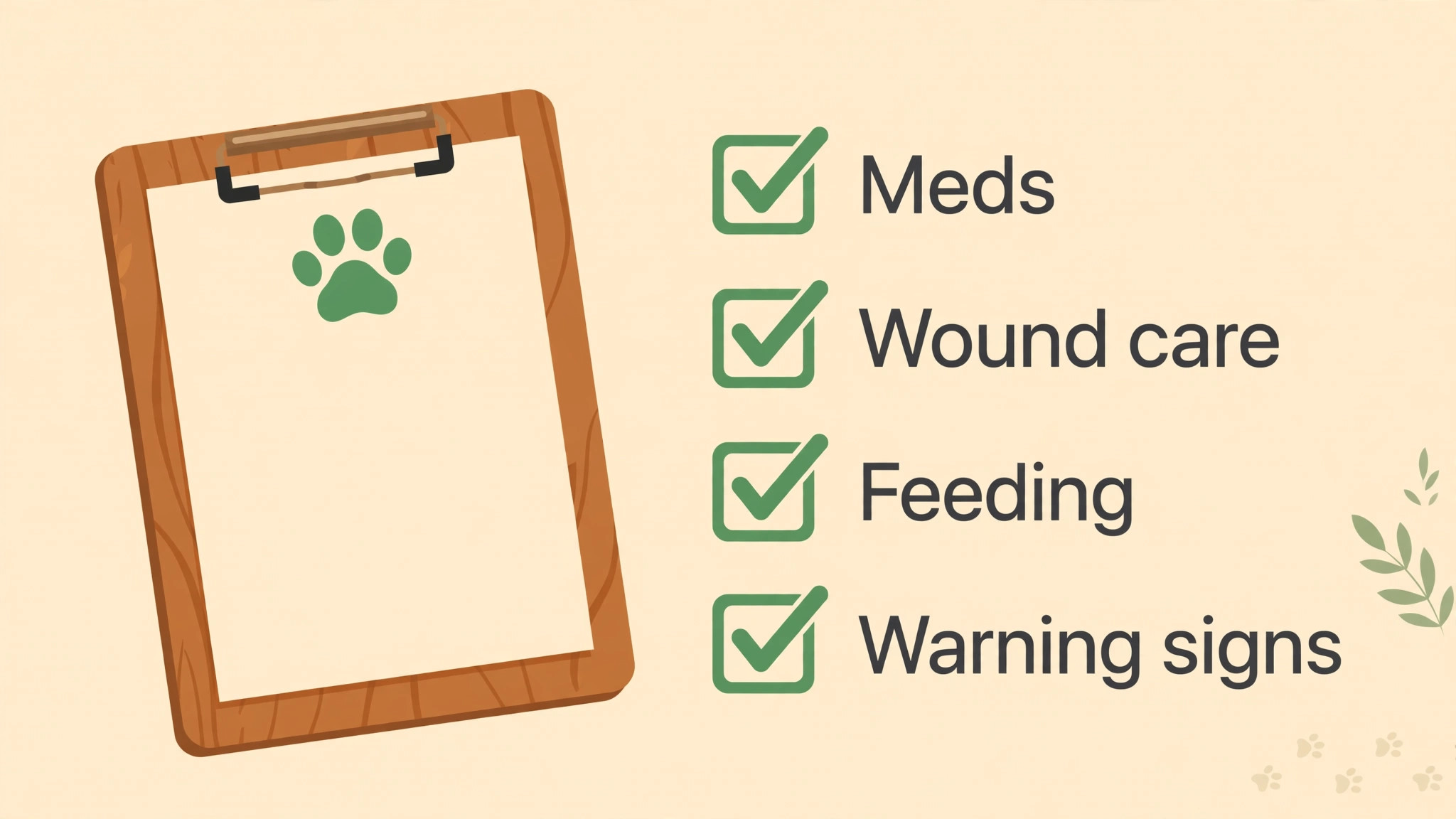
A discharge note should be short, specific and written for the owner, not for the medical record. The medical record needs full detail. The owner needs the next 48 hours, in plain language. Start with what was done, in one sentence. Then list medications, with dose, frequency, start and stop dates, and whether to give with food. Then list activity limits, wound care steps, feeding guidance, and what to watch for. End with when the next check is due, and how to contact the clinic, including out-of-hours arrangements. If any of that is missing, the owner will guess, and guessing is where aftercare goes wrong.
AI can draft that owner version from the clinical note, but it must not invent or summarise clinical detail on its own. The workflow should be that a vet or nurse writes or approves the clinical points, AI drafts the plain-language version, and a staff member checks it before it is sent. Check medication names and doses against the record, check dates, and check that any procedure-specific warning is present. A drafted note that swaps morning and evening doses, or drops a warning about a particular drug, is worse than no note at all. Build a checklist for this review, and do not skip it when the clinic is busy, because busy days are when errors are most likely.
Format matters too. Send the discharge note in a channel the owner actually reads, usually text with a link to a fuller page, plus a printed copy at discharge where possible. Use short paragraphs, numbered steps for medication and wound care, and bold headings for warning signs, if your messaging format supports them. Avoid jargon. Write “the cut” as well as “incision” on first use, so an owner who does not know the medical term still understands. Include a photo guide where helpful, such as what a normal healing wound looks like versus a wound that needs a call, but label photos clearly and note that every patient heals differently, so a photo is a guide, not a diagnosis.
Timing of the discharge note matters as much as its content. Send it on the day of discharge, before the owner leaves if possible, or immediately after, so the owner does not have to rely on memory from a lobby conversation. Penn Vet’s discharge guidance makes a related point, that instructions should be discussed before the pet is brought out, so the owner’s attention is on the instructions, not on reuniting with their pet. That principle applies to messages too. Send the note when the owner can read it calmly.
Check-In Timing by Procedure Type
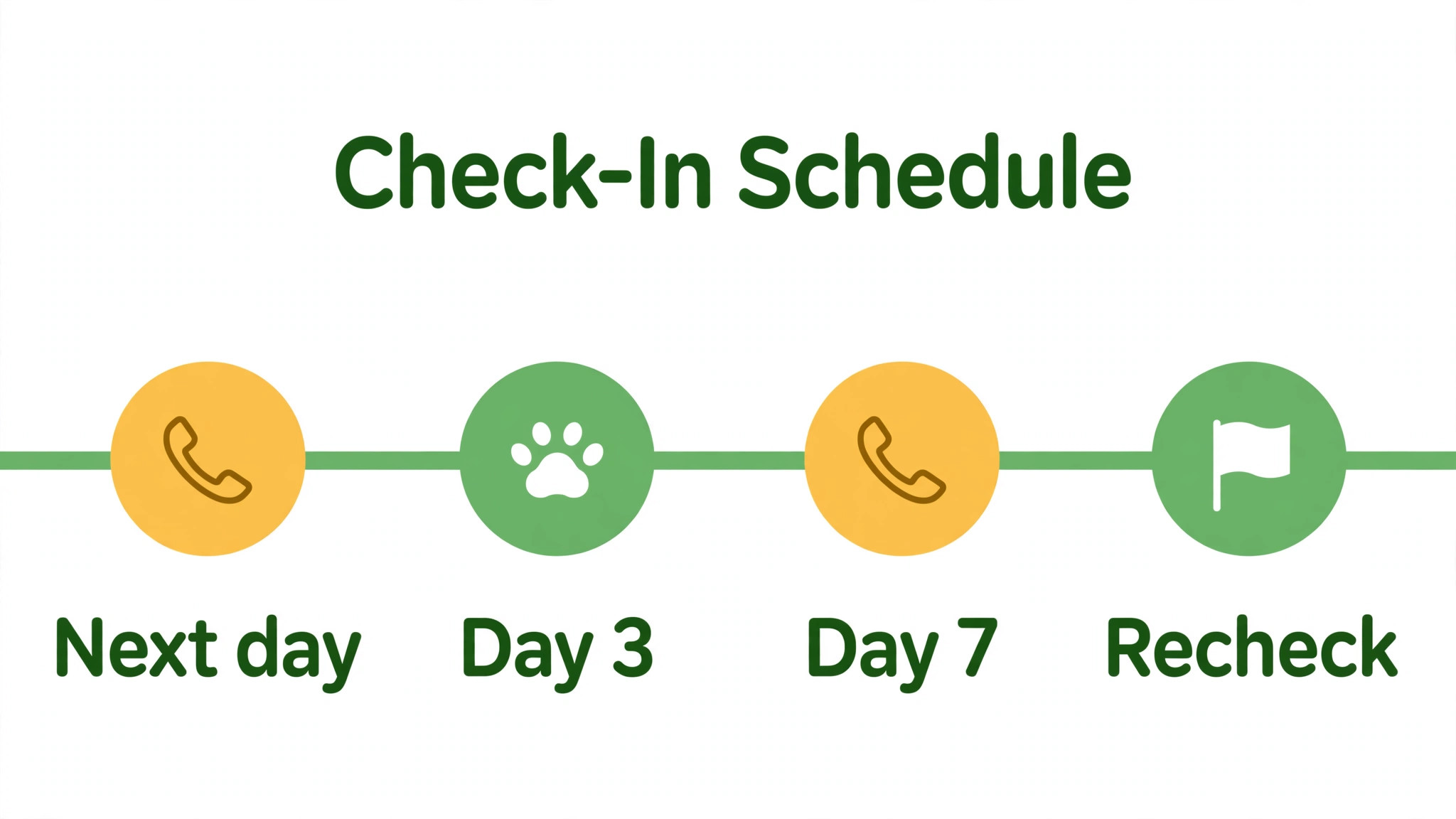
There is no single check-in schedule that fits every patient. A routine dental cleaning needs a different follow-up from orthopaedic surgery, and a chronic condition review needs a different pattern from a one-off wound repair. The table below is a starting framework, to be adjusted by the treating vet for each patient. AI should schedule from the procedure type and the vet’s notes, not from a generic template that treats every patient the same.
| Procedure type | First check-in | Next checks | Recheck or milestone |
|---|---|---|---|
| Routine dental or minor procedure | Next day | Day three if no reply | Recheck as advised by vet |
| Soft tissue surgery | Next day | Day three, day seven | Suture removal around day 10 to 14 |
| Orthopaedic surgery | Next day | Day three, day seven, week three | Radiographs around week six to eight |
| Wound repair or bandage case | Next day | Day two to three, then per bandage plan | Bandage change as scheduled |
| Chronic condition start or medication change | Day two to three | Week one, week two | Review appointment as advised |
| Palliative or complex medical case | Next day, by phone | As agreed with owner | Review based on patient response |
The next-day check-in is the most important message in the whole sequence. It should ask three things. How is the pet eating, drinking and resting. How does the wound or treated area look, if applicable. And is the owner managing medication and activity limits, or struggling with them. Keep the questions simple, and invite a photo where a wound or skin issue is involved. A photo does not replace an examination, but it helps staff decide whether a patient needs to be seen urgently, soon, or can continue at home with reassurance. Any photo that suggests infection, wound opening, or severe pain should trigger a human review immediately, not an automated reassurance.
Day three is where many clinics stop, and where problems often appear. Swelling, reduced appetite, or a pet that is suddenly more lethargic can emerge after the first day, when initial pain relief wears off or activity increases. A day three message that asks specifically about those signs will catch issues that a generic “how is your pet” message misses. Day seven is a good point to review medication supply, activity progress, and whether the owner is ready for the recheck. For orthopaedic cases, later checks should focus on activity restriction compliance, because that restriction is hard for owners to maintain over weeks, and gentle reminders help more than a single instruction at discharge.
Owners who do not reply need a different path, not just more of the same message. If a patient had surgery and the owner has not replied by day two, a staff member should call. Silence after surgery is not the same as a routine non-reply after a vaccination. It may mean the owner is overwhelmed, the phone number is wrong, or the pet is unwell and the owner does not know how to describe it. AI can flag non-replies, but a human should make the call, because that call is both a clinical check and a trust-building moment.
A Step Workflow From Discharge to Recheck
This workflow assumes a small clinic with a practice management system, a messaging tool with AI drafting and triage, and staff approval for clinical content. Keep the order, adapt the tools, and do not skip the human checks.
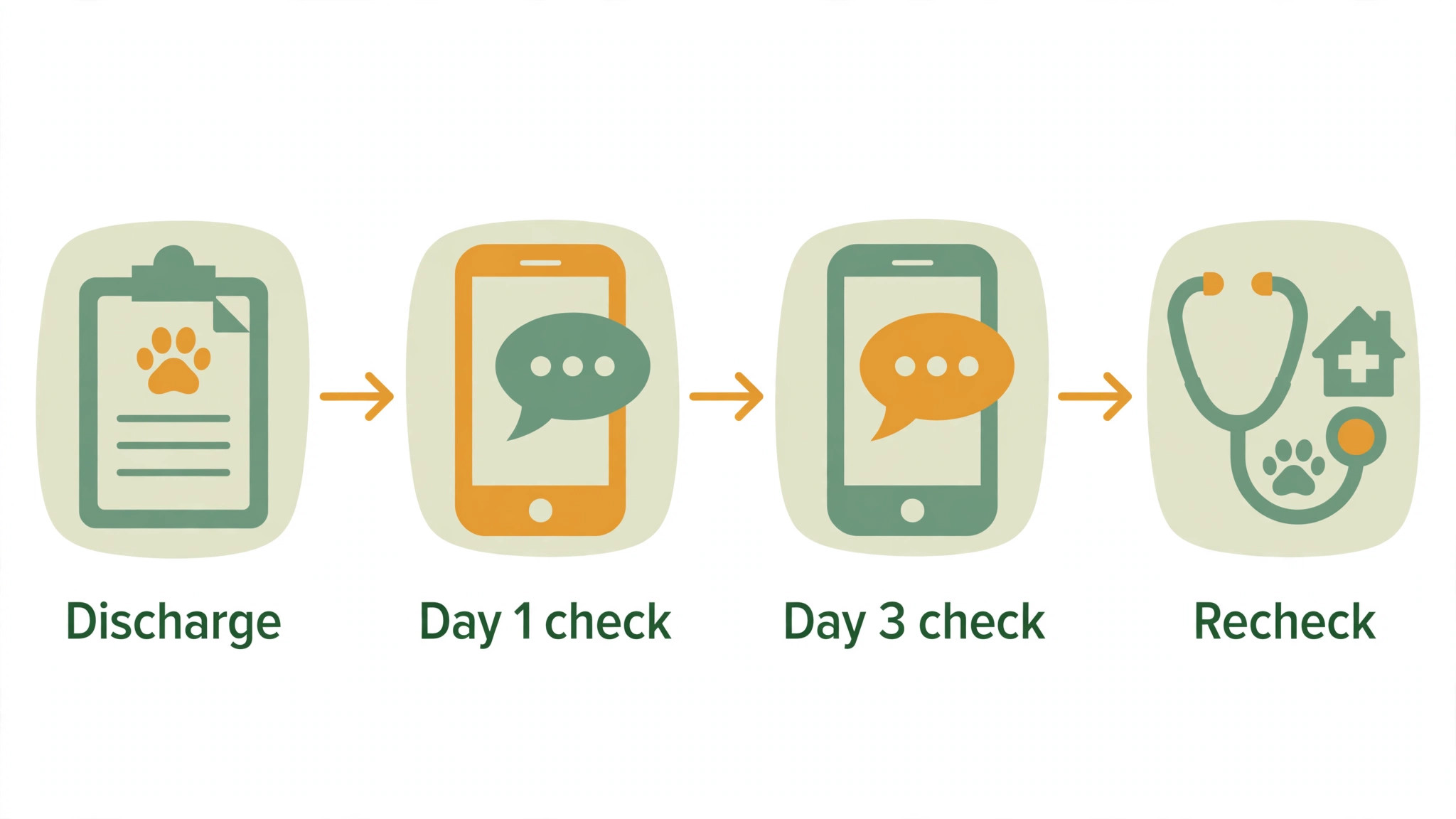
Step 1, approve the discharge note before it leaves the clinic
The treating vet or nurse approves the clinical points. AI drafts the owner version in plain language. A second staff member checks medication, dates and warnings against the record. Only then is the note sent, on the day of discharge, in the owner’s preferred channel, with a printed copy where possible. Record that the note was sent, and what version was sent, so later messages do not contradict it.
Step 2, schedule check-ins by procedure type at discharge
Do not leave scheduling to memory. At discharge, set the check-in sequence from the procedure table, adjusted for the individual patient. AI can propose the schedule, but staff confirm it, especially for complex cases. Tell the owner when to expect messages, so a message does not feel like spam. A simple line such as “we will check in tomorrow, and again in three days” sets expectations and increases reply rates.
Step 3, send the next-day check-in and triage replies fast
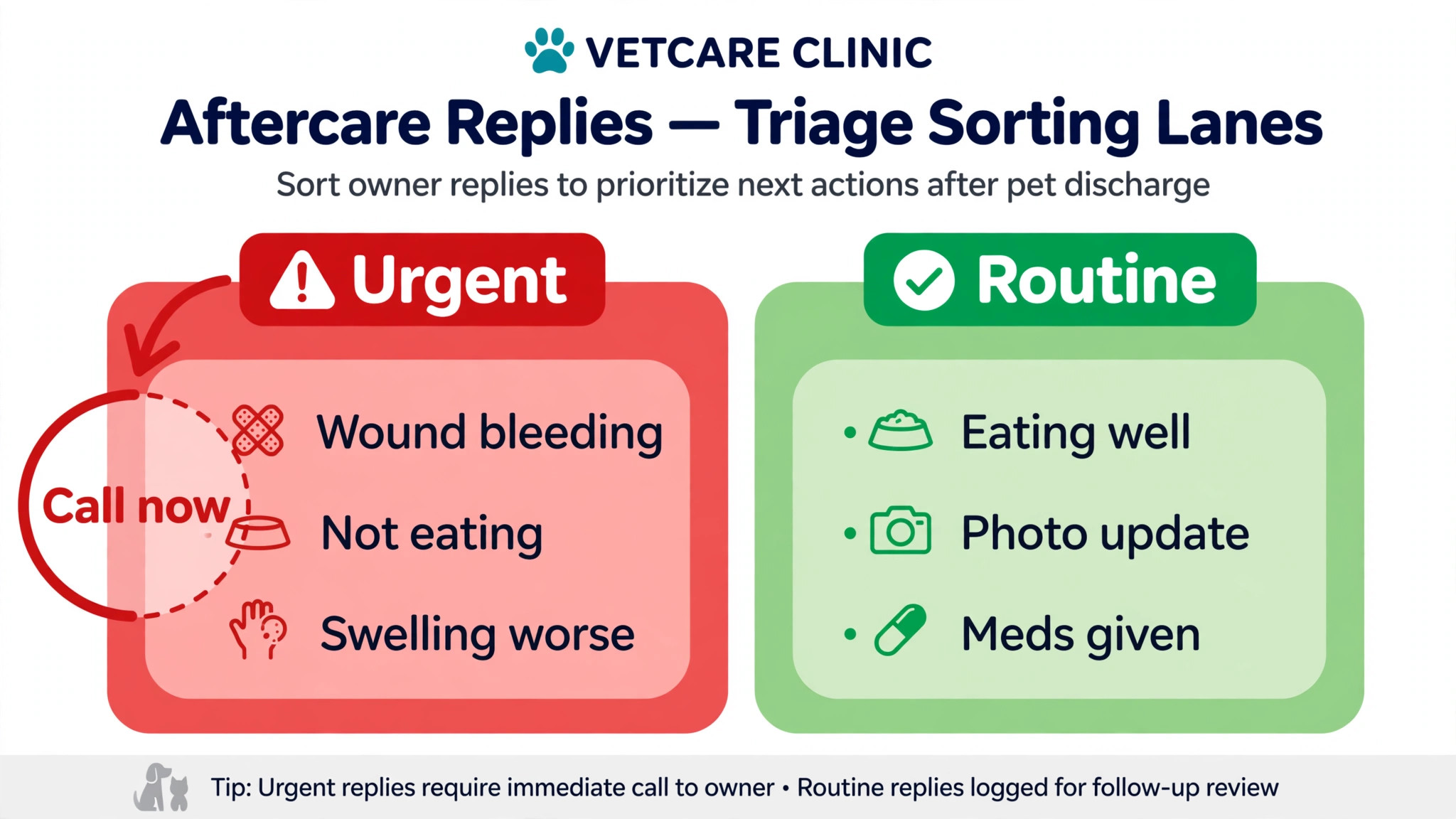
The next-day message asks about eating, resting, wound appearance, medication and activity limits, and invites a photo where relevant. AI sorts replies into routine, needs advice, and urgent. Routine replies get a brief acknowledgement and any approved general guidance. Advice replies go to a nurse for a same-day response. Urgent replies, mentioning wound opening, heavy bleeding, severe pain, vomiting, collapse, breathing difficulty, or a pet that cannot urinate, go straight to a vet or emergency guidance, with no automated clinical advice beyond urging immediate contact. Test this triage regularly with sample messages, because a triage rule that has never been tested is not a safety system.
Step 4, run the day three and day seven checks with specific questions
Day three asks about swelling, appetite, energy, medication tolerance and activity compliance. Day seven reviews medication supply, wound progress, activity and readiness for recheck. AI drafts these messages from the procedure type and prior replies, so a patient who already reported a problem does not get a generic message that ignores it. Staff review any message to a patient with an open issue before sending. That review takes a minute, and it prevents the most damaging aftercare error, which is a system that sounds as if it has not been listening.
Step 5, prompt refills before medication runs out
AI can calculate when a medication course will end, based on dose, frequency and quantity dispensed, and prompt the owner a few days before it runs out. The prompt should ask whether the medication is still needed, whether the pet tolerated it, and whether a refill or a review is appropriate, rather than automatically offering a refill for every drug. Some medications need a review before refilling, some should not be stopped suddenly, and some should not be continued without a recheck. Staff should approve refill prompts for any drug where continuation needs clinical judgement, and the prompt should never suggest a dose change. That decision belongs to the vet, after a review of the patient.
Step 6, close the loop at recheck and record what worked
At recheck, review the aftercare messages, the owner’s replies, any photos, and what actually happened at home. Note whether activity limits were followed, whether medication was completed, and what the owner found hardest. Record those notes in the patient record, in a form the next clinician can use. If cone use was the hardest part, the next discharge note for a similar patient should include extra cone tips. Aftercare improves when each case teaches the next one, and AI can help spot those patterns, provided staff record honest notes, not just “owner compliant” for every patient.
The Aftercare Message Template
Copy these templates for use AI for veterinary clinic aftercare follow up, adapt the placeholders, and have a vet approve any clinical wording before use. Keep texts short, warm and specific. Do not include a diagnosis, a dose change, or a new medication suggestion in an automated message. Those decisions need a vet, after a review of the patient, not a template.
Discharge message, day of treatment. “Hi [owner name], [pet name] is home after [procedure]. Thank you for trusting us with [his or her] care. [His or her] medication is [medication, dose, frequency, with or without food], until [date]. Please keep [activity limit] and keep the cone on [duration, if applicable]. The full discharge note is here. [link]. If you are worried, call us on [phone]. Out of hours, contact [emergency details].”
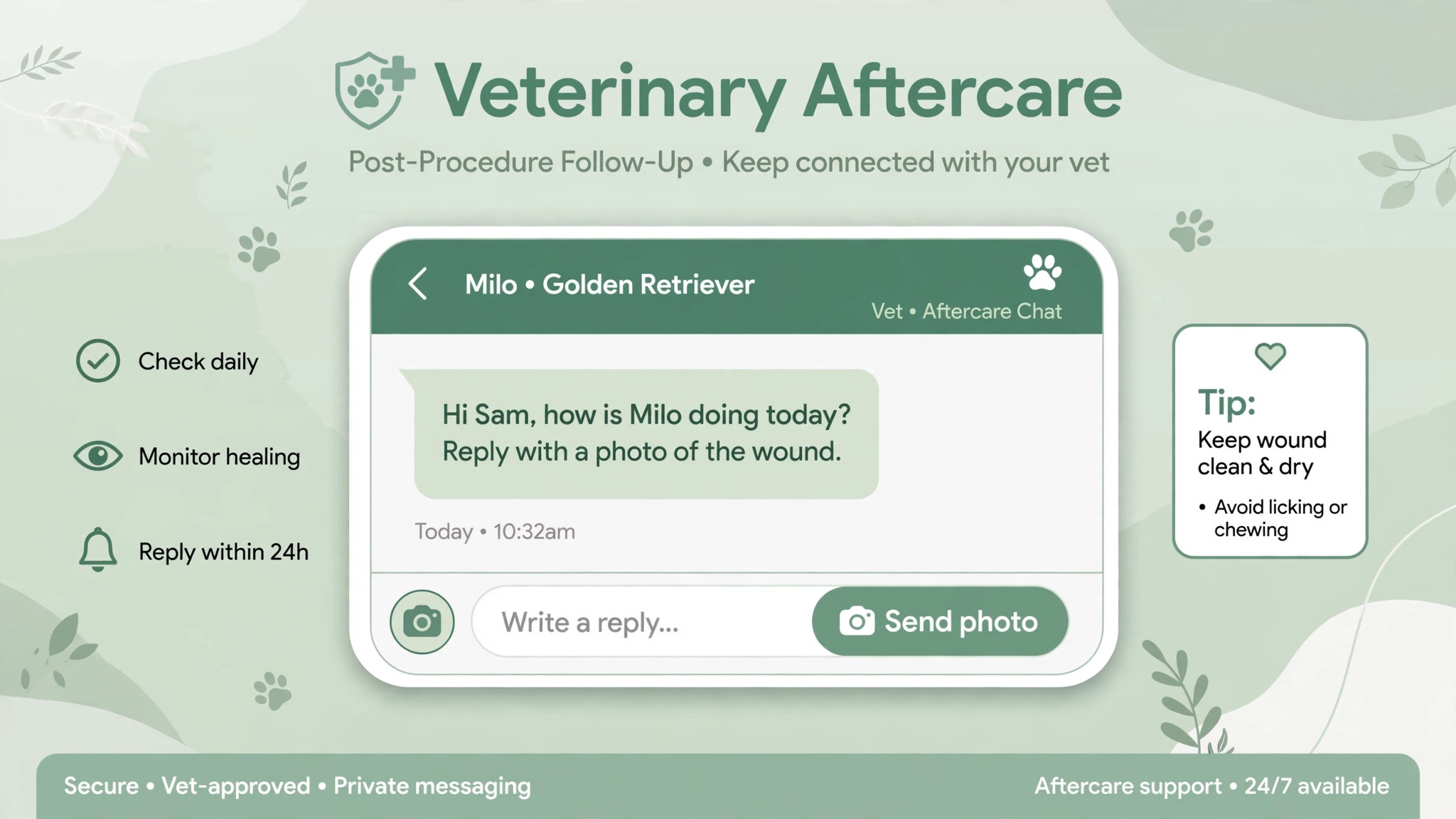
Next-day check-in. “Hi [owner name], how is [pet name] today after [procedure]. Is [he or she] eating, drinking and resting. How does the wound look, if there is one. Are you managing the medication and activity limits, or is anything tricky. Reply here, and send a photo of the wound if you are unsure. If you are worried about bleeding, wound opening, severe pain, vomiting or breathing, please call us straight away on [phone].”
Day three check-in. “Hi [owner name], a quick check on [pet name] three days after [procedure]. Any swelling, reduced appetite, tiredness, vomiting or diarrhoea. Is [he or she] tolerating the medication. Is activity restriction going okay. Reply here with any concerns, and we will get back to you today. If anything feels urgent, please call [phone] rather than waiting for a message reply.”
Day seven check-in. “Hi [owner name], [pet name] is a week on from [procedure]. How is the wound healing, and how is activity going. Do you have enough medication until the recheck on [date]. If you need a refill, or if anything has changed, reply here and we will advise. If the wound has opened, or [pet name] seems in severe pain, please call [phone] straight away.”
Refill prompt, a few days before medication ends. “Hi [owner name], [pet name]’s [medication] will run out around [date]. Is [he or she] tolerating it well. Do you need a refill, or should we arrange a review first. Reply here, and please do not change the dose or stop the medication suddenly without speaking to us. If you have any concerns, call [phone].”
Recheck reminder. “Hi [owner name], a reminder that [pet name] is due for a recheck on [day, date] at [time], after [procedure]. Please bring the medication list and any photos of the wound. If [pet name] is doing very well, we still recommend the recheck, so we can confirm healing and discuss activity. Need to change the time. Reply here or call [phone].”
Missed recheck message. “Hi [owner name], we missed [pet name] for [his or her] recheck on [date]. No worries, things happen. Would you like to rebook. Reply here or call [phone], and we will find a time. If [pet name] has any wound concerns, pain or reduced appetite in the meantime, please call us rather than waiting for the recheck.”
Review every template when a procedure protocol changes, when a medication is added or removed, and at least quarterly. Assign template ownership to one staff member, and log changes with dates. A template that was correct last year can become wrong after a protocol change, and AI will send the wrong version at scale if nobody checks it. That review is a clinical safety task, not an admin chore, and it should be treated as such.
How to Use AI for Veterinary Clinic Aftercare Follow Up Safely
Safety starts with a simple rule. AI drafts and sorts, humans decide. That rule should be written down, taught to every staff member, and built into the workflow, not left as a vague intention. A system that lets AI send clinical advice without approval will eventually send wrong advice. A system that requires approval for clinical content will be slower, but it will be safer, and owners will trust it more over time.
The way to use AI for veterinary clinic aftercare follow up safely is to define three buckets clearly, and test them. Routine messages, such as appointment reminders and general check-ins, can be automated with approved templates. Advice messages, such as a reply about mild swelling or a missed dose, go to a nurse for a same-day human reply, with no automated clinical answer. Urgent messages, mentioning wound opening, heavy bleeding, collapse, breathing difficulty, severe pain, or inability to urinate, trigger immediate human contact guidance, with a phone number and an instruction to call now. Staff should be able to explain those buckets in one minute, and new staff should be tested on them before they handle replies alone.
Photo triage needs the same discipline. A photo can help staff decide urgency, but it cannot diagnose, and it should never be answered with an automated “looks fine”. Every wound photo should be reviewed by a trained staff member, and the reply should be specific to that patient, not a generic reassurance. If a photo is unclear, ask for another photo, or ask the owner to come in, rather than guessing. Document photo reviews in the patient record, including who reviewed the photo and what was advised, so the next clinician can follow the thread.
Data handling matters too. Owner phone numbers, pet medical details and photos are sensitive. Use a messaging system that stores them securely, limits access to staff who need it, and deletes or archives them according to clinic policy. Do not use a general consumer AI chat tool for patient data unless it meets your privacy and data handling requirements, because a convenient tool that leaks patient data is not a good aftercare system. When in doubt, ask your practice management provider what messaging integration they support, and use that route first.
Mistakes That Make Aftercare Feel Cold or Risky
The first mistake when you use AI for veterinary clinic aftercare follow up is sending generic messages that ignore what the owner already told you. If an owner reported vomiting on day three, a day seven message that asks “how is your pet” as if nothing happened will feel careless, and the owner will stop replying. AI should draft from prior replies, and staff should check messages to patients with open issues. The second mistake is over-messaging. A patient messaged daily for two weeks, with no change in content, will tune out and miss the message that matters. Space messages by procedure type, and stop routine messages once the recheck is complete.
The third mistake is using AI to answer clinical questions directly. A reply that says “that swelling is normal” without a human review could be wrong, and could delay urgent care. Keep automated replies to acknowledgement and routing, such as “thank you, a nurse will review this today, and please call if you are worried”. The fourth mistake is forgetting owners who do not use text messaging. Some owners prefer calls, some need larger print, and some have limited phone access. Record preference at discharge, and offer a call path for every automated sequence. An aftercare system that only works for tech-comfortable owners will miss the patients who need it most.
For related reading on follow-up systems in other care settings, see animal shelter adoption follow-up, nutritionist meal plan follow-up, therapist session note summaries, setting up a client feedback loop and setting up a waitlist. The same discipline applies when you use AI for veterinary clinic aftercare follow up, and it is worth learning from them. Automate the routine, keep a human for the sensitive case, and measure whether owners actually reply and attend.
Measuring Aftercare Without Losing the Human Story
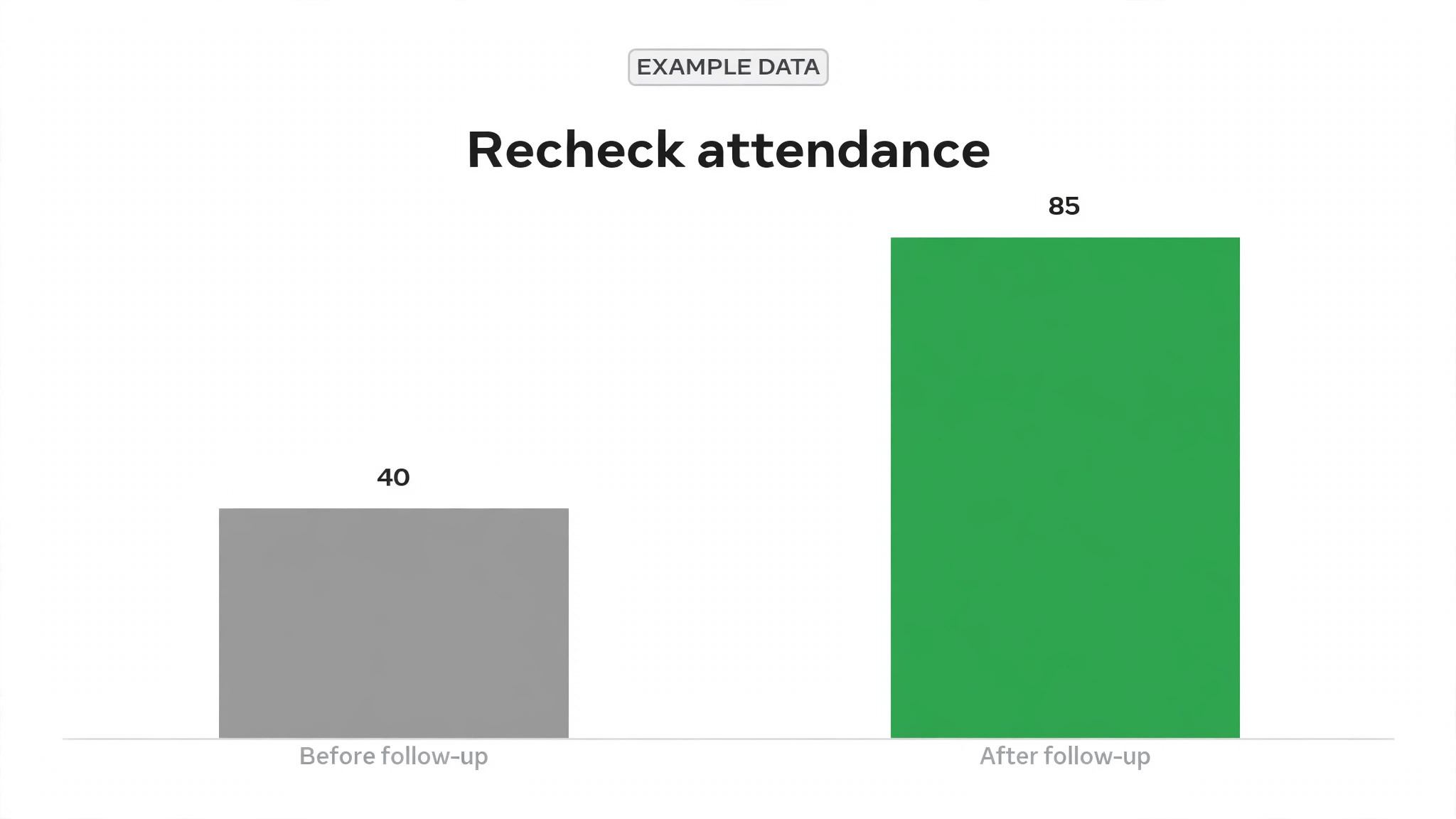
Measure reply rate, recheck attendance, refill completion, and the time from an urgent reply to a human response. Those four measures tell you whether the system is working, not just whether messages were sent. A system that sends 100 messages and gets 20 replies is not working as well as a system that sends 60 targeted messages and gets 50 replies. Track measures by procedure type, because orthopaedic cases and routine procedures will have different reply patterns, and an overall average can hide a problem in one group.
Also track the human story behind the numbers. Ask owners at recheck whether messages were helpful, too frequent, or unclear, and record one example of a message that helped and one that did not, each week. Those examples teach the team more than a dashboard, because they show wording that worked for a real owner. Review triage accuracy monthly, by checking whether urgent replies were flagged correctly, and whether routine replies were handled promptly. If urgent replies were missed, fix the triage rule and the staffing cover, not just the software setting.
A clinic that decides to use AI for veterinary clinic aftercare follow up should review its templates and triage rules quarterly, with a vet in the room. Protocols change, medications change, and owner expectations change, and a system that is not reviewed will slowly drift from current practice. That review should include a sample of real messages, real replies, and real outcomes, not just settings screens. If a template no longer matches protocol, change it, log the change, and tell the team, so nobody sends the old version from memory.
Frequently Asked Questions
Can AI diagnose a wound from a photo sent by an owner?
No. A photo can help staff decide urgency, but it cannot replace an examination, and it should never receive an automated diagnosis or reassurance. Every wound photo should be reviewed by trained staff, with a specific reply for that patient. If a photo is unclear, ask for another photo or ask the owner to come in, rather than guessing from a poor image.
How soon after surgery should a clinic check in?
The next day is the standard first check-in for most surgical patients, with a further check around day three and day seven, adjusted by procedure type. Orthopaedic cases need longer follow-up, including radiograph milestones around week six to eight, while routine procedures may need only a next-day check and a recheck reminder. The treating vet should confirm the schedule for each patient at discharge.
What should an owner do if they miss a medication dose?
That depends on the drug, so an automated message should not give a general answer. The safe automated reply is to acknowledge the message, advise the owner to call the clinic for guidance, and flag the message for a nurse the same day. Staff can then advise based on the specific medication, the time since the missed dose, and the patient’s condition, and record that advice in the record.
Should AI send refill prompts automatically for every medication?
No, not without a clinical check for drugs where continuation needs review. When you use AI for veterinary clinic aftercare follow up, AI can calculate when a course will end and draft a prompt, but staff should approve prompts for medications that should not be stopped suddenly, that need a recheck before refilling, or where the patient reported side effects. The prompt should ask about tolerance and need, and should never suggest a dose change on its own.
How do you handle owners who never reply to aftercare messages?
Flag non-replies by risk, not just by count. Silence after surgery deserves a human call by day two, because it may mean the owner is overwhelmed, the contact details are wrong, or the pet is unwell. Silence after a routine procedure can be handled with a second message and then a call if the recheck is missed. Record the outcome of every call, so the next follow-up does not repeat a message the owner already answered by phone.
Can aftercare messages replace the recheck appointment?
No. Messages support recovery between visits, but they cannot replace an examination, suture removal, wound assessment or radiograph review. Tell owners clearly that a good reply does not cancel a recheck, and remind them of the recheck date in the day seven message. If an owner wants to cancel a recheck because the pet looks well, a staff member should discuss it, rather than an automated message accepting the cancellation.
A Steady Verdict
Aftercare shows whether a clinic cares after the procedure, not just during it. AI helps when it makes discharge notes clear, check-ins punctual, triage fast, and refill prompts timely, while humans keep every clinical decision. It harms when it sends generic messages, answers clinical questions alone, or replaces a recheck with a text. Build around that distinction, test triage with real examples, review templates quarterly, and measure reply rates and recheck attendance. A clinic that does that, and that chooses to use AI for veterinary clinic aftercare follow up as an assistant rather than a replacement clinician, will catch problems earlier and keep owners calmer. That is achievable with a small team and a disciplined workflow.