
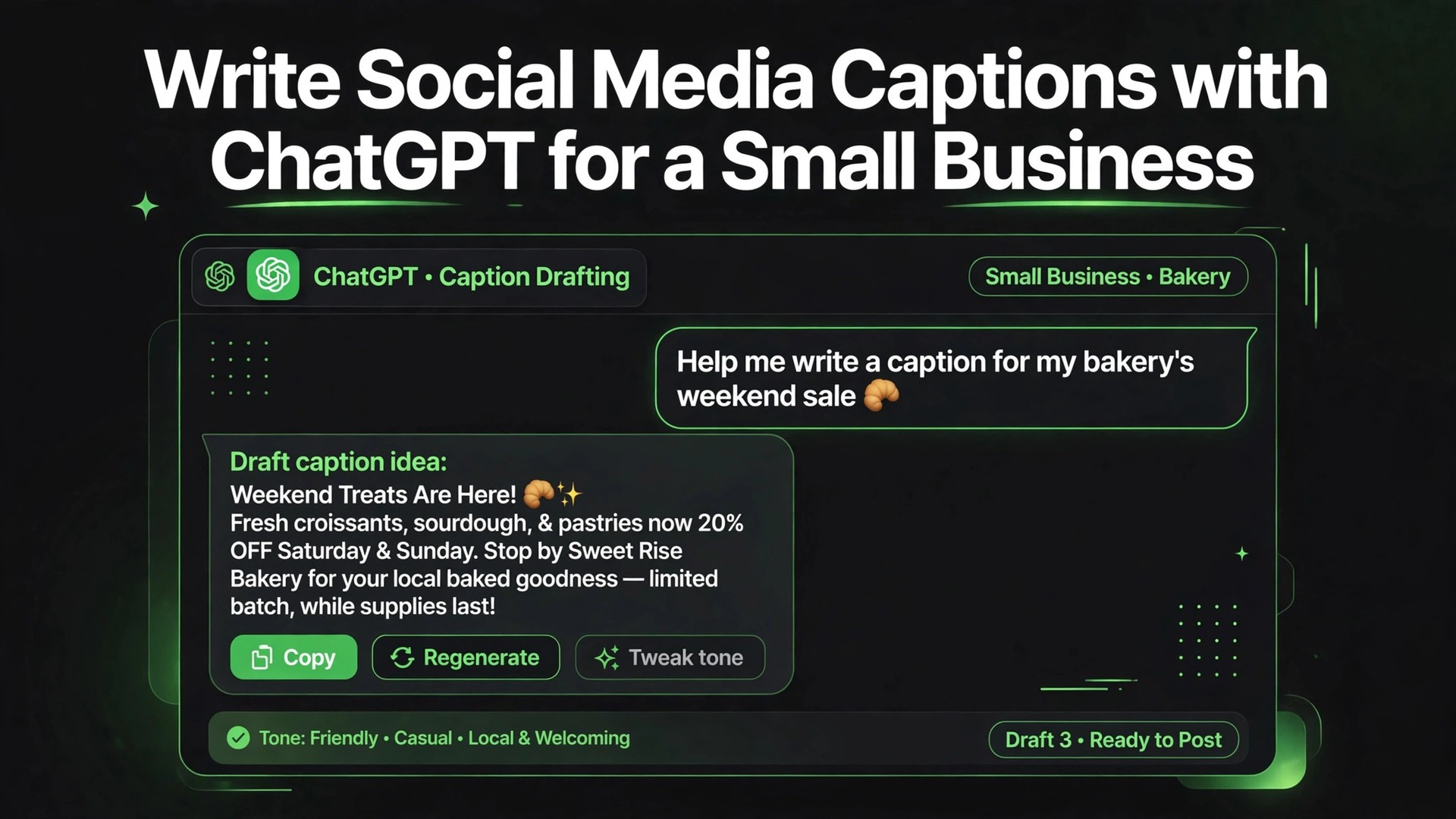
Small businesses do not usually fail on social media because they lack ideas. They fail because caption writing eats the hour that was meant for serving customers, answering messages, or preparing orders, and so posting becomes irregular, rushed, or abandoned. Surveys of small business owners repeatedly show time as the main barrier to consistent marketing, and captions are a large part of that time cost, because a good caption must be short, specific, on brand, and matched to a photo, all at once, which is why small businesses use ChatGPT for social media captions small business.
That pressure is why owners should use ChatGPT for social media captions small business owners can actually sustain, not as a machine that replaces their voice, but as a drafting partner that turns a rough idea into ten usable options in minutes. This guide shows how to build that partnership, from a voice profile to a prompt workflow, a checking routine, and a posting rhythm that survives busy weeks.
What a Caption Has to Do in Under Sixty Words
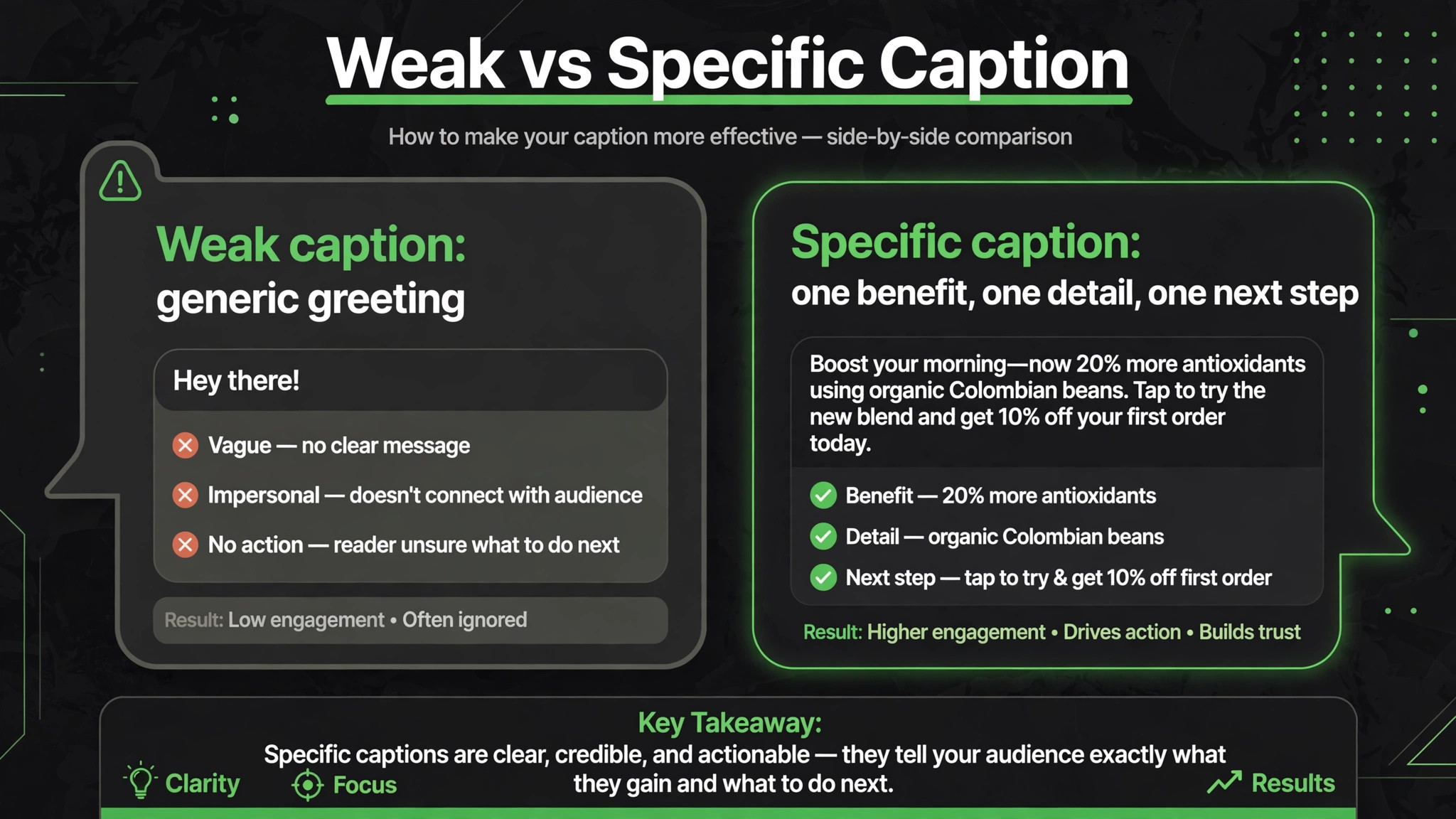
A caption is not an essay and it is not a slogan. It has one main job, which is to make a specific person stop, understand, and act, usually by commenting, saving, visiting, or buying. Everything else is secondary. A caption that tries to explain the whole business, list every feature, and tell a long story will lose the reader before the call to action. A caption that names one benefit, one detail, and one next step will be read to the end. That discipline matters more than clever wording, and it is the first thing to teach any drafting tool.
Length helps enforce that discipline. Most effective small business captions run between twenty and sixty words, plus hashtags where the platform uses them. Shorter captions work for strong photos, where the image already tells the story and the words only need to direct attention. Longer captions work for teaching posts, customer stories, and explanations, where the reader expects detail. The mistake is using the same length for every post. A photo of a finished cake does not need eighty words. A post explaining why a service costs what it does may need a hundred. Match length to purpose, and let the drafting prompt state the target length explicitly.
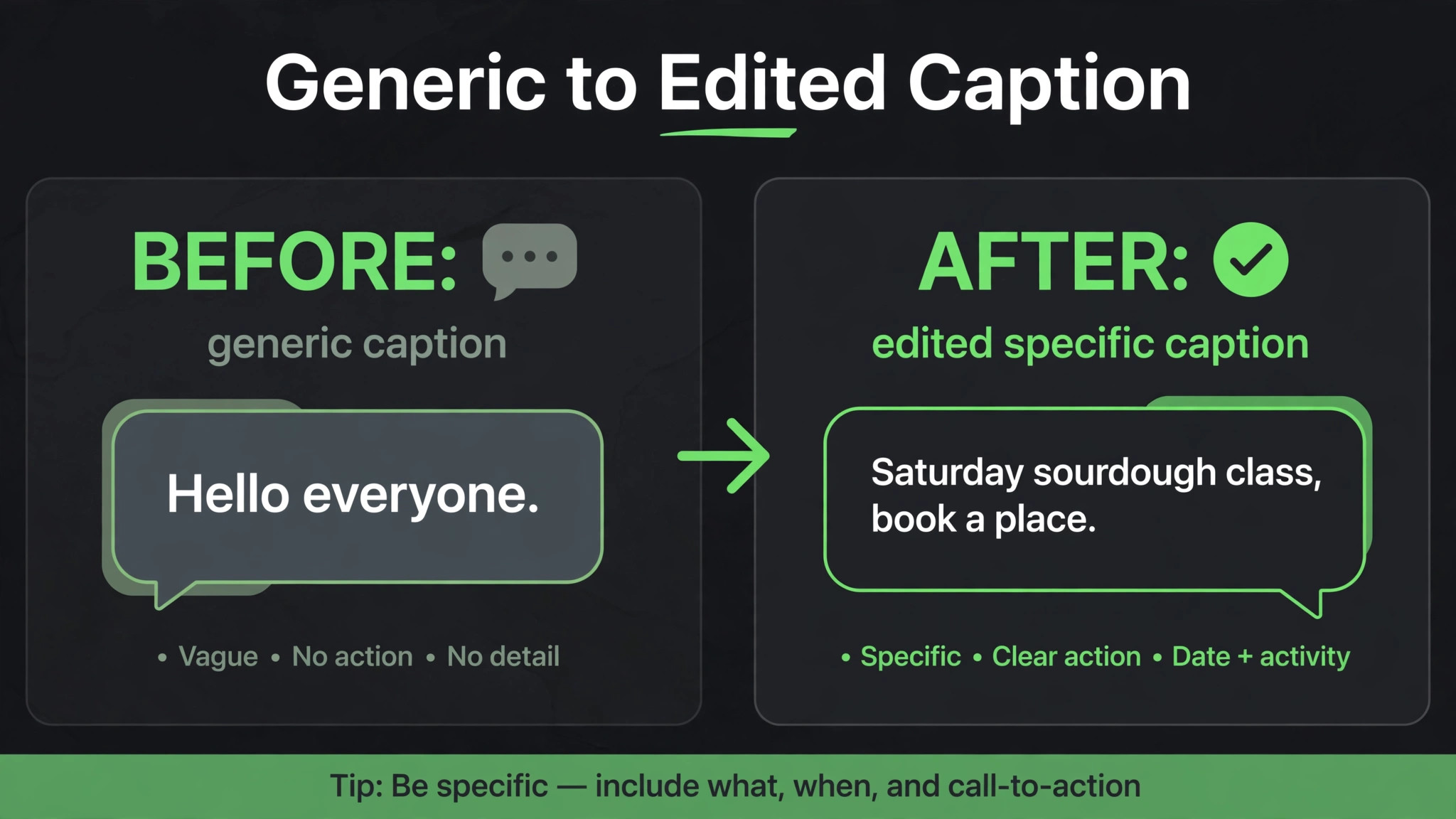
The opening line carries disproportionate weight, because platforms truncate captions and readers decide in seconds whether to tap for more. A strong opening names a result, a problem, or a specific detail, such as a new menu item, a Saturday workshop, or a common mistake customers make. A weak opening starts with a generic announcement, a greeting to everyone, or a phrase that could belong to any business in any town. When you review drafts, read only the first line of each option. If it could be swapped to a competitor without changing meaning, discard it and ask for a more specific opening.
Building a Brand Voice Profile Before You Prompt
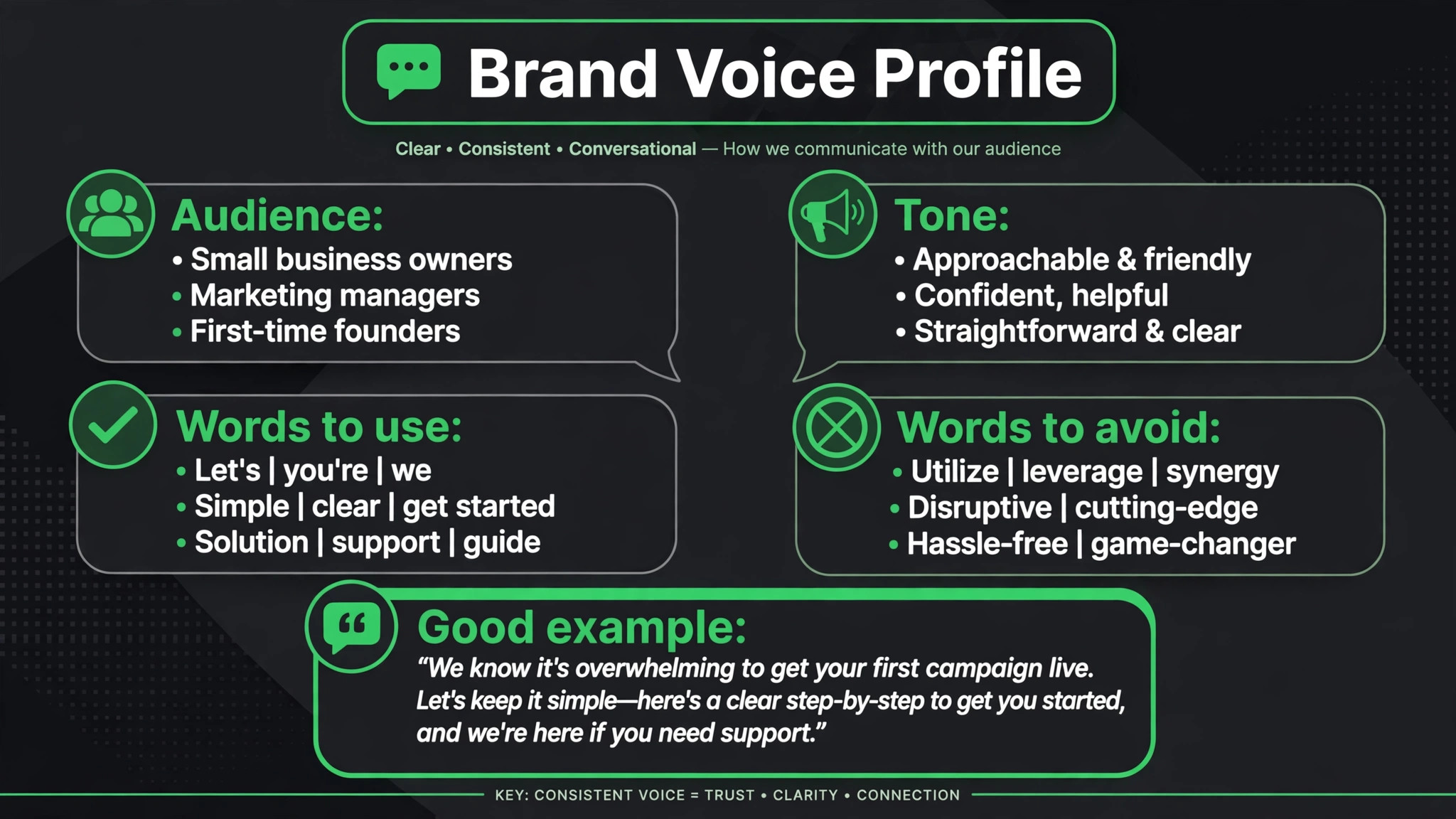
ChatGPT cannot sound like your business if you have never told it what your business sounds like. A brand voice profile is a short document, kept in a note or a document you can paste into prompts, that answers five questions. Who are your customers, in plain terms. What tone do you use, for example warm and direct, or playful and practical. What words do you use often, and what words do you never use. What do you never claim, such as prices, dates, or results you cannot prove. What does a good post look like, shown by two or three examples of your own past captions that performed well.
Write the profile from real examples, not aspirations. Copy two captions you were proud of and one that felt wrong, and note why each worked or failed. The wrong example is often more instructive, because it shows the tool what to avoid. If your business never uses slang, say so. If you always address customers by first name in store but keep social posts more formal, say that too. Specificity in the profile saves dozens of corrections later, because the tool stops guessing at your tone and starts working within boundaries you set.
Keep the profile short enough to paste every time, ideally under two hundred words. A long brand document will be ignored in practice, because pasting it becomes a chore. A short profile, pasted as the first paragraph of a prompt, becomes a habit. Update it quarterly, or when you notice drafts drifting. If you change your offer, your audience, or your tone, update the profile first, then generate new captions. Otherwise you will spend weeks correcting drafts that were built on an outdated description of your business.
The Caption Prompt Workflow That Prevents Generic Output
Generic output comes from generic prompts. A prompt that says write a caption for my business will produce a caption for any business, because the tool has no facts to work with. A good prompt supplies facts, constraints, and a format, and it asks for options rather than a single perfect caption. Options matter, because choosing among ten drafts is faster and more creative than editing one mediocre draft into shape.
A strong workflow, for anyone who wants to use ChatGPT for social media captions small business owners can repeat weekly, has four steps. First, write a facts block. Business type, location if relevant, audience, offer or topic, photo description, and any detail that must be true, such as a date, a price, or a limit. Second, paste the voice profile. Third, state the format, including platform, length, number of options, opening style, call to action, and hashtag rules. Fourth, add a guardrail, such as do not invent prices, events, or products not in the facts. That last sentence is the most important one in the whole prompt, because it stops the tool from inventing a special offer you never ran.
Work in batches of ten captions at a time, not thirty. Ten is easy to review, easy to correct, and easy to schedule. Thirty in one output encourages skimming, and errors slip through, such as a mention of a product you discontinued or a seasonal reference that is out of date. After the first batch, give one correction prompt that fixes a pattern, such as make openings more specific, rather than correcting each caption individually. Pattern corrections improve the next batch as well, while individual corrections only fix one post.
| Prompt part | What to include | Example content |
|---|---|---|
| Facts | Business, audience, offer, photo | Bakery, local families, Saturday sourdough class, photo of ovens |
| Voice | Tone, words to use and avoid | Warm, direct, no corporate phrases |
| Format | Platform, length, options, action | Instagram, under sixty words, ten options, book a place |
| Guardrail | What never to invent | No invented prices, dates, or products |

Turning One Idea Into a Week of Posts
One strong idea, when you use ChatGPT for social media captions small business owners can scale, should produce several posts, not one. A new product, a seasonal change, a customer question, or a behind the scenes moment can each become an educational post, a story post, a question post, and a promotional post, spread across a week. That repurposing is where a drafting tool earns its time saving, because it can rewrite the same facts for different purposes without you starting from a blank page each time.
Start with the facts block for the idea, then ask for four versions with different jobs. The educational version teaches one useful thing. The story version shows how the product or service came about. The question version invites comments by asking readers about their own experience. The promotional version states the offer, the limit, and the next step clearly. Review the four versions together and check that they do not repeat the same opening line or the same claim. Repetition across a week makes a feed feel automated, even when each post was written with care.
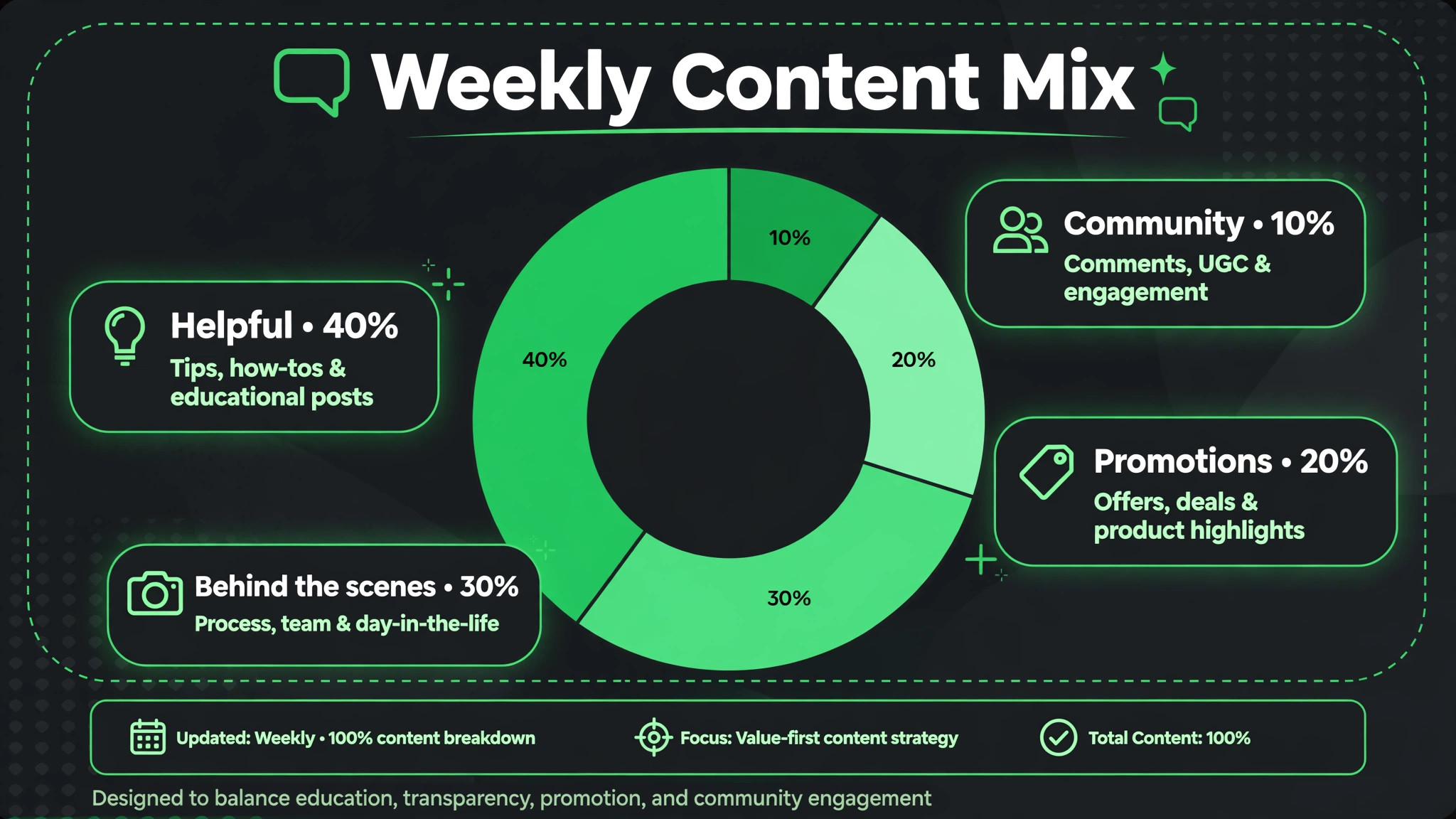
A weekly mix also protects you from becoming a wall of advertisements. A useful planning mix, used by many small business guides, is roughly forty percent helpful or educational posts, thirty percent behind the scenes or people posts, twenty percent promotions, and ten percent community questions or fun posts. Those percentages are a guide, not a law, and they should shift with your season. A launch week will be more promotional. A quiet week can be more educational. The point is to check the mix before scheduling, so you notice when three promotions in a row have crowded out everything else.
Editing Drafts So They Sound Like You
Editing is where the voice is preserved, and it matters even more when you use ChatGPT for social media captions small business posts regularly, and it should take minutes, not longer than writing from scratch. Read each draft aloud, or at least in your head, in the voice you would use with a customer in store. If a sentence sounds like a press release, rewrite it as you would say it. If a claim sounds too grand, shrink it to the specific truth. If a hashtag list includes tags you would never use, delete them. Those three edits fix most drafts, and they are faster than rewriting the whole caption.
Check facts before tone. A caption with a wrong price, a wrong date, or a product you no longer sell will cause more damage than a slightly stiff sentence, because customers act on facts. Check names, spelling of product names, opening hours if mentioned, and any numbers. Then check tone. Then check the call to action. Is there one clear next step, and is it possible for the reader to take it? A caption that asks readers to comment, visit, book, and share all at once asks them to do nothing, because the instruction is unclear. One action per caption is enough.
Keep a small list of phrases you always cut. Many owners find the same generic phrases appearing in drafts, such as announcements of excitement, claims of uniqueness without evidence, and greetings to a broad audience. Cutting those phrases consistently teaches you what your voice is not, and over time your prompts can name them explicitly. A prompt that says avoid announcement style openings will produce better first drafts than a prompt that only says be authentic, because it names the specific habit to avoid.

Platform Differences That Change the Caption
Instagram, Facebook, and short video platforms do not reward the same caption. Instagram captions can be longer and often benefit from a question or a save prompt, because saves and comments signal value. Facebook captions often perform better when they are conversational and community focused, with a clear question that regulars can answer. Short video captions are usually very short, because the video itself carries the message and the caption mainly needs a hook and a call to action. Writing one caption and pasting it everywhere ignores those differences and wastes the strengths of each platform.
Hashtags also differ. On Instagram, a small set of relevant hashtags, including local and niche tags, helps discovery without looking cluttered. On Facebook, hashtags matter less, and a long hashtag block can look out of place. On short video platforms, a few trending or niche tags plus keywords in the caption text itself often matter more than a long list. Ask the drafting tool for platform specific versions, rather than one version with a generic hashtag block attached. The extra minute produces captions that fit where they will be read.
Accessibility and readability matter on every platform. Write in short sentences, avoid all caps for long passages, and describe the photo or video in the caption when the visual alone does not explain the offer. Readers who use screen readers, readers on small screens, and readers skimming quickly all benefit from clear, plain language. A caption that is easy to read is also easier to trust, because it does not hide behind jargon or decoration.
Scheduling, Consistency, and the Busy Week Plan
Consistency beats intensity for small businesses, which is why owners who use ChatGPT for social media captions small business routines need a schedule, not just a prompt. Posting three times a week for three months builds more trust than posting fifteen times in one week and then disappearing. A drafting tool helps consistency by letting you batch a week or a month of captions in one sitting, when you have time, and schedule them for weeks when you do not. Batching also improves quality, because you can compare posts side by side and spot repetition before anyone else sees it.
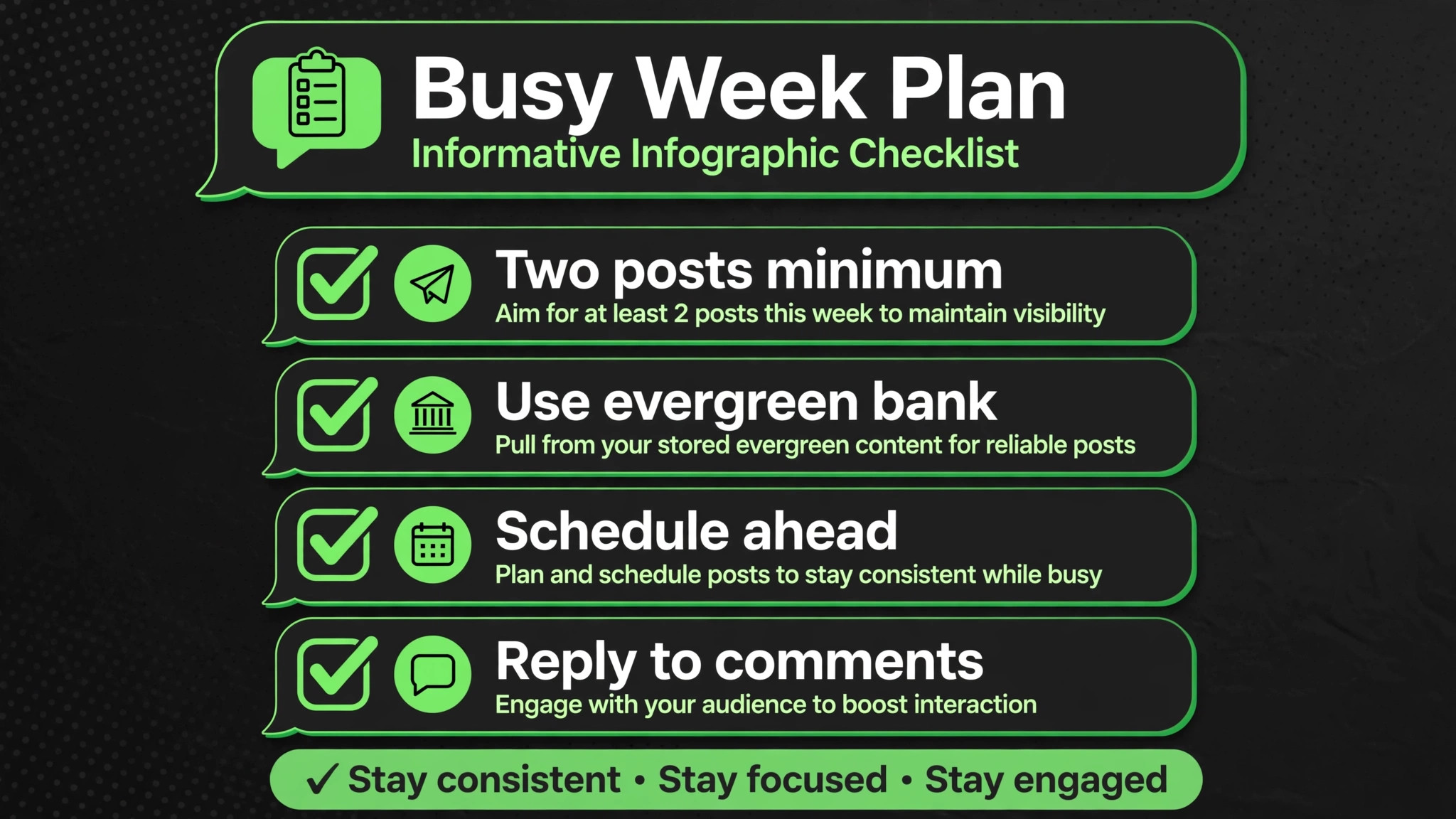
Build a busy week plan in advance. Decide the minimum posting rhythm you can keep when work is hectic, such as two posts a week, and prepare a bank of evergreen captions for those weeks. Evergreen captions cover topics that do not expire, such as how to choose a product, how to care for it, answers to common questions, and introductions to team members. When a busy week arrives, you schedule from the bank instead of skipping posting or rushing a weak post. That bank is one of the most valuable assets a drafting workflow creates, because it removes the daily pressure to invent something new.
Review performance monthly, not daily. Daily numbers fluctuate with timing, weather, and platform changes, and reacting to them leads to constant strategy changes. Monthly review shows which topics, formats, and calls to action actually produced comments, saves, visits, or sales. Keep the topics that worked, drop the ones that consistently underperformed, and note the difference in your voice profile or prompt notes. A monthly review of thirty minutes is more useful than daily checking, and it keeps social media in its proper place, which is supporting the business, not consuming it.
Mistakes That Make AI Captions Look Automated
The first mistake is posting drafts without editing. Unedited drafts share tells, such as similar sentence lengths, similar openings, and similar structures across posts. Readers may not name those tells, but they feel them as a feed that sounds impersonal. A five minute edit breaks those patterns, because your corrections introduce the variation and specificity that a tool alone cannot reliably produce.
The second mistake is inventing details. A tool that does not know your facts will invent plausible ones, such as a discount, a new flavour, or an event date. Those inventions are dangerous, because customers may arrive expecting something you never offered. The guardrail sentence in your prompt, plus a facts check before posting, prevents most inventions. If a draft contains a detail you did not supply, delete it or verify it before posting, without exception.
The third mistake is overposting from a single batch. Thirty captions generated in one session will share a style, even with good prompts, because they were created in one context. Spreading them over weeks, mixing them with real photos and real customer moments, and editing each one at scheduling time breaks that uniformity. A feed should feel like a business over time, not like a single afternoon of output.
The fourth mistake is ignoring comments and messages after posting. A caption is the start of a conversation, not the end of a task. Replying to comments, answering questions, and thanking customers turns a post into a relationship. A tool can draft replies too, but replies should be even more personal than captions, because they are directed at a specific person. Use drafts for replies only as a starting point, and always personalise them before sending.
A workflow only matters if it survives the third week, when novelty wears off and real work piles up. The workflows that survive share a common trait, which is that they are built around a repeatable weekly slot rather than daily inspiration. Choose one slot, such as Monday morning before opening, or Sunday evening after closing, and use it to draft and schedule the coming week. Protect that slot the way you protect a supplier delivery or a staff meeting, because once it slips twice, posting becomes irregular again and the old stress returns.
In that weekly slot, follow the same order every time. First, gather photos and facts for the week, including any offers, events, or customer moments worth sharing. Second, generate captions in batches of ten, reviewing each batch before moving on. Third, edit the chosen captions aloud and check facts. Fourth, schedule them and prepare any replies you expect, such as answers to common questions about price or availability. That fixed order removes decision fatigue, because you are not inventing a process each week, you are running one you already trust.
Keep a simple log of what you posted and how it performed, even if it is just a note in the same document as your voice profile. Over a month, that log reveals patterns a single week cannot show. Perhaps educational posts bring saves, question posts bring comments, and promotional posts bring visits but only when the offer is specific. Those patterns let you adjust the mix for the next month with evidence, rather than guessing. When you use ChatGPT for social media captions small business owners rely on week after week, the log is what turns drafting help into marketing learning, because each week teaches the next one.
The final survival habit is to lower the bar on hard weeks deliberately. A short, honest post with a real photo beats a skipped week, and it beats a long post written in a rush that contains an error. Decide in advance what your minimum post looks like, such as one photo, two sentences, and one question, and use that format when time is short. A system with a minimum version is a system that keeps going. A system that demands perfection every time will be abandoned at the first busy period, which is exactly when customers still expect to hear from you.
Measuring Captions Without Obsessing Over Numbers
Small businesses often judge captions by likes alone, which is a poor measure for a business that needs visits, bookings, or sales. Likes are easy to count and easy to misread, because a funny post can earn likes from people who will never buy, while a useful post can earn saves from people who return weeks later to book. Measure captions by the action they were designed to produce. An educational post should earn saves and shares. A question post should earn comments. A promotional post should earn clicks, messages, or bookings. Judging each post by its own job gives a fairer picture than comparing all posts by one number.
Track a small set of measures monthly. Note the best performing post in each category, the topic it covered, and the opening line it used. Note also the worst performing post, and ask whether the problem was topic, timing, photo, or caption. Often the caption is not the problem at all. A weak photo, a post published at a crowded time, or an offer that was unclear will hurt performance no matter how well the caption was written. Separating those causes stops you from rewriting captions endlessly when the real fix is a better photo or a clearer offer.
Use that monthly evidence to update your prompt notes. If specific openings worked, add them as examples in your voice profile. If long captions underperformed for your audience, set a shorter length target in your format instructions. If question posts consistently brought comments, increase their share of the mix. This feedback loop is slow, taking a month or two to show clear patterns, but it compounds. After three months, your prompts will be built from your own results, not from generic advice, and your captions will fit your audience in a way no template can copy.
Avoid comparing your numbers with large brands or influencers. Their audiences, budgets, and posting frequencies are different, and their measures do not apply to a local business with a few hundred or a few thousand followers. Compare this month with last month, and compare posts within your own feed. Steady growth in saves, comments, and enquiries matters more than a single viral post, because steady growth reflects a business that customers trust and return to, which is the real purpose of social media for a small business.
More Reading on Stratilyze
Readers who want to build a fuller marketing routine often continue with the guides on designing pins for a visual platform, planning a content calendar in a spreadsheet, and cutting short video clips for creators, because those pieces cover visuals, planning, and video alongside captions.
Frequently Asked Questions
Start with a facts block and a short voice profile, ask for ten options at a time, and check every fact before posting. Trust comes from the checking routine, not from the tool alone. If you paste facts, set a guardrail against invented details, and edit each draft aloud, the output will be reliable enough to post with confidence. If you skip those steps, even good drafts will eventually contain an error that undermines trust.
Will captions written with ChatGPT sound robotic
They will if you post them unedited, and they will not if you edit for specificity and voice. The main fixes are to replace generic openings with specific details, cut announcement style phrases, and read the draft as you would speak to a customer. Over time, your voice profile and correction prompts will reduce the amount of editing needed, but a short human edit should remain part of every post, because it is what makes the caption yours.
How many captions should I generate at once
Ten at a time is a practical batch. It is large enough to give you choice and small enough to review carefully. Larger batches encourage skimming and let factual errors slip through. If you need a month of content, generate in several batches of ten, reviewing each batch before starting the next, so corrections from one batch improve the next.
Can ChatGPT handle different platforms in one prompt
It can, but it works better when you ask for platform specific versions separately. Ask for an Instagram version with a question and relevant hashtags, a Facebook version with a community focus, and a short video version with a hook and a single action. That separation respects how each platform is read, and it avoids a compromise caption that fits none of them well.
What should I never let ChatGPT invent in a caption
Never let it invent prices, dates, offers, product names, opening hours, results, or customer quotes. Those details must come from your facts block or be verified before posting. A tool can invent plausible wording, but it cannot know your business facts unless you supply them. The guardrail sentence in your prompt should name these categories explicitly, so the tool treats them as off limits rather than as creative opportunities.
How do I keep captions consistent when several people post for the business
Share one voice profile and one prompt template with everyone who posts, and keep a small bank of approved examples. Review posts together monthly, noting which ones sounded on brand and which drifted. Consistency comes from shared inputs and shared review, not from hoping different people will guess the same tone. When the profile updates, tell the whole team and replace old prompt templates, so no one works from an outdated version.
A Caption System, Not a Caption Trick
The goal is not a clever prompt. It is a system you can run on a busy Tuesday, with facts, voice, options, editing, and scheduling working together. When that system is in place, captions stop being a daily source of stress and become a routine task, like opening the shop or checking messages. The business sounds like itself, posts regularly, and spends its creative energy where it matters most, which is serving customers and making the product or service worth talking about.
Start by writing your voice profile today, using two captions you liked and one you did not. Generate ten options for your next post, edit them aloud, and schedule the best one. Repeat that process for a month, review what worked, and adjust the profile. By the end of the month, you will have a workflow that fits your business, not a generic trick that fits everyone and therefore no one.