
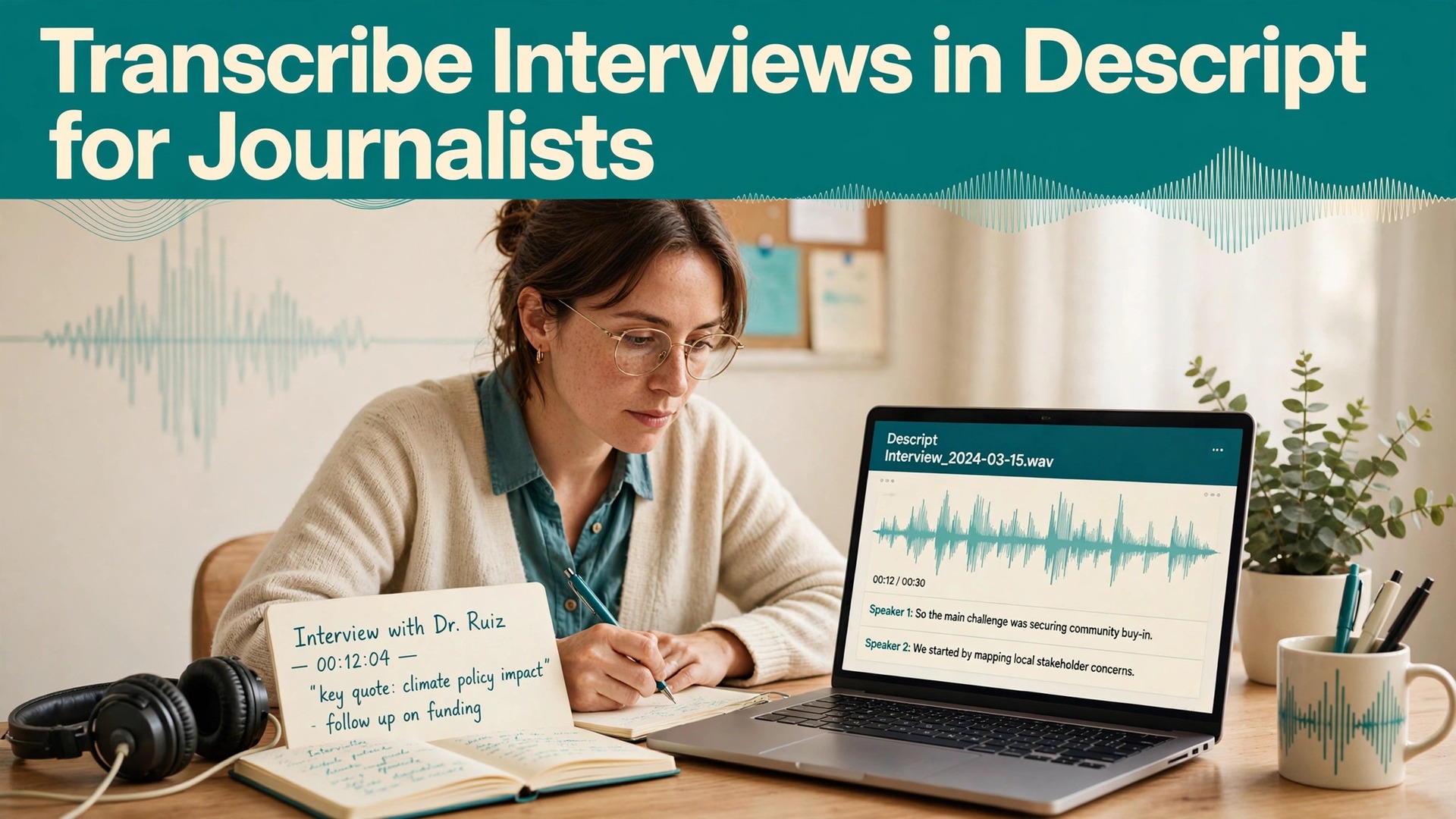
The verdict for journalists is straightforward. If you still transcribe interviews by hand, or by scrubbing audio in a timeline editor while typing, you are spending reporting time on typing, and your stories are slower for it. When you use Descript for interview transcription journalists get a text-based workflow that changes the job, because Descript transcribes the audio automatically, lets you edit the audio by editing the transcript, and keeps every word linked to the moment it was spoken. That link is what makes the tool safe for journalism, because any quote you plan to publish can be traced back to the audio in seconds, and verified against the recording rather than against your memory of it.
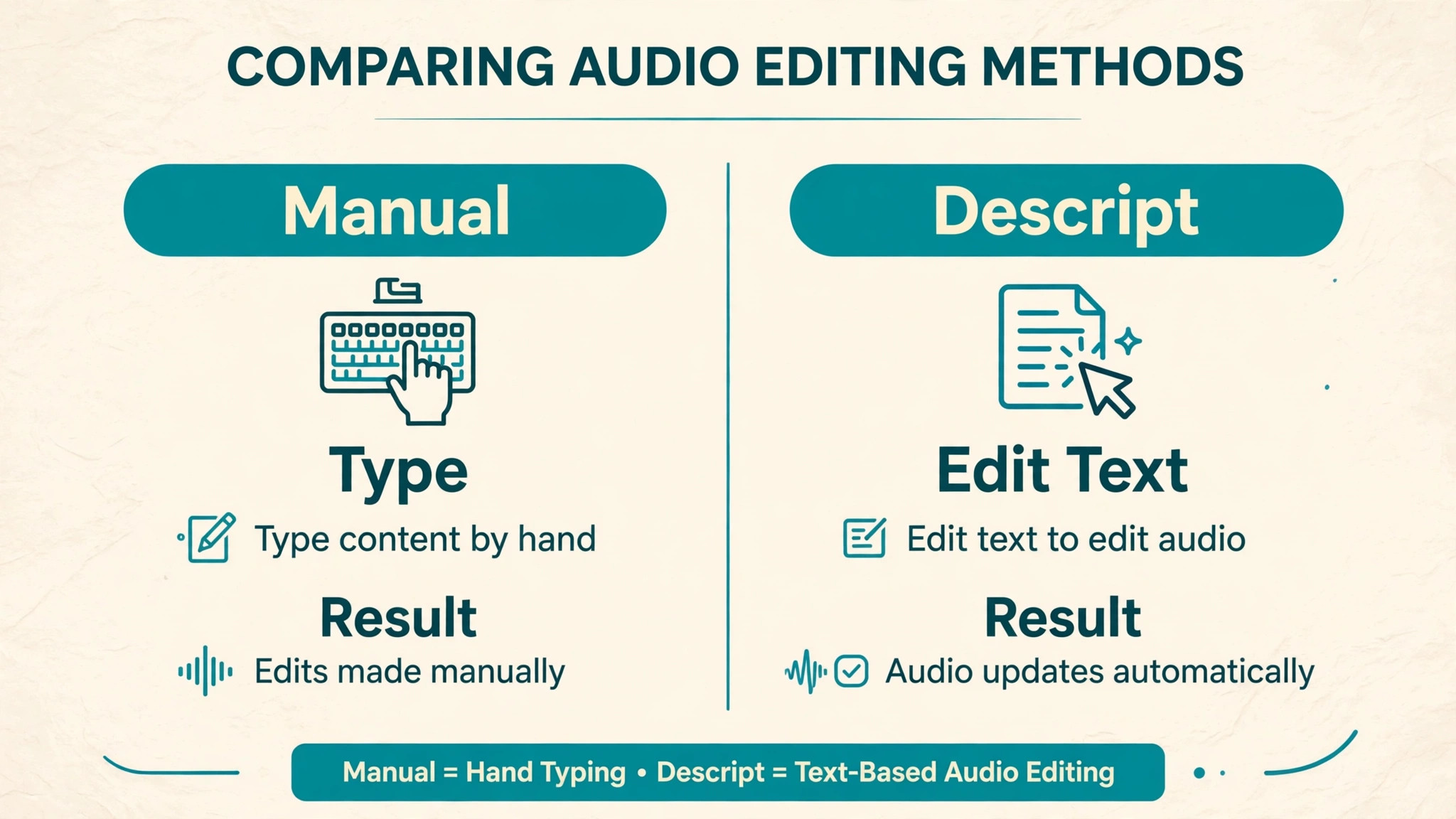
Descript’s core idea is simple. Upload audio or video, wait for transcription, and then work with the transcript as if it were a document. Delete a word in the transcript and the corresponding audio is removed. Move a paragraph and the audio moves with it. For journalists, the more important direction is the reverse, which is that correcting the transcript does not change the underlying recording, so the original audio remains the evidence, and the transcript is your working copy. Speaker labels, timestamps, and search turn a long interview into a navigable document, and the ability to jump from any sentence to its audio makes fact-checking fast enough to actually happen under deadline pressure.
This guide is written for journalists, not for podcast editors, and that distinction shapes every recommendation. A podcaster optimizes for a clean listening experience. A journalist optimizes for accuracy, attribution, and a defensible quote. That means slower, more careful correction passes, stricter rules about what counts as verified, and a workflow that preserves the original audio and the correction history. Speed matters, but a fast transcript with a wrong quote is worse than a slower transcript that is right, because a published error damages credibility in a way that a missed deadline rarely does. The workflow below is built for that standard.
Why Text Based Transcription Fits Reporting
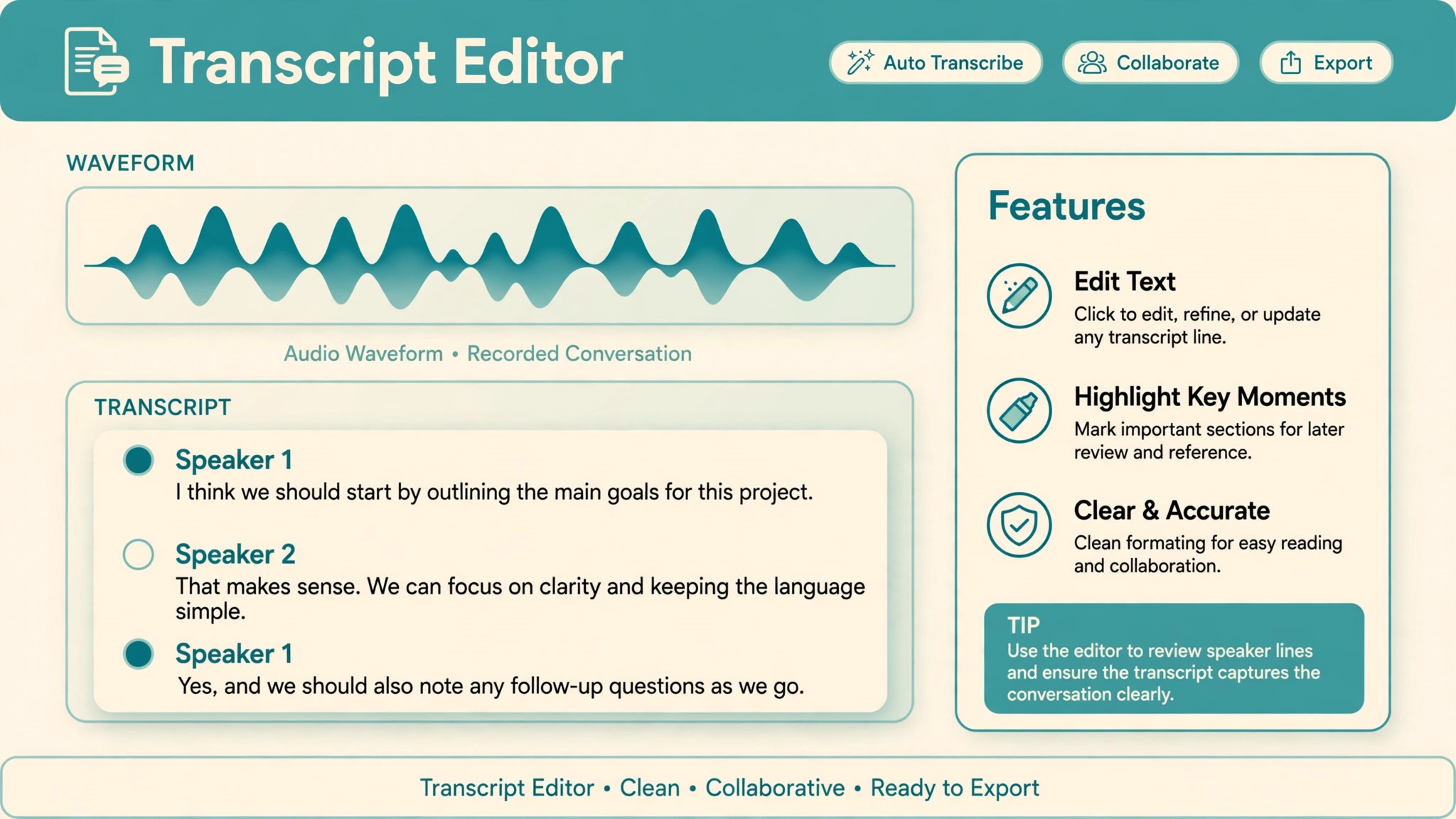
Traditional transcription separates the text from the audio. You type in one window, play audio in another, and constantly switch between them, losing your place and your train of thought. Text-based editing removes that switch. The transcript is the interface, and clicking any word plays the audio from that exact point, so checking a doubtful passage takes one click, not a search through a timeline. For a journalist working through a ninety minute interview, that difference compounds into hours saved, and more importantly, into checks actually performed, because a check that takes one click happens, while a check that takes two minutes of scrubbing often gets skipped under deadline.
Search transforms reporting in a second way. A transcript you can search lets you find every mention of a name, a date, or a figure across an interview in seconds, and across multiple interviews if you organize projects well. That matters when a source contradicts themselves, when you need to confirm a timeline, or when an editor asks for the exact wording of a claim. In a traditional workflow, finding that passage means re-listening to long stretches of audio. In Descript, it means a search and a click, followed by listening to the surrounding context to confirm meaning. The search finds the candidate. Listening confirms it.
That division of labor is the right one for journalism, because it uses automation for retrieval and human judgment for verification.
| Reporting task | Traditional audio workflow | Descript text workflow |
|---|---|---|
| Finding a quote | Scrub timeline, guess timestamps | Search transcript, click to hear context |
| Verifying wording | Re-listen to long passages | Click the sentence, hear the exact words |
| Identifying speakers | Manual notes, easily confused | Automatic speaker labels, corrected by you |
| Handling unclear audio | Guess, or mark vaguely | Mark unclear, revisit with context and notes |
| Organizing multiple interviews | Separate files, hard to cross-search | Projects and search across transcripts |
| Producing a clean copy | Retype or heavily edit | Correct the transcript, keep audio linked |
The table shows why the tool fits reporting, but it also shows its limit. Descript finds and organizes, but it does not decide. Accuracy on clean, single-speaker audio is high, and independent reviews commonly report accuracy above ninety percent for clear speech, but accuracy falls with accents, jargon, overlapping speech, and poor recording quality. Journalists must therefore treat the automatic transcript as a draft, not as a finished record, and the correction pass in this guide is where the journalism happens. A transcript you have not corrected is a lead, not a source.
Recording for Transcription Accuracy
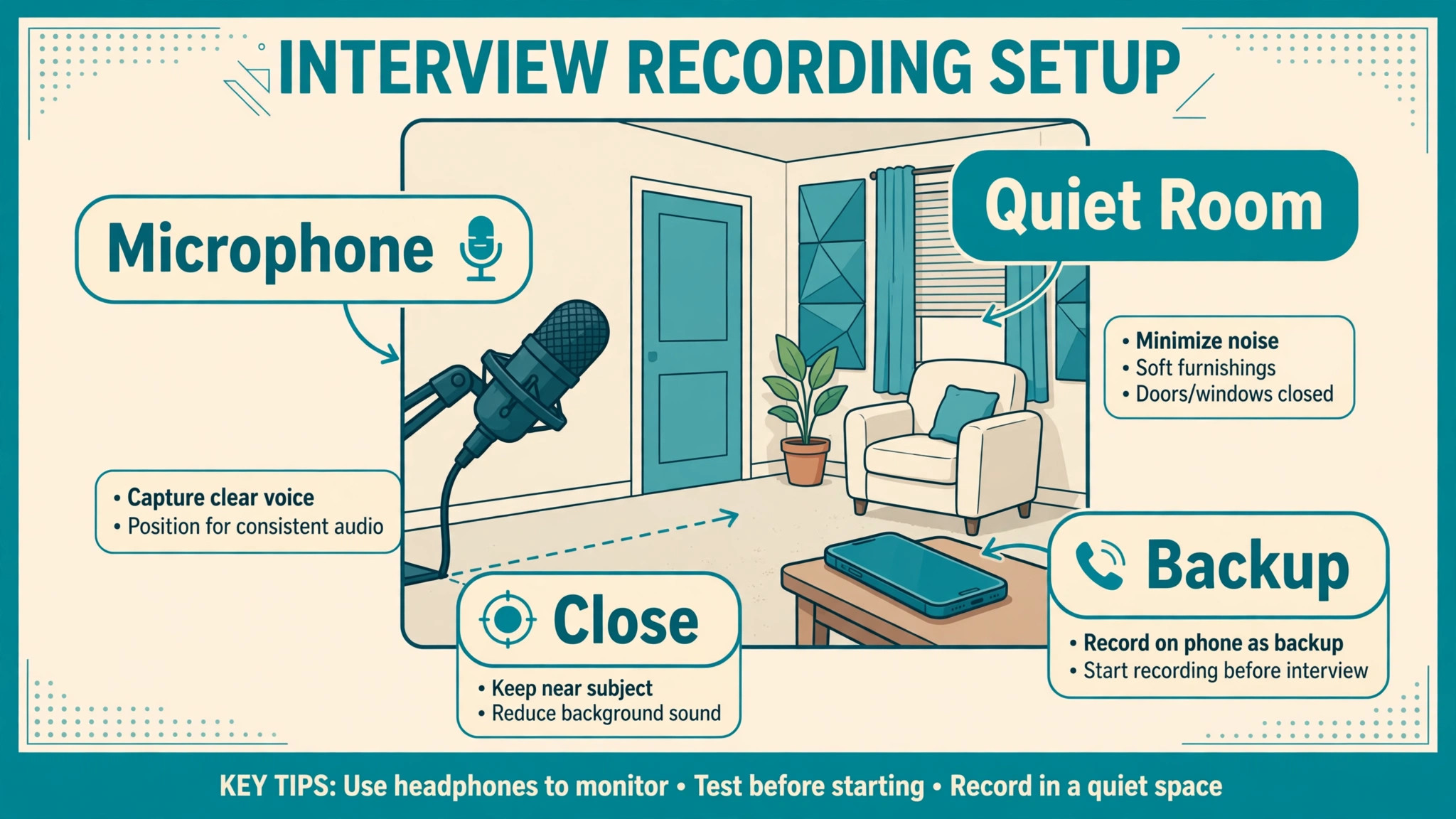
Transcription accuracy starts before you open Descript, because no software rescues a bad recording. Record in a quiet room where possible, place the microphone close to the speaker, and use a separate track per speaker when your setup allows it, because separate tracks prevent one voice from bleeding into another and confusing speaker detection. Test levels before the interview starts, and ask the source to speak at a natural pace, not to perform for the microphone. A short test recording, played back on the spot, catches problems that are trivial to fix before the interview and painful to fix afterward, such as a muted microphone or a fan humming in the background.
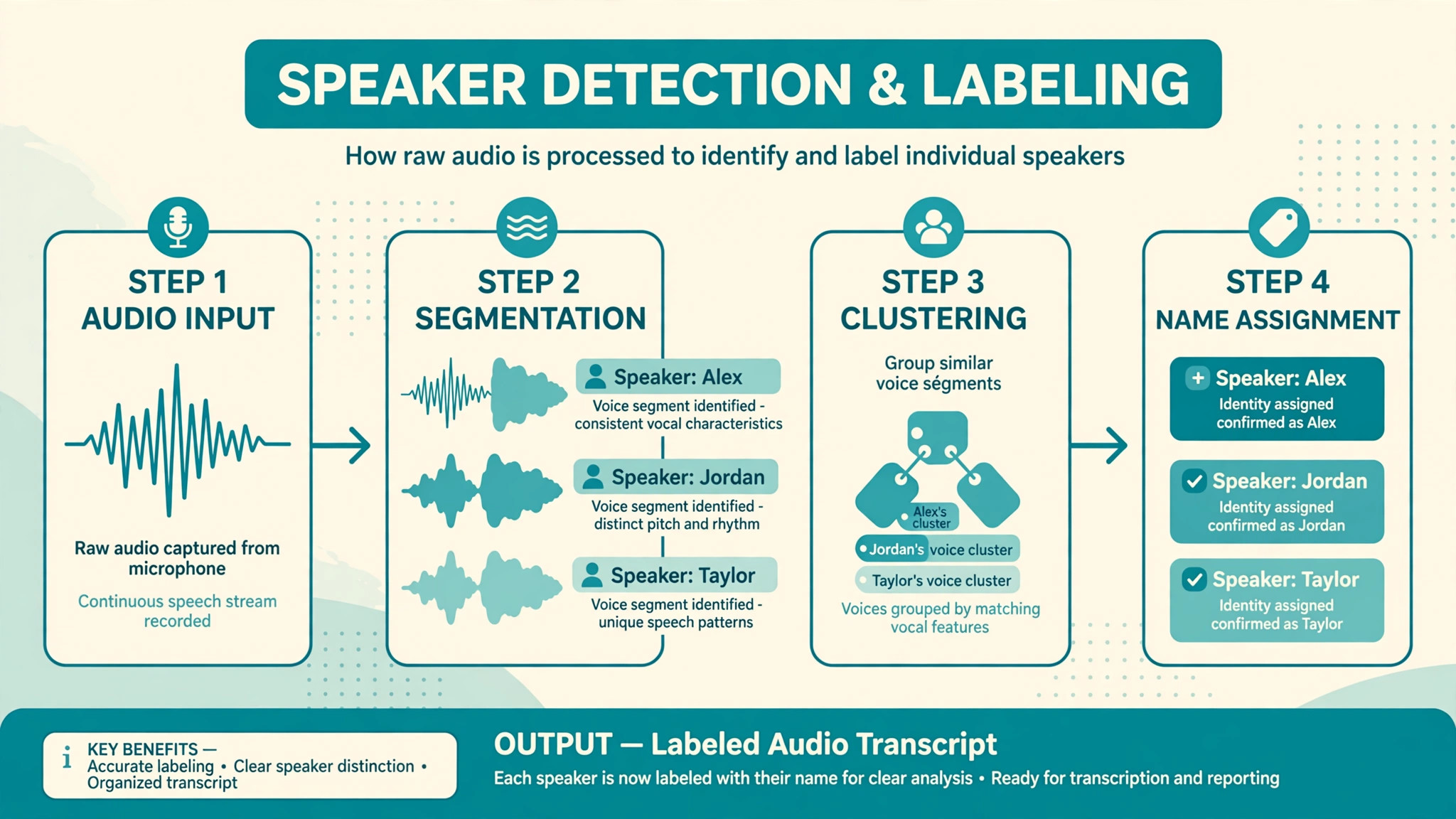
Introduce speakers clearly at the start of the recording, by name and role, because that introduction helps speaker detection and gives you a reference for labeling later. When a new person joins mid-interview, note the moment, either by asking them to introduce themselves on the recording or by writing the time in your notes. Avoid talking over your source, not only as good interviewing practice, but because overlapping speech is the hardest case for automatic transcription, and it produces the errors that take longest to correct. If an answer matters, let it finish, then ask a follow-up, rather than interrupting to clarify mid-sentence and creating a passage nobody can untangle later.
Take notes during the interview that serve transcription, not just reporting. Note timestamps for important moments, spellings of unusual names, and any passage where audio was unclear, so the correction pass can focus on the passages that matter most. If a source uses jargon, a product name, or a place name you have not heard before, ask for the spelling on the recording, because a spelled name in the audio becomes a correct transcript entry, while a guessed spelling becomes a published error. Good recording habits are the cheapest accuracy improvement available, and they cost nothing but attention at the start of the interview.
Remote interviews need extra recording care, because you cannot control the source’s room, microphone, or connection. Before a remote interview, send the source a short preparation note asking for a quiet room, a headset or close microphone if they have one, and a stable connection, and explain that clear audio protects the accuracy of their quotes. During the call, record locally on your side whenever possible, rather than relying only on the call platform’s recording, because a local recording survives a dropped connection and usually sounds better.
If the platform offers separate audio tracks per participant, enable that option, since separate tracks make speaker detection far more reliable and let you isolate a quiet voice from a loud one during correction.
When remote audio degrades mid-interview, do not push through silently and hope transcription will cope. Pause, name the problem kindly, and ask the source to repeat the last answer once the connection stabilizes, or to move closer to the microphone. A repeated answer recorded cleanly beats a garbled original that no tool can recover, and sources rarely mind repeating themselves when you explain that you want their words right. Note any degraded passages in your interview notes with timestamps, so the correction pass gives them extra attention instead of discovering them by surprise.
Remote recording is now normal in journalism, and the reporters who get clean remote transcripts are the ones who prepare sources, record locally, and protect the passages that matter most.
Speaker Detective and Naming Voices
Descript’s speaker detection analyzes a recording and separates voices into labeled sections, letting you assign names to each voice afterward. Automatic detection works best on recordings up to several hours long, and it handles multiple speakers, though accuracy depends on recording quality and on how distinct the voices are. After detection, listen to a sample of each labeled voice before naming it, because mislabeled speakers produce misattributed quotes, which are among the worst errors a journalist can publish. When two voices sound similar, or when detection splits one speaker into two labels, correct the labels manually, and check the boundaries where speakers change, since those boundaries are where errors cluster.
Name speakers by full name on first use in your notes, and use consistent short labels thereafter, so quotes stay attributable through editing.
How to Use Descript for Interview Transcription Journalists Can Defend
When you use Descript for interview transcription journalists should follow a correction pass with a fixed order, because random correction misses errors. First, correct speaker labels throughout, since a misattributed passage corrupts everything built on it. Second, correct names, places, numbers, and dates, because those are the facts most likely to be published and most likely to be wrong. Third, correct jargon and technical terms, using the transcription glossary to teach Descript the terms it missed, so future interviews improve. Fourth, listen to every passage you plan to quote, in full context, and correct the transcript to match the audio exactly, including hesitations that change meaning.
Fifth, mark passages that remain unclear with an explicit marker, rather than guessing, so no guessed wording reaches an editor or a draft.
The transcription glossary deserves special attention, because it is the cheapest accuracy fix in the tool. Before a long or technical interview, add proper names, product names, and jargon to the glossary, so Descript recognizes them from the start. The glossary holds a limited number of terms per workspace, so prioritize the names and terms that will actually appear, and update it after each interview with terms it missed. After correcting a word several times, Descript may add it automatically, but do not rely on that. Seed the glossary deliberately, and your transcripts will improve measurably across a beat, because the same names recur in every interview on that beat.
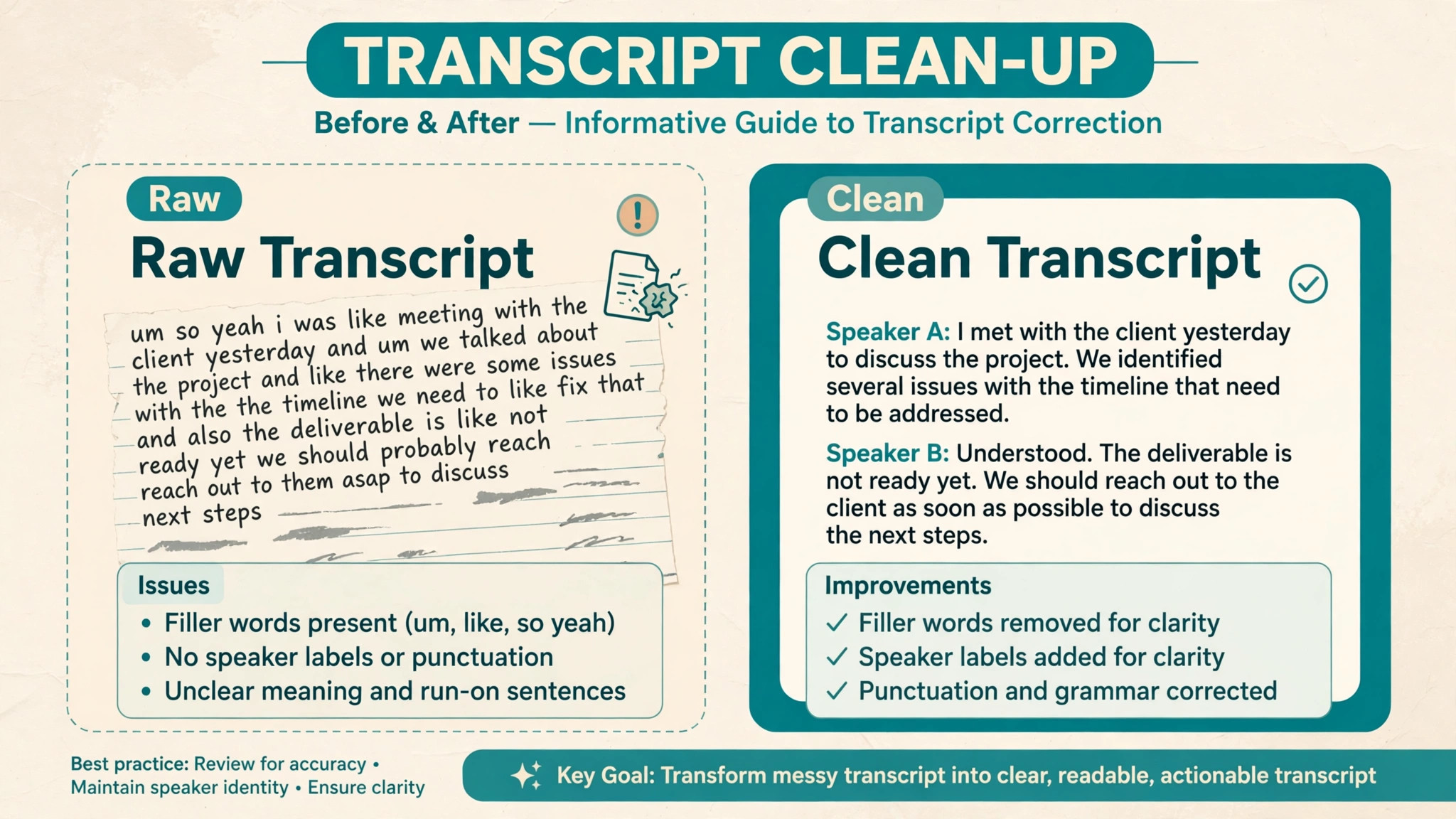
Handle filler words and false starts with journalistic care. For a clean reading copy, removing fillers is acceptable, but for a verbatim record, keep them, and never clean a quote in a way that changes its meaning. When you shorten a quote for publication, use standard editing marks and keep the original audio accessible, so an editor can verify the edit. When a source corrects themselves mid-sentence, quote the corrected version only if the correction is clear, and note the self-correction in your records if it matters. The transcript is a working document, and your published quote is a separate editorial decision, governed by your outlet’s standards, not by the tool’s defaults.
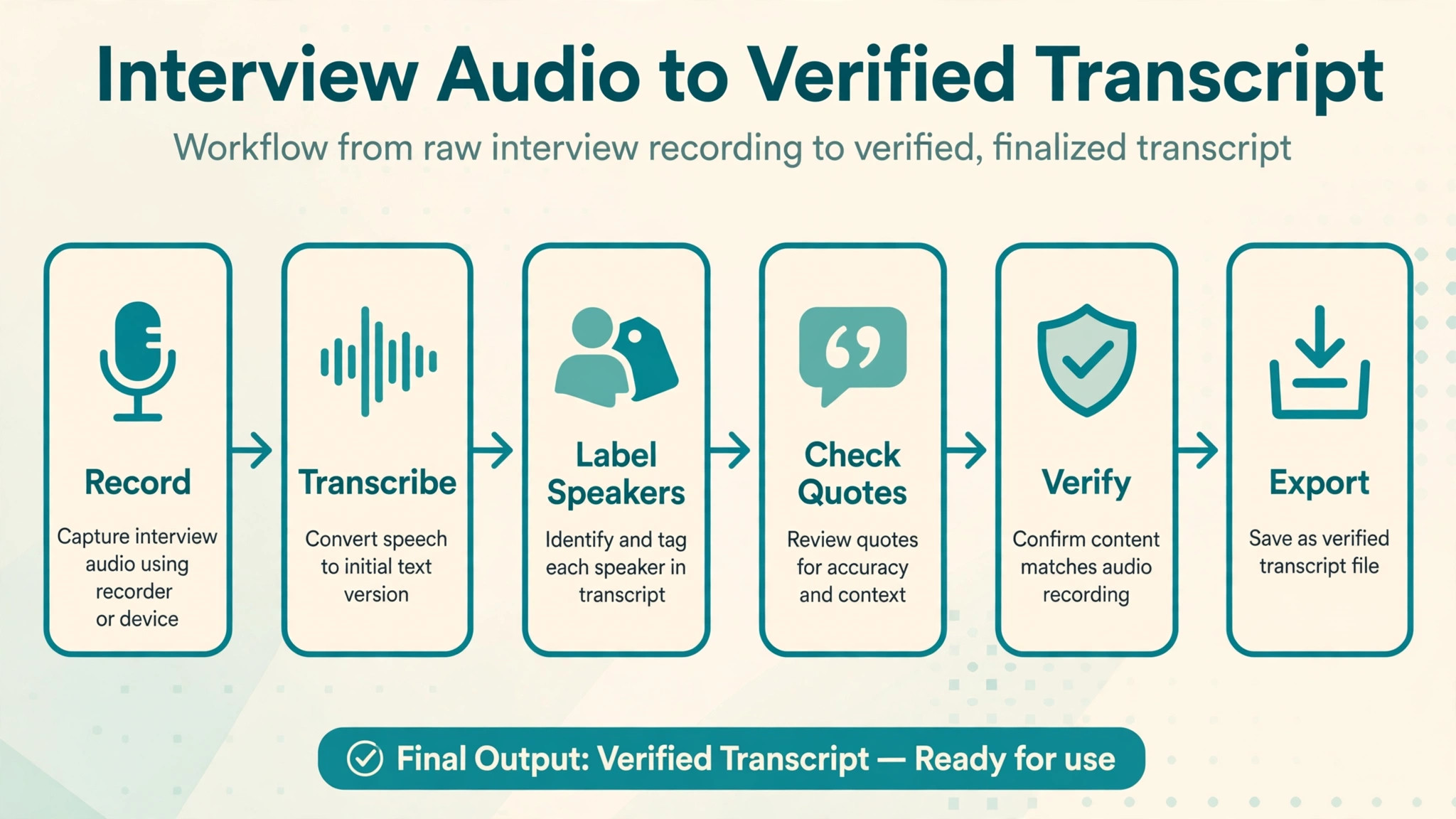
The Transcription Workflow
This workflow is the overview-proof element for this guide. It takes an interview from recording to a verified, quotable transcript, with the checks that make the result defensible under editorial scrutiny. When you use Descript for interview transcription journalists who follow this sequence produce transcripts they can stand behind, because every step has a verification point.
| Workflow step | Action in Descript | Verification point |
|---|---|---|
| Import and transcribe | Upload audio, let transcription complete | Confirm duration and file integrity |
| Label speakers | Run detection, listen to samples, name voices | Every speaker correctly labeled |
| Seed glossary | Add names, places, and jargon before correction | Terms appear correctly in transcript |
| Correct facts first | Fix names, dates, numbers, and places | Each fact checked against audio or notes |
| Correct quotes fully | Listen to every quotable passage in context | Quote matches audio exactly |
| Mark unclear passages | Tag unclear audio explicitly, never guess | No guessed wording in the transcript |
| Export working copy | Export text with speaker labels and timestamps | Export matches corrected transcript |
| Archive original | Preserve original audio and project files | Audio retrievable for future checks |
Export choices matter for the newsroom. Export a working copy with speaker labels and timestamps for your own files, and a clean copy for editors who need readability. Keep the original audio archived alongside the transcript, with a file naming convention that links the two, so a future fact-check can retrieve the evidence without hunting. If your outlet uses a content management system or a shared drive, store the transcript there with the audio link, not as a standalone document that loses its evidence trail. A transcript without retrievable audio is an assertion. A transcript with audio is a record.
Time budgeting helps set expectations. A common planning range is that correction takes roughly a third to a half of the interview length for clean audio, and longer for difficult audio, though the exact ratio depends on recording quality and on how many passages you plan to quote. Budget more time for your first few Descript interviews, while you learn the shortcuts and the correction habits, and less as the glossary and your familiarity grow. Never promise a verified transcript on the same schedule as an unverified automatic one, because the correction pass is the work, and compressing it is how errors reach publication.
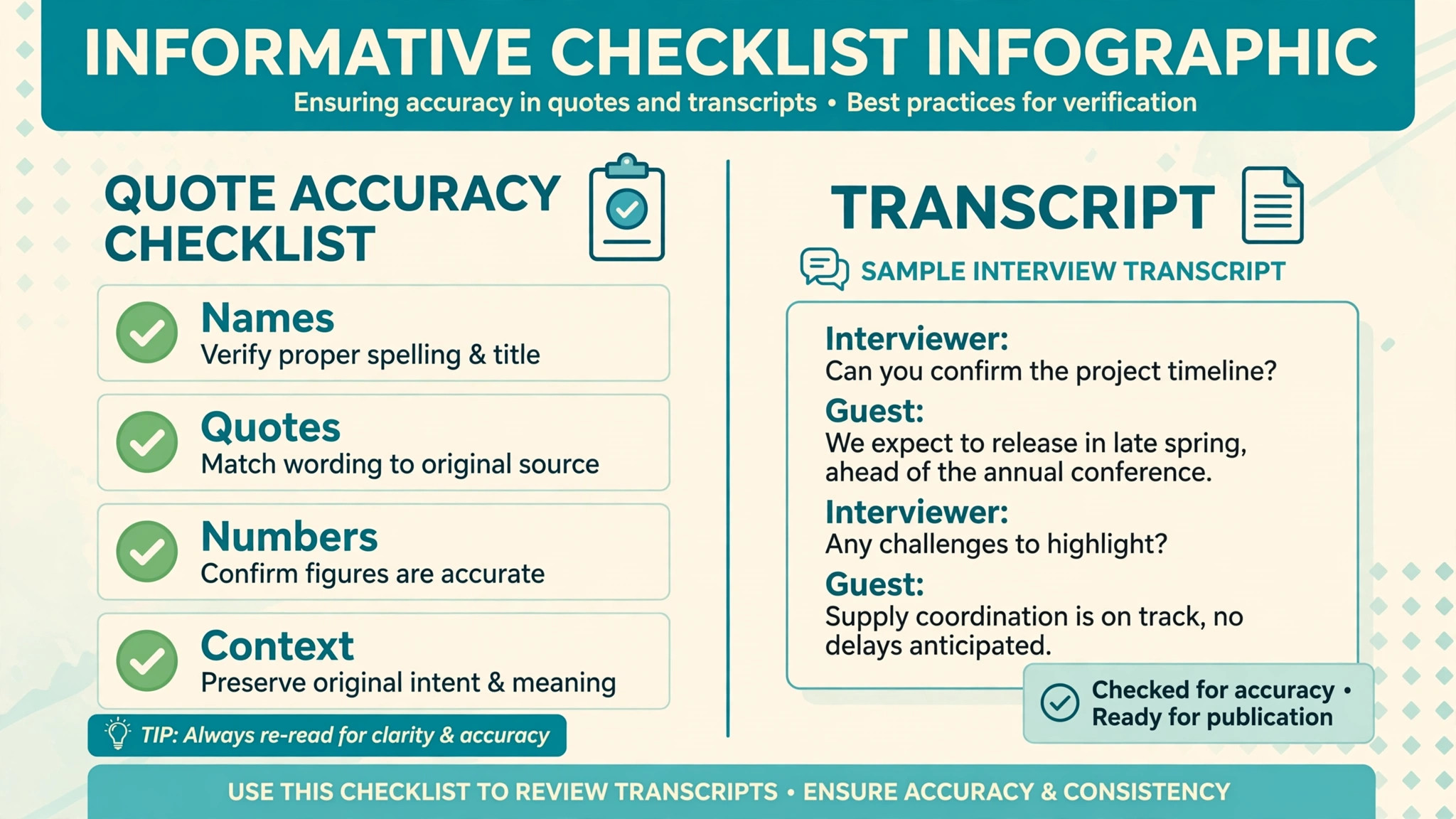
The Quote Accuracy Checklist
Run this checklist on every quote you plan to publish, without exception. It takes minutes per quote and prevents the errors that cause corrections, retractions, and loss of trust. When you use Descript for interview transcription journalists should treat this checklist as non-negotiable, because a single wrong quote can undo an otherwise careful story.
- Listen to the full quoted passage in Descript, from a sentence before to a sentence after, to confirm context.
- Confirm the speaker label on the passage, by listening to the voice and checking surrounding turns.
- Confirm every name, date, number, and proper noun in the quote against the audio, not against the transcript alone.
- Confirm that editing, such as removing fillers or shortening, has not changed the meaning of the quote.
- Check that the quote is attributed to the right person, especially where speakers interrupt or overlap.
- Flag any passage where audio is unclear, and do not publish a guessed version of it.
- Compare the exported quote against the corrected transcript, to catch export or copy errors.
- Keep the original audio retrievable, with the timestamp noted, so an editor can verify the quote independently.
- Note any self-correction by the source, and decide explicitly whether the published version reflects it.
- Get a second listen for high-stakes quotes, such as accusations, figures, or statements that could be contested.
Editors can use the same checklist as a verification tool. When a reporter files a story, an editor who can click from a quote to its audio in Descript can verify in minutes, and that verifiability improves the whole newsroom’s confidence. Make quote verification a normal part of the editing process, not an emergency measure used only when something looks wrong, because by the time something looks wrong, the error has often already shaped the story.
Organizing Multiple Interviews in Descript
Most stories rest on more than one interview, and a workflow that works for a single transcript can collapse under five. When you use Descript for interview transcription journalists should organize projects by story, not by file, so every interview for one story lives where the reporter expects it. Name projects consistently, including the story slug, the source name, and the interview date, so a transcript found months later is still identifiable without opening it. Keep a story index note, inside or outside Descript, that lists each interview, its key topics, and its most quotable passages with timestamps, because that index is what lets you write from five interviews without re-listening to all five.
Cross-interview searching is where organization pays off. When a source makes a claim, search your other transcripts for the same name, figure, or event, and compare accounts before publishing. Contradictions between sources are often the story, and they are easy to miss when each transcript lives in isolation. Descript’s search within a project helps, but the habit matters more than the feature, which is to check a claim against every relevant interview, not just the one where you first heard it. Build that check into your drafting process, and note in your story file which interviews support each major claim, so an editor can trace the sourcing without asking you to reconstruct it from memory.
Long investigations need an archive discipline that short stories can skip. Preserve original audio, corrected transcripts, and the project files for every interview, with a retention period that matches your outlet’s policy and any legal requirements for the story. Label sensitive interviews clearly, restrict access where needed, and never store unencrypted sensitive audio in a shared folder by default. When a story is published, keep the archive, because corrections, follow-ups, and legal questions can arrive months later, and a reporter who can retrieve the original audio quickly protects both the story and the outlet. Organization is not paperwork for its own sake. It is the infrastructure that lets reporting survive scrutiny.
Working With Editors and Fact Checkers in Descript
Editors and fact checkers are your allies in accuracy, but only if they can verify your work without friction. When you use Descript for interview transcription journalists should share transcripts in a form editors can actually check, which means including speaker labels, timestamps, and a link or path to the original audio. A transcript without timestamps forces an editor to hunt, and hunting editors skip checks. A transcript with timestamps invites checks, and invited checks catch errors while they are still fixable. Brief your editor on how to click from a quote to its audio, because a thirty second explanation at filing time saves hours of back-and-forth later.
Fact checking works best as a conversation, not as a verdict delivered at the end. Share the transcript early, flag passages you are unsure about, and note where audio was unclear or where a source self-corrected. That honesty helps a fact checker focus on the passages that need work, rather than re-verifying everything equally, and it builds trust, because an editor who sees you flagging your own uncertainties trusts your certainties more. When a fact checker finds an error, correct the transcript, note the correction, and check whether the same error appears elsewhere in the story, because transcription errors often repeat, especially with names and terms the tool misheard consistently.
Collaboration also needs boundaries. Decide who may edit the transcript, and keep a master corrected version that only the reporter edits, with editors working from copies or comments rather than overwriting the master. Simultaneous edits to the same transcript create version confusion, and version confusion creates published errors. When the story is filed, freeze the transcript version that supports it, and archive it with the story file, so the published version and its evidence match exactly. That frozen record is what you want if a quote is ever challenged, because it shows what you verified, when, and from which audio.
Mistakes That Corrupt Interview Transcripts
The most dangerous mistake is publishing from an uncorrected automatic transcript. Automatic accuracy is high on clean audio, but high is not perfect, and the errors cluster exactly where journalism is most vulnerable, which is names, numbers, and negations. A single missed “not” reverses a meaning, and a misheard name attributes a statement to the wrong person. Always correct before quoting, and always listen to quotable passages, even when the transcript looks clean. Looking clean is not the same as being right.
A second mistake is trusting speaker labels without listening. Detection is good, but similar voices, overlapping speech, and short interjections cause mislabels, and a mislabeled quote is a misattributed quote. Check labels on every passage you quote, and check boundaries where speakers change. A third mistake is cleaning quotes aggressively, removing hesitations and false starts in ways that sharpen a statement beyond what the source actually said. Clean for readability within your outlet’s standards, but preserve meaning, and keep the original available. A fourth mistake is losing the audio, by exporting a transcript and deleting the project, which destroys the evidence trail. Archive audio and transcript together, always, so every published quote remains verifiable. Archive audio and transcript together, always.
More Reading on Stratilyze
Readers working with interviews may also enjoy booking podcast guests with Calendly for podcasters, writing Descript podcast show notes, and running daily standup updates in Slack for remote teams. Each one covers a different part of the workflow around interviews, from scheduling the conversation to publishing the story it produces.
Frequently Asked Questions
How accurate is Descript transcription for interviews?
Accuracy is high for clear, single-speaker or two-speaker audio, with independent reviews commonly reporting above ninety percent for clean speech, but it falls with accents, jargon, overlapping speech, and poor recording quality. Treat the automatic transcript as a draft, correct names, numbers, and quotable passages against the audio, and never publish from an uncorrected transcript. Accuracy is a starting point, not a guarantee.
Can Descript identify multiple speakers in an interview?
Yes, speaker detection separates voices into labeled sections, and you assign names to each voice after listening to samples. Accuracy depends on recording quality and voice distinctness, so always verify labels on passages you quote, especially where speakers interrupt or sound similar. Correct mislabels and boundary errors during your first correction pass, before any other editing.
Does editing the transcript change the original audio?
No, correcting the transcript does not alter the underlying recording, which remains available as evidence. Editing the transcript to remove words does affect exported audio if you export a new audio file, but the original project audio stays intact. For journalism, that separation is essential, because the original recording is the record, and the transcript is your working copy.
How long does it take to correct a Descript transcript?
A common planning range is a third to a half of the interview length for clean audio, and longer for difficult audio or for stories with many quotable passages. Budget more time for your first interviews, and less as your glossary grows and your habits form. Never compress the correction pass to meet a deadline, because that pass is where accuracy is created.
What should I do with audio I cannot understand?
Mark it explicitly as unclear, note the timestamp, and do not guess a wording. Try listening with headphones, slowing playback, or checking your interview notes for context, and if it remains unclear, leave it marked or omit the passage. A marked gap is honest. A guessed quote is a fabrication, and the difference matters enormously for credibility.
Can I use Descript transcripts as a verbatim record?
You can use a corrected transcript as a working verbatim record, provided you have listened to quotable passages, verified speakers, and marked unclear sections. For legal or highly sensitive stories, follow your outlet’s standards, which may require additional verification or preservation steps. The transcript supports your reporting, and the original audio remains the ultimate record.
Accuracy Is the Story Behind the Story
Readers trust a story because they trust its quotes, and quotes are trustworthy because someone verified them against a recording. When you use Descript for interview transcription journalists gain speed without surrendering that verification, provided they treat the automatic transcript as a draft, correct it in a fixed order, and run the quote checklist on every published line. Transcribe your next interview this way, listen to every quote before you file, and archive the audio with the transcript. That single habit, repeated on every story, is what turns a fast transcript into a trustworthy record that editors, readers, and sources can all rely on. The time you spend verifying is not overhead.
It is the work that makes the story worth publishing.