
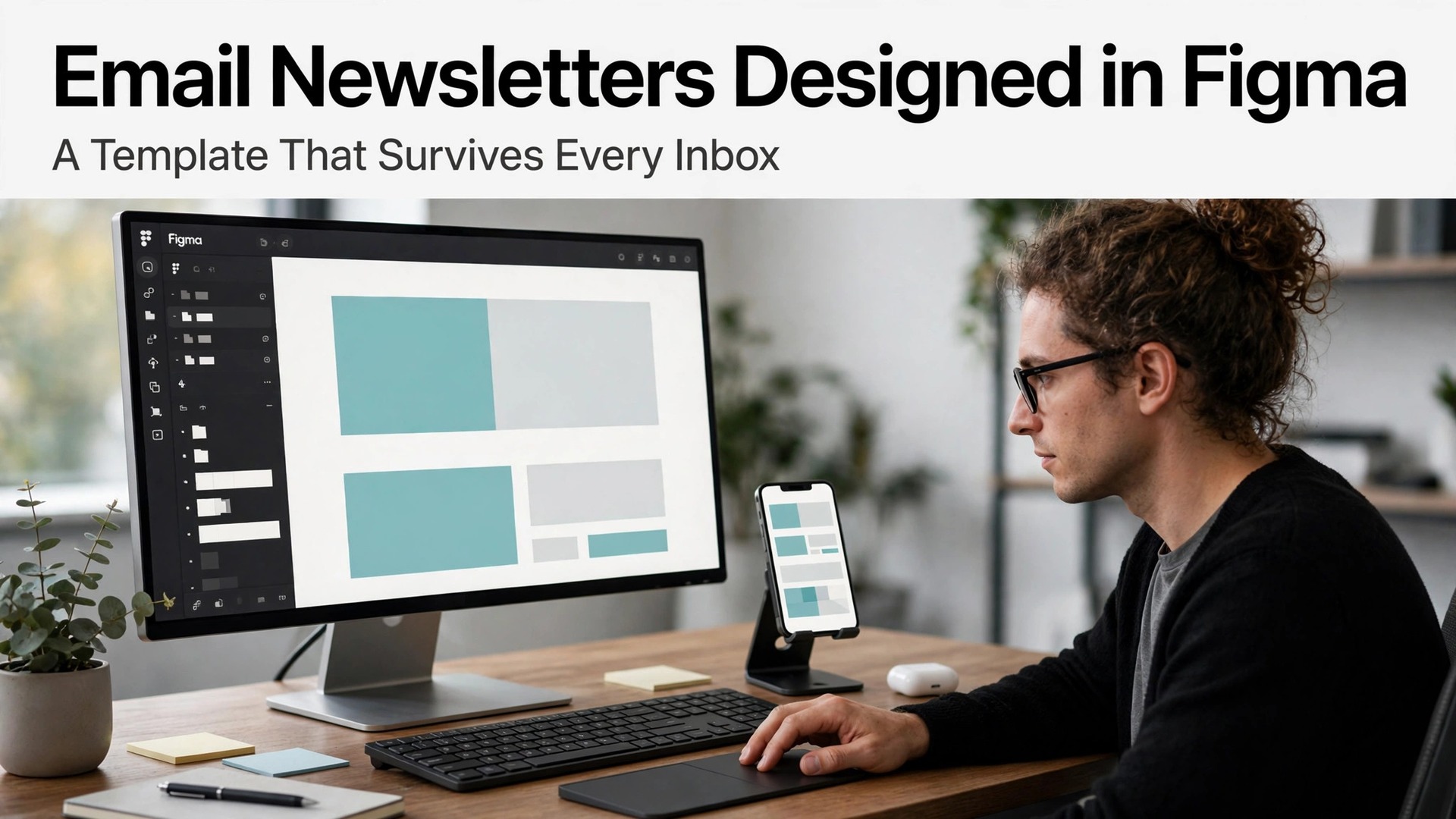
Most email breakage is decided before a single line of code is written, in the design file itself. Industry tests keep finding the same pattern, where templates that ignore a 600 pixel frame, oversized images and web only fonts fail in Outlook first and clip in Gmail second. The design file is therefore the cheapest place to prevent breakage, not the testing inbox. This guide shows how to use Figma for email newsletter design marketers can trust, building a template that survives real inboxes instead of only looking good on a canvas.
This guide builds a 600 pixel newsletter template that survives real inboxes. It covers the frame and grid, the component system for repeatable issues, the type and image rules that keep emails light and readable, and a pre-send checklist that catches breakage before subscribers do.
The Case for Doing It Properly
Consistency is the first gain. A component system for headers, article blocks, call to action buttons and footers makes every issue look like it came from the same publication, which builds reader trust over months. Trust keeps open rates stable, while visual drift makes a newsletter feel unreliable even when content stays strong.
Figma also improves collaboration. Writers, designers and reviewers can comment on the same file, approve layouts and hand off specs without endless screenshot threads. That shared file shortens the production cycle, which matters for weekly newsletters where a day of delay can miss the send window.
The third gain is design discipline for email constraints. A 600 pixel width, single column flow, system friendly type and modest image sizes are not creative limits, they are the rules that make emails render. Designing inside those rules from the start prevents the rework that happens when a beautiful wide layout meets a real inbox.
This section shows how to use Figma for email newsletter design marketers in practice, starting from the setup decisions that matter most and ending with a routine you can repeat weekly.
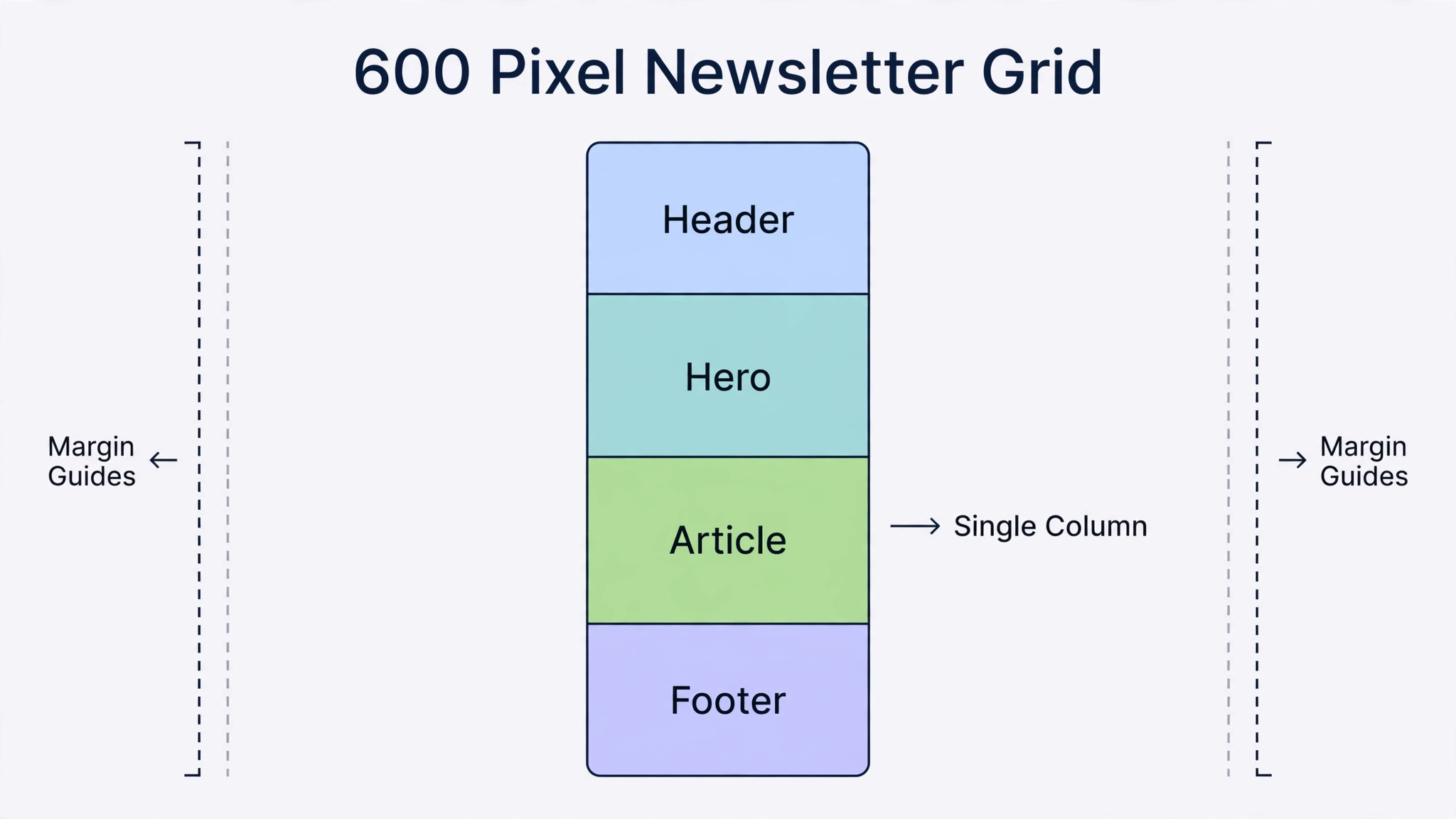
Start with the 600 pixel frame and a single column, not with a creative layout. Email clients render single column layouts most reliably, and 600 pixels fits desktop inboxes and scales cleanly to phones. A template that respects those limits will look good everywhere, while one that ignores them will look good only in the design file.
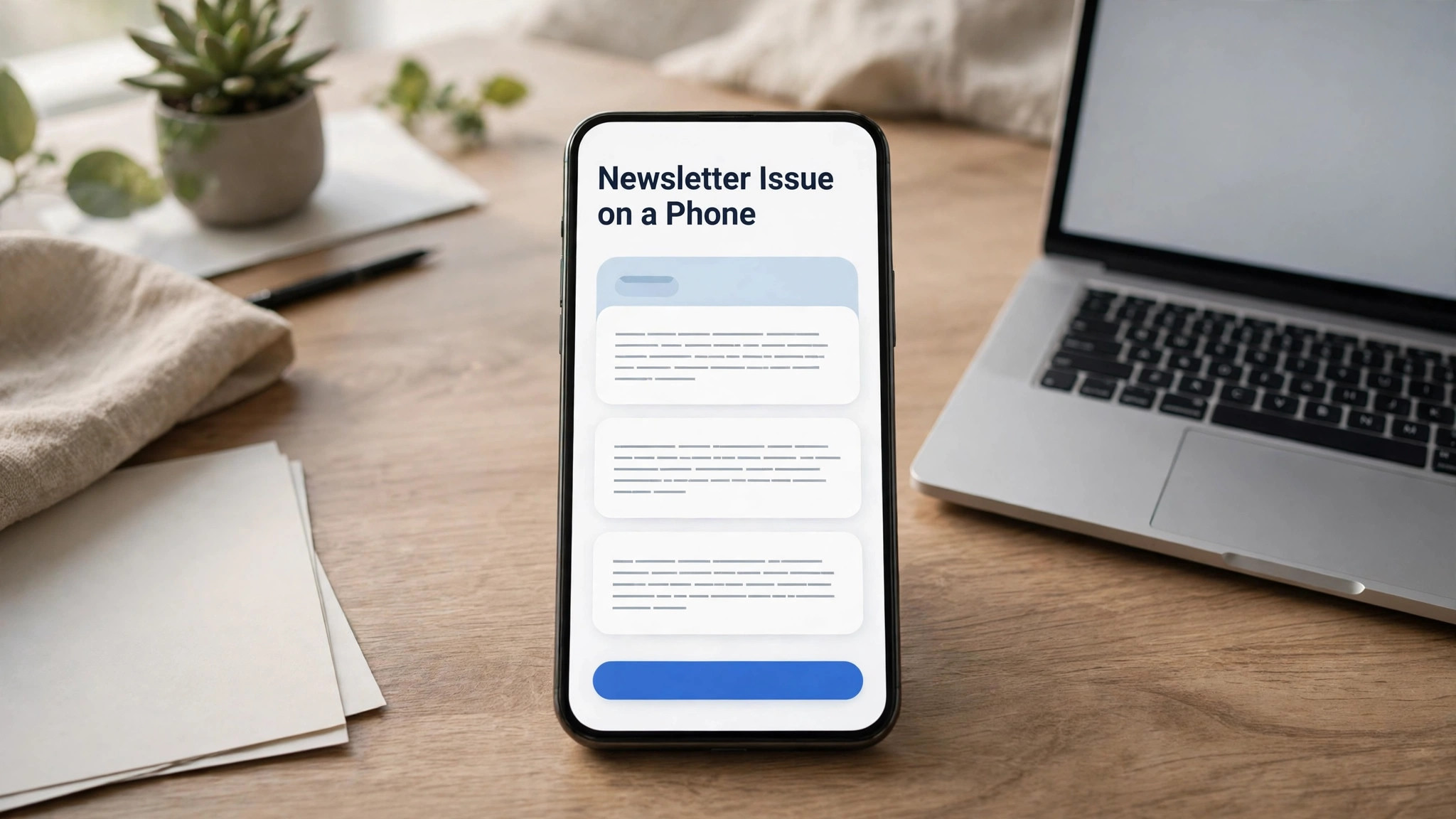
Then design mobile first within that frame. Most readers open on phones, so headlines, buttons and images must work at phone width before they work at desktop width. A button that is tappable on a phone and a headline that wraps gracefully are the details that decide clicks, not desktop polish.
Success in the first month looks ordinary, which is a good sign. The system is built, the first entries are real, the weekly review happens on schedule, and the numbers start to tell a story. If the first month feels messy, that usually means the system is being used honestly, since a tidy system with no real entries helps nobody.
Three Routes to the Same Result
The main tool here is Figma, and the table below compares it with two other routes to the same result. Start with the option that fits your current setup, run it for a month, and only add a second tool when a clear gap appears, because stacking tools before the routine is settled creates confusion that no software can fix.
| Option | What it does | Best for |
|---|---|---|
| Figma | a collaborative design tool with components and frames | a marketer who wants precise, repeatable newsletter design |
| Canva | a template designer with email layouts | a marketer who wants fast template based issues |
| Mailchimp editor | an email builder inside a sending platform | a marketer who designs and sends in one place |
Figma
Figma wins on precision and components. Layouts, type scales and reusable blocks stay consistent across issues, and collaboration happens in the file. Its limit is handoff, since Figma designs must be built in an email tool, so budget build time alongside design time.
Canva
Canva wins on speed for template based newsletters, with ready layouts and easy image handling. Its weakness is component discipline and email specific constraints, so designs need checking against the pre-send checklist before building.
Mailchimp editor
The Mailchimp editor wins on sending integration, since design and delivery live together. Its weakness is design control compared with Figma, so it suits teams where speed of sending beats design precision, or where one person does both jobs.
When the options look close, trial the favourite with real work for a week, not with sample data. Real names, real volumes and real deadlines expose slow screens, missing fields and confusing messages within days, while a trial with sample data flatters every product equally. Keep the trial to one week and one clear verdict, since an open ended trial drifts into a second system running beside the old one.
Build It Step by Step
Use this workflow to use Figma for email newsletter design marketers in order, because the order matters. Skipping ahead to extras before the basics are recorded creates work that has to be redone, while following the steps in order means each step builds on a finished earlier step. Tick each step off, and do not move on until the current step works with a real task.
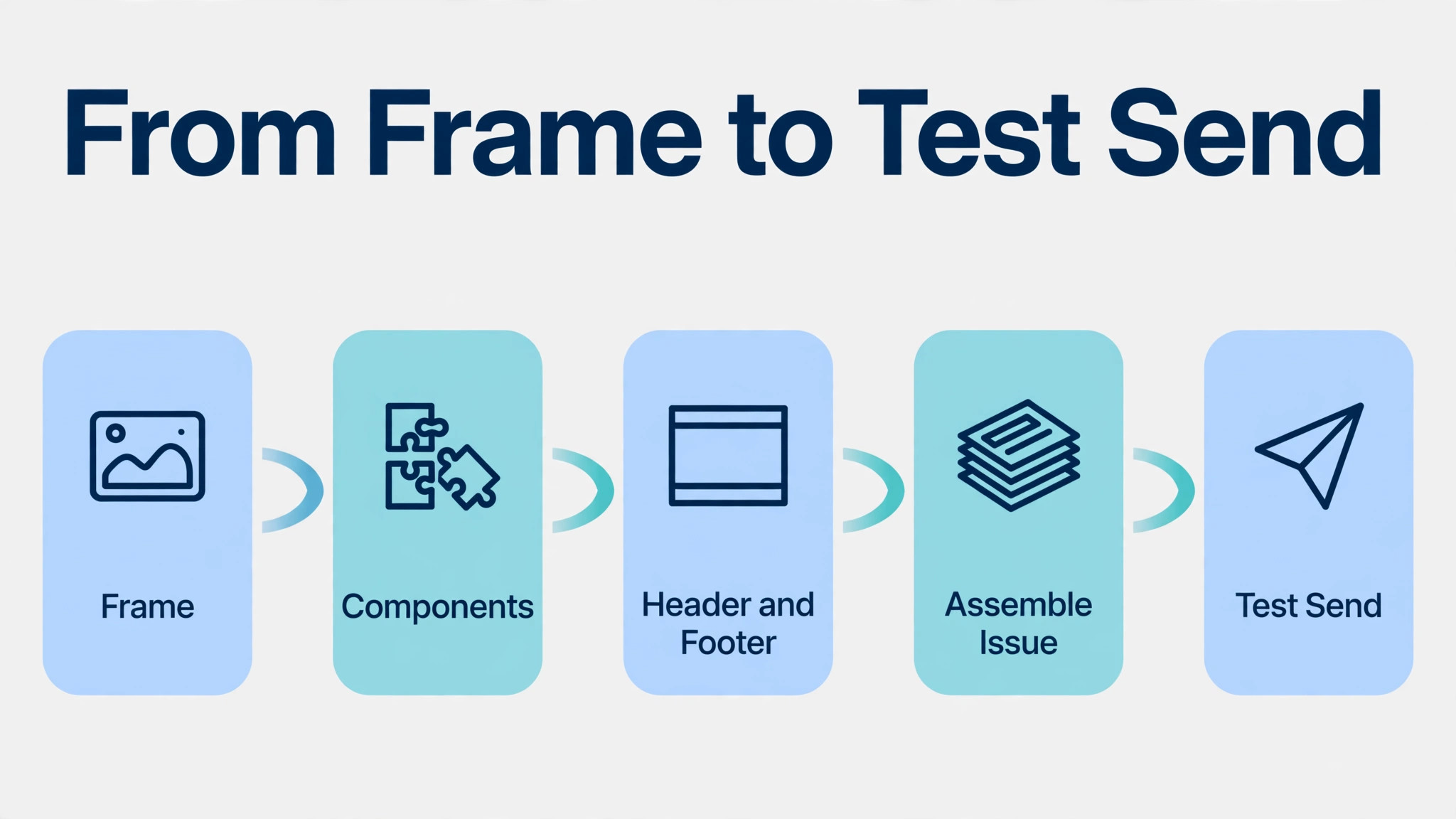
- Set the 600 pixel frame and grid. Create a frame 600 pixels wide, with a single column and generous margins, and name it for the newsletter master. A named master frame becomes the template every issue copies, which keeps widths and margins consistent without remembering numbers each week.
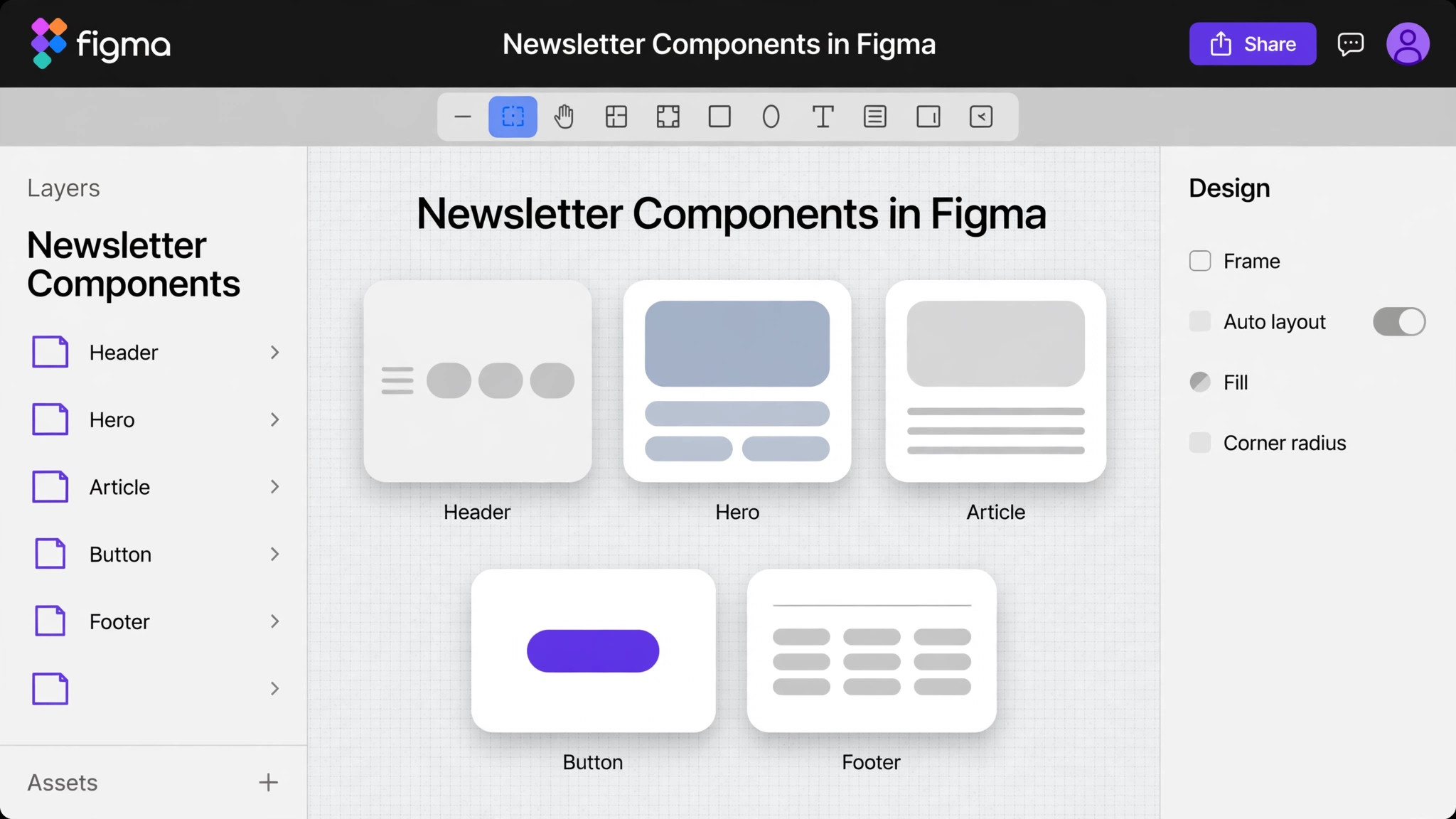
- Build the component set first. Create components for header, hero, article block, image with caption, call to action button, divider and footer, each with clear type sizes. Components turn each issue into assembly rather than redesign, which is how weekly newsletters stay on schedule.
- Design the header and footer once. Fix the logo, navigation links, social icons and footer with unsubscribe and address details, and lock them in the template. Headers and footers rarely change, so designing them once per quarter saves hours across issues.
- Lay out one issue from components. Assemble the issue by copying components into the master frame, swapping text and images, and keeping one idea per block. Assembly discipline keeps issues consistent, while freeform layouts drift issue by issue until the newsletter looks like several publications.
- Set type for phones first. Use a headline size that wraps gracefully on phones, body text large enough to read without zooming, and buttons at least 44 pixels tall for tapping. Type rules for phones matter more than desktop elegance, since most opens happen on phones.
- Prepare images for email weight. Compress images, keep total email weight modest, and write alt text for every image. Heavy emails clip in Gmail and load slowly on mobile data, so image discipline protects both deliverability and reader patience.
- Hand off with specs and test sends. Share the Figma file with measurements, colours and type specs for the builder, then send test emails to major clients and phones. The pre-send checklist in this guide covers each test, since a design approved in Figma is not yet an email that works.
Seeing It in a Real Week
Consider a team or a person starting from scratch, with a backlog of live work and no single place to see it. The first day goes to building the template and importing what is already live, and that import alone usually surfaces one overdue item and one duplicate. Those two finds repay the setup time immediately, and they also prove the point of the system better than any explanation, since the system found what memory had lost.
In the second week, the routine meets its first busy period, and the temptation is to skip the review because there is too much real work. That is precisely when the review matters most, because a skipped review in a busy week creates the backlog that the next busy week inherits. Fifteen to thirty minutes, protected on the calendar, keeps the system honest through the pressure, and honesty is what makes the numbers trustworthy later.
By the end of the first month, three things should be true. The template is filled with real data, not sample data. The weekly review has happened four times, even if one was short. And the numbers show a direction, whether improvement or a clear problem to fix. A system that reaches those three marks is no longer an experiment, it is infrastructure, and it deserves to be kept and refined rather than replaced.
Copy This Template and Checklist
Use this template when you use Figma for email newsletter design marketers without starting from a blank page each time. Copy it, fill it in with your own details, and keep the filled version where the people who use it can see it. A template that lives in a drawer helps nobody, while one that sits beside the work becomes the way the job actually gets done.
| Item | What to write down |
|---|---|
| Master frame | 600 pixels wide, single column, generous margins, named master |
| Component set | header, hero, article, image, button, divider, footer |
| Type rules | phone readable headlines, body text without zooming, tappable buttons |
| Image rules | compressed, modest total weight, alt text on every image |
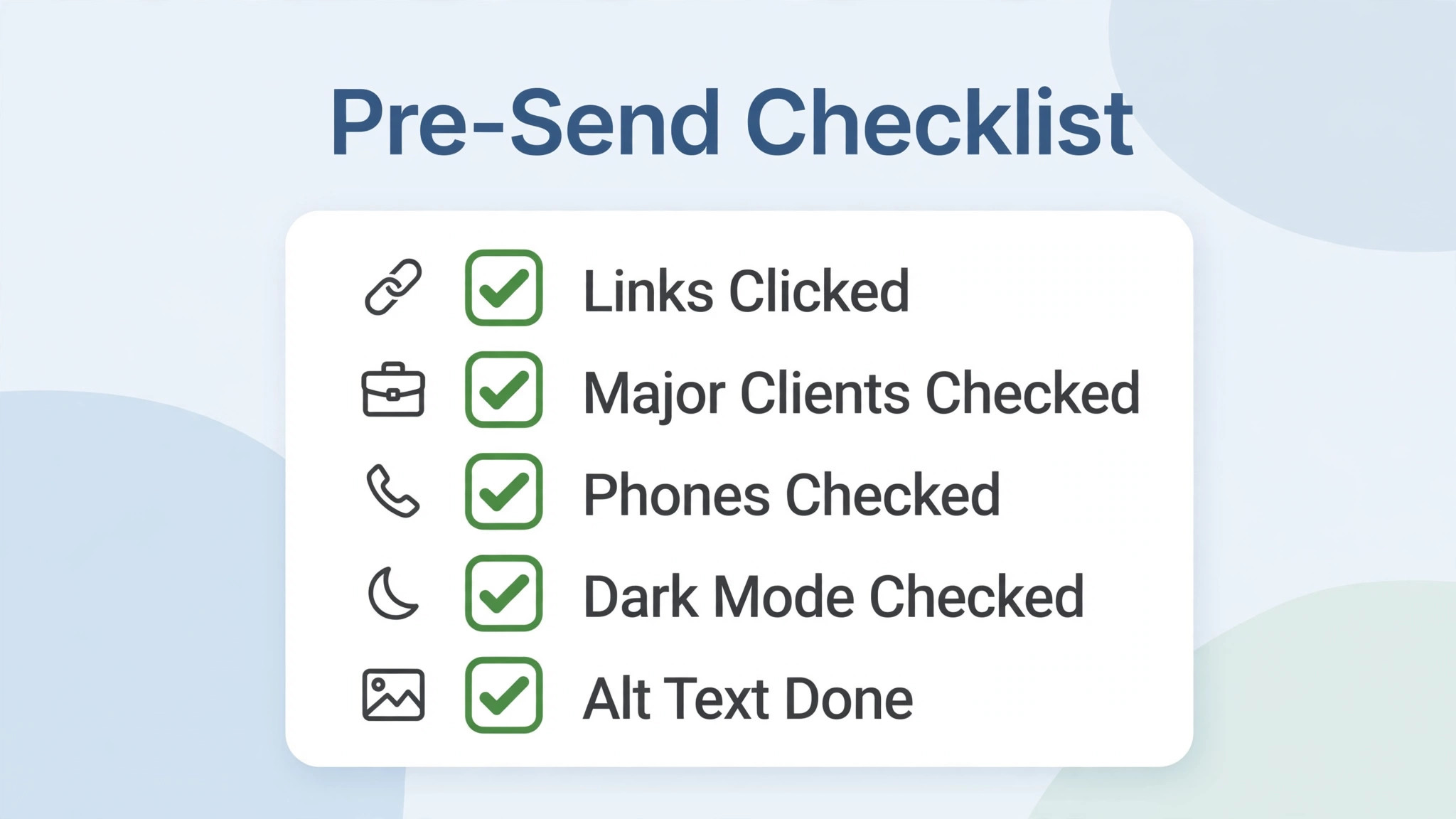
| Pre-send tests | major clients, phones, dark mode, link checks |
Fill the table in with real details from your own setup, not with guesses, because a plan filled with guesses gives confident answers that are wrong. If a detail is unknown, write unknown and find it before you act on that row, since a single guessed cost or time can undo an otherwise sound plan. Review the filled version every month for the first quarter, then every quarter after that, and update it when prices, people or suppliers change.
Keep the filled version where the work happens, whether that is a shared folder, a printed page or the tool itself, and name one person who owns updating it. Ownership matters because a template without an owner goes stale within a quarter, while one with a named keeper stays current through staff changes and price changes alike. When the owner changes, hand the template over explicitly, like any other responsibility.
- The frame is 600 pixels wide with a single column layout
- Every issue uses components, not freeform redesign
- Header and footer carry unsubscribe and address details correctly
- Headlines wrap gracefully and buttons are tappable on phones
- Images are compressed with alt text on every image
- All links were clicked in a test send
- Test sends were checked in major clients and on phones
- Dark mode rendering was checked for contrast
Adapting the Template Over Time
The best time to adapt a template is during the monthly review, not in the middle of a busy week. A calm review can judge whether a field earned its place, while a busy week adds fields in panic that never get used again. Put template changes on the review agenda, decide them deliberately, and apply them once, so the team learns one version at a time instead of chasing a moving target.
Also watch for template drift, where each person keeps a slightly different personal version. Drift starts helpfully, as a personal improvement, and ends with five versions that no longer agree. Keep one master version, let improvements flow into it through the review, and retire personal copies promptly. One master template is a system, while five personal versions are just five habits.
What It Costs and Where It Stops
Before you commit money or time, write down the costs of the current way of working, because when you use Figma for email newsletter design marketers you need a baseline to judge the new way against. Count the time spent, the errors made and the opportunities missed under the old way, then compare that total with the same total after one month of the new routine. If the new total is not lower, or the experience is not clearly better, change one thing and measure again rather than adding more tools.
Figma offers a free tier that covers basic design work for individuals and small teams, with paid tiers adding more editors, libraries and controls, so check the vendor pricing page before paying and start free. For a marketer designing weekly newsletters, the paid tier pays when collaboration and shared libraries save production hours.
Time cost is front loaded. Expect a day to build the component system well, then about an hour per issue for assembly and handoff. Against freeform redesign each week, that system saves hours monthly and keeps the newsletter looking like one publication.
Watch for the cost that appears only after launch, such as extra seats as a team grows, premium features on higher tiers, or the time spent maintaining a setup that looked simple at first. Read the pricing page for the tier you will actually land on in six months, not the starter tier you land on today, because a tool that is cheap at small volume and expensive at larger volume can punish growth. Set a calendar reminder to review the bill every quarter, and compare it with the time saved, since a subscription that no longer saves time should be renegotiated or dropped.
Where Most People Go Wrong
The mistakes below are common because each one feels reasonable at the time, and when you use Figma for email newsletter design marketers it helps to name them before they happen. Read the list with anyone who will use the routine, agree which mistake your setup is most likely to make, and put one guard in place against it, because a named mistake is far easier to avoid than a vague warning to be careful.
- Designing wide multi column layouts. Email clients break them, so single column at 600 pixels wins.
- Using images for text. Image blocked inboxes hide text images, so keep headlines and buttons as real text.
- Skipping test sends. A design approved in Figma is not an email until it renders in real clients.
- Ignoring dark mode. Dark mode inverts colours and can hide light text, so test contrast explicitly.
- Forgetting alt text and footer details. Accessibility and compliance details are not optional extras.
Measuring What Actually Improved
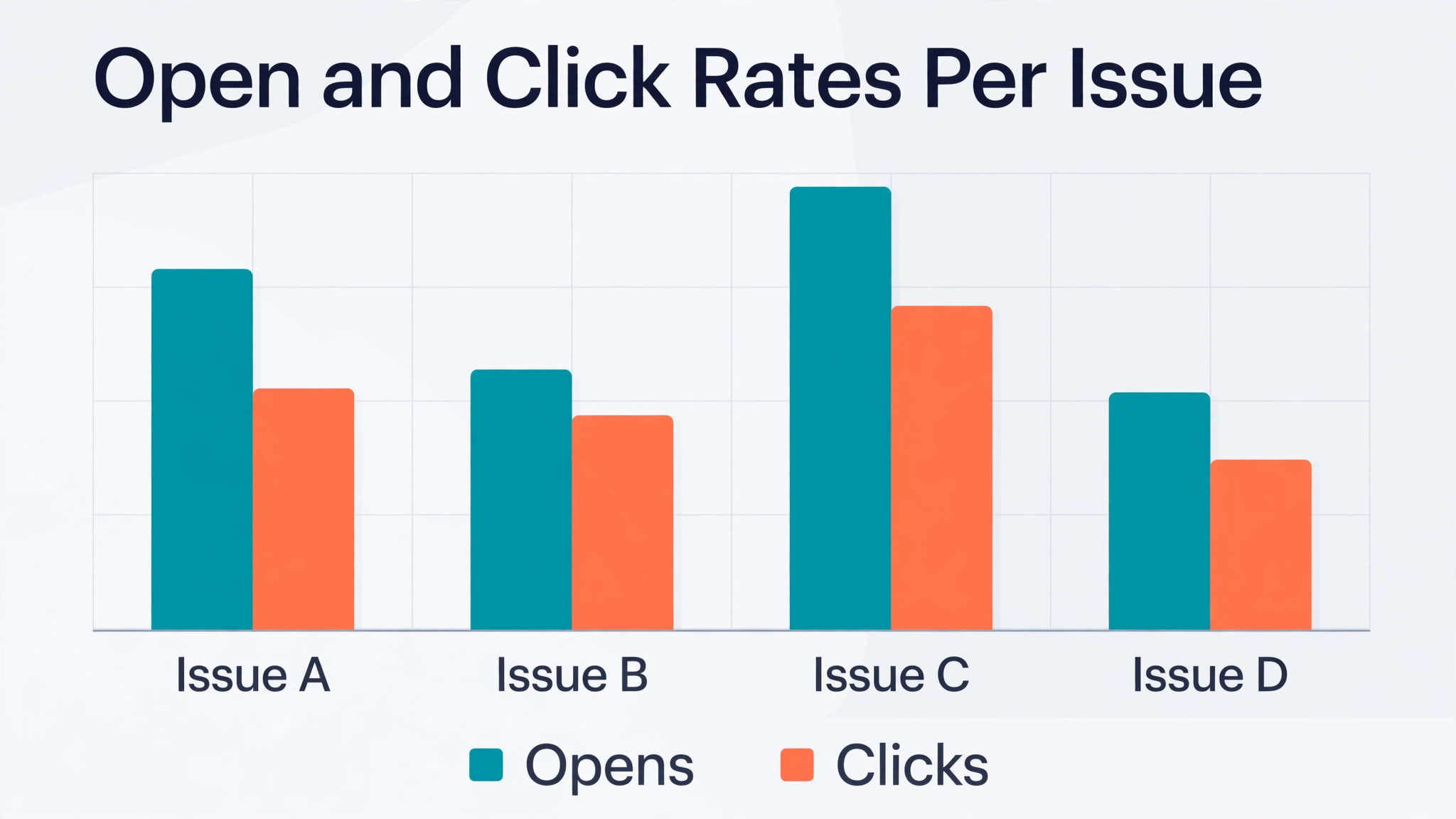
Pick a small set of numbers and track them monthly, because when you use Figma for email newsletter design marketers you need evidence, not a feeling, about whether the change is paying. Choose numbers you can collect without extra admin, such as open rate, click rate, production hours per issue and rendering errors per issue, and record them in one place on the same day each month. A trend over three months tells you far more than a single good or bad week.
Track open rate, click rate, production hours and rendering errors per issue. If production hours fall while open rates hold, the component system works. If rendering errors appear, the pre-send checklist needs enforcing, since one broken issue damages trust more than several plain ones build it.
Also track click rates by block type. If article blocks outperform hero blocks, the audience prefers substance over promotion, and the template should shift accordingly. Design decisions backed by click data beat design decisions backed by taste.
When a number moves the wrong way, change one element and watch the next period before changing anything else. Changing five things at once feels decisive, but it destroys the evidence, since nobody can tell which change helped. Single changes, measured honestly, are slower to announce and faster to learn from, which is the trade that matters over a year.
Signs of Success at Ninety Days
After ninety days, a healthy setup shows up in small, boring ways, such as open rate, click rate, production hours per issue and rendering errors per issue trending in the right direction without heroic effort, and fewer messages asking where things stand. Nobody celebrates a routine that simply works, which is why it is worth naming those signs when they appear, so the people involved recognise the payoff and keep funding the habit.
The warning sign is different, and it is worth watching for, which is when people start working around the setup instead of through it. Workarounds usually mean one step no longer fits reality, so ask what changed, fix that step, and prune anything the workaround replaced. A setup that adapts to one real change survives, while one that demands loyalty to an outdated step gets quietly abandoned.
Set the ninety day review now, with a named owner and a date in the calendar. Without a named owner and a date, reviews slip, and a slipped review means a system that slowly stops matching the reality it was built for. The review itself need not take long, since one hour with the numbers and the honest answers is enough to decide what to keep, what to change and what to stop.
A Four Week Rollout That Sticks
Week one is the system. Build the master frame, the component set and the header and footer, then assemble one test issue and run full test sends. Do not publish a live issue until test sends pass in major clients and on phones.
Weeks two to four are live issues. Assemble weekly issues from components, track production hours and rendering errors, and refine components monthly. By month end, newsletter production should feel like assembly with a checklist, not redesign under deadline.
If the first month feels messy, resist the urge to rebuild the system from scratch, since the fault usually sits in one step rather than in the whole approach. Return to the numbers you tracked, find the step where results diverged from the plan, and change that step alone. System swaps feel decisive, but they reset learning to zero, while a single step fix preserves everything that already worked.
Day by Day in Week One
On day one, build the template and import what is already live, without redesigning anything. The goal for day one is a working system with real entries, not a beautiful system with sample data, since real entries reveal the flaws that sample data hides. End the day by checking that every live item has a status and a next action.
On day two, use the system for new work as it arrives, and note every moment of friction. Friction notes are gold, because they point at the exact field, step or view that needs fixing, while general complaints about the system point nowhere. Keep the notes short, one line each, and review them at the end of the week.
On day three, fix the single biggest friction from the notes, and leave the rest alone. One fix per week is the pace that improves a system without destabilising it, and a system that changes daily never gets learned properly by anyone, including its owner. Stability for a week beats improvement every day.
On day four, share the system with anyone else who touches the work, and watch them use it without help. Watching a second person reveals instructions that only made sense to the author, and those instructions need rewriting before the system can survive a holiday or a handover. A system that only its author understands is not yet a system.
On day five, run the first weekly review, record the numbers, and decide one change for next week. The review closes week one with evidence instead of feelings, and that evidence becomes the baseline for month one. A week that ends with a review has already succeeded, whatever the numbers say, because the habit is the achievement.
Troubleshooting a Stalled Setup
When entry is the problem, simplify before adding features. Remove one field, shorten one checklist, or batch entry to a single sitting per day, and watch whether entries recover within a week. Entry friction is the most common stall, because a system that takes ten minutes per item will be abandoned in a busy week, while one that takes two minutes survives. Speed of entry matters more than completeness of record, especially in the first month.
When reviews are the problem, shrink the review rather than skipping it. A five minute review that happens beats a thirty minute review that does not, so cut the review to the three most important checks and protect its slot on the calendar. Pairing the review with an existing habit, such as Friday coffee or Monday planning, also helps, since a review attached to a habit survives while a review floating free gets postponed.
When results stay flat after a month of honest use, check whether the system measures the right thing. A tracker that counts activity while the goal is outcome will show busy weeks and flat results, which feels like failure even when effort is real. Revisit the metrics, pick one outcome number that matters, and let that number drive the next change. If the outcome number still does not move after a further month, the approach itself, not the system, needs rethinking.
Finally, if the stall came from a busy period rather than a design flaw, restart small instead of restarting perfectly. Pick the single most important item, enter it today, run a five minute review tomorrow, and let the habit rebuild from one live item rather than from a grand relaunch. Systems recover faster from small restarts, because a small restart can happen today, while a perfect restart keeps waiting for a quiet week that never arrives.
More Reading on Stratilyze
More Reading on Stratilyze. For the systems around this one, read the best email tool for creators newsletters guide, the best email tool for newsletter beginners guide, the how to start a newsletter with ai guide. Read the guide that matches your next bottleneck first, because fixing the biggest bottleneck next gives a larger gain than polishing a part of the setup that already works well.
Frequently Asked Questions
Because 600 pixels fits desktop inboxes reliably and scales cleanly to phones, while wider layouts break or clip in major clients. It is the long standing email standard, and designing inside it prevents most rendering failures before they happen.
No, Figma designs must be built in an email tool or coded for sending, since Figma produces designs, not sendable emails. Budget build and test time alongside design time, and treat the Figma file as the specification, not the email itself.
Yes for individuals and small teams, since the free tier covers frames, components and collaboration basics. Paid tiers add editors and libraries that help larger teams, so start free and upgrade when collaboration needs grow.
Test test sends in dark mode clients, avoid light text on transparent backgrounds, and check contrast after inversion. Dark mode rendering varies by client, so explicit testing beats assuming the design survives inversion.
No for essential text, since image blocking hides it in many inboxes. Keep headlines, buttons and key information as real text, and use images for illustration with alt text, so the message survives image blocking.
How often should the template be refreshed?
Quarterly for minor refinements and yearly for a larger refresh, unless click data demands a change sooner. Readers trust consistency, so refresh in small steps that preserve recognition rather than redesigning from scratch.
A newsletter succeeds when it renders reliably, reads easily on a phone and looks like the same publication every week. When you use Figma for email newsletter design marketers get the component precision to achieve that, provided the design starts at 600 pixels, stays single column and passes real test sends before any subscriber sees it.
Build the master frame and component set this week, assemble one test issue, and run test sends across clients and phones. Then produce weekly issues by assembly, track clicks by block, and refine the system from data. Consistency plus testing is the whole discipline, and it shows in every open rate.