
Two beginners can start the same week, publish newsletters of similar quality, and end up with very different bills six months later. One picks a tool whose free tier fits a small list and a weekly send, and pays nothing until growth forces a change. The other picks a tool that looks free on the pricing page, hits a daily send cap on the first launch, and has to migrate mid campaign. That gap is why the search for the best email tool for newsletter beginners should start with limits, not with feature lists. A free tier is only useful if its subscriber cap, its send cap, and its missing features match the way you actually plan to publish.
This guide compares the free tiers that matter for a new newsletter, with the upgrade price that follows each one. It covers Kit, beehiiv, Substack, MailerLite, Mailchimp and Brevo, because those six cover the main beginner paths. One path suits writers who want a publication and a website in one place. Another suits creators who want landing pages, tags and product sales. A third suits small businesses that already send marketing email to customers. Prices here reflect figures published on vendor pricing pages and checked against pricing summaries in October 2026. Free tiers change often, so check the pricing page and the checkout screen before you commit, and treat every figure below as a snapshot, not a promise.
The Verdict Up Front
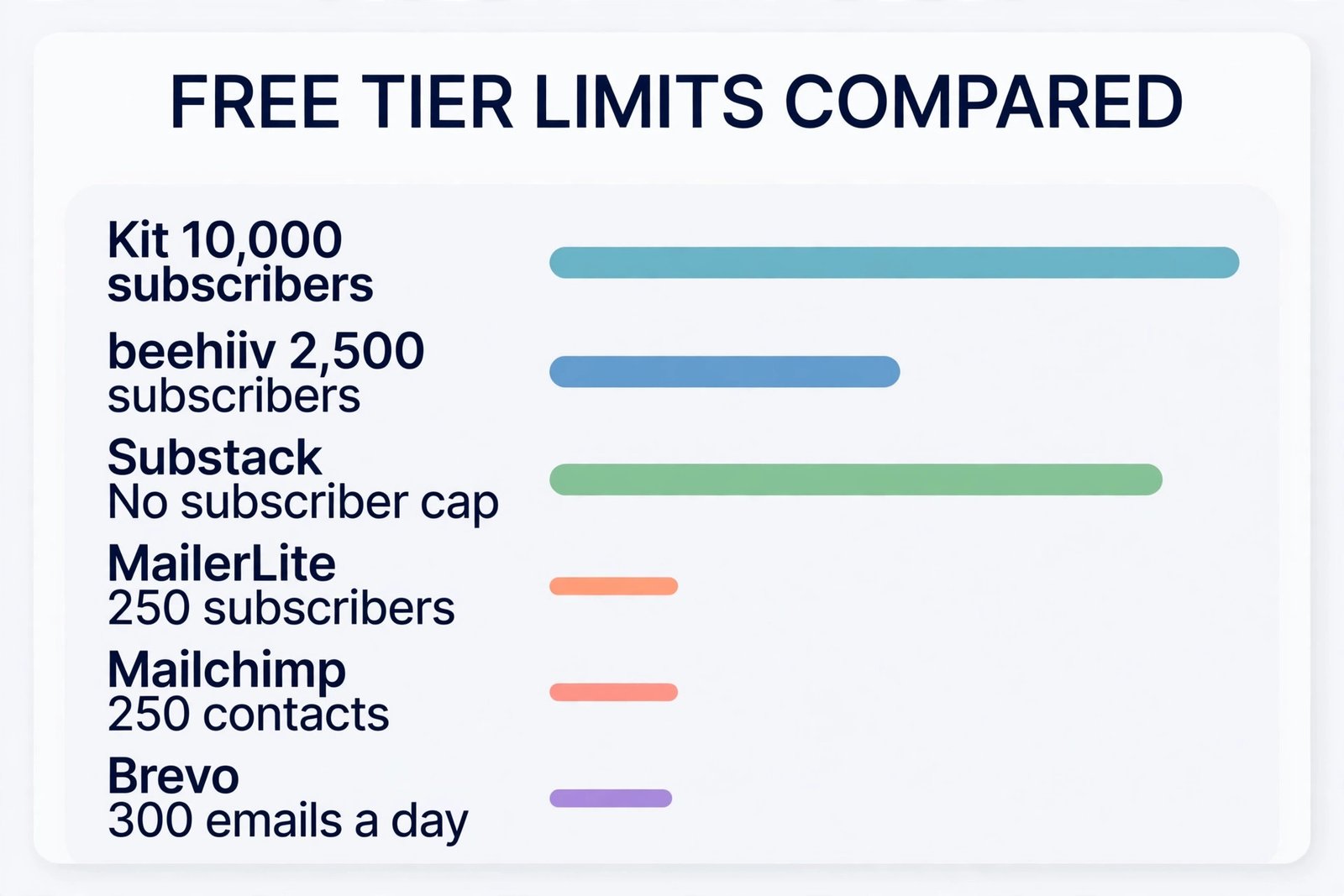
If you want the longest free runway for a plain newsletter, Kit is the strongest starting point. Its free plan allows up to 10,000 subscribers with unlimited broadcasts, which is far above every other free tier in this guide. The trade off is automation. You get one basic automation on free, so a multi step welcome series is a paid feature. If you want a newsletter website, recommendations and growth tools in one place, beehiiv is the stronger pick, with a free tier up to 2,500 subscribers and unlimited sends.
If you want to charge readers and pay nothing until you earn, Substack is the only option with no monthly fee at any list size, but it takes 10 percent of paid subscription revenue plus card processing fees.
For a small business newsletter, MailerLite is a tidy free start, but its free tier is now small, at up to 250 subscribers and 2,500 emails a month. Mailchimp free is the same size on subscribers and tighter on sends, at 500 emails a month, so it suits a tiny test list rather than a growing publication. Brevo free is the odd one out. It stores up to 100,000 contacts and sends 300 emails a day, which sounds generous until you try to send one issue to 1,000 readers in a single batch. Match the tool to your next six months, not to your first week.
That rule, applied with the tables below, is the fastest way to pick the best email tool for newsletter beginners for your own publishing plan.
A free tier has four limits that matter, and most comparisons only show one of them. The first limit is the subscriber or contact cap. This is the number of people you can store before you must pay or stop adding readers. The second limit is the send cap. This can be monthly, as in 2,500 emails a month, or daily, as in 300 emails a day. A monthly cap and a daily cap behave very differently in practice, and the basis matters. Always check whether the cap counts subscribers, contacts, or emails sent, because those three bases produce very different bills.
The third limit is the feature gate. Free tiers often remove the exact features a beginner needs second, such as multi step automations, A/B testing, paid subscriptions, custom domains, or removal of the vendor logo from emails. A free tier that allows 10,000 subscribers but blocks a welcome series is not better than a smaller free tier that includes one, if a welcome series is central to your plan. The fourth limit is the upgrade jump. Some tools move from free to a modest paid plan. Others jump from free to a plan that costs close to 50 dollars a month at a small list size, which changes the decision entirely. Check export and domain sending too.
Free Tier Limits Compared
This table is the overview proof for the whole guide. It uses the basis each vendor states, so read the basis column as carefully as the numbers. Subscriber caps and send caps are not the same thing, and a tool can be generous on one and tight on the other.
| Tool | Free subscriber or contact cap | Free send limit and basis | Key free feature gate | First paid step |
|---|---|---|---|---|
| Kit | Up to 10,000 subscribers | Unlimited broadcasts, counted per send to the list | One basic automation only | Creator from 39 dollars a month at 1,000 subscribers, monthly billing |
| beehiiv | Up to 2,500 subscribers | Unlimited sends, counted per email sent | Automations, A/B testing and paid subscriptions need Lite | Lite from 59 dollars a month at 1,000 subscribers, monthly billing |
| Substack | No subscriber cap for free publishing | No monthly send cap stated for free newsletters | Platform takes 10 percent of paid subscription revenue | No monthly plan, fees start when readers pay |
| MailerLite | Up to 250 subscribers | 2,500 emails a month, counted per email sent | Logo stays on emails, paid newsletters need a paid plan | Comfort from 12 dollars a month at up to 500 subscribers |
| Mailchimp | Up to 250 contacts | 500 emails a month, with a 250 per day cap | No automations, scheduling or A/B testing on free in current listings | Essentials from 13 dollars a month at 500 contacts |
| Brevo | Up to 100,000 contacts stored | 300 emails a day, counted per email sent, unused sends do not roll over | No full marketing automation on free, logo stays on emails | Starter from 9 dollars a month for 5,000 emails a month |
Two patterns stand out. Kit and beehiiv give you room to grow a list before you pay, but they charge for the features that turn a list into a business. MailerLite and Mailchimp give you a complete small business toolset in miniature, but the free list size is now only 250. Brevo gives you storage room and a daily send wall at the same time. Substack gives you unlimited free publishing and takes its payment later, from revenue rather than from a subscription. None of these is wrong. Each one fits a different publishing plan, and the mistake is to pick by the headline number alone.
Upgrade Triggers You Should Set Before You Start
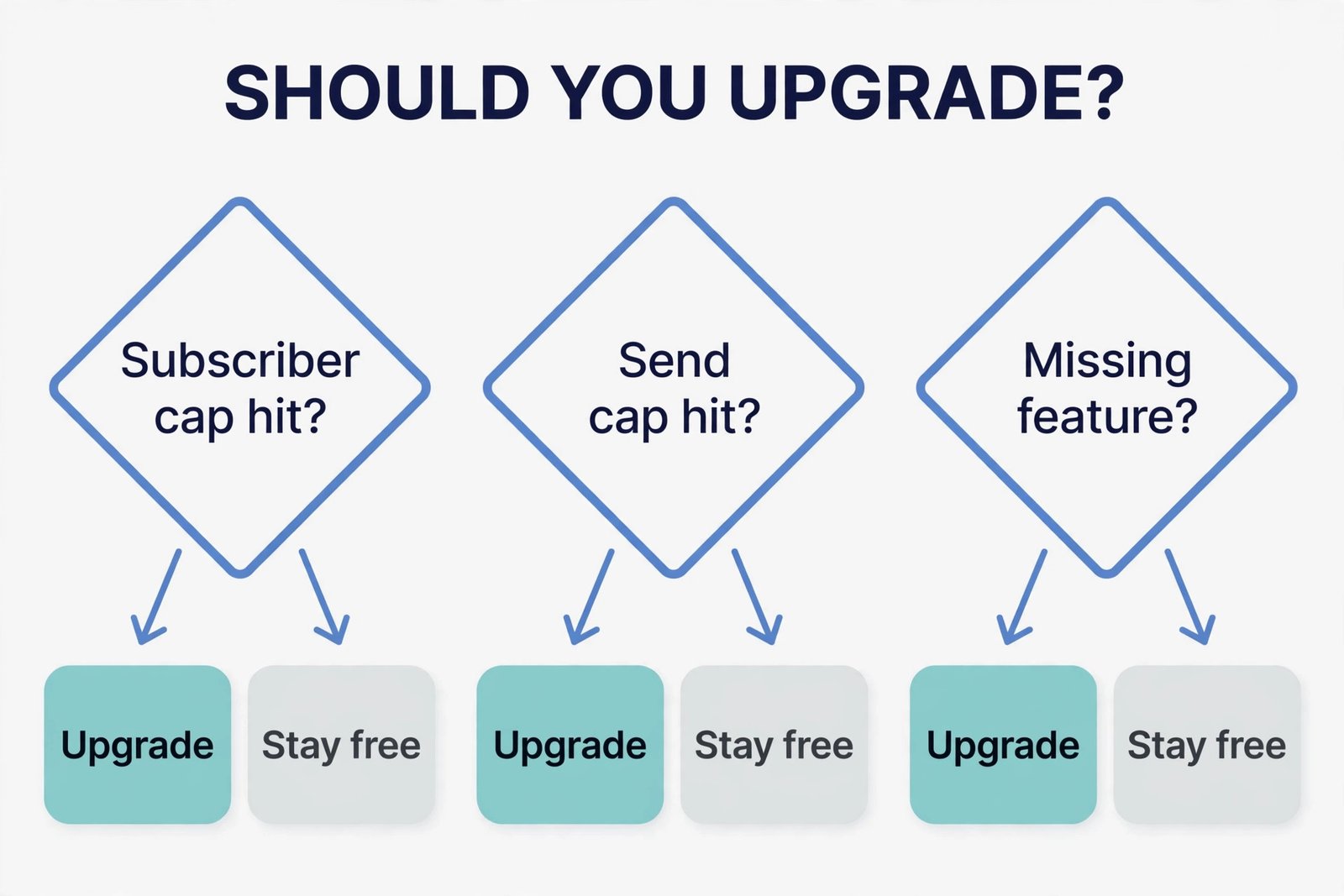
An upgrade trigger is a condition you write down on day one, so you upgrade on evidence rather than on a sales email. For Kit, set a trigger at the point where one basic automation stops being enough. If you need a welcome series with more than one step, a tag based path for new readers, or a sequence that sells a product over several days, that is the moment to price Creator, not the moment you hit 10,000 subscribers. Many Kit beginners will pay for automation long before they pay for list size. For beehiiv, set two triggers. The first is the 2,500 subscriber cap, which is a hard wall for the free plan.
The second is the first feature you need from Lite, which is usually automations, A/B testing, or paid subscriptions. If you plan to charge readers in your first three months, price Lite from the start, because free cannot turn paid subscriptions on.
For Substack, the trigger is revenue, not subscribers. Work out the point where 10 percent of paid revenue plus Stripe fees exceeds the monthly cost of a flat fee tool. At 10,000 dollars of paid subscription revenue in a month, Substack takes 1,000 dollars before card fees, while a flat fee tool costs the same subscription no matter how much you earn. For MailerLite, the trigger is simple and early. At 251 subscribers, or at 2,501 emails in a month, free ends. A weekly newsletter to 250 readers uses about 1,000 emails a month, so a list growing by 20 readers a week will cross the subscriber cap in roughly three months.
For Mailchimp, the trigger is even earlier on sends. A weekly issue to 125 readers already uses 500 emails a month, so a list of 200 readers on a weekly rhythm outgrows free on volume before it outgrows the contact cap. For Brevo, the trigger is the first send larger than 300 readers.
Kit in Depth
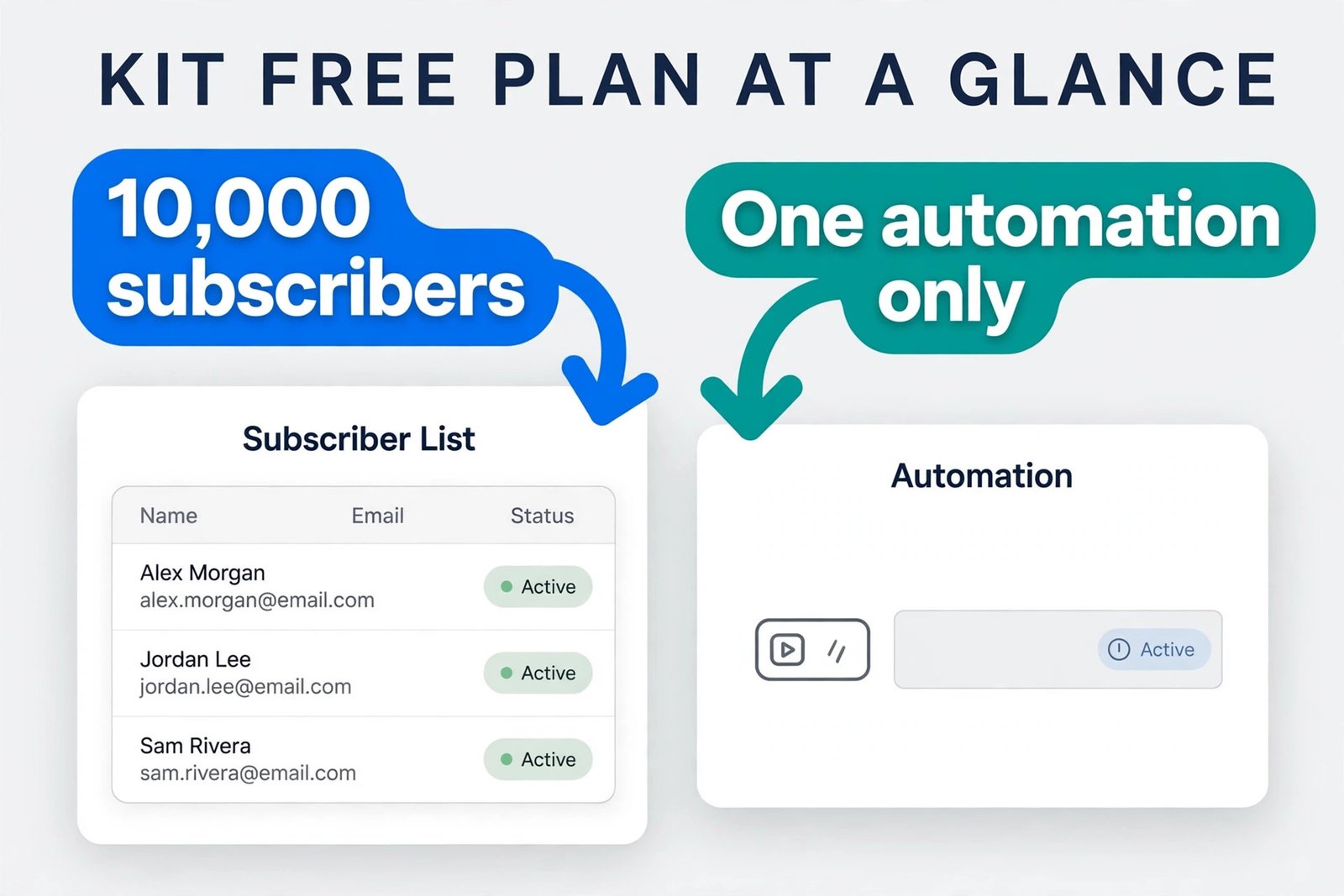
Kit, formerly ConvertKit, is built for creators who treat subscribers as the core asset. The free Newsletter plan allows up to 10,000 subscribers, unlimited broadcasts, unlimited landing pages and forms, and one basic automation. That combination is hard to beat for a writer who wants to publish and grow without paying. Creator starts at 39 dollars a month on monthly billing, or 33 dollars a month on annual billing, at 1,000 subscribers. At 3,000 subscribers Creator is 59 dollars a month, at 5,000 it is 89 dollars a month, and at 10,000 it is 139 dollars a month on monthly billing. Creator adds unlimited visual automations, email sequences, stronger integrations, and paid recommendations.
Creator Pro starts at 79 dollars a month monthly, or 66 dollars annual, at 1,000 subscribers, and adds advanced reporting, subscriber scoring, newsletter referrals, and advanced testing. For paid products, Kit charges a commerce fee reported at 3.5 percent plus 30 cents per payment, including card processing. Kit suits a writer, coach, course seller, or independent publisher who plans to segment readers and sell something later.
beehiiv in Depth
beehiiv is built as a newsletter publication first, with a website, recommendations, and growth tools in the same account. The free plan allows up to 2,500 subscribers, unlimited sends, a website and podcast tools, campaign analytics, and access to the recommendation network, with one team seat. That is a strong free tier for a writer who wants a public archive that search engines can find, not just an email list hidden inside a marketing tool. Lite starts at 59 dollars a month on monthly billing, or 49 dollars a month on annual billing, at up to 1,000 subscribers. At up to 2,500 subscribers Lite is 79 dollars a month monthly, or 69 dollars annual.
Lite adds email automations, surveys and polls, A/B testing, a referral program, webhooks, and paid subscriptions with a 0 percent beehiiv platform fee, although Stripe processing fees still apply. Pro starts at 109 dollars a month monthly, or 95 dollars annual, at 1,000 subscribers, and adds removal of beehiiv branding, a sponsorship storefront, audio newsletters, RSS to send, dynamic content, and priority support.
Substack in Depth
Substack is the simplest model in this guide, and the hardest to compare directly, because there is no monthly plan to price. Publishing and sending free newsletters is free for any number of subscribers. Fees start only when readers pay you. Substack takes 10 percent of each subscription payment, and Stripe charges its own fees on top, listed for US cards at 2.9 percent plus 30 cents per payment, plus 0.7 percent for recurring billing. A custom domain is an optional one time fee of 50 dollars.
Those figures mean a 5 dollar monthly payment leaves about 4.02 dollars before taxes, refunds and other costs, while a 10 dollar monthly payment leaves about 8.34 dollars, using the US card figures above. The advantage is obvious for a beginner. There is no subscriber cap to hit, no send cap to manage, and no monthly bill while you find your voice. The disadvantage grows with success. A flat fee tool costs the same whether you earn 500 dollars or 5,000 dollars a month from subscriptions. Substack takes a tenth of everything, forever, plus card fees.
Substack suits a writer who wants to write, publish, and charge readers with the least setup, and who values discovery inside a network over full control of branding and data.
MailerLite in Depth
MailerLite is the most complete small tool in this guide at the free level, and the smallest on list size. The free plan allows up to 250 subscribers, 2,500 emails a month, two user seats, three automations with up to five steps each, one website and one landing page, three signup forms, and one digital product or booking, with the MailerLite logo on emails. Comfort starts at 12 dollars a month on monthly billing, or 10.80 dollars a month on annual billing, at up to 500 subscribers, with 5,000 emails a month.
At 1,000 subscribers Comfort is 19 dollars a month with 10,000 emails, at 2,500 it is 33 dollars a month with 25,000 emails, and at 5,000 it is 49 dollars a month with 50,000 emails. Comfort raises automations to 50 with up to 100 steps each, adds 10 websites and landing pages, 10 signup forms, five digital products or bookings, logo removal, a preference centre, an AI writing assistant, and smart sending. Power starts at 25 dollars a month at up to 500 subscribers, with unlimited monthly emails on a fair use basis, unlimited seats, automations, sites, forms, products and bookings, multiple automation triggers, and live chat support. Check the current figures on the official MailerLite pricing page at mailerlite.com/pricing.
Mailchimp in Depth
Mailchimp is the best known name in this guide, and its free tier is now the tightest on sends. Free allows up to 250 contacts, 500 emails a month, with a cap of 250 emails a day, and one audience. That is enough to test a welcome message, run a small launch to a waiting list, or send a monthly update to a small club. It is not enough for a weekly newsletter to a list of 200 readers, because that rhythm alone needs about 800 emails a month. Current listings also place automations, scheduling, and A/B testing outside the free plan, so a beginner who wants a welcome series or a scheduled send must pay.
Essentials starts at 13 dollars a month on monthly billing at 500 contacts, with 10 times the contact count in monthly sends. Standard starts at 20 dollars a month at 500 contacts, with 12 times the contact count in sends, stronger automations, and more users. At 2,500 contacts Essentials is 45 dollars a month and Standard is 60 dollars a month. At 5,000 contacts Essentials is 75 dollars a month and Standard is 100 dollars a month. At 10,000 contacts Essentials is 110 dollars a month and Standard is 135 dollars a month. One billing detail deserves attention. Mailchimp counts contacts in the audience, including unsubscribed contacts, unless you archive them.
Brevo in Depth
Brevo, formerly Sendinblue, prices by emails sent rather than by contacts stored, which makes it the cheapest option for a large, quiet list and a trap for a frequent sender. Free allows up to 100,000 contacts stored and 300 emails a day, which works out to about 9,000 emails a month if you send every day, but unused daily sends do not roll over to the next day. Free includes the editor, a basic CRM, chat, and automations capped at 2,000 contacts in current listings, with the Brevo logo on emails. Landing pages, A/B tests, and advanced reports sit on paid plans.
Starter starts at 9 dollars a month for 5,000 emails a month, with no daily cap, but it still lacks marketing automation and still shows the Brevo logo unless you add logo removal, reported at 9 dollars a month extra. Standard starts at 18 dollars a month for 5,000 emails a month and adds marketing automation, A/B testing, advanced reports, send time optimisation, and landing pages, with logo removal included. Professional starts at 499 dollars a month at 150,000 emails a month and suits high volume teams, not beginners. Brevo suits a business with a large contact database that emails selectively, or a team that also wants SMS, chat, and a CRM in one account.
If your list is already above 300 readers and you send weekly, price Standard at 18 dollars a month as your real entry point.
What Each Tool Costs at Real List Sizes
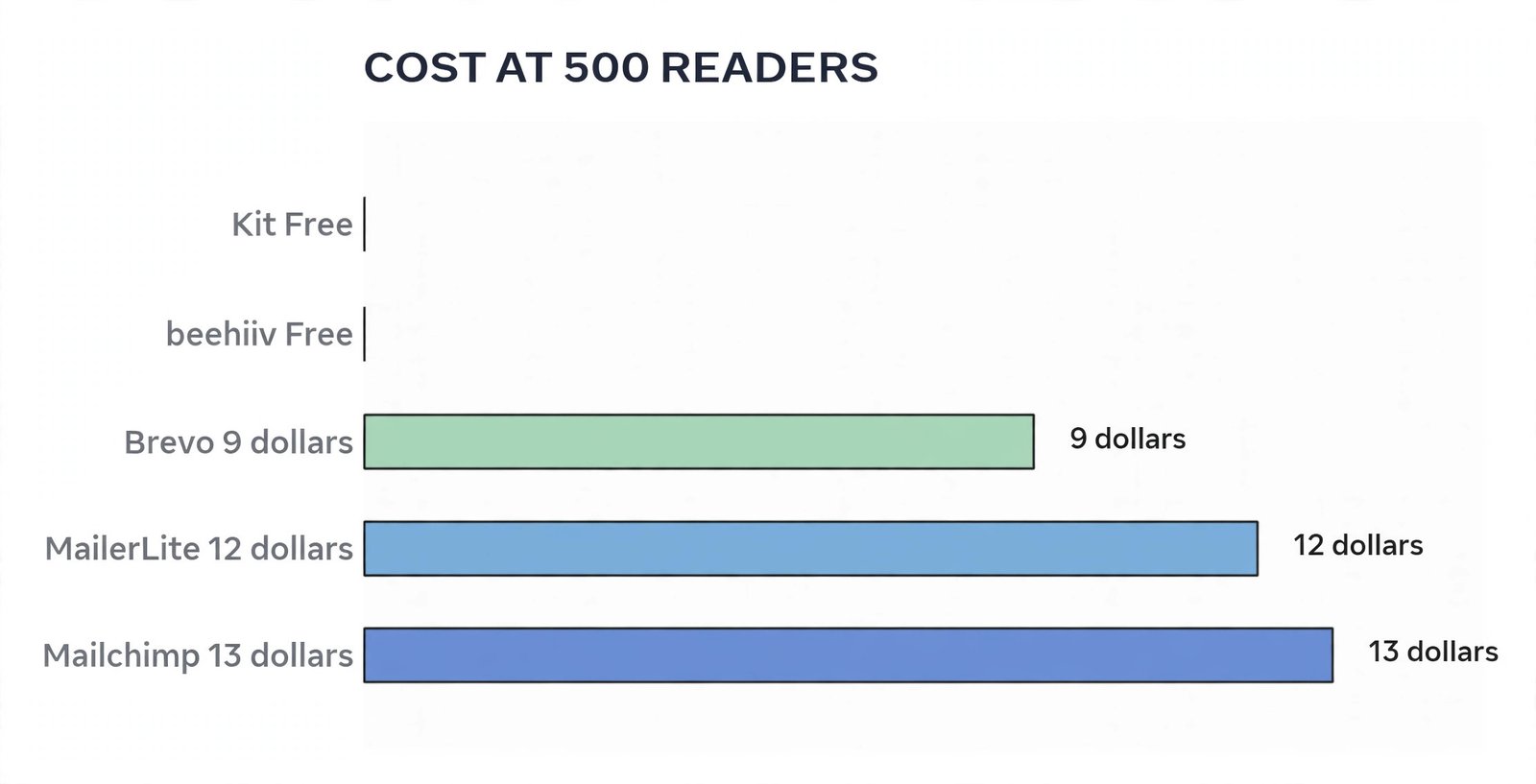
Headline starting prices mislead because they sit at different list sizes. The table below prices the plan a beginner actually needs at three list sizes, using monthly billing figures from the sections above. Substack is shown by its revenue share, because it has no monthly plan. Use this table to test your own growth plan, not as a final quote, because vendors change tiers and annual billing changes every figure.
| List size and rhythm | Kit | beehiiv | Substack | MailerLite | Mailchimp | Brevo |
|---|---|---|---|---|---|---|
| 500 readers, weekly issue | Free, up to 10,000 subscribers | Free, up to 2,500 subscribers | Free publishing, fees only on paid revenue | Comfort 12 dollars a month | Essentials 13 dollars a month | Starter 9 dollars a month for 5,000 emails |
| 2,500 readers, weekly issue | Free, up to 10,000 subscribers | Free at the cap, Lite 79 dollars a month | Free publishing, fees only on paid revenue | Comfort 33 dollars a month | Essentials 45 dollars a month | Standard 18 dollars a month at 5,000 emails, volume check needed at 10,000 sends |
| 10,000 readers, weekly issue | Free to the cap, Creator 139 dollars a month when automation is needed | Lite about 139 dollars a month at 10,000 in current listings | Free publishing, 10 percent of paid revenue plus Stripe fees | Comfort about 89 dollars a month, check current selector | Standard 135 dollars a month | Standard by volume, check selector for 40,000 sends a month |
Read that table by rhythm, not just by list size. Before you pick, multiply your list size by your issues per month, add a margin for welcome emails and test sends, and compare that total against the send cap, not just the subscriber cap. That single calculation is the most useful check in this guide, and it is the check that the best email tool for newsletter beginners must pass before any other feature matters.
How to Choose by Your Publishing Plan
Choose Kit if your plan is a text led newsletter, a welcome series, and product sales later, and you want the longest free runway. Stay free while one basic automation and broadcasts carry the work, and move to Creator when you need multi step sequences or tags that drive different paths. Do not move to Creator Pro early. Choose beehiiv if your plan is a public newsletter with a website, recommendations, and paid subscriptions, and you accept a steep Lite price when you need automations or paid tiers. Stay free while you build to 2,500 subscribers, and move to Lite when paid subscriptions, automations, or A/B testing become central.
Choose Substack if your plan is to write, publish, and test paid subscriptions with no monthly bill, and you value discovery over control. Stay free while you learn what readers will pay for, and revisit the choice when paid revenue grows. If Substack fees in a month exceed the monthly cost of a flat fee tool that gives you the features you need, run a trial move with a small segment first. Choose MailerLite if your plan is a small business newsletter with forms, a website, and automations, and you want the lowest paid entry point in this guide. Budget for Comfort from the start, because free ends at 250 subscribers.
Choose Mailchimp if you need its integrations or its broader marketing suite, and you accept higher prices as the list grows. Archive unsubscribed contacts regularly, and map every must have feature to Essentials or Standard before you compare prices. Choose Brevo if your plan is selective sending to a large database, or a business that also needs SMS, chat, and a CRM in one account. Price Standard, not Starter, if automation matters, and avoid Brevo free for a weekly newsletter above 300 readers.
Your First Seven Days on a Free Tier
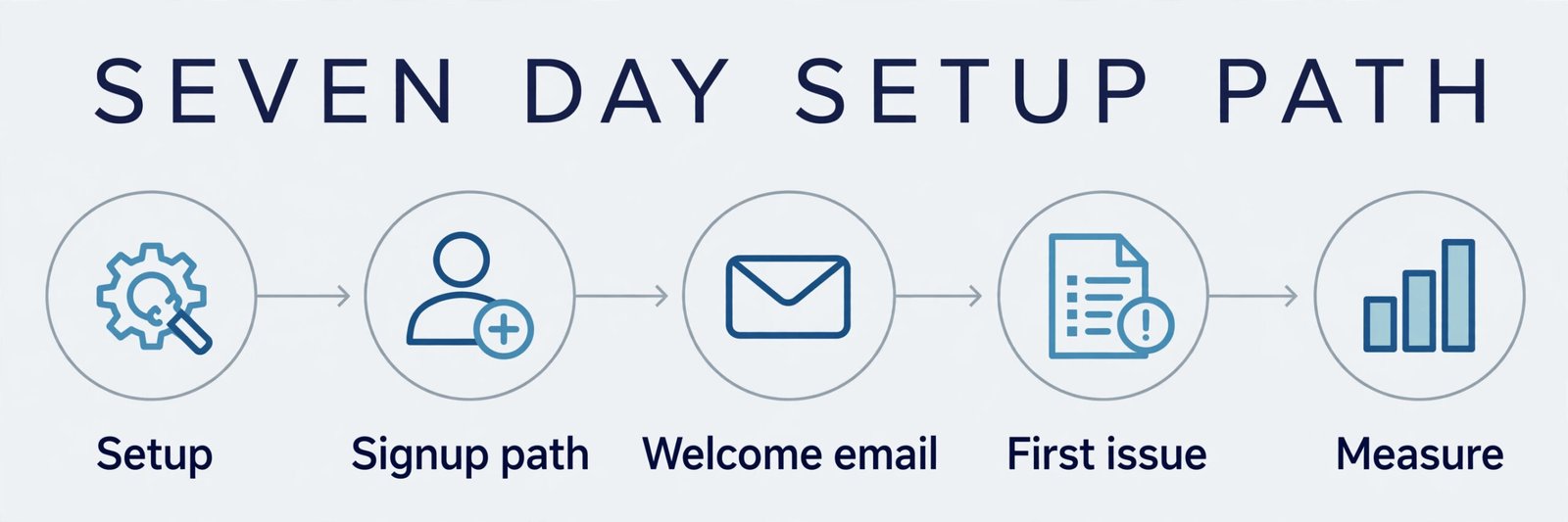
A free tier rewards a focused first week. Day one is for setup, not for design. Create the account, add your sender name and address, connect your domain for sending if the free plan allows it, and import only clean, consented contacts. Day two is for the signup path. Day three is for the welcome email. Write a short welcome that says what readers will get, how often, and how to reply. On Kit free, this is your one basic automation, so make it count. On MailerLite free, you have three automations with up to five steps each, so a short welcome series fits.
Mistakes That Waste a Free Tier
The first mistake is picking by subscriber cap alone. A tool that stores 10,000 subscribers for free is no help if its send cap, daily cap, or feature gate blocks your publishing rhythm. Always check all three limits together, and test them with your real numbers. Multiply list size by issues per month, add welcome emails, and compare the total to the send cap. If the total does not fit, the free tier does not fit, no matter how large the subscriber cap looks. The second mistake is building a welcome series on a tool that cannot run it for free, then discovering the gap after launch. Map your welcome experience to the free plan before you announce it.
If the free plan allows one basic automation, write one strong welcome email. If it allows none, make the first issue do the welcome work, and price the paid plan that adds the series into your launch budget.
The third mistake is ignoring the upgrade jump. A free tier that jumps to 59 dollars a month at a small list size is a different commitment from a free tier that jumps to 12 dollars a month. Price the jump before you build an audience on the free tier, because migration costs time, risks deliverability, and can confuse readers. The fourth mistake is importing every contact you have ever collected, including unsubscribed and cold contacts, into a tool that bills by contact count. Clean first, import second, and archive unsubscribed contacts on tools that count them.
If you want the wider email picture before you commit, related reading on this site covers best AI tools for email marketing for the broader tool field, how to start a newsletter with AI for launch planning, and Substack vs beehiiv for the closest head to head in this guide. For readers weighing Mailchimp specifically, Mailchimp alternatives compares other options in the same space, and best AI email management tools helps if inbox management, not just sending, is part of your daily work.
Frequently Asked Questions
Kit gives the longest free runway on list size, with up to 10,000 subscribers and unlimited broadcasts, but only one basic automation. If you need automations or paid subscriptions early, beehiiv free to 2,500 subscribers or MailerLite Comfort at 12 dollars a month may fit better, because the right free tier is the one whose limits match your publishing plan, not just the largest number.
Publishing and sending free newsletters on Substack is free for any number of subscribers, with no monthly plan. Fees start when readers pay, at 10 percent of subscription revenue plus Stripe card fees, and a custom domain is an optional one time fee of 50 dollars.
When should a beginner upgrade from a free email plan?
Upgrade when you cross a trigger you set in advance, such as a subscriber cap, a monthly send cap, a daily send cap, or a missing feature like multi step automations or paid subscriptions. For MailerLite that trigger arrives at 251 subscribers, for Mailchimp free it can arrive on sends before contacts, and for Brevo free it arrives at the first send above 300 readers. Do not wait until a launch fails to upgrade.
Can I move my subscriber list to another tool later?
Yes, in most cases, but check export before you commit. Export subscribers with tags and consent status during a trial, and check whether paid subscribers, archives, and automations move cleanly or need rebuilding. A clean export gives you freedom to move later, while a messy export is a warning sign about long term lock in, especially on a publication platform.
Does a free plan hurt deliverability?
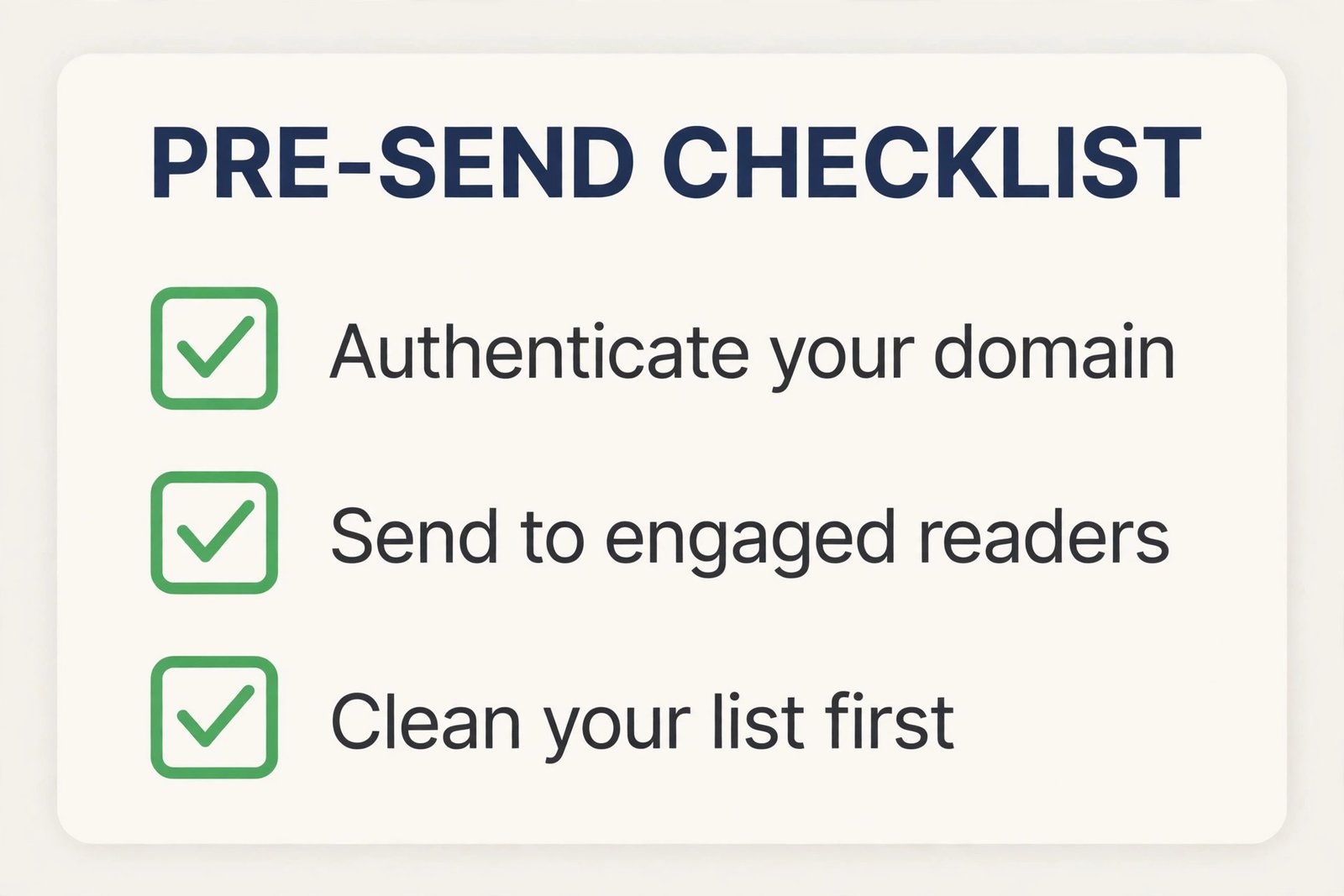
A free plan itself does not automatically hurt deliverability, but a new sending domain, a cold imported list, missing authentication, and a misleading signup promise can. Authenticate your domain, start with engaged readers, avoid bought lists, and monitor bounces, complaints, and unsubscribes in the first month.
MailerLite free is a tidy start for a small business with up to 250 subscribers, because it includes forms, a website, a landing page, and short automations in one account, with Comfort from 12 dollars a month when you outgrow it. Mailchimp free suits a tiny test list, and Brevo free suits a large, quiet database that emails selectively, but a weekly newsletter above 300 readers will outgrow Brevo free on its daily cap.
Start Free, Upgrade on Evidence, Not on Hope
The best email tool for newsletter beginners is not the tool with the largest free number on its pricing page. It is the tool whose subscriber cap, send cap, and feature gates fit the newsletter you will actually publish in the next six months, at an upgrade price you can afford when growth arrives. Kit wins on free runway. beehiiv wins on publication and growth tools. Substack wins on zero monthly cost while you test paid demand. MailerLite wins on low cost completeness for a small business. Mailchimp wins on integrations and breadth, at a higher price as you grow. Brevo wins on send based pricing for a large, selective list.
Picking the best email tool for newsletter beginners comes down to that fit, not to the loudest free claim.
Pick one tool this week, set your upgrade trigger in writing, and publish on a rhythm you can sustain. Send the first issue to engaged readers, measure replies and clicks rather than vanity opens, and fix the signup path before you chase new features. When the trigger is crossed, upgrade without guilt, because a paid plan that saves hours and protects deliverability is cheaper than a free plan that forces split sends and manual workarounds. That discipline, more than the logo on the tool, is what turns a free start into a newsletter readers actually open.