
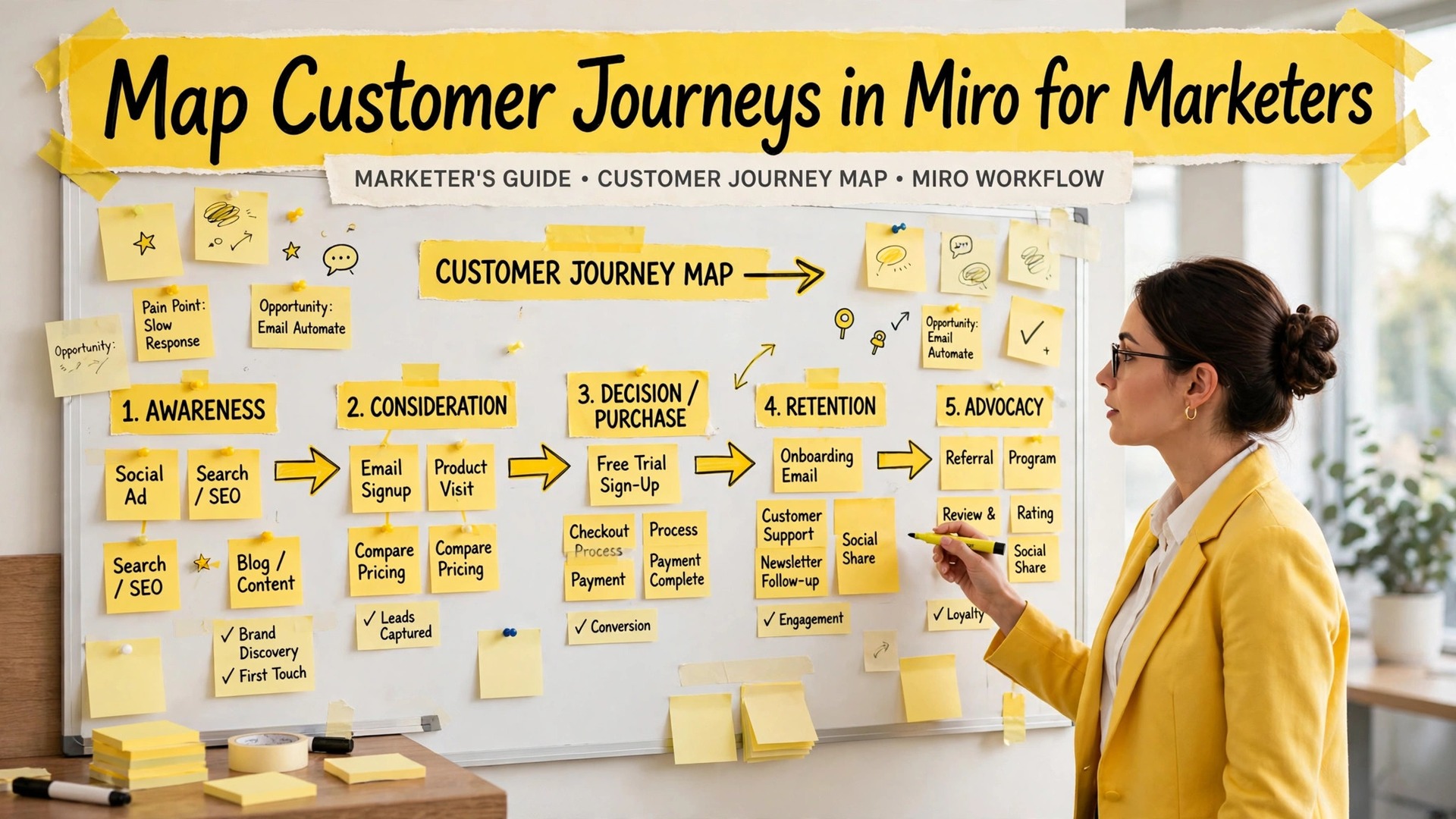
The problem with most customer journey maps is that they describe a journey nobody actually takes. A marketing team builds a neat diagram in a slide deck, with five tidy stages and a smiling customer at every step, while real customers bounce between channels, abandon carts, return weeks later, and contact support about a problem the map never mentions. The map looks good in a presentation and helps nobody make a decision, which is the failure you avoid when you use Miro for customer journey mapping marketers.
When you use Miro for customer journey mapping marketers fix that gap, because Miro’s shared whiteboard lets the whole team build the map from real evidence, argue about it in the open, and keep updating it as new data arrives, instead of freezing a fantasy in a deck that nobody revisits.
Miro is an online whiteboard where teams collaborate visually in real time. For journey mapping, its strengths are sticky notes that can be moved and clustered, frames that organize a board into sections, templates for common map structures, and the ability to bring research, screenshots, and data onto the same canvas as the map itself. That last point matters most. A journey map built beside its evidence, with interview quotes, analytics screenshots, and support tickets visible on the board, stays honest in a way that a map built from memory cannot. Marketers who map in Miro can point to the evidence behind every stage, and they can change the map when the evidence changes, without rebuilding a document from scratch.
This guide builds a journey map that drives action. You will choose the right customer and scope, gather evidence before drawing anything, build the board in stages that match how customers actually behave, identify friction points with a system rather than by opinion, turn findings into prioritized fixes, and keep the map alive as a working document. By the end, your map will be something your team opens weekly, not something that gets presented once and forgotten, and that difference is the whole point of mapping.
Why Slide Deck Journey Maps Fail
Slide deck maps fail for three reasons, and all three are structural. First, they are built by one person, usually in marketing, from assumptions about what customers do, rather than from evidence about what they actually do. Second, they are linear, showing a customer moving neatly from awareness to purchase to loyalty, while real journeys loop, stall, and branch. Third, they are static, frozen at the moment of presentation, while customer behavior, products, and channels keep changing. A map with those three flaws cannot guide investment, because it describes an ideal customer in an ideal world, and budgets spent on ideal worlds are wasted.
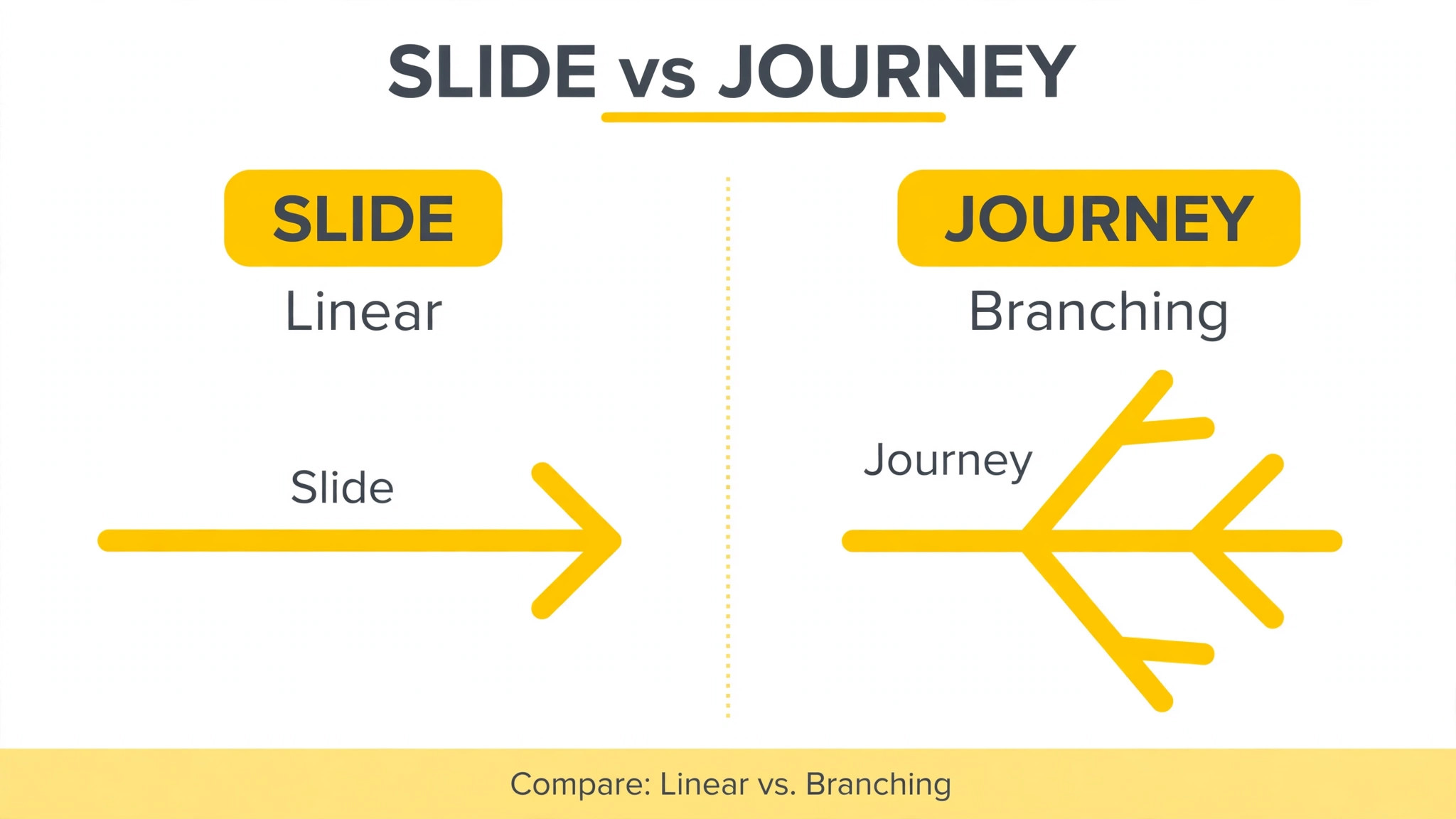
A shared whiteboard fixes each flaw by changing how the map is made. Building together forces different teams to contribute what they know, so support brings complaints, sales brings objections, product brings usage data, and marketing brings campaign results, and the map becomes a shared picture rather than one team’s guess. Visual, movable notes make non-linear journeys easy to show, because a sticky note can loop back, branch, or sit between stages without breaking a slide layout. And a living board can be updated in minutes when new research arrives, so the map stays current without a redesign project.
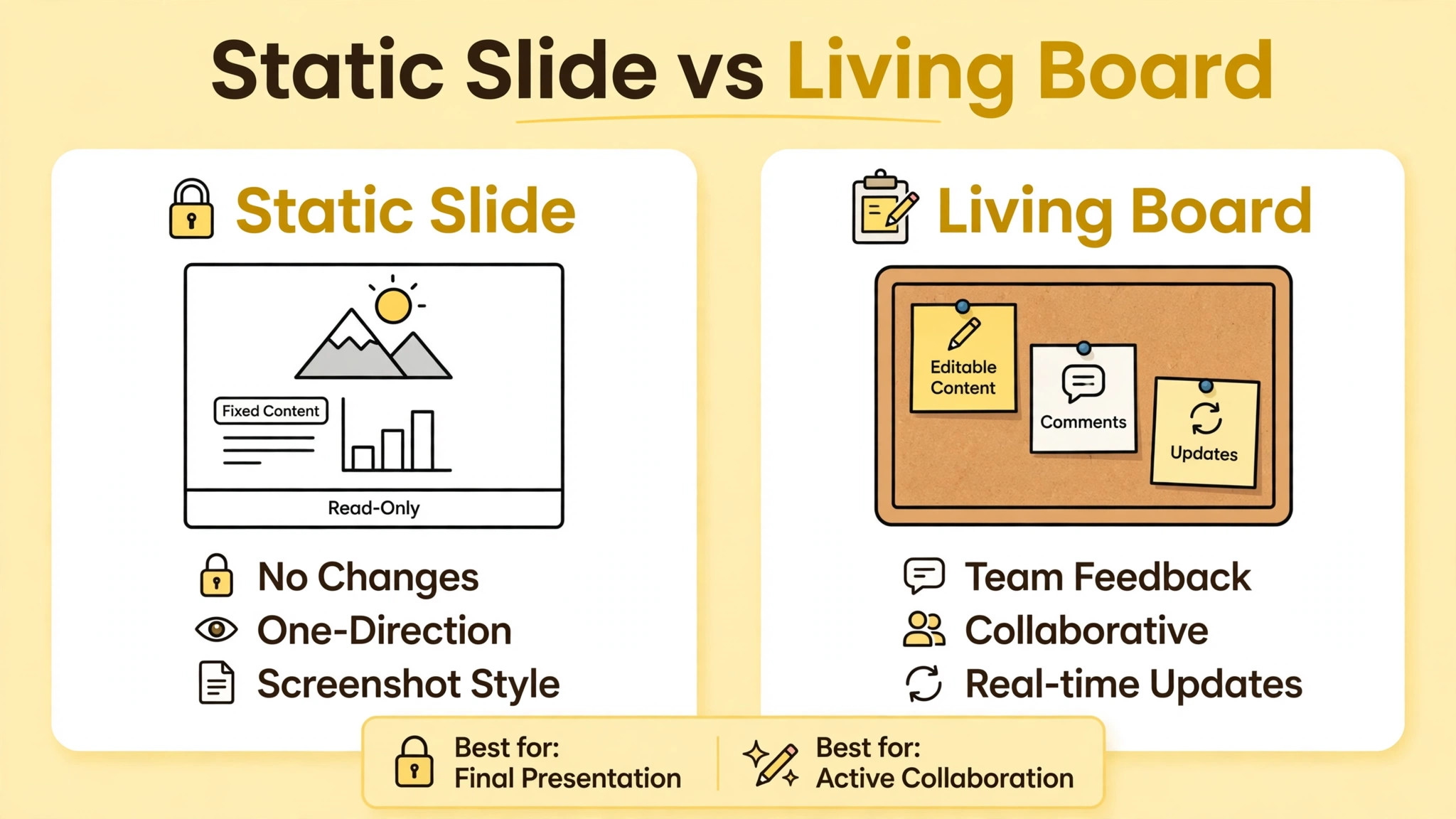
The tool does not guarantee a good map, but it removes the structural barriers that make good maps hard to build in slides.
| Map flaw | Slide deck result | Miro board result |
|---|---|---|
| Built from assumptions | Neat stages, wrong customer | Evidence notes visible beside every stage |
| Linear only | Loops and stalls hidden | Branches, loops, and detours drawn explicitly |
| Built by one team | Blind spots from other teams | Support, sales, and product contribute directly |
| Frozen after presentation | Outdated within a quarter | Updated in minutes as evidence arrives |
| No owner for fixes | Insights noted, nothing changes | Action items assigned on the board itself |
The table is a diagnostic. If your current map matches the middle column, the problem is not your team’s effort. It is the format, and changing the format to a collaborative board is the fastest fix available. When you use Miro for customer journey mapping marketers gain a map that survives contact with reality, because reality is allowed onto the board from the start, in the form of evidence, dissent, and updates.
Choosing the Customer and Scope Before Drawing
A journey map for “everyone” maps no one. Choose one specific customer persona, with a real goal, such as a first-time buyer evaluating your product against two competitors, or an existing customer trying to upgrade and hitting a billing problem. Name the persona, describe their situation in two sentences, and write their goal at the top of the board, so every later decision can be tested against it. If a proposed stage or touchpoint does not serve that persona’s goal, it does not belong on this map. It may belong on another map, for another persona, but scope discipline is what keeps a map readable, and readable maps get used.
Scope the journey in time as well as persona. Decide where the journey starts and ends, and write both on the board. A journey that starts at first awareness and ends at repeat purchase covers a different set of stages than one that starts at checkout and ends at first successful use, and mixing the two produces a map that is too long to read and too shallow to act on. For a first map, choose a narrower scope with a clear business question, such as why trial users fail to convert, or why new customers contact support in their first week.
A narrow map that answers a real question beats a broad map that answers none, and you can always build additional maps for other scopes once the first one proves its value.
Gather evidence before drawing stages. Collect recent customer interviews, support ticket themes, analytics on drop-off points, survey responses, and sales call notes, and place summaries of each source on the board in a research area. Evidence first prevents the most common mapping error, which is drawing stages from internal process names, such as “lead nurturing” or “onboarding flow,” instead of from customer actions, such as “compares prices” or “tries to cancel.” Customers do not experience your internal process. They experience their own actions, thoughts, and feelings, and the map must be written in their language, not yours. If a stage name sounds like a department, rewrite it from the customer’s point of view.
Miro Templates That Speed Up the First Map
Miro offers journey mapping templates that provide a ready-made structure, with rows for stages, actions, touchpoints, thoughts, feelings, and opportunities. Starting from a template saves setup time and reminds you of rows that are easy to forget, such as the emotional curve or the backstage processes that support each touchpoint. Treat the template as a starting point, not as a finished map, because your persona, scope, and evidence should reshape it. Delete rows that do not serve your question, add rows that do, such as a row for channels or for metrics, and rename stages to match customer language.
A template that you adapt to your evidence beats a template you fill in dutifully, because adaptation is where the thinking happens.
Building the Board Stage by Stage
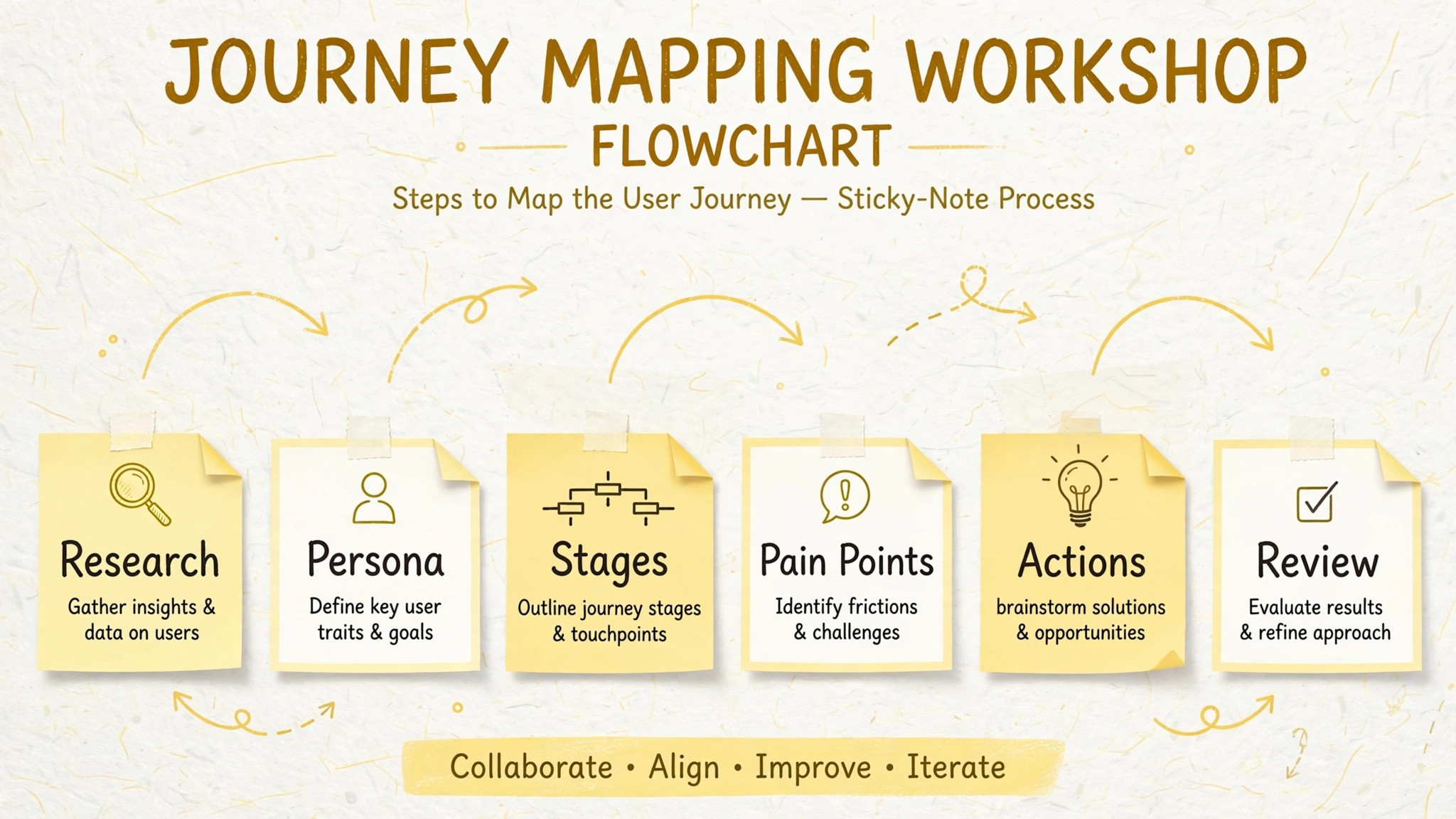
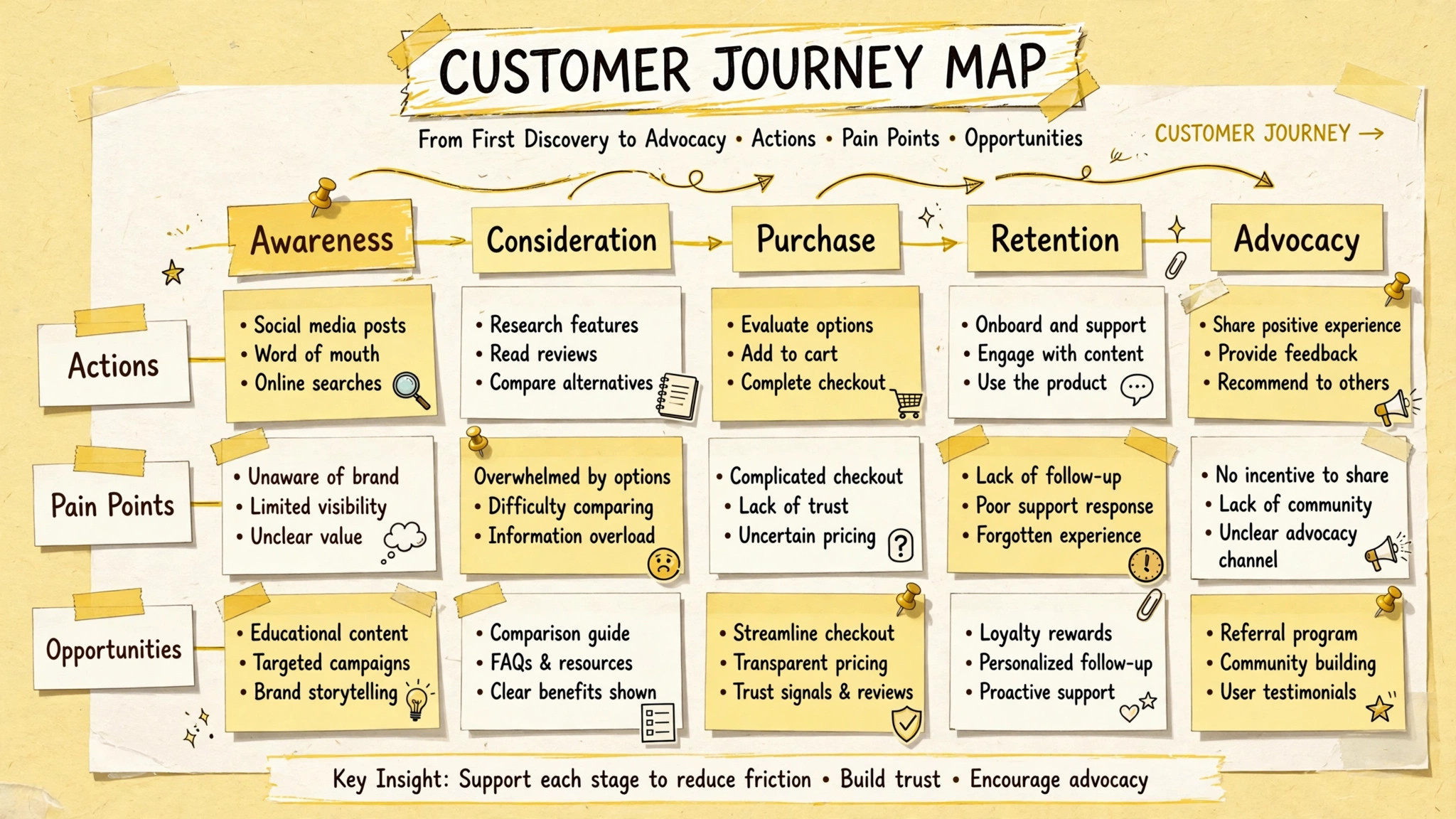
Build the board in layers, starting with stages across the top, from the customer’s first action to the journey’s end. Keep stages to five to seven, because more stages make the board unreadable, and fewer stages hide important transitions. Under each stage, add the customer’s actions, which are what they actually do, in their own words where possible. Under actions, add touchpoints, which are where the customer meets your brand, such as your website, an ad, an email, a store, or a support chat. Under touchpoints, add thoughts and feelings, drawn from research, not invented, so the board shows what customers think and feel at each step, not what you hope they feel.
Add two more rows that turn a descriptive map into an actionable one. The first is pain points, where you record friction, confusion, and unmet needs at each stage, with evidence attached. The second is opportunities, where you record ideas for fixing each pain point, or for strengthening moments that already work well. Opportunities should be specific enough to act on, such as “simplify the checkout form from twelve fields to five,” rather than vague, such as “improve checkout.” Vague opportunities produce vague projects. Specific opportunities produce briefs, owners, and deadlines, and the map becomes a pipeline of work rather than a poster.
Use color and icons deliberately, not decoratively. Assign one color to pain points, one to opportunities, and one to evidence, and keep that legend visible on the board, so anyone opening the map can read it without a tour. Use the emotional curve, a line that rises and falls across stages, to show where customers feel confident and where they feel frustrated, because the curve often reveals the story faster than any row of notes. A journey that dips sharply at one stage is telling you where to invest first, and a journey that never dips is telling you that your research missed something, because no real journey is smooth throughout.
When the board is built, walk it as the customer, stage by stage, and ask at each step whether the map matches what research actually showed. That walkthrough, done as a team, catches more errors than any individual review.
How to Use Miro for Customer Journey Mapping Marketers Can Act On
When you use Miro for customer journey mapping marketers should treat the workshop as seriously as the board, because a map built without the people who own the touchpoints will not get fixed. Invite support, sales, product, and customer success to the mapping session, not just marketing, and give each team a job, such as adding their evidence notes or challenging a stage that contradicts their data. Run the session in time-boxed rounds, such as twenty minutes for actions, twenty for touchpoints, and twenty for pain points, so the board grows evenly instead of stalling on the first stage.
Use anonymous voting or dot voting on the board to prioritize pain points, so the loudest voice does not decide what gets fixed first.
Facilitation matters as much as the template. Start the session by reading the persona and goal aloud, and keep returning to them whenever debate drifts into internal process. Ask “what does the customer do here” rather than “what do we do here,” and correct stage names that slip back into internal language. Capture disagreements on the board as open questions, rather than resolving them by authority, because a disagreement between marketing and support often signals a real gap in understanding, and that gap is worth investigating with more research. End the session with owners and next steps for the top three opportunities, so the map produces work before the meeting ends.
A workshop that ends with insights but no owners has produced a poster, not a plan.
Remote and hybrid teams benefit most from a shared board, because everyone sees the same canvas, moves the same notes, and votes in the same place, regardless of location. Use video alongside the board for discussion, but keep decisions on the board itself, in text, so the record survives the call. Record the session or write a short summary on the board, noting what was decided, what remains open, and who owns each next step. That summary turns a workshop into a working document, and it lets people who missed the session contribute afterward without a second meeting. A board that only the attendees understand is a board that will not survive the week.
The Journey Map Board Template
This template is the overview-proof element for this guide. Copy its structure onto your Miro board, adapt the stages to your persona and scope, and fill each cell from evidence, not assumption. When you use Miro for customer journey mapping marketers who build from this template produce maps that teams can read, challenge, and act on, because every row answers a question a decision maker actually asks.
| Board row | What goes in each cell | Evidence to attach |
|---|---|---|
| Persona and goal | Persona name, situation, and goal in two sentences | Interview summary or persona document |
| Stages | Five to seven stages in customer language | Research showing how customers divide the journey |
| Customer actions | What the customer does at each stage | Interview quotes, analytics, observation |
| Touchpoints | Where the customer meets your brand | Channel data, screenshots, journey logs |
| Thoughts | What the customer thinks at each stage | Direct quotes from interviews or surveys |
| Feelings and curve | Emotional highs and lows across stages | Survey scores, sentiment, support themes |
| Pain points | Friction, confusion, and unmet needs | Support tickets, drop-off data, complaints |
| Backstage processes | Internal systems and teams behind each touchpoint | Process notes from owners |
| Opportunities | Specific, actionable fixes per pain point | Owner, effort estimate, and next step |
| Metrics | One measure per stage that shows success | Analytics baseline and target |
Fill the board top to bottom, left to right, and do not skip the feelings row, because feelings drive behavior more than features do. A customer who feels confused at checkout abandons the cart regardless of price, and a customer who feels supported after a problem becomes more loyal than one who never had a problem. The metrics row keeps the map honest over time, because a stage with no measure cannot show improvement, and an opportunity without a baseline cannot prove it worked. Choose one metric per stage, record its current value, and set a target, so the map becomes a dashboard for customer experience, not just a picture of it.
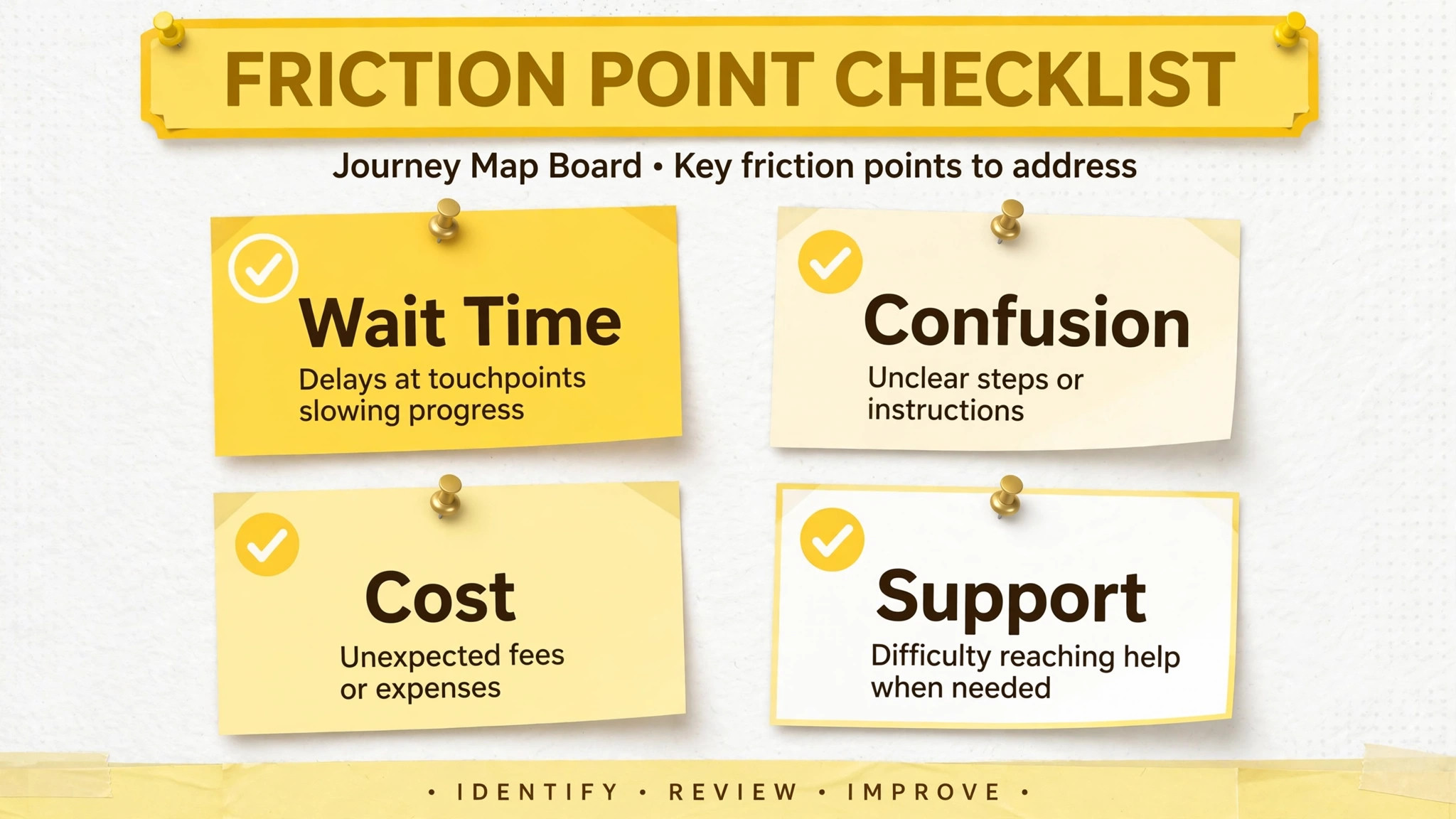
The Friction Point Checklist
Use this checklist to find and prioritize friction on your completed map. Run it as a team, stage by stage, and score each friction point before deciding what to fix, because prioritization by feeling alone favors the most recent complaint over the most costly problem. When you use Miro for customer journey mapping marketers who score friction systematically invest where customers actually suffer, not where internal voices are loudest.
- List every pain point on the map, with its stage, evidence, and affected customer count where data allows.
- Score each pain point for severity, meaning how badly it harms the customer experience at that stage.
- Score each pain point for frequency, meaning how often customers encounter it.
- Score each pain point for business impact, meaning lost conversions, churn, or support cost it causes.
- Combine the scores to rank pain points, and challenge any ranking that contradicts the evidence.
- Check whether a pain point appears at multiple stages, since repeated friction compounds and deserves priority.
- Assign an owner, a next step, and a deadline to the top three pain points before leaving the session.
- Record quick wins separately from larger projects, so the team ships fixes fast while planning bigger work.
- Set a metric and a target for each fix, so success is measurable rather than claimed.
- Schedule a review date to revisit the map and confirm whether each fix moved its metric.
Quick wins deserve emphasis, because a map that produces no visible change within a month loses credibility with the team. A simplified form, a clearer email, or a better help article can ship in days and show the map’s value, while a checkout rebuild or a pricing change takes quarters. Ship quick wins first, report their results on the board, and use that momentum to fund larger fixes. A journey map that visibly improves the customer experience earns the right to be maintained, and maintenance is what keeps it useful for the next quarter’s decisions.
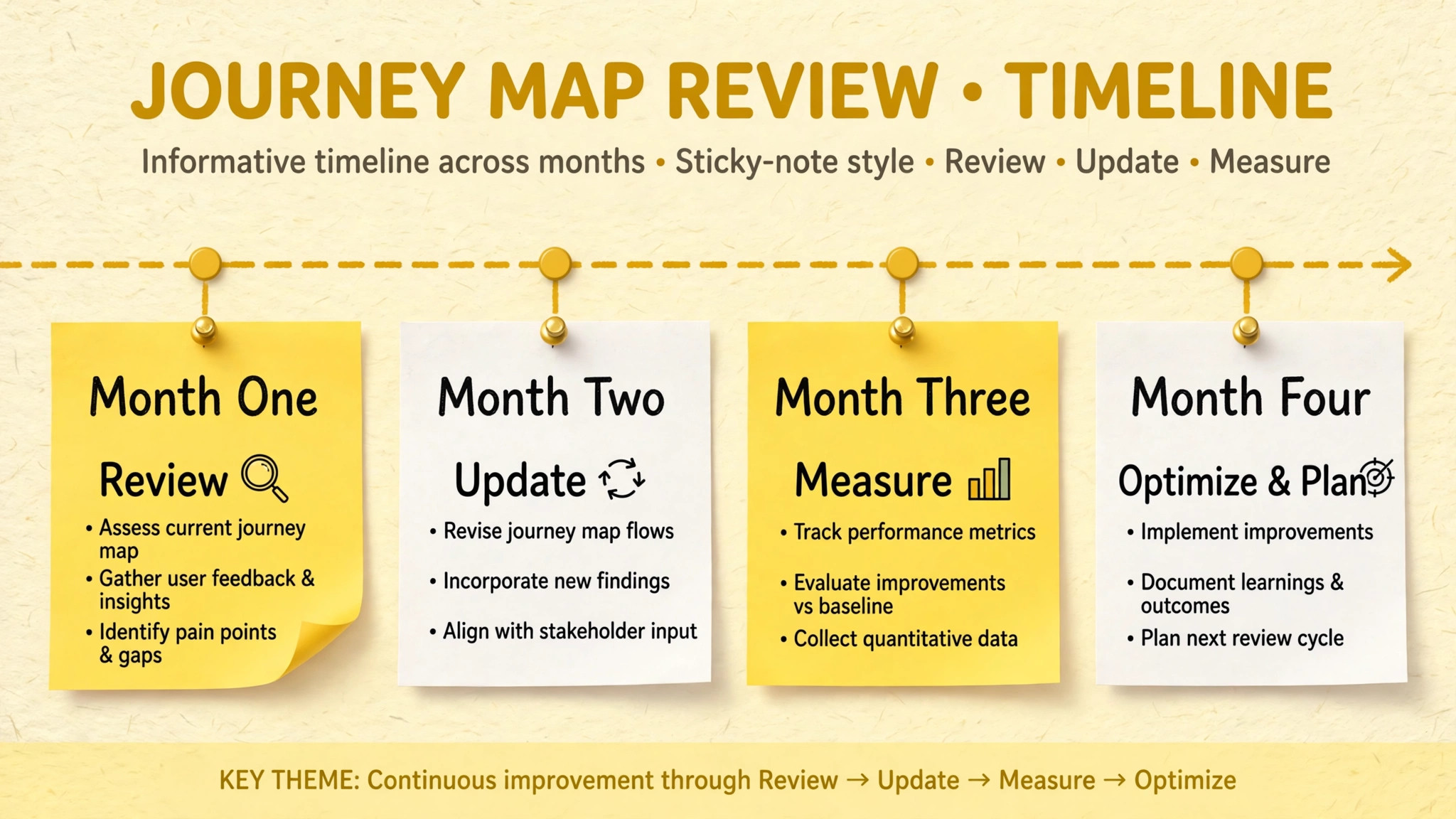
Keeping the Map Alive After the Workshop
A map that is not updated becomes a historical document, and historical documents do not guide budgets. Assign a map owner, ideally a marketer who works closely with customer insights, and give that owner a monthly review slot. In each review, add new evidence, update metrics, mark completed fixes, and archive pain points that are resolved, so the board reflects current reality rather than the workshop’s snapshot. Share the updated map with stakeholders monthly, in a short summary that names what changed, what improved, and what needs attention next. Stakeholders who see movement keep funding the work. Stakeholders who see the same board for six months stop paying attention.
Link the map to execution tools, by turning opportunities into tracked tasks with owners and deadlines, and by linking those tasks back to the board, so anyone can trace a project to the customer pain it addresses. When a project ships, return to the map, update the metric, and note the result on the board, closing the loop from insight to impact. That loop is what makes journey mapping a business practice rather than a workshop exercise, because it connects customer understanding to measurable outcomes, and it gives the team a story to tell about why their work matters. A map that closes loops gets maintained. A map that does not gets forgotten.
Version the board when major changes occur, by duplicating it or saving a snapshot, so you can compare the journey over time and show how customer experience evolved. A before-and-after comparison is powerful in budget discussions, because it shows that investment in customer experience produced a different journey, not just a different deck. Keep old versions accessible but clearly labeled, so nobody mistakes an old map for the current one, and keep the current map as the single source of truth that the whole team opens. One current map, maintained monthly, beats ten forgotten maps every time.
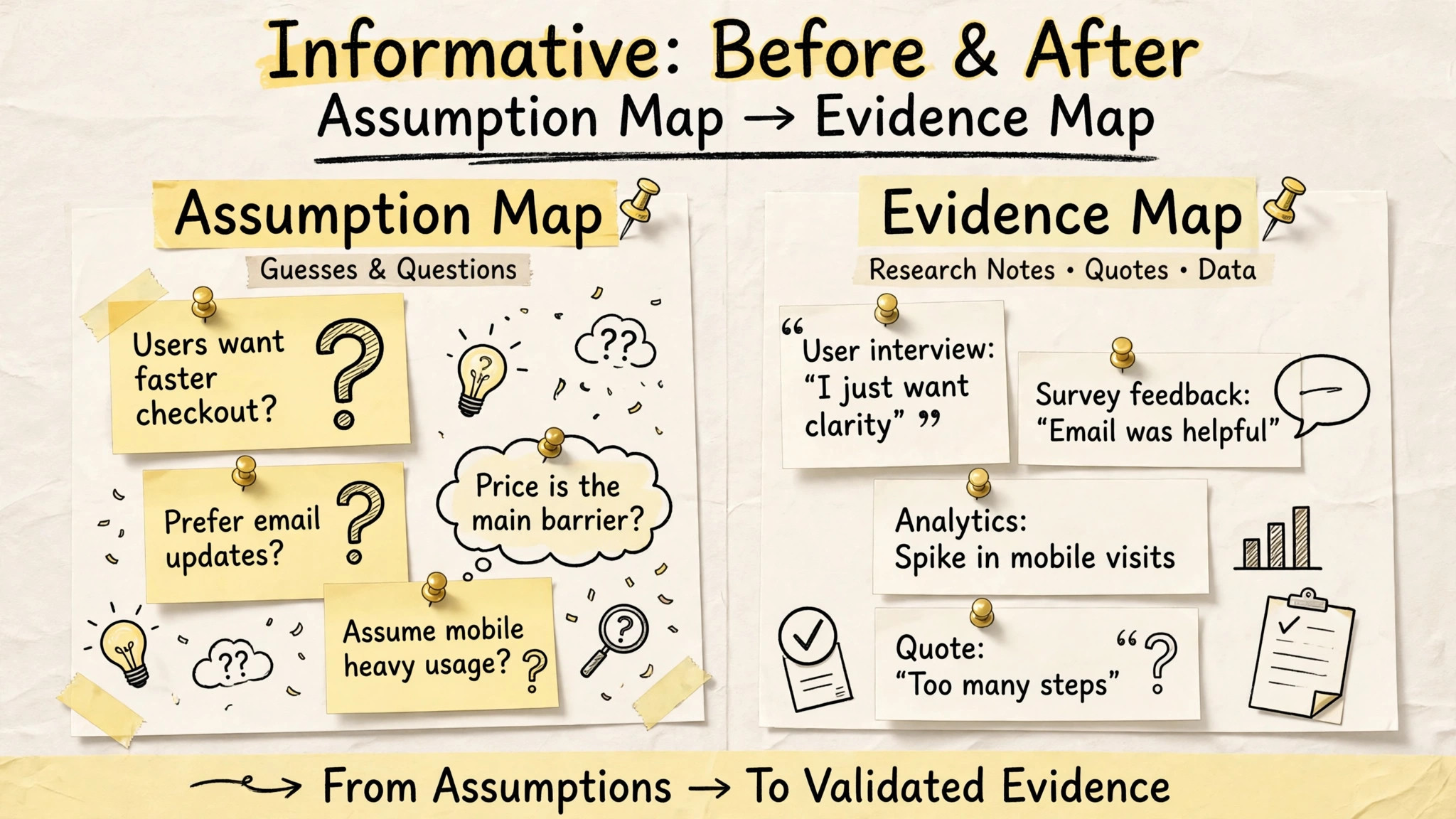
Measuring Whether the Map Worked
A journey map without measurement is a belief, and beliefs do not survive budget reviews. When you use Miro for customer journey mapping marketers should attach one metric to each stage before any fix ships, and record the baseline on the board where everyone can see it. Conversion rate suits purchase stages, completion rate suits onboarding stages, support contact rate suits post-purchase stages, and satisfaction scores suit stages where feelings matter most. The right metric is the one that moves when the customer experience at that stage improves, and that test eliminates vanity metrics that look good while customers still struggle.
Report results on the board itself, not in a separate deck, so the map becomes the record of what changed. When a fix ships, update the metric, note the date, and mark the pain point as resolved or partially resolved, with evidence. When a fix fails to move its metric, say so plainly on the board, and investigate whether the fix addressed the real friction or only a symptom. When you use Miro for customer journey mapping marketers build credibility by reporting failures alongside wins, because stakeholders trust a team that learns in public more than a team that claims every project succeeded.
Over a year, the board becomes a history of customer experience improvements, with numbers attached, and that history is the strongest case for continued investment in mapping.
Mistakes That Make Journey Maps Useless
The most common mistake is mapping from internal process instead of customer action, which produces a diagram of your organization wearing a customer’s name. Test every stage name by asking whether a customer would use those words, and rewrite any stage that sounds like a department. The second mistake is building the map without evidence, which produces a confident fiction that collapses the first time real data is checked. Require evidence notes for every stage, and mark assumptions explicitly where evidence is missing, so the team knows what needs research rather than believing a guess.
The third mistake is mapping too broadly, covering every persona and every channel in one board, which produces a map too large to read and too shallow to act on. Narrow the scope, build one map well, and expand only when the first map proves useful. The fourth mistake is ending the workshop without owners or deadlines, which produces insights that evaporate. Assign owners before the session ends, even if the assignment is provisional. The fifth mistake is never updating the map, which turns a living tool into a relic. Schedule the monthly review at the workshop itself, while momentum is high, and treat it as a standing meeting, not as an aspiration.
A journey map is a practice, not a deliverable, and practices survive only when they are scheduled.
More Reading on Stratilyze
Readers improving customer experience may also enjoy planning a content calendar in Google Sheets for bloggers, running project status meetings in Microsoft Teams, and tracking freelance projects in Notion. Each one covers a different part of the work around journey mapping, from planning content for each buying stage to tracking the fixes that matter as work items.
Frequently Asked Questions
How long does it take to build a customer journey map in Miro?
A focused first map takes a half-day workshop plus a few hours of evidence gathering beforehand, for a team that already has interview and analytics data. A map built without evidence takes longer, because research must be gathered first, and rushing that step produces a map based on guesses. Budget a week elapsed time for evidence, workshop, and cleanup, and treat the monthly review as ongoing maintenance.
Do I need research before mapping, or can I start with assumptions?
Start with evidence, and mark assumptions explicitly where evidence is missing. A map built purely from assumptions often looks convincing and misleads investment, because it reflects internal beliefs rather than customer behavior. If research is thin, build a narrow map for one stage where evidence exists, and use the gaps on the board to justify further research.
How many stages should a journey map have?
Five to seven stages usually work best, because fewer stages hide important transitions and more stages make the board unreadable. Choose stages in customer language, based on how customers divide their own journey, and adjust the count to your scope. A narrow scope may need fewer stages, while a full lifecycle map may need the full seven, but readability should always win over completeness.
Who should attend a journey mapping workshop?
Include marketing, support, sales, product, and customer success, because each team owns touchpoints and holds evidence the others lack. A map built by marketing alone misses support complaints and sales objections, while a map built without product misses the backstage constraints that shape the experience. Invite the people who can both contribute evidence and own fixes.
How often should a journey map be updated?
Review the map monthly, update metrics and evidence, mark completed fixes, and add new pain points as they appear. Major changes, such as a new product launch or a channel shift, deserve an immediate update rather than waiting for the monthly review. A map that is not updated becomes a historical document, and historical documents do not guide current budgets.
Can one Miro board hold multiple personas?
It can, but it usually should not, because multiple personas on one board blur the stages and hide persona-specific friction. Build one board per persona and scope, and link related boards together, so teams can compare journeys without confusing them. A single board per persona keeps each map readable, actionable, and honest about whose journey it describes.
A Map Your Team Will Actually Open
Journey mapping earns its keep only when it changes what a team does next. When you use Miro for customer journey mapping marketers build that change into the board itself, through evidence beside every stage, friction scored and owned, opportunities turned into tasks, and a monthly review that keeps the map current. Build your first narrow map this month, invite the teams who own the touchpoints, and ship one quick win from it within thirty days. That win, reported back on the board, will do more for journey mapping in your organization than any polished presentation, because it proves the map is not a picture of the customer. It is a tool for serving them better.