

The best kitchen timer is the one you can start without washing your hands, and that single fact explains why voice timers beat phone timers for most cooks. A phone timer means touching a screen with flour, oil or raw chicken on your fingers, then hunting for the right app while a sauce thickens. When you use smart speaker for kitchen cooking timers, you speak a short command, hear a clear confirmation, and get back to cooking, with both hands still free.
When you use smart speaker for kitchen cooking timers, you turn timing from a fiddly phone task into a background habit, and for dishes where three things finish at different times, that habit is the difference between a calm kitchen and a burnt side dish.
This guide builds a complete voice timer system for a home kitchen. It covers choosing a speaker and a spot where it can actually hear you, a naming system that keeps multiple timers straight, a step by step routine for a full meal, and a failure checklist for the moments when a timer does not ring, the speaker misunderstands, or the kitchen gets too noisy. It assumes one smart speaker in or near the kitchen, and it works whether you cook simple weeknight meals or a full weekend dinner with several dishes on the go at once.
Why Kitchen Timers Fail at the Worst Moment
Kitchen timing fails for predictable reasons, and most of them have nothing to do with cooking skill. Hands are wet, greasy or covered in flour at exactly the moment a timer needs starting, and a cook who stops to wash and dry hands loses time and focus. Phone timers add a second problem, because the phone may be in another room, locked, low on battery, or showing a notification that hides the timer controls. A third problem is memory, because a cook juggling three dishes must remember which timer belongs to which dish, and a phone screen showing three identical countdowns does not help, especially when the cook is tired or interrupted by a doorbell or a child.
Voice timers solve the hands problem directly, because the cook speaks while working, and they solve the visibility problem partly, because the speaker confirms the timer aloud and can be asked how much time remains on any timer by name. They do not solve everything, and honest guides should say so. A speaker can mishear a number in a noisy kitchen, especially when an extractor fan, a kettle and a conversation compete, and a timer that was set for 15 minutes instead of 50 minutes will ruin a roast if nobody checks.
Voice timers also depend on power and network, so a router outage or a power cut can silence them, which is why this guide pairs voice timers with a simple backup habit for long or critical cooks.
The goal is not to replace every timer in the kitchen, but to give voice timers the jobs they do best, which are short and medium timers started with messy hands, multiple overlapping timers for a full meal, and reminders to stir, flip or check at intervals. Keep a simple mechanical or oven timer as backup for very long cooks, such as a slow roast or bread proving, where a network failure would matter most. Used that way, voice timers reduce stress and errors, while the backup covers the rare failure that would otherwise spoil a meal.

How to use smart speaker for kitchen cooking timers in a Real Kitchen
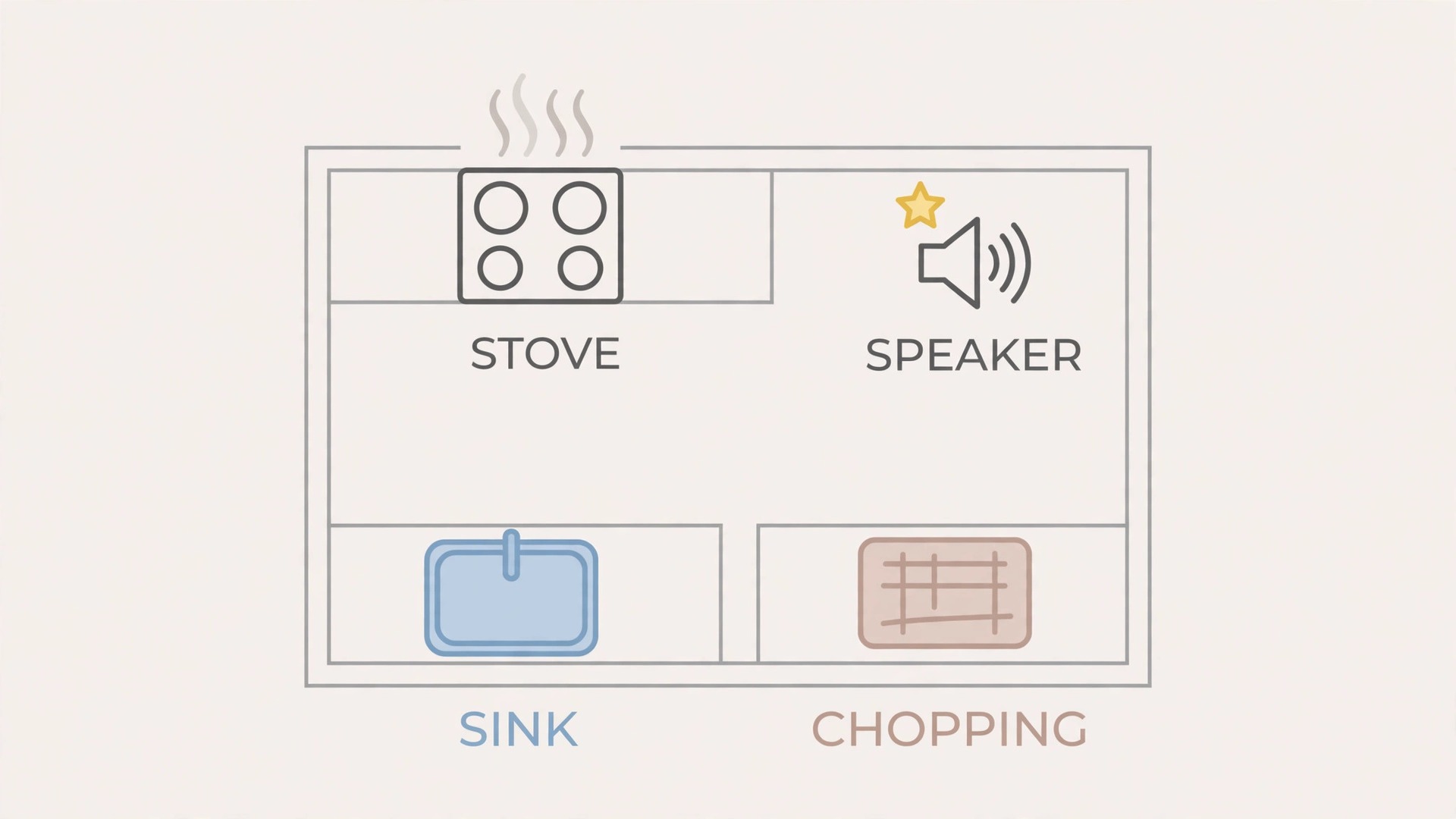
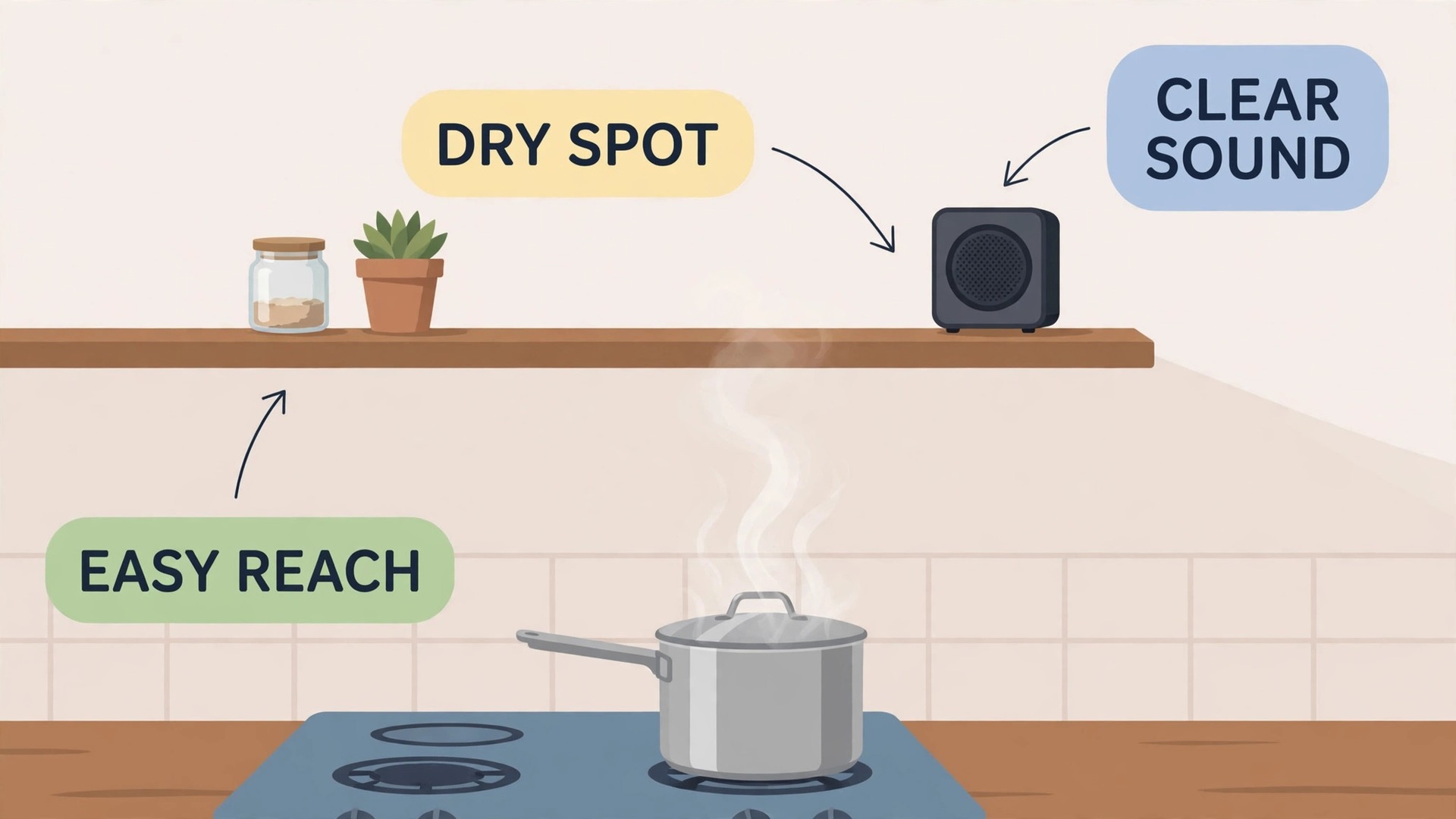
The best way to use smart speaker for kitchen cooking timers starts with placement, because a speaker that cannot hear you over a fan is useless no matter how good its features are. Place the speaker on a stable surface away from direct steam, splashes and heat, but close enough to the main cooking area that a normal speaking voice reaches it. A spot on a side counter, a shelf at head height, or a wall mount near the stove usually works better than a spot buried behind appliances or inside a cupboard, where sound is muffled and steam collects.
Test the spot before relying on it, by running the extractor fan, filling a kettle, and speaking timer commands at normal volume from the stove, the sink and the chopping area, and move the speaker if any position fails repeatedly.
Next, learn the exact phrases your speaker uses for timers, because each system has its own wording, and guessing wastes time mid cook. Practise setting a timer, naming a timer, asking for remaining time, cancelling one timer, and cancelling all timers, until each phrase feels automatic. Most systems accept a timer with a name, such as a timer for pasta or a timer for the oven, and naming is the habit that makes multiple timers work, because an unnamed list of timers is impossible to manage by voice.
Teach the same phrases to everyone who cooks in the household, and write the five key phrases on a small card near the speaker for the first month, so guests and family members can use the system without a lesson.
Finally, set a volume and a ring tone that cuts through kitchen noise without startling anyone. A timer sound that is too quiet will be missed over a fan, while a harsh alarm at full volume will make everyone jump and may still be ignored if it sounds like every other notification in the house. Choose a distinct timer sound if your speaker offers one, set the volume a notch higher than normal speaking volume, and test it with the fan on and a pan sizzling, because a timer that cannot be heard is worse than no timer at all.
When you use smart speaker for kitchen cooking timers with placement, phrases and volume all tested, the system becomes reliable enough to trust for a full meal, and that trust is what turns a gadget into a kitchen habit.
A Timer Routine for a Full Meal
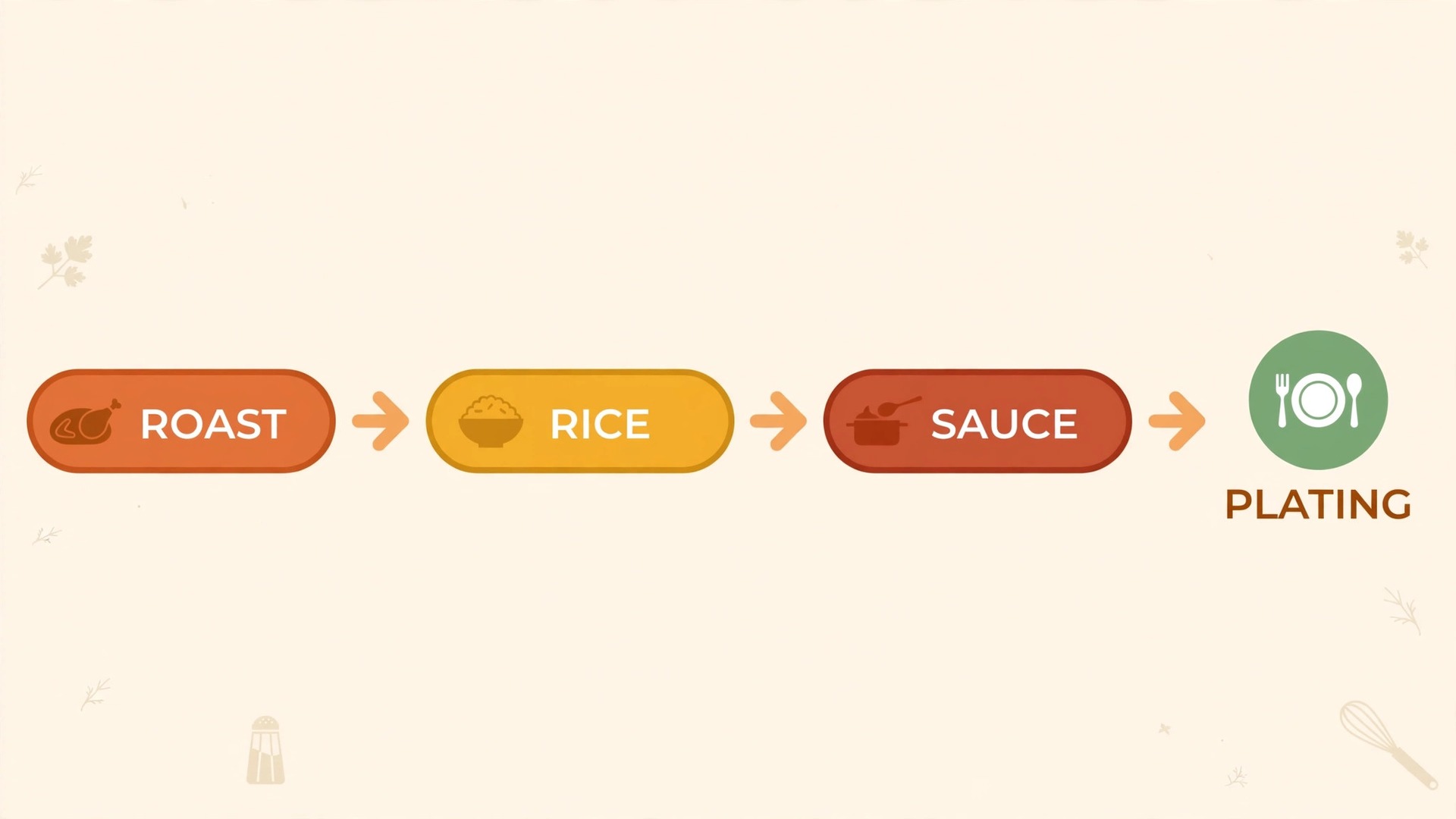
A full meal is where voice timers earn their place, because several dishes finish at different times and the cook must coordinate them without a written schedule. The routine below assumes a main dish in the oven, a side dish on the hob, and a sauce or vegetable that needs checking, and it can be adapted to any combination by renaming the timers. Follow it in order, and speak each timer name clearly, because clear names are what keep the system straight when the kitchen gets busy.
- Before cooking starts, list the dishes and their times on paper or in your head, and decide which timer each dish needs.
- As each dish starts, set a named timer immediately, before moving on to the next task, so no dish is left untimed.
- Use names that match the dish, such as a timer for roast chicken, a timer for rice, and a timer for sauce check, not generic numbers.
- For dishes that need stirring or turning, set a second shorter interval timer, such as a stir check every 10 minutes, alongside the main timer.
- When a timer rings, stop and deal with that dish before starting anything new, because a rung timer ignored for two minutes can still spoil food.
- If a dish finishes early or needs longer, cancel or extend its timer by voice at once, so the timer list always matches reality.
- Ask for remaining time on the longest timer before starting a new task, so you know how much free time you actually have.
- Near the end, set a final five minute timer as a plating warning, so side dishes, sauces and garnishes finish together.
- After serving, cancel any timers still running, so a forgotten timer does not ring during the meal.
- Once a week, review which timers worked and which names caused confusion, and adjust names for the next meal.
That routine works because it ties every timer to a dish name and a single action, so the cook never has to remember numbers alone. A timer named for rice means something at a glance, or rather at a hearing, while a timer called timer one means nothing when three timers are running. The five minute plating warning is the step most cooks skip, and it is the step that most improves a meal, because it forces the cook to think about finishing together, rather than serving one perfect dish and two cold ones. Over time, the routine becomes automatic, and the cook can focus on flavour and timing instead of on timer management.
That routine is the core of how you use smart speaker for kitchen cooking timers for a full meal, and it scales from two dishes to five without new skills.
Naming Timers So Multiple Timers Stay Clear
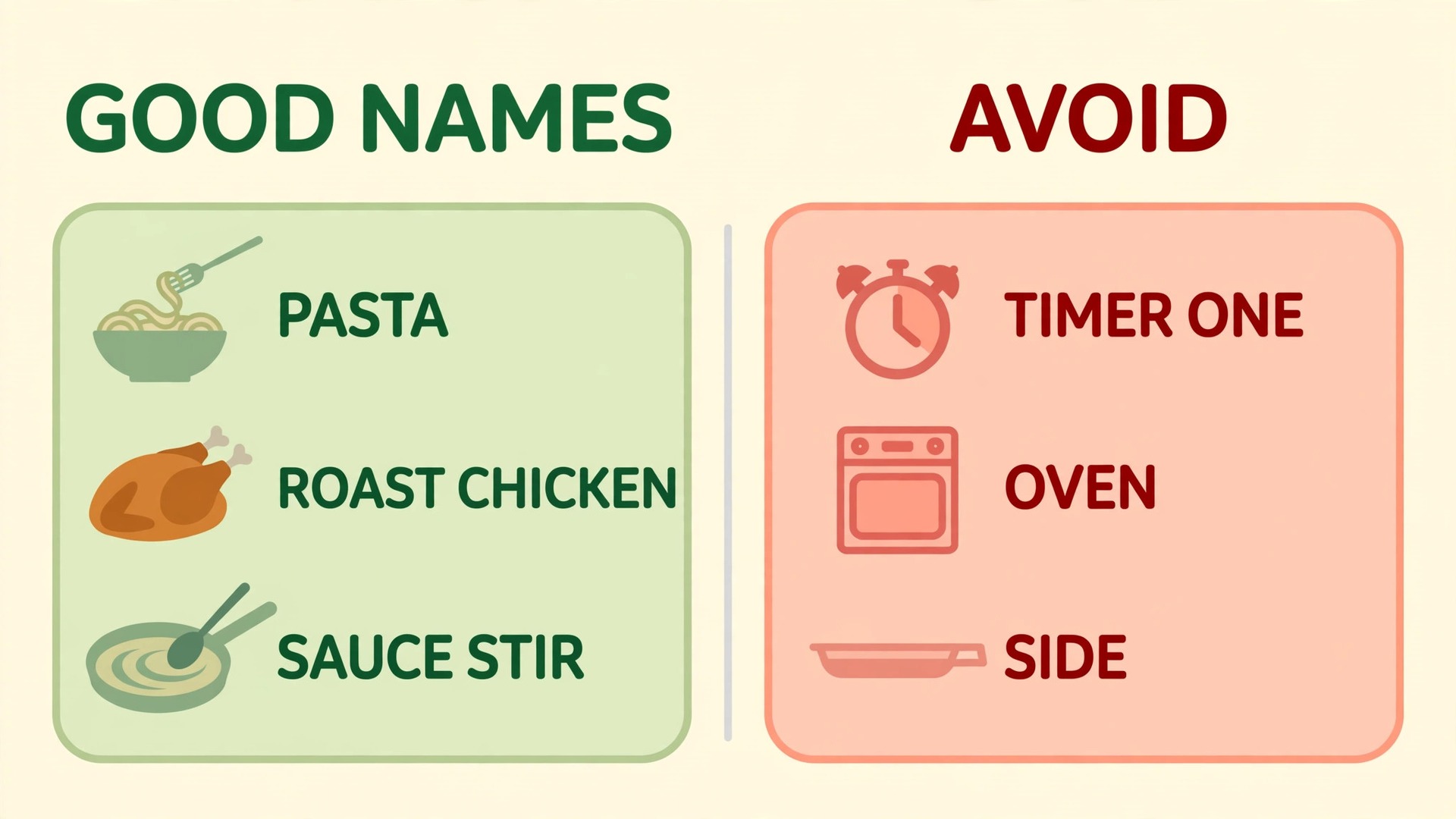
Naming is the skill that separates a cook who manages three timers easily from a cook who cancels the wrong one and burns dinner. The table below shows naming patterns that work, with examples for common dishes, and the pattern to avoid in each case. Use names that are short, distinct, and tied to the food, not to the hob ring or the oven shelf, because food names survive when dishes move between burners, while position names do not.
| Situation | Good timer name | Why it works | Avoid |
|---|---|---|---|
| Pasta on the hob | Timer for pasta | Names the food directly | Timer one, which means nothing later |
| Roast in the oven | Timer for roast chicken | Distinct from side dishes | Timer for oven, which clashes with other oven dishes |
| Rice cooking | Timer for rice | Short and unmistakable | Timer for pot, which fails if pots swap |
| Sauce needing a stir | Timer for sauce stir | Names the action, not just the food | Timer for sauce, which confuses with sauce cooking time |
| Bread proving | Timer for bread rise | Describes the stage clearly | Timer for bread, which could mean baking or proving |
| Vegetables steaming | Timer for vegetables | Clear and separate from other sides | Timer for side, which clashes with every side dish |
Keep names to two or three words where possible, because long names are harder for the speaker to recognise and harder for the cook to say quickly. Avoid names that sound alike, such as rice and peas said quickly in a noisy kitchen, by choosing more distinct words, such as rice and green beans, or by adding the dish role, such as rice main and beans side. If two timers have similar names and the speaker confuses them, rename one immediately and note the new name, because a confusion that happens once will happen again at the worst moment.
When you use smart speaker for kitchen cooking timers with several dishes, ask for a list of active timers before a busy stretch, so you hear the names and remaining times in order and can spot a missing or wrong timer early. That spoken check takes ten seconds and prevents the most common multi timer error, which is a dish that never had a timer set because the cook was interrupted mid command. Make the check a habit before starting a task that will occupy both hands for several minutes, such as kneading dough or carving, because those are the stretches where an unnoticed timer failure does the most damage.
A Failure Checklist for Voice Timers
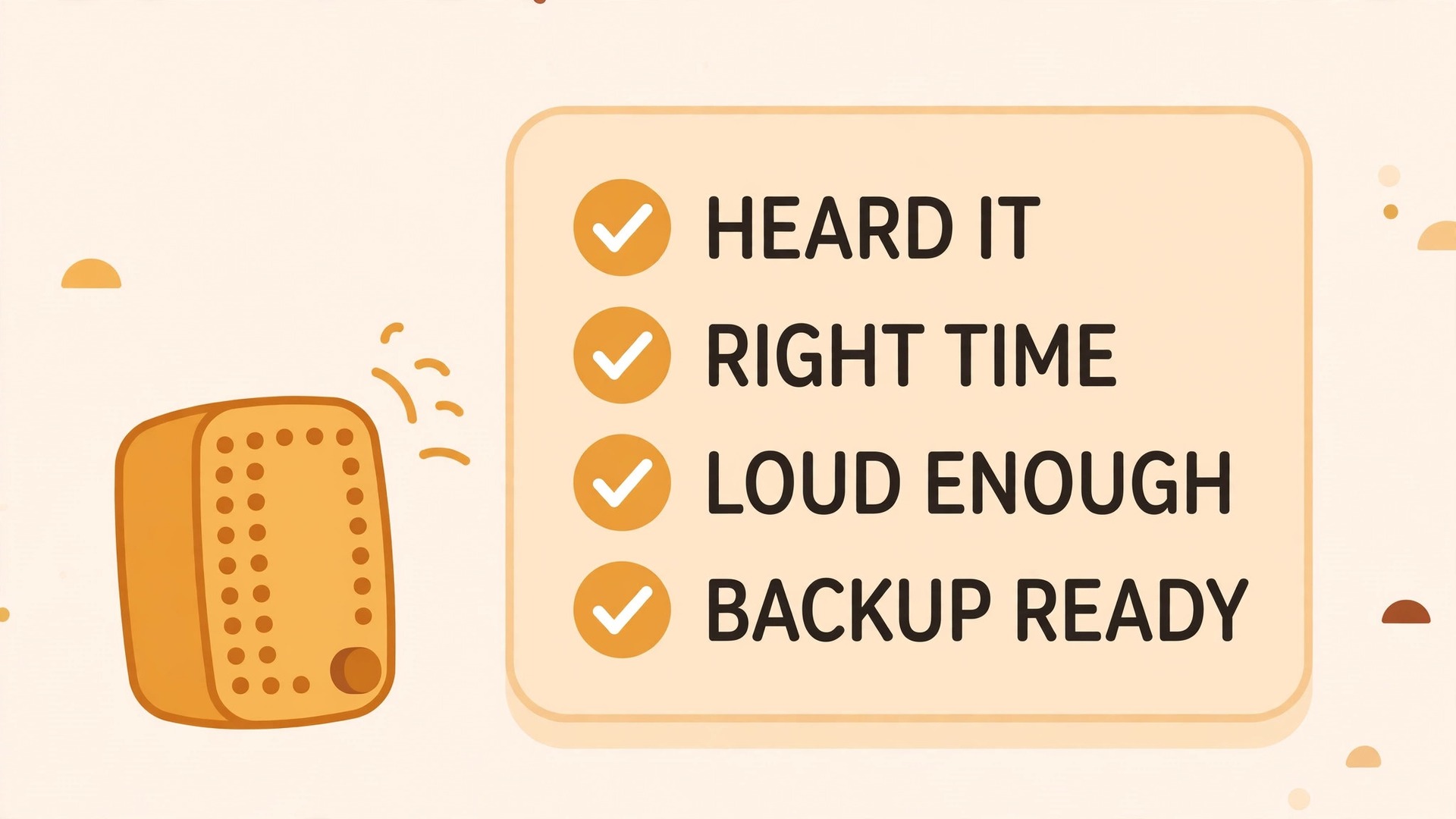
Voice timers fail in known ways, and a short checklist covers most of them before they spoil food. Work through this list the first time a timer fails, and keep it near the speaker until the common causes are fixed, because a timer failure during a meal is a bad time to troubleshoot from scratch.
- If the speaker did not hear the command, move closer, reduce background noise if possible, and repeat the command slowly with the timer name.
- If the speaker set the wrong time, cancel that timer at once and set it again, stating the number clearly and listening to the confirmation.
- If a timer rang but nobody heard it, raise the timer volume, choose a more distinct sound, and move the speaker closer to the cooking area.
- If a timer seems to have vanished, ask for a list of active timers, and check whether it was cancelled accidentally by another command.
- If the speaker responds slowly or not at all, check power, network connection, and whether a household member muted or paused it.
- If multiple timers confuse the speaker, rename them to more distinct food names, and cancel and reset any timer you are unsure about.
- If the network drops during a long cook, fall back to the oven timer or a mechanical timer, and do not rely on voice alone until the network returns.
- If a household member keeps cancelling timers by accident, agree on a rule that only the cook cancels timers during a meal.
- If the speaker is in another room, move it into the kitchen for cooking sessions, because a timer heard faintly through a wall is a timer missed.
- After any failure, note the cause and the fix, so the same failure does not repeat at the next big meal.
The most important failure habit is confirmation, because most timer errors come from a command that was misheard and never checked. After setting a critical timer, listen to the speaker’s confirmation, and if the confirmation sounds wrong, correct it immediately rather than hoping it was right. For very long or critical timers, set a backup timer on the oven or a mechanical timer as well, and check both at the halfway point. That double check takes seconds and protects the dishes that matter most, such as a roast for guests or bread that has been proving for hours.
Keep this list near the speaker when you use smart speaker for kitchen cooking timers for guests, because pressure makes every failure more likely.
Hands Free Cooking Routines Beyond Timers
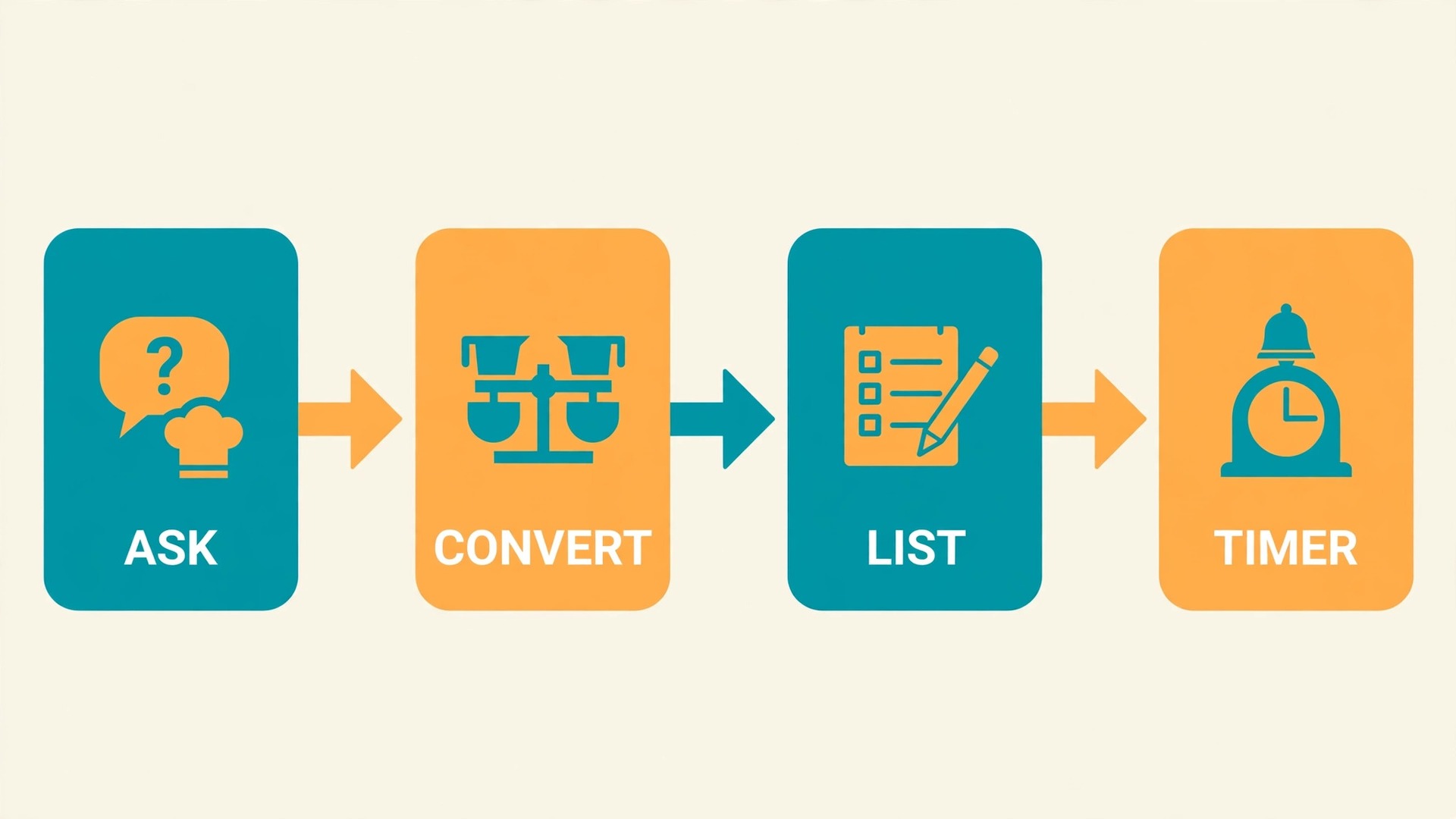
Once timers work reliably, a smart speaker can support other hands free kitchen jobs, and each one follows the same principle, which is to keep hands on food and eyes on cooking. A cook can ask for a measurement conversion without touching a phone, such as converting cups to grams or Fahrenheit to Celsius, and that single ability saves repeated washing and drying of hands during baking. A cook can also ask for a quick substitution, such as what to use instead of buttermilk, or for the next step in a recipe, though recipe steps should be checked before cooking starts, because a speaker reading a long recipe aloud during a busy meal can be hard to follow.
Music and background listening also help, provided they do not drown out timer sounds. Keep music at a moderate volume, choose a timer sound that stands out from the music, and pause music when a critical timer is due, so the ring is unmistakable. For households with children, a speaker can run a simple cooking countdown that children can hear, which turns waiting time into a game and keeps young helpers engaged without giving them a phone. For cooks who follow video recipes, a speaker cannot replace a screen, but it can handle timing and conversions while the cook watches a tablet propped safely away from water and heat.
Shopping and planning routines round out the kitchen system, because a speaker can add items to a shopping list by voice as they run out, which prevents the classic problem of discovering an empty pantry mid recipe. Add items immediately when you notice them, rather than saving them for later, and review the list before shopping, deleting duplicates and items already bought. That habit, combined with reliable timers, turns the speaker from a novelty into a genuine kitchen assistant, and it works best when the whole household uses the same list and the same timer names, so nothing is lost between cooks.
Build these habits gradually when you use smart speaker for kitchen cooking timers every day, starting with timers and adding one new routine at a time.
Placement, Privacy and Power
Placement needs a balance between hearing, safety and cleanliness, because a kitchen is a hostile environment for electronics. Keep the speaker away from direct steam from kettles and pots, away from splashes at the sink, and away from direct heat above a hob, because moisture and heat shorten the life of any speaker and can distort sound. A high shelf or a wall mount often works well, because it keeps the speaker out of splash range while keeping the microphone clear, but it must still be within easy reach for volume changes and for moving it during cleaning.
Wipe the speaker regularly with a dry cloth, and never spray cleaner directly onto it, because liquid in a microphone or speaker grille causes muffled sound and missed commands.
Privacy deserves a direct conversation in any household, because a kitchen speaker listens for its wake word and household members should understand what that means. Review the speaker’s privacy settings, including voice history and whether recordings are stored, and set them to the level the household is comfortable with, rather than accepting defaults without thought. Agree on whether the speaker stays on during private conversations, and use the mute button when the kitchen becomes a place for a sensitive discussion, because a mute button used deliberately is better than a speaker unplugged in frustration.
Teach children that the speaker is a tool, not a person, and that timer and list commands are welcome while personal questions and purchases need an adult.
Power and network reliability complete the practical picture. Place the speaker near a reliable power outlet, avoid trailing cables across walkways, and keep the kitchen router signal strong, because a weak signal causes slow responses and missed timers. If the kitchen is far from the router, a network extender or a better router position may help the speaker as much as it helps phones, and that improvement is worth making before blaming the speaker for failures. Check signal strength when you use smart speaker for kitchen cooking timers in a kitchen far from the router, before assuming the speaker is faulty.
For long cooks, keep a mechanical timer as backup, as already noted, because no network dependent device should be the only timing for a dish that took hours to prepare.
Mistakes That Make Voice Timers Frustrating
The first mistake is using unnamed timers for a multi dish meal, which guarantees confusion when the second timer rings and nobody knows which dish it belongs to. Name every timer from the start, even for a simple meal, so naming becomes habit before a complex meal tests it. The second mistake is setting timers and never listening to the confirmation, which allows misheard numbers to survive until food burns. Listen, correct at once if wrong, and check remaining time before a long hands busy stretch.
The third mistake is placing the speaker where it looks tidy rather than where it hears well, such as inside a cupboard or behind a tall appliance, which causes repeated missed commands and a slow loss of trust in the system.
The fourth mistake is relying on voice alone for a critical long cook, without a backup timer, which turns a rare network failure into a ruined meal. The fifth mistake is letting every household member invent their own timer names, which creates a mess of overlapping names that nobody else understands. Agree on a naming pattern, write it on a card, and review it when a new cook joins the household. The sixth mistake is volume set once and forgotten, so a timer that was audible in a quiet kitchen becomes inaudible when the fan, the kettle and a conversation combine.
Test volume under real cooking noise, not in a silent kitchen, and adjust it for the noisiest part of the meal, not the quietest. Fix naming first when timers keep confusing you, because most other failures follow from bad names.
More Reading on Stratilyze
If this guide helps your kitchen timing, the wider Stratilyze guides cover the smart home around it. The guide to smart speakers for morning routines explains voice routines that also work in the kitchen, the guide to Bluetooth speakers for outdoor movies covers sound placement that helps with timer audibility, and the guide to noise cancelling headphones for office focus shows how sound management changes a workspace. Read the morning routine guide next if you want one voice system for the whole day, because the same naming habits serve both.
Frequently Asked Questions
Can I run several timers at once when you use smart speaker for kitchen cooking timers?
Yes, most smart speakers support several timers at once, and naming each timer is what makes that practical. Set each timer with a distinct food name, such as a timer for pasta and a timer for rice, and ask for remaining time by name whenever you need a check. Avoid unnamed timers for multi dish meals, because a list of identical countdowns cannot be managed by voice, and cancel or extend timers immediately when a dish changes, so the timer list always matches reality.
What should I do if the speaker sets the wrong timer time?
Cancel that timer at once and set it again, speaking the number slowly and listening carefully to the confirmation. If the confirmation still sounds wrong, check for background noise, move closer to the speaker, and repeat the command, because fans, kettles and conversations commonly cause misheard numbers. For critical dishes, set a backup timer on the oven or a mechanical timer as well, and check both at the halfway point, so a single misheard command cannot ruin the meal.
Where is the best place for a smart speaker in a kitchen?
Place it on a stable surface or a high shelf near the main cooking area, away from direct steam, splashes and heat, but close enough that a normal speaking voice reaches it over the extractor fan. Test the spot with the fan on, a kettle boiling, and commands spoken from the stove, sink and chopping area, and move the speaker if any position fails repeatedly. Avoid cupboards and spots buried behind tall appliances, where sound is muffled and steam collects.
Do smart speaker timers work if the internet goes down?
Most smart speakers depend on a network connection for voice processing, so a router outage or power cut can affect timers, and a timer set before the outage may not ring reliably. For long or critical cooks, keep a mechanical timer or the oven timer as backup, and do not rely on voice alone until the network returns. Check power and network first when a speaker responds slowly or not at all, and keep the kitchen router signal strong to reduce failures.
How do I stop cancelling the wrong timer by voice?
Use distinct food names for every timer, and ask for a list of active timers before cancelling, so you hear the names and remaining times and can choose correctly. Avoid names that sound alike, and rename any timer that causes confusion immediately, noting the new name for the rest of the meal. Agree that only the cook cancels timers during a meal, so a well meaning helper does not cancel a critical timer by accident.
Can children use kitchen timers on a smart speaker safely?
Yes, with simple rules, because voice timers let children help with timing without handling a phone or a hot stove. Teach children the exact phrases for setting and asking about timers, use clear food names, and supervise the first few meals until the habit is steady. Keep purchase and personal settings restricted to adults, and use the speaker’s mute button for private conversations, so children learn the speaker is a helpful tool with clear boundaries.
Timers That Work While You Cook
A kitchen voice timer system works when the speaker sits where it can hear you, every timer has a distinct food name, and every critical timer gets its confirmation checked and a backup for long cooks. Place the speaker away from steam and splashes but close to the cooking area, learn the five key phrases until they are automatic, and follow a full meal routine that ties each timer to a dish and a single action. Test volume under real cooking noise, agree on naming rules for the whole household, and review failures once so they do not repeat.
Done that way, timers stop being a fiddly phone task and become a calm background habit that lets you cook with both hands free and full attention on the food.