
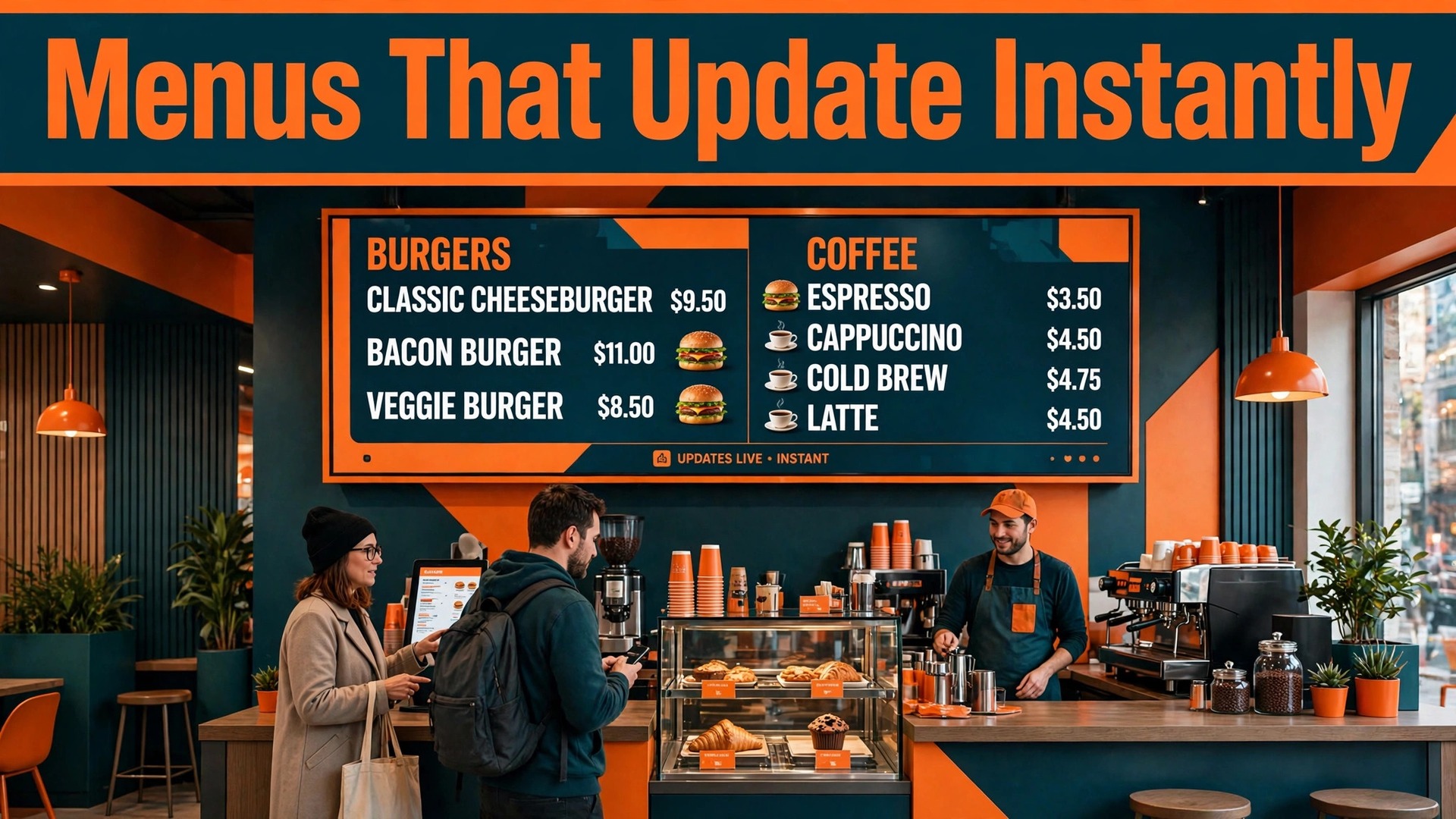
Your printed menu is out of date the day a supplier raises a price, a dish sells out, or a lunch special ends, and every reprint costs money while the old boards keep showing wrong prices to customers at the counter. A digital menu board fixes that gap in minutes, because one edit in a dashboard updates every screen, switches lunch to dinner automatically, and marks sold out items before a customer orders them. The best menu board makers compete on that daily workflow, not just on pretty templates, and the wrong choice shows up as frozen screens, confusing software, or a per screen bill that doubles when you add a second location.
This guide compares eleven systems that run menus on TVs and commercial displays, from a free single screen option to enterprise platforms for chains. Each review covers what the software does, what hardware it needs, how scheduling and pricing updates work, and where costs hide. Start with the explainer below if you have never run signage, then shortlist two systems and trial them on one screen before you commit every location.
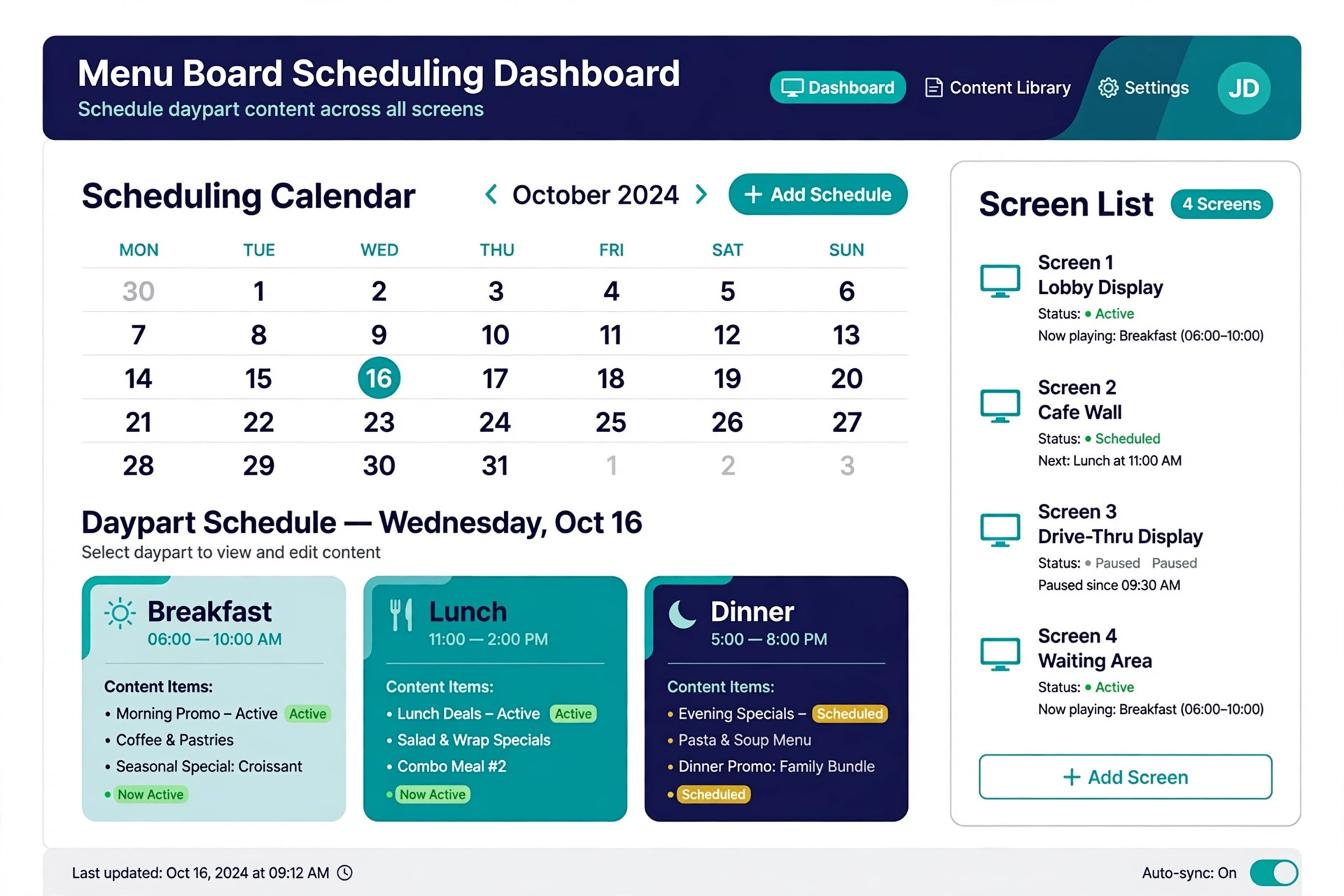
A complete system has four parts, and a tool that covers only one of them will disappoint. The content editor is where you build the menu, with templates, food photos, prices, and nutritional or allergen notes. The player is the small device or built in app that drives each TV, such as an Amazon signage stick, an Android TV app, or a dedicated media player. The scheduler decides what shows when, switching breakfast to lunch, running a happy hour promo, or pushing a sold out notice. The management dashboard controls every screen from one place, so a head office can lock templates while each branch edits only its own prices.
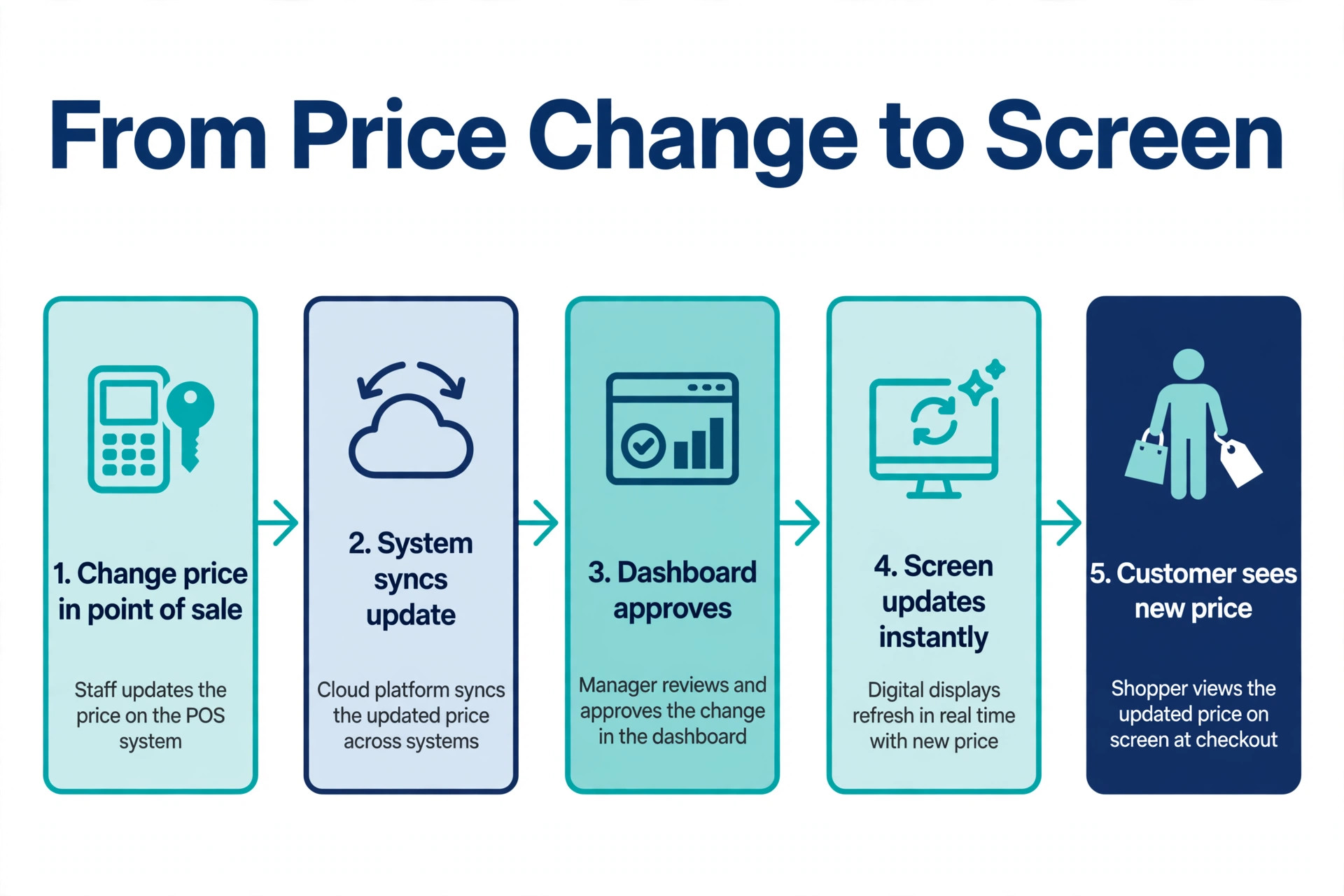
Point of sale integration is the fifth part for larger operations, and it separates good systems from great ones. The best menu board makers treat that integration as a core feature with tested till providers, not as a vague promise on a marketing page. When the till or kitchen system marks an item sold out, the board should update without a manager touching the dashboard, and when a price changes in the till, the board should follow. Not every tool in this guide offers that depth, and smaller cafes may not need it, but chains and multi site groups should treat it as a requirement rather than a bonus.
Hardware costs sit on top of software fees, so budget for screens, mounts, players, and installation alongside the monthly per screen price.

The Shortlist
| Tool | Best for | Starting price | Free trial |
|---|---|---|---|
| Yodeck | Most restaurants | Free for one screen | Yes |
| OptiSigns | Budget multi screen setups | 10 dollars per screen per month | Yes |
| ScreenCloud | Large and growing chains | Priced on request | Yes |
| NoviSign | Fast AI assisted creation | 14 dollars per screen per month | Yes |
| truDigital | Multi location control | 31 dollars per screen per month annual | No |
| TelemetryTV | Advanced scheduling and apps | Priced on request | Yes |
| Displai | In store experience | Priced on request | No |
| Rise Vision | Schools and campus dining | Priced on request | Yes |
| DotSignage | Simple low cost boards | 10 dollars per screen per month annual | Yes |
| Pickcel | POS linked menus | 13 dollars and 50 cents per screen per month annual | Yes |
| L Squared | Enterprise signage | Priced on request | Yes |
The best menu board makers in this table differ most on per screen price and on how much control head office keeps, so compare those two columns against your site count before you fall for a template gallery.
The 11 Tools Reviewed
1. Yodeck
Yodeck is the best starting point for most restaurants because it combines a free single screen tier with a large template library and hardware flexibility. You can run it on a Raspberry Pi player, an Amazon signage stick, a web player, or supported smart TVs, and the editor includes hundreds of menu templates plus apps for weather, social feeds, and queue displays. Scheduling covers dayparting, playlists, and screen grouping, so one dashboard can run a lunch board, a dinner board, and a promo screen together.
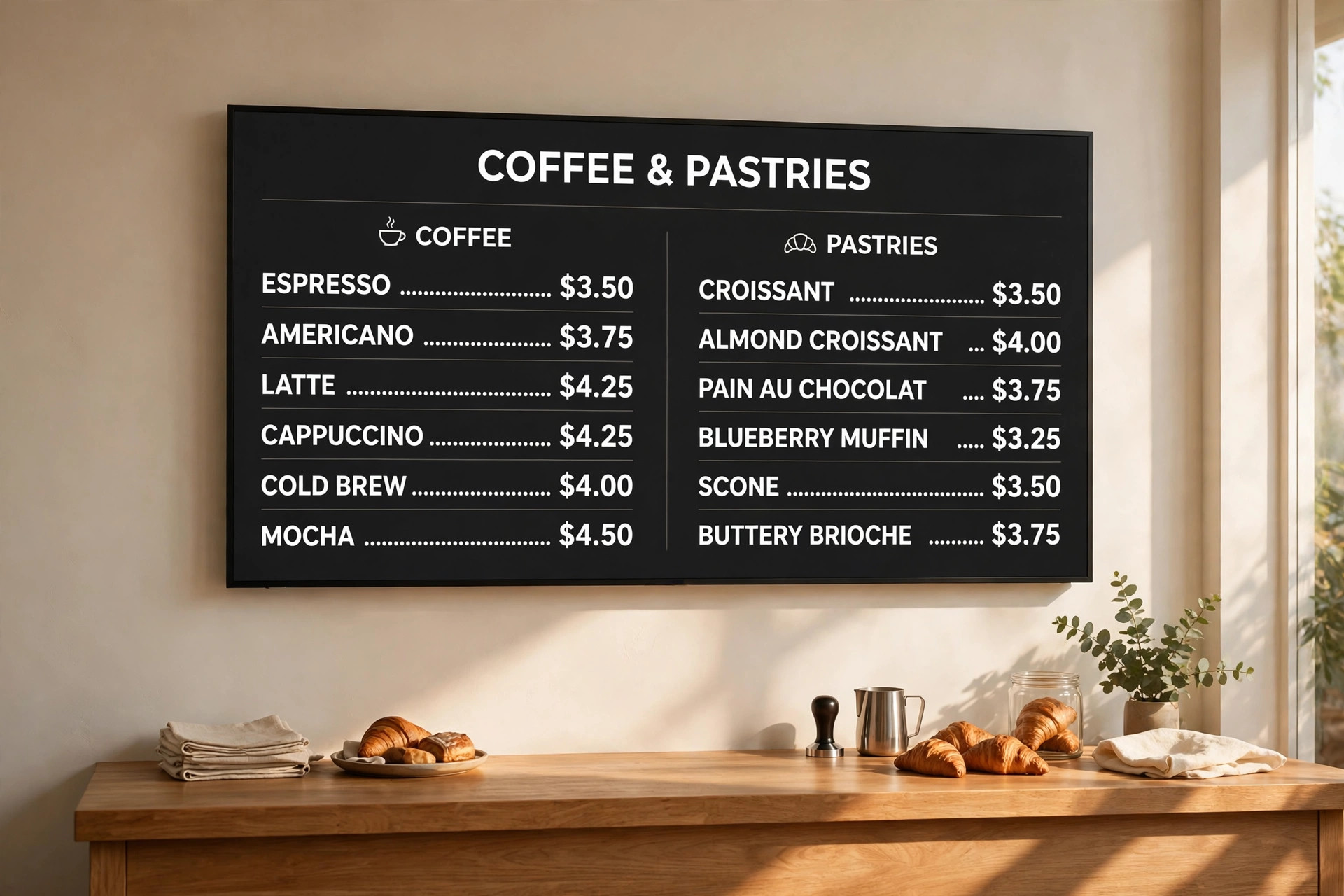
Pricing is transparent. One screen is free forever on the basic tier, Standard costs 7 dollars and 99 cents per screen per month, Pro costs 9 dollars and 99 cents, and Enterprise costs 12 dollars and 99 cents, with annual billing in most listings and a free player offer on annual plans in some promotions. Support is included on all plans, which matters for a restaurant that cannot wait days for a screen fix. The main limits are that advanced enterprise controls and some integrations sit on higher tiers, and very large fleets may want deeper device management than Yodeck offers. For a single site or a small group, it is hard to beat on value.
2. OptiSigns
OptiSigns is the budget pick for businesses that want to run menus on almost any TV they already own. The platform supports Amazon Fire TV sticks, Android TV, Windows, and dedicated players, and its editor covers menu templates, scheduling, and screen grouping without a steep learning curve. That hardware freedom keeps startup costs low, because many cafes can reuse a consumer TV and a low cost stick rather than buying commercial displays on day one.
Pricing starts at 10 dollars per screen per month, with a fourteen day free trial. That flat per screen rate makes multi screen budgeting simple, though costs add up fast across ten or more screens, so compare the total against Yodeck Pro or DotSignage before a large rollout. Limits include thinner point of sale integration than chain focused rivals and a template library that feels more general signage than restaurant specific in places. Choose OptiSigns when low hardware cost and simple pricing matter most, and trial the menu templates on your own dishes before paying.
3. ScreenCloud
ScreenCloud suits larger operations that need scale, security, and fleet management across many screens. The platform runs on a wide range of players and smart TVs, offers apps and integrations for data, social, and workplace tools, and provides admin controls, user roles, and device monitoring that small tools lack. Menu boards benefit from that depth when a chain must push the same update to fifty screens, prove it landed, and roll it back if a price was wrong.

Pricing is not published as a flat per screen rate, so budget holders must request a quote based on screen count and features, and a free trial is available to test the platform. That quote model frustrates small buyers who want a quick number, but it reflects enterprise pricing that varies with support and security requirements. ScreenCloud is more system than a single cafe needs, and its power only pays off at scale. Pick it when you manage many locations, need strong security review, or already use its wider signage apps beyond menus.
4. NoviSign
NoviSign stands out for fast content creation, with AI assisted tools and hundreds of menu templates that help a small team build a polished board without a designer. The editor supports drag and drop layouts, scheduling, and screen management, and the platform works across common players and smart displays. For a cafe that changes specials weekly, that creation speed is a real weekly saving, because a new board should take minutes, not a design brief.
Pricing starts at 14 dollars per screen per month, with a thirty day free trial. That sits above Yodeck and OptiSigns, so the AI and template advantage must earn its premium in your workflow. Test it by building a real menu from your own dishes during the trial, not a demo menu, and time how long updates take. Limits include less enterprise depth than ScreenCloud or TelemetryTV and point of sale options that vary by plan. Choose NoviSign when creation speed and template quality decide the purchase.
5. truDigital
truDigital is built specifically for multi location restaurants, and its feature set shows that focus. Dayparted menus switch automatically through the day, corporate controls lock branding and pricing rules from head office, and local managers edit only approved fields. That balance prevents the common chain problem where every branch drifts into a different layout, price, and promo, while still letting a site mark a dish sold out fast.
Pricing is premium, at 31 dollars per screen per month on annual billing, with no free tier. That price rules it out for most single cafes, but it can be justified for a group where inconsistent menus cost sales and brand trust. The higher price buys restaurant specific controls rather than general signage features, so compare it against ScreenCloud and TelemetryTV on total cost for your site count, not on a single screen rate. Choose truDigital when central control across locations is the main requirement.
6. TelemetryTV
TelemetryTV fits operations that need advanced scheduling, apps, and device management. The platform offers a large app library, data integrations, playlist scheduling, and fleet controls, plus menu templates for restaurants that want more than a static price list. It works well for groups that also run promo screens, waiting area displays, and back of house boards from one dashboard, because the same system can serve all three jobs.
Pricing is quoted rather than published flat, with a fourteen day free trial. That makes quick comparison harder, and small buyers may prefer a tool with a public per screen rate. TelemetryTV also carries more complexity than a cafe needs for a single board, so setup takes longer than Yodeck or DotSignage. Pick it when scheduling depth, apps, and fleet management matter more than the lowest per screen price, and involve IT early so device setup does not stall the rollout.
7. Displai
Displai, formerly Raydiant, positions itself as an in location experience platform rather than a menu only tool. It covers menu boards alongside promo screens, customer engagement displays, and location analytics, which suits retail and hospitality groups that want one platform for everything a customer sees in store. Menu features include templates, scheduling, and central management, with a focus on how screens shape the visit, not just what they list.
Pricing is quoted, with no free tier in most listings, which puts it in the enterprise bracket alongside ScreenCloud and TelemetryTV. Small restaurants will find the sales led process slower than a self serve trial, and the wider experience features may go unused if you only need menus. Choose Displai when you run a group of stores or restaurants and want menus, promos, and engagement screens under one contract, and compare it directly with ScreenCloud on total platform cost.
8. Rise Vision
Rise Vision is a strong fit for schools, universities, and campus dining, where budgets are tight and screens serve menus plus announcements, events, and wayfinding. The platform offers templates, scheduling, and device management with an education friendly approach, and its menu tools cover dayparting and multi screen layouts for dining halls. A campus that already uses Rise Vision for hallway screens can add dining boards without a second system.
Pricing is quoted with a free trial, so small schools should request a figure for their exact screen count and check education discounts where offered. The restaurant specific depth is thinner than truDigital or Pickcel, with fewer point of sale links and less menu focused template variety, so a commercial restaurant group will likely prefer a restaurant first tool. Choose Rise Vision when the buyer is a school or campus, and trial it in one dining hall before a campus wide rollout.
9. DotSignage
DotSignage is a simple, low cost option for restaurants that want a menu board live this week without a long setup. The browser editor uses drag and drop templates, pairing works by entering a code on an Amazon signage stick or Android TV, and updates publish instantly to the screen. That three step flow suits owners who manage the board themselves and do not want to learn a complex signage platform.
Pricing starts at 10 dollars per screen per month on annual billing, with a seven day free trial and no credit card required for the trial in most listings. There are no setup fees beyond the player hardware, which keeps the first screen cheap. Limits include a smaller app ecosystem than Yodeck or TelemetryTV and less enterprise control than ScreenCloud, so larger groups may outgrow it. Pick DotSignage for a single restaurant or cafe that values simplicity and a clear monthly price.
10. Pickcel
Pickcel covers digital menu boards with strong point of sale awareness, including Square integration for real time availability and pricing updates in some setups. The platform offers more than one hundred menu templates, automated scheduling, dynamic playlists, and flexible language and currency options, which helps multi site and tourist area restaurants. Media support covers images, graphics, and video, so a board can mix prices with food photography and promos.
Pricing starts from 13 dollars and 50 cents per screen per month on annual billing for the popular Professional plan, with higher tiers adding features and support. That mid range price sits between budget tools and truDigital, and the POS link can justify it when sold out errors cost sales. Limits include a sales led buying process for larger plans and a template style that some owners find more corporate than boutique. Choose Pickcel when POS linked availability matters and you want a restaurant focused platform without enterprise pricing.
11. L Squared
L Squared Hub is an enterprise signage platform that bundles menu boards with widgets, integrations, and live support. The platform covers social feeds, weather, business intelligence dashboards, and scheduling under one plan, with 24 by 5 live agent support and a service level agreement under four hours in its published materials. That support depth matters for chains where a dark screen during lunch service is lost revenue, not just an inconvenience.
Pricing is quoted, and subscription models in this category generally land between 25 and 100 dollars per month per screen for premium platforms, though L Squared pricing varies by scope, so request a quote for your screen count. Installation costs add to that, with basic installs reported around 300 to 500 dollars and complex multi location rollouts far higher. L Squared is overkill for a single cafe, and it makes sense for larger groups that need integrations, support guarantees, and a platform that grows beyond menus. Compare it with ScreenCloud and TelemetryTV before signing.
Start with screen count and growth. A free single screen tier from Yodeck may cover a solo cafe forever, while a ten site group needs central control, user roles, and proof of playback from day one. Next, list the updates you make weekly. Price changes, sold out items, daypart switches, and promos each test a different feature, so trial the tool with your real menu and your real weekly changes, not a demo dataset.
Then check hardware honestly. Reusing consumer TVs saves money but can void warranties and shorten screen life in a hot kitchen environment, while commercial displays cost more upfront and last longer under daily use. Confirm which players each tool supports, whether your internet connection can handle remote updates, and what happens when a screen loses connection. A good system caches content and keeps showing the last menu offline, while a weak one goes dark. Finally, compare year one totals, including screens, mounts, players, installation, software, and support, because the cheapest per screen rate is not always the cheapest rollout.
Ask each vendor for a written quote that lists every recurring fee, including support, extra users, and additional screens, and confirm what happens to your menus if you cancel. A system that exports your designs cleanly protects your investment, while a system that locks designs inside its editor makes switching painful later. That exit check takes ten minutes during a trial and can save a full redesign if you change providers in two years. Keep copies of food photos and price lists outside the platform as well, so a future migration starts from your own files rather than from screenshots of old boards.
Store those files in a shared folder with clear names for each dish and price version, and update that folder whenever a price changes, so no old version survives by accident.

Rollout Plan for a First Location
Week one is design and hardware. Photograph your best dishes in consistent light, write short item names that fit a board at a glance, and lock prices with your till system so the board and the receipt agree. Order the player and mount, test the screen position from the ordering point, and check glare from windows at lunch time, when the room is brightest.
Week two is trial and training. Publish the board on one screen, watch real customers order from it, and note where they hesitate, misread a price, or miss a promo. Train staff to mark items sold out, switch dayparts, and reboot a player, and write those steps on a card near the till. Week three is rollout to remaining screens, with templates locked at head office level and only prices and availability editable locally. Review sales and sold out errors after a month, and adjust item order so high margin dishes sit where eyes land first.

Choosing Screens and Players
Screen choice affects readability more than software choice, so decide it early. A 43 inch screen suits a small counter where customers stand two to three metres away, while a larger dining hall or drive thru lane needs 55 inches or more to keep prices legible at distance. Brightness matters as much as size, because a dim consumer TV near a sunny window will wash out, while a commercial display with higher brightness stays readable through lunch. Check the viewing angle too, since customers queue at an angle to the board, not directly in front of it.
Players deserve the same care. A signage stick is cheap and easy to replace, a dedicated media player offers stronger remote management and offline caching, and a built in smart TV app removes a device but ties you to that TV maker. The best menu board makers support more than one player type, so you are not forced into a single hardware path when a player fails or a supplier changes. Keep one spare player on site, label every screen and player pair, and record which dashboard group each screen belongs to, because a mislabelled screen is the most common cause of a promo appearing on the wrong board.
Mounting and power complete the setup. Fix screens at a height where the top of the menu sits above the queue but below harsh ceiling lights, run cables out of customer reach, and put players on a switched outlet that staff can reach without a ladder. A clean install looks professional, reduces accidental unplugging, and makes a reboot a thirty second job rather than a maintenance call. Budget for a professional mount in high traffic sites, and test the full setup during a real service before you remove printed menus entirely.
Mistakes That Cost Restaurants Money
The costliest mistake is buying software before checking hardware and internet. Even the best menu board makers cannot fix a bad screen position, so test placement, brightness, and viewing distance before you sign a software contract. A beautiful board on a weak connection will freeze during lunch, and a consumer TV in direct sun will wash out no matter how good the template is. The best menu board makers cannot fix a bad screen position, so test placement, brightness, and viewing distance before you sign a software contract.
The second mistake is crowding the board. Small text, too many items, and competing promos slow ordering and increase errors at the till. Keep item names short, prices large, and promos to one per screen, and use a second screen for detail rather than shrinking everything onto one. The third mistake is forgetting the offline case. Ask every vendor what the screen shows when the internet drops, and reject any system that goes blank. A cached last menu keeps selling, while a blank screen sends customers to a competitor.
Frequently Asked Questions
Software usually costs 8 to 31 dollars per screen per month for the tools in this guide, with enterprise platforms quoted higher. Add screens, mounts, players, and installation, which can run 300 to 500 dollars for a basic install and more for complex multi site work. A single screen cafe can start under 500 dollars in hardware plus a monthly fee, while a ten screen group should budget software, hardware, and support together.
Yes, many tools run on consumer TVs through a signage stick or smart TV app, and OptiSigns and Yodeck both support that route. Commercial displays last longer under all day use, handle heat better, and often carry warranties for commercial settings, so they suit busy kitchens and bright storefronts. Start with a consumer TV for a trial, and switch to commercial displays for permanent high traffic installs.
Some do, and some do not, so check this feature specifically. Pickcel and truDigital emphasize POS linked availability and pricing, while simpler tools require manual dashboard edits for sold out items and price changes. If automatic updates matter to you, trial the integration with your exact till system before signing, because a generic POS claim may not cover your provider.
Most restaurants switch at least twice, from breakfast to lunch and from lunch to dinner, with promos layered on top for happy hour or weekends. Dayparting automates those switches, so staff do not need to remember them during a rush. Seasonal menus, price changes, and sold out notices should update immediately, while full redesigns can wait for a quiet week.
What happens if the internet goes down?
A good system caches the current menu on the player and keeps displaying it offline, then syncs updates when the connection returns. A weak system may show a blank screen or an error, which stops orders and frustrates customers. Ask the vendor about offline playback before you buy, and test it by disconnecting the player during a trial.
Is one screen enough for a small cafe?
Yes, for many small cafes a single well placed screen behind the counter covers the full menu, provided text is large and items are grouped clearly. Add a second screen when the menu grows beyond about twenty items, when you run separate food and drink boards, or when a promo needs its own space. Two clear screens always beat one crowded screen.
What to Buy First
A single cafe should start with Yodeck on its free tier or DotSignage for a simple paid board, and upgrade only when screen count or POS needs grow. A small group should trial OptiSigns and NoviSign side by side, with one eye on per screen totals and one eye on how fast staff can build a new board. A chain should shortlist truDigital, ScreenCloud, and L Squared, and decide on central control, support, and integration depth rather than on template beauty alone.
The best menu board makers in this guide all display a menu, so the winner is the one your staff can update in minutes, your customers can read at a glance, and your budget can sustain across every screen you plan to run.
Further Reading
More Reading on Stratilyze. For the wider restaurant picture, see Best AI Tools for Restaurants, Use Canva for Restaurant Menu Design, Use AI for Restaurant Menu Descriptions, and Use AI for Cafe Menu Pricing. Catering and small business readers may also like Best AI Tools for Catering Businesses and Best AI Tools for Small Business.